{"id": "doc_1848801860ea", "question": "Foundations of Docker", "question_body": "", "answer": "Install Docker and jump into discovering what Docker is.\nLearn the foundational concepts and workflows of Docker.", "tags": ["https://docs"], "source": "official_docs", "category": "https://docs", "difficulty": "intermediate", "quality_score": 0.84, "question_score": 10, "answer_score": 10, "has_code": false, "url": "https://docs.docker.com/get-started/", "collected_at": "2026-01-17T09:13:50.250574"}
{"id": "doc_b3afb7d16151", "question": "Environment replacement", "question_body": "", "answer": "Environment variables (declared withtheENVstatement) can also be\nused in certain instructions as variables to be interpreted by the\nDockerfile. Escapes are also handled for including variable-like syntax\ninto a statement literally.\nEnvironment variables are notated in the Dockerfile either with$variable_nameor${variable_name}. They are treated equivalently and the\nbrace syntax is typically used to address issues with variable names with no\nwhitespace, like${foo}_bar.\nThe${variable_name}syntax also supports a few of the standardbashmodifiers as specified below:\n${variable:-word}indicates that ifvariableis set then the result\nwill be that value. Ifvariableis not set thenwordwill be the result.${variable:+word}indicates that ifvariableis set thenwordwill be\nthe result, otherwise the result is the empty string.\nThe following variable replacements are supported in a pre-release version of\nDockerfile syntax, when using the# syntax=docker/dockerfile-upstream:mastersyntax\ndirective in your Dockerfile:\n${variable#pattern}removes the shortest match ofpatternfromvariable,\nseeking from the start of the string.str=foobarbazecho${str#f*b}# arbaz${variable##pattern}removes the longest match ofpatternfromvariable,\nseeking from the start of the string.str=foobarbazecho${str##f*b}# az${variable%pattern}removes the shortest match ofpatternfromvariable,\nseeking backwards from the end of the string.string=foobarbazecho${string%b*}# foobar${variable%%pattern}removes the longest match ofpatternfromvariable,\nseeking backwards from the end of the string.string=foobarbazecho${string%%b*}# foo${variable/pattern/replacement}replace the first occurrence ofpatterninvariablewithreplacementstring=foobarbazecho${string/ba/fo}# fooforbaz${variable//pattern/replacement}replaces all occurrences ofpatterninvariablewithreplacementstring=foobarbazecho${string//ba/fo}# fooforfoz", "tags": ["https://docs"], "source": "official_docs", "category": "https://docs", "difficulty": "intermediate", "quality_score": 0.89, "question_score": 10, "answer_score": 10, "has_code": true, "url": "https://docs.docker.com/engine/reference/builder/", "collected_at": "2026-01-17T09:14:01.268987"}
{"id": "doc_93f61028c24b", "question": "Use a different shell", "question_body": "", "answer": "You can change the default shell using theSHELLcommand. For example:\nFor more information, seeSHELL.", "tags": ["https://docs"], "source": "official_docs", "category": "https://docs", "difficulty": "intermediate", "quality_score": 0.84, "question_score": 10, "answer_score": 10, "has_code": true, "url": "https://docs.docker.com/engine/reference/builder/", "collected_at": "2026-01-17T09:14:01.269046"}
{"id": "doc_c9d506ccfd72", "question": "Understand how ARG and FROM interact", "question_body": "", "answer": "FROMinstructions support variables that are declared by anyARGinstructions that occur before the firstFROM.\nAnARGdeclared before aFROMis outside of a build stage, so it\ncan't be used in any instruction after aFROM. To use the default value of\nanARGdeclared before the firstFROMuse anARGinstruction without\na value inside of a build stage:", "tags": ["https://docs"], "source": "official_docs", "category": "https://docs", "difficulty": "intermediate", "quality_score": 0.84, "question_score": 10, "answer_score": 10, "has_code": true, "url": "https://docs.docker.com/engine/reference/builder/", "collected_at": "2026-01-17T09:14:01.269103"}
{"id": "doc_83f2edb5c334", "question": "Cache invalidation for RUN instructions", "question_body": "", "answer": "The cache forRUNinstructions isn't invalidated automatically during\nthe next build. The cache for an instruction likeRUN apt-get dist-upgrade -ywill be reused during the next build. The\ncache forRUNinstructions can be invalidated by using the--no-cacheflag, for exampledocker build --no-cache.\nSee theDockerfile Best Practices\nguidefor more information.\nThe cache forRUNinstructions can be invalidated byADDandCOPYinstructions.", "tags": ["https://docs"], "source": "official_docs", "category": "https://docs", "difficulty": "intermediate", "quality_score": 0.79, "question_score": 10, "answer_score": 10, "has_code": true, "url": "https://docs.docker.com/engine/reference/builder/", "collected_at": "2026-01-17T09:14:01.269156"}
{"id": "doc_4c761e45168c", "question": "RUN --mount=type=bind", "question_body": "", "answer": "This mount type allows binding files or directories to the build container. A\nbind mount is read-only by default.", "tags": ["https://docs"], "source": "official_docs", "category": "https://docs", "difficulty": "intermediate", "quality_score": 0.84, "question_score": 10, "answer_score": 10, "has_code": true, "url": "https://docs.docker.com/engine/reference/builder/", "collected_at": "2026-01-17T09:14:01.269196"}
{"id": "doc_a81d34d2d5e8", "question": "RUN --mount=type=cache", "question_body": "", "answer": "This mount type allows the build container to cache directories for compilers\nand package managers.\nContents of the cache directories persists between builder invocations without\ninvalidating the instruction cache. Cache mounts should only be used for better\nperformance. Your build should work with any contents of the cache directory as\nanother build may overwrite the files or GC may clean it if more storage space\nis needed.\nApt needs exclusive access to its data, so the caches use the optionsharing=locked, which will make sure multiple parallel builds using\nthe same cache mount will wait for each other and not access the same\ncache files at the same time. You could also usesharing=privateif\nyou prefer to have each build create another cache directory in this\ncase.", "tags": ["https://docs"], "source": "official_docs", "category": "https://docs", "difficulty": "intermediate", "quality_score": 0.89, "question_score": 10, "answer_score": 10, "has_code": true, "url": "https://docs.docker.com/engine/reference/builder/", "collected_at": "2026-01-17T09:14:01.269271"}
{"id": "doc_a677e3037f42", "question": "RUN --mount=type=tmpfs", "question_body": "", "answer": "This mount type allows mountingtmpfsin the build container.", "tags": ["https://docs"], "source": "official_docs", "category": "https://docs", "difficulty": "intermediate", "quality_score": 0.84, "question_score": 10, "answer_score": 10, "has_code": true, "url": "https://docs.docker.com/engine/reference/builder/", "collected_at": "2026-01-17T09:14:01.269306"}
{"id": "doc_5437e8e086af", "question": "RUN --mount=type=secret", "question_body": "", "answer": "This mount type allows the build container to access secret values, such as\ntokens or private keys, without baking them into the image.\nBy default, the secret is mounted as a file. You can also mount the secret as\nan environment variable by setting theenvoption.\nThe following example takes the secretAPI_KEYand mounts it as an\nenvironment variable with the same name.\nAssuming that theAPI_KEYenvironment variable is set in the build\nenvironment, you can build this with the following command:", "tags": ["https://docs"], "source": "official_docs", "category": "https://docs", "difficulty": "intermediate", "quality_score": 0.79, "question_score": 10, "answer_score": 10, "has_code": true, "url": "https://docs.docker.com/engine/reference/builder/", "collected_at": "2026-01-17T09:14:01.269401"}
{"id": "doc_2d6475d14dd7", "question": "RUN --mount=type=ssh", "question_body": "", "answer": "This mount type allows the build container to access SSH keys via SSH agents,\nwith support for passphrases.\nYou can also specify a path to*.pemfile on the host directly instead of$SSH_AUTH_SOCK.\nHowever, pem files with passphrases are not supported.", "tags": ["https://docs"], "source": "official_docs", "category": "https://docs", "difficulty": "intermediate", "quality_score": 0.79, "question_score": 10, "answer_score": 10, "has_code": true, "url": "https://docs.docker.com/engine/reference/builder/", "collected_at": "2026-01-17T09:14:01.269462"}
{"id": "doc_fff434f85302", "question": "RUN --network=default", "question_body": "", "answer": "Equivalent to not supplying a flag at all, the command is run in the default\nnetwork for the build.", "tags": ["https://docs"], "source": "official_docs", "category": "https://docs", "difficulty": "intermediate", "quality_score": 0.84, "question_score": 10, "answer_score": 10, "has_code": true, "url": "https://docs.docker.com/engine/reference/builder/", "collected_at": "2026-01-17T09:14:01.269493"}
{"id": "doc_89255cab320a", "question": "MAINTAINER (deprecated)", "question_body": "", "answer": "TheMAINTAINERinstruction sets theAuthorfield of the generated images.\nTheLABELinstruction is a much more flexible version of this and you should use\nit instead, as it enables setting any metadata you require, and can be viewed\neasily, for example withdocker inspect. To set a label corresponding to theMAINTAINERfield you could use:\nThis will then be visible fromdocker inspectwith the other labels.", "tags": ["https://docs"], "source": "official_docs", "category": "https://docs", "difficulty": "intermediate", "quality_score": 0.79, "question_score": 10, "answer_score": 10, "has_code": true, "url": "https://docs.docker.com/engine/reference/builder/", "collected_at": "2026-01-17T09:14:01.269554"}
{"id": "doc_54fc77eca15b", "question": "COPY --chown --chmod", "question_body": "", "answer": "The--chownand--chmodfeatures are only supported on Dockerfiles used to build Linux containers,\nand doesn't work on Windows containers. Since user and group ownership concepts do\nnot translate between Linux and Windows, the use of/etc/passwdand/etc/groupfor\ntranslating user and group names to IDs restricts this feature to only be viable for\nLinux OS-based containers.\nAll files and directories copied from the build context are created with a UID and GID of0unless the\noptional--chownflag specifies a given username, groupname, or UID/GID\ncombination to request specific ownership of the copied content. The\nformat of the--chownflag allows for either username and groupname strings\nor direct integer UID and GID in any combination. Providing a username without\ngroupname or a UID without GID will use the same numeric UID as the GID. If a\nusername or groupname is provided, the container's root filesystem/etc/passwdand/etc/groupfiles will be used to perform the translation\nfrom name to integer UID or GID respectively. The following examples show\nvalid definitions for the--chownflag:\nIf the container root filesystem doesn't contain either/etc/passwdor/etc/groupfiles and either user or group names are used in the--chownflag, the build will fail on theCOPYoperation. Using numeric IDs requires\nno lookup and does not depend on container root filesystem content.\nWith the Dockerfile syntax version 1.10.0 and later,\nthe--chmodflag supports variable interpolation,\nwhich lets you define the permission bits using build arguments:", "tags": ["https://docs"], "source": "official_docs", "category": "https://docs", "difficulty": "intermediate", "quality_score": 0.94, "question_score": 10, "answer_score": 10, "has_code": true, "url": "https://docs.docker.com/engine/reference/builder/", "collected_at": "2026-01-17T09:14:01.269663"}
{"id": "doc_07860d0316cb", "question": "Exec form ENTRYPOINT example", "question_body": "", "answer": "You can use the exec form ofENTRYPOINTto set fairly stable default commands\nand arguments and then use either form ofCMDto set additional defaults that\nare more likely to be changed.\nWhen you run the container, you can see thattopis the only process:\nTo examine the result further, you can usedocker exec:\nAnd you can gracefully requesttopto shut down usingdocker stop test.\nThe following Dockerfile shows using theENTRYPOINTto run Apache in the\nforeground (i.e., asPID 1):\nIf you need to write a starter script for a single executable, you can ensure that\nthe final executable receives the Unix signals by usingexecandgosucommands:", "tags": ["https://docs"], "source": "official_docs", "category": "https://docs", "difficulty": "intermediate", "quality_score": 0.89, "question_score": 10, "answer_score": 10, "has_code": true, "url": "https://docs.docker.com/engine/reference/builder/", "collected_at": "2026-01-17T09:14:01.269760"}
{"id": "doc_b2900215e4bb", "question": "Shell form ENTRYPOINT example", "question_body": "", "answer": "You can specify a plain string for theENTRYPOINTand it will execute in/bin/sh -c.\nThis form will use shell processing to substitute shell environment variables,\nand will ignore anyCMDordocker runcommand line arguments.\nTo ensure thatdocker stopwill signal any long runningENTRYPOINTexecutable\ncorrectly, you need to remember to start it withexec:\nWhen you run this image, you'll see the singlePID 1process:\nWhich exits cleanly ondocker stop:\nIf you forget to addexecto the beginning of yourENTRYPOINT:\nYou can then run it (giving it a name for the next step):\nYou can see from the output oftopthat the specifiedENTRYPOINTis notPID 1.", "tags": ["https://docs"], "source": "official_docs", "category": "https://docs", "difficulty": "intermediate", "quality_score": 0.89, "question_score": 10, "answer_score": 10, "has_code": true, "url": "https://docs.docker.com/engine/reference/builder/", "collected_at": "2026-01-17T09:14:01.269861"}
{"id": "doc_f5b3ff6efc58", "question": "Understand how CMD and ENTRYPOINT interact", "question_body": "", "answer": "BothCMDandENTRYPOINTinstructions define what command gets executed when running a container.\nThere are few rules that describe their co-operation.\nDockerfile should specify at least one ofCMDorENTRYPOINTcommands.ENTRYPOINTshould be defined when using the container as an executable.CMDshould be used as a way of defining default arguments for anENTRYPOINTcommand\nor for executing an ad-hoc command in a container.CMDwill be overridden when running the container with alternative arguments.\nThe table below shows what command is executed for differentENTRYPOINT/CMDcombinations:", "tags": ["https://docs"], "source": "official_docs", "category": "https://docs", "difficulty": "intermediate", "quality_score": 0.89, "question_score": 10, "answer_score": 10, "has_code": true, "url": "https://docs.docker.com/engine/reference/builder/", "collected_at": "2026-01-17T09:14:01.269922"}
{"id": "doc_89703db06dd8", "question": "Notes about specifying volumes", "question_body": "", "answer": "Keep the following things in mind about volumes in the Dockerfile.\nVolumes on Windows-based containers: When using Windows-based containers,\nthe destination of a volume inside the container must be one of:a non-existing or empty directorya drive other thanC:Changing the volume from within the Dockerfile: If any build steps change the\ndata within the volume after it has been declared, those changes will be discarded\nwhen using the legacy builder. When using Buildkit, the changes will instead be kept.JSON formatting: The list is parsed as a JSON array.\nYou must enclose words with double quotes (\") rather than single quotes (').The host directory is declared at container run-time: The host directory\n(the mountpoint) is, by its nature, host-dependent. This is to preserve image\nportability, since a given host directory can't be guaranteed to be available\non all hosts. For this reason, you can't mount a host directory from\nwithin the Dockerfile. TheVOLUMEinstruction does not support specifying ahost-dirparameter. You must specify the mountpoint when you create or run the container.", "tags": ["https://docs"], "source": "official_docs", "category": "https://docs", "difficulty": "intermediate", "quality_score": 0.89, "question_score": 10, "answer_score": 10, "has_code": true, "url": "https://docs.docker.com/engine/reference/builder/", "collected_at": "2026-01-17T09:14:01.269970"}
{"id": "doc_cc3a96a369a2", "question": "Automatic platform ARGs in the global scope", "question_body": "", "answer": "This feature is only available when using theBuildKitbackend.\nBuildKit supports a predefined set ofARGvariables with information on the platform of\nthe node performing the build (build platform) and on the platform of the\nresulting image (target platform). The target platform can be specified with\nthe--platformflag ondocker build.\nThe followingARGvariables are set automatically:\nTARGETPLATFORM- platform of the build result. Eglinux/amd64,linux/arm/v7,windows/amd64.TARGETOS- OS component of TARGETPLATFORMTARGETARCH- architecture component of TARGETPLATFORMTARGETVARIANT- variant component of TARGETPLATFORMBUILDPLATFORM- platform of the node performing the build.BUILDOS- OS component of BUILDPLATFORMBUILDARCH- architecture component of BUILDPLATFORMBUILDVARIANT- variant component of BUILDPLATFORM\nThese arguments are defined in the global scope so are not automatically\navailable inside build stages or for yourRUNcommands. To expose one of\nthese arguments inside the build stage redefine it without value.\nFor example:", "tags": ["https://docs"], "source": "official_docs", "category": "https://docs", "difficulty": "intermediate", "quality_score": 0.89, "question_score": 10, "answer_score": 10, "has_code": true, "url": "https://docs.docker.com/engine/reference/builder/", "collected_at": "2026-01-17T09:14:01.270054"}
{"id": "doc_9249fe39c0a1", "question": "BuildKit built-in build args", "question_body": "", "answer": "When using a Git context,.gitdir is not kept on checkouts. It can be\nuseful to keep it around if you want to retrieve git information during\nyour build:", "tags": ["https://docs"], "source": "official_docs", "category": "https://docs", "difficulty": "intermediate", "quality_score": 0.84, "question_score": 10, "answer_score": 10, "has_code": true, "url": "https://docs.docker.com/engine/reference/builder/", "collected_at": "2026-01-17T09:14:01.270112"}
{"id": "doc_8f350dff000c", "question": "Impact on build caching", "question_body": "", "answer": "ARGvariables are not persisted into the built image asENVvariables are.\nHowever,ARGvariables do impact the build cache in similar ways. If a\nDockerfile defines anARGvariable whose value is different from a previous\nbuild, then a \"cache miss\" occurs upon its first usage, not its definition. In\nparticular, allRUNinstructions following anARGinstruction use theARGvariable implicitly (as an environment variable), thus can cause a cache miss.\nAll predefinedARGvariables are exempt from caching unless there is a\nmatchingARGstatement in the Dockerfile.\nFor example, consider these two Dockerfile:\nIf you specify--build-arg CONT_IMG_VER=\non the command line, in both\ncases, the specification on line 2 doesn't cause a cache miss; line 3 does\ncause a cache miss.ARG CONT_IMG_VERcauses theRUNline to be identified\nas the same as runningCONT_IMG_VER=\necho hello, so if the\nchanges, you get a cache miss.\nConsider another example under the same command line:\nIn this example, the cache miss occurs on line 3. The miss happens because\nthe variable's value in theENVreferences theARGvariable and that\nvariable is changed through the command line. In this example, theENVcommand causes the image to include the value.\nIf anENVinstruction overrides anARGinstruction of the same name, like\nthis Dockerfile:", "tags": ["https://docs"], "source": "official_docs", "category": "https://docs", "difficulty": "intermediate", "quality_score": 0.89, "question_score": 10, "answer_score": 10, "has_code": true, "url": "https://docs.docker.com/engine/reference/builder/", "collected_at": "2026-01-17T09:14:01.270206"}
{"id": "doc_c5a049f3600b", "question": "Copy or mount from stage, image, or context", "question_body": "", "answer": "As of Dockerfile syntax 1.11, you can useONBUILDwith instructions that copy\nor mount files from other stages, images, or build contexts. For example:\nIf the source offromis a build stage, the stage must be defined in the\nDockerfile whereONBUILDgets triggered. If it's a named context, that\ncontext must be passed to the downstream build.", "tags": ["https://docs"], "source": "official_docs", "category": "https://docs", "difficulty": "intermediate", "quality_score": 0.89, "question_score": 10, "answer_score": 10, "has_code": true, "url": "https://docs.docker.com/engine/reference/builder/", "collected_at": "2026-01-17T09:14:01.270251"}
{"id": "doc_4c15ec5b69ba", "question": "Example: Running a multi-line script", "question_body": "", "answer": "If the command only contains a here-document, its contents is evaluated with\nthe default shell.\nAlternatively, shebang header can be used to define an interpreter.\nMore complex examples may use multiple here-documents.", "tags": ["https://docs"], "source": "official_docs", "category": "https://docs", "difficulty": "intermediate", "quality_score": 0.84, "question_score": 10, "answer_score": 10, "has_code": true, "url": "https://docs.docker.com/engine/reference/builder/", "collected_at": "2026-01-17T09:14:01.270322"}
{"id": "doc_dffa9ee5710f", "question": "Example: Creating inline files", "question_body": "", "answer": "WithCOPYinstructions, you can replace the source parameter with a here-doc\nindicator to write the contents of the here-document directly to a file. The\nfollowing example creates agreeting.txtfile containinghello worldusing\naCOPYinstruction.\nRegular here-docvariable expansion and tab stripping rulesapply.\nThe following example shows a small Dockerfile that creates ahello.shscript\nfile using aCOPYinstruction with a here-document.\nIn this case, file script prints \"hello bar\", because the variable is expanded\nwhen theCOPYinstruction gets executed.\nIf instead you were to quote any part of the here-document wordEOT, the\nvariable would not be expanded at build-time.\nNote thatARG FOO=baris excessive here, and can be removed. The variable\ngets interpreted at runtime, when the script is invoked:", "tags": ["https://docs"], "source": "official_docs", "category": "https://docs", "difficulty": "intermediate", "quality_score": 0.89, "question_score": 10, "answer_score": 10, "has_code": true, "url": "https://docs.docker.com/engine/reference/builder/", "collected_at": "2026-01-17T09:14:01.270417"}
{"id": "doc_1d8061ea3cb3", "question": "Stateless Applications", "question_body": "", "answer": "Exposing an External IP Address to Access an Application in a ClusterExample: Deploying PHP Guestbook application with Redis", "tags": ["https://kubernetes"], "source": "official_docs", "category": "https://kubernetes", "difficulty": "intermediate", "quality_score": 0.74, "question_score": 10, "answer_score": 10, "has_code": false, "url": "https://kubernetes.io/docs/tutorials/", "collected_at": "2026-01-17T09:15:03.767280"}
{"id": "doc_9e770689dd77", "question": "Stateful Applications", "question_body": "", "answer": "StatefulSet BasicsExample: WordPress and MySQL with Persistent VolumesExample: Deploying Cassandra with Stateful SetsRunning ZooKeeper, A CP Distributed System", "tags": ["https://kubernetes"], "source": "official_docs", "category": "https://kubernetes", "difficulty": "intermediate", "quality_score": 0.74, "question_score": 10, "answer_score": 10, "has_code": false, "url": "https://kubernetes.io/docs/tutorials/", "collected_at": "2026-01-17T09:15:03.767431"}
{"id": "doc_1c9674fa134b", "question": "Manage Infrastructure", "question_body": "", "answer": "Configuration LanguageDescribe infrastructure on various providers with Terraform's configuration language.Terraform CLIUse the Terraform CLI to manage configuration, plugins, infrastructure, and state.", "tags": ["https://developer"], "source": "official_docs", "category": "https://developer", "difficulty": "intermediate", "quality_score": 0.84, "question_score": 10, "answer_score": 10, "has_code": false, "url": "https://developer.hashicorp.com/terraform/docs", "collected_at": "2026-01-17T09:15:04.272751"}
{"id": "doc_7cba7f47b416", "question": "Inventories in INI or YAML format", "question_body": "", "answer": "You can create inventories in eitherINIfiles or inYAML.\nIn most cases, such as the example in the preceding steps,INIfiles are straightforward and easy to read for a small number of managed nodes.\nCreating an inventory inYAMLformat becomes a sensible option as the number of managed nodes increases.\nFor example, the following is an equivalent of theinventory.inithat declares unique names for managed nodes and uses theansible_hostfield:", "tags": ["https://docs"], "source": "official_docs", "category": "https://docs", "difficulty": "intermediate", "quality_score": 0.79, "question_score": 10, "answer_score": 10, "has_code": true, "url": "https://docs.ansible.com/ansible/latest/getting_started/get_started_inventory.html", "collected_at": "2026-01-17T09:15:09.893192"}
{"id": "doc_fe81d9fa4ced", "question": "Tips for building inventories", "question_body": "", "answer": "Ensure that group names are meaningful and unique. Group names are also case sensitive.Avoid spaces, hyphens, and preceding numbers (usefloor_19, not19th_floor) in group names.Group hosts in your inventory logically according to theirWhat,Where, andWhen.WhatGroup hosts according to the topology, for example: db, web, leaf, spine.WhereGroup hosts by geographic location, for example: datacenter, region, floor, building.WhenGroup hosts by stage, for example: development, test, staging, production.", "tags": ["https://docs"], "source": "official_docs", "category": "https://docs", "difficulty": "intermediate", "quality_score": 0.79, "question_score": 10, "answer_score": 10, "has_code": true, "url": "https://docs.ansible.com/ansible/latest/getting_started/get_started_inventory.html", "collected_at": "2026-01-17T09:15:09.893253"}
{"id": "doc_593d4b73b2a0", "question": "Solutions by industry", "question_body": "", "answer": "AutomotiveFinancial servicesHealthcareIndustrial sectorMedia and entertainmentPublic sector (Global)Public sector (U.S.)Telecommunications", "tags": ["https://docs"], "source": "official_docs", "category": "https://docs", "difficulty": "intermediate", "quality_score": 0.74, "question_score": 10, "answer_score": 10, "has_code": false, "url": "https://www.redhat.com/en/blog/making-open-source-more-inclusive-eradicating-problematic-language", "collected_at": "2026-01-17T09:15:15.522728"}
{"id": "doc_d9865903ee2a", "question": "Discover cloud technologies", "question_body": "", "answer": "Learn how to use our cloud products and solutions at your own pace in the Red Hat® Hybrid Cloud Console.", "tags": ["https://docs"], "source": "official_docs", "category": "https://docs", "difficulty": "intermediate", "quality_score": 0.74, "question_score": 10, "answer_score": 10, "has_code": false, "url": "https://www.redhat.com/en/blog/making-open-source-more-inclusive-eradicating-problematic-language", "collected_at": "2026-01-17T09:15:15.523900"}
{"id": "doc_32a80cee69a0", "question": "Training & certification", "question_body": "", "answer": "Courses and examsCertificationsRed Hat AcademyLearning communityLearning subscription\nExplore training", "tags": ["https://docs"], "source": "official_docs", "category": "https://docs", "difficulty": "intermediate", "quality_score": 0.74, "question_score": 10, "answer_score": 10, "has_code": false, "url": "https://www.redhat.com/en/blog/making-open-source-more-inclusive-eradicating-problematic-language", "collected_at": "2026-01-17T09:15:15.524967"}
{"id": "doc_ec657be0670d", "question": "Build solutions powered by trusted partners", "question_body": "", "answer": "Find solutions from our collaborative community of experts and technologies in the Red Hat® Ecosystem Catalog.", "tags": ["https://docs"], "source": "official_docs", "category": "https://docs", "difficulty": "intermediate", "quality_score": 0.74, "question_score": 10, "answer_score": 10, "has_code": false, "url": "https://www.redhat.com/en/blog/making-open-source-more-inclusive-eradicating-problematic-language", "collected_at": "2026-01-17T09:15:15.525901"}
{"id": "doc_80e33ead98bf", "question": "I want to learn more about:", "question_body": "", "answer": "AIApplication modernizationAutomationCloud-native applicationsLinuxVirtualization", "tags": ["https://docs"], "source": "official_docs", "category": "https://docs", "difficulty": "intermediate", "quality_score": 0.74, "question_score": 10, "answer_score": 10, "has_code": false, "url": "https://www.redhat.com/en/blog/making-open-source-more-inclusive-eradicating-problematic-language", "collected_at": "2026-01-17T09:15:15.526759"}
{"id": "doc_c969a1826757", "question": "Artificial intelligence", "question_body": "", "answer": "Updates on the platforms that free customers to run AI workloads anywhere", "tags": ["https://docs"], "source": "official_docs", "category": "https://docs", "difficulty": "intermediate", "quality_score": 0.74, "question_score": 10, "answer_score": 10, "has_code": false, "url": "https://www.redhat.com/en/blog/making-open-source-more-inclusive-eradicating-problematic-language", "collected_at": "2026-01-17T09:15:15.527077"}
{"id": "doc_4b6a446cf271", "question": "Red Hat legal and privacy links", "question_body": "", "answer": "About Red HatJobsEventsLocationsContact Red HatRed Hat BlogInclusion at Red HatCool Stuff StoreRed Hat Summit", "tags": ["https://docs"], "source": "official_docs", "category": "https://docs", "difficulty": "intermediate", "quality_score": 0.74, "question_score": 10, "answer_score": 10, "has_code": false, "url": "https://www.redhat.com/en/blog/making-open-source-more-inclusive-eradicating-problematic-language", "collected_at": "2026-01-17T09:15:15.527191"}
{"id": "doc_e3df79ede136", "question": "Desired state and idempotency", "question_body": "", "answer": "Most Ansible modules check whether the desired final state has already been achieved and exit without performing any actions if that state has been achieved. Repeating the task does not change the final state. Modules that behave this way are ‘idempotent’. Whether you run a playbook once or multiple times, the outcome should be the same. However, not all playbooks and not all modules behave this way. If you are unsure, test your playbooks in a sandbox environment before running them multiple times in production.", "tags": ["https://docs"], "source": "official_docs", "category": "https://docs", "difficulty": "intermediate", "quality_score": 0.89, "question_score": 10, "answer_score": 10, "has_code": true, "url": "https://docs.ansible.com/ansible/latest/playbook_guide/playbooks_intro.html", "collected_at": "2026-01-17T09:15:16.985785"}
{"id": "doc_90e41821eb3a", "question": "Running playbooks in check mode", "question_body": "", "answer": "The Ansible check mode allows you to execute a playbook without applying any alterations to your systems. You can use check mode to test playbooks before you implement them in a production environment.\nTo run a playbook in check mode, pass the-Cor--checkflag to theansible-playbookcommand:\nExecuting this command runs the playbook normally. Instead of implementing any modifications, Ansible provides a report on the changes it would have made. This report includes details such as file modifications, command execution, and module calls.\nCheck mode offers a safe and practical approach to examine the functionality of your playbooks without risking unintended changes to your systems. Check mode is also a valuable tool for troubleshooting playbooks that are not functioning as expected.", "tags": ["https://docs"], "source": "official_docs", "category": "https://docs", "difficulty": "intermediate", "quality_score": 0.89, "question_score": 10, "answer_score": 10, "has_code": true, "url": "https://docs.ansible.com/ansible/latest/playbook_guide/playbooks_intro.html", "collected_at": "2026-01-17T09:15:16.985859"}
{"id": "doc_dfbb14bb452b", "question": "Verifying playbooks", "question_body": "", "answer": "You may want to verify your playbooks to catch syntax errors and other problems before you run them. Theansible-playbookcommand offers several options for verification, including--check,--diff,--list-hosts,--list-tasks, and--syntax-check. TheTools for validating playbookstopic describes other tools for validating and testing playbooks.", "tags": ["https://docs"], "source": "official_docs", "category": "https://docs", "difficulty": "intermediate", "quality_score": 0.79, "question_score": 10, "answer_score": 10, "has_code": true, "url": "https://docs.ansible.com/ansible/latest/playbook_guide/playbooks_intro.html", "collected_at": "2026-01-17T09:15:16.985906"}
{"id": "doc_1364d663b921", "question": "Handling undefined variables", "question_body": "", "answer": "Filters can help you manage missing or undefined variables by providing defaults or making some variables optional. If you configure Ansible to ignore most undefined variables, you can mark some variables as requiring values with themandatoryfilter.", "tags": ["https://docs"], "source": "official_docs", "category": "https://docs", "difficulty": "intermediate", "quality_score": 0.84, "question_score": 10, "answer_score": 10, "has_code": true, "url": "https://docs.ansible.com/ansible/latest/playbook_guide/playbooks_filters.html", "collected_at": "2026-01-17T09:15:25.405464"}
{"id": "doc_936708e03e52", "question": "Providing default values", "question_body": "", "answer": "You can provide default values for variables directly in your templates using the Jinja2 ‘default’ filter. This is often a better approach than failing if a variable is not defined:\nIn the above example, if the variable ‘some_variable’ is not defined, Ansible uses the default value 5, rather than raising an “undefined variable” error and failing. If you are working within a role, you can also add role defaults to define the default values for variables in your role. To learn more about role defaults seeRole directory structure.\nBeginning in version 2.8, attempting to access an attribute of an Undefined value in Jinja will return another Undefined value, rather than throwing an error immediately. This means that you can now simply use\na default with a value in a nested data structure (in other words,{{foo.bar.baz|default('DEFAULT')}}) when you do not know if the intermediate values are defined.\nIf you want to use the default value when variables evaluate to false or an empty string you have to set the second parameter totrue:", "tags": ["https://docs"], "source": "official_docs", "category": "https://docs", "difficulty": "intermediate", "quality_score": 0.94, "question_score": 10, "answer_score": 10, "has_code": true, "url": "https://docs.ansible.com/ansible/latest/playbook_guide/playbooks_filters.html", "collected_at": "2026-01-17T09:15:25.405556"}
{"id": "doc_07c14e7f591d", "question": "Making variables optional", "question_body": "", "answer": "By default, Ansible requires values for all variables in a templated expression. However, you can make specific module variables optional. For example, you might want to use a system default for some items and control the value for others. To make a module variable optional, set the default value to the special variableomit:\nIn this example, the default mode for the files/tmp/fooand/tmp/baris determined by the umask of the system. Ansible does not send a value formode. Only the third file,/tmp/baz, receives themode=0444option.", "tags": ["https://docs"], "source": "official_docs", "category": "https://docs", "difficulty": "intermediate", "quality_score": 0.89, "question_score": 10, "answer_score": 10, "has_code": true, "url": "https://docs.ansible.com/ansible/latest/playbook_guide/playbooks_filters.html", "collected_at": "2026-01-17T09:15:25.405614"}
{"id": "doc_7d0dac840b27", "question": "Defining mandatory values", "question_body": "", "answer": "If you configure Ansible to ignore undefined variables, you may want to define some values as mandatory. By default, Ansible fails if a variable in your playbook or command is undefined. You can configure Ansible to allow undefined variables by settingDEFAULT_UNDEFINED_VAR_BEHAVIORtofalse. In that case, you may want to require some variables to be defined. You can do this with:\nThe variable value will be used as is, but the template evaluation will raise an error if it is undefined.\nA convenient way of requiring a variable to be overridden is to give it an undefined value using theundef()function.", "tags": ["https://docs"], "source": "official_docs", "category": "https://docs", "difficulty": "intermediate", "quality_score": 0.89, "question_score": 10, "answer_score": 10, "has_code": true, "url": "https://docs.ansible.com/ansible/latest/playbook_guide/playbooks_filters.html", "collected_at": "2026-01-17T09:15:25.405677"}
{"id": "doc_fc6eec1b6ae1", "question": "Defining different values for true/false/null (ternary)", "question_body": "", "answer": "You can create a test, then define one value to use when the test returns true and another when the test returns false (new in version 1.9):\nIn addition, you can define one value to use on true, one value on false and a third value on null (new in version 2.8):", "tags": ["https://docs"], "source": "official_docs", "category": "https://docs", "difficulty": "intermediate", "quality_score": 0.89, "question_score": 10, "answer_score": 10, "has_code": true, "url": "https://docs.ansible.com/ansible/latest/playbook_guide/playbooks_filters.html", "collected_at": "2026-01-17T09:15:25.405840"}
{"id": "doc_689d9c350a71", "question": "Managing data types", "question_body": "", "answer": "You might need to know, change, or set the data type on a variable. For example, a registered variable might contain a dictionary when your next task needs a list, or a userpromptmight return a string when your playbook needs a boolean value. Use theansible.builtin.type_debug,ansible.builtin.dict2items, andansible.builtin.items2dictfilters to manage data types. You can also use the data type itself to cast a value as a specific data type.", "tags": ["https://docs"], "source": "official_docs", "category": "https://docs", "difficulty": "intermediate", "quality_score": 0.79, "question_score": 10, "answer_score": 10, "has_code": true, "url": "https://docs.ansible.com/ansible/latest/playbook_guide/playbooks_filters.html", "collected_at": "2026-01-17T09:15:25.405992"}
{"id": "doc_092abd34305f", "question": "Discovering the data type", "question_body": "", "answer": "If you are unsure of the underlying Python type of a variable, you can use theansible.builtin.type_debugfilter to display it. This is useful in debugging when you need a particular type of variable:\nYou should note that, while this may seem like a useful filter for checking that you have the right type of data in a variable, you should often prefertype tests, which will allow you to test for specific data types.", "tags": ["https://docs"], "source": "official_docs", "category": "https://docs", "difficulty": "intermediate", "quality_score": 0.79, "question_score": 10, "answer_score": 10, "has_code": true, "url": "https://docs.ansible.com/ansible/latest/playbook_guide/playbooks_filters.html", "collected_at": "2026-01-17T09:15:25.406124"}
{"id": "doc_29876c639ddc", "question": "Transforming strings into lists", "question_body": "", "answer": "Use theansible.builtin.splitfilter to transform a character/string delimited string into a list of items suitable forlooping. For example, if you want to split a string variablefruitsby commas, you can use:\nString data (before applying theansible.builtin.splitfilter):\nList data (after applying theansible.builtin.splitfilter):", "tags": ["https://docs"], "source": "official_docs", "category": "https://docs", "difficulty": "intermediate", "quality_score": 0.79, "question_score": 10, "answer_score": 10, "has_code": true, "url": "https://docs.ansible.com/ansible/latest/playbook_guide/playbooks_filters.html", "collected_at": "2026-01-17T09:15:25.406260"}
{"id": "doc_589a75e64e6d", "question": "Transforming dictionaries into lists", "question_body": "", "answer": "Use theansible.builtin.dict2itemsfilter to transform a dictionary into a list of items suitable forlooping:\nDictionary data (before applying theansible.builtin.dict2itemsfilter):\nList data (after applying theansible.builtin.dict2itemsfilter):\nTheansible.builtin.dict2itemsfilter is the reverse of theansible.builtin.items2dictfilter.\nIf you want to configure the names of the keys, theansible.builtin.dict2itemsfilter accepts 2 keyword arguments. Pass thekey_nameandvalue_namearguments to configure the names of the keys in the list output:\nDictionary data (before applying theansible.builtin.dict2itemsfilter):", "tags": ["https://docs"], "source": "official_docs", "category": "https://docs", "difficulty": "intermediate", "quality_score": 0.89, "question_score": 10, "answer_score": 10, "has_code": true, "url": "https://docs.ansible.com/ansible/latest/playbook_guide/playbooks_filters.html", "collected_at": "2026-01-17T09:15:25.406420"}
{"id": "doc_d7bb335cbcba", "question": "Transforming lists into dictionaries", "question_body": "", "answer": "Use theansible.builtin.items2dictfilter to transform a list into a dictionary, mapping the content intokey:valuepairs:\nList data (before applying theansible.builtin.items2dictfilter):\nDictionary data (after applying theansible.builtin.items2dictfilter):\nTheansible.builtin.items2dictfilter is the reverse of theansible.builtin.dict2itemsfilter.\nNot all lists usekeyto designate keys andvalueto designate values. For example:\nIn this example, you must pass thekey_nameandvalue_namearguments to configure the transformation. For example:", "tags": ["https://docs"], "source": "official_docs", "category": "https://docs", "difficulty": "intermediate", "quality_score": 0.89, "question_score": 10, "answer_score": 10, "has_code": true, "url": "https://docs.ansible.com/ansible/latest/playbook_guide/playbooks_filters.html", "collected_at": "2026-01-17T09:15:25.406532"}
{"id": "doc_6ee9f55ec780", "question": "Forcing the data type", "question_body": "", "answer": "You can cast values as certain types. For example, if you expect the input “True” from avars_promptand you want Ansible to recognize it as a boolean value instead of a string:\nIf you want to perform a mathematical comparison on a fact and you want Ansible to recognize it as an integer instead of a string:", "tags": ["https://docs"], "source": "official_docs", "category": "https://docs", "difficulty": "intermediate", "quality_score": 0.79, "question_score": 10, "answer_score": 10, "has_code": true, "url": "https://docs.ansible.com/ansible/latest/playbook_guide/playbooks_filters.html", "collected_at": "2026-01-17T09:15:25.406659"}
{"id": "doc_e8d40a2d75fc", "question": "Formatting data: YAML and JSON", "question_body": "", "answer": "You can switch a data structure in a template from or to JSON or YAML format, with options for formatting, indenting, and loading data. The basic filters are occasionally useful for debugging:\nSeeansible.builtin.to_jsonandansible.builtin.to_yamlfor documentation on these filters.\nFor human readable output, you can use:\nSeeansible.builtin.to_nice_jsonandansible.builtin.to_nice_yamlfor documentation on these filters.\nYou can change the indentation of either format:\nTheansible.builtin.to_yamlandansible.builtin.to_nice_yamlfilters use thePyYAML librarywhich has a default 80 symbol string length limit. That causes an unexpected line break after 80th symbol (if there is a space after 80th symbol)\nTo avoid such behavior and generate long lines, use thewidthoption. You must use a hardcoded number to define the width, instead of a construction likefloat(\"inf\"), because the filter does not support proxying Python functions. For example:", "tags": ["https://docs"], "source": "official_docs", "category": "https://docs", "difficulty": "intermediate", "quality_score": 0.89, "question_score": 10, "answer_score": 10, "has_code": true, "url": "https://docs.ansible.com/ansible/latest/playbook_guide/playbooks_filters.html", "collected_at": "2026-01-17T09:15:25.406794"}
{"id": "doc_3bec5d5a7f14", "question": "Filterto_jsonand Unicode support", "question_body": "", "answer": "By defaultansible.builtin.to_jsonandansible.builtin.to_nice_jsonwill convert data received to ASCII, so:\nwill return:\nTo keep Unicode characters, pass the parameterensure_ascii=Falseto the filter:\nTo parse multi-document YAML strings, theansible.builtin.from_yaml_allfilter is provided.\nTheansible.builtin.from_yaml_allfilter will return a generator of parsed YAML documents.\nfor example:", "tags": ["https://docs"], "source": "official_docs", "category": "https://docs", "difficulty": "intermediate", "quality_score": 0.79, "question_score": 10, "answer_score": 10, "has_code": true, "url": "https://docs.ansible.com/ansible/latest/playbook_guide/playbooks_filters.html", "collected_at": "2026-01-17T09:15:25.406901"}
{"id": "doc_42ad691ab99d", "question": "Combining and selecting data", "question_body": "", "answer": "You can combine data from multiple sources and types, and select values from large data structures, giving you precise control over complex data.", "tags": ["https://docs"], "source": "official_docs", "category": "https://docs", "difficulty": "intermediate", "quality_score": 0.84, "question_score": 10, "answer_score": 10, "has_code": true, "url": "https://docs.ansible.com/ansible/latest/playbook_guide/playbooks_filters.html", "collected_at": "2026-01-17T09:15:25.407058"}
{"id": "doc_fafb134e79c2", "question": "Combining items from multiple lists: zip and zip_longest", "question_body": "", "answer": "To get a list combining the elements of other lists useansible.builtin.zip:\nTo always exhaust all lists useansible.builtin.zip_longest:\nSimilarly to the output of theansible.builtin.items2dictfilter mentioned above, these filters can be used to construct adict:\nList data (before applying theansible.builtin.zipfilter):\nDictionary data (after applying theansible.builtin.zipfilter):", "tags": ["https://docs"], "source": "official_docs", "category": "https://docs", "difficulty": "intermediate", "quality_score": 0.84, "question_score": 10, "answer_score": 10, "has_code": true, "url": "https://docs.ansible.com/ansible/latest/playbook_guide/playbooks_filters.html", "collected_at": "2026-01-17T09:15:25.407247"}
{"id": "doc_c1d6b66078ac", "question": "Combining objects and subelements", "question_body": "", "answer": "Theansible.builtin.subelementsfilter produces a product of an object and the subelement values of that object, similar to theansible.builtin.subelementslookup. This lets you specify individual subelements to use in a template. For example, this expression:\nData before applying theansible.builtin.subelementsfilter:\nData after applying theansible.builtin.subelementsfilter:\nYou can use the transformed data withloopto iterate over the same subelement for multiple objects:", "tags": ["https://docs"], "source": "official_docs", "category": "https://docs", "difficulty": "intermediate", "quality_score": 0.79, "question_score": 10, "answer_score": 10, "has_code": true, "url": "https://docs.ansible.com/ansible/latest/playbook_guide/playbooks_filters.html", "collected_at": "2026-01-17T09:15:25.407444"}
{"id": "doc_c5810f04dfd1", "question": "Combining hashes/dictionaries", "question_body": "", "answer": "Theansible.builtin.combinefilter allows hashes to be merged. For example, the following would override keys in one hash:\nThe resulting hash would be:\nThe filter can also take multiple arguments to merge:\nIn this case, keys indwould override those inc, which would override those inb, and so on.\nThe filter also accepts two optional parameters:recursiveandlist_merge.\nIfrecursive=False(the default), nested hash aren’t merged:", "tags": ["https://docs"], "source": "official_docs", "category": "https://docs", "difficulty": "intermediate", "quality_score": 0.79, "question_score": 10, "answer_score": 10, "has_code": true, "url": "https://docs.ansible.com/ansible/latest/playbook_guide/playbooks_filters.html", "collected_at": "2026-01-17T09:15:25.407591"}
{"id": "doc_8997de028b11", "question": "Selecting values from arrays or hashtables", "question_body": "", "answer": "Theextractfilter is used to map from a list of indices to a list of values from a container (hash or array):\nThe results of the above expressions would be:\nThe filter can take another argument:\nThis takes the list of hosts in group ‘x’, looks them up inhostvars, and then looks up theec2_ip_addressof the result. The final result is a list of IP addresses for the hosts in group ‘x’.\nThe third argument to the filter can also be a list, for a recursive lookup inside the container:\nThis would return a list containing the value ofb[‘a’][‘x’][‘y’].", "tags": ["https://docs"], "source": "official_docs", "category": "https://docs", "difficulty": "intermediate", "quality_score": 0.89, "question_score": 10, "answer_score": 10, "has_code": true, "url": "https://docs.ansible.com/ansible/latest/playbook_guide/playbooks_filters.html", "collected_at": "2026-01-17T09:15:25.408147"}
{"id": "doc_53d89ba7ee54", "question": "Selecting JSON data: JSON queries", "question_body": "", "answer": "To select a single element or a data subset from a complex data structure in JSON format (for example, Ansible facts), use thecommunity.general.json_queryfilter. Thecommunity.general.json_queryfilter lets you query a complex JSON structure and iterate over it using a loop structure.\nConsider this data structure:\nTo extract all clusters from this structure, you can use the following query:\nTo extract all server names:\nTo extract ports from cluster1:\nTo print out the ports from cluster1 in a comma-separated string:", "tags": ["https://docs"], "source": "official_docs", "category": "https://docs", "difficulty": "intermediate", "quality_score": 0.89, "question_score": 10, "answer_score": 10, "has_code": true, "url": "https://docs.ansible.com/ansible/latest/playbook_guide/playbooks_filters.html", "collected_at": "2026-01-17T09:15:25.408546"}
{"id": "doc_52b1856056b6", "question": "Random MAC addresses", "question_body": "", "answer": "This filter can be used to generate a random MAC address from a string prefix.\nTo get a random MAC address from a string prefix starting with ‘52:54:00’:\nNote that if anything is wrong with the prefix string, the filter will issue an error.\nAs of Ansible version 2.9, you can also initialize the random number generator from a seed to create random-but-idempotent MAC addresses:", "tags": ["https://docs"], "source": "official_docs", "category": "https://docs", "difficulty": "intermediate", "quality_score": 0.84, "question_score": 10, "answer_score": 10, "has_code": true, "url": "https://docs.ansible.com/ansible/latest/playbook_guide/playbooks_filters.html", "collected_at": "2026-01-17T09:15:25.409017"}
{"id": "doc_675693024ed2", "question": "Random items or numbers", "question_body": "", "answer": "Theansible.builtin.randomfilter in Ansible is an extension of the default Jinja2 random filter, and can be used to return a random item from a sequence of items or to generate a random number based on a range.\nTo get a random item from a list:\nTo get a random number between 0 (inclusive) and a specified integer (exclusive):\nTo get a random number from 0 to 100 but in steps of 10:\nTo get a random number from 1 to 100 but in steps of 10:\nYou can initialize the random number generator from a seed to create random-but-idempotent numbers:", "tags": ["https://docs"], "source": "official_docs", "category": "https://docs", "difficulty": "intermediate", "quality_score": 0.89, "question_score": 10, "answer_score": 10, "has_code": true, "url": "https://docs.ansible.com/ansible/latest/playbook_guide/playbooks_filters.html", "collected_at": "2026-01-17T09:15:25.409470"}
{"id": "doc_7a75726926ac", "question": "Managing list variables", "question_body": "", "answer": "You can search for the minimum or maximum value in a list, or flatten a multi-level list.\nTo get the minimum value from the list of numbers:\nTo get the minimum value in a list of objects:\nTo get the maximum value from a list of numbers:\nTo get the maximum value in a list of objects:\nFlatten a list (same thing theflattenlookup does):", "tags": ["https://docs"], "source": "official_docs", "category": "https://docs", "difficulty": "intermediate", "quality_score": 0.79, "question_score": 10, "answer_score": 10, "has_code": true, "url": "https://docs.ansible.com/ansible/latest/playbook_guide/playbooks_filters.html", "collected_at": "2026-01-17T09:15:25.409843"}
{"id": "doc_88929f7a8f85", "question": "Selecting from sets or lists (set theory)", "question_body": "", "answer": "You can select or combine items from sets or lists. Note, multisets are currently not supported and all of the following filters imply uniqueness. That means that duplicate elements are removed from the result.\nTo get a unique set from a list:\nTo get a union (with duplicate elements removed) of two lists:\nTo get the intersection of two lists (unique list of all items that exist in both lists):\nTo get the difference of two lists (items in first list that don’t exist in second list):\nTo get the symmetric difference of two lists (items exclusive to each list):", "tags": ["https://docs"], "source": "official_docs", "category": "https://docs", "difficulty": "intermediate", "quality_score": 0.89, "question_score": 10, "answer_score": 10, "has_code": true, "url": "https://docs.ansible.com/ansible/latest/playbook_guide/playbooks_filters.html", "collected_at": "2026-01-17T09:15:25.410081"}
{"id": "doc_12bfa10355bb", "question": "Calculating numbers (math)", "question_body": "", "answer": "You can calculate logs, powers, and roots of numbers with Ansible filters. Jinja2 provides other mathematical functions like abs() and round().\nGet the logarithm (default is e):\nGet the base 10 logarithm:\nGive me the power of 2! (or 5):\nSquare root, or the 5th:", "tags": ["https://docs"], "source": "official_docs", "category": "https://docs", "difficulty": "intermediate", "quality_score": 0.84, "question_score": 10, "answer_score": 10, "has_code": true, "url": "https://docs.ansible.com/ansible/latest/playbook_guide/playbooks_filters.html", "collected_at": "2026-01-17T09:15:25.410259"}
{"id": "doc_040078fa04b0", "question": "Network CLI filters", "question_body": "", "answer": "To convert the output of a network device CLI command into structured JSON\noutput, use theansible.netcommon.parse_clifilter:\nTheansible.netcommon.parse_clifilter will load the spec file and pass the command output\nthrough it, returning JSON output. The YAML spec file defines how to parse the CLI output.\nThe spec file should be valid formatted YAML. It defines how to parse the CLI\noutput and return JSON data. Below is an example of a valid spec file that\nwill parse the output from theshowvlancommand.\nThe spec file above will return a JSON data structure that is a list of hashes\nwith the parsed VLAN information.\nThe same command could be parsed into a hash by using the key and values\ndirectives. Here is an example of how to parse the output into a hash\nvalue using the sameshowvlancommand.\nAnother common use case for parsing CLI commands is to break a large command\ninto blocks that can be parsed. This can be done using thestart_blockandend_blockdirectives to break the command into blocks that can be parsed.", "tags": ["https://docs"], "source": "official_docs", "category": "https://docs", "difficulty": "intermediate", "quality_score": 0.89, "question_score": 10, "answer_score": 10, "has_code": true, "url": "https://docs.ansible.com/ansible/latest/playbook_guide/playbooks_filters.html", "collected_at": "2026-01-17T09:15:25.410431"}
{"id": "doc_e125aa62f1d8", "question": "Network XML filters", "question_body": "", "answer": "To convert the XML output of a network device command into structured JSON\noutput, use theansible.netcommon.parse_xmlfilter:\nTheansible.netcommon.parse_xmlfilter will load the spec file and pass the command output\nthrough formatted as JSON.\nThe spec file should be valid formatted YAML. It defines how to parse the XML\noutput and return JSON data.\nBelow is an example of a valid spec file that\nwill parse the output from theshowvlan|displayxmlcommand.\nThe spec file above will return a JSON data structure that is a list of hashes\nwith the parsed VLAN information.\nThe same command could be parsed into a hash by using the key and values\ndirectives. Here is an example of how to parse the output into a hash\nvalue using the sameshowvlan|displayxmlcommand.", "tags": ["https://docs"], "source": "official_docs", "category": "https://docs", "difficulty": "intermediate", "quality_score": 0.89, "question_score": 10, "answer_score": 10, "has_code": true, "url": "https://docs.ansible.com/ansible/latest/playbook_guide/playbooks_filters.html", "collected_at": "2026-01-17T09:15:25.410542"}
{"id": "doc_b2a60bf28783", "question": "Network VLAN filters", "question_body": "", "answer": "Use theansible.netcommon.vlan_parserfilter to transform an unsorted list of VLAN integers into a\nsorted string list of integers according to IOS-like VLAN list rules. This list has the following properties:\nVlans are listed in ascending order.Three or more consecutive VLANs are listed with a dash.The first line of the list can be first_line_len characters long.Subsequent list lines can be other_line_len characters.\nTo sort a VLAN list:\nThis example renders the following sorted list:\nAnother example Jinja template:\nThis allows for the dynamic generation of VLAN lists on a Cisco IOS tagged interface. You can store an exhaustive raw list of the exact VLANs required for an interface and then compare that to the parsed IOS output that would actually be generated for the configuration.", "tags": ["https://docs"], "source": "official_docs", "category": "https://docs", "difficulty": "intermediate", "quality_score": 0.89, "question_score": 10, "answer_score": 10, "has_code": true, "url": "https://docs.ansible.com/ansible/latest/playbook_guide/playbooks_filters.html", "collected_at": "2026-01-17T09:15:25.410763"}
{"id": "doc_51bfeb72fcd9", "question": "Hashing and encrypting strings and passwords", "question_body": "", "answer": "To get the sha1 hash of a string:\nTo get the md5 hash of a string:\nGet a string checksum:\nOther hashes (platform dependent):\nTo get a sha512 password hash (random salt):\nTo get a sha256 password hash with a specific salt:", "tags": ["https://docs"], "source": "official_docs", "category": "https://docs", "difficulty": "intermediate", "quality_score": 0.84, "question_score": 10, "answer_score": 10, "has_code": true, "url": "https://docs.ansible.com/ansible/latest/playbook_guide/playbooks_filters.html", "collected_at": "2026-01-17T09:15:25.410931"}
{"id": "doc_2b725527d3a8", "question": "Adding comments to files", "question_body": "", "answer": "Theansible.builtin.commentfilter lets you create comments in a file from text in a template, with a variety of comment styles. By default, Ansible uses#to start a comment line and adds a blank comment line above and below your comment text. For example the following:\nproduces this output:\nAnsible offers styles for comments in C (//...), C block\n(/*...*/), Erlang (%...) and XML (\n):\nYou can define a custom comment character. This filter:\nproduces:\nYou can fully customize the comment style:", "tags": ["https://docs"], "source": "official_docs", "category": "https://docs", "difficulty": "intermediate", "quality_score": 0.89, "question_score": 10, "answer_score": 10, "has_code": true, "url": "https://docs.ansible.com/ansible/latest/playbook_guide/playbooks_filters.html", "collected_at": "2026-01-17T09:15:25.411035"}
{"id": "doc_74254cfdfe89", "question": "URLEncode Variables", "question_body": "", "answer": "Theurlencodefilter quotes data for use in a URL path or query using UTF-8:", "tags": ["https://docs"], "source": "official_docs", "category": "https://docs", "difficulty": "intermediate", "quality_score": 0.84, "question_score": 10, "answer_score": 10, "has_code": true, "url": "https://docs.ansible.com/ansible/latest/playbook_guide/playbooks_filters.html", "collected_at": "2026-01-17T09:15:25.411072"}
{"id": "doc_ee377cfca0c2", "question": "Searching strings with regular expressions", "question_body": "", "answer": "To search in a string or extract parts of a string with a regular expression, use theansible.builtin.regex_searchfilter:\nTo extract all occurrences of regex matches in a string, use theansible.builtin.regex_findallfilter:\nTo replace text in a string with regex, use theansible.builtin.regex_replacefilter:\nTo escape special characters within a standard Python regex, use theansible.builtin.regex_escapefilter (using the defaultre_type='python'option):\nTo escape special characters within a POSIX basic regex, use theansible.builtin.regex_escapefilter with there_type='posix_basic'option:", "tags": ["https://docs"], "source": "official_docs", "category": "https://docs", "difficulty": "intermediate", "quality_score": 0.89, "question_score": 10, "answer_score": 10, "has_code": true, "url": "https://docs.ansible.com/ansible/latest/playbook_guide/playbooks_filters.html", "collected_at": "2026-01-17T09:15:25.411325"}
{"id": "doc_10b3d55324fe", "question": "Managing file names and path names", "question_body": "", "answer": "To get the last name of a file path, like ‘foo.txt’ out of ‘/etc/asdf/foo.txt’:\nTo get the last name of a Windows style file path (new in version 2.0):\nTo separate the Windows drive letter from the rest of a file path (new in version 2.0):\nTo get only the Windows drive letter:\nTo get the rest of the path without the drive letter:\nTo get the directory from a path:", "tags": ["https://docs"], "source": "official_docs", "category": "https://docs", "difficulty": "intermediate", "quality_score": 0.84, "question_score": 10, "answer_score": 10, "has_code": true, "url": "https://docs.ansible.com/ansible/latest/playbook_guide/playbooks_filters.html", "collected_at": "2026-01-17T09:15:25.411508"}
{"id": "doc_c6602d136469", "question": "Manipulating strings", "question_body": "", "answer": "To add quotes for shell usage:\n(Documentation:ansible.builtin.quote)\nTo concatenate a list into a string:\nTo split a string into a list:\nTo work with Base64 encoded strings:\n(Documentation:ansible.builtin.b64encode)", "tags": ["https://docs"], "source": "official_docs", "category": "https://docs", "difficulty": "intermediate", "quality_score": 0.79, "question_score": 10, "answer_score": 10, "has_code": true, "url": "https://docs.ansible.com/ansible/latest/playbook_guide/playbooks_filters.html", "collected_at": "2026-01-17T09:15:25.411657"}
{"id": "doc_07a39882adbe", "question": "Handling dates and times", "question_body": "", "answer": "To get a date object from a string use theto_datetimefilter:\nTo format a date using a string (like with the shell date command), use the “strftime” filter:\nstrftime takes an optional utc argument, defaulting to False, meaning times are in the local timezone:", "tags": ["https://docs"], "source": "official_docs", "category": "https://docs", "difficulty": "intermediate", "quality_score": 0.79, "question_score": 10, "answer_score": 10, "has_code": true, "url": "https://docs.ansible.com/ansible/latest/playbook_guide/playbooks_filters.html", "collected_at": "2026-01-17T09:15:25.411921"}
{"id": "doc_910cb3845132", "question": "Getting Kubernetes resource names", "question_body": "", "answer": "Use the “k8s_config_resource_name” filter to obtain the name of a Kubernetes ConfigMap or Secret,\nincluding its hash:\nThis can then be used to reference hashes in Pod specifications:", "tags": ["https://docs"], "source": "official_docs", "category": "https://docs", "difficulty": "intermediate", "quality_score": 0.84, "question_score": 10, "answer_score": 10, "has_code": true, "url": "https://docs.ansible.com/ansible/latest/playbook_guide/playbooks_filters.html", "collected_at": "2026-01-17T09:15:25.412077"}
{"id": "doc_1d9ad3323023", "question": "Testing if a list contains a value", "question_body": "", "answer": "Ansible includes acontainstest which operates similarly, but in reverse of the Jinja2 providedintest.\nThecontainstest is designed to work with theselect,reject,selectattr, andrejectattrfilters", "tags": ["https://docs"], "source": "official_docs", "category": "https://docs", "difficulty": "intermediate", "quality_score": 0.84, "question_score": 10, "answer_score": 10, "has_code": true, "url": "https://docs.ansible.com/ansible/latest/playbook_guide/playbooks_tests.html", "collected_at": "2026-01-17T09:15:27.592997"}
{"id": "doc_fa91b1dbad75", "question": "Testing if a list value is True", "question_body": "", "answer": "You can useanyandallto check if any or all elements in a list are true or not", "tags": ["https://docs"], "source": "official_docs", "category": "https://docs", "difficulty": "intermediate", "quality_score": 0.84, "question_score": 10, "answer_score": 10, "has_code": true, "url": "https://docs.ansible.com/ansible/latest/playbook_guide/playbooks_tests.html", "collected_at": "2026-01-17T09:15:27.593102"}
{"id": "doc_d732cde5d206", "question": "Testing size formats", "question_body": "", "answer": "Thehuman_readableandhuman_to_bytesfunctions let you test your\nplaybooks to make sure you are using the right size format in your tasks, and that\nyou provide Byte format to computers and human-readable format to people.", "tags": ["https://docs"], "source": "official_docs", "category": "https://docs", "difficulty": "intermediate", "quality_score": 0.79, "question_score": 10, "answer_score": 10, "has_code": true, "url": "https://docs.ansible.com/ansible/latest/playbook_guide/playbooks_tests.html", "collected_at": "2026-01-17T09:15:27.593150"}
{"id": "doc_68ebce4ef539", "question": "Testing task results", "question_body": "", "answer": "The following tasks are illustrative of the tests meant to check the status of tasks", "tags": ["https://docs"], "source": "official_docs", "category": "https://docs", "difficulty": "intermediate", "quality_score": 0.84, "question_score": 10, "answer_score": 10, "has_code": true, "url": "https://docs.ansible.com/ansible/latest/playbook_guide/playbooks_tests.html", "collected_at": "2026-01-17T09:15:27.593264"}
{"id": "doc_d6140796675f", "question": "The lookup function", "question_body": "", "answer": "You can use thelookupfunction to populate variables dynamically. Ansible evaluates the value each time it is executed in a task (or template).\nThe first argument to thelookupfunction is required and specifies the name of the lookup plugin. If the lookup plugin is in a collection, the fully qualified name must be provided, since thecollections keyworddoes not apply to lookup plugins.\nThelookupfunction also accepts an optional boolean keywordwantlist, which defaults toFalse. WhenTrue, the result of the lookup is ensured to be a list.\nRefer to the lookup plugin’s documentation to see plugin-specific arguments and keywords.", "tags": ["https://docs"], "source": "official_docs", "category": "https://docs", "difficulty": "intermediate", "quality_score": 0.89, "question_score": 10, "answer_score": 10, "has_code": true, "url": "https://docs.ansible.com/ansible/latest/playbook_guide/playbooks_lookups.html", "collected_at": "2026-01-17T09:15:29.020708"}
{"id": "doc_5fd6c95f8128", "question": "The query/q function", "question_body": "", "answer": "This function is shorthand forlookup(...,wantlist=True). These are equivalent:\nFor more details and a list of lookup plugins in ansible-core, seeWorking with plugins. You may also find lookup plugins in collections. You can review a list of lookup plugins installed on your control machine with the commandansible-doc-l-tlookup.", "tags": ["https://docs"], "source": "official_docs", "category": "https://docs", "difficulty": "intermediate", "quality_score": 0.79, "question_score": 10, "answer_score": 10, "has_code": true, "url": "https://docs.ansible.com/ansible/latest/playbook_guide/playbooks_lookups.html", "collected_at": "2026-01-17T09:15:29.020774"}
{"id": "doc_d36dbdafc84a", "question": "Iterating over a simple list", "question_body": "", "answer": "Repeated tasks can be written as standard loops over a simple list of strings. You can define the list directly in the task.\nYou can define the list in a variables file, or in the ‘vars’ section of your play, then refer to the name of the list in the task.\nEither of these examples would be the equivalent of\nYou can pass a list directly to a parameter for some plugins. Most of the packaging modules, likeyumandapt, have this capability. When available, passing the list to a parameter is better than looping over the task. For example\nCheck themodule documentationto see if you can pass a list to any particular module’s parameter(s).", "tags": ["https://docs"], "source": "official_docs", "category": "https://docs", "difficulty": "intermediate", "quality_score": 0.89, "question_score": 10, "answer_score": 10, "has_code": true, "url": "https://docs.ansible.com/ansible/latest/playbook_guide/playbooks_loops.html", "collected_at": "2026-01-17T09:15:34.635537"}
{"id": "doc_bf5aa6058720", "question": "Iterating over a list of hashes", "question_body": "", "answer": "If you have a list of hashes, you can reference subkeys in a loop. For example:\nWhen combiningconditionalswith a loop, thewhen:statement is processed separately for each item.\nSeeBasic conditionals with whenfor examples.", "tags": ["https://docs"], "source": "official_docs", "category": "https://docs", "difficulty": "intermediate", "quality_score": 0.84, "question_score": 10, "answer_score": 10, "has_code": true, "url": "https://docs.ansible.com/ansible/latest/playbook_guide/playbooks_loops.html", "collected_at": "2026-01-17T09:15:34.635631"}
{"id": "doc_c1351df142d1", "question": "Iterating over a dictionary", "question_body": "", "answer": "To loop over a dict, use thedict2items:\nHere, we are iterating overserver_configsand printing the key and selected nested fields.\nIf the values in the dictionary are themselves dictionaries (for example, each group maps\nto a dict containing agid), remember that after applyingdict2itemseach loop item\nhas two attributes:item.keyanditem.value. Access nested fields viaitem.value.\n.", "tags": ["https://docs"], "source": "official_docs", "category": "https://docs", "difficulty": "intermediate", "quality_score": 0.79, "question_score": 10, "answer_score": 10, "has_code": true, "url": "https://docs.ansible.com/ansible/latest/playbook_guide/playbooks_loops.html", "collected_at": "2026-01-17T09:15:34.635735"}
{"id": "doc_5ea347049e49", "question": "Registering variables with a loop", "question_body": "", "answer": "You can register the output of a loop as a variable. For example\nWhen you useregisterwith a loop, the data structure placed in the variable will contain aresultsattribute that is a list of all responses from the module. This differs from the data structure returned when usingregisterwithout a loop. Thechanged/failed/skippedattribute that’s beside theresultswill represent the overall state.changed/failedwill betrueif at least one of the iterations triggered a change/failed, whileskippedwill betrueonly if all iterations were skipped.\nSubsequent loops over the registered variable to inspect the results may look like\nDuring iteration, the result of the current item will be placed in the variable.", "tags": ["https://docs"], "source": "official_docs", "category": "https://docs", "difficulty": "intermediate", "quality_score": 0.89, "question_score": 10, "answer_score": 10, "has_code": true, "url": "https://docs.ansible.com/ansible/latest/playbook_guide/playbooks_loops.html", "collected_at": "2026-01-17T09:15:34.635843"}
{"id": "doc_557e97570c17", "question": "Retrying a task until a condition is met", "question_body": "", "answer": "You can use theuntilkeyword to retry a task until a certain condition is met. Here’s an example:\nThis task runs up to 5 times with a delay of 10 seconds between each attempt. If the result of any attempt has “all systems go” in its stdout, the task succeeds. The default value for “retries” is 3 and “delay” is 5.\nTo see the results of individual retries, run the play with-vv.\nWhen you run a task withuntiland register the result as a variable, the registered variable will include a key called “attempts”, which records the number of retries for the task.\nIfuntilis not specified, the task will retry until the task succeeds but at mostretriestimes (New in version 2.16).\nYou can combine theuntilkeyword withlooporwith_\n. The result of the task for each element of the loop is registered in the variable and can be used in theuntilcondition. Here is an example:", "tags": ["https://docs"], "source": "official_docs", "category": "https://docs", "difficulty": "intermediate", "quality_score": 0.94, "question_score": 10, "answer_score": 10, "has_code": true, "url": "https://docs.ansible.com/ansible/latest/playbook_guide/playbooks_loops.html", "collected_at": "2026-01-17T09:15:34.635935"}
{"id": "doc_93ecaee27de7", "question": "Looping over inventory", "question_body": "", "answer": "Normally the play itself is a loop over your inventory, but sometimes you need a task to do the same over a different set of hosts.\nTo loop over your inventory, or just a subset of it, you can use a regularloopwith theansible_play_batchorgroupsvariables.\nThere is also a specific lookup plugininventory_hostnamesthat can be used like this\nMore information on the patterns can be found inPatterns: targeting hosts and groups.", "tags": ["https://docs"], "source": "official_docs", "category": "https://docs", "difficulty": "intermediate", "quality_score": 0.79, "question_score": 10, "answer_score": 10, "has_code": true, "url": "https://docs.ansible.com/ansible/latest/playbook_guide/playbooks_loops.html", "collected_at": "2026-01-17T09:15:34.635998"}
{"id": "doc_9b51923a7d9a", "question": "Ensuring list input forloop: usingqueryrather thanlookup", "question_body": "", "answer": "Theloopkeyword requires a list as input, but thelookupkeyword returns a string of comma-separated values by default. Ansible 2.5 introduced a new Jinja2 function namedquerythat always returns a list, offering a simpler interface and more predictable output from lookup plugins when using theloopkeyword.\nYou can forcelookupto return a list toloopby usingwantlist=True, or you can usequeryinstead.\nThe following two examples do the same thing.", "tags": ["https://docs"], "source": "official_docs", "category": "https://docs", "difficulty": "intermediate", "quality_score": 0.89, "question_score": 10, "answer_score": 10, "has_code": true, "url": "https://docs.ansible.com/ansible/latest/playbook_guide/playbooks_loops.html", "collected_at": "2026-01-17T09:15:34.636058"}
{"id": "doc_634109c6e8af", "question": "Adding controls to loops", "question_body": "", "answer": "Theloop_controlkeyword lets you manage your loops in useful ways.", "tags": ["https://docs"], "source": "official_docs", "category": "https://docs", "difficulty": "intermediate", "quality_score": 0.84, "question_score": 10, "answer_score": 10, "has_code": true, "url": "https://docs.ansible.com/ansible/latest/playbook_guide/playbooks_loops.html", "collected_at": "2026-01-17T09:15:34.636131"}
{"id": "doc_5528cbff62d5", "question": "Limiting loop output withlabel", "question_body": "", "answer": "When looping over complex data structures, the console output of your task can be enormous. To limit the displayed output, use thelabeldirective withloop_control.\nThe output of this task will display just thenamefield for eachiteminstead of the entire contents of the multi-line{{item}}variable.", "tags": ["https://docs"], "source": "official_docs", "category": "https://docs", "difficulty": "intermediate", "quality_score": 0.84, "question_score": 10, "answer_score": 10, "has_code": true, "url": "https://docs.ansible.com/ansible/latest/playbook_guide/playbooks_loops.html", "collected_at": "2026-01-17T09:15:34.636192"}
{"id": "doc_56f7190ff51a", "question": "Pausing within a loop", "question_body": "", "answer": "To control the time (in seconds) between the execution of each item in a task loop, use thepausedirective withloop_control.", "tags": ["https://docs"], "source": "official_docs", "category": "https://docs", "difficulty": "intermediate", "quality_score": 0.84, "question_score": 10, "answer_score": 10, "has_code": true, "url": "https://docs.ansible.com/ansible/latest/playbook_guide/playbooks_loops.html", "collected_at": "2026-01-17T09:15:34.636237"}
{"id": "doc_c91b7892140c", "question": "Breaking out of a loop", "question_body": "", "answer": "Use thebreak_whendirective withloop_controlto exit a loop after any item, based on Jinja2 expressions.", "tags": ["https://docs"], "source": "official_docs", "category": "https://docs", "difficulty": "intermediate", "quality_score": 0.84, "question_score": 10, "answer_score": 10, "has_code": true, "url": "https://docs.ansible.com/ansible/latest/playbook_guide/playbooks_loops.html", "collected_at": "2026-01-17T09:15:34.636282"}
{"id": "doc_274352b8360b", "question": "Tracking progress through a loop withindex_var", "question_body": "", "answer": "To keep track of where you are in a loop, use theindex_vardirective withloop_control. This directive specifies a variable name to contain the current loop index.", "tags": ["https://docs"], "source": "official_docs", "category": "https://docs", "difficulty": "intermediate", "quality_score": 0.84, "question_score": 10, "answer_score": 10, "has_code": true, "url": "https://docs.ansible.com/ansible/latest/playbook_guide/playbooks_loops.html", "collected_at": "2026-01-17T09:15:34.636331"}
{"id": "doc_3bbf25cad5fd", "question": "Extended loop variables", "question_body": "", "answer": "As of Ansible 2.8, you can get extended loop information using theextendedoption to loop control. This option will expose the following information.\nTo disable theansible_loop.allitemsitem, to reduce memory consumption, setloop_control.extended_allitems:false.", "tags": ["https://docs"], "source": "official_docs", "category": "https://docs", "difficulty": "intermediate", "quality_score": 0.84, "question_score": 10, "answer_score": 10, "has_code": true, "url": "https://docs.ansible.com/ansible/latest/playbook_guide/playbooks_loops.html", "collected_at": "2026-01-17T09:15:34.636415"}
{"id": "doc_784a6d01a0d1", "question": "Accessing the name of your loop_var", "question_body": "", "answer": "As of Ansible 2.8, you can get the name of the value provided toloop_control.loop_varusing theansible_loop_varvariable\nFor role authors, writing roles that allow loops, instead of dictating the requiredloop_varvalue, you can gather the value through the following", "tags": ["https://docs"], "source": "official_docs", "category": "https://docs", "difficulty": "intermediate", "quality_score": 0.89, "question_score": 10, "answer_score": 10, "has_code": true, "url": "https://docs.ansible.com/ansible/latest/playbook_guide/playbooks_loops.html", "collected_at": "2026-01-17T09:15:34.636469"}
{"id": "doc_efb17e9f81e9", "question": "Iterating over nested lists", "question_body": "", "answer": "The simplest way to ‘nest’ loops is to avoid nesting loops, just format the data to achieve the same result.\nYou can use Jinja2 expressions to iterate over complex lists. For example, a loop can combine nested lists, which simulates a nested loop.", "tags": ["https://docs"], "source": "official_docs", "category": "https://docs", "difficulty": "intermediate", "quality_score": 0.84, "question_score": 10, "answer_score": 10, "has_code": true, "url": "https://docs.ansible.com/ansible/latest/playbook_guide/playbooks_loops.html", "collected_at": "2026-01-17T09:15:34.636551"}
{"id": "doc_f368bf21a7d3", "question": "Stacking loops via include_tasks", "question_body": "", "answer": "You can nest two looping tasks usinginclude_tasks. However, by default, Ansible sets the loop variableitemfor each loop.\nThis means the inner, nested loop will overwrite the value ofitemfrom the outer loop.\nTo avoid this, you can specify the name of the variable for each loop usingloop_varwithloop_control.", "tags": ["https://docs"], "source": "official_docs", "category": "https://docs", "difficulty": "intermediate", "quality_score": 0.84, "question_score": 10, "answer_score": 10, "has_code": true, "url": "https://docs.ansible.com/ansible/latest/playbook_guide/playbooks_loops.html", "collected_at": "2026-01-17T09:15:34.636604"}
{"id": "doc_7b818ba50529", "question": "Migrating from with_X to loop", "question_body": "", "answer": "In most cases, loops work best with theloopkeyword instead ofwith_Xstyle loops. Theloopsyntax is usually best expressed using filters instead of more complex use ofqueryorlookup.\nThese examples show how to convert many commonwith_style loops toloopand filters.", "tags": ["https://docs"], "source": "official_docs", "category": "https://docs", "difficulty": "intermediate", "quality_score": 0.84, "question_score": 10, "answer_score": 10, "has_code": true, "url": "https://docs.ansible.com/ansible/latest/playbook_guide/playbooks_loops.html", "collected_at": "2026-01-17T09:15:34.636704"}
{"id": "doc_a490ccf703c4", "question": "with_nested/with_cartesian", "question_body": "", "answer": "with_nestedandwith_cartesianare replaced by loop and theproductfilter.", "tags": ["https://docs"], "source": "official_docs", "category": "https://docs", "difficulty": "intermediate", "quality_score": 0.84, "question_score": 10, "answer_score": 10, "has_code": true, "url": "https://docs.ansible.com/ansible/latest/playbook_guide/playbooks_loops.html", "collected_at": "2026-01-17T09:15:34.636756"}
{"id": "doc_3ea72e0a705e", "question": "Tasks that cannot be delegated", "question_body": "", "answer": "Some tasks are always executed on the control node. These tasks, includinginclude,add_host, anddebug, cannot be delegated.\nYou can determine if an action can be delegated from theconnectionattribute documentation.\nIf theconnectionattribute indicatessupportisFalseorNone, then the action does not use a connection and cannot be delegated.", "tags": ["https://docs"], "source": "official_docs", "category": "https://docs", "difficulty": "intermediate", "quality_score": 0.79, "question_score": 10, "answer_score": 10, "has_code": true, "url": "https://docs.ansible.com/ansible/latest/playbook_guide/playbooks_delegation.html", "collected_at": "2026-01-17T09:15:36.472715"}
{"id": "doc_be508826035f", "question": "Templating in delegation context", "question_body": "", "answer": "Be advised that under delegation, the execution interpreter (normally Python),connection,become, andshellplugin options will now be templated using values from the delegated to host. All variables exceptinventory_hostnamewill now be consumed from this host and not the original task host. If you need variables from the original task host for those options, you must usehostvars[inventory_hostname]['varname'], eveninventory_hostname_shortrefers to the delegated host.", "tags": ["https://docs"], "source": "official_docs", "category": "https://docs", "difficulty": "intermediate", "quality_score": 0.79, "question_score": 10, "answer_score": 10, "has_code": true, "url": "https://docs.ansible.com/ansible/latest/playbook_guide/playbooks_delegation.html", "collected_at": "2026-01-17T09:15:36.472759"}
{"id": "doc_a24845f14221", "question": "Delegation and parallel execution", "question_body": "", "answer": "By default, Ansible tasks are executed in parallel. Delegating a task does not change this and does not handle concurrency issues (multiple forks writing to the same file).\nMost commonly, users are affected by this when updating a single file on a single delegated to host for all hosts (using thecopy,template, orlineinfilemodules, for example). They will still operate in parallel forks (default 5) and overwrite each other.\nThis can be handled in several ways:\nBy using an intermediate play withserial: 1or usingthrottle: 1at the task level, for more detail seeControlling playbook execution: strategies and more", "tags": ["https://docs"], "source": "official_docs", "category": "https://docs", "difficulty": "intermediate", "quality_score": 0.89, "question_score": 10, "answer_score": 10, "has_code": true, "url": "https://docs.ansible.com/ansible/latest/playbook_guide/playbooks_delegation.html", "collected_at": "2026-01-17T09:15:36.472817"}
{"id": "doc_66815fce98ce", "question": "Basic conditionals withwhen", "question_body": "", "answer": "The simplest conditional statement applies to a single task. Create the task, then add awhenstatement that applies a test. Thewhenclause is a raw Jinja2 expression without double curly braces (seeReferencing simple variables). When you run the task or playbook, Ansible evaluates the test for all hosts. On any host where the test passes (returns a value of True), Ansible runs that task. For example, if you are installing mysql on multiple machines, some of which have SELinux enabled, you might have a task to configure SELinux to allow mysql to run. You would only want that task to run on machines that have SELinux enabled:", "tags": ["https://docs"], "source": "official_docs", "category": "https://docs", "difficulty": "intermediate", "quality_score": 0.89, "question_score": 10, "answer_score": 10, "has_code": true, "url": "https://docs.ansible.com/ansible/latest/playbook_guide/playbooks_conditionals.html", "collected_at": "2026-01-17T09:15:38.103502"}
{"id": "doc_a18da60e0e97", "question": "Conditionals based on ansible_facts", "question_body": "", "answer": "Often you want to execute or skip a task based on facts. Facts are attributes of individual hosts, including IP address, operating system, the status of a filesystem, and many more. With conditionals based on facts:\nSeeCommonly-used factsfor a list of facts that frequently appear in conditional statements. Not all facts exist for all hosts. For example, the ‘lsb_major_release’ fact used in the example below only exists when thelsb_releasepackageis installed on the target host. To see what facts are available on your systems, add a debug task to your playbook:\nHere is a sample conditional based on a fact:\nIf you have multiple conditions, you can group them with parentheses:\nYou can uselogical operatorsto combine conditions. When you have multiple conditions that all need to be true (that is, a logicaland), you can specify them as a list:\nIf a fact or variable is a string, and you need to run a mathematical comparison on it, use a filter to ensure that Ansible reads the value as an integer:", "tags": ["https://docs"], "source": "official_docs", "category": "https://docs", "difficulty": "intermediate", "quality_score": 0.89, "question_score": 10, "answer_score": 10, "has_code": true, "url": "https://docs.ansible.com/ansible/latest/playbook_guide/playbooks_conditionals.html", "collected_at": "2026-01-17T09:15:38.103619"}
{"id": "doc_0f723e87b0e7", "question": "Conditions based on registered variables", "question_body": "", "answer": "Often in a playbook, you want to execute or skip a task based on the outcome of an earlier task. For example, you might want to configure a service after it is upgraded by an earlier task. To create a conditional based on a registered variable:\nYou create the name of the registered variable using theregisterkeyword. A registered variable always contains the status of the task that created it as well as any output that the task generated. You can use registered variables in templates and action lines as well as in conditionalwhenstatements. You can access the string contents of the registered variable usingvariable.stdout. For example:\nYou can use registered results in the loop of a task if the variable is a list. If the variable is not a list, you can convert it into a list, with eitherstdout_linesor withvariable.stdout.split(). You can also split the lines by other fields:\nThe string content of a registered variable can be empty. If you want to run another task only on hosts where the stdout of your registered variable is empty, check the registered variable’s string contents for emptiness:\nAnsible always registers something in a registered variable for every host, even on hosts where a task fails or Ansible skips a task because a condition is not met. To run a follow-up task on these hosts, query the registered variable forisskipped(not for “undefined” or “default”). SeeRegistering variablesfor more information. Here are sample conditionals based on the success or failure of a task. Remember to ignore errors if you want Ansible to continue executing on a host when a failure occurs:", "tags": ["https://docs"], "source": "official_docs", "category": "https://docs", "difficulty": "intermediate", "quality_score": 0.89, "question_score": 10, "answer_score": 10, "has_code": true, "url": "https://docs.ansible.com/ansible/latest/playbook_guide/playbooks_conditionals.html", "collected_at": "2026-01-17T09:15:38.103727"}
{"id": "doc_1d071935306b", "question": "Conditionals based on variables", "question_body": "", "answer": "You can also create conditionals based on variables defined in the playbooks or inventory. Because conditionals require boolean input (a test must evaluate as True to trigger the condition), you must apply the|boolfilter to non-boolean variables, such as string variables with content like ‘yes’, ‘on’, ‘1’, or ‘true’. You can define variables like this:\nWith the variables above, Ansible would run one of these tasks and skip the other:\nIf a required variable has not been set, you can skip or fail using Jinja2’sdefinedtest. For example:\nThis is especially useful in combination with the conditional import ofvarsfiles (see below).\nAs the examples show, you do not need to use{{ }}to use variables inside conditionals, as these are already implied.", "tags": ["https://docs"], "source": "official_docs", "category": "https://docs", "difficulty": "intermediate", "quality_score": 0.89, "question_score": 10, "answer_score": 10, "has_code": true, "url": "https://docs.ansible.com/ansible/latest/playbook_guide/playbooks_conditionals.html", "collected_at": "2026-01-17T09:15:38.103804"}
{"id": "doc_874059683023", "question": "Using conditionals in loops", "question_body": "", "answer": "If you combine awhenstatement with aloop, Ansible processes the condition separately for each item. This is by design, so you can execute the task on some items in the loop and skip it on other items. For example:\nIf you need to skip the whole task when the loop variable is undefined, use the|defaultfilter to provide an empty iterator. For example, when looping over a list:\nYou can do the same thing when looping over a dict:", "tags": ["https://docs"], "source": "official_docs", "category": "https://docs", "difficulty": "intermediate", "quality_score": 0.79, "question_score": 10, "answer_score": 10, "has_code": true, "url": "https://docs.ansible.com/ansible/latest/playbook_guide/playbooks_conditionals.html", "collected_at": "2026-01-17T09:15:38.103870"}
{"id": "doc_54b391685f16", "question": "Loading custom facts", "question_body": "", "answer": "You can provide your own facts, as described inShould you develop a module?. To run them, just make a call to your own custom fact gathering module at the top of your list of tasks, and the variables returned there will be accessible for future tasks:", "tags": ["https://docs"], "source": "official_docs", "category": "https://docs", "difficulty": "intermediate", "quality_score": 0.79, "question_score": 10, "answer_score": 10, "has_code": true, "url": "https://docs.ansible.com/ansible/latest/playbook_guide/playbooks_conditionals.html", "collected_at": "2026-01-17T09:15:38.103935"}
{"id": "doc_8e8044b0516b", "question": "Conditionals with reuse", "question_body": "", "answer": "You can use conditionals with reusable tasks files, playbooks, or roles. Ansible executes these conditional statements differently for dynamic reuse (includes) and static reuse (imports). SeeReusing Ansible artifactsfor more information on reuse in Ansible.", "tags": ["https://docs"], "source": "official_docs", "category": "https://docs", "difficulty": "intermediate", "quality_score": 0.79, "question_score": 10, "answer_score": 10, "has_code": true, "url": "https://docs.ansible.com/ansible/latest/playbook_guide/playbooks_conditionals.html", "collected_at": "2026-01-17T09:15:38.103988"}
{"id": "doc_186c4975d2d1", "question": "Selecting variables, files, or templates based on facts", "question_body": "", "answer": "Sometimes the facts about a host determine the values you want to use for certain variables or even the file or template you want to select for that host. For example, the names of packages are different on CentOS and Debian. The configuration files for common services are also different on different OS flavors and versions. To load different variables files, templates, or other files based on a fact about the hosts:\nAnsible separates variables from tasks, keeping your playbooks from turning into arbitrary code with nested conditionals. This approach results in more streamlined and auditable configuration rules because there are fewer decision points to track.", "tags": ["https://docs"], "source": "official_docs", "category": "https://docs", "difficulty": "intermediate", "quality_score": 0.89, "question_score": 10, "answer_score": 10, "has_code": true, "url": "https://docs.ansible.com/ansible/latest/playbook_guide/playbooks_conditionals.html", "collected_at": "2026-01-17T09:15:38.104138"}
{"id": "doc_37a7675e29bc", "question": "Debugging conditionals", "question_body": "", "answer": "If your conditionalwhenstatement is not behaving as you intended, you can add adebugstatement to determine if the condition evaluates totrueorfalse. A common cause of unexpected behavior in conditionals is testing an integer as a string or a string as an integer. To debug a conditional statement, add the entire statement as thevar:value in adebugtask. Ansible then shows the test and how the statement evaluates. For example, here is a set of tasks and sample output:", "tags": ["https://docs"], "source": "official_docs", "category": "https://docs", "difficulty": "intermediate", "quality_score": 0.79, "question_score": 10, "answer_score": 10, "has_code": true, "url": "https://docs.ansible.com/ansible/latest/playbook_guide/playbooks_conditionals.html", "collected_at": "2026-01-17T09:15:38.104185"}
{"id": "doc_4bc0e390982a", "question": "Commonly-used facts", "question_body": "", "answer": "The following Ansible facts are frequently used in conditionals.", "tags": ["https://docs"], "source": "official_docs", "category": "https://docs", "difficulty": "intermediate", "quality_score": 0.84, "question_score": 10, "answer_score": 10, "has_code": true, "url": "https://docs.ansible.com/ansible/latest/playbook_guide/playbooks_conditionals.html", "collected_at": "2026-01-17T09:15:38.104283"}
{"id": "doc_87a3b33f76f4", "question": "ansible_facts[‘distribution_major_version’]", "question_body": "", "answer": "The major version of the operating system. For example, the value is16for Ubuntu 16.04.", "tags": ["https://docs"], "source": "official_docs", "category": "https://docs", "difficulty": "intermediate", "quality_score": 0.84, "question_score": 10, "answer_score": 10, "has_code": true, "url": "https://docs.ansible.com/ansible/latest/playbook_guide/playbooks_conditionals.html", "collected_at": "2026-01-17T09:15:38.104384"}
{"id": "doc_791fd5a72a94", "question": "Grouping tasks with blocks", "question_body": "", "answer": "All tasks in a block inherit directives applied at the block level. Most of what you can apply to a single task (with the exception of loops) can be applied at the block level, so blocks make it much easier to set data or directives common to the tasks. The directive does not affect the block itself, it is only inherited by the tasks enclosed by a block. For example, awhenstatement is applied to the tasks within a block, not to the block itself.\nIn the example above, the ‘when’ condition will be evaluated before Ansible runs each of the three tasks in the block. All three tasks also inherit the privilege escalation directives, running as the root user. Finally,ignore_errors:trueensures that Ansible continues to execute the playbook even if some of the tasks fail.\nNames for blocks have been available since Ansible 2.3. We recommend using names in all tasks, within blocks or elsewhere, for better visibility into the tasks being executed when you run the playbook.", "tags": ["https://docs"], "source": "official_docs", "category": "https://docs", "difficulty": "intermediate", "quality_score": 0.94, "question_score": 10, "answer_score": 10, "has_code": true, "url": "https://docs.ansible.com/ansible/latest/playbook_guide/playbooks_blocks.html", "collected_at": "2026-01-17T09:15:39.705956"}
{"id": "doc_9910a4e39bac", "question": "Handling errors with blocks", "question_body": "", "answer": "You can control how Ansible responds to task errors using blocks withrescueandalwayssections.\nRescue blocks specify tasks to run when an earlier task in a block fails. This approach is similar to exception handling in many programming languages. Ansible only runs rescue blocks after a task returns a ‘failed’ state.\nYou can also add analwayssection to a block. Tasks in thealwayssection run no matter what the task status of the previous block is.\nTogether, these elements offer complex error handling.\nThe tasks in theblockexecute normally. If any tasks in the block returnfailed, therescuesection executes tasks to recover from the error. Thealwayssection runs regardless of the results of theblockandrescuesections.\nIf an error occurs in the block and the rescue task succeeds, Ansible reverts the failed status of the original task for the run and continues to run the play as if the original task had succeeded. The rescued task is considered successful and does not triggermax_fail_percentageorany_errors_fatalconfigurations. However, Ansible still reports a failure in the playbook statistics.", "tags": ["https://docs"], "source": "official_docs", "category": "https://docs", "difficulty": "intermediate", "quality_score": 0.89, "question_score": 10, "answer_score": 10, "has_code": true, "url": "https://docs.ansible.com/ansible/latest/playbook_guide/playbooks_blocks.html", "collected_at": "2026-01-17T09:15:39.706066"}
{"id": "doc_d22d2bcebce0", "question": "Notifying and loops", "question_body": "", "answer": "Tasks can use loops to notify handlers. This is particularly useful when combined with variables to trigger multiple dynamic notifications.\nNote that the handlers are triggered if the task as a whole is changed. When a loop is used the changed state is set if any of the loop items are changed. That is, any change triggers all of the handlers.\nIn the above example both memcached and apache will be restarted if either template file is changed, neither will be restarted if no file changes.", "tags": ["https://docs"], "source": "official_docs", "category": "https://docs", "difficulty": "intermediate", "quality_score": 0.79, "question_score": 10, "answer_score": 10, "has_code": true, "url": "https://docs.ansible.com/ansible/latest/playbook_guide/playbooks_handlers.html", "collected_at": "2026-01-17T09:15:41.162441"}
{"id": "doc_cf7a208c855f", "question": "Handler insertion order into the play", "question_body": "", "answer": "There is only one global, play-level scope for handlers regardless of where the handlers are defined, either in thehandlers:section or in roles. The order in which handlers are added into the play is as follows:\nHandlers from roles in theroles:section.Handlers from thehandlers:section.Handlers from roles statically imported viaimport_roletasks.Handlers from roles dynamically included viainclude_roletasks (available at runtime only after theinclude_roletask executed).\nIn case handlers having the same name the last one loaded into the play, as per the above order, can be notified and executed.", "tags": ["https://docs"], "source": "official_docs", "category": "https://docs", "difficulty": "intermediate", "quality_score": 0.89, "question_score": 10, "answer_score": 10, "has_code": true, "url": "https://docs.ansible.com/ansible/latest/playbook_guide/playbooks_handlers.html", "collected_at": "2026-01-17T09:15:41.162507"}
{"id": "doc_4068014b6b5b", "question": "Controlling when handlers run", "question_body": "", "answer": "By default, handlers run after all the tasks in a particular play have been completed. Notified handlers are executed automatically after each of the following sections, in the following order:pre_tasks,roles/tasksandpost_tasks. This approach is efficient, because the handler only runs once, regardless of how many tasks notify it. For example, if multiple tasks update a configuration file and notify a handler to restart Apache, Ansible only bounces Apache once to avoid unnecessary restarts.\nIf you need handlers to run before the end of the play, add a task to flush them using themeta module, which executes Ansible actions:\nThemeta:flush_handlerstask triggers any handlers that have been notified at that point in the play.\nOnce handlers are executed, either automatically after each mentioned section or manually by theflush_handlersmeta task, they can be notified and run again in later sections of the play.", "tags": ["https://docs"], "source": "official_docs", "category": "https://docs", "difficulty": "intermediate", "quality_score": 0.89, "question_score": 10, "answer_score": 10, "has_code": true, "url": "https://docs.ansible.com/ansible/latest/playbook_guide/playbooks_handlers.html", "collected_at": "2026-01-17T09:15:41.162576"}
{"id": "doc_55f62f929216", "question": "Defining when tasks change", "question_body": "", "answer": "You can control when handlers are notified about task changes using thechanged_whenkeyword.\nIn the following example, the handler restarts the service each time the configuration file is copied:\nSeeDefining “changed”for more aboutchanged_when.", "tags": ["https://docs"], "source": "official_docs", "category": "https://docs", "difficulty": "intermediate", "quality_score": 0.84, "question_score": 10, "answer_score": 10, "has_code": true, "url": "https://docs.ansible.com/ansible/latest/playbook_guide/playbooks_handlers.html", "collected_at": "2026-01-17T09:15:41.162632"}
{"id": "doc_9e28f5ba6d53", "question": "Using variables with handlers", "question_body": "", "answer": "You may want your Ansible handlers to use variables. For example, if the name of a service varies slightly by distribution, you want your output to show the exact name of the restarted service for each target machine. Avoid placing variables in the name of the handler. Since handler names are templated early on, Ansible may not have a value available for a handler name like this:\nIf the variable used in the handler name is not available, the entire play fails. Changing that variable mid-playwill notresult in newly created handler.\nInstead, place variables in the task parameters of your handler. You can load the values usinginclude_varslike this:\nWhile handler names can contain a template,listentopics cannot.", "tags": ["https://docs"], "source": "official_docs", "category": "https://docs", "difficulty": "intermediate", "quality_score": 0.89, "question_score": 10, "answer_score": 10, "has_code": true, "url": "https://docs.ansible.com/ansible/latest/playbook_guide/playbooks_handlers.html", "collected_at": "2026-01-17T09:15:41.162713"}
{"id": "doc_70304642329b", "question": "Includes and imports in handlers", "question_body": "", "answer": "Notifying a dynamic include such asinclude_taskas a handler results in executing all tasks from within the include. It is not possible to notify a handler defined inside a dynamic include.\nHaving a static include such asimport_taskas a handler results in that handler being effectively rewritten by handlers from within that import before the play execution. A static include itself cannot be notified; the tasks from within that include, on the other hand, can be notified individually.", "tags": ["https://docs"], "source": "official_docs", "category": "https://docs", "difficulty": "intermediate", "quality_score": 0.79, "question_score": 10, "answer_score": 10, "has_code": true, "url": "https://docs.ansible.com/ansible/latest/playbook_guide/playbooks_handlers.html", "collected_at": "2026-01-17T09:15:41.162756"}
{"id": "doc_cd7c198c58d4", "question": "Meta tasks as handlers", "question_body": "", "answer": "Since Ansible 2.14meta tasksare allowed to be used and notified as handlers. Note that howeverflush_handlerscannot be used as a handler to prevent unexpected behavior.", "tags": ["https://docs"], "source": "official_docs", "category": "https://docs", "difficulty": "intermediate", "quality_score": 0.89, "question_score": 10, "answer_score": 10, "has_code": true, "url": "https://docs.ansible.com/ansible/latest/playbook_guide/playbooks_handlers.html", "collected_at": "2026-01-17T09:15:41.162790"}
{"id": "doc_0122ace209b1", "question": "Ignoring failed commands", "question_body": "", "answer": "By default, Ansible stops executing tasks on a host when a task fails on that host. You can useignore_errorsto continue despite of the failure.\nTheignore_errorsdirective only works when the task can run and returns a value of ‘failed’. It does not make Ansible ignore undefined variable errors, connection failures, execution issues (for example, missing packages), or syntax errors.", "tags": ["https://docs"], "source": "official_docs", "category": "https://docs", "difficulty": "intermediate", "quality_score": 0.79, "question_score": 10, "answer_score": 10, "has_code": true, "url": "https://docs.ansible.com/ansible/latest/playbook_guide/playbooks_error_handling.html", "collected_at": "2026-01-17T09:15:42.886688"}
{"id": "doc_439acbd87792", "question": "Ignoring unreachable host errors", "question_body": "", "answer": "You can ignore a task failure due to the host instance being ‘UNREACHABLE’ with theignore_unreachablekeyword. Ansible ignores the task errors but continues to execute future tasks against the unreachable host. For example, at the task level:\nAnd at the playbook level:", "tags": ["https://docs"], "source": "official_docs", "category": "https://docs", "difficulty": "intermediate", "quality_score": 0.84, "question_score": 10, "answer_score": 10, "has_code": true, "url": "https://docs.ansible.com/ansible/latest/playbook_guide/playbooks_error_handling.html", "collected_at": "2026-01-17T09:15:42.886755"}
{"id": "doc_e4b04a754a42", "question": "Resetting unreachable hosts", "question_body": "", "answer": "If Ansible cannot connect to a host, it marks that host as ‘UNREACHABLE’ and removes it from the list of active hosts for the run. You can usemeta:clear_host_errorsto reactivate all hosts, so subsequent tasks can try to reach them again.", "tags": ["https://docs"], "source": "official_docs", "category": "https://docs", "difficulty": "intermediate", "quality_score": 0.84, "question_score": 10, "answer_score": 10, "has_code": true, "url": "https://docs.ansible.com/ansible/latest/playbook_guide/playbooks_error_handling.html", "collected_at": "2026-01-17T09:15:42.886789"}
{"id": "doc_d913d5b70e21", "question": "Handlers and failure", "question_body": "", "answer": "Ansible runshandlersat the end of each play. If a task notifies a handler but\nanother task fails later in the play, by default the handler doesnotrun on that host,\nwhich may leave the host in an unexpected state. For example, a task could update\na configuration file and notify a handler to restart some service. If a\ntask later in the same play fails, the configuration file might be changed but\nthe service will not be restarted.\nYou can change this behavior with the--force-handlerscommand-line option,\nby includingforce_handlers:Truein a play, or by addingforce_handlers=Trueto ansible.cfg. When handlers are forced, Ansible will run all notified handlers on\nall hosts, even hosts with failed tasks. (Note that certain errors could still prevent\nthe handler from running, such as a host becoming unreachable.)", "tags": ["https://docs"], "source": "official_docs", "category": "https://docs", "difficulty": "intermediate", "quality_score": 0.89, "question_score": 10, "answer_score": 10, "has_code": true, "url": "https://docs.ansible.com/ansible/latest/playbook_guide/playbooks_error_handling.html", "collected_at": "2026-01-17T09:15:42.886838"}
{"id": "doc_84afdc23789a", "question": "Ensuring success for command and shell", "question_body": "", "answer": "Thecommandandshellmodules care about return codes, so if you have a command whose successful exit code is not zero, you can do this:", "tags": ["https://docs"], "source": "official_docs", "category": "https://docs", "difficulty": "intermediate", "quality_score": 0.84, "question_score": 10, "answer_score": 10, "has_code": true, "url": "https://docs.ansible.com/ansible/latest/playbook_guide/playbooks_error_handling.html", "collected_at": "2026-01-17T09:15:42.886896"}
{"id": "doc_4bb757fad770", "question": "Aborting a play on all hosts", "question_body": "", "answer": "Sometimes you want a failure on a single host, or failures on a certain percentage of hosts, to abort the entire play on all hosts. You can stop play execution after the first failure happens withany_errors_fatal. For finer-grained control, you can usemax_fail_percentageto abort the run after a given percentage of hosts has failed.", "tags": ["https://docs"], "source": "official_docs", "category": "https://docs", "difficulty": "intermediate", "quality_score": 0.79, "question_score": 10, "answer_score": 10, "has_code": true, "url": "https://docs.ansible.com/ansible/latest/playbook_guide/playbooks_error_handling.html", "collected_at": "2026-01-17T09:15:42.886939"}
{"id": "doc_8d909d4f27eb", "question": "Aborting on the first error: any_errors_fatal", "question_body": "", "answer": "If you setany_errors_fataland a task returns an error, Ansible finishes the fatal task on all hosts in the current batch and then stops executing the play on all hosts. Subsequent tasks and plays are not executed. You can recover from fatal errors by adding arescue sectionto the block. You can setany_errors_fatalat the play or block level.\nYou can use this feature when all tasks must be 100% successful to continue playbook execution. For example, if you run a service on machines in multiple data centers with load balancers to pass traffic from users to the service, you want all load balancers to be disabled before you stop the service for maintenance. To ensure that any failure in the task that disables the load balancers will stop all other tasks:\nIn this example, Ansible starts the software upgrade on the front ends only if all of the load balancers are successfully disabled.", "tags": ["https://docs"], "source": "official_docs", "category": "https://docs", "difficulty": "intermediate", "quality_score": 0.94, "question_score": 10, "answer_score": 10, "has_code": true, "url": "https://docs.ansible.com/ansible/latest/playbook_guide/playbooks_error_handling.html", "collected_at": "2026-01-17T09:15:42.886999"}
{"id": "doc_345c1651993d", "question": "Setting a maximum failure percentage", "question_body": "", "answer": "By default, Ansible continues to execute tasks as long as there are hosts that have not yet failed. In some situations, such as when executing a rolling update, you may want to abort the play when a certain threshold of failures has been reached. To achieve this, you can set a maximum failure percentage on a play:\nThemax_fail_percentagesetting applies to each batch when you use it withserial. In the example above, if more than 3 of the 10 servers in the first (or any) batch of servers failed, the rest of the play would be aborted.", "tags": ["https://docs"], "source": "official_docs", "category": "https://docs", "difficulty": "intermediate", "quality_score": 0.89, "question_score": 10, "answer_score": 10, "has_code": true, "url": "https://docs.ansible.com/ansible/latest/playbook_guide/playbooks_error_handling.html", "collected_at": "2026-01-17T09:15:42.887063"}
{"id": "doc_78adf3c31511", "question": "Controlling errors in blocks", "question_body": "", "answer": "You can also use blocks to define responses to task errors. This approach is similar to exception handling in many programming languages. SeeHandling errors with blocksfor details and examples.", "tags": ["https://docs"], "source": "official_docs", "category": "https://docs", "difficulty": "intermediate", "quality_score": 0.74, "question_score": 10, "answer_score": 10, "has_code": false, "url": "https://docs.ansible.com/ansible/latest/playbook_guide/playbooks_error_handling.html", "collected_at": "2026-01-17T09:15:42.887160"}
{"id": "doc_24fb88271865", "question": "Setting the remote environment in a task", "question_body": "", "answer": "You can set the environment directly at the task level.\nYou can reuse environment settings by defining them as variables in your play and accessing them in a task as you would access any stored Ansible variable.\nYou can store environment settings for reuse in multiple playbooks by defining them in a group_vars file.\nYou can set the remote environment at the play level.\nThese examples show proxy settings, but you can provide any number of settings this way.", "tags": ["https://docs"], "source": "official_docs", "category": "https://docs", "difficulty": "intermediate", "quality_score": 0.79, "question_score": 10, "answer_score": 10, "has_code": true, "url": "https://docs.ansible.com/ansible/latest/playbook_guide/playbooks_environment.html", "collected_at": "2026-01-17T09:15:44.326622"}
{"id": "doc_4fd01bd0af9c", "question": "Creating reusable files and roles", "question_body": "", "answer": "Ansible offers four distributed, reusable artifacts: variables files, task files, playbooks, and roles.", "tags": ["https://docs"], "source": "official_docs", "category": "https://docs", "difficulty": "intermediate", "quality_score": 0.84, "question_score": 10, "answer_score": 10, "has_code": true, "url": "https://docs.ansible.com/ansible/latest/playbook_guide/playbooks_reuse.html", "collected_at": "2026-01-17T09:15:46.676724"}
{"id": "doc_fac63a79948b", "question": "When to turn a playbook into a role", "question_body": "", "answer": "For some use cases, simple playbooks work well. However, starting at a certain level of complexity, roles work better than playbooks. A role lets you store your defaults, handlers, variables, and tasks in separate directories, instead of in a single long document. Roles are easy to share on Ansible Galaxy. For complex use cases, most users find roles easier to read, understand, and maintain than all-in-one playbooks.", "tags": ["https://docs"], "source": "official_docs", "category": "https://docs", "difficulty": "intermediate", "quality_score": 0.79, "question_score": 10, "answer_score": 10, "has_code": true, "url": "https://docs.ansible.com/ansible/latest/playbook_guide/playbooks_reuse.html", "collected_at": "2026-01-17T09:15:46.676769"}
{"id": "doc_edd6eca4e8df", "question": "Reusing files and roles", "question_body": "", "answer": "Ansible offers two ways to reuse files and roles in a playbook: dynamic and static.\nTask include and import statements can be used at arbitrary depth.\nYou can still use the bareroleskeyword at the play level to incorporate a role in a playbook statically. However, the bareincludekeyword, once used for both task files and playbook-level includes, is now deprecated.", "tags": ["https://docs"], "source": "official_docs", "category": "https://docs", "difficulty": "intermediate", "quality_score": 0.79, "question_score": 10, "answer_score": 10, "has_code": true, "url": "https://docs.ansible.com/ansible/latest/playbook_guide/playbooks_reuse.html", "collected_at": "2026-01-17T09:15:46.676841"}
{"id": "doc_2727697df88a", "question": "Includes: dynamic reuse", "question_body": "", "answer": "Including roles, tasks, or variables adds them to a playbook dynamically. Ansible processes included files and roles as they come up in a playbook, so included tasks can be affected by the results of earlier tasks within the top-level playbook. Included roles and tasks are similar to handlers - they may or may not run, depending on the results of other tasks in the top-level playbook.\nThe primary advantage of usinginclude_*statements is looping. When a loop is used with an include, the included tasks or roles will be executed once for each item in the loop.\nThe file names for included roles, tasks, and vars are templated before inclusion.\nYou can pass variables into includes. SeeVariable precedence: where should I put a variable?for more details on variable inheritance and precedence.", "tags": ["https://docs"], "source": "official_docs", "category": "https://docs", "difficulty": "intermediate", "quality_score": 0.89, "question_score": 10, "answer_score": 10, "has_code": true, "url": "https://docs.ansible.com/ansible/latest/playbook_guide/playbooks_reuse.html", "collected_at": "2026-01-17T09:15:46.676896"}
{"id": "doc_ffa97c19e631", "question": "Imports: static reuse", "question_body": "", "answer": "Importing roles, tasks, or playbooks adds them to a playbook statically. Ansible pre-processes imported files and roles before it runs any tasks in a playbook, so imported content is never affected by other tasks within the top-level playbook.\nThe file names for imported roles and tasks support templating, but the variables must be available when Ansible is pre-processing the imports. This can be done with thevarskeyword or by using--extra-vars.\nYou can pass variables to imports. You must pass variables if you want to run an imported file more than once in a playbook. For example:\nSeeVariable precedence: where should I put a variable?for more details on variable inheritance and precedence.", "tags": ["https://docs"], "source": "official_docs", "category": "https://docs", "difficulty": "intermediate", "quality_score": 0.89, "question_score": 10, "answer_score": 10, "has_code": true, "url": "https://docs.ansible.com/ansible/latest/playbook_guide/playbooks_reuse.html", "collected_at": "2026-01-17T09:15:46.676957"}
{"id": "doc_af322cf7f43d", "question": "Comparing includes and imports: dynamic and static reuse", "question_body": "", "answer": "Each approach to reusing distributed Ansible artifacts has advantages and limitations. You may choose dynamic reuse for some playbooks and static reuse for others. Although you can use both dynamic and static reuse in a single playbook, it is best to select one approach per playbook. Mixing static and dynamic reuse can introduce difficult-to-diagnose bugs into your playbooks. This table summarizes the main differences so you can choose the best approach for each playbook you create.", "tags": ["https://docs"], "source": "official_docs", "category": "https://docs", "difficulty": "intermediate", "quality_score": 0.84, "question_score": 10, "answer_score": 10, "has_code": true, "url": "https://docs.ansible.com/ansible/latest/playbook_guide/playbooks_reuse.html", "collected_at": "2026-01-17T09:15:46.677013"}
{"id": "doc_8e4983bb05fb", "question": "Reusing tasks as handlers", "question_body": "", "answer": "You can also use includes and imports in theHandlers: running operations on changesection of a playbook. For example, if you want to define how to restart Apache, you only have to do that once for all of your playbooks. You might make arestarts.ymlfile that looks like:\nYou can trigger handlers from either an import or an include, but the procedure is different for each method of reuse. If you include the file, you must notify the include itself, which triggers all the tasks inrestarts.yml. If you import the file, you must notify the individual task(s) withinrestarts.yml. You can mix direct tasks and handlers with included or imported tasks and handlers.", "tags": ["https://docs"], "source": "official_docs", "category": "https://docs", "difficulty": "intermediate", "quality_score": 0.89, "question_score": 10, "answer_score": 10, "has_code": true, "url": "https://docs.ansible.com/ansible/latest/playbook_guide/playbooks_reuse.html", "collected_at": "2026-01-17T09:15:46.677071"}
{"id": "doc_31209c0d3304", "question": "Triggering included (dynamic) handlers", "question_body": "", "answer": "Includes are executed at run-time, so the name of the include exists during play execution, but the included tasks do not exist until the include itself is triggered. To use theRestartapachetask with dynamic reuse, refer to the name of the include itself. This approach triggers all tasks in the included file as handlers. For example, with the task file shown above:", "tags": ["https://docs"], "source": "official_docs", "category": "https://docs", "difficulty": "intermediate", "quality_score": 0.84, "question_score": 10, "answer_score": 10, "has_code": true, "url": "https://docs.ansible.com/ansible/latest/playbook_guide/playbooks_reuse.html", "collected_at": "2026-01-17T09:15:46.677109"}
{"id": "doc_b1f475482f87", "question": "Triggering imported (static) handlers", "question_body": "", "answer": "Imports are processed before the play begins, so the name of the import no longer exists during play execution, but the names of the individual imported tasks do exist. To use theRestartapachetask with static reuse, refer to the name of each task or tasks within the imported file. For example, with the task file shown above:", "tags": ["https://docs"], "source": "official_docs", "category": "https://docs", "difficulty": "intermediate", "quality_score": 0.84, "question_score": 10, "answer_score": 10, "has_code": true, "url": "https://docs.ansible.com/ansible/latest/playbook_guide/playbooks_reuse.html", "collected_at": "2026-01-17T09:15:46.677151"}
{"id": "doc_2b15f1aba7c0", "question": "Role directory structure", "question_body": "", "answer": "An Ansible role has a defined directory structure with seven main standard directories. You must include at least one of these directories in each role. You can omit any directories the role does not use. For example:\nBy default, Ansible will look in most role directories for amain.ymlfile for relevant content (alsomain.yamlandmain):\ntasks/main.yml- A list of tasks that the role provides to the play for execution.handlers/main.yml- handlers that are imported into the parent play for use by the role or other roles and tasks in the play.defaults/main.yml- very low precedence values for variables provided by the role (seeUsing variablesfor more information). A role’s own defaults will take priority over other role’s defaults, but any/all other variable sources will override this.vars/main.yml- high precedence variables provided by the role to the play (seeUsing variablesfor more information).files/stuff.txt- one or more files that are available for the role and it’s children.templates/something.j2- templates to use in the role or child roles.meta/main.yml- metadata for the role, including role dependencies and optional Galaxy metadata such as platforms supported. This is required for uploading into galaxy as a standalone role, but not for using the role in your play.\nYou can add other YAML files in some directories, but they won’t be used by default. They can be included/imported directly or specified when usinginclude_role/import_role.\nFor example, you can place platform-specific tasks in separate files and refer to them in thetasks/main.ymlfile:\nOr call those tasks directly when loading the role, which bypasses themain.ymlfiles:\nDirectoriesdefaultsandvarsmay also includenested directories. If your variables file is a directory, Ansible reads all variables files and directories inside in alphabetical order. If a nested directory contains variables files as well as directories, Ansible reads the directories first. Below is an example of avars/maindirectory:", "tags": ["https://docs"], "source": "official_docs", "category": "https://docs", "difficulty": "intermediate", "quality_score": 0.89, "question_score": 10, "answer_score": 10, "has_code": true, "url": "https://docs.ansible.com/ansible/latest/playbook_guide/playbooks_reuse_roles.html", "collected_at": "2026-01-17T09:15:48.062537"}
{"id": "doc_3d6f4a8d4fe2", "question": "Storing and finding roles", "question_body": "", "answer": "By default, Ansible looks for roles in the following locations:\nin collections, if you are using themin a directory calledroles/, relative to the playbook filein the configuredroles_path. The default search path is~/.ansible/roles:/usr/share/ansible/roles:/etc/ansible/roles.in the directory where the playbook file is located\nIf you store your roles in a different location, set theroles_pathconfiguration option so Ansible can find your roles. Checking shared roles into a single location makes them easier to use in multiple playbooks. SeeConfiguring Ansiblefor details about managing settings inansible.cfg.\nAlternatively, you can call a role with a fully qualified path:", "tags": ["https://docs"], "source": "official_docs", "category": "https://docs", "difficulty": "intermediate", "quality_score": 0.89, "question_score": 10, "answer_score": 10, "has_code": true, "url": "https://docs.ansible.com/ansible/latest/playbook_guide/playbooks_reuse_roles.html", "collected_at": "2026-01-17T09:15:48.062616"}
{"id": "doc_94eebaf510bf", "question": "Using roles at the play level", "question_body": "", "answer": "The classic (original) way to use roles is with therolesoption for a given play:\nWhen you use therolesoption at the play level, each role ‘x’ looks for amain.yml(alsomain.yamlandmain) in the following directories:\nroles/x/tasks/roles/x/handlers/roles/x/vars/roles/x/defaults/roles/x/meta/Any copy, script, template or include tasks (in the role) can reference files in roles/x/{files,templates,tasks}/ (dir depends on task) without having to path them relatively or absolutely.\nWhen you use therolesoption at the play level, Ansible treats the roles as static imports and processes them during playbook parsing. Ansible executes each play in this order:\nAnypre_tasksdefined in the play.Any handlers triggered by pre_tasks.Each role listed inroles:, in the order listed. Any role dependencies defined in the role’smeta/main.ymlrun first, subject to tag filtering and conditionals. SeeUsing role dependenciesfor more details.Anytasksdefined in the play.Any handlers triggered by the roles or tasks.Anypost_tasksdefined in the play.Any handlers triggered by post_tasks.\nYou can pass other keywords to therolesoption:", "tags": ["https://docs"], "source": "official_docs", "category": "https://docs", "difficulty": "intermediate", "quality_score": 0.89, "question_score": 10, "answer_score": 10, "has_code": true, "url": "https://docs.ansible.com/ansible/latest/playbook_guide/playbooks_reuse_roles.html", "collected_at": "2026-01-17T09:15:48.062735"}
{"id": "doc_cc940235bd3d", "question": "Including roles: dynamic reuse", "question_body": "", "answer": "You can reuse roles dynamically anywhere in thetaskssection of a play usinginclude_role. While roles added in arolessection run before any other tasks in a play, included roles run in the order they are defined. If there are other tasks before aninclude_roletask, the other tasks will run first.\nTo include a role:\nYou can pass other keywords, including variables and tags, when including roles:\nWhen you add atagto aninclude_roletask, Ansible applies the tagonlyto the include itself. This means you can pass--tagsto run only selected tasks from the role, if those tasks themselves have the same tag as the include statement. SeeSelectively running tagged tasks in reusable filesfor details.\nYou can conditionally include a role:", "tags": ["https://docs"], "source": "official_docs", "category": "https://docs", "difficulty": "intermediate", "quality_score": 0.89, "question_score": 10, "answer_score": 10, "has_code": true, "url": "https://docs.ansible.com/ansible/latest/playbook_guide/playbooks_reuse_roles.html", "collected_at": "2026-01-17T09:15:48.062822"}
{"id": "doc_a1b844bea9fd", "question": "Importing roles: static reuse", "question_body": "", "answer": "You can reuse roles statically anywhere in thetaskssection of a play usingimport_role. The behavior is the same as using theroleskeyword. For example:\nYou can pass other keywords, including variables and tags when importing roles:\nWhen you add a tag to animport_rolestatement, Ansible applies the tag toalltasks within the role. SeeTag inheritance: adding tags to multiple tasksfor details.", "tags": ["https://docs"], "source": "official_docs", "category": "https://docs", "difficulty": "intermediate", "quality_score": 0.79, "question_score": 10, "answer_score": 10, "has_code": true, "url": "https://docs.ansible.com/ansible/latest/playbook_guide/playbooks_reuse_roles.html", "collected_at": "2026-01-17T09:15:48.062883"}
{"id": "doc_e8ca6b565e90", "question": "Role argument validation", "question_body": "", "answer": "Beginning with version 2.11, you may choose to enable role argument validation based on an argument\nspecification. This specification is defined in themeta/argument_specs.ymlfile (or with the.yamlfile extension). When this argument specification is defined, a new task is inserted at the beginning of role execution\nthat will validate the parameters supplied for the role against the specification. If the parameters fail\nvalidation, the role will fail execution.", "tags": ["https://docs"], "source": "official_docs", "category": "https://docs", "difficulty": "intermediate", "quality_score": 0.84, "question_score": 10, "answer_score": 10, "has_code": true, "url": "https://docs.ansible.com/ansible/latest/playbook_guide/playbooks_reuse_roles.html", "collected_at": "2026-01-17T09:15:48.062942"}
{"id": "doc_7115ba116f62", "question": "Specification format", "question_body": "", "answer": "The role argument specification must be defined in a top-levelargument_specsblock within the\nrolemeta/argument_specs.ymlfile. All fields are lowercase.", "tags": ["https://docs"], "source": "official_docs", "category": "https://docs", "difficulty": "intermediate", "quality_score": 0.84, "question_score": 10, "answer_score": 10, "has_code": true, "url": "https://docs.ansible.com/ansible/latest/playbook_guide/playbooks_reuse_roles.html", "collected_at": "2026-01-17T09:15:48.062980"}
{"id": "doc_c0a55757d874", "question": "Running a role multiple times in one play", "question_body": "", "answer": "Ansible only executes each role once in a play, even if you define it multiple times unless the parameters defined on the role are different for each definition. For example, Ansible only runs the rolefooonce in a play like this:\nYou have two options to force Ansible to run a role more than once.", "tags": ["https://docs"], "source": "official_docs", "category": "https://docs", "difficulty": "intermediate", "quality_score": 0.84, "question_score": 10, "answer_score": 10, "has_code": true, "url": "https://docs.ansible.com/ansible/latest/playbook_guide/playbooks_reuse_roles.html", "collected_at": "2026-01-17T09:15:48.063049"}
{"id": "doc_d0e4a97eb8a0", "question": "Passing different parameters", "question_body": "", "answer": "If you pass different parameters in each role definition, Ansible runs the role more than once. Providing different variable values is not the same as passing different role parameters. You must use theroleskeyword for this behavior, sinceimport_roleandinclude_roledo not accept role parameters.\nThis play runs thefoorole twice:\nThis syntax also runs thefoorole twice;\nIn these examples, Ansible runsfootwice because each role definition has different parameters.", "tags": ["https://docs"], "source": "official_docs", "category": "https://docs", "difficulty": "intermediate", "quality_score": 0.79, "question_score": 10, "answer_score": 10, "has_code": true, "url": "https://docs.ansible.com/ansible/latest/playbook_guide/playbooks_reuse_roles.html", "collected_at": "2026-01-17T09:15:48.063116"}
{"id": "doc_8279632e49ef", "question": "Usingallow_duplicates:true", "question_body": "", "answer": "Addallow_duplicates:trueto themeta/main.ymlfile for the role:\nIn this example, Ansible runsfootwice because we have explicitly enabled it to do so.", "tags": ["https://docs"], "source": "official_docs", "category": "https://docs", "difficulty": "intermediate", "quality_score": 0.84, "question_score": 10, "answer_score": 10, "has_code": true, "url": "https://docs.ansible.com/ansible/latest/playbook_guide/playbooks_reuse_roles.html", "collected_at": "2026-01-17T09:15:48.063162"}
{"id": "doc_af87c9739ace", "question": "Using role dependencies", "question_body": "", "answer": "Role dependencies let you automatically pull in other roles when using a role.\nRole dependencies are prerequisites, not true dependencies. The roles do not have a parent/child relationship. Ansible loads all listed roles, runs the roles listed underdependenciesfirst, then runs the role that lists them. The play object is the parent of all roles, including roles called by adependencieslist.\nRole dependencies are stored in themeta/main.ymlfile within the role directory. This file should contain a list of roles and parameters to insert before the specified role. For example:\nAnsible always executes roles listed independenciesbefore the role that lists them. Ansible executes this pattern recursively when you use theroleskeyword. For example, if you list rolefoounderroles:, rolefoolists rolebarunderdependenciesin its meta/main.yml file, and rolebarlists rolebazunderdependenciesin its meta/main.yml, Ansible executesbaz, thenbar, thenfoo.", "tags": ["https://docs"], "source": "official_docs", "category": "https://docs", "difficulty": "intermediate", "quality_score": 0.89, "question_score": 10, "answer_score": 10, "has_code": true, "url": "https://docs.ansible.com/ansible/latest/playbook_guide/playbooks_reuse_roles.html", "collected_at": "2026-01-17T09:15:48.063237"}
{"id": "doc_653c01a1aff3", "question": "Running role dependencies multiple times in one play", "question_body": "", "answer": "Ansible treats duplicate role dependencies like duplicate roles listed underroles:: Ansible only executes role dependencies once, even if defined multiple times, unless the parameters, tags, or when clause defined on the role are different for each definition. If two roles in a play both list a third role as a dependency, Ansible only runs that role dependency once, unless you pass different parameters, tags, when clause, or useallow_duplicates:truein the role you want to run multiple times. SeeGalaxy role dependenciesfor more details.\nFor example, a role namedcardepends on a role namedwheelas follows:\nAnd thewheelrole depends on two roles:tireandbrake. Themeta/main.ymlfor wheel would then contain the following:\nAnd themeta/main.ymlfortireandbrakewould contain the following:\nThe resulting order of execution would be as follows:\nTo useallow_duplicates:truewith role dependencies, you must specify it for the role listed underdependencies, not for the role that lists it. In the example above,allow_duplicates:trueappears in themeta/main.ymlof thetireandbrakeroles. Thewheelrole does not requireallow_duplicates:true, because each instance defined bycaruses different parameter values.", "tags": ["https://docs"], "source": "official_docs", "category": "https://docs", "difficulty": "intermediate", "quality_score": 0.89, "question_score": 10, "answer_score": 10, "has_code": true, "url": "https://docs.ansible.com/ansible/latest/playbook_guide/playbooks_reuse_roles.html", "collected_at": "2026-01-17T09:15:48.063351"}
{"id": "doc_e381bcc961f4", "question": "Embedding modules and plugins in roles", "question_body": "", "answer": "If you write a custom module (seeShould you develop a module?) or a plugin (seeDeveloping plugins), you might wish to distribute it as part of a role. For example, if you write a module that helps configure your company’s internal software, and you want other people in your organization to use this module, but do not want to tell everyone how to configure their Ansible library path, you can include the module in your internal_config role.\nTo add a module or a plugin to a role:\nAlongside the ‘tasks’ and ‘handlers’ structure of a role, add a directory named ‘library’ and then include the module directly inside the ‘library’ directory.\nAssuming you had this:\nThe module will be usable in the role itself, as well as any roles that are calledafterthis role, as follows:\nIf necessary, you can also embed a module in a role to modify a module in Ansible’s core distribution. For example, you can use the development version of a particular module before it is released in production releases by copying the module and embedding the copy in a role. Use this approach with caution, as API signatures may change in core components, and this workaround is not guaranteed to work.\nThe same mechanism can be used to embed and distribute plugins in a role, using the same schema. For example, for a filter plugin:", "tags": ["https://docs"], "source": "official_docs", "category": "https://docs", "difficulty": "intermediate", "quality_score": 0.89, "question_score": 10, "answer_score": 10, "has_code": true, "url": "https://docs.ansible.com/ansible/latest/playbook_guide/playbooks_reuse_roles.html", "collected_at": "2026-01-17T09:15:48.063443"}
{"id": "doc_96a82dd62d0d", "question": "Sharing roles: Ansible Galaxy", "question_body": "", "answer": "Ansible Galaxyis a free site for finding, downloading, rating, and reviewing all kinds of community-developed Ansible roles and can be a great way to get a jumpstart on your automation projects.\nThe clientansible-galaxyis included in Ansible. The Galaxy client allows you to download roles from Ansible Galaxy and provides an excellent default framework for creating your own roles.\nRead theAnsible Galaxy documentationpage for more information.", "tags": ["https://docs"], "source": "official_docs", "category": "https://docs", "difficulty": "intermediate", "quality_score": 0.79, "question_score": 10, "answer_score": 10, "has_code": true, "url": "https://docs.ansible.com/ansible/latest/playbook_guide/playbooks_reuse_roles.html", "collected_at": "2026-01-17T09:15:48.063497"}
{"id": "doc_6a1a696f9635", "question": "Module defaults groups", "question_body": "", "answer": "Module default groups allow to provide common parameters to groups of modules that belong together. Collections can define such groups in theirmeta/runtime.ymlfile.\nHere is an exampleruntime.ymlfile for thens.collcollection.\nThis file defines an action group namedns.coll.my_groupand places thesample_modulefromns.collandanother_modulefromanother.collectioninto the group.\nThis group can now be used in a playbook like this:\nFor historical reasons and backwards compatibility, there are some special groups:\nCheck out the documentation for the collection or its meta/runtime.yml to see which action plugins and modules are included in the group.\nUse the groups withmodule_defaultsby prefixing the group name withgroup/- for examplegroup/aws.", "tags": ["https://docs"], "source": "official_docs", "category": "https://docs", "difficulty": "intermediate", "quality_score": 0.89, "question_score": 10, "answer_score": 10, "has_code": true, "url": "https://docs.ansible.com/ansible/latest/playbook_guide/playbooks_module_defaults.html", "collected_at": "2026-01-17T09:15:49.816182"}
{"id": "doc_0797640a54b4", "question": "Hashing values supplied byvars_prompt", "question_body": "", "answer": "You can hash the entered value so you can use it, for example, with the user module to define a password:\nIf you havePasslibinstalled, you can use any crypt scheme the library supports:\ndes_crypt- DES Cryptbsdi_crypt- BSDi Cryptbigcrypt- BigCryptcrypt16- Crypt16md5_crypt- MD5 Cryptbcrypt- BCryptsha1_crypt- SHA-1 Cryptsun_md5_crypt- Sun MD5 Cryptsha256_crypt- SHA-256 Cryptsha512_crypt- SHA-512 Cryptapr_md5_crypt- Apache’s MD5-Crypt variantphpass- PHPass’ Portable Hashpbkdf2_digest- Generic PBKDF2 Hashescta_pbkdf2_sha1- Cryptacular’s PBKDF2 hashdlitz_pbkdf2_sha1- Dwayne Litzenberger’s PBKDF2 hashscram- SCRAM Hashbsd_nthash- FreeBSD’s MCF-compatible nthash encoding\nThe only parameters accepted are ‘salt’ or ‘salt_size’. You can use your own salt by defining\n‘salt’, or have one generated automatically using ‘salt_size’. By default, Ansible generates a salt\nof size 8.\nIf you do not have Passlib installed, Ansible uses thecryptlibrary as a fallback. Ansible supports at most four crypt schemes, depending on your platform at most the following crypt schemes are supported:\nbcrypt- BCryptmd5_crypt- MD5 Cryptsha256_crypt- SHA-256 Cryptsha512_crypt- SHA-512 Crypt", "tags": ["https://docs"], "source": "official_docs", "category": "https://docs", "difficulty": "intermediate", "quality_score": 0.89, "question_score": 10, "answer_score": 10, "has_code": true, "url": "https://docs.ansible.com/ansible/latest/playbook_guide/playbooks_prompts.html", "collected_at": "2026-01-17T09:15:51.162523"}
{"id": "doc_e58151a95149", "question": "Allowing special characters invars_promptvalues", "question_body": "", "answer": "Some special characters, such as{and%can create templating errors. If you need to accept special characters, use theunsafeoption:", "tags": ["https://docs"], "source": "official_docs", "category": "https://docs", "difficulty": "intermediate", "quality_score": 0.84, "question_score": 10, "answer_score": 10, "has_code": true, "url": "https://docs.ansible.com/ansible/latest/playbook_guide/playbooks_prompts.html", "collected_at": "2026-01-17T09:15:51.162577"}
{"id": "doc_5cfa2cf679a9", "question": "Creating valid variable names", "question_body": "", "answer": "Not all strings are valid Ansible variable names. A variable name can only include letters, numbers, and underscores.Python keywordsorplaybook keywordsare not valid variable names. A variable name cannot begin with a number.\nVariable names can begin with an underscore. In many programming languages, variables that begin with an underscore are private. This is not true in Ansible. Ansible treats variables that begin with an underscore the same as any other variable. Do not rely on this convention for privacy or security.\nThis table gives examples of valid and invalid variable names:\nAnsible defines certainvariablesinternally. You cannot define these variables.\nAvoid variable names that overwrite Jinja2 global functions listed inWorking with playbooks, such aslookup,query,q,now, andundef.", "tags": ["https://docs"], "source": "official_docs", "category": "https://docs", "difficulty": "intermediate", "quality_score": 0.89, "question_score": 10, "answer_score": 10, "has_code": true, "url": "https://docs.ansible.com/ansible/latest/playbook_guide/playbooks_variables.html", "collected_at": "2026-01-17T09:15:52.316074"}
{"id": "doc_1fe364ce31af", "question": "Defining simple variables", "question_body": "", "answer": "You can define a simple variable using standard YAML syntax. For example:", "tags": ["https://docs"], "source": "official_docs", "category": "https://docs", "difficulty": "intermediate", "quality_score": 0.84, "question_score": 10, "answer_score": 10, "has_code": true, "url": "https://docs.ansible.com/ansible/latest/playbook_guide/playbooks_variables.html", "collected_at": "2026-01-17T09:15:52.316126"}
{"id": "doc_b2ee85b3be69", "question": "Referencing simple variables", "question_body": "", "answer": "After you define a variable, use Jinja2 syntax to reference it. Jinja2 variables use double curly braces. For example, the expressionMyampgoesto{{max_amp_value}}demonstrates the most basic form of variable substitution. You can use Jinja2 syntax in playbooks. The following example shows a variable that defines the location of a file, which can vary from one system to another:\nAnsible allows Jinja2 loops and conditionals intemplatesbut not in playbooks. You cannot create a loop of tasks. Ansible playbooks are pure machine-parseable YAML.", "tags": ["https://docs"], "source": "official_docs", "category": "https://docs", "difficulty": "intermediate", "quality_score": 0.89, "question_score": 10, "answer_score": 10, "has_code": true, "url": "https://docs.ansible.com/ansible/latest/playbook_guide/playbooks_variables.html", "collected_at": "2026-01-17T09:15:52.316178"}
{"id": "doc_13eca0bf3392", "question": "When to quote variables (a YAML gotcha)", "question_body": "", "answer": "If you start a value with{{foo}}, you must quote the whole expression to create valid YAML syntax. If you do not quote the whole expression, the YAML parser cannot interpret the syntax. The parser cannot determine if it is a variable or the start of a YAML dictionary. For guidance on writing YAML, see theYAML Syntaxdocumentation.\nIf you use a variable without quotes, like this:\nYou will see:ERROR!SyntaxErrorwhileloadingYAML.If you add quotes, Ansible works correctly:", "tags": ["https://docs"], "source": "official_docs", "category": "https://docs", "difficulty": "intermediate", "quality_score": 0.79, "question_score": 10, "answer_score": 10, "has_code": true, "url": "https://docs.ansible.com/ansible/latest/playbook_guide/playbooks_variables.html", "collected_at": "2026-01-17T09:15:52.316242"}
{"id": "doc_1a4459a62767", "question": "Defining variables as lists", "question_body": "", "answer": "You can define variables with multiple values using YAML lists. For example:", "tags": ["https://docs"], "source": "official_docs", "category": "https://docs", "difficulty": "intermediate", "quality_score": 0.84, "question_score": 10, "answer_score": 10, "has_code": true, "url": "https://docs.ansible.com/ansible/latest/playbook_guide/playbooks_variables.html", "collected_at": "2026-01-17T09:15:52.316321"}
{"id": "doc_d3dc551e9776", "question": "Referencing list variables", "question_body": "", "answer": "If you use a variable defined as a list (also called an array), you can use individual, specific items from that list. The first item in a list is item 0, the second item is item 1, and so on. For example:\nThe value of this expression would be “northeast”.", "tags": ["https://docs"], "source": "official_docs", "category": "https://docs", "difficulty": "intermediate", "quality_score": 0.84, "question_score": 10, "answer_score": 10, "has_code": true, "url": "https://docs.ansible.com/ansible/latest/playbook_guide/playbooks_variables.html", "collected_at": "2026-01-17T09:15:52.316399"}
{"id": "doc_f7ba286c5d45", "question": "Dictionary variables", "question_body": "", "answer": "A dictionary stores data in key-value pairs. Usually, you use dictionaries to store related data, such as the information contained in an ID or a user profile.", "tags": ["https://docs"], "source": "official_docs", "category": "https://docs", "difficulty": "intermediate", "quality_score": 0.84, "question_score": 10, "answer_score": 10, "has_code": true, "url": "https://docs.ansible.com/ansible/latest/playbook_guide/playbooks_variables.html", "collected_at": "2026-01-17T09:15:52.316459"}
{"id": "doc_03ef3b13c7e7", "question": "Defining variables as key-value dictionaries", "question_body": "", "answer": "You can define more complex variables using YAML dictionaries. A YAML dictionary maps keys to values. For example:", "tags": ["https://docs"], "source": "official_docs", "category": "https://docs", "difficulty": "intermediate", "quality_score": 0.84, "question_score": 10, "answer_score": 10, "has_code": true, "url": "https://docs.ansible.com/ansible/latest/playbook_guide/playbooks_variables.html", "collected_at": "2026-01-17T09:15:52.316509"}
{"id": "doc_b64f8b62157b", "question": "Referencing key-value dictionary variables", "question_body": "", "answer": "If you use a variable defined as a key-value dictionary (also called a hash), you can use individual, specific items from that dictionary using either bracket notation or dot notation:\nBoth of these examples reference the same value (“one”). Bracket notation always works. Dot notation can cause problems because some keys collide with attributes and methods of python dictionaries. Use bracket notation if you use keys that start and end with two underscores, which are reserved for special meanings in python, or are any of the known public attributes:\nadd,append,as_integer_ratio,bit_length,capitalize,center,clear,conjugate,copy,count,decode,denominator,difference,difference_update,discard,encode,endswith,expandtabs,extend,find,format,fromhex,fromkeys,get,has_key,hex,imag,index,insert,intersection,intersection_update,isalnum,isalpha,isdecimal,isdigit,isdisjoint,is_integer,islower,isnumeric,isspace,issubset,issuperset,istitle,isupper,items,iteritems,iterkeys,itervalues,join,keys,ljust,lower,lstrip,numerator,partition,pop,popitem,real,remove,replace,reverse,rfind,rindex,rjust,rpartition,rsplit,rstrip,setdefault,sort,split,splitlines,startswith,strip,swapcase,symmetric_difference,symmetric_difference_update,title,translate,union,update,upper,values,viewitems,viewkeys,viewvalues,zfill.", "tags": ["https://docs"], "source": "official_docs", "category": "https://docs", "difficulty": "intermediate", "quality_score": 0.89, "question_score": 10, "answer_score": 10, "has_code": true, "url": "https://docs.ansible.com/ansible/latest/playbook_guide/playbooks_variables.html", "collected_at": "2026-01-17T09:15:52.316632"}
{"id": "doc_c13773a61b4e", "question": "Combining variables", "question_body": "", "answer": "To merge variables that contain lists or dictionaries, you can use the following approaches.", "tags": ["https://docs"], "source": "official_docs", "category": "https://docs", "difficulty": "intermediate", "quality_score": 0.84, "question_score": 10, "answer_score": 10, "has_code": true, "url": "https://docs.ansible.com/ansible/latest/playbook_guide/playbooks_variables.html", "collected_at": "2026-01-17T09:15:52.316717"}
{"id": "doc_d4c8420877b3", "question": "Combining list variables", "question_body": "", "answer": "You can use theset_factmodule to combine lists into a newmerged_listvariable as follows:", "tags": ["https://docs"], "source": "official_docs", "category": "https://docs", "difficulty": "intermediate", "quality_score": 0.84, "question_score": 10, "answer_score": 10, "has_code": true, "url": "https://docs.ansible.com/ansible/latest/playbook_guide/playbooks_variables.html", "collected_at": "2026-01-17T09:15:52.316791"}
{"id": "doc_9d81eee4e402", "question": "Combining dictionary variables", "question_body": "", "answer": "To merge dictionaries, use thecombinefilter. For example:\nFor more details, seeansible.builtin.combine.", "tags": ["https://docs"], "source": "official_docs", "category": "https://docs", "difficulty": "intermediate", "quality_score": 0.84, "question_score": 10, "answer_score": 10, "has_code": true, "url": "https://docs.ansible.com/ansible/latest/playbook_guide/playbooks_variables.html", "collected_at": "2026-01-17T09:15:52.316836"}
{"id": "doc_a5f690228de4", "question": "Using the merge_variables lookup", "question_body": "", "answer": "To merge variables that match the given prefixes, suffixes, or regular expressions, you can use thecommunity.general.merge_variableslookup. For example:\nFor more details and example usage, refer to thecommunity.general.merge_variables lookup documentation.", "tags": ["https://docs"], "source": "official_docs", "category": "https://docs", "difficulty": "intermediate", "quality_score": 0.84, "question_score": 10, "answer_score": 10, "has_code": true, "url": "https://docs.ansible.com/ansible/latest/playbook_guide/playbooks_variables.html", "collected_at": "2026-01-17T09:15:52.316886"}
{"id": "doc_57bdc5fd0560", "question": "Registering variables", "question_body": "", "answer": "You can create a variable from the output of an Ansible task with the task keywordregister. You can use the registered variable in any later task in your play. For example:\nFor more examples of using registered variables in conditions on later tasks, seeConditionals. Registered variables may be simple variables, list variables, dictionary variables, or complex nested data structures. The documentation for each module includes aRETURNsection that describes the return values for that module. To see the values for a particular task, run your playbook with-v.\nRegistered variables are stored in memory. You cannot cache registered variables for use in future playbook runs. A registered variable is valid only on the host for the rest of the current playbook run, including subsequent plays within the same playbook run.\nRegistered variables are host-level variables. When you register a variable in a task with a loop, the registered variable contains a value for each item in the loop. The data structure placed in the variable during the loop contains aresultsattribute, which is a list of all responses from the module. For a more in-depth example of how this works, see theLoopssection on using register with a loop.\nIf a task fails or is skipped, Ansible still registers a variable with a failure or skipped status, unless the task is skipped based on tags. SeeTagsfor information on adding and using tags.", "tags": ["https://docs"], "source": "official_docs", "category": "https://docs", "difficulty": "intermediate", "quality_score": 0.89, "question_score": 10, "answer_score": 10, "has_code": true, "url": "https://docs.ansible.com/ansible/latest/playbook_guide/playbooks_variables.html", "collected_at": "2026-01-17T09:15:52.316959"}
{"id": "doc_37f2ba63f092", "question": "Referencing nested variables", "question_body": "", "answer": "Many registered variables andfactsare nested YAML or JSON data structures. You cannot access values from these nested data structures with the simple{{foo}}syntax. You must use either bracket notation or dot notation. For example, to reference an IP address from your facts using bracket notation:\nTo reference an IP address from your facts using dot notation:", "tags": ["https://docs"], "source": "official_docs", "category": "https://docs", "difficulty": "intermediate", "quality_score": 0.79, "question_score": 10, "answer_score": 10, "has_code": true, "url": "https://docs.ansible.com/ansible/latest/playbook_guide/playbooks_variables.html", "collected_at": "2026-01-17T09:15:52.317013"}
{"id": "doc_700aa60b3890", "question": "Transforming variables with Jinja2 filters", "question_body": "", "answer": "Jinja2 filters let you transform the value of a variable within a template expression. For example, thecapitalizefilter capitalizes any value passed to it; theto_yamlandto_jsonfilters change the format of your variable values. Jinja2 includes manybuilt-in filters, and Ansible supplies many more filters. To find more examples of filters, seeUsing filters to manipulate data.", "tags": ["https://docs"], "source": "official_docs", "category": "https://docs", "difficulty": "intermediate", "quality_score": 0.84, "question_score": 10, "answer_score": 10, "has_code": true, "url": "https://docs.ansible.com/ansible/latest/playbook_guide/playbooks_variables.html", "collected_at": "2026-01-17T09:15:52.317046"}
{"id": "doc_73b1292647ae", "question": "Where to set variables", "question_body": "", "answer": "You can define variables in a variety of places, such as in inventory, in playbooks, in reusable files, in roles, and at the command line. Ansible loads every possible variable it finds, then chooses the variable to apply based onvariable precedence rules.", "tags": ["https://docs"], "source": "official_docs", "category": "https://docs", "difficulty": "intermediate", "quality_score": 0.79, "question_score": 10, "answer_score": 10, "has_code": true, "url": "https://docs.ansible.com/ansible/latest/playbook_guide/playbooks_variables.html", "collected_at": "2026-01-17T09:15:52.317103"}
{"id": "doc_62f46cccaa6b", "question": "Defining variables in inventory", "question_body": "", "answer": "You can define different variables for each host individually, or set shared variables for a group of hosts in your inventory. For example, if all machines in the[boston]group use ‘boston.ntp.example.com’ as an NTP server, you can set a group variable. TheHow to build your inventorypage has details on settinghost variablesandgroup variablesin inventory.", "tags": ["https://docs"], "source": "official_docs", "category": "https://docs", "difficulty": "intermediate", "quality_score": 0.79, "question_score": 10, "answer_score": 10, "has_code": true, "url": "https://docs.ansible.com/ansible/latest/playbook_guide/playbooks_variables.html", "collected_at": "2026-01-17T09:15:52.317137"}
{"id": "doc_5eb4474ad6b7", "question": "Defining variables in a play", "question_body": "", "answer": "You can define variables directly in a playbook play:\nWhen you define variables in a play, they are visible only to tasks executed in that play.", "tags": ["https://docs"], "source": "official_docs", "category": "https://docs", "difficulty": "intermediate", "quality_score": 0.84, "question_score": 10, "answer_score": 10, "has_code": true, "url": "https://docs.ansible.com/ansible/latest/playbook_guide/playbooks_variables.html", "collected_at": "2026-01-17T09:15:52.317233"}
{"id": "doc_72fd8674693e", "question": "Defining variables in included files and roles", "question_body": "", "answer": "You can define variables in reusable variables files or in reusable roles. If you define variables in reusable variable files, the sensitive variables are separated from playbooks. This separation enables you to store your playbooks in a source control software and even share the playbooks, without the risk of exposing passwords or other sensitive and personal data. For information about creating reusable files and roles, seeReusing Ansible artifacts.\nThis example shows how you can include variables defined in an external file:\nThe contents of each variables file is a simple YAML dictionary. For example:\nYou can keep per-host and per-group variables in similar files. To learn about organizing your variables, seeOrganizing host and group variables.", "tags": ["https://docs"], "source": "official_docs", "category": "https://docs", "difficulty": "intermediate", "quality_score": 0.89, "question_score": 10, "answer_score": 10, "has_code": true, "url": "https://docs.ansible.com/ansible/latest/playbook_guide/playbooks_variables.html", "collected_at": "2026-01-17T09:15:52.317338"}
{"id": "doc_7167f1c7b9c9", "question": "Defining variables at runtime", "question_body": "", "answer": "You can define variables when you run your playbook by passing variables at the command line using the--extra-vars(or-e) argument. You can also request user input with avars_prompt(seeInteractive input: prompts). If you pass variables at the command line, use a single quoted string that contains one or more variables in one of the formats below.", "tags": ["https://docs"], "source": "official_docs", "category": "https://docs", "difficulty": "intermediate", "quality_score": 0.79, "question_score": 10, "answer_score": 10, "has_code": true, "url": "https://docs.ansible.com/ansible/latest/playbook_guide/playbooks_variables.html", "collected_at": "2026-01-17T09:15:52.317393"}
{"id": "doc_c49f17a15d60", "question": "Variable precedence: where should I put a variable?", "question_body": "", "answer": "You can set multiple variables with the same name in many different places. If you do this, Ansible loads every possible variable it finds, and then chooses the variable to apply based on variable precedence. In other words, the different variables will override each other in a certain order.\nTeams and projects that agree on guidelines for defining variables (where to define certain types of variables) usually avoid variable precedence concerns. You should define each variable in one place. Determine where to define a variable, and keep it simple. For examples, seeTips on where to set variables.\nSome behavioral parameters that you can set in variables you can also set in Ansible configuration, as command-line options, and using playbook keywords. For example, you can define the user that Ansible uses to connect to remote devices as a variable withansible_user, in a configuration file withDEFAULT_REMOTE_USER, as a command-line option with-u, and with the playbook keywordremote_user. If you define the same parameter in a variable and by another method, the variable overrides the other setting. This approach allows host-specific settings to override more general settings. For examples and more details on the precedence of these various settings, seeControlling how Ansible behaves: precedence rules.", "tags": ["https://docs"], "source": "official_docs", "category": "https://docs", "difficulty": "intermediate", "quality_score": 0.89, "question_score": 10, "answer_score": 10, "has_code": true, "url": "https://docs.ansible.com/ansible/latest/playbook_guide/playbooks_variables.html", "collected_at": "2026-01-17T09:15:52.317463"}
{"id": "doc_ba8bba26e06a", "question": "Understanding variable precedence", "question_body": "", "answer": "Ansible does apply variable precedence, and you might have a use for it. Here is the order of precedence from least to greatest (the last listed variables override all other variables):\nIn general, Ansible gives precedence to variables that were defined more recently, more actively, and with more explicit scope. Variables in the defaults folder inside a role are easily overridden. Anything in the vars directory of the role overrides previous versions of that variable in the namespace. Host or inventory variables override role defaults, but explicit includes such as the vars directory or aninclude_varstask override inventory variables.\nAnsible merges different variables set in inventory so that more specific settings override more generic settings. For example,ansible_ssh_userspecified as a group_var is overridden byansible_userspecified as a host_var. For details about the precedence of variables set in inventory, seeHow variables are merged.\nFootnotes\nThe previous text describes the default confighash_behavior=replace. Switch tomergeto overwrite only partially.", "tags": ["https://docs"], "source": "official_docs", "category": "https://docs", "difficulty": "intermediate", "quality_score": 0.89, "question_score": 10, "answer_score": 10, "has_code": true, "url": "https://docs.ansible.com/ansible/latest/playbook_guide/playbooks_variables.html", "collected_at": "2026-01-17T09:15:52.317546"}
{"id": "doc_fbfefe8ba66a", "question": "Tips on where to set variables", "question_body": "", "answer": "You should choose where to define a variable based on the kind of control you might want over values.\nSet variables in inventory that deal with geography or behavior. Since groups are frequently the entity that maps roles to hosts, you can often set variables on the group instead of defining them on a role. Remember that child groups override parent groups, and host variables override group variables. SeeDefining variables in inventoryfor details on setting host and group variables.\nSet common defaults in agroup_vars/allfile. SeeOrganizing host and group variablesfor details on how to organize host and group variables in your inventory. You generally place group variables alongside your inventory file, but they can also be returned by dynamic inventory (seeWorking with dynamic inventory) or defined in AWX or on theRed Hat Ansible Automation Platformfrom the UI or API:\nSet location-specific variables ingroup_vars/my_locationfiles. All groups are children of theallgroup, so variables set here override those set ingroup_vars/all:\nIf one host used a different NTP server, you could set that in a host_vars file, which would override the group variable:\nSet defaults in roles to avoid undefined-variable errors. If you share your roles, other users can rely on the reasonable defaults you added in theroles/x/defaults/main.ymlfile, or they can easily override those values in inventory or at the command line. SeeRolesfor more info. For example:", "tags": ["https://docs"], "source": "official_docs", "category": "https://docs", "difficulty": "intermediate", "quality_score": 0.89, "question_score": 10, "answer_score": 10, "has_code": true, "url": "https://docs.ansible.com/ansible/latest/playbook_guide/playbooks_variables.html", "collected_at": "2026-01-17T09:15:52.317642"}
{"id": "doc_3c40d4f548f0", "question": "Using advanced variable syntax", "question_body": "", "answer": "For information about advanced YAML syntax used to declare variables and have more control over the data placed in YAML files used by Ansible, seeAdvanced playbook syntax.", "tags": ["https://docs"], "source": "official_docs", "category": "https://docs", "difficulty": "intermediate", "quality_score": 0.74, "question_score": 10, "answer_score": 10, "has_code": false, "url": "https://docs.ansible.com/ansible/latest/playbook_guide/playbooks_variables.html", "collected_at": "2026-01-17T09:15:52.317751"}
{"id": "doc_00f4a569c09b", "question": "Package requirements for fact gathering", "question_body": "", "answer": "On some distros, you may see missing fact values or facts set to default values because the packages that support gathering those facts are not installed by default. You can install the necessary packages on your remote hosts using the OS package manager. Known dependencies include:\nLinux Network fact gathering - Depends on theipbinary, commonly included in theiproute2package.", "tags": ["https://docs"], "source": "official_docs", "category": "https://docs", "difficulty": "intermediate", "quality_score": 0.84, "question_score": 10, "answer_score": 10, "has_code": true, "url": "https://docs.ansible.com/ansible/latest/playbook_guide/playbooks_vars_facts.html", "collected_at": "2026-01-17T09:15:54.374578"}
{"id": "doc_236f4759a97d", "question": "Adding custom facts", "question_body": "", "answer": "The setup module in Ansible automatically discovers a standard set of facts about each host. If you want to add custom values to your facts, you can write a custom facts module, set temporary facts with aansible.builtin.set_facttask, or provide permanent custom facts using the facts.d directory.", "tags": ["https://docs"], "source": "official_docs", "category": "https://docs", "difficulty": "intermediate", "quality_score": 0.79, "question_score": 10, "answer_score": 10, "has_code": true, "url": "https://docs.ansible.com/ansible/latest/playbook_guide/playbooks_vars_facts.html", "collected_at": "2026-01-17T09:15:54.374631"}
{"id": "doc_b61e6e2a5c6d", "question": "Information about Ansible: magic variables", "question_body": "", "answer": "You can access information about Ansible operations, including the Python version being used, the hosts and groups in inventory, and the directories for playbooks and roles, using “magic” variables. Like connection variables, magic variables areSpecial Variables. Magic variable names are reserved - do not set variables with these names. The variableenvironmentis also reserved.\nThe most commonly used magic variables arehostvars,groups,group_names, andinventory_hostname. Withhostvars, you can access variables defined for any host in the play, at any point in a playbook. You can access Ansible facts using thehostvarsvariable too, but only after you have gathered (or cached) facts. Note that variables defined at play objects are not defined for specific hosts and therefore are not mapped to hostvars.\nIf you want to configure your database server using the value of a ‘fact’ from another node, or the value of an inventory variable assigned to another node, you can usehostvarsin a template or on an action line:\nWithgroups, a list of all the groups (and hosts) in the inventory, you can enumerate all hosts within a group. For example:\nYou can usegroupsandhostvarstogether to find all the IP addresses in a group.\nYou can use this approach to point a frontend proxy server to all the hosts in your app servers group, to set up the correct firewall rules between servers, and so on. You must either cache facts or gather facts for those hosts before the task that fills out the template.", "tags": ["https://docs"], "source": "official_docs", "category": "https://docs", "difficulty": "intermediate", "quality_score": 0.89, "question_score": 10, "answer_score": 10, "has_code": true, "url": "https://docs.ansible.com/ansible/latest/playbook_guide/playbooks_vars_facts.html", "collected_at": "2026-01-17T09:15:54.374732"}
{"id": "doc_80c23f1883c7", "question": "What is continuous delivery?", "question_body": "", "answer": "Continuous delivery (CD) means frequently delivering updates to your software application.\nThe idea is that by updating more often, you do not have to wait for a specific timed period, and your organization\ngets better at the process of responding to change.\nSome Ansible users are deploying updates to their end users on an hourly or even more frequent basis – sometimes every time\nthere is an approved code change. To achieve this, you need tools to be able to quickly apply those updates in a zero-downtime way.\nThis document describes in detail how to achieve this goal, using one of Ansible’s most complete example\nplaybooks as a template: lamp_haproxy. This example uses a lot of Ansible features: roles, templates,\nand group variables, and it also comes with an orchestration playbook that can do zero-downtime\nrolling upgrades of the web application stack.\nThe playbooks deploy Apache, PHP, MySQL, Nagios, and HAProxy to a CentOS-based set of servers.\nWe’re not going to cover how to run these playbooks here. Read the included README in the GitHub project along with the\nexample for that information. Instead, we’re going to take a close look at every part of the playbook and describe what it does.", "tags": ["https://docs"], "source": "official_docs", "category": "https://docs", "difficulty": "intermediate", "quality_score": 0.89, "question_score": 10, "answer_score": 10, "has_code": true, "url": "https://docs.ansible.com/ansible/latest/playbook_guide/guide_rolling_upgrade.html", "collected_at": "2026-01-17T09:15:59.382740"}
{"id": "doc_75bf21dab3fe", "question": "Reusable content: roles", "question_body": "", "answer": "By now you should have a bit of understanding about roles and how they work in Ansible. Roles are a way to organize\ncontent: tasks, handlers, templates, and files, into reusable components.\nThis example has six roles:common,base-apache,db,haproxy,nagios, andweb. How you organize\nyour roles is up to you and your application, but most sites will have one or more common roles that are applied to\nall systems, and then a series of application-specific roles that install and configure particular parts of the site.\nRoles can have variables and dependencies, and you can pass in parameters to roles to modify their behavior.\nYou can read more about roles in theRolessection.", "tags": ["https://docs"], "source": "official_docs", "category": "https://docs", "difficulty": "intermediate", "quality_score": 0.89, "question_score": 10, "answer_score": 10, "has_code": true, "url": "https://docs.ansible.com/ansible/latest/playbook_guide/guide_rolling_upgrade.html", "collected_at": "2026-01-17T09:15:59.382807"}
{"id": "doc_36c205a5b1e3", "question": "Configuration: group variables", "question_body": "", "answer": "Group variables are variables that are applied to groups of servers. They can be used in templates and in\nplaybooks to customize behavior and to provide easily-changed settings and parameters. They are stored in\na directory calledgroup_varsin the same location as your inventory.\nHere is lamp_haproxy’sgroup_vars/allfile. As you might expect, these variables are applied to all of the machines in your inventory:\nThis is a YAML file, and you can create lists and dictionaries for more complex variable structures.\nIn this case, we are just setting two variables, one for the port for the web server, and one for the\nNTP server that our machines should use for time synchronization.\nHere’s another group variables file. This isgroup_vars/dbserverswhich applies to the hosts in thedbserversgroup:\nIf you look in the example, there are group variables for thewebserversgroup and thelbserversgroup, similarly.\nThese variables are used in a variety of places. You can use them in playbooks, like this, inroles/db/tasks/main.yml:\nYou can also use these variables in templates, like this, inroles/common/templates/ntp.conf.j2:", "tags": ["https://docs"], "source": "official_docs", "category": "https://docs", "difficulty": "intermediate", "quality_score": 0.89, "question_score": 10, "answer_score": 10, "has_code": true, "url": "https://docs.ansible.com/ansible/latest/playbook_guide/guide_rolling_upgrade.html", "collected_at": "2026-01-17T09:15:59.382905"}
{"id": "doc_464d3aaaca0e", "question": "The rolling upgrade", "question_body": "", "answer": "Now you have a fully-deployed site with web servers, a load balancer, and monitoring. How do you update it? This is where Ansible’s\norchestration features come into play. While some applications use the term ‘orchestration’ to mean basic ordering or command-blasting, Ansible\nrefers to orchestration as ‘conducting machines like an orchestra’, and has a pretty sophisticated engine for it.\nAnsible has the capability to do operations on multi-tier applications in a coordinated way, making it easy to orchestrate a sophisticated zero-downtime rolling upgrade of our web application. This is implemented in a separate playbook, calledrolling_update.yml.\nLooking at the playbook, you can see it is made up of two plays. The first play is very simple and looks like this:\nWhat’s going on here, and why are there no tasks? You might know that Ansible gathers “facts” from the servers before operating upon them. These facts are useful for all sorts of things: networking information, OS/distribution versions, and so on. In our case, we need to know something about all of the monitoring servers in our environment before we perform the update, so this simple play forces a fact-gathering step on our monitoring servers. You will see this pattern sometimes, and it is a useful trick to know.\nThe next part is the update play. The first part looks like this:\nThis is just a normal play definition, operating on thewebserversgroup. Theserialkeyword tells Ansible how many servers to operate on at once. If it is not specified, Ansible will parallelize these operations up to the default “forks” limit specified in the configuration file. But for a zero-downtime rolling upgrade, you may not want to operate on that many hosts at once. If you had just a handful of webservers, you may want to setserialto 1, for one host at a time. If you have 100, maybe you could setserialto 10, for ten at a time.", "tags": ["https://docs"], "source": "official_docs", "category": "https://docs", "difficulty": "intermediate", "quality_score": 0.89, "question_score": 10, "answer_score": 10, "has_code": true, "url": "https://docs.ansible.com/ansible/latest/playbook_guide/guide_rolling_upgrade.html", "collected_at": "2026-01-17T09:15:59.382990"}
{"id": "doc_c772622c652f", "question": "Managing other load balancers", "question_body": "", "answer": "In this example, we use the simple HAProxy load balancer to front-end the web servers. It is easy to configure and easy to manage. As we have mentioned, Ansible has support for a variety of other load balancers like Citrix NetScaler, F5 BigIP, Amazon Elastic Load Balancers, and more.\nFor other load balancers, you may need to send shell commands to them (like we do for HAProxy above), or call an API, if your load balancer exposes one. For the load balancers for which Ansible has modules, you may want to run them as alocal_actionif they contact an API. You can read more about local actions in theControlling where tasks run: delegation and local actionssection. Should you develop anything interesting for some hardware where there is not a module, it might make for a good contribution!", "tags": ["https://docs"], "source": "official_docs", "category": "https://docs", "difficulty": "intermediate", "quality_score": 0.89, "question_score": 10, "answer_score": 10, "has_code": true, "url": "https://docs.ansible.com/ansible/latest/playbook_guide/guide_rolling_upgrade.html", "collected_at": "2026-01-17T09:15:59.383033"}
{"id": "doc_49646da42743", "question": "Continuous delivery end-to-end", "question_body": "", "answer": "Now that you have an automated way to deploy updates to your application, how do you tie it all together? A lot of organizations use a continuous integration tool likeJenkinsorAtlassian Bambooto tie the development, test, release, and deploy steps together. You may also want to use a tool likeGerritto add a code review step to commits to either the application code itself, or to your Ansible playbooks, or both.\nDepending on your environment, you might be deploying continuously to a test environment, running an integration test battery against that environment, and then deploying automatically into production. Or you could keep it simple and just use the rolling-update for on-demand deployment into test or production specifically. This is all up to you.\nFor integration with Continuous Integration systems, you can easily trigger playbook runs using theansible-playbookcommand line tool, or, if you’re using AWX, thetower-clicommand or the built-in REST API. (The tower-cli command ‘joblaunch’ will spawn a remote job over the REST API and is pretty slick).\nThis should give you a good idea of how to structure a multi-tier application with Ansible and orchestrate operations upon that app, with the eventual goal of continuous delivery to your customers. You could extend the idea of the rolling upgrade to several different parts of the app; maybe add front-end web servers along with application servers, or replace the SQL database with NoSQL database. Ansible gives you the capability to easily manage complicated environments and automate common operations.", "tags": ["https://docs"], "source": "official_docs", "category": "https://docs", "difficulty": "intermediate", "quality_score": 0.89, "question_score": 10, "answer_score": 10, "has_code": true, "url": "https://docs.ansible.com/ansible/latest/playbook_guide/guide_rolling_upgrade.html", "collected_at": "2026-01-17T09:15:59.383102"}
{"id": "doc_658d5c2e5d86", "question": "Enforcing or preventing check mode on tasks", "question_body": "", "answer": "If you want certain tasks to run in check mode always, or never, regardless of whether you run the playbook with or without--check, you can add thecheck_modeoption to those tasks:\nFor example:\nRunning single tasks withcheck_mode:truecan be useful for testing Ansible modules, either to test the module itself or to test the conditions under which a module would make changes. You can register variables (seeConditionals) on these tasks for even more detail on the potential changes.", "tags": ["https://docs"], "source": "official_docs", "category": "https://docs", "difficulty": "intermediate", "quality_score": 0.79, "question_score": 10, "answer_score": 10, "has_code": true, "url": "https://docs.ansible.com/ansible/latest/playbook_guide/playbooks_checkmode.html", "collected_at": "2026-01-17T09:16:02.567242"}
{"id": "doc_f472a34d053c", "question": "Skipping tasks or ignoring errors in check mode", "question_body": "", "answer": "If you want to skip a task or ignore errors on a task when you run Ansible in check mode, you can use a boolean magic variableansible_check_mode, which is set toTruewhen Ansible runs in check mode. For example:", "tags": ["https://docs"], "source": "official_docs", "category": "https://docs", "difficulty": "intermediate", "quality_score": 0.84, "question_score": 10, "answer_score": 10, "has_code": true, "url": "https://docs.ansible.com/ansible/latest/playbook_guide/playbooks_checkmode.html", "collected_at": "2026-01-17T09:16:02.567302"}
{"id": "doc_437441c6e267", "question": "Enforcing or preventing diff mode on tasks", "question_body": "", "answer": "Because the--diffoption can reveal sensitive information, you can disable it for a task by specifyingdiff:false. For example:", "tags": ["https://docs"], "source": "official_docs", "category": "https://docs", "difficulty": "intermediate", "quality_score": 0.84, "question_score": 10, "answer_score": 10, "has_code": true, "url": "https://docs.ansible.com/ansible/latest/playbook_guide/playbooks_checkmode.html", "collected_at": "2026-01-17T09:16:02.567350"}
{"id": "doc_bf25b5e23701", "question": "Become connection variables", "question_body": "", "answer": "You can define differentbecomeoptions for each managed node or group. You can define these variables in inventory or use them as normal variables.\nFor example, if you want to run all tasks asrooton a server namedwebserver, but you can only connect as themanageruser, you could use an inventory entry like this:", "tags": ["https://docs"], "source": "official_docs", "category": "https://docs", "difficulty": "intermediate", "quality_score": 0.79, "question_score": 10, "answer_score": 10, "has_code": true, "url": "https://docs.ansible.com/ansible/latest/playbook_guide/playbooks_privilege_escalation.html", "collected_at": "2026-01-17T09:16:04.118957"}
{"id": "doc_6e0ef0694c6e", "question": "Risks and limitations of become", "question_body": "", "answer": "Although privilege escalation is mostly intuitive, there are a few limitations\non how it works. Users should be aware of these to avoid surprises.", "tags": ["https://docs"], "source": "official_docs", "category": "https://docs", "difficulty": "intermediate", "quality_score": 0.84, "question_score": 10, "answer_score": 10, "has_code": true, "url": "https://docs.ansible.com/ansible/latest/playbook_guide/playbooks_privilege_escalation.html", "collected_at": "2026-01-17T09:16:04.119050"}
{"id": "doc_947f38419b33", "question": "Risks of becoming an unprivileged user", "question_body": "", "answer": "Ansible modules are executed on the remote machine by first substituting the\nparameters into the module file, then copying the file to the remote machine,\nand finally executing it there.\nEverything is fine if the module file is executed without usingbecome,\nwhen thebecome_useris root, or when the connection to the remote machine\nis made as root. In these cases, Ansible creates the module file with\npermissions that only allow reading by the user and root, or only allow reading\nby the unprivileged user being switched to.\nHowever, when both the connection user and thebecome_userare unprivileged,\nthe module file is written as the user that Ansible connects as (theremote_user), but the file needs to be readable by the user Ansible is set\ntobecome. The details of how Ansible solves this can vary based on the platform.\nHowever, on POSIX systems, Ansible solves this problem in the following way:\nFirst, ifsetfaclis installed and available in the remotePATH,\nand the temporary directory on the remote host is mounted with POSIX.1e\nfilesystem ACL support, Ansible will use POSIX ACLs to share the module file\nwith the second unprivileged user.\nNext, if POSIX ACLs arenotavailable orsetfaclcould not be\nrun, Ansible will attempt to change ownership of the module file usingchownfor systems that support doing so as an unprivileged user.\nNew in Ansible 2.11, at this point, Ansible will trychmod +awhich\nis a macOS-specific way of setting ACLs on files.", "tags": ["https://docs"], "source": "official_docs", "category": "https://docs", "difficulty": "intermediate", "quality_score": 0.94, "question_score": 10, "answer_score": 10, "has_code": true, "url": "https://docs.ansible.com/ansible/latest/playbook_guide/playbooks_privilege_escalation.html", "collected_at": "2026-01-17T09:16:04.119133"}
{"id": "doc_f8fd8f3cec87", "question": "Not supported by all connection plugins", "question_body": "", "answer": "Privilege escalation methods must also be supported by the connection plugin\nused. Most connection plugins will warn if they do not support become. Some\nwill just ignore it as they always run as root (jail, chroot, and so on).", "tags": ["https://docs"], "source": "official_docs", "category": "https://docs", "difficulty": "intermediate", "quality_score": 0.84, "question_score": 10, "answer_score": 10, "has_code": true, "url": "https://docs.ansible.com/ansible/latest/playbook_guide/playbooks_privilege_escalation.html", "collected_at": "2026-01-17T09:16:04.119168"}
{"id": "doc_5d4b44c28fdb", "question": "Only one method may be enabled per host", "question_body": "", "answer": "Methods cannot be chained. You cannot usesudo/bin/su-to become a user,\nyou need to have privileges to run the command as that user in sudo or be able\ntosudirectly to it (the same forpbrun,pfexecor other supported methods).", "tags": ["https://docs"], "source": "official_docs", "category": "https://docs", "difficulty": "intermediate", "quality_score": 0.84, "question_score": 10, "answer_score": 10, "has_code": true, "url": "https://docs.ansible.com/ansible/latest/playbook_guide/playbooks_privilege_escalation.html", "collected_at": "2026-01-17T09:16:04.119204"}
{"id": "doc_a215997c1da0", "question": "Privilege escalation must be general", "question_body": "", "answer": "You cannot limit privilege escalation permissions to certain commands.\nAnsible does not always\nuse a specific command to do something but runs modules (code) from\na temporary file name which changes every time. If you have ‘/sbin/service’\nor ‘/bin/chmod’ as the allowed commands this will fail with Ansible as those\npaths won’t match with the temporary file that Ansible creates to run the\nmodule. If you have security rules that constrain yoursudo/pbrun/doasenvironment\nto run specific command paths only, use Ansible from a special account that\ndoes not have this constraint, or use AWX or theRed Hat Ansible Automation Platformto manage indirect access to SSH credentials.", "tags": ["https://docs"], "source": "official_docs", "category": "https://docs", "difficulty": "intermediate", "quality_score": 0.89, "question_score": 10, "answer_score": 10, "has_code": true, "url": "https://docs.ansible.com/ansible/latest/playbook_guide/playbooks_privilege_escalation.html", "collected_at": "2026-01-17T09:16:04.119246"}
{"id": "doc_cae4e3c5f32a", "question": "May not access environment variables populated by pamd_systemd", "question_body": "", "answer": "For most Linux distributions usingsystemdas their init, the default\nmethods used bybecomedo not open a new “session”, in the sense ofsystemd. Because thepam_systemdmodule will not fully initialize a new\nsession, you might have surprises compared to a normal session opened through\nssh: some environment variables set bypam_systemd, most notablyXDG_RUNTIME_DIR, are not populated for the new user and instead inherited\nor just emptied.\nThis might cause trouble when trying to invokesystemdcommands that depend onXDG_RUNTIME_DIRto access the bus:\nTo forcebecometo open a newsystemdsession that goes throughpam_systemd, you can usebecome_method:machinectl.\nFor more information, seethis systemd issue.", "tags": ["https://docs"], "source": "official_docs", "category": "https://docs", "difficulty": "intermediate", "quality_score": 0.89, "question_score": 10, "answer_score": 10, "has_code": true, "url": "https://docs.ansible.com/ansible/latest/playbook_guide/playbooks_privilege_escalation.html", "collected_at": "2026-01-17T09:16:04.119317"}
{"id": "doc_302317a724e8", "question": "Resolving Temporary File Error Messages", "question_body": "", "answer": "Failed to set permissions on the temporary files Ansible needs to create when becoming an unprivileged user”This error can be resolved by installing the package that provides thesetfaclcommand. (This is frequently theaclpackage but check your OS documentation.)", "tags": ["https://docs"], "source": "official_docs", "category": "https://docs", "difficulty": "intermediate", "quality_score": 0.84, "question_score": 10, "answer_score": 10, "has_code": true, "url": "https://docs.ansible.com/ansible/latest/playbook_guide/playbooks_privilege_escalation.html", "collected_at": "2026-01-17T09:16:04.119354"}
{"id": "doc_45727ab9dc4e", "question": "Become and network automation", "question_body": "", "answer": "As of version 2.6, Ansible supportsbecomefor privilege escalation (enteringenablemode or privileged EXEC mode) on all Ansible-maintained network platforms that supportenablemode. Usingbecomereplaces theauthorizeandauth_passoptions in aproviderdictionary.\nYou must set the connection type to eitherconnection:ansible.netcommon.network_cliorconnection:ansible.netcommon.httpapito usebecomefor privilege escalation on network devices. Check thePlatform Optionsdocumentation for details.\nYou can use escalated privileges on only the specific tasks that need them, on an entire play, or on all plays. Addingbecome:trueandbecome_method:enableinstructs Ansible to enterenablemode before executing the task, play, or playbook where those parameters are set.\nIf you see this error message, the task that generated it requiresenablemode to succeed:\nTo setenablemode for a specific task, addbecomeat the task level:\nTo set enable mode for all tasks in a single play, addbecomeat the play level:", "tags": ["https://docs"], "source": "official_docs", "category": "https://docs", "difficulty": "intermediate", "quality_score": 0.94, "question_score": 10, "answer_score": 10, "has_code": true, "url": "https://docs.ansible.com/ansible/latest/playbook_guide/playbooks_privilege_escalation.html", "collected_at": "2026-01-17T09:16:04.119457"}
{"id": "doc_b069537ed25c", "question": "Setting enable mode for all tasks", "question_body": "", "answer": "Often you wish for all tasks in all plays to run using privilege mode, which is best achieved by usinggroup_vars:\ngroup_vars/eos.yml", "tags": ["https://docs"], "source": "official_docs", "category": "https://docs", "difficulty": "intermediate", "quality_score": 0.84, "question_score": 10, "answer_score": 10, "has_code": true, "url": "https://docs.ansible.com/ansible/latest/playbook_guide/playbooks_privilege_escalation.html", "collected_at": "2026-01-17T09:16:04.119509"}
{"id": "doc_26a1b2dd20f0", "question": "authorize and auth_pass", "question_body": "", "answer": "Ansible still supportsenablemode withconnection:localfor legacy network playbooks. To enterenablemode withconnection:local, use the module optionsauthorizeandauth_pass:\nWe recommend updating your playbooks to usebecomefor network-deviceenablemode consistently. The use ofauthorizeandproviderdictionaries will be deprecated in the future. Check thePlatform Optionsdocumentation for details.", "tags": ["https://docs"], "source": "official_docs", "category": "https://docs", "difficulty": "intermediate", "quality_score": 0.79, "question_score": 10, "answer_score": 10, "has_code": true, "url": "https://docs.ansible.com/ansible/latest/playbook_guide/playbooks_privilege_escalation.html", "collected_at": "2026-01-17T09:16:04.119564"}
{"id": "doc_9d7fdb1cf462", "question": "Administrative rights", "question_body": "", "answer": "Many tasks in Windows require administrative privileges to complete. When using\ntherunasbecome method, Ansible will attempt to run the module with the\nfull privileges that are available to the become user. If it fails to elevate\nthe user token, it will continue to use the limited token during execution.\nA user must have theSeDebugPrivilegeto run a become process with elevated\nprivileges. This privilege is assigned to Administrators by default. If the\ndebug privilege is not available, the become process will run with a limited\nset of privileges and groups.\nTo determine the type of token that Ansible was able to get, run the following\ntask:\nThe output will look something similar to the below:\nUnder thelabelkey, theaccount_nameentry determines whether the user\nhas Administrative rights. Here are the labels that can be returned and what\nthey represent:\nMedium: Ansible failed to get an elevated token and ran under a limited\ntoken. Only a subset of the privileges assigned to the user are available during\nthe module execution and the user does not have administrative rights.High: An elevated token was used and all the privileges assigned to the\nuser are available during the module execution.System: TheNTAUTHORITY\\Systemaccount is used and has the highest\nlevel of privileges available.", "tags": ["https://docs"], "source": "official_docs", "category": "https://docs", "difficulty": "intermediate", "quality_score": 0.89, "question_score": 10, "answer_score": 10, "has_code": true, "url": "https://docs.ansible.com/ansible/latest/playbook_guide/playbooks_privilege_escalation.html", "collected_at": "2026-01-17T09:16:04.119654"}
{"id": "doc_c6c71826097e", "question": "Local service accounts", "question_body": "", "answer": "Prior to Ansible version 2.5,becomeonly worked on Windows with a local or domain\nuser account. Local service accounts likeSystemorNetworkServicecould not be used asbecome_userin these older versions. This restriction\nhas been lifted since the 2.5 release of Ansible. The three service accounts\nthat can be set underbecome_userare:\nSystemNetworkServiceLocalService\nBecause local service accounts do not have passwords, theansible_become_passwordparameter is not required and is ignored if\nspecified.", "tags": ["https://docs"], "source": "official_docs", "category": "https://docs", "difficulty": "intermediate", "quality_score": 0.84, "question_score": 10, "answer_score": 10, "has_code": true, "url": "https://docs.ansible.com/ansible/latest/playbook_guide/playbooks_privilege_escalation.html", "collected_at": "2026-01-17T09:16:04.119707"}
{"id": "doc_e269b9fdf341", "question": "Become without setting a password", "question_body": "", "answer": "As of Ansible 2.8,becomecan be used to become a Windows local or domain account\nwithout requiring a password for that account. For this method to work, the\nfollowing requirements must be met:\nThe connection user has theSeDebugPrivilegeprivilege assignedThe connection user is part of theBUILTIN\\AdministratorsgroupThebecome_userhas either theSeBatchLogonRightorSeNetworkLogonRightuser right\nUsing become without a password is achieved in one of two different methods:\nDuplicating an existing logon session’s token if the account is already logged onUsing S4U to generate a logon token that is valid on the remote host only\nIn the first scenario, the become process is spawned from another logon of that\nuser account. This could be an existing RDP logon, console logon, but this is\nnot guaranteed to occur all the time. This is similar to theRunonlywhenuserisloggedonoption for a Scheduled Task.\nIn the case where another logon of the become account does not exist, S4U is\nused to create a new logon and run the module through that. This is similar to\ntheRunwhetheruserisloggedonornotwith theDonotstorepasswordoption for a Scheduled Task. In this scenario, the become process will not be\nable to access any network resources like a normal WinRM process.", "tags": ["https://docs"], "source": "official_docs", "category": "https://docs", "difficulty": "intermediate", "quality_score": 0.94, "question_score": 10, "answer_score": 10, "has_code": true, "url": "https://docs.ansible.com/ansible/latest/playbook_guide/playbooks_privilege_escalation.html", "collected_at": "2026-01-17T09:16:04.119798"}
{"id": "doc_6fbe3762fe39", "question": "Accounts without a password", "question_body": "", "answer": "Ansible can be used to become a Windows account that does not have a password (like theGuestaccount). To become an account without a password, set up the\nvariables like normal but setansible_become_password:''.\nBefore become can work on an account like this, the local policyAccounts: Limit local account use of blank passwords to console logon onlymust be disabled. This can either be done through a Group Policy Object (GPO)\nor with this Ansible task:", "tags": ["https://docs"], "source": "official_docs", "category": "https://docs", "difficulty": "intermediate", "quality_score": 0.79, "question_score": 10, "answer_score": 10, "has_code": true, "url": "https://docs.ansible.com/ansible/latest/playbook_guide/playbooks_privilege_escalation.html", "collected_at": "2026-01-17T09:16:04.119859"}
{"id": "doc_377dd3b35546", "question": "Become flags for Windows", "question_body": "", "answer": "Ansible 2.5 added thebecome_flagsparameter to therunasbecome method.\nThis parameter can be set using thebecome_flagstask directive or set in\nAnsible’s configuration usingansible_become_flags. The two valid values\nthat are initially supported for this parameter arelogon_typeandlogon_flags.\nThe keylogon_typesets the type of logon operation to perform. The value\ncan be set to one of the following:\ninteractive: The default logon type. The process will be run under a\ncontext that is the same as when running a process locally. This bypasses all\nWinRM restrictions and is the recommended method to use.batch: Runs the process under a batch context that is similar to a\nscheduled task with a password set. This should bypass most WinRM\nrestrictions and is useful if thebecome_useris not allowed to log on\ninteractively.new_credentials: Runs under the same credentials as the calling user, but\noutbound connections are run under the context of thebecome_userandbecome_password, similar torunas.exe/netonly. Thelogon_flagsflag should also be set tonetcredentials_only. Use this flag if\nthe process needs to access a network resource (like an SMB share) using a\ndifferent set of credentials.network: Runs the process under a network context without any cached\ncredentials. This results in the same type of logon session as running a\nnormal WinRM process without credential delegation and operates under the same\nrestrictions.network_cleartext: Like thenetworklogon type, but instead caches\nthe credentials so it can access network resources. This is the same type of\nlogon session as running a normal WinRM process with credential delegation.\nFor more information, seedwLogonType.\nThelogon_flagskey specifies how Windows will log the user on when creating\nthe new process. The value can be set to none or multiple of the following:\nwith_profile: The default logon flag set. The process will load the\nuser’s profile in theHKEY_USERSregistry key toHKEY_CURRENT_USER.netcredentials_only: The process will use the same token as the caller\nbut will use thebecome_userandbecome_passwordwhen accessing a remote\nresource. This is useful in inter-domain scenarios where there is no trust\nrelationship, and should be used with thenew_credentialslogon_type.", "tags": ["https://docs"], "source": "official_docs", "category": "https://docs", "difficulty": "intermediate", "quality_score": 0.94, "question_score": 10, "answer_score": 10, "has_code": true, "url": "https://docs.ansible.com/ansible/latest/playbook_guide/playbooks_privilege_escalation.html", "collected_at": "2026-01-17T09:16:04.119963"}
{"id": "doc_4320f0f7a0ad", "question": "Limitations of become on Windows", "question_body": "", "answer": "Running a task withasyncandbecomeon Windows Server 2008, 2008 R2\nand Windows 7 only works when using Ansible 2.7 or newer.By default, the become user logs on with an interactive session, so it must\nhave the right to do so on the Windows host. If it does not inherit theSeAllowLogOnLocallyprivilege or inherits theSeDenyLogOnLocallyprivilege, the become process will fail. Either add the privilege or set thelogon_typeflag to change the logon type used.Prior to Ansible version 2.3, become only worked whenansible_winrm_transportwas eitherbasicorcredssp. This\nrestriction has been lifted since the 2.4 release of Ansible for all hosts\nexcept Windows Server 2008 (non R2 version).The Secondary Logon serviceseclogonmust be running to useansible_become_method:runasThe connection user must already be an Administrator on the Windows host to\nuserunas. The target become user does not need to be an Administrator\nthough.", "tags": ["https://docs"], "source": "official_docs", "category": "https://docs", "difficulty": "intermediate", "quality_score": 0.94, "question_score": 10, "answer_score": 10, "has_code": true, "url": "https://docs.ansible.com/ansible/latest/playbook_guide/playbooks_privilege_escalation.html", "collected_at": "2026-01-17T09:16:04.120015"}
{"id": "doc_f813703b415b", "question": "Adding tags with the tags keyword", "question_body": "", "answer": "You can add tags to a single task or include. You can also add tags to multiple tasks by defining them at the level of a block, play, role, or import. The keywordtagsaddresses all these use cases. Thetagskeyword always defines tags and adds them to tasks; it does not select or skip tasks for execution. You can only select or skip tasks based on tags at the command line when you run a playbook. SeeSelecting or skipping tags when you run a playbookfor more details.", "tags": ["https://docs"], "source": "official_docs", "category": "https://docs", "difficulty": "intermediate", "quality_score": 0.79, "question_score": 10, "answer_score": 10, "has_code": true, "url": "https://docs.ansible.com/ansible/latest/playbook_guide/playbooks_tags.html", "collected_at": "2026-01-17T09:16:05.877702"}
{"id": "doc_6f24ac85427e", "question": "Adding tags to individual tasks", "question_body": "", "answer": "At the simplest level, you can apply one or more tags to an individual task. You can add tags to tasks in playbooks, in task files, or within a role. Here is an example that tags two tasks with different tags:\nYou can apply the same tag to more than one individual task. This example tags several tasks with the same tag, “ntp”:\nIf you ran these four tasks in a playbook with--tagsntp, Ansible would run the three tasks taggedntpand skip the one task that does not have that tag.", "tags": ["https://docs"], "source": "official_docs", "category": "https://docs", "difficulty": "intermediate", "quality_score": 0.79, "question_score": 10, "answer_score": 10, "has_code": true, "url": "https://docs.ansible.com/ansible/latest/playbook_guide/playbooks_tags.html", "collected_at": "2026-01-17T09:16:05.877916"}
{"id": "doc_73a858d20227", "question": "Selecting or skipping tags when you run a playbook", "question_body": "", "answer": "Once you have added tags to your tasks, includes, blocks, plays, roles, and imports, you can selectively execute or skip tasks based on their tags when you runansible-playbook. Ansible runs or skips all tasks with tags that match the tags you pass at the command line. If you have added a tag at the block or play level, withroles, or with an import, that tag applies to every task within the block, play, role, or imported role or file. If you have a role with several tags and you want to call subsets of the role at different times, eitheruse it with dynamic includes, or split the role into multiple roles.\nansible-playbookoffers five tag-related command-line options:\n--tagsall- run all tasks, tagged and untagged except ifnever(default behavior).--tagstag1,tag2- run only tasks with either the tagtag1or the tagtag2(also those taggedalways).--skip-tagstag3,tag4- run all tasks except those with either the tagtag3or the tagtag4ornever.--tagstagged- run only tasks with at least one tag (neveroverrides).--tagsuntagged- run only tasks with no tags (alwaysoverrides).\nFor example, to run only tasks and blocks tagged eitherconfigurationorpackagesin a very long playbook:\nTo run all tasks except those taggedpackages:\nTo run all tasks, even those excluded because are taggednever:", "tags": ["https://docs"], "source": "official_docs", "category": "https://docs", "difficulty": "intermediate", "quality_score": 0.89, "question_score": 10, "answer_score": 10, "has_code": true, "url": "https://docs.ansible.com/ansible/latest/playbook_guide/playbooks_tags.html", "collected_at": "2026-01-17T09:16:05.878029"}
{"id": "doc_58034cec4b07", "question": "Previewing the results of using tags", "question_body": "", "answer": "When you run a role or playbook, you might not know or remember which tasks have which tags, or which tags exist at all. Ansible offers two command-line flags foransible-playbookthat help you manage tagged playbooks:\n--list-tags- generate a list of available tags--list-tasks- when used with--tagstagnameor--skip-tagstagname, generate a preview of tagged tasks\nFor example, if you do not know whether the tag for configuration tasks isconfigorconfin a playbook, role, or tasks file, you can display all available tags without running any tasks:\nIf you do not know which tasks have the tagsconfigurationandpackages, you can pass those tags and add--list-tasks. Ansible lists the tasks but does not execute any of them.\nThese command-line flags have one limitation: they cannot show tags or tasks within dynamically included files or roles. SeeComparing includes and imports: dynamic and static reusefor more information on differences between static imports and dynamic includes.", "tags": ["https://docs"], "source": "official_docs", "category": "https://docs", "difficulty": "intermediate", "quality_score": 0.89, "question_score": 10, "answer_score": 10, "has_code": true, "url": "https://docs.ansible.com/ansible/latest/playbook_guide/playbooks_tags.html", "collected_at": "2026-01-17T09:16:05.878120"}
{"id": "doc_d09c48ac580a", "question": "Selectively running tagged tasks in reusable files", "question_body": "", "answer": "If you have a role or a tasks file with tags defined at the task or block level, you can selectively run or skip those tagged tasks in a playbook if you use a dynamic include instead of a static import. You must use the same tag on the included tasks and on the include statement itself. For example, you might create a file with some tagged and some untagged tasks:\nAnd you might include the tasks file above in a playbook:\nWhen you run the playbook withansible-playbook-ihostsmyplaybook.yml--tags\"mytag\", Ansible skips the task with no tags, runs the tagged individual task, and runs the two tasks in the block. Also it could run fact gathering (implicit task) as it is tagged withalways.", "tags": ["https://docs"], "source": "official_docs", "category": "https://docs", "difficulty": "intermediate", "quality_score": 0.89, "question_score": 10, "answer_score": 10, "has_code": true, "url": "https://docs.ansible.com/ansible/latest/playbook_guide/playbooks_tags.html", "collected_at": "2026-01-17T09:16:05.878240"}
{"id": "doc_5d6cf3073ff1", "question": "Tag inheritance: adding tags to multiple tasks", "question_body": "", "answer": "If you want to apply the same tag or tags to multiple tasks without adding atagsline to every task, you can define the tags at the level of your play or block, or when you add a role or import a file. Ansible applies the tags down the dependency chain to all child tasks. With roles and imports, Ansible appends the tags set by therolessection or import to any tags set on individual tasks or blocks within the role or imported file. This is called tag inheritance. Tag inheritance is convenient because you do not have to tag every task. However, the tags still apply to the tasks individually.\nWith plays, blocks, therolekeyword, and static imports, Ansible applies tag inheritance, adding the tags you define to every task inside the play, block, role, or imported file. However, tag inheritance doesnotapply to dynamic reuse withinclude_roleandinclude_tasks. With dynamic reuse (includes), the tags you define apply only to the include itself. If you need tag inheritance, use a static import. If you cannot use an import because the rest of your playbook uses includes, seeTag inheritance for includes: blocks and the apply keywordfor ways to work around this behavior.\nYou can apply tags to dynamic includes in a playbook. As with tags on an individual task, tags on aninclude_*task apply only to the include itself, not to any tasks within the included file or role. If you addmytagto a dynamic include, then run that playbook with--tagsmytag, Ansible runs the include itself, runs any tasks within the included file or role tagged withmytag, and skips any tasks within the included file or role without that tag. SeeSelectively running tagged tasks in reusable filesfor more details.", "tags": ["https://docs"], "source": "official_docs", "category": "https://docs", "difficulty": "intermediate", "quality_score": 0.89, "question_score": 10, "answer_score": 10, "has_code": true, "url": "https://docs.ansible.com/ansible/latest/playbook_guide/playbooks_tags.html", "collected_at": "2026-01-17T09:16:05.878297"}
{"id": "doc_2e0f062593d3", "question": "Configuring tags globally", "question_body": "", "answer": "If you run or skip certain tags by default, you can use theTAGS_RUNandTAGS_SKIPoptions in Ansible configuration to set those defaults.", "tags": ["https://docs"], "source": "official_docs", "category": "https://docs", "difficulty": "intermediate", "quality_score": 0.74, "question_score": 10, "answer_score": 10, "has_code": false, "url": "https://docs.ansible.com/ansible/latest/playbook_guide/playbooks_tags.html", "collected_at": "2026-01-17T09:16:05.878393"}
{"id": "doc_eb2323f1306b", "question": "Enabling the debugger", "question_body": "", "answer": "The debugger is not enabled by default. If you want to invoke the debugger during playbook execution, you must enable it first.\nUse one of these three methods to enable the debugger:", "tags": ["https://docs"], "source": "official_docs", "category": "https://docs", "difficulty": "intermediate", "quality_score": 0.84, "question_score": 10, "answer_score": 10, "has_code": true, "url": "https://docs.ansible.com/ansible/latest/playbook_guide/playbooks_debugger.html", "collected_at": "2026-01-17T09:16:08.802099"}
{"id": "doc_93c87325d428", "question": "Enabling the debugger with thedebuggerkeyword", "question_body": "", "answer": "You can use thedebuggerkeyword to enable (or disable) the debugger for a specific play, role, block, or task. This option is especially useful when developing or extending playbooks, plays, and roles. You can enable the debugger on new or updated tasks. If they fail, you can fix the errors efficiently. Thedebuggerkeyword accepts five values:\nWhen you use thedebuggerkeyword, the value you specify overrides any global configuration to enable or disable the debugger. If you definedebuggerat multiple levels, such as in a role and in a task, Ansible honors the most granular definition. The definition at the play or role level applies to all blocks and tasks within that play or role unless they specify a different value. A definition at the block level overrides a definition at the play or role level and applies to all tasks within that block unless they specify a different value. A definition at the task level always applies to the task; it overrides definitions at the block, play, or role level.", "tags": ["https://docs"], "source": "official_docs", "category": "https://docs", "difficulty": "intermediate", "quality_score": 0.89, "question_score": 10, "answer_score": 10, "has_code": true, "url": "https://docs.ansible.com/ansible/latest/playbook_guide/playbooks_debugger.html", "collected_at": "2026-01-17T09:16:08.802168"}
{"id": "doc_3edd47704233", "question": "Enabling the debugger in configuration or an environment variable", "question_body": "", "answer": "You can enable the task debugger globally with a setting inansible.cfgor with an environment variable. The only options areTrueorFalse. If you set the configuration option or environment variable toTrue, Ansible runs the debugger on failed tasks by default.\nTo enable the task debugger fromansible.cfg, add this setting to the[defaults]section:\nTo enable the task debugger with an environment variable, pass the variable when you run your playbook:\nWhen you enable the debugger globally, every failed task invokes the debugger, unless the role, play, block, or task explicitly disables the debugger. If you need more granular control over what conditions trigger the debugger, use thedebuggerkeyword.", "tags": ["https://docs"], "source": "official_docs", "category": "https://docs", "difficulty": "intermediate", "quality_score": 0.89, "question_score": 10, "answer_score": 10, "has_code": true, "url": "https://docs.ansible.com/ansible/latest/playbook_guide/playbooks_debugger.html", "collected_at": "2026-01-17T09:16:08.802248"}
{"id": "doc_e9ed35a45a6c", "question": "Enabling the debugger as a strategy", "question_body": "", "answer": "If you are running legacy playbooks or roles, you may see the debugger enabled as astrategy. You can do this at the play level, inansible.cfg, or with the environment variableANSIBLE_STRATEGY=debug. For example:\nOr in ansible.cfg:", "tags": ["https://docs"], "source": "official_docs", "category": "https://docs", "difficulty": "intermediate", "quality_score": 0.84, "question_score": 10, "answer_score": 10, "has_code": true, "url": "https://docs.ansible.com/ansible/latest/playbook_guide/playbooks_debugger.html", "collected_at": "2026-01-17T09:16:08.802308"}
{"id": "doc_36e527c71b1f", "question": "Resolving errors in the debugger", "question_body": "", "answer": "After Ansible invokes the debugger, you can use the sevendebugger commandsto resolve the error that Ansible encountered. Consider this example playbook, which defines thevar1variable but uses the undefinedwrong_varvariable in a task by mistake.\nIf you run this playbook, Ansible invokes the debugger when the task fails. From the debug prompt, you can change the module arguments or the variables and run the task again.\nChanging the task arguments in the debugger to usevar1instead ofwrong_varmakes the task run successfully.", "tags": ["https://docs"], "source": "official_docs", "category": "https://docs", "difficulty": "intermediate", "quality_score": 0.89, "question_score": 10, "answer_score": 10, "has_code": true, "url": "https://docs.ansible.com/ansible/latest/playbook_guide/playbooks_debugger.html", "collected_at": "2026-01-17T09:16:08.802376"}
{"id": "doc_372cfc7e9ffa", "question": "Available debug commands", "question_body": "", "answer": "You can use these seven commands at the debug prompt:\nFor more details, see the individual descriptions and examples below.", "tags": ["https://docs"], "source": "official_docs", "category": "https://docs", "difficulty": "intermediate", "quality_score": 0.84, "question_score": 10, "answer_score": 10, "has_code": true, "url": "https://docs.ansible.com/ansible/latest/playbook_guide/playbooks_debugger.html", "collected_at": "2026-01-17T09:16:08.802479"}
{"id": "doc_d45d7129e1ce", "question": "Update args command", "question_body": "", "answer": "task.args[*key*]=*value*updates a module argument. This sample playbook has an invalid package name.\nWhen you run the playbook, the invalid package name triggers an error, and Ansible invokes the debugger. You can fix the package name by viewing, and then updating the module argument.\nAfter you update the module argument, useredoto run the task again with the new args.", "tags": ["https://docs"], "source": "official_docs", "category": "https://docs", "difficulty": "intermediate", "quality_score": 0.79, "question_score": 10, "answer_score": 10, "has_code": true, "url": "https://docs.ansible.com/ansible/latest/playbook_guide/playbooks_debugger.html", "collected_at": "2026-01-17T09:16:08.802541"}
{"id": "doc_21b39a4316d0", "question": "Update vars command", "question_body": "", "answer": "task_vars[*key*]=*value*updates thetask_vars. You could fix the playbook above by viewing and then updating the task variables instead of the module args.\nAfter you update the task variables, you must useupdate_taskto load the new variables before usingredoto run the task again.", "tags": ["https://docs"], "source": "official_docs", "category": "https://docs", "difficulty": "intermediate", "quality_score": 0.79, "question_score": 10, "answer_score": 10, "has_code": true, "url": "https://docs.ansible.com/ansible/latest/playbook_guide/playbooks_debugger.html", "collected_at": "2026-01-17T09:16:08.802597"}
{"id": "doc_760d3eab229b", "question": "Update task command", "question_body": "", "answer": "uorupdate_taskrecreates the task from the original task data structure and templates with updated task variables. See the entryUpdate vars commandfor an example of use.", "tags": ["https://docs"], "source": "official_docs", "category": "https://docs", "difficulty": "intermediate", "quality_score": 0.84, "question_score": 10, "answer_score": 10, "has_code": true, "url": "https://docs.ansible.com/ansible/latest/playbook_guide/playbooks_debugger.html", "collected_at": "2026-01-17T09:16:08.802638"}
{"id": "doc_e5672fb86b55", "question": "How the debugger interacts with the free strategy", "question_body": "", "answer": "With the defaultlinearstrategy enabled, Ansible halts execution while the debugger is active, and runs the debugged task immediately after you enter theredocommand. With thefreestrategy enabled, however, Ansible does not wait for all hosts and may queue later tasks on one host before a task fails on another host. With thefreestrategy, Ansible does not queue or execute any tasks while the debugger is active. However, all queued tasks remain in the queue and run as soon as you exit the debugger. If you useredoto reschedule a task from the debugger, other queued tasks may execute before your rescheduled task. For more information about strategies, seeControlling playbook execution: strategies and more.", "tags": ["https://docs"], "source": "official_docs", "category": "https://docs", "difficulty": "intermediate", "quality_score": 0.89, "question_score": 10, "answer_score": 10, "has_code": true, "url": "https://docs.ansible.com/ansible/latest/playbook_guide/playbooks_debugger.html", "collected_at": "2026-01-17T09:16:08.802684"}
{"id": "doc_7d6f35e2e3eb", "question": "Asynchronous ad hoc tasks", "question_body": "", "answer": "You can execute long-running operations in the background withad hoc tasks. For example, to executelong_running_operationasynchronously in the background, with a timeout (-B) of 3600 seconds, and without polling (-P):\nTo check on the job status later, use theasync_statusmodule, passing it the job ID that was returned when you ran the original job in the background:\nAnsible can also check on the status of your long-running job automatically with polling. In most cases, Ansible will keep the connection to your remote node open between polls. To run for 30 minutes and poll for status every 60 seconds:\nPoll mode is smart so all jobs will be started before polling begins on any machine. Be sure to use a high enough--forksvalue if you want to get all of your jobs started very quickly. After the time limit (in seconds) runs out (-B), the process on the remote nodes will be terminated.\nAsynchronous mode is best suited to long-running shell commands or software upgrades. Running the copy module asynchronously, for example, does not do a background file transfer.", "tags": ["https://docs"], "source": "official_docs", "category": "https://docs", "difficulty": "intermediate", "quality_score": 0.94, "question_score": 10, "answer_score": 10, "has_code": true, "url": "https://docs.ansible.com/ansible/latest/playbook_guide/playbooks_async.html", "collected_at": "2026-01-17T09:16:10.383055"}
{"id": "doc_e0097b74d4cb", "question": "Asynchronous playbook tasks", "question_body": "", "answer": "Playbooksalso support asynchronous mode and polling, with a simplified syntax. You can use asynchronous mode in playbooks to avoid connection timeouts or to avoid blocking subsequent tasks. The behavior of asynchronous mode in a playbook depends on the value ofpoll.", "tags": ["https://docs"], "source": "official_docs", "category": "https://docs", "difficulty": "intermediate", "quality_score": 0.84, "question_score": 10, "answer_score": 10, "has_code": true, "url": "https://docs.ansible.com/ansible/latest/playbook_guide/playbooks_async.html", "collected_at": "2026-01-17T09:16:10.383113"}
{"id": "doc_8c2248a3ee9e", "question": "Avoid connection timeouts: poll > 0", "question_body": "", "answer": "If you want to set a longer timeout limit for a certain task in your playbook, useasyncwithpollset to a positive value. Ansible will still block the next task in your playbook, waiting until the async task either completes, fails or times out. However, the task will only time out if it exceeds the timeout limit you set with theasyncparameter.\nTo avoid timeouts on a task, specify its maximum runtime and how frequently you would like to poll for status:", "tags": ["https://docs"], "source": "official_docs", "category": "https://docs", "difficulty": "intermediate", "quality_score": 0.79, "question_score": 10, "answer_score": 10, "has_code": true, "url": "https://docs.ansible.com/ansible/latest/playbook_guide/playbooks_async.html", "collected_at": "2026-01-17T09:16:10.383178"}
{"id": "doc_d3f840a0f6c6", "question": "Run tasks concurrently: poll = 0", "question_body": "", "answer": "If you want to run multiple tasks in a playbook concurrently, useasyncwithpollset to 0. When you setpoll:0, Ansible starts the task and immediately moves on to the next task without waiting for a result. Each async task runs until it either completes, fails or times out (runs longer than itsasyncvalue). The playbook run ends without checking back on async tasks.\nTo run a playbook task asynchronously:\nIf you need a synchronization point with an async task, you can register it to obtain its job ID and use theasync_statusmodule to observe it in a later task. For example:\nTo run multiple asynchronous tasks while limiting the number of tasks running concurrently:", "tags": ["https://docs"], "source": "official_docs", "category": "https://docs", "difficulty": "intermediate", "quality_score": 0.89, "question_score": 10, "answer_score": 10, "has_code": true, "url": "https://docs.ansible.com/ansible/latest/playbook_guide/playbooks_async.html", "collected_at": "2026-01-17T09:16:10.383287"}
{"id": "doc_49aed061dd42", "question": "When does it not fit?", "question_body": "", "answer": "Prometheus values reliability. You can always view what statistics are\navailable about your system, even under failure conditions. If you need 100%\naccuracy, such as for per-request billing, Prometheus is not a good choice as\nthe collected data will likely not be detailed and complete enough. In such a\ncase you would be best off using some other system to collect and analyze the\ndata for billing, and Prometheus for the rest of your monitoring.", "tags": ["https://prometheus"], "source": "official_docs", "category": "https://prometheus", "difficulty": "intermediate", "quality_score": 0.74, "question_score": 10, "answer_score": 10, "has_code": false, "url": "https://prometheus.io/docs/introduction/", "collected_at": "2026-01-17T09:16:11.603335"}
{"id": "doc_1caf9898fa3e", "question": "Downloading and running Prometheus", "question_body": "", "answer": "Download the latest releaseof Prometheus for\nyour platform, then extract and run it:\ntarxvfzprometheus-*.tar.gzcdprometheus-*\nBefore starting Prometheus, let's configure it.", "tags": ["https://prometheus"], "source": "official_docs", "category": "https://prometheus", "difficulty": "intermediate", "quality_score": 0.84, "question_score": 10, "answer_score": 10, "has_code": true, "url": "https://prometheus.io/docs/prometheus/", "collected_at": "2026-01-17T09:16:11.842482"}
{"id": "doc_d1058514248c", "question": "Configuring Prometheus to monitor itself", "question_body": "", "answer": "Prometheus collects metrics fromtargetsby scraping metrics HTTP\nendpoints. Since Prometheus exposes data in the same\nmanner about itself, it can also scrape and monitor its own health.\nWhile a Prometheus server that collects only data about itself is not very\nuseful, it is a good starting example. Save the following basic\nPrometheus configuration as a file namedprometheus.yml:\nglobal:scrape_interval:15s# By default, scrape targets every 15 seconds.# Attach these labels to any time series or alerts when communicating with# external systems (federation, remote storage, Alertmanager).external_labels:monitor:'codelab-monitor'# A scrape configuration containing exactly one endpoint to scrape:# Here it's Prometheus itself.scrape_configs:# The job name is added as a label `job=\n` to any timeseries scraped from this config.-job_name:'prometheus'# Override the global default and scrape targets from this job every 5 seconds.scrape_interval:5sstatic_configs:-targets: ['localhost:9090']\nFor a complete specification of configuration options, see theconfiguration documentation.", "tags": ["https://prometheus"], "source": "official_docs", "category": "https://prometheus", "difficulty": "intermediate", "quality_score": 0.94, "question_score": 10, "answer_score": 10, "has_code": true, "url": "https://prometheus.io/docs/prometheus/", "collected_at": "2026-01-17T09:16:11.842567"}
{"id": "doc_444165086198", "question": "Using the expression browser", "question_body": "", "answer": "Let us explore data that Prometheus has collected about itself. To\nuse Prometheus's built-in expression browser, navigate tohttp://localhost:9090/queryand choose the \"Graph\" tab.\nAs you can gather fromlocalhost:9090/metrics,\none metric that Prometheus exports about itself is namedprometheus_target_interval_length_seconds(the actual amount of time between\ntarget scrapes). Enter the below into the expression console and then click \"Execute\":\nprometheus_target_interval_length_seconds\nThis should return a number of different time series (along with the latest value\nrecorded for each), each with the metric nameprometheus_target_interval_length_seconds, but with different labels. These\nlabels designate different latency percentiles and target group intervals.\nIf we are interested only in 99th percentile latencies, we could use this\nquery:\nprometheus_target_interval_length_seconds{quantile=\"0.99\"}", "tags": ["https://prometheus"], "source": "official_docs", "category": "https://prometheus", "difficulty": "intermediate", "quality_score": 0.94, "question_score": 10, "answer_score": 10, "has_code": true, "url": "https://prometheus.io/docs/prometheus/", "collected_at": "2026-01-17T09:16:11.842651"}
{"id": "doc_883b527e684e", "question": "Using the graphing interface", "question_body": "", "answer": "To graph expressions, navigate tohttp://localhost:9090/queryand use the \"Graph\"\ntab.\nFor example, enter the following expression to graph the per-second rate of chunks\nbeing created in the self-scraped Prometheus:\nrate(prometheus_tsdb_head_chunks_created_total[1m])\nExperiment with the graph range parameters and other settings.", "tags": ["https://prometheus"], "source": "official_docs", "category": "https://prometheus", "difficulty": "intermediate", "quality_score": 0.79, "question_score": 10, "answer_score": 10, "has_code": true, "url": "https://prometheus.io/docs/prometheus/", "collected_at": "2026-01-17T09:16:11.842709"}
{"id": "doc_8828e7a73941", "question": "Starting up some sample targets", "question_body": "", "answer": "Let's add additional targets for Prometheus to scrape.\nThe Node Exporter is used as an example target, for more information on using itsee these instructions.\ntar-xzvfnode_exporter-*.*.tar.gzcdnode_exporter-*.*# Start 3 example targets in separate terminals:./node_exporter--web.listen-address127.0.0.1:8080./node_exporter--web.listen-address127.0.0.1:8081./node_exporter--web.listen-address127.0.0.1:8082\nYou should now have example targets listening onhttp://localhost:8080/metrics,http://localhost:8081/metrics, andhttp://localhost:8082/metrics.", "tags": ["https://prometheus"], "source": "official_docs", "category": "https://prometheus", "difficulty": "intermediate", "quality_score": 0.94, "question_score": 10, "answer_score": 10, "has_code": true, "url": "https://prometheus.io/docs/prometheus/", "collected_at": "2026-01-17T09:16:11.842781"}
{"id": "doc_e4c046548aac", "question": "Configure Prometheus to monitor the sample targets", "question_body": "", "answer": "Now we will configure Prometheus to scrape these new targets. Let's group all\nthree endpoints into one job callednode. We will imagine that the\nfirst two endpoints are production targets, while the third one represents a\ncanary instance. To model this in Prometheus, we can add several groups of\nendpoints to a single job, adding extra labels to each group of targets. In\nthis example, we will add thegroup=\"production\"label to the first group of\ntargets, while addinggroup=\"canary\"to the second.\nTo achieve this, add the following job definition to thescrape_configssection in yourprometheus.ymland restart your Prometheus instance:\nscrape_configs:-job_name:'node'# Override the global default and scrape targets from this job every 5 seconds.scrape_interval:5sstatic_configs:-targets: ['localhost:8080','localhost:8081']labels:group:'production'-targets: ['localhost:8082']labels:group:'canary'\nGo to the expression browser and verify that Prometheus now has information\nabout time series that these example endpoints expose, such asnode_cpu_seconds_total.", "tags": ["https://prometheus"], "source": "official_docs", "category": "https://prometheus", "difficulty": "intermediate", "quality_score": 0.94, "question_score": 10, "answer_score": 10, "has_code": true, "url": "https://prometheus.io/docs/prometheus/", "collected_at": "2026-01-17T09:16:11.842860"}
{"id": "doc_4353719e118b", "question": "Configure rules for aggregating scraped data into new time series", "question_body": "", "answer": "Though not a problem in our example, queries that aggregate over thousands of\ntime series can get slow when computed ad-hoc. To make this more efficient,\nPrometheus can prerecord expressions into new persisted\ntime series via configuredrecording rules. Let's say we are interested in\nrecording the per-second rate of cpu time (node_cpu_seconds_total) averaged\nover all cpus per instance (but preserving thejob,instanceandmodedimensions) as measured over a window of 5 minutes. We could write this as:\navg by (job, instance, mode) (rate(node_cpu_seconds_total[5m]))\nTry graphing this expression.\nTo record the time series resulting from this expression into a new metric\ncalledjob_instance_mode:node_cpu_seconds:avg_rate5m, create a file\nwith the following recording rule and save it asprometheus.rules.yml:\ngroups:-name:cpu-noderules:-record:job_instance_mode:node_cpu_seconds:avg_rate5mexpr:avg by (job, instance, mode) (rate(node_cpu_seconds_total[5m]))\nTo make Prometheus pick up this new rule, add arule_filesstatement in yourprometheus.yml. The config should now\nlook like this:", "tags": ["https://prometheus"], "source": "official_docs", "category": "https://prometheus", "difficulty": "intermediate", "quality_score": 0.94, "question_score": 10, "answer_score": 10, "has_code": true, "url": "https://prometheus.io/docs/prometheus/", "collected_at": "2026-01-17T09:16:11.842944"}
{"id": "doc_aa8caaa4003d", "question": "Reloading configuration", "question_body": "", "answer": "As mentioned in theconfiguration documentationa\nPrometheus instance can have its configuration reloaded without restarting the\nprocess by using theSIGHUPsignal. If you're running on Linux this can be\nperformed by usingkill -s SIGHUP\n, replacing\nwith your Prometheus\nprocess ID.", "tags": ["https://prometheus"], "source": "official_docs", "category": "https://prometheus", "difficulty": "intermediate", "quality_score": 0.79, "question_score": 10, "answer_score": 10, "has_code": true, "url": "https://prometheus.io/docs/prometheus/", "collected_at": "2026-01-17T09:16:11.842979"}
{"id": "doc_d64f5c4c54fd", "question": "Shutting down your instance gracefully.", "question_body": "", "answer": "While Prometheus does have recovery mechanisms in the case that there is an\nabrupt process failure it is recommended to use signals or interrupts for a\nclean shutdown of a Prometheus instance. On Linux, this can be done by sending\ntheSIGTERMorSIGINTsignals to the Prometheus process. For example, you\ncan usekill -s\n, replacing\nwith the signal name\nand\nwith the Prometheus process ID. Alternatively, you can press the\ninterrupt character at the controlling terminal, which by default is^C(Control-C).", "tags": ["https://prometheus"], "source": "official_docs", "category": "https://prometheus", "difficulty": "intermediate", "quality_score": 0.89, "question_score": 10, "answer_score": 10, "has_code": true, "url": "https://prometheus.io/docs/prometheus/", "collected_at": "2026-01-17T09:16:11.843015"}
{"id": "doc_eafa619e3666", "question": "Get started for free", "question_body": "", "answer": "Sign up and get $200 in credit for your first 60 days with DigitalOcean.*", "tags": ["https://www"], "source": "official_docs", "category": "https://www", "difficulty": "intermediate", "quality_score": 0.74, "question_score": 10, "answer_score": 10, "has_code": false, "url": "https://www.digitalocean.com/community/tutorials?q=linux", "collected_at": "2026-01-17T09:16:12.659684"}
{"id": "gh_20aa315c189c", "question": "How to: Python应用领域和职业发展分析", "question_body": "About jackfrued/Python-100-Days", "answer": "简单的说,Python是一个“优雅”、“明确”、“简单”的编程语言。\n\n - 学习曲线低,非专业人士也能上手\n - 开源系统,拥有强大的生态圈\n - 解释型语言,完美的平台可移植性\n - 动态类型语言,支持面向对象和函数式编程\n - 代码规范程度高,可读性强\n\nPython在以下领域都有用武之地。\n\n - 后端开发 - Python / Java / Go / PHP\n - DevOps - Python / Shell / Ruby\n - 数据采集 - Python / C++ / Java\n - 量化交易 - Python / C++ / R\n - 数据科学 - Python / R / Julia / Matlab\n - 机器学习 - Python / R / C++ / Julia\n - 自动化测试 - Python / Shell\n\n作为一名Python开发者,根据个人的喜好和职业规划,可以选择的就业领域也非常多。\n\n- Python后端开发工程师(服务器、云平台、数据接口)\n- Python运维工程师(自动化运维、SRE、DevOps)\n- Python数据分析师(数据分析、商业智能、数字化运营)\n- Python数据科学家(机器学习、深度学习、算法专家)\n- Python爬虫工程师(不推荐此赛道!!!)\n- Python测试工程师(自动化测试、测试开发)\n\n> **说明**:目前,**数据科学赛道是非常热门的方向**,因为不管是互联网行业还是传统行业都已经积累了大量的数据,各行各业都需要数据科学家从已有的数据中发现更多的商业价值,从而为企业的决策提供数据的支撑,这就是所谓的数据驱动决策。\n\n给初学者的几个建议:\n\n- **Make English as your working language.** (让英语成为你的工作语言)\n- **Practice makes perfect.** (熟能生巧)\n- **All experience comes from the mistakes you've made.** (所有的经验都源于犯过的错误)\n- **Don't be a freeloader.** (学会分享,不要只当伸手党)\n- (拥抱AI,提升效率)", "tags": ["jackfrued"], "source": "github_gists", "category": "jackfrued", "difficulty": "intermediate", "quality_score": 0.78, "question_score": 177574, "answer_score": 10, "has_code": false, "url": "https://github.com/jackfrued/Python-100-Days", "collected_at": "2026-01-17T08:14:31.323615"}
{"id": "gh_85d459927c2f", "question": "How to: Day01~20 - Python语言基础", "question_body": "About jackfrued/Python-100-Days", "answer": "#### Day01 - [初识Python](./Day01-20/01.初识Python.md)\n\n1. Python简介\n - Python编年史\n - Python优缺点\n - Python应用领域\n2. 安装Python环境\n - Windows环境\n - macOS环境\n\n#### Day02 - [第一个Python程序](./Day01-20/02.第一个Python程序.md)\n\n1. 编写代码的工具\n2. 你好世界\n3. 注释你的代码\n\n#### Day03 - [Python语言中的变量](./Day01-20/03.Python语言中的变量.md)\n\n1. 一些常识\n2. 变量和类型\n3. 变量命名\n4. 变量的使用\n\n#### Day04 - [Python语言中的运算符](./Day01-20/04.Python语言中的运算符.md)\n\n1. 算术运算符\n2. 赋值运算符\n3. 比较运算符和逻辑运算符\n4. 运算符和表达式应用\n - 华氏和摄氏温度转换\n - 计算圆的周长和面积\n - 判断闰年\n\n#### Day05 - [分支结构](./Day01-20/05.分支结构.md)\n\n1. 使用if和else构造分支结构\n2. 使用match和case构造分支结构\n3. 分支结构的应用\n - 分段函数求值\n - 百分制成绩转换成等级\n - 计算三角形的周长和面积\n\n#### Day06 - [循环结构](./Day01-20/06.循环结构.md)\n\n1. for-in循环\n2. while循环\n3. break和continue\n4. 嵌套的循环结构\n5. 循环结构的应用\n - 判断素数\n - 最大公约数\n - 猜数字游戏\n\n#### Day07 - [分支和循环结构实战](./Day01-20/07.分支和循环结构实战.md)\n\n1. 例子1:100以内的素数\n2. 例子2:斐波那契数列\n3. 例子3:寻找水仙花数\n4. 例子4:百钱百鸡问题\n5. 例子5:CRAPS赌博游戏\n\n#### Day08 - [常用数据结构之列表-1](./Day01-20/08.常用数据结构之列表-1.md)\n\n1. 创建列表\n2. 列表的运算\n3. 元素的遍历\n\n#### Day09 - [常用数据结构之列表-2](./Day01-20/09.常用数据结构之列表-2.md)\n\n1. 列表的方法\n - 添加和删除元素\n - 元素位置和频次\n - 元素排序和反转\n2. 列表生成式\n3. 嵌套列表\n4. 列表的应用\n\n#### Day10 - [常用数据结构之元组](./Day01-20/10.常用数据结构之元组.md)\n\n1. 元组的定义和运算\n2. 打包和解包操作\n3. 交换变量的值\n4. 元组和列表的比较\n\n#### Day11 - [常用数据结构之字符串](./Day01-20/11.常用数据结构之字符串.md)\n\n1. 字符串的定义\n - 转义字符\n - 原始字符串\n - 字符的特殊表示\n2. 字符串的运算\n - 拼接和重复\n - 比较运算\n - 成员运算\n - 获取字符串长度\n - 索引和切片\n3. 字符的遍历\n4. 字符串的方法\n - 大小写相关操作\n - 查找操作\n - 性质判断\n - 格式化\n - 修剪操作\n - 替换操作\n - 拆分与合并\n - 编码与解码\n - 其他方法\n\n#### Day12 - [常用数据结构之集合](./Day01-20/12.常用数据结构之集合.md)\n\n1. 创建集合\n2. 元素的变量\n3. 集合的运算\n - 成员运算\n - 二元运算\n - 比较运算\n4. 集合的方法\n5. 不可变集合\n\n#### Day13 - [常用数据结构之字典](./Day01-20/13.常用数据结构之字典.md)\n\n1. 创建和使用字典\n2. 字典的运算\n3. 字典的方法\n4. 字典的应用\n\n#### Day14 - [函数和模块](./Day01-20/14.函数和模块.md)\n\n1. 定义函数\n2. 函数的参数\n - 位置参数和关键字参数\n - 参数的默认值\n - 可变参数\n3. 用模块管理函数\n4. 标准库中的模块和函数\n\n#### Day15 - [函数应用实战](./Day01-20/15.函数应用实战.md)\n\n1. 例子1:随机验证码\n2. 例子2:判断素数\n3. 例子3:最大公约数和最小公倍数\n4. 例子4:数据统计\n5. 例子5:双色球随机选号\n\n#### Day16 - [函数使用进阶](./Day01-20/16.函数使用进阶.md)\n\n1. 高阶函数\n2. Lambda函数\n3. 偏函数\n\n#### Day17 - [函数高级应用](./Day01-20/17.函数高级应用.md)\n\n1. 装饰器\n2. 递归调用\n\n#### Day18 - [面向对象编程入门](./Day01-20/18.面向对象编程入门.md)\n\n1. 类和对象\n2. 定义类\n3. 创建和使用对象\n4. 初始化方法\n5. 面向对象的支柱\n6. 面向对象案例\n - 例子1:数字时钟\n - 例子2:平面上的点\n\n#### Day19 - [面向对象编程进阶](./Day01-20/19.面向对象编程进阶.md)\n\n1. 可见性和属性装饰器\n2. 动态属性\n3. 静态方法和类方法\n4. 继承和多态\n\n#### Day20 - [面向对象编程应用](./Day01-20/20.面向对象编程应用.md)\n\n1. 扑克游戏\n2. 工资结算系统", "tags": ["jackfrued"], "source": "github_gists", "category": "jackfrued", "difficulty": "intermediate", "quality_score": 0.88, "question_score": 177574, "answer_score": 10, "has_code": true, "url": "https://github.com/jackfrued/Python-100-Days", "collected_at": "2026-01-17T08:14:31.323650"}
{"id": "gh_9bb62360bf98", "question": "How to: Day21~30 - Python语言应用", "question_body": "About jackfrued/Python-100-Days", "answer": "#### Day21 - [文件读写和异常处理](./Day21-30/21.文件读写和异常处理.md)\n\n1. 打开和关闭文件\n2. 读写文本文件\n3. 异常处理机制\n4. 上下文管理器语法\n5. 读写二进制文件\n\n#### Day22 - [对象的序列化和反序列化](./Day21-30/22.对象的序列化和反序列化.md)\n\n1. JSON概述\n2. 读写JSON格式的数据\n3. 包管理工具pip\n4. 使用网络API获取数据\n\n#### Day23 - [Python读写CSV文件](23.Python读写CSV文件.md)\n\n1. CSV文件介绍\n2. 将数据写入CSV文件\n3. 从CSV文件读取数据\n\n#### Day24 - [Python读写Excel文件-1](./Day21-30/24.用Python读写Excel文件-1.md)\n\n1. Excel简介\n2. 读Excel文件\n3. 写Excel文件\n4. 调整样式\n5. 公式计算\n\n#### Day25 - [Python读写Excel文件-2](./Day21-30/25.Python读写Excel文件-2.md)\n\n1. Excel简介\n2. 读Excel文件\n3. 写Excel文件\n4. 调整样式\n5. 生成统计图表\n\n#### Day26 - [Python操作Word和PowerPoint文件](./Day21-30/26.Python操作Word和PowerPoint文件.md)\n\n1. 操作Word文档\n2. 生成PowerPoint\n\n#### Day27 - [Python操作PDF文件](./Day21-30/27.Python操作PDF文件.md)\n\n1. 从PDF中提取文本\n2. 旋转和叠加页面\n3. 加密PDF文件\n4. 批量添加水印\n5. 创建PDF文件\n\n#### Day28 - [Python处理图像](./Day21-30/28.Python处理图像.md)\n\n1. 入门知识\n2. 用Pillow处理图像\n3. 使用Pillow绘图\n\n#### Day29 - [Python发送邮件和短信](./Day21-30/29.Python发送邮件和短信.md)\n\n1. 发送电子邮件\n2. 发送短信\n\n#### Day30 - [正则表达式的应用](./Day21-30/30.正则表达式的应用.md)\n\n1. 正则表达式相关知识\n2. Python对正则表达式的支持\n - 例子1:输入验证\n - 例子2:内容提取\n - 例子3:内容替换\n - 例子4:长句拆分", "tags": ["jackfrued"], "source": "github_gists", "category": "jackfrued", "difficulty": "intermediate", "quality_score": 0.88, "question_score": 177574, "answer_score": 10, "has_code": true, "url": "https://github.com/jackfrued/Python-100-Days", "collected_at": "2026-01-17T08:14:31.323664"}
{"id": "gh_5ae8fc70cd80", "question": "How to: Day31~35 - 其他相关内容", "question_body": "About jackfrued/Python-100-Days", "answer": "#### [Python语言进阶](./Day31-35/31.Python语言进阶.md)\n\n1. 重要知识点\n2. 数据结构和算法\n3. 函数的使用方式\n4. 面向对象相关知识\n5. 迭代器和生成器\n6. 并发编程\n\n#### [Web前端入门](./Day31-35/32-33.Web前端入门.md)\n\n1. 用HTML标签承载页面内容\n2. 用CSS渲染页面\n3. 用JavaScript处理交互式行为\n5. Vue.js入门\n6. Element的使用\n7. Bootstrap的使用\n\n#### [玩转Linux操作系统](./Day31-35/34-35.玩转Linux操作系统.md)\n\n1. 操作系统发展史和Linux概述\n2. Linux基础命令\n3. Linux中的实用程序\n4. Linux的文件系统\n5. Vim编辑器的应用\n6. 环境变量和Shell编程\n7. 软件的安装和服务的配置\n8. 网络访问和管理\n9. 其他相关内容", "tags": ["jackfrued"], "source": "github_gists", "category": "jackfrued", "difficulty": "intermediate", "quality_score": 0.68, "question_score": 177574, "answer_score": 10, "has_code": false, "url": "https://github.com/jackfrued/Python-100-Days", "collected_at": "2026-01-17T08:14:31.323673"}
{"id": "gh_20b7e905c512", "question": "How to: Day36~45 - 数据库基础和进阶", "question_body": "About jackfrued/Python-100-Days", "answer": "#### Day36 - [关系型数据库和MySQL概述](./Day36-45/36.关系型数据库和MySQL概述.md)\n\n1. 关系型数据库概述\n2. MySQL简介\n3. 安装MySQL\n4. MySQL基本命令\n\n#### Day37 - [SQL详解之DDL](./Day36-45/37.SQL详解之DDL.md)\n\n1. 建库建表\n2. 删除表和修改表\n\n#### Day38 - [SQL详解之DML](./Day36-45/38.SQL详解之DML.md)\n\n1. insert操作\n2. delete操作\n3. update操作\n\n#### Day39 - [SQL详解之DQL](./Day36-45/39.SQL详解之DQL.md)\n\n1. 投影和别名\n2. 筛选数据\n3. 空值处理\n4. 去重\n5. 排序\n6. 聚合函数\n7. 嵌套查询\n8. 分组操作\n9. 表连接\n - 笛卡尔积\n - 内连接\n - 自然连接\n - 外连接\n10. 窗口函数\n - 定义窗口\n - 排名函数\n - 取数函数\n\n#### Day40 - [SQL详解之DCL](./Day36-45/40.SQL详解之DCL.md)\n\n1. 创建用户\n2. 授予权限\n3. 召回权限\n\n#### Day41 - [MySQL新特性](./Day36-45/41.MySQL新特性.md)\n\n- JSON类型\n- 窗口函数\n- 公共表表达式\n\n#### Day42 - [视图、函数和过程](./Day36-45/42.视图、函数和过程.md)\n\n1. 视图\n - 使用场景\n - 创建视图\n - 使用限制\n2. 函数\n - 内置函数\n - 用户自定义函数(UDF)\n3. 过程\n - 创建过程\n - 调用过程\n\n#### Day43 - [索引](./Day36-45/43.索引.md)\n\n1. 执行计划\n2. 索引的原理\n3. 创建索引\n - 普通索引\n - 唯一索引\n - 前缀索引\n - 复合索引\n4. 注意事项\n\n#### Day44 - [Python接入MySQL数据库](./Day36-45/44.Python接入MySQL数据库.md)\n\n1. 安装三方库\n2. 创建连接\n3. 获取游标\n4. 执行SQL语句\n5. 通过游标抓取数据\n6. 事务提交和回滚\n7. 释放连接\n8. 编写ETL脚本\n\n#### Day45 - [Hive实战](./Day36-45/45.Hive实战.md)\n\n1. Hive概述\n2. 环境搭建\n3. 常用命令\n4. 基本语法\n5. 建表操作\n6. 写入数据\n7. 常用函数\n8. 分组聚合\n9. 抽样操作\n10. 排序操作\n11. 横向展开\n12. 性能优化", "tags": ["jackfrued"], "source": "github_gists", "category": "jackfrued", "difficulty": "intermediate", "quality_score": 0.88, "question_score": 177574, "answer_score": 10, "has_code": true, "url": "https://github.com/jackfrued/Python-100-Days", "collected_at": "2026-01-17T08:14:31.323687"}
{"id": "gh_668d83cc2c62", "question": "How to: Day46~60 - 实战Django", "question_body": "About jackfrued/Python-100-Days", "answer": "#### Day46 - [Django快速上手](./Day46-60/46.Django快速上手.md)\n\n1. Web应用工作机制\n2. HTTP请求和响应\n3. Django框架概述\n4. 5分钟快速上手\n\n#### Day47 - [深入模型](./Day46-60/47.深入模型.md)\n\n1. 关系型数据库配置\n2. 使用ORM完成对模型的CRUD操作\n3. 管理后台的使用\n4. Django模型最佳实践\n5. 模型定义参考\n\n#### Day48 - [静态资源和Ajax请求](./Day46-60/48.静态资源和Ajax请求.md)\n\n1. 加载静态资源\n2. Ajax概述\n3. 用Ajax实现投票功能\n\n#### Day49 - [Cookie和Session](./Day46-60/49.Cookie和Session.md)\n\n1. 实现用户跟踪\n2. cookie和session的关系\n3. Django框架对session的支持\n4. 视图函数中的cookie读写操作\n\n#### Day50 - [报表和日志](./Day46-60/50.制作报表.md)\n\n1. 通过`HttpResponse`修改响应头\n2. 使用`StreamingHttpResponse`处理大文件\n3. 使用`xlwt`生成Excel报表\n4. 使用`reportlab`生成PDF报表\n5. 使用ECharts生成前端图表\n\n#### Day51 - [日志和调试工具栏](./Day46-60/51.日志和调试工具栏.md)\n\n1. 配置日志\n2. 配置Django-Debug-Toolbar\n3. 优化ORM代码\n\n#### Day52 - [中间件的应用](./Day46-60/52.中间件的应用.md)\n\n1. 什么是中间件\n2. Django框架内置的中间件\n3. 自定义中间件及其应用场景\n\n#### Day53 - [前后端分离开发入门](./Day46-60/53.前后端分离开发入门.md)\n\n1. 返回JSON格式的数据\n2. 用Vue.js渲染页面\n\n#### Day54 - [RESTful架构和DRF入门](./Day46-60/54.RESTful架构和DRF入门.md)\n\n1. REST概述\n2. DRF库使用入门\n3. 前后端分离开发\n4. JWT的应用\n\n#### Day55 - [RESTful架构和DRF进阶](./Day46-60/55.RESTful架构和DRF进阶.md)\n\n1. 使用CBV\n2. 数据分页\n3. 数据筛选\n\n#### Day56 - [使用缓存](./Day46-60/56.使用缓存.md)\n\n1. 网站优化第一定律\n2. 在Django项目中使用Redis提供缓存服务\n3. 在视图函数中读写缓存\n4. 使用装饰器实现页面缓存\n5. 为数据接口提供缓存服务\n\n#### Day57 - [接入三方平台](./Day46-60/57.接入三方平台.md)\n\n1. 文件上传表单控件和图片文件预览\n2. 服务器端如何处理上传的文件\n\n#### Day58 - [异步任务和定时任务](./Day46-60/58.异步任务和定时任务.md)\n\n1. 网站优化第二定律\n2. 配置消息队列服务\n3. 在项目中使用Celery实现任务异步化\n4. 在项目中使用Celery实现定时任务\n\n#### Day59 - [单元测试](./Day46-60/59.单元测试.md)\n\n#### Day60 - [项目上线](./Day46-60/60.项目上线.md)\n\n1. Python中的单元测试\n2. Django框架对单元测试的支持\n3. 使用版本控制系统\n4. 配置和使用uWSGI\n5. 动静分离和Nginx配置\n6. 配置HTTPS\n7. 配置域名解析", "tags": ["jackfrued"], "source": "github_gists", "category": "jackfrued", "difficulty": "intermediate", "quality_score": 0.78, "question_score": 177574, "answer_score": 10, "has_code": false, "url": "https://github.com/jackfrued/Python-100-Days", "collected_at": "2026-01-17T08:14:31.323702"}
{"id": "gh_5051c0acd25b", "question": "How to: Day61~65 - 网络数据采集", "question_body": "About jackfrued/Python-100-Days", "answer": "#### Day61 - [网络数据采集概述](./Day61-65/61.网络数据采集概述.md)\n\n1. 网络爬虫的概念及其应用领域\n2. 网络爬虫的合法性探讨\n3. 开发网络爬虫的相关工具\n4. 一个爬虫程序的构成\n\n#### Day62 - 数据抓取和解析\n\n1. [使用`requests`三方库实现数据抓取](./Day61-65/62.用Python获取网络资源-1.md)\n2. [页面解析的三种方式](./Day61-65/62.用Python解析HTML页面-2.md)\n - 正则表达式解析\n - XPath解析\n - CSS选择器解析\n\n#### Day63 - Python中的并发编程\n\n1. [多线程](./Day61-65/63.Python中的并发编程-1.md)\n2. [多进程](./Day61-65/63.Python中的并发编程-2.md)\n3. [异步I/O](./Day61-65/63.Python中的并发编程-3.md)\n\n#### Day64 - [使用Selenium抓取网页动态内容](./Day61-65/64.使用Selenium抓取网页动态内容.md)\n\n1. 安装Selenium\n2. 加载页面\n3. 查找元素和模拟用户行为\n4. 隐式等待和显示等待\n5. 执行JavaScript代码\n6. Selenium反爬破解\n7. 设置无头浏览器\n\n#### Day65 - [爬虫框架Scrapy简介](./Day61-65/65.爬虫框架Scrapy简介.md)\n\n1. Scrapy核心组件\n2. Scrapy工作流程\n3. 安装Scrapy和创建项目\n4. 编写蜘蛛程序\n5. 编写中间件和管道程序\n6. Scrapy配置文件", "tags": ["jackfrued"], "source": "github_gists", "category": "jackfrued", "difficulty": "intermediate", "quality_score": 0.88, "question_score": 177574, "answer_score": 10, "has_code": true, "url": "https://github.com/jackfrued/Python-100-Days", "collected_at": "2026-01-17T08:14:31.323712"}
{"id": "gh_244ba43c327a", "question": "How to: Day66~80 - Python数据分析", "question_body": "About jackfrued/Python-100-Days", "answer": "#### Day66 - [数据分析概述](./Day66-80/66.数据分析概述.md)\n\n1. 数据分析师的职责\n2. 数据分析师的技能栈\n3. 数据分析相关库\n\n#### Day67 - [环境准备](./Day66-80/67.环境准备.md)\n\n1. 安装和使用anaconda\n - conda相关命令\n2. 安装和使用jupyter-lab\n - 安装和启动\n - 使用小技巧\n\n#### Day68 - [NumPy的应用-1](./Day66-80/68.NumPy的应用-1.md)\n\n1. 创建数组对象\n2. 数组对象的属性\n3. 数组对象的索引运算\n - 普通索引\n - 花式索引\n - 布尔索引\n - 切片索引\n4. 案例:使用数组处理图像\n\n#### Day69 - [NumPy的应用-2](./Day66-80/69.NumPy的应用-2.md)\n\n1. 数组对象的相关方法\n - 获取描述性统计信息\n - 其他相关方法\n\n#### Day70 - [NumPy的应用-3](./Day66-80/70.NumPy的应用-3.md)\n\n1. 数组的运算\n - 数组跟标量的运算\n - 数组跟数组的运算\n2. 通用一元函数\n3. 通用二元函数\n4. 广播机制\n5. Numpy常用函数\n\n#### Day71 - [NumPy的应用-4](./Day66-80/71.NumPy的应用-4.md)\n\n1. 向量\n2. 行列式\n3. 矩阵\n4. 多项式\n\n#### Day72 - [深入浅出pandas-1](./Day66-80/72.深入浅出pandas-1.md)\n\n1. 创建Series对象\n2. Series对象的运算\n3. Series对象的属性和方法\n\n#### Day73 - [深入浅出pandas-2](./Day66-80/73.深入浅出pandas-2.md)\n\n1. 创建DataFrame对象\n2. DataFrame对象的属性和方法\n3. 读写DataFrame中的数据\n\n#### Day74 - [深入浅出pandas-3](./Day66-80/74.深入浅出pandas-3.md)\n\n1. 数据重塑\n - 数据拼接\n - 数据合并\n2. 数据清洗\n - 缺失值\n - 重复值\n - 异常值\n - 预处理\n\n#### Day75 - [深入浅出pandas-4](./Day66-80/75.深入浅出pandas-4.md)\n\n1. 数据透视\n - 获取描述性统计信息\n - 排序和头部值\n - 分组聚合\n - 透视表和交叉表\n2. 数据呈现\n\n#### Day76 - [深入浅出pandas-5](./Day66-80/76.深入浅出pandas-5.md)\n\n1. 计算同比环比\n2. 窗口计算\n3. 相关性判定\n\n#### Day77 - [深入浅出pandas-6](./Day66-80/77.深入浅出pandas-6.md)\n\n1. 索引的使用\n - 范围索引\n - 分类索引\n - 多级索引\n - 间隔索引\n - 日期时间索引\n\n#### Day78 - [数据可视化-1](./Day66-80/78.数据可视化-1.md)\n\n1. 安装和导入matplotlib\n2. 创建画布\n3. 创建坐标系\n4. 绘制图表\n - 折线图\n - 散点图\n - 柱状图\n - 饼状图\n - 直方图\n - 箱线图\n5. 显示和保存图表\n\n#### Day79 - [数据可视化-2](./Day66-80/79.数据可视化-2.md)\n\n1. 高阶图表\n - 气泡图\n - 面积图\n - 雷达图\n - 玫瑰图\n - 3D图表\n\n#### Day80 - [数据可视化-3](./Day66-80/80.数据可视化-3.md)\n\n1. Seaborn\n2. Pyecharts", "tags": ["jackfrued"], "source": "github_gists", "category": "jackfrued", "difficulty": "intermediate", "quality_score": 0.88, "question_score": 177574, "answer_score": 10, "has_code": true, "url": "https://github.com/jackfrued/Python-100-Days", "collected_at": "2026-01-17T08:14:31.323727"}
{"id": "gh_dcfd79286f50", "question": "How to: Day81~90 - 机器学习", "question_body": "About jackfrued/Python-100-Days", "answer": "#### Day81 - [浅谈机器学习](./Day81-90/81.浅谈机器学习.md)\n\n1. 人工智能发展史\n2. 什么是机器学习\n3. 机器学习应用领域\n4. 机器学习的分类\n5. 机器学习的步骤\n6. 第一次机器学习\n\n#### Day82 - [k最近邻算法](./Day81-90/82.k最近邻算法.md)\n\n1. 距离的度量\n2. 数据集介绍\n3. kNN分类的实现\n4. 模型评估\n5. 参数调优\n6. kNN回归的实现\n\n#### Day83 - [决策树和随机森林](./Day81-90/83.决策树和随机森林.md)\n\n1. 决策树的构建\n - 特征选择\n - 数据分裂\n - 树的剪枝\n2. 实现决策树模型\n3. 随机森林概述\n\n#### Day84 - [朴素贝叶斯算法](./Day81-90/84.朴素贝叶斯算法.md)\n\n1. 贝叶斯定理\n2. 朴素贝叶斯\n3. 算法原理\n - 训练阶段\n - 预测阶段\n - 代码实现\n4. 算法优缺点\n\n#### Day85 - [回归模型](./Day81-90/85.回归模型.md)\n\n1. 回归模型的分类\n2. 回归系数的计算\n3. 新数据集介绍\n4. 线性回归代码实现\n5. 回归模型的评估\n6. 引入正则化项\n7. 线性回归另一种实现\n8. 多项式回归\n9. 逻辑回归\n\n#### Day86 - [K-Means聚类算法](./Day81-90/86.K-Means聚类算法.md)\n\n1. 算法原理\n2. 数学描述\n3. 代码实现\n\n#### Day87 - [集成学习算法](./Day81-90/87.集成学习算法.md)\n\n1. 算法分类\n2. AdaBoost\n3. GBDT\n4. XGBoost\n5. LightGBM\n\n#### Day88 - [神经网络模型](./Day81-90/88.神经网络模型.md)\n\n1. 基本构成\n2. 工作原理\n3. 代码实现\n4. 模型优缺点\n\n#### Day89 - [自然语言处理入门](./Day81-90/89.自然语言处理入门.md)\n\n1. 词袋模型\n2. 词向量\n3. NPLM和RNN\n4. Seq2Seq\n5. Transformer\n\n#### Day90 - [机器学习实战](./Day81-90/90.机器学习实战.md)\n\n1. 数据探索\n1. 特征工程\n1. 模型训练\n1. 模型评估\n1. 模型部署", "tags": ["jackfrued"], "source": "github_gists", "category": "jackfrued", "difficulty": "intermediate", "quality_score": 0.88, "question_score": 177574, "answer_score": 10, "has_code": true, "url": "https://github.com/jackfrued/Python-100-Days", "collected_at": "2026-01-17T08:14:31.323741"}
{"id": "gh_e0f0e4d77b72", "question": "How to: Day91~99 - [团队项目开发](./Day91-100)", "question_body": "About jackfrued/Python-100-Days", "answer": "#### 第91天:[团队项目开发的问题和解决方案](./Day91-100/91.团队项目开发的问题和解决方案.md)\n\n1. 软件过程模型\n - 经典过程模型(瀑布模型)\n - 可行性分析(研究做还是不做),输出《可行性分析报告》。\n - 需求分析(研究做什么),输出《需求规格说明书》和产品界面原型图。\n - 概要设计和详细设计,输出概念模型图(ER图)、物理模型图、类图、时序图等。\n - 编码 / 测试。\n - 上线 / 维护。\n\n 瀑布模型最大的缺点是无法拥抱需求变化,整套流程结束后才能看到产品,团队士气低落。\n - 敏捷开发(Scrum)- 产品所有者、Scrum Master、研发人员 - Sprint\n - 产品的Backlog(用户故事、产品原型)。\n - 计划会议(评估和预算)。\n - 日常开发(站立会议、番茄工作法、结对编程、测试先行、代码重构……)。\n - 修复bug(问题描述、重现步骤、测试人员、被指派人)。\n - 发布版本。\n - 评审会议(Showcase,用户需要参与)。\n - 回顾会议(对当前迭代周期做一个总结)。\n\n > 补充:敏捷软件开发宣言\n >\n > - **个体和互动** 高于 流程和工具\n > - **工作的软件** 高于 详尽的文档\n > - **客户合作** 高于 合同谈判\n > - **响应变化** 高于 遵循计划\n\n \n\n > 角色:产品所有者(决定做什么,能对需求拍板的人)、团队负责人(解决各种问题,专注如何更好的工作,屏蔽外部对开发团队的影响)、开发团队(项目执行人员,具体指开发人员和测试人员)。\n\n > 准备工作:商业案例和资金、合同、憧憬、初始产品需求、初始发布计划、入股、组建团队。\n\n > 敏捷团队通常人数为8-10人。\n\n > 工作量估算:将开发任务量化,包括原型、Logo设计、UI设计、前端开发等,尽量把每个工作分解到最小任务量,最小任务量标准为工作时间不能超过两天,然后估算总体项目时间。把每个任务都贴在看板上面,看板上分三部分:to do(待完成)、in progress(进行中)和done(已完成)。\n\n2. 项目团队组建\n\n - 团队的构成和角色\n\n \n\n - 编程规范和代码审查(`flake8`、`pylint`)\n\n \n\n - Python中的一些“惯例”(请参考[《Python惯例-如何编写Pythonic的代码》](./番外篇/Python编程惯例.md))\n\n - 影响代码可读性的原因:\n\n - 代码注释太少或者没有注释\n - 代码破坏了语言的最佳实践\n - 反模式编程(意大利面代码、复制-黏贴编程、自负编程、……)\n \n3. 团队开发工具介绍\n - 版本控制:Git、Mercury\n - 缺陷管理:[Gitlab](https://about.gitlab.com/)、[Redmine](http://www.redmine.org.cn/)\n - 敏捷闭环工具:[禅道](https://www.zentao.net/)、[JIRA](https://www.atlassian.com/software/jira/features)\n - 持续集成:[Jenkins](https://jenkins.io/)、[Travis-CI](https://travis-ci.org/)\n\n 请参考[《团队项目开发的问题和解决方案》](Day91-100/91.团队项目开发的问题和解决方案.md)。\n\n##### 项目选题和理解业务\n\n1. 选题范围设定\n\n - CMS(用户端):新闻聚合网站、问答/分享社区、影评/书评网站等。\n - MIS(用户端+管理端):KMS、KPI考核系统、HRS、CRM系统、供应链系统、仓储管理系统等。\n\n - App后台(管理端+数据接口):二手交易类、报刊杂志类、小众电商类、新闻资讯类、旅游类、社交类、阅读类等。\n - 其他类型:自身行业背景和工作经验、业务容易理解和把控。\n\n2. 需求理解、模块划分和任务分配\n\n - 需求理解:头脑风暴和竞品分析。\n - 模块划分:画思维导图(XMind),每个模块是一个枝节点,每个具体的功能是一个叶节点(用动词表述),需要确保每个叶节点无法再生出新节点,确定每个叶子节点的重要性、优先级和工作量。\n - 任务分配:由项目负责人根据上面的指标为每个团队成员分配任务。\n\n \n\n3. 制定项目进度表(每日更新)\n\n | 模块 | 功能 | 人员 | 状态 | 完成 | 工时 | 计划开始 | 实际开始 | 计划结束 | 实际结束 | 备注 |\n | ---- | -------- | ------ | -------- | ---- | ---- | -------- | -------- | -------- | -------- | ---------------- |\n | 评论 | 添加评论 | 王大锤 | 正在进行 | 50% | 4 | 2018/8/7 | | 2018/8/7 | | |\n | | 删除评论 | 王大锤 | 等待 | 0% | 2 | 2018/8/7 | | 2018/8/7 | | |\n | | 查看评论 | 白元芳 | 正在进行 | 20% | 4 | 2018/8/7 | | 2018/8/7 | | 需要进行代码审查 |\n | | 评论投票 | 白元芳 | 等待 | 0% | 4 | 2018/8/8 | | 2018/8/8 | | |\n\n4. OOAD和数据库设计\n\n - UML(统一建模语言)的类图\n\n \n\n - 通过模型创建表(正向工程),例如在Django项目中可以通过下面的命令创建二维表。\n\n ```Shell\n python manage.py makemigrations app\n python manage.py migrate\n ```\n\n - 使用PowerDesigner绘制物理模型图。\n\n \n\n - 通过数据表创建模型(反向工程),例如在Django项目中可以通过下面的命令生成模型。\n\n ```Shell\n python manage.py inspectdb > app/models.py\n ```\n\n#### 第92天:[Docker容器技术详解](./Day91-100/92.Docker容器技术详解.md)\n\n1. Docker简介\n2. 安装Docker\n3. 使用Docker创建容器(Nginx、MySQL、Redis、Gitlab、Jenkins)\n4. 构建Docker镜像(Dockerfile的编写和相关指令)\n5. 容器编排(Docker-compose)\n6. 集群管理(Kubernetes)\n\n#### 第93天:[MySQL性能优化](./Day91-100/93.MySQL性能优化.md)\n\n1. 基本原则\n2. InnoDB引擎\n3. 索引的使用和注意事项\n4. 数据分区\n5. SQL优化\n6. 配置优化\n7. 架构优化\n\n#### 第94天:[网络API接口设计](./Day91-100/94.网络API接口设计.md)\n\n1. 设计原则\n - 关键问题\n - 其他问题\n2. 文档撰写\n\n#### 第95天:[使用Django开发商业项目](./Day91-100/95.使用Django开发商业项\t目.md)\n\n##### 项目开发中的公共问题\n\n1. 数据库的配置(多数据库、主从复制、数据库路由)\n2. 缓存的配置(分区缓存、键设置、超时设置、主从复制、故障恢复(哨兵))\n3. 日志的配置\n4. 分析和调试(Django-Debug-ToolBar)\n5. 好用的Python模块(日期计算、图像处理、数据加密、三方API)\n\n##### REST API设计\n\n1. RESTful架构\n - [理解RESTful架构](http://www.ruanyifeng.com/blog/2011/09/restful.html)\n - [RESTful API设计指南](http://www.ruanyifeng.com/blog/2014/05/restful_api.html)\n - [RESTful API最佳实践](http://www.ruanyifeng.com/blog/2018/10/restful-api-best-practices.html)\n2. API接口文档的撰写\n - [RAP2](http://rap2.taobao.org/)\n - [YAPI](http://yapi.demo.qunar.com/)\n3. [django-REST-framework](https://www.django-rest-framework.org/)的应用\n\n##### 项目中的重点难点剖析\n\n1. 使用缓存缓解数据库压力 - Redis\n2. 使用消息队列做解耦合和削峰 - Celery + RabbitMQ\n\n#### 第96天:[软件测试和自动化测试](Day91-100/96.软件测试和自动化测试.md)\n\n##### 单元测试\n\n1. 测试的种类\n2. 编写单元测试(`unittest`、`pytest`、`nose2`、`tox`、`ddt`、……)\n3. 测试覆盖率(`coverage`)\n\n##### Django项目部署\n\n1. 部署前的准备工作\n - 关键设置(SECRET_KEY / DEBUG / ALLOWED_HOSTS / 缓存 / 数据库)\n - HTTPS / CSRF_COOKIE_SECUR / SESSION_COOKIE_SECURE \n - 日志相关配置\n2. Linux常用命令回顾\n3. Linux常用服务的安装和配置\n4. uWSGI/Gunicorn和Nginx的使用\n - Gunicorn和uWSGI的比较\n - 对于不需要大量定制化的简单应用程序,Gunicorn是一个不错的选择,uWSGI的学习曲线比Gunicorn要陡峭得多,Gunicorn的默认参数就已经能够适应大多数应用程序。\n - uWSGI支持异构部署。\n - 由于Nginx本身支持uWSGI,在线上一般都将Nginx和uWSGI捆绑在一起部署,而且uWSGI属于功能齐全且高度定制的WSGI中间件。\n - 在性能上,Gunicorn和uWSGI其实表现相当。\n5. 使用虚拟", "tags": ["jackfrued"], "source": "github_gists", "category": "jackfrued", "difficulty": "intermediate", "quality_score": 0.93, "question_score": 177574, "answer_score": 10, "has_code": true, "url": "https://github.com/jackfrued/Python-100-Days", "collected_at": "2026-01-17T08:14:31.323776"}
{"id": "gh_158a34592aa0", "question": "How to: 第100天 - [补充内容](./Day91-100/100.补充内容.md)", "question_body": "About jackfrued/Python-100-Days", "answer": "- 面试宝典\n - Python 面试宝典\n - SQL 面试宝典(数据分析师)\n - 商业分析面试宝典\n - 机器学习面试宝典\n\n- 机器学习数学基础\n- 深度学习\n - 计算机视觉\n - 大语言模型", "tags": ["jackfrued"], "source": "github_gists", "category": "jackfrued", "difficulty": "intermediate", "quality_score": 0.83, "question_score": 177574, "answer_score": 10, "has_code": true, "url": "https://github.com/jackfrued/Python-100-Days", "collected_at": "2026-01-17T08:14:31.323785"}
{"id": "gh_a5124b99bf11", "question": "How to: Scalability", "question_body": "About binhnguyennus/awesome-scalability", "answer": "* [Microservices and Orchestration](https://martinfowler.com/microservices/)\n\t* [Domain-Oriented Microservice Architecture at Uber](https://eng.uber.com/microservice-architecture/)\n\t* [Service Architecture (3 parts: Domain Gateways, Value-Added Services, BFF) at SoundCloud](https://developers.soundcloud.com/blog/service-architecture-3)\n\t* [Container (8 parts) at Riot Games](https://engineering.riotgames.com/news/thinking-inside-container)\n\t* [Containerization at Pinterest](https://medium.com/@Pinterest_Engineering/containerization-at-pinterest-92295347f2f3)\n\t* [Evolution of Container Usage at Netflix](https://medium.com/netflix-techblog/the-evolution-of-container-usage-at-netflix-3abfc096781b)\n\t* [Dockerizing MySQL at Uber](https://eng.uber.com/dockerizing-mysql/)\n\t* [Testing of Microservices at Spotify](https://labs.spotify.com/2018/01/11/testing-of-microservices/)\n\t* [Docker in Production at Treehouse](https://medium.com/treehouse-engineering/lessons-learned-running-docker-in-production-5dce99ece770)\n\t* [Microservice at SoundCloud](https://developers.soundcloud.com/blog/inside-a-soundcloud-microservice)\n\t* [Operate Kubernetes Reliably at Stripe](https://stripe.com/blog/operating-kubernetes)\n\t* [Cross-Cluster Traffic Mirroring with Istio at Trivago](https://tech.trivago.com/2020/06/10/cross-cluster-traffic-mirroring-with-istio/)\n\t* [Agrarian-Scale Kubernetes (3 parts) at New York Times](https://open.nytimes.com/agrarian-scale-kubernetes-part-3-ee459887ed7e)\n\t* [Nanoservices at BBC](https://medium.com/bbc-design-engineering/powering-bbc-online-with-nanoservices-727840ba015b)\n\t* [PowerfulSeal: Testing Tool for Kubernetes Clusters at Bloomberg](https://www.techatbloomberg.com/blog/powerfulseal-testing-tool-kubernetes-clusters/)\n\t* [Conductor: Microservices Orchestrator at Netflix](https://medium.com/netflix-techblog/netflix-conductor-a-microservices-orchestrator-2e8d4771bf40)\n\t* [Docker Containers that Power Over 100.000 Online Shops at Shopify](https://shopifyengineering.myshopify.com/blogs/engineering/docker-at-shopify-how-we-built-containers-that-power-over-100-000-online-shops)\n\t* [Microservice Architecture at Medium](https://medium.engineering/microservice-architecture-at-medium-9c33805eb74f)\n\t* [From bare-metal to Kubernetes at Betabrand](https://boxunix.com/post/bare_metal_to_kube/)\n\t* [Kubernetes at Tinder](https://medium.com/tinder-engineering/tinders-move-to-kubernetes-cda2a6372f44)\n\t* [Kubernetes at Quora](https://www.quora.com/q/quoraengineering/Adopting-Kubernetes-at-Quora)\t\n\t* [Kubernetes Platform at Pinterest](https://medium.com/pinterest-engineering/building-a-kubernetes-platform-at-pinterest-fb3d9571c948)\n\t* [Microservices at Nubank](https://medium.com/building-nubank/microservices-at-nubank-an-overview-2ebcb336c64d)\n\t* [Payment Transaction Management in Microservices at Mercari](https://engineering.mercari.com/en/blog/entry/20210831-2019-06-07-155849/)\n\t* [Service Mesh at Snap](https://eng.snap.com/monolith-to-multicloud-microservices-snap-service-mesh)\n\t* [GRIT: Protocol for Distributed Transactions across Microservices at eBay](https://tech.ebayinc.com/engineering/grit-a-protocol-for-distributed-transactions-across-microservices/)\n\t* [Rubix: Kubernetes at Palantir](https://medium.com/palantir/introducing-rubix-kubernetes-at-palantir-ab0ce16ea42e)\n\t* [CRISP: Critical Path Analysis for Microservice Architectures at Uber](https://eng.uber.com/crisp-critical-path-analysis-for-microservice-architectures/)\n* [Distributed Caching](https://www.wix.engineering/post/scaling-to-100m-to-cache-or-not-to-cache)\n\t* [EVCache: Distributed In-memory Caching at Netflix](https://medium.com/netflix-techblog/caching-for-a-global-netflix-7bcc457012f1)\n\t* [EVCache Cache Warmer Infrastructure at Netflix](https://medium.com/netflix-techblog/cache-warming-agility-for-a-stateful-service-2d3b1da82642)\n\t* [Memsniff: Robust Memcache Traffic Analyzer at Box](https://blog.box.com/blog/introducing-memsniff-robust-memcache-traffic-analyzer/)\n\t* [Caching with Consistent Hashing and Cache Smearing at Etsy](https://codeascraft.com/2017/11/30/how-etsy-caches/)\n\t* [Analysis of Photo Caching at Facebook](https://code.facebook.com/posts/220956754772273/an-analysis-of-facebook-photo-caching/)\n\t* [Cache Efficiency Exercise at Facebook](https://code.facebook.com/posts/964122680272229/web-performance-cache-efficiency-exercise/)\n\t* [tCache: Scalable Data-aware Java Caching at Trivago](http://tech.trivago.com/2015/10/15/tcache/)\n\t* [Pycache: In-process Caching at Quora](https://quoraengineering.quora.com/Pycache-lightning-fast-in-process-caching)\n\t* [Reduce Memcached Memory Usage by 50% at Trivago](http://tech.trivago.com/2017/12/19/how-trivago-reduced-memcached-memory-usage-by-50/)\n\t* [Caching Internal Service Calls at Yelp](https://engineeringblog.yelp.com/2018/03/caching-internal-service-calls-at-yelp.html)\n\t* [Estimating the Cache Efficiency using Big Data at Allegro](https://allegro.tech/2017/01/estimating-the-cache-efficiency-usin", "tags": ["binhnguyennus"], "source": "github_gists", "category": "binhnguyennus", "difficulty": "intermediate", "quality_score": 0.93, "question_score": 67875, "answer_score": 10, "has_code": true, "url": "https://github.com/binhnguyennus/awesome-scalability", "collected_at": "2026-01-17T08:14:46.013336"}
{"id": "gh_a5671dd79476", "question": "How to: Availability", "question_body": "About binhnguyennus/awesome-scalability", "answer": "* [Resilience Engineering: Learning to Embrace Failure](https://queue.acm.org/detail.cfm?id=2371297)\t\n\t* [Resilience Engineering with Project Waterbear at LinkedIn](https://engineering.linkedin.com/blog/2017/11/resilience-engineering-at-linkedin-with-project-waterbear)\n\t* [Resiliency against Traffic Oversaturation at iHeartRadio](https://tech.iheart.com/resiliency-against-traffic-oversaturation-77c5ed92a5fb)\n\t* [Resiliency in Distributed Systems at GO-JEK](https://blog.gojekengineering.com/resiliency-in-distributed-systems-efd30f74baf4)\n\t* [Practical NoSQL Resilience Design Pattern for the Enterprise at eBay](https://www.ebayinc.com/stories/blogs/tech/practical-nosql-resilience-design-pattern-for-the-enterprise/)\n\t* [Ensuring Resilience to Disaster at Quora](https://quoraengineering.quora.com/Ensuring-Quoras-Resilience-to-Disaster)\n\t* [Site Resiliency at Expedia](https://www.infoq.com/presentations/expedia-website-resiliency?utm_source=presentations_about_Case_Study&utm_medium=link&utm_campaign=Case_Study)\n\t* [Resiliency and Disaster Recovery with Kafka at eBay](https://tech.ebayinc.com/engineering/resiliency-and-disaster-recovery-with-kafka/)\n\t* [Disaster Recovery for Multi-Region Kafka at Uber](https://eng.uber.com/kafka/)\n* [Failover](http://cloudpatterns.org/mechanisms/failover_system)\n\t* [The Evolution of Global Traffic Routing and Failover](https://www.usenix.org/conference/srecon16/program/presentation/heady)\n\t* [Testing for Disaster Recovery Failover Testing](https://www.usenix.org/conference/srecon17asia/program/presentation/liu_zehua)\n\t* [Designing a Microservices Architecture for Failure](https://blog.risingstack.com/designing-microservices-architecture-for-failure/)\n\t* [ELB for Automatic Failover at GoSquared](https://engineering.gosquared.com/use-elb-automatic-failover)\n\t* [Eliminate the Database for Higher Availability at American Express](http://americanexpress.io/eliminate-the-database-for-higher-availability/)\n\t* [Failover with Redis Sentinel at Vinted](http://engineering.vinted.com/2015/09/03/failover-with-redis-sentinel/)\n\t* [High-availability SaaS Infrastructure at FreeAgent](http://engineering.freeagent.com/2017/02/06/ha-infrastructure-without-breaking-the-bank/)\n\t* [MySQL High Availability at GitHub](https://github.blog/2018-06-20-mysql-high-availability-at-github/)\n\t* [MySQL High Availability at Eventbrite](https://www.eventbrite.com/engineering/mysql-high-availability-at-eventbrite/)\n\t* [Business Continuity & Disaster Recovery at Walmart](https://medium.com/walmartlabs/business-continuity-disaster-recovery-in-the-microservices-world-ef2adca363df)\n* [Load Balancing](https://blog.vivekpanyam.com/scaling-a-web-service-load-balancing/)\n\t* [Introduction to Modern Network Load Balancing and Proxying](https://blog.envoyproxy.io/introduction-to-modern-network-load-balancing-and-proxying-a57f6ff80236)\n\t* [Top Five (Load Balancing) Scalability Patterns](https://www.f5.com/company/blog/top-five-scalability-patterns)\n\t* [Load Balancing infrastructure to support more than 1.3 billion users at Facebook](https://www.usenix.org/conference/srecon15europe/program/presentation/shuff)\n\t* [DHCPLB: DHCP Load Balancer at Facebook](https://code.facebook.com/posts/1734309626831603/dhcplb-an-open-source-load-balancer/)\n\t* [Katran: Scalable Network Load Balancer at Facebook](https://code.facebook.com/posts/1906146702752923/open-sourcing-katran-a-scalable-network-load-balancer/)\n\t* [Deterministic Aperture: A Distributed, Load Balancing Algorithm at Twitter](https://blog.twitter.com/engineering/en_us/topics/infrastructure/2019/daperture-load-balancer.html)\t\n\t* [Load Balancing with Eureka at Netflix](https://medium.com/netflix-techblog/netflix-shares-cloud-load-balancing-and-failover-tool-eureka-c10647ef95e5)\n\t* [Edge Load Balancing at Netflix](https://medium.com/netflix-techblog/netflix-edge-load-balancing-695308b5548c)\n\t* [Zuul 2: Cloud Gateway at Netflix](https://medium.com/netflix-techblog/open-sourcing-zuul-2-82ea476cb2b3)\n\t* [Load Balancing at Yelp](https://engineeringblog.yelp.com/2017/05/taking-zero-downtime-load-balancing-even-further.html)\n\t* [Load Balancing at Github](https://githubengineering.com/introducing-glb/)\n\t* [Consistent Hashing to Improve Load Balancing at Vimeo](https://medium.com/vimeo-engineering-blog/improving-load-balancing-with-a-new-consistent-hashing-algorithm-9f1bd75709ed)\n\t* [UDP Load Balancing at 500 pixel](https://developers.500px.com/udp-load-balancing-with-keepalived-167382d7ad08)\n\t* [QALM: QoS Load Management Framework at Uber](https://eng.uber.com/qalm/)\t\n\t* [Traffic Steering using Rum DNS at LinkedIn](https://www.usenix.org/conference/srecon17europe/program/presentation/rastogi)\n\t* [Traffic Infrastructure (Edge Network) at Dropbox](https://dropbox.tech/infrastructure/dropbox-traffic-infrastructure-edge-network)\n\t* [Intelligent DNS based load balancing at Dropbox](https://dropbox.tech/infrastructure/intelligent-dns-based-load-balancing-at-dropbox)\n\t* [Monitor DNS systems at St", "tags": ["binhnguyennus"], "source": "github_gists", "category": "binhnguyennus", "difficulty": "intermediate", "quality_score": 0.83, "question_score": 67875, "answer_score": 10, "has_code": false, "url": "https://github.com/binhnguyennus/awesome-scalability", "collected_at": "2026-01-17T08:14:46.013374"}
{"id": "gh_3985fe5994b5", "question": "How to: Performance", "question_body": "About binhnguyennus/awesome-scalability", "answer": "* [Performance Optimization on OS, Storage, Database, Network](https://stackify.com/application-performance-metrics/)\n\t* [Improving Performance with Background Data Prefetching at Instagram](https://engineering.instagram.com/improving-performance-with-background-data-prefetching-b191acb39898)\n\t* [Fixing Linux filesystem performance regressions at LinkedIn](https://engineering.linkedin.com/blog/2020/fixing-linux-filesystem-performance-regressions)\n\t* [Compression Techniques to Solve Network I/O Bottlenecks at eBay](https://www.ebayinc.com/stories/blogs/tech/how-ebays-shopping-cart-used-compression-techniques-to-solve-network-io-bottlenecks/)\n\t* [Optimizing Web Servers for High Throughput and Low Latency at Dropbox](https://dropbox.tech/infrastructure/optimizing-web-servers-for-high-throughput-and-low-latency)\n\t* [Linux Performance Analysis in 60.000 Milliseconds at Netflix](https://medium.com/netflix-techblog/linux-performance-analysis-in-60-000-milliseconds-accc10403c55)\n\t* [Live Downsizing Google Cloud Persistent Disks (PD-SSD) at Mixpanel](https://engineering.mixpanel.com/2018/07/31/live-downsizing-google-cloud-pds-for-fun-and-profit/)\n\t* [Decreasing RAM Usage by 40% Using jemalloc with Python & Celery at Zapier](https://zapier.com/engineering/celery-python-jemalloc/)\n\t* [Reducing Memory Footprint at Slack](https://slack.engineering/reducing-slacks-memory-footprint-4480fec7e8eb)\n\t* [Continuous Load Testing at Slack](https://slack.engineering/continuous-load-testing/)\n\t* [Performance Improvements at Pinterest](https://medium.com/@Pinterest_Engineering/driving-user-growth-with-performance-improvements-cfc50dafadd7)\n\t* [Server Side Rendering at Wix](https://www.youtube.com/watch?v=f9xI2jR71Ms)\n\t* [30x Performance Improvements on MySQLStreamer at Yelp](https://engineeringblog.yelp.com/2018/02/making-30x-performance-improvements-on-yelps-mysqlstreamer.html)\n\t* [Optimizing APIs at Netflix](https://medium.com/netflix-techblog/optimizing-the-netflix-api-5c9ac715cf19)\n\t* [Performance Monitoring with Riemann and Clojure at Walmart](https://medium.com/walmartlabs/performance-monitoring-with-riemann-and-clojure-eafc07fcd375)\n\t* [Performance Tracking Dashboard for Live Games at Zynga](https://www.zynga.com/blogs/engineering/live-games-have-evolving-performance)\n\t* [Optimizing CAL Report Hadoop MapReduce Jobs at eBay](https://www.ebayinc.com/stories/blogs/tech/optimization-of-cal-report-hadoop-mapreduce-job/)\n\t* [Performance Tuning on Quartz Scheduler at eBay](https://www.ebayinc.com/stories/blogs/tech/performance-tuning-on-quartz-scheduler/)\n\t* [Profiling C++ (Part 1: Optimization, Part 2: Measurement and Analysis) at Riot Games](https://engineering.riotgames.com/news/profiling-optimisation)\n\t* [Profiling React Server-Side Rendering at HomeAway](https://medium.com/homeaway-tech-blog/profiling-react-server-side-rendering-to-free-the-node-js-event-loop-7f0fe455a901)\n\t* [Hardware-Assisted Video Transcoding at Dailymotion](https://medium.com/dailymotion-engineering/hardware-assisted-video-transcoding-at-dailymotion-66cd2db448ae)\n\t* [Cross Shard Transactions at 10 Million RPS at Dropbox](https://dropbox.tech/infrastructure/cross-shard-transactions-at-10-million-requests-per-second)\n\t* [API Profiling at Pinterest](https://medium.com/@Pinterest_Engineering/api-profiling-at-pinterest-6fa9333b4961)\n\t* [Pagelets Parallelize Server-side Processing at Yelp](https://engineeringblog.yelp.com/2017/07/generating-web-pages-in-parallel-with-pagelets.html)\n\t* [Improving key expiration in Redis at Twitter](https://blog.twitter.com/engineering/en_us/topics/infrastructure/2019/improving-key-expiration-in-redis.html)\n\t* [Ad Delivery Network Performance Optimization with Flame Graphs at MindGeek](https://medium.com/mindgeek-engineering-blog/ad-delivery-network-performance-optimization-with-flame-graphs-bc550cf59cf7)\n\t* [Predictive CPU isolation of containers at Netflix](https://medium.com/netflix-techblog/predictive-cpu-isolation-of-containers-at-netflix-91f014d856c7)\n\t* [Improving HDFS I/O Utilization for Efficiency at Uber](https://eng.uber.com/improving-hdfs-i-o-utilization-for-efficiency/)\n\t* [Cloud Jewels: Estimating kWh in the Cloud at Etsy](https://codeascraft.com/2020/04/23/cloud-jewels-estimating-kwh-in-the-cloud/)\n\t* [Unthrottled: Fixing CPU Limits in the Cloud (2 parts) at Indeed](https://engineering.indeedblog.com/blog/2019/12/unthrottled-fixing-cpu-limits-in-the-cloud/)\n* [Performance Optimization by Tuning Garbage Collection](https://confluence.atlassian.com/enterprise/garbage-collection-gc-tuning-guide-461504616.html)\n\t* [Garbage Collection in Java Applications at LinkedIn](https://engineering.linkedin.com/garbage-collection/garbage-collection-optimization-high-throughput-and-low-latency-java-applications)\n\t* [Garbage Collection in High-Throughput, Low-Latency Machine Learning Services at Adobe](https://medium.com/adobetech/engineering-high-throughput-low-latency-machine-learning-services-7d45edac0271)\n\t* [Garbage Collection i", "tags": ["binhnguyennus"], "source": "github_gists", "category": "binhnguyennus", "difficulty": "intermediate", "quality_score": 0.93, "question_score": 67875, "answer_score": 10, "has_code": true, "url": "https://github.com/binhnguyennus/awesome-scalability", "collected_at": "2026-01-17T08:14:46.013398"}
{"id": "gh_bb6deed5093d", "question": "How to: Intelligence", "question_body": "About binhnguyennus/awesome-scalability", "answer": "* [Big Data](https://insights.sei.cmu.edu/sei_blog/2017/05/reference-architectures-for-big-data-systems.html)\t\n\t* [Data Platform at Uber](https://eng.uber.com/uber-big-data-platform/)\n\t* [Data Platform at BMW](https://www.unibw.de/code/events-u/jt-2018-workshops/ws3_bigdata_vortrag_widmann.pdf)\n\t* [Data Platform at Netflix](https://www.youtube.com/watch?v=CSDIThSwA7s)\n\t* [Data Platform at Flipkart](https://blog.flipkart.tech/overview-of-flipkart-data-platform-20c6d3e9a196)\n\t* [Data Platform at Coupang](https://medium.com/coupang-tech/evolving-the-coupang-data-platform-308e305a9c45)\n\t* [Data Platform at DoorDash](https://doordash.engineering/2020/09/25/how-doordash-is-scaling-its-data-platform/)\n\t* [Data Platform at Khan Academy](http://engineering.khanacademy.org/posts/khanalytics.htm)\n\t* [Data Infrastructure at Airbnb](https://medium.com/airbnb-engineering/data-infrastructure-at-airbnb-8adfb34f169c)\n\t* [Data Infrastructure at LinkedIn](https://www.infoq.com/presentations/big-data-infrastructure-linkedin)\n\t* [Data Infrastructure at GO-JEK](https://blog.gojekengineering.com/data-infrastructure-at-go-jek-cd4dc8cbd929)\n\t* [Data Ingestion Infrastructure at Pinterest](https://medium.com/@Pinterest_Engineering/scalable-and-reliable-data-ingestion-at-pinterest-b921c2ee8754)\n\t* [Data Analytics Architecture at Pinterest](https://medium.com/@Pinterest_Engineering/behind-the-pins-building-analytics-f7b508cdacab)\n\t* [Data Orchestration Service at Spotify](https://engineering.atspotify.com/2022/03/why-we-switched-our-data-orchestration-service/)\n\t* [Big Data Processing (2 parts) at Spotify](https://labs.spotify.com/2017/10/23/big-data-processing-at-spotify-the-road-to-scio-part-2/)\n\t* [Big Data Processing at Uber](https://cdn.oreillystatic.com/en/assets/1/event/160/Big%20data%20processing%20with%20Hadoop%20and%20Spark%2C%20the%20Uber%20way%20Presentation.pdf)\n\t* [Analytics Pipeline at Lyft](https://cdn.oreillystatic.com/en/assets/1/event/269/Lyft_s%20analytics%20pipeline_%20From%20Redshift%20to%20Apache%20Hive%20and%20Presto%20Presentation.pdf)\n\t* [Analytics Pipeline at Grammarly](https://tech.grammarly.com/blog/building-a-versatile-analytics-pipeline-on-top-of-apache-spark)\n\t* [Analytics Pipeline at Teads](https://medium.com/teads-engineering/give-meaning-to-100-billion-analytics-events-a-day-d6ba09aa8f44)\n\t* [ML Data Pipelines for Real-Time Fraud Prevention at PayPal](https://www.infoq.com/presentations/paypal-ml-fraud-prevention-2018)\n\t* [Big Data Analytics and ML Techniques at LinkedIn](https://cdn.oreillystatic.com/en/assets/1/event/269/Big%20data%20analytics%20and%20machine%20learning%20techniques%20to%20drive%20and%20grow%20business%20Presentation%201.pdf)\n\t* [Self-Serve Reporting Platform on Hadoop at LinkedIn](https://cdn.oreillystatic.com/en/assets/1/event/137/Building%20a%20self-serve%20real-time%20reporting%20platform%20at%20LinkedIn%20Presentation%201.pdf)\n\t* [Privacy-Preserving Analytics and Reporting at LinkedIn](https://engineering.linkedin.com/blog/2019/04/privacy-preserving-analytics-and-reporting-at-linkedin)\n\t* [Analytics Platform for Tracking Item Availability at Walmart](https://medium.com/walmartlabs/how-we-build-a-robust-analytics-platform-using-spark-kafka-and-cassandra-lambda-architecture-70c2d1bc8981)\n\t* [Real-Time Analytics for Mobile App Crashes using Apache Pinot at Uber](https://www.uber.com/en-SG/blog/real-time-analytics-for-mobile-app-crashes/)\n\t* [HALO: Hardware Analytics and Lifecycle Optimization at Facebook](https://code.fb.com/data-center-engineering/hardware-analytics-and-lifecycle-optimization-halo-at-facebook/)\n\t* [RBEA: Real-time Analytics Platform at King](https://techblog.king.com/rbea-scalable-real-time-analytics-king/)\n\t* [AresDB: GPU-Powered Real-time Analytics Engine at Uber](https://eng.uber.com/aresdb/)\n\t* [AthenaX: Streaming Analytics Platform at Uber](https://eng.uber.com/athenax/)\n\t* [Jupiter: Config Driven Adtech Batch Ingestion Platform at Uber](https://www.uber.com/en-SG/blog/jupiter-batch-ingestion-platform/)\n\t* [Delta: Data Synchronization and Enrichment Platform at Netflix](https://medium.com/netflix-techblog/delta-a-data-synchronization-and-enrichment-platform-e82c36a79aee)\n\t* [Keystone: Real-time Stream Processing Platform at Netflix](https://medium.com/netflix-techblog/keystone-real-time-stream-processing-platform-a3ee651812a)\n\t* [Databook: Turning Big Data into Knowledge with Metadata at Uber](https://eng.uber.com/databook/)\n\t* [Amundsen: Data Discovery & Metadata Engine at Lyft](https://eng.lyft.com/amundsen-lyfts-data-discovery-metadata-engine-62d27254fbb9)\n\t* [Maze: Funnel Visualization Platform at Uber](https://eng.uber.com/maze/)\n\t* [Metacat: Making Big Data Discoverable and Meaningful at Netflix](https://medium.com/netflix-techblog/metacat-making-big-data-discoverable-and-meaningful-at-netflix-56fb36a53520)\n\t* [SpinalTap: Change Data Capture System at Airbnb](https://medium.com/airbnb-engineering/capturing-data-evolution-in-a-service-oriented-architect", "tags": ["binhnguyennus"], "source": "github_gists", "category": "binhnguyennus", "difficulty": "intermediate", "quality_score": 0.78, "question_score": 67875, "answer_score": 10, "has_code": false, "url": "https://github.com/binhnguyennus/awesome-scalability", "collected_at": "2026-01-17T08:14:46.013439"}
{"id": "gh_251fdf78f086", "question": "How to: Architecture", "question_body": "About binhnguyennus/awesome-scalability", "answer": "* [Tech Stack at Medium](https://medium.engineering/the-stack-that-helped-medium-drive-2-6-millennia-of-reading-time-e56801f7c492)\n* [Tech Stack at Shopify](https://engineering.shopify.com/blogs/engineering/e-commerce-at-scale-inside-shopifys-tech-stack)\n* [Building Services (4 parts) at Airbnb](https://medium.com/airbnb-engineering/building-services-at-airbnb-part-4-23c95e428064)\n* [Architecture of Evernote](https://evernote.com/blog/a-digest-of-evernotes-architecture/)\n* [Architecture of Chat Service (3 parts) at Riot Games](https://engineering.riotgames.com/news/chat-service-architecture-persistence)\n* [Architecture of League of Legends Client Update](https://technology.riotgames.com/news/architecture-league-client-update)\n* [Architecture of Ad Platform at Twitter](https://blog.twitter.com/engineering/en_us/topics/infrastructure/2020/building-twitters-ad-platform-architecture-for-the-future.html)\n* [Architecture of API Gateway at Uber](https://eng.uber.com/architecture-api-gateway/)\n* [Architecture of API Gateway at Tinder](https://medium.com/tinder/how-we-built-the-tinder-api-gateway-831c6ca5ceca)\n* [Basic Architecture of Slack](https://slack.engineering/how-slack-built-shared-channels-8d42c895b19f)\n* [Lightweight Distributed Architecture to Handle Thousands of Library Releases at eBay](https://tech.ebayinc.com/engineering/a-lightweight-distributed-architecture-to-handle-thousands-of-library-releases-at-ebay/)\n* [Back-end at LinkedIn](https://engineering.linkedin.com/architecture/brief-history-scaling-linkedin)\n* [Back-end at Flickr](https://yahooeng.tumblr.com/post/157200523046/introducing-tripod-flickrs-backend-refactored)\n* [Infrastructure (3 parts) at Zendesk](https://medium.com/zendesk-engineering/the-history-of-infrastructure-at-zendesk-part-3-foundation-team-forming-and-evolving-9859e40f5390)\n* [Cloud Infrastructure at Grubhub](https://bytes.grubhub.com/cloud-infrastructure-at-grubhub-94db998a898a)\n* [Real-time Presence Platform at LinkedIn](https://engineering.linkedin.com/blog/2018/01/now-you-see-me--now-you-dont--linkedins-real-time-presence-platf)\n* [Settings Platform at LinkedIn](https://engineering.linkedin.com/blog/2019/05/building-member-trust-through-a-centralized-and-scalable-setting)\n* [Nearline System for Scale and Performance (2 parts) at Glassdoor](https://medium.com/glassdoor-engineering/building-a-nearline-system-for-scale-and-performance-part-ii-9e01bf51b23d)\n* [Real-time User Action Counting System for Ads at Pinterest](https://medium.com/@Pinterest_Engineering/building-a-real-time-user-action-counting-system-for-ads-88a60d9c9a)\n* [API Platform at Riot Games](https://engineering.riotgames.com/news/riot-games-api-deep-dive)\n* [Games Platform at The New York Times](https://open.nytimes.com/play-by-play-moving-the-nyt-games-platform-to-gcp-with-zero-downtime-cf425898d569)\n* [Kabootar: Communication Platform at Swiggy](https://bytes.swiggy.com/kabootar-swiggys-communication-platform-e5a43cc25629)\n* [Simone: Distributed Simulation Service at Netflix](https://medium.com/netflix-techblog/https-medium-com-netflix-techblog-simone-a-distributed-simulation-service-b2c85131ca1b)\n* [Seagull: Distributed System that Helps Running > 20 Million Tests Per Day at Yelp](https://engineeringblog.yelp.com/2017/04/how-yelp-runs-millions-of-tests-every-day.html)\n* [PriceAggregator: Intelligent System for Hotel Price Fetching (3 parts) at Agoda](https://medium.com/agoda-engineering/priceaggregator-an-intelligent-system-for-hotel-price-fetching-part-3-52acfc705081)\n* [Phoenix: Testing Platform (3 parts) at Tinder](https://medium.com/tinder-engineering/phoenix-tinders-testing-platform-part-iii-520728b9537)\n* [Hexagonal Architecture at Netflix](https://netflixtechblog.com/ready-for-changes-with-hexagonal-architecture-b315ec967749)\n* [Architecture of Sticker Services at LINE](https://www.slideshare.net/linecorp/architecture-sustaining-line-sticker-services)\n* [Stack Overflow Enterprise at Palantir](https://medium.com/@palantir/terraforming-stack-overflow-enterprise-in-aws-47ee431e6be7)\n* [Architecture of Following Feed, Interest Feed, and Picked For You at Pinterest](https://medium.com/@Pinterest_Engineering/building-a-dynamic-and-responsive-pinterest-7d410e99f0a9)\n* [API Specification Workflow at WeWork](https://engineering.wework.com/our-api-specification-workflow-9337448d6ee6)\n* [Media Database at Netflix](https://medium.com/netflix-techblog/implementing-the-netflix-media-database-53b5a840b42a)\n* [Member Transaction History Architecture at Walmart](https://medium.com/walmartlabs/member-transaction-history-architecture-8b6e34b87c21)\n* [Sync Engine (2 parts) at Dropbox](https://dropbox.tech/infrastructure/-testing-our-new-sync-engine)\n* [Ads Pacing Service at Twitter](https://blog.twitter.com/engineering/en_us/topics/infrastructure/2021/how-we-built-twitter-s-highly-reliable-ads-pacing-service)\n* [Rapid Event Notification System at Netflix](https://netflixtechblog.com/rapid-event-notification-system-at-net", "tags": ["binhnguyennus"], "source": "github_gists", "category": "binhnguyennus", "difficulty": "intermediate", "quality_score": 0.78, "question_score": 67875, "answer_score": 10, "has_code": false, "url": "https://github.com/binhnguyennus/awesome-scalability", "collected_at": "2026-01-17T08:14:46.013455"}
{"id": "gh_2b842811e0af", "question": "How to: Organization", "question_body": "About binhnguyennus/awesome-scalability", "answer": "* [Engineering Levels at SoundCloud](https://developers.soundcloud.com/blog/engineering-levels)\n* [Engineering Roles at Palantir](https://medium.com/palantir/dev-versus-delta-demystifying-engineering-roles-at-palantir-ad44c2a6e87)\n* [Engineering Career Framework at Dropbox](https://dropbox.tech/culture/our-updated-engineering-career-framework)\n* [Scaling Engineering Teams at Twitter](https://www.youtube.com/watch?v=-PXi_7Ld5kU)\n* [Scaling Decision-Making Across Teams at LinkedIn](https://engineering.linkedin.com/blog/2018/03/scaling-decision-making-across-teams-within-linkedin-engineering)\n* [Scaling Data Science Team at GOJEK](https://blog.gojekengineering.com/the-dynamics-of-scaling-an-organisation-cb96dbe8aecd)\n* [Scaling Agile at Zalando](https://engineering.zalando.com/posts/2018/05/scaling-agile-zalando.html)\n* [Scaling Agile at bol.com](https://hackernoon.com/how-we-run-bol-com-with-60-autonomous-teams-fe7a98c0759)\n* [Lessons Learned from Scaling a Product Team at Intercom](https://blog.intercom.com/how-we-build-software/)\n* [Hiring, Managing, and Scaling Engineering Teams at Typeform](https://medium.com/@eleonorazucconi/toby-oliver-cto-typeform-on-hiring-managing-and-scaling-engineering-teams-86bef9e5a708)\t\n* [Scaling the Datagram Team at Instagram](https://instagram-engineering.com/scaling-the-datagram-team-fc67bcf9b721)\n* [Scaling the Design Team at Flexport](https://medium.com/flexport-design/designing-a-design-team-a9a066bc48a5)\n* [Team Model for Scaling a Design System at Salesforce](https://medium.com/salesforce-ux/the-salesforce-team-model-for-scaling-a-design-system-d89c2a2d404b)\n* [Building Analytics Team (4 parts) at Wish](https://medium.com/wish-engineering/scaling-the-analytics-team-at-wish-part-4-recruiting-2a9823b9f5a)\n* [From 2 Founders to 1000 Employees at Transferwise](https://medium.com/transferwise-ideas/from-2-founders-to-1000-employees-how-a-small-scale-startup-grew-into-a-global-community-9f26371a551b)\n* [Lessons Learned Growing a UX Team from 10 to 170 at Adobe](https://medium.com/thinking-design/lessons-learned-growing-a-ux-team-from-10-to-170-f7b47be02262)\n* [Five Lessons from Scaling at Pinterest](https://medium.com/@sarahtavel/five-lessons-from-scaling-pinterest-6a699a889b08)\n* [Approach Engineering at Vinted](http://engineering.vinted.com/2018/09/04/how-we-approach-engineering-at-vinted/)\n* [Using Metrics to Improve the Development Process (and Coach People) at Indeed](https://engineering.indeedblog.com/blog/2018/10/using-metrics-to-improve-the-development-process-and-coach-people/)\n* [Mistakes to Avoid while Creating an Internal Product at Skyscanner](https://medium.com/@SkyscannerEng/9-mistakes-to-avoid-while-creating-an-internal-product-63d579b00b1a)\n* [RACI (Responsible, Accountable, Consulted, Informed) at Etsy](https://codeascraft.com/2018/01/04/selecting-a-cloud-provider/)\n* [Four Pillars of Leading People (Empathy, Inspiration, Trust, Honesty) at Zalando](https://engineering.zalando.com/posts/2018/10/four-pillars-leadership.html)\n* [Pair Programming at Shopify](https://engineering.shopify.com/blogs/engineering/pair-programming-explained)\n* [Distributed Responsibility at Asana](https://blog.asana.com/2017/12/distributed-responsibility-engineering-manager/)\n* [Rotating Engineers at Zalando](https://engineering.zalando.com/posts/2019/03/rotating-engineers-at-zalando.html)\n* [Experiment Idea Review at Pinterest](https://medium.com/pinterest-engineering/how-pinterest-supercharged-its-growth-team-with-experiment-idea-review-fd6571a02fb8)\n* [Tech Migrations at Spotify](https://engineering.atspotify.com/2020/06/25/tech-migrations-the-spotify-way/)\n* [Improving Code Ownership at Yelp](https://engineeringblog.yelp.com/2021/01/whose-code-is-it-anyway.html)\n* [Agile Code Base at eBay](https://tech.ebayinc.com/engineering/how-creating-an-agile-code-base-helped-ebay-pivot-for-apple-silicon/)\n* [Agile Data Engineering at Miro](https://medium.com/miro-engineering/agile-data-engineering-at-miro-ec2dcc8a3fcb)\n* [Automated Incident Management through Slack at Airbnb](https://medium.com/airbnb-engineering/incident-management-ae863dc5d47f)\n* [Refactor Organization at BBC](https://medium.com/bbc-product-technology/refactor-organisation-80e4e171d922)\n* [Code Review](https://ai.google/research/pubs/pub47025)\n\t* [Code Review at Palantir](https://medium.com/@palantir/code-review-best-practices-19e02780015f)\n\t* [Code Review at LINE](https://engineering.linecorp.com/en/blog/effective-code-review/)\n\t* [Code Reviews at Medium](https://medium.engineering/code-reviews-at-medium-bed2c0dce13a)\n\t* [Code Review at LinkedIn](https://engineering.linkedin.com/blog/2018/06/scaling-collective-code-ownership-with-code-reviews)\n\t* [Code Review at Disney](https://medium.com/disney-streaming/the-secret-to-better-code-reviews-c14c7884b9ac)\n\t* [Code Review at Netlify](https://www.netlify.com/blog/2020/03/05/feedback-ladders-how-we-encode-code-reviews-at-netlify/)", "tags": ["binhnguyennus"], "source": "github_gists", "category": "binhnguyennus", "difficulty": "intermediate", "quality_score": 0.78, "question_score": 67875, "answer_score": 10, "has_code": false, "url": "https://github.com/binhnguyennus/awesome-scalability", "collected_at": "2026-01-17T08:14:46.013472"}
{"id": "gh_8dcb8af29cd4", "question": "How to: A Piece of Cake", "question_body": "About binhnguyennus/awesome-scalability", "answer": "Roses are red. Violets are blue. [Binh](https://nguyenquocbinh.org/) likes sweet. [Treat Binh a tiramisu?](https://paypal.me/binhnguyennus) :cake:", "tags": ["binhnguyennus"], "source": "github_gists", "category": "binhnguyennus", "difficulty": "intermediate", "quality_score": 0.73, "question_score": 67875, "answer_score": 10, "has_code": false, "url": "https://github.com/binhnguyennus/awesome-scalability", "collected_at": "2026-01-17T08:14:46.013484"}
{"id": "gh_65ccc2266897", "question": "How to: WHO WE ARE", "question_body": "About netdata/netdata", "answer": "Netdata is an open-source, real-time infrastructure monitoring platform. Monitor, detect, and act across your entire infrastructure.\n\n**Core Advantages:**\n\n* **Instant Insights** – With Netdata you can access per-second metrics and visualizations.\n* **Zero Configuration** – You can deploy immediately without complex setup.\n* **ML-Powered** – You can detect anomalies, predict issues, and automate analysis.\n* **Efficient** – You can monitor with minimal resource usage and maximum scalability.\n* **Secure & Distributed** – You can keep your data local with no central collection needed.\n\nWith Netdata, you get real-time, per-second updates. Clear **insights at a glance**, no complexity.\nAll heroes have a great origin story. Click to discover ours.\nIn 2013, at the company where Costa Tsaousis was COO, a significant percentage of their cloud-based transactions failed silently, severely impacting business performance.\n\nCosta and his team tried every troubleshooting tool available at the time. None could identify the root cause. As Costa later wrote:\n\n“*I couldn’t believe that monitoring systems provide so few metrics and with such low resolution, scale so badly, and cost so much to run.*”\n\nFrustrated, he decided to build his own monitoring tool, starting from scratch.\n\nThat decision led to countless late nights and weekends. It also sparked a fundamental shift in how infrastructure monitoring and troubleshooting are approached, both in method and in cost.", "tags": ["netdata"], "source": "github_gists", "category": "netdata", "difficulty": "intermediate", "quality_score": 0.78, "question_score": 77367, "answer_score": 10, "has_code": false, "url": "https://github.com/netdata/netdata", "collected_at": "2026-01-17T08:14:59.281860"}
{"id": "gh_2c6bb4ec944c", "question": "How to: Most Energy-Efficient Monitoring Tool", "question_body": "About netdata/netdata", "answer": "According to the [University of Amsterdam study](https://www.ivanomalavolta.com/files/papers/ICSOC_2023.pdf), Netdata is the most energy-efficient tool for monitoring Docker-based systems. The study also shows Netdata excels in CPU usage, RAM usage, and execution time compared to other monitoring solutions.\n\n---", "tags": ["netdata"], "source": "github_gists", "category": "netdata", "difficulty": "intermediate", "quality_score": 0.78, "question_score": 77367, "answer_score": 10, "has_code": false, "url": "https://github.com/netdata/netdata", "collected_at": "2026-01-17T08:14:59.281877"}
{"id": "gh_20df3de29bd3", "question": "How to: Key Features", "question_body": "About netdata/netdata", "answer": "| Feature | Description | What Makes It Unique |\n|----------------------------|-------------------------------------------|----------------------------------------------------------|\n| **Real-Time** | Per-second data collection and processing | Works in a beat – click and see results instantly |\n| **Zero-Configuration** | Automatic detection and discovery | Auto-discovers everything on the nodes it runs |\n| **ML-Powered** | Unsupervised anomaly detection | Trains multiple ML models per metric at the edge |\n| **Long-Term Retention** | High-performance storage | ~0.5 bytes per sample with tiered storage for archiving |\n| **Advanced Visualization** | Rich, interactive dashboards | Slice and dice data without query language |\n| **Extreme Scalability** | Native horizontal scaling | Parent-Child centralization with multi-million samples/s |\n| **Complete Visibility** | From infrastructure to applications | Simplifies operations and eliminates silos |\n| **Edge-Based** | Processing at your premises | Distributes code instead of centralizing data |\n\n> [!NOTE] \n> Want to put Netdata to the test against Prometheus?\n> Explore the [full comparison](https://www.netdata.cloud/blog/netdata-vs-prometheus-2025/).\n\n---", "tags": ["netdata"], "source": "github_gists", "category": "netdata", "difficulty": "intermediate", "quality_score": 0.93, "question_score": 77367, "answer_score": 10, "has_code": true, "url": "https://github.com/netdata/netdata", "collected_at": "2026-01-17T08:14:59.281889"}
{"id": "gh_22e60f3890fa", "question": "How to: Netdata Ecosystem", "question_body": "About netdata/netdata", "answer": "This three-part architecture enables you to scale from single nodes to complex multi-cloud environments:\n\n| Component | Description | License |\n|-------------------|-------------------------------------------------------------------------------------------------------------------------------------------------------------|-------------------------------------------------|\n| **Netdata Agent** | • Core monitoring engine\n• Handles collection, storage, ML, alerts, exports\n• Runs on servers, cloud, K8s, IoT\n• Zero production impact | [GPL v3+](https://www.gnu.org/licenses/gpl-3.0) |\n| **Netdata Cloud** | • Enterprise features\n• User management, RBAC, horizontal scaling\n• Centralized alerts\n• Free community tier\n• No metric storage centralization | |\n| **Netdata UI** | • Dashboards and visualizations\n• Free to use\n• Included in standard packages\n• Latest version via CDN | [NCUL1](https://app.netdata.cloud/LICENSE.txt) |", "tags": ["netdata"], "source": "github_gists", "category": "netdata", "difficulty": "intermediate", "quality_score": 0.93, "question_score": 77367, "answer_score": 10, "has_code": true, "url": "https://github.com/netdata/netdata", "collected_at": "2026-01-17T08:14:59.281898"}
{"id": "gh_473ed5575e6d", "question": "How to: What You Can Monitor", "question_body": "About netdata/netdata", "answer": "With Netdata you can monitor all these components across platforms:\n\n| Component | Linux | FreeBSD | macOS | Windows |\n|------------------------------------------------------------------------------------------------------------:|:--------------------------------:|:-------:|:-----:|:-------------------------------------------------:|\n| **System Resources**\nCPU, Memory and system shared resources\n| Full | Yes | Yes | Yes |\n| **Storage**\nDisks, Mount points, Filesystems, RAID arrays\n| Full | Yes | Yes | Yes |\n| **Network**\nNetwork Interfaces, Protocols, Firewall, etc\n| Full | Yes | Yes | Yes |\n| **Hardware & Sensors**\nFans, Temperatures, Controllers, GPUs, etc\n| Full | Some | Some | Some |\n| **O/S Services**\nResources, Performance and Status\n| Yes\n`systemd`\n| - | - | - |\n| **Processes**\nResources, Performance, OOM, and more\n| Yes | Yes | Yes | Yes |\n| System and Application **Logs** | Yes\n`systemd`-journal | - | - | Yes\n`Windows Event Log`, `ETW`\n|\n| **Network Connections**\nLive TCP and UDP sockets per PID\n| Yes | - | - | - |\n| **Containers**\nDocker/containerd, LXC/LXD, Kubernetes, etc\n| Yes | - | - | - |\n| **VMs** (from the host)\nKVM, qemu, libvirt, Proxmox, etc\n| Yes\n`cgroups`\n| - | - | Yes\n`Hyper-V`\n|\n| **Synthetic Checks**\nTest APIs, TCP ports, Ping, Certificates, etc\n| Yes | Yes | Yes | Yes |\n| **Packaged Applications**\nnginx, apache, postgres, redis, mongodb,\nand hundreds more\n| Yes | Yes | Yes | Yes |\n| **Cloud Provider Infrastructure**\nAWS, GCP, Azure, and more\n| Yes | Yes | Yes | Yes |\n| **Custom Applications**\nOpenMetrics, StatsD and soon OpenTelemetry\n| Yes | Yes | Yes | Yes |\n\nOn Linux, you can continuously monitor all kernel features and hardware sensors for errors, including Intel/AMD/Nvidia GPUs, PCI AER, RAM EDAC, IPMI, S.M.A.R.T, Intel RAPL, NVMe, fans, power supplies, and voltage readings.\n\n---", "tags": ["netdata"], "source": "github_gists", "category": "netdata", "difficulty": "intermediate", "quality_score": 0.88, "question_score": 77367, "answer_score": 10, "has_code": true, "url": "https://github.com/netdata/netdata", "collected_at": "2026-01-17T08:14:59.281911"}
{"id": "gh_4ea6e6ec3b48", "question": "How to: Getting Started", "question_body": "About netdata/netdata", "answer": "You can install Netdata on all major operating systems. To begin:", "tags": ["netdata"], "source": "github_gists", "category": "netdata", "difficulty": "intermediate", "quality_score": 0.73, "question_score": 77367, "answer_score": 10, "has_code": false, "url": "https://github.com/netdata/netdata", "collected_at": "2026-01-17T08:14:59.281916"}
{"id": "gh_791cf9a6fb1c", "question": "How to: 1. Install Netdata", "question_body": "About netdata/netdata", "answer": "Choose your platform and follow the installation guide:\n\n* [Linux Installation](https://learn.netdata.cloud/docs/installing/one-line-installer-for-all-linux-systems)\n* [macOS](https://learn.netdata.cloud/docs/installing/macos)\n* [FreeBSD](https://learn.netdata.cloud/docs/installing/freebsd)\n* [Windows](https://learn.netdata.cloud/docs/netdata-agent/installation/windows)\n* [Docker Guide](/packaging/docker/README.md)\n* [Kubernetes Setup](https://learn.netdata.cloud/docs/installation/install-on-specific-environments/kubernetes)\n\n> [!NOTE]\n> You can access the Netdata UI at `http://localhost:19999` (or `http://NODE:19999` if remote).", "tags": ["netdata"], "source": "github_gists", "category": "netdata", "difficulty": "intermediate", "quality_score": 0.88, "question_score": 77367, "answer_score": 10, "has_code": false, "url": "https://github.com/netdata/netdata", "collected_at": "2026-01-17T08:14:59.281923"}
{"id": "gh_545a40ed8618", "question": "How to: 2. Configure Collectors", "question_body": "About netdata/netdata", "answer": "Netdata auto-discovers most metrics, but you can manually configure some collectors:\n\n* [All collectors](https://learn.netdata.cloud/docs/data-collection/)\n* [SNMP monitoring](https://learn.netdata.cloud/docs/data-collection/monitor-anything/networking/snmp)", "tags": ["netdata"], "source": "github_gists", "category": "netdata", "difficulty": "intermediate", "quality_score": 0.73, "question_score": 77367, "answer_score": 10, "has_code": false, "url": "https://github.com/netdata/netdata", "collected_at": "2026-01-17T08:14:59.281929"}
{"id": "gh_cf094e25710d", "question": "How to: 3. Configure Alerts", "question_body": "About netdata/netdata", "answer": "You can use hundreds of built-in alerts and integrate with:\n\n`email`, `Slack`, `Telegram`, `PagerDuty`, `Discord`, `Microsoft Teams`, and more.\n\n> [!NOTE] \n> Email alerts work by default if there's a configured MTA.", "tags": ["netdata"], "source": "github_gists", "category": "netdata", "difficulty": "intermediate", "quality_score": 0.73, "question_score": 77367, "answer_score": 10, "has_code": false, "url": "https://github.com/netdata/netdata", "collected_at": "2026-01-17T08:14:59.281934"}
{"id": "gh_43b6b2bb6234", "question": "How to: 4. Configure Parents", "question_body": "About netdata/netdata", "answer": "You can centralize dashboards, alerts, and storage with Netdata Parents:\n\n* [Streaming Reference](https://learn.netdata.cloud/docs/streaming/streaming-configuration-reference)\n\n> [!NOTE] \n> You can use Netdata Parents for central dashboards, longer retention, and alert configuration.", "tags": ["netdata"], "source": "github_gists", "category": "netdata", "difficulty": "intermediate", "quality_score": 0.68, "question_score": 77367, "answer_score": 10, "has_code": false, "url": "https://github.com/netdata/netdata", "collected_at": "2026-01-17T08:14:59.281940"}
{"id": "gh_a12e35864f8e", "question": "How to: 5. Connect to Netdata Cloud", "question_body": "About netdata/netdata", "answer": "[Sign in to Netdata Cloud](https://app.netdata.cloud/sign-in) and connect your nodes for:\n\n* Access from anywhere\n* Horizontal scalability and multi-node dashboards\n* UI configuration for alerts and data collection\n* Role-based access control\n* Free tier available\n\n> [!NOTE] \n> Netdata Cloud is optional. Your data stays in your infrastructure.", "tags": ["netdata"], "source": "github_gists", "category": "netdata", "difficulty": "intermediate", "quality_score": 0.73, "question_score": 77367, "answer_score": 10, "has_code": false, "url": "https://github.com/netdata/netdata", "collected_at": "2026-01-17T08:14:59.281946"}
{"id": "gh_1a92843d7ff9", "question": "How to: Live Demo Sites", "question_body": "About netdata/netdata", "answer": "See Netdata in action\nFRANKFURT\n|\nNEWYORK\n|\nATLANTA\n|\nSANFRANCISCO\n|\nTORONTO\n|\nSINGAPORE\n|\nBANGALORE\nThese demo clusters run with default configuration and show real monitoring data.\nChoose the instance closest to you for the best performance.\n---", "tags": ["netdata"], "source": "github_gists", "category": "netdata", "difficulty": "intermediate", "quality_score": 0.78, "question_score": 77367, "answer_score": 10, "has_code": false, "url": "https://github.com/netdata/netdata", "collected_at": "2026-01-17T08:14:59.281953"}
{"id": "gh_a610b1790471", "question": "How to: How It Works", "question_body": "About netdata/netdata", "answer": "With Netdata you can run a modular pipeline for metrics collection, processing, and visualization.\n\n```mermaid\nflowchart TB\n A[Netdata Agent]:::mainNode\n A1(Collect):::green --> A\n A2(Store):::green --> A\n A3(Learn):::green --> A\n A4(Detect):::green --> A\n A5(Check):::green --> A\n A6(Stream):::green --> A\n A7(Archive):::green --> A\n A8(Query):::green --> A\n A9(Score):::green --> A\n\n classDef green fill:#bbf3bb,stroke:#333,stroke-width:1px,color:#000\n classDef mainNode fill:#f0f0f0,stroke:#333,stroke-width:1px,color:#333\n```\n\nWith each Agent you can:\n\n1. **Collect** – Gather metrics from systems, containers, apps, logs, APIs, and synthetic checks.\n2. **Store** – Save metrics to a high-efficiency, tiered time-series database.\n3. **Learn** – Train ML models per metric using recent behavior.\n4. **Detect** – Identify anomalies using trained ML models.\n5. **Check** – Evaluate metrics against pre-set or custom alert rules.\n6. **Stream** – Send metrics to Netdata Parents in real time.\n7. **Archive** – Export metrics to Prometheus, InfluxDB, OpenTSDB, Graphite, and others.\n8. **Query** – Access metrics via an API for dashboards or third-party tools.\n9. **Score** – Use a scoring engine to find patterns and correlations across metrics.\n\n> [!NOTE] \n> Learn more: [Netdata's architecture](https://learn.netdata.cloud/docs/netdata-agent/#distributed-observability-pipeline)", "tags": ["netdata"], "source": "github_gists", "category": "netdata", "difficulty": "intermediate", "quality_score": 0.88, "question_score": 77367, "answer_score": 10, "has_code": true, "url": "https://github.com/netdata/netdata", "collected_at": "2026-01-17T08:14:59.281963"}
{"id": "gh_a6e3645b1dcc", "question": "How to: Agent Capabilities", "question_body": "About netdata/netdata", "answer": "With the Netdata Agent, you can use these core capabilities out-of-the-box:\n\n| Capability | Description |\n|------------------------------|-----------------------------------------------------------------------------------------------------------------------------------------------|\n| **Comprehensive Collection** | • 800+ integrations\n• Systems, containers, VMs, hardware sensors\n• OpenMetrics, StatsD, and logs\n• OpenTelemetry support coming soon |\n| **Performance & Precision** | • Per-second collection\n• Real-time visualization with 1-second latency\n• High-resolution metrics |\n| **Edge-Based ML** | • ML models trained at the edge\n• Automatic anomaly detection per metric\n• Pattern recognition based on historical behavior |\n| **Advanced Log Management** | • Direct systemd-journald and Windows Event Log integration\n• Process logs at the edge\n• Rich log visualization |\n| **Observability Pipeline** | • Parent-Child relationships\n• Flexible centralization\n• Multi-level replication and retention |\n| **Automated Visualization** | • NIDL data model\n• Auto-generated dashboards\n• No query language needed |\n| **Smart Alerting** | • Pre-configured alerts\n• Multiple notification methods\n• Proactive detection |\n| **Low Maintenance** | • Auto-detection\n• Zero-touch ML\n• Easy scalability\n• CI/CD friendly |\n| **Open & Extensible** | • Modular architecture\n• Easy to customize\n• Integrates with existing tools |\n\n---", "tags": ["netdata"], "source": "github_gists", "category": "netdata", "difficulty": "intermediate", "quality_score": 0.88, "question_score": 77367, "answer_score": 10, "has_code": true, "url": "https://github.com/netdata/netdata", "collected_at": "2026-01-17T08:14:59.281973"}
{"id": "gh_c2a34912e782", "question": "How to: CNCF Membership", "question_body": "About netdata/netdata", "answer": "Netdata actively supports and is a member of the Cloud Native Computing Foundation (CNCF).\nIt is one of the most starred projects in the\nCNCF landscape\n.\n---", "tags": ["netdata"], "source": "github_gists", "category": "netdata", "difficulty": "intermediate", "quality_score": 0.88, "question_score": 77367, "answer_score": 10, "has_code": true, "url": "https://github.com/netdata/netdata", "collected_at": "2026-01-17T08:14:59.281979"}
{"id": "gh_94c784f25cf4", "question": "How to: \\:book: Documentation", "question_body": "About netdata/netdata", "answer": "Visit [Netdata Learn](https://learn.netdata.cloud) for full documentation and guides.\n\n> [!NOTE] \n> Includes deployment, configuration, alerting, exporting, troubleshooting, and more.\n\n---", "tags": ["netdata"], "source": "github_gists", "category": "netdata", "difficulty": "intermediate", "quality_score": 0.73, "question_score": 77367, "answer_score": 10, "has_code": false, "url": "https://github.com/netdata/netdata", "collected_at": "2026-01-17T08:14:59.282001"}
{"id": "gh_beddfa1c0827", "question": "How to: \\:tada: Community", "question_body": "About netdata/netdata", "answer": "Join the Netdata community:\n\n* [Discord](https://discord.com/invite/2mEmfW735j)\n* [Forum](https://community.netdata.cloud)\n* [GitHub Discussions](https://github.com/netdata/netdata/discussions)\n\n> [!NOTE] \n> [Code of Conduct](https://github.com/netdata/.github/blob/main/CODE_OF_CONDUCT.md)\n\nFollow us on:\n[Twitter](https://twitter.com/netdatahq) | [Reddit](https://www.reddit.com/r/netdata/) | [YouTube](https://www.youtube.com/c/Netdata) | [LinkedIn](https://www.linkedin.com/company/netdata-cloud/)\n\n---", "tags": ["netdata"], "source": "github_gists", "category": "netdata", "difficulty": "intermediate", "quality_score": 0.78, "question_score": 77367, "answer_score": 10, "has_code": false, "url": "https://github.com/netdata/netdata", "collected_at": "2026-01-17T08:14:59.282007"}
{"id": "gh_d51ec4d3a865", "question": "How to: \\:pray: Contribute", "question_body": "About netdata/netdata", "answer": "We welcome your contributions.\n\nWays you help us stay sharp:\n\n* Share best practices and monitoring insights\n* Report issues or missing features\n* Improve documentation\n* Develop new integrations or collectors\n* Help users in forums and chats\n\n> [!NOTE] \n> [Contribution guide](https://github.com/netdata/.github/blob/main/CONTRIBUTING.md)\n\n---", "tags": ["netdata"], "source": "github_gists", "category": "netdata", "difficulty": "intermediate", "quality_score": 0.68, "question_score": 77367, "answer_score": 10, "has_code": false, "url": "https://github.com/netdata/netdata", "collected_at": "2026-01-17T08:14:59.282013"}
{"id": "gh_50f0ee104c0d", "question": "How to: \\:scroll: License", "question_body": "About netdata/netdata", "answer": "The Netdata ecosystem includes:\n\n* **Netdata Agent** – Open-source core (GPLv3+). **Includes** data collection, storage, ML, alerting, APIs and **redistributes** several other open-source tools and libraries.\n * [Netdata Agent License](https://github.com/netdata/netdata/blob/master/LICENSE)\n * [Netdata Agent Redistributed](https://github.com/netdata/netdata/blob/master/REDISTRIBUTED.md)\n* **Netdata UI** – Closed-source but free to use with Netdata Agent and Cloud. Delivered via CDN. It integrates third-party open-source components.\n * [Netdata Cloud UI License](https://app.netdata.cloud/LICENSE.txt)\n * [Netdata UI third-party licenses](https://app.netdata.cloud/3D_PARTY_LICENSES.txt)\n* **Netdata Cloud** – Closed-source, with free and paid tiers. Adds remote access, SSO, scalability.", "tags": ["netdata"], "source": "github_gists", "category": "netdata", "difficulty": "intermediate", "quality_score": 0.88, "question_score": 77367, "answer_score": 10, "has_code": true, "url": "https://github.com/netdata/netdata", "collected_at": "2026-01-17T08:14:59.282020"}
{"id": "gh_ba7f6d326aca", "question": "How to: OpenHands Software Agent SDK", "question_body": "About OpenHands/OpenHands", "answer": "The SDK is a composable Python library that contains all of our agentic tech. It's the engine that powers everything else below.\n\nDefine agents in code, then run them locally, or scale to 1000s of agents in the cloud.\n\n[Check out the docs](https://docs.openhands.dev/sdk) or [view the source](https://github.com/OpenHands/software-agent-sdk/)", "tags": ["OpenHands"], "source": "github_gists", "category": "OpenHands", "difficulty": "intermediate", "quality_score": 0.73, "question_score": 66692, "answer_score": 10, "has_code": false, "url": "https://github.com/OpenHands/OpenHands", "collected_at": "2026-01-17T08:15:02.966366"}
{"id": "gh_2859b87b1fc3", "question": "How to: OpenHands CLI", "question_body": "About OpenHands/OpenHands", "answer": "The CLI is the easiest way to start using OpenHands. The experience will be familiar to anyone who has worked\nwith e.g. Claude Code or Codex. You can power it with Claude, GPT, or any other LLM.\n\n[Check out the docs](https://docs.openhands.dev/openhands/usage/run-openhands/cli-mode) or [view the source](https://github.com/OpenHands/OpenHands-CLI)", "tags": ["OpenHands"], "source": "github_gists", "category": "OpenHands", "difficulty": "intermediate", "quality_score": 0.68, "question_score": 66692, "answer_score": 10, "has_code": false, "url": "https://github.com/OpenHands/OpenHands", "collected_at": "2026-01-17T08:15:02.966390"}
{"id": "gh_aafa71d34502", "question": "How to: OpenHands Local GUI", "question_body": "About OpenHands/OpenHands", "answer": "Use the Local GUI for running agents on your laptop. It comes with a REST API and a single-page React application.\nThe experience will be familiar to anyone who has used Devin or Jules.\n\n[Check out the docs](https://docs.openhands.dev/openhands/usage/run-openhands/local-setup) or view the source in this repo.", "tags": ["OpenHands"], "source": "github_gists", "category": "OpenHands", "difficulty": "intermediate", "quality_score": 0.68, "question_score": 66692, "answer_score": 10, "has_code": false, "url": "https://github.com/OpenHands/OpenHands", "collected_at": "2026-01-17T08:15:02.966396"}
{"id": "gh_b5b706e0b16e", "question": "How to: OpenHands Cloud", "question_body": "About OpenHands/OpenHands", "answer": "This is a deployment of OpenHands GUI, running on hosted infrastructure.\n\nYou can try it with a free $10 credit by [signing in with your GitHub or GitLab account](https://app.all-hands.dev).\n\nOpenHands Cloud comes with source-available features and integrations:\n- Integrations with Slack, Jira, and Linear\n- Multi-user support\n- RBAC and permissions\n- Collaboration features (e.g., conversation sharing)", "tags": ["OpenHands"], "source": "github_gists", "category": "OpenHands", "difficulty": "intermediate", "quality_score": 0.68, "question_score": 66692, "answer_score": 10, "has_code": false, "url": "https://github.com/OpenHands/OpenHands", "collected_at": "2026-01-17T08:15:02.966402"}
{"id": "gh_c3d94bbdd8a4", "question": "How to: OpenHands Enterprise", "question_body": "About OpenHands/OpenHands", "answer": "Large enterprises can work with us to self-host OpenHands Cloud in their own VPC, via Kubernetes.\nOpenHands Enterprise can also work with the CLI and SDK above.\n\nOpenHands Enterprise is source-available--you can see all the source code here in the enterprise/ directory,\nbut you'll need to purchase a license if you want to run it for more than one month.\n\nEnterprise contracts also come with extended support and access to our research team.\n\nLearn more at [openhands.dev/enterprise](https://openhands.dev/enterprise)", "tags": ["OpenHands"], "source": "github_gists", "category": "OpenHands", "difficulty": "intermediate", "quality_score": 0.78, "question_score": 66692, "answer_score": 10, "has_code": false, "url": "https://github.com/OpenHands/OpenHands", "collected_at": "2026-01-17T08:15:02.966408"}
{"id": "gh_97142822046f", "question": "How to: Everything Else", "question_body": "About OpenHands/OpenHands", "answer": "Check out our [Product Roadmap](https://github.com/orgs/openhands/projects/1), and feel free to\n[open up an issue](https://github.com/OpenHands/OpenHands/issues) if there's something you'd like to see!\n\nYou might also be interested in our [evaluation infrastructure](https://github.com/OpenHands/benchmarks), our [chrome extension](https://github.com/OpenHands/openhands-chrome-extension/), or our [Theory-of-Mind module](https://github.com/OpenHands/ToM-SWE).\n\nAll our work is available under the MIT license, except for the `enterprise/` directory in this repository (see the [enterprise license](enterprise/LICENSE) for details).\nThe core `openhands` and `agent-server` Docker images are fully MIT-licensed as well.\n\nIf you need help with anything, or just want to chat, [come find us on Slack](https://dub.sh/openhands).", "tags": ["OpenHands"], "source": "github_gists", "category": "OpenHands", "difficulty": "intermediate", "quality_score": 0.88, "question_score": 66692, "answer_score": 10, "has_code": false, "url": "https://github.com/OpenHands/OpenHands", "collected_at": "2026-01-17T08:15:02.966415"}
{"id": "gh_aabb23ccc96d", "question": "How to: Community Edition (CE)", "question_body": "About ToolJet/ToolJet", "answer": "- **Visual App Builder:** 60+ responsive components (Tables, Charts, Forms, Lists, Progress Bars, and more). \n- **ToolJet Database:** Built-in no-code database. \n- **Multi-page Apps & Multiplayer Editing:** Build complex apps collaboratively. \n- **75+ Data Sources:** Connect to databases, APIs, cloud storage, and SaaS tools. \n- **Flexible Deployment:** Self-host with Docker, Kubernetes, AWS, GCP, Azure, and more. \n- **Collaboration Tools:** Inline comments, mentions, and granular access control. \n- **Extensibility:** Create plugins and connectors with the [ToolJet CLI](https://www.npmjs.com/package/@tooljet/cli). \n- **Code Anywhere:** Run JavaScript and Python inside your apps. \n- **Secure by Design:** AES-256-GCM encryption, proxy-only data flow, SSO support.", "tags": ["ToolJet"], "source": "github_gists", "category": "ToolJet", "difficulty": "intermediate", "quality_score": 0.78, "question_score": 37230, "answer_score": 10, "has_code": false, "url": "https://github.com/ToolJet/ToolJet", "collected_at": "2026-01-17T08:15:06.256083"}
{"id": "gh_83098b5427d8", "question": "How to: ToolJet AI (Enterprise)", "question_body": "About ToolJet/ToolJet", "answer": "Everything in CE, plus: \n- **AI App Generation:** Create apps instantly from natural language prompts. \n- **AI Query Builder:** Generate and transform queries with AI assistance. \n- **AI Debugging:** Identify and fix issues with one click. \n- **Agent Builder:** Create intelligent agents to automate workflows and orchestrate processes. \n- **Enterprise-grade Security & Compliance:** SOC 2 and GDPR readiness, audit logs, and advanced access control.\n- **User Management:** Role-based access (RBAC), custom groups, and granular app/data permissions. \n- **Multi-environment Management:** Seamless dev/stage/prod environments. \n- **GitSync & CI/CD:** Integrate with GitHub/GitLab for version control and streamlined deployments. \n- **Branding & Customization:** White-labeling, and custom theming for organizational branding. \n- **Fine-Grained Access Control:** Secure data and actions at the row, component, page, and query levels. \n- **Embedded Apps:** Embed ToolJet apps securely within other applications or portals. \n- **Enterprise Support:** SLAs, priority bug fixes, and onboarding assistance.", "tags": ["ToolJet"], "source": "github_gists", "category": "ToolJet", "difficulty": "intermediate", "quality_score": 0.78, "question_score": 37230, "answer_score": 10, "has_code": false, "url": "https://github.com/ToolJet/ToolJet", "collected_at": "2026-01-17T08:15:06.256106"}
{"id": "gh_9c0f5758b6c2", "question": "How to: Quickstart", "question_body": "About ToolJet/ToolJet", "answer": "The easiest way to get started with ToolJet is by creating a [ToolJet Cloud](https://tooljet.com) account. ToolJet Cloud offers a hosted solution of ToolJet. If you want to self-host ToolJet, kindly proceed to [deployment documentation](https://docs.tooljet.com/docs/setup/).", "tags": ["ToolJet"], "source": "github_gists", "category": "ToolJet", "difficulty": "intermediate", "quality_score": 0.68, "question_score": 37230, "answer_score": 10, "has_code": false, "url": "https://github.com/ToolJet/ToolJet", "collected_at": "2026-01-17T08:15:06.256116"}
{"id": "gh_c13ca58e2669", "question": "How to: Try using Docker", "question_body": "About ToolJet/ToolJet", "answer": "Want to give ToolJet a quick spin on your local machine? You can run the following command from your terminal to have ToolJet up and running right away.\n\n```bash\ndocker run \\\n --name tooljet \\\n --restart unless-stopped \\\n -p 80:80 \\\n --platform linux/amd64 \\\n -v tooljet_data:/var/lib/postgresql/13/main \\\n tooljet/try:ee-lts-latest\n```\n\n*For users upgrading their ToolJet version, we recommend choosing the LTS version over the latest version. The LTS version ensures stability with production bug fixes, security patches, and performance enhancements.*", "tags": ["ToolJet"], "source": "github_gists", "category": "ToolJet", "difficulty": "intermediate", "quality_score": 0.88, "question_score": 37230, "answer_score": 10, "has_code": true, "url": "https://github.com/ToolJet/ToolJet", "collected_at": "2026-01-17T08:15:06.256126"}
{"id": "gh_185d87d15cce", "question": "How to: Tutorials and examples", "question_body": "About ToolJet/ToolJet", "answer": "[Time Tracker Application](https://docs.tooljet.com/docs/#quickstart-guide)\n[Build your own CMS using low-code](https://blog.tooljet.com/build-cms-using-lowcode-and-mongodb/)\n[AWS S3 Browser](https://blog.tooljet.com/build-an-aws-s3-broswer-with-tooljet/)", "tags": ["ToolJet"], "source": "github_gists", "category": "ToolJet", "difficulty": "intermediate", "quality_score": 0.73, "question_score": 37230, "answer_score": 10, "has_code": false, "url": "https://github.com/ToolJet/ToolJet", "collected_at": "2026-01-17T08:15:06.256135"}
{"id": "gh_01ee73c60a7c", "question": "How to: Documentation", "question_body": "About ToolJet/ToolJet", "answer": "Documentation is available at https://docs.tooljet.com.\n\n- [Getting Started](https://docs.tooljet.com)\n- [Data source Reference](https://docs.tooljet.com/docs/data-sources/airtable/)\n- [Component Reference](https://docs.tooljet.com/docs/widgets/button)", "tags": ["ToolJet"], "source": "github_gists", "category": "ToolJet", "difficulty": "intermediate", "quality_score": 0.68, "question_score": 37230, "answer_score": 10, "has_code": false, "url": "https://github.com/ToolJet/ToolJet", "collected_at": "2026-01-17T08:15:06.256144"}
{"id": "gh_26ab5e755c58", "question": "How to: Self-hosted", "question_body": "About ToolJet/ToolJet", "answer": "You can use ToolJet Cloud for a fully managed solution. If you want to self-host ToolJet, we have guides on deploying ToolJet on Kubernetes, AWS EC2, Docker, and more.\n\n| Provider | Documentation |\n| :------------- | :------------- |\n| Digital Ocean | [Link](https://docs.tooljet.com/docs/setup/digitalocean) |\n| Docker | [Link](https://docs.tooljet.com/docs/setup/docker) |\n| AWS EC2 | [Link](https://docs.tooljet.com/docs/setup/ec2) |\n| AWS ECS | [Link](https://docs.tooljet.com/docs/setup/ecs) |\n| OpenShift | [Link](https://docs.tooljet.com/docs/setup/openshift) |\n| Helm | [Link](https://docs.tooljet.com/docs/setup/helm) |\n| AWS EKS (Kubernetes) | [Link](https://docs.tooljet.com/docs/setup/kubernetes) |\n| GCP GKE (Kubernetes) | [Link](https://docs.tooljet.com/docs/setup/kubernetes-gke) |\n| Azure AKS (Kubernetes) | [Link](https://docs.tooljet.com/docs/setup/kubernetes-aks) |\n| Azure Container | [Link](https://docs.tooljet.com/docs/setup/azure-container) |\n| Google Cloud Run | [Link](https://docs.tooljet.com/docs/setup/google-cloud-run) |\n| Deploying ToolJet client | [Link](https://docs.tooljet.com/docs/setup/client) |\n| Deploying ToolJet on a Subpath | [Link](https://docs.tooljet.com/docs/setup/tooljet-subpath/) |", "tags": ["ToolJet"], "source": "github_gists", "category": "ToolJet", "difficulty": "intermediate", "quality_score": 0.78, "question_score": 37230, "answer_score": 10, "has_code": false, "url": "https://github.com/ToolJet/ToolJet", "collected_at": "2026-01-17T08:15:06.256157"}
{"id": "gh_96227481286d", "question": "How to: Marketplace", "question_body": "About ToolJet/ToolJet", "answer": "ToolJet can now be found on both AWS and Azure Marketplaces, making it simpler than ever to access and deploy our app-building platform.\n\nFind ToolJet on AWS Marketplace [here](https://aws.amazon.com/marketplace/pp/prodview-fxjto27jkpqfg?sr=0-1&ref_=beagle&applicationId=AWSMPContessa) and explore seamless integration on Azure Marketplace [here](https://azuremarketplace.microsoft.com/en-us/marketplace/apps/tooljetsolutioninc1679496832216.tooljet?tab=Overview).", "tags": ["ToolJet"], "source": "github_gists", "category": "ToolJet", "difficulty": "intermediate", "quality_score": 0.68, "question_score": 37230, "answer_score": 10, "has_code": false, "url": "https://github.com/ToolJet/ToolJet", "collected_at": "2026-01-17T08:15:06.256166"}
{"id": "gh_7c3191180415", "question": "How to: Community support", "question_body": "About ToolJet/ToolJet", "answer": "For general help using ToolJet, please refer to the official [documentation](https://docs.tooljet.com/docs/). For additional help, you can use one of these channels to ask a question:\n\n- [Slack](https://tooljet.com/slack) - Discussions with the community and the team.\n- [GitHub](https://github.com/ToolJet/ToolJet/issues) - For bug reports and feature requests.\n- [𝕏 (Twitter)](https://twitter.com/ToolJet) - Get the product updates quickly.", "tags": ["ToolJet"], "source": "github_gists", "category": "ToolJet", "difficulty": "intermediate", "quality_score": 0.68, "question_score": 37230, "answer_score": 10, "has_code": false, "url": "https://github.com/ToolJet/ToolJet", "collected_at": "2026-01-17T08:15:06.256179"}
{"id": "gh_636cd6e23629", "question": "How to: Branching model", "question_body": "About ToolJet/ToolJet", "answer": "We use the git-flow branching model. The base branch is `develop`. If you are looking for a stable version, please use the main branch or tags labeled as v1.x.x.", "tags": ["ToolJet"], "source": "github_gists", "category": "ToolJet", "difficulty": "intermediate", "quality_score": 0.73, "question_score": 37230, "answer_score": 10, "has_code": false, "url": "https://github.com/ToolJet/ToolJet", "collected_at": "2026-01-17T08:15:06.256188"}
{"id": "gh_6f182aeeecbe", "question": "How to: Contributing", "question_body": "About ToolJet/ToolJet", "answer": "Kindly read our [Contributing Guide](CONTRIBUTING.md) to familiarize yourself with ToolJet's development process, how to suggest bug fixes and improvements, and the steps for building and testing your changes.", "tags": ["ToolJet"], "source": "github_gists", "category": "ToolJet", "difficulty": "intermediate", "quality_score": 0.68, "question_score": 37230, "answer_score": 10, "has_code": false, "url": "https://github.com/ToolJet/ToolJet", "collected_at": "2026-01-17T08:15:06.256196"}
{"id": "gh_d7552c648af4", "question": "How to: Contributors", "question_body": "About ToolJet/ToolJet", "answer": "", "tags": ["ToolJet"], "source": "github_gists", "category": "ToolJet", "difficulty": "intermediate", "quality_score": 0.68, "question_score": 37230, "answer_score": 10, "has_code": false, "url": "https://github.com/ToolJet/ToolJet", "collected_at": "2026-01-17T08:15:06.256204"}
{"id": "gh_0eec75a9ff62", "question": "How to: Frameworks and Libraries", "question_body": "About josephmisiti/awesome-machine-learning", "answer": "- [Awesome Machine Learning ](#awesome-machine-learning-)\n - [Table of Contents](#table-of-contents)\n - [Frameworks and Libraries](#frameworks-and-libraries)\n - [Tools](#tools)\n - [APL](#apl)\n - [General-Purpose Machine Learning](#apl-general-purpose-machine-learning)\n - [C](#c)\n - [General-Purpose Machine Learning](#c-general-purpose-machine-learning)\n - [Computer Vision](#c-computer-vision)\n - [C++](#cpp)\n - [Computer Vision](#cpp-computer-vision)\n - [General-Purpose Machine Learning](#cpp-general-purpose-machine-learning)\n - [Natural Language Processing](#cpp-natural-language-processing)\n - [Speech Recognition](#cpp-speech-recognition)\n - [Sequence Analysis](#cpp-sequence-analysis)\n - [Gesture Detection](#cpp-gesture-detection)\n - [Reinforcement Learning](#cpp-reinforcement-learning)\n - [Common Lisp](#common-lisp)\n - [General-Purpose Machine Learning](#common-lisp-general-purpose-machine-learning)\n - [Clojure](#clojure)\n - [Natural Language Processing](#clojure-natural-language-processing)\n - [General-Purpose Machine Learning](#clojure-general-purpose-machine-learning)\n - [Deep Learning](#clojure-deep-learning)\n - [Data Analysis](#clojure-data-analysis--data-visualization)\n - [Data Visualization](#clojure-data-visualization)\n - [Interop](#clojure-interop)\n - [Misc](#clojure-misc)\n - [Extra](#clojure-extra)\n - [Crystal](#crystal)\n - [General-Purpose Machine Learning](#crystal-general-purpose-machine-learning)\n - [CUDA PTX](#cuda-ptx)\n - [Neurosymbolic AI](#cuda-ptx-neurosymbolic-ai)\n - [Elixir](#elixir)\n - [General-Purpose Machine Learning](#elixir-general-purpose-machine-learning)\n - [Natural Language Processing](#elixir-natural-language-processing)\n - [Erlang](#erlang)\n - [General-Purpose Machine Learning](#erlang-general-purpose-machine-learning)\n - [Fortran](#fortran)\n - [General-Purpose Machine Learning](#fortran-general-purpose-machine-learning)\n - [Data Analysis / Data Visualization](#fortran-data-analysis--data-visualization)\n - [Go](#go)\n - [Natural Language Processing](#go-natural-language-processing)\n - [General-Purpose Machine Learning](#go-general-purpose-machine-learning)\n - [Spatial analysis and geometry](#go-spatial-analysis-and-geometry)\n - [Data Analysis / Data Visualization](#go-data-analysis--data-visualization)\n - [Computer vision](#go-computer-vision)\n - [Reinforcement learning](#go-reinforcement-learning)\n - [Haskell](#haskell)\n - [General-Purpose Machine Learning](#haskell-general-purpose-machine-learning)\n - [Java](#java)\n - [Natural Language Processing](#java-natural-language-processing)\n - [General-Purpose Machine Learning](#java-general-purpose-machine-learning)\n - [Speech Recognition](#java-speech-recognition)\n - [Data Analysis / Data Visualization](#java-data-analysis--data-visualization)\n - [Deep Learning](#java-deep-learning)\n - [Javascript](#javascript)\n - [Natural Language Processing](#javascript-natural-language-processing)\n - [Data Analysis / Data Visualization](#javascript-data-analysis--data-visualization)\n - [General-Purpose Machine Learning](#javascript-general-purpose-machine-learning)\n - [Misc](#javascript-misc)\n - [Demos and Scripts](#javascript-demos-and-scripts)\n - [Julia](#julia)\n - [General-Purpose Machine Learning](#julia-general-purpose-machine-learning)\n - [Natural Language Processing](#julia-natural-language-processing)\n - [Data Analysis / Data Visualization](#julia-data-analysis--data-visualization)\n - [Misc Stuff / Presentations](#julia-misc-stuff--presentations)\n - [Kotlin](#kotlin)\n - [Deep Learning](#kotlin-deep-learning)\n - [Lua](#lua)\n - [General-Purpose Machine Learning](#lua-general-purpose-machine-learning)\n - [Demos and Scripts](#lua-demos-and-scripts)\n - [Matlab](#matlab)\n - [Computer Vision](#matlab-computer-vision)\n - [Natural Language Processing](#matlab-natural-language-processing)\n - [General-Purpose Machine Learning](#matlab-general-purpose-machine-learning)\n - [Data Analysis / Data Visualization](#matlab-data-analysis--data-visualization)\n - [.NET](#net)\n - [Computer Vision](#net-computer-vision)\n - [Natural Language Processing](#net-natural-language-processing)\n - [General-Purpose Machine Learning](#net-general-purpose-machine-learning)\n - [Data Analysis / Data Visualization](#net-data-analysis--data-visualization)\n - [Objective C](#objective-c)\n - [General-Purpose Machine Learning](#objective-c-general-purpose-machine-learning)\n - [OCaml](#ocaml)\n - [General-Purpose Machine Learning](#ocaml-general-purpose-machine-learning)\n - [OpenCV](#opencv)\n - [Computer", "tags": ["josephmisiti"], "source": "github_gists", "category": "josephmisiti", "difficulty": "intermediate", "quality_score": 0.88, "question_score": 71348, "answer_score": 10, "has_code": true, "url": "https://github.com/josephmisiti/awesome-machine-learning", "collected_at": "2026-01-17T08:15:17.515867"}
{"id": "gh_738ceda17307", "question": "How to: [Tools](#tools-1)", "question_body": "About josephmisiti/awesome-machine-learning", "answer": "- [Neural Networks](#tools-neural-networks)\n- [Misc](#tools-misc)\n\n[Credits](#credits)", "tags": ["josephmisiti"], "source": "github_gists", "category": "josephmisiti", "difficulty": "intermediate", "quality_score": 0.73, "question_score": 71348, "answer_score": 10, "has_code": false, "url": "https://github.com/josephmisiti/awesome-machine-learning", "collected_at": "2026-01-17T08:15:17.515882"}
{"id": "gh_8f2ea93121dd", "question": "How to: Common Lisp", "question_body": "About josephmisiti/awesome-machine-learning", "answer": "#### General-Purpose Machine Learning\n\n* [mgl](https://github.com/melisgl/mgl/) - Neural networks (boltzmann machines, feed-forward and recurrent nets), Gaussian Processes.\n* [mgl-gpr](https://github.com/melisgl/mgl-gpr/) - Evolutionary algorithms. **[Deprecated]**\n* [cl-libsvm](https://github.com/melisgl/cl-libsvm/) - Wrapper for the libsvm support vector machine library. **[Deprecated]**\n* [cl-online-learning](https://github.com/masatoi/cl-online-learning) - Online learning algorithms (Perceptron, AROW, SCW, Logistic Regression).\n* [cl-random-forest](https://github.com/masatoi/cl-random-forest) - Implementation of Random Forest in Common Lisp.", "tags": ["josephmisiti"], "source": "github_gists", "category": "josephmisiti", "difficulty": "intermediate", "quality_score": 0.78, "question_score": 71348, "answer_score": 10, "has_code": false, "url": "https://github.com/josephmisiti/awesome-machine-learning", "collected_at": "2026-01-17T08:15:17.515908"}
{"id": "gh_4ab6965bf9d7", "question": "How to: JavaScript", "question_body": "About josephmisiti/awesome-machine-learning", "answer": "#### Natural Language Processing\n\n* [Twitter-text](https://github.com/twitter/twitter-text) - A JavaScript implementation of Twitter's text processing library.\n* [natural](https://github.com/NaturalNode/natural) - General natural language facilities for node.\n* [Knwl.js](https://github.com/loadfive/Knwl.js) - A Natural Language Processor in JS.\n* [Retext](https://github.com/retextjs/retext) - Extensible system for analyzing and manipulating natural language.\n* [NLP Compromise](https://github.com/spencermountain/compromise) - Natural Language processing in the browser.\n* [nlp.js](https://github.com/axa-group/nlp.js) - An NLP library built in node over Natural, with entity extraction, sentiment analysis, automatic language identify, and so more.\n#### Data Analysis / Data Visualization\n\n* [D3.js](https://d3js.org/)\n* [High Charts](https://www.highcharts.com/)\n* [NVD3.js](http://nvd3.org/)\n* [dc.js](https://dc-js.github.io/dc.js/)\n* [chartjs](https://www.chartjs.org/)\n* [dimple](http://dimplejs.org/)\n* [amCharts](https://www.amcharts.com/)\n* [D3xter](https://github.com/NathanEpstein/D3xter) - Straight forward plotting built on D3. **[Deprecated]**\n* [statkit](https://github.com/rigtorp/statkit) - Statistics kit for JavaScript. **[Deprecated]**\n* [datakit](https://github.com/nathanepstein/datakit) - A lightweight framework for data analysis in JavaScript\n* [science.js](https://github.com/jasondavies/science.js/) - Scientific and statistical computing in JavaScript. **[Deprecated]**\n* [Z3d](https://github.com/NathanEpstein/Z3d) - Easily make interactive 3d plots built on Three.js **[Deprecated]**\n* [Sigma.js](http://sigmajs.org/) - JavaScript library dedicated to graph drawing.\n* [C3.js](https://c3js.org/) - customizable library based on D3.js for easy chart drawing.\n* [Datamaps](https://datamaps.github.io/) - Customizable SVG map/geo visualizations using D3.js. **[Deprecated]**\n* [ZingChart](https://www.zingchart.com/) - library written on Vanilla JS for big data visualization.\n* [cheminfo](https://www.cheminfo.org/) - Platform for data visualization and analysis, using the [visualizer](https://github.com/npellet/visualizer) project.\n* [Learn JS Data](http://learnjsdata.com/)\n* [AnyChart](https://www.anychart.com/)\n* [FusionCharts](https://www.fusioncharts.com/)\n* [Nivo](https://nivo.rocks) - built on top of the awesome d3 and Reactjs libraries\n#### General-Purpose Machine Learning\n\n* [Auto ML](https://github.com/ClimbsRocks/auto_ml) - Automated machine learning, data formatting, ensembling, and hyperparameter optimization for competitions and exploration- just give it a .csv file! **[Deprecated]**\n* [Catniff](https://github.com/nguyenphuminh/catniff) - Torch-like deep learning framework for Javascript with support for tensors, autograd, optimizers, and other neural net constructs.\n* [Convnet.js](https://cs.stanford.edu/people/karpathy/convnetjs/) - ConvNetJS is a JavaScript library for training Deep Learning models[DEEP LEARNING] **[Deprecated]**\n* [Creatify MCP](https://github.com/TSavo/creatify-mcp) - Model Context Protocol server that exposes Creatify AI's video generation capabilities to AI assistants, enabling natural language video creation workflows.\n* [Clusterfck](https://harthur.github.io/clusterfck/) - Agglomerative hierarchical clustering implemented in JavaScript for Node.js and the browser. **[Deprecated]**\n* [Clustering.js](https://github.com/emilbayes/clustering.js) - Clustering algorithms implemented in JavaScript for Node.js and the browser. **[Deprecated]**\n* [Decision Trees](https://github.com/serendipious/nodejs-decision-tree-id3) - NodeJS Implementation of Decision Tree using ID3 Algorithm. **[Deprecated]**\n* [DN2A](https://github.com/antoniodeluca/dn2a.js) - Digital Neural Networks Architecture. **[Deprecated]**\n* [figue](https://code.google.com/archive/p/figue) - K-means, fuzzy c-means and agglomerative clustering.\n* [Gaussian Mixture Model](https://github.com/lukapopijac/gaussian-mixture-model) - Unsupervised machine learning with multivariate Gaussian mixture model.\n* [Node-fann](https://github.com/rlidwka/node-fann) - FANN (Fast Artificial Neural Network Library) bindings for Node.js **[Deprecated]**\n* [Keras.js](https://github.com/transcranial/keras-js) - Run Keras models in the browser, with GPU support provided by WebGL 2.\n* [Kmeans.js](https://github.com/emilbayes/kMeans.js) - Simple JavaScript implementation of the k-means algorithm, for node.js and the browser. **[Deprecated]**\n* [LDA.js](https://github.com/primaryobjects/lda) - LDA topic modelling for Node.js\n* [Learning.js](https://github.com/yandongliu/learningjs) - JavaScript implementation of logistic regression/c4.5 decision tree **[Deprecated]**\n* [machinelearn.js](https://github.com/machinelearnjs/machinelearnjs) - Machine Learning library for the", "tags": ["josephmisiti"], "source": "github_gists", "category": "josephmisiti", "difficulty": "intermediate", "quality_score": 0.83, "question_score": 71348, "answer_score": 10, "has_code": false, "url": "https://github.com/josephmisiti/awesome-machine-learning", "collected_at": "2026-01-17T08:15:17.515965"}
{"id": "gh_c00fb844aced", "question": "How to: Objective C", "question_body": "About josephmisiti/awesome-machine-learning", "answer": "", "tags": ["josephmisiti"], "source": "github_gists", "category": "josephmisiti", "difficulty": "intermediate", "quality_score": 0.73, "question_score": 71348, "answer_score": 10, "has_code": false, "url": "https://github.com/josephmisiti/awesome-machine-learning", "collected_at": "2026-01-17T08:15:17.515990"}
{"id": "gh_f54a9d16ebc3", "question": "How to: General-Purpose Machine Learning", "question_body": "About josephmisiti/awesome-machine-learning", "answer": "* [YCML](https://github.com/yconst/YCML) - A Machine Learning framework for Objective-C and Swift (OS X / iOS).\n* [MLPNeuralNet](https://github.com/nikolaypavlov/MLPNeuralNet) - Fast multilayer perceptron neural network library for iOS and Mac OS X. MLPNeuralNet predicts new examples by trained neural networks. It is built on top of the Apple's Accelerate Framework, using vectorized operations and hardware acceleration if available. **[Deprecated]**\n* [MAChineLearning](https://github.com/gianlucabertani/MAChineLearning) - An Objective-C multilayer perceptron library, with full support for training through backpropagation. Implemented using vDSP and vecLib, it's 20 times faster than its Java equivalent. Includes sample code for use from Swift.\n* [BPN-NeuralNetwork](https://github.com/Kalvar/ios-BPN-NeuralNetwork) - It implemented 3 layers of neural networks ( Input Layer, Hidden Layer and Output Layer ) and it was named Back Propagation Neural Networks (BPN). This network can be used in products recommendation, user behavior analysis, data mining and data analysis. **[Deprecated]**\n* [Multi-Perceptron-NeuralNetwork](https://github.com/Kalvar/ios-Multi-Perceptron-NeuralNetwork) - It implemented multi-perceptrons neural network (ニューラルネットワーク) based on Back Propagation Neural Networks (BPN) and designed unlimited-hidden-layers.\n* [KRHebbian-Algorithm](https://github.com/Kalvar/ios-KRHebbian-Algorithm) - It is a non-supervisory and self-learning algorithm (adjust the weights) in the neural network of Machine Learning. **[Deprecated]**\n* [KRKmeans-Algorithm](https://github.com/Kalvar/ios-KRKmeans-Algorithm) - It implemented K-Means clustering and classification algorithm. It could be used in data mining and image compression. **[Deprecated]**\n* [KRFuzzyCMeans-Algorithm](https://github.com/Kalvar/ios-KRFuzzyCMeans-Algorithm) - It implemented Fuzzy C-Means (FCM) the fuzzy clustering / classification algorithm on Machine Learning. It could be used in data mining and image compression. **[Deprecated]**", "tags": ["josephmisiti"], "source": "github_gists", "category": "josephmisiti", "difficulty": "intermediate", "quality_score": 0.78, "question_score": 71348, "answer_score": 10, "has_code": false, "url": "https://github.com/josephmisiti/awesome-machine-learning", "collected_at": "2026-01-17T08:15:17.516000"}
{"id": "gh_891637321e76", "question": "How to: OpenSource-Computer-Vision", "question_body": "About josephmisiti/awesome-machine-learning", "answer": "* [OpenCV](https://github.com/opencv/opencv) - A OpenSource Computer Vision Library", "tags": ["josephmisiti"], "source": "github_gists", "category": "josephmisiti", "difficulty": "intermediate", "quality_score": 0.73, "question_score": 71348, "answer_score": 10, "has_code": false, "url": "https://github.com/josephmisiti/awesome-machine-learning", "collected_at": "2026-01-17T08:15:17.516010"}
{"id": "gh_441c97e3e08e", "question": "How to: Data Analysis / Data Visualization", "question_body": "About josephmisiti/awesome-machine-learning", "answer": "* [Perl Data Language](https://metacpan.org/pod/Paws::MachineLearning), a pluggable architecture for data and image processing, which can\nbe [used for machine learning](https://github.com/zenogantner/PDL-ML).", "tags": ["josephmisiti"], "source": "github_gists", "category": "josephmisiti", "difficulty": "intermediate", "quality_score": 0.73, "question_score": 71348, "answer_score": 10, "has_code": false, "url": "https://github.com/josephmisiti/awesome-machine-learning", "collected_at": "2026-01-17T08:15:17.516015"}
{"id": "gh_28b3b7720e7b", "question": "How to: Natural Language Processing", "question_body": "About josephmisiti/awesome-machine-learning", "answer": "* [jieba-php](https://github.com/fukuball/jieba-php) - Chinese Words Segmentation Utilities.", "tags": ["josephmisiti"], "source": "github_gists", "category": "josephmisiti", "difficulty": "intermediate", "quality_score": 0.73, "question_score": 71348, "answer_score": 10, "has_code": false, "url": "https://github.com/josephmisiti/awesome-machine-learning", "collected_at": "2026-01-17T08:15:17.516032"}
{"id": "gh_6d1310b50ca2", "question": "How to: TensorFlow", "question_body": "About josephmisiti/awesome-machine-learning", "answer": "#### General-Purpose Machine Learning\n* [Awesome Keras](https://github.com/markusschanta/awesome-keras) - A curated list of awesome Keras projects, libraries and resources.\n* [Awesome TensorFlow](https://github.com/jtoy/awesome-tensorflow) - A list of all things related to TensorFlow.\n* [Golden TensorFlow](https://golden.com/wiki/TensorFlow) - A page of content on TensorFlow, including academic papers and links to related topics.", "tags": ["josephmisiti"], "source": "github_gists", "category": "josephmisiti", "difficulty": "intermediate", "quality_score": 0.78, "question_score": 71348, "answer_score": 10, "has_code": false, "url": "https://github.com/josephmisiti/awesome-machine-learning", "collected_at": "2026-01-17T08:15:17.516158"}
{"id": "gh_55f47900e9e0", "question": "How to: Versions currently used in networks", "question_body": "About FuelLabs/fuel-core", "answer": "| Network | Version |\n|----------|---------|\n| Fuel Ignition | 0.47.1 |\n| Testnet | 0.47.1 |\n| Devnet | 0.47.1 |", "tags": ["FuelLabs"], "source": "github_gists", "category": "FuelLabs", "difficulty": "intermediate", "quality_score": 0.78, "question_score": 57410, "answer_score": 10, "has_code": false, "url": "https://github.com/FuelLabs/fuel-core", "collected_at": "2026-01-17T08:15:20.671594"}
{"id": "gh_4f574efbc00c", "question": "How to: Contributing", "question_body": "About FuelLabs/fuel-core", "answer": "If you are interested in contributing to Fuel, see our [CONTRIBUTING.md](CONTRIBUTING.md) guidelines for coding standards and review process.\n\nBefore pushing any changes or creating pull request please run `source ci_checks.sh`.", "tags": ["FuelLabs"], "source": "github_gists", "category": "FuelLabs", "difficulty": "intermediate", "quality_score": 0.68, "question_score": 57410, "answer_score": 10, "has_code": false, "url": "https://github.com/FuelLabs/fuel-core", "collected_at": "2026-01-17T08:15:20.671609"}
{"id": "gh_2e7394b5d86e", "question": "How to: System Requirements", "question_body": "About FuelLabs/fuel-core", "answer": "There are several system requirements including clang.\n\n#### MacOS\n\n```bash\nbrew update\nbrew install cmake\n```\n\n#### Debian\n\n```bash\napt update\napt install -y cmake pkg-config build-essential git clang libclang-dev\n```\n\n#### Arch\n\n```bash\npacman -Syu --needed --noconfirm cmake gcc pkgconf git clang\n```", "tags": ["FuelLabs"], "source": "github_gists", "category": "FuelLabs", "difficulty": "intermediate", "quality_score": 0.78, "question_score": 57410, "answer_score": 10, "has_code": true, "url": "https://github.com/FuelLabs/fuel-core", "collected_at": "2026-01-17T08:15:20.671617"}
{"id": "gh_4ee7cf732d5f", "question": "How to: Rust setup", "question_body": "About FuelLabs/fuel-core", "answer": "You'll need `wasm32-unknown-unknown` target installed.\n\n```bash\nrustup target add wasm32-unknown-unknown\n```", "tags": ["FuelLabs"], "source": "github_gists", "category": "FuelLabs", "difficulty": "intermediate", "quality_score": 0.83, "question_score": 57410, "answer_score": 10, "has_code": true, "url": "https://github.com/FuelLabs/fuel-core", "collected_at": "2026-01-17T08:15:20.671622"}
{"id": "gh_a34b0cf8f8dc", "question": "How to: Running a Ignition node", "question_body": "About FuelLabs/fuel-core", "answer": "If you want to participate in the Ignition network with your own node you can launch it following these simple commands.", "tags": ["FuelLabs"], "source": "github_gists", "category": "FuelLabs", "difficulty": "intermediate", "quality_score": 0.73, "question_score": 57410, "answer_score": 10, "has_code": false, "url": "https://github.com/FuelLabs/fuel-core", "collected_at": "2026-01-17T08:15:20.671628"}
{"id": "gh_4a4110bcda30", "question": "How to: From pre-compiled binaries", "question_body": "About FuelLabs/fuel-core", "answer": "Follow : https://docs.fuel.network/docs/node-operator/fuel-ignition/mainnet-node/", "tags": ["FuelLabs"], "source": "github_gists", "category": "FuelLabs", "difficulty": "intermediate", "quality_score": 0.73, "question_score": 57410, "answer_score": 10, "has_code": false, "url": "https://github.com/FuelLabs/fuel-core", "collected_at": "2026-01-17T08:15:20.671633"}
{"id": "gh_ff77bc338906", "question": "How to: From source", "question_body": "About FuelLabs/fuel-core", "answer": "Clone the `fuel-core` repository : \n```\ngit clone https://github.com/FuelLabs/fuel-core.git\n```\n\nGo to the latest release tag for ignition on the `fuel-core` repository :\n```\ngit checkout v0.45.1\n```\n\nBuild your node binary:\n```bash\nmake build\n```\n\nTo run the node follow : https://docs.fuel.network/docs/node-operator/fuel-ignition/mainnet-node/", "tags": ["FuelLabs"], "source": "github_gists", "category": "FuelLabs", "difficulty": "intermediate", "quality_score": 0.83, "question_score": 57410, "answer_score": 10, "has_code": true, "url": "https://github.com/FuelLabs/fuel-core", "collected_at": "2026-01-17T08:15:20.671639"}
{"id": "gh_471e9f6dc107", "question": "How to: Running a Local network from source", "question_body": "About FuelLabs/fuel-core", "answer": "Clone the `fuel-core` repository : \n```\ngit clone https://github.com/FuelLabs/fuel-core.git\n```\n\nBuild your node binary:\n```bash\nmake build\n```\n\nTo run the node follow : https://docs.fuel.network/docs/node-operator/fuel-ignition/local-node/", "tags": ["FuelLabs"], "source": "github_gists", "category": "FuelLabs", "difficulty": "intermediate", "quality_score": 0.83, "question_score": 57410, "answer_score": 10, "has_code": true, "url": "https://github.com/FuelLabs/fuel-core", "collected_at": "2026-01-17T08:15:20.671645"}
{"id": "gh_7cc3b0369c40", "question": "How to: Create Docker Image", "question_body": "About FuelLabs/fuel-core", "answer": "docker build -t fuel-core . -f deployment/Dockerfile", "tags": ["FuelLabs"], "source": "github_gists", "category": "FuelLabs", "difficulty": "intermediate", "quality_score": 0.78, "question_score": 57410, "answer_score": 10, "has_code": false, "url": "https://github.com/FuelLabs/fuel-core", "collected_at": "2026-01-17T08:15:20.671664"}
{"id": "gh_3580a22f1f60", "question": "How to: GraphQL service", "question_body": "About FuelLabs/fuel-core", "answer": "The client functionality is available through a service endpoint that expect GraphQL queries.", "tags": ["FuelLabs"], "source": "github_gists", "category": "FuelLabs", "difficulty": "intermediate", "quality_score": 0.73, "question_score": 57410, "answer_score": 10, "has_code": false, "url": "https://github.com/FuelLabs/fuel-core", "collected_at": "2026-01-17T08:15:20.671671"}
{"id": "gh_8b6dee9fe14e", "question": "How to: Transaction executor", "question_body": "About FuelLabs/fuel-core", "answer": "The transaction executor currently performs instant block production. Changes are persisted to RocksDB by default.\n\n- Service endpoint: `/v1/graphql`\n- Schema (available after building): `crates/client/assets/schema.sdl`\n\nThe service expects a mutation defined as `submit` that receives a [Transaction](https://github.com/FuelLabs/fuel-vm/tree/master/fuel-tx) in hex encoded binary format, as [specified here](https://github.com/FuelLabs/fuel-specs/blob/master/src/tx-format/transaction.md).", "tags": ["FuelLabs"], "source": "github_gists", "category": "FuelLabs", "difficulty": "intermediate", "quality_score": 0.68, "question_score": 57410, "answer_score": 10, "has_code": false, "url": "https://github.com/FuelLabs/fuel-core", "collected_at": "2026-01-17T08:15:20.671677"}
{"id": "gh_12fc4497ba45", "question": "How to: Installation & Setup", "question_body": "About appwrite/appwrite", "answer": "The easiest way to get started with Appwrite is by [signing up for Appwrite Cloud](https://cloud.appwrite.io/). While Appwrite Cloud is in public beta, you can build with Appwrite completely free, and we won't collect your credit card information.", "tags": ["appwrite"], "source": "github_gists", "category": "appwrite", "difficulty": "intermediate", "quality_score": 0.73, "question_score": 54424, "answer_score": 10, "has_code": false, "url": "https://github.com/appwrite/appwrite", "collected_at": "2026-01-17T08:15:25.053070"}
{"id": "gh_ae8ed8562b6f", "question": "How to: Self-Hosting", "question_body": "About appwrite/appwrite", "answer": "Appwrite is designed to run in a containerized environment. Running your server is as easy as running one command from your terminal. You can either run Appwrite on your localhost using docker-compose or on any other container orchestration tool, such as [Kubernetes](https://kubernetes.io/docs/home/), [Docker Swarm](https://docs.docker.com/engine/swarm/), or [Rancher](https://rancher.com/docs/).\n\nBefore running the installation command, make sure you have [Docker](https://www.docker.com/products/docker-desktop) installed on your machine:", "tags": ["appwrite"], "source": "github_gists", "category": "appwrite", "difficulty": "intermediate", "quality_score": 0.88, "question_score": 54424, "answer_score": 10, "has_code": false, "url": "https://github.com/appwrite/appwrite", "collected_at": "2026-01-17T08:15:25.053085"}
{"id": "gh_a328dfa98081", "question": "How to: Upgrade from an Older Version", "question_body": "About appwrite/appwrite", "answer": "If you are upgrading your Appwrite server from an older version, you should use the Appwrite migration tool once your setup is completed. For more information regarding this, check out the [Installation Docs](https://appwrite.io/docs/self-hosting).", "tags": ["appwrite"], "source": "github_gists", "category": "appwrite", "difficulty": "intermediate", "quality_score": 0.73, "question_score": 54424, "answer_score": 10, "has_code": false, "url": "https://github.com/appwrite/appwrite", "collected_at": "2026-01-17T08:15:25.053095"}
{"id": "gh_686f9eb04890", "question": "How to: One-Click Setups", "question_body": "About appwrite/appwrite", "answer": "In addition to running Appwrite locally, you can also launch Appwrite using a pre-configured setup. This allows you to get up and running quickly with Appwrite without installing Docker on your local machine.\n\nChoose from one of the providers below:\nDigitalOcean\nAkamai Compute\nAWS Marketplace", "tags": ["appwrite"], "source": "github_gists", "category": "appwrite", "difficulty": "intermediate", "quality_score": 0.88, "question_score": 54424, "answer_score": 10, "has_code": true, "url": "https://github.com/appwrite/appwrite", "collected_at": "2026-01-17T08:15:25.053104"}
{"id": "gh_8ed0ddb4516b", "question": "How to: Getting Started", "question_body": "About appwrite/appwrite", "answer": "Getting started with Appwrite is as easy as creating a new project, choosing your platform, and integrating its SDK into your code. You can easily get started with your platform of choice by reading one of our Getting Started tutorials.\n\n| Platform | Technology |\n| --------------------- | ---------------------------------------------------------------------------------- |\n| **Web app** | [Quick start for Web](https://appwrite.io/docs/quick-starts/web) |\n| | [Quick start for Next.js](https://appwrite.io/docs/quick-starts/nextjs) |\n| | [Quick start for React](https://appwrite.io/docs/quick-starts/react) |\n| | [Quick start for Vue.js](https://appwrite.io/docs/quick-starts/vue) |\n| | [Quick start for Nuxt](https://appwrite.io/docs/quick-starts/nuxt) |\n| | [Quick start for SvelteKit](https://appwrite.io/docs/quick-starts/sveltekit) |\n| | [Quick start for Refine](https://appwrite.io/docs/quick-starts/refine) |\n| | [Quick start for Angular](https://appwrite.io/docs/quick-starts/angular) |\n| **Mobile and Native** | [Quick start for React Native](https://appwrite.io/docs/quick-starts/react-native) |\n| | [Quick start for Flutter](https://appwrite.io/docs/quick-starts/flutter) |\n| | [Quick start for Apple](https://appwrite.io/docs/quick-starts/apple) |\n| | [Quick start for Android](https://appwrite.io/docs/quick-starts/android) |\n| **Server** | [Quick start for Node.js](https://appwrite.io/docs/quick-starts/node) |\n| | [Quick start for Python](https://appwrite.io/docs/quick-starts/python) |\n| | [Quick start for .NET](https://appwrite.io/docs/quick-starts/dotnet) |\n| | [Quick start for Dart](https://appwrite.io/docs/quick-starts/dart) |\n| | [Quick start for Ruby](https://appwrite.io/docs/quick-starts/ruby) |\n| | [Quick start for Deno](https://appwrite.io/docs/quick-starts/deno) |\n| | [Quick start for PHP](https://appwrite.io/docs/quick-starts/php) |\n| | [Quick start for Kotlin](https://appwrite.io/docs/quick-starts/kotlin) |\n| | [Quick start for Swift](https://appwrite.io/docs/quick-starts/swift) |", "tags": ["appwrite"], "source": "github_gists", "category": "appwrite", "difficulty": "intermediate", "quality_score": 0.88, "question_score": 54424, "answer_score": 10, "has_code": true, "url": "https://github.com/appwrite/appwrite", "collected_at": "2026-01-17T08:15:25.053117"}
{"id": "gh_ccd4ebb0647b", "question": "How to: Architecture", "question_body": "About appwrite/appwrite", "answer": "\n\nAppwrite uses a microservices architecture that was designed for easy scaling and delegation of responsibilities. In addition, Appwrite supports multiple APIs, such as REST, WebSocket, and GraphQL to allow you to interact with your resources by leveraging your existing knowledge and protocols of choice.\n\nThe Appwrite API layer was designed to be extremely fast by leveraging in-memory caching and delegating any heavy-lifting tasks to the Appwrite background workers. The background workers also allow you to precisely control your compute capacity and costs using a message queue to handle the load. You can learn more about our architecture in the [contribution guide](CONTRIBUTING.md#architecture-1).", "tags": ["appwrite"], "source": "github_gists", "category": "appwrite", "difficulty": "intermediate", "quality_score": 0.78, "question_score": 54424, "answer_score": 10, "has_code": false, "url": "https://github.com/appwrite/appwrite", "collected_at": "2026-01-17T08:15:25.053129"}
{"id": "gh_5f15a62b1049", "question": "How to: Contributing", "question_body": "About appwrite/appwrite", "answer": "All code contributions, including those of people having commit access, must go through a pull request and be approved by a core developer before being merged. This is to ensure a proper review of all the code.\n\nWe truly :heart: pull requests! If you wish to help, you can learn more about how you can contribute to this project in the [contribution guide](CONTRIBUTING.md).", "tags": ["appwrite"], "source": "github_gists", "category": "appwrite", "difficulty": "intermediate", "quality_score": 0.68, "question_score": 54424, "answer_score": 10, "has_code": false, "url": "https://github.com/appwrite/appwrite", "collected_at": "2026-01-17T08:15:25.053135"}
{"id": "gh_5518bdb2d63d", "question": "How to: K9s - Kubernetes CLI To Manage Your Clusters In Style!", "question_body": "About derailed/k9s", "answer": "K9s provides a terminal UI to interact with your Kubernetes clusters.\nThe aim of this project is to make it easier to navigate, observe and manage\nyour applications in the wild. K9s continually watches Kubernetes\nfor changes and offers subsequent commands to interact with your observed resources.\n\n---", "tags": ["derailed"], "source": "github_gists", "category": "derailed", "difficulty": "intermediate", "quality_score": 0.73, "question_score": 32508, "answer_score": 10, "has_code": false, "url": "https://github.com/derailed/k9s", "collected_at": "2026-01-17T08:15:32.605089"}
{"id": "gh_df8dbadecd98", "question": "How to: Screenshots", "question_body": "About derailed/k9s", "answer": "1. Pods\n2. Logs\n3. Deployments\n---", "tags": ["derailed"], "source": "github_gists", "category": "derailed", "difficulty": "intermediate", "quality_score": 0.83, "question_score": 32508, "answer_score": 10, "has_code": true, "url": "https://github.com/derailed/k9s", "collected_at": "2026-01-17T08:15:32.605105"}
{"id": "gh_d1f0ce085afe", "question": "How to: Demo Videos/Recordings", "question_body": "About derailed/k9s", "answer": "* [K9s v0.40.0 -Column Blow- Sneak peek](https://youtu.be/iy6RDozAM4A)\n* [K9s v0.31.0 Configs+Sneak peek](https://youtu.be/X3444KfjguE)\n* [K9s v0.30.0 Sneak peek](https://youtu.be/mVBc1XneRJ4)\n* [Vulnerability Scans](https://youtu.be/ULkl0MsaidU)\n* [K9s v0.29.0](https://youtu.be/oiU3wmoAkBo)\n* [K9s v0.21.3](https://youtu.be/wG8KCwDAhnw)\n* [K9s v0.19.X](https://youtu.be/kj-WverKZ24)\n* [K9s v0.18.0](https://www.youtube.com/watch?v=zMnD5e53yRw)\n* [K9s v0.17.0](https://www.youtube.com/watch?v=7S33CNLAofk&feature=youtu.be)\n* [K9s Pulses](https://asciinema.org/a/UbXKPal6IWpTaVAjBBFmizcGN)\n* [K9s v0.15.1](https://youtu.be/7Fx4XQ2ftpM)\n* [K9s v0.13.0](https://www.youtube.com/watch?v=qaeR2iK7U0o&t=15s)\n* [K9s v0.9.0](https://www.youtube.com/watch?v=bxKfqumjW4I)\n* [K9s v0.7.0 Features](https://youtu.be/83jYehwlql8)\n* [K9s v0 Demo](https://youtu.be/k7zseUhaXeU)\n\n---", "tags": ["derailed"], "source": "github_gists", "category": "derailed", "difficulty": "intermediate", "quality_score": 0.83, "question_score": 32508, "answer_score": 10, "has_code": false, "url": "https://github.com/derailed/k9s", "collected_at": "2026-01-17T08:15:32.605112"}
{"id": "gh_fd6e59879fa2", "question": "How to: Documentation", "question_body": "About derailed/k9s", "answer": "Please refer to our [K9s documentation](https://k9scli.io) site for installation, usage, customization and tips.\n\n---", "tags": ["derailed"], "source": "github_gists", "category": "derailed", "difficulty": "intermediate", "quality_score": 0.73, "question_score": 32508, "answer_score": 10, "has_code": false, "url": "https://github.com/derailed/k9s", "collected_at": "2026-01-17T08:15:32.605116"}
{"id": "gh_0342704ddff5", "question": "How to: Slack Channel", "question_body": "About derailed/k9s", "answer": "Wanna discuss K9s features with your fellow `K9sers` or simply show your support for this tool?\n\n* Channel: [K9sersSlack](https://k9sers.slack.com/)\n* Invite: [K9slackers Invite](https://join.slack.com/t/k9sers/shared_invite/zt-3360a389v-ElLHrb0Dp1kAXqYUItSAFA)\n\n---", "tags": ["derailed"], "source": "github_gists", "category": "derailed", "difficulty": "intermediate", "quality_score": 0.68, "question_score": 32508, "answer_score": 10, "has_code": false, "url": "https://github.com/derailed/k9s", "collected_at": "2026-01-17T08:15:32.605121"}
{"id": "gh_f5c26c56af41", "question": "How to: Installation", "question_body": "About derailed/k9s", "answer": "K9s is available on Linux, macOS and Windows platforms.\nBinaries for Linux, Windows and Mac are available as tarballs in the [release page](https://github.com/derailed/k9s/releases).\n\n* Via [Homebrew](https://brew.sh/) for macOS or Linux\n\n ```shell\n brew install derailed/k9s/k9s\n ```\n\n* Via [MacPorts](https://www.macports.org)\n\n ```shell\n sudo port install k9s\n ```\n\n* Via [snap](https://snapcraft.io/k9s) for Linux\n\n ```shell\n snap install k9s --devmode\n ```\n\n* On Arch Linux\n\n ```shell\n pacman -S k9s\n ```\n\n* On OpenSUSE Linux distribution\n\n ```shell\n zypper install k9s\n ```\n\n* On FreeBSD\n\n ```shell\n pkg install k9s\n ```\n\n* On Ubuntu\n\n ```shell\n wget https://github.com/derailed/k9s/releases/latest/download/k9s_linux_amd64.deb && apt install ./k9s_linux_amd64.deb && rm k9s_linux_amd64.deb\n ```\n\n* On Fedora (42+)\n\n ```shell\n dnf install k9s\n ```\n\n* Via [Winget](https://github.com/microsoft/winget-cli) for Windows\n\n ```shell\n winget install k9s\n ```\n\n* Via [Scoop](https://scoop.sh) for Windows\n\n ```shell\n scoop install k9s\n ```\n\n* Via [Chocolatey](https://chocolatey.org/packages/k9s) for Windows\n\n ```shell\n choco install k9s\n ```\n\n* Via a GO install\n\n ```shell\n # NOTE: The dev version will be in effect!\n go install github.com/derailed/k9s@latest\n ```\n\n* Via [Webi](https://webinstall.dev) for Linux and macOS\n\n ```shell\n curl -sS https://webinstall.dev/k9s | bash\n ```\n\n* Via [pkgx](https://pkgx.dev/pkgs/k9scli.io/) for Linux and macOS\n\n ```shell\n pkgx k9s\n ```\n\n* Via [gah](https://github.com/marverix/gah) for Linux and macOS\n\n ```shell\n gah install k9s\n ```\n\n* Via [Webi](https://webinstall.dev) for Windows\n\n ```shell\n curl.exe -A MS https://webinstall.dev/k9s | powershell\n ```\n\n* As a [Docker Desktop Extension](https://docs.docker.com/desktop/extensions/) (for the Docker Desktop built in Kubernetes Server)\n\n ```shell\n docker extension install spurin/k9s-dd-extension:latest\n ```\n\n---", "tags": ["derailed"], "source": "github_gists", "category": "derailed", "difficulty": "intermediate", "quality_score": 0.88, "question_score": 32508, "answer_score": 10, "has_code": true, "url": "https://github.com/derailed/k9s", "collected_at": "2026-01-17T08:15:32.605133"}
{"id": "gh_fdf2bd775277", "question": "How to: Building From Source", "question_body": "About derailed/k9s", "answer": "K9s is currently using GO v1.23.X or above.\n In order to build K9s from source you must:\n\n 1. Clone the repo\n 2. Build and run the executable\n\n ```shell\n make build && ./execs/k9s\n ```\n\n---", "tags": ["derailed"], "source": "github_gists", "category": "derailed", "difficulty": "intermediate", "quality_score": 0.88, "question_score": 32508, "answer_score": 10, "has_code": true, "url": "https://github.com/derailed/k9s", "collected_at": "2026-01-17T08:15:32.605138"}
{"id": "gh_06f2bd847905", "question": "How to: Running the official Docker image", "question_body": "About derailed/k9s", "answer": "You can run k9s as a Docker container by mounting your `KUBECONFIG`:\n\n ```shell\n docker run --rm -it -v $KUBECONFIG:/root/.kube/config derailed/k9s\n ```\n\n For default path it would be:\n\n ```shell\n docker run --rm -it -v ~/.kube/config:/root/.kube/config derailed/k9s\n ```", "tags": ["derailed"], "source": "github_gists", "category": "derailed", "difficulty": "intermediate", "quality_score": 0.83, "question_score": 32508, "answer_score": 10, "has_code": true, "url": "https://github.com/derailed/k9s", "collected_at": "2026-01-17T08:15:32.605144"}
{"id": "gh_92665c625563", "question": "How to: Building your own Docker image", "question_body": "About derailed/k9s", "answer": "You can build your own Docker image of k9s from the [Dockerfile](Dockerfile) with the following:\n\n ```shell\n docker build -t k9s-docker:v0.0.1 .\n ```\n\n You can get the latest stable `kubectl` version and pass it to the `docker build` command with the `--build-arg` option.\n You can use the `--build-arg` option to pass any valid `kubectl` version (like `v1.18.0` or `v1.19.1`).\n\n ```shell\n KUBECTL_VERSION=$(make kubectl-stable-version 2>/dev/null)\n docker build --build-arg KUBECTL_VERSION=${KUBECTL_VERSION} -t k9s-docker:0.1 .\n ```\n\n Run your container:\n\n ```shell\n docker run --rm -it -v ~/.kube/config:/root/.kube/config k9s-docker:0.1\n ```\n\n---", "tags": ["derailed"], "source": "github_gists", "category": "derailed", "difficulty": "intermediate", "quality_score": 0.93, "question_score": 32508, "answer_score": 10, "has_code": true, "url": "https://github.com/derailed/k9s", "collected_at": "2026-01-17T08:15:32.605150"}
{"id": "gh_79244db2ff03", "question": "How to: PreFlight Checks", "question_body": "About derailed/k9s", "answer": "* K9s uses 256 colors terminal mode. On `Nix system make sure TERM is set accordingly.\n\n ```shell\n export TERM=xterm-256color\n ```\n\n* In order to issue resource edit commands make sure your EDITOR and KUBE_EDITOR env vars are set.\n\n ```shell\n # Kubectl edit command will use this env var.\n export KUBE_EDITOR=my_fav_editor\n ```\n\n* K9s prefers recent kubernetes versions ie 1.28+\n\n---", "tags": ["derailed"], "source": "github_gists", "category": "derailed", "difficulty": "intermediate", "quality_score": 0.83, "question_score": 32508, "answer_score": 10, "has_code": true, "url": "https://github.com/derailed/k9s", "collected_at": "2026-01-17T08:15:32.605155"}
{"id": "gh_5974a579b9a2", "question": "How to: K8S Compatibility Matrix", "question_body": "About derailed/k9s", "answer": "| k9s | k8s client |\n| ------------------ | ---------- |\n| >= v0.27.0 | 1.26.1 |\n| v0.26.7 - v0.26.6 | 1.25.3 |\n| v0.26.5 - v0.26.4 | 1.25.1 |\n| v0.26.3 - v0.26.1 | 1.24.3 |\n| v0.26.0 - v0.25.19 | 1.24.2 |\n| v0.25.18 - v0.25.3 | 1.22.3 |\n| v0.25.2 - v0.25.0 | 1.22.0 |\n| <= v0.24 | 1.21.3 |\n\n---", "tags": ["derailed"], "source": "github_gists", "category": "derailed", "difficulty": "intermediate", "quality_score": 0.83, "question_score": 32508, "answer_score": 10, "has_code": true, "url": "https://github.com/derailed/k9s", "collected_at": "2026-01-17T08:15:32.605161"}
{"id": "gh_d971882a68f7", "question": "How to: Logs And Debug Logs", "question_body": "About derailed/k9s", "answer": "Given the nature of the ui k9s does produce logs to a specific location.\nTo view the logs and turn on debug mode, use the following commands:\n\n```shell", "tags": ["derailed"], "source": "github_gists", "category": "derailed", "difficulty": "intermediate", "quality_score": 0.83, "question_score": 32508, "answer_score": 10, "has_code": true, "url": "https://github.com/derailed/k9s", "collected_at": "2026-01-17T08:15:32.605169"}
{"id": "gh_0f1aeb992521", "question": "How to: Find out where the logs are stored", "question_body": "About derailed/k9s", "answer": "k9s info\n```\n\n```text\n ____ __.________\n| |/ _/ __ \\______\n| < \\____ / ___/\n| | \\ / /\\___ \\\n|____|__ \\ /____//____ >\n \\/ \\/\n\nVersion: vX.Y.Z\nConfig: /Users/fernand/.config/k9s/config.yaml\nLogs: /Users/fernand/.local/state/k9s/k9s.log\nDumps dir: /Users/fernand/.local/state/k9s/screen-dumps\nBenchmarks dir: /Users/fernand/.local/state/k9s/benchmarks\nSkins dir: /Users/fernand/.local/share/k9s/skins\nContexts dir: /Users/fernand/.local/share/k9s/clusters\nCustom views file: /Users/fernand/.local/share/k9s/views.yaml\nPlugins file: /Users/fernand/.local/share/k9s/plugins.yaml\nHotkeys file: /Users/fernand/.local/share/k9s/hotkeys.yaml\nAlias file: /Users/fernand/.local/share/k9s/aliases.yaml\n```", "tags": ["derailed"], "source": "github_gists", "category": "derailed", "difficulty": "intermediate", "quality_score": 0.88, "question_score": 32508, "answer_score": 10, "has_code": true, "url": "https://github.com/derailed/k9s", "collected_at": "2026-01-17T08:15:32.605176"}
{"id": "gh_ed22a4b8e068", "question": "How to: View K9s logs", "question_body": "About derailed/k9s", "answer": "```shell\ntail -f /Users/fernand/.local/data/k9s/k9s.log\n```", "tags": ["derailed"], "source": "github_gists", "category": "derailed", "difficulty": "intermediate", "quality_score": 0.83, "question_score": 32508, "answer_score": 10, "has_code": true, "url": "https://github.com/derailed/k9s", "collected_at": "2026-01-17T08:15:32.605180"}
{"id": "gh_09085b65d5d9", "question": "How to: Customize logs destination", "question_body": "About derailed/k9s", "answer": "You can override the default log file destination either with the `--logFile` argument:\n\n```shell\nk9s --logFile /tmp/k9s.log\nless /tmp/k9s.log\n```\n\nOr through the `K9S_LOGS_DIR` environment variable:\n\n```shell\nK9S_LOGS_DIR=/var/log k9s\nless /var/log/k9s.log\n```", "tags": ["derailed"], "source": "github_gists", "category": "derailed", "difficulty": "intermediate", "quality_score": 0.83, "question_score": 32508, "answer_score": 10, "has_code": true, "url": "https://github.com/derailed/k9s", "collected_at": "2026-01-17T08:15:32.605185"}
{"id": "gh_a7087b47eae4", "question": "How to: Popeye Configuration", "question_body": "About derailed/k9s", "answer": "K9s has integration with [Popeye](https://popeyecli.io/), which is a Kubernetes cluster sanitizer. Popeye itself uses a configuration called `spinach.yml`, but when integrating with K9s the cluster-specific file should be name `$XDG_CONFIG_HOME/share/k9s/clusters/clusterX/contextY/spinach.yml`. This allows you to have a different spinach config per cluster.\n\n---", "tags": ["derailed"], "source": "github_gists", "category": "derailed", "difficulty": "intermediate", "quality_score": 0.73, "question_score": 32508, "answer_score": 10, "has_code": false, "url": "https://github.com/derailed/k9s", "collected_at": "2026-01-17T08:15:32.605228"}
{"id": "gh_1ac74b32d39e", "question": "How to: Node Shell", "question_body": "About derailed/k9s", "answer": "By enabling the nodeShell feature gate on a given cluster, K9s allows you to shell into your cluster nodes. Once enabled, you will have a new `s` for `shell` menu option while in node view. K9s will launch a pod on the selected node using a special k9s_shell pod. Furthermore, you can refine your shell pod by using a custom docker image preloaded with the shell tools you love. By default k9s uses a BusyBox image, but you can configure it as follows:\n\nAlternatively, you can now override the context configuration by setting an env variable that can override all clusters node shell gate using `K9S_FEATURE_GATE_NODE_SHELL=true|false`\n\n```yaml", "tags": ["derailed"], "source": "github_gists", "category": "derailed", "difficulty": "intermediate", "quality_score": 0.88, "question_score": 32508, "answer_score": 10, "has_code": true, "url": "https://github.com/derailed/k9s", "collected_at": "2026-01-17T08:15:32.605233"}
{"id": "gh_5b86b600f1d2", "question": "How to: $XDG_CONFIG_HOME/k9s/config.yaml", "question_body": "About derailed/k9s", "answer": "k9s:\n # You can also further tune the shell pod specification\n shellPod:\n image: cool_kid_admin:42\n namespace: blee\n limits:\n cpu: 100m\n memory: 100Mi\n```\n\nThen in your cluster configuration file...\n\n```yaml", "tags": ["derailed"], "source": "github_gists", "category": "derailed", "difficulty": "intermediate", "quality_score": 0.83, "question_score": 32508, "answer_score": 10, "has_code": true, "url": "https://github.com/derailed/k9s", "collected_at": "2026-01-17T08:15:32.605238"}
{"id": "gh_8252a90896d5", "question": "How to: $XDG_DATA_HOME/k9s/clusters/cluster-1/context-1", "question_body": "About derailed/k9s", "answer": "k9s:\n cluster: cluster-1\n readOnly: false\n namespace:\n active: default\n lockFavorites: false\n favorites:\n - kube-system\n - default\n view:\n active: po\n featureGates:\n nodeShell: true # => Enable this feature gate to make nodeShell available on this cluster\n portForwardAddress: localhost\n```", "tags": ["derailed"], "source": "github_gists", "category": "derailed", "difficulty": "intermediate", "quality_score": 0.83, "question_score": 32508, "answer_score": 10, "has_code": true, "url": "https://github.com/derailed/k9s", "collected_at": "2026-01-17T08:15:32.605244"}
{"id": "gh_e1374f191fb0", "question": "How to: Customizing the Shell Pod", "question_body": "About derailed/k9s", "answer": "You can also customize the shell pod by adding a `hostPathVolume` to your shell pod. This allows you to mount a local directory or file into the shell pod. For example, if you want to mount the Docker socket into the shell pod, you can do so as follows:\n```yaml\nk9s:\n shellPod:\n hostPathVolume:\n - name: docker-socket\n # Mount the Docker socket into the shell pod\n mountPath: /var/run/docker.sock\n # The path on the host to mount\n hostPath: /var/run/docker.sock\n readOnly: true\n```\nThis will mount the Docker socket into the shell pod at `/var/run/docker.sock` and make it read-only. You can also mount any other directory or file in a similar way.\n\n---", "tags": ["derailed"], "source": "github_gists", "category": "derailed", "difficulty": "intermediate", "quality_score": 0.88, "question_score": 32508, "answer_score": 10, "has_code": true, "url": "https://github.com/derailed/k9s", "collected_at": "2026-01-17T08:15:32.605249"}
{"id": "gh_46a2beab4358", "question": "How to: Command Aliases", "question_body": "About derailed/k9s", "answer": "In K9s, you can define your very own command aliases (shortnames) to access your resources. In your `$HOME/.config/k9s` define a file called `aliases.yaml`.\nA K9s alias defines pairs of alias:gvr. A gvr (Group/Version/Resource) represents a fully qualified Kubernetes resource identifier. Here is an example of an alias file:\n\n```yaml", "tags": ["derailed"], "source": "github_gists", "category": "derailed", "difficulty": "intermediate", "quality_score": 0.78, "question_score": 32508, "answer_score": 10, "has_code": true, "url": "https://github.com/derailed/k9s", "collected_at": "2026-01-17T08:15:32.605254"}
{"id": "gh_776a5976f91f", "question": "How to: $XDG_DATA_HOME/k9s/aliases.yaml", "question_body": "About derailed/k9s", "answer": "aliases:\n pp: v1/pods\n crb: rbac.authorization.k8s.io/v1/clusterrolebindings\n # As of v0.30.0 you can also refer to another command alias...\n fred: pod fred app=blee # => view pods in namespace fred with labels matching app=blee\n```\n\nUsing this aliases file, you can now type `:pp` or `:crb` or `:fred` to activate their respective commands.\n\n---", "tags": ["derailed"], "source": "github_gists", "category": "derailed", "difficulty": "intermediate", "quality_score": 0.88, "question_score": 32508, "answer_score": 10, "has_code": true, "url": "https://github.com/derailed/k9s", "collected_at": "2026-01-17T08:15:32.605259"}
{"id": "gh_d9069e769a6e", "question": "How to: HotKey Support", "question_body": "About derailed/k9s", "answer": "Entering the command mode and typing a resource name or alias, could be cumbersome for navigating thru often used resources.\nWe're introducing hotkeys that allow users to define their own key combination to activate their favorite resource views.\n\nAdditionally, you can define context specific hotkeys by add a context level configuration file in `$XDG_DATA_HOME/k9s/clusters/clusterX/contextY/hotkeys.yaml`\n\nIn order to surface hotkeys globally please follow these steps:\n\n1. Create a file named `$XDG_CONFIG_HOME/k9s/hotkeys.yaml`\n2. Add the following to your `hotkeys.yaml`. You can use resource name/short name to specify a command ie same as typing it while in command mode.\n\n ```yaml\n # $XDG_CONFIG_HOME/k9s/hotkeys.yaml\n hotKeys:\n # Hitting Shift-0 navigates to your pod view\n shift-0:\n shortCut: Shift-0\n description: Viewing pods\n command: pods\n # Hitting Shift-1 navigates to your deployments\n shift-1:\n shortCut: Shift-1\n description: View deployments\n command: dp\n # Hitting Shift-2 navigates to your xray deployments\n shift-2:\n shortCut: Shift-2\n description: Xray Deployments\n command: xray deploy\n # Hitting Shift-S view the resources in the namespace of your current selection\n shift-s:\n shortCut: Shift-S\n override: true # => will override the default shortcut related action if set to true (default to false)\n description: Namespaced resources\n command: \"$RESOURCE_NAME $NAMESPACE\"\n keepHistory: true # whether you can return to the previous view\n ```\n\n Not feeling so hot? Your custom hotkeys will be listed in the help view `?`.\n Also your hotkeys file will be automatically reloaded so you can readily use your hotkeys as you define them.\n\n You can choose any keyboard shortcuts that make sense to you, provided they are not part of the standard K9s shortcuts list.\n\n Similarly, referencing environment variables in hotkeys is also supported. The available environment variables can refer to the description in the [Plugins](#plugins) section.\n\n> NOTE: This feature/configuration might change in future releases!\n\n---", "tags": ["derailed"], "source": "github_gists", "category": "derailed", "difficulty": "intermediate", "quality_score": 0.88, "question_score": 32508, "answer_score": 10, "has_code": true, "url": "https://github.com/derailed/k9s", "collected_at": "2026-01-17T08:15:32.605267"}
{"id": "gh_56f40ff758ed", "question": "How to: Port Forwarding over websockets", "question_body": "About derailed/k9s", "answer": "K9s follows `kubectl` feature flag environment variables to enable/disable port-forwarding over websockets. (default enabled in >1.30)\nTo disable Websocket support, set `KUBECTL_PORT_FORWARD_WEBSOCKETS=false`\n\n---", "tags": ["derailed"], "source": "github_gists", "category": "derailed", "difficulty": "intermediate", "quality_score": 0.78, "question_score": 32508, "answer_score": 10, "has_code": false, "url": "https://github.com/derailed/k9s", "collected_at": "2026-01-17T08:15:32.605272"}
{"id": "gh_9380a87072b2", "question": "How to: FastForwards", "question_body": "About derailed/k9s", "answer": "As of v0.25.0, you can leverage the `FastForwards` feature to tell K9s how to default port-forwards. In situations where you are dealing with multiple containers or containers exposing multiple ports, it can be cumbersome to specify the desired port-forward from the dialog as in most cases, you already know which container/port tuple you desire. For these use cases, you can now annotate your manifests with the following annotations:\n\n@ `k9scli.io/auto-port-forwards`\n activates one or more port-forwards directly bypassing the port-forward dialog all together.\n@ `k9scli.io/port-forwards`\n pre-selects one or more port-forwards when launching the port-forward dialog.\n\nThe annotation value takes on the shape `container-name::[local-port:]container-port`\n\n> NOTE: for either cases above you can specify the container port by name or number in your annotation!", "tags": ["derailed"], "source": "github_gists", "category": "derailed", "difficulty": "intermediate", "quality_score": 0.83, "question_score": 32508, "answer_score": 10, "has_code": false, "url": "https://github.com/derailed/k9s", "collected_at": "2026-01-17T08:15:32.605278"}
{"id": "gh_f41aac453895", "question": "How to: Custom Views", "question_body": "About derailed/k9s", "answer": "[SneakCast v0.17.0 on The Beach! - Yup! sound is sucking but what a setting!](https://youtu.be/7S33CNLAofk)\n\nYou can change which columns shows up for a given resource via custom views. To surface this feature, you will need to create a new configuration file, namely `$XDG_CONFIG_HOME/k9s/views.yaml`. This file leverages GVR (Group/Version/Resource) to configure the associated table view columns. If no GVR is found for a view the default rendering will take over (ie what we have now). Going wide will add all the remaining columns that are available on the given resource after your custom columns. To boot, you can edit your views config file and tune your resources views live!\n\n📢 🎉 As of `release v0.40.0` you can specify json parse expressions to further customize your resources rendering.\n\nThe new column syntax is as follows:\n\n> COLUMN_NAME<:json_parse_expression><|column_attributes>\n\nWhere `:json_parse_expression` represents an expression to pull a specific snippet out of the resource manifest.\nSimilar to `kubectl -o custom-columns` command. This expression is optional.\n\n> IMPORTANT! Columns must be valid YAML strings. Thus if your column definition contains non-alpha chars\n> they must figure with either single/double quotes or escaped via `\\`\n\n> NOTE! Be sure to watch k9s logs as any issues with the custom views specification are only surfaced in the logs.\n\nAdditionally, you can specify column attributes to further tailor the column rendering.\nTo use this you will need to add a `|` indicator followed by your rendering bits.\nYou can have one or more of the following attributes:\n\n* `T` -> time column indicator\n* `N` -> number column indicator\n* `W` -> turns on wide column aka only shows while in wide mode. Defaults to the standard resource definition when present.\n* `S` -> Ensures a column is visible and not wide. Overrides `wide` std resource definition if present.\n* `H` -> Hides the column\n* `L` -> Left align (default)\n* `R` -> Right align\n\nHere is a sample views configuration that customize a pods and services views.\n\n```yaml", "tags": ["derailed"], "source": "github_gists", "category": "derailed", "difficulty": "intermediate", "quality_score": 0.93, "question_score": 32508, "answer_score": 10, "has_code": true, "url": "https://github.com/derailed/k9s", "collected_at": "2026-01-17T08:15:32.605292"}
{"id": "gh_1cc9b3bf1295", "question": "How to: $XDG_CONFIG_HOME/k9s/views.yaml", "question_body": "About derailed/k9s", "answer": "views:\n v1/pods:\n columns:\n - AGE\n - NAMESPACE|WR # => 🌚 Specifies the NAMESPACE column to be right aligned and only visible while in wide mode\n - ZORG:.metadata.labels.fred\\.io\\.kubernetes\\.blee # => 🌚 extract fred.io.kubernetes.blee label into it's own column\n - BLEE:.metadata.annotations.blee|R # => 🌚 extract annotation blee into it's own column and right align it\n - NAME\n - IP\n - NODE\n - STATUS\n - READY\n - MEM/RL|S # => 🌚 Overrides std resource default wide attribute via `S` for `Show`\n - '%MEM/R|' # => NOTE! column names with non alpha names need to be quoted as columns must be strings!\n\n v1/pods@fred: # => 🌚 New v0.40.6! Customize columns for a given resource and namespace!\n columns:\n - AGE\n - NAME|WR\n\n v1/pods@kube*: # => 🌚 New v0.40.6! You can also specify a namespace using a regular expression.\n columns:\n - NAME\n - AGE\n - LABELS\n\n cool-kid: # => 🌚 New v0.40.8! You can also reference a specific alias and display a custom view for it\n columns:\n - AGE\n - NAMESPACE|WR\n\n v1/services:\n columns:\n - AGE\n - NAMESPACE\n - NAME\n - TYPE\n - CLUSTER-IP\n```\n\n> 🩻 NOTE: This is experimental and will most likely change as we iron this out!\n\n---", "tags": ["derailed"], "source": "github_gists", "category": "derailed", "difficulty": "intermediate", "quality_score": 0.93, "question_score": 32508, "answer_score": 10, "has_code": true, "url": "https://github.com/derailed/k9s", "collected_at": "2026-01-17T08:15:32.605303"}
{"id": "gh_936e3a30627f", "question": "How to: Plugin Examples", "question_body": "About derailed/k9s", "answer": "Define several plugins and host them in a single file. These can leave in the K9s root config so that they are available on any clusters. Additionally, you can define cluster/context specific plugins for your clusters of choice by adding clusterA/contextB/plugins.yaml file.\n\nThe following defines a plugin for viewing logs on a selected pod using `ctrl-l` as shortcut.\n\n```yaml", "tags": ["derailed"], "source": "github_gists", "category": "derailed", "difficulty": "intermediate", "quality_score": 0.78, "question_score": 32508, "answer_score": 10, "has_code": true, "url": "https://github.com/derailed/k9s", "collected_at": "2026-01-17T08:15:32.605310"}
{"id": "gh_bac5492dd881", "question": "How to: $XDG_DATA_HOME/k9s/plugins.yaml", "question_body": "About derailed/k9s", "answer": "plugins:\n # Defines a plugin to provide a `ctrl-l` shortcut to tail the logs while in pod view.\n fred:\n shortCut: Ctrl-L\n override: false\n overwriteOutput: false\n confirm: false\n dangerous: false\n description: Pod logs\n scopes:\n - pods\n command: kubectl\n background: false\n args:\n - logs\n - -f\n - $NAME\n - -n\n - $NAMESPACE\n - --context\n - $CONTEXT\n```\n\nSimilarly you can define the plugin above in a directory using either a file per plugin or several plugins per files as follow...\n\nThe following defines two plugins namely fred and zorg.\n\n```yaml", "tags": ["derailed"], "source": "github_gists", "category": "derailed", "difficulty": "intermediate", "quality_score": 0.88, "question_score": 32508, "answer_score": 10, "has_code": true, "url": "https://github.com/derailed/k9s", "collected_at": "2026-01-17T08:15:32.605317"}
{"id": "gh_6ddc4c61d21f", "question": "How to: $XDG_DATA_HOME/k9s/plugins/misc-plugins/blee.yaml", "question_body": "About derailed/k9s", "answer": "fred:\n shortCut: Shift-B\n description: Bozo\n scopes:\n - deploy\n command: bozo\n\nzorg:\n shortCut: Shift-Z\n description: Pod logs\n scopes:\n - svc\n command: zorg\n```\n\nLastly you can define plugin snippets in their own file. The snippet will be named from the file name. In this case, we define a `bozo` plugin using a plugin snippet.\n\n```yaml", "tags": ["derailed"], "source": "github_gists", "category": "derailed", "difficulty": "intermediate", "quality_score": 0.83, "question_score": 32508, "answer_score": 10, "has_code": true, "url": "https://github.com/derailed/k9s", "collected_at": "2026-01-17T08:15:32.605323"}
{"id": "gh_a4dc64bd6cdd", "question": "How to: $XDG_DATA_HOME/k9s/plugins/schtuff/bozo.yaml", "question_body": "About derailed/k9s", "answer": "shortCut: Shift-B\ndescription: Bozo\nscopes:\n- deploy\ncommand: bozo\n```\n\n> NOTE: This is an experimental feature! Options and layout may change in future K9s releases as this feature solidifies.\n\n---", "tags": ["derailed"], "source": "github_gists", "category": "derailed", "difficulty": "intermediate", "quality_score": 0.83, "question_score": 32508, "answer_score": 10, "has_code": true, "url": "https://github.com/derailed/k9s", "collected_at": "2026-01-17T08:15:32.605327"}
{"id": "gh_101e37372b9a", "question": "How to: Benchmark Your Applications", "question_body": "About derailed/k9s", "answer": "K9s integrates [Hey](https://github.com/rakyll/hey) from the brilliant and super talented [Jaana Dogan](https://github.com/rakyll). `Hey` is a CLI tool to benchmark HTTP endpoints similar to AB bench. This preliminary feature currently supports benchmarking port-forwards and services (Read the paint on this is way fresh!).\n\nTo setup a port-forward, you will need to navigate to the PodView, select a pod and a container that exposes a given port. Using `SHIFT-F` a dialog comes up to allow you to specify a local port to forward. Once acknowledged, you can navigate to the PortForward view (alias `pf`) listing out your active port-forwards. Selecting a port-forward and using `CTRL-B` will run a benchmark on that HTTP endpoint. To view the results of your benchmark runs, go to the Benchmarks view (alias `be`). You should now be able to select a benchmark and view the run stats details by pressing `\n`. NOTE: Port-forwards only last for the duration of the K9s session and will be terminated upon exit.\n\nInitially, the benchmarks will run with the following defaults:\n\n* Concurrency Level: 1\n* Number of Requests: 200\n* HTTP Verb: GET\n* Path: /\n\nThe PortForward view is backed by a new K9s config file namely: `$XDG_DATA_HOME/k9s/clusters/clusterX/contextY/benchmarks.yaml`. Each cluster you connect to will have its own bench config file, containing the name of the K8s context for the cluster. Changes to this file should automatically update the PortForward view to indicate how you want to run your benchmarks.\n\nBenchmarks result reports are stored in `$XDG_STATE_HOME/k9s/clusters/clusterX/contextY`\n\nHere is a sample benchmarks.yaml configuration. Please keep in mind this file will likely change in subsequent releases!\n\n```yaml", "tags": ["derailed"], "source": "github_gists", "category": "derailed", "difficulty": "intermediate", "quality_score": 0.88, "question_score": 32508, "answer_score": 10, "has_code": true, "url": "https://github.com/derailed/k9s", "collected_at": "2026-01-17T08:15:32.605334"}
{"id": "gh_df82f775ddb9", "question": "How to: This file resides in $XDG_DATA_HOME/k9s/clusters/clusterX/contextY/benchmarks.yaml", "question_body": "About derailed/k9s", "answer": "benchmarks:\n # Indicates the default concurrency and number of requests setting if a container or service rule does not match.\n defaults:\n # One concurrent connection\n concurrency: 1\n # Number of requests that will be sent to an endpoint\n requests: 500\n containers:\n # Containers section allows you to configure your http container's endpoints and benchmarking settings.\n # NOTE: the container ID syntax uses namespace/pod-name:container-name\n default/nginx:nginx:\n # Benchmark a container named nginx using POST HTTP verb using http://localhost:port/bozo URL and headers.\n concurrency: 1\n requests: 10000\n http:\n path: /bozo\n method: POST\n body:\n {\"fred\":\"blee\"}\n header:\n Accept:\n - text/html\n Content-Type:\n - application/json\n services:\n # Similarly you can Benchmark an HTTP service exposed either via NodePort, LoadBalancer types.\n # Service ID is ns/svc-name\n default/nginx:\n # Set the concurrency level\n concurrency: 5\n # Number of requests to be sent\n requests: 500\n http:\n method: GET\n # This setting will depend on whether service is NodePort or LoadBalancer. NodePort may require vendor port tunneling setting.\n # Set this to a node if NodePort or LB if applicable. IP or dns name.\n host: A.B.C.D\n path: /bumblebeetuna\n auth:\n user: jean-baptiste-emmanuel\n password: Zorg!\n```\n\n---", "tags": ["derailed"], "source": "github_gists", "category": "derailed", "difficulty": "intermediate", "quality_score": 0.88, "question_score": 32508, "answer_score": 10, "has_code": true, "url": "https://github.com/derailed/k9s", "collected_at": "2026-01-17T08:15:32.605343"}
{"id": "gh_57ba07fcd75b", "question": "How to: K9s RBAC FU", "question_body": "About derailed/k9s", "answer": "On RBAC enabled clusters, you would need to give your users/groups capabilities so that they can use K9s to explore their Kubernetes cluster. K9s needs minimally read privileges at both the cluster and namespace level to display resources and metrics.\n\nThese rules below are just suggestions. You will need to customize them based on your environment policies. If you need to edit/delete resources extra Fu will be necessary.\n\n> NOTE! Cluster/Namespace access may change in the future as K9s evolves.\n> NOTE! We expect K9s to keep running even in atrophied clusters/namespaces. Please file issues if this is not the case!", "tags": ["derailed"], "source": "github_gists", "category": "derailed", "difficulty": "intermediate", "quality_score": 0.78, "question_score": 32508, "answer_score": 10, "has_code": false, "url": "https://github.com/derailed/k9s", "collected_at": "2026-01-17T08:15:32.605349"}
{"id": "gh_4a8fcf41ea2d", "question": "How to: K9s Reader ClusterRole", "question_body": "About derailed/k9s", "answer": "kind: ClusterRole\napiVersion: rbac.authorization.k8s.io/v1\nmetadata:\n name: k9s\nrules:\n # Grants RO access to cluster resources node and namespace\n - apiGroups: [\"\"]\n resources: [\"nodes\", \"namespaces\"]\n verbs: [\"get\", \"list\", \"watch\"]\n # Grants RO access to RBAC resources\n - apiGroups: [\"rbac.authorization.k8s.io\"]\n resources: [\"clusterroles\", \"roles\", \"clusterrolebindings\", \"rolebindings\"]\n verbs: [\"get\", \"list\", \"watch\"]\n # Grants RO access to CRD resources\n - apiGroups: [\"apiextensions.k8s.io\"]\n resources: [\"customresourcedefinitions\"]\n verbs: [\"get\", \"list\", \"watch\"]\n # Grants RO access to metric server (if present)\n - apiGroups: [\"metrics.k8s.io\"]\n resources: [\"nodes\", \"pods\"]\n verbs: [\"get\", \"list\", \"watch\"]\n\n---", "tags": ["derailed"], "source": "github_gists", "category": "derailed", "difficulty": "intermediate", "quality_score": 0.88, "question_score": 32508, "answer_score": 10, "has_code": true, "url": "https://github.com/derailed/k9s", "collected_at": "2026-01-17T08:15:32.605356"}
{"id": "gh_7c432fee98b8", "question": "How to: Sample K9s user ClusterRoleBinding", "question_body": "About derailed/k9s", "answer": "apiVersion: rbac.authorization.k8s.io/v1\nkind: ClusterRoleBinding\nmetadata:\n name: k9s\nsubjects:\n - kind: User\n name: fernand\n apiGroup: rbac.authorization.k8s.io\nroleRef:\n kind: ClusterRole\n name: k9s\n apiGroup: rbac.authorization.k8s.io\n```", "tags": ["derailed"], "source": "github_gists", "category": "derailed", "difficulty": "intermediate", "quality_score": 0.83, "question_score": 32508, "answer_score": 10, "has_code": true, "url": "https://github.com/derailed/k9s", "collected_at": "2026-01-17T08:15:32.605360"}
{"id": "gh_df9be0ce9dc2", "question": "How to: Namespace RBAC scope", "question_body": "About derailed/k9s", "answer": "If your users are constrained to certain namespaces, K9s will need to following role to enable read access to namespaced resources.\n\n```yaml\n---", "tags": ["derailed"], "source": "github_gists", "category": "derailed", "difficulty": "intermediate", "quality_score": 0.83, "question_score": 32508, "answer_score": 10, "has_code": true, "url": "https://github.com/derailed/k9s", "collected_at": "2026-01-17T08:15:32.605365"}
{"id": "gh_20a2aa0b3967", "question": "How to: K9s Reader Role (default namespace)", "question_body": "About derailed/k9s", "answer": "kind: Role\napiVersion: rbac.authorization.k8s.io/v1\nmetadata:\n name: k9s\n namespace: default\nrules:\n # Grants RO access to most namespaced resources\n - apiGroups: [\"\", \"apps\", \"autoscaling\", \"batch\", \"extensions\"]\n resources: [\"*\"]\n verbs: [\"get\", \"list\", \"watch\"]\n # Grants RO access to metric server\n - apiGroups: [\"metrics.k8s.io\"]\n resources: [\"pods\", \"nodes\"]\n verbs:\n - get\n - list\n - watch\n\n---", "tags": ["derailed"], "source": "github_gists", "category": "derailed", "difficulty": "intermediate", "quality_score": 0.78, "question_score": 32508, "answer_score": 10, "has_code": true, "url": "https://github.com/derailed/k9s", "collected_at": "2026-01-17T08:15:32.605384"}
{"id": "gh_d5603cf7b091", "question": "How to: Sample K9s user RoleBinding", "question_body": "About derailed/k9s", "answer": "apiVersion: rbac.authorization.k8s.io/v1\nkind: RoleBinding\nmetadata:\n name: k9s\n namespace: default\nsubjects:\n - kind: User\n name: fernand\n apiGroup: rbac.authorization.k8s.io\nroleRef:\n kind: Role\n name: k9s\n apiGroup: rbac.authorization.k8s.io\n```\n\n---", "tags": ["derailed"], "source": "github_gists", "category": "derailed", "difficulty": "intermediate", "quality_score": 0.83, "question_score": 32508, "answer_score": 10, "has_code": true, "url": "https://github.com/derailed/k9s", "collected_at": "2026-01-17T08:15:32.605390"}
{"id": "gh_5453587b9075", "question": "How to: $XDG_DATA_HOME/k9s/clusters/clusterX/contextY/config.yaml", "question_body": "About derailed/k9s", "answer": "k9s:\n cluster: clusterX\n skin: in-the-navy\n readOnly: false\n namespace:\n active: default\n lockFavorites: false\n favorites:\n - kube-system\n - default\n view:\n active: po\n featureGates:\n nodeShell: false\n portForwardAddress: localhost\n```\n\nYou can also specify a default skin for all contexts in the root k9s config file as so:\n\n```yaml", "tags": ["derailed"], "source": "github_gists", "category": "derailed", "difficulty": "intermediate", "quality_score": 0.83, "question_score": 32508, "answer_score": 10, "has_code": true, "url": "https://github.com/derailed/k9s", "collected_at": "2026-01-17T08:15:32.605397"}
{"id": "gh_fc2deeeb4000", "question": "How to: Skin InTheNavy!", "question_body": "About derailed/k9s", "answer": "k9s:\n # General K9s styles\n body:\n fgColor: dodgerblue\n bgColor: '#ffffff'\n logoColor: '#0000ff'\n # ClusterInfoView styles.\n info:\n fgColor: lightskyblue\n sectionColor: steelblue\n # Help panel styles\n help:\n fgColor: white\n bgColor: black\n keyColor: cyan\n numKeyColor: blue\n sectionColor: gray\n frame:\n # Borders styles.\n border:\n fgColor: dodgerblue\n focusColor: aliceblue\n # MenuView attributes and styles.\n menu:\n fgColor: darkblue\n # Style of menu text. Supported options are \"dim\" (default), \"normal\", and \"bold\"\n fgStyle: dim\n keyColor: cornflowerblue\n # Used for favorite namespaces\n numKeyColor: cadetblue\n # CrumbView attributes for history navigation.\n crumbs:\n fgColor: white\n bgColor: steelblue\n activeColor: skyblue\n # Resource status and update styles\n status:\n newColor: '#00ff00'\n modifyColor: powderblue\n addColor: lightskyblue\n errorColor: indianred\n highlightcolor: royalblue\n killColor: slategray\n completedColor: gray\n # Border title styles.\n title:\n fgColor: aqua\n bgColor: white\n highlightColor: skyblue\n counterColor: slateblue\n filterColor: slategray\n views:\n # TableView attributes.\n table:\n fgColor: blue\n bgColor: darkblue\n cursorColor: aqua\n # Header row styles.\n header:\n fgColor: white\n bgColor: darkblue\n sorterColor: orange\n # YAML info styles.\n yaml:\n keyColor: steelblue\n colonColor: blue\n valueColor: royalblue\n # Logs styles.\n logs:\n fgColor: lightskyblue\n bgColor: black\n indicator:\n fgColor: dodgerblue\n bgColor: black\n toggleOnColor: limegreen\n toggleOffColor: gray\n```\n\n---", "tags": ["derailed"], "source": "github_gists", "category": "derailed", "difficulty": "intermediate", "quality_score": 0.88, "question_score": 32508, "answer_score": 10, "has_code": true, "url": "https://github.com/derailed/k9s", "collected_at": "2026-01-17T08:15:32.605418"}
{"id": "gh_c8cded65b30d", "question": "How to: Contributors", "question_body": "About derailed/k9s", "answer": "Without the contributions from these fine folks, this project would be a total dud!\n---", "tags": ["derailed"], "source": "github_gists", "category": "derailed", "difficulty": "intermediate", "quality_score": 0.68, "question_score": 32508, "answer_score": 10, "has_code": false, "url": "https://github.com/derailed/k9s", "collected_at": "2026-01-17T08:15:32.605423"}
{"id": "gh_3a4102abcc18", "question": "How to: Known Issues", "question_body": "About derailed/k9s", "answer": "This is still work in progress! If something is broken or there's a feature\nthat you want, please file an issue and if so inclined submit a PR!\n\nK9s will most likely blow up if...\n\n1. You're running older versions of Kubernetes. K9s works best on later Kubernetes versions.\n2. You don't have enough RBAC fu to manage your cluster.\n\n---", "tags": ["derailed"], "source": "github_gists", "category": "derailed", "difficulty": "intermediate", "quality_score": 0.68, "question_score": 32508, "answer_score": 10, "has_code": false, "url": "https://github.com/derailed/k9s", "collected_at": "2026-01-17T08:15:32.605428"}
{"id": "gh_b4ad20f9f5a9", "question": "How to: ATTA Girls/Boys!", "question_body": "About derailed/k9s", "answer": "K9s sits on top of many open source projects and libraries. Our *sincere*\nappreciations to all the OSS contributors that work nights and weekends\nto make this project a reality!\n\n---", "tags": ["derailed"], "source": "github_gists", "category": "derailed", "difficulty": "intermediate", "quality_score": 0.73, "question_score": 32508, "answer_score": 10, "has_code": false, "url": "https://github.com/derailed/k9s", "collected_at": "2026-01-17T08:15:32.605432"}
{"id": "gh_7b9388155a48", "question": "How to: Meet The Core Team!", "question_body": "About derailed/k9s", "answer": "If you have chops in GO and K8s and would like to offer your time to help maintain and enhance this project, please reach out to me.\n\n* [Fernand Galiana](https://github.com/derailed)\n *\nfernand@imhotep.io\n *\n[@kitesurfer](https://twitter.com/kitesurfer?lang=en)\n\nWe always enjoy hearing from folks who benefit from our work!", "tags": ["derailed"], "source": "github_gists", "category": "derailed", "difficulty": "intermediate", "quality_score": 0.68, "question_score": 32508, "answer_score": 10, "has_code": false, "url": "https://github.com/derailed/k9s", "collected_at": "2026-01-17T08:15:32.605437"}
{"id": "gh_a1874c69569b", "question": "How to: Contributions Guideline", "question_body": "About derailed/k9s", "answer": "* File an issue first prior to submitting a PR!\n* Ensure all exported items are properly commented\n* If applicable, submit a test suite against your PR\n\n---\n© 2026 Imhotep Software LLC. All materials licensed under [Apache v2.0](http://www.apache.org/licenses/LICENSE-2.0)", "tags": ["derailed"], "source": "github_gists", "category": "derailed", "difficulty": "intermediate", "quality_score": 0.73, "question_score": 32508, "answer_score": 10, "has_code": false, "url": "https://github.com/derailed/k9s", "collected_at": "2026-01-17T08:15:32.605443"}
{"id": "gh_f64c274772bf", "question": "How to: Table of contents", "question_body": "About OpenAPITools/openapi-generator", "answer": "- [Sponsors](#sponsors)\n - [Thank you to our bronze sponsors!](#thank-you-to-our-bronze-sponsors)\n - [Thank you GoDaddy for sponsoring the domain names, Linode for sponsoring the VPS, Checkly for sponsoring the API monitoring and Gradle for sponsoring Develocity](#thank-you-godaddy-for-sponsoring-the-domain-names-linode-for-sponsoring-the-vps-checkly-for-sponsoring-the-api-monitoring-and-gradle-for-sponsoring-develocity)\n- [Overview](#overview)\n- [Table of contents](#table-of-contents)\n- [1 - Installation](#1---installation)\n - [1.1 - Compatibility](#11---compatibility)\n- [1.2 - Artifacts on Maven Central](#12---artifacts-on-maven-central)\n - [1.3 - Download JAR](#13---download-jar)\n - [Launcher Script](#launcher-script)\n - [1.4 - Build Projects](#14---build-projects)\n - [Nix users](#nix-users)\n - [1.5 - Homebrew](#15---homebrew)\n - [1.6 - Docker](#16---docker)\n - [Public Pre-built Docker images](#public-pre-built-docker-images)\n - [OpenAPI Generator CLI Docker Image](#openapi-generator-cli-docker-image)\n - [OpenAPI Generator Online Docker Image](#openapi-generator-online-docker-image)\n - [Development in docker](#development-in-docker)\n - [Troubleshooting](#troubleshooting)\n - [Run Docker in Vagrant](#run-docker-in-vagrant)\n - [1.7 - NPM](#17---npm)\n - [1.8 - pip](#18---pip)\n- [2 - Getting Started](#2---getting-started)\n- [3 - Usage](#3---usage)\n - [To generate a sample client library](#to-generate-a-sample-client-library)\n - [3.1 - Customization](#31---customization)\n - [3.2 - Workflow Integration (Maven, Gradle, Github, CI/CD)](#32---workflow-integration-maven-gradle-github-cicd)\n - [3.3 - Online OpenAPI generator](#33---online-openapi-generator)\n - [3.4 - License information on Generated Code](#34---license-information-on-generated-code)\n - [3.5 - IDE Integration](#35---ide-integration)\n- [4 - Companies/Projects using OpenAPI Generator](#4---companiesprojects-using-openapi-generator)\n- [5 - Presentations/Videos/Tutorials/Books](#5---presentationsvideostutorialsbooks)\n- [6 - About Us](#6---about-us)\n - [6.1 - OpenAPI Generator Core Team](#61---openapi-generator-core-team)\n - [Core Team Members](#core-team-members)\n - [Template Creator](#template-creator)\n - [How to join the core team](#how-to-join-the-core-team)\n - [6.2 - OpenAPI Generator Technical Committee](#62---openapi-generator-technical-committee)\n - [Members of Technical Committee](#members-of-technical-committee)\n - [6.3 - History of OpenAPI Generator](#63---history-of-openapi-generator)\n - [Founding Members (alphabetical order):](#founding-members-alphabetical-order)\n- [7 - License](#7---license)", "tags": ["OpenAPITools"], "source": "github_gists", "category": "OpenAPITools", "difficulty": "intermediate", "quality_score": 0.93, "question_score": 25630, "answer_score": 10, "has_code": true, "url": "https://github.com/OpenAPITools/openapi-generator", "collected_at": "2026-01-17T08:15:37.901871"}
{"id": "gh_ec9db42a28d6", "question": "How to: [1.1 - Compatibility](#table-of-contents)", "question_body": "About OpenAPITools/openapi-generator", "answer": "The OpenAPI Specification has undergone 3 revisions since initial creation in 2010. The openapi-generator project has the following compatibilities with the OpenAPI Specification:\n\n| OpenAPI Generator Version | Release Date | Notes |\n| --------------------------------------------------------------------------------------------------------------------------------------------------------- | ------------ | ------------------------------------------------- |\n| 7.19.0 (upcoming minor release) [SNAPSHOT](https://github.com/OpenAPITools/openapi-generator/wiki/FAQ#how-to-test-with-the-latest-master-of-openapi-generator) | 22.01.2026 | Minor release with breaking changes (with fallback) |\n| [7.18.0](https://github.com/OpenAPITools/openapi-generator/releases/tag/v7.18.0) (latest stable release) | 22.12.2025 | Minor release with breaking changes (with fallback) |\n| [6.6.0](https://github.com/OpenAPITools/openapi-generator/releases/tag/v6.6.0) | 11.05.2023 | Minor release with breaking changes (with fallback) |\n| [5.4.0](https://github.com/OpenAPITools/openapi-generator/releases/tag/v5.4.0) | 31.01.2022 | Minor release with breaking changes (with fallback) |\n| [4.3.1](https://github.com/OpenAPITools/openapi-generator/releases/tag/v4.3.1) | 06.05.2020 | Patch release (enhancements, bug fixes, etc) |\n\nOpenAPI Spec compatibility: 1.0, 1.1, 1.2, 2.0, 3.0, 3.1 (beta support)\n\n(We do not publish daily/nightly build. Please use SNAPSHOT instead)\n\nFor old releases, please refer to the [**Release**](https://github.com/OpenAPITools/openapi-generator/releases) page.\n\nFor decommissioned generators/libraries/frameworks, please refer to [the \"Decommission\" label](https://github.com/OpenAPITools/openapi-generator/issues?q=label%3ADecommission+is%3Amerged+) in the pull request page.", "tags": ["OpenAPITools"], "source": "github_gists", "category": "OpenAPITools", "difficulty": "intermediate", "quality_score": 0.93, "question_score": 25630, "answer_score": 10, "has_code": true, "url": "https://github.com/OpenAPITools/openapi-generator", "collected_at": "2026-01-17T08:15:37.901888"}
{"id": "gh_8523c48472bf", "question": "How to: [1.2 - Artifacts on Maven Central](#table-of-contents)", "question_body": "About OpenAPITools/openapi-generator", "answer": "You can find our released artifacts on maven central:\n\n**Core:**\n```xml\norg.openapitools\nopenapi-generator\n${openapi-generator-version}\n```\nSee the different versions of the [openapi-generator](https://search.maven.org/artifact/org.openapitools/openapi-generator) artifact available on maven central.\n\n**Cli:**\n```xml\norg.openapitools\nopenapi-generator-cli\n${openapi-generator-version}\n```\nSee the different versions of the [openapi-generator-cli](https://search.maven.org/artifact/org.openapitools/openapi-generator-cli) artifact available on maven central.\n\n**Maven plugin:**\n```xml\norg.openapitools\nopenapi-generator-maven-plugin\n${openapi-generator-version}\n```\n* See the different versions of the [openapi-generator-maven-plugin](https://search.maven.org/artifact/org.openapitools/openapi-generator-maven-plugin) artifact available on maven central.\n* [Readme](https://github.com/OpenAPITools/openapi-generator/blob/master/modules/openapi-generator-maven-plugin/README.md)\n\n**Gradle plugin:**\n```xml\norg.openapitools\nopenapi-generator-gradle-plugin\n${openapi-generator-version}\n```\n* See the different versions of the [openapi-generator-gradle-plugin](https://search.maven.org/artifact/org.openapitools/openapi-generator-gradle-plugin) artifact available on maven central.\n* [Readme](https://github.com/OpenAPITools/openapi-generator/blob/master/modules/openapi-generator-gradle-plugin/README.adoc)", "tags": ["OpenAPITools"], "source": "github_gists", "category": "OpenAPITools", "difficulty": "intermediate", "quality_score": 0.88, "question_score": 25630, "answer_score": 10, "has_code": true, "url": "https://github.com/OpenAPITools/openapi-generator", "collected_at": "2026-01-17T08:15:37.901896"}
{"id": "gh_ea9706319ff2", "question": "How to: [1.3 - Download JAR](#table-of-contents)", "question_body": "About OpenAPITools/openapi-generator", "answer": "If you're looking for the latest stable version, you can grab it directly from Maven.org (Java 11 runtime at a minimum):\n\nJAR location: `https://repo1.maven.org/maven2/org/openapitools/openapi-generator-cli/7.18.0/openapi-generator-cli-7.18.0.jar`\n\nFor **Mac/Linux** users:\n```sh\nwget https://repo1.maven.org/maven2/org/openapitools/openapi-generator-cli/7.18.0/openapi-generator-cli-7.18.0.jar -O openapi-generator-cli.jar\n```\n\nFor **Windows** users, you will need to install [wget](http://gnuwin32.sourceforge.net/packages/wget.htm) or you can use Invoke-WebRequest in PowerShell (3.0+), e.g.\n```\nInvoke-WebRequest -OutFile openapi-generator-cli.jar https://repo1.maven.org/maven2/org/openapitools/openapi-generator-cli/7.18.0/openapi-generator-cli-7.18.0.jar\n```\n\nAfter downloading the JAR, run `java -jar openapi-generator-cli.jar help` to show the usage.\n\nFor Mac users, please make sure Java 11 is installed (Tips: run `java -version` to check the version), and export `JAVA_HOME` in order to use the supported Java version:\n```sh\nexport JAVA_HOME=`/usr/libexec/java_home -v 1.11`\nexport PATH=${JAVA_HOME}/bin:$PATH\n```", "tags": ["OpenAPITools"], "source": "github_gists", "category": "OpenAPITools", "difficulty": "intermediate", "quality_score": 0.93, "question_score": 25630, "answer_score": 10, "has_code": true, "url": "https://github.com/OpenAPITools/openapi-generator", "collected_at": "2026-01-17T08:15:37.901903"}
{"id": "gh_4b1109165767", "question": "How to: Launcher Script", "question_body": "About OpenAPITools/openapi-generator", "answer": "One downside to manual jar downloads is that you don't keep up-to-date with the latest released version. We have a Bash launcher script at [bin/utils/openapi-generator.cli.sh](./bin/utils/openapi-generator-cli.sh) which resolves this issue.\n\nTo install the launcher script, copy the contents of the script to a location on your path and make the script executable.\n\nAn example of setting this up (NOTE: Always evaluate scripts curled from external systems before executing them).\n\n```\nmkdir -p ~/bin/openapitools\ncurl https://raw.githubusercontent.com/OpenAPITools/openapi-generator/master/bin/utils/openapi-generator-cli.sh > ~/bin/openapitools/openapi-generator-cli\nchmod u+x ~/bin/openapitools/openapi-generator-cli\nexport PATH=$PATH:~/bin/openapitools/\n```\n\nNow, `openapi-generator-cli` is \"installed\". On invocation, it will query the GitHub repository for the most recently released version. If this matches the last downloaded jar,\nit will execute as normal. If a newer version is found, the script will download the latest release and execute it.\n\nIf you need to invoke an older version of the generator, you can define the variable `OPENAPI_GENERATOR_VERSION` either ad hoc or globally. You can export this variable if you'd like to persist a specific release version.\n\nExamples:\n\n```", "tags": ["OpenAPITools"], "source": "github_gists", "category": "OpenAPITools", "difficulty": "intermediate", "quality_score": 0.88, "question_score": 25630, "answer_score": 10, "has_code": true, "url": "https://github.com/OpenAPITools/openapi-generator", "collected_at": "2026-01-17T08:15:37.901909"}
{"id": "gh_3d58ca5ebf48", "question": "How to: Execute version 4.1.0 for the current invocation, regardless of the latest released version", "question_body": "About OpenAPITools/openapi-generator", "answer": "OPENAPI_GENERATOR_VERSION=4.1.0 openapi-generator-cli version", "tags": ["OpenAPITools"], "source": "github_gists", "category": "OpenAPITools", "difficulty": "intermediate", "quality_score": 0.73, "question_score": 25630, "answer_score": 10, "has_code": false, "url": "https://github.com/OpenAPITools/openapi-generator", "collected_at": "2026-01-17T08:15:37.901915"}
{"id": "gh_5626426e938c", "question": "How to: Execute version 4.1.0-SNAPSHOT for the current invocation", "question_body": "About OpenAPITools/openapi-generator", "answer": "OPENAPI_GENERATOR_VERSION=4.1.0-SNAPSHOT openapi-generator-cli version", "tags": ["OpenAPITools"], "source": "github_gists", "category": "OpenAPITools", "difficulty": "intermediate", "quality_score": 0.73, "question_score": 25630, "answer_score": 10, "has_code": false, "url": "https://github.com/OpenAPITools/openapi-generator", "collected_at": "2026-01-17T08:15:37.901919"}
{"id": "gh_5f858f766ca7", "question": "How to: Execute version 4.0.2 for every invocation in the current shell session", "question_body": "About OpenAPITools/openapi-generator", "answer": "export OPENAPI_GENERATOR_VERSION=4.0.2\nopenapi-generator-cli version # is 4.0.2\nopenapi-generator-cli version # is also 4.0.2", "tags": ["OpenAPITools"], "source": "github_gists", "category": "OpenAPITools", "difficulty": "intermediate", "quality_score": 0.73, "question_score": 25630, "answer_score": 10, "has_code": false, "url": "https://github.com/OpenAPITools/openapi-generator", "collected_at": "2026-01-17T08:15:37.901924"}
{"id": "gh_008f0ab1d2d5", "question": "How to: To \"install\" a specific version, set the variable in .bashrc/.bash_profile", "question_body": "About OpenAPITools/openapi-generator", "answer": "echo \"export OPENAPI_GENERATOR_VERSION=4.0.2\" >> ~/.bashrc\nsource ~/.bashrc\nopenapi-generator-cli version # is always 4.0.2, unless any of the above overrides are done ad hoc\n```", "tags": ["OpenAPITools"], "source": "github_gists", "category": "OpenAPITools", "difficulty": "intermediate", "quality_score": 0.88, "question_score": 25630, "answer_score": 10, "has_code": true, "url": "https://github.com/OpenAPITools/openapi-generator", "collected_at": "2026-01-17T08:15:37.901928"}
{"id": "gh_8115ddad7cac", "question": "How to: [1.4 - Build Projects](#table-of-contents)", "question_body": "About OpenAPITools/openapi-generator", "answer": "To build from source, you need the following installed and available in your `$PATH:`\n\n* [Java 11](https://adoptium.net/)\n\n* [Apache Maven 3.8.8 or greater](https://maven.apache.org/) (optional)\n\nAfter cloning the project, you can build it from source using [maven wrapper](https://maven.apache.org/wrapper/):\n\n- Linux: `./mvnw clean install`\n- Windows: `mvnw.cmd clean install`\n\n#### Nix users\n\nIf you're a nix user, you can enter OpenAPI Generator shell, by typing:\n```sh\nnix develop\n```\nIt will enter a shell with Java 11 installed.\n\nDirenv supports automatically loading of the nix developer shell, so if you're using direnv too, type:\n```sh\ndirenv allow\n```\nand have `java` and `mvn` set up with correct versions each time you enter project directory.\n\nThe default build contains minimal static analysis (via CheckStyle). To run your build with PMD and Spotbugs, use the `static-analysis` profile:\n\n- Linux: `./mvnw -Pstatic-analysis clean install`\n- Windows: `mvnw.cmd -Pstatic-analysis clean install`", "tags": ["OpenAPITools"], "source": "github_gists", "category": "OpenAPITools", "difficulty": "intermediate", "quality_score": 0.93, "question_score": 25630, "answer_score": 10, "has_code": true, "url": "https://github.com/OpenAPITools/openapi-generator", "collected_at": "2026-01-17T08:15:37.901935"}
{"id": "gh_f2c49aea252e", "question": "How to: [1.5 - Homebrew](#table-of-contents)", "question_body": "About OpenAPITools/openapi-generator", "answer": "To install, run `brew install openapi-generator`\n\nHere is an example usage to generate a Ruby client:\n```sh\nopenapi-generator generate -i https://raw.githubusercontent.com/openapitools/openapi-generator/master/modules/openapi-generator/src/test/resources/3_0/petstore.yaml -g ruby -o /tmp/test/\n```\n\nTo reinstall with the latest master, run `brew uninstall openapi-generator && brew install --HEAD openapi-generator`\n\nTo install OpenJDK (pre-requisites), please run\n```sh\nbrew tap AdoptOpenJDK/openjdk\nbrew install --cask adoptopenjdk11\nexport JAVA_HOME=`/usr/libexec/java_home -v 1.11`\n```\n\nor download installer via https://adoptium.net/\n\nTo install Maven (optional), please run\n```sh\nbrew install maven\n```", "tags": ["OpenAPITools"], "source": "github_gists", "category": "OpenAPITools", "difficulty": "intermediate", "quality_score": 0.93, "question_score": 25630, "answer_score": 10, "has_code": true, "url": "https://github.com/OpenAPITools/openapi-generator", "collected_at": "2026-01-17T08:15:37.901942"}
{"id": "gh_3af84a41699a", "question": "How to: [1.6 - Docker](#table-of-contents)", "question_body": "About OpenAPITools/openapi-generator", "answer": "#### Public Pre-built Docker images\n\n - [https://hub.docker.com/r/openapitools/openapi-generator-cli/](https://hub.docker.com/r/openapitools/openapi-generator-cli/) (official CLI)\n - [https://hub.docker.com/r/openapitools/openapi-generator-online/](https://hub.docker.com/r/openapitools/openapi-generator-online/) (official web service)\n\n#### OpenAPI Generator CLI Docker Image\n\nThe OpenAPI Generator image acts as a standalone executable. It can be used as an alternative to installing via homebrew, or for developers who are unable to install Java or upgrade the installed version.\n\nTo generate code with this image, you'll need to mount a local location as a volume.\n\nExample:\n\n```sh\ndocker run --rm -v \"${PWD}:/local\" openapitools/openapi-generator-cli generate \\\n -i https://raw.githubusercontent.com/openapitools/openapi-generator/master/modules/openapi-generator/src/test/resources/3_0/petstore.yaml \\\n -g go \\\n -o /local/out/go\n```\n\nThe generated code will be located under `./out/go` in the current directory.\n\n#### OpenAPI Generator Online Docker Image\n\nThe openapi-generator-online image can act as a self-hosted web application and API for generating code. This container can be incorporated into a CI pipeline, and requires at least two HTTP requests and some docker orchestration to access generated code.\n\nExample usage:\n\n```sh", "tags": ["OpenAPITools"], "source": "github_gists", "category": "OpenAPITools", "difficulty": "intermediate", "quality_score": 0.88, "question_score": 25630, "answer_score": 10, "has_code": true, "url": "https://github.com/OpenAPITools/openapi-generator", "collected_at": "2026-01-17T08:15:37.901948"}
{"id": "gh_88309294d4dd", "question": "How to: Start container at port 8888 and save the container id", "question_body": "About OpenAPITools/openapi-generator", "answer": "> CID=$(docker run -d -p 8888:8080 openapitools/openapi-generator-online)", "tags": ["OpenAPITools"], "source": "github_gists", "category": "OpenAPITools", "difficulty": "intermediate", "quality_score": 0.78, "question_score": 25630, "answer_score": 10, "has_code": false, "url": "https://github.com/OpenAPITools/openapi-generator", "collected_at": "2026-01-17T08:15:37.901953"}
{"id": "gh_3abe98f7b34e", "question": "How to: Get the IP of the running container (optional)", "question_body": "About OpenAPITools/openapi-generator", "answer": "GEN_IP=$(docker inspect --format '{{.NetworkSettings.IPAddress}}' $CID)", "tags": ["OpenAPITools"], "source": "github_gists", "category": "OpenAPITools", "difficulty": "intermediate", "quality_score": 0.78, "question_score": 25630, "answer_score": 10, "has_code": false, "url": "https://github.com/OpenAPITools/openapi-generator", "collected_at": "2026-01-17T08:15:37.901957"}
{"id": "gh_dabba4ba5371", "question": "How to: Execute an HTTP request to generate a Ruby client", "question_body": "About OpenAPITools/openapi-generator", "answer": "> curl -X POST --header 'Content-Type: application/json' --header 'Accept: application/json' \\\n-d '{\"openAPIUrl\": \"https://raw.githubusercontent.com/openapitools/openapi-generator/master/modules/openapi-generator/src/test/resources/3_0/petstore.yaml\"}' \\\n'http://localhost:8888/api/gen/clients/ruby'\n\n{\"code\":\"c2d483.3.4672-40e9-91df-b9ffd18d22b8\",\"link\":\"http://localhost:8888/api/gen/download/c2d483.3.4672-40e9-91df-b9ffd18d22b8\"}", "tags": ["OpenAPITools"], "source": "github_gists", "category": "OpenAPITools", "difficulty": "intermediate", "quality_score": 0.78, "question_score": 25630, "answer_score": 10, "has_code": false, "url": "https://github.com/OpenAPITools/openapi-generator", "collected_at": "2026-01-17T08:15:37.901962"}
{"id": "gh_e5d8157edb8b", "question": "How to: Download the generated zip file", "question_body": "About OpenAPITools/openapi-generator", "answer": "> wget http://localhost:8888/api/gen/download/c2d483.3.4672-40e9-91df-b9ffd18d22b8", "tags": ["OpenAPITools"], "source": "github_gists", "category": "OpenAPITools", "difficulty": "intermediate", "quality_score": 0.78, "question_score": 25630, "answer_score": 10, "has_code": false, "url": "https://github.com/OpenAPITools/openapi-generator", "collected_at": "2026-01-17T08:15:37.901967"}
{"id": "gh_75e93b2479eb", "question": "How to: Shutdown the openapi generator image", "question_body": "About OpenAPITools/openapi-generator", "answer": "> docker stop $CID && docker rm $CID\n```\n\n#### Development in docker\n\nYou can use `run-in-docker.sh` to do all development. This script maps your local repository to `/gen`\nin the docker container. It also maps `~/.m2/repository` to the appropriate container location.\n\nTo execute `mvn package`:\n\n```sh\ngit clone https://github.com/openapitools/openapi-generator\ncd openapi-generator\n./run-in-docker.sh mvn package\n```\n\nBuild artifacts are now accessible in your working directory.\n\nOnce built, `run-in-docker.sh` will act as an executable for openapi-generator-cli. To generate code, you'll need to output to a directory under `/gen` (e.g. `/gen/out`). For example:\n\n```sh\n./run-in-docker.sh help # Executes 'help' command for openapi-generator-cli\n./run-in-docker.sh list # Executes 'list' command for openapi-generator-cli\n./run-in-docker.sh generate -i modules/openapi-generator/src/test/resources/3_0/petstore.yaml \\\n -g go -o /gen/out/go-petstore -p packageName=petstore # generates go client, outputs locally to ./out/go-petstore\n```\n\n##### Troubleshooting\n\nIf an error like this occurs, just execute the **./mvnw clean install -U** command:\n\n> org.apache.maven.lifecycle.LifecycleExecutionException: Failed to execute goal org.apache.maven.plugins:maven-surefire-plugin:2.19.1:test (default-test) on project openapi-generator: A type incompatibility occurred while executing org.apache.maven.plugins:maven-surefire-plugin:2.19.1:test: java.lang.ExceptionInInitializerError cannot be cast to java.io.IOException\n\n```sh\n./run-in-docker.sh ./mvnw clean install -U\n```\n\n> Failed to execute goal org.fortasoft:gradle-maven-plugin:1.0.8:invoke (default) on project openapi-generator-gradle-plugin-mvn-wrapper: org.gradle.tooling.BuildException: Could not execute build using Gradle distribution 'https://services.gradle.org/distributions/gradle-4.7-bin.zip'\n\nRight now: no solution for this one :|\n\n#### Run Docker in Vagrant\nPrerequisite: install [Vagrant](https://www.vagrantup.com/downloads.html) and [VirtualBox](https://www.virtualbox.org/wiki/Downloads).\n ```sh\ngit clone https://github.com/openapitools/openapi-generator.git\ncd openapi-generator\nvagrant up\nvagrant ssh\ncd /vagrant\n./run-in-docker.sh ./mvnw package\n```", "tags": ["OpenAPITools"], "source": "github_gists", "category": "OpenAPITools", "difficulty": "intermediate", "quality_score": 0.93, "question_score": 25630, "answer_score": 10, "has_code": true, "url": "https://github.com/OpenAPITools/openapi-generator", "collected_at": "2026-01-17T08:15:37.901976"}
{"id": "gh_bf32472f9f2b", "question": "How to: [1.7 - NPM](#table-of-contents)", "question_body": "About OpenAPITools/openapi-generator", "answer": "There is also an [NPM package wrapper](https://www.npmjs.com/package/@openapitools/openapi-generator-cli) available for different platforms (e.g. Linux, Mac, Windows). (JVM is still required)\nPlease see the [project's README](https://github.com/openapitools/openapi-generator-cli) there for more information.\n\nInstall it globally to get the CLI available on the command line:\n\n```sh\nnpm install @openapitools/openapi-generator-cli -g\nopenapi-generator-cli version\n```\nTo use a specific version of \"openapi-generator-cli\"\n\n```sh\nopenapi-generator-cli version-manager set 7.18.0\n```\n\nOr install it as dev-dependency:\n\n```sh\nnpm install @openapitools/openapi-generator-cli -D\n```\nYou can use [locally built JARs](https://github.com/OpenAPITools/openapi-generator-cli?tab=readme-ov-file#use-locally-built-jar) or [`SNAPSHOT` versions](https://github.com/OpenAPITools/openapi-generator-cli?tab=readme-ov-file#use-nightly-snapshot-build) as well.", "tags": ["OpenAPITools"], "source": "github_gists", "category": "OpenAPITools", "difficulty": "intermediate", "quality_score": 0.93, "question_score": 25630, "answer_score": 10, "has_code": true, "url": "https://github.com/OpenAPITools/openapi-generator", "collected_at": "2026-01-17T08:15:37.901983"}
{"id": "gh_41ae868dbf43", "question": "How to: [1.8 - pip](#table-of-contents)", "question_body": "About OpenAPITools/openapi-generator", "answer": "> **Platform(s)**: Linux, macOS, Windows\n**Install** via [PyPI](https://pypi.org/) (`java` executable is needed to run):\n\n```\npip install openapi-generator-cli\n```\n\nTo install a specific version\n```\npip install openapi-generator-cli==7.18.0\n```\n\nYou can also install with [jdk4py](https://github.com/activeviam/jdk4py) instead of java binary. (python>=3.10 is required)\n\n```\npip install openapi-generator-cli[jdk4py]\n```\n\nRef: https://github.com/openAPITools/openapi-generator-pip", "tags": ["OpenAPITools"], "source": "github_gists", "category": "OpenAPITools", "difficulty": "intermediate", "quality_score": 0.83, "question_score": 25630, "answer_score": 10, "has_code": true, "url": "https://github.com/OpenAPITools/openapi-generator", "collected_at": "2026-01-17T08:15:37.901989"}
{"id": "gh_c3895409733a", "question": "How to: [2 - Getting Started](#table-of-contents)", "question_body": "About OpenAPITools/openapi-generator", "answer": "To generate a PHP client for [petstore.yaml](https://raw.githubusercontent.com/openapitools/openapi-generator/master/modules/openapi-generator/src/test/resources/3_0/petstore.yaml), please run the following\n```sh\ngit clone https://github.com/openapitools/openapi-generator\ncd openapi-generator\n./mvnw clean package\njava -jar modules/openapi-generator-cli/target/openapi-generator-cli.jar generate \\\n -i https://raw.githubusercontent.com/openapitools/openapi-generator/master/modules/openapi-generator/src/test/resources/3_0/petstore.yaml \\\n -g php \\\n -o /var/tmp/php_api_client\n```\n(if you're on Windows, replace the last command with `java -jar modules\\openapi-generator-cli\\target\\openapi-generator-cli.jar generate -i https://raw.githubusercontent.com/openapitools/openapi-generator/master/modules/openapi-generator/src/test/resources/3_0/petstore.yaml -g php -o c:\\temp\\php_api_client`)\nYou can also download the JAR (latest release) directly from [maven.org](https://repo1.maven.org/maven2/org/openapitools/openapi-generator-cli/7.18.0/openapi-generator-cli-7.18.0.jar)\nTo get a list of **general** options available, please run `java -jar modules/openapi-generator-cli/target/openapi-generator-cli.jar help generate`\n\nTo get a list of PHP specified options (which can be passed to the generator with a config file via the `-c` option), please run `java -jar modules/openapi-generator-cli/target/openapi-generator-cli.jar config-help -g php`", "tags": ["OpenAPITools"], "source": "github_gists", "category": "OpenAPITools", "difficulty": "intermediate", "quality_score": 0.93, "question_score": 25630, "answer_score": 10, "has_code": true, "url": "https://github.com/OpenAPITools/openapi-generator", "collected_at": "2026-01-17T08:15:37.901995"}
{"id": "gh_e913a63b6feb", "question": "How to: To generate a sample client library", "question_body": "About OpenAPITools/openapi-generator", "answer": "You can build a client against the [Petstore API](https://raw.githubusercontent.com/openapitools/openapi-generator/master/modules/openapi-generator/src/test/resources/3_0/petstore.yaml) as follows:\n\n```sh\n./bin/generate-samples.sh ./bin/configs/java-okhttp-gson.yaml\n```\n\n(On Windows, please install [GIT Bash for Windows](https://gitforwindows.org/) to run the command above)\n\nThis script uses the default library, which is `okhttp-gson`. It will run the generator with this command:\n\n```sh\njava -jar modules/openapi-generator-cli/target/openapi-generator-cli.jar generate \\\n -i https://raw.githubusercontent.com/openapitools/openapi-generator/master/modules/openapi-generator/src/test/resources/3_0/petstore.yaml \\\n -g java \\\n -t modules/openapi-generator/src/main/resources/Java \\\n --additional-properties artifactId=petstore-okhttp-gson,hideGenerationTimestamp=true \\\n -o samples/client/petstore/java/okhttp-gson\n```\n\nwith a number of options. [The java options are documented here.](docs/generators/java.md)\n\nYou can also get the options with the `help generate` command (below only shows partial results):\n\n```\nNAME\n openapi-generator-cli generate - Generate code with the specified\n generator.\n\nSYNOPSIS\n openapi-generator-cli generate\n [(-a\n| --auth\n)]\n [--api-name-suffix\n] [--api-package\n]\n [--artifact-id\n] [--artifact-version\n]\n [(-c\n| --config\n)] [--dry-run]\n [(-e\n| --engine\n)]\n [--enable-post-process-file]\n [(-g\n| --generator-name\n)]\n [--generate-alias-as-model] [--git-host\n]\n [--git-repo-id\n] [--git-user-id\n]\n [--global-property\n...] [--group-id\n]\n [--http-user-agent\n]\n [(-i\n| --input-spec\n)]\n [--ignore-file-override\n]\n [--import-mappings\n...]\n [--instantiation-types\n...]\n [--invoker-package\n]\n [--language-specific-primitives\n...]\n [--legacy-discriminator-behavior] [--library\n]\n [--log-to-stderr] [--minimal-update]\n [--model-name-prefix\n]\n [--model-name-suffix\n]\n [--model-package\n]\n [(-o\n| --output\n)] [(-p\n| --additional-properties\n)...]\n [--package-name\n] [--release-note\n]\n [--remove-operation-id-prefix]\n [--reserved-words-mappings\n...]\n [(-s | --skip-overwrite)] [--server-variables\n...]\n [--skip-validate-spec] [--strict-spec\n]\n [(-t", "tags": ["OpenAPITools"], "source": "github_gists", "category": "OpenAPITools", "difficulty": "intermediate", "quality_score": 0.88, "question_score": 25630, "answer_score": 10, "has_code": true, "url": "https://github.com/OpenAPITools/openapi-generator", "collected_at": "2026-01-17T08:15:37.902007"}
{"id": "gh_246bf49fc292", "question": "How to: [3.1 - Customization](#table-of-contents)", "question_body": "About OpenAPITools/openapi-generator", "answer": "Please refer to [customization.md](docs/customization.md) on how to customize the output (e.g. package name, version)", "tags": ["OpenAPITools"], "source": "github_gists", "category": "OpenAPITools", "difficulty": "intermediate", "quality_score": 0.73, "question_score": 25630, "answer_score": 10, "has_code": false, "url": "https://github.com/OpenAPITools/openapi-generator", "collected_at": "2026-01-17T08:15:37.902012"}
{"id": "gh_6b1f6701f9e6", "question": "How to: [3.2 - Workflow Integration (Maven, Gradle, Github, CI/CD)](#table-of-contents)", "question_body": "About OpenAPITools/openapi-generator", "answer": "Please refer to [integration.md](docs/integration.md) on how to integrate OpenAPI generator with Maven, Gradle, sbt, Bazel, Github and CI/CD.", "tags": ["OpenAPITools"], "source": "github_gists", "category": "OpenAPITools", "difficulty": "intermediate", "quality_score": 0.68, "question_score": 25630, "answer_score": 10, "has_code": false, "url": "https://github.com/OpenAPITools/openapi-generator", "collected_at": "2026-01-17T08:15:37.902017"}
{"id": "gh_e2b35d578880", "question": "How to: [3.3 - Online OpenAPI generator](#table-of-contents)", "question_body": "About OpenAPITools/openapi-generator", "answer": "Here are the public online services:\n\n- latest stable version: https://api.openapi-generator.tech\n- latest master: https://api-latest-master.openapi-generator.tech (updated with latest master every hour)\n\nThe server is sponsored by [Linode](https://www.linode.com/) [](https://www.linode.com/)\n\n(These services are beta and do not have any guarantee on service level)\n\nPlease refer to [online.md](docs/online.md) on how to run and use the `openapi-generator-online` - a web service for `openapi-generator`.", "tags": ["OpenAPITools"], "source": "github_gists", "category": "OpenAPITools", "difficulty": "intermediate", "quality_score": 0.78, "question_score": 25630, "answer_score": 10, "has_code": false, "url": "https://github.com/OpenAPITools/openapi-generator", "collected_at": "2026-01-17T08:15:37.902022"}
{"id": "gh_779671821213", "question": "How to: [3.4 - License information on Generated Code](#table-of-contents)", "question_body": "About OpenAPITools/openapi-generator", "answer": "The OpenAPI Generator project is intended as a benefit for users of the Open API Specification. The project itself has the [License](#7---license) as specified. In addition, please understand the following points:\n\n* The templates included with this project are subject to the [License](#7---license).\n* Generated code is intentionally _not_ subject to the parent project license\n\nWhen code is generated from this project, it shall be considered **AS IS** and owned by the user of the software. There are no warranties--expressed or implied--for generated code. You can do what you wish with it, and once generated, the code is your responsibility and subject to the licensing terms that you deem appropriate.", "tags": ["OpenAPITools"], "source": "github_gists", "category": "OpenAPITools", "difficulty": "intermediate", "quality_score": 0.83, "question_score": 25630, "answer_score": 10, "has_code": false, "url": "https://github.com/OpenAPITools/openapi-generator", "collected_at": "2026-01-17T08:15:37.902027"}
{"id": "gh_c220060757f7", "question": "How to: [3.5 - IDE Integration](#table-of-contents)", "question_body": "About OpenAPITools/openapi-generator", "answer": "Here is a list of community-contributed IDE plug-ins that integrate with OpenAPI Generator:\n\n- Eclipse: [Codewind OpenAPI Tools for Eclipse](https://www.eclipse.org/codewind/open-api-tools-for-eclipse.html) by [IBM](https://www.ibm.com)\n- IntelliJ IDEA: [OpenAPI Generator](https://plugins.jetbrains.com/plugin/8433-openapi-generator) by [Jim Schubert](https://jimschubert.us/#/)\n- IntelliJ IDEA: [Senya Editor](https://plugins.jetbrains.com/plugin/10690-senya-editor) by [senya.io](https://senya.io)\n- [RepreZen API Studio](https://www.reprezen.com/)\n- Visual Studio: [REST API Client Code Generator](https://marketplace.visualstudio.com/items?itemName=ChristianResmaHelle.ApiClientCodeGenerator) by [Christian Resma Helle](https://christian-helle.blogspot.com/)\n- Visual Studio Code: [Codewind OpenAPI Tools](https://marketplace.visualstudio.com/items?itemName=IBM.codewind-openapi-tools) by [IBM](https://marketplace.visualstudio.com/publishers/IBM)", "tags": ["OpenAPITools"], "source": "github_gists", "category": "OpenAPITools", "difficulty": "intermediate", "quality_score": 0.78, "question_score": 25630, "answer_score": 10, "has_code": false, "url": "https://github.com/OpenAPITools/openapi-generator", "collected_at": "2026-01-17T08:15:37.902033"}
{"id": "gh_234ecda69686", "question": "How to: [4 - Companies/Projects using OpenAPI Generator](#table-of-contents)", "question_body": "About OpenAPITools/openapi-generator", "answer": "Here are some companies/projects (alphabetical order) using OpenAPI Generator in production. To add your company/project to the list, please visit [README.md](README.md) and click on the icon to edit the page.\n\n- [Aalborg University](https://www.aau.dk)\n- [act coding](https://github.com/actcoding)\n- [Adaptant Solutions AG](https://www.adaptant.io/)\n- [adesso SE](https://www.adesso.de/)\n- [adorsys GmbH & Co.KG](https://adorsys.com/)\n- [Adyen](https://www.adyen.com/)\n- [Agoda](https://www.agoda.com/)\n- [Airthings](https://www.airthings.com/)\n- [Aleri Solutions Gmbh](https://www.aleri.de/)\n- [Allianz](https://www.allianz.com)\n- [Angular.Schule](https://angular.schule/)\n- [Aqovia](https://aqovia.com/)\n- [Australia and New Zealand Banking Group (ANZ)](http://www.anz.com/)\n- [Arduino](https://www.arduino.cc/)\n- [ASKUL](https://www.askul.co.jp)\n- [Amazon Web Services (AWS)](https://aws.amazon.com/)\n- [b<>com](https://b-com.com/en)\n- [百度营销](https://e.baidu.com)\n- [Bandwidth](https://dev.bandwidth.com)\n- [Banzai Cloud](https://banzaicloud.com)\n- [BIMData.io](https://bimdata.io)\n- [Bithost GmbH](https://www.bithost.ch)\n- [Bosch Connected Industry](https://www.bosch-connected-industry.com)\n- [Boxever](https://www.boxever.com/)\n- [Brevy](https://www.brevy.com)\n- [Bunker Holding Group](https://www.bunker-holding.com/)\n- [California State University, Northridge](https://www.csun.edu)\n- [CAM](https://www.cam-inc.co.jp/)\n- [Camptocamp](https://www.camptocamp.com/en)\n- [Carlsberg Group](https://www.carlsberggroup.com/)\n- [CERN](https://home.cern/)\n- [Christopher Queen Consulting](https://www.christopherqueenconsulting.com/)\n- [Cisco](https://www.cisco.com/)\n- [codecentric AG](https://www.codecentric.de/)\n- [CoinAPI](https://www.coinapi.io/)\n- [Commencis](https://www.commencis.com/)\n- [ConfigCat](https://configcat.com/)\n- [cronn GmbH](https://www.cronn.de/)\n- [Crossover Health](https://crossoverhealth.com/)\n- [Cupix](https://www.cupix.com/)\n- [Datadog](https://www.datadoghq.com)\n- [DB Systel](https://www.dbsystel.de)\n- [Deeporute.ai](https://www.deeproute.ai/)\n- [Devsupply](https://www.devsupply.com/)\n- [dmTECH GmbH](https://www.dmTECH.de)\n- [DocSpring](https://docspring.com/)\n- [dwango](https://dwango.co.jp/)\n- [Edge Impulse](https://www.edgeimpulse.com/)\n- [Element AI](https://www.elementai.com/)\n- [Embotics](https://www.embotics.com/)\n- [emineo](https://www.emineo.ch)\n- [fastly](https://www.fastly.com/)\n- [Fenergo](https://www.fenergo.com/)\n- [freee](https://corp.freee.co.jp/en/)\n- [FreshCells](https://www.freshcells.de/)\n- [Fuse](https://www.fuse.no/)\n- [Gantner](https://www.gantner.com)\n- [GenFlow](https://github.com/RepreZen/GenFlow)\n- [GetYourGuide](https://www.getyourguide.com/)\n- [Glovo](https://glovoapp.com/)\n- [GMO Pepabo](https://pepabo.com/en/)\n- [GoDaddy](https://godaddy.com)\n- [Gumtree](https://gumtree.com)\n- [Here](https://developer.here.com/)\n- [IBM](https://www.ibm.com/)\n- [Instana](https://www.instana.com)\n- [Interxion](https://www.interxion.com)\n- [Inquisico](https://inquisico.com)\n- [JustStar](https://www.juststarinfo.com)\n- [k6.io](https://k6.io/)\n- [Klarna](https://www.klarna.com/)\n- [Kronsoft Development](https://www.kronsoft.ro/home/)\n- [Kubernetes](https://kubernetes.io)\n- [Landeshauptstadt München - it@M](https://muenchen.digital/it-at-m/)\n- [Linode](https://www.linode.com/)\n- [Logicdrop](https://www.logicdrop.com)\n- [Lumeris](https://www.lumeris.com)\n- [LVM Versicherungen](https://www.lvm.de)\n- [MailSlurp](https://www.mailslurp.com)\n- [Manticore Search](https://manticoresearch.com)\n- [Mastercard](https://developers.mastercard.com)\n- [Médiavision](https://www.mediavision.fr/)\n- [Metaswitch](https://www.metaswitch.com/)\n- [MoonVision](https://www.moonvision.io/)\n- [Myworkout](https://myworkout.com)\n- [NamSor](https://www.namsor.com/)\n- [Neverfail](https://www.neverfail.com/)\n- [NeuerEnergy](https://neuerenergy.com)\n- [Nokia](https://www.nokia.com/)\n- [OneSignal](https://www.onesignal.com/)\n- [Options Clearing Corporation (OCC)](https://www.theocc.com/)\n- [Openet](https://www.openet.com/)\n- [openVALIDATION](https://openvalidation.io/)\n- [Oracle](https://www.oracle.com/)\n- [Paxos](https://www.paxos.com)\n- [Plaid](https://plaid.com)\n- [PLAID, Inc.](https://plaid.co.jp/)\n- [Pinterest](https://www.pinterest.com)\n- [Ponicode](https://ponicode.dev/)\n- [Pricefx](https://www.pricefx.com/)\n- [PrintNanny](https://www.print-nanny.com/)\n- [Prometheus/Alertmanager](https://github.com/prometheus/alertmanager)\n- [Qavar](https://www.qavar.com)\n- [QEDIT](https://qed-it.com)\n- [Qovery](https://qovery.com)\n- [Qulix Systems](https://www.qulix.com)\n- [Raksul](https://corp.raksul.com)\n- [Raiffeisen Schweiz Genossenschaft](https://www.raiffeisen.ch)\n- [RedHat](https://www.redhat.com)\n- [RepreZen API Studio](https://www.reprezen.com/swagger-openapi-code-generation-api-first-microservices-enterprise-development)\n- [REST United](https://restunited.com)\n- [Robocorp](https://www.robocorp.com)\n- [Robotinfra](https://www.robotinf", "tags": ["OpenAPITools"], "source": "github_gists", "category": "OpenAPITools", "difficulty": "intermediate", "quality_score": 0.78, "question_score": 25630, "answer_score": 10, "has_code": false, "url": "https://github.com/OpenAPITools/openapi-generator", "collected_at": "2026-01-17T08:15:37.902064"}
{"id": "gh_2da4a99e9e39", "question": "How to: [5 - Presentations/Videos/Tutorials/Books](#table-of-contents)", "question_body": "About OpenAPITools/openapi-generator", "answer": "- 2018/05/12 - [OpenAPI Generator - community drivenで成長するコードジェネレータ](https://ackintosh.github.io/blog/2018/05/12/openapi-generator/) by [中野暁人](https://github.com/ackintosh)\n- 2018/05/15 - [Starting a new open-source project](http://jmini.github.io/blog/2018/2018-05-15_new-open-source-project.html) by [Jeremie Bresson](https://github.com/jmini)\n- 2018/05/15 - [REST API仕様からAPIクライアントやスタブサーバを自動生成する「OpenAPI Generator」オープンソースで公開。Swagger Codegenからのフォーク](https://www.publickey1.jp/blog/18/rest_apiapiopenapi_generatorswagger_generator.html) by [Publickey](https://www.publickey1.jp)\n- 2018/06/08 - [Swagger Codegen is now OpenAPI Generator](https://angular.schule/blog/2018-06-swagger-codegen-is-now-openapi-generator) by [JohannesHoppe](https://github.com/JohannesHoppe)\n- 2018/06/21 - [Connect your JHipster apps to the world of APIs with OpenAPI and gRPC](https://fr.slideshare.net/chbornet/jhipster-conf-2018-connect-your-jhipster-apps-to-the-world-of-apis-with-openapi-and-grpc) by [Christophe Bornet](https://github.com/cbornet) at [JHipster Conf 2018](https://jhipster-conf.github.io/)\n- 2018/06/22 - [OpenAPI Generator で Gatling Client を生成してみた](https://rohki.hatenablog.com/entry/2018/06/22/073000) at [ソモサン](https://rohki.hatenablog.com/)\n- 2018/06/27 - [Lessons Learned from Leading an Open-Source Project Supporting 30+ Programming Languages](https://speakerdeck.com/wing328/lessons-learned-from-leading-an-open-source-project-supporting-30-plus-programming-languages) - [William Cheng](https://github.com/wing328) at [LinuxCon + ContainerCon + CloudOpen China 2018](http://bit.ly/2waDKKX)\n- 2018/07/19 - [OpenAPI Generator Contribution Quickstart - RingCentral Go SDK](https://medium.com/ringcentral-developers/openapi-generator-for-go-contribution-quickstart-8cc72bf37b53) by [John Wang](https://github.com/grokify)\n- 2018/08/22 - [OpenAPI Generatorのプロジェクト構成などのメモ](https://yinm.info/20180822/) by [Yusuke Iinuma](https://github.com/yinm)\n- 2018/09/12 - [RepreZen and OpenAPI 3.0: Now is the Time](https://www.reprezen.com/blog/reprezen-openapi-3.0-upgrade-now-is-the-time) by [Miles Daffin](https://www.reprezen.com/blog/author/miles-daffin)\n- 2018/10/31 - [A node package wrapper for openapi-generator](https://github.com/HarmoWatch/openapi-generator-cli)\n- 2018/11/03 - [OpenAPI Generator + golang + Flutter でアプリ開発](http://ryuichi111std.hatenablog.com/entry/2018/11/03/214005) by [Ryuichi Daigo](https://github.com/ryuichi111)\n- 2018/11/15 - [基于openapi3.0的yaml文件生成java代码的一次实践](https://blog.csdn.net/yzy199391/article/details/84023982) by [焱魔王](https://me.csdn.net/yzy199391)\n- 2018/11/18 - [Generating PHP library code from OpenAPI](https://lornajane.net/posts/2018/generating-php-library-code-from-openapi) by [Lorna Jane](https://lornajane.net/) at [LORNAJANE Blog](https://lornajane.net/blog)\n- 2018/11/19 - [OpenAPIs are everywhere](https://youtu.be/-lDot4Yn7Dg) by [Jeremie Bresson (Unblu)](https://github.com/jmini) at [EclipseCon Europe 2018](https://www.eclipsecon.org/europe2018)\n- 2018/12/09 - [openapi-generator をカスタマイズする方法](https://qiita.com/watiko/items/0961287c02eac9211572) by [@watiko](https://qiita.com/watiko)\n- 2019/01/03 - [Calling a Swagger service from Apex using openapi-generator](https://lekkimworld.com/2019/01/03/calling-a-swagger-service-from-apex-using-openapi-generator/) by [Mikkel Flindt Heisterberg](https://lekkimworld.com)\n- 2019/01/13 - [OpenAPI GeneratorでRESTful APIの定義書から色々自動生成する](https://ky-yk-d.hatenablog.com/entry/2019/01/13/234108) by [@ky_yk_d](https://twitter.com/ky_yk_d)\n- 2019/01/20 - [Contract-First API Development with OpenAPI Generator and Connexion](https://medium.com/commencis/contract-first-api-development-with-openapi-generator-and-connexion-b21bbf2f9244) by [Anil Can Aydin](https://github.com/anlcnydn)\n- 2019/01/30 - [Rapid Application Development With API First Approach Using Open-API Generator](https://dzone.com/articles/rapid-api-development-using-open-api-generator) by [Milan Sonkar](https://dzone.com/users/828329/milan_sonkar.html)\n- 2019/02/02 - [平静を保ち、コードを生成せよ 〜 OpenAPI Generator誕生の背景と軌跡 〜](https://speakerdeck.com/akihito_nakano/gunmaweb34) by [中野暁人](https://github.com/ackintosh) at [Gunma.web #34 スキーマ駆動開発](https://gunmaweb.connpass.com/event/113974/)\n- 2019/02/20 - [An adventure in OpenAPI V3 code generation](https://mux.com/blog/an-adventure-in-openapi-v3-api-code-generation/) by [Phil Cluff](https://mux.com/blog/author/philc/)\n- 2019/02/26 - [Building API Services: A Beginner’s Guide](https://medium.com/google-cloud/building-api-services-a-beginners-guide-7274ae4c547f) by [Ratros Y.](https://medium.com/@ratrosy) in [Google Cloud Platform Blog](https://medium.com/google-cloud)\n- 2019/02/26 - [Building APIs with OpenAPI: Continued](https://medium.com/@ratrosy/building-apis-with-openapi-continued-5d0faaed32eb) by [Ratros Y.](https://medium.com/@ratrosy) in [Google Cloud Platform Blog](https://medium.com/google-cloud)\n- 2019-03-07 - [OpenAPI Generator で Spring Boot と Angular をタイプセーフに繋ぐ](https://qiita", "tags": ["OpenAPITools"], "source": "github_gists", "category": "OpenAPITools", "difficulty": "intermediate", "quality_score": 0.83, "question_score": 25630, "answer_score": 10, "has_code": false, "url": "https://github.com/OpenAPITools/openapi-generator", "collected_at": "2026-01-17T08:15:37.902160"}
{"id": "gh_8d61e842b323", "question": "How to: [6 - About Us](#table-of-contents)", "question_body": "About OpenAPITools/openapi-generator", "answer": "What's the design philosophy or principle behind OpenAPI Generator?\n\nWe focus on developer experience. The generators should produce code, config, documentation, and more that are easily understandable and consumable by users. We focused on simple use cases to start with (bottom-up approach). Since then the project and the community have grown a lot: 600k weekly downloads via NPM CLI wrapper, 30M downloads via openapi-generator-cli docker image just to highlight a few. We've gradually supported more features (e.g. oneOf, anyOf introduced in OpenAPI 3.0) in various generators and we will continue this approach to deliver something based on our understanding of user demand and what they want, and continue to add support of new features introduced in OpenAPI specification (such as v3.1 and future versions of the OpenAPI specification).", "tags": ["OpenAPITools"], "source": "github_gists", "category": "OpenAPITools", "difficulty": "intermediate", "quality_score": 0.93, "question_score": 25630, "answer_score": 10, "has_code": false, "url": "https://github.com/OpenAPITools/openapi-generator", "collected_at": "2026-01-17T08:15:37.902169"}
{"id": "gh_6bf2b405b3b3", "question": "How to: [6.1 - OpenAPI Generator Core Team](#table-of-contents)", "question_body": "About OpenAPITools/openapi-generator", "answer": "OpenAPI Generator core team members are contributors who have been making significant contributions (review issues, fix bugs, make enhancements, etc) to the project on a regular basis.\n\n#### Core Team Members\n* [@wing328](https://github.com/wing328) (2015/07) [:heart:](https://www.patreon.com/wing328)\n* [@jimschubert](https://github.com/jimschubert) (2016/05) [:heart:](https://www.patreon.com/jimschubert)\n* [@cbornet](https://github.com/cbornet) (2016/05)\n* [@jmini](https://github.com/jmini) (2018/04) [:heart:](https://www.patreon.com/jmini)\n* [@etherealjoy](https://github.com/etherealjoy) (2019/06)\n\n:heart: = Link to support the contributor directly\n\n#### Template Creator\n\n**NOTE**: Embedded templates are only supported in _Mustache_ format. Support for all other formats is experimental and subject to change at any time.\n\nHere is a list of template creators:\n * API Clients:\n * Ada: @stcarrez\n * Apex: @asnelling\n * Bash: @bkryza\n * C: @PowerOfCreation @zhemant [:heart:](https://www.patreon.com/zhemant)\n * C++ Oat++: @Kraust\n * C++ REST: @Danielku15\n * C++ Tiny: @AndersSpringborg @kaareHH @michelealbano @mkakbas\n * C++ UE4: @Kahncode\n * C# (.NET 2.0): @who\n * C# (.NET Standard 1.3 ): @Gronsak\n * C# (.NET 4.5 refactored): @jimschubert [:heart:](https://www.patreon.com/jimschubert)\n * C# (GenericHost): @devhl-labs\n * C# (HttpClient): @Blackclaws\n * Clojure: @xhh\n * Crystal: @wing328\n * Dart: @yissachar\n * Dart (refactor): @joernahrens\n * Dart 2: @swipesight\n * Dart (Jaguar): @jaumard\n * Dart (Dio): @josh-burton\n * Elixir: @niku\n * Elm: @eriktim\n * Eiffel: @jvelilla\n * Erlang: @tsloughter\n * Erlang (PropEr): @jfacorro @robertoaloi\n * Groovy: @victorgit\n * Go: @wing328 [:heart:](https://www.patreon.com/wing328)\n * Go (rewritten in 2.3.0): @antihax\n * Godot (GDScript): @Goutte [:heart:](https://liberapay.com/Goutte)\n * Haskell (http-client): @jonschoning\n * Java (Feign): @davidkiss\n * Java (Retrofit): @0legg\n * Java (Retrofit2): @emilianobonassi\n * Java (Jersey2): @xhh\n * Java (okhttp-gson): @xhh\n * Java (RestTemplate): @nbruno\n * Java (Spring 5 WebClient): @daonomic\n * Java (Spring 6 RestClient): @nicklas2751\n * Java (RESTEasy): @gayathrigs\n * Java (Vertx): @lopesmcc\n * Java (Google APIs Client Library): @charlescapps\n * Java (Rest-assured): @viclovsky\n * Java (Java 11 Native HTTP client): @bbdouglas\n * Java (Apache HttpClient 5.x): @harrywhite4 @andrevegas\n * Java (Helidon): @spericas @tjquinno @tvallin\n * Javascript/NodeJS: @jfiala\n * JavaScript (Apollo DataSource): @erithmetic\n * JavaScript (Closure-annotated Angular) @achew22\n * JavaScript (Flow types) @jaypea\n * Jetbrains HTTP Client : @jlengrand\n * JMeter: @davidkiss\n * Julia: @tanmaykm\n * Kotlin: @jimschubert [:heart:](https://www.patreon.com/jimschubert)\n * Kotlin (MultiPlatform): @andrewemery\n * Kotlin (Volley): @alisters\n * Kotlin (jvm-spring-webclient): @stefankoppier\n * Kotlin (jvm-spring-restclient): @stefankoppier\n * Lua: @daurnimator\n * N4JS: @mmews-n4\n * Nim: @hokamoto\n * OCaml: @cgensoul\n * Perl: @wing328 [:heart:](https://www.patreon.com/wing328)\n * PHP (Guzzle): @baartosz\n * PHP (with Data Transfer): @Articus\n * PowerShell: @beatcracker\n * PowerShell (refactored in 5.0.0): @wing328\n * Python: @spacether [:heart:][spacether sponsorship]\n * Python-Experimental: @spacether [:heart:][spacether sponsorship]\n * Python (refactored in 7.0.0): @wing328\n * R: @ramnov\n * Ruby (Faraday): @meganemura @dkliban\n * Ruby (HTTPX): @honeyryderchuck\n * Rust: @farcaller\n * Rust (rust-server): @metaswitch\n * Scala (scalaz & http4s): @tbrown1979\n * Scala (Akka): @cchafer\n * Scala (sttp): @chameleon82\n * Scala (sttp4): @flsh86\n * Scala (scala-sttp4-jsoniter): @lbialy\n * Scala (Pekko): @mickaelmagniez\n * Scala (http4s): @JennyLeahy\n * Swift: @tkqubo\n * Swift 3: @hexelon\n * Swift 4: @ehyche\n * Swift 5: @4brunu\n * Swift 6: @4brunu\n * Swift Combine: @dydus0x14\n * TypeScript (Angular1): @mhardorf\n * TypeScript (Angular2): @roni-frantchi\n * TypeScript (Angular6): @akehir\n * TypeScript (Angular7): @topce\n * TypeScript (Axios): @nicokoenig\n * TypeScript (Fetch): @leonyu\n * TypeScript (Inversify): @gualtierim\n * TypeScript (jQuery): @bherila\n * TypeScript (Nestjs): @vfrank66\n * TypeScript (Node): @mhardorf\n * TypeScript (Rxjs): @denyo\n * TypeScript (redux-query): @petejohansonxo\n * Xojo: @Topheee\n * Zapier: @valmoz, @emajo\n * Server Stubs\n * Ada: @stcarrez\n * C# ASP.NET 5: @jimschubert [:heart:](https://www.patreon.com/jimschubert)\n * C# ASP.NET Core 3.0: @A-Joshi\n * C# APS.NET Core 3.1: @phatcher\n * C# Azure functions: @Abrhm7786\n * C# NancyFX: @mstefaniuk\n * C++ (Qt5 QHttpEngine): @etherealjoy\n * C++ Oat++: @Kraust\n * C++ Pistache: @sebymiano\n * C++ Restbed: @stkrwork\n * Erlang Server: @galaxie @nelsonvides\n * F# (Giraffe) Server: @nmfisher\n * Go S", "tags": ["OpenAPITools"], "source": "github_gists", "category": "OpenAPITools", "difficulty": "intermediate", "quality_score": 0.83, "question_score": 25630, "answer_score": 10, "has_code": false, "url": "https://github.com/OpenAPITools/openapi-generator", "collected_at": "2026-01-17T08:15:37.902198"}
{"id": "gh_7918e0e9b09b", "question": "How to: [6.2 - OpenAPI Generator Technical Committee](#table-of-contents)", "question_body": "About OpenAPITools/openapi-generator", "answer": "Members of the OpenAPI Generator technical committee shoulder the following responsibilities:\n\n- Provides guidance and direction to other users\n- Reviews pull requests and issues\n- Improves the generator by making enhancements, fixing bugs or updating documentations\n- Sets the technical direction of the generator\n\nWho is eligible? Those who want to join must have at least 3 PRs merged into a generator. (Exceptions can be granted to template creators or contributors who have made a lot of code changes with less than 3 merged PRs)\n\nIf you want to join the committee, please kindly apply by sending an email to team@openapitools.org with your Github ID.\n\n#### Members of Technical Committee\n\n| Languages/Generators | Member (join date) |\n|:----------------------|:------------------------------------------------------------------------------------------------------------------------------------------------------------------------------------------------------------------------------------------------------|\n| ActionScript | |\n| Ada | @stcarrez (2018/02) @michelealbano (2018/02) |\n| Android | @jaz-ah (2017/09) |\n| Apex | |\n| Bash | @frol (2017/07) @bkryza (2017/08) @kenjones-cisco (2017/09) |\n| C | @zhemant (2018/11) @ityuhui (2019/12) @michelealbano (2020/03) @eafer (2024/12) |\n| C++ | @ravinikam (2017/07) @stkrwork (2017/07) @etherealjoy (2018/02) @martindelille (2018/03) @muttleyxd (2019/08) @aminya (2025/05) |\n| C# | @mandrean (2017/08) @shibayan (2020/02) @Blackclaws (2021/03) @lucamazzanti (2021/05) @iBicha (2023/07) |\n| Clojure | |\n| Crystal | @cyangle (2021/01) |\n| Dart | @jaumard (2018/09) @josh-burton (2019/12) @amondnet (2019/12) @sbu-WBT (2020/12) @kuhnroyal (2020/12) @agilob (2020/12) @ahmednfwela (2021/08) |\n| Eiffel | @jvelilla (2017/09) |\n| Elixir | @mrmstn (2018/12) |\n| Elm | @eriktim (2018/09)", "tags": ["OpenAPITools"], "source": "github_gists", "category": "OpenAPITools", "difficulty": "intermediate", "quality_score": 0.88, "question_score": 25630, "answer_score": 10, "has_code": true, "url": "https://github.com/OpenAPITools/openapi-generator", "collected_at": "2026-01-17T08:15:37.902221"}
{"id": "gh_c09497be1129", "question": "How to: [6.3 - History of OpenAPI Generator](#table-of-contents)", "question_body": "About OpenAPITools/openapi-generator", "answer": "OpenAPI Generator is a fork of [Swagger Codegen](https://github.com/swagger-api/swagger-codegen). In view of the issues with the Swagger Codegen 3.0.0 (beta) release and the disagreement on the project's direction, more than 40 top contributors and template creators of Swagger Codegen decided to fork Swagger Codegen and maintain a community-driven version called \"OpenAPI Generator\". Please refer to the [Q&A](docs/qna.md) for more information.\n\n#### Founding Members (alphabetical order):\n\n- [Akihito Nakano](https://github.com/ackintosh)\n- [Artem Ocheredko](https://github.com/galaxie)\n- [Arthur Mogliev](https://github.com/Articus)\n- [Bartek Kryza](https://github.com/bkryza)\n- [Ben Wells](https://github.com/bvwells)\n- [Benjamin Gill](https://github.com/bjgill)\n- [Christophe Bornet](https://github.com/cbornet)\n- [Cliffano Subagio](https://github.com/cliffano)\n- [Daiki Matsudate](https://github.com/d-date)\n- [Daniel](https://github.com/Danielku15)\n- [Emiliano Bonassi](https://github.com/emilianobonassi)\n- [Erik Timmers](https://github.com/eriktim)\n- [Esteban Gehring](https://github.com/macjohnny)\n- [Gustavo Paz](https://github.com/gustavoapaz)\n- [Javier Velilla](https://github.com/jvelilla)\n- [Jean-François Côté](https://github.com/JFCote)\n- [Jim Schubert](https://github.com/jimschubert)\n- [Jon Schoning](https://github.com/jonschoning)\n- [Jérémie Bresson](https://github.com/jmini) [:heart:](https://www.patreon.com/jmini)\n- [Jörn Ahrens](https://github.com/jayearn)\n- [Keni Steward](https://github.com/kenisteward)\n- [Marcin Stefaniuk](https://github.com/mstefaniuk)\n- [Martin Delille](https://github.com/MartinDelille)\n- [Masahiro Yamauchi](https://github.com/algas)\n- [Michele Albano](https://github.com/michelealbano)\n- [Ramzi Maalej](https://github.com/ramzimaalej)\n- [Ravindra Nikam](https://github.com/ravinikam)\n- [Ricardo Cardona](https://github.com/ricardona)\n- [Sebastian Haas](https://github.com/sebastianhaas)\n- [Sebastian Mandrean](https://github.com/mandrean)\n- [Sreenidhi Sreesha](https://github.com/sreeshas)\n- [Stefan Krismann](https://github.com/stkrwork)\n- [Stephane Carrez](https://github.com/stcarrez)\n- [Takuro Wada](https://github.com/taxpon)\n- [Tomasz Prus](https://github.com/tomplus)\n- [Tristan Sloughter](https://github.com/tsloughter)\n- [Victor Orlovsky](https://github.com/viclovsky)\n- [Victor Trakhtenberg](https://github.com/victorgit)\n- [Vlad Frolov](https://github.com/frol)\n- [Vladimir Pouzanov](https://github.com/farcaller)\n- [William Cheng](https://github.com/wing328)\n- [Xin Meng](https://github.com/xmeng1) [:heart:](https://www.patreon.com/user/overview?u=16435385)\n- [Xu Hui Hui](https://github.com/xhh)\n- [antihax](https://github.com/antihax)\n- [beatcracker](https://github.com/beatcracker)\n- [daurnimator](https:/github.com/daurnimator)\n- [etherealjoy](https://github.com/etherealjoy)\n- [jfiala](https://github.com/jfiala)\n- [lukoyanov](https://github.com/lukoyanov)\n\n:heart: = Link to support the contributor directly", "tags": ["OpenAPITools"], "source": "github_gists", "category": "OpenAPITools", "difficulty": "intermediate", "quality_score": 0.83, "question_score": 25630, "answer_score": 10, "has_code": false, "url": "https://github.com/OpenAPITools/openapi-generator", "collected_at": "2026-01-17T08:15:37.902233"}
{"id": "gh_968bd148ac9f", "question": "How to: [7 - License](#table-of-contents)", "question_body": "About OpenAPITools/openapi-generator", "answer": "-------\n\nCopyright 2018 OpenAPI-Generator Contributors (https://openapi-generator.tech)\nCopyright 2018 SmartBear Software\n\nLicensed under the Apache License, Version 2.0 (the \"License\");\nyou may not use this file except in compliance with the License.\nYou may obtain a copy of the License at [apache.org/licenses/LICENSE-2.0](https://www.apache.org/licenses/LICENSE-2.0)\n\nUnless required by applicable law or agreed to in writing, software\ndistributed under the License is distributed on an \"AS IS\" BASIS,\nWITHOUT WARRANTIES OR CONDITIONS OF ANY KIND, either express or implied.\nSee the License for the specific language governing permissions and\nlimitations under the License.\n\n---", "tags": ["OpenAPITools"], "source": "github_gists", "category": "OpenAPITools", "difficulty": "intermediate", "quality_score": 0.83, "question_score": 25630, "answer_score": 10, "has_code": false, "url": "https://github.com/OpenAPITools/openapi-generator", "collected_at": "2026-01-17T08:15:37.902240"}
{"id": "gh_225c8becf019", "question": "How to: How it works", "question_body": "About dapr/dapr", "answer": "Dapr injects a side-car (container or process) to each compute unit. The side-car interacts with event triggers and communicates with the compute unit via standard HTTP or gRPC protocols. This enables Dapr to support all existing and future programming languages without requiring you to import frameworks or libraries.\n\nDapr offers built-in state management, reliable messaging (at least once delivery), triggers and bindings through standard HTTP verbs or gRPC interfaces. This allows you to write stateless, stateful and actor-like services following the same programming paradigm. You can freely choose consistency model, threading model and message delivery patterns.\n\nDapr runs natively on Kubernetes, as a self hosted binary on your machine, on an IoT device, or as a container that can be injected into any system, in the cloud or on-premises.\n\nDapr uses pluggable component state stores and message buses such as Redis as well as gRPC to offer a wide range of communication methods, including direct dapr-to-dapr using gRPC and async Pub-Sub with guaranteed delivery and at-least-once semantics.", "tags": ["dapr"], "source": "github_gists", "category": "dapr", "difficulty": "intermediate", "quality_score": 0.78, "question_score": 25423, "answer_score": 10, "has_code": false, "url": "https://github.com/dapr/dapr", "collected_at": "2026-01-17T08:15:39.942725"}
{"id": "gh_10221b5bd336", "question": "How to: Get Started using Dapr", "question_body": "About dapr/dapr", "answer": "See our [Getting Started](https://docs.dapr.io/getting-started/) guide over in our docs.", "tags": ["dapr"], "source": "github_gists", "category": "dapr", "difficulty": "intermediate", "quality_score": 0.73, "question_score": 25423, "answer_score": 10, "has_code": false, "url": "https://github.com/dapr/dapr", "collected_at": "2026-01-17T08:15:39.942741"}
{"id": "gh_1b8d15994c74", "question": "How to: Quickstarts and Samples", "question_body": "About dapr/dapr", "answer": "* See the [quickstarts repository](https://github.com/dapr/quickstarts) for code examples that can help you get started with Dapr.\n* Explore additional samples in the Dapr [samples repository](https://github.com/dapr/samples).", "tags": ["dapr"], "source": "github_gists", "category": "dapr", "difficulty": "intermediate", "quality_score": 0.73, "question_score": 25423, "answer_score": 10, "has_code": false, "url": "https://github.com/dapr/dapr", "collected_at": "2026-01-17T08:15:39.942747"}
{"id": "gh_871fb7719e9f", "question": "How to: Contact Us", "question_body": "About dapr/dapr", "answer": "Reach out with any questions you may have and we'll make sure to answer them as soon as possible!\n\n| Platform | Link |\n|:----------|:------------|\n| 💬 Discord (preferred) | [](https://aka.ms/dapr-discord)\n| 💭 LinkedIn | [@daprdev](https://www.linkedin.com/company/daprdev)\n| 🦋 BlueSky | [@daprdev.bsky.social](https://bsky.app/profile/daprdev.bsky.social)\n| 🐤 Twitter | [@daprdev](https://twitter.com/daprdev)", "tags": ["dapr"], "source": "github_gists", "category": "dapr", "difficulty": "intermediate", "quality_score": 0.88, "question_score": 25423, "answer_score": 10, "has_code": true, "url": "https://github.com/dapr/dapr", "collected_at": "2026-01-17T08:15:39.942757"}
{"id": "gh_ef820f2dda4d", "question": "How to: Community Call", "question_body": "About dapr/dapr", "answer": "Every two weeks we host a community call to showcase new features, review upcoming milestones, and engage in a Q&A. All are welcome!\n\n📞 Visit [Upcoming Dapr Community Calls](https://github.com/dapr/community/issues?q=is%3Aissue%20state%3Aopen%20label%3A%22community%20call%22) for upcoming dates and the meeting link.\n\n📺 Visit https://www.youtube.com/@DaprDev/streams for previous community call live streams.", "tags": ["dapr"], "source": "github_gists", "category": "dapr", "difficulty": "intermediate", "quality_score": 0.68, "question_score": 25423, "answer_score": 10, "has_code": false, "url": "https://github.com/dapr/dapr", "collected_at": "2026-01-17T08:15:39.942765"}
{"id": "gh_ce38c881c436", "question": "How to: Videos and Podcasts", "question_body": "About dapr/dapr", "answer": "We have a variety of keynotes, podcasts, and presentations available to reference and learn from.\n\n📺 Visit https://docs.dapr.io/contributing/presentations/ for previous talks and slide decks or our YouTube channel https://www.youtube.com/@DaprDev/videos.", "tags": ["dapr"], "source": "github_gists", "category": "dapr", "difficulty": "intermediate", "quality_score": 0.73, "question_score": 25423, "answer_score": 10, "has_code": false, "url": "https://github.com/dapr/dapr", "collected_at": "2026-01-17T08:15:39.942771"}
{"id": "gh_cd1f6bab6cbb", "question": "How to: Contributing to Dapr", "question_body": "About dapr/dapr", "answer": "See the [Development Guide](https://docs.dapr.io/contributing/) to get started with building and developing.", "tags": ["dapr"], "source": "github_gists", "category": "dapr", "difficulty": "intermediate", "quality_score": 0.73, "question_score": 25423, "answer_score": 10, "has_code": false, "url": "https://github.com/dapr/dapr", "collected_at": "2026-01-17T08:15:39.942777"}
{"id": "gh_c9bcdd5b47ed", "question": "How to: Repositories", "question_body": "About dapr/dapr", "answer": "| Repo | Description |\n|:-----|:------------|\n| [Dapr](https://github.com/dapr/dapr) | The main repository that you are currently in. Contains the Dapr runtime code and overview documentation.\n| [CLI](https://github.com/dapr/cli) | The Dapr CLI allows you to setup Dapr on your local dev machine or on a Kubernetes cluster, provides debugging support, launches and manages Dapr instances.\n| [Docs](https://docs.dapr.io) | The documentation for Dapr.\n| [Quickstarts](https://github.com/dapr/quickstarts) | This repository contains a series of simple code samples that highlight the main Dapr capabilities.\n| [Samples](https://github.com/dapr/samples) | This repository holds community maintained samples for various Dapr use cases.\n| [Components-contrib ](https://github.com/dapr/components-contrib) | The purpose of components contrib is to provide open, community driven reusable components for building distributed applications.\n| [Dashboard ](https://github.com/dapr/dashboard) | General purpose dashboard for Dapr\n| [Go-sdk](https://github.com/dapr/go-sdk) | Dapr SDK for Go\n| [Java-sdk](https://github.com/dapr/java-sdk) | Dapr SDK for Java\n| [JS-sdk](https://github.com/dapr/js-sdk) | Dapr SDK for JavaScript\n| [Python-sdk](https://github.com/dapr/python-sdk) | Dapr SDK for Python\n| [Dotnet-sdk](https://github.com/dapr/dotnet-sdk) | Dapr SDK for .NET\n| [Rust-sdk](https://github.com/dapr/rust-sdk) | Dapr SDK for Rust\n| [Cpp-sdk](https://github.com/dapr/cpp-sdk) | Dapr SDK for C++\n| [PHP-sdk](https://github.com/dapr/php-sdk) | Dapr SDK for PHP", "tags": ["dapr"], "source": "github_gists", "category": "dapr", "difficulty": "intermediate", "quality_score": 0.78, "question_score": 25423, "answer_score": 10, "has_code": false, "url": "https://github.com/dapr/dapr", "collected_at": "2026-01-17T08:15:39.942786"}
{"id": "gh_efbb56c6b66b", "question": "How to: Code of Conduct", "question_body": "About dapr/dapr", "answer": "Please refer to our [Dapr Community Code of Conduct](https://github.com/dapr/community/blob/master/CODE-OF-CONDUCT.md)", "tags": ["dapr"], "source": "github_gists", "category": "dapr", "difficulty": "intermediate", "quality_score": 0.73, "question_score": 25423, "answer_score": 10, "has_code": false, "url": "https://github.com/dapr/dapr", "collected_at": "2026-01-17T08:15:39.942791"}
{"id": "gh_51dbf946e70e", "question": "How to: Quick Start", "question_body": "About apache/rocketmq", "answer": "This paragraph guides you through steps of installing RocketMQ in different ways.\nFor local development and testing, only one instance will be created for each component.", "tags": ["apache"], "source": "github_gists", "category": "apache", "difficulty": "intermediate", "quality_score": 0.73, "question_score": 22289, "answer_score": 10, "has_code": false, "url": "https://github.com/apache/rocketmq", "collected_at": "2026-01-17T08:15:43.044884"}
{"id": "gh_07e8619c81f3", "question": "How to: Run RocketMQ locally", "question_body": "About apache/rocketmq", "answer": "RocketMQ runs on all major operating systems and requires only a Java JDK version 8 or higher to be installed.\nTo check, run `java -version`:\n```shell\n$ java -version\njava version \"1.8.0_121\"\n```\n\nFor Windows users, click [here](https://dist.apache.org/repos/dist/release/rocketmq/5.4.0/rocketmq-all-5.4.0-bin-release.zip) to download the 5.4.0 RocketMQ binary release,\nunpack it to your local disk, such as `D:\\rocketmq`.\nFor macOS and Linux users, execute following commands:\n\n```shell", "tags": ["apache"], "source": "github_gists", "category": "apache", "difficulty": "intermediate", "quality_score": 0.83, "question_score": 22289, "answer_score": 10, "has_code": true, "url": "https://github.com/apache/rocketmq", "collected_at": "2026-01-17T08:15:43.044899"}
{"id": "gh_b24eba878706", "question": "How to: Download release from the Apache mirror", "question_body": "About apache/rocketmq", "answer": "$ wget https://dist.apache.org/repos/dist/release/rocketmq/5.4.0/rocketmq-all-5.4.0-bin-release.zip", "tags": ["apache"], "source": "github_gists", "category": "apache", "difficulty": "intermediate", "quality_score": 0.78, "question_score": 22289, "answer_score": 10, "has_code": false, "url": "https://github.com/apache/rocketmq", "collected_at": "2026-01-17T08:15:43.044905"}
{"id": "gh_275cd4f31fa4", "question": "How to: Unpack the release", "question_body": "About apache/rocketmq", "answer": "$ unzip rocketmq-all-5.4.0-bin-release.zip\n```\n\nPrepare a terminal and change to the extracted `bin` directory:\n```shell\n$ cd rocketmq-all-5.4.0-bin-release/bin\n```\n\n**1) Start NameServer**\n\nNameServer will be listening at `0.0.0.0:9876`, make sure that the port is not used by others on the local machine, and then do as follows.\n\nFor macOS and Linux users:\n```shell", "tags": ["apache"], "source": "github_gists", "category": "apache", "difficulty": "intermediate", "quality_score": 0.83, "question_score": 22289, "answer_score": 10, "has_code": true, "url": "https://github.com/apache/rocketmq", "collected_at": "2026-01-17T08:15:43.044912"}
{"id": "gh_fdf18a861f14", "question": "How to: check whether Name Server is successfully started", "question_body": "About apache/rocketmq", "answer": "$ tail -f ~/logs/rocketmqlogs/namesrv.log\nThe Name Server boot success...\n```\n\nFor Windows users, you need to set environment variables first:\n- From the desktop, right click the Computer icon.\n- Choose Properties from the context menu.\n- Click the Advanced system settings link.\n- Click Environment Variables.\n- Add Environment `ROCKETMQ_HOME=\"D:\\rocketmq\"`. \n\nThen change directory to rocketmq, type and run:\n```shell\n$ mqnamesrv.cmd\nThe Name Server boot success...\n```\n\n**2) Start Broker**\n\nFor macOS and Linux users:\n```shell", "tags": ["apache"], "source": "github_gists", "category": "apache", "difficulty": "intermediate", "quality_score": 0.93, "question_score": 22289, "answer_score": 10, "has_code": true, "url": "https://github.com/apache/rocketmq", "collected_at": "2026-01-17T08:15:43.044920"}
{"id": "gh_49679949d031", "question": "How to: check whether Broker is successfully started, eg: Broker's IP is 192.168.1.2, Broker's name is broker-a", "question_body": "About apache/rocketmq", "answer": "$ tail -f ~/logs/rocketmqlogs/broker.log\nThe broker[broker-a, 192.168.1.2:10911] boot success...\n```\n\nFor Windows users:\n```shell\n$ mqbroker.cmd -n localhost:9876\nThe broker[broker-a, 192.168.1.2:10911] boot success...\n```", "tags": ["apache"], "source": "github_gists", "category": "apache", "difficulty": "intermediate", "quality_score": 0.88, "question_score": 22289, "answer_score": 10, "has_code": true, "url": "https://github.com/apache/rocketmq", "collected_at": "2026-01-17T08:15:43.044926"}
{"id": "gh_b7ed23094b8a", "question": "How to: Run RocketMQ in Docker", "question_body": "About apache/rocketmq", "answer": "You can run RocketMQ on your own machine within Docker containers,\n`host` network will be used to expose listening port in the container.\n\n**1) Start NameServer**\n\n```shell\n$ docker run -it --net=host apache/rocketmq ./mqnamesrv\n```\n\n**2) Start Broker**\n\n```shell\n$ docker run -it --net=host --mount type=bind,source=/tmp/store,target=/home/rocketmq/store apache/rocketmq ./mqbroker -n localhost:9876\n```", "tags": ["apache"], "source": "github_gists", "category": "apache", "difficulty": "intermediate", "quality_score": 0.78, "question_score": 22289, "answer_score": 10, "has_code": true, "url": "https://github.com/apache/rocketmq", "collected_at": "2026-01-17T08:15:43.044933"}
{"id": "gh_cc10ae33b30b", "question": "How to: Run RocketMQ in Kubernetes", "question_body": "About apache/rocketmq", "answer": "You can also run a RocketMQ cluster within a Kubernetes cluster using [RocketMQ Operator](https://github.com/apache/rocketmq-operator).\nBefore your operations, make sure that `kubectl` and related kubeconfig file installed on your machine.\n\n**1) Install CRDs**\n```shell", "tags": ["apache"], "source": "github_gists", "category": "apache", "difficulty": "intermediate", "quality_score": 0.83, "question_score": 22289, "answer_score": 10, "has_code": true, "url": "https://github.com/apache/rocketmq", "collected_at": "2026-01-17T08:15:43.044939"}
{"id": "gh_40808e72c3be", "question": "How to: install CRDs", "question_body": "About apache/rocketmq", "answer": "$ git clone https://github.com/apache/rocketmq-operator\n$ cd rocketmq-operator && make deploy", "tags": ["apache"], "source": "github_gists", "category": "apache", "difficulty": "intermediate", "quality_score": 0.73, "question_score": 22289, "answer_score": 10, "has_code": false, "url": "https://github.com/apache/rocketmq", "collected_at": "2026-01-17T08:15:43.044944"}
{"id": "gh_9201a1329561", "question": "How to: check whether CRDs are successfully installed", "question_body": "About apache/rocketmq", "answer": "$ kubectl get crd | grep rocketmq.apache.org\nbrokers.rocketmq.apache.org 2022-05-12T09:23:18Z\nconsoles.rocketmq.apache.org 2022-05-12T09:23:19Z\nnameservices.rocketmq.apache.org 2022-05-12T09:23:18Z\ntopictransfers.rocketmq.apache.org 2022-05-12T09:23:19Z", "tags": ["apache"], "source": "github_gists", "category": "apache", "difficulty": "intermediate", "quality_score": 0.83, "question_score": 22289, "answer_score": 10, "has_code": true, "url": "https://github.com/apache/rocketmq", "collected_at": "2026-01-17T08:15:43.044950"}
{"id": "gh_2e9b5b5460f7", "question": "How to: check whether operator is running", "question_body": "About apache/rocketmq", "answer": "$ kubectl get pods | grep rocketmq-operator\nrocketmq-operator-6f65c77c49-8hwmj 1/1 Running 0 93s\n```\n\n**2) Create Cluster Instance**\n```shell", "tags": ["apache"], "source": "github_gists", "category": "apache", "difficulty": "intermediate", "quality_score": 0.83, "question_score": 22289, "answer_score": 10, "has_code": true, "url": "https://github.com/apache/rocketmq", "collected_at": "2026-01-17T08:15:43.044955"}
{"id": "gh_84a2a5c2b31d", "question": "How to: create RocketMQ cluster resource", "question_body": "About apache/rocketmq", "answer": "$ cd example && kubectl create -f rocketmq_v1alpha1_rocketmq_cluster.yaml", "tags": ["apache"], "source": "github_gists", "category": "apache", "difficulty": "intermediate", "quality_score": 0.78, "question_score": 22289, "answer_score": 10, "has_code": false, "url": "https://github.com/apache/rocketmq", "collected_at": "2026-01-17T08:15:43.044960"}
{"id": "gh_ac8a798ace7e", "question": "How to: check whether cluster resources are running", "question_body": "About apache/rocketmq", "answer": "$ kubectl get sts\nNAME READY AGE\nbroker-0-master 1/1 107m\nbroker-0-replica-1 1/1 107m\nname-service 1/1 107m\n```\n\n---", "tags": ["apache"], "source": "github_gists", "category": "apache", "difficulty": "intermediate", "quality_score": 0.83, "question_score": 22289, "answer_score": 10, "has_code": true, "url": "https://github.com/apache/rocketmq", "collected_at": "2026-01-17T08:15:43.044966"}
{"id": "gh_73f8bec6fe9d", "question": "How to: Apache RocketMQ Community", "question_body": "About apache/rocketmq", "answer": "* [RocketMQ Streams](https://github.com/apache/rocketmq-streams): A lightweight stream computing engine based on Apache RocketMQ.\n* [RocketMQ Flink](https://github.com/apache/rocketmq-flink): The Apache RocketMQ connector of Apache Flink that supports source and sink connector in data stream and Table.\n* [RocketMQ APIs](https://github.com/apache/rocketmq-apis): RocketMQ protobuf protocol.\n* [RocketMQ Clients](https://github.com/apache/rocketmq-clients): gRPC/protobuf-based RocketMQ clients.\n* RocketMQ Remoting-based Clients\n\t - [RocketMQ Client CPP](https://github.com/apache/rocketmq-client-cpp)\n\t - [RocketMQ Client Go](https://github.com/apache/rocketmq-client-go)\n\t - [RocketMQ Client Python](https://github.com/apache/rocketmq-client-python)\n\t - [RocketMQ Client Nodejs](https://github.com/apache/rocketmq-client-nodejs)\n* [RocketMQ Spring](https://github.com/apache/rocketmq-spring): A project which helps developers quickly integrate Apache RocketMQ with Spring Boot.\n* [RocketMQ Exporter](https://github.com/apache/rocketmq-exporter): An Apache RocketMQ exporter for Prometheus.\n* [RocketMQ Operator](https://github.com/apache/rocketmq-operator): Providing a way to run an Apache RocketMQ cluster on Kubernetes.\n* [RocketMQ Docker](https://github.com/apache/rocketmq-docker): The Git repo of the Docker Image for Apache RocketMQ.\n* [RocketMQ Dashboard](https://github.com/apache/rocketmq-dashboard): Operation and maintenance console of Apache RocketMQ.\n* [RocketMQ Connect](https://github.com/apache/rocketmq-connect): A tool for scalably and reliably streaming data between Apache RocketMQ and other systems.\n* [RocketMQ MQTT](https://github.com/apache/rocketmq-mqtt): A new MQTT protocol architecture model, based on which Apache RocketMQ can better support messages from terminals such as IoT devices and Mobile APP.\n* [RocketMQ EventBridge](https://github.com/apache/rocketmq-eventbridge): EventBridge makes it easier to build an event-driven application.\n* [RocketMQ Incubating Community Projects](https://github.com/apache/rocketmq-externals): Incubator community projects of Apache RocketMQ, including [logappender](https://github.com/apache/rocketmq-externals/tree/master/logappender), [rocketmq-ansible](https://github.com/apache/rocketmq-externals/tree/master/rocketmq-ansible), [rocketmq-beats-integration](https://github.com/apache/rocketmq-externals/tree/master/rocketmq-beats-integration), [rocketmq-cloudevents-binding](https://github.com/apache/rocketmq-externals/tree/master/rocketmq-cloudevents-binding), etc.\n* [RocketMQ Site](https://github.com/apache/rocketmq-site): The repository for Apache RocketMQ website.\n* [RocketMQ E2E](https://github.com/apache/rocketmq-e2e): A project for testing Apache RocketMQ, including end-to-end, performance, compatibility tests.\n\n----------", "tags": ["apache"], "source": "github_gists", "category": "apache", "difficulty": "intermediate", "quality_score": 0.88, "question_score": 22289, "answer_score": 10, "has_code": false, "url": "https://github.com/apache/rocketmq", "collected_at": "2026-01-17T08:15:43.044976"}
{"id": "gh_aac3e20039f6", "question": "How to: Learn it & Contact us", "question_body": "About apache/rocketmq", "answer": "* Mailing Lists:\n* Home:\n* Docs:\n* Issues:\n* Rips:\n* Ask:\n* Slack:\n----------", "tags": ["apache"], "source": "github_gists", "category": "apache", "difficulty": "intermediate", "quality_score": 0.68, "question_score": 22289, "answer_score": 10, "has_code": false, "url": "https://github.com/apache/rocketmq", "collected_at": "2026-01-17T08:15:43.044983"}
{"id": "gh_5bc39821e44a", "question": "How to: Contributing", "question_body": "About apache/rocketmq", "answer": "We always welcome new contributions, whether for trivial cleanups, [big new features](https://github.com/apache/rocketmq/wiki/RocketMQ-Improvement-Proposal) or other material rewards, more details see [here](http://rocketmq.apache.org/docs/how-to-contribute/).\n\n----------", "tags": ["apache"], "source": "github_gists", "category": "apache", "difficulty": "intermediate", "quality_score": 0.68, "question_score": 22289, "answer_score": 10, "has_code": false, "url": "https://github.com/apache/rocketmq", "collected_at": "2026-01-17T08:15:43.044988"}
{"id": "gh_2fe91279875f", "question": "How to: Export Control Notice", "question_body": "About apache/rocketmq", "answer": "This distribution includes cryptographic software. The country in which you currently reside may have\nrestrictions on the import, possession, use, and/or re-export to another country, of encryption software.\nBEFORE using any encryption software, please check your country's laws, regulations and policies concerning\nthe import, possession, or use, and re-export of encryption software, to see if this is permitted. See\nfor more information.\n\nThe U.S. Government Department of Commerce, Bureau of Industry and Security (BIS), has classified this\nsoftware as Export Commodity Control Number (ECCN) 5D002.C.1, which includes information security software\nusing or performing cryptographic functions with asymmetric algorithms. The form and manner of this Apache\nSoftware Foundation distribution makes it eligible for export under the License Exception ENC Technology\nSoftware Unrestricted (TSU) exception (see the BIS Export Administration Regulations, Section 740.13) for\nboth object code and source code.\n\nThe following provides more details on the included cryptographic software:\n\nThis software uses Apache Commons Crypto (https://commons.apache.org/proper/commons-crypto/) to\nsupport authentication, and encryption and decryption of data sent across the network between\nservices.\n\n[maven-build-image]: https://github.com/apache/rocketmq/actions/workflows/maven.yaml/badge.svg\n[maven-build-url]: https://github.com/apache/rocketmq/actions/workflows/maven.yaml\n[codecov-image]: https://codecov.io/gh/apache/rocketmq/branch/master/graph/badge.svg\n[codecov-url]: https://codecov.io/gh/apache/rocketmq\n[maven-central-image]: https://maven-badges.herokuapp.com/maven-central/org.apache.rocketmq/rocketmq-all/badge.svg\n[maven-central-url]: http://search.maven.org/#search%7Cga%7C1%7Corg.apache.rocketmq\n[release-image]: https://img.shields.io/badge/release-download-orange.svg\n[release-url]: https://rocketmq.apache.org/download/\n[license-image]: https://img.shields.io/badge/license-Apache%202-4EB1BA.svg\n[license-url]: https://www.apache.org/licenses/LICENSE-2.0.html\n[average-time-to-resolve-an-issue-image]: http://isitmaintained.com/badge/resolution/apache/rocketmq.svg\n[average-time-to-resolve-an-issue-url]: http://isitmaintained.com/project/apache/rocketmq\n[percentage-of-issues-still-open-image]: http://isitmaintained.com/badge/open/apache/rocketmq.svg\n[percentage-of-issues-still-open-url]: http://isitmaintained.com/project/apache/rocketmq\n[twitter-follow-image]: https://img.shields.io/twitter/follow/ApacheRocketMQ?style=social\n[twitter-follow-url]: https://twitter.com/intent/follow?screen_name=ApacheRocketMQ", "tags": ["apache"], "source": "github_gists", "category": "apache", "difficulty": "intermediate", "quality_score": 0.83, "question_score": 22289, "answer_score": 10, "has_code": false, "url": "https://github.com/apache/rocketmq", "collected_at": "2026-01-17T08:15:43.044999"}
{"id": "gh_924f9fb35577", "question": "How to: What is Argo Workflows?", "question_body": "About argoproj/argo-workflows", "answer": "Argo Workflows is an open source container-native workflow engine for orchestrating parallel jobs on Kubernetes.\nArgo Workflows is implemented as a Kubernetes CRD (Custom Resource Definition).\n\n* Define workflows where each step is a container.\n* Model multi-step workflows as a sequence of tasks or capture the dependencies between tasks using a directed acyclic graph (DAG).\n* Easily run compute intensive jobs for machine learning or data processing in a fraction of the time using Argo Workflows on Kubernetes.\n\nArgo is a [Cloud Native Computing Foundation (CNCF)](https://cncf.io/) graduated project.", "tags": ["argoproj"], "source": "github_gists", "category": "argoproj", "difficulty": "intermediate", "quality_score": 0.78, "question_score": 16365, "answer_score": 10, "has_code": false, "url": "https://github.com/argoproj/argo-workflows", "collected_at": "2026-01-17T08:15:46.494280"}
{"id": "gh_d9e31c2b5923", "question": "How to: Why Argo Workflows?", "question_body": "About argoproj/argo-workflows", "answer": "* Argo Workflows is the most popular workflow execution engine for Kubernetes.\n* Light-weight, scalable, and easier to use.\n * Including for Python users through [the Hera Python SDK for Argo Workflows](https://hera.readthedocs.io/en/stable/).\n* Designed from the ground up for containers without the overhead and limitations of legacy VM and server-based environments.\n* Cloud agnostic and can run on any Kubernetes cluster.\n\n[Read what people said in our latest survey](https://blog.argoproj.io/argo-workflows-events-2023-user-survey-results-82c53bc30543)", "tags": ["argoproj"], "source": "github_gists", "category": "argoproj", "difficulty": "intermediate", "quality_score": 0.88, "question_score": 16365, "answer_score": 10, "has_code": true, "url": "https://github.com/argoproj/argo-workflows", "collected_at": "2026-01-17T08:15:46.494295"}
{"id": "gh_a817f9620bfe", "question": "How to: Try Argo Workflows", "question_body": "About argoproj/argo-workflows", "answer": "You can try Argo Workflows via one of the following:\n\n1. [Interactive Training Material](https://killercoda.com/argoproj/course/argo-workflows/)\n1. [Access the demo environment](https://workflows.apps.argoproj.io/workflows/argo)\n\n", "tags": ["argoproj"], "source": "github_gists", "category": "argoproj", "difficulty": "intermediate", "quality_score": 0.68, "question_score": 16365, "answer_score": 10, "has_code": false, "url": "https://github.com/argoproj/argo-workflows", "collected_at": "2026-01-17T08:15:46.494302"}
{"id": "gh_d8689967b425", "question": "How to: Who uses Argo Workflows?", "question_body": "About argoproj/argo-workflows", "answer": "[About 200+ organizations are officially using Argo Workflows](USERS.md)", "tags": ["argoproj"], "source": "github_gists", "category": "argoproj", "difficulty": "intermediate", "quality_score": 0.73, "question_score": 16365, "answer_score": 10, "has_code": false, "url": "https://github.com/argoproj/argo-workflows", "collected_at": "2026-01-17T08:15:46.494308"}
{"id": "gh_f11d364e1056", "question": "How to: Client Libraries", "question_body": "About argoproj/argo-workflows", "answer": "Check out our [Java, Golang, and Python (Hera) clients](docs/client-libraries.md).", "tags": ["argoproj"], "source": "github_gists", "category": "argoproj", "difficulty": "intermediate", "quality_score": 0.73, "question_score": 16365, "answer_score": 10, "has_code": false, "url": "https://github.com/argoproj/argo-workflows", "collected_at": "2026-01-17T08:15:46.494314"}
{"id": "gh_536d3e1a91c7", "question": "How to: Quickstart", "question_body": "About argoproj/argo-workflows", "answer": "* [Get started here](https://argo-workflows.readthedocs.io/en/latest/quick-start/)\n* [Walk-through examples](https://argo-workflows.readthedocs.io/en/latest/walk-through/)", "tags": ["argoproj"], "source": "github_gists", "category": "argoproj", "difficulty": "intermediate", "quality_score": 0.73, "question_score": 16365, "answer_score": 10, "has_code": false, "url": "https://github.com/argoproj/argo-workflows", "collected_at": "2026-01-17T08:15:46.494320"}
{"id": "gh_b22969761a97", "question": "How to: Documentation", "question_body": "About argoproj/argo-workflows", "answer": "[View the docs](https://argo-workflows.readthedocs.io/en/latest/)", "tags": ["argoproj"], "source": "github_gists", "category": "argoproj", "difficulty": "intermediate", "quality_score": 0.73, "question_score": 16365, "answer_score": 10, "has_code": false, "url": "https://github.com/argoproj/argo-workflows", "collected_at": "2026-01-17T08:15:46.494325"}
{"id": "gh_9424085a18ad", "question": "How to: Community Meetings", "question_body": "About argoproj/argo-workflows", "answer": "We host monthly community meetings where we and the community showcase demos and discuss the current and future state of the project. Feel free to join us!\nFor Community Meeting information, minutes and recordings, please [see here](https://bit.ly/argo-wf-cmty-mtng).\n\nParticipation in Argo Workflows is governed by the [CNCF Code of Conduct](https://github.com/cncf/foundation/blob/master/code-of-conduct.md)", "tags": ["argoproj"], "source": "github_gists", "category": "argoproj", "difficulty": "intermediate", "quality_score": 0.68, "question_score": 16365, "answer_score": 10, "has_code": false, "url": "https://github.com/argoproj/argo-workflows", "collected_at": "2026-01-17T08:15:46.494335"}
{"id": "gh_9170be086bff", "question": "How to: Community Blogs and Presentations", "question_body": "About argoproj/argo-workflows", "answer": "* [Awesome-Argo: A Curated List of Awesome Projects and Resources Related to Argo](https://github.com/terrytangyuan/awesome-argo)\n* [Automation of Everything - How To Combine Argo Events, Workflows & Pipelines, CD, and Rollouts](https://youtu.be/XNXJtxkUKeY)\n* [Argo Workflows and Pipelines - CI/CD, Machine Learning, and Other Kubernetes Workflows](https://youtu.be/UMaivwrAyTA)\n* [Argo Ansible role: Provisioning Argo Workflows on OpenShift](https://medium.com/@marekermk/provisioning-argo-on-openshift-with-ansible-and-kustomize-340a1fda8b50)\n* [Argo Workflows vs Apache Airflow](http://bit.ly/30YNIvT)\n* [Beyond Prototypes: Production-Ready ML Systems with Metaflow and Argo](https://github.com/terrytangyuan/public-talks/tree/main/talks/kubecon-na-2023-metaflow-argo)\n* [CI/CD with Argo on Kubernetes](https://medium.com/@bouwe.ceunen/ci-cd-with-argo-on-kubernetes-28c1a99616a9)\n* [Define Your CI/CD Pipeline with Argo Workflows](https://haque-zubair.medium.com/define-your-ci-cd-pipeline-with-argo-workflows-25aefb02fa63)\n* [Distributed Machine Learning Patterns from Manning Publication](https://github.com/terrytangyuan/distributed-ml-patterns)\n* [Engineering Cloud Native AI Platform](https://github.com/terrytangyuan/public-talks/tree/main/talks/platform-con-2024-engineering-cloud-native-ai-platform)\n* [Managing Thousands of Automatic Machine Learning Experiments with Argo and Katib](https://github.com/terrytangyuan/public-talks/blob/main/talks/argocon-automl-experiments-2022)\n* [Autonomous Driving Data Pipelines Reconstruction With Argo Workflows](https://www.youtube.com/watch?v=oTgIQxbsLhU)\n* [Revolutionizing Scientific Simulations with Argo Workflows](https://www.youtube.com/watch?v=BYVf7GhfiRg)\n* [Running Argo Workflows Across Multiple Kubernetes Clusters](https://admiralty.io/blog/running-argo-workflows-across-multiple-kubernetes-clusters/)\n* [Scaling Kubernetes: Best Practices for Managing Large-Scale Batch Jobs with Spark and Argo Workflow](https://www.youtube.com/watch?v=KqEKRPjy4aE)\n* [Open Source Model Management Roundup: Polyaxon, Argo, and Seldon](https://www.anaconda.com/blog/developer-blog/open-source-model-management-roundup-polyaxon-argo-and-seldon/)\n* [Producing 200 OpenStreetMap extracts in 35 minutes using a scalable data workflow](https://www.interline.io/blog/scaling-openstreetmap-data-workflows/)\n* [Production-Ready AI Platform on Kubernetes](https://github.com/terrytangyuan/public-talks/tree/main/talks/kubecon-europe-2024-production-ai-platform-on-k8s)\n* [Argo integration review](http://dev.matt.hillsdon.net/2018/03/24/argo-integration-review.html)\n* TGI Kubernetes with Joe Beda: [Argo workflow system](https://www.youtube.com/watch?v=M_rxPPLG8pU&start=859)", "tags": ["argoproj"], "source": "github_gists", "category": "argoproj", "difficulty": "intermediate", "quality_score": 0.93, "question_score": 16365, "answer_score": 10, "has_code": false, "url": "https://github.com/argoproj/argo-workflows", "collected_at": "2026-01-17T08:15:46.494346"}
{"id": "gh_a8fc7540ec97", "question": "How to: Project Resources", "question_body": "About argoproj/argo-workflows", "answer": "* [Argo Project GitHub organization](https://github.com/argoproj)\n* [Argo Website](https://argoproj.github.io/)\n* [Argo Slack](https://argoproj.github.io/community/join-slack)", "tags": ["argoproj"], "source": "github_gists", "category": "argoproj", "difficulty": "intermediate", "quality_score": 0.73, "question_score": 16365, "answer_score": 10, "has_code": false, "url": "https://github.com/argoproj/argo-workflows", "collected_at": "2026-01-17T08:15:46.494351"}
{"id": "gh_6b468a5a5936", "question": "How to: Requirements", "question_body": "About nvbn/thefuck", "answer": "- python (3.5+)\n- pip\n- python-dev\n\n##### [Back to Contents](#contents)", "tags": ["nvbn"], "source": "github_gists", "category": "nvbn", "difficulty": "intermediate", "quality_score": 0.78, "question_score": 95214, "answer_score": 10, "has_code": false, "url": "https://github.com/nvbn/thefuck", "collected_at": "2026-01-17T08:15:57.700111"}
{"id": "gh_4cd1e3ae1668", "question": "How to: Creating your own rules", "question_body": "About nvbn/thefuck", "answer": "To add your own rule, create a file named `your-rule-name.py`\nin `~/.config/thefuck/rules`. The rule file must contain two functions:\n\n```python\nmatch(command: Command) -> bool\nget_new_command(command: Command) -> str | list[str]\n```\n\nAdditionally, rules can contain optional functions:\n\n```python\nside_effect(old_command: Command, fixed_command: str) -> None\n```\nRules can also contain the optional variables `enabled_by_default`, `requires_output` and `priority`.\n\n`Command` has three attributes: `script`, `output` and `script_parts`.\nYour rule should not change `Command`.\n\n**Rules api changed in 3.0:** To access a rule's settings, import it with\n `from thefuck.conf import settings`\n\n`settings` is a special object assembled from `~/.config/thefuck/settings.py`,\nand values from env ([see more below](#settings)).\n\nA simple example rule for running a script with `sudo`:\n\n```python\ndef match(command):\n return ('permission denied' in command.output.lower()\n or 'EACCES' in command.output)\n\ndef get_new_command(command):\n return 'sudo {}'.format(command.script)", "tags": ["nvbn"], "source": "github_gists", "category": "nvbn", "difficulty": "intermediate", "quality_score": 0.93, "question_score": 95214, "answer_score": 10, "has_code": true, "url": "https://github.com/nvbn/thefuck", "collected_at": "2026-01-17T08:15:57.700212"}
{"id": "gh_a1fbbff62544", "question": "How to: License MIT", "question_body": "About nvbn/thefuck", "answer": "Project License can be found [here](LICENSE.md).\n\n[version-badge]: https://img.shields.io/pypi/v/thefuck.svg?label=version\n[version-link]: https://pypi.python.org/pypi/thefuck/\n[workflow-badge]: https://github.com/nvbn/thefuck/workflows/Tests/badge.svg\n[workflow-link]: https://github.com/nvbn/thefuck/actions?query=workflow%3ATests\n[coverage-badge]: https://img.shields.io/coveralls/nvbn/thefuck.svg\n[coverage-link]: https://coveralls.io/github/nvbn/thefuck\n[license-badge]: https://img.shields.io/badge/license-MIT-007EC7.svg\n[examples-link]: https://raw.githubusercontent.com/nvbn/thefuck/master/example.gif\n[instant-mode-gif-link]: https://raw.githubusercontent.com/nvbn/thefuck/master/example_instant_mode.gif\n[homebrew]: https://brew.sh/\n\n##### [Back to Contents](#contents)", "tags": ["nvbn"], "source": "github_gists", "category": "nvbn", "difficulty": "intermediate", "quality_score": 0.88, "question_score": 95214, "answer_score": 10, "has_code": true, "url": "https://github.com/nvbn/thefuck", "collected_at": "2026-01-17T08:15:57.700238"}
{"id": "gh_eacc9d3b1617", "question": "How to: System Design 101", "question_body": "About ByteByteGoHq/system-design-101", "answer": "Explain complex systems using visuals and simple terms. \n\nWhether you're preparing for a System Design Interview or you simply want to understand how systems work beneath the surface, we hope this repository will help you achieve that.", "tags": ["ByteByteGoHq"], "source": "github_gists", "category": "ByteByteGoHq", "difficulty": "intermediate", "quality_score": 0.73, "question_score": 78975, "answer_score": 10, "has_code": false, "url": "https://github.com/ByteByteGoHq/system-design-101", "collected_at": "2026-01-17T08:16:42.550457"}
{"id": "gh_5ccf232769c9", "question": "How to: Table of Contents", "question_body": "About ByteByteGoHq/system-design-101", "answer": "* [API and Web Development](https://bytebytego.com/guides/api-web-development)\n * [Short/long polling, SSE, WebSocket](https://bytebytego.com/guides/shortlong-polling-sse-websocket)\n * [Load Balancer Realistic Use Cases](https://bytebytego.com/guides/load-balancer-realistic-use-cases-you-may-not-know)\n * [5 HTTP Status Codes That Should Never Have Been Created](https://bytebytego.com/guides/5-http-status-codes-that-should-never-have-been-created)\n * [How does gRPC work?](https://bytebytego.com/guides/how-does-grpc-work)\n * [How NAT Enabled the Internet](https://bytebytego.com/guides/how-nat-made-the-growth-of-the-internet-possible)\n * [Important Things About HTTP Headers](https://bytebytego.com/guides/important-things-about-http-headers-you-may-not-know)\n * [Internet Traffic Routing Policies](https://bytebytego.com/guides/internet-traffic-routing-policies)\n * [How Browsers Render Web Pages](https://bytebytego.com/guides/how-does-the-browser-render-a-web-page)\n * [What makes HTTP2 faster than HTTP1?](https://bytebytego.com/guides/what-makes-http2-faster-than-http1)\n * [What is CSS (Cascading Style Sheets)?](https://bytebytego.com/guides/what-is-css-cascading-style-sheets)\n * [Key Use Cases for Load Balancers](https://bytebytego.com/guides/key-use-cases-for-load-balancers)\n * [18 Common Ports Worth Knowing](https://bytebytego.com/guides/18-common-ports-worth-knowing)\n * [What are the differences between WAN, LAN, PAN and MAN?](https://bytebytego.com/guides/what-are-the-differences-between-wan-lan-pan-and-man)\n * [How does Javascript Work?](https://bytebytego.com/guides/how-does-javascript-work)\n * [8 Tips for Efficient API Design](https://bytebytego.com/guides/8-tips-for-efficient-api-design)\n * [Reverse Proxy vs. API Gateway vs. Load Balancer](https://bytebytego.com/guides/reverse-proxy-vs-api-gateway-vs-load-balancer)\n * [How does REST API work?](https://bytebytego.com/guides/how-does-rest-api-work)\n * [Load Balancer vs. API Gateway](https://bytebytego.com/guides/what-are-the-differences-between-a-load-balancer-and-an-api-gateway)\n * [How GraphQL Works at LinkedIn](https://bytebytego.com/guides/how-does-graphql-work-in-the-real-world)\n * [GraphQL Adoption Patterns](https://bytebytego.com/guides/graphql-adoption-patterns)\n * [A cheat sheet for API designs](https://bytebytego.com/guides/a-cheat-sheet-for-api-designs)\n * [API Gateway 101](https://bytebytego.com/guides/api-gateway-101)\n * [Top 3 API Gateway Use Cases](https://bytebytego.com/guides/top-3-api-gateway-use-cases)\n * [What do version numbers mean?](https://bytebytego.com/guides/what-do-version-numbers-mean)\n * [Do you know all the components of a URL?](https://bytebytego.com/guides/do-you-know-all-the-components-of-a-url)\n * [Unicast vs Broadcast vs Multicast vs Anycast](https://bytebytego.com/guides/unicast-vs-broadcast-vs-multicast-vs-anycast)\n * [10 Essential Components of a Production Web Application](https://bytebytego.com/guides/10-essential-components-of-a-production-web-application)\n * [URL, URI, URN - Differences Explained](https://bytebytego.com/guides/url-uri-urn-do-you-know-the-differences)\n * [API vs SDK](https://bytebytego.com/guides/api-vs-sdk)\n * [A Cheatsheet to Build Secure APIs](https://bytebytego.com/guides/a-cheatsheet-to-build-secure-apis)\n * [HTTP Status Codes You Should Know](https://bytebytego.com/guides/http-status-code-you-should-know)\n * [SOAP vs REST vs GraphQL vs RPC](https://bytebytego.com/guides/soap-vs-rest-vs-graphql-vs-rpc)\n * [A Cheatsheet on Comparing API Architectural Styles](https://bytebytego.com/guides/a-cheatsheet-on-comparing-api-architectural-styles)\n * [Top 9 HTTP Request Methods](https://bytebytego.com/guides/top-9-http-request-methods)\n * [What is a Load Balancer?](https://bytebytego.com/guides/what-is-a-load-balancer)\n * [Proxy vs Reverse Proxy](https://bytebytego.com/guides/proxy-vs-reverse-proxy)\n * [HTTP/1 -> HTTP/2 -> HTTP/3](https://bytebytego.com/guides/http1-http2-http3)\n * [Polling vs Webhooks](https://bytebytego.com/guides/polling-vs-webhooks)\n * [How do we Perform Pagination in API Design?](https://bytebytego.com/guides/how-do-we-perform-pagination-in-api-design)\n * [How to Design Effective and Safe APIs](https://bytebytego.com/guides/how-do-we-design-effective-and-safe-apis)\n * [How to Design Secure Web API Access](https://bytebytego.com/guides/how-to-design-secure-web-api-access-for-your-website)\n * [What Does an API Gateway Do?](https://bytebytego.com/guides/what-does-api-gateway-do)\n * [What is gRPC?](https://bytebytego.com/guides/what-is-grpc)\n * [Top 12 Tips for API Security](https://bytebytego.com/guides/top-12-tips-for-api-security)\n * [Explaining 9 Types of API Testing](https://bytebytego.com/guides/explaining-9-types-of-api-testing)\n * [REST API vs. GraphQL](https://bytebytego.com/guides/rest-api-vs-graphql)\n * [What is GraphQL?](https://bytebytego.com/guides/what-is-graphql)\n * [REST API Cheatsheet](https://bytebytego.co", "tags": ["ByteByteGoHq"], "source": "github_gists", "category": "ByteByteGoHq", "difficulty": "intermediate", "quality_score": 0.78, "question_score": 78975, "answer_score": 10, "has_code": false, "url": "https://github.com/ByteByteGoHq/system-design-101", "collected_at": "2026-01-17T08:16:42.550613"}
{"id": "gh_b49871d6444c", "question": "How to: Getting started", "question_body": "About romkatv/powerlevel10k", "answer": "1. [Install the recommended font](#meslo-nerd-font-patched-for-powerlevel10k). *Optional but highly\n recommended.*\n1. [Install Powerlevel10k](#installation) itself.\n1. Restart Zsh with `exec zsh`.\n1. Type `p10k configure` if the configuration wizard doesn't start automatically.", "tags": ["romkatv"], "source": "github_gists", "category": "romkatv", "difficulty": "intermediate", "quality_score": 0.68, "question_score": 52411, "answer_score": 10, "has_code": false, "url": "https://github.com/romkatv/powerlevel10k", "collected_at": "2026-01-17T08:16:48.060539"}
{"id": "gh_731d7ecb59cd", "question": "How to: Configuration wizard", "question_body": "About romkatv/powerlevel10k", "answer": "Type `p10k configure` to access the builtin configuration wizard right from your terminal.\nScreen recording\n\nAll styles except [Pure](#pure-compatibility) are functionally equivalent. They display the same\ninformation and differ only in presentation.\n\nConfiguration wizard creates `~/.p10k.zsh` based on your preferences. Additional prompt\ncustomization can be done by editing this file. It has plenty of comments to help you navigate\nthrough configuration options.\n\n*Tip*: Install [the recommended font](#meslo-nerd-font-patched-for-powerlevel10k) before\nrunning `p10k configure` to unlock all prompt styles.\n\n*FAQ:*\n\n- [What is the best prompt style in the configuration wizard?](\n #what-is-the-best-prompt-style-in-the-configuration-wizard)\n- [What do different symbols in Git status mean?](\n #what-do-different-symbols-in-git-status-mean)\n- [How do I change prompt colors?](#how-do-i-change-prompt-colors)\n\n*Troubleshooting*:\n\n- [Some prompt styles are missing from the configuration wizard](\n #some-prompt-styles-are-missing-from-the-configuration-wizard).\n- [Question mark in prompt](#question-mark-in-prompt).\n- [Icons, glyphs or powerline symbols don't render](#icons-glyphs-or-powerline-symbols-dont-render).\n- [Sub-pixel imperfections around powerline symbols](\n #sub-pixel-imperfections-around-powerline-symbols).\n- [Directory is difficult to see in prompt when using Rainbow style](\n #directory-is-difficult-to-see-in-prompt-when-using-rainbow-style).", "tags": ["romkatv"], "source": "github_gists", "category": "romkatv", "difficulty": "intermediate", "quality_score": 0.88, "question_score": 52411, "answer_score": 10, "has_code": true, "url": "https://github.com/romkatv/powerlevel10k", "collected_at": "2026-01-17T08:16:48.060558"}
{"id": "gh_88e21da6b8d7", "question": "How to: Uncompromising performance", "question_body": "About romkatv/powerlevel10k", "answer": "When you hit *ENTER*, the next prompt appears instantly. With Powerlevel10k there is no prompt lag.\nIf you install Cygwin on Raspberry Pi, `cd` into a Linux Git repository and activate enough prompt\nsegments to fill four prompt lines on both sides of the screen... wait, that's just crazy and no\none ever does that. Probably impossible, too. The point is, Powerlevel10k prompt is always fast, no\nmatter what you do!\nScreen recording\n\nNote how the effect of every command is instantly reflected by the very next prompt.\n\n| Command | Prompt Indicator | Meaning |\n|-------------------------------|:----------------:|----------------------------------------------------------------------:|\n| `timew start hack linux` | `⌚ hack linux` | time tracking enabled in [timewarrior](https://timewarrior.net/) |\n| `touch x y` | `?2` | 2 untracked files in the Git repo |\n| `rm COPYING` | `!1` | 1 unstaged change in the Git repo |\n| `echo 3.7.3 >.python-version` | `🐍 3.7.3` | the current python version in [pyenv](https://github.com/pyenv/pyenv) |\n\nOther Zsh themes capable of displaying the same information either produce prompt lag or print\nprompt that doesn't reflect the current state of the system and then refresh it later. With\nPowerlevel10k you get fast prompt *and* up-to-date information.\n\n*FAQ*: [Is it really fast?](#is-it-really-fast)", "tags": ["romkatv"], "source": "github_gists", "category": "romkatv", "difficulty": "intermediate", "quality_score": 0.93, "question_score": 52411, "answer_score": 10, "has_code": true, "url": "https://github.com/romkatv/powerlevel10k", "collected_at": "2026-01-17T08:16:48.060572"}
{"id": "gh_3811717a7bd5", "question": "How to: Powerlevel9k compatibility", "question_body": "About romkatv/powerlevel10k", "answer": "Powerlevel10k understands all [Powerlevel9k](https://github.com/Powerlevel9k/powerlevel9k)\nconfiguration parameters.\nScreen recording\n\n[Migration](#installation) from Powerlevel9k to Powerlevel10k is a straightforward process. All\nyour `POWERLEVEL9K` configuration parameters will still work. Prompt will look the same as before\n([almost](\n #does-powerlevel10k-always-render-exactly-the-same-prompt-as-powerlevel9k-given-the-same-config))\nbut it will be [much faster](#uncompromising-performance) ([certainly](#is-it-really-fast)).\n\n*FAQ*:\n\n- [I'm using Powerlevel9k with Oh My Zsh. How do I migrate?](\n #im-using-powerlevel9k-with-oh-my-zsh-how-do-i-migrate)\n- [Does Powerlevel10k always render exactly the same prompt as Powerlevel9k given the same config?](\n #does-powerlevel10k-always-render-exactly-the-same-prompt-as-powerlevel9k-given-the-same-config)\n- [What is the relationship between Powerlevel9k and Powerlevel10k?](\n #What-is-the-relationship-between-powerlevel9k-and-powerlevel10k)", "tags": ["romkatv"], "source": "github_gists", "category": "romkatv", "difficulty": "intermediate", "quality_score": 0.88, "question_score": 52411, "answer_score": 10, "has_code": true, "url": "https://github.com/romkatv/powerlevel10k", "collected_at": "2026-01-17T08:16:48.060580"}
{"id": "gh_d729d2f0dae1", "question": "How to: Pure compatibility", "question_body": "About romkatv/powerlevel10k", "answer": "Powerlevel10k can produce the same prompt as [Pure](https://github.com/sindresorhus/pure). Type\n`p10k configure` and select *Pure* style.\nScreen recording\n\nYou can still use Powerlevel10k features such as [transient prompt](#transient-prompt) or\n[instant prompt](#instant-prompt) when sporting Pure style.\n\nTo customize prompt, edit `~/.p10k.zsh`. Powerlevel10k doesn't recognize Pure configuration\nparameters, so you'll need to use `POWERLEVEL9K_COMMAND_EXECUTION_TIME_THRESHOLD=3` instead of\n`PURE_CMD_MAX_EXEC_TIME=3`, etc. All relevant parameters are in `~/.p10k.zsh`. This file has\nplenty of comments to help you navigate through it.\n\n*FAQ:* [What is the best prompt style in the configuration wizard?](\n #what-is-the-best-prompt-style-in-the-configuration-wizard)", "tags": ["romkatv"], "source": "github_gists", "category": "romkatv", "difficulty": "intermediate", "quality_score": 0.88, "question_score": 52411, "answer_score": 10, "has_code": true, "url": "https://github.com/romkatv/powerlevel10k", "collected_at": "2026-01-17T08:16:48.060587"}
{"id": "gh_474873b18ed9", "question": "How to: Instant prompt", "question_body": "About romkatv/powerlevel10k", "answer": "If your `~/.zshrc` loads many plugins, or perhaps just a few slow ones\n(for example, [pyenv](https://github.com/pyenv/pyenv) or [nvm](https://github.com/nvm-sh/nvm)), you\nmay have noticed that it takes some time for Zsh to start.\nScreen recording\n\nPowerlevel10k can remove Zsh startup lag **even if it's not caused by a theme**.\nScreen recording\n\nThis feature is called *Instant Prompt*. You need to explicitly enable it through `p10k configure`\nor [manually](#how-do-i-configure-instant-prompt). It does what it says on the tin -- prints prompt\ninstantly upon Zsh startup allowing you to start typing while plugins are still loading.\n\nOther themes *increase* Zsh startup lag -- some by a lot, others by a just a little. Powerlevel10k\n*removes* it outright.\n\nIf you are curious about how *Instant Prompt* works, see\n[this section in zsh-bench](https://github.com/romkatv/zsh-bench#instant-prompt).\n\n*FAQ:* [How do I configure instant prompt?](#how-do-i-configure-instant-prompt)", "tags": ["romkatv"], "source": "github_gists", "category": "romkatv", "difficulty": "intermediate", "quality_score": 0.88, "question_score": 52411, "answer_score": 10, "has_code": true, "url": "https://github.com/romkatv/powerlevel10k", "collected_at": "2026-01-17T08:16:48.060595"}
{"id": "gh_acf586d5553d", "question": "How to: Show on command", "question_body": "About romkatv/powerlevel10k", "answer": "The behavior of some commands depends on global environment. For example, `kubectl run ...` runs an\nimage on the cluster defined by the current kubernetes context. If you frequently change context\nbetween \"prod\" and \"testing\", you might want to display the current context in Zsh prompt. If you do\nlikewise for AWS, Azure and Google Cloud credentials, prompt will get pretty crowded.\n\nEnter *Show On Command*. This feature makes prompt segments appear only when they are relevant to\nthe command you are currently typing.\nScreen recording\n\nConfigs created by `p10k configure` enable show on command for several prompt segments by default.\nHere's the relevant parameter for kubernetes context:\n\n```zsh", "tags": ["romkatv"], "source": "github_gists", "category": "romkatv", "difficulty": "intermediate", "quality_score": 0.88, "question_score": 52411, "answer_score": 10, "has_code": true, "url": "https://github.com/romkatv/powerlevel10k", "collected_at": "2026-01-17T08:16:48.060601"}
{"id": "gh_105a5e5fd60f", "question": "How to: Show prompt segment \"kubecontext\" only when the command you are typing invokes one of these tools.", "question_body": "About romkatv/powerlevel10k", "answer": "typeset -g POWERLEVEL9K_KUBECONTEXT_SHOW_ON_COMMAND='kubectl|helm|kubens'\n```\n\nTo customize when different prompt segments are shown, open `~/.p10k.zsh`, search for\n`SHOW_ON_COMMAND` and either remove these parameters to display affected segments unconditionally,\nor change their values.", "tags": ["romkatv"], "source": "github_gists", "category": "romkatv", "difficulty": "intermediate", "quality_score": 0.83, "question_score": 52411, "answer_score": 10, "has_code": true, "url": "https://github.com/romkatv/powerlevel10k", "collected_at": "2026-01-17T08:16:48.060607"}
{"id": "gh_c44846e9f187", "question": "How to: Transient prompt", "question_body": "About romkatv/powerlevel10k", "answer": "When *Transient Prompt* is enabled through `p10k configure`, Powerlevel10k will trim down every\nprompt when accepting a command line.\nScreen recording\n\nTransient prompt makes it much easier to copy-paste series of commands from the terminal scrollback.\n\n*Tip*: If you enable transient prompt, take advantage of two-line prompt. You'll get the benefit of\nextra space for typing commands without the usual drawback of reduced scrollback density. Sparse\nprompt (with an empty line before prompt) also works great in combination with transient prompt.", "tags": ["romkatv"], "source": "github_gists", "category": "romkatv", "difficulty": "intermediate", "quality_score": 0.88, "question_score": 52411, "answer_score": 10, "has_code": true, "url": "https://github.com/romkatv/powerlevel10k", "collected_at": "2026-01-17T08:16:48.060612"}
{"id": "gh_a5a54525b414", "question": "How to: Current directory that just works", "question_body": "About romkatv/powerlevel10k", "answer": "The current working directory is perhaps the most important prompt segment. Powerlevel10k goes to\ngreat length to highlight its important parts and to truncate it with the least loss of information\nwhen horizontal space gets scarce.\nScreen recording\n\nWhen the full directory doesn't fit, the leftmost segment gets truncated to its shortest unique\nprefix. In the screencast, `~/work` becomes `~/wo`. It couldn't be truncated to `~/w` because it\nwould be ambiguous (there was `~/wireguard` when the session was recorded). The next segment --\n`projects` -- turns into `p` as there was nothing else that started with `p` in `~/work/`.\n\nDirectory segments are shown in one of three colors:\n\n- Truncated segments are bleak.\n- Important segments are bright and never truncated. These include the first and the last segment,\n roots of Git repositories, etc.\n- Regular segments (not truncated but can be) use in-between color.\n\n*Tip*: If you copy-paste a truncated directory and hit *TAB*, it'll complete to the original.\n\n*Troubleshooting*: [Directory is difficult to see in prompt when using Rainbow style.](\n #directory-is-difficult-to-see-in-prompt-when-using-rainbow-style)", "tags": ["romkatv"], "source": "github_gists", "category": "romkatv", "difficulty": "intermediate", "quality_score": 0.88, "question_score": 52411, "answer_score": 10, "has_code": true, "url": "https://github.com/romkatv/powerlevel10k", "collected_at": "2026-01-17T08:16:48.060620"}
{"id": "gh_f7dde2afcc8c", "question": "How to: Extremely customizable", "question_body": "About romkatv/powerlevel10k", "answer": "Powerlevel10k can be configured to look like any other Zsh theme out there.\nScreen recording\n\n[Pure](#pure-compatibility), [Powerlevel9k](#powerlevel9k-compatibility) and [robbyrussell](\n #how-to-make-powerlevel10k-look-like-robbyrussell-oh-my-zsh-theme) emulations are built-in.\nTo emulate the appearance of other themes, you'll need to write a suitable configuration file. The\nbest way to go about it is to run `p10k configure`, select the style that is the closest to your\ngoal and then edit `~/.p10k.zsh`.\n\nThe full range of Powerlevel10k appearance spans from spartan:\n\n\n\nTo ~~ridiculous~~ extravagant:\n\n", "tags": ["romkatv"], "source": "github_gists", "category": "romkatv", "difficulty": "intermediate", "quality_score": 0.88, "question_score": 52411, "answer_score": 10, "has_code": true, "url": "https://github.com/romkatv/powerlevel10k", "collected_at": "2026-01-17T08:16:48.060626"}
{"id": "gh_5a1ae5a024a5", "question": "How to: Batteries included", "question_body": "About romkatv/powerlevel10k", "answer": "Powerlevel10k comes with dozens of built-in high quality prompt segments that can display\ninformation from a variety of sources. When you run `p10k configure` and choose any style\nexcept [Pure](#pure-compatibility), many of these segments get enabled by\ndefault while others can be manually enabled by opening `~/.p10k.zsh` and uncommenting them.\nYou can enable as many segments as you like. It won't slow down your prompt or Zsh startup.\n\n| Segment | Meaning |\n|--------:|---------|\n| `anaconda` | virtual environment from [conda](https://conda.io/) |\n| `asdf` | tool versions from [asdf](https://github.com/asdf-vm/asdf) |\n| `aws` | [aws profile](https://docs.aws.amazon.com/cli/latest/userguide/cli-configure-profiles.html) |\n| `aws_eb_env` | [aws elastic beanstalk](https://aws.amazon.com/elasticbeanstalk/) environment |\n| `azure` | [azure](https://docs.microsoft.com/en-us/cli/azure) account name |\n| `background_jobs` | presence of background jobs |\n| `battery` | internal battery state and charge level (yep, batteries *literally* included) |\n| `command_execution_time` | duration (wall time) of the last command |\n| `context` | user@hostname |\n| `cpu_arch` | CPU architecture |\n| `dir` | current working directory |\n| `direnv` | [direnv](https://direnv.net/) status |\n| `disk_usage` | disk usage |\n| `dotnet_version` | [dotnet](https://dotnet.microsoft.com) version |\n| `fvm` | flutter environment from [fvm](https://github.com/leoafarias/fvm) |\n| `gcloud` | [google cloud](https://cloud.google.com/) cli account and project |\n| `goenv` | go environment from [goenv](https://github.com/syndbg/goenv) |\n| `google_app_cred` | [google application credentials](https://cloud.google.com/docs/authentication/production) |\n| `go_version` | [go](https://golang.org) version |\n| `haskell_stack` | haskell version from [stack](https://haskellstack.org/) |\n| `ip` | IP address and bandwidth usage for a specified network interface |\n| `java_version` | [java](https://www.java.com/) version |\n| `jenv` | java environment from [jenv](https://github.com/jenv/jenv) |\n| `kubecontext` | current [kubernetes](https://kubernetes.io/) context |\n| `laravel_version` | [laravel php framework](https://laravel.com/) version |\n| `load` | CPU load |\n| `luaenv` | lua environment from [luaenv](https://github.com/cehoffman/luaenv) |\n| `midnight_commander` | [midnight commander](https://midnight-commander.org/) shell |\n| `nix_shell` | [nix shell](https://nixos.org/nixos/nix-pills/developing-with-nix-shell.html) indicator |\n| `nnn` | [nnn](https://github.com/jarun/nnn) shell |\n| `lf` | [lf](https://github.com/gokcehan/lf) shell |\n| `chezmoi_shell` | [chezmoi](https://www.chezmoi.io/) shell |\n| `nodeenv` | node.js environment from [nodeenv](https://github.com/ekalinin/nodeenv) |\n| `nodenv` | node.js environment from [nodenv](https://github.com/nodenv/nodenv) |\n| `node_version` | [node.js](https://nodejs.org/) version |\n| `nordvpn` | [nordvpn](https://nordvpn.com/) connection status |\n| `nvm` | node.js environment from [nvm](https://github.com/nvm-sh/nvm) |\n| `os_icon` | your OS logo (apple for macOS, swirl for debian, etc.) |\n| `package` | `name@version` from [package.json](https://docs.npmjs.com/files/package.json) |\n| `per_directory_history` | Oh My Zsh [per-directory-history](https://github.com/jimhester/per-directory-history) local/global indicator |\n| `perlbrew` | perl version from [perlbrew](https://github.com/gugod/App-perlbrew) |\n| `phpenv` | php environment from [phpenv](https://github.com/phpenv/phpenv) |\n| `php_version` | [php](https://www.php.net/) version |\n| `plenv` | perl environment from [plenv](https://github.com/tokuhirom/plenv) |\n| `prompt_char` | multi-functional prompt symbol; changes depending on vi mode: `❯`, `❮`, `V`, `▶` for insert, command, visual and replace mode respectively; turns red on error |\n| `proxy` | system-wide http/https/ftp proxy |\n| `public_ip` | public IP address |\n| `pyenv` | python environment from [pyenv](https://github.com/pyenv/pyenv) |\n| `ram` | free RAM |\n| `ranger` | [ranger](https://github.com/ranger/ranger) shell |\n| `yazi` | [yazi](https://github.com/sxyazi/yazi) shell |\n| `rbenv` | ruby environment from [rbenv](https://github.com/rbenv/rbenv) |\n| `rust_version` | [rustc](https://www.rust-lang.org) version |\n| `rvm` | ruby environment from [rvm](https://rvm.io) |\n| `scalaenv` | scala version from [scalaenv](https://github.com/scalaenv/scalaenv) |\n| `status` | exit code of the last command |\n| `swap` | used swap |\n| `taskwarrior` | [taskwarrior](https://taskwarrior.org/) task count |\n| `terraform` | [terraform](https://www.terraform.io) workspace |\n| `terraform_version` | [terraform](https://www.terraform.io) version |\n| `time` | current time |\n| `timewarrior` | [timewarrior](https://timewarrior.net/) tracking status |\n| `todo` | [todo](https://github.com/todotxt/todo.txt-cli) items |\n| `toolbox` | [toolbox](https://github.com/containers/toolbox) name |\n| `vcs` | Git repository status |\n| `vim_shell` | [vim](https://", "tags": ["romkatv"], "source": "github_gists", "category": "romkatv", "difficulty": "intermediate", "quality_score": 0.78, "question_score": 52411, "answer_score": 10, "has_code": false, "url": "https://github.com/romkatv/powerlevel10k", "collected_at": "2026-01-17T08:16:48.060653"}
{"id": "gh_2f1c03159f8d", "question": "How to: Extensible", "question_body": "About romkatv/powerlevel10k", "answer": "If there is no prompt segment that does what you need, implement your own. Powerlevel10k provides\npublic API for defining segments that are as fast and as flexible as built-in ones.\nScreen recording\n\nOn Linux you can fetch current CPU temperature by reading `/sys/class/thermal/thermal_zone0/temp`.\nThe screencast shows how to define a prompt segment to display this value. Once the segment is\ndefined, you can use it like any other segment. All standard customization parameters will work for\nit out of the box.\n\nType `p10k help segment` for reference.\n\n*Note*: If you modify `POWERLEVEL9K_*` parameters in an already initialized interactive shell (as\nopposed to editing `~/.p10k.zsh`), the changes might not be immediately effective. To apply the\nmodifications, invoke `p10k reload`. Setting `POWERLEVEL9K_DISABLE_HOT_RELOAD=false` eliminates the\nnecessity for `p10k reload` but results in a marginally slower prompt.\n\n*Tip*: Prefix names of your own segments with `my_` to avoid clashes with future versions of\nPowerlevel10k.", "tags": ["romkatv"], "source": "github_gists", "category": "romkatv", "difficulty": "intermediate", "quality_score": 0.88, "question_score": 52411, "answer_score": 10, "has_code": true, "url": "https://github.com/romkatv/powerlevel10k", "collected_at": "2026-01-17T08:16:48.060660"}
{"id": "gh_6604064da284", "question": "How to: Installation", "question_body": "About romkatv/powerlevel10k", "answer": "- [Manual](#manual) 👈 **choose this if confused or uncertain**\n- [Oh My Zsh](#oh-my-zsh)\n- [Prezto](#prezto)\n- [Zim](#zim)\n- [Antibody](#antibody)\n- [Antidote](#antidote)\n- [Antigen](#antigen)\n- [Zplug](#zplug)\n- [Zgen](#zgen)\n- [Zplugin](#zplugin)\n- [Zinit](#zinit)\n- [Zi](#zi)\n- [Zap](#zap)\n- [Homebrew](#homebrew)\n- [Arch Linux](#arch-linux)\n- [Alpine Linux](#alpine-linux)\n- [Fig](#fig)", "tags": ["romkatv"], "source": "github_gists", "category": "romkatv", "difficulty": "intermediate", "quality_score": 0.68, "question_score": 52411, "answer_score": 10, "has_code": false, "url": "https://github.com/romkatv/powerlevel10k", "collected_at": "2026-01-17T08:16:48.060667"}
{"id": "gh_a00bd33dbb8a", "question": "How to: Arch Linux", "question_body": "About romkatv/powerlevel10k", "answer": "```zsh\nyay -S --noconfirm zsh-theme-powerlevel10k-git\necho 'source /usr/share/zsh-theme-powerlevel10k/powerlevel10k.zsh-theme' >>~/.zshrc\n```\n\n[zsh-theme-powerlevel10k-git](https://aur.archlinux.org/packages/zsh-theme-powerlevel10k-git/)\nreferenced above is the official Powerlevel10k package.", "tags": ["romkatv"], "source": "github_gists", "category": "romkatv", "difficulty": "intermediate", "quality_score": 0.78, "question_score": 52411, "answer_score": 10, "has_code": true, "url": "https://github.com/romkatv/powerlevel10k", "collected_at": "2026-01-17T08:16:48.060678"}
{"id": "gh_5351915e7692", "question": "How to: Alpine Linux", "question_body": "About romkatv/powerlevel10k", "answer": "```zsh\napk add zsh zsh-theme-powerlevel10k\nmkdir -p ~/.local/share/zsh/plugins\nln -s /usr/share/zsh/plugins/powerlevel10k ~/.local/share/zsh/plugins/\n```", "tags": ["romkatv"], "source": "github_gists", "category": "romkatv", "difficulty": "intermediate", "quality_score": 0.83, "question_score": 52411, "answer_score": 10, "has_code": true, "url": "https://github.com/romkatv/powerlevel10k", "collected_at": "2026-01-17T08:16:48.060683"}
{"id": "gh_4b5469c9c5ac", "question": "How to: Configuration", "question_body": "About romkatv/powerlevel10k", "answer": "- [For new users](#for-new-users)\n- [For Powerlevel9k users](#for-powerlevel9k-users)", "tags": ["romkatv"], "source": "github_gists", "category": "romkatv", "difficulty": "intermediate", "quality_score": 0.73, "question_score": 52411, "answer_score": 10, "has_code": false, "url": "https://github.com/romkatv/powerlevel10k", "collected_at": "2026-01-17T08:16:48.060688"}
{"id": "gh_5d7a2433de8d", "question": "How to: For new users", "question_body": "About romkatv/powerlevel10k", "answer": "On the first run, Powerlevel10k [configuration wizard](#configuration-wizard) will ask you a few\nquestions and configure your prompt. If it doesn't trigger automatically, type `p10k configure`.\nConfiguration wizard creates `~/.p10k.zsh` based on your preferences. Additional prompt\ncustomization can be done by editing this file. It has plenty of comments to help you navigate\nthrough configuration options.\n\n*FAQ*:\n\n- [What is the best prompt style in the configuration wizard?](\n #what-is-the-best-prompt-style-in-the-configuration-wizard)\n- [What do different symbols in Git status mean?](\n #what-do-different-symbols-in-git-status-mean)\n- [How do I change the format of Git status?](#how-do-i-change-the-format-of-git-status)\n- [How do I add username and/or hostname to prompt?](\n #how-do-i-add-username-andor-hostname-to-prompt)\n- [How do I change prompt colors?](#how-do-i-change-prompt-colors)\n- [Why some prompt segments appear and disappear as I'm typing?](\n #why-some-prompt-segments-appear-and-disappear-as-im-typing)\n\n*Troubleshooting*:\n\n- [Question mark in prompt](#question-mark-in-prompt).\n- [Icons, glyphs or powerline symbols don't render](#icons-glyphs-or-powerline-symbols-dont-render).\n- [Sub-pixel imperfections around powerline symbols](\n #sub-pixel-imperfections-around-powerline-symbols).\n- [Directory is difficult to see in prompt when using Rainbow style](\n #directory-is-difficult-to-see-in-prompt-when-using-rainbow-style).", "tags": ["romkatv"], "source": "github_gists", "category": "romkatv", "difficulty": "intermediate", "quality_score": 0.88, "question_score": 52411, "answer_score": 10, "has_code": true, "url": "https://github.com/romkatv/powerlevel10k", "collected_at": "2026-01-17T08:16:48.060695"}
{"id": "gh_87201f11613e", "question": "How to: For Powerlevel9k users", "question_body": "About romkatv/powerlevel10k", "answer": "If you've been using Powerlevel9k before, **do not remove the configuration options**. Powerlevel10k\nwill pick them up and provide you with the same prompt UI you are used to. See\n[Powerlevel9k compatibility](#powerlevel9k-compatibility).\n\n*FAQ*:\n\n- [I'm using Powerlevel9k with Oh My Zsh. How do I migrate?](\n #im-using-powerlevel9k-with-oh-my-zsh-how-do-i-migrate)\n- [What is the relationship between Powerlevel9k and Powerlevel10k?](\n #what-is-the-relationship-between-powerlevel9k-and-powerlevel10k)\n- [Does Powerlevel10k always render exactly the same prompt as Powerlevel9k given the same config?](\n #does-powerlevel10k-always-render-exactly-the-same-prompt-as-powerlevel9k-given-the-same-config)\n\n*Troubleshooting*: [Extra or missing spaces in prompt compared to Powerlevel9k](\n #extra-or-missing-spaces-in-prompt-compared-to-powerlevel9k).", "tags": ["romkatv"], "source": "github_gists", "category": "romkatv", "difficulty": "intermediate", "quality_score": 0.88, "question_score": 52411, "answer_score": 10, "has_code": true, "url": "https://github.com/romkatv/powerlevel10k", "collected_at": "2026-01-17T08:16:48.060701"}
{"id": "gh_72e85cffa40c", "question": "How to: Meslo Nerd Font patched for Powerlevel10k", "question_body": "About romkatv/powerlevel10k", "answer": "Gorgeous monospace font designed by Jim Lyles for Bitstream, customized by the same for Apple,\nfurther customized by André Berg, and finally patched by yours truly with customized scripts\noriginally developed by Ryan L McIntyre of Nerd Fonts. Contains all glyphs and symbols that\nPowerlevel10k may need. Battle-tested in dozens of different terminals on all major operating\nsystems.\n\n*FAQ*: [How was the recommended font created?](#how-was-the-recommended-font-created)\n\n#### Automatic font installation\n\nIf you are using iTerm2 or Termux, `p10k configure` can install the recommended font for you.\nSimply answer `Yes` when asked whether to install *Meslo Nerd Font*.\n\nIf you are using a different terminal, proceed with manual font installation. 👇\n\n#### Manual font installation\n\n1. Download these four ttf files:\n - [MesloLGS NF Regular.ttf](\n https://github.com/romkatv/powerlevel10k-media/raw/master/MesloLGS%20NF%20Regular.ttf)\n - [MesloLGS NF Bold.ttf](\n https://github.com/romkatv/powerlevel10k-media/raw/master/MesloLGS%20NF%20Bold.ttf)\n - [MesloLGS NF Italic.ttf](\n https://github.com/romkatv/powerlevel10k-media/raw/master/MesloLGS%20NF%20Italic.ttf)\n - [MesloLGS NF Bold Italic.ttf](\n https://github.com/romkatv/powerlevel10k-media/raw/master/MesloLGS%20NF%20Bold%20Italic.ttf)\n1. Double-click on each file and click \"Install\". This will make `MesloLGS NF` font available to all\n applications on your system.\n1. Configure your terminal to use this font:\n - **iTerm2**: Type `p10k configure` and answer `Yes` when asked whether to install\n *Meslo Nerd Font*. Alternatively, open *iTerm2 → Preferences → Profiles → Text* and set *Font* to\n `MesloLGS NF`.\n - **Apple Terminal**: Open *Terminal → Preferences → Profiles → Text*, click *Change* under *Font*\n and select `MesloLGS NF` family.\n - **Hyper**: Open *Hyper → Edit → Preferences* and change the value of `fontFamily` under\n `module.exports.config` to `MesloLGS NF`.\n - **Visual Studio Code**: Open *File → Preferences → Settings* (PC) or\n *Code → Preferences → Settings* (Mac), enter `terminal.integrated.fontFamily` in the search box at\n the top of *Settings* tab and set the value below to `MesloLGS NF`.\n Consult [this screenshot](\n https://raw.githubusercontent.com/romkatv/powerlevel10k-media/389133fb8c9a2347929a23702ce3039aacc46c3d/visual-studio-code-font-settings.jpg)\n to see how it should look like or see [this issue](\n https://github.com/romkatv/powerlevel10k/issues/671) for extra information.\n\n Note that software installed via [Snap](https://en.wikipedia.org/wiki/Snap_\\(software\\)) is\n unable to use system fonts. If you've install Visual Studio Code via Snap, remove it by running\n `sudo snap remove code` and install the official `.deb` build from the\n [Visual Studio Code website](https://code.visualstudio.com/Download).\n - **GNOME Terminal** (the default Ubuntu terminal): Open *Terminal → Preferences* and click on the\n selected profile under *Profiles*. Check *Custom font* under *Text Appearance* and select\n `MesloLGS NF Regular`.\n - **Konsole**: Open *Settings → Edit Current Profile → Appearance*, click *Select Font* and select\n `MesloLGS NF Regular`.\n - **Tilix**: Open *Tilix → Preferences* and click on the selected profile under *Profiles*. Check\n *Custom font* under *Text Appearance* and select `MesloLGS NF Regular`.\n - **Windows Console Host** (the old thing): Click the icon in the top left corner, then\n *Properties → Font* and set *Font* to `MesloLGS NF`.\n - **Windows Terminal** by Microsoft (the new thing): Open *Settings* (\nCtrl+,\n), click\n either on the selected profile under *Profiles* or on *Defaults*, click *Appearance* and set\n *Font face* to `MesloLGS NF`.\n - **Conemu**: Open *Setup → General → Fonts* and set *Main console font* to `MesloLGS NF`.\n - **IntelliJ** (and other IDEs by Jet Brains): Open *IDE → Edit → Preferences → Editor →\n Color Scheme → Console Font*. Select *Use console font instead of the default* and set the font\n name to `MesloLGS NF`.\n - **Termux**: Type `p10k configure` and answer `Yes` when asked whether to install\n *Meslo Nerd Font*.\n - **Blink**: Type `config`, go to *Appearance*, tap *Add a new font*, tap *Open Gallery*, select\n *MesloLGS NF.css*, tap *import* and type `exit` in the home view to reload the font.\n - **Tabby** (formerly **Terminus**): Open *Settings → Appearance* and set *Font* to `MesloLGS NF`.\n - **Terminator**: Open *Preferences* using the context menu. Under *Profiles* select the *General*\n tab (should be selected already), uncheck *Use the system fixed width font* (if not already)\n and select `MesloLGS NF Regular`. Exit the Preferences dialog by clicking *Close*.\n - **Guake**: Right Click on an open terminal and open *Preferences*. Under *Appearance*\n tab, uncheck *Use the system fixed width font* (if not already) and select `", "tags": ["romkatv"], "source": "github_gists", "category": "romkatv", "difficulty": "intermediate", "quality_score": 0.88, "question_score": 52411, "answer_score": 10, "has_code": true, "url": "https://github.com/romkatv/powerlevel10k", "collected_at": "2026-01-17T08:16:48.060743"}
{"id": "gh_a5fca082385b", "question": "How to: Try it in Docker", "question_body": "About romkatv/powerlevel10k", "answer": "Try Powerlevel10k in Docker. You can safely make any changes to the file system while trying out\nthe theme. Once you exit Zsh, the container is deleted.\n\n```zsh\ndocker run -e TERM -e COLORTERM -e LC_ALL=C.UTF-8 -it --rm alpine sh -uec '\n apk add git zsh nano vim\n git clone --depth=1 https://github.com/romkatv/powerlevel10k.git ~/powerlevel10k\n echo \"source ~/powerlevel10k/powerlevel10k.zsh-theme\" >>~/.zshrc\n cd ~/powerlevel10k\n exec zsh'\n```\n\n*Tip*: Install [the recommended font](#meslo-nerd-font-patched-for-powerlevel10k) before\nrunning the Docker command to get access to all prompt styles.\n\n*Tip*: Run `p10k configure` while in Docker to try a different prompt style.", "tags": ["romkatv"], "source": "github_gists", "category": "romkatv", "difficulty": "intermediate", "quality_score": 0.88, "question_score": 52411, "answer_score": 10, "has_code": true, "url": "https://github.com/romkatv/powerlevel10k", "collected_at": "2026-01-17T08:16:48.060750"}
{"id": "gh_766218131a29", "question": "How to: How do I update Powerlevel10k?", "question_body": "About romkatv/powerlevel10k", "answer": "The command to update Powerlevel10k depends on how it was installed.\n\n| Installation | Update command |\n|-------------------------------|-------------------------------------------------------------|\n| [Manual](#manual) | `git -C ~/powerlevel10k pull` |\n| [Oh My Zsh](#oh-my-zsh) | `git -C \"${ZSH_CUSTOM:-$HOME/.oh-my-zsh/custom}/themes/powerlevel10k\" pull` |\n| [Prezto](#prezto) | `zprezto-update` |\n| [Zim](#zim) | `zimfw update` |\n| [Antigen](#antigen) | `antigen update` |\n| [Antidote](#antidote) | `antidote update` |\n| [Zplug](#zplug) | `zplug update` |\n| [Zgen](#zgen) | `zgen update` |\n| [Zplugin](#zplugin) | `zplugin update` |\n| [Zinit](#zinit) | `zinit update` |\n| [Zi](#zi) | `zi update` |\n| [Zap](#zap) | `zap update` |\n| [Homebrew](#homebrew) | `brew update && brew upgrade` |\n| [Arch Linux](#arch-linux) | `yay -S --noconfirm zsh-theme-powerlevel10k-git` |\n| [Alpine Linux](#alpine-linux) | `apk update && apk upgrade` |\n\n**IMPORTANT**: Restart Zsh after updating Powerlevel10k. [Do not use `source ~/.zshrc`](\n #weird-things-happen-after-typing-source-zshrc).", "tags": ["romkatv"], "source": "github_gists", "category": "romkatv", "difficulty": "intermediate", "quality_score": 0.88, "question_score": 52411, "answer_score": 10, "has_code": true, "url": "https://github.com/romkatv/powerlevel10k", "collected_at": "2026-01-17T08:16:48.060760"}
{"id": "gh_3606e5d2ee95", "question": "How to: How do I uninstall Powerlevel10k?", "question_body": "About romkatv/powerlevel10k", "answer": "1. Remove all references to \"p10k\" from `~/.zshrc`. You might have this snippet at the top:\n ```zsh\n if [[ -r \"${XDG_CACHE_HOME:-$HOME/.cache}/p10k-instant-prompt-${(%):-%n}.zsh\" ]]; then\n source \"${XDG_CACHE_HOME:-$HOME/.cache}/p10k-instant-prompt-${(%):-%n}.zsh\"\n fi\n ```\n And this at the bottom:\n ```zsh\n [[ ! -f ~/.p10k.zsh ]] || source ~/.p10k.zsh\n ```\n These are added by the [configuration wizard](#configuration-wizard). Remove them.\n2. Remove all references to \"powerlevel10k\" from `~/.zshrc`, `~/.zpreztorc` and `~/.zimrc` (some\n of these files may be missing -- this is normal). These references have been added manually by\n yourself when installing Powerlevel10k. Refer to the [installation instructions](#installation)\n if you need a reminder.\n3. Verify that all references to \"p10k\" and \"powerlevel10k\" are gone from `~/.zshrc`, `~/.zpreztorc`\n and `~/.zimrc`.\n ```zsh\n grep -E 'p10k|powerlevel10k' ~/.zshrc ~/.zpreztorc ~/.zimrc 2>/dev/null\n ```\n If this command produces output, there are still references to \"p10k\" or \"powerlevel10k\". You\n need to remove them.\n4. Delete Powerlevel10k configuration file. This file is created by the\n [configuration wizard](#configuration-wizard) and may contain manual edits by yourself.\n ```zsh\n rm -f ~/.p10k.zsh\n ```\n5. Delete Powerlevel10k source files. These files have been downloaded when you've installed\n Powerlevel10k. The command to delete them depends on which installation method you'd chosen.\n Refer to the [installation instructions](#installation) if you need a reminder.\n\n | Installation | Uninstall command |\n |-------------------------------|------------------------------------------------------------------|\n | [Manual](#manual) | `rm -rf ~/powerlevel10k` |\n | [Oh My Zsh](#oh-my-zsh) | `rm -rf -- \"${ZSH_CUSTOM:-$HOME/.oh-my-zsh/custom}/themes/powerlevel10k\"` |\n | [Prezto](#prezto) | n/a |\n | [Zim](#zim) | `zimfw uninstall` |\n | [Antigen](#antigen) | `antigen purge romkatv/powerlevel10k` |\n | [Antidote](#antidote) | `antidote purge romkatv/powerlevel10k` |\n | [Zplug](#zplug) | `zplug clean` |\n | [Zgen](#zgen) | `zgen reset` |\n | [Zplugin](#zplugin) | `zplugin delete romkatv/powerlevel10k` |\n | [Zinit](#zinit) | `zinit delete romkatv/powerlevel10k` |\n | [Zi](#zi) | `zi delete romkatv/powerlevel10k` |\n | [Zap](#zap) | `zsh -ic 'zap clean'` |\n | [Homebrew](#homebrew) | `brew uninstall powerlevel10k` |\n | [Arch Linux](#arch-linux) | `yay -R --noconfirm zsh-theme-powerlevel10k-git` |\n | [Alpine Linux](#alpine-linux) | `apk del zsh-theme-powerlevel10k` |\n6. Restart Zsh. [Do not use `source ~/.zshrc`](#weird-things-happen-after-typing-source-zshrc).\n7. Delete Powerlevel10k cache files.\n ```zsh\n rm -rf -- \"${XDG_CACHE_HOME:-$HOME/.cache}\"/p10k-*(N) \"${XDG_CACHE_HOME:-$HOME/.cache}\"/gitstatus\n ```", "tags": ["romkatv"], "source": "github_gists", "category": "romkatv", "difficulty": "intermediate", "quality_score": 0.88, "question_score": 52411, "answer_score": 10, "has_code": true, "url": "https://github.com/romkatv/powerlevel10k", "collected_at": "2026-01-17T08:16:48.060769"}
{"id": "gh_5cef7ac048bb", "question": "How to: How do I install Powerlevel10k on a machine without Internet access?", "question_body": "About romkatv/powerlevel10k", "answer": "1. Run this command on the machine without Internet access:\n ```sh\n uname -sm | tr '[A-Z]' '[a-z]'\n ```\n2. Run these commands on a machine connected to the Internet after replacing the value of\n `target_uname` with the output of the previous command:\n ```sh\n target_uname=\"replace this with the output of the previous command\"\n git clone --depth=1 https://github.com/romkatv/powerlevel10k.git ~/powerlevel10k\n GITSTATUS_CACHE_DIR=\"$HOME\"/powerlevel10k/gitstatus/usrbin ~/powerlevel10k/gitstatus/install -f -s \"${target_uname% *}\" -m \"${target_uname#* }\"\n ```\n3. Copy `~/powerlevel10k` from the machine connected to the Internet to the one without Internet\n access.\n4. Add `source ~/powerlevel10k/powerlevel10k.zsh-theme` to `~/.zshrc` on the machine without\n Internet access:\n ```zsh\n echo 'source ~/powerlevel10k/powerlevel10k.zsh-theme' >>~/.zshrc\n ```\n5. If `~/.zshrc` on the machine without Internet access sets `ZSH_THEME`, remove that line.\n ```zsh\n sed -i.bak '/^ZSH_THEME=/d' ~/.zshrc\n ```\n\nTo update, remove `~/powerlevel10k` on both machines and repeat steps 1-3.", "tags": ["romkatv"], "source": "github_gists", "category": "romkatv", "difficulty": "intermediate", "quality_score": 0.88, "question_score": 52411, "answer_score": 10, "has_code": true, "url": "https://github.com/romkatv/powerlevel10k", "collected_at": "2026-01-17T08:16:48.060775"}
{"id": "gh_d06f0a3857bc", "question": "How to: Where can I ask for help and report bugs?", "question_body": "About romkatv/powerlevel10k", "answer": "The best way to ask for help and to report bugs is to [open an issue](\n https://github.com/romkatv/powerlevel10k/issues).\n\n[Gitter](\n https://gitter.im/powerlevel10k/community?utm_source=badge&utm_medium=badge&utm_campaign=pr-badge)\nis another option.\n\nIf all else fails, email roman.perepelitsa@gmail.com.\n\nIf necessary, encrypt your communication with [this PGP key](\n https://api.github.com/users/romkatv/gpg_keys).", "tags": ["romkatv"], "source": "github_gists", "category": "romkatv", "difficulty": "intermediate", "quality_score": 0.73, "question_score": 52411, "answer_score": 10, "has_code": false, "url": "https://github.com/romkatv/powerlevel10k", "collected_at": "2026-01-17T08:16:48.060781"}
{"id": "gh_8668e5a88ac9", "question": "How to: Which aspects of shell and terminal does Powerlevel10k affect?", "question_body": "About romkatv/powerlevel10k", "answer": "Powerlevel10k defines prompt and nothing else. It sets [prompt-related options](\n http://zsh.sourceforge.net/Doc/Release/Options.html#Prompting), and parameters `PS1` and `RPS1`.\n\n\n\nEverything within the highlighted areas on the screenshot is produced by Powerlevel10k.\nPowerlevel10k has no control over the terminal content or colors outside these areas.\n\nPowerlevel10k does not affect:\n\n- Terminal window/tab title.\n- Colors used by `ls`.\n- The behavior of `git` command.\n- The content and style of\nTab\ncompletions.\n- Command line colors (syntax highlighting, autosuggestions, etc.).\n- Key bindings.\n- Aliases.\n- Prompt parameters other than `PS1` and `RPS1`.\n- Zsh options other than those [related to prompt](\n http://zsh.sourceforge.net/Doc/Release/Options.html#Prompting).\n- The set of available commands. Powerlevel10k does not install any new commands\n with the only exception of `p10k`.", "tags": ["romkatv"], "source": "github_gists", "category": "romkatv", "difficulty": "intermediate", "quality_score": 0.88, "question_score": 52411, "answer_score": 10, "has_code": true, "url": "https://github.com/romkatv/powerlevel10k", "collected_at": "2026-01-17T08:16:48.060788"}
{"id": "gh_6a26ec44f77a", "question": "How to: Add powerlevel10k to the list of Oh My Zsh themes.", "question_body": "About romkatv/powerlevel10k", "answer": "git clone --depth=1 https://github.com/romkatv/powerlevel10k.git \"${ZSH_CUSTOM:-$HOME/.oh-my-zsh/custom}/themes/powerlevel10k\"", "tags": ["romkatv"], "source": "github_gists", "category": "romkatv", "difficulty": "intermediate", "quality_score": 0.83, "question_score": 52411, "answer_score": 10, "has_code": false, "url": "https://github.com/romkatv/powerlevel10k", "collected_at": "2026-01-17T08:16:48.060793"}
{"id": "gh_c6c70468f60e", "question": "How to: Replace ZSH_THEME=\"powerlevel9k/powerlevel9k\" with ZSH_THEME=\"powerlevel10k/powerlevel10k\".", "question_body": "About romkatv/powerlevel10k", "answer": "sed -i.bak 's/powerlevel9k/powerlevel10k/g' ~/.zshrc", "tags": ["romkatv"], "source": "github_gists", "category": "romkatv", "difficulty": "intermediate", "quality_score": 0.68, "question_score": 52411, "answer_score": 10, "has_code": false, "url": "https://github.com/romkatv/powerlevel10k", "collected_at": "2026-01-17T08:16:48.060797"}
{"id": "gh_b5e7e32b1479", "question": "How to: Restart Zsh.", "question_body": "About romkatv/powerlevel10k", "answer": "exec zsh\n```\n2. *Optional but highly recommended:*\n 1. Install [the recommended font](#meslo-nerd-font-patched-for-powerlevel10k).\n 1. Type `p10k configure` and choose your favorite prompt style.\n\n*Related:*\n - [Powerlevel9k compatibility.](#powerlevel9k-compatibility)\n - [Does Powerlevel10k always render exactly the same prompt as Powerlevel9k given the same config?](\n #does-powerlevel10k-always-render-exactly-the-same-prompt-as-powerlevel9k-given-the-same-config)\n - [Extra or missing spaces in prompt compared to Powerlevel9k.](\n #extra-or-missing-spaces-in-prompt-compared-to-powerlevel9k)\n - [Configuration wizard.](#configuration-wizard)", "tags": ["romkatv"], "source": "github_gists", "category": "romkatv", "difficulty": "intermediate", "quality_score": 0.88, "question_score": 52411, "answer_score": 10, "has_code": true, "url": "https://github.com/romkatv/powerlevel10k", "collected_at": "2026-01-17T08:16:48.060802"}
{"id": "gh_9747cab805ca", "question": "How to: Is it really fast?", "question_body": "About romkatv/powerlevel10k", "answer": "Yes. See [zsh-bench](https://github.com/romkatv/zsh-bench) or a direct comparison with\n[Powerlevel9k](https://asciinema.org/a/NHRjK3BMePw66jtRVY2livHwZ) and\n[Spaceship](https://asciinema.org/a/253094).", "tags": ["romkatv"], "source": "github_gists", "category": "romkatv", "difficulty": "intermediate", "quality_score": 0.73, "question_score": 52411, "answer_score": 10, "has_code": false, "url": "https://github.com/romkatv/powerlevel10k", "collected_at": "2026-01-17T08:16:48.060806"}
{"id": "gh_f8988ad0a56f", "question": "How to: How do I configure instant prompt?", "question_body": "About romkatv/powerlevel10k", "answer": "See [instant prompt](#instant-prompt) to learn about instant prompt. This section explains how you\ncan enable and configure it and lists caveats that you should be aware of.\n\nInstant prompt can be enabled either through `p10k configure` or by manually adding the following\ncode snippet at the top of `~/.zshrc`:\n\n```zsh", "tags": ["romkatv"], "source": "github_gists", "category": "romkatv", "difficulty": "intermediate", "quality_score": 0.83, "question_score": 52411, "answer_score": 10, "has_code": true, "url": "https://github.com/romkatv/powerlevel10k", "collected_at": "2026-01-17T08:16:48.060811"}
{"id": "gh_05ff6b8e5577", "question": "How to: confirmations, etc.) must go above this block; everything else may go below.", "question_body": "About romkatv/powerlevel10k", "answer": "if [[ -r \"${XDG_CACHE_HOME:-$HOME/.cache}/p10k-instant-prompt-${(%):-%n}.zsh\" ]]; then\n source \"${XDG_CACHE_HOME:-$HOME/.cache}/p10k-instant-prompt-${(%):-%n}.zsh\"\nfi\n```\n\nIt's important that you copy the lines verbatim. Don't replace `source` with something else, don't\ncall `zcompile`, don't redirect output, etc.\n\nWhen instant prompt is enabled, for the duration of Zsh initialization standard input is redirected\nto `/dev/null` and standard output with standard error are redirected to a temporary file. Once Zsh\nis fully initialized, standard file descriptors are restored and the content of the temporary file\nis printed out.\n\nWhen using instant prompt, you should carefully check any output that appears on Zsh startup as it\nmay indicate that initialization has been altered, or perhaps even broken, by instant prompt.\nInitialization code that may require console input, such as asking for a keyring password or for a\n*[y/n]* confirmation, must be moved above the instant prompt preamble in `~/.zshrc`. Initialization\ncode that merely prints to console but never reads from it will work correctly with instant prompt,\nalthough output that normally has colors may appear uncolored. You can either leave it be, suppress\nthe output, or move it above the instant prompt preamble.\n\nHere's an example of `~/.zshrc` that breaks when instant prompt is enabled:\n\n```zsh\nif [[ -r \"${XDG_CACHE_HOME:-$HOME/.cache}/p10k-instant-prompt-${(%):-%n}.zsh\" ]]; then\n source \"${XDG_CACHE_HOME:-$HOME/.cache}/p10k-instant-prompt-${(%):-%n}.zsh\"\nfi\n\nkeychain id_rsa --agents ssh # asks for password\nchatty-script # spams to stdout even when everything is fine", "tags": ["romkatv"], "source": "github_gists", "category": "romkatv", "difficulty": "intermediate", "quality_score": 0.88, "question_score": 52411, "answer_score": 10, "has_code": true, "url": "https://github.com/romkatv/powerlevel10k", "collected_at": "2026-01-17T08:16:48.060818"}
{"id": "gh_bc32d6e0d4ff", "question": "How to: OK to perform console I/O before this point.", "question_body": "About romkatv/powerlevel10k", "answer": "if [[ -r \"${XDG_CACHE_HOME:-$HOME/.cache}/p10k-instant-prompt-${(%):-%n}.zsh\" ]]; then\n source \"${XDG_CACHE_HOME:-$HOME/.cache}/p10k-instant-prompt-${(%):-%n}.zsh\"\nfi", "tags": ["romkatv"], "source": "github_gists", "category": "romkatv", "difficulty": "intermediate", "quality_score": 0.83, "question_score": 52411, "answer_score": 10, "has_code": false, "url": "https://github.com/romkatv/powerlevel10k", "collected_at": "2026-01-17T08:16:48.060823"}
{"id": "gh_34a807730c92", "question": "How to: console output may appear uncolored.", "question_body": "About romkatv/powerlevel10k", "answer": "chatty-script >/dev/null # spam output suppressed", "tags": ["romkatv"], "source": "github_gists", "category": "romkatv", "difficulty": "intermediate", "quality_score": 0.78, "question_score": 52411, "answer_score": 10, "has_code": true, "url": "https://github.com/romkatv/powerlevel10k", "collected_at": "2026-01-17T08:16:48.060828"}
{"id": "gh_188235315031", "question": "How to: How do I initialize direnv when using instant prompt?", "question_body": "About romkatv/powerlevel10k", "answer": "If you've enabled [instant prompt](#instant-prompt), you should have these lines at the top of\n`~/.zshrc`:\n\n```zsh\nif [[ -r \"${XDG_CACHE_HOME:-$HOME/.cache}/p10k-instant-prompt-${(%):-%n}.zsh\" ]]; then\n source \"${XDG_CACHE_HOME:-$HOME/.cache}/p10k-instant-prompt-${(%):-%n}.zsh\"\nfi\n```\n\nTo initialize direnv you need to add one line above that block and one line below it.\n\n```zsh\n(( ${+commands[direnv]} )) && emulate zsh -c \"$(direnv export zsh)\"\n\nif [[ -r \"${XDG_CACHE_HOME:-$HOME/.cache}/p10k-instant-prompt-${(%):-%n}.zsh\" ]]; then\n source \"${XDG_CACHE_HOME:-$HOME/.cache}/p10k-instant-prompt-${(%):-%n}.zsh\"\nfi\n\n(( ${+commands[direnv]} )) && emulate zsh -c \"$(direnv hook zsh)\"\n```\n\n*Related*: [How do I export GPG_TTY when using instant prompt?](\n #how-do-i-export-gpg_tty-when-using-instant-prompt)", "tags": ["romkatv"], "source": "github_gists", "category": "romkatv", "difficulty": "intermediate", "quality_score": 0.88, "question_score": 52411, "answer_score": 10, "has_code": true, "url": "https://github.com/romkatv/powerlevel10k", "collected_at": "2026-01-17T08:16:48.060835"}
{"id": "gh_3dd7e5093ace", "question": "How to: How do I export GPG_TTY when using instant prompt?", "question_body": "About romkatv/powerlevel10k", "answer": "You can export `GPG_TTY` like this anywhere in `~/.zshrc`:\n\n```zsh\nexport GPG_TTY=$TTY\n```\n\nThis works whether you are using [instant prompt](#instant-prompt) or not. It works even if you\naren't using powerlevel10k. As an extra bonus, it's much faster than the commonly used\n`export GPG_TTY=$(tty)`.\n\n*Related*: [How do I initialize direnv when using instant prompt?](\n #how-do-i-initialize-direnv-when-using-instant-prompt)", "tags": ["romkatv"], "source": "github_gists", "category": "romkatv", "difficulty": "intermediate", "quality_score": 0.83, "question_score": 52411, "answer_score": 10, "has_code": true, "url": "https://github.com/romkatv/powerlevel10k", "collected_at": "2026-01-17T08:16:48.060841"}
{"id": "gh_7e06e93377e5", "question": "How to: What do different symbols in Git status mean?", "question_body": "About romkatv/powerlevel10k", "answer": "When using Lean, Classic or Rainbow style, Git status may look like this:\n\n```text\nfeature:master wip ⇣42⇡42 ⇠42⇢42 *42 merge ~42 +42 !42 ?42\n```\n\n| Symbol | Meaning | Source |\n| --------- | -------------------------------------------------------------------- | ------------------------------------------------------ |\n| `feature` | current branch; replaced with `#tag` or `@commit` if not on a branch | `git status --ignore-submodules=dirty` |\n| `master` | remote tracking branch; only shown if different from local branch | `git rev-parse --abbrev-ref --symbolic-full-name @{upstream}` |\n| `wip` | the latest commit's summary contains \"wip\" or \"WIP\" | `git show --pretty=%s --no-patch HEAD` |\n| `=` | up to date with the remote (neither ahead nor behind) | `git rev-list --count HEAD...@{upstream}` |\n| `⇣42` | this many commits behind the remote | `git rev-list --right-only --count HEAD...@{upstream}` |\n| `⇡42` | this many commits ahead of the remote | `git rev-list --left-only --count HEAD...@{upstream}` |\n| `⇠42` | this many commits behind the push remote | `git rev-list --right-only --count HEAD...@{push}` |\n| `⇢42` | this many commits ahead of the push remote | `git rev-list --left-only --count HEAD...@{push}` |\n| `*42` | this many stashes | `git stash list` |\n| `merge` | repository state | `git status --ignore-submodules=dirty` |\n| `~42` | this many merge conflicts | `git status --ignore-submodules=dirty` |\n| `+42` | this many staged changes | `git status --ignore-submodules=dirty` |\n| `!42` | this many unstaged changes | `git status --ignore-submodules=dirty` |\n| `?42` | this many untracked files | `git status --ignore-submodules=dirty` |\n| `─` | the number of staged, unstaged or untracked files is unknown | `echo $POWERLEVEL9K_VCS_MAX_INDEX_SIZE_DIRTY` or `git config --get bash.showDirtyState` |\n\n*Related*: [How do I change the format of Git status?](#how-do-i-change-the-format-of-git-status)", "tags": ["romkatv"], "source": "github_gists", "category": "romkatv", "difficulty": "intermediate", "quality_score": 0.88, "question_score": 52411, "answer_score": 10, "has_code": true, "url": "https://github.com/romkatv/powerlevel10k", "collected_at": "2026-01-17T08:16:48.060850"}
{"id": "gh_129fa87d27bb", "question": "How to: How do I change the format of Git status?", "question_body": "About romkatv/powerlevel10k", "answer": "To change the format of Git status, open `~/.p10k.zsh`, search for `my_git_formatter` and edit its\nsource code.\n\n*Related*: [What do different symbols in Git status mean?](\n #what-do-different-symbols-in-git-status-mean)", "tags": ["romkatv"], "source": "github_gists", "category": "romkatv", "difficulty": "intermediate", "quality_score": 0.73, "question_score": 52411, "answer_score": 10, "has_code": false, "url": "https://github.com/romkatv/powerlevel10k", "collected_at": "2026-01-17T08:16:48.060855"}
{"id": "gh_69324c39ce11", "question": "How to: Why is Git status from `$HOME/.git` not displayed in prompt?", "question_body": "About romkatv/powerlevel10k", "answer": "When using Lean, Classic or Rainbow style, `~/.p10k.zsh` contains the following parameter:\n\n```zsh", "tags": ["romkatv"], "source": "github_gists", "category": "romkatv", "difficulty": "intermediate", "quality_score": 0.78, "question_score": 52411, "answer_score": 10, "has_code": true, "url": "https://github.com/romkatv/powerlevel10k", "collected_at": "2026-01-17T08:16:48.060859"}
{"id": "gh_eba80b067986", "question": "How to: Multiple patterns can be combined with '|': '~(|/foo)|/bar/baz/*'.", "question_body": "About romkatv/powerlevel10k", "answer": "typeset -g POWERLEVEL9K_VCS_DISABLED_WORKDIR_PATTERN='~'\n```\n\nTo see Git status for `$HOME/.git` in prompt, open `~/.p10k.zsh` and remove\n`POWERLEVEL9K_VCS_DISABLED_WORKDIR_PATTERN`.", "tags": ["romkatv"], "source": "github_gists", "category": "romkatv", "difficulty": "intermediate", "quality_score": 0.83, "question_score": 52411, "answer_score": 10, "has_code": true, "url": "https://github.com/romkatv/powerlevel10k", "collected_at": "2026-01-17T08:16:48.060864"}
{"id": "gh_db073d45d026", "question": "How to: Why does Git status sometimes appear grey and then gets colored after a short period of time?", "question_body": "About romkatv/powerlevel10k", "answer": "tl;dr: When Git status in prompt is greyed out, it means Powerlevel10k is currently computing\nup-to-date Git status in the background. Prompt will get automatically refreshed when this\ncomputation completes.\n\nWhen your current directory is within a Git repository, Powerlevel10k computes up-to-date Git\nstatus after every command. If the repository is large, or the machine is slow, this computation\ncan take quite a bit of time. If it takes longer than 10 milliseconds (configurable via\n`POWERLEVEL9K_VCS_MAX_SYNC_LATENCY_SECONDS`), Powerlevel10k displays the last known Git status in\ngrey and continues to compute up-to-date Git status in the background. When the computation\ncompletes, Powerlevel10k refreshes prompt with new information, this time with colored Git status.\n\nWhen using *Rainbow* style, Git status is displayed as black on grey while it's still being\ncomputed. Depending on the terminal color palette, this may be difficult to read. In this case you\nmight want to change the background color to something lighter for more contrast. To do that, open\n`~/.p10k.zsh`, search for `POWERLEVEL9K_VCS_LOADING_BACKGROUND`, uncomment it if it's commented out,\nand change the value.\n\n```zsh\ntypeset -g POWERLEVEL9K_VCS_LOADING_BACKGROUND=244\n```\n\nType `source ~/.p10k.zsh` to apply your changes to the current Zsh session.\n\n*Related*: [How do I change prompt colors?](#how-do-i-change-prompt-colors)", "tags": ["romkatv"], "source": "github_gists", "category": "romkatv", "difficulty": "intermediate", "quality_score": 0.88, "question_score": 52411, "answer_score": 10, "has_code": true, "url": "https://github.com/romkatv/powerlevel10k", "collected_at": "2026-01-17T08:16:48.060871"}
{"id": "gh_be3faf4d8c23", "question": "How to: How do I add username and/or hostname to prompt?", "question_body": "About romkatv/powerlevel10k", "answer": "When using Lean, Classic or Rainbow style, prompt shows `username@hostname` when you are logged in\nas root or via SSH. There is little value in showing `username` or `hostname` when you are logged in\nto your local machine as a normal user. So the absence of `username@hostname` in your prompt is an\nindication that you are working locally and that you aren't root. You can change it, however.\n\nOpen `~/.p10k.zsh`. Close to the top you can see the most important parameters that define which\nsegments are shown in your prompt. All generally useful prompt segments are listed in there. Some of\nthem are enabled, others are commented out. One of them is of interest to you.\n\n```zsh\ntypeset -g POWERLEVEL9K_RIGHT_PROMPT_ELEMENTS=(\n ...\n context # user@hostname\n ...\n)\n```\n\nSearch for `context` to find the section in the config that lists parameters specific to this prompt\nsegment. You should see the following lines:\n\n```zsh", "tags": ["romkatv"], "source": "github_gists", "category": "romkatv", "difficulty": "intermediate", "quality_score": 0.88, "question_score": 52411, "answer_score": 10, "has_code": true, "url": "https://github.com/romkatv/powerlevel10k", "collected_at": "2026-01-17T08:16:48.060877"}
{"id": "gh_2542eb9c155c", "question": "How to: Tip: Remove the next line to always show context.", "question_body": "About romkatv/powerlevel10k", "answer": "typeset -g POWERLEVEL9K_CONTEXT_{DEFAULT,SUDO}_{CONTENT,VISUAL_IDENTIFIER}_EXPANSION=\n```\n\nIf you follow the tip and remove (or comment out) the last line, you'll always see\n`username@hostname` in prompt. You can change the format to just `username`, or change the color, by\nadjusting the values of parameters nearby. There are plenty of comments to help you navigate.\n\nYou can also move `context` to a different position in `POWERLEVEL9K_RIGHT_PROMPT_ELEMENTS` or even\nto `POWERLEVEL9K_LEFT_PROMPT_ELEMENTS`.", "tags": ["romkatv"], "source": "github_gists", "category": "romkatv", "difficulty": "intermediate", "quality_score": 0.93, "question_score": 52411, "answer_score": 10, "has_code": true, "url": "https://github.com/romkatv/powerlevel10k", "collected_at": "2026-01-17T08:16:48.060882"}
{"id": "gh_2692a76f4e4a", "question": "How to: Why some prompt segments appear and disappear as I'm typing?", "question_body": "About romkatv/powerlevel10k", "answer": "Prompt segments can be configured to be shown only when the current command you are typing invokes\na relevant tool.\n\n```zsh", "tags": ["romkatv"], "source": "github_gists", "category": "romkatv", "difficulty": "intermediate", "quality_score": 0.78, "question_score": 52411, "answer_score": 10, "has_code": true, "url": "https://github.com/romkatv/powerlevel10k", "collected_at": "2026-01-17T08:16:48.060887"}
{"id": "gh_069727a590b4", "question": "How to: invokes kubectl, helm, or kubens.", "question_body": "About romkatv/powerlevel10k", "answer": "typeset -g POWERLEVEL9K_KUBECONTEXT_SHOW_ON_COMMAND='kubectl|helm|kubens'\n```\n\nConfigs created by `p10k configure` may contain parameters of this kind. To customize when different\nprompt segments are shown, open `~/.p10k.zsh`, search for `SHOW_ON_COMMAND` and either remove these\nparameters or change their values.\n\nYou can also define a function in `~/.zshrc` to toggle the display of a prompt segment between\n*always* and *on command*. This is similar to `kubeon`/`kubeoff` from\n[kube-ps1](https://github.com/jonmosco/kube-ps1).\n\n```zsh\nfunction kube-toggle() {\n if (( ${+POWERLEVEL9K_KUBECONTEXT_SHOW_ON_COMMAND} )); then\n unset POWERLEVEL9K_KUBECONTEXT_SHOW_ON_COMMAND\n else\n POWERLEVEL9K_KUBECONTEXT_SHOW_ON_COMMAND='kubectl|helm|kubens'\n fi\n p10k reload\n if zle; then\n zle push-input\n zle accept-line\n fi\n}\n```\n\nInvoke this function by typing `kube-toggle`. You can also bind it to a key by adding two more lines\nto `~/.zshrc`:\n\n```zsh\nzle -N kube-toggle\nbindkey '^]' kube-toggle # ctrl-] to toggle kubecontext in powerlevel10k prompt\n```", "tags": ["romkatv"], "source": "github_gists", "category": "romkatv", "difficulty": "intermediate", "quality_score": 0.88, "question_score": 52411, "answer_score": 10, "has_code": true, "url": "https://github.com/romkatv/powerlevel10k", "collected_at": "2026-01-17T08:16:48.060894"}
{"id": "gh_ca343b433630", "question": "How to: How do I change prompt colors?", "question_body": "About romkatv/powerlevel10k", "answer": "You can either [change the color palette used by your terminal](\n #change-the-color-palette-used-by-your-terminal) or\n[set colors through Powerlevel10k configuration parameters](\n #set-colors-through-Powerlevel10k-configuration-parameters).\n\n#### Change the color palette used by your terminal\n\nHow exactly you change the terminal color palette (a.k.a. color scheme, or theme) depends on the\nkind of terminal you are using. Look around in terminal's settings/preferences or consult\ndocumentation.\n\nWhen you change the terminal color palette, it usually affects only the first 16 colors, numbered\nfrom 0 to 15. In order to see any effect on Powerlevel10k prompt, you need to use prompt style that\nutilizes these low-numbered colors. Type `p10k configure` and select *Rainbow*, *Lean* → *8 colors*\nor *Pure* → *Original*. Other styles use higher-numbered colors, so they look the same in any\nterminal color palette.\n\n#### Set colors through Powerlevel10k configuration parameters\n\nOpen `~/.p10k.zsh`, search for \"color\", \"foreground\" and \"background\" and change values of\nappropriate parameters. For example, here's how you can set the foreground of `time` prompt segment\nto bright red:\n\n```zsh\ntypeset -g POWERLEVEL9K_TIME_FOREGROUND=160\n```\n\nColors are specified using numbers from 0 to 255. Colors from 0 to 15 look differently in different\nterminals. Many terminals also support customization of these colors through color palettes\n(a.k.a. color schemes, or themes). Colors from 16 to 255 always look the same.\n\nType `source ~/.p10k.zsh` to apply your changes to the current Zsh session.\n\nTo see how different numbered colors look in your terminal, run the following command:\n\n```zsh\nfor i in {0..255}; do print -Pn \"%K{$i} %k%F{$i}${(l:3::0:)i}%f \" ${${(M)$((i%6)):#3}:+$'\\n'}; done\n```\n\nIf your terminal supports truecolor, you can use 24-bit colors in the `#RRGGBB` format in addition\nto the numbered colors.\n\n```zsh\ntypeset -g POWERLEVEL9K_TIME_FOREGROUND='#FF0000'\n```\n\n*Related:*\n - [Directory is difficult to see in prompt when using Rainbow style.](\n #directory-is-difficult-to-see-in-prompt-when-using-rainbow-style)\n - [Incorrect foreground color in VSCode Terminal.](#incorrect-foreground-color-in-vscode-terminal)\n\nBy default, VSCode Terminal may arbitrarily replace the foreground color of your choice with a\ndifferent color. This behavior can be\n[turned off](https://code.visualstudio.com/docs/terminal/appearance#_minimum-contrast-ratio) in\nVSCode settings.", "tags": ["romkatv"], "source": "github_gists", "category": "romkatv", "difficulty": "intermediate", "quality_score": 0.88, "question_score": 52411, "answer_score": 10, "has_code": true, "url": "https://github.com/romkatv/powerlevel10k", "collected_at": "2026-01-17T08:16:48.060906"}
{"id": "gh_39d30a697058", "question": "How to: Why does Powerlevel10k spawn extra processes?", "question_body": "About romkatv/powerlevel10k", "answer": "Powerlevel10k uses [gitstatus](https://github.com/romkatv/gitstatus) as the backend behind `vcs`\nprompt; gitstatus spawns `gitstatusd` and `zsh`. See\n[gitstatus](https://github.com/romkatv/gitstatus) for details. Powerlevel10k may also spawn `zsh`\nto perform computation without blocking prompt. To avoid security hazard, these background processes\naren't shared by different interactive shells. They terminate automatically when the parent `zsh`\nprocess terminates or runs `exec(3)`.", "tags": ["romkatv"], "source": "github_gists", "category": "romkatv", "difficulty": "intermediate", "quality_score": 0.73, "question_score": 52411, "answer_score": 10, "has_code": false, "url": "https://github.com/romkatv/powerlevel10k", "collected_at": "2026-01-17T08:16:48.060912"}
{"id": "gh_ae864600072d", "question": "How to: Are there configuration options that make Powerlevel10k slow?", "question_body": "About romkatv/powerlevel10k", "answer": "No, Powerlevel10k is always fast, with any configuration you throw at it. If you have noticeable\nprompt latency when using Powerlevel10k, please\n[open an issue](https://github.com/romkatv/powerlevel10k/issues).", "tags": ["romkatv"], "source": "github_gists", "category": "romkatv", "difficulty": "intermediate", "quality_score": 0.73, "question_score": 52411, "answer_score": 10, "has_code": false, "url": "https://github.com/romkatv/powerlevel10k", "collected_at": "2026-01-17T08:16:48.060916"}
{"id": "gh_636d56209643", "question": "How to: Is Powerlevel10k fast to load?", "question_body": "About romkatv/powerlevel10k", "answer": "Yes. See [zsh-bench](https://github.com/romkatv/zsh-bench).", "tags": ["romkatv"], "source": "github_gists", "category": "romkatv", "difficulty": "intermediate", "quality_score": 0.68, "question_score": 52411, "answer_score": 10, "has_code": false, "url": "https://github.com/romkatv/powerlevel10k", "collected_at": "2026-01-17T08:16:48.060920"}
{"id": "gh_2433b390a713", "question": "How to: What is the relationship between Powerlevel9k and Powerlevel10k?", "question_body": "About romkatv/powerlevel10k", "answer": "Powerlevel10k was forked from Powerlevel9k in March 2019 after a week-long discussion in\n[powerlevel9k#1170](https://github.com/Powerlevel9k/powerlevel9k/issues/1170). Powerlevel9k was\nalready a mature project with a large user base and a release cycle measured in months. Powerlevel10k\nwas spun off to iterate on performance improvements and new features at much higher pace.\n\nPowerlevel9k and Powerlevel10k are independent projects. When using one, you shouldn't install the\nother. Issues should be filed against the project that you actually use. There are no individuals\nthat have commit rights in both repositories. All bug fixes and new features committed to\nPowerlevel9k repository get ported to Powerlevel10k.\n\nOver time, virtually all code in Powerlevel10k has been rewritten. There is currently no meaningful\noverlap between the implementations of Powerlevel9k and Powerlevel10k.\n\nPowerlevel10k is committed to maintaining backward compatibility with all configs indefinitely. This\ncommitment covers all configuration parameters recognized by Powerlevel9k (see\n[Powerlevel9k compatibility](#powerlevel9k-compatibility)) and additional parameters that only\nPowerlevel10k understands. Names of all parameters in Powerlevel10k start with `POWERLEVEL9K_` for\nconsistency.", "tags": ["romkatv"], "source": "github_gists", "category": "romkatv", "difficulty": "intermediate", "quality_score": 0.78, "question_score": 52411, "answer_score": 10, "has_code": false, "url": "https://github.com/romkatv/powerlevel10k", "collected_at": "2026-01-17T08:16:48.060927"}
{"id": "gh_fa493199d0d9", "question": "How to: Does Powerlevel10k always render exactly the same prompt as Powerlevel9k given the same config?", "question_body": "About romkatv/powerlevel10k", "answer": "Almost. There are a few differences.\n\n- By default only `git` vcs backend is enabled in Powerlevel10k. If you need `svn` and `hg`, add\n them to `POWERLEVEL9K_VCS_BACKENDS`. These backends aren't yet optimized in Powerlevel10k, so\n enabling them will make prompt *very slow*.\n- Powerlevel10k doesn't support `POWERLEVEL9K_VCS_SHOW_SUBMODULE_DIRTY=true`.\n- Powerlevel10k strives to be bug-compatible with Powerlevel9k but not when it comes to egregious\n bugs. If you accidentally rely on these bugs, your prompt will differ between Powerlevel9k and\n Powerlevel10k. Some examples:\n - Powerlevel9k ignores some options that are set after the theme is sourced while Powerlevel10k\n respects all options. If you see different icons in Powerlevel9k and Powerlevel10k, you've\n probably defined `POWERLEVEL9K_MODE` before sourcing the theme. This parameter gets ignored\n by Powerlevel9k but honored by Powerlevel10k. If you want your prompt to look in Powerlevel10k\n the same as in Powerlevel9k, remove `POWERLEVEL9K_MODE`.\n - Powerlevel9k doesn't respect `ZLE_RPROMPT_INDENT`. As a result, right prompt in Powerlevel10k\n can have an extra space at the end compared to Powerlevel9k. Set `ZLE_RPROMPT_INDENT=0` if you\n don't want that space. More details in\n [troubleshooting](#extra-space-without-background-on-the-right-side-of-right-prompt).\n - Powerlevel9k has inconsistent spacing around icons. This was fixed in Powerlevel10k. Set\n `POWERLEVEL9K_LEGACY_ICON_SPACING=true` to get the same spacing as in Powerlevel9k. More\n details in [troubleshooting](#extra-or-missing-spaces-around-icons).\n - There are dozens more bugs in Powerlevel9k that don't exist in Powerlevel10k.\n\nIf you notice any other changes in prompt appearance when switching from Powerlevel9k to\nPowerlevel10k, please [open an issue](https://github.com/romkatv/powerlevel10k/issues).", "tags": ["romkatv"], "source": "github_gists", "category": "romkatv", "difficulty": "intermediate", "quality_score": 0.88, "question_score": 52411, "answer_score": 10, "has_code": true, "url": "https://github.com/romkatv/powerlevel10k", "collected_at": "2026-01-17T08:16:48.060935"}
{"id": "gh_e6134d75bead", "question": "How to: What is the best prompt style in the configuration wizard?", "question_body": "About romkatv/powerlevel10k", "answer": "There are as many opinions on what constitutes the best prompt as there are people. It mostly comes\ndown to personal preference. There are, however, a few hidden implications of different choices.\n\nPure style is an exact replication of [Pure Zsh theme](https://github.com/sindresorhus/pure). It\nexists to ease the migration for users of this theme. Unless you are one of them, choose Lean\nstyle over Pure.\n\nIf you want to confine prompt colors to the selected terminal color palette (say, *Solarized Dark*),\nuse *Rainbow*, *Lean* → *8 colors* or *Pure* → *Original*. Other styles use fixed colors and thus\nlook the same in any terminal color palette.\n\nAll styles except Pure have an option to use *ASCII* charset. Prompt will look less pretty but will\nrender correctly with all fonts and in all locales.\n\nIf you enable transient prompt, take advantage of two-line prompt. You'll get the benefit of\nextra space for typing commands without the usual drawback of reduced scrollback density. Having\nall commands start from the same offset is also nice.\n\nSimilarly, if you enable transient prompt, sparse prompt (with an empty line before prompt) is a\ngreat choice.\n\nIf you are using vi keymap, choose prompt with `prompt_char` in it (shown as green `❯` in the\nwizard). This symbol changes depending on vi mode: `❯`, `❮`, `V`, `▶` for insert, command, visual\nand replace mode respectively. When a command fails, the symbol turns red. *Lean* style always has\n`prompt_char` in it. *Rainbow* and *Classic* styles have it only in the two-line configuration\nwithout left frame.\n\nIf you value horizontal space or prefer minimalist aesthetics:\n\n- Use a monospace font, such as [the recommended font](#meslo-nerd-font-patched-for-powerlevel10k).\n Non-monospace fonts require extra space after icons that are larger than a single column.\n- Use Lean style. Compared to Classic and Rainbow, it saves two characters per prompt segment.\n- Disable *current time* and *frame*.\n- Use *few icons*. The extra icons enabled by the *many icons* option primarily serve decorative\n function. Informative icons, such as background job indicator, will be shown either way.\n\n*Note*: You can run configuration wizard as many times as you like. Type `p10k configure` to try new\nprompt style.", "tags": ["romkatv"], "source": "github_gists", "category": "romkatv", "difficulty": "intermediate", "quality_score": 0.78, "question_score": 52411, "answer_score": 10, "has_code": false, "url": "https://github.com/romkatv/powerlevel10k", "collected_at": "2026-01-17T08:16:48.060947"}
{"id": "gh_12d1bfaeed1b", "question": "How to: How to make Powerlevel10k look like robbyrussell Oh My Zsh theme?", "question_body": "About romkatv/powerlevel10k", "answer": "Use [this config](\n https://github.com/romkatv/powerlevel10k/blob/master/config/p10k-robbyrussell.zsh).\n\nYou can either download it, save as `~/.p10k.zsh` and `source ~/.p10k.zsh` from `~/.zshrc`, or\nsource `p10k-robbyrussell.zsh` directly from your cloned `powerlevel10k` repository.", "tags": ["romkatv"], "source": "github_gists", "category": "romkatv", "difficulty": "intermediate", "quality_score": 0.73, "question_score": 52411, "answer_score": 10, "has_code": false, "url": "https://github.com/romkatv/powerlevel10k", "collected_at": "2026-01-17T08:16:48.060952"}
{"id": "gh_3c1ede3fcf55", "question": "How to: Can prompts for completed commands display error status for *those* commands instead of the commands preceding them?", "question_body": "About romkatv/powerlevel10k", "answer": "No. When you hit *ENTER* and the command you've typed starts running, its error status isn't yet\nknown, so it cannot be shown in prompt. When the command completes, the error status gets known but\nit's no longer possible to update prompt for *that* command. This is why the error status for every\ncommand is reflected in the *next* prompt.\n\nFor details, see [this post on /r/zsh](\nhttps://www.reddit.com/r/zsh/comments/eg49ff/powerlevel10k_prompt_history_exit_code_colors/fc5huku).", "tags": ["romkatv"], "source": "github_gists", "category": "romkatv", "difficulty": "intermediate", "quality_score": 0.73, "question_score": 52411, "answer_score": 10, "has_code": false, "url": "https://github.com/romkatv/powerlevel10k", "collected_at": "2026-01-17T08:16:48.060958"}
{"id": "gh_aa0388d9b79f", "question": "How to: What is the minimum supported Zsh version?", "question_body": "About romkatv/powerlevel10k", "answer": "Zsh 5.3 or newer should work. Fast startup requires Zsh >= 5.4.", "tags": ["romkatv"], "source": "github_gists", "category": "romkatv", "difficulty": "intermediate", "quality_score": 0.73, "question_score": 52411, "answer_score": 10, "has_code": false, "url": "https://github.com/romkatv/powerlevel10k", "collected_at": "2026-01-17T08:16:48.060962"}
{"id": "gh_72682161e1f4", "question": "How to: How were these screenshots and animated gifs created?", "question_body": "About romkatv/powerlevel10k", "answer": "All screenshots and animated gifs were recorded in GNOME Terminal with\n[the recommended font](#meslo-nerd-font-patched-for-powerlevel10k) and Tango Dark color palette with\ncustom background color (`#171A1B` instead of `#2E3436` -- twice as dark).\n\n\n\nSyntax highlighting, where present, was provided by [zsh-syntax-highlighting](\n https://github.com/zsh-users/zsh-syntax-highlighting).", "tags": ["romkatv"], "source": "github_gists", "category": "romkatv", "difficulty": "intermediate", "quality_score": 0.83, "question_score": 52411, "answer_score": 10, "has_code": false, "url": "https://github.com/romkatv/powerlevel10k", "collected_at": "2026-01-17T08:16:48.060967"}
{"id": "gh_2e38e8b3999f", "question": "How to: How was the recommended font created?", "question_body": "About romkatv/powerlevel10k", "answer": "[The recommended font](#meslo-nerd-font-patched-for-powerlevel10k) is the product of many\nindividuals. Its origin is *Bitstream Vera Sans Mono*, which has given birth to *Menlo*, which in\nturn has spawned *Meslo*. Finally, extra glyphs have been added to *Meslo* with scripts forked\nfrom Nerd Fonts. The final font is released under the terms of\n[Apache License](\n https://raw.githubusercontent.com/romkatv/powerlevel10k-media/master/MesloLGS%20NF%20License.txt).\n\nMesloLGS NF font can be recreated with the following command (requires `git` and `docker`):\n\n```zsh\ngit clone --depth=1 https://github.com/romkatv/nerd-fonts.git\ncd nerd-fonts\n./build 'Meslo/S/*'\n```\n\nIf everything goes well, four `ttf` files will appear in `./out`.", "tags": ["romkatv"], "source": "github_gists", "category": "romkatv", "difficulty": "intermediate", "quality_score": 0.88, "question_score": 52411, "answer_score": 10, "has_code": true, "url": "https://github.com/romkatv/powerlevel10k", "collected_at": "2026-01-17T08:16:48.060973"}
{"id": "gh_74e0dca41b88", "question": "How to: How to package Powerlevel10k for distribution?", "question_body": "About romkatv/powerlevel10k", "answer": "It's currently neither easy nor recommended to package and distribute Powerlevel10k. There are no\ninstructions you can follow that would allow you to easily update your package when new versions of\nPowerlevel10k are released. This may change in the future but not soon.", "tags": ["romkatv"], "source": "github_gists", "category": "romkatv", "difficulty": "intermediate", "quality_score": 0.73, "question_score": 52411, "answer_score": 10, "has_code": false, "url": "https://github.com/romkatv/powerlevel10k", "collected_at": "2026-01-17T08:16:48.060978"}
{"id": "gh_b6379b919d82", "question": "How to: Troubleshooting", "question_body": "About romkatv/powerlevel10k", "answer": "- [`[oh-my-zsh] theme 'powerlevel10k/powerlevel10k' not found`](#oh-my-zsh-theme-powerlevel10kpowerlevel10k-not-found)\n- [Question mark in prompt](#question-mark-in-prompt)\n- [Icons, glyphs or powerline symbols don't render](#icons-glyphs-or-powerline-symbols-dont-render)\n- [Sub-pixel imperfections around powerline symbols](#sub-pixel-imperfections-around-powerline-symbols)\n- [Error: character not in range](#error-character-not-in-range)\n- [Cursor is in the wrong place](#cursor-is-in-the-wrong-place)\n- [Prompt wrapping around in a weird way](#prompt-wrapping-around-in-a-weird-way)\n- [Right prompt is in the wrong place](#right-prompt-is-in-the-wrong-place)\n- [Configuration wizard runs automatically every time Zsh is started](#configuration-wizard-runs-automatically-every-time-zsh-is-started)\n- [Some prompt styles are missing from the configuration wizard](#some-prompt-styles-are-missing-from-the-configuration-wizard)\n- [Cannot install the recommended font](#cannot-install-the-recommended-font)\n- [Extra or missing spaces in prompt compared to Powerlevel9k](#extra-or-missing-spaces-in-prompt-compared-to-powerlevel9k)\n - [Extra space without background on the right side of right prompt](#extra-space-without-background-on-the-right-side-of-right-prompt)\n - [Extra or missing spaces around icons](#extra-or-missing-spaces-around-icons)\n- [Weird things happen after typing `source ~/.zshrc`](#weird-things-happen-after-typing-source-zshrc)\n- [Transient prompt stops working after some time](#transient-prompt-stops-working-after-some-time)\n- [Cannot make Powerlevel10k work with my plugin manager](#cannot-make-powerlevel10k-work-with-my-plugin-manager)\n- [Directory is difficult to see in prompt when using Rainbow style](#directory-is-difficult-to-see-in-prompt-when-using-rainbow-style)\n- [Incorrect foreground color in VSCode Terminal.](#incorrect-foreground-color-in-vscode-terminal)\n- [Horrific mess when resizing terminal window](#horrific-mess-when-resizing-terminal-window)\n- [Icons cut off in Konsole](#icons-cut-off-in-konsole)\n- [Arch Linux logo has a dot in the bottom right corner](#arch-linux-logo-has-a-dot-in-the-bottom-right-corner)\n- [Incorrect git status in prompt](#incorrect-git-status-in-prompt)", "tags": ["romkatv"], "source": "github_gists", "category": "romkatv", "difficulty": "intermediate", "quality_score": 0.78, "question_score": 52411, "answer_score": 10, "has_code": false, "url": "https://github.com/romkatv/powerlevel10k", "collected_at": "2026-01-17T08:16:48.060985"}
{"id": "gh_745fc9ab7719", "question": "How to: `[oh-my-zsh] theme 'powerlevel10k/powerlevel10k' not found`", "question_body": "About romkatv/powerlevel10k", "answer": "When opening a terminal, or starting zsh manually, you may encounter this error message:\n\n```text\n[oh-my-zsh] theme 'powerlevel10k/powerlevel10k' not found\n```\n\n1. First, run `typeset -p P9K_VERSION` to check whether Powerlevel10k has been loaded.\n - If `typeset -p P9K_VERSION` succeeds and prints something like `typeset P9K_VERSION=1.19.14`\n (the version could be different), remove the following line from `~/.zshrc`:\n ```zsh\n ZSH_THEME=\"powerlevel10k/powerlevel10k\"\n ```\n - If `typeset -p P9K_VERSION` fails with the error `typeset: no such variable: P9K_VERSION`, run\n the following command:\n ```zsh\n git clone --depth=1 https://github.com/romkatv/powerlevel10k.git \"${ZSH_CUSTOM:-$HOME/.oh-my-zsh/custom}/themes/powerlevel10k\"\n ```\n2. Restart Zsh with `exec zsh`.", "tags": ["romkatv"], "source": "github_gists", "category": "romkatv", "difficulty": "intermediate", "quality_score": 0.93, "question_score": 52411, "answer_score": 10, "has_code": true, "url": "https://github.com/romkatv/powerlevel10k", "collected_at": "2026-01-17T08:16:48.060991"}
{"id": "gh_959b48d30647", "question": "How to: Question mark in prompt", "question_body": "About romkatv/powerlevel10k", "answer": "If it looks like a regular `?`, that's normal. It means you have untracked files in the current Git\nrepository. Type `git status` to see these files. You can change this symbol or disable the display\nof untracked files altogether. Search for `untracked files` in `~/.p10k.zsh`.\n\n*FAQ*: [What do different symbols in Git status mean?](\n #what-do-different-symbols-in-git-status-mean)\n\nYou can also get a weird-looking question mark in your prompt if your terminal's font is missing\nsome glyphs. See [icons, glyphs or powerline symbols don't render](\n #icons-glyphs-or-powerline-symbols-dont-render).", "tags": ["romkatv"], "source": "github_gists", "category": "romkatv", "difficulty": "intermediate", "quality_score": 0.78, "question_score": 52411, "answer_score": 10, "has_code": false, "url": "https://github.com/romkatv/powerlevel10k", "collected_at": "2026-01-17T08:16:48.060997"}
{"id": "gh_8d331fdc8be6", "question": "How to: Icons, glyphs or powerline symbols don't render", "question_body": "About romkatv/powerlevel10k", "answer": "Restart your terminal, [install the recommended font](#meslo-nerd-font-patched-for-powerlevel10k)\nand run `p10k configure`.", "tags": ["romkatv"], "source": "github_gists", "category": "romkatv", "difficulty": "intermediate", "quality_score": 0.73, "question_score": 52411, "answer_score": 10, "has_code": false, "url": "https://github.com/romkatv/powerlevel10k", "collected_at": "2026-01-17T08:16:48.061002"}
{"id": "gh_4432f416fcce", "question": "How to: Sub-pixel imperfections around powerline symbols", "question_body": "About romkatv/powerlevel10k", "answer": "\n\nThere are three imperfections on the screenshot. From left to right:\n\n1. A thin blue line (a sub-pixel gap) between the content of a prompt segment and the following\npowerline connection.\n1. Incorrect alignment of a powerline connection and the following prompt segment. The connection\nappears shifted to the right.\n1. A thin red line below a powerline connection. The connection appears shifted up.\n\nZsh themes don't have down-to-pixel control over the terminal content. Everything you see on the\nscreen is made of monospace characters. A white powerline prompt segment is made of text on white\nbackground followed by U+E0B0 (a right-pointing triangle).\n\n\n\nIf Powerlevel10k prompt has imperfections around powerline symbols, you'll see exactly the same\nimperfections with all powerline themes (Agnoster, Powerlevel9k, Powerline, etc.)\n\nThere are several things you can try to deal with these imperfections:\n\n- Try [the recommended font](#meslo-nerd-font-patched-for-powerlevel10k). If you are already using\n it, switching to another font may help but is unlikely.\n- Change terminal font size one point up or down. For example, in iTerm2 powerline prompt looks\n perfect at font sizes 11 and 13 but breaks down at 12.\n- Enable builtin powerline glyphs in terminal settings if your terminal supports it (iTerm2 does).\n- Change font hinting and/or anti-aliasing mode in the terminal settings.\n- Shift all text one pixel up/down/left/right if your terminal has an option to do so.\n- Try a different terminal.\n\nA more radical solution is to switch to prompt style without background. Type `p10k configure` and\nselect *Lean*. This style has a modern lightweight look. As a bonus, it doesn't suffer from\nrendering imperfections that afflict powerline-style prompt.", "tags": ["romkatv"], "source": "github_gists", "category": "romkatv", "difficulty": "intermediate", "quality_score": 0.78, "question_score": 52411, "answer_score": 10, "has_code": false, "url": "https://github.com/romkatv/powerlevel10k", "collected_at": "2026-01-17T08:16:48.061010"}
{"id": "gh_3028e4258f9e", "question": "How to: Error: character not in range", "question_body": "About romkatv/powerlevel10k", "answer": "Type `echo '\\u276F'`. If you get an error saying \"zsh: character not in range\", your locale\ndoesn't support UTF-8. You need to fix it. If you are running Zsh over SSH, see\n[this](https://github.com/romkatv/powerlevel10k/issues/153#issuecomment-518347833). If you are\nrunning Zsh locally, Google \"set UTF-8 locale in *your OS*\".", "tags": ["romkatv"], "source": "github_gists", "category": "romkatv", "difficulty": "intermediate", "quality_score": 0.73, "question_score": 52411, "answer_score": 10, "has_code": false, "url": "https://github.com/romkatv/powerlevel10k", "collected_at": "2026-01-17T08:16:48.061015"}
{"id": "gh_f553ff23fd29", "question": "How to: Cursor is in the wrong place", "question_body": "About romkatv/powerlevel10k", "answer": "Type `echo '\\u276F'`. If you get an error saying \"zsh: character not in range\", see the\n[previous section](#zsh-character-not-in-range).\n\nIf the `echo` command prints `❯` but the cursor is still in the wrong place, install\n[the recommended font](#meslo-nerd-font-patched-for-powerlevel10k) and run\n`p10k configure`.\n\nIf this doesn't help, add `unset ZLE_RPROMPT_INDENT` at the bottom of `~/.zshrc`.\n\nStill having issues? Run the following command to diagnose the problem:\n\n```zsh\n() {\n emulate -L zsh\n setopt err_return no_unset\n local text\n print -rl -- 'Select a part of your prompt from the terminal window and paste it below.' ''\n read -r '?Prompt: ' text\n local -i len=${(m)#text}\n local frame=\"+-${(pl.$len..-.):-}-+\"\n print -lr -- $frame \"| $text |\" $frame\n}\n```\n\n#### If the prompt line aligns with the frame\n\n```text\n+------------------------------+\n| romka@adam ✓ ~/powerlevel10k |\n+------------------------------+\n```\n\nIf the output of the command is aligned for every part of your prompt (left and right), this\nindicates a bug in the theme or your config. Use this command to diagnose it:\n\n```zsh\nprint -rl -- ${(eq+)PROMPT} ${(eq+)RPROMPT}\n```\n\nLook for `%{...%}` and backslash escapes in the output. If there are any, they are the likely\nculprits. Open an issue if you get stuck.\n\n#### If the prompt line is longer than the frame\n\n```text\n+-----------------------------+\n| romka@adam ✓ ~/powerlevel10k |\n+-----------------------------+\n```\n\nThis is usually caused by a terminal bug or misconfiguration that makes it print ambiguous-width\ncharacters as double-width instead of single width. For example,\n[this issue](https://github.com/romkatv/powerlevel10k/issues/165).\n\n#### If the prompt line is shorter than the frame and is mangled\n\n```text\n+------------------------------+\n| romka@adam ✓~/powerlevel10k |\n+------------------------------+\n```\n\nNote that this prompt is different from the original as it's missing a space after the check mark.\n\nThis can be caused by a low-level bug in macOS. See\n[this issue](https://github.com/romkatv/powerlevel10k/issues/241).\n\nThis can also happen if prompt contains glyphs designated as \"wide\" in the Unicode standard and your\nterminal incorrectly displays them as non-wide. Terminals suffering from this limitation include\nKonsole, Hyper and the integrated VSCode Terminal. The solution is to use a different terminal or\nremove all wide glyphs from prompt.\n\n#### If the prompt line is shorter than the frame and is not mangled\n\n```text\n+--------------------------------+\n| romka@adam ✓ ~/powerlevel10k |\n+--------------------------------+\n```\n\nThis can be caused by misconfigured locale. See\n[this issue](https://github.com/romkatv/powerlevel10k/issues/251).", "tags": ["romkatv"], "source": "github_gists", "category": "romkatv", "difficulty": "intermediate", "quality_score": 0.88, "question_score": 52411, "answer_score": 10, "has_code": true, "url": "https://github.com/romkatv/powerlevel10k", "collected_at": "2026-01-17T08:16:48.061029"}
{"id": "gh_f2f01a1de739", "question": "How to: Prompt wrapping around in a weird way", "question_body": "About romkatv/powerlevel10k", "answer": "See [cursor is in the wrong place](#cursor-is-in-the-wrong-place).", "tags": ["romkatv"], "source": "github_gists", "category": "romkatv", "difficulty": "intermediate", "quality_score": 0.68, "question_score": 52411, "answer_score": 10, "has_code": false, "url": "https://github.com/romkatv/powerlevel10k", "collected_at": "2026-01-17T08:16:48.061034"}
{"id": "gh_f6daa8ab23e7", "question": "How to: Right prompt is in the wrong place", "question_body": "About romkatv/powerlevel10k", "answer": "See [cursor is in the wrong place](#cursor-is-in-the-wrong-place).", "tags": ["romkatv"], "source": "github_gists", "category": "romkatv", "difficulty": "intermediate", "quality_score": 0.68, "question_score": 52411, "answer_score": 10, "has_code": false, "url": "https://github.com/romkatv/powerlevel10k", "collected_at": "2026-01-17T08:16:48.061038"}
{"id": "gh_b3b23d1188fb", "question": "How to: Configuration wizard runs automatically every time Zsh is started", "question_body": "About romkatv/powerlevel10k", "answer": "When Powerlevel10k starts, it automatically runs `p10k configure` if no `POWERLEVEL9K_*`\nparameters are defined. Based on your prompt style choices, the configuration wizard creates\n`~/.p10k.zsh` with a bunch of `POWERLEVEL9K_*` parameters in it and adds a line to `~/.zshrc` to\nsource this file. The next time you start Zsh, the configuration wizard shouldn't run automatically.\nIf it does, this means the evaluation of `~/.zshrc` terminates prematurely before it reaches the\nline that sources `~/.p10k.zsh`. This most often happens due to syntax errors in `~/.zshrc`. These\nerrors get hidden by the configuration wizard screen, so you don't notice them. When you exit\nconfiguration wizard, look for error messages. You can also use\n`POWERLEVEL9K_DISABLE_CONFIGURATION_WIZARD=true zsh` to start Zsh without automatically running the\nconfiguration wizard. Once you can see the errors, fix `~/.zshrc` to get rid of them.", "tags": ["romkatv"], "source": "github_gists", "category": "romkatv", "difficulty": "intermediate", "quality_score": 0.78, "question_score": 52411, "answer_score": 10, "has_code": false, "url": "https://github.com/romkatv/powerlevel10k", "collected_at": "2026-01-17T08:16:48.061044"}
{"id": "gh_de7a79b8dd12", "question": "How to: Some prompt styles are missing from the configuration wizard", "question_body": "About romkatv/powerlevel10k", "answer": "If Zsh version is below 5.7.1 or `COLORTERM` environment variable is neither `24bit` nor\n`truecolor`, configuration wizard won't offer Pure style with Snazzy color scheme. *Fix*: Install\nZsh >= 5.7.1 and use a terminal with truecolor support. Verify with `print -P '%F{#ff0000}red%f'`.\n\nIf the terminal can display fewer than 256 colors, configuration wizard preselects Lean style with\n8 colors. All other styles require at least 256 colors. *Fix*: Use a terminal with 256 color support\nand make sure that `TERM` environment variable is set correctly. Verify with\n`print $terminfo[colors]`.\n\nIf there is no UTF-8 locale on the system, configuration wizard won't offer prompt styles that use\nUnicode characters. *Fix*: Install a UTF-8 locale. Verify with `locale -a`.\n\nAnother case in which configuration wizard may not offer Unicode prompt styles is when the\n`MULTIBYTE` shell option is disabled. *Fix*: Enable the `MULTIBYTE` option, or rather don't disable\nit (this option is enabled in Zsh by default). Verify with `print -r -- ${options[MULTIBYTE]}`.\n\nWhen `MULTIBYTE` is enabled and a UTF-8 locale is available, the first few questions asked by the\nconfiguration wizard assess capabilities of the terminal font. If your answers indicate that some\nglyphs don't render correctly, configuration wizard won't offer prompt styles that use them. *Fix*:\nRestart your terminal and install\n[the recommended font](#meslo-nerd-font-patched-for-powerlevel10k). Verify by running\n`p10k configure` and checking that all glyphs render correctly.", "tags": ["romkatv"], "source": "github_gists", "category": "romkatv", "difficulty": "intermediate", "quality_score": 0.93, "question_score": 52411, "answer_score": 10, "has_code": false, "url": "https://github.com/romkatv/powerlevel10k", "collected_at": "2026-01-17T08:16:48.061052"}
{"id": "gh_6ad317c3ff4b", "question": "How to: Cannot install the recommended font", "question_body": "About romkatv/powerlevel10k", "answer": "Once you download [the recommended font](#meslo-nerd-font-patched-for-powerlevel10k),\nyou can install it just like any other font. Google \"how to install fonts on *your OS*\".", "tags": ["romkatv"], "source": "github_gists", "category": "romkatv", "difficulty": "intermediate", "quality_score": 0.73, "question_score": 52411, "answer_score": 10, "has_code": false, "url": "https://github.com/romkatv/powerlevel10k", "collected_at": "2026-01-17T08:16:48.061056"}
{"id": "gh_e2aba06dae9f", "question": "How to: Extra or missing spaces in prompt compared to Powerlevel9k", "question_body": "About romkatv/powerlevel10k", "answer": "tl;dr: Add `ZLE_RPROMPT_INDENT=0` and `POWERLEVEL9K_LEGACY_ICON_SPACING=true` to `~/.zshrc` to get\nthe same prompt spacing as in Powerlevel9k.\n\nWhen using Powerlevel10k with a Powerlevel9k config, you might get additional spaces in prompt here\nand there. These come in two flavors.\n\n#### Extra space without background on the right side of right prompt\n\ntl;dr: Add `ZLE_RPROMPT_INDENT=0` to `~/.zshrc` to get rid of that space.\n\nFrom [Zsh documentation](\n http://zsh.sourceforge.net/Doc/Release/Parameters.html#index-ZLE_005fRPROMPT_005fINDENT):\n\n> `ZLE_RPROMPT_INDENT\n`\n>\n> If set, used to give the indentation between the right hand side of the right prompt in the line\n> editor as given by `RPS1` or `RPROMPT` and the right hand side of the screen. If not set, the\n> value `1` is used.\n>\n> Typically this will be used to set the value to `0` so that the prompt appears flush with the\n> right hand side of the screen.\n\nPowerlevel10k respects this parameter. If you set `ZLE_RPROMPT_INDENT=1` (or leave it unset, which\nis the same thing as setting it to `1`), you'll get an empty space to the right of right prompt. If\nyou set `ZLE_RPROMPT_INDENT=0`, your prompt will go to the edge of the terminal. This is how it\nworks in every theme except Powerlevel9k.\n\n\n\nPowerlevel9k issue: [powerlevel9k#1292](https://github.com/Powerlevel9k/powerlevel9k/issues/1292).\nIt's been fixed in the development branch of Powerlevel9k but the fix hasn't yet made it to\n`master`.\n\nAdd `ZLE_RPROMPT_INDENT=0` to `~/.zshrc` to get the same spacing on the right edge of prompt as in\nPowerlevel9k.\n\n*Note:* Several versions of Zsh have bugs that get triggered when you set `ZLE_RPROMPT_INDENT=0`.\nPowerlevel10k can work around these bugs when using powerline prompt style. If you notice visual\nartifacts in prompt, or wrong cursor position, try removing `ZLE_RPROMPT_INDENT` from `~/.zshrc`.\n\n#### Extra or missing spaces around icons\n\ntl;dr: Add `POWERLEVEL9K_LEGACY_ICON_SPACING=true` to `~/.zshrc` to get the same spacing around\nicons as in Powerlevel9k.\n\nSpacing around icons in Powerlevel9k is inconsistent.\n\n\n\nThis inconsistency is a constant source of annoyance, so it was fixed in Powerlevel10k. You can add\n`POWERLEVEL9K_LEGACY_ICON_SPACING=true` to `~/.zshrc` to get the same spacing around icons as in\nPowerlevel9k.\n\n*Note:* It's not a good idea to define `POWERLEVEL9K_LEGACY_ICON_SPACING` when using\n`p10k configure`.", "tags": ["romkatv"], "source": "github_gists", "category": "romkatv", "difficulty": "intermediate", "quality_score": 0.78, "question_score": 52411, "answer_score": 10, "has_code": false, "url": "https://github.com/romkatv/powerlevel10k", "collected_at": "2026-01-17T08:16:48.061067"}
{"id": "gh_1747db0655ee", "question": "How to: Weird things happen after typing `source ~/.zshrc`", "question_body": "About romkatv/powerlevel10k", "answer": "It's almost always a bad idea to run `source ~/.zshrc`, whether you are using Powerlevel10k or not.\nThis command may result in random errors, misbehaving code and progressive slowdown of Zsh.\n\nIf you've made changes to `~/.zshrc` or to files sourced by it, restart Zsh to apply them. The most\nreliable way to do this is to type `exit` and then start a new Zsh session. You can also use\n`exec zsh`. While not exactly equivalent to complete Zsh restart, this command is much more reliable\nthan `source ~/.zshrc`.", "tags": ["romkatv"], "source": "github_gists", "category": "romkatv", "difficulty": "intermediate", "quality_score": 0.83, "question_score": 52411, "answer_score": 10, "has_code": false, "url": "https://github.com/romkatv/powerlevel10k", "collected_at": "2026-01-17T08:16:48.061072"}
{"id": "gh_f19fca80e8c5", "question": "How to: Transient prompt stops working after some time", "question_body": "About romkatv/powerlevel10k", "answer": "See [weird things happen after typing `source ~/.zshrc`](\n #weird-things-happen-after-typing-source-zshrc).", "tags": ["romkatv"], "source": "github_gists", "category": "romkatv", "difficulty": "intermediate", "quality_score": 0.73, "question_score": 52411, "answer_score": 10, "has_code": false, "url": "https://github.com/romkatv/powerlevel10k", "collected_at": "2026-01-17T08:16:48.061077"}
{"id": "gh_62ae055b2903", "question": "How to: Cannot make Powerlevel10k work with my plugin manager", "question_body": "About romkatv/powerlevel10k", "answer": "If the [installation instructions](#installation) didn't work for you, try disabling your current\ntheme (so that you end up with no theme) and then installing Powerlevel10k manually.\n\n1. Disable the current theme in your framework / plugin manager.\n\n- **oh-my-zsh:** Open `~/.zshrc` and remove the line that sets `ZSH_THEME`. It might look like this:\n `ZSH_THEME=\"powerlevel9k/powerlevel9k\"`.\n- **zplug:** Open `~/.zshrc` and remove the `zplug` command that refers to your current theme. For\n example, if you are currently using Powerlevel9k, look for\n `zplug bhilburn/powerlevel9k, use:powerlevel9k.zsh-theme`.\n- **prezto:** Open `~/.zpreztorc` and put `zstyle :prezto:module:prompt theme off` in it. Remove\n any other command that sets `theme` such as `zstyle :prezto:module:prompt theme powerlevel9k`.\n- **antigen:** Open `~/.zshrc` and remove the line that sets `antigen theme`. It might look like\n this: `antigen theme powerlevel9k/powerlevel9k`.\n\n2. Install Powerlevel10k manually.\n\n```zsh\ngit clone --depth=1 https://github.com/romkatv/powerlevel10k.git ~/powerlevel10k\necho 'source ~/powerlevel10k/powerlevel10k.zsh-theme' >>~/.zshrc\n```\n\nThis method of installation won't make anything slower or otherwise sub-par.", "tags": ["romkatv"], "source": "github_gists", "category": "romkatv", "difficulty": "intermediate", "quality_score": 0.88, "question_score": 52411, "answer_score": 10, "has_code": true, "url": "https://github.com/romkatv/powerlevel10k", "collected_at": "2026-01-17T08:16:48.061083"}
{"id": "gh_582148937593", "question": "How to: Directory is difficult to see in prompt when using Rainbow style", "question_body": "About romkatv/powerlevel10k", "answer": "In Rainbow style the current working directory is shown with bright white text on blue background.\nThe white is fixed and always looks the same but the appearance of \"blue\" is defined by your\nterminal color palette. If it's very light, it may be difficult to see white text on it.\n\nThere are several ways to fix this.\n\n- Type `p10k configure` and choose a more readable prompt style.\n- [Change terminal color palette](#change-the-color-palette-used-by-your-terminal). Try Tango Dark\n or Solarized Dark, or change just the \"blue\" color.\n- [Change directory background and/or foreground color](#set-colors-through-Powerlevel10k-configuration-parameters).\n The parameters you are looking for are called `POWERLEVEL9K_DIR_BACKGROUND`,\n `POWERLEVEL9K_DIR_FOREGROUND`, `POWERLEVEL9K_DIR_SHORTENED_FOREGROUND`,\n `POWERLEVEL9K_DIR_ANCHOR_FOREGROUND` and `POWERLEVEL9K_DIR_ANCHOR_BOLD`. You can find them in\n `~/.p10k.zsh`.\n\n*Related*: [Incorrect foreground color in VSCode Terminal.](#incorrect-foreground-color-in-vscode-terminal)", "tags": ["romkatv"], "source": "github_gists", "category": "romkatv", "difficulty": "intermediate", "quality_score": 0.78, "question_score": 52411, "answer_score": 10, "has_code": false, "url": "https://github.com/romkatv/powerlevel10k", "collected_at": "2026-01-17T08:16:48.061089"}
{"id": "gh_c7b08814a233", "question": "How to: Incorrect foreground color in VSCode Terminal", "question_body": "About romkatv/powerlevel10k", "answer": "By default, VSCode Terminal may arbitrarily replace the foreground color of your choice with a\ndifferent color. This behavior can be\n[turned off](https://code.visualstudio.com/docs/terminal/appearance#_minimum-contrast-ratio) in\nVSCode settings.", "tags": ["romkatv"], "source": "github_gists", "category": "romkatv", "difficulty": "intermediate", "quality_score": 0.73, "question_score": 52411, "answer_score": 10, "has_code": false, "url": "https://github.com/romkatv/powerlevel10k", "collected_at": "2026-01-17T08:16:48.061094"}
{"id": "gh_74783a49c857", "question": "How to: Horrific mess when resizing terminal window", "question_body": "About romkatv/powerlevel10k", "answer": "When you resize a terminal window horizontally back and forth a few times, you might see this ugly\npicture.\n\n\n\ntl;dr: This issue arises when a terminal reflows Zsh prompt upon resizing. It isn't specific to\nPowerlevel10k. See [mitigation](#mitigation).\n\n*Note: This section [used to say](\n https://github.com/romkatv/powerlevel10k/blob/dce00cdb5daaa8a519df234a7012ba3257b644d4/README.md#horrific-mess-when-resizing-terminal-window)\nthat the problem is caused by a bug in Zsh. While it's true that it's possible to avoid the problem\nin many circumstances by modifying Zsh, it cannot be completely resolved this way. Thus it's unfair\nto pin the blame on Zsh.*\n\n#### The anatomy of the problem\n\nThe issue is manifested when the vertical distance between the start of the current prompt and the\ncursor (henceforth `VD`) changes when the terminal window is resized.\n\nWhen a terminal window gets shrunk horizontally, there are two ways for a terminal to handle long\nlines that no longer fit: *reflow* or *truncate*.\n\nTerminal content before shrinking:\n\n\n\nTerminal reflows text when shrinking:\n\n\n\nTerminal truncates text when shrinking:\n\n\n\nReflowing strategy can change the height of terminal content. If such content happens to be between\nthe start of the current prompt and the cursor, Zsh will print prompt on the wrong line. Truncation\nstrategy never changes the height of terminal content, so it doesn't trigger this issue.\n\nLet's see how the issue plays out in slow motion. We'll start by launching `zsh -f` and pasting\nthe following code:\n\n```zsh\nfunction pause() { read -s }\nfunctions -M pause 0\n\nreset\nprint -l {1..3}\nsetopt prompt_subst\nPROMPT=$'${$((pause()))+}left>${(pl.$((COLUMNS-12))..-.)}\n'\n```\n\nWhen `PROMPT` gets expanded, it calls `pause` to let us observe the state of the terminal. Here's\nthe initial state:\n\n\n\nZsh keeps track of the cursor position relative to the start of the current prompt. In this case it\nknows that the cursor is one line below. When we shrink the terminal window, it looks like this:\n\n\n\nAt this point the terminal sends `SIGWINCH` to Zsh to notify it about changes in the terminal\ndimensions. Note that this signal is sent *after* the content of the terminal has been reflown.\n\nWhen Zsh receives `SIGWINCH`, it attempts to erase the current prompt and print it anew. It goes to\nthe position where it *thinks* the current prompt is -- one line above the cursor (!) -- erases all\nterminal content that follows and prints reexpanded prompt there. However, after resizing prompt is\nno longer one line above the cursor. It's two lines above! Zsh ends up printing new prompt one line\ntoo low.\n\n\n\nIn this case we ended up with unwanted junk content because `VD` has *increased*. When you make\nterminal window wider, `VD` can also *decrease*, which would result in the new prompt being printed\nhigher than intended, potentially erasing useful content in the process.\n\nHere are a few more examples where shrinking terminal window increased `VD`.\n\n- Simple one-line left prompt with right prompt. No `prompt_subst`. Note that the cursor is below\n the prompt line (hit *ESC-ENTER* to get it there).\n \n- Simple one-line left prompt. No `prompt_subst`, no right prompt. Here `VD` is bound to increase\n upon terminal shrinking due to the command line wrapping around.\n \n\n#### Zsh patch\n\n[This Zsh patch](https://github.com/romkatv/zsh/tree/fix-winchanged) fixes the issue on some\nterminals. The idea behind the patch is to use `sc` (save cursor) terminal capability before\nprinting prompt and `rc` (restore cursor) to move cursor back to the original position when prompt\nneeds to be refreshed.\n\nThe patch works only on terminals that reflow saved cursor position together with text when the\nterminal window is resized. The patch has no observable effect on terminals that don't reflow text\non resize (both", "tags": ["romkatv"], "source": "github_gists", "category": "romkatv", "difficulty": "intermediate", "quality_score": 0.88, "question_score": 52411, "answer_score": 10, "has_code": true, "url": "https://github.com/romkatv/powerlevel10k", "collected_at": "2026-01-17T08:16:48.061110"}
{"id": "gh_c2c0eb08c160", "question": "How to: Icons cut off in Konsole", "question_body": "About romkatv/powerlevel10k", "answer": "When using Konsole with a non-monospace font, icons may be cut off on the right side. Here\n\"non-monospace\" refers to any font with glyphs wider than a single column, or wider than two columns\nfor glyphs designated as \"wide\" in the Unicode standard.\n\n\n\nThe last line on the screenshot shows a cut off Arch Linux logo.\n\nThere are several mitigation options for this issue.\n\n1. Use a different terminal. Konsole is the only terminal that exhibits this behavior.\n2. Use a monospace font.\n3. Manually add an extra space after the icon that gets cut off. For example, if the content of\n `os_icon` prompt segment gets cut off, open `~/.p10k.zsh`, search for\n `POWERLEVEL9K_OS_ICON_CONTENT_EXPANSION` and change it as follows:\n```zsh\ntypeset -g POWERLEVEL9K_OS_ICON_CONTENT_EXPANSION='${P9K_CONTENT} ' # extra space at the end\n```\n4. Use a different icon that is monospace. For example, if Arch Linux logo gets cut off, add\n the following parameter to `~/.p10k.zsh`:\n```zsh\ntypeset -g POWERLEVEL9K_LINUX_ARCH_ICON='Arch' # plain \"Arch\" in place of a logo\n```\n5. Disable the display of the icon that gets cut off. For example, if the content of\n `os_icon` prompt segment gets cut off, open `~/.p10k.zsh` and remove `os_icon` from\n `POWERLEVEL9K_LEFT_PROMPT_ELEMENTS` and `POWERLEVEL9K_RIGHT_PROMPT_ELEMENTS`.\n\n*Note*: [Non-monospace fonts are not officially supported by Konsole](\n https://bugs.kde.org/show_bug.cgi?id=418553#c5).", "tags": ["romkatv"], "source": "github_gists", "category": "romkatv", "difficulty": "intermediate", "quality_score": 0.88, "question_score": 52411, "answer_score": 10, "has_code": true, "url": "https://github.com/romkatv/powerlevel10k", "collected_at": "2026-01-17T08:16:48.061118"}
{"id": "gh_a99283b74885", "question": "How to: Arch Linux logo has a dot in the bottom right corner", "question_body": "About romkatv/powerlevel10k", "answer": "\n\nSome fonts have this incorrect dotted icon in bold typeface. There are two ways to fix this issue.\n\n1. Use a font with a correct Arch Linux logo in bold typeface. For example,\n [the recommended Powerlevel10k font](#meslo-nerd-font-patched-for-powerlevel10k).\n2. Display the icon in regular (non-bold) typeface. To do this, open `~/.p10k.zsh`, search for\n `POWERLEVEL9K_OS_ICON_CONTENT_EXPANSION` and remove `%B` from its value.\n```zsh\ntypeset -g POWERLEVEL9K_OS_ICON_CONTENT_EXPANSION='${P9K_CONTENT}' # not bold\n```", "tags": ["romkatv"], "source": "github_gists", "category": "romkatv", "difficulty": "intermediate", "quality_score": 0.88, "question_score": 52411, "answer_score": 10, "has_code": true, "url": "https://github.com/romkatv/powerlevel10k", "collected_at": "2026-01-17T08:16:48.061124"}
{"id": "gh_619fa0db3cce", "question": "How to: Incorrect git status in prompt", "question_body": "About romkatv/powerlevel10k", "answer": "Powerlevel10k uses [gitstatusd](https://github.com/romkatv/gitstatus) to inspect the state of git\nrepositories. The project relies on the [libgit2](https://github.com/libgit2/libgit2) library, which\nhas some gaps in its implementation. Under some conditions, this may result in discrepancies between\nthe real state of a git repository (reflected by `git status`) and what gets shown in the\nPowerlevel10k prompt.\n\nMost notably, [libgit2 does not support `skipHash`](https://github.com/libgit2/libgit2/issues/6531).\nIf you see incorrect git status in prompt, run `git config -l` and check whether `skipHash` is\nenabled. If it is, consider disabling it. Keep in mind that `skipHash` may be implicitly enabled\nwhen activating certain git features, such as `manyFiles`.", "tags": ["romkatv"], "source": "github_gists", "category": "romkatv", "difficulty": "intermediate", "quality_score": 0.78, "question_score": 52411, "answer_score": 10, "has_code": false, "url": "https://github.com/romkatv/powerlevel10k", "collected_at": "2026-01-17T08:16:48.061129"}
{"id": "gh_e24074f8ce69", "question": "How to: 2026 Cohort", "question_body": "About DataTalksClub/data-engineering-zoomcamp", "answer": "- **Start Date**: 12 January 2026\n- **Register Here**: [Sign up](https://airtable.com/shr6oVXeQvSI5HuWD)", "tags": ["DataTalksClub"], "source": "github_gists", "category": "DataTalksClub", "difficulty": "intermediate", "quality_score": 0.73, "question_score": 36371, "answer_score": 10, "has_code": false, "url": "https://github.com/DataTalksClub/data-engineering-zoomcamp", "collected_at": "2026-01-17T08:17:04.484899"}
{"id": "gh_76b6091c0fc5", "question": "How to: Self-Paced Learning", "question_body": "About DataTalksClub/data-engineering-zoomcamp", "answer": "All course materials are freely available for independent study. Follow these steps:\n1. Watch the course videos.\n2. Join the [Slack community](https://datatalks.club/slack.html).\n3. Refer to the [FAQ document](https://datatalks.club/faq/data-engineering-zoomcamp.html) for guidance.", "tags": ["DataTalksClub"], "source": "github_gists", "category": "DataTalksClub", "difficulty": "intermediate", "quality_score": 0.68, "question_score": 36371, "answer_score": 10, "has_code": false, "url": "https://github.com/DataTalksClub/data-engineering-zoomcamp", "collected_at": "2026-01-17T08:17:04.484911"}
{"id": "gh_2d86de10e0d5", "question": "How to: Syllabus Overview", "question_body": "About DataTalksClub/data-engineering-zoomcamp", "answer": "The course consists of structured modules, hands-on workshops, and a final project to reinforce your learning.", "tags": ["DataTalksClub"], "source": "github_gists", "category": "DataTalksClub", "difficulty": "intermediate", "quality_score": 0.73, "question_score": 36371, "answer_score": 10, "has_code": false, "url": "https://github.com/DataTalksClub/data-engineering-zoomcamp", "collected_at": "2026-01-17T08:17:04.484916"}
{"id": "gh_7413f053c17c", "question": "How to: **Prerequisites**", "question_body": "About DataTalksClub/data-engineering-zoomcamp", "answer": "To get the most out of this course, you should have:\n- Basic coding experience\n- Familiarity with SQL\n- Experience with Python (helpful but not required)\n\nNo prior data engineering experience is necessary.", "tags": ["DataTalksClub"], "source": "github_gists", "category": "DataTalksClub", "difficulty": "intermediate", "quality_score": 0.73, "question_score": 36371, "answer_score": 10, "has_code": false, "url": "https://github.com/DataTalksClub/data-engineering-zoomcamp", "collected_at": "2026-01-17T08:17:04.484921"}
{"id": "gh_6f0276974932", "question": "How to: **Modules**", "question_body": "About DataTalksClub/data-engineering-zoomcamp", "answer": "#### [Module 1: Containerization and Infrastructure as Code](01-docker-terraform/)\n- Introduction to GCP\n- Docker and Docker Compose\n- Running PostgreSQL with Docker\n- Infrastructure setup with Terraform\n- Homework\n\n#### [Module 2: Workflow Orchestration](02-workflow-orchestration/)\n- Data Lakes and Workflow Orchestration\n- Workflow orchestration with Kestra\n- Homework\n\n#### [Workshop 1: Data Ingestion](cohorts/2025/workshops/dlt/README.md)\n- API reading and pipeline scalability\n- Data normalization and incremental loading\n- Homework\n\n#### [Module 3: Data Warehousing](03-data-warehouse/)\n- Introduction to BigQuery\n- Partitioning, clustering, and best practices\n- Machine learning in BigQuery\n\n#### [Module 4: Analytics Engineering](04-analytics-engineering/)\n- dbt (data build tool) with DuckDB & BigQuery\n- Testing, documentation, and deployment\n- Data visualization with Streamlit & Looker Studio\n\n#### [Module 5: Batch Processing](05-batch/)\n- Introduction to Apache Spark\n- DataFrames and SQL\n- Internals of GroupBy and Joins\n\n#### [Module 6: Streaming](06-streaming/)\n- Introduction to Kafka\n- Kafka Streams and KSQL\n- Schema management with Avro\n\n#### [Final Project](projects/)\n- Apply all concepts learned in a real-world scenario\n- Peer review and feedback process", "tags": ["DataTalksClub"], "source": "github_gists", "category": "DataTalksClub", "difficulty": "intermediate", "quality_score": 0.88, "question_score": 36371, "answer_score": 10, "has_code": false, "url": "https://github.com/DataTalksClub/data-engineering-zoomcamp", "collected_at": "2026-01-17T08:17:04.484930"}
{"id": "gh_8711a836421f", "question": "How to: Testimonials", "question_body": "About DataTalksClub/data-engineering-zoomcamp", "answer": "> Thank you for what you do! The Data Engineering Zoomcamp gave me skills that helped me land my first tech job.\n> \n> — [Tim Claytor](https://www.linkedin.com/in/claytor/) ([Source](https://www.linkedin.com/feed/update/urn:li:activity:7396882073308938240?commentUrn=urn%3Ali%3Acomment%3A%28activity%3A7396882073308938240%2C7396889959711793152%29&dashCommentUrn=urn%3Ali%3Afsd_comment%3A%287396889959711793152%2Curn%3Ali%3Aactivity%3A7396882073308938240%29))\n\n> Three months might seem like a long time, but the growth and learning during this period are truly remarkable. It was a great experience with a lot of learning, connecting with like-minded people from all around the world, and having fun. I must admit, this was really hard. But the feeling of accomplishment and learning made it all worthwhile. And I would do it again!\n>\n> — [Nevenka Lukic](https://www.linkedin.com/in/nevenka-lukic/) ([Source](https://www.linkedin.com/posts/nevenka-lukic_data-engineering-zoomcamp-final-project-activity-7181985646033461248-Lc1O?utm_source=share&utm_medium=member_desktop&rcm=ACoAADJu9vMBW6iyIYswCQnN6t8UJLkXH2tQPi4))\n\n> One of the significant things I inferred from the Zoomcamp is to prioritize fundamentals and principles over ever-evolving tools and tech stacks. Hugely grateful to Alexey Grigorev for putting together this incredible course and offering it for free.\n>\n> — [Siddhartha Gogoi](https://www.linkedin.com/in/siddhartha-gogoi/) ([Source](https://www.linkedin.com/posts/activity-7325692407675604992-XSKI?utm_source=share&utm_medium=member_desktop&rcm=ACoAADJu9vMBW6iyIYswCQnN6t8UJLkXH2tQPi4))\n\n> Such a fun deep dive into data engineering, cloud automation, and orchestration. I learned so much along the way. Big shoutout to Alexey Grigorev and the DataTalksClub team for the opportunity and guidance throughout the 3 months of the free course.\n>\n> — [Assitan NIARE](https://www.linkedin.com/in/assitan-niar%C3%A9-data/) ([Source](https://www.linkedin.com/posts/activity-7317441554023874561-E3wm?utm_source=share&utm_medium=member_desktop&rcm=ACoAADJu9vMBW6iyIYswCQnN6t8UJLkXH2tQPi4))\n\n> If you’re serious about breaking into data engineering, start here. The repo’s structure, community, and hands-on focus make it unparalleled.\n> \n> — [Wady Osama](https://www.linkedin.com/in/wadyosama/) ([Source](https://www.linkedin.com/posts/wadyosama_dataengineering-zoomcamp-dezoomcamp-activity-7292126824711520258-puJm?utm_source=share&utm_medium=member_desktop&rcm=ACoAADJu9vMBW6iyIYswCQnN6t8UJLkXH2tQPi4))", "tags": ["DataTalksClub"], "source": "github_gists", "category": "DataTalksClub", "difficulty": "intermediate", "quality_score": 0.83, "question_score": 36371, "answer_score": 10, "has_code": false, "url": "https://github.com/DataTalksClub/data-engineering-zoomcamp", "collected_at": "2026-01-17T08:17:04.484944"}
{"id": "gh_534f209160a3", "question": "How to: **Getting Help on Slack**", "question_body": "About DataTalksClub/data-engineering-zoomcamp", "answer": "Join the [`#course-data-engineering`](https://app.slack.com/client/T01ATQK62F8/C01FABYF2RG) channel on [DataTalks.Club Slack](https://datatalks.club/slack.html) for discussions, troubleshooting, and networking.\n\nTo keep discussions organized:\n- Follow [our guidelines](asking-questions.md) when posting questions.\n- Review the [community guidelines](https://datatalks.club/slack/guidelines.html).", "tags": ["DataTalksClub"], "source": "github_gists", "category": "DataTalksClub", "difficulty": "intermediate", "quality_score": 0.68, "question_score": 36371, "answer_score": 10, "has_code": false, "url": "https://github.com/DataTalksClub/data-engineering-zoomcamp", "collected_at": "2026-01-17T08:17:04.484950"}
{"id": "gh_10d9f5e8d797", "question": "How to: Meet the Instructors", "question_body": "About DataTalksClub/data-engineering-zoomcamp", "answer": "- [Alexey Grigorev](https://linkedin.com/in/agrigorev)\n- [Michael Shoemaker](https://www.linkedin.com/in/michaelshoemaker1/)\n- [Will Russell](https://www.linkedin.com/in/wrussell1999/)\n- [Anna Geller](https://www.linkedin.com/in/anna-geller-12a86811a/)\n- [Juan Manuel Perafan](https://www.linkedin.com/in/jmperafan/)\n- [Diana Gromakovskaia](https://www.linkedin.com/in/diana-gromakovskaia/)\n\nPast instructors:\n\n- [Victoria Perez Mola](https://www.linkedin.com/in/victoriaperezmola/)\n- [Ankush Khanna](https://linkedin.com/in/ankushkhanna2)\n- [Sejal Vaidya](https://www.linkedin.com/in/vaidyasejal/)\n- [Irem Erturk](https://www.linkedin.com/in/iremerturk/)\n- [Luis Oliveira](https://www.linkedin.com/in/lgsoliveira/)\n- [Zach Wilson](https://www.linkedin.com/in/eczachly)", "tags": ["DataTalksClub"], "source": "github_gists", "category": "DataTalksClub", "difficulty": "intermediate", "quality_score": 0.78, "question_score": 36371, "answer_score": 10, "has_code": false, "url": "https://github.com/DataTalksClub/data-engineering-zoomcamp", "collected_at": "2026-01-17T08:17:04.484956"}
{"id": "gh_b103cc42ea78", "question": "How to: Sponsors & Supporters", "question_body": "About DataTalksClub/data-engineering-zoomcamp", "answer": "A special thanks to our course sponsors for making this initiative possible!\nInterested in supporting our community? Reach out to [alexey@datatalks.club](mailto:alexey@datatalks.club).", "tags": ["DataTalksClub"], "source": "github_gists", "category": "DataTalksClub", "difficulty": "intermediate", "quality_score": 0.88, "question_score": 36371, "answer_score": 10, "has_code": true, "url": "https://github.com/DataTalksClub/data-engineering-zoomcamp", "collected_at": "2026-01-17T08:17:04.484962"}
{"id": "gh_13b7076af226", "question": "How to: About DataTalks.Club", "question_body": "About DataTalksClub/data-engineering-zoomcamp", "answer": "DataTalks.Club\nis a global online community of data enthusiasts. It's a place to discuss data, learn, share knowledge, ask and answer questions, and support each other.\nWebsite\n•\nJoin Slack Community\n•\nNewsletter\n•\nUpcoming Events\n•\nYouTube\n•\nGitHub\n•\nLinkedIn\n•\nTwitter\nAll the activity at DataTalks.Club mainly happens on [Slack](https://datatalks.club/slack.html). We post updates there and discuss different aspects of data, career questions, and more.\n\nAt DataTalksClub, we organize online events, community activities, and free courses. You can learn more about what we do at [DataTalksClub Community Navigation](https://www.notion.so/DataTalksClub-Community-Navigation-bf070ad27ba44bf6bbc9222082f0e5a8?pvs=21).", "tags": ["DataTalksClub"], "source": "github_gists", "category": "DataTalksClub", "difficulty": "intermediate", "quality_score": 0.83, "question_score": 36371, "answer_score": 10, "has_code": false, "url": "https://github.com/DataTalksClub/data-engineering-zoomcamp", "collected_at": "2026-01-17T08:17:04.484972"}
{"id": "gh_55306de16f23", "question": "How to: Official Resources", "question_body": "About sdras/awesome-actions", "answer": "- [Official Site](https://github.com/features/actions)\n- [Official Documentation](https://help.github.com/en/actions)\n- [Official Actions organization](https://github.com/actions)\n - [actions/virtual-environments](https://github.com/actions/virtual-environments) - GitHub Actions virtual environments.\n - [actions/runner](https://github.com/actions/runner) - The Runner for GitHub Actions.\n- [GitHub Blog Announcement](https://github.blog/2018-10-17-action-demos/)", "tags": ["sdras"], "source": "github_gists", "category": "sdras", "difficulty": "intermediate", "quality_score": 0.68, "question_score": 27329, "answer_score": 10, "has_code": false, "url": "https://github.com/sdras/awesome-actions", "collected_at": "2026-01-17T08:17:08.037122"}
{"id": "gh_ac19a7e92a36", "question": "How to: Workflow Examples", "question_body": "About sdras/awesome-actions", "answer": "- [actions/starter-workflows](https://github.com/actions/starter-workflows) - Starter workflow management.\n- [actions/example-services](https://github.com/actions/example-services) - Example workflows using service containers.", "tags": ["sdras"], "source": "github_gists", "category": "sdras", "difficulty": "intermediate", "quality_score": 0.73, "question_score": 27329, "answer_score": 10, "has_code": false, "url": "https://github.com/sdras/awesome-actions", "collected_at": "2026-01-17T08:17:08.037135"}
{"id": "gh_662bfac39a12", "question": "How to: Official Actions", "question_body": "About sdras/awesome-actions", "answer": "#### Workflow Tool Actions\n\nTool actions for your workflow.\n- [actions/checkout](https://github.com/actions/checkout) - Setup your repository on your workflow.\n- [actions/upload-artifact](https://github.com/actions/upload-artifact) - Upload artifacts from your workflow.\n- [actions/download-artifact](https://github.com/actions/download-artifact) - Download artifacts from your build.\n- [actions/cache](https://github.com/actions/cache) - Cache dependencies and build outputs in GitHub Actions.\n- [actions/github-script](https://github.com/actions/github-script) - Write a script for GitHub API and the workflow contexts.\n\n#### Actions for GitHub Automation\n\nAutomate management for issues, pull requests, and releases.\n\n- [actions/create-release](https://github.com/actions/create-release) - An Action to create releases via the GitHub Release API.\n- [actions/upload-release-asset](https://github.com/actions/upload-release-asset) - An Action to upload a release asset via the GitHub Release API.\n- [actions/first-interaction](https://github.com/actions/first-interaction) - An action for filtering pull requests and issues from first-time contributors.\n- [actions/stale](https://github.com/actions/stale) - Marks issues and pull requests that have not had recent interaction.\n- [actions/labeler](https://github.com/actions/labeler) - An action for automatically labelling pull requests.\n- [actions/delete-package-versions](https://github.com/actions/delete-package-versions) - Delete versions of a package from GitHub Packages.\n\n#### Setup Actions\n\nSet up your GitHub Actions workflow with a specific version of your programming languages.\n\n- [actions/setup-node: Node.js](https://github.com/actions/setup-node)\n- [actions/setup-python: Python](https://github.com/actions/setup-python)\n- [actions/setup-go: Go](https://github.com/actions/setup-go)\n- [actions/setup-dotnet: .NET core sdk](https://github.com/actions/setup-dotnet)\n- [actions/setup-haskell: Haskell (GHC and Cabal)](https://github.com/actions/setup-haskell)\n- [actions/setup-java: Java](https://github.com/actions/setup-java)\n- [actions/setup-ruby: Ruby](https://github.com/actions/setup-ruby)\n- [actions/setup-elixir: Elixir](https://github.com/actions/setup-elixir)\n- [actions/setup-julia: Julia](https://github.com/julia-actions/setup-julia)", "tags": ["sdras"], "source": "github_gists", "category": "sdras", "difficulty": "intermediate", "quality_score": 0.78, "question_score": 27329, "answer_score": 10, "has_code": false, "url": "https://github.com/sdras/awesome-actions", "collected_at": "2026-01-17T08:17:08.037148"}
{"id": "gh_b049a26dba27", "question": "How to: Create your Actions", "question_body": "About sdras/awesome-actions", "answer": "#### JavaScript and TypeScript Actions\n\n- [actions/toolkit](https://github.com/actions/toolkit) - The GitHub ToolKit for developing GitHub Actions.\n- [actions/hello-world-javascript-action](https://github.com/actions/hello-world-javascript-action) - A template to demonstrate how to build a JavaScript action.\n- [actions/javascript-action](https://github.com/actions/javascript-action) - Create a JavaScript Action.\n- [actions/typescript-action](https://github.com/actions/typescript-action) - Create a TypeScript Action.\n- [actions/http-client](https://github.com/actions/http-client) - A lightweight HTTP client optimized for use with actions, TypeScript with generics and async await.\n\n#### Docker Container Actions\n\n- [actions/hello-world-docker-action](https://github.com/actions/hello-world-docker-action) - A template to demonstrate how to build a Docker action.\n- [actions/container-toolkit-action](https://github.com/actions/container-toolkit-action) - Template repo for creating container actions using actions/toolkit.", "tags": ["sdras"], "source": "github_gists", "category": "sdras", "difficulty": "intermediate", "quality_score": 0.88, "question_score": 27329, "answer_score": 10, "has_code": false, "url": "https://github.com/sdras/awesome-actions", "collected_at": "2026-01-17T08:17:08.037156"}
{"id": "gh_4079501eb68a", "question": "How to: Collection of Actions", "question_body": "About sdras/awesome-actions", "answer": "- [Use HashiCorp's Terraform](https://github.com/hashicorp/setup-terraform)\n- [GitHub Actions for Yarn 1](https://github.com/Borales/actions-yarn)\n- [GitHub Actions for Yarn 2](https://github.com/sergioramos/yarn-actions)\n- [GitHub Actions for Golang](https://github.com/cedrickring/golang-action)\n- [GitHub Actions for R and accompanying #rstats package](http://maxheld.de/ghactions/)\n- [GitHub Actions for WordPress](https://github.com/10up/actions-wordpress/)\n- [GitHub Actions for Composer](https://github.com/MilesChou/composer-action)\n- [GitHub Actions for Flutter](https://github.com/subosito/flutter-action)\n- [GitHub Actions for PHP](https://github.com/shivammathur/setup-php)\n- [GitHub Actions for Rust](https://github.com/actions-rs)\n- [GitHub Actions for Android](https://github.com/Malinskiy/action-android)\n- [GitHub Actions for Logtalk and Prolog](https://github.com/logtalk-actions)\n- [GitHub Actions for Deno](https://github.com/denolib/setup-deno)\n- [GitHub Actions for Unity](https://github.com/webbertakken/unity-actions)\n- [Octions - GitHub Actions for GitHub REST API](https://github.com/maxkomarychev/octions)\n- [GitHub Actions for Docker](https://github.com/docker/github-actions)\n- [GitHub Actions for AWS](https://github.com/clowdhaus/aws-github-actions)\n- [Actions Hub](https://github.com/actionshub)", "tags": ["sdras"], "source": "github_gists", "category": "sdras", "difficulty": "intermediate", "quality_score": 0.78, "question_score": 27329, "answer_score": 10, "has_code": false, "url": "https://github.com/sdras/awesome-actions", "collected_at": "2026-01-17T08:17:08.037179"}
{"id": "gh_91ce46715940", "question": "How to: Static Analysis", "question_body": "About sdras/awesome-actions", "answer": "- [PHPStan Static code analyzer Action](https://github.com/OskarStark/phpstan-ga)\n- [GraphQL Inspector Action](https://github.com/kamilkisiela/graphql-inspector)\n- [PowerShell static analysis with PSScriptAnalyzer](https://github.com/devblackops/github-action-psscriptanalyzer)\n- [Run tfsec, with reviewdog output on the PR](https://github.com/reviewdog/action-tfsec)\n\n#### Testing\n\n- [Run Tests through Puppeteer, the Headless Chrome Node API](https://github.com/ianwalter/puppeteer)\n- [xUnit Slack Reporter: Sends summary of tests from xUnit reports to a Slack channel](https://github.com/ivanklee86/xunit-slack-reporter)\n- [Run codeception tests](https://github.com/joelwmale/codeception-action)\n- [Run TestCafe tests](https://github.com/DevExpress/testcafe-action)\n- [Run Unity tests](https://github.com/webbertakken/unity-test-runner)\n- [Run Cypress E2E tests](https://github.com/cypress-io/github-action)\n- [Test Ansible roles with Molecule](https://github.com/robertdebock/molecule-action)\n- [Run performance testing with artillery.io](https://github.com/kenju/github-actions-artillery)\n- [Detect Flaky Tests with BuildPulse](https://github.com/Workshop64/buildpulse-action)\n- [Display Inline Code Annotations for Jest Tests](https://github.com/IgnusG/jest-report-action)\n- [Run Julia tests](https://github.com/julia-actions/julia-runtest)\n\n#### Linting\n\n- [PHP Coding Standards Fixer Action](https://github.com/OskarStark/php-cs-fixer-ga)\n- [Runs Hadolint against a Dockerfile within a repository](https://github.com/burdzwastaken/hadolint-action)\n- [Run ESLint, with reviewdog output on the PR](https://github.com/reviewdog/action-eslint)\n- [JavaScript-based linter for \\*.workflow files](https://github.com/OmarTawfik/github-actions-js)\n- [Lint terraform files using tflint, with reviewdog output on the PR](https://github.com/reviewdog/action-tflint)\n- [autopep8: Automatically formats Python code to conform to the PEP 8 style guide](https://github.com/peter-evans/autopep8)\n- [Run `ergebnis/composer-normalize` to ensure your PHP project has a normalized `composer.json`](https://github.com/ergebnis/composer-normalize-action)\n- [Run `stolt/lean-package-validator` to ensure your package has only the required `runtime` artifacts](https://github.com/raphaelstolt/lean-package-validator-action)\n- [Run Go lint checks on PR event](https://github.com/ArangoGutierrez/GoLinty-Action)\n- [Node.js - Automatically run the `format` and/or `lint` script used by the package](https://github.com/MarvinJWendt/run-node-formatter)\n- [Stylelinter - GitHub Action that runs stylelint](https://github.com/exelban/stylelint)\n- [Run stylelint, with reviewdog output on the PR](https://github.com/reviewdog/action-stylelint)\n- [PyCodeStyle Action - A GitHub Action that leaves a comment on your PR with pycodestyle (autopep8) feedback](https://github.com/ankitvgupta/pycodestyle-action)\n- [wemake-python-styleguide - The strictest and most opinionated python linter ever, with optional reviewdog output on the PR](https://github.com/wemake-services/wemake-python-styleguide)\n- [Run TSLint with status checks and file diff annotations](https://github.com/mooyoul/tslint-actions)\n- [Lint Pull Request commits with commitlint](https://github.com/wagoid/commitlint-github-action)\n- [Run vint, with reviewdog output on the PR](https://github.com/reviewdog/action-vint)\n- [Run mispell, with reviewdog output on the PR](https://github.com/reviewdog/action-misspell)\n- [Run golangci-lint, with reviewdog output on the PR](https://github.com/reviewdog/action-golangci-lint)\n- [Run shellcheck, with reviewdog output on the PR](https://github.com/reviewdog/action-shellcheck)\n- [Catch insensitive, inconsiderate writing in your markdown docs](https://github.com/theashraf/alex-action)\n- [Run dotenv-linter - Lints your .env files like a charm, with optional reviewdog output on the PR](https://github.com/wemake-services/dotenv-linter)\n- [Run dotenv-linter, with reviewdog output on the PR](https://github.com/mgrachev/action-dotenv-linter)\n- [Show and auto-fix linting errors for many programming languages](https://github.com/samuelmeuli/lint-action)\n- [PHP_CodeSniffer With Annotations](https://github.com/chekalsky/phpcs-action)\n- [Linter for markdown (with presets)](https://github.com/avto-dev/markdown-lint)\n- [Stylelint problem matcher to create annotations](https://github.com/xt0rted/stylelint-problem-matcher)\n- [Run sqlcheck on the PR to identifies anti-patterns in SQL queries](https://github.com/yokawasa/action-sqlcheck)\n- [Validate Fastlane Supply Metadata Against the Play Store Guidelines](https://github.com/ashutoshgngwr/validate-fastlane-supply-metadata)\n- [Run Golint to lint your Golang code](https://github.com/Jerome1337/golint-action)\n\n#### Security\n\n- [A vulnerability scanner for your docker images](https://github.com/phonito/phonito-scanner-action)\n- [Automatically approve and merge Dependabot updates](https://github.com/ridedott/dependabot-auto-merge-action)\n- [Run dlint security lin", "tags": ["sdras"], "source": "github_gists", "category": "sdras", "difficulty": "intermediate", "quality_score": 0.88, "question_score": 27329, "answer_score": 10, "has_code": false, "url": "https://github.com/sdras/awesome-actions", "collected_at": "2026-01-17T08:17:08.037209"}
{"id": "gh_3ebffb15d073", "question": "How to: Dynamic Analysis", "question_body": "About sdras/awesome-actions", "answer": "- [Run Gofmt to check Golang code formatting](https://github.com/Jerome1337/gofmt-action)\n- [Run Goimports to check Golang imports order](https://github.com/Jerome1337/goimports-action)", "tags": ["sdras"], "source": "github_gists", "category": "sdras", "difficulty": "intermediate", "quality_score": 0.73, "question_score": 27329, "answer_score": 10, "has_code": false, "url": "https://github.com/sdras/awesome-actions", "collected_at": "2026-01-17T08:17:08.037215"}
{"id": "gh_21879dea4296", "question": "How to: Monitoring", "question_body": "About sdras/awesome-actions", "answer": "- [Audit a webpage with Google Chrome's Lighthouse tests](https://github.com/jakejarvis/lighthouse-action)\n- [Runs Lighthouse and posts results to PRs and Slack](https://github.com/foo-software/lighthouse-check-action)\n- [Run Lighthouse in CI using GitHub Actions](https://github.com/treosh/lighthouse-ci-action)\n- [Continuous Benchmarking and Benchmark Visualization for Go](https://github.com/bobheadxi/gobenchdata)\n- [Size Limit Action](https://github.com/andresz1/size-limit-action) - Comments cost comparison of your JS in PRs and rejects them if limit is exceeded.\n- [Check bundlephobia](https://github.com/carlesnunez/check-my-bundlephobia) - Comments new and modified package size according to bundlephobia.io website and rejects PR on threshold surpassed.", "tags": ["sdras"], "source": "github_gists", "category": "sdras", "difficulty": "intermediate", "quality_score": 0.78, "question_score": 27329, "answer_score": 10, "has_code": false, "url": "https://github.com/sdras/awesome-actions", "collected_at": "2026-01-17T08:17:08.037221"}
{"id": "gh_62445a88d8f6", "question": "How to: Pull Requests", "question_body": "About sdras/awesome-actions", "answer": "- [Set PR Reviewers Based on Assignees](https://github.com/pullreminders/assignee-to-reviewer-action)\n- [Open or Update PR on Branch Push (with Branch Selection)](https://github.com/vsoch/pull-request-action)\n- [Automatically Rebase a PR](https://github.com/cirrus-actions/rebase)\n- [Label PR once it has a Specified Number of Approvals](https://github.com/pullreminders/label-when-approved-action)\n- [Add Labels to a PR based on Matched File Patterns](https://github.com/banyan/auto-label)\n- [Auto-Approve PRs](https://github.com/hmarr/auto-approve-action)\n- [Automatically add Reviewers to PR based on the Configuration File](https://github.com/kentaro-m/auto-assign-action)\n- [Add Labels to a PR based on Branch Name Patterns](https://github.com/TimonVS/pr-labeler-action)\n- [Add Labels to a PR based on Total Size of the Diff](https://github.com/pascalgn/size-label-action)\n- [Automatically merge PRs That Are Ready](https://github.com/pascalgn/automerge-action)\n- [Verify That PRs Contain a Ticket Reference](https://github.com/vijaykramesh/pr-lint-action)\n- [Create a PR for Changes to your Repository in the Actions Workspace](https://github.com/peter-evans/create-pull-request)\n- [Lint a PR](https://github.com/seferov/pr-lint-action)\n- [ChatOps for PRs](https://github.com/machine-learning-apps/actions-chatops)\n- [Prefix Title and Body of a PR Based on Text Extracted from Branch Name](https://github.com/tzkhan/pr-update-action)\n- [Block Autosquash Commits](https://github.com/xt0rted/block-autosquash-commits-action)\n- [Automatically Bump and Tag on Merge](https://github.com/anothrNick/github-tag-action)\n- [Automatically Update PRs with Outdated Checks and Squash and Merge the Ones Matching All Branch Protections](https://github.com/tibdex/autosquash)\n- [Merge Pal - Automatically Update and Merge PRs](https://github.com/maxkomarychev/merge-pal-action)\n- [Enforce naming convention on pull request title](https://github.com/deepakputhraya/action-pr-title)\n- [Pull Request Stuck Notifier](https://github.com/jrylan/github-action-stuck-pr-notifier)\n- [Lint pull request name with commitlint (Awesome if you squash merge !)](https://github.com/JulienKode/pull-request-name-linter-action)\n- [Block PR merges when Checks for target branches are failing](https://github.com/cirrus-actions/branch-guard)\n- [Get generated static site screenshots updated by Pull Request](https://github.com/ssowonny/diff-pages-action)\n- [Add Labels Depending if the Pull Request Still in Progress](https://github.com/AlbertHernandez/working-label-action)\n- [Ticket Check Action](https://github.com/neofinancial/ticket-check-action) - Automatically add a ticket or issue number to the start of all Pull Request titles.\n- [Pull Request Lint With Regex](https://github.com/MorrisonCole/pr-lint-action)\n- [Pull Request Landmines](https://github.com/tylermurry/github-pr-landmine)\n- [Annotate a GitHub Pull Request Based on a Checkstyle XML-Report](https://github.com/staabm/annotate-pull-request-from-checkstyle)\n- [Pull Request Stats](https://github.com/flowwer-dev/pull-request-stats) - Print relevant stats about reviewers.\n- [Pull Request Description Enforcer](https://github.com/derkinderfietsen/pr-description-enforcer) - Enforces description on pull requests.", "tags": ["sdras"], "source": "github_gists", "category": "sdras", "difficulty": "intermediate", "quality_score": 0.78, "question_score": 27329, "answer_score": 10, "has_code": false, "url": "https://github.com/sdras/awesome-actions", "collected_at": "2026-01-17T08:17:08.037232"}
{"id": "gh_6bbfdcfd9f36", "question": "How to: GitHub Pages", "question_body": "About sdras/awesome-actions", "answer": "- [Deploy a Zola site to GitHub Pages](https://github.com/shalzz/zola-deploy-action)\n- [Build Hugo static content site and publish it to gh-pages branch](https://github.com/khanhicetea/gh-actions-hugo-deploy-gh-pages)\n- [Build a Jekyll site—with Custom Jekyll Plugins & Build Scripts—and deploy it back to the Gh-Pages Branch](https://github.com/BryanSchuetz/jekyll-deploy-gh-pages)\n- [Google Dataset Search Metadata](https://www.github.com/openschemas/extractors/) - And other schema.org extractors to make datasets discoverable from GitHub pages.\n- [GitHub Actions for deploying to GitHub Pages with Static Site Generators](https://github.com/peaceiris/actions-gh-pages)\n- [GitHub Action for Hexo](https://github.com/heowc/action-hexo)\n- [Deploy Google Analytics stats to GitHub Pages](https://github.com/cristianpb/analytics-google)\n- [A Jupyter Notebook Blogging Platform Powered by GitHub Actions, Pages and Jekyll](https://github.com/fastai/fastpages)\n- [Deploy A Static Site to GitHub Pages](https://github.com/appleboy/gh-pages-action) - Deploy to custom directory and ignore folder/file.\n- [Deploy to GitHub Pages with Advanced Settings](https://github.com/crazy-max/ghaction-github-pages)", "tags": ["sdras"], "source": "github_gists", "category": "sdras", "difficulty": "intermediate", "quality_score": 0.78, "question_score": 27329, "answer_score": 10, "has_code": false, "url": "https://github.com/sdras/awesome-actions", "collected_at": "2026-01-17T08:17:08.037242"}
{"id": "gh_44f229054e2c", "question": "How to: Notifications and Messages", "question_body": "About sdras/awesome-actions", "answer": "- [Send a Discord notification](https://github.com/Ilshidur/action-discord)\n- [Post a Slack message as a bot](https://github.com/pullreminders/slack-action)\n- [Send an SMS from GitHub Actions using Nexmo](https://github.com/nexmo-community/nexmo-sms-action)\n- [Send an SMS from GitHub Actions using Clockworksms](https://github.com/bharathvaj1995/clockwork-sms-action)\n- [Send a Telegram Message](https://github.com/appleboy/telegram-action)\n- [Send a File or Text Message to Discord (custom define color, username or avatar)](https://github.com/appleboy/discord-action)\n- [Collaborate on tweets using pull requests](https://github.com/gr2m/twitter-together)\n- [Send a Push Notification via Push by Techulus](https://github.com/techulus/push-github-action)\n- [Send email with SendGrid](https://github.com/peter-evans/sendgrid-action)\n- [Send a Push Notification via Join](https://github.com/ShaunLWM/action-join)\n- [New package version checker for npm](https://github.com/MeilCli/npm-update-check-action)\n- [New package version checker for NuGet](https://github.com/MeilCli/nuget-update-check-action)\n- [New package version checker for Gradle](https://github.com/MeilCli/gradle-update-check-action)\n- [Send a Push Notification via Pushbullet](https://github.com/ShaunLWM/action-pushbullet)\n- [Create an Outlook Calendar Event using Microsoft Graph](https://github.com/anoopt/ms-graph-create-event)\n- [Watch for GitHub Wiki page changes and post to Slack](https://github.com/benmatselby/gollum-page-watcher-action)\n- [Send an SMS using MessageBird](https://github.com/nikitasavinov/messagebird-sms-action)\n- [Reply to Stale Bots](https://github.com/c-hive/fresh-bot)\n- [Send an Embed Message to Discord](https://github.com/sarisia/actions-status-discord)\n- [Keep Your PRs in Sync With Teamwork Tasks](https://github.com/Teamwork/github-sync)\n- [Send Microsoft Teams Notification](https://github.com/opsless/ms-teams-github-actions)", "tags": ["sdras"], "source": "github_gists", "category": "sdras", "difficulty": "intermediate", "quality_score": 0.78, "question_score": 27329, "answer_score": 10, "has_code": false, "url": "https://github.com/sdras/awesome-actions", "collected_at": "2026-01-17T08:17:08.037251"}
{"id": "gh_d5e7118b27fd", "question": "How to: Deployment", "question_body": "About sdras/awesome-actions", "answer": "- [Deploy to Netlify](https://github.com/netlify/actions)\n- [Deploy a Probot App using Actions](https://probot.github.io/docs/deployment/#github-actions)\n- [Deploy a playlist to Spotify](https://github.com/swinton/SpotHub)\n- [Deploy VS Code extensions with vsce](https://github.com/lannonbr/vsce-action)\n- [Purge Cloudflare cache after updating a website](https://github.com/jakejarvis/cloudflare-purge-action)\n- [Deploy your DNS configuration using DNS Control](https://github.com/koenrh/dnscontrol-action)\n- [Deploy a Theme to Shopify](https://github.com/pgrimaud/action-shopify)\n- [Trigger multiple GitLab CI Pipeline](https://github.com/appleboy/gitlab-ci-action)\n- [Trigger multiple Jenkins Jobs](https://github.com/appleboy/jenkins-action)\n- [GitHub Action for Homebrew Tap](https://github.com/izumin5210/action-homebrew-tap)\n- [Copy files and artifacts via SSH](https://github.com/appleboy/scp-action)\n- [Executing remote ssh commands](https://github.com/appleboy/ssh-action)\n- [Publish a Python distribution package to PyPI](https://github.com/pypa/gh-action-pypi-publish)\n- [Deploy Static Website to Azure Storage](https://github.com/feeloor/azure-static-website-deploy)\n- [Cross platform Chocolatey CLI to build and publish packages](https://github.com/crazy-max/ghaction-chocolatey)\n- [Deploy iOS Pod Library to Cocoapods](https://github.com/michaelhenry/deploy-to-cocoapods-github-action)\n- [GitHub Action for TencentCloud Serverless](https://github.com/Juliiii/action-scf)\n- [Publish npm (pre)releases](https://github.com/epeli/npm-release/)\n- [Deploy a static site to Surge.sh](https://github.com/yavisht/deploy-via-surge.sh-github-action-template)\n- [GitHub Action for GoReleaser, a release automation tool for Go projects](https://github.com/goreleaser/goreleaser-action)\n- [FTP Deploy Action, Deploys a GitHub project to a FTP server using GitHub actions](https://github.com/SamKirkland/FTP-Deploy-Action)\n- [Publish Article to Dev.to](https://github.com/tylerauerbeck/publish-to-dev.to-action)\n- [Action For Semantic Release](https://github.com/cycjimmy/semantic-release-action)\n- [Deploy a Collection to Ansible Galaxy](https://github.com/artis3n/ansible_galaxy_collection)\n- [Publish module to Puppet Forge](https://github.com/barnumbirr/action-forge-publish)\n- [Build and publish Electron apps](https://github.com/samuelmeuli/action-electron-builder)\n- [Publish a Maven package](https://github.com/samuelmeuli/action-maven-publish)\n- [Build and deploy a theme to Ghost CMS](https://github.com/TryGhost/action-deploy-theme)\n- [Deploy an Ansible role to Ansible Galaxy](https://github.com/robertdebock/galaxy-action)\n- [Publish one or more JS modules to a registry](https://github.com/author/action-publish)\n- [Publish a package with 2FA using Slack](https://github.com/erezrokah/2fa-with-slack-action)\n- [Serialize Workflow Runs in Continuous Deployment Pipelines](https://github.com/softprops/turnstyle)\n- [Netlify Deploy GitHub Action for each commit](https://github.com/nwtgck/actions-netlify)\n- [Run Ansible Playbooks](https://github.com/arillso/action.playbook)\n- [Publish a Python Distribution Package to Anaconda Cloud](https://github.com/fcakyon/conda-publish-action)\n- [Deploy VS Code Extension to Visual Studio Marketplace or the Open VSX Registry](https://github.com/HaaLeo/publish-vscode-extension)\n- [Deploy a YouTube Video to Anchor.fm Podcast](https://github.com/Schrodinger-Hat/youtube-to-anchorfm)\n- [Deploy with AWS CodeDeploy](https://github.com/webfactory/create-aws-codedeploy-deployment)\n\n#### Docker\n\n- [Update a Docker Hub repository description from README.md](https://github.com/peter-evans/dockerhub-description)\n- [Publish Docker Images to the GitHub Package Registry (GPR)](https://github.com/machine-learning-apps/gpr-docker-publish)\n- [Update a repository's \"Full description\" on Docker Hub](https://github.com/mpepping/github-actions/tree/master/docker-hub-metadata)\n- [Build and publish docker images to any registry using Kaniko](https://github.com/outillage/kaniko-action)\n- [Monitor and limit your docker image size](https://github.com/wemake-services/docker-image-size-limit)\n- [Publish Docker Images to the Amazon Elastic Container Registry (ECR)](https://github.com/appleboy/docker-ecr-action)\n- [Build And Push Your Docker Images Caching Each Stage To Reduce Build Time](https://github.com/whoan/docker-build-with-cache-action)\n- [Set up Docker Buildx](https://github.com/crazy-max/ghaction-docker-buildx)\n- [Convert Branch or Tag Name Into Docker-Compatible Image Tag](https://github.com/ankitvgupta/ref-to-tag-action/)\n- [Update a Container Repository Description From README.md](https://github.com/marketplace/actions/update-container-description-action) - Supported Registries: Docker Hub, Quay, Harbor.\n\n#### Kubernetes\n\n- [Deploy to any Cloud or Kubernetes Using Pulumi](https://github.com/pulumi/actions)\n- [Deploy to Kubernetes with kubectl](https://github.com/steebchen/kubectl)\n- [Get Kubeconfig File From Google Kubernetes Engine", "tags": ["sdras"], "source": "github_gists", "category": "sdras", "difficulty": "intermediate", "quality_score": 0.88, "question_score": 27329, "answer_score": 10, "has_code": false, "url": "https://github.com/sdras/awesome-actions", "collected_at": "2026-01-17T08:17:08.037267"}
{"id": "gh_25e7c4a9f21c", "question": "How to: External Services", "question_body": "About sdras/awesome-actions", "answer": "- [Use a Jenkinsfile](https://github.com/jonico/jenkinsfile-runner-github-actions)\n- [GitHub Action for Firebase](https://github.com/w9jds/firebase-action)\n- [GitHub Action for Contentful Migration CLI](https://github.com/Shy/contentful-action)\n- [GitHub Actions for Pixela (a-know/pi)](https://github.com/peaceiris/actions-pixela)\n- [GitHub Action for Google Cloud Platform (GCP)](https://github.com/exelban/gcloud)\n- [Upload files to any OpenStack Swift service provider](https://github.com/iksaku/openstack-swift-action)\n- [GitHub Action for sending Stack Overflow posts to Slack](https://github.com/logankilpatrick/StackOverflowBot)\n- [Assume AWS role](https://github.com/nordcloud/aws-assume-role/)\n- [Generate Custom Response using JSONbin](https://github.com/fabasoad/jsonbin-action)", "tags": ["sdras"], "source": "github_gists", "category": "sdras", "difficulty": "intermediate", "quality_score": 0.78, "question_score": 27329, "answer_score": 10, "has_code": false, "url": "https://github.com/sdras/awesome-actions", "collected_at": "2026-01-17T08:17:08.037274"}
{"id": "gh_80ffd8950254", "question": "How to: Frontend Tools", "question_body": "About sdras/awesome-actions", "answer": "- [Execute Gradle task](https://github.com/MrRamych/gradle-actions)\n- [JS Build Actions](https://github.com/elstudio/actions-js-build) - Run Grunt or Gulp build tasks and commit file changes.\n- [GitHub Action for Gatsby CLI](https://github.com/jzweifel/gatsby-cli-github-action)\n- [Runs a WebPageTest audit and prints the results as commit comment](https://github.com/JCofman/webPagetestAction)\n- [GitHub Actions for Hugo extended](https://github.com/peaceiris/actions-hugo)\n- [Generate OG Image](https://github.com/BoyWithSilverWings/generate-og-image) - Generate customisable open graph images from Markdown files.\n- [GitHub Actions for mdBook](https://github.com/peaceiris/actions-mdbook)\n- [Setup Mint](https://github.com/fabasoad/setup-mint-action) - Setup Mint (programming language for writing single page applications).\n- [Gatsby AWS S3 Deployment](https://github.com/jonelantha/gatsby-s3-action) - Deploy Gatsby to S3 (supports CloudFront).", "tags": ["sdras"], "source": "github_gists", "category": "sdras", "difficulty": "intermediate", "quality_score": 0.78, "question_score": 27329, "answer_score": 10, "has_code": false, "url": "https://github.com/sdras/awesome-actions", "collected_at": "2026-01-17T08:17:08.037281"}
{"id": "gh_39afac67844d", "question": "How to: Machine Learning Ops", "question_body": "About sdras/awesome-actions", "answer": "- [Submitting Argo Workflows (Cloud Agnostic)](https://github.com/machine-learning-apps/actions-argo)\n- [Submitting Argo Workflows to GKE](https://github.com/machine-learning-apps/gke-argo)\n- [Query Experiment Tracking Results From Weights & Biases](https://github.com/machine-learning-apps/wandb-action)\n- [Run Parameterized Jupyter Notebooks](https://github.com/yaananth/run-notebook)\n- [Compile, Deploy and Run Kubeflow Pipeline](https://github.com/NikeNano/kubeflow-github-action)\n- [Automatically Dockerize A Data-Science Repo As A Jupyter Server](https://github.com/jupyterhub/repo2docker-action)\n- [Azure Machine Learning With GitHub Actions](https://github.com/machine-learning-apps/ml-template-azure)", "tags": ["sdras"], "source": "github_gists", "category": "sdras", "difficulty": "intermediate", "quality_score": 0.78, "question_score": 27329, "answer_score": 10, "has_code": false, "url": "https://github.com/sdras/awesome-actions", "collected_at": "2026-01-17T08:17:08.037287"}
{"id": "gh_8e0f1a9d2d9e", "question": "How to: Networking", "question_body": "About sdras/awesome-actions", "answer": "- [Setup ZeroTier](https://github.com/zerotier/github-action) - Connect your runner to a ZeroTier network.", "tags": ["sdras"], "source": "github_gists", "category": "sdras", "difficulty": "intermediate", "quality_score": 0.73, "question_score": 27329, "answer_score": 10, "has_code": false, "url": "https://github.com/sdras/awesome-actions", "collected_at": "2026-01-17T08:17:08.037293"}
{"id": "gh_18e378ff3c9c", "question": "How to: Localization", "question_body": "About sdras/awesome-actions", "answer": "- [Find and automatically fix typos and grammar issues in your code](https://github.com/sobolevn/misspell-fixer-action)\n- [Translation](https://github.com/fabasoad/translation-action) - Translate text from any language to any language.", "tags": ["sdras"], "source": "github_gists", "category": "sdras", "difficulty": "intermediate", "quality_score": 0.68, "question_score": 27329, "answer_score": 10, "has_code": false, "url": "https://github.com/sdras/awesome-actions", "collected_at": "2026-01-17T08:17:08.037298"}
{"id": "gh_d681b89ea335", "question": "How to: Cheat Sheet", "question_body": "About sdras/awesome-actions", "answer": "- [GitHub Actions Branding Cheat Sheet](https://haya14busa.github.io/github-action-brandings/)", "tags": ["sdras"], "source": "github_gists", "category": "sdras", "difficulty": "intermediate", "quality_score": 0.73, "question_score": 27329, "answer_score": 10, "has_code": false, "url": "https://github.com/sdras/awesome-actions", "collected_at": "2026-01-17T08:17:08.037304"}
{"id": "gh_e7424fdc203e", "question": "How to: Table of Contents", "question_body": "About projectdiscovery/nuclei", "answer": "- [**`Get Started`**](#get-started)\n - [_`1. Nuclei CLI`_](#1-nuclei-cli)\n - [_`2. Pro and Enterprise Editions`_](#2-pro-and-enterprise-editions)\n- [**`Documentation`**](#documentation)\n - [_`Command Line Flags`_](#command-line-flags)\n - [_`Single target scan`_](#single-target-scan)\n - [_`Scanning multiple targets`_](#scanning-multiple-targets)\n - [_`Network scan`_](#network-scan)\n - [_`Scanning with your custom template`_](#scanning-with-your-custom-template)\n - [_`Connect Nuclei to ProjectDiscovery_`_](#connect-nuclei-to-projectdiscovery)\n- [**`Nuclei Templates, Community and Rewards`**](#nuclei-templates-community-and-rewards-) 💎\n- [**`Our Mission`**](#our-mission)\n- [**`Contributors`**](#contributors-heart) ❤\n- [**`License`**](#license)", "tags": ["projectdiscovery"], "source": "github_gists", "category": "projectdiscovery", "difficulty": "intermediate", "quality_score": 0.78, "question_score": 26565, "answer_score": 10, "has_code": false, "url": "https://github.com/projectdiscovery/nuclei", "collected_at": "2026-01-17T08:17:09.903951"}
{"id": "gh_60db4d7a0323", "question": "How to: **1. Nuclei CLI**", "question_body": "About projectdiscovery/nuclei", "answer": "_Install Nuclei on your machine. Get started by following the installation guide [**`here`**](https://docs.projectdiscovery.io/tools/nuclei/install?utm_source=github&utm_medium=web&utm_campaign=nuclei_readme). Additionally, We provide [**`a free cloud tier`**](https://cloud.projectdiscovery.io/sign-up) and comes with a generous monthly free limits:_\n\n- Store and visualize your vulnerability findings\n- Write and manage your nuclei templates\n- Access latest nuclei templates\n- Discover and store your targets\n\n> [!Important]\n> |**This project is in active development**. Expect breaking changes with releases. Review the release changelog before updating.|\n> |:--------------------------------|\n> | This project is primarily built to be used as a standalone CLI tool. **Running nuclei as a service may pose security risks.** It's recommended to use with caution and additional security measures. |", "tags": ["projectdiscovery"], "source": "github_gists", "category": "projectdiscovery", "difficulty": "intermediate", "quality_score": 0.78, "question_score": 26565, "answer_score": 10, "has_code": false, "url": "https://github.com/projectdiscovery/nuclei", "collected_at": "2026-01-17T08:17:09.903970"}
{"id": "gh_5a81793fe4a8", "question": "How to: **2. Pro and Enterprise Editions**", "question_body": "About projectdiscovery/nuclei", "answer": "_For security teams and enterprises, we provide a cloud-hosted service built on top of Nuclei OSS, fine-tuned to help you continuously run vulnerability scans at scale with your team and existing workflows:_\n\n- 50x faster scans\n- Large scale scanning with high accuracy\n- Integrations with cloud services (AWS, GCP, Azure, Cloudflare, Fastly, Terraform, Kubernetes)\n- Jira, Slack, Linear, APIs and Webhooks\n- Executive and compliance reporting\n- Plus: Real-time scanning, SAML SSO, SOC 2 compliant platform (with EU and US hosting options), shared team workspaces, and more\n- We're constantly [**`adding new features`**](https://feedback.projectdiscovery.io/changelog)!\n- **Ideal for:** Pentesters, security teams, and enterprises\n\n[**`Sign up to Pro`**](https://projectdiscovery.io/pricing?utm_source=github&utm_medium=web&utm_campaign=nuclei_readme) or [**`Talk to our team`**](https://projectdiscovery.io/request-demo?utm_source=github&utm_medium=web&utm_campaign=nuclei_readme) if you have large organization and complex requirements.", "tags": ["projectdiscovery"], "source": "github_gists", "category": "projectdiscovery", "difficulty": "intermediate", "quality_score": 0.78, "question_score": 26565, "answer_score": 10, "has_code": false, "url": "https://github.com/projectdiscovery/nuclei", "collected_at": "2026-01-17T08:17:09.903980"}
{"id": "gh_3c196bbb963c", "question": "How to: Documentation", "question_body": "About projectdiscovery/nuclei", "answer": "Browse the full Nuclei [**`documentation here`**](https://docs.projectdiscovery.io/tools/nuclei/running). If you’re new to Nuclei, check out our [**`foundational YouTube series`**](https://www.youtube.com/playlist?list=PLZRbR9aMzTTpItEdeNSulo8bYsvil80Rl).", "tags": ["projectdiscovery"], "source": "github_gists", "category": "projectdiscovery", "difficulty": "intermediate", "quality_score": 0.78, "question_score": 26565, "answer_score": 10, "has_code": false, "url": "https://github.com/projectdiscovery/nuclei", "collected_at": "2026-01-17T08:17:09.903989"}
{"id": "gh_629bde1bdd7c", "question": "How to: Installation", "question_body": "About projectdiscovery/nuclei", "answer": "`nuclei` requires **go >= 1.24.2** to install successfully. Run the following command to get the repo:\n\n```sh\ngo install -v github.com/projectdiscovery/nuclei/v3/cmd/nuclei@latest\n```\n\nTo learn more about installing nuclei, see `https://docs.projectdiscovery.io/tools/nuclei/install`.", "tags": ["projectdiscovery"], "source": "github_gists", "category": "projectdiscovery", "difficulty": "intermediate", "quality_score": 0.83, "question_score": 26565, "answer_score": 10, "has_code": true, "url": "https://github.com/projectdiscovery/nuclei", "collected_at": "2026-01-17T08:17:09.903995"}
{"id": "gh_ab93ffda9456", "question": "How to: Command Line Flags", "question_body": "About projectdiscovery/nuclei", "answer": "To display all the flags for the tool:\n\n```sh\nnuclei -h\n```\nExpand full help flags\n```yaml\nNuclei is a fast, template based vulnerability scanner focusing\non extensive configurability, massive extensibility and ease of use.\n\nUsage:\n ./nuclei [flags]\n\nFlags:\nTARGET:\n -u, -target string[] target URLs/hosts to scan\n -l, -list string path to file containing a list of target URLs/hosts to scan (one per line)\n -eh, -exclude-hosts string[] hosts to exclude to scan from the input list (ip, cidr, hostname)\n -resume string resume scan from and save to specified file (clustering will be disabled)\n -sa, -scan-all-ips scan all the IP's associated with dns record\n -iv, -ip-version string[] IP version to scan of hostname (4,6) - (default 4)\n\nTARGET-FORMAT:\n -im, -input-mode string mode of input file (list, burp, jsonl, yaml, openapi, swagger) (default \"list\")\n -ro, -required-only use only required fields in input format when generating requests\n -sfv, -skip-format-validation skip format validation (like missing vars) when parsing input file\n\nTEMPLATES:\n -nt, -new-templates run only new templates added in latest nuclei-templates release\n -ntv, -new-templates-version string[] run new templates added in specific version\n -as, -automatic-scan automatic web scan using wappalyzer technology detection to tags mapping\n -t, -templates string[] list of template or template directory to run (comma-separated, file)\n -turl, -template-url string[] template url or list containing template urls to run (comma-separated, file)\n -ai, -prompt string generate and run template using ai prompt\n -w, -workflows string[] list of workflow or workflow directory to run (comma-separated, file)\n -wurl, -workflow-url string[] workflow url or list containing workflow urls to run (comma-separated, file)\n -validate validate the passed templates to nuclei\n -nss, -no-strict-syntax disable strict syntax check on templates\n -td, -template-display displays the templates content\n -tl list all templates matching current filters\n -tgl list all available tags\n -sign signs the templates with the private key defined in NUCLEI_SIGNATURE_PRIVATE_KEY env variable\n -code enable loading code protocol-based templates\n -dut, -disable-unsigned-templates disable running unsigned templates or templates with mismatched signature\n -esc, -enable-self-contained enable loading self-contained templates\n -egm, -enable-global-matchers enable loading global matchers templates\n -file enable loading file templates\n\nFILTERING:\n -a, -author string[] templates to run based on authors (comma-separated, file)\n -tags string[] templates to run based on tags (comma-separated, file)\n -etags, -exclude-tags string[] templates to exclude based on tags (comma-separated, file)\n -itags, -include-tags string[] tags to be executed even if they are excluded either by default or configuration\n -id, -template-id string[] templates to run based on template ids (comma-separated, file, allow-wildcard)\n -eid, -exclude-id string[] templates to exclude based on template ids (comma-separated, file)\n -it, -include-templates string[] path to template file or directory to be executed even if they are excluded either by default or configuration\n -et, -exclude-templates string[] path to template file or directory to exclude (comma-separated, file)\n -em, -exclude-matchers string[] template matchers to exclude in result\n -s, -severity value[] templates to run based on severity. Possible values: info, low, medium, high, critical, unknown\n -es, -exclude-severity value[] templates to exclude based on severity. Possible values: info, low, medium, high, critical, unknown\n -pt, -type value[] templates to run based on protocol type. Possible values: dns, file, http, headless, tcp, workflow, ssl, websocket, whois, code, javascript\n -ept, -exclude-type value[] templates to exclude based on protocol type. Possible values: dns, file, http, headless, tcp, workflow, ssl, websocket, whois, code, javascript\n -tc, -template-condition string[] templates to run based on expression condition\n\nOUTPUT:\n -o, -output string output file to write found issues/vulnerabilities\n -sresp, -store-resp store all request/response passed through nuclei to output directory\n -srd, -store-resp-dir string store all request/response passed through nuclei to custom directory (default \"output\"", "tags": ["projectdiscovery"], "source": "github_gists", "category": "projectdiscovery", "difficulty": "intermediate", "quality_score": 0.88, "question_score": 26565, "answer_score": 10, "has_code": true, "url": "https://github.com/projectdiscovery/nuclei", "collected_at": "2026-01-17T08:17:09.904037"}
{"id": "gh_ffd8307dc1dd", "question": "How to: Single target scan", "question_body": "About projectdiscovery/nuclei", "answer": "To perform a quick scan on web-application:\n\n```sh\nnuclei -target https://example.com\n```", "tags": ["projectdiscovery"], "source": "github_gists", "category": "projectdiscovery", "difficulty": "intermediate", "quality_score": 0.83, "question_score": 26565, "answer_score": 10, "has_code": true, "url": "https://github.com/projectdiscovery/nuclei", "collected_at": "2026-01-17T08:17:09.904045"}
{"id": "gh_d6ea61f652a6", "question": "How to: Scanning multiple targets", "question_body": "About projectdiscovery/nuclei", "answer": "Nuclei can handle bulk scanning by providing a list of targets. You can use a file containing multiple URLs.\n\n```sh\nnuclei -list urls.txt\n```", "tags": ["projectdiscovery"], "source": "github_gists", "category": "projectdiscovery", "difficulty": "intermediate", "quality_score": 0.83, "question_score": 26565, "answer_score": 10, "has_code": true, "url": "https://github.com/projectdiscovery/nuclei", "collected_at": "2026-01-17T08:17:09.904051"}
{"id": "gh_4262786c1081", "question": "How to: Network scan", "question_body": "About projectdiscovery/nuclei", "answer": "This will scan the entire subnet for network-related issues, such as open ports or misconfigured services.\n\n```sh\nnuclei -target 192.168.1.0/24\n```", "tags": ["projectdiscovery"], "source": "github_gists", "category": "projectdiscovery", "difficulty": "intermediate", "quality_score": 0.88, "question_score": 26565, "answer_score": 10, "has_code": true, "url": "https://github.com/projectdiscovery/nuclei", "collected_at": "2026-01-17T08:17:09.904056"}
{"id": "gh_e522bd982d47", "question": "How to: Scanning with your custom template", "question_body": "About projectdiscovery/nuclei", "answer": "To write and use your own template, create a `.yaml` file with specific rules, then use it as follows.\n\n```sh\nnuclei -u https://example.com -t /path/to/your-template.yaml\n```", "tags": ["projectdiscovery"], "source": "github_gists", "category": "projectdiscovery", "difficulty": "intermediate", "quality_score": 0.83, "question_score": 26565, "answer_score": 10, "has_code": true, "url": "https://github.com/projectdiscovery/nuclei", "collected_at": "2026-01-17T08:17:09.904061"}
{"id": "gh_e5f3e4d3d97d", "question": "How to: Connect Nuclei to ProjectDiscovery", "question_body": "About projectdiscovery/nuclei", "answer": "You can run the scans on your machine and upload the results to the cloud platform for further analysis and remediation.\n\n```sh\nnuclei -target https://example.com -dashboard\n```\n\n> [!NOTE]\n> This feature is absolutely free and does not require any subscription. For a detailed guide, refer to the [**`documentation`**](https://docs.projectdiscovery.io/cloud/scanning/nuclei-scan?utm_source=github&utm_medium=web&utm_campaign=nuclei_readme).", "tags": ["projectdiscovery"], "source": "github_gists", "category": "projectdiscovery", "difficulty": "intermediate", "quality_score": 0.78, "question_score": 26565, "answer_score": 10, "has_code": true, "url": "https://github.com/projectdiscovery/nuclei", "collected_at": "2026-01-17T08:17:09.904067"}
{"id": "gh_eac6a640aab7", "question": "How to: Nuclei Templates, Community and Rewards 💎", "question_body": "About projectdiscovery/nuclei", "answer": "[**Nuclei templates**](https://github.com/projectdiscovery/nuclei-templates) are based on the concepts of YAML based template files that define how the requests will be sent and processed. This allows easy extensibility capabilities to nuclei. The templates are written in YAML which specifies a simple human-readable format to quickly define the execution process.\n\n**Try it online with our free AI powered Nuclei Templates Editor by** [**`clicking here`**](https://cloud.projectdiscovery.io/templates).\n\nNuclei Templates offer a streamlined way to identify and communicate vulnerabilities, combining essential details like severity ratings and detection methods. This open-source, community-developed tool accelerates threat response and is widely recognized in the cybersecurity world. Nuclei templates are actively contributed by thousands of security researchers globally. We run two programs for our contributors: [**`Pioneers`**](https://projectdiscovery.io/pioneers) and [**`💎 bounties`**](https://github.com/projectdiscovery/nuclei-templates/issues?q=is%3Aissue%20state%3Aopen%20label%3A%22%F0%9F%92%8E%20Bounty%22).\n#### Examples\n\nVisit [**our documentation**](https://docs.projectdiscovery.io/templates/introduction) for use cases and ideas.\n\n| Use case | Nuclei template |\n| :----------------------------------- | :------------------------------------------------- |\n| Detect known CVEs | **[CVE-2021-44228 (Log4Shell)](https://cloud.projectdiscovery.io/public/CVE-2021-45046)** |\n| Identify Out-of-Band vulnerabilities | **[Blind SQL Injection via OOB](https://cloud.projectdiscovery.io/public/CVE-2024-22120)** |\n| SQL Injection detection | **[Generic SQL Injection](https://cloud.projectdiscovery.io/public/CVE-2022-34265)** |\n| Cross-Site Scripting (XSS) | **[Reflected XSS Detection](https://cloud.projectdiscovery.io/public/CVE-2023-4173)** |\n| Default or weak passwords | **[Default Credentials Check](https://cloud.projectdiscovery.io/public/airflow-default-login)** |\n| Secret files or data exposure | **[Sensitive File Disclosure](https://cloud.projectdiscovery.io/public/airflow-configuration-exposure)** |\n| Identify open redirects | **[Open Redirect Detection](https://cloud.projectdiscovery.io/public/open-redirect)** |\n| Detect subdomain takeovers | **[Subdomain Takeover Templates](https://cloud.projectdiscovery.io/public/azure-takeover-detection)** |\n| Security misconfigurations | **[Unprotected Jenkins Console](https://cloud.projectdiscovery.io/public/unauthenticated-jenkins)** |\n| Weak SSL/TLS configurations | **[SSL Certificate Expiry](https://cloud.projectdiscovery.io/public/expired-ssl)** |\n| Misconfigured cloud services | **[Open S3 Bucket Detection](https://cloud.projectdiscovery.io/public/s3-public-read-acp)** |\n| Remote code execution vulnerabilities| **[RCE Detection Templates](https://cloud.projectdiscovery.io/public/CVE-2024-29824)** |\n| Directory traversal attacks | **[Path Traversal Detection](https://cloud.projectdiscovery.io/public/oracle-fatwire-lfi)** |\n| File inclusion vulnerabilities | **[Local/Remote File Inclusion](https://cloud.projectdiscovery.io/public/CVE-2023-6977)** |", "tags": ["projectdiscovery"], "source": "github_gists", "category": "projectdiscovery", "difficulty": "intermediate", "quality_score": 0.93, "question_score": 26565, "answer_score": 10, "has_code": true, "url": "https://github.com/projectdiscovery/nuclei", "collected_at": "2026-01-17T08:17:09.904088"}
{"id": "gh_45bfa98946ad", "question": "How to: Our Mission", "question_body": "About projectdiscovery/nuclei", "answer": "Traditional vulnerability scanners were built decades ago. They are closed-source, incredibly slow, and vendor-driven. Today's attackers are mass exploiting newly released CVEs across the internet within days, unlike the years it used to take. This shift requires a completely different approach to tackling trending exploits on the internet.\n\nWe built Nuclei to solve this challenge. We made the entire scanning engine framework open and customizable—allowing the global security community to collaborate and tackle the trending attack vectors and vulnerabilities on the internet. Nuclei is now used and contributed by Fortune 500 enterprises, government agencies, universities.\n\nYou can participate by contributing to our code, [**`templates library`**](https://github.com/projectdiscovery/nuclei-templates), or [**`joining our team`**](https://projectdiscovery.io/).", "tags": ["projectdiscovery"], "source": "github_gists", "category": "projectdiscovery", "difficulty": "intermediate", "quality_score": 0.78, "question_score": 26565, "answer_score": 10, "has_code": false, "url": "https://github.com/projectdiscovery/nuclei", "collected_at": "2026-01-17T08:17:09.904097"}
{"id": "gh_6704298196aa", "question": "How to: Contributors :heart:", "question_body": "About projectdiscovery/nuclei", "answer": "Thanks to all the amazing [**`community contributors for sending PRs`**](https://github.com/projectdiscovery/nuclei/graphs/contributors) and keeping this project updated. :heart:", "tags": ["projectdiscovery"], "source": "github_gists", "category": "projectdiscovery", "difficulty": "intermediate", "quality_score": 0.83, "question_score": 26565, "answer_score": 10, "has_code": false, "url": "https://github.com/projectdiscovery/nuclei", "collected_at": "2026-01-17T08:17:09.904146"}
{"id": "gh_0d4e1f7096c9", "question": "How to: 🌟 What is Kestra?", "question_body": "About kestra-io/kestra", "answer": "Kestra is an open-source, event-driven orchestration platform that makes both **scheduled** and **event-driven** workflows easy. By bringing **Infrastructure as Code** best practices to data, process, and microservice orchestration, you can build reliable [workflows](https://kestra.io/docs/getting-started) directly from the UI in just a few lines of YAML.\n\n**Key Features:**\n- **Everything as Code and from the UI:** keep **workflows as code** with a **Git Version Control** integration, even when building them from the UI.\n- **Event-Driven & Scheduled Workflows:** automate both **scheduled** and **real-time** event-driven workflows via a simple `trigger` definition.\n- **Declarative YAML Interface:** define workflows using a simple configuration in the **built-in code editor**.\n- **Rich Plugin Ecosystem:** hundreds of plugins built in to extract data from any database, cloud storage, or API, and **run scripts in any language**.\n- **Intuitive UI & Code Editor:** build and visualize workflows directly from the UI with syntax highlighting, auto-completion and real-time syntax validation.\n- **Scalable:** designed to handle millions of workflows, with high availability and fault tolerance.\n- **Version Control Friendly:** write your workflows from the built-in code Editor and push them to your preferred Git branch directly from Kestra, enabling best practices with CI/CD pipelines and version control systems.\n- **Structure & Resilience**: tame chaos and bring resilience to your workflows with **namespaces**, **labels**, **subflows**, **retries**, **timeout**, **error handling**, **inputs**, **outputs** that generate artifacts in the UI, **variables**, **conditional branching**, **advanced scheduling**, **event triggers**, **backfills**, **dynamic tasks**, **sequential and parallel tasks**, and skip tasks or triggers when needed by setting the flag `disabled` to `true`.\n\n🧑💻 The YAML definition gets automatically adjusted any time you make changes to a workflow from the UI or via an API call. Therefore, the orchestration logic is **always managed declaratively in code**, even if you modify your workflows in other ways (UI, CI/CD, Terraform, API calls).\n---", "tags": ["kestra-io"], "source": "github_gists", "category": "kestra-io", "difficulty": "intermediate", "quality_score": 0.78, "question_score": 26240, "answer_score": 10, "has_code": false, "url": "https://github.com/kestra-io/kestra", "collected_at": "2026-01-17T08:17:11.448505"}
{"id": "gh_3e15b2608d6b", "question": "How to: Launch on AWS (CloudFormation)", "question_body": "About kestra-io/kestra", "answer": "Deploy Kestra on AWS using our CloudFormation template:\n\n[](https://console.aws.amazon.com/cloudformation/home#/stacks/create/review?templateURL=https://kestra-deployment-templates.s3.eu-west-3.amazonaws.com/aws/cloudformation/ec2-rds-s3/kestra-oss.yaml&stackName=kestra-oss)", "tags": ["kestra-io"], "source": "github_gists", "category": "kestra-io", "difficulty": "intermediate", "quality_score": 0.68, "question_score": 26240, "answer_score": 10, "has_code": false, "url": "https://github.com/kestra-io/kestra", "collected_at": "2026-01-17T08:17:11.448522"}
{"id": "gh_f8b8b16a6706", "question": "How to: Launch on Google Cloud (Terraform deployment)", "question_body": "About kestra-io/kestra", "answer": "Deploy Kestra on Google Cloud Infrastructure Manager using [our Terraform module](https://github.com/kestra-io/deployment-templates/tree/main/gcp/terraform/infrastructure-manager/vm-sql-gcs).", "tags": ["kestra-io"], "source": "github_gists", "category": "kestra-io", "difficulty": "intermediate", "quality_score": 0.83, "question_score": 26240, "answer_score": 10, "has_code": false, "url": "https://github.com/kestra-io/kestra", "collected_at": "2026-01-17T08:17:11.448528"}
{"id": "gh_af4f4d4ddebe", "question": "How to: Get Started Locally in 5 Minutes", "question_body": "About kestra-io/kestra", "answer": "#### Launch Kestra in Docker\n\nMake sure that Docker is running. Then, start Kestra in a single command:\n\n```bash\ndocker run --pull=always --rm -it -p 8080:8080 --user=root \\\n -v /var/run/docker.sock:/var/run/docker.sock \\\n -v /tmp:/tmp kestra/kestra:latest server local\n```\n\nIf you're on Windows and use PowerShell:\n```powershell\ndocker run --pull=always --rm -it -p 8080:8080 --user=root `\n -v \"/var/run/docker.sock:/var/run/docker.sock\" `\n -v \"C:/Temp:/tmp\" kestra/kestra:latest server local\n```\n\nIf you're on Windows and use Command Prompt (CMD):\n```cmd\ndocker run --pull=always --rm -it -p 8080:8080 --user=root ^\n -v \"/var/run/docker.sock:/var/run/docker.sock\" ^\n -v \"C:/Temp:/tmp\" kestra/kestra:latest server local\n```\n\nIf you're on Windows and use WSL (Linux-based environment in Windows):\n```bash\ndocker run --pull=always --rm -it -p 8080:8080 --user=root \\\n -v \"/var/run/docker.sock:/var/run/docker.sock\" \\\n -v \"/mnt/c/Temp:/tmp\" kestra/kestra:latest server local\n```\n\nCheck our [Installation Guide](https://kestra.io/docs/installation) for other deployment options (Docker Compose, Podman, Kubernetes, AWS, GCP, Azure, and more).\n\nAccess the Kestra UI at [http://localhost:8080](http://localhost:8080) and start building your first flow!\n\n#### Your First Hello World Flow\n\nCreate a new flow with the following content:\n\n```yaml\nid: hello_world\nnamespace: dev\n\ntasks:\n - id: say_hello\n type: io.kestra.plugin.core.log.Log\n message: \"Hello, World!\"\n```\n\nRun the flow and see the output in the UI!\n\n---", "tags": ["kestra-io"], "source": "github_gists", "category": "kestra-io", "difficulty": "intermediate", "quality_score": 0.88, "question_score": 26240, "answer_score": 10, "has_code": true, "url": "https://github.com/kestra-io/kestra", "collected_at": "2026-01-17T08:17:11.448539"}
{"id": "gh_8710cb3099e4", "question": "How to: 🧩 Plugin Ecosystem", "question_body": "About kestra-io/kestra", "answer": "Kestra's functionality is extended through a rich [ecosystem of plugins](https://kestra.io/plugins) that empower you to run tasks anywhere and code in any language, including Python, Node.js, R, Go, Shell, and more. Here's how Kestra plugins enhance your workflows:\n\n- **Run Anywhere:**\n - **Local or Remote Execution:** Execute tasks on your local machine, remote servers via SSH, or scale out to serverless containers using [Task Runners](https://kestra.io/docs/task-runners).\n - **Docker and Kubernetes Support:** Seamlessly run Docker containers within your workflows or launch Kubernetes jobs to handle compute-intensive workloads.\n\n- **Code in Any Language:**\n - **Scripting Support:** Write scripts in your preferred programming language. Kestra supports Python, Node.js, R, Go, Shell, and others, allowing you to integrate existing codebases and deployment patterns.\n - **Flexible Automation:** Execute shell commands, run SQL queries against various databases, and make HTTP requests to interact with APIs.\n\n- **Event-Driven and Real-Time Processing:**\n - **Real-Time Triggers:** React to events from external systems in real-time, such as file arrivals, new messages in message buses (Kafka, Redis, Pulsar, AMQP, MQTT, NATS, AWS SQS, Google Pub/Sub, Azure Event Hubs), and more.\n - **Custom Events:** Define custom events to trigger flows based on specific conditions or external signals, enabling highly responsive workflows.\n\n- **Cloud Integrations:**\n - **AWS, Google Cloud, Azure:** Integrate with a variety of cloud services to interact with storage solutions, messaging systems, compute resources, and more.\n - **Big Data Processing:** Run big data processing tasks using tools like Apache Spark or interact with analytics platforms like Google BigQuery.\n\n- **Monitoring and Notifications:**\n - **Stay Informed:** Send messages to Slack channels, email notifications, or trigger alerts in PagerDuty to keep your team updated on workflow statuses.\n\nKestra's plugin ecosystem is continually expanding, allowing you to tailor the platform to your specific needs. Whether you're orchestrating complex data pipelines, automating scripts across multiple environments, or integrating with cloud services, there's likely a plugin to assist. And if not, you can always [build your own plugins](https://kestra.io/docs/plugin-developer-guide/) to extend Kestra's capabilities.\n\n🧑💻 **Note:** This is just a glimpse of what Kestra plugins can do. Explore the full list on our [Plugins Page](https://kestra.io/plugins).\n\n---", "tags": ["kestra-io"], "source": "github_gists", "category": "kestra-io", "difficulty": "intermediate", "quality_score": 0.88, "question_score": 26240, "answer_score": 10, "has_code": false, "url": "https://github.com/kestra-io/kestra", "collected_at": "2026-01-17T08:17:11.448557"}
{"id": "gh_8b819817234a", "question": "How to: 📚 Key Concepts", "question_body": "About kestra-io/kestra", "answer": "- **Flows:** the core unit in Kestra, representing a workflow composed of tasks.\n- **Tasks:** individual units of work, such as running a script, moving data, or calling an API.\n- **Namespaces:** logical grouping of flows for organization and isolation.\n- **Triggers:** schedule or events that initiate the execution of flows.\n- **Inputs & Variables:** parameters and dynamic data passed into flows and tasks.\n\n---", "tags": ["kestra-io"], "source": "github_gists", "category": "kestra-io", "difficulty": "intermediate", "quality_score": 0.68, "question_score": 26240, "answer_score": 10, "has_code": false, "url": "https://github.com/kestra-io/kestra", "collected_at": "2026-01-17T08:17:11.448564"}
{"id": "gh_35329dd66f9d", "question": "How to: 🎨 Build Workflows Visually", "question_body": "About kestra-io/kestra", "answer": "Kestra provides an intuitive UI that allows you to interactively build and visualize your workflows:\n\n- **Drag-and-Drop Interface:** add and rearrange tasks from the Topology Editor.\n- **Real-Time Validation:** instant feedback on your workflow's syntax and structure to catch errors early.\n- **Auto-Completion:** smart suggestions as you type to write flow code quickly and without syntax errors.\n- **Live Topology View:** see your workflow as a Directed Acyclic Graph (DAG) that updates in real-time.\n\n---", "tags": ["kestra-io"], "source": "github_gists", "category": "kestra-io", "difficulty": "intermediate", "quality_score": 0.78, "question_score": 26240, "answer_score": 10, "has_code": false, "url": "https://github.com/kestra-io/kestra", "collected_at": "2026-01-17T08:17:11.448572"}
{"id": "gh_b475b7b30fb7", "question": "How to: Plugin Development", "question_body": "About kestra-io/kestra", "answer": "Create custom plugins to extend Kestra's capabilities. Check out our [Plugin Developer Guide](https://kestra.io/docs/plugin-developer-guide/) to get started.", "tags": ["kestra-io"], "source": "github_gists", "category": "kestra-io", "difficulty": "intermediate", "quality_score": 0.73, "question_score": 26240, "answer_score": 10, "has_code": false, "url": "https://github.com/kestra-io/kestra", "collected_at": "2026-01-17T08:17:11.448578"}
{"id": "gh_6657eb312660", "question": "How to: Infrastructure as Code", "question_body": "About kestra-io/kestra", "answer": "- **Version Control:** store your flows in Git repositories.\n- **CI/CD Integration:** automate deployment of flows using CI/CD pipelines.\n- **Terraform Provider:** manage Kestra resources with the [official Terraform provider](https://kestra.io/docs/terraform/).\n\n---", "tags": ["kestra-io"], "source": "github_gists", "category": "kestra-io", "difficulty": "intermediate", "quality_score": 0.83, "question_score": 26240, "answer_score": 10, "has_code": false, "url": "https://github.com/kestra-io/kestra", "collected_at": "2026-01-17T08:17:11.448583"}
{"id": "gh_2d2e0554f789", "question": "How to: 🤝 Contributing", "question_body": "About kestra-io/kestra", "answer": "We welcome contributions of all kinds!\n\n- **Report Issues:** Found a bug or have a feature request? Open an [issue on GitHub](https://github.com/kestra-io/kestra/issues).\n- **Contribute Code:** Check out our [Contributor Guide](https://kestra.io/docs/getting-started/contributing) for initial guidelines, and explore our [good first issues](https://go.kestra.io/contributing) for beginner-friendly tasks to tackle first.\n- **Develop Plugins:** Build and share plugins using our [Plugin Developer Guide](https://kestra.io/docs/plugin-developer-guide/).\n- **Contribute to our Docs:** Contribute edits or updates to keep our [documentation](https://github.com/kestra-io/docs) top-notch.\n\n---", "tags": ["kestra-io"], "source": "github_gists", "category": "kestra-io", "difficulty": "intermediate", "quality_score": 0.78, "question_score": 26240, "answer_score": 10, "has_code": false, "url": "https://github.com/kestra-io/kestra", "collected_at": "2026-01-17T08:17:11.448600"}
{"id": "gh_dea1052af8dc", "question": "How to: ⭐️ Stay Updated", "question_body": "About kestra-io/kestra", "answer": "Give our repository a star to stay informed about the latest features and updates!\n\n[](https://github.com/kestra-io/kestra)\n\n---\n\nThank you for considering Kestra for your workflow orchestration needs. We can't wait to see what you'll build!", "tags": ["kestra-io"], "source": "github_gists", "category": "kestra-io", "difficulty": "intermediate", "quality_score": 0.68, "question_score": 26240, "answer_score": 10, "has_code": false, "url": "https://github.com/kestra-io/kestra", "collected_at": "2026-01-17T08:17:11.448608"}
{"id": "gh_145574120bb8", "question": "How to: Awesome First Pull Request Opportunities [](https://github.com/sindresorhus/awesome)", "question_body": "About MunGell/awesome-for-beginners", "answer": "Inspired by [First Timers Only](https://kentcdodds.com/blog/first-timers-only) blog post.\n\nIf you are a maintainer of open-source projects, add the label `first-timers-only` (or similar) to your project and list it here so that people can find it.\n\nIf you are not a programmer but would like to contribute, check out the [Awesome for non-programmers](https://github.com/szabgab/awesome-for-non-programmers) list.\n\nIf you would like to be guided through how to contribute to a repository on GitHub, check out [the First Contributions repository](https://github.com/firstcontributions/first-contributions).\n\n> [!TIP]\n> All links open in the same tab. If you want to open in a new tab, use `Ctrl + Click` (Windows/Linux) or `Cmd + Click` (Mac).", "tags": ["MunGell"], "source": "github_gists", "category": "MunGell", "difficulty": "intermediate", "quality_score": 0.83, "question_score": 81736, "answer_score": 10, "has_code": false, "url": "https://github.com/MunGell/awesome-for-beginners", "collected_at": "2026-01-17T08:17:21.206871"}
{"id": "gh_20d56ef55f9e", "question": "How to: Table of Contents:", "question_body": "About MunGell/awesome-for-beginners", "answer": "||Languages|\n|--|--|\n|Misc|[.NET](#net)|\n|A|[Angular](#angular), [Ansible](#ansible)|\n|C|[C](#c), [C#](#c-1), [C++](#c-2), [Clojure](#clojure), [CSS](#css)|\n|D|[Dart](#dart)|\n|E|[Elixir](#elixir), [Elm](#elm)|\n|G|[Go](#go)|\n|H|[Haskell](#haskell)|\n|J|[Java](#java), [JavaScript](#javascript), [JSON](#json), [Julia](#julia)|\n|K|[Kotlin](#kotlin)|\n|M|[Markdown](#markdown), [MLOps](#mlops)|\n|P|[Perl](#perl), [PHP](#php), [Pug](#pug), [Python](#python)|\n|R|[Ruby](#ruby), [Rust](#rust)|\n|S|[Scala](#scala), [Smalltalk](#smalltalk), [Swift](#swift)|\n|T|[TypeScript](#typescript)|", "tags": ["MunGell"], "source": "github_gists", "category": "MunGell", "difficulty": "intermediate", "quality_score": 0.78, "question_score": 81736, "answer_score": 10, "has_code": false, "url": "https://github.com/MunGell/awesome-for-beginners", "collected_at": "2026-01-17T08:17:21.206888"}
{"id": "gh_da2841785da8", "question": "How to: JavaScript", "question_body": "About MunGell/awesome-for-beginners", "answer": "- [altair](https://github.com/imolorhe/altair) _(label: good first issue)_\nA beautiful feature-rich GraphQL Client for all platforms.\n- [Ancient Beast](https://github.com/FreezingMoon/AncientBeast) _(label: easy)_\nTurn based strategy game where you 3d print a squad of creatures with unique abilities in order to defeat your enemies.\n- [appsmith](https://github.com/appsmithorg/appsmith) _(label: good first issue)_\nDrag & Drop internal tool builder\n- [AVA](https://github.com/sindresorhus/ava) _(label: good-for-beginner)_\nFuturistic test runner.\n- [Babel](https://github.com/babel/babel) _(label: good first issue)_\nA compiler for writing next generation JavaScript.\n- [Berry - Active development trunk for Yarn](https://github.com/yarnpkg/berry) _(label: good first issue)_\nFast, reliable, and secure dependency management.\n- [Botpress](https://github.com/botpress/botpress) _(label: contributor-friendly)_\nThe only sane way to build great bots.\n- [Brave Browser](https://github.com/brave/brave-browser) _(label: good first issue)_\nDesktop browser for macOS, Windows, and Linux.\n- [Check It Out](https://github.com/jwu910/check-it-out) _(label: good first issue)_\nCheck It Out is an ncurses-like CLI to let the user interactively navigate and select a git branch to check out.\n- [Create React App](https://github.com/facebook/create-react-app) _(label: good first issue)_\nCreate React apps with no build configuration.\n- [cypress](https://github.com/cypress-io/cypress) _(label: good first issue)_\nFast, easy and reliable testing for anything that runs in a browser.\n- [electron](https://github.com/electron/electron) _(label: good first issue)_\nBuild cross platform desktop apps with JavaScript, HTML, and CSS\n- [Ember.js](https://github.com/emberjs/ember.js) _(label: Good-for-New-Contributors)_\nA JavaScript framework for creating ambitious web applications.\n- [Ember.js Data](https://github.com/emberjs/data) _(label: Good-for-New-Contributors)_\nA data persistence library for Ember.js.\n- [ESLint](https://github.com/eslint/eslint) _(label: good first issue)_\nA fully pluggable tool for identifying and reporting on patterns in JavaScript.\n- [eslint-plugin-unicorn](https://github.com/sindresorhus/eslint-plugin-unicorn) _(label: good-for-beginner)_\nAwesome ESLint rules.\n- [Fastify](https://github.com/fastify/fastify) _(label: good first issue)_\nFast and low overhead web framework, for Node.js.\n- [freeCodeCamp](https://github.com/freeCodeCamp/freeCodeCamp) _(label: first-timers-only)_\nOpen source codebase and curriculum. Learn to code and help nonprofits.\n- [Gatsby.js](https://github.com/gatsbyjs/gatsby) _(label: good first issue)_\nBuild blazing fast, modern apps and websites with React.\n- [Ghost](https://github.com/TryGhost/Ghost) _(label: good first issue)_\nJust a blogging platform\n- [grommet](https://github.com/grommet/grommet) _(label: good first issue)_\na react-based framework that provides accessibility, modularity, responsiveness, and theming in a tidy package\n- [Habitica](https://github.com/HabitRPG/habitica) _(label: good first issue)_\nHabitica is a gamified task manager, webapp and android/ios app, really wonderful atmosphere. Guidance for contributing here (mongo, express, vue, node stack for webapp)\n- [HMPL](https://github.com/hmpl-language/hmpl) _(label: good first issue)_\nServer-oriented customizable templating for JavaScript.\n- [Hoppscotch](https://github.com/hoppscotch/hoppscotch) _(label: good first issue)_\nA free, fast and beautiful API request builder.\n- [HueHive](https://github.com/croma-app/croma) _(label: good first issue)_\nAn open source react native app iOS and android for color palette management\n- [iD](https://github.com/openstreetmap/iD) _(label: new contributor opportunity)_\nThe easy-to-use OpenStreetMap editor in JavaScript.\n- [ImprovedTube](https://github.com/code-charity/youtube) _(label: good first issue)_\nA powerful but lightweight extension, to enrich your video experience & enable your content selection.\n- [Jasmine](https://github.com/jasmine/jasmine) _(label: good first issue)_\nSimple JavaScript testing framework for browsers and node.js.\n- [Jest](https://github.com/facebook/jest) _(label: good first issue)_\nA complete and easy to set up JavaScript testing solution.\n- [Kinto.js](https://github.com/Kinto/kinto.js) _(label: easy-pick)_\nAn offline-first JavaScript client leveraging the Kinto API for remote data synchronization.\n- [Leaflet](https://github.com/Leaflet/Leaflet) _(label: good first issue)_\nJavaScript library for mobile-friendly interactive maps.\n- [material-ui](https://github.com/mui/material-ui) _(label: good first issue)_\nReact components for faster and easier web development. Build your own design system, or start with Material Design.\n- [Mattermost](https://github.com/mattermost/mattermost) _(label: Good First Issue, Difficulty/1:Eas", "tags": ["MunGell"], "source": "github_gists", "category": "MunGell", "difficulty": "intermediate", "quality_score": 0.78, "question_score": 81736, "answer_score": 10, "has_code": false, "url": "https://github.com/MunGell/awesome-for-beginners", "collected_at": "2026-01-17T08:17:21.206953"}
{"id": "gh_8a2222420d1b", "question": "How to: TypeScript", "question_body": "About MunGell/awesome-for-beginners", "answer": "- [activist](https://github.com/activist-org/activist) _(label: good first issue)_\nactivist.org is a network for political action that allows people to coordinate and collaborate on the issues that matter most to them.\n- [Amplication](https://github.com/amplication/amplication) _(label: good first issue)_\nAmplication is an open-source development tool. It helps you develop quality Node.js applications without spending time on repetitive coding tasks.\n- [Berry - Active development trunk for Yarn](https://github.com/yarnpkg/berry) _(label: good first issue)_\nFast, reliable, and secure dependency management.\n- [Booster](https://github.com/boostercloud/booster) _(label: good first issue)_\nA truly serverless framework, write your code and deploy it in seconds without any server configuration files.\n- [Devopness](https://github.com/devopness/devopness) _(label: good first issue)_\nDeploy any software to any cloud: automated DevOps workflows to save software teams time and money.\n- [DocsGPT](https://github.com/arc53/DocsGPT) _(label: good first issue)_\nOpen-source RAG assistant that helps users get reliable answers from knowledge sources while avoiding hallucinations.\n- [Graphback](https://github.com/aerogear/graphback) _(label: good first issue)_\nA CLI and runtime framework to generate a GraphQL API in seconds.\n- [H2O Wave](https://github.com/h2oai/wave) _(label: good first issue)_\nRealtime Web Apps and Dashboards framework for Python and R. Suited (not only) for AI audience.\n- [Hasura GraphQL Engine](https://github.com/hasura/graphql-engine) _(label: good first issue)_\nBlazing fast, instant realtime GraphQL APIs on Postgres with fine grained access control, also trigger webhooks on database events.\n- [Impler.io](https://github.com/implerhq/impler.io) _(label: good first issue)_\n100% open source data import experience with readymade CSV & Excel import widget 🚀\n- [IterTools TS](https://github.com/Smoren/itertools-ts) _(label: good first issue)_\nExtended itertools port for TypeScript and JavaScript. Provides a huge set of functions for working with iterable collections (including async ones).\n- [LinksHub](https://github.com/rupali-codes/LinksHub) _(label: good first issue)_\nLinksHub aims to provide developers with access to a wide range of free resources and tools that they can use in their work.\n- [LitmusChaos](https://github.com/litmuschaos/litmus) _(label: good first issue)_\nLitmus is a toolset to do cloud-native chaos engineering.\n- [Manifest](https://github.com/mnfst/manifest) _(label: good first issue)_\nManifest is an open-source Backend-as-a-Service allowing developers to create a backend easily and quickly.\n- [Metabase](https://github.com/metabase/metabase) _(label: good first issue)_\nOpen source business intelligence and analytics platform\n- [OpenMetadata](https://github.com/open-metadata/OpenMetadata) _(label: good first issue)_\nOpenMetadata is an all-in-one platform for data discovery, data quality, observability, governance, data lineage, and team collaboration.\n- [Oppia](https://github.com/oppia/oppia) _(label: good first issue)_\nOppia is an open-source project whose aim is to empower learners across the globe by providing access to high-quality, engaging education. We envision a society in which access to high-quality education is a human right rather than a privilege.\n- [Readest](https://github.com/readest/readest) _(label: good first issue)_\nA modern, feature-rich ebook reader designed for avid readers offering seamless cross-platform access, powerful tools, and an intuitive interface.\n- [reatom](https://github.com/artalar/reatom) _(label: good first issue)_\nReatom is declarative and reactive state manager, designed for both simple and complex applications.\n- [Storybook JS](https://github.com/storybookjs/storybook) _(label: good first issue)_\nStorybook is a frontend workshop for building UI components and pages in isolation.\n- [supabase](https://github.com/supabase/supabase) _(label: good first issue)_\nThe open source Firebase alternative. Supabase gives you a dedicated Postgres database to build your web, mobile, and AI applications.\n- [tinyhttp](https://github.com/talentlessguy/tinyhttp) _(label: good first issue)_\nA 0-legacy, tiny & fast web framework as a replacement of Express.\n- [TypeScript](https://github.com/Microsoft/TypeScript) _(label: good first issue)_\nA superset of JavaScript that compiles to clean JavaScript output.\n- [typescript-eslint](https://github.com/typescript-eslint/typescript-eslint) _(label: good first issue)_\nMonorepo for all the tooling which enables ESLint to support TypeScript.\n- [Visual Studio Code](https://github.com/Microsoft/vscode) _(label: good first issue)_\nA code editor redefined and optimized for building and debugging modern web and cloud applications.\n- [Vite](https://github.com/vitejs/vite) _(label: good first issue)_\nNext generatio", "tags": ["MunGell"], "source": "github_gists", "category": "MunGell", "difficulty": "intermediate", "quality_score": 0.83, "question_score": 81736, "answer_score": 10, "has_code": false, "url": "https://github.com/MunGell/awesome-for-beginners", "collected_at": "2026-01-17T08:17:21.207006"}
{"id": "gh_5fc8be67b72b", "question": "How to: Contribute", "question_body": "About MunGell/awesome-for-beginners", "answer": "Contributions are welcome! See the [contributing guidelines](CONTRIBUTING.md).", "tags": ["MunGell"], "source": "github_gists", "category": "MunGell", "difficulty": "intermediate", "quality_score": 0.73, "question_score": 81736, "answer_score": 10, "has_code": false, "url": "https://github.com/MunGell/awesome-for-beginners", "collected_at": "2026-01-17T08:17:21.207012"}
{"id": "gh_99191d1d5789", "question": "How to: Thanks to GitHub Sponsors", "question_body": "About MunGell/awesome-for-beginners", "answer": "Thanks to [Warp.dev](https://go.warp.dev/awesome-for-beginners) for sponsoring this repository through a donation to a charity of my choice.\nMichał Gołkowski", "tags": ["MunGell"], "source": "github_gists", "category": "MunGell", "difficulty": "intermediate", "quality_score": 0.68, "question_score": 81736, "answer_score": 10, "has_code": false, "url": "https://github.com/MunGell/awesome-for-beginners", "collected_at": "2026-01-17T08:17:21.207019"}
{"id": "gh_cf24894917e5", "question": "How to: Brew (macOS or Linux with Homebrew)", "question_body": "About localstack/localstack", "answer": "Install the LocalStack CLI through our [official LocalStack Brew Tap](https://github.com/localstack/homebrew-tap):\n\n```bash\nbrew install localstack/tap/localstack-cli\n```", "tags": ["localstack"], "source": "github_gists", "category": "localstack", "difficulty": "intermediate", "quality_score": 0.83, "question_score": 64079, "answer_score": 10, "has_code": true, "url": "https://github.com/localstack/localstack", "collected_at": "2026-01-17T08:17:50.945456"}
{"id": "gh_046d8c3a078a", "question": "How to: Binary download (macOS, Linux, Windows)", "question_body": "About localstack/localstack", "answer": "If Brew is not installed on your machine, you can download the pre-built LocalStack CLI binary directly:\n\n- Visit [localstack/localstack-cli](https://github.com/localstack/localstack-cli/releases/latest) and download the latest release for your platform.\n- Extract the downloaded archive to a directory included in your `PATH` variable:\n - For macOS/Linux, use the command: `sudo tar xvzf ~/Downloads/localstack-cli-*-darwin-*-onefile.tar.gz -C /usr/local/bin`", "tags": ["localstack"], "source": "github_gists", "category": "localstack", "difficulty": "intermediate", "quality_score": 0.83, "question_score": 64079, "answer_score": 10, "has_code": true, "url": "https://github.com/localstack/localstack", "collected_at": "2026-01-17T08:17:50.945469"}
{"id": "gh_771d99a6847c", "question": "How to: PyPI (macOS, Linux, Windows)", "question_body": "About localstack/localstack", "answer": "LocalStack is developed using Python. To install the LocalStack CLI using `pip`, run the following command:\n\n```bash\npython3 -m pip install localstack\n```\n\nThe `localstack-cli` installation enables you to run the Docker image containing the LocalStack runtime. To interact with the local AWS services, you need to install the `awslocal` CLI separately. For installation guidelines, refer to the [`awslocal` documentation](https://docs.localstack.cloud/user-guide/integrations/aws-cli/#localstack-aws-cli-awslocal).\n\n> **Important**: Do not use `sudo` or run as `root` user. LocalStack must be installed and started entirely under a local non-root user. If you have problems with permissions in macOS High Sierra, install with `pip install --user localstack`", "tags": ["localstack"], "source": "github_gists", "category": "localstack", "difficulty": "intermediate", "quality_score": 0.88, "question_score": 64079, "answer_score": 10, "has_code": true, "url": "https://github.com/localstack/localstack", "collected_at": "2026-01-17T08:17:50.945475"}
{"id": "gh_85d1251e15cb", "question": "How to: Quickstart", "question_body": "About localstack/localstack", "answer": "Start LocalStack inside a Docker container by running:\n\n```bash\n % localstack start -d\n\n __ _______ __ __\n / / ____ _________ _/ / ___// /_____ ______/ /__\n / / / __ \\/ ___/ __ `/ /\\__ \\/ __/ __ `/ ___/ //_/\n / /___/ /_/ / /__/ /_/ / /___/ / /_/ /_/ / /__/ ,<\n /_____/\\____/\\___/\\__,_/_//____/\\__/\\__,_/\\___/_/|_|\n\n- LocalStack CLI: 4.9.0\n- Profile: default\n- App: https://app.localstack.cloud\n\n[17:00:15] starting LocalStack in Docker mode 🐳 localstack.py:512\n preparing environment bootstrap.py:1322\n configuring container bootstrap.py:1330\n starting container bootstrap.py:1340\n[17:00:16] detaching bootstrap.py:1344\n```\n\nYou can query the status of respective services on LocalStack by running:\n\n```bash\n% localstack status services\n┏━━━━━━━━━━━━━━━━━━━━━━━━━━┳━━━━━━━━━━━━━┓\n┃ Service ┃ Status ┃\n┡━━━━━━━━━━━━━━━━━━━━━━━━━━╇━━━━━━━━━━━━━┩\n│ acm │ ✔ available │\n│ apigateway │ ✔ available │\n│ cloudformation │ ✔ available │\n│ cloudwatch │ ✔ available │\n│ config │ ✔ available │\n│ dynamodb │ ✔ available │\n...\n```\n\nTo use SQS, a fully managed distributed message queuing service, on LocalStack, run:\n\n```shell\n% awslocal sqs create-queue --queue-name sample-queue\n{\n \"QueueUrl\": \"http://sqs.us-east-1.localhost.localstack.cloud:4566/000000000000/sample-queue\"\n}\n```\n\nLearn more about [LocalStack AWS services](https://docs.localstack.cloud/references/coverage/) and using them with LocalStack's `awslocal` CLI.", "tags": ["localstack"], "source": "github_gists", "category": "localstack", "difficulty": "intermediate", "quality_score": 0.93, "question_score": 64079, "answer_score": 10, "has_code": true, "url": "https://github.com/localstack/localstack", "collected_at": "2026-01-17T08:17:50.945488"}
{"id": "gh_9b671df605c2", "question": "How to: Contributing", "question_body": "About localstack/localstack", "answer": "If you are interested in contributing to LocalStack:\n\n- Start by reading our [contributing guide](docs/CONTRIBUTING.md).\n- Check out our [development environment setup guide](docs/development-environment-setup/README.md).\n- Navigate our codebase and [open issues](https://github.com/localstack/localstack/issues).\n\nWe are thankful for all the contributions and feedback we receive.", "tags": ["localstack"], "source": "github_gists", "category": "localstack", "difficulty": "intermediate", "quality_score": 0.68, "question_score": 64079, "answer_score": 10, "has_code": false, "url": "https://github.com/localstack/localstack", "collected_at": "2026-01-17T08:17:50.945496"}
{"id": "gh_00f4e5417acb", "question": "How to: Get in touch", "question_body": "About localstack/localstack", "answer": "Get in touch with the LocalStack Team to\nreport 🐞 [issues](https://github.com/localstack/localstack/issues/new/choose),\nupvote 👍 [feature requests](https://github.com/localstack/localstack/issues?q=is%3Aissue+is%3Aopen+sort%3Areactions-%2B1-desc+),\n🙋🏽 ask [support questions](https://docs.localstack.cloud/getting-started/help-and-support/),\nor 🗣️ discuss local cloud development:\n\n- [LocalStack Slack Community](https://localstack.cloud/slack/)\n- [LocalStack GitHub Issue tracker](https://github.com/localstack/localstack/issues)", "tags": ["localstack"], "source": "github_gists", "category": "localstack", "difficulty": "intermediate", "quality_score": 0.78, "question_score": 64079, "answer_score": 10, "has_code": false, "url": "https://github.com/localstack/localstack", "collected_at": "2026-01-17T08:17:50.945503"}
{"id": "gh_0aa623602c64", "question": "How to: Contributors", "question_body": "About localstack/localstack", "answer": "We are thankful to all the people who have contributed to this project.", "tags": ["localstack"], "source": "github_gists", "category": "localstack", "difficulty": "intermediate", "quality_score": 0.68, "question_score": 64079, "answer_score": 10, "has_code": false, "url": "https://github.com/localstack/localstack", "collected_at": "2026-01-17T08:17:50.945508"}
{"id": "gh_06851222700c", "question": "How to: Awesome Repositories", "question_body": "About Hack-with-Github/Awesome-Hacking", "answer": "Repository | Description\n---- | ----\n[Android Security](https://github.com/ashishb/android-security-awesome) \t\t\t| Collection of Android security related resources\n[AppSec](https://github.com/paragonie/awesome-appsec)\t\t\t\t\t\t\t\t| Resources for learning about application security\n[Asset Discovery](https://github.com/redhuntlabs/Awesome-Asset-Discovery) | List of resources which help during asset discovery phase of a security assessment engagement\n[Bug Bounty](https://github.com/djadmin/awesome-bug-bounty) \t\t\t\t\t\t| List of Bug Bounty Programs and write-ups from the Bug Bounty hunters\n[Capsulecorp Pentest](https://github.com/r3dy/capsulecorp-pentest) \t\t\t\t\t\t| Vagrant+Ansible virtual network penetration testing lab. Companion to \"The Art of Network Penetration Testing\" by Royce Davis \n[Celluar Hacking](https://github.com/W00t3k/Awesome-Cellular-Hacking) | This is a list of hacking research in the 3G/4G/5G cellular security space. \n[CTF](https://github.com/apsdehal/awesome-ctf) \t\t\t\t\t\t\t\t\t\t| List of CTF frameworks, libraries, resources and softwares\n[Cyber Skills](https://github.com/joe-shenouda/awesome-cyber-skills) | Curated list of hacking environments where you can train your cyber skills legally and safely\n[DevSecOps](https://github.com/devsecops/awesome-devsecops) \t\t\t\t\t\t| List of awesome DevSecOps tools with the help from community experiments and contributions\n[Embedded and IoT Security](https://github.com/fkie-cad/awesome-embedded-and-iot-security) | A curated list of awesome resources about embedded and IoT security\n[Exploit Development](https://github.com/FabioBaroni/awesome-exploit-development) \t| Resources for learning about Exploit Development\n[Fuzzing](https://github.com/secfigo/Awesome-Fuzzing) \t\t\t\t\t\t\t\t| List of fuzzing resources for learning Fuzzing and initial phases of Exploit Development like root cause analysis\n[Hacking](https://github.com/carpedm20/awesome-hacking) \t\t\t\t\t\t| List of awesome Hacking tutorials, tools and resources\n[Hacking Resources](https://github.com/vitalysim/Awesome-Hacking-Resources) | Collection of hacking / penetration testing resources to make you better!\n[Honeypots](https://github.com/paralax/awesome-honeypots) \t\t\t\t\t\t\t| List of honeypot resources\n[Incident Response](https://github.com/meirwah/awesome-incident-response) \t\t\t| List of tools for incident response\n[Industrial Control System Security](https://github.com/hslatman/awesome-industrial-control-system-security) | List of resources related to Industrial Control System (ICS) security\n[InfoSec](https://github.com/onlurking/awesome-infosec) \t\t\t\t\t\t\t| List of awesome infosec courses and training resources\n[IoT Hacks](https://github.com/nebgnahz/awesome-iot-hacks) \t\t\t\t\t\t\t| Collection of Hacks in IoT Space\n[Mainframe Hacking](https://github.com/samanL33T/Awesome-Mainframe-Hacking) \t\t\t\t| List of Awesome Mainframe Hacking/Pentesting Resources\n[Malware Analysis](https://github.com/rshipp/awesome-malware-analysis) \t\t\t\t| List of awesome malware analysis tools and resources\n[OSINT](https://github.com/jivoi/awesome-osint) \t\t\t\t\t\t\t\t\t | List of amazingly awesome Open Source Intelligence (OSINT) tools and resources\n[OSX and iOS Security](https://github.com/ashishb/osx-and-ios-security-awesome) \t| OSX and iOS related security tools\n[Pcaptools](https://github.com/caesar0301/awesome-pcaptools) \t\t\t\t\t\t| Collection of tools developed by researchers in the Computer Science area to process network traces\n[Pentest](https://github.com/enaqx/awesome-pentest) \t\t\t\t\t\t\t\t| List of awesome penetration testing resources, tools and other shiny things\n[PHP Security](https://github.com/ziadoz/awesome-php#security) \t\t\t\t\t\t| Libraries for generating secure random numbers, encrypting data and scanning for vulnerabilities\n[Real-time Communications hacking & pentesting resources](https://github.com/EnableSecurity/awesome-rtc-hacking) | Covers VoIP, WebRTC and VoLTE security related topics\n[Red Teaming](https://github.com/yeyintminthuhtut/Awesome-Red-Teaming) | List of Awesome Red Team / Red Teaming Resources\n[Reversing](https://github.com/fdivrp/awesome-reversing) \t\t\t\t\t\t| List of awesome reverse engineering resources\n[Reinforcement Learning for Cyber Security](https://github.com/Limmen/awesome-rl-for-cybersecurity) \t\t\t\t\t\t\t| List of awesome reinforcement learning for security resources\n[Sec Talks](https://github.com/PaulSec/awesome-sec-talks) \t\t\t\t\t\t\t| List of awesome security talks\n[SecLists](https://github.com/danielmiessler/SecLists) \t\t\t\t\t\t\t\t| Collection of multiple types of lists used during security assessments\n[Security](https://github.com/sbilly/awesome-security) \t\t\t\t\t\t\t\t| Collection of awesome software, libraries, documents, books, resources and cools stuffs about security\n[Serverless Security](https://github.com/puresec/awesome-serverless-security/) \t\t\t| Collection of Serverless security related resources\n[Social Engineering](https://github.com/v2-dev/awesome-social-engineering) | List of awesome social engineering resources\n[Static Analysis", "tags": ["Hack-with-Github"], "source": "github_gists", "category": "Hack-with-Github", "difficulty": "intermediate", "quality_score": 0.88, "question_score": 104804, "answer_score": 10, "has_code": true, "url": "https://github.com/Hack-with-Github/Awesome-Hacking", "collected_at": "2026-01-17T08:17:56.808118"}
{"id": "gh_4ba80c9fee00", "question": "How to: Other Useful Repositories", "question_body": "About Hack-with-Github/Awesome-Hacking", "answer": "Repository | Description\n---- | ----\n[Adversarial Machine Learning](https://github.com/yenchenlin/awesome-adversarial-machine-learning) | Curated list of awesome adversarial machine learning resources\n[AI Security](https://github.com/RandomAdversary/Awesome-AI-Security) | Curated list of AI security resources\n[API Security Checklist](https://github.com/shieldfy/API-Security-Checklist) | Checklist of the most important security countermeasures when designing, testing, and releasing your API\n[APT Notes](https://github.com/kbandla/APTnotes) \t\t\t\t\t\t\t\t\t| Various public documents, whitepapers and articles about APT campaigns\n[Bug Bounty Reference](https://github.com/ngalongc/bug-bounty-reference) \t\t\t| List of bug bounty write-up that is categorized by the bug nature\n[Cryptography](https://github.com/sobolevn/awesome-cryptography) | Cryptography resources and tools\n[CTF Tool](https://github.com/SandySekharan/CTF-tool) \t\t\t\t\t\t\t\t| List of Capture The Flag (CTF) frameworks, libraries, resources and softwares\n[CVE PoC](https://github.com/qazbnm456/awesome-cve-poc) | List of CVE Proof of Concepts (PoCs)\n[CVE PoC updated daily](https://github.com/trickest/cve) | List of CVE Proof of Concepts (PoCs) updated daily by Trickest\n[CyberChef](https://gchq.github.io/CyberChef/) | A simple, intuitive web app for analysing and decoding data without having to deal with complex tools or programming languages.\n[Detection Lab](https://github.com/clong/DetectionLab) | Vagrant & Packer scripts to build a lab environment complete with security tooling and logging best practices\n[Forensics](https://github.com/Cugu/awesome-forensics) \t\t\t\t\t\t\t\t| List of awesome forensic analysis tools and resources\n[Free Programming Books](https://github.com/EbookFoundation/free-programming-books) \t\t\t| Free programming books for developers\n[Gray Hacker Resources](https://github.com/bt3gl/Gray-Hacker-Resources) \t\t\t| Useful for CTFs, wargames, pentesting\n[GTFOBins](https://gtfobins.github.io)\t| A curated list of Unix binaries that can be exploited by an attacker to bypass local security restrictions\n[Hacker101](https://github.com/Hacker0x01/hacker101) | A free class for web security by HackerOne\n[Infosec Getting Started](https://github.com/gradiuscypher/infosec_getting_started)\t\t\t\t\t| A collection of resources, documentation, links, etc to help people learn about Infosec\n[Infosec Reference](https://github.com/rmusser01/Infosec_Reference) \t\t\t\t| Information Security Reference That Doesn't Suck\n[IOC](https://github.com/sroberts/awesome-iocs) \t\t\t\t\t\t\t\t\t| Collection of sources of indicators of compromise\n[Linux Kernel Exploitation](https://github.com/xairy/linux-kernel-exploitation) | A bunch of links related to Linux kernel fuzzing and exploitation\n[Lockpicking](https://github.com/meitar/awesome-lockpicking) | Resources relating to the security and compromise of locks, safes, and keys.\n[Machine Learning for Cyber Security](https://github.com/jivoi/awesome-ml-for-cybersecurity) | Curated list of tools and resources related to the use of machine learning for cyber security\n[Payloads](https://github.com/foospidy/payloads) | Collection of web attack payloads\n[PayloadsAllTheThings](https://github.com/swisskyrepo/PayloadsAllTheThings) | List of useful payloads and bypass for Web Application Security and Pentest/CTF\n[Pentest Cheatsheets](https://github.com/coreb1t/awesome-pentest-cheat-sheets)\t\t| Collection of the cheat sheets useful for pentesting\n[Pentest Wiki](https://github.com/nixawk/pentest-wiki) \t\t\t\t\t\t\t\t| A free online security knowledge library for pentesters / researchers\n[Probable Wordlists](https://github.com/berzerk0/Probable-Wordlists) | Wordlists sorted by probability originally created for password generation and testing\n[Resource List](https://github.com/FuzzySecurity/Resource-List) \t\t\t\t\t| Collection of useful GitHub projects loosely categorised\n[Reverse Engineering](https://github.com/onethawt/reverseengineering-reading-list) | List of Reverse Engineering articles, books, and papers\n[RFSec-ToolKit](https://github.com/cn0xroot/RFSec-ToolKit) | Collection of Radio Frequency Communication Protocol Hacktools\n[Security Cheatsheets](https://github.com/andrewjkerr/security-cheatsheets) \t\t| Collection of cheatsheets for various infosec tools and topics\n[Security List](https://github.com/zbetcheckin/Security_list)\t\t\t\t\t\t | Great security list for fun and profit\n[Shell](https://github.com/alebcay/awesome-shell) \t\t\t\t\t\t\t\t\t| List of awesome command-line frameworks, toolkits, guides and gizmos to make complete use of shell\n[ThreatHunter-Playbook](https://github.com/Cyb3rWard0g/ThreatHunter-Playbook) | A Threat hunter's playbook to aid the development of techniques and hypothesis for hunting campaigns\n[Web Security](https://github.com/qazbnm456/awesome-web-security) | Curated list of Web Security materials and resources\n[Vulhub](https://github.com/vulhub/vulhub) | Pre-Built Vulnerable Environments Based on Docker-Compose", "tags": ["Hack-with-Github"], "source": "github_gists", "category": "Hack-with-Github", "difficulty": "intermediate", "quality_score": 0.88, "question_score": 104804, "answer_score": 10, "has_code": true, "url": "https://github.com/Hack-with-Github/Awesome-Hacking", "collected_at": "2026-01-17T08:17:56.808142"}
{"id": "gh_8d5f42132d9b", "question": "How to: Need More ?", "question_body": "About Hack-with-Github/Awesome-Hacking", "answer": "Follow **Hack with GitHub** on your favorite social media to get daily updates on interesting GitHub repositories related to Security.\n - Twitter : [@HackwithGithub](https://twitter.com/HackwithGithub)\n - Facebook : [HackwithGithub](https://www.facebook.com/HackwithGithub)", "tags": ["Hack-with-Github"], "source": "github_gists", "category": "Hack-with-Github", "difficulty": "intermediate", "quality_score": 0.68, "question_score": 104804, "answer_score": 10, "has_code": false, "url": "https://github.com/Hack-with-Github/Awesome-Hacking", "collected_at": "2026-01-17T08:17:56.808149"}
{"id": "gh_741bb7a75f08", "question": "How to: Contributions", "question_body": "About Hack-with-Github/Awesome-Hacking", "answer": "Please have a look at [contributing.md](contributing.md)", "tags": ["Hack-with-Github"], "source": "github_gists", "category": "Hack-with-Github", "difficulty": "intermediate", "quality_score": 0.73, "question_score": 104804, "answer_score": 10, "has_code": false, "url": "https://github.com/Hack-with-Github/Awesome-Hacking", "collected_at": "2026-01-17T08:17:56.808154"}
{"id": "gh_bc62a0417dfb", "question": "How to: Design Principles", "question_body": "About ansible/ansible", "answer": "* Have an extremely simple setup process with a minimal learning curve.\n* Manage machines quickly and in parallel.\n* Avoid custom-agents and additional open ports, be agentless by\n leveraging the existing SSH daemon.\n* Describe infrastructure in a language that is both machine and human\n friendly.\n* Focus on security and easy auditability/review/rewriting of content.\n* Manage new remote machines instantly, without bootstrapping any\n software.\n* Allow module development in any dynamic language, not just Python.\n* Be usable as non-root.\n* Be the easiest IT automation system to use, ever.", "tags": ["ansible"], "source": "github_gists", "category": "ansible", "difficulty": "intermediate", "quality_score": 0.78, "question_score": 67683, "answer_score": 10, "has_code": false, "url": "https://github.com/ansible/ansible", "collected_at": "2026-01-17T08:17:59.942084"}
{"id": "gh_bda2fa02398a", "question": "How to: Use Ansible", "question_body": "About ansible/ansible", "answer": "You can install a released version of Ansible with `pip` or a package manager. See our\n[installation guide](https://docs.ansible.com/ansible/latest/installation_guide/intro_installation.html) for details on installing Ansible\non a variety of platforms.\n\nPower users and developers can run the `devel` branch, which has the latest\nfeatures and fixes, directly. Although it is reasonably stable, you are more likely to encounter\nbreaking changes when running the `devel` branch. We recommend getting involved\nin the Ansible community if you want to run the `devel` branch.", "tags": ["ansible"], "source": "github_gists", "category": "ansible", "difficulty": "intermediate", "quality_score": 0.78, "question_score": 67683, "answer_score": 10, "has_code": false, "url": "https://github.com/ansible/ansible", "collected_at": "2026-01-17T08:17:59.942100"}
{"id": "gh_93c99837879d", "question": "How to: Contribute to Ansible", "question_body": "About ansible/ansible", "answer": "* Check out the [Contributor's Guide](./.github/CONTRIBUTING.md).\n* Read [Community Information](https://docs.ansible.com/ansible/devel/community) for all\n kinds of ways to contribute to and interact with the project,\n including how to submit bug reports and code to Ansible.\n* Submit a proposed code update through a pull request to the `devel` branch.\n* Talk to us before making larger changes\n to avoid duplicate efforts. This not only helps everyone\n know what is going on, but it also helps save time and effort if we decide\n some changes are needed.", "tags": ["ansible"], "source": "github_gists", "category": "ansible", "difficulty": "intermediate", "quality_score": 0.78, "question_score": 67683, "answer_score": 10, "has_code": false, "url": "https://github.com/ansible/ansible", "collected_at": "2026-01-17T08:17:59.942116"}
{"id": "gh_90a480faf6c4", "question": "How to: Coding Guidelines", "question_body": "About ansible/ansible", "answer": "We document our Coding Guidelines in the [Developer Guide](https://docs.ansible.com/ansible/devel/dev_guide/). We particularly suggest you review:\n\n* [Contributing your module to Ansible](https://docs.ansible.com/ansible/devel/dev_guide/developing_modules_checklist.html)\n* [Conventions, tips, and pitfalls](https://docs.ansible.com/ansible/devel/dev_guide/developing_modules_best_practices.html)", "tags": ["ansible"], "source": "github_gists", "category": "ansible", "difficulty": "intermediate", "quality_score": 0.68, "question_score": 67683, "answer_score": 10, "has_code": false, "url": "https://github.com/ansible/ansible", "collected_at": "2026-01-17T08:17:59.942122"}
{"id": "gh_99dfea91c95b", "question": "How to: Branch Info", "question_body": "About ansible/ansible", "answer": "* The `devel` branch corresponds to the release actively under development.\n* The `stable-2.X` branches correspond to stable releases.\n* Create a branch based on `devel` and set up a [dev environment](https://docs.ansible.com/ansible/devel/dev_guide/developing_modules_general.html#common-environment-setup) if you want to open a PR.\n* See the [Ansible release and maintenance](https://docs.ansible.com/ansible/devel/reference_appendices/release_and_maintenance.html) page for information about active branches.", "tags": ["ansible"], "source": "github_gists", "category": "ansible", "difficulty": "intermediate", "quality_score": 0.78, "question_score": 67683, "answer_score": 10, "has_code": false, "url": "https://github.com/ansible/ansible", "collected_at": "2026-01-17T08:17:59.942128"}
{"id": "gh_a862d6148577", "question": "How to: Table of Contents", "question_body": "About imthenachoman/How-To-Secure-A-Linux-Server", "answer": "- [Introduction](#introduction)\n - [Guide Objective](#guide-objective)\n - [Why Secure Your Server](#why-secure-your-server)\n - [Why Yet Another Guide](#why-yet-another-guide)\n - [Other Guides](#other-guides)\n - [To Do / To Add](#to-do--to-add)\n- [Guide Overview](#guide-overview)\n - [About This Guide](#about-this-guide)\n - [My Use-Case](#my-use-case)\n - [Editing Configuration Files - For The Lazy](#editing-configuration-files---for-the-lazy)\n - [Contributing](#contributing)\n- [Before You Start](#before-you-start)\n - [Identify Your Principles](#identify-your-principles)\n - [Picking A Linux Distribution](#picking-a-linux-distribution)\n - [Installing Linux](#installing-linux)\n - [Pre/Post Installation Requirements](#prepost-installation-requirements)\n - [Other Important Notes](#other-important-notes)\n - [Using Ansible Playbooks to secure your Linux Server](#using-ansible-playbooks-to-secure-your-linux-server)\n- [The SSH Server](#the-ssh-server)\n - [Important Note Before You Make SSH Changes](#important-note-before-you-make-ssh-changes)\n - [SSH Public/Private Keys](#ssh-publicprivate-keys)\n - [Create SSH Group For AllowGroups](#create-ssh-group-for-allowgroups)\n - [Secure `/etc/ssh/sshd_config`](#secure-etcsshsshd_config)\n - [Remove Short Diffie-Hellman Keys](#remove-short-diffie-hellman-keys)\n - [2FA/MFA for SSH](#2famfa-for-ssh)\n- [The Basics](#the-basics)\n - [Limit Who Can Use sudo](#limit-who-can-use-sudo)\n - [Limit Who Can Use su](#limit-who-can-use-su)\n - [Run applications in a sandbox with FireJail](#run-applications-in-a-sandbox-with-firejail)\n - [NTP Client](#ntp-client)\n - [Securing /proc](#securing-proc)\n - [Force Accounts To Use Secure Passwords](#force-accounts-to-use-secure-passwords)\n - [Automatic Security Updates and Alerts](#automatic-security-updates-and-alerts)\n - [More Secure Random Entropy Pool (WIP)](#more-secure-random-entropy-pool-wip)\n - [Add Panic/Secondary/Fake password Login Security System](#add-panic-secondary-fake-password-login-security-system)\n- [The Network](#the-network)\n - [Firewall With UFW (Uncomplicated Firewall)](#firewall-with-ufw-uncomplicated-firewall)\n - [iptables Intrusion Detection And Prevention with PSAD](#iptables-intrusion-detection-and-prevention-with-psad)\n - [Application Intrusion Detection And Prevention With Fail2Ban](#application-intrusion-detection-and-prevention-with-fail2ban) \n - [Application Intrusion Detection And Prevention With CrowdSec](#application-intrusion-detection-and-prevention-with-crowdsec)\n- [The Auditing](#the-auditing)\n - [File/Folder Integrity Monitoring With AIDE (WIP)](#filefolder-integrity-monitoring-with-aide-wip)\n - [Anti-Virus Scanning With ClamAV (WIP)](#anti-virus-scanning-with-clamav-wip)\n - [Rootkit Detection With Rkhunter (WIP)](#rootkit-detection-with-rkhunter-wip)\n - [Rootkit Detection With chrootkit (WIP)](#rootkit-detection-with-chrootkit-wip)\n - [logwatch - system log analyzer and reporter](#logwatch---system-log-analyzer-and-reporter)\n - [ss - Seeing Ports Your Server Is Listening On](#ss---seeing-ports-your-server-is-listening-on)\n - [Lynis - Linux Security Auditing](#lynis---linux-security-auditing)\n - [OSSEC - Host Intrusion Detection](#ossec---host-intrusion-detection)\n- [The Danger Zone](#the-danger-zone)\n- [The Miscellaneous](#the-miscellaneous)\n - [MSMTP (Simple Sendmail) with Google](#msmtp-alternative)\n - [Gmail and Exim4 As MTA With Implicit TLS](#gmail-and-exim4-as-mta-with-implicit-tls)\n - [Separate iptables Log File](#separate-iptables-log-file)\n- [Left Over](#left-over)\n - [Contacting Me](#contacting-me)\n - [Helpful Links](#helpful-links)\n - [Acknowledgments](#acknowledgments)\n - [License and Copyright](#license-and-copyright)\n\n(TOC made with [nGitHubTOC](https://imthenachoman.github.io/nGitHubTOC/))", "tags": ["imthenachoman"], "source": "github_gists", "category": "imthenachoman", "difficulty": "intermediate", "quality_score": 0.88, "question_score": 24410, "answer_score": 10, "has_code": false, "url": "https://github.com/imthenachoman/How-To-Secure-A-Linux-Server", "collected_at": "2026-01-17T08:18:03.312440"}
{"id": "gh_c7ac1ef1311d", "question": "How to: Guide Objective", "question_body": "About imthenachoman/How-To-Secure-A-Linux-Server", "answer": "This guides purpose is to teach you how to secure a Linux server.\n\nThere are a lot of things you can do to secure a Linux server and this guide will attempt to cover as many of them as possible. More topics/material will be added as I learn, or as folks [contribute](#contributing).\n\nAnsible playbooks of this guide are available at [How To Secure A Linux Server With Ansible](https://github.com/moltenbit/How-To-Secure-A-Linux-Server-With-Ansible) by [moltenbit](https://github.com/moltenbit).\n\n([Table of Contents](#table-of-contents))", "tags": ["imthenachoman"], "source": "github_gists", "category": "imthenachoman", "difficulty": "intermediate", "quality_score": 0.78, "question_score": 24410, "answer_score": 10, "has_code": false, "url": "https://github.com/imthenachoman/How-To-Secure-A-Linux-Server", "collected_at": "2026-01-17T08:18:03.312455"}
{"id": "gh_1d30c2ffed50", "question": "How to: Why Secure Your Server", "question_body": "About imthenachoman/How-To-Secure-A-Linux-Server", "answer": "I assume you're using this guide because you, hopefully, already understand why good security is important. That is a heavy topic onto itself and breaking it down is out-of-scope for this guide. If you don't know the answer to that question, I advise you research it first.\n\nAt a high level, the second a device, like a server, is in the public domain -- i.e. visible to the outside world -- it becomes a target for bad-actors. An unsecured device is a playground for bad-actors who want access to your data, or to use your server as another node for their large-scale DDOS attacks.\n\nWhat's worse is, without good security, you may never know if your server has been compromised. A bad-actor may have gained unauthorized access to your server and copied your data without changing anything, so you'd never know. Or your server may have been part of a DDOS attack, and you wouldn't know. Look at many of the large scale data breaches in the news -- the companies often did not discover the data leak or intrusion until long after the bad-actors were gone.\n\nContrary to popular belief, bad-actors don't always want to change something or [lock you out of your data for money](https://en.wikipedia.org/wiki/Ransomware). Sometimes they just want the data on your server for their data warehouses (there is big money in big data) or to covertly use your server for their nefarious purposes.\n\n([Table of Contents](#table-of-contents))", "tags": ["imthenachoman"], "source": "github_gists", "category": "imthenachoman", "difficulty": "intermediate", "quality_score": 0.78, "question_score": 24410, "answer_score": 10, "has_code": false, "url": "https://github.com/imthenachoman/How-To-Secure-A-Linux-Server", "collected_at": "2026-01-17T08:18:03.312463"}
{"id": "gh_32170bee45b7", "question": "How to: Why Yet Another Guide", "question_body": "About imthenachoman/How-To-Secure-A-Linux-Server", "answer": "This guide may appear duplicative/unnecessary because there are countless articles online that tell you [how to secure Linux](https://duckduckgo.com/?q=how+to+secure+linux&t=ffab&atb=v151-7&ia=web), but the information is spread across different articles, that cover different things, and in different ways. Who has time to scour through hundreds of articles?\n\nAs I was going through research for my Debian build, I kept notes. At the end I realized that, along with what I already knew, and what I was learning, I had the makings of a how-to guide. I figured I'd put it online to hopefully help others **learn**, and **save time**.\n\nI've never found one guide that covers everything -- this guide is my attempt.\n\nMany of the things covered in this guide may be rather basic/trivial, but most of us do not install Linux every day, and it is easy to forget those basic things.\n\n([Table of Contents](#table-of-contents))", "tags": ["imthenachoman"], "source": "github_gists", "category": "imthenachoman", "difficulty": "intermediate", "quality_score": 0.78, "question_score": 24410, "answer_score": 10, "has_code": false, "url": "https://github.com/imthenachoman/How-To-Secure-A-Linux-Server", "collected_at": "2026-01-17T08:18:03.312470"}
{"id": "gh_b0c3b0e964fb", "question": "How to: Other Guides", "question_body": "About imthenachoman/How-To-Secure-A-Linux-Server", "answer": "There are many guides provided by experts, industry leaders, and the distributions themselves. It is not practical, and sometimes against copyright, to include everything from those guides. I recommend you check them out before starting with this guide.\n\n- The [Center for Internet Security (CIS)](https://www.cisecurity.org/) provides [benchmarks](https://www.cisecurity.org/cis-benchmarks/) that are exhaustive, industry trusted, step-by-step instructions for securing many flavors of Linux. Check their [About Us](https://www.cisecurity.org/about-us/) page for details. My recommendation is to go through this guide (the one you're reading here) first and THEN CIS's guide. That way their recommendations will trump anything in this guide.\n- For distribution specific hardening/security guides, check your distributions documentation.\n- https://security.utexas.edu/os-hardening-checklist/linux-7 - Red Hat Enterprise Linux 7 Hardening Checklist\n- https://cloudpro.zone/index.php/2018/01/18/debian-9-3-server-setup-guide-part-1/ - # Debian 9.3 server setup guide\n- https://blog.vigilcode.com/2011/04/ubuntu-server-initial-security-quick-secure-setup-part-i/ - Ubuntu Server Initial Security guide\n- https://www.tldp.org/LDP/sag/html/index.html\n- https://seifried.org/lasg/\n- https://news.ycombinator.com/item?id=19178964\n- https://wiki.archlinux.org/index.php/Security - many folks have also recommended this one\n- https://securecompliance.co/linux-server-hardening-checklist/\n\n([Table of Contents](#table-of-contents))", "tags": ["imthenachoman"], "source": "github_gists", "category": "imthenachoman", "difficulty": "intermediate", "quality_score": 0.83, "question_score": 24410, "answer_score": 10, "has_code": false, "url": "https://github.com/imthenachoman/How-To-Secure-A-Linux-Server", "collected_at": "2026-01-17T08:18:03.312477"}
{"id": "gh_551edb3ce120", "question": "How to: To Do / To Add", "question_body": "About imthenachoman/How-To-Secure-A-Linux-Server", "answer": "- [ ] [Custom Jails for Fail2ban](#custom-jails)\n- [ ] MAC (Mandatory Access Control) and Linux Security Modules (LSMs)\n - https://wiki.archlinux.org/index.php/security#Mandatory_access_control\n - Security-Enhanced Linux / SELinux\n - https://en.wikipedia.org/wiki/Security-Enhanced_Linux\n - https://linuxtechlab.com/beginners-guide-to-selinux/\n - https://linuxtechlab.com/replicate-selinux-policies-among-linux-machines/\n - https://teamignition.us/how-to-stop-being-a-scrub-and-learn-to-use-selinux.html\n - AppArmor\n - https://wiki.archlinux.org/index.php/AppArmor\n - https://security.stackexchange.com/questions/29378/comparison-between-apparmor-and-selinux\n - http://www.insanitybit.com/2012/06/01/why-i-like-apparmor-more-than-selinux-5/\n- [ ] disk encryption\n- [ ] Rkhunter and chrootkit\n - http://www.chkrootkit.org/\n - http://rkhunter.sourceforge.net/\n - https://www.cyberciti.biz/faq/howto-check-linux-rootkist-with-detectors-software/\n - https://www.tecmint.com/install-rootkit-hunter-scan-for-rootkits-backdoors-in-linux/\n- [ ] shipping/backing up logs - https://news.ycombinator.com/item?id=19178681\n- [ ] CIS-CAT - https://learn.cisecurity.org/cis-cat-landing-page\n- [ ] debsums - https://blog.sleeplessbeastie.eu/2015/03/02/how-to-verify-installed-packages/\n\n([Table of Contents](#table-of-contents))", "tags": ["imthenachoman"], "source": "github_gists", "category": "imthenachoman", "difficulty": "intermediate", "quality_score": 0.88, "question_score": 24410, "answer_score": 10, "has_code": true, "url": "https://github.com/imthenachoman/How-To-Secure-A-Linux-Server", "collected_at": "2026-01-17T08:18:03.312484"}
{"id": "gh_f10f11eeb43e", "question": "How to: About This Guide", "question_body": "About imthenachoman/How-To-Secure-A-Linux-Server", "answer": "This guide...\n\n- ...**is** a work in progress.\n- ...**is** focused on **at-home** Linux servers. All of the concepts/recommendations here apply to larger/professional environments but those use-cases call for more advanced and specialized configurations that are out-of-scope for this guide.\n- ...**does not** teach you about Linux, how to [install Linux](#installing-linux), or how to use it. Check https://linuxjourney.com/ if you're new to Linux.\n- ...**is** meant to be [Linux distribution agnostic](#picking-a-linux-distribution).\n- ...**does not** teach you everything you need to know about security nor does it get into all aspects of system/server security. For example, physical security is out of scope for this guide.\n- ...**does not** talk about how programs/tools work, nor does it delve into their nook and crannies. Most of the programs/tools this guide references are very powerful and highly configurable. The goal is to cover the bare necessities -- enough to whet your appetite and make you hungry enough to want to go and learn more.\n- ...**aims** to make it easy by providing code you can copy-and-paste. You might need to modify the commands before you paste so keep your favorite [text editor](https://notepad-plus-plus.org/) handy.\n- ...**is** organized in an order that makes logical sense to me -- i.e. securing SSH before installing a firewall. As such, this guide is intended to be followed in the order it is presented, but it is not necessary to do so. Just be careful if you do things in a different order -- some sections require previous sections to be completed.\n\n([Table of Contents](#table-of-contents))", "tags": ["imthenachoman"], "source": "github_gists", "category": "imthenachoman", "difficulty": "intermediate", "quality_score": 0.78, "question_score": 24410, "answer_score": 10, "has_code": false, "url": "https://github.com/imthenachoman/How-To-Secure-A-Linux-Server", "collected_at": "2026-01-17T08:18:03.312492"}
{"id": "gh_ce26839b3c48", "question": "How to: My Use-Case", "question_body": "About imthenachoman/How-To-Secure-A-Linux-Server", "answer": "There are many types of servers and different use-cases. While I want this guide to be as generic as possible, there will be some things that may not apply to all/other use-cases. Use your best judgement when going through this guide.\n\nTo help put context to many of the topics covered in this guide, my use-case/configuration is:\n\n- A desktop class computer...\n- With a single NIC...\n- Connected to a consumer grade router...\n- Getting a dynamic WAN IP provided by the ISP...\n- With WAN+LAN on IPV4...\n- And LAN using [NAT](https://en.wikipedia.org/wiki/Network_address_translation)...\n- That I want to be able to SSH to remotely from unknown computers and unknown locations (i.e. a friend's house).\n\n([Table of Contents](#table-of-contents))", "tags": ["imthenachoman"], "source": "github_gists", "category": "imthenachoman", "difficulty": "intermediate", "quality_score": 0.78, "question_score": 24410, "answer_score": 10, "has_code": false, "url": "https://github.com/imthenachoman/How-To-Secure-A-Linux-Server", "collected_at": "2026-01-17T08:18:03.312498"}
{"id": "gh_f282bf09b313", "question": "How to: Editing Configuration Files - For The Lazy", "question_body": "About imthenachoman/How-To-Secure-A-Linux-Server", "answer": "I am very lazy and do not like to edit files by hand if I don't need to. I also assume everyone else is just like me. :)\n\nSo, when and where possible, I have provided `code` snippets to quickly do what is needed, like add or change a line in a configuration file.\n\nThe `code` snippets use basic commands like `echo`, `cat`, `sed`, `awk`, and `grep`. How the `code` snippets work, like what each command/part does, is out of scope for this guide -- the `man` pages are your friend.\n\n**Note**: The `code` snippets do not validate/verify the change went through -- i.e. the line was actually added or changed. I'll leave the verifying part in your capable hands. The steps in this guide do include taking backups of all files that will be changed.\n\nNot all changes can be automated with `code` snippets. Those changes need good, old-fashioned, manual editing. For example, you can't just append a line to an [INI](https://en.wikipedia.org/wiki/INI_file) type file. Use your [favorite](https://en.wikipedia.org/wiki/Vi) Linux text editor.\n\n([Table of Contents](#table-of-contents))", "tags": ["imthenachoman"], "source": "github_gists", "category": "imthenachoman", "difficulty": "intermediate", "quality_score": 0.78, "question_score": 24410, "answer_score": 10, "has_code": false, "url": "https://github.com/imthenachoman/How-To-Secure-A-Linux-Server", "collected_at": "2026-01-17T08:18:03.312505"}
{"id": "gh_3c4d533f015e", "question": "How to: Contributing", "question_body": "About imthenachoman/How-To-Secure-A-Linux-Server", "answer": "I wanted to put this guide on [GitHub](http://www.github.com) to make it easy to collaborate. The more folks that contribute, the better and more complete this guide will become.\n\nTo contribute you can fork and submit a pull request or submit a [new issue](https://github.com/imthenachoman/How-To-Secure-A-Linux-Server/issues/new).\n\n([Table of Contents](#table-of-contents))", "tags": ["imthenachoman"], "source": "github_gists", "category": "imthenachoman", "difficulty": "intermediate", "quality_score": 0.68, "question_score": 24410, "answer_score": 10, "has_code": false, "url": "https://github.com/imthenachoman/How-To-Secure-A-Linux-Server", "collected_at": "2026-01-17T08:18:03.312510"}
{"id": "gh_e8d9dd4cfbe2", "question": "How to: Identify Your Principles", "question_body": "About imthenachoman/How-To-Secure-A-Linux-Server", "answer": "Before you start you will want to identify what your Principles are. What is your [threat model](https://en.wikipedia.org/wiki/Threat_model)? Some things to think about:\n\n- Why do you want to secure your server?\n- How much security do you want or not want?\n- How much convenience are you willing to compromise for security and vice-versa?\n- What are the threats you want to protect against? What are the specifics to your situation? For example:\n - Is physical access to your server/network a possible attack vector?\n - Will you be opening ports on your router so you can access your server from outside your home?\n - Will you be hosting a file share on your server that will be mounted on a desktop class machine? What is the possibility of the desktop machine getting infected and, in turn, infecting the server?\n - Do you have a means of recovering if your security implementation locks you out of your own server? For example, you [disabled root login](#disable-root-login) or [password protected GRUB](#password-protect-grub).\n\nThese are just **a few things** to think about. Before you start securing your server you will want to understand what you're trying to protect against and why so you know what you need to do.\n\n([Table of Contents](#table-of-contents))", "tags": ["imthenachoman"], "source": "github_gists", "category": "imthenachoman", "difficulty": "intermediate", "quality_score": 0.78, "question_score": 24410, "answer_score": 10, "has_code": false, "url": "https://github.com/imthenachoman/How-To-Secure-A-Linux-Server", "collected_at": "2026-01-17T08:18:03.312517"}
{"id": "gh_1583abf8bb7e", "question": "How to: Picking A Linux Distribution", "question_body": "About imthenachoman/How-To-Secure-A-Linux-Server", "answer": "This guide is intended to be distribution agnostic so users can use [any distribution](https://distrowatch.com/) they want. With that said, there are a few things to keep in mind:\n\nYou want a distribution that...\n\n- ...**is stable**. Unless you like debugging issues at 2 AM, you don't want an [unattended upgrade](#automatic-security-updates-and-alerts), or a manual package/system update, to render your server inoperable. But this also means you're okay with not running the latest, greatest, bleeding edge software.\n- ...**stays up-to-date with security patches**. You can secure everything on your server, but if the core OS or applications you're running have known vulnerabilities, you'll never be safe.\n- ...**you're familiar with.** If you don't know Linux, I would advise you play around with one before you try to secure it. You should be comfortable with it and know your way around, like how to install software, where configuration files are, etc...\n- ...**is well-supported.** Even the most seasoned admin needs help every now and then. Having a place to go for help will save your sanity.\n\n([Table of Contents](#table-of-contents))", "tags": ["imthenachoman"], "source": "github_gists", "category": "imthenachoman", "difficulty": "intermediate", "quality_score": 0.78, "question_score": 24410, "answer_score": 10, "has_code": false, "url": "https://github.com/imthenachoman/How-To-Secure-A-Linux-Server", "collected_at": "2026-01-17T08:18:03.312524"}
{"id": "gh_b09a6d3d7e36", "question": "How to: Installing Linux", "question_body": "About imthenachoman/How-To-Secure-A-Linux-Server", "answer": "Installing Linux is out-of-scope for this guide because each distribution does it differently and the installation instructions are usually well documented. If you need help, start with your distribution's documentation. Regardless of the distribution, the high-level process usually goes like so:\n\n1. download the ISO\n1. burn/copy/transfer it to your install medium (e.g. a CD or USB stick)\n1. boot your server from your install medium\n1. follow the prompts to install\n\nWhere applicable, use the expert install option so you have tighter control of what is running on your server. **Only install what you absolutely need.** I, personally, do not install anything other than SSH. Also, tick the Disk Encryption option.\n\n([Table of Contents](#table-of-contents))", "tags": ["imthenachoman"], "source": "github_gists", "category": "imthenachoman", "difficulty": "intermediate", "quality_score": 0.78, "question_score": 24410, "answer_score": 10, "has_code": false, "url": "https://github.com/imthenachoman/How-To-Secure-A-Linux-Server", "collected_at": "2026-01-17T08:18:03.312529"}
{"id": "gh_b1d07fecfe11", "question": "How to: Pre/Post Installation Requirements", "question_body": "About imthenachoman/How-To-Secure-A-Linux-Server", "answer": "- If you're opening ports on your router so you can access your server from the outside, disable the port forwarding until your system is up and secured.\n- Unless you're doing everything physically connected to your server, you'll need remote access so be sure SSH works.\n- Keep your system up-to-date (i.e. `sudo apt update && sudo apt upgrade` on Debian based systems).\n- Make sure you perform any tasks specific to your setup like:\n - Configuring network\n - Configuring mount points in `/etc/fstab`\n - Creating the initial user accounts\n - Installing core software you'll want like `man`\n - Etc...\n- Your server will need to be able to send e-mails so you can get important security alerts. If you're not setting up a mail server check [Gmail and Exim4 As MTA With Implicit TLS](#gmail-and-exim4-as-mta-with-implicit-tls).\n- I would also recommend you **read** through the [CIS Benchmarks](https://www.cisecurity.org/cis-benchmarks/) before you start with this guide just to digest/understand what they have to say. My recommendation is to go through this guide (the one you're reading here) first and THEN CIS's guide. That way their recommendations will trump anything in this guide.\n\n([Table of Contents](#table-of-contents))", "tags": ["imthenachoman"], "source": "github_gists", "category": "imthenachoman", "difficulty": "intermediate", "quality_score": 0.88, "question_score": 24410, "answer_score": 10, "has_code": false, "url": "https://github.com/imthenachoman/How-To-Secure-A-Linux-Server", "collected_at": "2026-01-17T08:18:03.312537"}
{"id": "gh_9a801fc7c5eb", "question": "How to: Other Important Notes", "question_body": "About imthenachoman/How-To-Secure-A-Linux-Server", "answer": "- This guide is being written and tested on Debian. Most things below should work on other distributions. If you find something that does not, please [contact me](#contacting-me). The main thing that separates each distribution will be its package management system. Since I use Debian, I will provide the appropriate `apt` commands that should work on all [Debian based distributions](https://www.debian.org/derivatives/). If someone is willing to [provide](#contributing) the respective commands for other distributions, I will add them.\n- File paths and settings also may differ slightly -- check with your distribution's documentation if you have issues.\n- Read the whole guide before you start. Your use-case and/or principals may call for not doing something or for changing the order.\n- Do not **blindly** copy-and-paste without understanding what you're pasting. Some commands will need to be modified for your needs before they'll work -- usernames for example.\n\n([Table of Contents](#table-of-contents))", "tags": ["imthenachoman"], "source": "github_gists", "category": "imthenachoman", "difficulty": "intermediate", "quality_score": 0.78, "question_score": 24410, "answer_score": 10, "has_code": false, "url": "https://github.com/imthenachoman/How-To-Secure-A-Linux-Server", "collected_at": "2026-01-17T08:18:03.312543"}
{"id": "gh_c83bfa637fdb", "question": "How to: Using Ansible playbooks to secure your Linux Server", "question_body": "About imthenachoman/How-To-Secure-A-Linux-Server", "answer": "Ansible playbooks of this guide are available at [How To Secure A Linux Server With Ansible](https://github.com/moltenbit/How-To-Secure-A-Linux-Server-With-Ansible).\n\nMake sure to edit the variables according to your needs and read all tasks beforehand to confirm it does not break your system. After running the playbooks ensure that all settings are configured to your needs!\n\n1. Install [Ansible](https://docs.ansible.com/ansible/latest/installation_guide/intro_installation.html)\n2. git clone [How To Secure A Linux Server With Ansible](https://github.com/moltenbit/How-To-Secure-A-Linux-Server-With-Ansible)\n3. [Create SSH-Public/Private-Keys](https://github.com/imthenachoman/How-To-Secure-A-Linux-Server#ssh-publicprivate-keys)\n ```\n ssh-keygen -t ed25519\n ```\n \n5. Change all variables in *group_vars/variables.yml* according to your needs.\n6. Enable SSH root access before running the playbooks:\n \n ```\n nano /etc/ssh/sshd_config\n [...]\n PermitRootLogin yes\n [...]\n ```\n\n7. Recommended: configure static IP address on your system.\n8. Add your systems IP address to *hosts.yml*.\n\n \n\nRun the requirements playbook using the root password you specified while installing the server:\n\n ansible-playbook --inventory hosts.yml --ask-pass requirements-playbook.yml\n\n \n\nRun the main playbook with the new users password you specified in the *variables.yml* file:\n\n ansible-playbook --inventory hosts.yml --ask-pass main-playbook.yml\n\n \n\nIf you need to run the playbooks multiple times remember to use the SSH key and the new SSH port:\n\n ansible-playbook --inventory hosts.yml -e ansible_ssh_port=SSH_PORT --key-file /PATH/TO/SSH/KEY main-playbook.yml\n\n([Table of Contents](#table-of-contents))", "tags": ["imthenachoman"], "source": "github_gists", "category": "imthenachoman", "difficulty": "intermediate", "quality_score": 0.88, "question_score": 24410, "answer_score": 10, "has_code": true, "url": "https://github.com/imthenachoman/How-To-Secure-A-Linux-Server", "collected_at": "2026-01-17T08:18:03.312551"}
{"id": "gh_4af47a9421a0", "question": "How to: Important Note Before You Make SSH Changes", "question_body": "About imthenachoman/How-To-Secure-A-Linux-Server", "answer": "It is highly advised you keep a 2nd terminal open to your server **before you make and apply SSH configuration changes**. This way if you lock yourself out of your 1st terminal session, you still have one session connected so you can fix it.\n\nThank you to [Sonnenbrand](https://github.com/Sonnenbrand) for this [idea](https://github.com/imthenachoman/How-To-Secure-A-Linux-Server/issues/56).", "tags": ["imthenachoman"], "source": "github_gists", "category": "imthenachoman", "difficulty": "intermediate", "quality_score": 0.73, "question_score": 24410, "answer_score": 10, "has_code": false, "url": "https://github.com/imthenachoman/How-To-Secure-A-Linux-Server", "collected_at": "2026-01-17T08:18:03.312556"}
{"id": "gh_327b5a5205d4", "question": "How to: Create SSH Group For AllowGroups", "question_body": "About imthenachoman/How-To-Secure-A-Linux-Server", "answer": "#### Why\n\nTo make it easy to control who can SSH to the server. By using a group, we can quickly add/remove accounts to the group to quickly allow or not allow SSH access to the server.\n\n#### How It Works\n\nWe will use the [AllowGroups option](#AllowGroups) in SSH's configuration file [`/etc/ssh/sshd_config`](#secure-etcsshsshd_config) to tell the SSH server to only allow users to SSH in if they are a member of a certain UNIX group. Anyone not in the group will not be able to SSH in.\n\n#### Goals\n\n- a UNIX group that we'll use in [Secure `/etc/ssh/sshd_config`](#secure-etcsshsshd_config) to limit who can SSH to the server\n\n#### Notes\n\n- This is a prerequisite step to support the `AllowGroup` setting set in [Secure `/etc/ssh/sshd_config`](#secure-etcsshsshd_config).\n\n#### References\n\n- `man groupadd`\n- `man usermod`\n\n#### Steps\n\n1. Create a group:\n\n ``` bash\n sudo groupadd sshusers\n ```\n\n1. Add account(s) to the group:\n\n ``` bash\n sudo usermod -a -G sshusers user1\n sudo usermod -a -G sshusers user2\n sudo usermod -a -G sshusers ...\n ```\n\n You'll need to do this for every account on your server that needs SSH access.\n\n([Table of Contents](#table-of-contents))", "tags": ["imthenachoman"], "source": "github_gists", "category": "imthenachoman", "difficulty": "intermediate", "quality_score": 0.88, "question_score": 24410, "answer_score": 10, "has_code": true, "url": "https://github.com/imthenachoman/How-To-Secure-A-Linux-Server", "collected_at": "2026-01-17T08:18:03.312581"}
{"id": "gh_dbd432e1c233", "question": "How to: Secure `/etc/ssh/sshd_config`", "question_body": "About imthenachoman/How-To-Secure-A-Linux-Server", "answer": "#### Why\n\nSSH is a door into your server. This is especially true if you are opening ports on your router so you can SSH to your server from outside your home network. If it is not secured properly, a bad-actor could use it to gain unauthorized access to your system.\n\n#### How It Works\n\n`/etc/ssh/sshd_config` is the default configuration file that the SSH server uses. We will use this file to tell what options the SSH server should use.\n\n#### Goals\n\n- a secure SSH configuration\n\n#### Notes\n\n- Make sure you've completed [Create SSH Group For AllowGroups](#create-ssh-group-for-allowgroups) first.\n\n#### References\n\n- Mozilla's OpenSSH guidelines for OpenSSH 6.7+ at https://infosec.mozilla.org/guidelines/openssh#modern-openssh-67\n- https://linux-audit.com/audit-and-harden-your-ssh-configuration/\n- https://www.ssh.com/ssh/sshd_config/\n- https://www.techbrown.com/harden-ssh-secure-linux-vps-server/ (broken; try http://web.archive.org/web/20200413100933/https://www.techbrown.com/harden-ssh-secure-linux-vps-server/)\n- https://serverfault.com/questions/660160/openssh-difference-between-internal-sftp-and-sftp-server/660325\n- `man sshd_config`\n- Thanks to [than0s](https://github.com/than0s) for [how to find duplicate settings](https://github.com/imthenachoman/How-To-Secure-A-Linux-Server/issues/38).\n\n#### Steps\n\n1. Make a backup of OpenSSH server's configuration file `/etc/ssh/sshd_config` and remove comments to make it easier to read:\n\n ``` bash\n sudo cp --archive /etc/ssh/sshd_config /etc/ssh/sshd_config-COPY-$(date +\"%Y%m%d%H%M%S\")\n sudo sed -i -r -e '/^#|^$/ d' /etc/ssh/sshd_config\n ```\n\n1. Edit `/etc/ssh/sshd_config` then find and edit or add these settings that should be applied regardless of your configuration/setup:\n\n **Note**: SSH does not like duplicate contradicting settings. For example, if you have `ChallengeResponseAuthentication no` and then `ChallengeResponseAuthentication yes`, SSH will respect the first one and ignore the second. Your `/etc/ssh/sshd_config` file may already have some of the settings/lines below. To avoid issues you will need to manually go through your `/etc/ssh/sshd_config` file and address any duplicate contradicting settings. \n\n ```\n ########################################################################################################\n # start settings from https://infosec.mozilla.org/guidelines/openssh#modern-openssh-67 as of 2019-01-01\n ########################################################################################################\n\n # Supported HostKey algorithms by order of preference.\n HostKey /etc/ssh/ssh_host_ed25519_key\n HostKey /etc/ssh/ssh_host_rsa_key\n HostKey /etc/ssh/ssh_host_ecdsa_key\n\n KexAlgorithms curve25519-sha256@libssh.org,ecdh-sha2-nistp521,ecdh-sha2-nistp384,ecdh-sha2-nistp256,diffie-hellman-group-exchange-sha256\n\n Ciphers chacha20-poly1305@openssh.com,aes256-gcm@openssh.com,aes128-gcm@openssh.com,aes256-ctr,aes192-ctr,aes128-ctr\n\n MACs hmac-sha2-512-etm@openssh.com,hmac-sha2-256-etm@openssh.com,hmac-sha2-512,hmac-sha2-256,umac-128@openssh.com\n\n # LogLevel VERBOSE logs user's key fingerprint on login. Needed to have a clear audit track of which key was using to log in.\n LogLevel VERBOSE\n\n # Use kernel sandbox mechanisms where possible in unprivileged processes\n # Systrace on OpenBSD, Seccomp on Linux, seatbelt on MacOSX/Darwin, rlimit elsewhere.\n # Note: This setting is deprecated in OpenSSH 7.5 (https://www.openssh.com/txt/release-7.5)\n # UsePrivilegeSeparation sandbox\n\n ########################################################################################################\n # end settings from https://infosec.mozilla.org/guidelines/openssh#modern-openssh-67 as of 2019-01-01\n ########################################################################################################\n\n # don't let users set environment variables\n PermitUserEnvironment no\n\n # Log sftp level file access (read/write/etc.) that would not be easily logged otherwise.\n Subsystem sftp internal-sftp -f AUTHPRIV -l INFO\n\n # only use the newer, more secure protocol\n Protocol 2\n\n # disable X11 forwarding as X11 is very insecure\n # you really shouldn't be running X on a server anyway\n X11Forwarding no\n\n # disable port forwarding\n AllowTcpForwarding no\n AllowStreamLocalForwarding no\n GatewayPorts no\n PermitTunnel no\n\n # don't allow login if the account has an empty password\n PermitEmptyPasswords no\n\n # ignore .rhosts and .shosts\n IgnoreRhosts yes\n\n # verify hostname matches IP\n UseDNS yes\n\n Compression no\n TCPKeepAlive no\n AllowAgentForwarding no\n PermitRootLogin no\n\n # don't allow .rhosts or /etc/hosts.equiv\n HostbasedAuthentication no\n\n # https://github.com/imthenachoman/How-To-Secure-A-Linux-Server/issues/115\n HashKnownHosts yes\n ```\n\n1. Then **find and edit or add** these settings, and set values as per your requirement", "tags": ["imthenachoman"], "source": "github_gists", "category": "imthenachoman", "difficulty": "intermediate", "quality_score": 0.93, "question_score": 24410, "answer_score": 10, "has_code": true, "url": "https://github.com/imthenachoman/How-To-Secure-A-Linux-Server", "collected_at": "2026-01-17T08:18:03.312598"}
{"id": "gh_1e136a4c704a", "question": "How to: Remove Short Diffie-Hellman Keys", "question_body": "About imthenachoman/How-To-Secure-A-Linux-Server", "answer": "#### Why\n\nPer [Mozilla's OpenSSH guidelines for OpenSSH 6.7+](https://infosec.mozilla.org/guidelines/openssh#modern-openssh-67), \"all Diffie-Hellman moduli in use should be at least 3072-bit-long\".\n\nThe Diffie-Hellman algorithm is used by SSH to establish a secure connection. The larger the moduli (key size) the stronger the encryption.\n\n#### Goals\n\n- remove all Diffie-Hellman keys that are less than 3072 bits long\n\n#### References\n\n- Mozilla's OpenSSH guidelines for OpenSSH 6.7+ at https://infosec.mozilla.org/guidelines/openssh#modern-openssh-67\n- https://infosec.mozilla.org/guidelines/key_management\n- `man moduli`\n\n#### Steps\n\n1. Make a backup of SSH's moduli file `/etc/ssh/moduli`:\n\n ``` bash\n sudo cp --archive /etc/ssh/moduli /etc/ssh/moduli-COPY-$(date +\"%Y%m%d%H%M%S\")\n ```\n\n1. Remove short moduli:\n\n ``` bash\n sudo awk '$5 >= 3071' /etc/ssh/moduli | sudo tee /etc/ssh/moduli.tmp\n sudo mv /etc/ssh/moduli.tmp /etc/ssh/moduli\n ````\n\n([Table of Contents](#table-of-contents))", "tags": ["imthenachoman"], "source": "github_gists", "category": "imthenachoman", "difficulty": "intermediate", "quality_score": 0.93, "question_score": 24410, "answer_score": 10, "has_code": true, "url": "https://github.com/imthenachoman/How-To-Secure-A-Linux-Server", "collected_at": "2026-01-17T08:18:03.312605"}
{"id": "gh_8e9a2b44a35f", "question": "How to: 2FA/MFA for SSH", "question_body": "About imthenachoman/How-To-Secure-A-Linux-Server", "answer": "#### Why\n\nEven though SSH is a pretty good security guard for your doors and windows, it is still a visible door that bad-actors can see and try to brute-force in. [Fail2ban](#fail2ban-application-intrusion-detection-and-prevention) will monitor for these brute-force attempts but there is no such thing as being too secure. Requiring two factors adds an extra layer of security.\n\nUsing Two-Factor Authentication (2FA) / Multi-Factor Authentication (MFA) requires anyone entering to have **two** keys to enter which makes it harder for bad actors. The two keys are:\n\n1. Their password\n1. A 6 digit token that changes every 30 seconds\n\nWithout both keys, they won't be able to get in.\n\n#### Why Not\n\nMany folks might find the experience cumbersome or annoying. And, access to your system is dependent on the accompanying authenticator app that generates the code.\n\n#### How It Works\n\nOn Linux, PAM is responsible for authentication. There are four tasks to PAM that you can read about at https://en.wikipedia.org/wiki/Linux_PAM. This section talks about the authentication task.\n\nWhen you log into a server, be it directly from the console or via SSH, the door you came through will send the request to the authentication task of PAM and PAM will ask for and verify your password. You can customize the rules each doors use. For example, you could have one set of rules when logging in directly from the console and another set of rules for when logging in via SSH.\n\nThis section will alter the authentication rules for when logging in via SSH to require both a password and a 6 digit code.\n\nWe will use Google's libpam-google-authenticator PAM module to create and verify a [TOTP](https://en.wikipedia.org/wiki/Time-based_One-time_Password_algorithm) key. https://fastmail.blog/2016/07/22/how-totp-authenticator-apps-work/ and https://jemurai.com/2018/10/11/how-it-works-totp-based-mfa/ have very good writeups of how TOTP works.\n\nWhat we will do is tell the server's SSH PAM configuration to ask the user for their password and then their numeric token. PAM will then verify the user's password and, if it is correct, then it will route the authentication request to libpam-google-authenticator which will ask for and verify your 6 digit token. If, and only if, everything is good will the authentication succeed and user be allowed to log in.\n\n#### Goals\n\n- 2FA/MFA enabled for all SSH connections\n\n#### Notes\n\n- Before you do this, you should have an idea of how 2FA/MFA works and you'll need an authenticator app on your phone to continue.\n- We'll use [google-authenticator-libpam](https://github.com/google/google-authenticator-libpam).\n- With the below configuration, a user will only need to enter their 2FA/MFA code if they are logging on with their password but **not** if they are using [SSH public/private keys](#ssh-publicprivate-keys). Check the documentation on how to change this behavior to suite your requirements.\n\n#### References\n\n- https://github.com/google/google-authenticator-libpam\n- https://en.wikipedia.org/wiki/Linux_PAM\n- https://en.wikipedia.org/wiki/Time-based_One-time_Password_algorithm\n- https://fastmail.blog/2016/07/22/how-totp-authenticator-apps-work/\n- https://jemurai.com/2018/10/11/how-it-works-totp-based-mfa/\n\n#### Steps\n\n1. Install it libpam-google-authenticator.\n\n On Debian based systems:\n\n ``` bash\n sudo apt install libpam-google-authenticator\n ```\n\n1. **Make sure you're logged in as the ID you want to enable 2FA/MFA for** and **execute** `google-authenticator` to create the necessary token data:\n\n ``` bash\n google-authenticator\n ```\n\n > ```\n > Do you want authentication tokens to be time-based (y/n) y\n > https://www.google.com/chart?chs=200x200&chld=M|0&cht=qr&chl=otpauth://totp/user@host%3Fsecret%3DR4ZWX34FQKZROVX7AGLJ64684Y%26issuer%3Dhost\n > \n > ...\n > \n > Your new secret key is: R3NVX3FFQKZROVX7AGLJUGGESY\n > Your verification code is 751419\n > Your emergency scratch codes are:\n > 12345678\n > 90123456\n > 78901234\n > 56789012\n > 34567890\n > \n > Do you want me to update your \"/home/user/.google_authenticator\" file (y/n) y\n > \n > Do you want to disallow multiple uses of the same authentication\n > token? This restricts you to one login about every 30s, but it increases\n > your chances to notice or even prevent man-in-the-middle attacks (y/n) Do you want to disallow multiple uses of the same authentication\n > token? This restricts you to one login about every 30s, but it increases\n > your chances to notice or even prevent man-in-the-middle attacks (y/n) y\n > \n > By default, tokens are good for 30 seconds. In order to compensate for\n > possible time-skew between the client and the server, we allow an extra\n > token before and after the current time. If you experience problems with\n > poor time synchronization, you can increase the window from its default\n > size of +-1min (window size of 3) to about +-4min (wind", "tags": ["imthenachoman"], "source": "github_gists", "category": "imthenachoman", "difficulty": "intermediate", "quality_score": 0.93, "question_score": 24410, "answer_score": 10, "has_code": true, "url": "https://github.com/imthenachoman/How-To-Secure-A-Linux-Server", "collected_at": "2026-01-17T08:18:03.312621"}
{"id": "gh_7c155ad08c11", "question": "How to: Limit Who Can Use sudo", "question_body": "About imthenachoman/How-To-Secure-A-Linux-Server", "answer": "#### Why\n\nsudo lets accounts run commands as other accounts, including **root**. We want to make sure that only the accounts we want can use sudo.\n\n#### Goals\n\n- sudo privileges limited to those who are in a group we specify\n\n#### Notes\n\n- Your installation may have already done this, or may already have a special group intended for this purpose so check first.\n - Debian creates the sudo group. To view users that are part of this group (thus have sudo privileges):\n\t \n\t ```\n\t cat /etc/group | grep \"sudo\"\n\t ```\n - RedHat creates the wheel group\n- See [https://github.com/imthenachoman/How-To-Secure-A-Linux-Server/issues/39](https://github.com/imthenachoman/How-To-Secure-A-Linux-Server/issues/39) for a note on some distributions making it so `sudo` does not require a password. Thanks to [sbrl](https://github.com/sbrl) for sharing.\n\n#### Steps\n\n1. Create a group:\n\n ``` bash\n sudo groupadd sudousers\n ```\n\n1. Add account(s) to the group:\n\n ``` bash\n sudo usermod -a -G sudousers user1\n sudo usermod -a -G sudousers user2\n sudo usermod -a -G sudousers ...\n ```\n\n You'll need to do this for every account on your server that needs sudo privileges.\n\n1. Make a backup of the sudo's configuration file `/etc/sudoers`:\n\n ``` bash\n sudo cp --archive /etc/sudoers /etc/sudoers-COPY-$(date +\"%Y%m%d%H%M%S\")\n ```\n\n1. Edit sudo's configuration file `/etc/sudoers`:\n\n ``` bash\n sudo visudo\n ```\n\n1. Tell sudo to only allow users in the `sudousers` group to use sudo by adding this line if it is not already there:\n\n ```\n %sudousers ALL=(ALL:ALL) ALL\n ```\n\n([Table of Contents](#table-of-contents))", "tags": ["imthenachoman"], "source": "github_gists", "category": "imthenachoman", "difficulty": "intermediate", "quality_score": 0.88, "question_score": 24410, "answer_score": 10, "has_code": true, "url": "https://github.com/imthenachoman/How-To-Secure-A-Linux-Server", "collected_at": "2026-01-17T08:18:03.312630"}
{"id": "gh_8ca3b7e76f14", "question": "How to: Limit Who Can Use su", "question_body": "About imthenachoman/How-To-Secure-A-Linux-Server", "answer": "#### Why\n\nsu also lets accounts run commands as other accounts, including **root**. We want to make sure that only the accounts we want can use su.\n\n#### Goals\n\n- su privileges limited to those who are in a group we specify\n\n#### References\n\n- Thanks to [olavim](https://github.com/olavim) for sharing [this idea](https://github.com/imthenachoman/How-To-Secure-A-Linux-Server/issues/41)\n\n#### Steps\n\n1. Create a group:\n\n ``` bash\n sudo groupadd suusers\n ```\n\n1. Add account(s) to the group:\n\n ``` bash\n sudo usermod -a -G suusers user1\n sudo usermod -a -G suusers user2\n sudo usermod -a -G suusers ...\n ```\n\n You'll need to do this for every account on your server that needs sudo privileges.\n\n1. Make it so only users in this group can execute `/bin/su`:\n\n ``` bash\n sudo dpkg-statoverride --update --add root suusers 4750 /bin/su\n ```\n\n([Table of Contents](#table-of-contents))", "tags": ["imthenachoman"], "source": "github_gists", "category": "imthenachoman", "difficulty": "intermediate", "quality_score": 0.88, "question_score": 24410, "answer_score": 10, "has_code": true, "url": "https://github.com/imthenachoman/How-To-Secure-A-Linux-Server", "collected_at": "2026-01-17T08:18:03.312636"}
{"id": "gh_ba638ad880ef", "question": "How to: Run applications in a sandbox with FireJail", "question_body": "About imthenachoman/How-To-Secure-A-Linux-Server", "answer": "#### Why\n\nIt's absolutely better, for many applications, to run in a sandbox.\n\nBrowsers (even more the Closed Source ones) and eMail Clients are highly suggested.\n\n#### Goals\n\n- confine applications in a jail (few safe directories) and block access to the rest of the system\n\n#### References\n\n- Thanks to [FireJail](https://firejail.wordpress.com/)\n\n#### Steps\n\n1. Install the software:\n\n ``` bash\n sudo apt install firejail firejail-profiles\n ```\n \n Note: for Debian 10 Stable, official Backport is suggested:\n\n ``` bash\n sudo apt install -t buster-backports firejail firejail-profiles\n ```\n\n2. Allow an application (installed in `/usr/bin` or `/bin`) to run only in a sandbox (see few examples below here):\n\n ``` bash\n sudo ln -s /usr/bin/firejail /usr/local/bin/google-chrome-stable\n sudo ln -s /usr/bin/firejail /usr/local/bin/firefox\n sudo ln -s /usr/bin/firejail /usr/local/bin/chromium\n sudo ln -s /usr/bin/firejail /usr/local/bin/evolution\n sudo ln -s /usr/bin/firejail /usr/local/bin/thunderbird\n ```\n\n3. Run the application as usual (via terminal or launcher) and check if it's running in a jail:\n\n ``` bash\n firejail --list\n ```\n\n4. Allow a sandboxed app to run again as it was before (example: firefox)\n\n ``` bash\n sudo rm /usr/local/bin/firefox\n ```\n\n([Table of Contents](#table-of-contents))", "tags": ["imthenachoman"], "source": "github_gists", "category": "imthenachoman", "difficulty": "intermediate", "quality_score": 0.88, "question_score": 24410, "answer_score": 10, "has_code": true, "url": "https://github.com/imthenachoman/How-To-Secure-A-Linux-Server", "collected_at": "2026-01-17T08:18:03.312643"}
{"id": "gh_e1143ce0b1cd", "question": "How to: NTP Client", "question_body": "About imthenachoman/How-To-Secure-A-Linux-Server", "answer": "#### Why\n\nMany security protocols leverage the time. If your system time is incorrect, it could have negative impacts to your server. An NTP client can solve that problem by keeping your system time in-sync with [global NTP servers](https://en.wikipedia.org/wiki/Network_Time_Protocol)\n\n#### How It Works\n\nNTP stands for Network Time Protocol. In the context of this guide, an NTP client on the server is used to update the server time with the official time pulled from official servers. Check https://www.pool.ntp.org/en/ for all of the public NTP servers.\n\n#### Goals\n\n- NTP client installed and keeping server time in-sync\n\n#### References\n\n- https://cloudpro.zone/index.php/2018/01/27/debian-9-3-server-setup-guide-part-4/\n- https://en.wikipedia.org/wiki/Network_Time_Protocol\n- https://www.pool.ntp.org/en/\n- https://serverfault.com/questions/957302/securing-hardening-ntp-client-on-linux-servers-config-file/957450#957450\n- https://tf.nist.gov/tf-cgi/servers.cgi\n\n#### Steps\n\n1. Install ntp.\n\n On Debian based systems:\n\n ``` bash\n sudo apt install ntp\n ```\n \n1. Make a backup of the NTP client's configuration file `/etc/ntp.conf`:\n\n ``` bash\n sudo cp --archive /etc/ntpsec/ntp.conf /etc/ntpsec/ntp.conf-COPY-$(date +\"%Y%m%d%H%M%S\")\n ```\n\n1. The default configuration, at least on Debian, is already pretty secure. The only thing we'll want to make sure is we're the `pool` directive and not any `server` directives. The `pool` directive allows the NTP client to stop using a server if it is unresponsive or serving bad time. Do this by commenting out all `server` directives and adding the below to `/etc/ntp.conf`.\n\t\n ```\n pool pool.ntp.org iburst\n ```\n \n [For the lazy](#editing-configuration-files---for-the-lazy):\n \n ``` bash\n sudo sed -i -r -e \"s/^((server|pool).*)/# \\1 # commented by $(whoami) on $(date +\"%Y-%m-%d @ %H:%M:%S\")/\" /etc/ntp.conf\n echo -e \"\\npool pool.ntp.org iburst # added by $(whoami) on $(date +\"%Y-%m-%d @ %H:%M:%S\")\" | sudo tee -a /etc/ntp.conf\n ```\n\n **Example `/etc/ntp.conf`**:\n \n > ```\n > driftfile /var/lib/ntp/ntp.drift\n > statistics loopstats peerstats clockstats\n > filegen loopstats file loopstats type day enable\n > filegen peerstats file peerstats type day enable\n > filegen clockstats file clockstats type day enable\n > restrict -4 default kod notrap nomodify nopeer noquery limited\n > restrict -6 default kod notrap nomodify nopeer noquery limited\n > restrict 127.0.0.1\n > restrict ::1\n > restrict source notrap nomodify noquery\n > pool pool.ntp.org iburst # added by user on 2019-03-09 @ 10:23:35\n > ```\n \n1. Restart ntp:\n\n ``` bash\n sudo service ntp restart\n ```\n\n1. Check the status of the ntp service:\n\n ``` bash\n sudo systemctl status ntp\n ```\n\n > ```\n > ● ntp.service - LSB: Start NTP daemon\n > Loaded: loaded (/etc/init.d/ntp; generated; vendor preset: enabled)\n > Active: active (running) since Sat 2019-03-09 15:19:46 EST; 4s ago\n > Docs: man:systemd-sysv-generator(8)\n > Process: 1016 ExecStop=/etc/init.d/ntp stop (code=exited, status=0/SUCCESS)\n > Process: 1028 ExecStart=/etc/init.d/ntp start (code=exited, status=0/SUCCESS)\n > Tasks: 2 (limit: 4915)\n > CGroup: /system.slice/ntp.service\n > └─1038 /usr/sbin/ntpd -p /var/run/ntpd.pid -g -u 108:113\n > \n > Mar 09 15:19:46 host ntpd[1038]: Listen and drop on 0 v6wildcard [::]:123\n > Mar 09 15:19:46 host ntpd[1038]: Listen and drop on 1 v4wildcard 0.0.0.0:123\n > Mar 09 15:19:46 host ntpd[1038]: Listen normally on 2 lo 127.0.0.1:123\n > Mar 09 15:19:46 host ntpd[1038]: Listen normally on 3 enp0s3 10.10.20.96:123\n > Mar 09 15:19:46 host ntpd[1038]: Listen normally on 4 lo [::1]:123\n > Mar 09 15:19:46 host ntpd[1038]: Listen normally on 5 enp0s3 [fe80::a00:27ff:feb6:ed8e%2]:123\n > Mar 09 15:19:46 host ntpd[1038]: Listening on routing socket on fd #22 for interface updates\n > Mar 09 15:19:47 host ntpd[1038]: Soliciting pool server 108.61.56.35\n > Mar 09 15:19:48 host ntpd[1038]: Soliciting pool server 69.89.207.199\n > Mar 09 15:19:49 host ntpd[1038]: Soliciting pool server 45.79.111.114\n > ```\n\n1. Check ntp's status:\n\n ``` bash\n sudo ntpq -p\n ```\n\n > ```\n > remote refid st t when poll reach delay offset jitter\n > ==============================================================================\n > pool.ntp.org .POOL. 16 p - 64 0 0.000 0.000 0.000\n > *lithium.constan 198.30.92.2 2 u - 64 1 19.900 4.894 3.951\n > ntp2.wiktel.com 212.215.1.157 2 u 2 64 1 48.061 -0.431 0.104\n > ```\n\n([Table of Contents](#table-of-contents))", "tags": ["imthenachoman"], "source": "github_gists", "category": "imthenachoman", "difficulty": "intermediate", "quality_score": 0.93, "question_score": 24410, "answer_score": 10, "has_code": true, "url": "https://github.com/imthenachoman/How-To-Secure-A-Linux-Server", "collected_at": "2026-01-17T08:18:03.312663"}
{"id": "gh_f41942a93587", "question": "How to: Securing /proc", "question_body": "About imthenachoman/How-To-Secure-A-Linux-Server", "answer": "#### Why\n\nTo quote https://linux-audit.com/linux-system-hardening-adding-hidepid-to-proc/:\n\n> When looking in `/proc` you will discover a lot of files and directories. Many of them are just numbers, which represent the information about a particular process ID (PID). By default, Linux systems are deployed to allow all local users to see this all information. This includes process information from other users. This could include sensitive details that you may not want to share with other users. By applying some filesystem configuration tweaks, we can change this behavior and improve the security of the system.\n\n**Note**: This may break on some `systemd` systems. Please see [https://github.com/imthenachoman/How-To-Secure-A-Linux-Server/issues/37](https://github.com/imthenachoman/How-To-Secure-A-Linux-Server/issues/37) for more information. Thanks to [nlgranger](https://github.com/nlgranger) for sharing.\n\n#### Goals\n\n- `/proc` mounted with `hidepid=2` so users can only see information about their processes\n\n#### References\n\n- https://linux-audit.com/linux-system-hardening-adding-hidepid-to-proc/\n- https://likegeeks.com/secure-linux-server-hardening-best-practices/#Hardening-proc-Directory\n- https://www.cyberciti.biz/faq/linux-hide-processes-from-other-users/\n\n#### Steps\n\n1. Make a backup of `/etc/fstab`:\n\n ``` bash\n sudo cp --archive /etc/fstab /etc/fstab-COPY-$(date +\"%Y%m%d%H%M%S\")\n ```\n\n1. Add this line to `/etc/fstab` to have `/proc` mounted with `hidepid=2`:\n\n ```\n proc /proc proc defaults,hidepid=2 0 0\n ```\n \n [For the lazy](#editing-configuration-files---for-the-lazy):\n \n ``` bash\n echo -e \"\\nproc /proc proc defaults,hidepid=2 0 0 # added by $(whoami) on $(date +\"%Y-%m-%d @ %H:%M:%S\")\" | sudo tee -a /etc/fstab\n ```\n\n1. Reboot the system:\n\n ``` bash\n sudo reboot now\n ```\n \n **Note**: Alternatively, you can remount `/proc` without rebooting with `sudo mount -o remount,hidepid=2 /proc`\n\n([Table of Contents](#table-of-contents))", "tags": ["imthenachoman"], "source": "github_gists", "category": "imthenachoman", "difficulty": "intermediate", "quality_score": 0.88, "question_score": 24410, "answer_score": 10, "has_code": true, "url": "https://github.com/imthenachoman/How-To-Secure-A-Linux-Server", "collected_at": "2026-01-17T08:18:03.312671"}
{"id": "gh_5e9c83a4d171", "question": "How to: Automatic Security Updates and Alerts", "question_body": "About imthenachoman/How-To-Secure-A-Linux-Server", "answer": "#### Why\n\nIt is important to keep a server updated with the latest **critical security patches and updates**. Otherwise you're at risk of known security vulnerabilities that bad-actors could use to gain unauthorized access to your server.\n\nUnless you plan on checking your server every day, you'll want a way to automatically update the system and/or get emails about available updates.\n\nYou don't want to do all updates because with every update there is a risk of something breaking. It is important to do the critical updates but everything else can wait until you have time to do it manually.\n\n#### Why Not\n\nAutomatic and unattended updates may break your system and you may not be near your server to fix it. This would be especially problematic if it broke your SSH access.\n\n#### Notes\n\n- Each distribution manages packages and updates differently. So far I only have steps for Debian based systems.\n- Your server will need a way to send e-mails for this to work\n\n#### Goals\n\n- Automatic, unattended, updates of critical security patches\n- Automatic emails of remaining pending updates\n\n#### Debian Based Systems\n\n##### How It Works\n\nOn Debian based systems you can use:\n\n- unattended-upgrades to automatically do system updates you want (i.e. critical security updates)\n- apt-listchanges to get details about package changes before they are installed/upgraded\n- apticron to get emails for pending package updates\n\nWe will use unattended-upgrades to apply **critical security patches**. We can also apply stable updates since they've already been thoroughly tested by the Debian community.\n\n##### References\n\n- https://wiki.debian.org/UnattendedUpgrades\n- https://debian-handbook.info/browse/stable/sect.regular-upgrades.html\n- https://blog.sleeplessbeastie.eu/2015/01/02/how-to-perform-unattended-upgrades/\n- https://www.vultr.com/docs/how-to-set-up-unattended-upgrades-on-debian-9-stretch\n- https://github.com/mvo5/unattended-upgrades\n- https://wiki.debian.org/UnattendedUpgrades#apt-listchanges\n- https://www.cyberciti.biz/faq/apt-get-apticron-send-email-upgrades-available/\n- https://www.unixmen.com/how-to-get-email-notifications-for-new-updates-on-debianubuntu/\n- `/etc/apt/apt.conf.d/50unattended-upgrades`\n\n##### Steps\n\n1. Install unattended-upgrades, apt-listchanges, and apticron:\n\n ``` bash\n sudo apt install unattended-upgrades apt-listchanges apticron\n ```\n\n1. Now we need to configure unattended-upgrades to automatically apply the updates. This is typically done by editing the files `/etc/apt/apt.conf.d/20auto-upgrades` and `/etc/apt/apt.conf.d/50unattended-upgrades` that were created by the packages. However, because these file may get overwritten with a future update, we'll create a new file instead. Create the file `/etc/apt/apt.conf.d/51myunattended-upgrades` and add this:\n\n ```\n // Enable the update/upgrade script (0=disable)\n APT::Periodic::Enable \"1\";\n\n // Do \"apt-get update\" automatically every n-days (0=disable)\n APT::Periodic::Update-Package-Lists \"1\";\n\n // Do \"apt-get upgrade --download-only\" every n-days (0=disable)\n APT::Periodic::Download-Upgradeable-Packages \"1\";\n\n // Do \"apt-get autoclean\" every n-days (0=disable)\n APT::Periodic::AutocleanInterval \"7\";\n\n // Send report mail to root\n // 0: no report (or null string)\n // 1: progress report (actually any string)\n // 2: + command outputs (remove -qq, remove 2>/dev/null, add -d)\n // 3: + trace on APT::Periodic::Verbose \"2\";\n APT::Periodic::Unattended-Upgrade \"1\";\n\n // Automatically upgrade packages from these\n Unattended-Upgrade::Origins-Pattern {\n \"o=Debian,a=stable\";\n \"o=Debian,a=stable-updates\";\n \"origin=Debian,codename=${distro_codename},label=Debian-Security\";\n };\n\n // You can specify your own packages to NOT automatically upgrade here\n Unattended-Upgrade::Package-Blacklist {\n };\n\n // Run dpkg --force-confold --configure -a if a unclean dpkg state is detected to true to ensure that updates get installed even when the system got interrupted during a previous run\n Unattended-Upgrade::AutoFixInterruptedDpkg \"true\";\n\n //Perform the upgrade when the machine is running because we wont be shutting our server down often\n Unattended-Upgrade::InstallOnShutdown \"false\";\n\n // Send an email to this address with information about the packages upgraded.\n Unattended-Upgrade::Mail \"root\";\n\n // Always send an e-mail\n Unattended-Upgrade::MailOnlyOnError \"false\";\n\n // Remove all unused dependencies after the upgrade has finished\n Unattended-Upgrade::Remove-Unused-Dependencies \"true\";\n\n // Remove any new unused dependencies after the upgrade has finished\n Unattended-Upgrade::Remove-New-Unused-Dependencies \"true\";\n\n // Automatically reboot WITHOUT CONFIRMATION if the file /var/run/reboot-required is found after the upgrade.\n Unattended-Upgrade::Automatic-Reboot \"true\";\n\n // Automatically reboot even", "tags": ["imthenachoman"], "source": "github_gists", "category": "imthenachoman", "difficulty": "intermediate", "quality_score": 0.88, "question_score": 24410, "answer_score": 10, "has_code": true, "url": "https://github.com/imthenachoman/How-To-Secure-A-Linux-Server", "collected_at": "2026-01-17T08:18:03.312694"}
{"id": "gh_54e3ba8c4244", "question": "How to: More Secure Random Entropy Pool (WIP)", "question_body": "About imthenachoman/How-To-Secure-A-Linux-Server", "answer": "#### Why\n\nWIP\n\n#### How It Works\n\nWIP\n\n#### Goals\n\nWIP\n\n#### References\n\n- Thanks to [branneman](https://github.com/branneman) for this idea as submitted in [issue #33](https://github.com/imthenachoman/How-To-Secure-A-Linux-Server/issues/33).\n- https://hackaday.com/2017/11/02/what-is-entropy-and-how-do-i-get-more-of-it/\n- https://www.2uo.de/myths-about-urandom\n- https://www.gnu.org/software/hurd/user/tlecarrour/rng-tools.html\n- https://wiki.archlinux.org/index.php/Rng-tools\n- https://www.howtoforge.com/helping-the-random-number-generator-to-gain-enough-entropy-with-rng-tools-debian-lenny\n- https://access.redhat.com/documentation/en-us/red_hat_enterprise_linux/6/html/security_guide/sect-security_guide-encryption-using_the_random_number_generator\n\n#### Steps\n\n1. Install rng-tools.\n \n On Debian based systems:\n\n ``` bash\n sudo apt-get install rng-tools\n ```\n\n1. Now we need to set the hardware device used to generate random numbers by adding this to `/etc/default/rng-tools`:\n\n ```\n HRNGDEVICE=/dev/urandom\n ```\n \n [For the lazy](#editing-configuration-files---for-the-lazy):\n \n ``` bash\n echo \"HRNGDEVICE=/dev/urandom\" | sudo tee -a /etc/default/rng-tools\n ```\n\n1. Restart the service:\n\n ``` bash\n sudo systemctl stop rng-tools.service\n sudo systemctl start rng-tools.service\n ```\n\n1. Test randomness:\n - https://access.redhat.com/documentation/en-us/red_hat_enterprise_linux/6/html/security_guide/sect-security_guide-encryption-using_the_random_number_generator\n - https://wiki.archlinux.org/index.php/Rng-tools\n\n([Table of Contents](#table-of-contents))", "tags": ["imthenachoman"], "source": "github_gists", "category": "imthenachoman", "difficulty": "intermediate", "quality_score": 0.88, "question_score": 24410, "answer_score": 10, "has_code": true, "url": "https://github.com/imthenachoman/How-To-Secure-A-Linux-Server", "collected_at": "2026-01-17T08:18:03.312703"}
{"id": "gh_7430b3f7321e", "question": "How to: Add Panic/Secondary/Fake password Login Security System", "question_body": "About imthenachoman/How-To-Secure-A-Linux-Server", "answer": "#### Why\n\nA nice tool to add extra password security, against physical attack (In-Person) Ramson/Rob/assault methods.\n\n#### How It Works\n\nThe pamduress will add to the X user a secondary password (Panic password), when this password match will start run a script (this script do what you what the user do, when he logins with THESE panic password.\n\nPractical & real Example:\n\"Some Robber invade a home, and steal the server (containing IMPORTANT business backups, and ownlife memories and blablabla). Not exist any disk/boot encryption. Robber have start the server on their 'safe zone' and start an bruteforce attack. He have cracked the local password by SSH with from sudoer user 'admin' success, yeah a dummy password, not THE Strong one/primary. He starts SSH session/or physical session with that cracked dummy/panic password with 'admin' sudoer. He starts feeling the server seems too much busy in less than 2 minutes until to freeze.. 'wtf!?! lets reboot and continue steal info..'.. sorry friend. all data and system was destroyed.\".\n Conclusion, the robber cracked the dummy/panic/secondary password, and with this password its associated a script will do delete all files, config, system, boot and after than start charge the RAM and CPU to force robber reboot system. \n\n#### Goals\n\nPrevent access to malicious person to access server information when get an a password in force way (assault, gun, ransom, ...). Of course this is helpfull in other situations.\n\n#### References\n\n- Thanks to [nuvious](https://github.com/nuvious/pam-duress) for this tool\n- Thanks to [hellresistor](https://gist.github.com/hellresistor/a4c542415a2d437e21afc235260d2366) for this Lazy-Tool-Script\n\n#### Steps\n\n1. Run this (hellresistor Lazy-Tool-Script).\n\n ```` bash\n#!/bin/bash\nmyownscript(){\n#######################################################", "tags": ["imthenachoman"], "source": "github_gists", "category": "imthenachoman", "difficulty": "intermediate", "quality_score": 0.93, "question_score": 24410, "answer_score": 10, "has_code": true, "url": "https://github.com/imthenachoman/How-To-Secure-A-Linux-Server", "collected_at": "2026-01-17T08:18:03.312710"}
{"id": "gh_94ceeebf48d2", "question": "How to: ***** EDIT THIS SCRIPT TO YOUR PROPOSES *****#", "question_body": "About imthenachoman/How-To-Secure-A-Linux-Server", "answer": "cat > \"$ScriptFile\" <<-EOF\n#!/bin/bash\nsudo rm -rf /home\n#### FINISHED OWN SCRIPT ####\nEOF\n#######################################################\n}\necho \"Lets Config a PANIC PASSWORD ;)\" && sleep 1\nread -r -p \"Want you REALLY configure A PANIC PASSWORD?? Write [ OK ] : \" PAMDUR\nif [[ \"$PAMDUR\" = \"OK\" ]]; then\n echo \"Lets Config a PANIC USER, PASSWORD and SCRIPT ;)\" && sleep 1\n while [ -z \"$PANICUSR\" ]\n do\n read -r -p \"WRITE a Panic User to your pam-duress user [ root ]: \" PANICUSR\n PANICUSR=${PANICUSR:=root}\n done\n if [ -z \"$ScriptLoc\" ]; then\n read -r -p \"SET Script Directory with FULL PATH [ /root/.duress ]: \" ScriptLoc\n ScriptLoc=${ScriptLoc:=/root/.duress}\n ScriptFile=\"$ScriptLoc/PanicScript.sh\"\n fi\nelse\n echo \"NOT Use PAM DURESS aKa Panic Password!!! Bye\"\n exit 1\nfi\n\nsudo apt install -y git build-essential libpam0g-dev libssl-dev\n\ncd \"$HOME\" || exit 1\ngit clone https://github.com/nuvious/pam-duress.git\ncd pam-duress || exit 1\nmake \nsudo make install\nmake clean\n#make uninstall\n\nmkdir -p $ScriptLoc\nsudo mkdir -p /etc/duress.d\nmyownscript\nduress_sign $ScriptFile\nchmod -R 500 $ScriptLoc\nchmod 400 $ScriptLoc/*.sha256\nchown -R $PANICUSR $ScriptLoc\n\nsudo cp --preserve /etc/pam.d/common-auth /etc/pam.d/common-auth.bck\n\necho \"\nauth \t[success=2 default=ignore]\t pam_unix.so nullok_secure\nauth [success=1 default=ignore] pam_duress.so\nauth\t requisite\t \t\tpam_deny.so\nauth\t required\t \t\tpam_permit.so\n\" | sudo tee /etc/pam.d/common-auth\n\nread -r -p \"Press\nKey to Finish PAM DURESS Script!\"\nexit 0\n ````\n\n([Table of Contents](#table-of-contents))", "tags": ["imthenachoman"], "source": "github_gists", "category": "imthenachoman", "difficulty": "intermediate", "quality_score": 0.88, "question_score": 24410, "answer_score": 10, "has_code": true, "url": "https://github.com/imthenachoman/How-To-Secure-A-Linux-Server", "collected_at": "2026-01-17T08:18:03.312719"}
{"id": "gh_7b847a51c7aa", "question": "How to: Firewall With UFW (Uncomplicated Firewall)", "question_body": "About imthenachoman/How-To-Secure-A-Linux-Server", "answer": "#### Why\n\nCall me paranoid, and you don't have to agree, but I want to deny all traffic in and out of my server except what I explicitly allow. Why would my server be sending traffic out that I don't know about? And why would external traffic be trying to access my server if I don't know who or what it is? When it comes to good security, my opinion is to reject/deny by default, and allow by exception.\n\nOf course, if you disagree, that is totally fine and can configure UFW to suit your needs.\n\nEither way, ensuring that only traffic we explicitly allow is the job of a firewall.\n\n#### How It Works\n\nThe Linux kernel provides capabilities to monitor and control network traffic. These capabilities are exposed to the end-user through firewall utilities. On Linux, the most common firewall is [iptables](https://en.wikipedia.org/wiki/Iptables). However, iptables is rather complicated and confusing (IMHO). This is where UFW comes in. Think of UFW as a front-end to iptables. It simplifies the process of managing the iptables rules that tell the Linux kernel what to do with network traffic.\n\n**UFW** works by letting you configure rules that:\n\n- **allow** or **deny**\n- **input** or **output** traffic\n- **to** or **from** ports\n\nYou can create rules by explicitly specifying the ports or with application configurations that specify the ports.\n\n#### Goals\n\n - all network traffic, input and output, blocked except those we explicitly allow\n\n#### Notes\n\n- As you install other programs, you'll need to enable the necessary ports/applications.\n\n#### References\n\n- https://launchpad.net/ufw\n\n#### Steps\n\n1. Install ufw.\n\n On Debian based systems:\n\n ``` bash\n sudo apt install ufw\n ```\n\n1. Deny all outgoing traffic:\n\n ``` bash\n sudo ufw default deny outgoing comment 'deny all outgoing traffic'\n ```\n\n > ```\n > Default outgoing policy changed to 'deny'\n > (be sure to update your rules accordingly)\n > ```\n\n If you are not as paranoid as me, and don't want to deny all outgoing traffic, you can allow it instead:\n\n ``` bash\n sudo ufw default allow outgoing comment 'allow all outgoing traffic'\n ```\n\n1. Deny all incoming traffic:\n\n ``` bash\n sudo ufw default deny incoming comment 'deny all incoming traffic'\n ```\n\n1. Obviously we want SSH connections in:\n\n ``` bash\n sudo ufw limit in ssh comment 'allow SSH connections in'\n ```\n\n > ```\n > Rules updated\n > Rules updated (v6)\n > ```\n\n1. Allow additional traffic as per your needs. Some common use-cases:\n\n ``` bash\n # allow traffic out to port 53 -- DNS\n sudo ufw allow out 53 comment 'allow DNS calls out'\n\t\n\t# allow traffic out to port 123 -- NTP\n sudo ufw allow out 123 comment 'allow NTP out'\n\n # allow traffic out for HTTP, HTTPS, or FTP\n # apt might needs these depending on which sources you're using\n sudo ufw allow out http comment 'allow HTTP traffic out'\n sudo ufw allow out https comment 'allow HTTPS traffic out'\n sudo ufw allow out ftp comment 'allow FTP traffic out'\n\n # allow whois\n sudo ufw allow out whois comment 'allow whois'\n \n # allow mails for status notifications -- choose port according to your provider\n sudo ufw allow out 25 comment 'allow SMTP out'\n sudo ufw allow out 587 comment 'allow SMTP out'\n\n # allow traffic out to port 68 -- the DHCP client\n # you only need this if you're using DHCP\n sudo ufw allow out 67 comment 'allow the DHCP client to update'\n sudo ufw allow out 68 comment 'allow the DHCP client to update'\n ```\n \n **Note**: You'll need to allow HTTP/HTTPS for installing packages and many other things.\n\n1. Start ufw:\n\n ``` bash\n sudo ufw enable\n ```\n\n > ```\n > Command may disrupt existing ssh connections. Proceed with operation (y|n)? y\n > Firewall is active and enabled on system startup\n > ```\n\n1. If you want to see a status:\n\n ``` bash\n sudo ufw status\n ```\n\n > ```\n > Status: active\n > \n > To Action From\n > -- ------ ----\n > 22/tcp LIMIT Anywhere # allow SSH connections in\n > 22/tcp (v6) LIMIT Anywhere (v6) # allow SSH connections in\n > \n > 53 ALLOW OUT Anywhere # allow DNS calls out\n > 123 ALLOW OUT Anywhere # allow NTP out\n > 80/tcp ALLOW OUT Anywhere # allow HTTP traffic out\n > 443/tcp ALLOW OUT Anywhere # allow HTTPS traffic out\n > 21/tcp ALLOW OUT Anywhere # allow FTP traffic out\n > Mail submission ALLOW OUT Anywhere # allow mail out\n > 43/tcp ALLOW OUT Anywhere # allow whois\n > 53 (v6) ALLOW OUT Anywhere (v6) #", "tags": ["imthenachoman"], "source": "github_gists", "category": "imthenachoman", "difficulty": "intermediate", "quality_score": 0.88, "question_score": 24410, "answer_score": 10, "has_code": true, "url": "https://github.com/imthenachoman/How-To-Secure-A-Linux-Server", "collected_at": "2026-01-17T08:18:03.312742"}
{"id": "gh_2f8911591f3d", "question": "How to: iptables Intrusion Detection And Prevention with PSAD", "question_body": "About imthenachoman/How-To-Secure-A-Linux-Server", "answer": "#### Why\n\nEven if you have a firewall to guard your doors, it is possible to try brute-forcing your way in any of the guarded doors. We want to monitor all network activity to detect potential intrusion attempts, such has repeated attempts to get in, and block them.\n\n#### How It Works\n\nI can't explain it any better than user [FINESEC](https://serverfault.com/users/143961/finesec) from https://serverfault.com/ did at: https://serverfault.com/a/447604/289829.\n\n> Fail2BAN scans log files of various applications such as apache, ssh or ftp and automatically bans IPs that show the malicious signs such as automated login attempts. PSAD on the other hand scans iptables and ip6tables log messages (typically /var/log/messages) to detect and optionally block scans and other types of suspect traffic such as DDoS or OS fingerprinting attempts. It's ok to use both programs at the same time because they operate on different level.\n\nAnd, since we're already using [UFW](#ufw-uncomplicated-firewall) so we'll follow the awesome instructions by [netson](https://gist.github.com/netson) at https://gist.github.com/netson/c45b2dc4e835761fbccc to make PSAD work with UFW.\n\n#### References\n\n- http://www.cipherdyne.org/psad/\n- http://www.cipherdyne.org/psad/docs/config.html\n- https://www.thefanclub.co.za/how-to/how-install-psad-intrusion-detection-ubuntu-1204-lts-server\n- https://serverfault.com/a/447604/289829\n- https://serverfault.com/a/770424/289829\n- https://gist.github.com/netson/c45b2dc4e835761fbccc\n- Thanks to [moltenbit](https://github.com/moltenbit) for catching the issue ([#61](https://github.com/imthenachoman/How-To-Secure-A-Linux-Server/issues/61)) with `psadwatchd`.\n\n#### Steps\n\n1. Install psad.\n\n On Debian based systems:\n\n ``` bash\n sudo apt install psad\n ```\n\n1. Make a backup of psad's configuration file `/etc/psad/psad.conf`:\n\n ``` bash\n sudo cp --archive /etc/psad/psad.conf /etc/psad/psad.conf-COPY-$(date +\"%Y%m%d%H%M%S\")\n ```\n\n1. Review and update configuration options in `/etc/psad/psad.conf`. Pay special attention to these:\n\n |Setting|Set To\n |--|--|\n |[`EMAIL_ADDRESSES`](http://www.cipherdyne.org/psad/docs/config.html#EMAIL_ADDRESSES)|your email address(s)|\n |`HOSTNAME`|your server's hostname|\n |`EXPECT_TCP_OPTIONS`|`EXPECT_TCP_OPTIONS Y;`|\n |`ENABLE_PSADWATCHD`|`ENABLE_PSADWATCHD Y;`|\n |[`ENABLE_AUTO_IDS`](http://www.cipherdyne.org/psad/docs/config.html#ENABLE_AUTO_IDS)|`ENABLE_AUTO_IDS Y;`|\n |`ENABLE_AUTO_IDS_EMAILS`|`ENABLE_AUTO_IDS_EMAILS Y;`|\n\n Check the configuration file psad's documentation at http://www.cipherdyne.org/psad/docs/config.html for more details.\n\n1.\nNow we need to make some changes to ufw so it works with psad by telling ufw to log all traffic so psad can analyze it. Do this by editing **two files** and adding these lines **at the end but before the COMMIT line**.\n\n Make backups:\n\n ``` bash\n sudo cp --archive /etc/ufw/before.rules /etc/ufw/before.rules-COPY-$(date +\"%Y%m%d%H%M%S\")\n sudo cp --archive /etc/ufw/before6.rules /etc/ufw/before6.rules-COPY-$(date +\"%Y%m%d%H%M%S\")\n ```\n\n Edit the files:\n\n - `/etc/ufw/before.rules`\n - `/etc/ufw/before6.rules`\n\n And add add this **at the end but before the COMMIT line**:\n\n ```\n # log all traffic so psad can analyze\n -A INPUT -j LOG --log-tcp-options --log-prefix \"[IPTABLES] \"\n -A FORWARD -j LOG --log-tcp-options --log-prefix \"[IPTABLES] \"\n ```\n\n **Note**: We're adding a log prefix to all the iptables logs. We'll need this for [seperating iptables logs to their own file](#ns-separate-iptables-log-file).\n\n For example:\n\n > ```\n > ...\n > \n > # log all traffic so psad can analyze\n > -A INPUT -j LOG --log-tcp-options --log-prefix \"[IPTABLES] \"\n > -A FORWARD -j LOG --log-tcp-options --log-prefix \"[IPTABLES] \"\n > \n > # don't delete the 'COMMIT' line or these rules won't be processed\n > COMMIT\n > ```\n\n1. Now we need to reload/restart ufw and psad for the changes to take effect:\n\n ``` bash\n sudo ufw reload\n\n sudo psad -R\n sudo psad --sig-update\n sudo psad -H\n ```\n\n1. Analyze iptables rules for errors:\n\n ``` bash\n sudo psad --fw-analyze\n ```\n\n > ```\n > [+] Parsing INPUT chain rules.\n > [+] Parsing INPUT chain rules.\n > [+] Firewall config looks good.\n > [+] Completed check of firewall ruleset.\n > [+] Results in /var/log/psad/fw_check\n > [+] Exiting.\n > ```\n\n **Note**: If there were any issues you will get an e-mail with the error.\n\n1. Check the status of psad:\n\n ``` bash\n sudo psad --Status\n ```\n\n > ```\n > [-] psad: pid file /var/run/psad/psadwatchd.pid does not exist for psadwatchd on vm\n > [+] psad_fw_read (pid: 3444) %CPU: 0.0 %MEM: 2.2\n > Running since: Sat Feb 16 01:03:09 2019\n > \n > [+] psad (pid: 3435) %CPU: 0.2 %MEM: 2.7\n > Running since: Sat Feb 16 01:03:09 2019\n > Command line arguments: [none specified]\n >", "tags": ["imthenachoman"], "source": "github_gists", "category": "imthenachoman", "difficulty": "intermediate", "quality_score": 0.93, "question_score": 24410, "answer_score": 10, "has_code": true, "url": "https://github.com/imthenachoman/How-To-Secure-A-Linux-Server", "collected_at": "2026-01-17T08:18:03.312761"}
{"id": "gh_e6372155471f", "question": "How to: Application Intrusion Detection And Prevention With Fail2Ban", "question_body": "About imthenachoman/How-To-Secure-A-Linux-Server", "answer": "#### Why\n\nUFW tells your server what doors to board up so nobody can see them, and what doors to allow authorized users through. PSAD monitors network activity to detect and prevent potential intrusions -- repeated attempts to get in. \n\nBut what about the applications/services your server is running, like SSH and Apache, where your firewall is configured to allow access in. Even though access may be allowed that doesn't mean all access attempts are valid and harmless. What if someone tries to brute-force their way in to a web-app you're running on your server? This is where Fail2ban comes in.\n\n#### How It Works\n\nFail2ban monitors the logs of your applications (like SSH and Apache) to detect and prevent potential intrusions. It will monitor network traffic/logs and prevent intrusions by blocking suspicious activity (e.g. multiple successive failed connections in a short time-span).\n\n#### Goals\n\n- network monitoring for suspicious activity with automatic banning of offending IPs\n\n#### Notes\n\n- As of right now, the only thing running on this server is SSH so we'll want Fail2ban to monitor SSH and ban as necessary.\n- As you install other programs, you'll need to create/configure the appropriate jails and enable them.\n\n#### References\n\n- https://www.fail2ban.org/\n- https://blog.vigilcode.com/2011/05/ufw-with-fail2ban-quick-secure-setup-part-ii/\n- https://dodwell.us/security/ufw-fail2ban-portscan.html\n- https://www.howtoforge.com/community/threads/fail2ban-and-ufw-on-debian.77261/\n\n#### Steps\n\n1. Install fail2ban.\n\n On Debian based systems:\n\n ``` bash\n sudo apt install fail2ban\n ```\n\n1. We don't want to edit `/etc/fail2ban/fail2ban.conf` or `/etc/fail2ban/jail.conf` because a future update may overwrite those so we'll create a local copy instead. Create the file `/etc/fail2ban/jail.local` and add this to it after replacing `[LAN SEGMENT]` and `[your email]` with the appropriate values:\n\n ```\n [DEFAULT]\n # the IP address range we want to ignore\n ignoreip = 127.0.0.1/8 [LAN SEGMENT]\n\n # who to send e-mail to\n destemail = [your e-mail]\n\n # who is the email from\n sender = [your e-mail]\n\n # since we're using exim4 to send emails\n mta = mail\n\n # get email alerts\n action = %(action_mwl)s\n ```\n\n **Note**: Your server will need to be able to send e-mails so Fail2ban can let you know of suspicious activity and when it banned an IP.\n\n1. We need to create a jail for SSH that tells fail2ban to look at SSH logs and use ufw to ban/unban IPs as needed. Create a jail for SSH by creating the file `/etc/fail2ban/jail.d/ssh.local` and adding this to it:\n\n ```\n [sshd]\n enabled = true\n banaction = ufw\n port = ssh\n filter = sshd\n logpath = %(sshd_log)s\n maxretry = 5\n ```\n\n [For the lazy](#editing-configuration-files---for-the-lazy):\n\n ``` bash\n cat << EOF | sudo tee /etc/fail2ban/jail.d/ssh.local\n [sshd]\n enabled = true\n banaction = ufw\n port = ssh\n filter = sshd\n logpath = %(sshd_log)s\n maxretry = 5\n EOF\n ```\n\n1. In the above we tell fail2ban to use the ufw as the `banaction`. Fail2ban ships with an action configuration file for ufw. You can see it in `/etc/fail2ban/action.d/ufw.conf`\n\n1. Enable fail2ban:\n\n ``` bash\n sudo fail2ban-client start\n sudo fail2ban-client reload\n sudo fail2ban-client add sshd # This may fail on some systems if the sshd jail was added by default\n ```\n\n1. To check the status:\n\n ``` bash\n sudo fail2ban-client status\n ```\n\n > ```\n > Status\n > |- Number of jail: 1\n > `- Jail list: sshd\n > ```\n\n ``` bash\n sudo fail2ban-client status sshd\n ```\n\n > ```\n > Status for the jail: sshd\n > |- Filter\n > | |- Currently failed: 0\n > | |- Total failed: 0\n > | `- File list: /var/log/auth.log\n > `- Actions\n > |- Currently banned: 0\n > |- Total banned: 0\n > `- Banned IP list:\n > ```\n\n#### Custom Jails\n\nI have not needed to create a custom jail yet. Once I do, and I figure out how, I will update this guide. Or, if you know how please help [contribute](#contributing).\n\n#### Unban an IP\n\nTo unban an IP use this command:\n\n``` bash\nfail2ban-client set [jail] unbanip [IP]\n```\n\n`[jail]` is the name of the jail that has the banned IP and `[IP]` is the IP address you want to unban. For example, to unaban `192.168.1.100` from SSH you would do:\n\n``` bash\nfail2ban-client set sshd unbanip 192.168.1.100\n```\n\n([Table of Contents](#table-of-contents))", "tags": ["imthenachoman"], "source": "github_gists", "category": "imthenachoman", "difficulty": "intermediate", "quality_score": 0.93, "question_score": 24410, "answer_score": 10, "has_code": true, "url": "https://github.com/imthenachoman/How-To-Secure-A-Linux-Server", "collected_at": "2026-01-17T08:18:03.312775"}
{"id": "gh_4e83a464fca0", "question": "How to: Application Intrusion Detection And Prevention With CrowdSec", "question_body": "About imthenachoman/How-To-Secure-A-Linux-Server", "answer": "#### Why\n\nUFW tells your server what doors to board up so nobody can see them, and what doors to allow authorized users through. PSAD monitors network activity to detect and prevent potential intrusions -- repeated attempts to get in. \n\nCrowdSec is similar to Fail2Ban in that it monitors the logs of your applications (like SSH and Apache) to detect and prevent potential intrusions. However, CrowdSec is coupled with a community that shares threat intelligence back to CrowdSec to then distribute a Community Blocklist to all users.\n\n#### How It Works\n\nCrowdSec monitors the logs of your applications (like SSH and Apache) to detect and prevent potential intrusions. It will monitor network traffic/logs and prevent intrusions by blocking suspicious activity (e.g. multiple successive failed connections in a short time-span). Once a malicious IP is detected, it will be added to your local decision list and threat information is shared with CrowdSec to update the Community Blocklist on malicious IP addresses. Once an IP address hits a certain threshold of malicious activity, it will be automatically propogated to all other CrowdSec users to proactively block.\n\n#### Goals\n\n- network monitoring for suspicious activity with automatic banning of offending IPs\n\n#### Notes\n\n- As of right now, the only thing running on this server is SSH so we'll want CrowdSec to monitor SSH and ban as necessary.\n- As you install other programs, you'll need to install additional collections and configure the appropriate acquisitions.\n\n#### References\n\n- https://www.crowdsec.net/\n- [Read how CrowdSec curates the Community Blocklist](https://www.crowdsec.net/our-data)\n- [Read what threat intelligence is shared with CrowdSec](https://docs.crowdsec.net/docs/next/central_api/intro#signal-meta-data)\n- https://docs.crowdsec.net/\n\n#### Steps\n\n1. Install CrowdSec Security Engine. (IDS)\n\n On any linux distro (including Debian based systems)\n \n Install the CrowdSec repository:\n ``` bash\n curl -s https://install.crowdsec.net | sudo sh\n ```\n\n Install the CrowdSec Security Engine:\n ``` bash\n sudo apt install crowdsec\n ```\n\n> [!TIP]\n> if `curl | sh` is not your thing, you can find additional install methods [here](https://docs.crowdsec.net/u/getting_started/installation/linux).\n\nBy default whilst CrowdSec is installing the Security Engine it will auto-discover your installed applications and install the appropriate parsers and scenarios for them. Since we know most Linux servers are running ssh out of the box CrowdSec will automatically configured this for you.\n\n2. Install a Remediation Component. (IPS)\n\n CrowdSec by itself is a detection engine, since in most modern infrastructures you may have an upstream firewall or WAF, CrowdSec will not block the IP addresses by itself. You can install a Remediation Component to block the IP addresses detected by CrowdSec.\n ```bash\n sudo apt install crowdsec-firewall-bouncer-iptables\n ```\n\n> [!TIP]\n> If your installation of UFW is not using `iptables` as the backend, you can alternatively install `crowdsec-firewall-bouncer-nftables`. There is no difference in the installed binaries, only the configuration file is different.\n\nBy default whilst the Remediation Component is installing it will auto-configure the necessary settings to work with the Security Engine if deployed on the same host (and if the security engine is not within a container environment).\n\n3. Check detection and remediation is working as intended:\n\n CrowdSec package comes with a CLI tool to check the status of the Security Engine and the Remediation Component.\n\n ```bash\n sudo cscli metrics\n ```\n\n ```bash\n Acquisition Metrics:\n ╭────────────────────────┬────────────┬──────────────┬────────────────┬────────────────────────┬───────────────────╮\n │ Source │ Lines read │ Lines parsed │ Lines unparsed │ Lines poured to bucket │ Lines whitelisted │\n ├────────────────────────┼────────────┼──────────────┼────────────────┼────────────────────────┼───────────────────┤\n │ file:/var/log/auth.log │ 5 │ 4 │ 1 │ 10 │ - │\n │ file:/var/log/syslog │ 30 │ - │ 30 │ - │ - │\n ╰────────────────────────┴────────────┴──────────────┴────────────────┴────────────────────────┴───────────────────╯\n\n Local API Decisions:\n ╭────────────────────────────────────────────┬────────┬────────┬───────╮\n │ Reason │ Origin │ Action │ Count │\n ├────────────────────────────────────────────┼────────┼────────┼───────┤\n │ crowdsecurity/http-backdoors-attempts │ CAPI │ ban │ 73 │\n │ crowdsecurity/http-bad-user-agent │ CAPI │ ban │ 4836 │\n │ crowdsecurity/http-path-traversal-probing │ CAPI │ ban │ 87 │\n │ crowdsecurity/http-probing │ CAPI │ ban │ 2010 │", "tags": ["imthenachoman"], "source": "github_gists", "category": "imthenachoman", "difficulty": "intermediate", "quality_score": 0.88, "question_score": 24410, "answer_score": 10, "has_code": true, "url": "https://github.com/imthenachoman/How-To-Secure-A-Linux-Server", "collected_at": "2026-01-17T08:18:03.312810"}
{"id": "gh_0583e3969e68", "question": "How to: File/Folder Integrity Monitoring With AIDE (WIP)", "question_body": "About imthenachoman/How-To-Secure-A-Linux-Server", "answer": "#### Why\n\nWIP\n\n#### How It Works\n\nWIP\n\n#### Goals\n\nWIP\n\n#### References\n\n- https://aide.github.io/\n- https://www.hiroom2.com/2017/06/09/debian-8-file-integrity-check-with-aide/\n- https://blog.rapid7.com/2017/06/30/how-to-install-and-configure-aide-on-ubuntu-linux/\n- https://www.stephenrlang.com/2016/03/using-aide-for-file-integrity-monitoring-fim-on-ubuntu/\n- https://www.howtoforge.com/how-to-configure-the-aide-advanced-intrusion-detection-environment-file-integrity-scanner-for-your-website\n- https://www.tecmint.com/check-integrity-of-file-and-directory-using-aide-in-linux/\n- https://www.cyberciti.biz/faq/debian-ubuntu-linux-software-integrity-checking-with-aide/\n- https://github.com/imthenachoman/How-To-Secure-A-Linux-Server/issues/83\n\n#### Steps\n\n1. Install AIDE.\n\n On Debian based systems:\n \n ``` bash\n sudo apt install aide aide-common\n ```\n \n1. Make a backup of AIDE's defaults file:\n\n ``` bash\n sudo cp -p /etc/default/aide /etc/default/aide-COPY-$(date +\"%Y%m%d%H%M%S\")\n ```\n\n1. Go through `/etc/default/aide` and set AIDE's defaults per your requirements. If you want AIDE to run daily and e-mail you, be sure to set `CRON_DAILY_RUN` to `yes`.\n\n1. Make a backup of AIDE's configuration files:\n\n ``` bash\n sudo cp -pr /etc/aide /etc/aide-COPY-$(date +\"%Y%m%d%H%M%S\")\n ```\n\n1. On Debian based systems:\n\n - AIDE's configuration files are in `/etc/aide/aide.conf.d/`.\n - You'll want to go through AIDE's documentation and the configuration files in to set them per your requirements.\n - If you want new settings, to monitor a new folder for example, you'll want to add them to `/etc/aide/aide.conf` or `/etc/aide/aide.conf.d/`.\n - Take a backup of the stock configuration files: `sudo cp -pr /etc/aide /etc/aide-COPY-$(date +\"%Y%m%d%H%M%S\")`.\n\n1. Create a new database, and install it.\n \n On Debian based systems:\n\n ``` bash\n sudo aideinit\n ```\n \n > ```\n > Running aide --init...\n > Start timestamp: 2019-04-01 21:23:37 -0400 (AIDE 0.16)\n > AIDE initialized database at /var/lib/aide/aide.db.new\n > Verbose level: 6\n > \n > Number of entries: 25973\n > \n > ---------------------------------------------------\n > The attributes of the (uncompressed) database(s):\n > ---------------------------------------------------\n > \n > /var/lib/aide/aide.db.new\n > RMD160 : moyQ1YskQQbidX+Lusv3g2wf1gQ=\n > TIGER : 7WoOgCrXzSpDrlO6I3PyXPj1gRiaMSeo\n > SHA256 : gVx8Fp7r3800WF2aeXl+/KHCzfGsNi7O\n > g16VTPpIfYQ=\n > SHA512 : GYfa0DJwWgMLl4Goo5VFVOhu4BphXCo3\n > rZnk49PYztwu50XjaAvsVuTjJY5uIYrG\n > tV+jt3ELvwFzGefq4ZBNMg==\n > CRC32 : /cusZw==\n > HAVAL : E/i5ceF3YTjwenBfyxHEsy9Kzu35VTf7\n > CPGQSW4tl14=\n > GOST : n5Ityzxey9/1jIs7LMc08SULF1sLBFUc\n > aMv7Oby604A=\n > \n > \n > End timestamp: 2019-04-01 21:24:45 -0400 (run time: 1m 8s)\n > ```\n\n1. Test everything works with no changes.\n\n On Debian based systems:\n\n ``` bash\n sudo aide.wrapper --check\n ```\n \n > ```\n > Start timestamp: 2019-04-01 21:24:45 -0400 (AIDE 0.16)\n > AIDE found NO differences between database and filesystem. Looks okay!!\n > Verbose level: 6\n > \n > Number of entries: 25973\n > \n > ---------------------------------------------------\n > The attributes of the (uncompressed) database(s):\n > ---------------------------------------------------\n > \n > /var/lib/aide/aide.db\n > RMD160 : moyQ1YskQQbidX+Lusv3g2wf1gQ=\n > TIGER : 7WoOgCrXzSpDrlO6I3PyXPj1gRiaMSeo\n > SHA256 : gVx8Fp7r3800WF2aeXl+/KHCzfGsNi7O\n > g16VTPpIfYQ=\n > SHA512 : GYfa0DJwWgMLl4Goo5VFVOhu4BphXCo3\n > rZnk49PYztwu50XjaAvsVuTjJY5uIYrG\n > tV+jt3ELvwFzGefq4ZBNMg==\n > CRC32 : /cusZw==\n > HAVAL : E/i5ceF3YTjwenBfyxHEsy9Kzu35VTf7\n > CPGQSW4tl14=\n > GOST : n5Ityzxey9/1jIs7LMc08SULF1sLBFUc\n > aMv7Oby604A=\n > \n > \n > End timestamp: 2019-04-01 21:26:03 -0400 (run time: 1m 18s)\n > ```\n\n1. Test everything works after making some changes.\n\n On Debian based systems:\n\n ``` bash\n sudo touch /etc/test.sh\n sudo touch /root/test.sh\n \n sudo aide.wrapper --check\n \n sudo rm /etc/test.sh\n sudo rm /root/test.sh\n \n sudo aideinit -y -f\n ```\n \n > ```\n > Start timestamp: 2019-04-01 21:37:37 -0400 (AIDE 0.16)\n > AIDE found differences between database and filesystem!!\n > Verbose level: 6\n > \n > Summary:\n > Total number of entries: 25972\n > Added entries: 2\n > Removed entries: 0\n > Changed entries: 1\n > \n > ---------------------------------------------------\n > Added entries:\n > ---------------------------------------------------\n > \n > f++++++++++++++++: /etc/test.sh\n > f+++++++++", "tags": ["imthenachoman"], "source": "github_gists", "category": "imthenachoman", "difficulty": "intermediate", "quality_score": 0.93, "question_score": 24410, "answer_score": 10, "has_code": true, "url": "https://github.com/imthenachoman/How-To-Secure-A-Linux-Server", "collected_at": "2026-01-17T08:18:03.312828"}
{"id": "gh_6890d96e3b12", "question": "How to: Anti-Virus Scanning With ClamAV (WIP)", "question_body": "About imthenachoman/How-To-Secure-A-Linux-Server", "answer": "#### Why\n\nWIP\n\n#### How It Works\n\n- ClamAV is a virus scanner\n- ClamAV-Freshclam is a service that keeps the virus definitions updated\n- ClamAV-Daemon keeps the `clamd` process running to make scanning faster\n\n#### Goals\n\nWIP\n\n#### Notes\n\n- These instructions **do not** tell you how to enable the ClamAV daemon service to ensure `clamd` is running all the time. `clamd` is only if you're running a mail server and does not provide real-time monitoring of files. Instead, you'd want to scan files manually or on a schedule.\n\n#### References\n\n- https://www.clamav.net/documents/installation-on-debian-and-ubuntu-linux-distributions\n- https://wiki.debian.org/ClamAV\n- https://www.osradar.com/install-clamav-debian-9-ubuntu-18/\n- https://www.lisenet.com/2014/automate-clamav-to-perform-daily-system-scan-and-send-email-notifications-on-linux/\n- https://www.howtoforge.com/tutorial/configure-clamav-to-scan-and-notify-virus-and-malware/\n- https://serverfault.com/questions/741299/is-there-a-way-to-keep-clamav-updated-on-debian-8\n- https://askubuntu.com/questions/250290/how-do-i-scan-for-viruses-with-clamav\n- https://ngothang.com/how-to-install-clamav-and-configure-daily-scanning-on-centos/\n\n#### Steps\n\n1. Install ClamAV.\n\n On Debian based systems:\n\n ``` bash\n sudo apt install clamav clamav-freshclam clamav-daemon\n ```\n\n1. Make a backup of `clamav-freshclam`'s configuration file `/etc/clamav/freshclam.conf`:\n\n ``` bash\n sudo cp --archive /etc/clamav/freshclam.conf /etc/clamav/freshclam.conf-COPY-$(date +\"%Y%m%d%H%M%S\")\n ```\n \n1. `clamav-freshclam`'s default settings are probably good enough but if you want to change them, you can either edit the file `/etc/clamav/freshclam.conf` or use `dpkg-reconfigure`:\n\n ``` bash\n sudo dpkg-reconfigure clamav-freshclam\n ```\n \n **Note**: The default settings will update the definitions 24 times in a day. To change the interval, check the `Checks` setting in `/etc/clamav/freshclam.conf` or use `dpkg-reconfigure`.\n\n1. Start the `clamav-freshclam` service:\n\n ``` bash\n sudo service clamav-freshclam start\n ```\n \n1. You can make sure `clamav-freshclam` running:\n\n ``` bash\n sudo service clamav-freshclam status\n ```\n \n > ```\n > ● clamav-freshclam.service - ClamAV virus database updater\n > Loaded: loaded (/lib/systemd/system/clamav-freshclam.service; enabled; vendor preset: enabled) Active: active (running) since Sat 2019-03-16 22:57:07 EDT; 2min 13s ago\n > Docs: man:freshclam(1)\n > man:freshclam.conf(5)\n > https://www.clamav.net/documents\n > Main PID: 1288 (freshclam)\n > CGroup: /system.slice/clamav-freshclam.service\n > └─1288 /usr/bin/freshclam -d --foreground=true\n > \n > Mar 16 22:57:08 host freshclam[1288]: Sat Mar 16 22:57:08 2019 -> ^Local version: 0.100.2 Recommended version: 0.101.1\n > Mar 16 22:57:08 host freshclam[1288]: Sat Mar 16 22:57:08 2019 -> DON'T PANIC! Read https://www.clamav.net/documents/upgrading-clamav\n > Mar 16 22:57:15 host freshclam[1288]: Sat Mar 16 22:57:15 2019 -> Downloading main.cvd [100%]\n > Mar 16 22:57:38 host freshclam[1288]: Sat Mar 16 22:57:38 2019 -> main.cvd updated (version: 58, sigs: 4566249, f-level: 60, builder: sigmgr)\n > Mar 16 22:57:40 host freshclam[1288]: Sat Mar 16 22:57:40 2019 -> Downloading daily.cvd [100%]\n > Mar 16 22:58:13 host freshclam[1288]: Sat Mar 16 22:58:13 2019 -> daily.cvd updated (version: 25390, sigs: 1520006, f-level: 63, builder: raynman)\n > Mar 16 22:58:14 host freshclam[1288]: Sat Mar 16 22:58:14 2019 -> Downloading bytecode.cvd [100%]\n > Mar 16 22:58:16 host freshclam[1288]: Sat Mar 16 22:58:16 2019 -> bytecode.cvd updated (version: 328, sigs: 94, f-level: 63, builder: neo)\n > Mar 16 22:58:24 host freshclam[1288]: Sat Mar 16 22:58:24 2019 -> Database updated (6086349 signatures) from db.local.clamav.net (IP: 104.16.219.84)\n > Mar 16 22:58:24 host freshclam[1288]: Sat Mar 16 22:58:24 2019 -> ^Clamd was NOT notified: Can't connect to clamd through /var/run/clamav/clamd.ctl: No such file or directory\n > ```\n \n **Note**: Don't worry about that `Local version` line. Check https://serverfault.com/questions/741299/is-there-a-way-to-keep-clamav-updated-on-debian-8 for more details.\n\n1. Make a backup of `clamav-daemon`'s configuration file `/etc/clamav/clamd.conf`:\n\n ``` bash\n sudo cp --archive /etc/clamav/clamd.conf /etc/clamav/clamd.conf-COPY-$(date +\"%Y%m%d%H%M%S\")\n ```\n \n1. You can change `clamav-daemon`'s settings by editing the file `/etc/clamav/clamd.conf` or useing `dpkg-reconfigure`:\n\n ``` bash\n sudo dpkg-reconfigure clamav-daemon\n ```\n\n#### Scanning Files/Folders\n\n- To scan files/folders use the `clamscan` program.\n- `clamscan` runs as the user it is executed as so it needs read permissions to the files/folders it is scanning. \n- Using `clamscan` as `root` is dangerous because if a file is in fact a virus there is risk that it could", "tags": ["imthenachoman"], "source": "github_gists", "category": "imthenachoman", "difficulty": "intermediate", "quality_score": 0.93, "question_score": 24410, "answer_score": 10, "has_code": true, "url": "https://github.com/imthenachoman/How-To-Secure-A-Linux-Server", "collected_at": "2026-01-17T08:18:03.312848"}
{"id": "gh_e56b8d8b3bd0", "question": "How to: Rootkit Detection With Rkhunter (WIP)", "question_body": "About imthenachoman/How-To-Secure-A-Linux-Server", "answer": "#### Why\n\nWIP\n\n#### How It Works\n\nWIP\n\n#### Goals\n\nWIP\n\n#### References\n\n- http://rkhunter.sourceforge.net/\n- https://www.cyberciti.biz/faq/howto-check-linux-rootkist-with-detectors-software/\n- https://www.tecmint.com/install-rootkit-hunter-scan-for-rootkits-backdoors-in-linux/\n\n#### Steps\n\n1. Install Rkhunter.\n\n On Debian based systems:\n \n ``` bash\n sudo apt install rkhunter\n ```\n\n1. Make a backup of rkhunter' defaults file:\n\n ``` bash\n sudo cp -p /etc/default/rkhunter /etc/default/rkhunter-COPY-$(date +\"%Y%m%d%H%M%S\")\n ```\n\n1. rkhunter's configuration file is `/etc/rkhunter.conf`. Instead of making changes to it, create and use the file `/etc/rkhunter.conf.local` instead:\n\n ``` bash\n sudo cp -p /etc/rkhunter.conf /etc/rkhunter.conf.local\n ```\n \n1. Go through the configuration file `/etc/rkhunter.conf.local` and set to your requirements. My recommendations:\n\n |Setting|Note|\n |--|--|\n |`UPDATE_MIRRORS=1`||\n |`MIRRORS_MODE=0`||\n |`MAIL-ON-WARNING=root`||\n |`COPY_LOG_ON_ERROR=1`|to save a copy of the log if there is an error|\n |`PKGMGR=...`|set to the appropriate value per the documentation|\n |`PHALANX2_DIRTEST=1`|read the documentation for why|\n |`WEB_CMD=\"\"`|this is to address an issue with the Debian package that disables the ability for rkhunter to self-update.|\n |`USE_LOCKING=1`|to prevent issues with rkhunter running multiple times|\n |`SHOW_SUMMARY_WARNINGS_NUMBER=1`|to see the actual number of warnings found|\n\n1. You want rkhunter to run every day and e-mail you the result. You can write your own script or check https://www.tecmint.com/install-rootkit-hunter-scan-for-rootkits-backdoors-in-linux/ for a sample cron script you can use.\n \n On Debian based system, rkhunter comes with cron scripts. To enable them check `/etc/default/rkhunter` or use `dpkg-reconfigure` and say `Yes` to all of the questions:\n \n ``` bash\n sudo dpkg-reconfigure rkhunter\n ```\n\n1. After you've finished with all of the changes, make sure all the settings are valid:\n\n ``` bash\n sudo rkhunter -C\n ```\n\n1. Update rkhunter and its database:\n\n ``` bash\n sudo rkhunter --versioncheck\n sudo rkhunter --update\n sudo rkhunter --propupd\n ```\n\n1. If you want to do a manual scan and see the output:\n\n ``` bash\n sudo rkhunter --check\n ```\n\n([Table of Contents](#table-of-contents))", "tags": ["imthenachoman"], "source": "github_gists", "category": "imthenachoman", "difficulty": "intermediate", "quality_score": 0.88, "question_score": 24410, "answer_score": 10, "has_code": true, "url": "https://github.com/imthenachoman/How-To-Secure-A-Linux-Server", "collected_at": "2026-01-17T08:18:03.312857"}
{"id": "gh_121fb149f700", "question": "How to: Rootkit Detection With chrootkit (WIP)", "question_body": "About imthenachoman/How-To-Secure-A-Linux-Server", "answer": "#### Why\n\nWIP\n\n#### How It Works\n\nWIP\n\n#### Goals\n\nWIP\n\n#### References\n\n- http://www.chkrootkit.org/\n- https://www.cyberciti.biz/faq/howto-check-linux-rootkist-with-detectors-software/\n- https://askubuntu.com/questions/258658/eth0-packet-sniffer-sbin-dhclient\n\n#### Steps\n\n1. Install chkrootkit.\n\n On Debian based systems:\n \n ``` bash\n sudo apt install chkrootkit\n ```\n\n1. Do a manual scan:\n\n ``` bash\n sudo chkrootkit\n ```\n \n > ```\n > ROOTDIR is `/'\n > Checking `amd'... not found\n > Checking `basename'... not infected\n > Checking `biff'... not found\n > Checking `chfn'... not infected\n > Checking `chsh'... not infected\n > ...\n > Checking `scalper'... not infected\n > Checking `slapper'... not infected\n > Checking `z2'... chklastlog: nothing deleted\n > Checking `chkutmp'... chkutmp: nothing deleted\n > Checking `OSX_RSPLUG'... not infected\n > ```\n\n1. Make a backup of chkrootkit's configuration file `/etc/chkrootkit.conf`:\n\n ``` bash\n sudo cp --archive /etc/chkrootkit.conf /etc/chkrootkit.conf-COPY-$(date +\"%Y%m%d%H%M%S\")\n ```\n\n1. You want chkrootkit to run every day and e-mail you the result.\n \n On Debian based system, chkrootkit comes with cron scripts. To enable them check `/etc/chkrootkit.conf` or use `dpkg-reconfigure` and say `Yes` to the first question:\n \n ``` bash\n sudo dpkg-reconfigure chkrootkit\n ```\n\n([Table of Contents](#table-of-contents))", "tags": ["imthenachoman"], "source": "github_gists", "category": "imthenachoman", "difficulty": "intermediate", "quality_score": 0.88, "question_score": 24410, "answer_score": 10, "has_code": true, "url": "https://github.com/imthenachoman/How-To-Secure-A-Linux-Server", "collected_at": "2026-01-17T08:18:03.312865"}
{"id": "gh_284b92845118", "question": "How to: logwatch - system log analyzer and reporter", "question_body": "About imthenachoman/How-To-Secure-A-Linux-Server", "answer": "#### Why\n\nYour server will be generating a lot of logs that may contain important information. Unless you plan on checking your server everyday, you'll want a way to get e-mail summary of your server's logs. To accomplish this we'll use [logwatch](https://sourceforge.net/projects/logwatch/).\n\n#### How It Works\n\nlogwatch scans system log files and summarizes them. You can run it directly from the command line or schedule it to run on a recurring schedule. logwatch uses service files to know how to read/summarize a log file. You can see all of the stock service files in `/usr/share/logwatch/scripts/services`.\n\nlogwatch's configuration file `/usr/share/logwatch/default.conf/logwatch.conf` specifies default options. You can override them via command line arguments.\n\n#### Goals\n\n- Logwatch configured to send a daily e-mail summary of all of the server's status and logs\n\n#### Notes\n\n- Your server will need to be able to send e-mails for this to work\n- The below steps will result in logwatch running every day. If you want to change the schedule, modify the cronjob to your liking. You'll also want to change the `range` option to cover your recurrence window. See https://www.badpenguin.org/configure-logwatch-for-weekly-email-and-html-output-format for an example.\n- If logwatch fails to deliver mail due to the e-mail having long lines please check https://blog.dhampir.no/content/exim4-line-length-in-debian-stretch-mail-delivery-failed-returning-message-to-sender as documented in [issue #29](https://github.com/imthenachoman/How-To-Secure-A-Linux-Server/issues/29). If you followed [Gmail and Exim4 As MTA With Implicit TLS](#gmail-and-exim4-as-mta-with-implicit-tls) then we already took care of this in step #7.\n\n#### References\n\n- Thanks to [amacheema](https://github.com/amacheema) for fixing some issues with the steps and letting me know of a long line bug with exim4 as documented in [issue #29](https://github.com/imthenachoman/How-To-Secure-A-Linux-Server/issues/29).\n- https://sourceforge.net/projects/logwatch/\n- https://www.digitalocean.com/community/tutorials/how-to-install-and-use-logwatch-log-analyzer-and-reporter-on-a-vps\n\n#### Steps\n\n1. Install logwatch.\n\n On Debian based systems:\n\n ``` bash\n sudo apt install logwatch\n ```\n\n1. To see a sample of what logwatch collects you can run it directly:\n\n ``` bash\n sudo /usr/sbin/logwatch --output stdout --format text --range yesterday --service all\n ```\n\n > ```\n > \n > ################### Logwatch 7.4.3 (12/07/16) ####################\n > Processing Initiated: Mon Mar 4 00:05:50 2019\n > Date Range Processed: yesterday\n > ( 2019-Mar-03 )\n > Period is day.\n > Detail Level of Output: 5\n > Type of Output/Format: stdout / text\n > Logfiles for Host: host\n > ##################################################################\n > \n > --------------------- Cron Begin ------------------------\n > ...\n > ...\n > ---------------------- Disk Space End -------------------------\n > \n > \n > ###################### Logwatch End #########################\n > ```\n\n1. Go through logwatch's self-documented configuration file `/usr/share/logwatch/default.conf/logwatch.conf` before continuing. There is no need to change anything here but pay special attention to the `Output`, `Format`, `MailTo`, `Range`, and `Service` as those are the ones we'll be using. For our purposes, instead of specifying our options in the configuration file, we will pass them as command line arguments in the daily cron job that executes logwatch. That way, if the configuration file is ever modified (e.g. during an update), our options will still be there.\n\n1. Make a backup of logwatch's daily cron file `/etc/cron.daily/00logwatch` and unset the execute bit:\n\n ``` bash\n sudo cp --archive /etc/cron.daily/00logwatch /etc/cron.daily/00logwatch-COPY-$(date +\"%Y%m%d%H%M%S\")\n sudo chmod -x /etc/cron.daily/00logwatch-COPY*\n ```\n\n1. By default, logwatch outputs to `stdout`. Since the goal is to get a daily e-mail, we need to change the output type that logwatch uses to send e-mail instead. We could do this through the configuration file above, but that would apply to every time it is run -- even when we run it manually and want to see the output to the screen. Instead, we'll change the cron job that executes logwatch to send e-mail. This way, when run manually, we'll still get output to `stdout` and when run by cron, it'll send an e-mail. We'll also make sure it checks for all services, and change the output format to html so it's easier to read regardless of what the configuration file says. In the file `/etc/cron.daily/00logwatch` find the execute line and change it to:\n\n ```\n /usr/sbin/logwatch --output mail --format html --mailto root --range yesterday --service all\n ```\n\n > ```\n > #!/bin/bash\n > \n > #Check if remove", "tags": ["imthenachoman"], "source": "github_gists", "category": "imthenachoman", "difficulty": "intermediate", "quality_score": 0.93, "question_score": 24410, "answer_score": 10, "has_code": true, "url": "https://github.com/imthenachoman/How-To-Secure-A-Linux-Server", "collected_at": "2026-01-17T08:18:03.312878"}
{"id": "gh_3507bd3e5c2c", "question": "How to: ss - Seeing Ports Your Server Is Listening On", "question_body": "About imthenachoman/How-To-Secure-A-Linux-Server", "answer": "#### Why\n\nPorts are how applications, services, and processes communicate with each other -- either locally within your server or with other devices on the network. When you have an application or service (like SSH or Apache) running on your server, they listen for requests on specific ports.\n\nObviously we don't want your server listening on ports we don't know about. We'll use `ss` to see all the ports that services are listening on. This will help us track down and stop rogue, potentially dangerous, services.\n\n#### Goals\n\n- find out non-localhost what ports are open and listening for connections\n\n#### References\n\n- https://www.reddit.com/r/linux/comments/arx7st/howtosecurealinuxserver_an_evolving_howto_guide/egrib6o/\n- https://www.reddit.com/r/linux/comments/arx7st/howtosecurealinuxserver_an_evolving_howto_guide/egs1rev/\n- https://www.tecmint.com/find-open-ports-in-linux/\n- `man ss`\n\n#### Steps\n\n1. To see the all the ports listening for traffic:\n\n ``` bash\n sudo ss -lntup\n ```\n \n > ```\n > Netid State Recv-Q Send-Q Local Address:Port Peer Address:Port\n > udp UNCONN 0 0 *:68 *:* users:((\"dhclient\",pid=389,fd=6))\n > tcp LISTEN 0 128 *:22 *:* users:((\"sshd\",pid=4390,fd=3))\n > tcp LISTEN 0 128 :::22 :::* users:((\"sshd\",pid=4390,fd=4))\n > ```\n \n **Switch Explanations**:\n - `l` = display listening sockets\n - `n` = do not try to resolve service names\n - `t` = display TCP sockets\n - `u` = display UDP sockets\n - `p` = show process information\n\n1. If you see anything suspicious, like a port you're not aware of or a process you don't know, investigate and remediate as necessary.\n\n([Table of Contents](#table-of-contents))", "tags": ["imthenachoman"], "source": "github_gists", "category": "imthenachoman", "difficulty": "intermediate", "quality_score": 0.88, "question_score": 24410, "answer_score": 10, "has_code": true, "url": "https://github.com/imthenachoman/How-To-Secure-A-Linux-Server", "collected_at": "2026-01-17T08:18:03.312886"}
{"id": "gh_a47ff1a45d07", "question": "How to: Lynis - Linux Security Auditing", "question_body": "About imthenachoman/How-To-Secure-A-Linux-Server", "answer": "#### Why\n\nFrom [https://cisofy.com/lynis/](https://cisofy.com/lynis/):\n\n> Lynis is a battle-tested security tool for systems running Linux, macOS, or Unix-based operating system. It performs an extensive health scan of your systems to support system hardening and compliance testing.\n\n#### Goals\n\n- Lynis installed\n\n#### Notes\n\n- CISOFY offers packages for many distributions. Check https://packages.cisofy.com/ for distribution specific installation instructions.\n\n#### References\n\n- https://cisofy.com/documentation/lynis/get-started/\n- https://packages.cisofy.com/community/#debian-ubuntu\n- https://thelinuxcode.com/audit-lynis-ubuntu-server/\n- https://www.vultr.com/docs/install-lynis-on-debian-8\n\n#### Steps\n\n1. Install lynis. https://cisofy.com/lynis/#installation has detailed instructions on how to install it for your distribution.\n\n On Debian based systems, using CISOFY's community software repository:\n\n ``` bash\n sudo apt install apt-transport-https ca-certificates host\n sudo wget -O - https://packages.cisofy.com/keys/cisofy-software-public.key | sudo apt-key add -\n sudo echo \"deb https://packages.cisofy.com/community/lynis/deb/ stable main\" | sudo tee /etc/apt/sources.list.d/cisofy-lynis.list\n sudo apt update\n sudo apt install lynis host\n ```\n\n1. Update it:\n\n ``` bash\n sudo lynis update info\n ```\n\n1. Run a security audit:\n\n ``` bash\n sudo lynis audit system\n ```\n\n This will scan your server, report its audit findings, and at the end it will give you suggestions. Spend some time going through the output and address gaps as necessary.\n\n([Table of Contents](#table-of-contents))", "tags": ["imthenachoman"], "source": "github_gists", "category": "imthenachoman", "difficulty": "intermediate", "quality_score": 0.88, "question_score": 24410, "answer_score": 10, "has_code": true, "url": "https://github.com/imthenachoman/How-To-Secure-A-Linux-Server", "collected_at": "2026-01-17T08:18:03.312893"}
{"id": "gh_b76056cee50f", "question": "How to: OSSEC - Host Intrusion Detection", "question_body": "About imthenachoman/How-To-Secure-A-Linux-Server", "answer": "#### Why\nFrom [https://github.com/ossec/ossec-hids](https://github.com/ossec/ossec-hids)\n> OSSEC is a full platform to monitor and control your systems. It mixes together all the aspects of HIDS (host-based intrusion detection), log monitoring and SIM/SIEM together in a simple, powerful and open source solution.\n\n#### Goals\n\n- OSSEC-HIDS installed\n\n#### References\n\n- https://www.ossec.net/docs/\n\n#### Steps\n\n1. Install OSSEC-HIDS from sources\n ```bash\n sudo apt install -y libz-dev libssl-dev libpcre2-dev build-essential libsystemd-dev\n wget https://github.com/ossec/ossec-hids/archive/3.7.0.tar.gz\n tar xzf 3.7.0.tar.gz\n cd ossec-hids-3.7.0/\n sudo ./install.sh\n ```\n\n1. Useful commands:\n\n**Agent information**\n\n ```bash\n sudo /var/ossec/bin/agent_control -i\n```\n`AGENT_ID` by default is `000`, to be sure the command `sudo /var/ossec/bin/agent_control -l` can be used.\n\n**Run integrity/rootkit checking**\n\nOSSEC by default run rootkit check each 2 hours.\n\n ```bash\n sudo /var/ossec/bin/agent_control -u\n-r \n ```\n\n**Alerts**\n\n- All:\n ```bash\n tail -f /var/ossec/logs/alerts/alerts.log\n ```\n- Integrity check:\n ```bash\n sudo cat /var/ossec/logs/alerts/alerts.log | grep -A4 -i integrity\n ```\n- Rootkit check:\n ```bash\n sudo cat /var/ossec/logs/alerts/alerts.log | grep -A4 \"rootcheck,\"\n ```\n\n([Table of Contents](#table-of-contents))", "tags": ["imthenachoman"], "source": "github_gists", "category": "imthenachoman", "difficulty": "intermediate", "quality_score": 0.93, "question_score": 24410, "answer_score": 10, "has_code": true, "url": "https://github.com/imthenachoman/How-To-Secure-A-Linux-Server", "collected_at": "2026-01-17T08:18:03.312900"}
{"id": "gh_9dd0eb2bd73b", "question": "How to: Proceed At Your Own Risk", "question_body": "About imthenachoman/How-To-Secure-A-Linux-Server", "answer": "This sections cover things that are high risk because there is a possibility they can make your system unusable, or are considered unnecessary by many because the risks outweigh any rewards.\n\n**!! PROCEED AT YOUR OWN RISK !!**\n!! PROCEED AT YOUR OWN RISK !!\n([Table of Contents](#table-of-contents))", "tags": ["imthenachoman"], "source": "github_gists", "category": "imthenachoman", "difficulty": "intermediate", "quality_score": 0.68, "question_score": 24410, "answer_score": 10, "has_code": false, "url": "https://github.com/imthenachoman/How-To-Secure-A-Linux-Server", "collected_at": "2026-01-17T08:18:03.312906"}
{"id": "gh_d81eb4c7d24f", "question": "How to: Password Protect GRUB", "question_body": "About imthenachoman/How-To-Secure-A-Linux-Server", "answer": "!! PROCEED AT YOUR OWN RISK !!\n#### Why\n\nIf a bad actor has physical access to your server, they could use GRUB to gain unauthorized access to your system.\n\n#### Why Not\n\nIf you forget the password, you'll have to go through [some work](https://www.cyberciti.biz/tips/howto-recovering-grub-boot-loader-password.html) to recover the password.\n\n#### Goals\n\n- auto boot the default Debian install and require a password for anything else\n\n#### Notes\n\n- This will only protect GRUB and anything behind it like your operating systems. Check your motherboard's documentation for password protecting your BIOS to prevent a bad actor from circumventing GRUB.\n\n#### References\n\n- https://selivan.github.io/2017/12/21/grub2-password-for-all-but-default-menu-entries.html\n- https://help.ubuntu.com/community/Grub2/Passwords\n- https://computingforgeeks.com/how-to-protect-grub-with-password-on-debian-ubuntu-and-kali-linux/\n- `man grub`\n- `man grub-mkpasswd-pbkdf2`\n\n#### Steps\n\n1. Create a [Password-Based Key Derivation Function 2 (PBKDF2)](https://en.wikipedia.org/wiki/PBKDF2) hash of your password:\n\n ``` bash\n grub-mkpasswd-pbkdf2 -c 100000\n ```\n\n The below output is from using `password` as the password:\n\n > ```\n > Enter password:\n > Reenter password:\n > PBKDF2 hash of your password is grub.pbkdf2.sha512.100000.2812C233DFC899EFC3D5991D8CA74068C99D6D786A54F603E9A1EFE7BAEDDB6AA89672F92589FAF98DB9364143E7A1156C9936328971A02A483A84C3D028C4FF.C255442F9C98E1F3C500C373FE195DCF16C56EEBDC55ABDD332DD36A92865FA8FC4C90433757D743776AB186BD3AE5580F63EF445472CC1D151FA03906D08A6D\n > ```\n\n1. Copy everything **after** `PBKDF2 hash of your password is `, **starting from and including** `grub.pbkdf2.sha512...` to the end. You'll need this in the next step.\n\n1. The `update-grub` program uses scripts to generate configuration files it will use for GRUB's settings. Create the file `/etc/grub.d/01_password` and add the below code after replacing `[hash]` with the hash you copied from the first step. This tells `update-grub` to use this username and password for GRUB.\n\n ``` bash\n #!/bin/sh\n set -e\n\n cat << EOF\n set superusers=\"grub\"\n password_pbkdf2 grub [hash]\n EOF\n ```\n\n For example:\n\n > ``` bash\n > #!/bin/sh\n > set -e\n > \n > cat << EOF\n > set superusers=\"grub\"\n > password_pbkdf2 grub grub.pbkdf2.sha512.100000.2812C233DFC899EFC3D5991D8CA74068C99D6D786A54F603E9A1EFE7BAEDDB6AA89672F92589FAF98DB9364143E7A1156C9936328971A02A483A84C3D028C4FF.C255442F9C98E1F3C500C373FE195DCF16C56EEBDC55ABDD332DD36A92865FA8FC4C90433757D743776AB186BD3AE5580F63EF445472CC1D151FA03906D08A6D\n > EOF\n > ```\n\n1. Set the file's execute bit so `update-grub` includes it when it updates GRUB's configuration:\n\n ``` bash\n sudo chmod a+x /etc/grub.d/01_password\n ```\n\n1. Make a backup of GRUB's configuration file `/etc/grub.d/10_linux` that we'll be modifying and unset the execute bit so `update-grub` doesn't try to run it:\n\n ``` bash\n sudo cp --archive /etc/grub.d/10_linux /etc/grub.d/10_linux-COPY-$(date +\"%Y%m%d%H%M%S\")\n sudo chmod a-x /etc/grub.d/10_linux.*\n ```\n\n1. To make the default Debian install unrestricted (**without** the password) while keeping everything else restricted (**with** the password) modify `/etc/grub.d/10_linux` and add `--unrestricted` to the `CLASS` variable.\n\n [For the lazy](#editing-configuration-files---for-the-lazy):\n\n ``` bash\n sudo sed -i -r -e \"/^CLASS=/ a CLASS=\\\"\\${CLASS} --unrestricted\\\" # added by $(whoami) on $(date +\"%Y-%m-%d @ %H:%M:%S\")\" /etc/grub.d/10_linux\n ```\n\n1. Update GRUB with `update-grub`:\n\n ``` bash\n sudo update-grub\n ```\n([Table of Contents](#table-of-contents))", "tags": ["imthenachoman"], "source": "github_gists", "category": "imthenachoman", "difficulty": "intermediate", "quality_score": 0.93, "question_score": 24410, "answer_score": 10, "has_code": true, "url": "https://github.com/imthenachoman/How-To-Secure-A-Linux-Server", "collected_at": "2026-01-17T08:18:03.312930"}
{"id": "gh_ad2c41f4fe96", "question": "How to: Change Default umask", "question_body": "About imthenachoman/How-To-Secure-A-Linux-Server", "answer": "!! PROCEED AT YOUR OWN RISK !!\n#### Why\n\numask controls the **default** permissions of files/folders when they are created. Insecure file/folder permissions give other accounts potentially unauthorized access to your data. This may include the ability to make configuration changes.\n\n- For **non-root** accounts, there is no need for other accounts to get any access to the account's files/folders **by default**.\n- For the **root** account, there is no need for the file/folder primary group or other accounts to have any access to **root**'s files/folders **by default**.\n\nWhen and if other accounts need access to a file/folder, you want to explicitly grant it using a combination of file/folder permissions and primary group.\n\n#### Why Not\n\nChanging the default umask can create unexpected problems. For example, if you set umask to `0077` for **root**, then **non-root** accounts **will not** have access to application configuration files/folders in `/etc/` which could break applications that do not run with **root** privileges.\n\n#### How It Works\n\nIn order to explain how umask works I'd have to explain how Linux file/folder permissions work. As that is a rather complicated question, I will defer you to the references below for further reading.\n\n#### Goals\n\n- set default umask for **non-root** accounts to **0027**\n- set default umask for the **root** account to **0077**\n\n#### Notes\n\n- umask is a Bash built-in which means a user can change their own umask setting.\n\n#### References\n\n- https://www.linuxnix.com/umask-define-linuxunix/\n- https://serverfault.com/questions/818783/which-umask-is-more-secure-in-linux-022-or-027\n- https://www.cyberciti.biz/tips/understanding-linux-unix-umask-value-usage.html\n- `man umask`\n\n#### Steps\n\n1. Make a backup of files we'll be editing:\n\n ``` bash\n sudo cp --archive /etc/profile /etc/profile-COPY-$(date +\"%Y%m%d%H%M%S\")\n sudo cp --archive /etc/bash.bashrc /etc/bash.bashrc-COPY-$(date +\"%Y%m%d%H%M%S\")\n sudo cp --archive /etc/login.defs /etc/login.defs-COPY-$(date +\"%Y%m%d%H%M%S\")\n sudo cp --archive /root/.bashrc /root/.bashrc-COPY-$(date +\"%Y%m%d%H%M%S\")\n ```\n\n1. Set default umask for **non-root** accounts to **0027** by adding this line to `/etc/profile` and `/etc/bash.bashrc`:\n\n ```\n umask 0027\n ```\n\n [For the lazy](#editing-configuration-files---for-the-lazy):\n\n ``` bash\n echo -e \"\\numask 0027 # added by $(whoami) on $(date +\"%Y-%m-%d @ %H:%M:%S\")\" | sudo tee -a /etc/profile /etc/bash.bashrc\n ```\n\n1. We also need to add this line to `/etc/login.defs`:\n\n ```\n UMASK 0027\n ```\n\n [For the lazy](#editing-configuration-files---for-the-lazy):\n\n ``` bash\n echo -e \"\\nUMASK 0027 # added by $(whoami) on $(date +\"%Y-%m-%d @ %H:%M:%S\")\" | sudo tee -a /etc/login.defs\n ```\n\n1. Set default umask for the **root** account to **0077** by adding this line to `/root/.bashrc`:\n\n ```\n umask 0077\n ```\n\n [For the lazy](#editing-configuration-files---for-the-lazy):\n\n ``` bash\n echo -e \"\\numask 0077 # added by $(whoami) on $(date +\"%Y-%m-%d @ %H:%M:%S\")\" | sudo tee -a /root/.bashrc\n ```\n([Table of Contents](#table-of-contents))", "tags": ["imthenachoman"], "source": "github_gists", "category": "imthenachoman", "difficulty": "intermediate", "quality_score": 0.88, "question_score": 24410, "answer_score": 10, "has_code": true, "url": "https://github.com/imthenachoman/How-To-Secure-A-Linux-Server", "collected_at": "2026-01-17T08:18:03.312948"}
{"id": "gh_bdd3f4b62005", "question": "How to: Orphaned Software", "question_body": "About imthenachoman/How-To-Secure-A-Linux-Server", "answer": "!! PROCEED AT YOUR OWN RISK !!\n#### Why\n\nAs you use your system, and you install and uninstall software, you'll eventually end up with orphaned, or unused software/packages/libraries. You don't need to remove them, but if you don't need them, why keep them? When security is a priority, anything not explicitly needed is a potential security threat. You want to keep your server as trimmed and lean as possible.\n\n#### Notes\n\n- Each distribution manages software/packages/libraries differently so how you find and remove orphaned packages will be different. So far I only have steps for Debian based systems.\n\n#### Debian Based Systems\n\nOn Debian based systems, you can use [deborphan](http://freshmeat.sourceforge.net/projects/deborphan/) to find orphaned packages.\n\n#####\nWhy Not\n\nKeep in mind, deborphan finds packages that have **no package dependencies**. That does not mean they are not used. You could very well have a package you use every day that has no dependencies that you wouldn't want to remove. And, if deborphan gets anything wrong, then removing critical packages may break your system.\n\n##### Steps\n\n1. Install deborphan.\n\n ``` bash\n sudo apt install deborphan\n ```\n\n1. Run deborphan as **root** to see a list of orphaned packages:\n\n ``` bash\n sudo deborphan\n ```\n\n > ```\n > libxapian30\n > libpipeline1\n > ```\n\n1. [Assuming you want to remove all of the packages deborphan finds](#orphaned-software-why-not), you can pass it's output to `apt` to remove them:\n\n ``` bash\n sudo apt --autoremove purge $(deborphan)\n ```\n([Table of Contents](#table-of-contents))", "tags": ["imthenachoman"], "source": "github_gists", "category": "imthenachoman", "difficulty": "intermediate", "quality_score": 0.88, "question_score": 24410, "answer_score": 10, "has_code": true, "url": "https://github.com/imthenachoman/How-To-Secure-A-Linux-Server", "collected_at": "2026-01-17T08:18:03.312956"}
{"id": "gh_32bfba1734fd", "question": "How to: The Simple way with MSMTP", "question_body": "About imthenachoman/How-To-Secure-A-Linux-Server", "answer": "(#msmtp-alternative)\n#### Why\n\nWell I will SIMPLIFY this method, to only output email using Google Mail account (and others). True Simple! :)\n\n ``` bash\n #!/bin/bash\n ###### PLEASE .... EDIT IT...\n USEREMAIL=\"usernameemail\"\n DOMPROV=\"gmail.com\"\n PWDEMAIL=\"passwordStrong\" ## ATTENTION DONT USE Special Chars.. like as SPACE # and some others not all. Feel free to test ;)\n MAILPROV=\"smtp.google.com:583\"\n MYMAIL=\"$USRMAIL@$DOMPROV\"\n USERLOC=\"root\"\n #######\n apt install -y msmtp\n ln -s /usr/bin/msmtp /usr/sbin/sendmail\n #wget http://www.cacert.org/revoke.crl -O /etc/ssl/certs/revoke.crl\n #chmod 644 /etc/ssl/certs/revoke.crl\n touch /root/.msmtprc\n cat <\n.msmtprc\n defaults\n account gmail\n host $MAILPROV\n port $MAILPORT\n #proxy_host 127.0.0.1\n #proxy_port 9001\n from $MYEMAIL\n timeout off \n protocol smtp\n #auto_from [(on|off)]\n #from envelope_from\n #maildomain [domain]\n auth on\n user $USRMAIL\n passwordeval \"gpg -q --for-your-eyes-only --no-tty -d /root/msmtp-mail.gpg\"\n #passwordeval \"gpg --quiet --for-your-eyes-only --no-tty --decrypt /root/msmtp-mail.gpg\"\n tls on\n tls_starttls on\n tls_trust_file /etc/ssl/certs/ca-certificates.crt\n #tls_crl_file /etc/ssl/certs/revoke.crl\n #tls_fingerprint [fingerprint]\n #tls_key_file [file]\n #tls_cert_file [file]\n tls_certcheck on\n tls_force_sslv3 on\n tls_min_dh_prime_bits 512\n #tls_priorities [priorities]\n #dsn_notify (off|condition)\n #dsn_return (off|amount)\n #domain argument\n #keepbcc off\n logfile /var/log/mail.log\n syslog on\n account default : gmail\n EOF\n chmod 0400 /root/.msmtprc\n \n ## In testing .. auto command\n # echo -e \"1\\n4096\\n\\ny\\n$MYUSRMAIL\\n$MYEMAIL\\nmy key\\nO\\n$PWDMAIL\\n$PWDMAIL\\n\" | gpg --full-generate-key \n ##\n gpg --full-generate-key\n gpg --output revoke.asc --gen-revoke $MYEMAIL\n echo -e \"$PWDEMAIL\\n\" | gpg -e -o /root/msmtp-mail.gpg --recipient $MYEMAIL\n echo \"export GPG_TTY=\\$(tty)\" >> .baschrc\t\n chmod 400 msmtp-mail.gpg\n \n echo \"Hello there\" | msmtp --debug $MYEMAIL\n echo\"######################\n ## MSMTP Configured ##\n ######################\"\n ```\n \nDONE!! ;)\n([Table of Contents](#table-of-contents))", "tags": ["imthenachoman"], "source": "github_gists", "category": "imthenachoman", "difficulty": "intermediate", "quality_score": 0.93, "question_score": 24410, "answer_score": 10, "has_code": true, "url": "https://github.com/imthenachoman/How-To-Secure-A-Linux-Server", "collected_at": "2026-01-17T08:18:03.312965"}
{"id": "gh_a026574459b9", "question": "How to: Gmail and Exim4 As MTA With Implicit TLS", "question_body": "About imthenachoman/How-To-Secure-A-Linux-Server", "answer": "#### Why\n\nUnless you're planning on setting up your own mail server, you'll need a way to send e-mails from your server. This will be important for system alerts/messages.\n\nYou can use any Gmail account. I recommend you create one specific for this server. That way if your server **is** compromised, the bad-actor won't have any passwords for your primary account. Granted, if you have 2FA/MFA enabled, and you use an app password, there isn't much a bad-actor can do with just the app password, but why take the risk?\n\nThere are many guides on-line that cover how to configure Gmail as MTA using STARTTLS including a [previous version of this guide](https://github.com/imthenachoman/How-To-Secure-A-Linux-Server/tree/cc5edcae1cf846dd250e76b121e721d836481d2f#configure-gmail-as-mta). With STARTTLS, an initial **unencrypted** connection is made and then upgraded to an encrypted TLS or SSL connection. Instead, with the approach outlined below, an encrypted TLS connection is made from the start.\n\nAlso, as discussed in [issue #29](https://github.com/imthenachoman/How-To-Secure-A-Linux-Server/issues/29) and [here](https://blog.dhampir.no/content/exim4-line-length-in-debian-stretch-mail-delivery-failed-returning-message-to-sender), exim4 will fail for messages with long lines. We'll fix this in this section too.\n\n** **IMPORTANT** ** As mentioned in [#106](https://github.com/imthenachoman/How-To-Secure-A-Linux-Server/issues/106), Google no longer lets you use your account's password for authentication. You have to enable 2FA and then use an app-password.\n\n#### Goals\n\n- `mail` configured to send e-mails from your server using [Gmail](https://mail.google.com/)\n- long line support for exim4\n\n#### References\n\n- Thanks to [remyabel](https://github.com/remyabel) for figuring out how to get this to work with TLS as documented in [issue #24](https://github.com/imthenachoman/How-To-Secure-A-Linux-Server/issues/24) and [pull request #26](https://github.com/imthenachoman/How-To-Secure-A-Linux-Server/pull/26).\n- https://wiki.debian.org/Exim\n- https://wiki.debian.org/GmailAndExim4\n- https://www.exim.org/exim-html-current/doc/html/spec_html/ch-encrypted_smtp_connections_using_tlsssl.html\n- https://php.quicoto.com/setup-exim4-to-use-gmail-in-ubuntu/\n- https://www.fastmail.com/help/technical/ssltlsstarttls.html\n- exim4 fails for messages with long lines - [issue #29](https://github.com/imthenachoman/How-To-Secure-A-Linux-Server/issues/29) and https://blog.dhampir.no/content/exim4-line-length-in-debian-stretch-mail-delivery-failed-returning-message-to-sender\n- https://github.com/imthenachoman/How-To-Secure-A-Linux-Server/issues/106\n\n#### Steps\n\n1. Install exim4. You will also need openssl and ca-certificates.\n\n On Debian based systems:\n\n ``` bash\n sudo apt install exim4 openssl ca-certificates\n ```\n\n1. Configure exim4:\n\n For Debian based systems:\n ``` bash\n sudo dpkg-reconfigure exim4-config\n ```\n\n You'll be prompted with some questions:\n\n |Prompt|Answer|\n |--:|--|\n |General type of mail configuration|`mail sent by smarthost; no local mail`|\n |System mail name|`localhost`|\n |IP-addresses to listen on for incoming SMTP connections|`127.0.0.1; ::1`|\n |Other destinations for which mail is accepted|(default)|\n |Visible domain name for local users|`localhost`|\n |IP address or host name of the outgoing smarthost|`smtp.gmail.com::465`|\n |Keep number of DNS-queries minimal (Dial-on-Demand)?|`No`|\n |Split configuration into small files?|`No`|\n\n1. Make a backup of `/etc/exim4/passwd.client`:\n\n ``` bash\n sudo cp --archive /etc/exim4/passwd.client /etc/exim4/passwd.client-COPY-$(date +\"%Y%m%d%H%M%S\")\n ```\n\n1. Add a line like this to `/etc/exim4/passwd.client`\n\n ```\n smtp.gmail.com:yourAccount@gmail.com:yourPassword\n *.google.com:yourAccount@gmail.com:yourPassword\n ```\n\n **Notes**:\n - Replace `yourAccount@gmail.com` and `yourPassword` with your details. If you have 2FA/MFA enabled on your Gmail then you'll need to create and use an app password here.\n - Always check `host smtp.gmail.com` for the most up-to-date domains to list.\n\n1. This file has your Gmail password so we need to lock it down:\n\n ``` bash\n sudo chown root:Debian-exim /etc/exim4/passwd.client\n sudo chmod 640 /etc/exim4/passwd.client\n ```\n\n1. The next step is to create an TLS certificate that exim4 will use to make the encrypted connection to `smtp.gmail.com`. You can use your own certificate, like one from [Let's Encrypt](https://letsencrypt.org/), or create one yourself using openssl. We will use a script that comes with exim4 that calls openssl to make our certificate:\n\n ``` bash\n sudo bash /usr/share/doc/exim4-base/examples/exim-gencert\n ```\n\n > ```\n > [*] Creating a self signed SSL certificate for Exim!\n > This may be sufficient to establish encrypted connections but for\n > secure identification you need to buy a real certificate!\n > \n > Please enter", "tags": ["imthenachoman"], "source": "github_gists", "category": "imthenachoman", "difficulty": "intermediate", "quality_score": 0.93, "question_score": 24410, "answer_score": 10, "has_code": true, "url": "https://github.com/imthenachoman/How-To-Secure-A-Linux-Server", "collected_at": "2026-01-17T08:18:03.312986"}
{"id": "gh_afe2bc31b649", "question": "How to: Separate iptables Log File", "question_body": "About imthenachoman/How-To-Secure-A-Linux-Server", "answer": "#### Why\n\nThere will come a time when you'll need to look through your iptables logs. Having all the iptables logs go to their own file will make it a lot easier to find what you're looking for.\n\n#### References\n\n- https://blog.shadypixel.com/log-iptables-messages-to-a-separate-file-with-rsyslog/\n- https://gist.github.com/netson/c45b2dc4e835761fbccc\n- https://www.rsyslog.com/doc/v8-stable/configuration/actions.html\n\n#### Steps\n\n1. The first step is by telling your firewall to prefix all log entries with some unique string. If you're using iptables directly, you would do something like `--log-prefix \"[IPTABLES] \"` for all the rules. We took care of this in [step 4 of installing psad](#psad_step4).\n\n1. After you've added a prefix to the firewall logs, we need to tell rsyslog to send those lines to its own file. Do this by creating the file `/etc/rsyslog.d/10-iptables.conf` and adding this:\n\n ```\n :msg, contains, \"[IPTABLES] \" /var/log/iptables.log\n & stop\n ```\n \n If you're expecting a lot if data being logged by your firewall, prefix the filename with a `-` [\"to omit syncing the file after every logging\"](https://www.rsyslog.com/doc/v8-stable/configuration/actions.html#regular-file). For example:\n\n ```\n :msg, contains, \"[IPTABLES] \" -/var/log/iptables.log\n & stop\n ```\n\n **Note**: Remember to change the prefix to whatever you use.\n \n [For the lazy](#editing-configuration-files---for-the-lazy):\n\n ``` bash\n cat << EOF | sudo tee /etc/rsyslog.d/10-iptables.conf\n :msg, contains, \"[IPTABLES] \" /var/log/iptables.log\n & stop\n EOF\n ```\n\n1. Since we're logging firewall messages to a different file, we need to tell psad where the new file is. Edit `/etc/psad/psad.conf` and set `IPT_SYSLOG_FILE` to the path of the log file. For example:\n\n ```\n IPT_SYSLOG_FILE /var/log/iptables.log;\n ```\n \n **Note**: Remember to change the prefix to whatever you use.\n \n [For the lazy](#editing-configuration-files---for-the-lazy):\n \n ``` bash\n sudo sed -i -r -e \"s/^(IPT_SYSLOG_FILE\\s+)([^;]+)(;)$/# \\1\\2\\3 # commented by $(whoami) on $(date +\"%Y-%m-%d @ %H:%M:%S\")\\n\\1\\/var\\/log\\/iptables.log\\3 # added by $(whoami) on $(date +\"%Y-%m-%d @ %H:%M:%S\")/\" /etc/psad/psad.conf \n ```\n\n1. Restart psad and rsyslog to activate the changes (or reboot):\n\n ``` bash\n sudo psad -R\n sudo psad --sig-update\n sudo psad -H\n sudo service rsyslog restart\n ```\n\n1. The last thing we have to do is tell logrotate to rotate the new log file so it doesn't get to big and fill up our disk. Create the file `/etc/logrotate.d/iptables` and add this:\n\n ```\n /var/log/iptables.log\n {\n rotate 7\n daily\n missingok\n notifempty\n delaycompress\n compress\n postrotate\n invoke-rc.d rsyslog rotate > /dev/null\n endscript\n }\n ```\n \n [For the lazy](#editing-configuration-files---for-the-lazy):\n \n ``` bash\n cat << EOF | sudo tee /etc/logrotate.d/iptables\n /var/log/iptables.log\n {\n rotate 7\n daily\n missingok\n notifempty\n delaycompress\n compress\n postrotate\n invoke-rc.d rsyslog rotate > /dev/null\n endscript\n }\n EOF\n ```\n\n([Table of Contents](#table-of-contents))", "tags": ["imthenachoman"], "source": "github_gists", "category": "imthenachoman", "difficulty": "intermediate", "quality_score": 0.88, "question_score": 24410, "answer_score": 10, "has_code": true, "url": "https://github.com/imthenachoman/How-To-Secure-A-Linux-Server", "collected_at": "2026-01-17T08:18:03.312998"}
{"id": "gh_236d02388b5e", "question": "How to: Contacting Me", "question_body": "About imthenachoman/How-To-Secure-A-Linux-Server", "answer": "For any questions, comments, concerns, feedback, or issues, submit a [new issue](https://github.com/imthenachoman/How-To-Secure-A-Linux-Server/issues/new).\n\n([Table of Contents](#table-of-contents))", "tags": ["imthenachoman"], "source": "github_gists", "category": "imthenachoman", "difficulty": "intermediate", "quality_score": 0.73, "question_score": 24410, "answer_score": 10, "has_code": false, "url": "https://github.com/imthenachoman/How-To-Secure-A-Linux-Server", "collected_at": "2026-01-17T08:18:03.313003"}
{"id": "gh_c49a007544b1", "question": "How to: Helpful Links", "question_body": "About imthenachoman/How-To-Secure-A-Linux-Server", "answer": "- [https://github.com/pratiktri/server_init_harden](https://github.com/pratiktri/server_init_harden) - Bash script that automates few of the tasks that you need to perform on a new Linux server to give it basic amount security.\n\n([Table of Contents](#table-of-contents))", "tags": ["imthenachoman"], "source": "github_gists", "category": "imthenachoman", "difficulty": "intermediate", "quality_score": 0.68, "question_score": 24410, "answer_score": 10, "has_code": false, "url": "https://github.com/imthenachoman/How-To-Secure-A-Linux-Server", "collected_at": "2026-01-17T08:18:03.313008"}
{"id": "gh_1f0f1d72beed", "question": "How to: Acknowledgments", "question_body": "About imthenachoman/How-To-Secure-A-Linux-Server", "answer": "- https://www.reddit.com/r/linuxquestions/comments/aopzl7/new_guide_created_by_me_how_to_secure_a_linux/\n- https://www.reddit.com/r/selfhosted/comments/aoxd4l/new_guide_created_by_me_how_to_secure_a_linux/\n- https://news.ycombinator.com/item?id=19177435#19178618\n- https://www.reddit.com/r/linuxadmin/comments/arx7xo/howtosecurealinuxserver_an_evolving_howto_guide/\n- https://www.reddit.com/r/linux/comments/arx7st/howtosecurealinuxserver_an_evolving_howto_guide/\n- https://github.com/moltenbit/How-To-Secure-A-Linux-Server-With-Ansible\n\n([Table of Contents](#table-of-contents))", "tags": ["imthenachoman"], "source": "github_gists", "category": "imthenachoman", "difficulty": "intermediate", "quality_score": 0.78, "question_score": 24410, "answer_score": 10, "has_code": false, "url": "https://github.com/imthenachoman/How-To-Secure-A-Linux-Server", "collected_at": "2026-01-17T08:18:03.313013"}
{"id": "gh_3c14c1112ea1", "question": "How to: License and Copyright", "question_body": "About imthenachoman/How-To-Secure-A-Linux-Server", "answer": "[](http://creativecommons.org/licenses/by-sa/4.0/)\n\n[How To Secure A Linux Server](https://github.com/imthenachoman/How-To-Secure-A-Linux-Server) by [Anchal Nigam](https://github.com/imthenachoman) is licensed under [Creative Commons Attribution-ShareAlike 4.0 International License](http://creativecommons.org/licenses/by-sa/4.0).\n\nSee [LICENSE](LICENSE.txt) for the full license.\n\n([Table of Contents](#table-of-contents))", "tags": ["imthenachoman"], "source": "github_gists", "category": "imthenachoman", "difficulty": "intermediate", "quality_score": 0.73, "question_score": 24410, "answer_score": 10, "has_code": false, "url": "https://github.com/imthenachoman/How-To-Secure-A-Linux-Server", "collected_at": "2026-01-17T08:18:03.313018"}
{"id": "gh_788baa92e9fe", "question": "How to: Table of Contents", "question_body": "About mikeroyal/Self-Hosting-Guide", "answer": "1. [Getting Started with Self-Hosting](https://github.com/mikeroyal/Self-Hosting-Guide#getting-started-with-self-hosting)\n \n - [Tools for Self-Hosting](https://github.com/mikeroyal/Self-Hosting-Guide#tools-for-self-hosting)\n * [Containers](https://github.com/mikeroyal/Self-Hosting-Guide#containers)\n * [CI/CD](https://github.com/mikeroyal/Self-Hosting-Guide#cicd)\n * [Development](https://github.com/mikeroyal/Self-Hosting-Guide#development)\n * [Web servers](#web-servers)\n * [Large language models (LLMs)](#llms)\n * [ChatGPT Chatbots](#chatgpt)\n * [Automation](#automation)\n * [Configuration Management](#Configuration-Management)\n * [Cloud Storage](#cloud-storage)\n * [Cloud](https://github.com/mikeroyal/Self-Hosting-Guide#Cloud)\n * [Linode](#Linode)\n\t* [Nextcloud](#Nextcloud)\n\t* [DigitalOcean](#DigitalOcean)\n * [Back4app Web Deployment](#back4app-web-deployment)\n\t* [MinIO Object Storage](#MinIO-Object-Storage)\n * [Databases](#Databases)\n - [SQL](#SQL)\n - [NoSQL](#NoSQL)\n * [Remote Access](https://github.com/mikeroyal/Self-Hosting-Guide#Remote-Access)\n * [Virtualization](https://github.com/mikeroyal/Self-Hosting-Guide#Virtualization)\n * [Password Management](https://github.com/mikeroyal/Self-Hosting-Guide#password-management)\n * [SSH](#ssh)\n * [VPN](#vpn)\n * [LDAP(Lightweight Directory Access Protocol)](#ldap)\n * [Log Management](#log-management)\n * [DNS](#dns)\n * [Network Tools](https://github.com/mikeroyal/Self-Hosting-Guide#network-tools)\n * [Service Discovery](#service-discovery)\n * [Security](#security)\n * [Troubleshooting](#troubleshooting)\n * [Monitoring](https://github.com/mikeroyal/Self-Hosting-Guide#monitoring)\n * [Dashboards](#Dashboards)\n * [Analytics](#Analytics)\n * [Search](#Search)\n * [Notifications](#Notifications)\n * [RSS](#RSS)\n * [Websites/Blogs](#WebsitesBlogs)\n * [Social](#Social)\n * [Nostr](#nostr)\n * [iMessage](#imessage)\n * [Communications](https://github.com/mikeroyal/Self-Hosting-Guide#communications)\n * [Business Management](https://github.com/mikeroyal/Self-Hosting-Guide#business-management)\n * [Collaboration & Synchronization](https://github.com/mikeroyal/Self-Hosting-Guide#Collaboration--Synchronization)\n * [Encryption](#Encryption)\n * [Backups](https://github.com/mikeroyal/Self-Hosting-Guide#backups)\n * [Snapshots Management/System Recovery](snapshots-managementsystem-recovery)\n * [Archiving](#archiving)\n * [Home Server](https://github.com/mikeroyal/Self-Hosting-Guide#home-server)\n * [Media Server](https://github.com/mikeroyal/Self-Hosting-Guide#media-server)\n * [Smart Home Automation](#Smart-Home-Automation)\n * [Voice Assistants](#Voice-Assistants)\n * [Video Surveillance](#Video-Surveillance)\n * [Text-To-Speech Synthesis (TTS)](#Text-To-Speech-Synthesis-TTS)\n * [Video and Audio Processing](#Video-and-Audio-Processing)\n * [Podcasting](#Podcasting)\n * [Audiobooks](#Audiobooks)\n * [Health](#Health)\n * [Gardening](#gardening)\n * [Maps](https://github.com/mikeroyal/Self-Hosting-Guide#maps)\n * [Bookmarks](#Bookmarks)\n * [Photos](https://github.com/mikeroyal/Self-Hosting-Guide#photos)\n * [Pastebins](#pastebins)\n * [Note-Taking](#Note-Taking)\n * [Time Monitoring](#time-monitoring)\n * [Wikis](#wikis)\n * [Gaming](https://github.com/mikeroyal/Self-Hosting-Guide#gaming)\n * [Foundations/Projects](https://github.com/mikeroyal/Self-Hosting-Guide#foundationsprojects)\n \n - [System Hardware](#System-Hardware)\n - [Operating Systems](#Operating-Systems)\n - [Storage](https://github.com/mikeroyal/Self-Hosting-Guide#storage)\n - [File systems](https://github.com/mikeroyal/Self-Hosting-Guide#file-systems)\n - [Books](https://github.com/mikeroyal/Self-Hosting-Guide#books)\n - [Podcasts](https://github.com/mikeroyal/Self-Hosting-Guide#podcasts)\n - [YouTube Channels](https://github.com/mikeroyal/Self-Hosting-Guide#youtube-channels)\n - [Tutorials & Resources](https://github.com/mikeroyal/Self-Hosting-Guide#tutorials--resources)\n - [Useful Subreddits to Follow](https://github.com/mikeroyal/Self-Hosting-Guide#subreddits)\n\n2. [WireGuard](https://github.com/mikeroyal/Self-Hosting-Guide#wireguard)\n * [What is WireGuard?](#what-is-wireguard)\n * [What is Tailscale?](#what-is-tailscale)\n * [What is Netmaker?](#what-is-netmaker)\n * [WireGuard Tools](#wireguard-tools)\n * [Setting up WireGuard with PiVPN](#setting-up-wireguard-with-pivpn)\n * [Setting up WireGuard on Unraid](#setting-up-wireguard-on-unraid)\n * [Setting up WireGuard on pfSense](#setting-up-wireguard-on-pfsense)\n * [Setting up WireGuard on OpenWRT](#setting-up-wireguard-on-openwrt)\n * [Setting up WireGuard on", "tags": ["mikeroyal"], "source": "github_gists", "category": "mikeroyal", "difficulty": "intermediate", "quality_score": 0.88, "question_score": 18322, "answer_score": 10, "has_code": true, "url": "https://github.com/mikeroyal/Self-Hosting-Guide", "collected_at": "2026-01-17T08:18:06.317835"}
{"id": "gh_e5700221521d", "question": "How to: Getting Started with Self-Hosting", "question_body": "About mikeroyal/Self-Hosting-Guide", "answer": "[Back to the Top](https://github.com/mikeroyal/Self-Hosting-Guide#table-of-contents)\n\n[Self-Hosting](https://www.reddit.com/r/selfhosted/) is the practice of locally hosting(on premises & private web servers) and managing software applications by a person or organization instead of monthly subscriptions from [Software as a service (SaaS) providers](https://azure.microsoft.com/en-us/overview/what-is-saas/). \n\nMost self-hosted software can be installed using [Docker](https://en.wikipedia.org/wiki/Docker_(software)), a packaging system which allows software to bundle their configuration and dependencies and isolate them from your operating system. Software using docker can be installed using the command line or via graphical interfaces such as [Portainer](https://github.com/portainer/portainer). Software is installed with Docker by downloading an image file containing the application, then creating a copy that sets up its own dependencies and configuration within what is called a container. Without containers you would often need to install different versions of the same programming languages or tools to satisfy the dependencies for the software you want to use which can get complicated.", "tags": ["mikeroyal"], "source": "github_gists", "category": "mikeroyal", "difficulty": "intermediate", "quality_score": 0.88, "question_score": 18322, "answer_score": 10, "has_code": false, "url": "https://github.com/mikeroyal/Self-Hosting-Guide", "collected_at": "2026-01-17T08:18:06.317851"}
{"id": "gh_8741d184eb8c", "question": "How to: Tools for Self-Hosting", "question_body": "About mikeroyal/Self-Hosting-Guide", "answer": "[Back to the Top](https://github.com/mikeroyal/Self-Hosting-Guide#table-of-contents)", "tags": ["mikeroyal"], "source": "github_gists", "category": "mikeroyal", "difficulty": "intermediate", "quality_score": 0.73, "question_score": 18322, "answer_score": 10, "has_code": false, "url": "https://github.com/mikeroyal/Self-Hosting-Guide", "collected_at": "2026-01-17T08:18:06.317856"}
{"id": "gh_a185b61cdf61", "question": "How to: Containers", "question_body": "About mikeroyal/Self-Hosting-Guide", "answer": "[Back to the Top](#table-of-contents)\n\n**Container** is a standard unit of software that packages up code and all its dependencies(including CPU, memory, file storage, and network connections) so the application runs quickly and reliably from one computing environment to another. \n\n * [Application Container Security Guide | NIST (PDF)](https://nvlpubs.nist.gov/nistpubs/SpecialPublications/NIST.SP.800-190.pdf)\n\n**Container Image** is a lightweight, standalone, executable package of software that includes everything needed to run an application such as the code, runtime, system tools, system libraries, and settings. \n\n**Best places to get Container Images:**\n\n * [DockerHub Container Images](https://hub.docker.com/search?image_filter=official&q=&type=image)\n * [LinuxServer.io Container Images](https://fleet.linuxserver.io/)\n * [Quay Container Images](https://quay.io/search)\n\n[Docker Compose](https://github.com/docker/compose) is a tool that was developed to help define and share multi-container applications. With Compose, we can create a YAML file to define the services and with a single command, can spin everything up or tear it all down.\n\n[Docker Include](https://docs.docker.com/compose/compose-file/14-include/) is a Compose application can declare dependency on another Compose application. This is useful if you want to reuse other Compose files. Also, if you need to factor out parts of your application model into separate Compose files so they can be managed separately or shared with others.\n\n[Kompose](https://kompose.io/) is a conversion tool for Docker Compose to container orchestrators such as [Kubernetes](https://kubernetes.io/) or [OpenShift](https://openshift.com/). \n\n[SwarmKit](https://github.com/moby/swarmkit) is a toolkit for orchestrating distributed systems at any scale. It includes primitives for node discovery, raft-based consensus, task scheduling and more.\n\n[Containerd](https://containerd.io/) is a daemon that manages the complete container lifecycle of its host system, from image transfer and storage to container execution and supervision to low-level storage to network attachments and beyond. It is available for Linux and Windows.\n\n[ContainersSSH](https://containerssh.io/) is an SSH Server that Launches Containers in Kubernetes and Docker on demand.\n\n[Podman](https://podman.io/) is a daemonless, open source, Linux native tool designed to make it easy to find, run, build, share and deploy applications using Open Containers Initiative (OCI) Containers and Container Images. Podman provides a command line interface (CLI) familiar to anyone who has used the Docker Container Engine.\n\n[Lima](https://github.com/lima-vm/lima) is a tool that launches Linux virtual machines with automatic file sharing and port forwarding (similar to WSL2), and [containerd](https://containerd.io/). It's a great free and open-source alternative for [Docker Desktop](https://www.docker.com/products/docker-desktop).\n\n[Colima](https://github.com/abiosoft/colima) is a container runtimes on macOS (and Linux) with minimal setup.\n\n[Portainer Community Edition](https://github.com/portainer/portainer) is a lightweight service delivery platform for containerized applications that can be used to manage Docker, Swarm, Kubernetes and ACI environments. It is designed to be as simple to deploy as it is to use.\n\n[Yacht](https://github.com/SelfhostedPro/Yacht) is a container management UI with a focus on templates and 1-click deployments.\n\n[Kitematic](https://kitematic.com/) is a simple application for managing Docker containers on Mac, Linux and Windows letting you control your app containers from a graphical user interface (GUI).\n\n[HashiCorp Nomad](https://www.nomadproject.io/) is a simple and flexible scheduler and orchestrator to deploy and manage containers and non-containerized applications across on-premises and clouds at scale.\n\n[Open Container Initiative](https://opencontainers.org/about/overview/) is an open governance structure for the express purpose of creating open industry standards around container formats and runtimes.\n\n[OpenNebula](https://opennebula.io/) is an open source platform delivering a simple but feature-rich and flexible solution to build and manage enterprise clouds for virtualized services, containerized applications and serverless computing. \n\n[Buildah](https://buildah.io/) is a command line tool to build Open Container Initiative (OCI) images. It can be used with Docker, Podman, Kubernetes.\n\n[Red Hat Universal Base Images (UBI)](https://developers.redhat.com/products/rhel/ubi) is a tool that offers a way to build your container images on a foundation of Red Hat Enterprise Linux software. They are OCI-compliant, container-based, operating system images with complementary runtime languages and packages that are freely redistributable. Easily find UBI images in the Red Hat container catalog, and they are buildable and deployable anywhere. \n\n[Red Hat Quay](https://quay.io/) is a project that Builds, Stores,", "tags": ["mikeroyal"], "source": "github_gists", "category": "mikeroyal", "difficulty": "intermediate", "quality_score": 0.88, "question_score": 18322, "answer_score": 10, "has_code": false, "url": "https://github.com/mikeroyal/Self-Hosting-Guide", "collected_at": "2026-01-17T08:18:06.317885"}
{"id": "gh_bfa52b56b3fb", "question": "How to: Development", "question_body": "About mikeroyal/Self-Hosting-Guide", "answer": "[Back to the Top](#table-of-contents)\n\n[Proxmox VE(Virtual Environment)](https://www.proxmox.com/en/proxmox-ve) is an open-source platform for enterprise virtualization. It has a built-in web interface that you can use to easily manage VMs and containers, software-defined storage and networking, high-availability clustering, and multiple out-of-the-box tools on a single solution.\n\n[Terraform provider plugin for Proxmox](https://github.com/Telmate/terraform-provider-proxmox) is a Terraform provider for the [Proxmox virtualization platform](https://pve.proxmox.com/pve-docs/) and exposes Terraform resources to provision QEMU VMs and LXC Containers.\n\n[OTF](https://github.com/leg100/otf) is an open source alternative to Terraform Enterprise. Includes SSO, team management, agents, and as many applies as you can throw hardware at.\n\n[Semaphore UI](https://github.com/ansible-semaphore/semaphore) is a modern UI for Ansible. It lets you easily run Ansible playbooks, get notifications about fails, control access to deployment system.\n\n[APITable](https://apitable.com/) is an API-oriented low-code platform for building collaborative apps and better than all other Airtable open-source alternatives. \n\n[Chisel Kubernetes Operator](https://github.com/FyraLabs/chisel-operator/) is a Kubernetes operator for Chisel. It allows you to use Chisel as a LoadBalancer provider for your Kubernetes cluster, similar to [inlets-operator](https://github.com/inlets/inlets-operator).\n\n[Docker-pgautoupgrade](https://github.com/pgautoupgrade/docker-pgautoupgrade) is a PostgreSQL Docker container that automatically upgrades your database. It's whole purpose in life is to automatically detect the version of PostgreSQL used in the existing PostgreSQL data directory, and automatically upgrade it (if needed) to the required version of PostgreSQL.\n\n[IT-Tools](https://it-tools.tech/) is a collection of handy online tools for developers, with great UX. \n\n[Lazygit](https://github.com/jesseduffield/lazygit) is a simple terminal UI for git commands, written in Go with the [gocui](https://github.com/jroimartin/gocui) library.\n\n[LazyDocker](https://github.com/jesseduffield/lazydocker) is a simple terminal UI for both docker and docker-compose, written in Go with the [gocui](https://github.com/jroimartin/gocui) library.\n\n[Code-Server](https://github.com/coder/code-server) is Visual Studio Code running on a remote server, accessible through the browser. \n\n[Turbopilot](https://github.com/ravenscroftj/turbopilot) is an open source large-language-model based code completion engine that runs locally on your CPU.\n\n[Self-Hosted Sentry nightly](https://develop.sentry.dev/self-hosted/) is an official bootstrap for running your own Sentry with Docker. Sentry, feature-complete and packaged up for low-volume deployments and proofs-of-concept.\n\n[Visual Studio Live Share](https://visualstudio.microsoft.com/services/live-share/) is a service/extension that enables you to collaboratively edit and debug with others in real time, regardless of the programming languages you're using or app types you're building. You can instantly and securely share your current project, start a joint debugging session, share terminal instances, forward localhost web apps, have voice calls, and more.\n\n[GistPad](https://marketplace.visualstudio.com/items?itemName=vsls-contrib.gistfs) is a Visual Studio Code extension that allows you to edit GitHub Gists and repositories from the comfort of your favorite editor. You can open, create, delete, fork and star gists and repositories, and then seamlessly begin editing files as if they were local, without ever cloning, pushing or pulling anything.\n\n[Live Server](https://marketplace.visualstudio.com/items?itemName=ritwickdey.LiveServer) is an extension for Visual Studio Code that launches a development local Server with live reload feature for static & dynamic pages.\n\n[Gitea](https://gittea.dev/) is a community managed painless self-hosted Git service.\n\n[Act](https://github.com/nektos/act) is a a tool to run your GitHub Actions locally.\n\n[Act runner](https://gitea.com/gitea/act_runner) is a runner for Gitea based on [act](https://gitea.com/gitea/act).\n\n[GitLab](https://about.gitlab.com/) is an open source end-to-end software development platform with built-in version control, issue tracking, code review, CI/CD, and more. Self-host GitLab on your own servers, in a container, or on a cloud provider. \n\n[Bonobo Git Server](https://bonobogitserver.com/) - Set up your own self hosted git server on IIS for Windows. Manage users and have full control over your repositories with a nice user friendly graphical interface. \n\n[Fossil](https://www.fossil-scm.org/index.html/doc/trunk/www/index.wiki) - Distributed version control system featuring wiki and bug tracker. \n\n[Gerrit](https://www.gerritcodereview.com/) - A code review and project management tool for Git based projects. \n\n[Gitblit](https://www.gitblit.com/) - Pure Java stack for managing, viewing, and servi", "tags": ["mikeroyal"], "source": "github_gists", "category": "mikeroyal", "difficulty": "intermediate", "quality_score": 0.88, "question_score": 18322, "answer_score": 10, "has_code": false, "url": "https://github.com/mikeroyal/Self-Hosting-Guide", "collected_at": "2026-01-17T08:18:06.317920"}
{"id": "gh_09bbecc2945d", "question": "How to: Web servers", "question_body": "About mikeroyal/Self-Hosting-Guide", "answer": "[Back to The Top](#table-of-contents)\n\n**Web servers**\n\n[Apache](https://httpd.apache.org/) - Most popular web server.\n\n[OpenResty Manager](https://om.uusec.com/) - The easiest using, powerful and beautiful OpenResty Manager(Nginx Enhanced Version), open source alternative to OpenResty Edge.\n\n[Beakon](https://github.com/RealDudePerson/beakon) - A self-host location sharing webserver. Beakon aims to leak as little data as possible and uses mostly self-contained libraries and local database files. Where possible, it will reference local files and not reach out over any network. \n\n[Caddy](https://caddyserver.com/) - The HTTP/2 Web Server with Fully Managed TLS.\n\n[Cherokee](https://cherokee-project.com/) - Lightweight, high-performance web server/reverse proxy.\n\n[Lighttpd](https://www.lighttpd.net/) - Web server more optimized for speed-critical environments.\n\n[Nginx](https://nginx.org/) - Reverse proxy, load balancer, HTTP cache, and web server.\n\n[uWSGI](https://github.com/unbit/uwsgi/) - The uWSGI project aims at developing a full stack for building hosting services.\n\n**Web Performance**\n\n[HAProxy](https://www.haproxy.org/) - Software based load Balancing, SSL offloading and performance optimization, compression, and general web routing.\n\n[Squid](https://www.squid-cache.org/) - Caching proxy for the web supporting HTTP, HTTPS, FTP, and more.\n\n[Traefik](https://traefik.io/) - Taefik is a modern HTTP reverse proxy and load balancer made to deploy microservices with ease.\n\n[Varnish](https://www.varnish-cache.org/) - HTTP based web application accelerator focusing on optimizing caching and compression.", "tags": ["mikeroyal"], "source": "github_gists", "category": "mikeroyal", "difficulty": "intermediate", "quality_score": 0.78, "question_score": 18322, "answer_score": 10, "has_code": false, "url": "https://github.com/mikeroyal/Self-Hosting-Guide", "collected_at": "2026-01-17T08:18:06.317928"}
{"id": "gh_d692cc89fad3", "question": "How to: Running Locally on Windows, MacOS, and Linux:", "question_body": "About mikeroyal/Self-Hosting-Guide", "answer": "**1. Clone Project Repo**\n\n```bash\ngit clone https://github.com/mckaywrigley/chatbot-ui.git\n```\n\n**2. Install Dependencies**\n\n```bash\nnpm i\n```\n\n**3. Provide OpenAI API Key**\n\nCreate a .env.local file in the root of the repo with your **[OpenAI API Key](https://platform.openai.com/account/api-keys)**:\n\n```bash\nOPENAI_API_KEY=YOUR_KEY\n```\n\n* **You can set `OPENAI_API_HOST` where access to the official OpenAI host is restricted or unavailable, allowing users to configure an alternative host for their specific needs.**\n\n* **Additionally, if you have multiple OpenAI Organizations, you can set `OPENAI_ORGANIZATION` to specify one.**\n\n**4. Run App**\n\n```bash\nnpm run dev\n```\n\n**You done you should be able to start chatting with ChatGPT!**\nChatbot UI\n[MiniGPT-4](https://minigpt-4.github.io/) is an enhancing Vision-language Understanding with Advanced Large Language Models\n\n**Launching Demo Locally**\n\nTry out the demo [demo.py](https://github.com/Vision-CAIR/MiniGPT-4/blob/main/demo.py) on your local machine by running\n\n```python demo.py --cfg-path eval_configs/minigpt4_eval.yaml --gpu-id 0```\n\nHere, the demo loads Vicuna as 8 bit by default to save some GPU memory usage. Besides, the default beam search width is 1. Under this setting, the **demo cost about 23G GPU memory**. If you have a more powerful GPU with larger GPU memory, you can run the model in 16 bit by setting low_resource to False in the config file [minigpt4_eval.yaml](https://github.com/Vision-CAIR/MiniGPT-4/blob/main/eval_configs/minigpt4_eval.yaml) and use a larger beam search width.\nMiniGPT-4 Demo\n[GPT4All](https://github.com/nomic-ai/gpt4all) is an ecosystem of open-source chatbots trained on a massive collections of clean assistant data including code, stories and dialogue based on [LLaMa](https://github.com/facebookresearch/llama).\n[GPT4All UI](https://github.com/nomic-ai/gpt4all-ui) is a Flask web application that provides a chat UI for interacting with the GPT4All chatbot.\n[Alpaca.cpp](https://github.com/antimatter15/alpaca.cpp) is a fast ChatGPT-like model locally on your device. It combines the [LLaMA foundation model](https://github.com/facebookresearch/llama) with an [open reproduction](https://github.com/tloen/alpaca-lora) of [Stanford Alpaca](https://github.com/tatsu-lab/stanford_alpaca) a fine-tuning of the base model to obey instructions (akin to the [RLHF](https://huggingface.co/blog/rlhf) used to train ChatGPT) and a set of modifications to [llama.cpp](https://github.com/ggerganov/llama.cpp) to add a chat interface.\n\n[llama.cpp](https://github.com/ggerganov/llama.cpp) is a Port of Facebook's LLaMA model in C/C++.\n\n[Serge](https://github.com/serge-chat/serge) is a web interface for chatting with Alpaca through llama.cpp. Fully self-hosted & dockerized, with an easy to use API. \n\n[OpenPlayground](https://github.com/nat/openplayground) is a playfround for running ChatGPT-like models locally on your device.\n\n[Vicuna](https://vicuna.lmsys.org/) is an open source chatbot trained by fine tuning LLaMA. It apparently achieves more than 90% quality of chatgpt and costs $300 to train.\n\n[Yeagar ai](https://github.com/yeagerai/yeagerai-agent) is a Langchain Agent creator designed to help you build, prototype, and deploy AI-powered agents with ease.\n\n[LocalAI](https://localai.io/) is a self-hosted, community-driven, local OpenAI-compatible API. Drop-in replacement for OpenAI running LLMs on consumer-grade hardware with no GPU required. It's an API to run ggml compatible models: llama, gpt4all, rwkv, whisper, vicuna, koala, gpt4all-j, cerebras, falcon, dolly, starcoder, and many others.\n\n[DoctorGPT](https://github.com/ingyamilmolinar/doctorgpt) is a lightweight self-contained binary that monitors your application logs for problems and diagnoses them.\n\n[HttpGPT](https://github.com/lucoiso/UEHttpGPT/releases) is an Unreal Engine 5 plugin that facilitates integration with OpenAI's GPT based services (ChatGPT and DALL-E) through asynchronous REST requests, making it easy for developers to communicate with these services. It also includes Editor Tools to integrate Chat GPT and DALL-E image generation directly in the Engine.", "tags": ["mikeroyal"], "source": "github_gists", "category": "mikeroyal", "difficulty": "intermediate", "quality_score": 0.93, "question_score": 18322, "answer_score": 10, "has_code": true, "url": "https://github.com/mikeroyal/Self-Hosting-Guide", "collected_at": "2026-01-17T08:18:06.317943"}
{"id": "gh_f366718a0aff", "question": "How to: Automation", "question_body": "About mikeroyal/Self-Hosting-Guide", "answer": "[Back to the Top](#table-of-contents)\n\n[Accelerated Text](https://github.com/accelerated-text/accelerated-text) - Automatically generate multiple natural language descriptions of your data varying in wording and structure. \n\n[Activepieces](https://www.activepieces.com) - No-code business automation tool like Zapier or Tray. For example, you can send a Slack notification for each new Trello card. \n\n[ActiveWorkflow](https://github.com/automaticmode/active_workflow) - An intelligent process and workflow automation platform based on software agents. \n\n[Alltube](https://github.com/Rudloff/alltube) - Web GUI for youtube-dl, a program to download videos and audio from more than 100 websites.\n\n[AmIUnique](https://amiunique.org/) - Learn how identifiable you are on the Internet (browser fingerprinting tool). \n\n[Automatisch](https://automatisch.io) - Business automation tool that lets you connect different services like Twitter, Slack, and more to automate your business processes (Open source Zapier alternative). \n\n[Baserow](https://baserow.io/) - Open source online database tool and Airtable alternative. Create your own database without technical experience. \n\n[betanin](https://github.com/sentriz/betanin) - Music organization man-in-the-middle of your torrent client and music player. Based on beets.io, similar to Sonarr and Radarr.\n\n[ChiefOnboarding](https://chiefonboarding.com) - Employee onboarding platform that allows you to provision user accounts and create sequences with todo items, resources, text/email/Slack messages, and more! Available as a web portal and Slack bot. \n\n[Datasette](https://datasette.io/) - An open source multi-tool for exploring and publishing data, easy import and export and database management. \n\n[Eonza](https://www.eonza.org) - Eonza is used to create scripts and automate tasks on servers or VPS hosting. Manage your servers from any browser on any device. \n\n[Exadel CompreFace](https://exadel.com/solutions/compreface/) - Face recognition system that provides REST API for face recognition, face detection, and other face services, and is easily deployed with docker. There are SDKs for Python and JavaScript languages. Can be used without prior machine learning skills. \n\n[feed2toot](https://feed2toot.readthedocs.io/en/latest/) - Feed2toot parses a RSS feed, extracts the last entries and sends them to Mastodon.\n\n[feedmixer](https://github.com/cristoper/feedmixer) - FeedMixer is a WSGI (Python3) micro web service which takes a list of feed URLs and returns a new feed consisting of the most recent n entries from each given feed(Returns Atom, RSS, or JSON).\n\n[Headphones](https://github.com/rembo10/headphones) - Automated music downloader for NZB and Torrent, written in Python. It supports SABnzbd, NZBget, Transmission, µTorrent, Deluge and Blackhole. \n\n[Healthchecks](https://healthchecks.io/) - Django app which listens for pings and sends alerts when pings are late. \n\n[HRConvert2](https://github.com/zelon88/HRConvert2) - Drag-and-drop file conversion server with session based authentication, automatic temporary file maintenance, and logging capability. \n\n[Huginn](https://github.com/huginn/huginn) - Allows you to build agents that monitor and act on your behalf. \n\n[Kibitzr](https://kibitzr.github.io) - Lightweight personal web assistant with powerful integrations. \n\n[Krayin](https://krayincrm.com/) - Free and Opensource Laravel CRM Application. \n\n[Leon](https://getleon.ai) - Open-source personal assistant who can live on your server. \n\n[Lidarr](https://lidarr.audio/) - Lidarr is a music collection manager for Usenet and BitTorrent users. \n\n[Matchering](https://github.com/sergree/matchering) - A containerized web app for automated music mastering. An open-source alternative to LANDR, eMastered, and MajorDecibel.\n\n[Medusa](https://pymedusa.com/) - Automatic Video Library Manager for TV Shows. It watches for new episodes of your favorite shows, and when they are posted it does its magic. ([Source Code](https://github.com/pymedusa/Medusa)) `GPL-3.0` `Python`\n\n[MeTube](https://github.com/alexta69/metube) - Web GUI for youtube-dl, with playlist support. Allows downloading videos from dozens of websites. `AGPL-3.0` `Python/Nodejs/Docker`\n\n[Nautobot](https://github.com/nautobot/nautobot) is a Network Source of Truth and Network Automation Platform built as a web application atop the Django Python framework with a PostgreSQL or MySQL database.\n\n[nefarious](https://github.com/lardbit/nefarious) - Web application that automates downloading Movies and TV Shows. \n\n[NocoDB](https://www.nocodb.com/) - No-code platform that turns any database into a smart spreadsheet. It can be considered as an Airtable or Smartsheet alternative. \n\n[OliveTin](https://github.com/OliveTin/OliveTin) - OliveTin is a web interface for running Linux shell commands.\n\n[Patrowl](https://github.com/Patrowl/PatrowlManager) - Open Source, Smart and Scalable Security Operations Orchestration Platform. \n\n[Podgrab](https://github.com/akhilrex/po", "tags": ["mikeroyal"], "source": "github_gists", "category": "mikeroyal", "difficulty": "intermediate", "quality_score": 0.83, "question_score": 18322, "answer_score": 10, "has_code": false, "url": "https://github.com/mikeroyal/Self-Hosting-Guide", "collected_at": "2026-01-17T08:18:06.317961"}
{"id": "gh_428a5181bc60", "question": "How to: Configuration Management", "question_body": "About mikeroyal/Self-Hosting-Guide", "answer": "[Back to The Top](#table-of-contents)\n\n[Ansible](https://www.ansible.com/) - is a tool is a powerful, agentless tool that works everywhere and with everything. When you add in proven enterprise engineering and support from Red Hat that's written in Python.\n\n[Ansible.Ai](https://ansible.ai/) is an AI for Ansible Content Development tool to automate in your IT infrastructure and it will generate syntactically correct playbook to help you get there.\n\n[CFEngine](https://cfengine.com/) - is a Lightweight agent system where the configuration state is specified via a declarative language.\n\n[mgmt](https://github.com/purpleidea/mgmt) - is a next generation config management written in Go.\n\n[Pallet](https://palletops.com/) - is a Infrastructure definition, configuration and management via a Clojure DSL.\n\n[Puppet](https://puppetlabs.com/) - is an automated administrative engine for your Linux, Unix, and Windows systems, performs administrative tasks (such as adding users, installing packages, and updating server configurations) based on a centralized specification.\n\n[Chef](https://www.opscode.com/chef/) - is a powerful automation platform that transforms infrastructure into code automating how infrastructure is configured, deployed and managed across any environment.\n\n[(R)?ex](https://www.rexify.org/) - is a friendly automation framework to any combinations of local and remote execution, push and pull style of management, or imperative and declarative approach. \n\n[Salt](https://www.saltstack.com/) - is an event-driven automation tool and framework to deploy, configure, and manage complex IT systems. It automates common infrastructure administration tasks and ensure that all the components of your infrastructure are operating in a consistent desired state.\n\n[Fleek](https://getfleek.dev/) is an all-in-one management system for everything you need to be productive on your computer.", "tags": ["mikeroyal"], "source": "github_gists", "category": "mikeroyal", "difficulty": "intermediate", "quality_score": 0.78, "question_score": 18322, "answer_score": 10, "has_code": false, "url": "https://github.com/mikeroyal/Self-Hosting-Guide", "collected_at": "2026-01-17T08:18:06.317969"}
{"id": "gh_e08a4e3e8b7b", "question": "How to: Cloud Storage", "question_body": "About mikeroyal/Self-Hosting-Guide", "answer": "[Back to The Top](#table-of-contents)\n\n[Swift](https://docs.openstack.org/developer/swift/) - A highly available, distributed, eventually consistent object/blob store.\n\n[Syncthing](https://syncthing.net/) - Open Source system for private, encrypted and authenticated distribution of data.\n\n[git-annex assistant](https://git-annex.branchable.com/assistant/) - A synchronized folder on each of your MacOS and Linux computers, Android devices, removable drives, NAS appliances, and cloud services.\n\n[NextCloud](https://nextcloud.com) - Provides access to your files via the web.\n\n[ownCloud](https://owncloud.org) - Provides universal access to your files via the web, your computer or your mobile devices.\n\n[Seafile](https://seafile.com) - Another Open Source Cloud Storage solution.\n\n[SparkleShare](https://sparkleshare.org/) - Provides cloud storage and file synchronization services. By default, it uses Git as a storage backend.", "tags": ["mikeroyal"], "source": "github_gists", "category": "mikeroyal", "difficulty": "intermediate", "quality_score": 0.78, "question_score": 18322, "answer_score": 10, "has_code": false, "url": "https://github.com/mikeroyal/Self-Hosting-Guide", "collected_at": "2026-01-17T08:18:06.317975"}
{"id": "gh_96375b70142b", "question": "How to: Back4app Web Deployment", "question_body": "About mikeroyal/Self-Hosting-Guide", "answer": "[Back4app Web Deployment](https://www.back4app.com/web-deployment-platform) is a Container as a Service (CaaS) provider platform that allows the dev teams to build and deploy containerized applications with no downtime. You can simply connect it to a GitHub repository and publish the code within seconds. \n\n * [Back4app Web Deployment Platform Pricing](https://www.back4app.com/pricing/container-as-a-service)\n\n * [Back4app GitHub](https://github.com/back4app)\n\n * [Back4app Tutorials](https://www.back4app.com/tutorials)", "tags": ["mikeroyal"], "source": "github_gists", "category": "mikeroyal", "difficulty": "intermediate", "quality_score": 0.78, "question_score": 18322, "answer_score": 10, "has_code": false, "url": "https://github.com/mikeroyal/Self-Hosting-Guide", "collected_at": "2026-01-17T08:18:06.317987"}
{"id": "gh_105cc8aa7e4d", "question": "How to: MinIO Object Storage", "question_body": "About mikeroyal/Self-Hosting-Guide", "answer": "[Back to the Top](#table-of-contents)\n[MinIO](https://min.io/download) is a High Performance Object Storage released under GNU Affero General Public License v3.0. It is API compatible with [Amazon S3 cloud storage service](https://aws.amazon.com/s3/). Use MinIO to build high performance infrastructure for machine learning, analytics and application data workloads. It's one of the fastest object storage platforms globally, with a read/write speed of **183GB/s-171GB/s** if you use standard hardware. It can function as the main storage tier for many workloads like **Spark, TensorFlow, Presto, Hadoop HDFS, and H2O.**\nMinIO UI\n**Run the following command to run the latest stable image of MinIO as a container using an ephemeral data volume:**", "tags": ["mikeroyal"], "source": "github_gists", "category": "mikeroyal", "difficulty": "intermediate", "quality_score": 0.83, "question_score": 18322, "answer_score": 10, "has_code": false, "url": "https://github.com/mikeroyal/Self-Hosting-Guide", "collected_at": "2026-01-17T08:18:06.317993"}
{"id": "gh_4e793b5f1407", "question": "How to: Binary Download for MacOS", "question_body": "About mikeroyal/Self-Hosting-Guide", "answer": "```\nwget https://dl.min.io/server/minio/release/darwin-amd64/minio\nchmod +x minio\n./minio server /data\n```", "tags": ["mikeroyal"], "source": "github_gists", "category": "mikeroyal", "difficulty": "intermediate", "quality_score": 0.83, "question_score": 18322, "answer_score": 10, "has_code": true, "url": "https://github.com/mikeroyal/Self-Hosting-Guide", "collected_at": "2026-01-17T08:18:06.318000"}
{"id": "gh_29a9bca3bc1a", "question": "How to: Install from Source", "question_body": "About mikeroyal/Self-Hosting-Guide", "answer": "Use the following commands to compile and run a standalone MinIO server from source. Source installation is only intended for developers and advanced users. If you do not have a working Golang environment, please follow [How to install Golang](https://golang.org/doc/install). The minimum version required is [go1.19](https://golang.org/dl/#stable).\n\n```go install github.com/minio/minio@latest```\n\n**After you install MinIO:**\n\nThe MinIO deployment starts using default root credentials ```minioadmin:minioadmin```. You can test the deployment using the MinIO Console, an embedded web-based object browser built into MinIO Server. Point a web browser running on the host machine to ```http://127.0.0.1:9000``` and log in with the root credentials. You can use the Browser to create buckets, upload objects, and browse the contents of the MinIO server.\n\nWhen you run Minio you will be issued a key and a secret. These are used by the client or the web front-end to connect securely. I found my codes by typing in ```docker logs minio```.\n\n```\nCreated minio configuration file at /root/.minio\n\nEndpoint: http://172.17.0.2:9000 http://127.0.0.1:9000\nAccessKey: accessCode\nSecretKey: secretCode\nRegion: us-west-1\nSQS ARNs:\nBrowser Access:\n http://172.17.0.2:9000 http://127.0.0.1:9000\n\nCommand-line Access: https://docs.minio.io/docs/minio-client-quickstart-guide\n $ mc config host add myminio http://172.17.0.2:9000 accessCode secretCode\n\nObject API (Amazon S3 compatible):\n Go: https://docs.minio.io/docs/golang-client-quickstart-guide\n Java: https://docs.minio.io/docs/java-client-quickstart-guide\n Python: https://docs.minio.io/docs/python-client-quickstart-guide\n JavaScript: https://docs.minio.io/docs/javascript-client-quickstart-guide\n\nDrive Capacity: 50 GiB Free, 70 GiB Total\n```\n\nIf you'd like to learn more then most of the Minio client commands support a help flag or give info on the command line:\n\n```\nNAME:\n mc - Minio Client for cloud storage and filesystems.\n\nUSAGE:\n mc [FLAGS] COMMAND [COMMAND FLAGS | -h] [ARGUMENTS...]\n\nCOMMANDS:\n ls List files and folders.\n mb Make a bucket or a folder.\n cat Display file and object contents.\n pipe Redirect STDIN to an object or file or STDOUT.\n share Generate URL for sharing.\n cp Copy files and objects.\n mirror Mirror buckets and folders.\n diff Show differences between two folders or buckets.\n rm Remove files and objects.\n events Manage object notifications.\n watch Watch for files and objects events.\n policy Manage anonymous access to objects.\n session Manage saved sessions for cp and mirror commands.\n config Manage mc configuration file.\n update Check for new mc update.\n version Print version info.\n help, h Shows a list of commands or help for one command\n```", "tags": ["mikeroyal"], "source": "github_gists", "category": "mikeroyal", "difficulty": "intermediate", "quality_score": 0.93, "question_score": 18322, "answer_score": 10, "has_code": true, "url": "https://github.com/mikeroyal/Self-Hosting-Guide", "collected_at": "2026-01-17T08:18:06.318011"}
{"id": "gh_7155d47fabb6", "question": "How to: Advanced options", "question_body": "About mikeroyal/Self-Hosting-Guide", "answer": "You can have your client point to multiple Minio servers, which is really neat especially if you're working on a distributed team.\n\nMinio's test-server called \"play\" is already configured in the default client, you can see all the servers you have configured with mc config host list.\n\n**To upload the photo to Minio's \"play\" S3 server just type in:**\n\n```# mc mb play/somebucketname```\n\n```# mc cp ~/Downloads/IMG_2016120-25.jpg play/somebucketname```\n\n**Recursive uploads:**\n\n**If you want to test something larger out you could try uploading your entire Downloads photo, and then you should use the --recursive flag to make sure nothing's missed:**\n\n```# mc cp --recursive ~/Downloads/IMG_2016120-25.jpg myminio/photos```", "tags": ["mikeroyal"], "source": "github_gists", "category": "mikeroyal", "difficulty": "intermediate", "quality_score": 0.88, "question_score": 18322, "answer_score": 10, "has_code": true, "url": "https://github.com/mikeroyal/Self-Hosting-Guide", "collected_at": "2026-01-17T08:18:06.318017"}
{"id": "gh_1bc77558ab31", "question": "How to: Remote Access", "question_body": "About mikeroyal/Self-Hosting-Guide", "answer": "[Back to the Top](#table-of-contents)\n\n[FreeRDP](https://github.com/FreeRDP/FreeRDP) is a free remote desktop protocol library and clients.\n\n[Rustdesk](https://rustdesk.com/) is an open source virtual/remote desktop infrastructure for everyone. Display and control your PC (Windows, macOS, and Linux) and Android devices.\n\n[TinyPilot](https://tinypilotkvm.com/) is a tool that enables KVM over IP letting you control any computer remotely.\n\n[X2Go](https://wiki.x2go.org/) is open source remote desktop software for Linux that uses a modified NX 3 protocol. It gives remote access to a Linux system's GUI.\n\n[Apache Guacamole](https://guacamole.apache.org/) is a clientless remote desktop gateway. It supports standard protocols like VNC, RDP, and SSH.\n\n[Remmina](https://remmina.org/) is a Remote access screen and file sharing to your desktop. It has Remote Access Protocol Plugins for [RDP](https://remmina.org/remmina-rdp/), [SSH](https://remmina.org/remmina-ssh/), [SPICE](https://remmina.org/remmina-spice/), [VNC](https://remmina.org/remmina-vnc/), [X2Go](https://remmina.org/remmina-x2go/), [HTTP/HTTPS](https://remmina.org/remmina-www/).\n\n[Remotely](https://github.com/immense/Remotely) is a remote control and remote scripting solution, built with .NET 6, Blazor, SignalR Core, and WebRTC. \n\n[P2P Remote Desktop](https://github.com/miroslavpejic85/p2p) is a portable, no configuration or installation needed remote desktop tool.\n\n[Cloudflare Tunnel](https://developers.cloudflare.com/cloudflare-one/connections/connect-apps/install-and-setup/tunnel-guide) is a tunneling daemon that proxies traffic from the Cloudflare network to your origins. This daemon sits between Cloudflare network and your origin (a webserver). This attracts client requests and sends them to you via this daemon, without requiring you to poke holes on your firewall and your origin(webserver) can remain as closed as possible. \n\n[WireGuard®](https://www.wireguard.com/) is a straight-forward, fast and modern VPN that utilizes state-of-the-art cryptography. It aims to be faster, simpler, leaner, and more useful than IPsec while avoiding the massive headache. WireGuard is designed as a general-purpose VPN for running on embedded interfaces and super computers alike, fit for many circumstances. It's cross-platform (Windows, macOS, BSD, iOS, Android) and widely deployable.\n\n[NetBird](https://netbird.io/) is an open-source VPN management platform built on top of WireGuard® making it easy to create secure private networks for your organization or home.\n\n[Tailscale](https://github.com/tailscale) is a WireGuard-based app that makes secure, private networks easy for teams of any scale. It works like an overlay network between the computers of your networks using all kinds of NAT traversal sorcery.\n\n[Headscale](https://github.com/juanfont/headscale) is an open source, self-hosted implementation of the Tailscale coordination server.\n\n[MeshCentral](https://meshcentral.com/) is a full computer management web site. It can run your own web server to remotely manage and control computers on a local network or anywhere on the internet. Once you get the server started, create device group and download and install an agent on each computer you want to manage. \n\n[VNC Viewer](https://www.realvnc.com/en/connect/download/viewer/) is a free remote desktop application that use can use on your iPhone, iPad, Mac, Windows and Linux computers from anywhere in the world.\n\n[TightVNC](https://www.tightvnc.com/) is a free remote desktop application. It can see the desktop of a remote machine and control it with your local mouse and keyboard, just like you would do it sitting in the front of that computer.\n\n[KRDC](https://apps.kde.org/krdc/) is a client application that allows you to view or even control the desktop session on another machine that is running a compatible server. VNC and RDP is supported.\n\n[Krfb Desktop Sharing](https://apps.kde.org/krfb/) is a server application that allows you to share your current session with a user on another machine, who can use a VNC client to view or even control the desktop.\n\n[wayvnc](https://github.com/any1/wayvnc) is a VNC server for wlroots-based Wayland compositors (no_entry Gnome, KDE and Weston are not supported). It attaches to a running Wayland session, creates virtual input devices, and exposes a single display via the RFB protocol. \n\n[Waypipe](https://gitlab.freedesktop.org/mstoeckl/waypipe/) is a proxy for Wayland clients. It forwards Wayland messages and serializes changes to shared memory buffers over a single socket.", "tags": ["mikeroyal"], "source": "github_gists", "category": "mikeroyal", "difficulty": "intermediate", "quality_score": 0.78, "question_score": 18322, "answer_score": 10, "has_code": false, "url": "https://github.com/mikeroyal/Self-Hosting-Guide", "collected_at": "2026-01-17T08:18:06.318045"}
{"id": "gh_54fa6366fafe", "question": "How to: Virtualization", "question_body": "About mikeroyal/Self-Hosting-Guide", "answer": "[Back to the Top](#table-of-contents)\n\n[HVM (Hardware Virtual Machine)](https://docs.aws.amazon.com/AWSEC2/latest/UserGuide/virtualization_types.html) is a virtualization type that provides the ability to run an operating system directly on top of a virtual machine without any modification, as if it were run on the bare-metal hardware.\n\n[PV(ParaVirtualization)](https://wiki.xenproject.org/wiki/Paravirtualization_(PV)) is an efficient and lightweight virtualization technique introduced by the Xen Project team, later adopted by other virtualization solutions. PV does not require virtualization extensions from the host CPU and thus enables virtualization on hardware architectures that do not support Hardware-assisted virtualization.\n\n[Network functions virtualization (NFV)](https://www.vmware.com/topics/glossary/content/network-functions-virtualization-nfv) is the replacement of network appliance hardware with virtual machines. The virtual machines use a hypervisor to run networking software and processes such as routing and load balancing. NFV allows for the separation of communication services from dedicated hardware, such as routers and firewalls. This separation means network operations can provide new services dynamically and without installing new hardware. Deploying network components with network functions virtualization only takes hours compared to months like with traditional networking solutions.\n\n[Software Defined Networking (SDN)](https://www.vmware.com/topics/glossary/content/software-defined-networking) is an approach to networking that uses software-based controllers or application programming interfaces (APIs) to communicate with underlying hardware infrastructure and direct traffic on a network. This model differs from that of traditional networks, which use dedicated hardware devices (routers and switches) to control network traffic.\n\n[Virtualized Infrastructure Manager (VIM)](https://www.cisco.com/c/en/us/td/docs/net_mgmt/network_function_virtualization_Infrastructure/3_2_2/install_guide/Cisco_VIM_Install_Guide_3_2_2/Cisco_VIM_Install_Guide_3_2_2_chapter_00.html) is a service delivery and reduce costs with high performance lifecycle management Manage the full lifecycle of the software and hardware comprising your NFV infrastructure (NFVI), and maintaining a live inventory and allocation plan of both physical and virtual resources.\n\n[Management and Orchestration(MANO)](https://www.etsi.org/technologies/open-source-mano) is an ETSI-hosted initiative to develop an Open Source NFV Management and Orchestration (MANO) software stack aligned with ETSI NFV. Two of the key components of the ETSI NFV architectural framework are the NFV Orchestrator and VNF Manager, known as NFV MANO.\n\n[Magma](https://www.magmacore.org/) is an open source software platform that gives network operators an open, flexible and extendable mobile core network solution. Their mission is to connect the world to a faster network by enabling service providers to build cost-effective and extensible carrier-grade networks. Magma is 3GPP generation (2G, 3G, 4G or upcoming 5G networks) and access network agnostic (cellular or WiFi). It can flexibly support a radio access network with minimal development and deployment effort.\n\n[OpenRAN](https://open-ran.org/) is an intelligent Radio Access Network(RAN) integrated on general purpose platforms with open interface between software defined functions. Open RANecosystem enables enormous flexibility and interoperability with a complete openess to multi-vendor deployments.\n\n[Open vSwitch(OVS)](https://www.openvswitch.org/)is an open source production quality, multilayer virtual switch licensed under the open source Apache 2.0 license. It is designed to enable massive network automation through programmatic extension, while still supporting standard management interfaces and protocols (NetFlow, sFlow, IPFIX, RSPAN, CLI, LACP, 802.1ag).\n\n[Edge](https://www.ibm.com/cloud/what-is-edge-computing) is a distributed computing framework that brings enterprise applications closer to data sources such as IoT devices or local edge servers. This proximity to data at its source can deliver strong business benefits, including faster insights, improved response times and better bandwidth availability.\n\n[Multi-access edge computing (MEC)](https://www.etsi.org/technologies/multi-access-edge-computing) is an Industry Specification Group (ISG) within ETSI to create a standardized, open environment which will allow the efficient and seamless integration of applications from vendors, service providers, and third-parties across multi-vendor Multi-access Edge Computing platforms.\n\n[Virtualized network functions(VNFs)](https://www.juniper.net/documentation/en_US/cso4.1/topics/concept/nsd-vnf-overview.html) is a software application used in a Network Functions Virtualization (NFV) implementation that has well defined interfaces, and provides one or more component networking functions in a defined way. For example,", "tags": ["mikeroyal"], "source": "github_gists", "category": "mikeroyal", "difficulty": "intermediate", "quality_score": 0.83, "question_score": 18322, "answer_score": 10, "has_code": false, "url": "https://github.com/mikeroyal/Self-Hosting-Guide", "collected_at": "2026-01-17T08:18:06.318077"}
{"id": "gh_3ad2c6f4101b", "question": "How to: Password Management", "question_body": "About mikeroyal/Self-Hosting-Guide", "answer": "[Back to the Top](#table-of-contents)\n\n[Bitwarden](https://bitwarden.com/host/) is a free and open-source password management service that stores sensitive information such as website credentials in an encrypted vault. \n\n[Bitwarden Server](https://github.com/bitwarden/server) is a project contains the APIs, database, and other core infrastructure items needed for the \"backend\" of all bitwarden client applications. Checkout [Bitwarden's self-hosted release repository](https://github.com/bitwarden/self-host).\n\n[Vaultwarden](https://github.com/dani-garcia/vaultwarden) is an unofficial Bitwarden compatible server written in Rust, formerly known as bitwarden_rs.\n\n[Passbolt](https://www.passbolt.com/) is an open-source/self-hosted password manager for teams. It allows you to securely share and store credentials. For instance, the wifi password of your office, the administrator password of a router or your organization's social media account passwords, all of them can be secured using passbolt. \n\n[KeePassXC](https://keepassxc.org/) is a modern, secure, and open-source password manager that stores and manages your most sensitive information. You can run KeePassXC on Windows, macOS, and Linux systems. It saves many different types of information, such as usernames, passwords, URLs, attachments, and notes in an offline, encrypted file that can be stored in any location, including private and public cloud solutions.\n\n[AuthPass.app](https://authpass.app/) is an Open-Source Password Manager for mobile and desktop that is Keepass 2.x (kdbx 3.x) compatible.\n\n[pass](https://www.passwordstore.org/) is an open-source unix-based password utilitiy with various [gui clients](https://www.passwordstore.org/#other)", "tags": ["mikeroyal"], "source": "github_gists", "category": "mikeroyal", "difficulty": "intermediate", "quality_score": 0.78, "question_score": 18322, "answer_score": 10, "has_code": false, "url": "https://github.com/mikeroyal/Self-Hosting-Guide", "collected_at": "2026-01-17T08:18:06.318085"}
{"id": "gh_d97ba9dd459a", "question": "How to: Log Management", "question_body": "About mikeroyal/Self-Hosting-Guide", "answer": "[Back to The Top](#table-of-contents)\n\n[Echofish](https://echothrust.github.io/echofish/) - A web based real-time event log aggregation, analysis, monitoring and management system.\n\n[Fluentd](https://www.fluentd.org/) - Log Collector and Shipper.\n\n[Flume](https://flume.apache.org/) - Distributed log collection and aggregation system.\n\n[Graylog2](https://graylog2.org/) - Pluggable Log and Event Analysis Server with Alerting options.\n\n[Heka](https://hekad.readthedocs.org/en/latest/) - Stream processing system which may be used for log aggregation.\n\n[Elasticsearch](https://www.elasticsearch.org/) - A Lucene Based Document store mainly used for log indexing, storage and analysis.\n\n[Kibana](https://www.elasticsearch.org/overview/kibana/) - Visualize logs and time-stamped data.\n\n[Logstash](https://logstash.net/) - Tool for managing events and logs.\n\n[Octopussy](https://www.octopussy.pm) - Log Management Solution (Visualize/Alert/Report).", "tags": ["mikeroyal"], "source": "github_gists", "category": "mikeroyal", "difficulty": "intermediate", "quality_score": 0.78, "question_score": 18322, "answer_score": 10, "has_code": false, "url": "https://github.com/mikeroyal/Self-Hosting-Guide", "collected_at": "2026-01-17T08:18:06.318095"}
{"id": "gh_e793f20b5895", "question": "How to: Service Discovery", "question_body": "About mikeroyal/Self-Hosting-Guide", "answer": "[Back to The Top](#table-of-contents)\n\n[Consul](http://www.consul.io/) is a tool for service discovery, monitoring and configuration. [Install Consul on Self-Hosted Kubernetes Clusters](https://github.com/hashicorp/consul/blob/main/website/content/docs/k8s/platforms/self-hosted-kubernetes.mdx).\n\n[Linkerd](https://linkerd.io/) is an ultralight, security-first service mesh for Kubernetes. Linkerd adds critical security, observability, and reliability features to your Kubernetes stack with no code change required.\n\n[Doozerd](https://github.com/ha/doozerd) is a highly-available, completely consistent store for small amounts of extremely important data.\n\n[Admiral](https://github.com/istio-ecosystem/admiral) is a tool for for service discovery that provides automatic configuration and service discovery for multicluster Istio service mesh.\n\n[ScaleCube](https://github.com/scalecube/scalecube-services) is a library that simplifies the development of reactive and distributed applications by providing an embeddable microservices library. It connects distributed microservices in a way that resembles a fabric when viewed collectively. It greatly simplifies and streamlines asynchronous programming and provides a tool-set for managing microservices architecture.\n\n[DPS(dns-proxy-server)](https://github.com/mageddo/dns-proxy-server) is a lightweight end user (Developers, Server Administrators) DNS server tool for service discovery, which make it easy to develop in systems where one hostname can solve to different IPs based on the configured environment, so you can:\n\n * Solve hostnames from local configuration database.\n * Solve hostnames from docker containers using docker hostname option or HOSTNAMES env.\n * Solve hostnames from a list of configured remote DNS servers(as a proxy) if no answer of two above .\n * Graphic interface to Create/List/Update/Delete A/CNAME records.\n * Solve host machine IP using host.docker hostname.\n * Access container by its container name / service name.\n * Specify from which network solve container IP.\n\n[ZooKeeper](http://zookeeper.apache.org/) is a centralized service for maintaining configuration information, naming, providing distributed synchronization, and providing group services.", "tags": ["mikeroyal"], "source": "github_gists", "category": "mikeroyal", "difficulty": "intermediate", "quality_score": 0.88, "question_score": 18322, "answer_score": 10, "has_code": false, "url": "https://github.com/mikeroyal/Self-Hosting-Guide", "collected_at": "2026-01-17T08:18:06.318129"}
{"id": "gh_62929a3616a4", "question": "How to: Troubleshooting", "question_body": "About mikeroyal/Self-Hosting-Guide", "answer": "[Back to The Top](#table-of-contents)\n\n[NETworkManager](https://github.com/BornToBeRoot/NETworkManager) - A powerful tool for managing networks and troubleshoot network problems. It contains features like a WiFi analyzer, IP scanner, port scanner, ping monitor, traceroute, DNS lookup or a LLDP/CDP capture. \n\n[Wireshark](https://www.wireshark.org/) - The world's foremost network protocol analyzer.\n\n[Selfspy](https://github.com/selfspy/selfspy) is a daemon for Unix/X11, MacOS (thanks to @ljos) and Windows (thanks to @Foxboron), that continuously monitors and stores what you are doing on your computer. This way, you can get all sorts of nifty statistics and reminders on what you have been up to.\n\n[Cilium](https://github.com/cilium/cilium) - A networking, observability, and security solution with an eBPF-based dataplane. It provides a simple flat Layer 3 network with the ability to span multiple clusters in either a native routing or overlay mode.\n\n[Netshoot](https://github.com/nicolaka/netshoot) - A Docker + Kubernetes network trouble-shooting swiss-army container.\n\n[Kubevious](https://kubevious.io/) - A suite of app-centric assurance, validation, and introspection products for Kubernetes. It helps running modern Kubernetes applications without disasters and costly outages by continuously validating application manifests, cluster state, and configuration. \n\n[HOMER](https://github.com/sipcapture/homer) - A robust, carrier-grade, scalable Packet and Event capture system and VoiP/RTC Monitoring Application based on the HEP/EEP protocol and ready to process & store insane amounts of signaling, rtc events, logs and statistics with instant search, end-to-end analysis and drill-down capabilities.\n\n[mitmproxy](https://mitmproxy.org/) - A Python tool used for intercepting, viewing and modifying network traffic. Invaluable in troubleshooting certain problems.\n\n[Sysdig](https://www.sysdig.org/) - Capture system state and activity from a running Linux instance, then save, filter and analyze.\n\n[Sysdig Inspect](https://github.com/draios/sysdig-inspect) - A powerful opensource interface for container troubleshooting and security investigation.", "tags": ["mikeroyal"], "source": "github_gists", "category": "mikeroyal", "difficulty": "intermediate", "quality_score": 0.78, "question_score": 18322, "answer_score": 10, "has_code": false, "url": "https://github.com/mikeroyal/Self-Hosting-Guide", "collected_at": "2026-01-17T08:18:06.318139"}
{"id": "gh_4cac79e181d0", "question": "How to: Monitoring", "question_body": "About mikeroyal/Self-Hosting-Guide", "answer": "[Back to the Top](#table-of-contents)\n\n[Proxmox Mail Gateway](https://www.proxmox.com/en/proxmox-mail-gateway) is an open-source email security solution protecting your mail server against all email threats from the moment they emerge. \n\n[M2MLabs MainSpring](http://www.m2mlabs.com/) is an application framework for building machine-to-machine applications like vehicle tracking or machine remote monitoring. In such applications typically a remote device equipped with sensors (e.g. gps, temperature, pressure) and actors communicates with a server application that is running the device communication protocol, device configuration, storage of data sent by the devices as well as the application business logic and the presentation layer. \n\n[VictoriaMetrics](https://victoriametrics.com/) is a fast and scalable open source time series database and monitoring solution which exists in a Single and in a cluster version. It is compatible with Prometheus pull model and supports a [wide variety of ingestion protocols](https://docs.victoriametrics.com/#prominent-features): Influx, Graphite, Prometheus remote_write, Prometheus exposion format, OpenTSDB put message, JSON line format, Arbitrary CSV data, native binary formant, DataDog agent or DogStatsD; as way as many ways to query data via PromQL or [MetricsQL](https://docs.victoriametrics.com/MetricsQL.html) from Grafana or own [VMUI](https://docs.victoriametrics.com/Single-server-VictoriaMetrics.html#vmui).\n\n[Kestra](https://github.com/kestra-io/kestra) is an infinitely scalable orchestration and scheduling platform, creating, running, scheduling, and monitoring millions of complex pipelines. \n\n[InfluxDB](https://www.influxdata.com) is an open source time series database, purpose-built by InfluxData for monitoring metrics and events, provides real-time visibility into stacks, sensors, and systems. Use InfluxDB to capture, analyze, and store millions of points per second, meet demanding SLA's, and chart a path to automation.\n\n[Grafana](https://grafana.com/oss/grafana/) is a tool that allows you to query, visualize, alert on and understand your metrics no matter where they are stored. \n\n[Prometheus](https://prometheus.io/) is a free software application used for event monitoring and alerting. It records real-time metrics in a time series database (allowing for high dimensionality) built using a HTTP pull model, with flexible queries and real-time alerting.\n\n[Loki](https://grafana.com/oss/loki/) is a horizontally-scalable, highly-available, multi-tenant log aggregation system inspired by Prometheus. It is designed to be very cost effective and easy to operate. It does not index the contents of the logs, but rather a set of labels for each log stream.\n\n[Thanos](https://thanos.io/) is a set of components that can be composed into a highly available metric system with unlimited storage capacity, which can be added seamlessly on top of existing Prometheus deployments.\n\n[Wyze](https://wyze.com/) is a great security and monitoring application to live stream HD video from the security cameras from anywhere in the world. \n\n[Uptime Kuma](https://uptime.kuma.pet/) is a fancy self-hosted monitoring tool.\n\n[Gatus](https://gatus.io/) is a developer-oriented health dashboard that gives you the ability to monitor your services using HTTP, ICMP, TCP, and even DNS queries as well as evaluate the result of said queries by using a list of conditions on values like the status code, the response time, the certificate expiration, the body and many others. \n\n[Upptime](https://upptime.js.org) is the open-source uptime monitor and status page, powered entirely by GitHub Actions, Issues, and Pages.\n\n[HertzBeat](https://github.com/dromara/hertzbeat) is an open-source, real-time monitoring system with custom-monitor and agentless. It supports web service, database, os, middleware and more.\n\n[Tautulli](https://tautulli.com/) is a python based web application for monitoring, analytics and notifications for [Plex Media Server](https://plex.tv/).\n\n[Flower](https://flower.readthedocs.io/) is a web based tool for monitoring and administrating Celery clusters.\n\n[Weave Scope](https://www.weave.works/oss/scope/) is a tool for Troubleshooting & Monitoring for Docker & Kubernetes. It automatically generates a map of your application, enabling you to intuitively understand, monitor, and control your containerized, microservices-based application.\n\n[Statping (Status Page & Monitoring Server)](https://github.com/statping/statping) is an easy to use Status Page for your websites and applications. Statping will automatically fetch the application and render a beautiful status page with tons of features for you to build an even better status page.\n\n[Vector](https://vector.dev/) is a high-performance, end-to-end (agent & aggregator) observability data pipeline that puts you in control of your observability data. [Collect](https://vector.dev/docs/reference/configuration/sources/), [transform](https://vector.dev/docs/refe", "tags": ["mikeroyal"], "source": "github_gists", "category": "mikeroyal", "difficulty": "intermediate", "quality_score": 0.78, "question_score": 18322, "answer_score": 10, "has_code": false, "url": "https://github.com/mikeroyal/Self-Hosting-Guide", "collected_at": "2026-01-17T08:18:06.318158"}
{"id": "gh_733177e57674", "question": "How to: Dashboards", "question_body": "About mikeroyal/Self-Hosting-Guide", "answer": "[Back to The Top](#table-of-contents)\n\n[Adagios](http://adagios.org/) is a Web based Nagios configuration interface.\n\n[Dash](https://github.com/afaqurk/linux-dash) is a low-overhead monitoring web dashboard for a GNU/Linux machine.\n\n[Thruk](http://www.thruk.org/) is a Multibackend monitoring web interface with support for Naemon, Nagios, Icinga and Shinken.\n\n[Uchiwa](https://uchiwa.io) is a simple dashboard for the Sensu monitoring framework.\n\n[InfluxDB](https://www.influxdata.com) is an open source time series database, purpose-built by InfluxData for monitoring metrics and events, provides real-time visibility into stacks, sensors, and systems. Use InfluxDB to capture, analyze, and store millions of points per second, meet demanding SLA's, and chart a path to automation.\n\n[Grafana](https://grafana.com/oss/grafana/) is a tool that allows you to query, visualize, alert on and understand your metrics no matter where they are stored. \n\n[Prometheus](https://prometheus.io/) is a free software application used for event monitoring and alerting. It records real-time metrics in a time series database (allowing for high dimensionality) built using a HTTP pull model, with flexible queries and real-time alerting.", "tags": ["mikeroyal"], "source": "github_gists", "category": "mikeroyal", "difficulty": "intermediate", "quality_score": 0.78, "question_score": 18322, "answer_score": 10, "has_code": false, "url": "https://github.com/mikeroyal/Self-Hosting-Guide", "collected_at": "2026-01-17T08:18:06.318165"}
{"id": "gh_a2a3b832773f", "question": "How to: Notifications", "question_body": "About mikeroyal/Self-Hosting-Guide", "answer": "[Back to the Top](#table-of-contents)\n\n[Apprise](https://github.com/caronc/apprise) is a tool that allows you to send a notification to almost all of the most popular notification services available to us today such as: Telegram, Discord, Slack, Amazon SNS, Gotify, etc.\n\n[ntfy](https://ntfy.sh/) is a simple HTTP-based pub-sub notification service. It allows you to send notifications to your phone or desktop via scripts from any computer, entirely without signup, cost or setup. It's also open source if you want to run your own.\n\n[Countly](https://github.com/Countly/countly-server) is a product analytics solution and innovation enabler that helps teams track product performance and customer journey and behavior across mobile, web, and desktop applications. [Ensuring privacy by design](https://count.ly/your-data-your-rules), Countly allows you to innovate and enhance your products to provide personalized and customized customer experiences, and meet key business and revenue goals.\n\n[notifiers](https://github.com/liiight/notifiers) is a general wrapper for a variety of 3rd party providers and built in ones (like SMTP) aimed solely at sending notifications.\n\n[Pushover](https://pushover.net/) is a tool that makes it easy to get real-time notifications on your Android, Android Wear, iPhone, iPad, Apple Watch and Desktop.\n\n[Simplepush](https://simplepush.io/) is a tool to send end-to-end encrypted push notifications to your Android and iPhone.\n\n[UnifiedPush](https://unifiedpush.org/) is a set of specifications and tools that lets the user choose how push notifications are delivered. All in a free and open source way.", "tags": ["mikeroyal"], "source": "github_gists", "category": "mikeroyal", "difficulty": "intermediate", "quality_score": 0.78, "question_score": 18322, "answer_score": 10, "has_code": false, "url": "https://github.com/mikeroyal/Self-Hosting-Guide", "collected_at": "2026-01-17T08:18:06.318177"}
{"id": "gh_351e08f6646c", "question": "How to: Websites/Blogs", "question_body": "About mikeroyal/Self-Hosting-Guide", "answer": "[Back to the Top](#table-of-contents)\n\n[Hugo](https://github.com/gohugoio/hugo) is a static HTML and CSS website generator written in Go. It is optimized for speed, ease of use, and configurability. Hugo takes a directory with content and templates and renders them into a full HTML website.\n\n[Lyra](https://docs.lyrasearch.io/) is a fast, in-memory, typo-tolerant, full-text search engine written in TypeScript. \n\n[Hugo Lyra](https://github.com/paolomainardi/hugo-lyra) is a typescript module for creating LyraSearch indexes for static Hugo sites, it comes with server and client libraries. \n\n[Kopage](https://www.kopage.com/) is a self-hosted Website Builder. It's compatible with cPanel and other popular hosting control panels. Compatible with cPanel and other popular hosting control panels.\n\n[Ghost](https://ghost.org/docs/hosting/) is a fully-managed PaaS & self-hosted open source software, and can be installed and maintained relatively easily on just about any VPS hosting provider.\n\n[Cloudron](https://www.cloudron.io/) is a self-hosted immutable infrastructure design allows easy migration of apps across servers. In fact, you can move your entire server along with all its apps to another cloud provider in no time.\n\n[Directus](https://directus.io/) is a real-time API and App dashboard for managing SQL database content.\n\n[Haven](https://havenweb.org/) is a Self-hosted private blog instead of using Facebook.\n\n[Antville](https://antville.org/) is an open source project aimed at the development of a simple site hosting system with many advanced [features](https://github.com/antville/antville/wiki/Features). \n\n[October](https://octobercms.com/) is a Self-hosted Content Management System (CMS) and web platform whose sole purpose is to make your development workflow simple again. \n\n[Grav](https://getgrav.org/) is a Fast, Simple, and Flexible, file-based Web-platform. There is Zero installation required. Just extract the ZIP archive, and you are already up and running. It comes with a powerful Package Management System to allow for simple installation and upgrading of plugins and themes, as well as simple updating of Grav itself.\n\n[Orchard](https://github.com/OrchardCMS/Orchard) is a free, open source, community-focused Content Management System built on the ASP.NET MVC platform.\n\n[Netlify CMS](https://www.netlifycms.org/) is a CMS for static site generators. Give users a simple way to edit and add content to any site built with a static site generator.\n\n[Zola](https://www.getzola.org/) is a fast static site generator in a single binary with everything built-in. \n\n[FlatPress](https://www.flatpress.org/) is a lightweight, easy-to-set-up blogging engine. \n\n[Chyrp Lite](https://chyrplite.net/) is an ultra-lightweight blogging engine. It provides four beautiful blog themes and a friendly administration console, all fully navigable on a broad range of devices, thanks to the power of responsive HTML5. \n\n[WriteFreely](https://writefreely.org/) is an open source platform for building a writing space on the web.\n\n[Sandstorm](https://sandstorm.io/) is an open source project built by a community of volunteers with the goal of making it really easy to run open source web applications.\n\n[YunoHost](https://yunohost.org/) is a Debian-based distribution which strives to make it easy to quickly set up a server and host web applications.", "tags": ["mikeroyal"], "source": "github_gists", "category": "mikeroyal", "difficulty": "intermediate", "quality_score": 0.78, "question_score": 18322, "answer_score": 10, "has_code": false, "url": "https://github.com/mikeroyal/Self-Hosting-Guide", "collected_at": "2026-01-17T08:18:06.318188"}
{"id": "gh_229440ca02fb", "question": "How to: Communications", "question_body": "About mikeroyal/Self-Hosting-Guide", "answer": "[Back to the Top](#table-of-contents)\n\n[Matrix](https://matrix.org/) is a tool that gives you simple HTTP APIs and SDKs (iOS, Android, Web) to create chatrooms, direct chats and chat bots, complete with end-to-end encryption, file transfer, synchronised conversation history, formatted messages, read receipts and more.\n\n[Postmoogle](https://gitlab.com/etke.cc/postmoogle) is an actual SMTP server that allows you to send and receive emails on your matrix server. It can't be used with arbitrary email providers, because it acts as an actual email provider itself, so you can use it to send emails from your apps and scripts as well.\n\n[SimpleX](https://simplex.chat/) is a privacy redefined messenger without user IDs. Other apps have user IDs: **Signal, Matrix, Session, Briar, Jami, Cwtch, etc.** SimpleX does not, not even random numbers.\n\n[Element](https://element.io/) is a Matrix web client built using the [Matrix React SDK](https://github.com/matrix-org/matrix-react-sdk).\n\n[Mattermost](https://mattermost.com/) is a secure, open source platform for communication, collaboration, and workflow orchestration across tools and teams.\n\n[Mastadon](https://joinmastodon.org/) is a a decentralized social media platform that supports audio, video and picture posts, accessibility descriptions, polls, content warnings, animated avatars, custom emojis, thumbnail crop control, and more, to help you express yourself online.\n\n[Telegram](https://telegram.org/) is a cross-platform, cloud-based instant messaging service. It has an open API and source code free for everyone. Telegram also provides end-to-end encrypted video calling, VoIP, file sharing and several other features.\n\n[Berty](https://github.com/berty/berty) is a secure peer-to-peer messaging app that works with or without internet access, cellular data or trust in the network.\n\n[Pleroma](https://pleroma.social/) is a free and open communication for everyone. Pleroma is social networking software compatible with other Fediverse software such as Misskey, Pixelfed, Mastodon and many others. \n\n[ffsend](https://gitlab.com/timvisee/ffsend) is a easily and securely share files from the command line. A fully featured Firefox Send client. \n\n[Nostr(Notes and Other Stuff Transmitted by Relays)](https://github.com/nostr-protocol/nostr) is a truly censorship-resistant alternative to Twitter that has a chance of working.\n\n[Diaspora](https://diasporafoundation.org/) is a privacy-aware, distributed, open source social network.\n\n[Hubzilla](https://framagit.org/hubzilla/core) is a general purpose communication server integrated with a web publishing system and a decentralised permission system.\n\n[Expanse](https://github.com/jc9108/expanse) is a fully selfhosted multi-user web app for externally storing Reddit items (saved, created, upvoted, downvoted, hidden) to bypass Reddit's 1000-item listing limits.\n\n[giscus](https://giscus.app/) is a comments system powered by GitHub Discussions. Let visitors leave comments and reactions on your website via GitHub.\n\n[Mailroute](https://mailroute.net/) is a great tool that provides the best email filtering & security( CMMC, NIST 800-171, DFARS, DISA, HIPPA). It protects your inbox, stop spam, viruses, ransomware, security threats & more with email filtering services. With an easy setup on Office 365, Google & more.\n\n[Docker Mailserver](https://github.com/docker-mailserver/docker-mailserver) is a production-ready fullstack but simple mail server (SMTP, IMAP, LDAP, Antispam, Antivirus, etc.) running inside a container. Only configuration files, no SQL database. \n\n[Diun](https://github.com/crazy-max/diun) is a CLI application written in Go and delivered as a single executable (and a Docker image) to receive notifications when a Docker image is updated on a Docker registry.\n\n[iRedMail](https://www.iredmail.org/) is a self-hosted email server.\n\n[iRedMail Easy](https://www.iredmail.org/easy.html) is a web-based deployment platform, it offers an easy to use web interface to help you deploy iRedMail server, keep your server up to date, also get fast and professional technical support from iRedMail team.\n\n[Spider Email Archiver](https://spiderd.io/) is an On-Premises Email Archiving Software.\n\n[MailCow](https://github.com/mailcow/mailcow-dockerized) is a self-hosted email server.\n\n[Nextcloud Talk](https://nextcloud.com/talk/) is a on-premises, private audio/video conferencing and text chat through browser and mobile interfaces with integrated screen sharing and SIP integration.\n\n[Poste.io Email Server](https://poste.io/) is self-hosted SMTP + IMAP + POP3 + Antispam + Antivirus Web administration + Web email. It is easy setup with a [DNS guide]((https://poste.io/doc/configuring-dns)) for protect from spam.", "tags": ["mikeroyal"], "source": "github_gists", "category": "mikeroyal", "difficulty": "intermediate", "quality_score": 0.88, "question_score": 18322, "answer_score": 10, "has_code": false, "url": "https://github.com/mikeroyal/Self-Hosting-Guide", "collected_at": "2026-01-17T08:18:06.318236"}
{"id": "gh_fce58cafbe69", "question": "How to: Business Management", "question_body": "About mikeroyal/Self-Hosting-Guide", "answer": "[Back to the Top](#table-of-contents)\n\n[Nextcloud](http://nextcloud.com/) is a suite of enterprise client-server software for creating and using file hosting services. It offers an on-premise Universal File Access and sync platform with powerful collaboration capabilities and desktop, mobile and web interfaces. \n\n[Odoo](https://www.odoo.com/) is a suite of open source business apps that cover all your company needs: CRM, eCommerce, accounting, inventory, point of sale, project management, etc.\n\n[Kanboard](https://kanboard.org/) is project management software that focuses on the Kanban methodology.\n\n[Eden Workplace](https://www.edenworkplace.com/products) is a complete workplace management platform that lets you achieve more. Desk Booking Software to make desk reservations easier for your team, including assigning permanent and hybrid desks, providing wayfinding solutions for employees.\n\n[Matomo](https://matomo.org/) is an ethical alternative where you won't make privacy sacrifices or compromise your site. Matomo is the Google Analytics alternative that protects your data and your customer's privacy. \n\n[Plausible Analytics](https://plausible.io/) is a simple, lightweight (< 1 KB), open-source and privacy-friendly alternative to Google Analytics. It doesn’t use cookies and is fully compliant with GDPR, CCPA and PECR. You can self-host Plausible or have us run it for you in the Cloud. \n\n[Mailroute](https://mailroute.net/) is a great tool that provides the best email filtering & security( CMMC, NIST 800-171, DFARS, DISA, HIPPA). It protects your inbox, stop spam, viruses, ransomware, security threats & more with email filtering services. With an easy setup on Office 365, Google & more.\n\n[InvoicePlane](https://www.invoiceplane.com/) is a self-hosted open source application for managing your quotes, invoices, clients and payments.", "tags": ["mikeroyal"], "source": "github_gists", "category": "mikeroyal", "difficulty": "intermediate", "quality_score": 0.83, "question_score": 18322, "answer_score": 10, "has_code": false, "url": "https://github.com/mikeroyal/Self-Hosting-Guide", "collected_at": "2026-01-17T08:18:06.318245"}
{"id": "gh_decc80d85d11", "question": "How to: Collaboration & Synchronization", "question_body": "About mikeroyal/Self-Hosting-Guide", "answer": "[Back to the Top](#table-of-contents)\n\n[Syncthing](https://syncthing.net/) is a continuous file synchronization program. It synchronizes files between two or more computers in real time.\n\n[Synology](https://www.synology.com/) is a tool that allows you to easily access and manage files in your Synology Drive on the go. Apart from common file types, such as documents, images, videos and music, you can also open Synology Office document, spreadsheets and slides in the user-friendly viewer provided by Drive.\n\n[Nextcloud](http://nextcloud.com/) is a suite of client-server software for creating and using file hosting services. It offers an on-premise Universal File Access and sync platform with powerful collaboration capabilities and desktop, mobile and web interfaces. \n\n[Lsyncd (Live Syncing Mirror Daemon)](https://github.com/lsyncd/lsyncd) is a tool used in Linux systems to keep directories synchronized. These directories can be found locally, within the same machine, or remotely, on different machines. For remote synchronization, this article focuses on using SSH to accomplish it.\n\n[FileRun](https://hub.docker.com/r/filerun/filerun) is a self-hosted Google Drive alternative. It is a full featured web based file manager with an easy to use user interface.\n\n[FileBrowser](https://hub.docker.com/r/filebrowser/filebrowser) provides a file managing interface within a specified directory and it can be used to upload, delete, preview, rename and edit your files. It allows the creation of multiple users and each user can have its own directory.\n\n[Rsync](https://rsync.samba.org/) is a utility in the command line which enables users to transfer and synchronize files efficiently between a computer and an external hard drive in the entire connected network.\n\n[Warpinator](https://github.com/linuxmint/warpinator) is a free, open-source tool for sending and receiving files between computers that are on the same network. \n\n[LocalSend](https://localsend.org/) is a free and open-source tool that allows you to send files and messages over the local LAN network to nearby devices. Everything is sent securely over HTTPS. The TLS/SSL certificate is generated on the fly on each device. It's avilable on Windows, macOS, Linux, iOS, and Android.\n\n[FileZilla Client](https://filezilla-project.org/) is a fast and reliable cross-platform FTP, FTPS and SFTP client with lots of useful features and an intuitive graphical user interface. \n\n[Dragit](https://github.com/sireliah/dragit) is an application for intuitive file sharing between devices. It's useful for when you want to send file from one computer to another with minimal effort. Dragit automatically detects devices in the local network with help of mDNS protocol and allows you to send file immediately. \n\n[WinFsp](https://github.com/winfsp/winfsp) is a set of software components for Windows computers that allows the creation of user mode file systems. In this sense it is similar to FUSE (Filesystem in Userspace), which provides the same functionality on UNIX-like computers.\n\n[SSHFS-Win](https://github.com/winfsp/sshfs-win) is a minimal port of SSHFS to Windows. Looking under the hood it uses Cygwin for the POSIX environment and WinFsp for the FUSE (Filesystem in Userspace) functionality.\n\n[RiftShare](https://riftshare.app) is a cross platform (Windows, MacOS, Linux) file sharing tool that supports fully encrypted transfers both on the local network and off network using a simple passphrase. RiftShare uses [magic-wormhole](https://github.com/magic-wormhole/magic-wormhole) under the hood and is compatible with other magic-wormhole clients. It is also fully open source and licensed under the GPLv3. \n\n[Usermode FTP Server](https://gitlab.com/ergoithz/umftpd) is a tool that let's you start an FTP server as user and transfer files with any FTP client. Allowing you to access your files directly with many file browsers' builtin FTP support: Windows File Explorer, Thunar, Gnome Files, Dolphin and many more. \n\n[TagSpaces](https://www.tagspaces.org/) is a free, no vendor lock-in, open source application for organizing, annotating and managing local files with the help of tags. It features advanced note taking functionalities and some capabilities of to-do apps. It's available for Windows, Linux, Mac OS and Android. \n\n[Listmonk](https://listmonk.app/) is a standalone, self-hosted, newsletter and mailing list manager. It is fast, feature-rich, and packed into a single binary.", "tags": ["mikeroyal"], "source": "github_gists", "category": "mikeroyal", "difficulty": "intermediate", "quality_score": 0.78, "question_score": 18322, "answer_score": 10, "has_code": false, "url": "https://github.com/mikeroyal/Self-Hosting-Guide", "collected_at": "2026-01-17T08:18:06.318257"}
{"id": "gh_31b92c641f63", "question": "How to: Encryption", "question_body": "About mikeroyal/Self-Hosting-Guide", "answer": "[Back to the Top](#table-of-contents)\n\n[VeraCrypt](https://www.veracrypt.fr/code/VeraCrypt/) is free open-source disk encryption software for Windows, Mac OS X and Linux. The file encryption, data encryption performed by VeraCrypt is real-time (on-the-fly), automatic, transparent, needs very little memory, and does not involve temporary unencrypted files. \n[AxCrypt](https://axcrypt.net/) is an inexpensive and effective encryption tool for Windows, macOS, iOS, and Android.\n\n[AESCrypt](https://www.aescrypt.com/) is an advanced file encryption utility that integrates with the Windows shell or runs from the Linux command prompt to provide a simple, yet powerful, tool for encrypting files using the Advanced Encryption Standard (AES). It is available for Windows, MacOS, and Linux.\n\n[Linux Unified Key Setup (LUKS)](https://www.redhat.com/sysadmin/disk-encryption-luks) is a disk encryption specification created by Clemens Fruhwirth in 2004 and was originally intended for Linux. It uses device mapper crypt ( dm-crypt) as a kernel module to handle encryption on the block device level.\n\n[GNU Privacy Guard (GnuPG)](https://gnupg.org/) is a complete and free implementation of the OpenPGP standard as defined by RFC4880 (also known as PGP ). It allows you to encrypt and sign your data and communications; it features a versatile key management system, along with access modules for all kinds of public key directories.\n\n[Pretty Good Privacy (PGP)](https://en.wikipedia.org/wiki/Pretty_Good_Privacy) is an encryption program that provides cryptographic privacy and authentication for data communication. It's used for signing, encrypting, and decrypting texts, e-mails, files, directories, and whole disk partitions and to increase the security of e-mail communications. \n\n[Deadbolt](https://github.com/alichtman/deadbolt) is a Dead-simple file encryption for any OS.\n\n[Infisical](https://infisical.com/) is an open-source, end-to-end encrypted platform to sync secrets and configs across your team and infrastructure. \n\n[Hemmelig.app](https://github.com/HemmeligOrg/Hemmelig.app) is a tool that keeps your sensitive information out of chat logs, emails, and more with encrypted secrets. \n\n **How Encryption Keys work**\n* **Symmetric** is a data encryption method whereby the same private key is used to encode and decode information.\n \n * **Asymmetric** is a data encryption method that allows users to encrypt information using shared keys. For example, if you need to send a message across the internet, but you don't want anyone but the intended recipient to see what you've written.\n \n **Types of Encryption**\n \n * **Triple DES (Triple Data Encryption Algorithm)** is a symmetric-key block cipher, which applies the DES cipher algorithm three times to each data block(contains 64 bits of data).\n \n * **AES (Advanced Encryption Standard)** is an algorithm that encrypts and decrypts data in blocks of 128 bits. It can do this using 128-bit, 192-bit, or 256-bit keys.\n \n * **RSA (Rivest–Shamir–Adleman)** is a type of public-key cryptography used for secure data transmission of e-mail and other digital transactions over the Internet. \n \n * **Twofish** is a symmetric key block cipher with a block size of 128 bits and key sizes up to 256 bits. It is an advanced version of Blowfish encryption.\n \n * **Format Preserving Encryption (FPE)** is a valid encryption algorithm to be used for compliance with NIST standards. It is mostly used in on-premise encryption and tokenization solutions.\n \n **Application Level Encryption**\n \n * **Hashes** is a function that converts an input of letters and numbers into an encrypted output of a fixed length. For example, algorithms such as [MD5 (Message Digest 5)](https://en.wikipedia.org/wiki/MD5) or [SHA (Secure Hash Algorithm)](https://en.wikipedia.org/wiki/Secure_hash_algorithms).\n \n * **Digital Certificates** is a file that verifies the identity of a device or user and enables encrypted connections. A digital signature is a hashing approach that uses a numeric string to provide authenticity and validate identity. Digital certificates are typically issued by a **certificate authority (CA)**, which is a trusted third-party entity that issues digital certificates for use by other parties.", "tags": ["mikeroyal"], "source": "github_gists", "category": "mikeroyal", "difficulty": "intermediate", "quality_score": 0.78, "question_score": 18322, "answer_score": 10, "has_code": false, "url": "https://github.com/mikeroyal/Self-Hosting-Guide", "collected_at": "2026-01-17T08:18:06.318274"}
{"id": "gh_bfd3351af56f", "question": "How to: Snapshots Management/System Recovery", "question_body": "About mikeroyal/Self-Hosting-Guide", "answer": "[Back to the Top](#table-of-contents)\n\n[rsnapshot](https://rsnapshot.org/) is a filesystem snapshot utility based on rsync. This makes it easy to make periodic snapshots of local machines, and remote machines over ssh.\n\n[rsync.net](https://rsync.net/) is a Cloud Storage for Offsite Backup that give you an empty UNIX filesystem to access with any SSH tool. Built on ZFS for data security and fault tolerance with support for rsync/sftp/scp/borg/rclone/restic/git-annex.\n\n[ZnapZend](https://www.znapzend.org/) is a high performance open source ZFS backup with mbuffer and ssh support. It uses the built-in snapshot functionality of ZFS for fully consistent backups. For each fileset, a pre- and post-snapshot command can be configured to quiet down any software writing to the fileset prior to snapshotting.\n\n[Sanoid](https://github.com/jimsalterjrs/sanoid) is a policy-driven snapshot management tool for ZFS filesystems.\n\n[ZFSBootMenu](https://zfsbootmenu.org/) is a Linux bootloader that attempts to provide an experience similar to FreeBSD's. This allows a user to have multiple \"boot environments\" (with different distributions, for example), manipulate snapshots before booting, and, for the adventurous user, even bootstrap a system installation via ```zfs recv```.\n\n[Btrfs maintenance toolbox](https://github.com/kdave/btrfsmaintenance) is a set of scripts supplementing the btrfs filesystem and aims to automate a few maintenance tasks. This means the scrub, balance, snapshots, trim or defragmentation.\n\n[Btrbk](https://github.com/digint/btrbk) is a backup tool for btrfs subvolumes, taking advantage of btrfs specific capabilities to create atomic snapshots and transfer them incrementally to your backup locations.\n\n[ksync](https://github.com/ksync/ksync) is a toool that sync files between your local system and a kubernetes cluster. It transparently updates containers running on the cluster from your local checkout. \n\n[Verify](https://github.com/VerifyTests/Verify) is a snapshot tool that simplifies the assertion of complex data models and documents.\n\n[Timeshift](https://github.com/linuxmint/timeshift) is a Linux application for providing functionality to restore your system just like Windows System Restore tool. Timeshift makes snapshots of your system in regular intervals which are further used at the time of restoration or undo all changes in the system.\n\n[CRIU (Checkpoint and Restore in Userspace)](https://github.com/checkpoint-restore/criu) is a utility to checkpoint/restore Linux tasks. Using this tool, you can freeze a running application (or part of it) and checkpoint it to a hard drive as a collection of files. You can then use the files to restore and run the application from the point it was frozen at. \n\n[Rsync time backup](https://github.com/laurent22/rsync-time-backup) is a Time Machine style backup with rsync. It creates incremental backups of files and directories to the destination of your choice. The backups are structured in a way that makes it easy to recover any file at any point in time. It works on Linux, macOS and Windows (via WSL).\n\n[rdiff-backup](https://rdiff-backup.net/) is a simple backup tool which can be used locally and remotely, on Linux and Windows, and even cross-platform between both. Users have reported using it successfully on FreeBSD and MacOS.\n\n[Mainframer](https://github.com/buildfoundation/mainframer) is a tool that executes a command on a remote machine while syncing files back and forth. The process is known as remote execution (in general) and remote build (in particular cases).", "tags": ["mikeroyal"], "source": "github_gists", "category": "mikeroyal", "difficulty": "intermediate", "quality_score": 0.88, "question_score": 18322, "answer_score": 10, "has_code": true, "url": "https://github.com/mikeroyal/Self-Hosting-Guide", "collected_at": "2026-01-17T08:18:06.318283"}
{"id": "gh_14be37421d06", "question": "How to: Home Server", "question_body": "About mikeroyal/Self-Hosting-Guide", "answer": "[Back to the Top](#table-of-contents)\n\n[Home Assistant](https://www.home-assistant.io/) is an open source home automation that puts local control and privacy first. Home Assistant is powered by a worldwide community of tinkerers and DIY enthusiasts that runs great on Raspberry Pi. \n\n[Homebridge](https://homebridge.io/) is a software framework that allows you to integrate with smart home devices that do not natively support [HomeKit](https://www.apple.com/shop/accessories/all/homekit). There are over 2,000 Homebridge plugins supporting thousands of different smart accessories. \n\n[Homebridge UI](https://github.com/oznu/homebridge-config-ui-x) is a tool that provides an easy to use interface to manage your Homebridge plugins, configuration and accessories.\n\n - Install and configure Homebridge plugins.\n - Monitor your Homebridge server via a fully customisable widget-based dashboard.\n - View and control Homebridge accessories.\n - Backup and Restore your Homebridge instance.\n\n[ESPHome](https://esphome.io/) is a system to control your ESP8266/ESP32 by simple yet powerful configuration files and control them remotely through Home Automation systems.\n\n[Shelly Cloud](https://shelly.cloud/) is a Smart home control tool that has been perfected and provides precise monitoring of your Shelly devices no matter where you are. Shelly devices are compatible with Alexa, Google Home, Android, and iOS. \n\n[Zigbee](https://csa-iot.org/all-solutions/zigbee/) is the full-stack, secure, reliable, and market-proven solution used by a majority of large smart home ecosystem providers, such as Amazon's Echo Plus, Samsung SmartThings, Signify (Philips Hue), and more.\n\n[openHAB](https://github.com/openhab) is a cross-platform software with the aim to integrate all kinds of Smart Home technologies, devices, etc. \n\n[Z-Wave](https://www.z-wave.com/) is the leading wireless communications protocol behind many of the secure, trusted brands that are working to make everyone's home smarter and safer.\n\n[Homey](https://homey.app/) is an applciation to control, automate and monitor your entire smart home from your phone, tablet or desktop. \n\n[Caddy](https://caddyserver.com/) is the only web server to use HTTPS automatically and by default. Caddy obtains and renews TLS certificates for your sites automatically.\n\n[Bazarr](https://hub.docker.com/r/linuxserver/bazarr) is a companion application to Sonarr and Radarr. It can manage and download subtitles based on your requirements. You define your preferences by TV show or movie and Bazarr takes care of everything for you. \n\n[Sonarr](https://github.com/Sonarr/Sonarr) is a PVR for Usenet and BitTorrent users. It can monitor multiple RSS feeds for new episodes of your favorite shows and will grab, sort and rename them. \n\n[Homarr](https://github.com/ajnart/homarr) is a customizable browser's home page to interact with your homeserver's Docker containers (e.g. Sonarr/Radarr)\n\n[Midarr](https://github.com/midarrlabs/midarr-server) is a free and open source (and always will be), Midarr aims to provide a tailored experience for you and your users:\n\n * Beautifully crafted user interface.\n * Real-time online statuses.\n * Simple and easy invite system.\n * Integrates with your existing services, Radarr and Sonarr.\n\n[Rustdesk](https://rustdesk.com/) is an open source virtual/remote desktop infrastructure for everyone. Display and control your PC (Windows, macOS, and Linux) and Android devices. \n\n[TinyPilot](https://tinypilotkvm.com/) is a tool that enables KVM over IP letting you control any computer remotely.\n\n[PM2](https://github.com/Unitech/pm2) is a production process manager for Node.js applications with a built-in load balancer. It allows you to keep applications alive forever, to reload them without downtime and to facilitate common system admin tasks.\n\n[authentik](https://github.com/goauthentik/authentik) is an open-source Identity Provider focused on flexibility and versatility. You can use authentik in an existing environment to add support for new protocols. authentik is also a great solution for implementing signup/recovery/etc in your application, so you don't have to deal with it.\n\n[ESPHome Remote](https://github.com/landonr/esphome-remote) IS a WI-FI smart home remote with display that runs on ESPHome. It uses Lilygo T-Display or M5Stack Fire.\n\n[Tdarr](https://tdarr.io/) is a distributed transcode automation application using FFmpeg/HandBrake + Audio/Video library analytics + video health checking (Windows, macOS, Linux & Docker). A common use for Tdarr is to simply convert video files from h264 to h265 (hevc), saving 40%-50% in size.\n\n[AppFlowy](https://www.appflowy.io/) is an open-source alternative to Notion where you're in charge of your data and customizations. \n\n[deemix](https://deemix.app/) is a barebone [deezer](https://www.deezer.com/) downloader library built from the ashes of Deezloader Remix.\n\n[Neko](https://github.com/m1k1o/neko/) is a self hosted virtual browser that runs", "tags": ["mikeroyal"], "source": "github_gists", "category": "mikeroyal", "difficulty": "intermediate", "quality_score": 0.93, "question_score": 18322, "answer_score": 10, "has_code": false, "url": "https://github.com/mikeroyal/Self-Hosting-Guide", "collected_at": "2026-01-17T08:18:06.318301"}
{"id": "gh_61c6737e3de1", "question": "How to: Media Server", "question_body": "About mikeroyal/Self-Hosting-Guide", "answer": "[Back to the Top](#table-of-contents)\n\n[Overseerr](https://overseerr.dev/) is a free and open source software application for managing requests for your media library. It integrates with your existing services, such as [Sonarr](https://sonarr.tv/), [Radarr](https://radarr.video/), and [Plex](https://www.plex.tv/).\n\n[Jellyfin](https://jellyfin.org/) is a Free Software Media System that puts you in control of managing and streaming your media. It is an alternative to the proprietary Emby and Plex, to provide media from a dedicated server to end-user devices via multiple apps.\n\n[Swiftfin](https://github.com/jellyfin/Swiftfin) is a modern video client for the Jellyfin media server. Redesigned in Swift to maximize direct play with the power of VLC and look native on all classes of Apple devices.\n\n[Intro Skipper](https://github.com/ConfusedPolarBear/intro-skipper) is a tool that analyzes the audio of television episodes to detect and skip over intro sequences in Jellyfin.\n\n[Jellyseerr](https://github.com/Fallenbagel/jellyseerr) is a free and open source software application for managing requests for your media library. It is a a fork of Overseerr built to bring support for Jellyfin & Emby media servers.\n\n[Midarr](https://github.com/midarrlabs/midarr-server) is a free and open source (and always will be), Midarr aims to provide a tailored experience for you and your users:\n\n * Beautifully crafted user interface.\n * Real-time online statuses.\n * Simple and easy invite system.\n * Integrates with your existing services, Radarr and Sonarr.\n \n[Kirino Media Server](https://kirino.io/) is a lightweight, modular alternative to Plex and Jellyfin.\n\n[Emby](https://emby.media/) is a home media server built on top of other popular open source technologies such as Service Stack, jQuery, jQuery mobile, and Mono. It features a REST-based API with built-in documention to facilitate client development. \n\n[OpenMediaVault](https://www.openmediavault.org/) is a next generation network attached storage (NAS) solution based on Debian Linux. It contains services like SSH, (S)FTP, SMB/CIFS, AFS, UPnP media server, DAAP media server, RSync, BitTorrent client and many more.\n\n[MediaElch](https://github.com/Komet/MediaElch) is a MediaManager for Kodi. Information about Movies, TV Shows, Concerts and Music are stored as NFO files.\n\n[tinyMediaManager](https://www.tinymediamanager.org/) is a media management tool written in Java/Swing. It is written to provide metadata for the Kodi Media Center (formerly known as XBMC), MediaPortal and Plex media server. \n\n[FileBot](https://www.filebot.net/) is the ultimate tool for renaming and organizing your movies, TV shows and Anime. Match and rename media files against online databases, download artwork and cover images, fetch subtitles, write metadata, and more, all at once in matter of seconds.\n\n[Plex media server](https://www.plex.tv/) is a application that gives you the power to add, access and share all the entertainment that matters to you, on almost any device. With 50,000+ on demand titles and hundreds of channels of live TV, plus your own personal media collection, using one powerful app.\n\n[Tautulli](https://tautulli.com/) is a 3rd party application that you can run alongside your Plex Media Server to monitor activity and track various statistics.\n\n[Plex DupeFinder](https://github.com/l3uddz/plex_dupefinder) is a python script that finds duplicate versions of media (TV episodes and movies) in your Plex Library and tells Plex to remove the lowest rated files/versions (based on user-specified scoring) to leave behind a single file/version.\n\n[Prometheus Exporter for Plex](https://github.com/jsclayton/prometheus-plex-exporter) is an expose library playback, storage, and host metrics in a Prometheus format.\n\n[Infuse](https://firecore.com/) is a Video Player for iOS, Apple TV, and Mac. It plays every video file ever created to avoid wasting hours converting and transcoding files.\n\n[InfuseSync](https://github.com/firecore/InfuseSync) is a plugin for Emby and Jellyfin media servers that tracks all media changes to decrease sync times with Infuse clients. \n\n[InvidTUI](https://darkhz.github.io/invidtui/) is an invidious client, which fetches data from invidious instances and displays a user interface in the terminal, and allows for selecting and playing Youtube audio and video.\n\n[Polaris](https://github.com/agersant/polaris) is a music streaming application, designed to let you enjoy your music collection from any computer or mobile device. Polaris works by streaming music directly from your computer (or cloud server), without uploading it to a third-party.\n\n[AirSonic](https://hub.docker.com/r/airsonic/airsonic) is a free, web-based media streamer, providing ubiquitous access to your music.\n\n[TubeSync](https://github.com/meeb/tubesync) is a PVR (personal video recorder) for YouTube. Or, like Sonarr but for YouTube (with a built-in download client). It is designed to synchronize channels and playli", "tags": ["mikeroyal"], "source": "github_gists", "category": "mikeroyal", "difficulty": "intermediate", "quality_score": 0.78, "question_score": 18322, "answer_score": 10, "has_code": false, "url": "https://github.com/mikeroyal/Self-Hosting-Guide", "collected_at": "2026-01-17T08:18:06.318321"}
{"id": "gh_3890f107aed9", "question": "How to: Smart Home Automation", "question_body": "About mikeroyal/Self-Hosting-Guide", "answer": "[Back to the Top](#table-of-contents)\n\n**Smart home** is a process that allows homeowners to control appliances, thermostats, lights, and other smart devices remotely using a smartphone or tablet through an internet connection.\n\nMost **smart devices** have their own [Virtual Local Area Network (VLAN)](https://en.wikipedia.org/wiki/VLAN) with little to no internet access with broadcasts forwarding to LAN [Subnet aka Subnetwork](https://www.cloudflare.com/learning/network-layer/what-is-a-subnet/) for discovery. Using software such as **Home Assistant, Homebridge, ESPHome, etc.** help simplify the process of controlling and automating all your smart devices.\n\n[Matter](https://buildwithmatter.com/) is an open standard for smart home technology that lets your device work with any Matter-certified ecosystem using a single protocol. Matter comes from the [Connectivity Standards Alliance](https://csa-iot.org/), an organization of hundreds of companies(Amazon, Apple, Google, Comcast, Zigbee Alliance, and Connectivity Standards Alliance (CSA) creating products for the smart home.\n\n**Proprietary Smart Devices**\n\n * [Amazon Alexa](https://alexa.amazon.com/) is a smart virtual assistant software to manage Alexa-enabled devices, control music playback, view shopping lists on the go, keep track of upcoming reminders, check on active timers and much more. \n\n * [Google Assistant](https://assistant.google.com/) is a smart virtual assistant software on mobile and home automation devices.\n\n * [Apple HomeKit](https://www.apple.com/shop/accessories/all/homekit) is a software framework that enables your app to coordinate and control home automation accessories from multiple vendors to present a coherent, user-focused interface. Using HomeKit, your app can: Discover HomeKit-compatible automation accessories and add them to a persistent, cross-device home configuration database.\n\n * [Samsung SmartThings](https://www.smartthings.com/) is a sofwtare framework that you can connect, monitor and control multiple smart home devices quicker and easier. Connect your Samsung smart TVs, smart appliances, smart speakers and brands like Ring, Nest and Philips Hue all from one app.\n\n * [Philips Hue](https://www.philips-hue.com) is a smart lighting system. The smart lights, Hue Bridge, and smart controls will forever change the way you experience light.\n\n * [Sonos](https://www.sonos.com) is the wireless home sound system that fills as many rooms as you want with great-sounding music, movies, and TV. \n \n**------------------------------------------------------------------**\n\n[Home Assistant](https://www.home-assistant.io/) is an open source home automation that puts local control and privacy first. Home Assistant is powered by a worldwide community of tinkerers and DIY enthusiasts that runs great on Raspberry Pi. [$13 USD voice assistant remote for Home Assistant](https://www.home-assistant.io/voice_control/thirteen-usd-voice-remote/)\n\n_Add-ons are additional applications and services, that can be run alongside\nHome Assistant. The Home Assistant OS and Supervised installations types,\nprovide the Supervisor, which is capable of running and managing these add-ons._\n\n**Home Assistant Official Add-ons**\n\n_Addons created and maintained by the Home Assistant team._\n\n* [DuckDNS](https://github.com/home-assistant/hassio-addons/blob/master/duckdns/DOCS.md) - This updates your Duck DNS IP address and generate SSL using Let's Encrypt.\n* [Almond](https://github.com/home-assistant/hassio-addons/blob/master/almond/DOCS.md) - An Open, Privacy-Preserving Virtual Assistant.\n* [HomeMatic](https://github.com/home-assistant/hassio-addons/blob/master/homematic/DOCS.md) - HomeMatic central based on OCCU.\n* [Let's Encrypt](https://github.com/home-assistant/hassio-addons/blob/master/letsencrypt/DOCS.md) - Get a free SSL certificate from Let's Encrypt; an open and automated certificate authority (CA).\n* [MariaDB](https://github.com/home-assistant/hassio-addons/blob/master/mariadb/DOCS.md) - An open source relational database (fork of MySQL).\n* [File editor](https://github.com/home-assistant/hassio-addons/blob/master/configurator/DOCS.md) - Browser-based configuration file editor.\n* [Mosquitto](https://github.com/home-assistant/hassio-addons/blob/master/mosquitto/DOCS.md) - Fast and reliable MQTT broker.\n* [Terminal & SSH](https://github.com/home-assistant/hassio-addons/blob/master/ssh/DOCS.md) - Allows logging in remotely to using a web terminal or SSH client.\n* [Samba](https://github.com/home-assistant/hassio-addons/blob/master/samba/DOCS.md) - Access your configuration files using Windows network shares.\n* [NGINX SSL proxy](https://github.com/home-assistant/hassio-addons/blob/master/nginx_proxy/DOCS.md) - Reverse proxy with SSL termination.\n* [deCONZ](https://github.com/home-assistant/hassio-addons/blob/master/deconz/DOCS.md) - Control a ZigBee network using ConBee or RaspBee hardware by Dresden Elektronik.\n* [TellStick](https://github.com/home-assistant/hassio-addons/", "tags": ["mikeroyal"], "source": "github_gists", "category": "mikeroyal", "difficulty": "intermediate", "quality_score": 0.78, "question_score": 18322, "answer_score": 10, "has_code": false, "url": "https://github.com/mikeroyal/Self-Hosting-Guide", "collected_at": "2026-01-17T08:18:06.318385"}
{"id": "gh_34aec3f034f7", "question": "How to: Voice Assistants", "question_body": "About mikeroyal/Self-Hosting-Guide", "answer": "[Back to the Top](#table-of-contents)\n\n[$13 voice assistant remote for Home Assistant](https://www.home-assistant.io/voice_control/thirteen-usd-voice-remote/)\n\n[Wyoming](https://github.com/rhasspy/wyoming) is a peer-to-peer protocol for voice assistants (basically [JSONL](https://jsonlines.org/) + PCM audio). It's used in [Rhasspy](https://github.com/rhasspy/rhasspy3/) and the [Home Assistant](https://www.home-assistant.io/integrations/wyoming) for communication with voice services.\n\n[Wyoming Faster Whisper](https://github.com/rhasspy/wyoming-faster-whisper) is a Wyoming protocol server for the faster-whisper speech to text system.\n\n[Wyoming Porcupine1](https://github.com/rhasspy/wyoming-porcupine1) is a Wyoming protocol server for the porcupine1 wake word detection system.\n\n[Wyoming Snowboy](https://github.com/rhasspy/wyoming-snowboy) is a Wyoming protocol server for the snowboy wake word detection system.\n\n[faster-whisper](https://github.com/guillaumekln/faster-whisper/) is a reimplementation of OpenAI's Whisper model using [CTranslate2](https://github.com/OpenNMT/CTranslate2/), which is a fast inference engine for Transformer models.\n\n[Porcupine](https://github.com/Picovoice/porcupine) is a highly-accurate and lightweight wake word engine. It enables building always-listening voice-enabled applications. It uses deep neural networks trained in real-world environments.\n\n[Rhasspy](https://github.com/rhasspy/rhasspy3/) is an open source voice assistant toolkit for many human languages.\n\n[openWakeWord](https://github.com/dscripka/openWakeWord) is an open-source wakeword library that can be used to create voice-enabled applications and interfaces. It includes pre-trained models for common words & phrases that work well in real-world environments.\n\n[Conversation](https://www.home-assistant.io/integrations/conversation) is an integration allows you to converse with **Home Assistant.** You can either converse by pressing the microphone in the frontend (supported browsers only (no iOS)) or by calling the ```conversation/process``` service with the transcribed text.\n\n[Piper](https://github.com/rhasspy/piper/) is a fast, local neural text to speech system that sounds great and is optimized for the Raspberry Pi 4.\n\n[Mycroft](https://mycroft.ai/) is an open source voice assistant that is private by default and completely customizable.\n\n[DeepSpeech](https://github.com/mozilla/DeepSpeech) is an open source embedded (offline, on-device) speech-to-text engine which can run in real time on devices ranging from a Raspberry Pi 4 to high power GPU servers.\n\n[Leon](https://github.com/leon-ai/leon) is your open-source personal assistant. \n\n[Olivia](https://olivia-ai.org/) is an open-source chatbot built in Golang using Machine Learning technologies. Its goal is to provide a free and open-source alternative to big services like DialogFlow.\n\n[Alan SDK](https://github.com/alan-ai/alan-sdk-web) is an voice assistant SDK to build a voice interface for websites and web apps (JavaScript, React, Angular, Vue, Ember, Electron).\n\n[OpenAssistant](https://open-assistant.io/) is a chat-based assistant that understands tasks, can interact with third-party systems, and retrieve information dynamically to do so.", "tags": ["mikeroyal"], "source": "github_gists", "category": "mikeroyal", "difficulty": "intermediate", "quality_score": 0.88, "question_score": 18322, "answer_score": 10, "has_code": true, "url": "https://github.com/mikeroyal/Self-Hosting-Guide", "collected_at": "2026-01-17T08:18:06.318393"}
{"id": "gh_1136f1e607a7", "question": "How to: Video Surveillance", "question_body": "About mikeroyal/Self-Hosting-Guide", "answer": "[Back to the Top](#table-of-contents)\n\n[Frigate](https://frigate.video/) is an open source NVR built around real-time AI object detection. All processing is performed locally on your own hardware, and your camera feeds never leave your home.\n\n[hkcam](https://hochgatterer.me/hkcam/) is an open-source implementation of an HomeKit IP camera. It uses ffmpeg to access the camera stream and publishes the stream to HomeKit using hap. The camera stream can be viewed in a HomeKit app. \n\n[OpenDataCam](https://opendata.cam/) is an open source tool to quantify the world. It quantifies and tracks moving objects with live video analysis. It is designed to be an accessible, affordable and open-source solution to better understand interactions in urban environments. It never records any photo or video data. The system only saves surveyed meta-data, in particular the path an object moved or number of counted objects at a certain point.\n\n[Viseron](https://github.com/roflcoopter/viseron) is a Self-hosted, local only NVR and AI Computer Vision software. \n\n[zmninja](http://zmninja.zoneminder.com/) is a high performance, cross platform ionic app for Home/Commerical Security Surveillance using ZoneMinder.\n\n[Moonfire NVR](https://github.com/scottlamb/moonfire-nvr) is a security camera network video recorder.\n\n[Shinobi Pro](https://gitlab.com/Shinobi-Systems/Shinobi) is a Next Generation in Open-Source Video Management Software with support for over 6000 IP and USB Cameras.\n\n[WyzeHacks](https://github.com/HclX/WyzeHacks) is a project contains a set of scripts trying to provide additional features not implemented by the official firmware. Currently, it provides the following functions:\n\n * Enable telnetd on your camera.\n * Customize the default root password for telnet login.\n * Redirect all the recordings to an NFS share.\n * Redirect console logs into an NFS share.\n * Automatically reboot the camera at certain time.\n * Automatically archive the recordings.", "tags": ["mikeroyal"], "source": "github_gists", "category": "mikeroyal", "difficulty": "intermediate", "quality_score": 0.78, "question_score": 18322, "answer_score": 10, "has_code": false, "url": "https://github.com/mikeroyal/Self-Hosting-Guide", "collected_at": "2026-01-17T08:18:06.318402"}
{"id": "gh_c049a4340ae1", "question": "How to: Text-To-Speech Synthesis (TTS)", "question_body": "About mikeroyal/Self-Hosting-Guide", "answer": "[Back to the Top](#table-of-contents)\n\n[whisper.cpp](https://github.com/ggerganov/whisper.cpp) is a high-performance inference of OpenAI's Whisper automatic speech recognition (ASR) model.\n\n[WaaS](https://github.com/schibsted/WAAS) is a Whisper as a Service (GUI and API for OpenAI Whisper).\n\n[Web Whisper](https://codeberg.org/pluja/web-whisper) is a OpenAI's whisper on your web browser. [Demo](https://whisper.r3d.red/)\n\n[Vosk](https://github.com/alphacep/vosk-api) is an offline open source speech recognition toolkit. It enables speech recognition for 20+ languages and dialects.\n\n[Coqui TTS](http://coqui.ai/) is a deep learning toolkit for Text-to-Speech, battle-tested in research and production.\n\n[Mozilla TTS](https://github.com/mozilla/TTS) is a library for advanced Text-to-Speech generation. It's built on the latest research, was designed to achieve the best trade-off among ease-of-training, speed and quality.\n\n[NVIDIA NeMo](https://github.com/NVIDIA/NeMo) is a conversational AI toolkit built for researchers working on automatic speech recognition (ASR), text-to-speech synthesis (TTS), large language models (LLMs), and natural language processing (NLP).", "tags": ["mikeroyal"], "source": "github_gists", "category": "mikeroyal", "difficulty": "intermediate", "quality_score": 0.78, "question_score": 18322, "answer_score": 10, "has_code": false, "url": "https://github.com/mikeroyal/Self-Hosting-Guide", "collected_at": "2026-01-17T08:18:06.318408"}
{"id": "gh_cfd2f14b9fc4", "question": "How to: Video and Audio Processing", "question_body": "About mikeroyal/Self-Hosting-Guide", "answer": "[Back to the Top](#table-of-contents)\n\n[Intel® Quick Sync Video](https://www.intel.com/content/www/us/en/architecture-and-technology/quick-sync-video/quick-sync-video-general.html) is a tools that uses the dedicated media processing capabilities of Intel® Graphics Technology to decode and encode fast, enabling the processor to complete other tasks and improving system responsiveness.\n\n[Intel® QuickAssist Technology (Intel® QAT)](https://www.intel.com/content/www/us/en/architecture-and-technology/intel-quick-assist-technology-overview.html) is a scalable, flexible, and extendable way to accelerate data encryption/decryption and compression for applications from networking to enterprise, cloud to storage, and content delivery to database. \n\n[FFmpeg](https://ffmpeg.org) is a leading multimedia framework that can decode, encode, transcode, mux, demux, stream, filter and play pretty much anything that humans and machines have created. It supports the most obscure ancient formats up to the cutting edge ones on multiple platforms such as Windows, macOS, and Linux.\n\n[FFmpeg.guide](https://ffmpeg.guide/) is a simple GUI tool to create complex FFmpeg filtergraphs quickly and correctly, without having to mess with the cumbersome filter syntax.\n\n[HandBrake](https://handbrake.fr/) is a tool for transcoding video from almost any format with a selection of widely supported codecs. It is supported on Window, macOS, and Linux.\n\n[Tdarr](https://github.com/HaveAGitGat/Tdarr) is a cross-platform conditional based transcoding application for automating media library transcode/remux management in order to process your media files as required. It can set rules for the required codecs, containers, languages etc that your media should have which helps keeps things organized and can increase compatability with your devices. A common use for Tdarr is to simply convert video files from h264 to h265 (hevc), saving 40%-50% in size.\n\n[SRS](https://github.com/ossrs/srs) is a simple, high efficiency and realtime video server, supports RTMP, WebRTC, HLS, HTTP-FLV, SRT and GB28181.\n\n[obsws-python](https://github.com/aatikturk/obsws-python) is a Python SDK for OBS Studio WebSocket v5.0. \n\n**Video/Audio Standards**\n\n[AAC(Advanced Audio Coding)](https://mpeg.chiariglione.org/) is an audio coding standard for lossy digital audio compression. It's endorsed by ISO and IEC as MPEG-2 and MPEG-4 standards for video streams.\n\n[H.264(AVC)](https://en.wikipedia.org/wiki/H.264/MPEG-4_AVC) is a video compression standard based on block-oriented and motion-compensated integer-DCT coding that defines multiple profiles (tools) and levels (max bitrates and resolutions) with support up to 8K.\n\n[H.265(HEVC)](https://en.wikipedia.org/wiki/High_Efficiency_Video_Coding) is a video compression standard that is the successor to H.264(AVC). It offers a 25% to 50% better data compression at the same level of video quality, or improved video quality at the same bit-rate.\n\n[HTTP Live Streaming (HLS)](https://developer.apple.com/streaming/) is a communications protocol developed by Apple that sends live and on‐demand audio and video to iPhone, iPad, Mac, Apple Watch, Apple TV, and PC.\n \n[Dynamic Adaptive Streaming over HTTP (DASH)](https://developer.mozilla.org/en-US/docs/Web/HTML/DASH_Adaptive_Streaming_for_HTML_5_Video) is an adaptive streaming protocol that allows for a video stream to switch between bit rates on the basis of network performance, in order to keep a video playing.\n\n[OpenMAX™](https://www.khronos.org/openmax/) is a cross-platform API that provides comprehensive streaming media codec and application portability by enabling accelerated multimedia components to be developed, integrated and programmed across multiple operating systems and silicon platforms.\n\n[GStreamer](https://gstreamer.freedesktop.org/) is a library for constructing graphs of media-handling components. The applications it supports range from simple Ogg/Vorbis playback, audio/video streaming to complex audio (mixing) and video (non-linear editing) processing. Applications can take advantage of advances in codec and filter technology transparently.\n\n[Media Source Extensions (MSE)](https://www.w3.org/TR/media-source/) is a [W3C specification](https://github.com/w3c/media-source) that allows JavaScript to send byte streams to media codecs within Web browsers that support HTML5 video and audio. Also, this allows the implementation of client-side prefetching and buffering code for streaming media entirely in JavaScript.\n\n[WebRTC](https://webrtc.org/) is an open-source project that adds real-time communication capabilities to your application that works on top of an open standard. It supports video, voice, and generic data to be sent between peers, allowing developers to build powerful voice- and video-communication solutions.", "tags": ["mikeroyal"], "source": "github_gists", "category": "mikeroyal", "difficulty": "intermediate", "quality_score": 0.83, "question_score": 18322, "answer_score": 10, "has_code": false, "url": "https://github.com/mikeroyal/Self-Hosting-Guide", "collected_at": "2026-01-17T08:18:06.318423"}
{"id": "gh_d927c12eb4da", "question": "How to: AudioBooks", "question_body": "About mikeroyal/Self-Hosting-Guide", "answer": "[Back to the Top](#table-of-contents)\n\n[Audioserve](https://github.com/izderadicka/audioserve) is a simple personal server to serve audio files from directories. Intended primarily for audio books, but anything with decent directories structure will do. Focus here is on simplicity and minimalist design.\n\n[Audiobookshelf](https://www.audiobookshelf.org/) is a self-hosted audiobook and podcast server.\n\n[Jellyfin Bookshelf Plugin](https://github.com/jellyfin/jellyfin-plugin-bookshelf)", "tags": ["mikeroyal"], "source": "github_gists", "category": "mikeroyal", "difficulty": "intermediate", "quality_score": 0.68, "question_score": 18322, "answer_score": 10, "has_code": false, "url": "https://github.com/mikeroyal/Self-Hosting-Guide", "collected_at": "2026-01-17T08:18:06.318438"}
{"id": "gh_34b65e1093bb", "question": "How to: Note-Taking", "question_body": "About mikeroyal/Self-Hosting-Guide", "answer": "[Back to the Top](#table-of-contents)\n\n[Joplin](https://joplinapp.org/) is an open source note-taking app that you can securely access from any device. \n\n[HedgeDoc](https://hedgedoc.org/) is an open-source, web-based, self-hosted, collaborative markdown editor. \n\n[Lapce](http://lapce.dev/) is a Lightning-fast And Powerful Code Editor written in pure Rust with a UI in Druid (which is also written in Rust). \n\n[nb](https://xwmx.github.io/nb) is a CLI and local web plain text note‑taking, bookmarking, and archiving with linking, tagging, filtering, search, Git versioning & syncing, Pandoc conversion, + more, in a single portable script. \n\n[Outline](https://www.getoutline.com/) is the fastest knowledge base for growing teams. It provides a beautiful, realtime collaborative, feature packed, and markdown compatible. \n\n[Rustpad](https://rustpad.io/#yAbbW9) is an open-source collaborative text editor based on the operational transformation algorithm. Share a link to this pad with others, and they can edit from their browser while seeing your changes in real time.\n\n[Turtl](https://turtlapp.com/) is a secure, collaborative notebook for bookmarks or passwords, files or shopping lists.\n\n[The Everything App](https://anytype.io/) is an app where you can do everything: Protect your thoughts & data with end-to-end encryption. Local, on-device encryption. Only you have encryption keys. Offline account creation: control your keys, own your data. No server, no gatekeeper: peer-to-peer sync on local networks. Locally store your data, self-host your backups where you please.\n\n[TiddlyWiki](https://tiddlywiki.com/) is a single-file mode wiki application for todo lists, effective project management tool and of course writing drafts and notes. It has extensions for all the major browsers.\n\n[Laverna](https://laverna.cc/) is a note taking application with Markdown editor and encryption support. Consider it like open source alternative to Evernote. \n\n[Notesnook](https://notesnook.com/) is a fully open source & end-to-end encrypted note taking alternative to Evernote. \n\n[Zettlr](https://www.zettlr.com/) is an open-source Markdown editor for the 21st century.\n\n[Carnet](https://www.getcarnet.app/) is a complete open source note taking app. It has extensions for all the major browsers.\n\n[Frog](https://tenderowl.com/work/Frog) is a tool that quickly extract text from almost any source: youtube, screencasts, PDFs, webpages, photos, etc. Grab the image and get the text.\n\n[Zeal](https://zealdocs.org/) is an offline documentation browser for software developers inspired by [Dash](https://kapeli.com/dash).", "tags": ["mikeroyal"], "source": "github_gists", "category": "mikeroyal", "difficulty": "intermediate", "quality_score": 0.78, "question_score": 18322, "answer_score": 10, "has_code": false, "url": "https://github.com/mikeroyal/Self-Hosting-Guide", "collected_at": "2026-01-17T08:18:06.318459"}
{"id": "gh_8ba975d1e9d4", "question": "How to: Time Monitoring", "question_body": "About mikeroyal/Self-Hosting-Guide", "answer": "[Back to the Top](#table-of-contents)\n\n[ActivityWatch](https://activitywatch.net) is an app that automatically tracks how you spend time on your devices.\n\n[Kimai](https://www.kimai.org/) is a free & open source timetracker. It tracks work time and prints out a summary of your activities on demand. \n\n[Solidtime](https://www.solidtime.io/) is an open source time tracking software for individuals and teams, with a modern user interface and reporting.\n\n[TimeTagger](https://timetagger.app) is an open source time-tracker based on an interactive timeline and powerful reporting. \n\n[Traggo](https://traggo.net/) is a tag-based time tracking tool. In Traggo there are no tasks, only tagged time spans.", "tags": ["mikeroyal"], "source": "github_gists", "category": "mikeroyal", "difficulty": "intermediate", "quality_score": 0.78, "question_score": 18322, "answer_score": 10, "has_code": false, "url": "https://github.com/mikeroyal/Self-Hosting-Guide", "collected_at": "2026-01-17T08:18:06.318465"}
{"id": "gh_2a529214643b", "question": "How to: Foundations/Projects", "question_body": "About mikeroyal/Self-Hosting-Guide", "answer": "[Back to the Top](#table-of-contents)\n\n[Matter](https://buildwithmatter.com/) is an open standard for smart home technology that lets your device work with any Matter-certified ecosystem using a single protocol. Matter comes from the [Connectivity Standards Alliance](https://csa-iot.org/), an organization of hundreds of companies(Amazon, Apple, Google, Comcast, Zigbee Alliance, and Connectivity Standards Alliance (CSA) creating products for the smart home.\n\n[Open Source Hardware Association (OSHWA)](https://www.oshwa.org) is a non-profit organization that advocates for open-source hardware. It aims to act as a hub of open source hardware activity of all types while actively cooperating with other initiatives such as the TAPR Open Hardware License, open-source development groups at CERN, and the Open Source Initiative (OSI).\n\n[The Open Connectivity Foundation](https://openconnectivity.org) is dedicated to ensuring secure interoperability for consumers, businesses and industries by delivering a standard communications platform, a bridging specification, an open source implementation and a certification program allowing devices to communicate regardless of form factor, operating system, service provider, transport technology or ecosystem.\n\n[Raspberry Pi Foundation](https://www.raspberrypi.org/about/) is a UK-based charity with the mission to enable young people to realise their full potential through the power of computing and digital technologies. \n\n[OpenSSF(Open Source Security Foundation)](https://openssf.org/) is a cross-industry forum for a collaborative effort to improve open source software security. \n\n[OpenJS Foundation](https://openjsf.org/) is the premier home for critical open source JavaScript projects, including Appium, Dojo, jQuery, Node.js, and webpack, and 27 more.\n\n[EdgeX Foundry](https://www.edgexfoundry.org) is a vendor-neutral project under the Linux Foundation. The initiative is aligned around a common goal: the simplification and standardization of the foundation for edge computing architectures in the Industrial IoT market, while still allowing the ecosystem to add significant value.\n\n[Eclipse Foundation](https://www.eclipse.org) provides our global community of individuals and organizations with a mature, scalable and commercially-friendly environment for open source software collaboration and innovation.", "tags": ["mikeroyal"], "source": "github_gists", "category": "mikeroyal", "difficulty": "intermediate", "quality_score": 0.78, "question_score": 18322, "answer_score": 10, "has_code": false, "url": "https://github.com/mikeroyal/Self-Hosting-Guide", "collected_at": "2026-01-17T08:18:06.318488"}
{"id": "gh_452ae116e18e", "question": "How to: System Hardware", "question_body": "About mikeroyal/Self-Hosting-Guide", "answer": "[Back to the Top](table-of-contents)\n \n * [Refurbished Servers on Amazon](https://www.amazon.com/refurbished-servers/s?k=refurbished+servers&rh=p_36%3A10000-60000&qid=1667083059&rnid=386442011&ref=sr_nr_p_36_2)\n * [Network Switches & Hubs on ebay](https://www.ebay.com/b/Enterprise-Network-Switches-Hubs/182091/bn_887002)\n * [Server Monkey](https://www.servermonkey.com/servers.html)\n * [The Server Store](https://www.theserverstore.com/)\n \n\n#### CPUs\n\n**Intel Processors(x86)**\n\n[Back to the Top](table-of-contents)\nI recommend using Intel CPUs no older than the second generation of the Intel Core processors (Core i7, i5, i3) AKA **Sandy Bridge(Jan. 2011)** for those that want to utilize [Intel® Quick Sync Video](https://www.intel.com/content/www/us/en/architecture-and-technology/quick-sync-video/quick-sync-video-general.html). Though, if you're concerned about power efficiency(~5W idle) I would recommend 7th Generation or newer.\n\nAlso, I recommend using **[Intel® QuickAssist Technology (Intel® QAT)](https://www.intel.com/content/www/us/en/architecture-and-technology/intel-quick-assist-technology-overview.html)** a scalable, flexible, and extendable way to accelerate data encryption/decryption and compression for applications from networking to enterprise, cloud to storage, and content delivery to database. Available in 3rd Gen Intel® Xeon® Scalable Processors and Intel Atom® Processor C Series/P Series.\n \n * [Intel Celeron Processor N Series](https://ark.intel.com/content/www/us/en/ark/products/series/87282/intel-celeron-processor-n-series.html)\n * [Intel Atom Series](https://ark.intel.com/content/www/us/en/ark.html#@PanelLabel29035)\n * [Intel Pentium](https://ark.intel.com/content/www/us/en/ark.html#@PanelLabel29862)\n * [Intel i3](https://ark.intel.com/content/www/us/en/ark.html#@PanelLabel122139)\n * [Intel i5](https://ark.intel.com/content/www/us/en/ark.html#@PanelLabel122139)\n * [Intel i7](https://ark.intel.com/content/www/us/en/ark.html#@PanelLabel122139)\n * [Intel Xeon](https://ark.intel.com/content/www/us/en/ark.html#@PanelLabel595)\n\n**AMD Processors(x86)**\n\n[Back to the Top](table-of-contents)\n* [AMD Athlon](https://www.amd.com/en/processors/athlon-pro)\n * [AMD Ryzen G-Series](https://cpuarchive.com/CPU/AMD/Ryzen)\n * [AMD Ryzen 3](https://cpuarchive.com/CPU/AMD/Ryzen)\n * [AMD Ryzen 5](https://cpuarchive.com/CPU/AMD/Ryzen)\n * [AMD Ryzen 7](https://cpuarchive.com/CPU/AMD/Ryzen)\n * [AMD Threadripper](https://www.amd.com/en/processors/threadripper-creators)\n\n#### Devices\n\n[Back to the Top](table-of-contents)\n\n**Note: Will be adding more device soon!**\n\n * [Raspberry Pi](https://github.com/mikeroyal/Self-Hosting-Guide#raspberry-pi)\n * [Turing Pi 2](https://turingpi.com/)\n * [Home Assistant Yellow](https://www.home-assistant.io/blog/2021/09/13/home-assistant-yellow/)\n * [ZimaBoard](https://www.zimaboard.com/) \n * [ODROID-H3 and H3+](https://ameridroid.com/products/odroid-h3)\n * [Intel® NUC Mini PCs](https://www.intel.com/content/www/us/en/products/details/nuc.html)\n * [Beelink mini PC](https://www.bee-link.com/)\n * [M1 Mac Mini](https://www.apple.com/mac-mini/) \n * [Nexcom Industrial Computers](https://www.nexcom.com/Products/industrial-computing-solutions/industrial-fanless-computer/core-i-performance)\n * [Aeotec MultiSensor 7, 6-in-1 Zwave Sensors](https://www.amazon.com/dp/B08XHZP7NV)\n * [reTerminal Raspberry Pi (CM4 module) all-in-one board](https://www.seeedstudio.com/ReTerminal-with-CM4-p-4904.html) \n * [KOOLCORE R1 - The smallest mini PC with 4 x 2.5G LANs](https://www.ikoolcore.com/products/ikoolcore)\n * [Khadas VIM1S](https://www.khadas.com/vim1s)\n * [Asustor DriveStor 4 NAS](https://www.asustor.com/product?p_id=71)\n * [TRENDnet TEG-S350 (2.5 GbE) Switch](https://www.amazon.com/TRENDnet-2-5GBASE-T-Compatible-10-100-1000Mbps-TEG-S350/dp/B08XWK4HNT)\n * [Storinator™](https://www.45drives.com/products/storage/) is a line of Ultra-Large, Direct-Wired storage Servers by [45Drives](https://www.45drives.com/).\n * [HL15 from 45HomeLab](https://store.45homelab.com/configure/hl15) is an open-source, open-platform, 15-bay homelab server. The HL15 features enterprise architecture and strength brought to a scale that works for the homelab. The server's direct-wired architecture can provide blazing fast transfer speed of up to 2GB per second. \n * [LattePanda Sigma](https://www.lattepanda.com/lattepanda-sigma) is a powerful and compact x86 Windows single board computer (SBC). It features the 13th Intel® Core™ i5-1340P Rapter Lake (12-Core, 16-Thread) processor and 16GB Dual-Channel LPDDR5-6400MHz memory.\n * [Apex Storage X21](https://www.apexstoragedesign.com/apexstoragex21) is a storage solution that gives you have the", "tags": ["mikeroyal"], "source": "github_gists", "category": "mikeroyal", "difficulty": "intermediate", "quality_score": 0.93, "question_score": 18322, "answer_score": 10, "has_code": true, "url": "https://github.com/mikeroyal/Self-Hosting-Guide", "collected_at": "2026-01-17T08:18:06.318511"}
{"id": "gh_49233cb5e62e", "question": "How to: Operating Systems", "question_body": "About mikeroyal/Self-Hosting-Guide", "answer": "[Back to the Top](#table-of-contents)\n\n**Creating a bootable media device(USB/MicroSD card)**\n\n[Rufus](https://rufus.ie/) is a utility that helps format and create bootable USB flash drives.\nRufus\n**OR**\n\n[Etcher](https://www.balena.io/etcher/) is an open source, cross-platform software that makes it easy to flash operating system images to a microSD card or USB device.\nEtcher UI\n**A List of Operating Systems that are great for either settig up a personal Home Server or a Enterprise Server for your Organization/Company.**\n\n[Home Assistant OS](https://home-assistant.io/hassio/) is a container-based system for managing your Home Assistant Core installation and related applications. The system is controlled via Home Assistant which communicates with the Supervisor. The Supervisor provides an API to manage the installation. This includes changing network settings or installing and updating software.\nHome Assistant OS\n[Umbrel](https://umbrel.com/) is an OS for running a personal server in your home. It can Self-host open source apps like Nextcloud, Bitcoin node, and more.\nUmbrel\n[CasaOS](https://casaos.io/) is a simple, easy-to-use, elegant open-source Home Cloud system.\nCasaOS\n[TrueNAS® CORE](https://www.truenas.com/truenas-core/) is the world's most popular storage OS because it gives you the power to build your own professional-grade storage system to use in a variety of data-intensive applications without any software costs. It's based on FreeBSD and Linux, using the OpenZFS file system.\nTrueNAS CORE\n[Alpine Linux](https://www.alpinelinux.org/) is a security-oriented, lightweight Linux distribution based on musl libc and busybox.\n\n * [Alpine Linux Wiki](https://wiki.alpinelinux.org/wiki/Main_Page)\n\n * [Alpine Linux Community](https://alpinelinux.org/community)\n\n#### Xfce4 Desktop\n\n**Enable the [Community repository](https://wiki.alpinelinux.org/wiki/Enable_Community_Repository), then execute command:**\n\n``apk add xfce4``\nAlpine Linux Xfce\n#### Mate Desktop\n\n**Enable the [Community repository](https://wiki.alpinelinux.org/wiki/Enable_Community_Repository), then execute command:**\n\n``apk add mate-desktop-environment``\nAlpine Linux MATE\n[Ubuntu](https://ubuntu.com/) is a modern open source operating system on Linux for the enterprise Server, Desktop, Cloud, and IoT developed by Canonical. \n\n * [Ubuntu Server](https://ubuntu.com/download/server)\n \n * [Ubuntu for ARM](https://ubuntu.com/download/server/arm)\n \n * [Ubuntu for Raspberry Pi](https://ubuntu.com/raspberry-pi)\n\n * [Ubuntu Flavours](https://www.ubuntu.com/download/flavours) is for those that prefer an alternative desktop environment such as [KDE Plasma Desktop](https://kubuntu.org/), [MATE](https://ubuntu-mate.org/), [Xfce](https://xubuntu.org/), [LXQt](https://lubuntu.me/), [Budgie](https://ubuntubudgie.org/), and [UKUI](https://www.ubuntukylin.com/) you can download a Flavour for your preferred desktop environment and use that to install Ubuntu, pre-configured for the desktop environment of your choice.\nUbuntu\n[Debian](https://www.debian.org/) is an operating system and a distribution of Free Software. It is maintained and updated through the work of many users who volunteer their time and effort.\nDebian 11\n[Linux Mint](https://linuxmint.com/) is a modern, elegant, and comfortable open source operating system(based on Debian and Ubuntu), which is both powerful and easy to use for both new and advanced users. The flagsip version of Linux Min", "tags": ["mikeroyal"], "source": "github_gists", "category": "mikeroyal", "difficulty": "intermediate", "quality_score": 0.78, "question_score": 18322, "answer_score": 10, "has_code": false, "url": "https://github.com/mikeroyal/Self-Hosting-Guide", "collected_at": "2026-01-17T08:18:06.318553"}
{"id": "gh_31f5d92428ee", "question": "How to: The BSD Desktop for the average user", "question_body": "About mikeroyal/Self-Hosting-Guide", "answer": "[GhostBSD](https://www.ghostbsd.org/) is a simple desktop-oriented operating system based on FreeBSD with MATE, OpenRC and OS packages for simplicity. GhostBSD has a selection of commonly used software preinstalled and required to start using it to its full potential.\n\n * [GhostBSD Wiki](https://wiki.ghostbsd.org/index.php/Main_Page)\n\n * [GhostBSD Community](https://forums.ghostbsd.org/index.php)\n**GhostBSD Desktop. Source: [GhostBSD](https://www.ghostbsd.org/)**", "tags": ["mikeroyal"], "source": "github_gists", "category": "mikeroyal", "difficulty": "intermediate", "quality_score": 0.78, "question_score": 18322, "answer_score": 10, "has_code": false, "url": "https://github.com/mikeroyal/Self-Hosting-Guide", "collected_at": "2026-01-17T08:18:06.318562"}
{"id": "gh_c05ed19277c2", "question": "How to: File systems", "question_body": "About mikeroyal/Self-Hosting-Guide", "answer": "[Back to the Top](https://github.com/mikeroyal/Self-Hosting-Guide#table-of-contents)\n\n* [FSArchiver](https://www.fsarchiver.org/) is a system tool that allows you to save the contents of a file system to a compressed archive file. The file system can be restored on a partition which has a different size and it can be restored on a different file system. \n\n[WekaFS](https://www.weka.io/resources/datasheet/wekafs-the-weka-file-system/) is the world's fastest shared parallel file system and delivers unmatched performance at ANY scale while offering the same enterprise features and benefits of traditional storage. It meets all storage challenges, delivering 10x the performance of legacy network attached storage (NAS) systems and 3x the performance of local server storage.\n\n[GlusterFS](https://www.gluster.org/) is a free and open source scalable network filesystem. Gluster is a scalable network filesystem. Using common off-the-shelf hardware, you can create large, distributed storage solutions for media streaming, data analysis, and other data- and bandwidth-intensive tasks.\n\n[Ceph](https://ceph.io/) is a software-defined storage solution designed to address the object, block, and file storage needs of data centers adopting open source as the new norm for high-growth block storage, object stores and data lakes. Ceph provides enterprise scalable storage while keeping [CAPEX](https://corporatefinanceinstitute.com/resources/knowledge/modeling/how-to-calculate-capex-formula/) and [OPEX](https://www.investopedia.com/terms/o/operating_expense.asp) costs in line with underlying bulk commodity disk prices.\n\n[Hadoop Distributed File System (HDFS)](https://www.ibm.com/analytics/hadoop/hdfs) is a distributed file system that handles large data sets running on commodity hardware. It is used to scale a single Apache Hadoop cluster to hundreds (and even thousands) of nodes. HDFS is one of the major components of Apache Hadoop, the others being [MapReduce](https://www.ibm.com/analytics/hadoop/mapreduce) and [YARN](https://hadoop.apache.org/docs/current/hadoop-yarn/hadoop-yarn-site/YARN.html).\n\n[ZFS](https://docs.oracle.com/cd/E19253-01/819-5461/zfsover-2/) is an enterprise-ready open source file system and volume manager with unprecedented flexibility and an uncompromising commitment to data integrity.\n\n * [ZFSBootMenu](https://zfsbootmenu.org/) is a Linux bootloader that attempts to provide an experience similar to the FreeBSD bootloader. It takes advantage of ZFS features, it allows a user to have multiple “boot environments” (with different distros, for example), manipulate snapshots before booting, and even bootstrap a system installation via ```zfs recv```.\n\n[OpenZFS](https://openzfs.org/wiki/Main_Page ) is an open-source storage platform. It includes the functionality of both traditional file systems and volume manager. It has many advanced features including:\n\n - Protection against data corruption.\n - Integrity checking for both data and metadata.\n - Continuous integrity verification and automatic \"self-healing\" repair.\n\n[Btrfs](https://btrfs.wiki.kernel.org/index.php/Main_Page) is a modern copy on write (CoW) filesystem for Linux aimed at implementing advanced features while also focusing on fault tolerance, repair and easy administration. Its main features and benefits are:\n\n - Snapshots which do not make the full copy of files\n - RAID - support for software-based RAID 0, RAID 1, RAID 10\n - Self-healing - checksums for data and metadata, automatic detection of silent data corruptions\n \n[Composefs](https://github.com/containers/composefs) is a native Linux file system designed to help sharing filesystem contents, as well as ensuring said content is not modified. The initial target usecase are container images and ostree commits.\n \n[MergerFS](https://github.com/trapexit/mergerfs) is a union filesystem geared towards simplifying storage and management of files across numerous commodity storage devices. It is similar to mhddfs, unionfs, and aufs.\n\n**MergerFS Features**\n\n - Configurable behaviors / file placement\n - Ability to add or remove filesystems at will\n - Resistance to individual filesystem failure\n - Support for extended attributes (xattrs)\n - Support for file attributes (chattr)\n - Runtime configurable (via xattrs)\n - Works with heterogeneous filesystem types\n - Moving of file when filesystem runs out of space while writing\n - Ignore read-only filesystems when creating files\n - Turn read-only files into symlinks to underlying file\n - Hard link copy-on-write / CoW\n - Support for POSIX ACLs\n \n[Proxmox Cluster File System (PMXCFS)](https://pve.proxmox.com/wiki/Cluster_Manager) is a File System used to transparently distribute the cluster configuration to all cluster nodes.\n\n[UnionFS](https://unionfs.filesystems.org/) is a filesystem service for Linux, FreeBSD and NetBSD which implements a union mount for other file systems. It allows files and directories of separate file systems, known as branc", "tags": ["mikeroyal"], "source": "github_gists", "category": "mikeroyal", "difficulty": "intermediate", "quality_score": 0.88, "question_score": 18322, "answer_score": 10, "has_code": true, "url": "https://github.com/mikeroyal/Self-Hosting-Guide", "collected_at": "2026-01-17T08:18:06.318581"}
{"id": "gh_99fd6a45dc86", "question": "How to: YouTube Channels", "question_body": "About mikeroyal/Self-Hosting-Guide", "answer": "[Back to the Top](https://github.com/mikeroyal/Self-Hosting-Guide#table-of-contents)\n\n - [Jeff Geerling](https://www.youtube.com/c/JeffGeerling)\n \n - [Level1Techs](https://www.youtube.com/c/Level1Techs)\n \n - [Open Source is Awesome](https://www.youtube.com/c/AwesomeOpenSource)\n \n - [Self-Hosted Show by Jupiter Broadcasting](https://www.youtube.com/watch?v=XBhhVHVQ148&list=PLUW3LUwQvegxit4XMxUNW3qrRFmgP_aaT)\n \n - [Techno Tim](https://www.youtube.com/c/TechnoTimLive)\n \n - [Raid Owl](https://www.youtube.com/c/RaidOwl)\n \n - [NextCloud](https://www.youtube.com/c/Nextcloud)\n \n - [Raspberry Pi](https://www.youtube.com/c/raspberrypi)\n \n - [Wolfgang's Channel](https://www.youtube.com/c/WolfgangsChannel)\n \n - [Pro Tech Show](https://www.youtube.com/c/ProTechShow)\n \n - [Geeked](https://www.youtube.com/c/GeekedTV)\n \n - [The Tinker Dad](https://www.youtube.com/c/TheTinkerDad)\n \n - [DB Tech](https://www.youtube.com/c/DBTechYT)\n \n - [The Digital Life](https://www.youtube.com/c/TheDigitalLifeTech)\n \n - [censiCLICK](https://www.youtube.com/c/censiCLICK)\n \n - [Home Network Geek](https://www.youtube.com/channel/UCCniXOLmZ85FHN8c8K_c0LA/featured)", "tags": ["mikeroyal"], "source": "github_gists", "category": "mikeroyal", "difficulty": "intermediate", "quality_score": 0.78, "question_score": 18322, "answer_score": 10, "has_code": false, "url": "https://github.com/mikeroyal/Self-Hosting-Guide", "collected_at": "2026-01-17T08:18:06.318590"}
{"id": "gh_7037fe854bdc", "question": "How to: Tutorials & Resources", "question_body": "About mikeroyal/Self-Hosting-Guide", "answer": "[Back to the Top](https://github.com/mikeroyal/Self-Hosting-Guide#table-of-contents)\n\n - [Awesome-SelfHosted](https://github.com/awesome-selfhosted/awesome-selfhosted) is a directory of free software solutions and web applications which can be hosted locally.\n \n - [Awesome Sysadmin](https://github.com/awesome-foss/awesome-sysadmin) is a curated list of amazingly awesome open source sysadmin resources.\n \n - [Personal Security Checklist](https://github.com/Lissy93/personal-security-checklist) is a curated checklist of 300+ tips for protecting digital security and privacy in 2022.\n\n - [Awesome Privacy](https://github.com/Lissy93/awesome-privacy) is acurated list of privacy & security-focused software and services. \n \n - [Perfect Media Server](https://perfectmediaserver.com/) is a project aim is to share knowledge and information about building an open-source media server. It was created by [Alex Kretzschmar AKA ironicbadger](https://github.com/ironicbadger).\n \n - [/r/Selfhosted Official Wiki](https://wiki.r-selfhosted.com/getting-started/how-to-self-host/)\n \n - [45Drives Knowledge Base](https://knowledgebase.45drives.com/) is an affordable enterprise storage solutions for any data size - large or small. It provides high-performance, high-capacity storage servers and data destruction solutions for all industries.\n\n - [Self-hosting by any tech docs](https://tech.anytype.io/how-to/self-hosting)\n \n - [Noted - Self Hosted App and Product Reviews](https://noted.lol/)\n\n - [How I fell into the self-hosting rabbit hole in 2021](https://www.windowscentral.com/self-hosting-2021)\n \n - [The (hardware) key to making phishing defense seamless with Cloudflare Zero Trust and Yubico](https://blog.cloudflare.com/making-phishing-defense-seamless-cloudflare-yubico/)\n \n - [Shelly 2.5: Flash ESPHome Over The Air](https://savjee.be/blog/shelly-2.5-flash-esphome-over-the-air/)\n \n - [HDMI Distribution over your Home Network? Low-Cost HDMI Matrix using IP-Based Hardware](https://www.apalrd.net/posts/2022/hdmi_ip/)\n \n - [Microsecond accurate NTP with a Raspberry Pi and PPS GPS](https://austinsnerdythings.com/2021/04/19/microsecond-accurate-ntp-with-a-raspberry-pi-and-pps-gps/)\n\n - [Deploy Your Self-Hosted Mattermost Server](https://mattermost.com/deploy/)\n \n - [Monitor your Internet with a Raspberry Pi by Jeff Geerling](https://www.jeffgeerling.com/blog/2021/monitor-your-internet-raspberry-pi)\n\n -[Storage Reference Guide by Storage Review](https://www.storagereview.com/storage-reference-guide)\n \n - [NextCloud Migration Guide](https://nextcloud.com/migration/)\n \n - [GitLab self-managed subscription](https://docs.gitlab.com/ee/subscriptions/self_managed/)\n \n - [Proxmox VE Training Courses](https://www.proxmox.com/en/training)\n \n - [Self-Hosted GitLab with CodeFlow](https://www.getcodeflow.com/self-hosted-gitlab.html)\n \n - [Self-host Appsmith in Just a Few Minutes on Digital Ocean AppSmith](https://www.appsmith.com/blog/self-host-appsmith-in-just-a-few-minutes-on-digital-ocean)\n \n - [Linode Guides & Tutorials](https://www.linode.com/docs/guides/)\n \n - [Linode Beginner's Guide](https://www.linode.com/docs/guides/linode-beginners-guide/)\n \n - [Access a Pi-hole or Raspberry Pi from anywhere | Tailscale](https://tailscale.com/kb/1114/pi-hole/)\n \n - [Tailscale on Kubernetes | Tailscale](https://tailscale.com/kb/1185/kubernetes/)\n \n - [Tailscale on Proxmox host | Tailscale](https://tailscale.com/kb/1133/proxmox/)\n \n - [Configuring Linux DNS | Tailscale](https://tailscale.com/kb/1188/linux-dns/)\n \n - [Run a private Minecraft server with Tailscale | Tailscale](https://tailscale.com/kb/1137/minecraft/)\n \n - [Set up a dogcam with Tailscale, Raspberry Pi, and Motion | Tailscale](https://tailscale.com/kb/1076/dogcam/)\n \n - [Defined Networking is Open for Business by Ryan Huber](https://www.defined.net/blog/open-for-business/)\n \n - [Automating Host Creation with the API](https://docs.defined.net/guides/automating-host-creation/)\n \n - [Azure Self-hosted gateway overview](https://docs.microsoft.com/en-us/azure/api-management/self-hosted-gateway-overview)\n \n - [Create and configure a self-hosted integration runtime for Azure Data Factory and Synapse pipelines](https://docs.microsoft.com/en-us/azure/data-factory/create-self-hosted-integration-runtime?tabs=data-factory)\n\n - [Run a self-hosted agent in Docker - Azure Pipelines | Microsoft Docs](https://docs.microsoft.com/en-us/azure/devops/pipelines/agents/docker)\n\n - [Azure DevOps Self Hosted](https://github.com/Azure/DevOps-Self-Hosted)\n \n ### Subreddits\n [Back to the Top](https://github.com/mikeroyal/Self-Hosting-Guide#table-of-contents)\n \n - [r/Selfhosted](https://www.reddit.com/r/selfhosted/)\n - [r/Webhosting](https://www.reddit.com/r/webhosting/)\n - [r/NextCloud](https://www.reddit.com/r/NextCloud/)\n - [r/HomeServer](https://www.reddit.com/r/HomeServer/)\n - [r/Homeassistant](https://www.reddit.com/r/homeassistant/)\n - [r/Homebridge](", "tags": ["mikeroyal"], "source": "github_gists", "category": "mikeroyal", "difficulty": "intermediate", "quality_score": 0.83, "question_score": 18322, "answer_score": 10, "has_code": false, "url": "https://github.com/mikeroyal/Self-Hosting-Guide", "collected_at": "2026-01-17T08:18:06.318610"}
{"id": "gh_6f92f89d9786", "question": "How to: What is WireGuard?", "question_body": "About mikeroyal/Self-Hosting-Guide", "answer": "[Back to the Top](#table-of-contents)\n\n[WireGuard®](https://www.wireguard.com/) is a straight-forward, fast and modern VPN that utilizes state-of-the-art cryptography. It aims to be faster, simpler, leaner, and more useful than IPsec while avoiding the massive headache. WireGuard is designed as a general-purpose VPN for running on embedded interfaces and super computers alike, fit for many circumstances. Initially released for the Linux kernel, it is now cross-platform (Windows, macOS, BSD, iOS, Android) and widely deployable.", "tags": ["mikeroyal"], "source": "github_gists", "category": "mikeroyal", "difficulty": "intermediate", "quality_score": 0.78, "question_score": 18322, "answer_score": 10, "has_code": false, "url": "https://github.com/mikeroyal/Self-Hosting-Guide", "collected_at": "2026-01-17T08:18:06.318618"}
{"id": "gh_7fd19597cb79", "question": "How to: What is Tailscale?", "question_body": "About mikeroyal/Self-Hosting-Guide", "answer": "[Back to the Top](#table-of-contents)\n\n[Tailscale](https://github.com/tailscale) is a WireGuard-based app that makes secure, private networks easy for teams of any scale. It works like an [overlay network](https://tailscale.com/blog/how-tailscale-works/) between the computers of your networks using all kinds of [NAT traversal sorcery](https://tailscale.com/blog/how-nat-traversal-works/).\n\n * [Tailscale Terraform Provider](https://github.com/tailscale/terraform-provider-tailscale)\n * [Tailscale Docker extension](https://github.com/tailscale/docker-extension)\n * [Tailscale Synology](https://github.com/tailscale/tailscale-synology)\nHow NAT Traversal works on a Home router. Credit: [Tailscale](https://tailscale.com/blog/how-nat-traversal-works/).\n\n[Headscale](https://github.com/juanfont/headscale) is an open source, self-hosted implementation of the Tailscale coordination server.", "tags": ["mikeroyal"], "source": "github_gists", "category": "mikeroyal", "difficulty": "intermediate", "quality_score": 0.88, "question_score": 18322, "answer_score": 10, "has_code": false, "url": "https://github.com/mikeroyal/Self-Hosting-Guide", "collected_at": "2026-01-17T08:18:06.318624"}
{"id": "gh_6b1a95f69c8d", "question": "How to: What is Netmaker?", "question_body": "About mikeroyal/Self-Hosting-Guide", "answer": "[Back to the Top](#table-of-contents)\n\n[Netmaker](https://www.netmaker.org/) is a tool that enables you to create relays, gateways, full VPN meshes, and even zero trust networks. It's fully configurable to let you maximize the power of Wireguard.\nNetMaker Architecture. Credit: [Netmaker](https://netmaker.readthedocs.io/en/v0.7.2/index.html).", "tags": ["mikeroyal"], "source": "github_gists", "category": "mikeroyal", "difficulty": "intermediate", "quality_score": 0.73, "question_score": 18322, "answer_score": 10, "has_code": false, "url": "https://github.com/mikeroyal/Self-Hosting-Guide", "collected_at": "2026-01-17T08:18:06.318629"}
{"id": "gh_2ab2b0d9f14b", "question": "How to: WireGuard Tools", "question_body": "About mikeroyal/Self-Hosting-Guide", "answer": "[Back to the Top](#table-of-contents)\n\n[Wiretrustee](https://wiretrustee.com/) is a WireGuard®-based mesh network that connects your devices into a single private network.\n\n[Wireguard Manager](https://github.com/complexorganizations/wireguard-manager) is a tool that enables you to build your own vpn under a minute.\n\n[Tailscale](https://github.com/tailscale) is a WireGuard-based app that makes secure, private networks easy for teams of any scale. It works like an [overlay network](https://tailscale.com/blog/how-tailscale-works/) between the computers of your networks using all kinds of [NAT traversal sorcery](https://tailscale.com/blog/how-nat-traversal-works/).\n\n[Headscale](https://github.com/juanfont/headscale) is an open source, self-hosted implementation of the Tailscale coordination server.\n\n[Firezone](https://firezone.dev/) is a self-hosted WireGuard®-based VPN server and Linux firewall.\n\n[NetBird](https://netbird.io/) is an open-source VPN management platform built on top of WireGuard® making it easy to create secure private networks for your organization or home.\n\n[Mistborn](https://gitlab.com/cyber5k/mistborn) is a secure platform for easily standing up and managing your own cloud services: including firewall, ad-blocking, and multi-factor WireGuard VPN access.\n\n[Mistborn CLI](https://gitlab.com/cyber5k/mistborn-cli) is a Command-line interface for [Mistborn](https://gitlab.com/cyber5k/mistborn).\n\n[BoringTun](https://github.com/cloudflare/boringtun) is an implementation of the WireGuard® protocol designed for portability and speed. It's successfully deployed on millions of [iOS](https://apps.apple.com/us/app/1-1-1-1-faster-internet/id1423538627) and [Android](https://play.google.com/store/apps/details?id=com.cloudflare.onedotonedotonedotone&hl=en_US) consumer devices as well as thousands of Cloudflare Linux servers.\n\n[PiVPN](https://pivpn.io/) is the simplest VPN installer, designed for [Raspberry Pi](https://www.raspberrypi.com).\n\n[Algo VPN](https://github.com/trailofbits/algo) is a set of Ansible scripts that simplify the setup of a personal WireGuard and IPsec VPN. It uses the most secure defaults available and works with common cloud providers.\n\n[Pro Custodibus](https://www.procustodibus.com/features/) is a tool for managing WireGuard with a variety of business VPN (Virtual Private Network) use cases, such as site-to-site connectivity, secure remote access from anywhere, secure access to the cloud (Amazon Web Services, Google Cloud Platform, Microsoft Azure, etc), and more.\n\n[Drago](https://seashell.github.io/drago) is a flexible configuration manager for WireGuard designed to make it simple to configure secure network overlays spanning heterogeneous nodes distributed across different clouds and physical locations. Drago is in active development, and we welcome contributions from the open-source community.\n\n[Netmaker](https://netmaker.org/) is a tool that helps connect any computers together over a secure, fast, private network, and manage multiple networks from a central server.\n\n[Kilo](https://github.com/squat/kilo) is a multi-cloud network overlay built on WireGuard and designed for Kubernetes. Kilo connects nodes in a cluster by providing an encrypted layer 3 network that can span across data centers and public clouds. The Pod network created by Kilo is always fully connected, even when the nodes are in different networks or behind NAT. By allowing pools of nodes in different locations to communicate securely, Kilo enables the operation of multi-cloud clusters. Kilo's design allows clients to VPN to a cluster in order to securely access services running on the cluster.\n\n[Subspace](https://github.com/subspacecloud/subspace) is a simple WireGuard VPN server GUI.\n\n[WG UI](https://github.com/EmbarkStudios/wg-ui) is a basic, self-contained management service for WireGuard with a self-serve web UI.\n\n[WireHole](https://github.com/IAmStoxe/wirehole) is a combination of WireGuard, PiHole, and Unbound in a docker-compose project with the intent of enabling users to quickly and easily create and deploy a personally managed full or split-tunnel WireGuard VPN with ad blocking capabilities (via Pihole), and DNS caching with additional privacy options (via Unbound).\n\n[Gluetun](https://github.com/qdm12/gluetun) is a lightwieght VPN client in a thin Docker container for multiple VPN providers, written in Go, and uses OpenVPN or Wireguard, DNS over TLS, with a few proxy servers built-in.\n\n[Ethr](https://github.com/microsoft/ethr) is a cross platform network performance measurement tool written in golang. The goal of this project is to provide a native tool for comprehensive network performance measurements of bandwidth, connections/s, packets/s, latency, loss & jitter, across multiple protocols such as TCP, UDP, HTTP, HTTPS, and across multiple platforms such as Windows, Linux and other Unix systems.", "tags": ["mikeroyal"], "source": "github_gists", "category": "mikeroyal", "difficulty": "intermediate", "quality_score": 0.88, "question_score": 18322, "answer_score": 10, "has_code": false, "url": "https://github.com/mikeroyal/Self-Hosting-Guide", "collected_at": "2026-01-17T08:18:06.318642"}
{"id": "gh_d98b9fd139f3", "question": "How to: Setting up WireGuard with PiVPN", "question_body": "About mikeroyal/Self-Hosting-Guide", "answer": "[Back to the Top](#table-of-contents)\n**Installing PiVPN:**\n\n```sudo apt install curl -y```\n\n```curl -L https://install.pivpn.io | bash```", "tags": ["mikeroyal"], "source": "github_gists", "category": "mikeroyal", "difficulty": "intermediate", "quality_score": 0.88, "question_score": 18322, "answer_score": 10, "has_code": true, "url": "https://github.com/mikeroyal/Self-Hosting-Guide", "collected_at": "2026-01-17T08:18:06.318649"}
{"id": "gh_11ed028e32e1", "question": "How to: Setting up WireGuard on Unraid", "question_body": "About mikeroyal/Self-Hosting-Guide", "answer": "[Back to the Top](#table-of-contents)\nSelect Apps, then search for WireGuard and install **Wireguard-Easy**.\nVPN manager\nAlmost all of the settings can stay as default, however, there are a few that we will modify.\n\n * Set the WG_HOST variable to be the IP address of your Unraid server.\n * If you’d like to modify the WireGuard port (51820), you can do that here.\n * Change the default Web GUI password.", "tags": ["mikeroyal"], "source": "github_gists", "category": "mikeroyal", "difficulty": "intermediate", "quality_score": 0.88, "question_score": 18322, "answer_score": 10, "has_code": true, "url": "https://github.com/mikeroyal/Self-Hosting-Guide", "collected_at": "2026-01-17T08:18:06.318658"}
{"id": "gh_98bda4949eb7", "question": "How to: Setting up WireGuard on pfSense", "question_body": "About mikeroyal/Self-Hosting-Guide", "answer": "[Back to the Top](#table-of-contents)\nWhen looking at how to set up WireGuard on pfSense, the first thing that we need to do is install the package. Follow the instructions below to install the WireGuard package on pfSense.\n* Open the Package Manager and search for WireGuard, then Install the latest version of the package.\n* After the package has installed, select VPN then WireGuard and under the Tunnels section, select Add Tunnel. \n\n* In the Tunnel Configuration, set the Description as WireGuard, the Listen Port as 51820, then Generate private and public keys.\n\n* Copy the Public Key. We will need this for our client configuration.\n\n* Create the tunnel, then select Settings, and ensure that Enable WireGuard is selected. Then Save and Apply.", "tags": ["mikeroyal"], "source": "github_gists", "category": "mikeroyal", "difficulty": "intermediate", "quality_score": 0.78, "question_score": 18322, "answer_score": 10, "has_code": false, "url": "https://github.com/mikeroyal/Self-Hosting-Guide", "collected_at": "2026-01-17T08:18:06.318666"}
{"id": "gh_45897fb32c9f", "question": "How to: Setting up WireGuard on OpenWRT", "question_body": "About mikeroyal/Self-Hosting-Guide", "answer": "[Back to the Top](#table-of-contents)\n**Quick Links:**\n\n * [WireGuard route all traffic through wireguard tunnel](https://openwrt.org/docs/guide-user/services/vpn/wireguard/all-traffic-through-wireguard)\n * [Automated WireGuard Server and Multi-client](https://openwrt.org/docs/guide-user/services/vpn/wireguard/automated)\n * [WireGuard basics](https://openwrt.org/docs/guide-user/services/vpn/wireguard/basics)\n * [WireGuard client](https://openwrt.org/docs/guide-user/services/vpn/wireguard/client)\n * [WireGuard extras](https://openwrt.org/docs/guide-user/services/vpn/wireguard/extras)\n * [WireGuard performance](https://openwrt.org/docs/guide-user/services/vpn/wireguard/performance)\n * [WireGuard Road-Warrior Configuration](https://openwrt.org/docs/guide-user/services/vpn/wireguard/road-warrior)\n * [WireGuard](https://openwrt.org/docs/guide-user/services/vpn/wireguard/start)\n * [WireGuard server](https://openwrt.org/docs/guide-user/services/vpn/wireguard/server)\n * [WireGuard peers](https://openwrt.org/docs/guide-user/services/vpn/wireguard/serverclient)\n * [Automated WireGuard site-to-site VPN configuration](https://openwrt.org/docs/guide-user/services/vpn/wireguard/site-to-site)\n \n\nIn your router’s webUI, navigate to System - Software, click Update lists:\n\nIn the Filter field, type WireGuard, locate and install the **wireguard, wireguard-tools, kmod-wireguard, and luci-app-wireguard packages.** **Note: The wireguard package is included in version 22.02.**\n**Generate WireGuard keypair**\n\n SSH into your router as ‘root’ ([OpenWrt Wiki](https://openwrt.org/docs/guide-quick-start/sshadministration)):\n\n ```ssh root@192.168.1.1```\n\n Generate WireGuard keys:\n\n ```wg genkey | tee privatekey | wg pubkey > publickey```\n \n ```chmod 600 privatekey```\n\n Note your Private & Public keys, you will need them later:\n\n ```cat privatekey```\n \n ``` cat publickey```\n\n**Creating an Interface**\n\n Navigate to Network - Interface,\n\n Click the Add new interface... button and enter the following configuration:\n * Name - give it any name\n * Protocol - WireGuard VPN\n\n Create interface\n\n In the General Settings tab:\n * Bring up on boot - Checked\n * Private Key - copy and paste the generated previously Private key\n * IP Address - enter the WireGuard IP Address obtained in the Client Area ending with /32, e.g. 172.27.124.169/32\n \n \n**Add a Firewall zone**\n\n Navigate to Network - Firewall\n\n Click the Add button and enter the following configuration:\n * Name - Give it any name\n * Input - Reject\n * Output - Accept\n * Forward - Reject\n * Masquerading - Checked\n * MSS clamping - Checked\n * Covered networks - select the previously created VPN tunnel interface\n * Allow forward to destination zones - Unspecified\n * Allow forward from source zones - lan\n**DNS**\n\n Navigate to Network - Interfaces\n\n Click on the Edit button next to the WAN interface\n\n In the Advanced Settings tab, uncheck the Use DNS servers advertised by peer and specify one of the following DNS servers in the Use custom DNS servers field:\n \n * 172.16.0.1 = regular DNS with no blocking\n * 10.0.254.2 = standard AntiTracker to block advertising and malware domains\n * 10.0.254.3 = Hardcore Mode AntiTracker to also block Google and Facebook domains\nClick the Save button.\n\n**Last Steps**\n\n * A device reboot is not required, though it may be useful to confirm that everything behaves as expected.\n * Run a leak test at [https://www.dnsleaktest.com](https://www.dnsleaktest.com/) via one of the internal network clients attached to your OpenWRT router.", "tags": ["mikeroyal"], "source": "github_gists", "category": "mikeroyal", "difficulty": "intermediate", "quality_score": 0.93, "question_score": 18322, "answer_score": 10, "has_code": true, "url": "https://github.com/mikeroyal/Self-Hosting-Guide", "collected_at": "2026-01-17T08:18:06.318682"}
{"id": "gh_ed1a8ea87bba", "question": "How to: Setting up WireGuard on Home Assistant", "question_body": "About mikeroyal/Self-Hosting-Guide", "answer": "[Back to the Top](#table-of-contents)\n**Install Wireguard Add-on in Home Assistant**\n\n * Next, open up Home Assistant. Go to Supervisor > Add-on store, and search for WireGuard.\n \n * Click the WireGuard addon, and the click Install.\n**Configure Wireguard Settings**\n\nAfter installing WireGuard, do not start it yet. We need to configure a few options first.\n\n * Click the Configuration tab at the very top.\n\n * There are **two blocks of code here: server and peers.** The server section is the WireGuard server info, and the peers section is where you’d add new devices that will connect to your VPN.\n \n **Server Configuration**\n\n * **Host:** add the subdomain you just created. (vpn.mydomain.com)\n * **Addresses:** If your internal network is using the 192.168.x.x or 10.x.x.x range, you can leave the default IP addresses WireGuard has provided. (see note above)\n * **DNS:** Set to your router’s internal IP address (**Open CMD > ipconfig /all > Under DNS servers**)\n If you have Adguard or PiHole installed, you can use the IP address of those instead. This will allow you to block ads even when connected to the WireGuard VPN.\n\n**Peers Configuration**\n\nThis is where you’ll create WireGuard configuration files for each of the devices you want to connect to WireGuard with. For this example, I’m using my phone and leaving ```allowed_ips``` and ```client_allowed_ips``` as is. If you adding multiple devices, then you’ll need to copy the entire block of code starting at name, give it a different name, and add the next available IP address (For example: 172.27.66.4)\n\nClick **Save** once finished.\n\nThen, go back to the Info tab and click **Start**.\n**Port Forward**\n\nThe next step is to forward port 51820 from your Home Assistant server through your router. Unfortunately, there are so many different types of routers, each with different steps to port forward. The important thing to note is that you’ll be **port forwarding 51820(wireguard port)** from the internal IP of your Home Assistant instance (for example: 192.168.68.24) and choosing the **UDP protocol only**.\n \n **Download Wireguard app on mobile device**\n\nDownload the WireGuard app from the [Apple App Store](https://apps.apple.com/us/app/wireguard/id1441195209) or [Google Play Store](https://play.google.com/store/apps/details?id=com.wireguard.android&hl=en_US&gl=US). You will need it for the next step.\n\nIf all goes well, you can click into the new tunnel connection from within the app. If you see data flowing under the Transfer section, that means you are good to go.\n\n**Improving Security**\n\nOnce you have everything setup and working correctly, you should read through the [WireGuard Addon docs](https://github.com/hassio-addons/addon-wireguard/blob/main/wireguard/DOCS.md) to setup up ```allowed_ips``` and ```client_allowed_ips``` to further secure your VPN instance. There’s also some other helpful options you can configure such as log level, but these are all optional.", "tags": ["mikeroyal"], "source": "github_gists", "category": "mikeroyal", "difficulty": "intermediate", "quality_score": 0.93, "question_score": 18322, "answer_score": 10, "has_code": true, "url": "https://github.com/mikeroyal/Self-Hosting-Guide", "collected_at": "2026-01-17T08:18:06.318695"}
{"id": "gh_e2c3fd02bcbd", "question": "How to: Raspberry Pi", "question_body": "About mikeroyal/Self-Hosting-Guide", "answer": "[Back to the Top](https://github.com/mikeroyal/Self-Hosting-Guide#table-of-contents)", "tags": ["mikeroyal"], "source": "github_gists", "category": "mikeroyal", "difficulty": "intermediate", "quality_score": 0.68, "question_score": 18322, "answer_score": 10, "has_code": false, "url": "https://github.com/mikeroyal/Self-Hosting-Guide", "collected_at": "2026-01-17T08:18:06.318703"}
{"id": "gh_345f75289ae5", "question": "How to: Models of Raspberry Pi boards", "question_body": "About mikeroyal/Self-Hosting-Guide", "answer": "[Back to the Top](https://github.com/mikeroyal/Self-Hosting-Guide#table-of-contents)\n\n**Raspberry Pi 4 Model B**\n[Check out the Raspberry Pi 4](https://www.raspberrypi.org/products/raspberry-pi-4-model-b/)\n\n**Raspberry Pi 4 Model B Hardware Specifications**\n\n - Broadcom BCM2711, Quad core Cortex-A72 (ARM v8) 64-bit SoC @ 1.5GHz\n - 2GB, 4GB or 8GB LPDDR4-3200 SDRAM (depending on model)\n - 2.4 GHz and 5.0 GHz IEEE 802.11ac wireless \n - Bluetooth 5.0, BLE\n - Gigabit Ethernet\n - 2 USB 3.0 ports; 2 USB 2.0 ports.\n - Raspberry Pi standard 40 pin GPIO header (fully backwards compatible with previous Pi boards)\n - 2 × micro-HDMI ports (up to 4kp60 supported)\n - OpenGL ES 3.0 graphics\n\n**Raspberry Pi 400 Personal Computer Kit**\n[Check out the Raspberry Pi 400 Personal Computer Kit](https://www.raspberrypi.org/products/raspberry-pi-400/)\n\n**Raspberry Pi 400 Hardware Specifications**\n\n - Broadcom BCM2711, Quad core Cortex-A72 (ARM v8) 64-bit SoC @ 1.8GHz\n - 4GB LPDDR4-3200 SDRAM \n - 2.4 GHz and 5.0 GHz IEEE 802.11ac wireless \n - Bluetooth 5.0, BLE\n - Gigabit Ethernet\n - 2 USB 3.0 ports; 2 USB 2.0 ports.\n - Raspberry Pi standard 40 pin GPIO header \n - 2 × micro-HDMI ports (up to 4kp60 supported)\n - OpenGL ES 3.0 graphics\n \n **Raspberry Pi Pico Microcontroller**\n[Check out the Raspberry Pi Pico](https://www.raspberrypi.org/products/raspberry-pi-pico/)\n\n**Raspberry Pi Pico Hardware Specifications**\n\n - RP2040 microcontroller chip designed by Raspberry Pi in the UK\n - Dual-core Arm Cortex-M0+ processor, flexible clock running up to 133 MHz\n - 264KB on-chip SRAM\n - 2MB on-board QSPI Flash\n - 26 multifunction GPIO pins, including 3 analogue inputs\n - 2 × UART, 2 × SPI controllers, 2 × I2C controllers, 16 × PWM channels\n - 1 × USB 1.1 controller and PHY, with host and device support\n - 8 × Programmable I/O (PIO) state machines for custom peripheral support\n - Castellated module allows soldering direct to carrier boards\n - Drag-and-drop programming using mass storage over USB\n - Low-power sleep and dormant modes\n - Accurate on-chip clock\n - Temperature sensor\n - Accelerated integer and floating-point libraries on-chip\n\n**Raspberry Pi OS. The default Operating System for every Raspberry Pi device**\n\n[Check out Raspberry Pi OS](https://www.raspberrypi.org/software/operating-systems/)", "tags": ["mikeroyal"], "source": "github_gists", "category": "mikeroyal", "difficulty": "intermediate", "quality_score": 0.83, "question_score": 18322, "answer_score": 10, "has_code": false, "url": "https://github.com/mikeroyal/Self-Hosting-Guide", "collected_at": "2026-01-17T08:18:06.318715"}
{"id": "gh_e88cd6123cb7", "question": "How to: Raspberry Pi Learning Resources", "question_body": "About mikeroyal/Self-Hosting-Guide", "answer": "[Back to the Top](https://github.com/mikeroyal/Self-Hosting-Guide#table-of-contents)\n\n[Raspberry Pi](https://www.raspberrypi.org/) is an ARM powered single board computer(SBC) that is the size of a credit card and costs around $35.\n\n[Raspberry Pi Foundation](https://www.raspberrypi.org/about/) is a UK-based charity that works to put the power of computing and digital making into the hands of people all over the world.\n\n[Microsecond accurate NTP with a Raspberry Pi and PPS GPS](https://austinsnerdythings.com/2021/04/19/microsecond-accurate-ntp-with-a-raspberry-pi-and-pps-gps/)\n\n[Getting Started with Raspberry Pi Projects](https://projects.raspberrypi.org/)\n\n[Online learning for the Raspberry Pi](https://www.raspberrypi.org/training/online/)\n\n[Raspberry Pi Training Program](https://www.raspberrypi.org/training/)\n\n[Raspberry Pi Online Courses on Udemy](https://www.udemy.com/topic/raspberry-pi/)\n\n[Raspberry Pi Online Courses on Coursera](https://www.coursera.org/courses?languages=en&query=raspberry%20pi)\n\n[The Raspberry Pi Platform and Python Programming course on Coursera](https://www.coursera.org/learn/raspberry-pi-platform)\n\n[Learning Raspberry Pi with Online Courses on edX](https://www.edx.org/learn/raspberry-pi)\n\n[Raspberry Pi Online Training Courses on LinkedIn Learning](https://www.linkedin.com/learning/topics/raspberry-pi)\n\n[Getting Started with Raspberry Pi course on FutureLearn](https://www.futurelearn.com/courses/getting-started-with-your-raspberry-pi)\n\n[Home Assistant on Raspberry Pi](https://www.home-assistant.io/getting-started/)\n\n[PiSwitch: Build your own Nintendo Switch-style console](https://magpi.raspberrypi.org/articles/piswitch-nintendo-switch-console)", "tags": ["mikeroyal"], "source": "github_gists", "category": "mikeroyal", "difficulty": "intermediate", "quality_score": 0.78, "question_score": 18322, "answer_score": 10, "has_code": false, "url": "https://github.com/mikeroyal/Self-Hosting-Guide", "collected_at": "2026-01-17T08:18:06.318723"}
{"id": "gh_3b005adcbe80", "question": "How to: Raspberry Pi Operating Systems", "question_body": "About mikeroyal/Self-Hosting-Guide", "answer": "[Back to the Top](https://github.com/mikeroyal/Self-Hosting-Guide#table-of-contents)\n\n[Raspberry Pi OS](https://www.raspberrypi.org/software/operating-systems/)\n\n[Hass.io(Home Assistant OS)](https://www.home-assistant.io/hassio/installation/)\n\n[OmniROM(Android 11) based on ASOP](https://forum.xda-developers.com/t/omnirom-android-r-11-for-pi-4.4183121/)\n\n[Manjaro Linux ARM](https://manjaro.org/download/#ARM)\n\n[Arch Linux ARM](https://archlinuxarm.org/platforms/armv8/broadcom/raspberry-pi-4)\n\n[Ubuntu MATE for Raspberry Pi](https://ubuntu-mate.org/ports/raspberry-pi/)\n\n[Ubuntu Desktop for Raspberry Pi](https://ubuntu.com/raspberry-pi)\n\n[Ubuntu Core on a Raspberry Pi](https://ubuntu.com/download/raspberry-pi-core)\n\n[Ubuntu Server for ARM](https://ubuntu.com/download/server/arm)\n\n[Fedora ARM](https://arm.fedoraproject.org)\n\n[Kali Linux for the Raspberry Pi](https://www.kali.org/docs/arm/kali-linux-raspberry-pi/)\n\n[Twister OS](https://twisteros.com/)\n\n[TitusPi](https://github.com/ChrisTitusTech/TitusPi)\n\n[RetroArch](https://www.retroarch.com/?page=platforms)\n\n[RetroPie](https://retropie.org.uk/)\n\n[LibreELEC](https://libreelec.tv/)\n\n[OSMC](https://osmc.tv)\n\n[RISC OS](https://www.riscosopen.org/content/)\n\n[DietPi](https://github.com/MichaIng/DietPi)\n\n[Windows 10 IoT Core](https://docs.microsoft.com/en-us/windows/iot-core/windows-iot-core)", "tags": ["mikeroyal"], "source": "github_gists", "category": "mikeroyal", "difficulty": "intermediate", "quality_score": 0.83, "question_score": 18322, "answer_score": 10, "has_code": false, "url": "https://github.com/mikeroyal/Self-Hosting-Guide", "collected_at": "2026-01-17T08:18:06.318730"}
{"id": "gh_8454764e83fa", "question": "How to: Raspberry Pi Tools", "question_body": "About mikeroyal/Self-Hosting-Guide", "answer": "[Back to the Top](#table-of-contents)\n\n[Raspberry Pi Imager](https://www.raspberrypi.org/software/) is the quick and easy way to install Raspberry Pi OS and other operating systems to a microSD card, ready to use with your Raspberry Pi.\n\n[Raspberry Pi Locator](https://rpilocator.com/) is a website to track Raspberry Pi 4 model B, Compute Module 4, Pi Zero 2 W, and Pico availability across multiple retailers in different countries.\n\n[Raspberry Pi Network Install (Beta)](https://www.raspberrypi.com/documentation/computers/getting-started.html#installing-over-the-network-beta) is a feature can be used to start the Raspberry Pi Imager application directly on a Raspberry Pi 4, or a Raspberry Pi 400, by downloading it from the internet using an Ethernet cable. The Raspberry Pi Imager application, which will run in memory on your Raspberry Pi, can then be used to flash the operating system onto a blank SD Card or USB disk, just like normal. \n\n[Raspberry Pi Bootloader](https://www.raspberrypi.com/documentation/computers/raspberry-pi.html#updating-the-bootloader) is a feature, which is now available in beta, that utilize an **EEPROM(Electrically Erasable Programmable Read-Only Memory)** to store the system’s bootloader. This EEPROM is persistent storage that is located on the Pi’s mainboard. The advantage of using the EEPROM instead is that the Raspberry Pi 4 can perform tasks without needing any storage to be attached.\n\n[Etcher](https://www.balena.io/etcher/) is an open source, cross-platform software that makes it easy to flash operating system images to a microSD card or USB device.\n\n[Home Assistant](https://www.home-assistant.io/) is an open source home automation that puts local control and privacy first. Home Assistant is powered by a worldwide community of tinkerers and DIY enthusiasts that runs great on Raspberry Pi. \n\n[Gladys Assistant](https://github.com/gladysassistant/gladys) is a privacy-first, open-source home assistant and runs great on Raspberry Pi.\n\n[Kodi for Raspberry Pi](https://kodi.tv/download/853) is a free and open source media player application developed by the XBMC/Kodi Foundation.\n\n[Pi-hole](https://pi-hole.net/) is a [DNS sinkhole](https://en.wikipedia.org/wiki/DNS_Sinkhole) that protects your devices from unwanted content, without installing any client-side software, intended for use on a private network. It is designed for use on embedded devices with network capability, such as the Raspberry Pi, but it can be used on other machines running Linux and cloud implementations.\n\n[PiKVM](https://github.com/pikvm/pikvm) is a very simple and fully functional Raspberry Pi-based KVM over IP.\n\n[PiShrink](https://github.com/Drewsif/PiShrink) is a bash script that automatically shrink a pi image that will then resize to the max size of the SD card on boot. \n\n[RPiPlay](https://github.com/FD-/RPiPlay) is an open-source implementation of an AirPlay mirroring server for the Raspberry Pi that supports iOS 9 and later.\n\n[Gpiozero](https://github.com/gpiozero/gpiozero) is a simple interface to GPIO(General-Purpose Input/Output) devices with the Raspberry Pi.\n\n[Balena Sound](https://sound.balenalabs.io/) is a single or multi-room streamer for an existing audio device using a Raspberry Pi! It supports Bluetooth, Airplay and Spotify Connect.\n\n[OpenBalena](https://balena.io/open) is a platform to deploy and manage connected devices.", "tags": ["mikeroyal"], "source": "github_gists", "category": "mikeroyal", "difficulty": "intermediate", "quality_score": 0.78, "question_score": 18322, "answer_score": 10, "has_code": false, "url": "https://github.com/mikeroyal/Self-Hosting-Guide", "collected_at": "2026-01-17T08:18:06.318742"}
{"id": "gh_16f7e0b42d85", "question": "How to: Home Assistant", "question_body": "About mikeroyal/Self-Hosting-Guide", "answer": "[Back to the Top](#table-of-contents)\n[Home Assistant](https://home-assistant.io/hassio/) is a container-based system for managing your Home Assistant Core installation and related applications. The system is controlled via Home Assistant which communicates with the Supervisor. The Supervisor provides an API to manage the installation. This includes changing network settings or installing and updating software.\n\n**Quick Links**\n\n - [Getting Started with Home Assistant](https://home-assistant.io/getting-started)\n - [Home Assistant for Raspberry Pi](https://www.home-assistant.io/installation/raspberrypi/)\n - [Installing Home Assistant OS using Proxmox 7](https://github.com/Kanga-Who/home-assistant/blob/master/Home%20Assistant%20with%20Proxmox%20installation.md)\n\n[Home Assistant Frontend](https://demo.home-assistant.io/) is a frontend for Home Assistant. \n\n#### Tools to write the HA image to your boot media(microSD card or USB device)\n\n[Raspberry Pi Imager](https://www.raspberrypi.org/software/) is the quick and easy way to install Raspberry Pi OS and other operating systems to a microSD card, ready to use with your Raspberry Pi.\n[Etcher](https://www.balena.io/etcher/) is an open source, cross-platform software that makes it easy to flash operating system images to a microSD card or USB device.", "tags": ["mikeroyal"], "source": "github_gists", "category": "mikeroyal", "difficulty": "intermediate", "quality_score": 0.78, "question_score": 18322, "answer_score": 10, "has_code": false, "url": "https://github.com/mikeroyal/Self-Hosting-Guide", "collected_at": "2026-01-17T08:18:06.318750"}
{"id": "gh_559d735581d8", "question": "How to: Homebridge", "question_body": "About mikeroyal/Self-Hosting-Guide", "answer": "[Back to the Top](#table-of-contents)\n[Homebridge](https://homebridge.io/) is a software frameowrk that allows you to integrate with smart home devices that do not natively support [HomeKit](https://www.apple.com/shop/accessories/all/homekit). There are over 2,000 Homebridge plugins supporting thousands of different smart accessories. \n\n- [Official Homebridge Raspberry Pi Image](https://github.com/homebridge/homebridge-raspbian-image/wiki/Getting-Started)\n- [Setup Homebridge on a Raspberry Pi (Raspbian)](https://github.com/homebridge/homebridge/wiki/Install-Homebridge-on-Raspbian)\n- [Setup Homebridge on Debian or Ubuntu](https://github.com/homebridge/homebridge/wiki/Install-Homebridge-on-Debian-or-Ubuntu-Linux)\n- [Setup Homebridge on Red Hat, CentOS Stream or Fedora](https://github.com/homebridge/homebridge/wiki/Install-Homebridge-on-Red-Hat%2C-CentOS-or-Fedora-Linux) \n- [Setup Homebridge on Docker (Linux)](https://github.com/homebridge/homebridge/wiki/Install-Homebridge-on-Docker)\n\n#### Tools to write the Homebridge image to your boot media(microSD card or USB device)\n\n[Raspberry Pi Imager](https://www.raspberrypi.org/software/) is the quick and easy way to install Raspberry Pi OS and other operating systems to a microSD card, ready to use with your Raspberry Pi.\n[Etcher](https://www.balena.io/etcher/) is an open source, cross-platform software that makes it easy to flash operating system images to a microSD card or USB device.\n[Homebridge UI](https://github.com/oznu/homebridge-config-ui-x) is a tool that provides an easy to use interface to manage your Homebridge plugins, configuration and accessories.\n\n - Install and configure Homebridge plugins.\n - Monitor your Homebridge server via a fully customisable widget-based dashboard.\n - View and control Homebridge accessories.\n - Backup and Restore your Homebridge instance.\nHomebridge UI", "tags": ["mikeroyal"], "source": "github_gists", "category": "mikeroyal", "difficulty": "intermediate", "quality_score": 0.88, "question_score": 18322, "answer_score": 10, "has_code": true, "url": "https://github.com/mikeroyal/Self-Hosting-Guide", "collected_at": "2026-01-17T08:18:06.318771"}
{"id": "gh_8ed73724b6f8", "question": "How to: Install ESPHome using Home Assistant", "question_body": "About mikeroyal/Self-Hosting-Guide", "answer": "In [Home Assistant](https://www.home-assistant.io/integrations/esphome/) go to: \n\n **Configuration > Add-ons, Backups & Supervisor > Add-on Store (button in the lower right corner) or click on the My Home Assistant Link below:**\n\nOpen your Home Assistant instance and show the Supervisor add-on store.\n\n[](https://my.home-assistant.io/redirect/config_flow_start?domain=esphome)\n\n - Next, search for ESPHome, click on the result and then click on the Install button.\n- When the installation is finished, the Install button will be replaced with Start button – click on it to start the ESPHome add-on.\n- Wait a few seconds for the ESPHome to start and then click on the Open Web UI button.", "tags": ["mikeroyal"], "source": "github_gists", "category": "mikeroyal", "difficulty": "intermediate", "quality_score": 0.78, "question_score": 18322, "answer_score": 10, "has_code": false, "url": "https://github.com/mikeroyal/Self-Hosting-Guide", "collected_at": "2026-01-17T08:18:06.318781"}
{"id": "gh_ff3bb6690e51", "question": "How to: Install ESPHome using Docker", "question_body": "About mikeroyal/Self-Hosting-Guide", "answer": "- First thing is to pull the [ESPHome Docker image from Docker Hub](https://hub.docker.com/u/esphome) (Online). \n\n ```docker pull esphome/esphome```\n\n - Then, start the ESPHome wizard. This wizard will ask you about your device type, your device name, your WiFi credentials and finally will generate a yaml file containing all of the configurations for you. \n \n ```docker run --rm -v \"${PWD}\":/config -it esphome/esphome wizard stl.yaml```\n \n - Now, connect your ESP device to the device where Docker is running (either using an USB cable or Serial-To-USB adapter) and if you are on Linux type the following command :\n\n ```dmesg | grep ttyUSB```\n \n - Put your device in programming mode (if needed) and execute the next command to install the ESPHome on the device connected to the /dev/ttyUSB1 using the configuration stored in stl.yaml file \n \n ```docker run --rm -v \"${PWD}\":/config --device=/dev/ttyUSB1 -it esphome/esphome run stl.yaml```", "tags": ["mikeroyal"], "source": "github_gists", "category": "mikeroyal", "difficulty": "intermediate", "quality_score": 0.88, "question_score": 18322, "answer_score": 10, "has_code": true, "url": "https://github.com/mikeroyal/Self-Hosting-Guide", "collected_at": "2026-01-17T08:18:06.318787"}
{"id": "gh_741f9f2ac49a", "question": "How to: Install ESPHome using Python", "question_body": "About mikeroyal/Self-Hosting-Guide", "answer": "- If you are on macOS or Linux check if Python 3.8 or later is installed by executing the command.\n \n ```python3 --version```\n \n - If you are on macOS, you need to install wheel and esphome packages by using the following command.\n \n ```pip3 install wheel esphome```\n \n - If you are on Linux, you have to install esphome package by using the following command.\n \n ```pip3 install --user esphome```\n \n - If you are on macOS or Linux you can start the ESPHome wizard using the following command.\n \n ```esphome wizard stl-python.yaml```\n \n - Finally, connect your ESP device to your Computer (using USB cable or Serial-To-usb adapter) and put it in programming mode (if needed). Then, Install ESPHome using the configuration in the stl-python.yaml file.\n \n ```esphome run stl-python.yaml```", "tags": ["mikeroyal"], "source": "github_gists", "category": "mikeroyal", "difficulty": "intermediate", "quality_score": 0.93, "question_score": 18322, "answer_score": 10, "has_code": true, "url": "https://github.com/mikeroyal/Self-Hosting-Guide", "collected_at": "2026-01-17T08:18:06.318792"}
{"id": "gh_90fc3132627f", "question": "How to: Turning Raspberry Pi into a Router", "question_body": "About mikeroyal/Self-Hosting-Guide", "answer": "[Back to the Top](#table-of-contents)\n\n#### Software\n\n[OpenWrt Project](https://openwrt.org/) is a Linux operating system targeting embedded devices. Instead of trying to create a single, static firmware, OpenWrt provides a fully writable filesystem with package management. It's primarily used on embedded devices to route network traffic.\n\n * [OpenWrt Wiki - Raspberry Pi setup](https://openwrt.org/toh/raspberry_pi_foundation/raspberry_pi)\n\n**Download the appropriate OpenWrt image for your Raspberry PI by going to the link above.**", "tags": ["mikeroyal"], "source": "github_gists", "category": "mikeroyal", "difficulty": "intermediate", "quality_score": 0.78, "question_score": 18322, "answer_score": 10, "has_code": false, "url": "https://github.com/mikeroyal/Self-Hosting-Guide", "collected_at": "2026-01-17T08:18:06.318797"}
{"id": "gh_251016c411c5", "question": "How to: Tools to write the Operating System (OS) image to your boot media(microSD card)", "question_body": "About mikeroyal/Self-Hosting-Guide", "answer": "[Raspberry Pi Imager](https://www.raspberrypi.org/software/) is the quick and easy way to install Raspberry Pi OS and other operating systems to a microSD card, ready to use with your Raspberry Pi.\n#### Hardware\n\n[Raspberry Pi Router Board for CM4 module (Cost: $55 USD)](https://www.seeedstudio.com/CM4-Router-Board-p-5211.html) is an expansion board based on the Raspberry Pi Compute Module 4. It brings Raspberry Pi CM4 two full-speed gigabit network ports and offers better performance, lower CPU usage, and higher stability for a long time work compared with a USB network card. It's compatible with [Raspberry Pi OS](https://www.raspberrypi.com/software/operating-systems/), [Ubuntu Server](https://ubuntu.com/download/raspberry-pi) and other Raspberry Pi systems.\nRaspberry Pi Router Board for CM4 module\n**Technical Specs:**\n\n * Compatible Module: Raspberry Pi Compute Module 4 series.\n * BCM2711 4 core @ 1.5GHz Cortex-A72.\n * Support standard Raspberry Pi HAT interface.\n * Support POE HAT to supply power to the board.\n * Support POE HAT for external power supply.\n * Full-speed dual gigabit network interface.\n * Master-slave dual USB2.0 interface.\n * Micro SD card slot, used to support non-eMMC version of CM4.\n * Standard HDMI video output interface.\n * 0.91 inch IIC OLED display.\n * 5V DC fan interface(Support controlling via PWM signal).\n * Ethernet: high-performance Gigabit ethernet controller RTL8111E chip, JXD 2111x G2406s chip as isolation transformer.\n * Port0: Compute Module 4 Built-In.\n * Port1: PCI Express 1000BASE-T NIC.\n * GPIO: 40-Pin GPIO compatible with Raspberry Pi.", "tags": ["mikeroyal"], "source": "github_gists", "category": "mikeroyal", "difficulty": "intermediate", "quality_score": 0.83, "question_score": 18322, "answer_score": 10, "has_code": false, "url": "https://github.com/mikeroyal/Self-Hosting-Guide", "collected_at": "2026-01-17T08:18:06.318806"}
{"id": "gh_dc9b321a8e5e", "question": "How to: Setting Watchdog Timer (WDT) on Raspberry Pi", "question_body": "About mikeroyal/Self-Hosting-Guide", "answer": "[Back to the Top](#table-of-contents)\n\n[Watchdog Timer (WDT)](https://en.wikipedia.org/wiki/Watchdog_timer) is a timer that monitors microcontroller (MCU) programs to see if they are out of control or have stopped operating.", "tags": ["mikeroyal"], "source": "github_gists", "category": "mikeroyal", "difficulty": "intermediate", "quality_score": 0.73, "question_score": 18322, "answer_score": 10, "has_code": false, "url": "https://github.com/mikeroyal/Self-Hosting-Guide", "collected_at": "2026-01-17T08:18:06.318810"}
{"id": "gh_a9db1053576a", "question": "How to: Installing and enabling WDT service", "question_body": "About mikeroyal/Self-Hosting-Guide", "answer": "To enable watchdog you have to change the boot parameters by adding **dtparam=watchdog=on** in **/boot/config.txt** using a text editor such as nano, vim, gedit, etc.. Also, install watchdog package and enable it to start at startup. Also, make sure to restart your Raspberry Pi for these settings to take effect.\n\n```pi@raspberrypi:~ $ sudo apt install watchdog```\n\n```pi@raspberrypi:~ $sudo systemctl enable watchdog```", "tags": ["mikeroyal"], "source": "github_gists", "category": "mikeroyal", "difficulty": "intermediate", "quality_score": 0.83, "question_score": 18322, "answer_score": 10, "has_code": true, "url": "https://github.com/mikeroyal/Self-Hosting-Guide", "collected_at": "2026-01-17T08:18:06.318815"}
{"id": "gh_d0ae2c6126a1", "question": "How to: Configure WDT service", "question_body": "About mikeroyal/Self-Hosting-Guide", "answer": "Configuration file for watchdog can be found in **/etc/watchdog.conf**. \n\n```\nmax-load-1 = 24\nwatchdog-device = /dev/watchdog\nrealtime = yes\npriority = 1\n```\n\n**To start the WTD service:**\n\n```pi@raspberrypi:~ $ sudo systemctl start watchdog```\n\n**Check watchdog status:**\n\n```pi@raspberrypi:~ $ sudo systemctl status watchdog```\n\n**To stop the service:**\n\n```pi@raspberrypi:~ $ sudo systemctl stop watchdog```", "tags": ["mikeroyal"], "source": "github_gists", "category": "mikeroyal", "difficulty": "intermediate", "quality_score": 0.78, "question_score": 18322, "answer_score": 10, "has_code": true, "url": "https://github.com/mikeroyal/Self-Hosting-Guide", "collected_at": "2026-01-17T08:18:06.318820"}
{"id": "gh_870bb7f54ab1", "question": "How to: Raspberry Pi Upgrades", "question_body": "About mikeroyal/Self-Hosting-Guide", "answer": "[Back to the Top](https://github.com/mikeroyal/Self-Hosting-Guide#table-of-contents)\n\n[Raspberry Pi Cases from Pi-Shop US](https://www.pishop.us/product-category/raspberry-pi/pi-cases/)\n[Raspberry Pi Cases from The Pi Hut](https://thepihut.com/collections/raspberry-pi-cases)\n[X825 expansion board](https://www.amazon.com/Geekworm-Raspberry-Storage-Expansion-Compatible/dp/B07VXF2HJG) provides a complete storage solution for newest Raspberry Pi 4 Model B, it supports up to 4TB 2.5-inch SATA hard disk drives (HDD) / solid-state drive (SSD).\n[Sabrent M.2 SSD [NGFF] to USB 3.0 / SATA III 2.5-Inch Aluminum Enclosure Adapter](https://www.amazon.com/Sabrent-2-5-Inch-Aluminum-Enclosure-EC-M2CU/dp/B07924J5NT/ref=sr_1_10?crid=28O2JRHO9DE4G&dchild=1&keywords=m.2+to+usb+3.0+adapter&qid=1616632834&sprefix=m.2+to+usb,aps,236&sr=8-10)\n[Samsung 970 EVO 250GB - NVMe PCIe M.2 2280 SSD](https://www.amazon.com/dp/B07BN5FJZQ/ref=twister_B08KGF1DPF?_encoding=UTF8&psc=1)\n[Western Digital 1TB WD Blue SN550 NVMe Internal SSD](https://www.amazon.com/dp/B07YFF8879/ref=twister_B082KVPKQ5?_encoding=UTF8&psc=1)\n[SAMSUNG T5 Portable SSD](https://www.amazon.com/Samsung-500GB-Portable-Solid-State/dp/B074WZJ4MF/ref=sr_1_4?crid=343DRDX8SJJV6&dchild=1&keywords=samsung+t5+portable+ssd&qid=1616632092&sprefix=samsung+t5+portable,aps,374&sr=8-4)\n[Samsung SSD 860 EVO 250GB mSATA Internal SSD](https://www.amazon.com/Samsung-250GB-mSATA-Internal-MZ-M6E250BW/dp/B07864YNTZ/ref=sr_1_8?crid=2KRBSPRQYUIOH&dchild=1&keywords=samsung+850+evo+msata&qid=1616632277&sprefix=samsung+850+evo+m,aps,233&sr=8-8)\n[Samsung 850 EVO 120GB SSD mSATA](https://www.amazon.com/Samsung-850-120GB-mSATA-MZ-M5E120BW/dp/B00TGIVQ4G/ref=sr_1_9?crid=2KRBSPRQYUIOH&dchild=1&keywords=samsung+850+evo+msata&qid=1616632277&sprefix=samsung+850+evo+m,aps,233&sr=8-9)", "tags": ["mikeroyal"], "source": "github_gists", "category": "mikeroyal", "difficulty": "intermediate", "quality_score": 0.83, "question_score": 18322, "answer_score": 10, "has_code": false, "url": "https://github.com/mikeroyal/Self-Hosting-Guide", "collected_at": "2026-01-17T08:18:06.318829"}
{"id": "gh_11c95dc73e13", "question": "How to: Grafana Learning Resources", "question_body": "About mikeroyal/Self-Hosting-Guide", "answer": "[Grafana](https://grafana.com/) is an analytics platform that enables you to query and visualize data, then create and share dashboards based on your visualizations. Easily visualize metrics, logs, and traces from multiple sources such as Prometheus, Loki, Elasticsearch, InfluxDB, Postgres, Fluentd, Fluentbit, Logstash and many more.\n\n[Getting Started with Grafana](https://grafana.com/docs/)\n\n[Grafana Community](https://community.grafana.com/)\n\n[Grafana Professional Services Training | Grafana Labs](https://grafana.com/training/)\n\n[Grafana Pro Training AWS | Grafana Labs](https://grafana.com/training/aws/)\n\n[Grafana Tutorials](https://grafana.com/tutorials/)\n\n[Top Grafana Courses on Udemy](https://www.udemy.com/topic/grafana/)\n\n[Grafana Online Training Courses | LinkedIn Learning](https://www.linkedin.com/learning/topics/grafana)\n\n[Grafana Training Courses - NobleProg](https://www.nobleprog.com/grafana-training)\n\n[Setting Up Grafana to Visualize Our Metrics Course on Coursera](https://www.coursera.org/lecture/continuous-integration/setting-up-grafana-to-visualize-our-metrics-part-4-of-10-OOMzF)", "tags": ["mikeroyal"], "source": "github_gists", "category": "mikeroyal", "difficulty": "intermediate", "quality_score": 0.78, "question_score": 18322, "answer_score": 10, "has_code": false, "url": "https://github.com/mikeroyal/Self-Hosting-Guide", "collected_at": "2026-01-17T08:18:06.318837"}
{"id": "gh_02afd4f7bcd4", "question": "How to: Grafana Tools", "question_body": "About mikeroyal/Self-Hosting-Guide", "answer": "[Grafana Cloud ](https://grafana.com/products/cloud/) is a composable observability platform, integrating metrics, traces and logs with Grafana. Leverage the best open source observability software – including Prometheus, Loki, and Tempo – without the overhead of installing, maintaining, and scaling your observability stack.\n**Grafana Cloud Integrations. Source: [Grafana](https://grafana.com/products/cloud/)**\n\n[Grafana Enterprise](https://grafana.com/products/enterprise/) is a service that includes features that provide better scalability, collaboration, operations, and governance in a self-managed environment.\n**Grafana Enterprise Stack. Source: [Grafana](https://grafana.com/products/enterprise/)**\n\n[Grafana Tempo](https://grafana.com/oss/tempo/) is an open source high-scale distributed tarcing backend. Tempo is cost-efficient, requiring only object storage to operate, and is deeply integrated with Grafana, Loki, and Prometheus.\n\n[Grafana MetricTank](https://grafana.com/oss/metrictank/) is a multi-tenant timeseries platform for Graphite developed by Grafana Labs. MetricTank provides high-availability(HA) and efficient long-term storage, retrieval, and processing for large-scale environments.\n\n[Grafana Tanka](https://grafana.com/oss/tanka/) is a robust configuration utility for your [Kubernetes](https://kubernetes.io/) cluster, powered by the [Jsonnet](https://jsonnet.org/) language.\n\n[Grafana Loki](https://grafana.com/oss/loki/) is a horizontally-scalable, highly-available(HA), multi-tenant log aggregation system inspired by Prometheus.\n\n[Cortex](https://grafana.com/oss/cortex/) is a project that lets users query metrics from many Prometheusservers in a single place, without any gaps in the grpahs due to server failture. Also, Cortex lets you store Prometheus metrics for long term capacity planning and performance analysis.\n\n[Graphite](https://grafana.com/oss/graphite/) is an open source monitoring system.", "tags": ["mikeroyal"], "source": "github_gists", "category": "mikeroyal", "difficulty": "intermediate", "quality_score": 0.78, "question_score": 18322, "answer_score": 10, "has_code": false, "url": "https://github.com/mikeroyal/Self-Hosting-Guide", "collected_at": "2026-01-17T08:18:06.318847"}
{"id": "gh_bfde3b8c4db6", "question": "How to: Networking", "question_body": "About mikeroyal/Self-Hosting-Guide", "answer": "[Back to the Top](https://github.com/mikeroyal/Self-Hosting-Guide#table-of-contents)", "tags": ["mikeroyal"], "source": "github_gists", "category": "mikeroyal", "difficulty": "intermediate", "quality_score": 0.68, "question_score": 18322, "answer_score": 10, "has_code": false, "url": "https://github.com/mikeroyal/Self-Hosting-Guide", "collected_at": "2026-01-17T08:18:06.318852"}
{"id": "gh_f14b8f36ceed", "question": "How to: Networking Tools & Concepts", "question_body": "About mikeroyal/Self-Hosting-Guide", "answer": "[cURL](https://curl.se/) is a computer software project providing a library and command-line tool for transferring data using various network protocols(HTTP, HTTPS, FTP, FTPS, SCP, SFTP, TFTP, DICT, TELNET, LDAP LDAPS, MQTT, POP3, POP3S, RTMP, RTMPS, RTSP, SCP, SFTP, SMB, SMBS, SMTP or SMTPS). cURL is also used in cars, television sets, routers, printers, audio equipment, mobile phones, tablets, settop boxes, media players and is the Internet transfer engine for thousands of software applications in over ten billion installations.\n\n[cURL Fuzzer](https://github.com/curl/curl-fuzzer) is a quality assurance testing for the curl project.\n\n[DoH](https://github.com/curl/doh) is a stand-alone application for DoH (DNS-over-HTTPS) name resolves and lookups.\n\n[Authelia](https://www.authelia.com/) is an open-source highly-available authentication server providing single sign-on capability and two-factor authentication to applications running behind [NGINX](https://nginx.org/en/).\n\n[nginx(engine x)](https://nginx.org/en/) is an HTTP and reverse proxy server, a mail proxy server, and a generic TCP/UDP proxy server, originally written by Igor Sysoev.\n\n[Proxmox Virtual Environment(VE)](https://www.proxmox.com/en/) is a complete open-source platform for enterprise virtualization. It inlcudes a built-in web interface that you can easily manage VMs and containers, software-defined storage and networking, high-availability clustering, and multiple out-of-the-box tools on a single solution.\n\n[Wireshark](https://www.wireshark.org/) is a very popular network protocol analyzer that is commonly used for network troubleshooting, analysis, and communications protocol development. Learn more about the other useful [Wireshark Tools](https://wiki.wireshark.org/Tools) available.\n\n[HTTPie](https://github.com/httpie/httpie) is a command-line HTTP client. Its goal is to make CLI interaction with web services as human-friendly as possible. HTTPie is designed for testing, debugging, and generally interacting with APIs & HTTP servers.\n\n[HTTPStat](https://github.com/reorx/httpstat) is a tool that visualizes curl statistics in a simple layout.\n\n[Wuzz](https://github.com/asciimoo/wuzz) is an interactive cli tool for HTTP inspection. It can be used to inspect/modify requests copied from the browser's network inspector with the \"copy as cURL\" feature.\n\n[Websocat](https://github.com/vi/websocat) is a ommand-line client for WebSockets, like netcat (or curl) for ws:// with advanced socat-like functions.\n\n • Connection: In networking, a connection refers to pieces of related information that are transferred through a network. This generally infers that a connection is built before the data transfer (by following the procedures laid out in a protocol) and then is deconstructed at the at the end of the data transfer.\n\n • Packet: A packet is, generally speaking, the most basic unit that is transferred over a network. When communicating over a network, packets are the envelopes that carry your data (in pieces) from one end point to the other.\n\nPackets have a header portion that contains information about the packet including the source and destination, timestamps, network hops. The main portion of a packet contains the actual data being transferred. It is sometimes called the body or the payload.\n\n • Network Interface: A network interface can refer to any kind of software interface to networking hardware. For instance, if you have two network cards in your computer, you can control and configure each network interface associated with them individually.\n\nA network interface may be associated with a physical device, or it may be a representation of a virtual interface. The \"loop-back\" device, which is a virtual interface to the local machine, is an example of this.\n\n • LAN: LAN stands for \"local area network\". It refers to a network or a portion of a network that is not publicly accessible to the greater internet. A home or office network is an example of a LAN.\n\n • WAN: WAN stands for \"wide area network\". It means a network that is much more extensive than a LAN. While WAN is the relevant term to use to describe large, dispersed networks in general, it is usually meant to mean the internet, as a whole.\nIf an interface is connected to the WAN, it is generally assumed that it is reachable through the internet.\n\n • Protocol: A protocol is a set of rules and standards that basically define a language that devices can use to communicate. There are a great number of protocols in use extensively in networking, and they are often implemented in different layers.\n\nSome low level protocols are TCP, UDP, IP, and ICMP. Some familiar examples of application layer protocols, built on these lower protocols, are HTTP (for accessing web content), SSH, TLS/SSL, and FTP.\n\n • Port: A port is an address on a single machine that can be tied to a specific piece of software. It is not a physical interface or location, but it allows your server to be able to c", "tags": ["mikeroyal"], "source": "github_gists", "category": "mikeroyal", "difficulty": "intermediate", "quality_score": 0.88, "question_score": 18322, "answer_score": 10, "has_code": true, "url": "https://github.com/mikeroyal/Self-Hosting-Guide", "collected_at": "2026-01-17T08:18:06.318869"}
{"id": "gh_ffd3337706dd", "question": "How to: Network Layers", "question_body": "About mikeroyal/Self-Hosting-Guide", "answer": "While networking is often discussed in terms of topology in a horizontal way, between hosts, its implementation is layered in a vertical fashion throughout a computer or network. This means is that there are multiple technologies and protocols that are built on top of each other in order for communication to function more easily. Each successive, higher layer abstracts the raw data a little bit more, and makes it simpler to use for applications and users. It also allows you to leverage lower layers in new ways without having to invest the time and energy to develop the protocols and applications that handle those types of traffic.\n\n\tAs data is sent out of one machine, it begins at the top of the stack and filters downwards. At the lowest level, actual transmission to another machine takes place. At this point, the data travels back up through the layers of the other computer. Each layer has the ability to add its own \"wrapper\" around the data that it receives from the adjacent layer, which will help the layers that come after decide what to do with the data when it is passed off.\n\n\tOne method of talking about the different layers of network communication is the OSI model. OSI stands for Open Systems Interconnect.This model defines seven separate layers. The layers in this model are:\n\n • Application: The application layer is the layer that the users and user-applications most often interact with. Network communication is discussed in terms of availability of resources, partners to communicate with, and data synchronization.\n\n • Presentation: The presentation layer is responsible for mapping resources and creating context. It is used to translate lower level networking data into data that applications expect to see.\n\n • Session: The session layer is a connection handler. It creates, maintains, and destroys connections between nodes in a persistent way.\n\n • Transport: The transport layer is responsible for handing the layers above it a reliable connection. In this context, reliable refers to the ability to verify that a piece of data was received intact at the other end of the connection. This layer can resend information that has been dropped or corrupted and can acknowledge the receipt of data to remote computers.\n\n • Network: The network layer is used to route data between different nodes on the network. It uses addresses to be able to tell which computer to send information to. This layer can also break apart larger messages into smaller chunks to be reassembled on the opposite end.\n\n • Data Link: This layer is implemented as a method of establishing and maintaining reliable links between different nodes or devices on a network using existing physical connections.\n\n • Physical: The physical layer is responsible for handling the actual physical devices that are used to make a connection. This layer involves the bare software that manages physical connections as well as the hardware itself (like Ethernet).\n\nThe TCP/IP model, more commonly known as the Internet protocol suite, is another layering model that is simpler and has been widely adopted.It defines the four separate layers, some of which overlap with the OSI model:\n\n • Application: In this model, the application layer is responsible for creating and transmitting user data between applications. The applications can be on remote systems, and should appear to operate as if locally to the end user.\nThe communication takes place between peers network.\n\n • Transport: The transport layer is responsible for communication between processes. This level of networking utilizes ports to address different services. It can build up unreliable or reliable connections depending on the type of protocol used.\n\n • Internet: The internet layer is used to transport data from node to node in a network. This layer is aware of the endpoints of the connections, but does not worry about the actual connection needed to get from one place to another. IP addresses are defined in this layer as a way of reaching remote systems in an addressable manner.\n\n • Link: The link layer implements the actual topology of the local network that allows the internet layer to present an addressable interface. It establishes connections between neighboring nodes to send data.", "tags": ["mikeroyal"], "source": "github_gists", "category": "mikeroyal", "difficulty": "intermediate", "quality_score": 0.88, "question_score": 18322, "answer_score": 10, "has_code": true, "url": "https://github.com/mikeroyal/Self-Hosting-Guide", "collected_at": "2026-01-17T08:18:06.318882"}
{"id": "gh_89bd5180403f", "question": "How to: Interfaces", "question_body": "About mikeroyal/Self-Hosting-Guide", "answer": "**Interfaces** are networking communication points for your computer. Each interface is associated with a physical or virtual networking device. Typically, your server will have one configurable network interface for each Ethernet or wireless internet card you have. In addition, it will define a virtual network interface called the \"loopback\" or localhost interface. This is used as an interface to connect applications and processes on a single computer to other applications and processes. You can see this referenced as the \"lo\" interface in many tools.", "tags": ["mikeroyal"], "source": "github_gists", "category": "mikeroyal", "difficulty": "intermediate", "quality_score": 0.78, "question_score": 18322, "answer_score": 10, "has_code": false, "url": "https://github.com/mikeroyal/Self-Hosting-Guide", "collected_at": "2026-01-17T08:18:06.318888"}
{"id": "gh_2f43bb1533a8", "question": "How to: Network Protocols", "question_body": "About mikeroyal/Self-Hosting-Guide", "answer": "Networking works by piggybacks on a number of different protocols on top of each other. In this way, one piece of data can be transmitted using multiple protocols encapsulated within one another.\n\n**Media Access Control(MAC)** is a communications protocol that is used to distinguish specific devices. Each device is supposed to get a unique MAC address during the manufacturing process that differentiates it from every other device on the internet. Addressing hardware by the MAC address allows you to reference a device by a unique value even when the software on top may change the name for that specific device during operation. Media access control is one of the only protocols from the link layer that you are likely to interact with on a regular basis.\n\n**The IP protocol** is one of the fundamental protocols that allow the internet to work. IP addresses are unique on each network and they allow machines to address each other across a network. It is implemented on the internet layer in the IP/TCP model. Networks can be linked together, but traffic must be routed when crossing network boundaries. This protocol assumes an unreliable network and multiple paths to the same destination that it can dynamically change between. There are a number of different implementations of the protocol. The most common implementation today is IPv4, although IPv6 is growing in popularity as an alternative due to the scarcity of IPv4 addresses available and improvements in the protocols capabilities.\n\n**ICMP: internet control message protocol** is used to send messages between devices to indicate the availability or error conditions. These packets are used in a variety of network diagnostic tools, such as ping and traceroute. Usually ICMP packets are transmitted when a packet of a different kind meets some kind of a problem. Basically, they are used as a feedback mechanism for network communications.\n\n**TCP: Transmission control protocol** is implemented in the transport layer of the IP/TCP model and is used to establish reliable connections. TCP is one of the protocols that encapsulates data into packets. It then transfers these to the remote end of the connection using the methods available on the lower layers. On the other end, it can check for errors, request certain pieces to be resent, and reassemble the information into one logical piece to send to the application layer. The protocol builds up a connection prior to data transfer using a system called a three-way handshake. This is a way for the two ends of the communication to acknowledge the request and agree upon a method of ensuring data reliability. After the data has been sent, the connection is torn down using a similar four-way handshake. TCP is the protocol of choice for many of the most popular uses for the internet, including WWW, FTP, SSH, and email. It is safe to say that the internet we know today would not be here without TCP.\n\n**UDP: User datagram protocol** is a popular companion protocol to TCP and is also implemented in the transport layer. The fundamental difference between UDP and TCP is that UDP offers unreliable data transfer. It does not verify that data has been received on the other end of the connection. This might sound like a bad thing, and for many purposes, it is. However, it is also extremely important for some functions. It’s not required to wait for confirmation that the data was received and forced to resend data, UDP is much faster than TCP. It does not establish a connection with the remote host, it simply fires off the data to that host and doesn't care if it is accepted or not. Since UDP is a simple transaction, it is useful for simple communications like querying for network resources. It also doesn't maintain a state, which makes it great for transmitting data from one machine to many real-time clients. This makes it ideal for VOIP, games, and other applications that cannot afford delays.\n\n**HTTP: Hypertext transfer protocol** is a protocol defined in the application layer that forms the basis for communication on the web. HTTP defines a number of functions that tell the remote system what you are requesting. For instance, GET, POST, and DELETE all interact with the requested data in a different way.\n\n**FTP: File transfer protocol** is in the application layer and provides a way of transferring complete files from one host to another. It is inherently insecure, so it is not recommended for any externally facing network unless it is implemented as a public, download-only resource.\n\n**DNS: Domain name system** is an application layer protocol used to provide a human-friendly naming mechanism for internet resources. It is what ties a domain name to an IP address and allows you to access sites by name in your browser.\n\n**SSH: Secure shell** is an encrypted protocol implemented in the application layer that can be used to communicate with a remote server in a secure way. Many additional technologies are built around this protocol because of", "tags": ["mikeroyal"], "source": "github_gists", "category": "mikeroyal", "difficulty": "intermediate", "quality_score": 0.78, "question_score": 18322, "answer_score": 10, "has_code": false, "url": "https://github.com/mikeroyal/Self-Hosting-Guide", "collected_at": "2026-01-17T08:18:06.318906"}
{"id": "gh_d38a97c0da05", "question": "How to: Docker Learning Resources", "question_body": "About mikeroyal/Self-Hosting-Guide", "answer": "[Docker Training Program](https://www.docker.com/dockercon/training)\n\n[Docker Certified Associate (DCA) certification](https://training.mirantis.com/dca-certification-exam/)\n\n[Docker Documentation | Docker Documentation](https://docs.docker.com/)\n\n[The Docker Workshop](https://courses.packtpub.com/courses/docker)\n\n[Docker Courses on Udemy](https://www.udemy.com/topic/docker/)\n\n[Docker Courses on Coursera](https://www.coursera.org/courses?query=docker)\n\n[Docker Courses on edX](https://www.edx.org/learn/docker)\n\n[Docker Courses on Linkedin Learning](https://www.linkedin.com/learning/topics/docker)", "tags": ["mikeroyal"], "source": "github_gists", "category": "mikeroyal", "difficulty": "intermediate", "quality_score": 0.88, "question_score": 18322, "answer_score": 10, "has_code": false, "url": "https://github.com/mikeroyal/Self-Hosting-Guide", "collected_at": "2026-01-17T08:18:06.318913"}
{"id": "gh_35998a39d716", "question": "How to: Docker Tools", "question_body": "About mikeroyal/Self-Hosting-Guide", "answer": "[Docker](https://www.docker.com/) is an open platform for developing, shipping, and running applications. Docker enables you to separate your applications from your infrastructure so you can deliver software quickly working in collaboration with cloud, Linux, and Windows vendors, including Microsoft.\n\n[Docker Enterprise](https://www.mirantis.com/software/docker/docker-enterprise/) is a subscription including software, supported and certified container platform for CentOS, Red Hat Enterprise Linux (RHEL), Ubuntu, SUSE Linux Enterprise Server (SLES), Oracle Linux, and Windows Server 2016, as well as for cloud providers AWS and Azure. In [November 2019 Docker's Enterprise Platform business was acquired by Mirantis](https://www.mirantis.com/company/press-center/company-news/mirantis-acquires-docker-enterprise/).\n\n[Docker Desktop](https://www.docker.com/products/docker-desktop) is an application for MacOS and Windows machines for the building and sharing of containerized applications and microservices. Docker Desktop delivers the speed, choice and security you need for designing and delivering containerized applications on your desktop. Docker Desktop includes Docker App, developer tools, Kubernetes and version synchronization to production Docker Engines.\n\n[Docker Hub](https://hub.docker.com/) is the world's largest library and community for container images Browse over 100,000 container images from software vendors, open-source projects, and the community.\n\n[Docker Compose](https://docs.docker.com/compose/) is a tool that was developed to help define and share multi-container applications. With Docker Compose, you can create a YAML file to define the services and with a single command, can spin everything up or tear it all down.\n\n[Docker Swarm](https://docs.docker.com/engine/swarm/) is a Docker-native clustering system swarm is a simple tool which controls a cluster of Docker hosts and exposes it as a single \"virtual\" host.\n\n[Dockerfile](https://docs.docker.com/engine/reference/builder/) is a text document that contains all the commands a user could call on the command line to assemble an image. Using docker build users can create an automated build that executes several command-line instructions in succession.\n\n[Docker Containers](https://www.docker.com/resources/what-container) is a standard unit of software that packages up code and all its dependencies so the application runs quickly and reliably from one computing environment to another.\n\n[Docker Engine](https://www.docker.com/products/container-runtime) is a container runtime that runs on various Linux (CentOS, Debian, Fedora, Oracle Linux, RHEL, SUSE, and Ubuntu) and Windows Server operating systems. Docker creates simple tooling and a universal packaging approach that bundles up all application dependencies inside a container which is then run on Docker Engine.\n\n[Docker Images](https://docs.docker.com/engine/reference/commandline/images/) is a lightweight, standalone, executable package of software that includes everything needed to run an application: code, runtime, system tools, system libraries and settings. Images have intermediate layers that increase reusability, decrease disk usage, and speed up docker build by allowing each step to be cached. These intermediate layers are not shown by default. The SIZE is the cumulative space taken up by the image and all its parent images.\n\n[Docker Network](https://docs.docker.com/engine/reference/commandline/network/) is a that displays detailed information on one or more networks.\n\n[Docker Daemon](https://docs.docker.com/config/daemon/) is a service started by a system utility, not manually by a user. This makes it easier to automatically start Docker when the machine reboots. The command to start Docker depends on your operating system. Currently, it only runs on Linux because it depends on a number of Linux kernel features, but there are a few ways to run Docker on MacOS and Windows as well by configuring the operating system utilities.\n\n[Docker Storage](https://docs.docker.com/storage/storagedriver/select-storage-driver/) is a driver controls how images and containers are stored and managed on your Docker host.\n\n[Kitematic](https://kitematic.com/) is a simple application for managing Docker containers on Mac, Linux and Windows letting you control your app containers from a graphical user interface (GUI).\n\n[Open Container Initiative](https://opencontainers.org/about/overview/) is an open governance structure for the express purpose of creating open industry standards around container formats and runtimes.\n\n[Buildah](https://buildah.io/) is a command line tool to build Open Container Initiative (OCI) images. It can be used with Docker, Podman, Kubernetes.\n\n[Podman](https://podman.io/) is a daemonless, open source, Linux native tool designed to make it easy to find, run, build, share and deploy applications using Open Containers Initiative (OCI) Containers and Container Images. Podman provides a command line", "tags": ["mikeroyal"], "source": "github_gists", "category": "mikeroyal", "difficulty": "intermediate", "quality_score": 0.88, "question_score": 18322, "answer_score": 10, "has_code": false, "url": "https://github.com/mikeroyal/Self-Hosting-Guide", "collected_at": "2026-01-17T08:18:06.318925"}
{"id": "gh_c6820a6eef21", "question": "How to: Kubernetes", "question_body": "About mikeroyal/Self-Hosting-Guide", "answer": "[Back to the Top](https://github.com/mikeroyal/Self-Hosting-Guide#table-of-contents)", "tags": ["mikeroyal"], "source": "github_gists", "category": "mikeroyal", "difficulty": "intermediate", "quality_score": 0.68, "question_score": 18322, "answer_score": 10, "has_code": false, "url": "https://github.com/mikeroyal/Self-Hosting-Guide", "collected_at": "2026-01-17T08:18:06.318930"}
{"id": "gh_2c87adbbb5e5", "question": "How to: Kubernetes Learning Resources", "question_body": "About mikeroyal/Self-Hosting-Guide", "answer": "[Kubernetes (K8s)](https://kubernetes.io/) is an open-source system for automating deployment, scaling, and management of containerized applications.\n\n[Getting Kubernetes Certifications](https://training.linuxfoundation.org/certification/catalog/?_sft_technology=kubernetes)\n\n[Getting started with Kubernetes on AWS](https://aws.amazon.com/kubernetes/)\n\n[Kubernetes on Microsoft Azure](https://azure.microsoft.com/en-us/topic/what-is-kubernetes/)\n\n[Intro to Azure Kubernetes Service](https://docs.microsoft.com/en-us/azure/aks/kubernetes-dashboard)\n\n[Azure Red Hat OpenShift ](https://azure.microsoft.com/en-us/services/openshift/)\n\n[Getting started with Google Cloud](https://cloud.google.com/learn/what-is-kubernetes)\n\n[Getting started with Kubernetes on Red Hat](https://www.redhat.com/en/topics/containers/what-is-kubernetes)\n\n[Getting started with Kubernetes on IBM](https://www.ibm.com/cloud/learn/kubernetes)\n\n[Red Hat OpenShift on IBM Cloud](https://www.ibm.com/cloud/openshift)\n\n[Enable OpenShift Virtualization on Red Hat OpenShift](https://developers.redhat.com/blog/2020/08/28/enable-openshift-virtualization-on-red-hat-openshift/)\n\n[YAML basics in Kubernetes](https://developer.ibm.com/technologies/containers/tutorials/yaml-basics-and-usage-in-kubernetes/)\n\n[Elastic Cloud on Kubernetes](https://www.elastic.co/elastic-cloud-kubernetes)\n\n[Docker and Kubernetes](https://www.docker.com/products/kubernetes)\n\n[Running Apache Spark on Kubernetes](http://spark.apache.org/docs/latest/running-on-kubernetes.html)\n\n[Kubernetes Across VMware vRealize Automation](https://blogs.vmware.com/management/2019/06/kubernetes-across-vmware-cloud-automation-services.html)\n\n[VMware Tanzu Kubernetes Grid](https://tanzu.vmware.com/kubernetes-grid)\n\n[All the Ways VMware Tanzu Works with AWS](https://tanzu.vmware.com/content/blog/all-the-ways-vmware-tanzutm-works-with-aws)\n\n[VMware Tanzu Education](https://tanzu.vmware.com/education)\n\n[Using Ansible in a Cloud-Native Kubernetes Environment](https://www.ansible.com/blog/how-useful-is-ansible-in-a-cloud-native-kubernetes-environment)\n\n[Managing Kubernetes (K8s) objects with Ansible](https://docs.ansible.com/ansible/latest/collections/community/kubernetes/k8s_module.html)\n\n[Setting up a Kubernetes cluster using Vagrant and Ansible](https://kubernetes.io/blog/2019/03/15/kubernetes-setup-using-ansible-and-vagrant/)\n\n[Running MongoDB with Kubernetes](https://www.mongodb.com/kubernetes)\n\n[Kubernetes Fluentd](https://docs.fluentd.org/v/0.12/articles/kubernetes-fluentd)\n\n[Understanding the new GitLab Kubernetes Agent](https://about.gitlab.com/blog/2020/09/22/introducing-the-gitlab-kubernetes-agent/)\n\n[Intro Local Process with Kubernetes for Visual Studio 2019](https://devblogs.microsoft.com/visualstudio/introducing-local-process-with-kubernetes-for-visual-studio%E2%80%AF2019/)\n\n[Kubernetes Contributors](https://www.kubernetes.dev/)\n\n[KubeAcademy from VMware](https://kube.academy/)\n\n[Kubernetes Tutorials from Pulumi](https://www.pulumi.com/docs/tutorials/kubernetes/)\n\n[Kubernetes Playground by Katacoda](https://www.katacoda.com/courses/kubernetes/playground)\n\n[Scalable Microservices with Kubernetes course from Udacity ](https://www.udacity.com/course/scalable-microservices-with-kubernetes--ud615)", "tags": ["mikeroyal"], "source": "github_gists", "category": "mikeroyal", "difficulty": "intermediate", "quality_score": 0.93, "question_score": 18322, "answer_score": 10, "has_code": false, "url": "https://github.com/mikeroyal/Self-Hosting-Guide", "collected_at": "2026-01-17T08:18:06.318943"}
{"id": "gh_affd3ce1a927", "question": "How to: Kubernetes Tools, Frameworks, and Projects", "question_body": "About mikeroyal/Self-Hosting-Guide", "answer": "[Open Container Initiative](https://opencontainers.org/about/overview/) is an open governance structure for the express purpose of creating open industry standards around container formats and runtimes.\n\n[Buildah](https://buildah.io/) is a command line tool to build Open Container Initiative (OCI) images. It can be used with Docker, Podman, Kubernetes.\n\n[Podman](https://podman.io/) is a daemonless, open source, Linux native tool designed to make it easy to find, run, build, share and deploy applications using Open Containers Initiative (OCI) Containers and Container Images. Podman provides a command line interface (CLI) familiar to anyone who has used the Docker Container Engine.\n\n[Containerd](https://containerd.io) is a daemon that manages the complete container lifecycle of its host system, from image transfer and storage to container execution and supervision to low-level storage to network attachments and beyond. It is available for Linux and Windows.\n\n[Google Kubernetes Engine (GKE)](https://cloud.google.com/kubernetes-engine/) is a managed, production-ready environment for running containerized applications.\n\n[Azure Kubernetes Service (AKS)](https://azure.microsoft.com/en-us/services/kubernetes-service/) is serverless Kubernetes, with a integrated continuous integration and continuous delivery (CI/CD) experience, and enterprise-grade security and governance. Unite your development and operations teams on a single platform to rapidly build, deliver, and scale applications with confidence.\n\n[Amazon EKS](https://docs.aws.amazon.com/eks/latest/userguide/what-is-eks.html) is a tool that runs Kubernetes control plane instances across multiple Availability Zones to ensure high availability.\n\n[AWS Controllers for Kubernetes (ACK)](https://aws.amazon.com/blogs/containers/aws-controllers-for-kubernetes-ack/) is a new tool that lets you directly manage AWS services from Kubernetes. ACK makes it simple to build scalable and highly-available Kubernetes applications that utilize AWS services.\n\n[Container Engine for Kubernetes (OKE)](https://www.oracle.com/cloud-native/container-engine-kubernetes/) is an Oracle-managed container orchestration service that can reduce the time and cost to build modern cloud native applications. Unlike most other vendors, Oracle Cloud Infrastructure provides Container Engine for Kubernetes as a free service that runs on higher-performance, lower-cost compute.\n\n[Anthos](https://cloud.google.com/anthos/docs/concepts/overview) is a modern application management platform that provides a consistent development and operations experience for cloud and on-premises environments.\n\n[Red Hat Openshift](https://www.openshift.com/) is a fully managed Kubernetes platform that provides a foundation for on-premises, hybrid, and multicloud deployments.\n\n[OKD](https://okd.io/) is a community distribution of Kubernetes optimized for continuous application development and multi-tenant deployment. OKD adds developer and operations-centric tools on top of Kubernetes to enable rapid application development, easy deployment and scaling, and long-term lifecycle maintenance for small and large teams.\n\n[Odo](https://odo.dev/) is a fast, iterative, and straightforward CLI tool for developers who write, build, and deploy applications on Kubernetes and OpenShift.\n\n[Kata Operator](https://github.com/openshift/kata-operator) is an operator to perform lifecycle management (install/upgrade/uninstall) of [Kata Runtime](https://katacontainers.io/) on Openshift as well as Kubernetes cluster.\n\n[Thanos](https://thanos.io/) is a set of components that can be composed into a highly available metric system with unlimited storage capacity, which can be added seamlessly on top of existing Prometheus deployments.\n\n[OpenShift Hive](https://github.com/openshift/hive) is an operator which runs as a service on top of Kubernetes/OpenShift. The Hive service can be used to provision and perform initial configuration of OpenShift 4 clusters.\n\n[Rook](https://rook.io/) is a tool that turns distributed storage systems into self-managing, self-scaling, self-healing storage services. It automates the tasks of a storage administrator: deployment, bootstrapping, configuration, provisioning, scaling, upgrading, migration, disaster recovery, monitoring, and resource management.\n\n[VMware Tanzu](https://tanzu.vmware.com/tanzu) is a centralized management platform for consistently operating and securing your Kubernetes infrastructure and modern applications across multiple teams and private/public clouds.\n\n[Kubespray](https://kubespray.io/) is a tool that combines Kubernetes and Ansible to easily install Kubernetes clusters that can be deployed on [AWS](https://github.com/kubernetes-sigs/kubespray/blob/master/docs/aws.md), GCE, [Azure](https://github.com/kubernetes-sigs/kubespray/blob/master/docs/azure.md), [OpenStack](https://github.com/kubernetes-sigs/kubespray/blob/master/docs/openstack.md), [vSphere](https://github.com/kubernetes-sigs/kubespray/b", "tags": ["mikeroyal"], "source": "github_gists", "category": "mikeroyal", "difficulty": "intermediate", "quality_score": 0.88, "question_score": 18322, "answer_score": 10, "has_code": false, "url": "https://github.com/mikeroyal/Self-Hosting-Guide", "collected_at": "2026-01-17T08:18:06.318960"}
{"id": "gh_a9bcff244382", "question": "How to: Ansible Learning Resources", "question_body": "About mikeroyal/Self-Hosting-Guide", "answer": "[Ansible](https://www.ansible.com/) is a simple IT automation engine that automates cloud provisioning, configuration management, application deployment, intra-service orchestration, and many other IT needs. It uses a very simple language (YAML, in the form of Ansible Playbooks) that allows you to describe your automation jobs in a way that approaches plain English. Anisble works on Linux (Red Hat EnterPrise Linux(RHEL) and Ubuntu) and Microsoft Windows.\n\n[Red Hat Training for Ansible](https://www.ansible.com/products/training-certification)\n\n[Top Ansible Courses Online from Udemy](https://www.udemy.com/topic/ansible/)\n\n[Introduction to Ansible: The Fundamentals on Coursera](https://www.coursera.org/projects/ansible-fundamentals)\n\n[Learning Ansible Fundamentals on Pluralsight](https://www.pluralsight.com/courses/ansible-fundamentals)\n\n[Introducing Red Hat Ansible Automation Platform 2.1](https://www.ansible.com/blog/introducing-red-hat-ansible-automation-platform-2.1)\n\n[Ansible Documentation](https://docs.ansible.com/ansible/latest/index.html)\n\n[Ansible Galaxy User Guide](https://docs.ansible.com/ansible/latest/galaxy/user_guide.html)\n\n[Ansible Use Cases](https://www.ansible.com/use-cases?hsLang=en-us)\n\n[Ansible Integrations](https://www.ansible.com/integrations?hsLang=en-us)\n\n[Ansible Collections Overview](https://github.com/ansible-collections/overview/blob/main/README.rst)\n\n[Working with playbooks](https://docs.ansible.com/ansible/latest/user_guide/playbooks.html)\n\n[Ansible for DevOps Examples by Jeff Geerling](https://github.com/geerlingguy/ansible-for-devops)\n\n[Getting Started: Writing Your First Playbook - Ansible](https://www.ansible.com/blog/getting-started-writing-your-first-playbook)\n\n[Working With Modules in Ansible](https://docs.ansible.com/ansible/latest/user_guide/modules.html)\n\n[Ansible Best Practices: Roles & Modules](https://www.ansible.com/resources/webinars-training/ansible-best-practices-roles-modules)\n\n[Working with command line tools for Ansible](https://docs.ansible.com/ansible/latest/user_guide/command_line_tools.html)\n\n[Encrypting content with Ansible Vault](https://docs.ansible.com/ansible/latest/user_guide/vault.html)\n\n[Using vault in playbooks with Ansible](https://docs.ansible.com/ansible/latest/user_guide/playbooks_vault.html)\n\n[Using Ansible With Azure](https://docs.microsoft.com/en-us/azure/developer/ansible/overview)\n\n[Configuring Ansible on an Azure VM](https://docs.microsoft.com/en-us/azure/developer/ansible/install-on-linux-vm)\n\n[How to Use Ansible: An Ansible Cheat Sheet Guide from DigitalOcean](https://www.digitalocean.com/community/cheatsheets/how-to-use-ansible-cheat-sheet-guide)\n\n[Intro to Ansible on Linode | Spatial Labs](https://spatial-labs.dev/posts/202101072328-intro-to-ansible-on-linode/)", "tags": ["mikeroyal"], "source": "github_gists", "category": "mikeroyal", "difficulty": "intermediate", "quality_score": 0.93, "question_score": 18322, "answer_score": 10, "has_code": false, "url": "https://github.com/mikeroyal/Self-Hosting-Guide", "collected_at": "2026-01-17T08:18:06.318969"}
{"id": "gh_457e82ad03a5", "question": "How to: Ansible DevOps Tools Integration", "question_body": "About mikeroyal/Self-Hosting-Guide", "answer": "[Ansible Automation Hub](https://www.ansible.com/products/automation-hub) is the official location to discover and download supported [collections](https://docs.ansible.com/ansible/latest/user_guide/collections_using.html#collections), included as part of an Ansible Automation Platform subscription. These content collections contain modules, plugins, roles, and playbooks in a downloadable package.\n\n[Collections](https://docs.ansible.com/ansible/latest/user_guide/collections_using.html#collections) are a distribution format for Ansible content that can include playbooks, roles, modules, and plugins. As modules move from the core Ansible repository into collections, the module documentation will move to the [collections pages](https://docs.ansible.com/ansible/latest/collections/index.html#list-of-collections).\n\n[Ansible Lint](https://ansible-lint.readthedocs.io/en/latest/) is a command-line tool for linting playbooks, roles and collections aimed towards any Ansible users. Its main goal is to promote proven practices, patterns and behaviors while avoiding common pitfalls that can easily lead to bugs or make code harder to maintain.\n\n[Ansible cmdb](https://github.com/fboender/ansible-cmdb) is a tool that takes the output of Ansible’s fact gathering and converts it into a static HTML overview page containing system configuration information.\n\n[Ansible Inventory Grapher](https://github.com/willthames/ansible-inventory-grapher) visually displays inventory inheritance hierarchies and at what level a variable is defined in inventory.\n\n[Ansible Playbook Grapher](https://github.com/haidaraM/ansible-playbook-grapher) is a command line tool to create a graph representing your Ansible playbook tasks and roles.\n\n[Ansible Shell](https://github.com/dominis/ansible-shell) is an interactive shell for Ansible with built-in tab completion for all the modules.\n\n[Ansible Silo](https://github.com/groupon/ansible-silo) is a self-contained Ansible environment by [Docker](https://www.docker.com/).\n\n[Ansigenome](https://github.com/nickjj/ansigenome) is a command line tool designed to help you manage your Ansible roles.\n\n[ARA](https://github.com/openstack/ara) is a records Ansible playbook runs and makes the recorded data available and intuitive for users and systems by integrating with Ansible as a callback plugin.\n\n[Capistrano](https://capistranorb.com/documentation/overview/what-is-capistrano/) is a remote server automation tool. It supports the scripting and execution of arbitrary tasks, and includes a set of sane-default deployment workflows.\n\n[Fabric](https://www.fabfile.org) is a high level Python (2.7, 3.4+) library designed to execute shell commands remotely over SSH, yielding useful Python objects in return. It builds on top of [Invoke](https://www.pyinvoke.org) (subprocess command execution and command-line features) and [Paramiko](https://paramiko.org/) (SSH protocol implementation), extending their APIs to complement one another and provide additional functionality.\n\n[ansible-role-wireguard](https://galaxy.ansible.com/githubixx/ansible_role_wireguard) is an Ansible role for installing WireGuard VPN. Supports Ubuntu, Debian, Archlinx, Fedora and CentOS Stream.\n\n[wireguard_cloud_gateway](https://galaxy.ansible.com/consensus/wireguard_cloud_gateway) is an Ansible role for setting up Wireguard as a gateway VPN server for cloud networks.\n\n[Red Hat OpenShift](https://www.openshift.com/) is focused on security at every level of the container stack and throughout the application lifecycle. It includes long-term, enterprise support from one of the leading Kubernetes contributors and open source software companies.\n\n[OpenShift Hive](https://github.com/openshift/hive) is an operator which runs as a service on top of Kubernetes/OpenShift. The Hive service can be used to provision and perform initial configuration of OpenShift 4 clusters.", "tags": ["mikeroyal"], "source": "github_gists", "category": "mikeroyal", "difficulty": "intermediate", "quality_score": 0.93, "question_score": 18322, "answer_score": 10, "has_code": false, "url": "https://github.com/mikeroyal/Self-Hosting-Guide", "collected_at": "2026-01-17T08:18:06.318982"}
{"id": "gh_78f06a119235", "question": "How to: SQL/NoSQL Learning Resources", "question_body": "About mikeroyal/Self-Hosting-Guide", "answer": "[SQL](https://en.wikipedia.org/wiki/SQL) is a standard language for storing, manipulating and retrieving data in relational databases.\n\n[NoSQL](https://www.ibm.com/cloud/blog/sql-vs-nosql) is a database that is interchangeably referred to as \"nonrelational, or \"non-SQL\" to highlight that the database can handle huge volumes of rapidly changing, unstructured data in different ways than a relational (SQL-based) database with rows and tables.\n\n[Transact-SQL(T-SQL)](https://docs.microsoft.com/en-us/sql/t-sql/language-reference) is a Microsoft extension of SQL with all of the tools and applications communicating to a SQL database by sending T-SQL commands.\n\n[Introduction to Transact-SQL](https://docs.microsoft.com/en-us/learn/modules/introduction-to-transact-sql/)\n\n[SQL Tutorial by W3Schools](https://www.w3schools.com/sql/)\n\n[Learn SQL Skills Online from Coursera](https://www.coursera.org/courses?query=sql)\n\n[SQL Courses Online from Udemy](https://www.udemy.com/topic/sql/)\n\n[SQL Online Training Courses from LinkedIn Learning](https://www.linkedin.com/learning/topics/sql)\n\n[Learn SQL For Free from Codecademy](https://www.codecademy.com/learn/learn-sql)\n\n[GitLab's SQL Style Guide](https://about.gitlab.com/handbook/business-ops/data-team/platform/sql-style-guide/)\n\n[OracleDB SQL Style Guide Basics](https://oracle.readthedocs.io/en/latest/sql/basics/style-guide.html)\n\n[Tableau CRM: BI Software and Tools](https://www.salesforce.com/products/crm-analytics/overview/)\n\n[Databases on AWS](https://aws.amazon.com/products/databases/)\n\n[Best Practices and Recommendations for SQL Server Clustering in AWS EC2.](https://docs.aws.amazon.com/AWSEC2/latest/WindowsGuide/aws-sql-clustering.html)\n\n[Connecting from Google Kubernetes Engine to a Cloud SQL instance.](https://cloud.google.com/sql/docs/mysql/connect-kubernetes-engine)\n\n[Educational Microsoft Azure SQL resources](https://docs.microsoft.com/en-us/sql/sql-server/educational-sql-resources?view=sql-server-ver15)\n\n[MySQL Certifications](https://www.mysql.com/certification/)\n\n[SQL vs. NoSQL Databases: What's the Difference?](https://www.ibm.com/cloud/blog/sql-vs-nosql)\n\n[What is NoSQL?](https://aws.amazon.com/nosql/)", "tags": ["mikeroyal"], "source": "github_gists", "category": "mikeroyal", "difficulty": "intermediate", "quality_score": 0.78, "question_score": 18322, "answer_score": 10, "has_code": false, "url": "https://github.com/mikeroyal/Self-Hosting-Guide", "collected_at": "2026-01-17T08:18:06.318990"}
{"id": "gh_4d431e90c4a9", "question": "How to: SQL/NoSQL Tools and Databases", "question_body": "About mikeroyal/Self-Hosting-Guide", "answer": "[Netdata](https://github.com/netdata/netdata) is high-fidelity infrastructure monitoring and troubleshooting, real-time monitoring Agent collects thousands of metrics from systems, hardware, containers, and applications with zero configuration. It runs permanently on all your physical/virtual servers, containers, cloud deployments, and edge/IoT devices, and is perfectly safe to install on your systems mid-incident without any preparation.\n\n[Azure Data Studio](https://github.com/Microsoft/azuredatastudio) is an open source data management tool that enables working with SQL Server, Azure SQL DB and SQL DW from Windows, macOS and Linux.\n\n[RStudio](https://rstudio.com/) is an integrated development environment for R and Python, with a console, syntax-highlighting editor that supports direct code execution, and tools for plotting, history, debugging and workspace management.\n\n[MySQL](https://www.mysql.com/) is a fully managed database service to deploy cloud-native applications using the world's most popular open source database.\n\n[PostgreSQL](https://www.postgresql.org/) is a powerful, open source object-relational database system with over 30 years of active development that has earned it a strong reputation for reliability, feature robustness, and performance.\n\n[Amazon DynamoDB](https://aws.amazon.com/dynamodb/) is a key-value and document database that delivers single-digit millisecond performance at any scale. It is a fully managed, multiregion, multimaster, durable database with built-in security, backup and restore, and in-memory caching for internet-scale applications.\n\n[Apache Cassandra™](https://cassandra.apache.org/) is an open source NoSQL distributed database trusted by thousands of companies for scalability and high availability without compromising performance. Cassandra provides linear scalability and proven fault-tolerance on commodity hardware or cloud infrastructure make it the perfect platform for mission-critical data.\n\n[Apache HBase™](https://hbase.apache.org/) is an open-source, NoSQL, distributed big data store. It enables random, strictly consistent, real-time access to petabytes of data. HBase is very effective for handling large, sparse datasets. HBase serves as a direct input and output to the Apache MapReduce framework for Hadoop, and works with Apache Phoenix to enable SQL-like queries over HBase tables.\n\n[Hadoop Distributed File System (HDFS)](https://www.ibm.com/analytics/hadoop/hdfs) is a distributed file system that handles large data sets running on commodity hardware. It is used to scale a single Apache Hadoop cluster to hundreds (and even thousands) of nodes. HDFS is one of the major components of Apache Hadoop, the others being [MapReduce](https://www.ibm.com/analytics/hadoop/mapreduce) and [YARN](https://hadoop.apache.org/docs/current/hadoop-yarn/hadoop-yarn-site/YARN.html).\n\n[Apache Mesos](http://mesos.apache.org/) is a cluster manager that provides efficient resource isolation and sharing across distributed applications, or frameworks. It can run Hadoop, Jenkins, Spark, Aurora, and other frameworks on a dynamically shared pool of nodes.\n\n[Apache Spark](https://spark.apache.org/) is a unified analytics engine for big data processing, with built-in modules for streaming, SQL, machine learning and graph processing.\n\n[ElasticSearch](https://www.elastic.co/) is a search engine based on the Lucene library. It provides a distributed, multitenant-capable full-text search engine with an HTTP web interface and schema-free JSON documents. Elasticsearch is developed in Java.\n\n[Logstash](https://www.elastic.co/products/logstash) is a tool for managing events and logs. When used generically, the term encompasses a larger system of log collection, processing, storage and searching activities.\n\n[Kibana](https://www.elastic.co/products/kibana) is an open source data visualization plugin for Elasticsearch. It provides visualization capabilities on top of the content indexed on an Elasticsearch cluster. Users can create bar, line and scatter plots, or pie charts and maps on top of large volumes of data.\n\n[Trino](https://trino.io/) is a Distributed SQL query engine for big data. It is able to tremendously speed up [ETL processes](https://docs.microsoft.com/en-us/azure/architecture/data-guide/relational-data/etl), allow them all to use standard SQL statement, and work with numerous data sources and targets all in the same system.\n\n[Extract, transform, and load (ETL)](https://docs.microsoft.com/en-us/azure/architecture/data-guide/relational-data/etl) is a data pipeline used to collect data from various sources, transform the data according to business rules, and load it into a destination data store.\n\n[Redis(REmote DIctionary Server)](https://redis.io/) is an open source (BSD licensed), in-memory data structure store, used as a database, cache, and message broker. It provides data structures such as strings, hashes, lists, sets, sorted sets with range queries, bitmaps, hyperloglogs, geospatial", "tags": ["mikeroyal"], "source": "github_gists", "category": "mikeroyal", "difficulty": "intermediate", "quality_score": 0.78, "question_score": 18322, "answer_score": 10, "has_code": false, "url": "https://github.com/mikeroyal/Self-Hosting-Guide", "collected_at": "2026-01-17T08:18:06.319016"}
{"id": "gh_55751e062abe", "question": "How to: Telco Learning Resources", "question_body": "About mikeroyal/Self-Hosting-Guide", "answer": "[HPE(Hewlett Packard Enterprise) Telco Blueprints overview](https://techhub.hpe.com/eginfolib/servers/docs/Telco/Blueprints/infocenter/index.html#GUID-9906A227-C1FB-4FD5-A3C3-F3B72EC81CAB.html)\n\n[Network Functions Virtualization Infrastructure (NFVI) by Cisco](https://www.cisco.com/c/en/us/solutions/service-provider/network-functions-virtualization-nfv-infrastructure/index.html)\n\n[Introduction to vCloud NFV Telco Edge from VMware](https://docs.vmware.com/en/VMware-vCloud-NFV-OpenStack-Edition/3.1/vloud-nfv-edge-reference-arch-31/GUID-744C45F1-A8D5-4523-9E5E-EAF6336EE3A0.html)\n\n[VMware Telco Cloud Automation(TCA) Architecture Overview](https://docs.vmware.com/en/VMware-Telco-Cloud-Platform-5G-Edition/1.0/telco-cloud-platform-5G-edition-reference-architecture/GUID-C19566B3-F42D-4351-BA55-DE70D55FB0DD.html)\n\n[5G Telco Cloud from VMware](https://telco.vmware.com/)\n\n[Maturing OpenStack Together To Solve Telco Needs from Red Hat](https://www.redhat.com/cms/managed-files/4.Nokia%20CloudBand%20&%20Red%20Hat%20-%20Maturing%20Openstack%20together%20to%20solve%20Telco%20needs%20Ehud%20Malik,%20Senior%20PLM,%20Nokia%20CloudBand.pdf)\n\n[Red Hat telco ecosystem program](https://connect.redhat.com/en/programs/telco-ecosystem)\n\n[OpenStack for Telcos by Canonical](https://ubuntu.com/blog/openstack-for-telcos-by-canonical)\n\n[Open source NFV platform for 5G from Ubuntu](https://ubuntu.com/telco)\n\n[Understanding 5G Technology from Verizon](https://www.verizon.com/5g/)\n\n[Verizon and Unity partner to enable 5G & MEC gaming and enterprise applications](https://www.verizon.com/about/news/verizon-unity-partner-5g-mec-gaming-enterprise)\n\n[Understanding 5G Technology from Intel](https://www.intel.com/content/www/us/en/wireless-network/what-is-5g.html)\n\n[Understanding 5G Technology from Qualcomm](https://www.qualcomm.com/invention/5g/what-is-5g)\n\n[Telco Acceleration with Xilinx](https://www.xilinx.com/applications/wired-wireless/telco.html)\n\n[VIMs on OSM Public Wiki](https://osm.etsi.org/wikipub/index.php/VIMs)\n\n[Amazon EC2 Overview and Networking Introduction for Telecom Companies](https://docs.aws.amazon.com/whitepapers/latest/ec2-networking-for-telecom/ec2-networking-for-telecom.pdf)\n\n[Citrix Certified Associate – Networking(CCA-N)](http://training.citrix.com/cms/index.php/certification/networking/)\n\n[Citrix Certified Professional – Virtualization(CCP-V)](https://www.globalknowledge.com/us-en/training/certification-prep/brands/citrix/section/virtualization/citrix-certified-professional-virtualization-ccp-v/)\n\n[CCNP Routing and Switching](https://learningnetwork.cisco.com/s/ccnp-enterprise)\n\n[Certified Information Security Manager(CISM)](https://www.isaca.org/credentialing/cism)\n\n[Wireshark Certified Network Analyst (WCNA)](https://www.wiresharktraining.com/certification.html)\n\n[Juniper Networks Certification Program Enterprise (JNCP)](https://www.juniper.net/us/en/training/certification/)\n\n[Cloud Native Computing Foundation Training and Certification Program](https://www.cncf.io/certification/training/)", "tags": ["mikeroyal"], "source": "github_gists", "category": "mikeroyal", "difficulty": "intermediate", "quality_score": 0.83, "question_score": 18322, "answer_score": 10, "has_code": false, "url": "https://github.com/mikeroyal/Self-Hosting-Guide", "collected_at": "2026-01-17T08:18:06.319028"}
{"id": "gh_449cfc36f978", "question": "How to: Open Source Security", "question_body": "About mikeroyal/Self-Hosting-Guide", "answer": "[Back to the Top](https://github.com/mikeroyal/Self-Hosting-Guide#table-of-contents)\n\n[Open Source Security Foundation (OpenSSF)](https://openssf.org/) is a cross-industry collaboration that brings together leaders to improve the security of open source software by building a broader community, targeted initiatives, and best practices. The OpenSSF brings together open source security initiatives under one foundation to accelerate work through cross-industry support. Along with the Core Infrastructure Initiative and the Open Source Security Coalition, and will include new working groups that address vulnerability disclosures, security tooling and more.", "tags": ["mikeroyal"], "source": "github_gists", "category": "mikeroyal", "difficulty": "intermediate", "quality_score": 0.78, "question_score": 18322, "answer_score": 10, "has_code": false, "url": "https://github.com/mikeroyal/Self-Hosting-Guide", "collected_at": "2026-01-17T08:18:06.319035"}
{"id": "gh_8fae43812c55", "question": "How to: Security Standards, Frameworks and Benchmarks", "question_body": "About mikeroyal/Self-Hosting-Guide", "answer": "[STIGs Benchmarks - Security Technical Implementation Guides](https://public.cyber.mil/stigs/)\n\n[CIS Benchmarks - CIS Center for Internet Security](https://www.cisecurity.org/cis-benchmarks/)\n\n[NIST - Current FIPS](https://www.nist.gov/itl/current-fips)\n\n[ISO Standards Catalogue](https://www.iso.org/standards.html)\n\n[Common Criteria for Information Technology Security Evaluation (CC)](https://www.commoncriteriaportal.org/cc/) is an international standard (ISO / IEC 15408) for computer security. It allows an objective evaluation to validate that a particular product satisfies a defined set of security requirements. \n\n[ISO 22301](https://www.iso.org/en/contents/data/standard/07/51/75106.html) is the international standard that provides a best-practice framework for implementing an optimised BCMS (business continuity management system).\n\n[ISO27001](https://www.iso.org/isoiec-27001-information-security.html) is the international standard that describes the requirements for an ISMS (information security management system). The framework is designed to help organizations manage their security practices in one place, consistently and cost-effectively.\n\n[ISO 27701](https://www.iso.org/en/contents/data/standard/07/16/71670.html) specifies the requirements for a PIMS (privacy information management system) based on the requirements of ISO 27001.\nIt is extended by a set of privacy-specific requirements, control objectives and controls. Companies that have implemented ISO 27001 will be able to use ISO 27701 to extend their security efforts to cover privacy management.\n\n[EU GDPR (General Data Protection Regulation)](https://gdpr.eu/) is a privacy and data protection law that supersedes existing national data protection laws across the EU, bringing uniformity by introducing just one main data protection law for companies/organizations to comply with.\n\n[CCPA (California Consumer Privacy Act)](https://www.oag.ca.gov/privacy/ccpa) is a data privacy law that took effect on January 1, 2020 in the State of California. It applies to businesses that collect California residents’ personal information, and its privacy requirements are similar to those of the EU’s GDPR (General Data Protection Regulation).\n\n[Payment Card Industry (PCI) Data Security Standards (DSS)](https://docs.microsoft.com/en-us/microsoft-365/compliance/offering-pci-dss) is a global information security standard designed to prevent fraud through increased control of credit card data.\n\n[SOC 2](https://www.aicpa.org/interestareas/frc/assuranceadvisoryservices/aicpasoc2report.html) is an auditing procedure that ensures your service providers securely manage your data to protect the interests of your comapny/organization and the privacy of their clients. \n\n[NIST CSF](https://www.nist.gov/national-security-standards) is a voluntary framework primarily intended for critical infrastructure organizations to manage and mitigate cybersecurity risk based on existing best practice.", "tags": ["mikeroyal"], "source": "github_gists", "category": "mikeroyal", "difficulty": "intermediate", "quality_score": 0.78, "question_score": 18322, "answer_score": 10, "has_code": false, "url": "https://github.com/mikeroyal/Self-Hosting-Guide", "collected_at": "2026-01-17T08:18:06.319046"}
{"id": "gh_5b85f79b4ab5", "question": "How to: Security Tools", "question_body": "About mikeroyal/Self-Hosting-Guide", "answer": "[SELinux](https://github.com/SELinuxProject/selinux) is a security enhancement to Linux which allows users and administrators more control over access control. Access can be constrained on such variables as which users and applications can access which resources. These resources may take the form of files. Standard Linux access controls, such as file modes (-rwxr-xr-x) are modifiable by the user and the applications which the user runs. Conversely, SELinux access controls are determined by a policy loaded on the system which may not be changed by careless users or misbehaving applications.\n\n[AppArmor](https://www.apparmor.net/) is an effective and easy-to-use Linux application security system. AppArmor proactively protects the operating system and applications from external or internal threats, even zero-day attacks, by enforcing good behavior and preventing both known and unknown application flaws from being exploited. AppArmor supplements the traditional Unix discretionary access control (DAC) model by providing mandatory access control (MAC). It has been included in the mainline Linux kernel since version 2.6.36 and its development has been supported by Canonical since 2009.\n\n[Control Groups(Cgroups)](https://www.redhat.com/sysadmin/cgroups-part-one) is a Linux kernel feature that allows you to allocate resources such as CPU time, system memory, network bandwidth, or any combination of these resources for user-defined groups of tasks (processes) running on a system.\n\n[EarlyOOM](https://github.com/rfjakob/earlyoom) is a daemon for Linux that enables users to more quickly recover and regain control over their system in low-memory situations with heavy swap usage. \n\n[Libgcrypt](https://www.gnupg.org/related_software/libgcrypt/) is a general purpose cryptographic library originally based on code from GnuPG.\n\n[Kali Linux](https://www.kali.org/) is an open source project that is maintained and funded by Offensive Security, a provider of world-class information security training and penetration testing services.\n\n[Pi-hole](https://pi-hole.net/) is a [DNS sinkhole](https://en.wikipedia.org/wiki/DNS_Sinkhole) that protects your devices from unwanted content, without installing any client-side software, intended for use on a private network. It is designed for use on embedded devices with network capability, such as the Raspberry Pi, but it can be used on other machines running Linux and cloud implementations.\n\n[Aircrack-ng](https://www.aircrack-ng.org/) is a network software suite consisting of a detector, packet sniffer, WEP and WPA/WPA2-PSK cracker and analysis tool for 802.11 wireless LANs. It works with any wireless network interface controller whose driver supports raw monitoring mode and can sniff 802.11a, 802.11b and 802.11g traffic.\n\n[Burp Suite](https://portswigger.net/burp) is a leading range of cybersecurity tools.\n\n[KernelCI](https://foundation.kernelci.org/) is a community-based open source distributed test automation system focused on upstream kernel development. The primary goal of KernelCI is to use an open testing philosophy to ensure the quality, stability and long-term maintenance of the Linux kernel.\n\n[Continuous Kernel Integration project](https://github.com/cki-project) helps find bugs in kernel patches before they are commited to an upstram kernel tree. We are team of kernel developers, kernel testers, and automation engineers.\n\n[eBPF](https://ebpf.io) is a revolutionary technology that can run sandboxed programs in the Linux kernel without changing kernel source code or loading kernel modules. By making the Linux kernel programmable, infrastructure software can leverage existing layers, making them more intelligent and feature-rich without continuing to add additional layers of complexity to the system.\n\n[Cilium](https://cilium.io/) uses eBPF to accelerate getting data in and out of L7 proxies such as Envoy, enabling efficient visibility into API protocols like HTTP, gRPC, and Kafka. \n\n[Hubble](https://github.com/cilium/hubble) is a Network, Service & Security Observability for Kubernetes using eBPF.\n\n[Istio](https://istio.io/) is an open platform to connect, manage, and secure microservices. Istio's control plane provides an abstraction layer over the underlying cluster management platform, such as Kubernetes and Mesos.\n\n[Certgen](https://github.com/cilium/certgen) is a convenience tool to generate and store certificates for Hubble Relay mTLS.\n\n[Scapy](https://scapy.net/) is a python-based interactive packet manipulation program & library.\n\n[syzkaller](https://github.com/google/syzkaller) is an unsupervised, coverage-guided kernel fuzzer.\n\n[SchedViz](https://github.com/google/schedviz) is a tool for gathering and visualizing kernel scheduling traces on Linux machines.\n\n[oss-fuzz](https://google.github.io/oss-fuzz/) aims to make common open source software more secure and stable by combining modern fuzzing techniques with scalable, distributed execution.\n\n[OSSEC](https://www.ossec.net/) i", "tags": ["mikeroyal"], "source": "github_gists", "category": "mikeroyal", "difficulty": "intermediate", "quality_score": 0.83, "question_score": 18322, "answer_score": 10, "has_code": false, "url": "https://github.com/mikeroyal/Self-Hosting-Guide", "collected_at": "2026-01-17T08:18:06.319070"}
{"id": "gh_7ab36e248272", "question": "How to: Open Source Security Learning Resources", "question_body": "About mikeroyal/Self-Hosting-Guide", "answer": "[Microsoft Open Source Software Security](https://www.microsoft.com/en-us/securityengineering/opensource)\n\n[Cloudflare Open Source Security](https://cloudflare.github.io)\n\n[The Seven Properties of Highly Secure Devices](https://www.microsoft.com/en-us/research/publication/seven-properties-highly-secure-devices/)\n\n[How Layer 7 of the Internet Works](https://www.cloudflare.com/learning/ddos/what-is-layer-7/)\n\n[The 7 Kinds of Security](https://www.veracode.com/sites/default/files/Resources/eBooks/7-kinds-of-security.pdf)\n\n[The Libgcrypt Reference Manual](https://www.gnupg.org/documentation/manuals/gcrypt/)\n\n[The Open Web Application Security Project(OWASP) Foundation Top 10](https://owasp.org/www-project-top-ten/)\n\n[Best Practices for Using Open Source Code from The Linux Foundation](https://www.linuxfoundation.org/blog/2017/11/best-practices-using-open-source-code/)\n\n[AWS Certified Security - Specialty Certification](https://aws.amazon.com/certification/certified-security-specialty/)\n\n[Microsoft Certified: Azure Security Engineer Associate](https://docs.microsoft.com/en-us/learn/certifications/azure-security-engineer)\n\n[Google Cloud Certified Professional Cloud Security Engineer](https://cloud.google.com/certification/cloud-security-engineer)\n\n[Cisco Security Certifications](https://www.cisco.com/c/en/us/training-events/training-certifications/certifications/security.html)\n\n[The Red Hat Certified Specialist in Security: Linux](https://www.redhat.com/en/services/training/ex415-red-hat-certified-specialist-security-linux-exam)\n\n[Linux Professional Institute LPIC-3 Enterprise Security Certification](https://www.lpi.org/our-certifications/lpic-3-303-overview)\n\n[Cybersecurity Training and Courses from IBM Skills](https://www.ibm.com/skills/topics/cybersecurity/)\n\n[Cybersecurity Courses and Certifications by Offensive Security](https://www.offensive-security.com/courses-and-certifications/)\n\n[RSA Certification Program](https://community.rsa.com/community/training/certification)\n\n[Check Point Certified Security Expert(CCSE) Certification](https://training-certifications.checkpoint.com/#/courses/Check%20Point%20Certified%20Expert%20(CCSE)%20R80.x)\n\n[Check Point Certified Security Administrator(CCSA) Certification](https://training-certifications.checkpoint.com/#/courses/Check%20Point%20Certified%20Admin%20(CCSA)%20R80.x)\n\n[Check Point Certified Security Master (CCSM) Certification](https://training-certifications.checkpoint.com/#/courses/Check%20Point%20Certified%20Master%20(CCSM)%20R80.x)\n\n[Certified Cloud Security Professional(CCSP) Certification](https://www.isc2.org/Certifications/CCSP)\n\n[Certified Information Systems Security Professional (CISSP) Certification](https://www.isc2.org/Certifications/CISSP)\n\n[CCNP Routing and Switching](https://learningnetwork.cisco.com/s/ccnp-enterprise)\n\n[Certified Information Security Manager(CISM)](https://www.isaca.org/credentialing/cism)\n\n[Wireshark Certified Network Analyst (WCNA)](https://www.wiresharktraining.com/certification.html)\n\n[Juniper Networks Certification Program Enterprise (JNCP)](https://www.juniper.net/us/en/training/certification/)\n\n[Security Training Certifications and Courses from Udemy](https://www.udemy.com/courses/search/?src=ukw&q=secuirty)\n\n[Security Training Certifications and Courses from Coursera](https://www.coursera.org/search?query=security&)\n\n[Security Certifications Training from Pluarlsight](https://www.pluralsight.com/browse/information-cyber-security/security-certifications)", "tags": ["mikeroyal"], "source": "github_gists", "category": "mikeroyal", "difficulty": "intermediate", "quality_score": 0.78, "question_score": 18322, "answer_score": 10, "has_code": false, "url": "https://github.com/mikeroyal/Self-Hosting-Guide", "collected_at": "2026-01-17T08:18:06.319080"}
{"id": "gh_843fbad83c11", "question": "How to: Differential Privacy", "question_body": "About mikeroyal/Self-Hosting-Guide", "answer": "[Back to the Top](https://github.com/mikeroyal/Self-Hosting-Guide#table-of-contents)\nAbove is a simple diagram of how Differential Privacy-Preserving Data Sharing and Data Mining protects a User's Data", "tags": ["mikeroyal"], "source": "github_gists", "category": "mikeroyal", "difficulty": "intermediate", "quality_score": 0.68, "question_score": 18322, "answer_score": 10, "has_code": false, "url": "https://github.com/mikeroyal/Self-Hosting-Guide", "collected_at": "2026-01-17T08:18:06.319085"}
{"id": "gh_b9aa09f14e79", "question": "How to: Differential Privacy Learning Resources", "question_body": "About mikeroyal/Self-Hosting-Guide", "answer": "[Differential Privacy](https://www.microsoft.com/en-us/ai/ai-lab-differential-privacy) is a system that simultaneously enables researchers and analysts to extract useful insights from datasets containing personal information and offers stronger privacy protections. This is achieved by introducing \"statistical noise\".\n\n[Statistical Noise](https://news.microsoft.com/on-the-issues/2020/08/27/statistical-noise-data-differential-privacy/) is a process that small aletrations to masked datasets. The statistical noise hides identifiable characteristics of individuals, ensuring that the privacy of personal information is protected, but it's small enough to not materially impact the accuracy of the answers extracted by analysts and researchers.\n\n[Laplacian Noise](https://en.wikipedia.org/wiki/Laplace_distribution) is a mechanism that adds Laplacian-distributed noise to a function.\n\n[Differential Privacy Blog Series by the National Institute of Standards and Technology(NIST)](https://www.nist.gov/itl/applied-cybersecurity/privacy-engineering/collaboration-space/focus-areas/de-id/dp-blog)\n\n[Apple's Differential Privacy Overview](https://www.apple.com/privacy/docs/Differential_Privacy_Overview.pdf)\n\n[Learning with Privacy at Scale with Apple Machine Learning](https://machinelearning.apple.com/research/learning-with-privacy-at-scale)\n\n[Microsoft Research Differential Privacy Overview](https://www.microsoft.com/en-us/research/publication/differential-privacy/)\n\n[Responsible Machine Learning with Microsoft Azure](https://azure.microsoft.com/en-us/services/machine-learning/responsibleml/)\n\n[Responsible AI Resources with Microsoft AI](https://www.microsoft.com/en-us/ai/responsible-ai-resources)\n\n[Preserve data privacy by using differential privacy and the SmartNoise package](https://docs.microsoft.com/en-us/azure/machine-learning/concept-differential-privacy)\n\n[Open Differential Privacy(OpenDP) Initiative by Microsoft and Harvard](https://projects.iq.harvard.edu/opendp)\n\n[Google's Differential Privacy Library](https://github.com/google/differential-privacy)\n\n[Computing Private Statistics with Privacy on Beam from Google Codelabs](https://codelabs.developers.google.com/codelabs/privacy-on-beam/#0)\n\n[Introducing TensorFlow Privacy: Learning with Differential Privacy for Training Data](https://blog.tensorflow.org/2020/06/introducing-new-privacy-testing-library.html)\n\n[TensorFlow Federated: Machine Learning on Decentralized Data](https://www.tensorflow.org/federated/)\n\n[Federated Analytics: Collaborative Data Science without Data Collection](https://ai.googleblog.com/2020/05/federated-analytics-collaborative-data.html)\n\n[Differentially-Private Stochastic Gradient Descent(DP-SGD)](https://github.com/tensorflow/privacy/blob/master/tutorials/walkthrough/README.md)\n\n[Learning Differential Privacy from Harvard University Privacy Tools Project](https://privacytools.seas.harvard.edu/differential-privacy)\n\n[Harvard University Privacy Tools Project Courses & Educational Materials](https://privacytools.seas.harvard.edu/courses-educational-materials)\n\n[The Weaknesses of Differential Privacy course on Coursera](https://www.coursera.org/lecture/data-results/weaknesses-of-differential-privacy-50Y9k)\n\n[The Differential Privacy of Bayesian Inference](https://privacytools.seas.harvard.edu/publications/differential-privacy-bayesian-inference)\n\n[Simultaneous private learning of multiple concepts](https://privacytools.seas.harvard.edu/publications/simultaneous-private-learning-multiple-concepts)\n\n[The Complexity of Computing the Optimal Composition of Differential Privacy](https://privacytools.seas.harvard.edu/publications/complexity-computing-optimal-composition-differential-privacy)\n\n[Order revealing encryption and the hardness of private learning](https://privacytools.seas.harvard.edu/publications/order-revealing-encryption-and-hardness-private-learning)\n\n[SAP HANA data anonymization using SAP Software Solutions](https://www.sap.com/cmp/dg/crm-xt17-ddm-data-anony/index.html)\n\n[SAP HANA Security using their In-Memory Database](https://www.sap.com/products/hana/features/security.html)\n\n[DEFCON Differential Privacy Training Launch](https://opensource.googleblog.com/2020/08/defcon-differential-privacy-training.html)\n\n[Secure and Private AI course on Udacity](https://www.udacity.com/course/secure-and-private-ai--ud185)\n\n[Differential Privacy - Security and Privacy for Big Data - Part 1 course on Coursera](https://www.coursera.org/learn/security-privacy-big-data)\n\n[Differential Privacy - Security and Privacy for Big Data - Part 2 course on Coursera](https://www.coursera.org/learn/security-privacy-big-data-protection)\n\n[Certified Ethical Emerging Technologist Professional Certificate course on Coursera](https://www.coursera.org/professional-certificates/certified-ethical-emerging-technologist)", "tags": ["mikeroyal"], "source": "github_gists", "category": "mikeroyal", "difficulty": "intermediate", "quality_score": 0.78, "question_score": 18322, "answer_score": 10, "has_code": false, "url": "https://github.com/mikeroyal/Self-Hosting-Guide", "collected_at": "2026-01-17T08:18:06.319096"}
{"id": "gh_9609bf686167", "question": "How to: Differential Privacy Tools", "question_body": "About mikeroyal/Self-Hosting-Guide", "answer": "[PySyft](https://github.com/OpenMined/PySyft) is a Python library for secure and private Deep Learning. PySyft decouples private data from model training, using [Federated Learning](https://ai.googleblog.com/2017/04/federated-learning-collaborative.html), [Differential Privacy](https://www.microsoft.com/en-us/ai/ai-lab-differential-privacy), and Encrypted Computation (like [Multi-Party Computation (MPC)](https://multiparty.org) and [Homomorphic Encryption (HE)](https://www.microsoft.com/en-us/research/project/homomorphic-encryption/) within the main Deep Learning frameworks like [PyTorch](https://pytorch.org/) and [TensorFlow](https://www.tensorflow.org/).\n\n[TensorFlow Privacy](https://github.com/tensorflow/privacy) is a Python library that includes implementations of TensorFlow optimizers for training machine learning models with differential privacy. The library comes with tutorials and analysis tools for computing the privacy guarantees provided.\n\n[TensorFlow Federated (TFF)](https://github.com/tensorflow/federated) is an open-source framework for machine learning and other computations on decentralized data. TFF has been developed to facilitate open research and experimentation with [Federated Learning (FL)](https://ai.googleblog.com/2017/04/federated-learning-collaborative.html), an approach to machine learning where a shared global model is trained across many participating clients that keep their training data locally. \n\n[Privacy on Beam](https://github.com/google/differential-privacy/tree/main/privacy-on-beam) is an end-to-end differential privacy solution built on [Apache Beam](https://beam.apache.org/documentation/). It is intended to be usable by all developers, regardless of their differential privacy expertise.\n\n[PyDP](https://github.com/OpenMined/PyDP) is a Python wrapper for Google's Differential Privacy project.\n\n[PennyLane](https://pennylane.ai) is a cross-platform Python library for [differentiable programming](https://en.wikipedia.org/wiki/Differentiable_programming) of quantum computers. By training a quantum computer the same way as a neural network.\n\n[BoTorch](https://botorch.org) is a library for Bayesian Optimization built on PyTorch.\n\n[PyTorch Geometric (PyG)](https://github.com/rusty1s/pytorch_geometric) is a geometric deep learning extension library for [PyTorch](https://pytorch.org/).\n\n[Skorch](https://github.com/skorch-dev/skorch) is a scikit-learn compatible neural network library that wraps PyTorch.\n\n[Diffprivlib](https://github.com/IBM/differential-privacy-library) is the IBM Differential Privacy Library for experimenting with, investigating and developing applications in, differential privacy.\n\n[Opacus](https://opacus.ai/) is a library that enables training PyTorch models with differential privacy. It supports training with minimal code changes required on the client, has little impact on training performance and allows the client to online track the privacy budget expended at any given moment.\n\n[Smart Noise](https://github.com/opendifferentialprivacy/smartnoise-sdk) is a toolkit that uses state-of-the-art differential privacy (DP) techniques to inject noise into data, to prevent disclosure of sensitive information and manage exposure risk.", "tags": ["mikeroyal"], "source": "github_gists", "category": "mikeroyal", "difficulty": "intermediate", "quality_score": 0.78, "question_score": 18322, "answer_score": 10, "has_code": false, "url": "https://github.com/mikeroyal/Self-Hosting-Guide", "collected_at": "2026-01-17T08:18:06.319105"}
{"id": "gh_93e3205b6557", "question": "How to: Machine Learning", "question_body": "About mikeroyal/Self-Hosting-Guide", "answer": "[Back to the Top](https://github.com/mikeroyal/Self-Hosting-Guide#table-of-contents)", "tags": ["mikeroyal"], "source": "github_gists", "category": "mikeroyal", "difficulty": "intermediate", "quality_score": 0.73, "question_score": 18322, "answer_score": 10, "has_code": false, "url": "https://github.com/mikeroyal/Self-Hosting-Guide", "collected_at": "2026-01-17T08:18:06.319109"}
{"id": "gh_a7e4da88d09f", "question": "How to: ML frameworks & applications", "question_body": "About mikeroyal/Self-Hosting-Guide", "answer": "[TensorFlow](https://www.tensorflow.org) is an end-to-end open source platform for machine learning. It has a comprehensive, flexible ecosystem of tools, libraries and community resources that lets researchers push the state-of-the-art in ML and developers easily build and deploy ML powered applications.\n\n[Tensorman](https://github.com/pop-os/tensorman) is a utility for easy management of Tensorflow containers by developed by [System76]( https://system76.com).Tensorman allows Tensorflow to operate in an isolated environment that is contained from the rest of the system. This virtual environment can operate independent of the base system, allowing you to use any version of Tensorflow on any version of a Linux distribution that supports the Docker runtime.\n\n[Keras](https://keras.io) is a high-level neural networks API, written in Python and capable of running on top of TensorFlow, CNTK, or Theano.It was developed with a focus on enabling fast experimentation. It is capable of running on top of TensorFlow, Microsoft Cognitive Toolkit, R, Theano, or PlaidML.\n\n[PyTorch](https://pytorch.org) is a library for deep learning on irregular input data such as graphs, point clouds, and manifolds. Primarily developed by Facebook's AI Research lab.\n\n[Amazon SageMaker](https://aws.amazon.com/sagemaker/) is a fully managed service that provides every developer and data scientist with the ability to build, train, and deploy machine learning (ML) models quickly. SageMaker removes the heavy lifting from each step of the machine learning process to make it easier to develop high quality models.\n\n[Azure Databricks](https://azure.microsoft.com/en-us/services/databricks/) is a fast and collaborative Apache Spark-based big data analytics service designed for data science and data engineering. Azure Databricks, sets up your Apache Spark environment in minutes, autoscale, and collaborate on shared projects in an interactive workspace. Azure Databricks supports Python, Scala, R, Java, and SQL, as well as data science frameworks and libraries including TensorFlow, PyTorch, and scikit-learn.\n\n[Microsoft Cognitive Toolkit (CNTK)](https://docs.microsoft.com/en-us/cognitive-toolkit/) is an open-source toolkit for commercial-grade distributed deep learning. It describes neural networks as a series of computational steps via a directed graph. CNTK allows the user to easily realize and combine popular model types such as feed-forward DNNs, convolutional neural networks (CNNs) and recurrent neural networks (RNNs/LSTMs). CNTK implements stochastic gradient descent (SGD, error backpropagation) learning with automatic differentiation and parallelization across multiple GPUs and servers.\n\n[Apache Airflow](https://airflow.apache.org) is an open-source workflow management platform created by the community to programmatically author, schedule and monitor workflows. Install. Principles. Scalable. Airflow has a modular architecture and uses a message queue to orchestrate an arbitrary number of workers. Airflow is ready to scale to infinity.\n\n[Open Neural Network Exchange(ONNX)](https://github.com/onnx) is an open ecosystem that empowers AI developers to choose the right tools as their project evolves. ONNX provides an open source format for AI models, both deep learning and traditional ML. It defines an extensible computation graph model, as well as definitions of built-in operators and standard data types.\n\n[Apache MXNet](https://mxnet.apache.org/) is a deep learning framework designed for both efficiency and flexibility. It allows you to mix symbolic and imperative programming to maximize efficiency and productivity. At its core, MXNet contains a dynamic dependency scheduler that automatically parallelizes both symbolic and imperative operations on the fly. A graph optimization layer on top of that makes symbolic execution fast and memory efficient. MXNet is portable and lightweight, scaling effectively to multiple GPUs and multiple machines. Support for Python, R, Julia, Scala, Go, Javascript and more.\n\n[AutoGluon](https://autogluon.mxnet.io/index.html) is toolkit for Deep learning that automates machine learning tasks enabling you to easily achieve strong predictive performance in your applications. With just a few lines of code, you can train and deploy high-accuracy deep learning models on tabular, image, and text data.\n\n[Anaconda](https://www.anaconda.com/) is a very popular Data Science platform for machine learning and deep learning that enables users to develop models, train them, and deploy them.\n\n[PlaidML](https://github.com/plaidml/plaidml) is an advanced and portable tensor compiler for enabling deep learning on laptops, embedded devices, or other devices where the available computing hardware is not well supported or the available software stack contains unpalatable license restrictions.\n\n[OpenCV](https://opencv.org) is a highly optimized library with focus on real-time computer vision applications. The C++, Python, and Java interfaces s", "tags": ["mikeroyal"], "source": "github_gists", "category": "mikeroyal", "difficulty": "intermediate", "quality_score": 0.88, "question_score": 18322, "answer_score": 10, "has_code": false, "url": "https://github.com/mikeroyal/Self-Hosting-Guide", "collected_at": "2026-01-17T08:18:06.319140"}
{"id": "gh_dac8e37dc5c5", "question": "How to: Online ML Learning Resources", "question_body": "About mikeroyal/Self-Hosting-Guide", "answer": "[Machine Learning by Stanford University from Coursera](https://www.coursera.org/learn/machine-learning)\n\n[Machine Learning Courses Online from Coursera](https://www.coursera.org/courses?query=machine%20learning&)\n\n[Machine Learning Courses Online from Udemy](https://www.udemy.com/topic/machine-learning/)\n\n[Learn Machine Learning with Online Courses and Classes from edX](https://www.edx.org/learn/machine-learning)", "tags": ["mikeroyal"], "source": "github_gists", "category": "mikeroyal", "difficulty": "intermediate", "quality_score": 0.68, "question_score": 18322, "answer_score": 10, "has_code": false, "url": "https://github.com/mikeroyal/Self-Hosting-Guide", "collected_at": "2026-01-17T08:18:06.319145"}
{"id": "gh_2fae6df16837", "question": "How to: Operating systems", "question_body": "About mikeroyal/Self-Hosting-Guide", "answer": "[Back to the Top](https://github.com/mikeroyal/Self-Hosting-Guide#table-of-contents)\n\n[Raspberry Pi OS](https://www.raspberrypi.org/software/operating-systems/)\n\n[Hass.io(Home Assistant OS)](https://www.home-assistant.io/hassio/installation/)\n\n[Manjaro Linux ARM](https://manjaro.org/download/#ARM)\n\n[Arch Linux ARM](https://archlinuxarm.org/platforms/armv8/broadcom/raspberry-pi-4)\n\n[Ubuntu MATE for Raspberry Pi](https://ubuntu-mate.org/ports/raspberry-pi/)\n\n[Ubuntu Desktop for Raspberry Pi](https://ubuntu.com/raspberry-pi)\n\n[Ubuntu Core on a Raspberry Pi](https://ubuntu.com/download/raspberry-pi-core)\n\n[Ubuntu Server for ARM](https://ubuntu.com/download/server/arm)\n\n[Debian](https://wiki.debian.org)\n\n[Fedora ARM](https://arm.fedoraproject.org)\n\n[openSUSE](https://en.opensuse.org/openSUSE)\n\n[SUSE](https://documentation.suse.com/)\n\n[Kali Linux for the Raspberry Pi](https://www.kali.org/docs/arm/kali-linux-raspberry-pi/)\n\n[RetroArch](https://www.retroarch.com/?page=platforms)\n\n[RetroPie](https://retropie.org.uk/)\n\n[LibreELEC](https://libreelec.tv/)\n\n[OSMC](https://osmc.tv)\n\n[RISC OS](https://www.riscosopen.org/content/)\n\n[Windows 10 IoT Core](https://docs.microsoft.com/en-us/windows/iot-core/windows-iot-core)\n\n[HeliOS](https://www.arduino.cc/reference/en/libraries/helios/) is an embedded operating system that is free for anyone to use. While called an operating system for simplicity, HeliOS is better described as a multitasking kernel for embedded systems.\n\n[Simba](https://simba-os.readthedocs.io/en/latest/getting-started.html) is a small OS for an Embedded Programming Platform like Arduino. It aims to make embedded programming easy and portable.\n\n[Trampoline](https://github.com/TrampolineRTOS/) is a static RTOS for small embedded systems.\n\n[DuinOS](https://github.com/DuinOS/DuinOS) is Framework (a wrapper) for use the FreeRTOSwith Arduino.\n\n[VxWorks](https://www.windriver.com/products/vxworks) is an industry-leading real-time operating systems (RTOS) for building embedded devices and systems for more than 30 years.\n\n[LynxOS](https://www.lynx.com/products/lynxos-posix-real-time-operating-system-rtos) is a native POSIX, hard real-time partitioning operating system developed by Lynx Software Technologies.\n\n[Zephyr OS](https://www.zephyrproject.org/zephyr-rtos-featured-in-risc-v-getting-started-guide/) is a popular security-oriented RTOS with a small-footprint kernel designed for use on resource-constrained and embedded systems. Zephyr has a small-foorprint Kernel focusing on embedded devices compatible with x86, ARM, RISC-V, Xtensa and [others](https://docs.zephyrproject.org/latest/boards/index.html).\n\n[FreeRTOS](https://freertos.org/) is an open source, real-time operating system for microcontrollers that makes small, low-power edge devices easy to program, deploy, secure, connect, and manage.\n\n[Arm Mbed TLS](https://os.mbed.com) provides a comprehensive SSL/TLS solution and makes it easy for developers to include cryptographic and SSL/TLS capabilities in their software and embedded products. As an SSL library, it provides an intuitive API, readable source code and a minimal and highly configurable code footprint.\n\n[Contiki-os](https://github.com/contiki-os) is an operating system for networked, memory-constrained systems with a focus on low-power wireless Internet of Things devices.", "tags": ["mikeroyal"], "source": "github_gists", "category": "mikeroyal", "difficulty": "intermediate", "quality_score": 0.78, "question_score": 18322, "answer_score": 10, "has_code": false, "url": "https://github.com/mikeroyal/Self-Hosting-Guide", "collected_at": "2026-01-17T08:18:06.319164"}
{"id": "gh_c7bc8e1aef2e", "question": "How to: Middleware", "question_body": "About mikeroyal/Self-Hosting-Guide", "answer": "[Back to the Top](https://github.com/mikeroyal/Self-Hosting-Guide#table-of-contents)\n\n [IoTSyS](https://iotsyst.com) is an integration middleware for the Internet of Things. It provides a communication stack for embedded devices based on IPv6, Web services, and OBIX to establish interoperable interfaces for smart objects.\n\n [OpenIoT](https://github.com/OpenIotOrg/openiot) is an open source middleware infrastructure will support flexible configuration and deployment of algorithms for collection, and filtering information streams stemming from the internet-connected objects, while at the same time generating and processing important business/applications events.\n\n [OpenRemote](https://github.com/openremote/openremote) is an open source middleware project, which integrates many different protocols and solutions available for smart building, and smart city automation, and offers visualization tools. \n\n [Kaa](https://www.kaaproject.org/platform/) is a Enterprise IoT Platform has been designed with heavy-duty, enterprise-grade IoT solutions in mind. It banishes a monolithic approach to architecture in favour of highly portable microservices, which allow for flexible rearrangement and customization even in the middle of the solution's lifecycle.", "tags": ["mikeroyal"], "source": "github_gists", "category": "mikeroyal", "difficulty": "intermediate", "quality_score": 0.78, "question_score": 18322, "answer_score": 10, "has_code": false, "url": "https://github.com/mikeroyal/Self-Hosting-Guide", "collected_at": "2026-01-17T08:18:06.319170"}
{"id": "gh_6fd225892175", "question": "How to: Node flow editors", "question_body": "About mikeroyal/Self-Hosting-Guide", "answer": "[Back to the Top](https://github.com/mikeroyal/Self-Hosting-Guide#table-of-contents)\n\n [Node-RED](https://nodered.org) is a programming tool for wiring together hardware devices, APIs and online services in new and interesting ways. It provides a browser-based editor that makes it easy to wire together flows using the wide range of nodes in the palette that can be deployed to its runtime in a single-click.", "tags": ["mikeroyal"], "source": "github_gists", "category": "mikeroyal", "difficulty": "intermediate", "quality_score": 0.68, "question_score": 18322, "answer_score": 10, "has_code": false, "url": "https://github.com/mikeroyal/Self-Hosting-Guide", "collected_at": "2026-01-17T08:18:06.319175"}
{"id": "gh_03d48c09b6c9", "question": "How to: Data Visualization", "question_body": "About mikeroyal/Self-Hosting-Guide", "answer": "[Back to the Top](https://github.com/mikeroyal/Self-Hosting-Guide#table-of-contents)\n\n[Freeboard](https://github.com/Freeboard/freeboard) is an open source real-time dashboard builder for IOT and other web mashups. A free open-source alternative to Geckoboard.\n\n[ThingSpeak](https://thingspeak.com) is an IoT analytics platform service that allows you to aggregate, visualize, and analyze live data streams in the cloud. You can send data to ThingSpeak from your devices, create instant visualization of live data, and send alerts.", "tags": ["mikeroyal"], "source": "github_gists", "category": "mikeroyal", "difficulty": "intermediate", "quality_score": 0.78, "question_score": 18322, "answer_score": 10, "has_code": false, "url": "https://github.com/mikeroyal/Self-Hosting-Guide", "collected_at": "2026-01-17T08:18:06.319180"}
{"id": "gh_a084253cd3cf", "question": "How to: In-memory data grids", "question_body": "About mikeroyal/Self-Hosting-Guide", "answer": "[Back to the Top](https://github.com/mikeroyal/Self-Hosting-Guide#table-of-contents)\n\n [Ehcache](https://www.ehcache.org) is an open source, standards-based cache that boosts performance, offloads your database, and simplifies scalability. It's the most widely-used Java-based cache because it's robust, proven, full-featured, and integrates with other popular libraries and frameworks.\n\n [Hazelcast](https://hazelcast.com) is an open source in-memory data grid based on Java.", "tags": ["mikeroyal"], "source": "github_gists", "category": "mikeroyal", "difficulty": "intermediate", "quality_score": 0.68, "question_score": 18322, "answer_score": 10, "has_code": false, "url": "https://github.com/mikeroyal/Self-Hosting-Guide", "collected_at": "2026-01-17T08:18:06.319186"}
{"id": "gh_a28e0f5d0a8f", "question": "How to: Home automation", "question_body": "About mikeroyal/Self-Hosting-Guide", "answer": "[Back to the Top](https://github.com/mikeroyal/Self-Hosting-Guide#table-of-contents)\n\n [Home Assistant](https://github.com/home-assistant/core) is open source home automation that puts local control and privacy first. Powered by a worldwide community of tinkerers and DIY enthusiasts. Perfect to run on a Raspberry Pi or a local server.\n\n [openHAB](https://github.com/openhab) is a cross-platform software with the aim to integrate all kinds of Smart Home technologies, devices, etc. \n\n [Eclipse SmartHome](https://www.eclipse.org/smarthome/) is a framework, not a ready-to-use solution. It offers a large set of features to choose from and leaves enough possibilities to design a Smart Home solution specific to your expectations. Its modular design brings millions of combinations and proves to be easily extensible by custom parts.\n\n [The Thing System](https://github.com/TheThingSystem) is a set of software components and network protocols that aims to fix the Internet of Things. Our steward software is written in node.js making it both portable and easily extensible. It can run on your laptop, or fit onto a small single board computer like the Raspberry Pi.", "tags": ["mikeroyal"], "source": "github_gists", "category": "mikeroyal", "difficulty": "intermediate", "quality_score": 0.78, "question_score": 18322, "answer_score": 10, "has_code": false, "url": "https://github.com/mikeroyal/Self-Hosting-Guide", "collected_at": "2026-01-17T08:18:06.319193"}
{"id": "gh_670c6eb9e2fc", "question": "How to: Tools for Robotics", "question_body": "About mikeroyal/Self-Hosting-Guide", "answer": "[Open Source Robotics Foundation](https://www.openrobotics.org/) works with industry, academia, and government to create and support open software and hardware for use in robotics, from research and education to product development.\n\n[ROS](https://www.ros.org/) is robotics middleware. Although ROS is not an operating system, it provides services designed for a heterogeneous computer cluster such as hardware abstraction, low-level device control, implementation of commonly used functionality, message-passing between processes, and package management.\n\n[ROS2](https://index.ros.org/doc/ros2/) is a set of [software libraries and tools](https://github.com/ros2) that help you build robot applications. From drivers to state-of-the-art algorithms, and with powerful developer tools, ROS has what you need for your next robotics project. And it’s all open source.\n\n[Robot Framework](https://robotframework.org/) is a generic open source automation framework. It can be used for test automation and robotic process automation. It has easy syntax, utilizing human-readable keywords. Its capabilities can be extended by libraries implemented with Python or Java. \n\n[The Robotics Library (RL)](https://github.com/roboticslibrary/rl) is a self-contained C++ library for robot kinematics, motion planning and control. It covers mathematics, kinematics and dynamics, hardware abstraction, motion planning, collision detection, and visualization.RL runs on many different systems, including Linux, macOS, and Windows. It uses CMake as a build system and can be compiled with Clang, GCC, and Visual Studio.\n\n[MoveIt](https://moveit.ros.org/) is the most widely used software for manipulation and has been used on over 100 robots. It provides an easy-to-use robotics platform for developing advanced applications, evaluating new designs and building integrated products for industrial, commercial, R&D, and other domains.\n\n[AutoGluon](https://autogluon.mxnet.io/index.html) is tool", "tags": ["mikeroyal"], "source": "github_gists", "category": "mikeroyal", "difficulty": "intermediate", "quality_score": 0.78, "question_score": 18322, "answer_score": 10, "has_code": false, "url": "https://github.com/mikeroyal/Self-Hosting-Guide", "collected_at": "2026-01-17T08:18:06.319202"}
{"id": "gh_70a42dca9170", "question": "How to: Quick Start", "question_body": "About kubernetes-sigs/kubespray", "answer": "Below are several ways to use Kubespray to deploy a Kubernetes cluster.", "tags": ["kubernetes-sigs"], "source": "github_gists", "category": "kubernetes-sigs", "difficulty": "intermediate", "quality_score": 0.73, "question_score": 18162, "answer_score": 10, "has_code": false, "url": "https://github.com/kubernetes-sigs/kubespray", "collected_at": "2026-01-17T08:18:10.400173"}
{"id": "gh_0321385216ee", "question": "How to: Inside the container you may now run the kubespray playbooks:", "question_body": "About kubernetes-sigs/kubespray", "answer": "ansible-playbook -i /inventory/inventory.ini --private-key /root/.ssh/id_rsa cluster.yml\n```", "tags": ["kubernetes-sigs"], "source": "github_gists", "category": "kubernetes-sigs", "difficulty": "intermediate", "quality_score": 0.78, "question_score": 18162, "answer_score": 10, "has_code": true, "url": "https://github.com/kubernetes-sigs/kubespray", "collected_at": "2026-01-17T08:18:10.400188"}
{"id": "gh_034a59f70ac5", "question": "How to: Supported Linux Distributions", "question_body": "About kubernetes-sigs/kubespray", "answer": "- **Flatcar Container Linux by Kinvolk**\n- **Debian** Bookworm, Bullseye, Trixie\n- **Ubuntu** 22.04, 24.04\n- **CentOS Stream / RHEL** [9, 10](docs/operating_systems/rhel.md#rhel-8)\n- **Fedora** 39, 40\n- **Fedora CoreOS** (see [fcos Note](docs/operating_systems/fcos.md))\n- **openSUSE** Leap 15.x/Tumbleweed\n- **Oracle Linux** [9, 10](docs/operating_systems/rhel.md#rhel-8)\n- **Alma Linux** [9, 10](docs/operating_systems/rhel.md#rhel-8)\n- **Rocky Linux** [9, 10](docs/operating_systems/rhel.md#rhel-8) (experimental in 10: see [Rocky Linux 10 notes](docs/operating_systems/rhel.md#rocky-linux-10))\n- **Kylin Linux Advanced Server V10** (experimental: see [kylin linux notes](docs/operating_systems/kylinlinux.md))\n- **Amazon Linux 2** (experimental: see [amazon linux notes](docs/operating_systems/amazonlinux.md))\n- **UOS Linux** (experimental: see [uos linux notes](docs/operating_systems/uoslinux.md))\n- **openEuler** (experimental: see [openEuler notes](docs/operating_systems/openeuler.md))\n\nNote:\n\n- Upstart/SysV init based OS types are not supported.\n- [Kernel requirements](docs/operations/kernel-requirements.md) (please read if the OS kernel version is < 4.19).", "tags": ["kubernetes-sigs"], "source": "github_gists", "category": "kubernetes-sigs", "difficulty": "intermediate", "quality_score": 0.83, "question_score": 18162, "answer_score": 10, "has_code": false, "url": "https://github.com/kubernetes-sigs/kubespray", "collected_at": "2026-01-17T08:18:10.400202"}
{"id": "gh_fe08280d5dab", "question": "How to: Supported Components", "question_body": "About kubernetes-sigs/kubespray", "answer": "- Core\n - [kubernetes](https://github.com/kubernetes/kubernetes) 1.34.3\n - [etcd](https://github.com/etcd-io/etcd) 3.5.26\n - [docker](https://www.docker.com/) 28.3\n - [containerd](https://containerd.io/) 2.2.1\n - [cri-o](http://cri-o.io/) 1.34.3 (experimental: see [CRI-O Note](docs/CRI/cri-o.md). Only on fedora, ubuntu and centos based OS)\n- Network Plugin\n - [cni-plugins](https://github.com/containernetworking/plugins) 1.8.0\n - [calico](https://github.com/projectcalico/calico) 3.30.5\n - [cilium](https://github.com/cilium/cilium) 1.18.5\n - [flannel](https://github.com/flannel-io/flannel) 0.27.3\n - [kube-ovn](https://github.com/alauda/kube-ovn) 1.12.21\n - [kube-router](https://github.com/cloudnativelabs/kube-router) 2.1.1\n - [multus](https://github.com/k8snetworkplumbingwg/multus-cni) 4.2.2\n - [kube-vip](https://github.com/kube-vip/kube-vip) 1.0.3\n- Application\n - [cert-manager](https://github.com/jetstack/cert-manager) 1.15.3\n - [coredns](https://github.com/coredns/coredns) 1.12.1\n - [ingress-nginx](https://github.com/kubernetes/ingress-nginx) 1.13.3\n - [argocd](https://argoproj.github.io/) 2.14.5\n - [helm](https://helm.sh/) 3.18.4\n - [metallb](https://metallb.universe.tf/) 0.13.9\n - [registry](https://github.com/distribution/distribution) 2.8.1\n- Storage Plugin\n - [aws-ebs-csi-plugin](https://github.com/kubernetes-sigs/aws-ebs-csi-driver) 0.5.0\n - [azure-csi-plugin](https://github.com/kubernetes-sigs/azuredisk-csi-driver) 1.10.0\n - [cinder-csi-plugin](https://github.com/kubernetes/cloud-provider-openstack/blob/master/docs/cinder-csi-plugin/using-cinder-csi-plugin.md) 1.30.0\n - [gcp-pd-csi-plugin](https://github.com/kubernetes-sigs/gcp-compute-persistent-disk-csi-driver) 1.9.2\n - [local-path-provisioner](https://github.com/rancher/local-path-provisioner) 0.0.32\n - [local-volume-provisioner](https://github.com/kubernetes-sigs/sig-storage-local-static-provisioner) 2.5.0\n - [node-feature-discovery](https://github.com/kubernetes-sigs/node-feature-discovery) 0.16.4", "tags": ["kubernetes-sigs"], "source": "github_gists", "category": "kubernetes-sigs", "difficulty": "intermediate", "quality_score": 0.83, "question_score": 18162, "answer_score": 10, "has_code": false, "url": "https://github.com/kubernetes-sigs/kubespray", "collected_at": "2026-01-17T08:18:10.400214"}
{"id": "gh_9acfcab0f699", "question": "How to: Container Runtime Notes", "question_body": "About kubernetes-sigs/kubespray", "answer": "- The cri-o version should be aligned with the respective kubernetes version (i.e. kube_version=1.20.x, crio_version=1.20)", "tags": ["kubernetes-sigs"], "source": "github_gists", "category": "kubernetes-sigs", "difficulty": "intermediate", "quality_score": 0.78, "question_score": 18162, "answer_score": 10, "has_code": false, "url": "https://github.com/kubernetes-sigs/kubespray", "collected_at": "2026-01-17T08:18:10.400220"}
{"id": "gh_69307b78d795", "question": "How to: Requirements", "question_body": "About kubernetes-sigs/kubespray", "answer": "- **Minimum required version of Kubernetes is v1.30**\n- **Ansible v2.14+, Jinja 2.11+ and python-netaddr is installed on the machine that will run Ansible commands**\n- The target servers must have **access to the Internet** in order to pull docker images. Otherwise, additional configuration is required (See [Offline Environment](docs/operations/offline-environment.md))\n- The target servers are configured to allow **IPv4 forwarding**.\n- If using IPv6 for pods and services, the target servers are configured to allow **IPv6 forwarding**.\n- The **firewalls are not managed**, you'll need to implement your own rules the way you used to.\n in order to avoid any issue during deployment you should disable your firewall.\n- If kubespray is run from non-root user account, correct privilege escalation method\n should be configured in the target servers. Then the `ansible_become` flag\n or command parameters `--become or -b` should be specified.\n\nHardware:\nThese limits are safeguarded by Kubespray. Actual requirements for your workload can differ. For a sizing guide go to the [Building Large Clusters](https://kubernetes.io/docs/setup/cluster-large/#size-of-master-and-master-components) guide.\n\n- Control Plane\n - Memory: 2 GB\n- Worker Node\n - Memory: 1 GB", "tags": ["kubernetes-sigs"], "source": "github_gists", "category": "kubernetes-sigs", "difficulty": "intermediate", "quality_score": 0.93, "question_score": 18162, "answer_score": 10, "has_code": true, "url": "https://github.com/kubernetes-sigs/kubespray", "collected_at": "2026-01-17T08:18:10.400228"}
{"id": "gh_6441a94012d0", "question": "How to: Network Plugins", "question_body": "About kubernetes-sigs/kubespray", "answer": "You can choose among ten network plugins. (default: `calico`, except Vagrant uses `flannel`)\n\n- [flannel](docs/CNI/flannel.md): gre/vxlan (layer 2) networking.\n\n- [Calico](https://docs.tigera.io/calico/latest/about/) is a networking and network policy provider. Calico supports a flexible set of networking options\n designed to give you the most efficient networking across a range of situations, including non-overlay\n and overlay networks, with or without BGP. Calico uses the same engine to enforce network policy for hosts,\n pods, and (if using Istio and Envoy) applications at the service mesh layer.\n\n- [cilium](http://docs.cilium.io/en/latest/): layer 3/4 networking (as well as layer 7 to protect and secure application protocols), supports dynamic insertion of BPF bytecode into the Linux kernel to implement security services, networking and visibility logic.\n\n- [kube-ovn](docs/CNI/kube-ovn.md): Kube-OVN integrates the OVN-based Network Virtualization with Kubernetes. It offers an advanced Container Network Fabric for Enterprises.\n\n- [kube-router](docs/CNI/kube-router.md): Kube-router is a L3 CNI for Kubernetes networking aiming to provide operational\n simplicity and high performance: it uses IPVS to provide Kube Services Proxy (if setup to replace kube-proxy),\n iptables for network policies, and BGP for ods L3 networking (with optionally BGP peering with out-of-cluster BGP peers).\n It can also optionally advertise routes to Kubernetes cluster Pods CIDRs, ClusterIPs, ExternalIPs and LoadBalancerIPs.\n\n- [macvlan](docs/CNI/macvlan.md): Macvlan is a Linux network driver. Pods have their own unique Mac and Ip address, connected directly the physical (layer 2) network.\n\n- [multus](docs/CNI/multus.md): Multus is a meta CNI plugin that provides multiple network interface support to pods. For each interface Multus delegates CNI calls to secondary CNI plugins such as Calico, macvlan, etc.\n\n- [custom_cni](roles/network-plugin/custom_cni/) : You can specify some manifests that will be applied to the clusters to bring you own CNI and use non-supported ones by Kubespray.\n See `tests/files/custom_cni/README.md` and `tests/files/custom_cni/values.yaml`for an example with a CNI provided by a Helm Chart.\n\nThe network plugin to use is defined by the variable `kube_network_plugin`. There is also an\noption to leverage built-in cloud provider networking instead.\nSee also [Network checker](docs/advanced/netcheck.md).", "tags": ["kubernetes-sigs"], "source": "github_gists", "category": "kubernetes-sigs", "difficulty": "intermediate", "quality_score": 0.88, "question_score": 18162, "answer_score": 10, "has_code": true, "url": "https://github.com/kubernetes-sigs/kubespray", "collected_at": "2026-01-17T08:18:10.400238"}
{"id": "gh_4b00c64372c2", "question": "How to: Ingress Plugins", "question_body": "About kubernetes-sigs/kubespray", "answer": "- [nginx](https://kubernetes.github.io/ingress-nginx): the NGINX Ingress Controller.\n\n- [metallb](docs/ingress/metallb.md): the MetalLB bare-metal service LoadBalancer provider.", "tags": ["kubernetes-sigs"], "source": "github_gists", "category": "kubernetes-sigs", "difficulty": "intermediate", "quality_score": 0.73, "question_score": 18162, "answer_score": 10, "has_code": false, "url": "https://github.com/kubernetes-sigs/kubespray", "collected_at": "2026-01-17T08:18:10.400244"}
{"id": "gh_ef42524e6c28", "question": "How to: Community docs and resources", "question_body": "About kubernetes-sigs/kubespray", "answer": "- [kubernetes.io/docs/setup/production-environment/tools/kubespray/](https://kubernetes.io/docs/setup/production-environment/tools/kubespray/)\n- [kubespray, monitoring and logging](https://github.com/gregbkr/kubernetes-kargo-logging-monitoring) by @gregbkr\n- [Deploy Kubernetes w/ Ansible & Terraform](https://rsmitty.github.io/Terraform-Ansible-Kubernetes/) by @rsmitty\n- [Deploy a Kubernetes Cluster with Kubespray (video)](https://www.youtube.com/watch?v=CJ5G4GpqDy0)", "tags": ["kubernetes-sigs"], "source": "github_gists", "category": "kubernetes-sigs", "difficulty": "intermediate", "quality_score": 0.78, "question_score": 18162, "answer_score": 10, "has_code": false, "url": "https://github.com/kubernetes-sigs/kubespray", "collected_at": "2026-01-17T08:18:10.400250"}
{"id": "gh_4516b15153e6", "question": "How to: Tools and projects on top of Kubespray", "question_body": "About kubernetes-sigs/kubespray", "answer": "- [Digital Rebar Provision](https://github.com/digitalrebar/provision/blob/v4/doc/integrations/ansible.rst)\n- [Terraform Contrib](https://github.com/kubernetes-sigs/kubespray/tree/master/contrib/terraform)\n- [Kubean](https://github.com/kubean-io/kubean)", "tags": ["kubernetes-sigs"], "source": "github_gists", "category": "kubernetes-sigs", "difficulty": "intermediate", "quality_score": 0.83, "question_score": 18162, "answer_score": 10, "has_code": false, "url": "https://github.com/kubernetes-sigs/kubespray", "collected_at": "2026-01-17T08:18:10.400255"}
{"id": "gh_abfe56afd2ca", "question": "How to: Internet", "question_body": "About mahmoud/awesome-python-applications", "answer": "1. **ArchiveBox** - ([Repo](https://github.com/pirate/ArchiveBox), [Home](https://archivebox.io/), [Docs](https://github.com/pirate/ArchiveBox/wiki)) Self-hosted web archive, for creating local, browsable backups of content from the web. Imports HTML, JS, PDFs, video, subtitles, git repositories, and more, from Pocket, Pinboard, browser history, etc. `(organization, linux, windows, docker)`\n 1. **archivematica** - ([Repo](https://github.com/artefactual/archivematica), [Home](https://www.archivematica.org/en), [Docs](https://www.archivematica.org/en/docs)) Digital preservation system designed to maintain standards-based, long-term access to collections of digital objects, targeted at archivists and librarians. `(organization, server)`\n 1. **Beaver Habits** - ([Repo](https://github.com/daya0576/beaverhabits), [Home](https://beaverhabits.com/), [Demo](https://beaverhabits.com/demo), [Fund](https://buymeacoffee.com/henryzhu)) Self-hosted habit tracking app without \"Goals\". `(server, fastapi)`\n 1. **Bookwyrm** - ([Repo](https://github.com/bookwyrm-social/bookwyrm), [Home](https://bookwyrm.social/)) Social reading and reviewing, decentralized with ActivityPub. `(organization, communication, server, django)`\n 1. **buku** - ([Repo](https://github.com/jarun/buku), [Fund](https://www.paypal.com/cgi-bin/webscr?cmd=_s-xclick&hosted_button_id=RMLTQ76JSXJ4Q), [Docs](https://github.com/jarun/buku/wiki)) Browser-independent bookmark manager with CLI and web server frontends, with integrations for browsers, cloud-based bookmark managers, and emacs. `(organization, linux, windows, mac, server)`\n 1. **Canto** - ([Repo](https://github.com/themoken/canto-next), [WP](https://en.wikipedia.org/wiki/Canto_%28news_aggregator%29)) RSS daemon and [curses-based client](https://github.com/themoken/canto-curses). `(linux, tui)`\n 1. **Codex** - ([Repo](https://github.com/ajslater/codex), [Demo](https://codex.sl8r.net/r/0/1)) Self-hostable comic archive browser and reader. `(server, django)`\n 1. **CTFd** - ([Repo](https://github.com/CTFd/CTFd), [Home](https://ctfd.io/), [Docs](https://github.com/CTFd/CTFd/wiki)) CTFd is a Capture The Flag framework focusing on ease of use and customizability. It comes with everything you need to run a CTF and it's easy to customize with plugins and themes. `(server)`\n 1. **Deluge** - ([Repo](https://github.com/deluge-torrent/deluge), [Home](https://deluge-torrent.org/), [WP](https://en.wikipedia.org/wiki/Deluge_%28software%29), [Fund](https://www.patreon.com/deluge_cas)) Popular, lightweight, cross-platform BitTorrent client. `(linux, windows, mac, server, gtk)`\n 1. **Dispatch** - ([Repo](https://github.com/Netflix/dispatch), [Blog](https://netflixtechblog.com/introducing-dispatch-da4b8a2a8072), [Docs](https://netflix.github.io/dispatch)) Incident management service featuring integrations for notifications and task management. Used at Netflix. `(dev, server, calver, corp, fastapi)`\n 1. **DollarDollar Bill Y'all** - ([Repo](https://github.com/harung1993/dollardollar), [Demo](https://ddby.finforward.xyz/), [Fund](https://buymeacoffee.com/cCFW6gZz28)) Self-hosted money management and expense splitting web service. `(server, flask)`\n 1. **Elixire** - ([Repo](https://gitlab.com/elixire/elixire), [Home](https://elixi.re/), [Docs](https://gitlab.com/elixire/api-docs)) Featureful file host and link shortener with API and support for multiple vanity urls. `(server)`\n 1. **FlaskBB** - ([Repo](https://github.com/flaskbb/flaskbb), [Home](https://flaskbb.org/), [Demo](https://forums.flaskbb.org/), [Docs](https://flaskbb.readthedocs.io/en/latest)) A classic web forum application (bulletin board) with a modern look. `(server)`\n 1. **gPodder** - ([Repo](https://github.com/gpodder/gpodder), [Home](https://gpodder.org/)) Simple, mature media aggregator and podcast client. `(linux, windows, mac, gtk)`\n 1. **Grafana OnCall** - ([Repo](https://github.com/grafana/oncall), [Docs](https://grafana.com/docs/grafana-cloud/oncall/open-source)) Developer-friendly incident response with brilliant Slack integration, with a PagerDuty migration path. `(server, corp, django)`\n 1. **hosts** - ([Repo](https://github.com/StevenBlack/hosts)) Command-line application which merges reputable [hosts files](https://en.wikipedia.org/wiki/Hosts_(file)) with deduplication for the purpose of blocking undesirable websites via DNS blackhole. `(security, linux, windows, mac)`\n 1. **httpie** - ([Repo](https://github.com/jakubroztocil/httpie), [Home](https://httpie.org/), [PyPI](https://pypi.org/project/httpie)) Command-line HTTP client with JSON support, syntax highlighting, wget-like downloads, extensions, and more. `(dev, linux, windows, mac)`\n 1. **Isso** - ([Repo](https://github.com/posativ/isso), [Home](https://posativ.org/isso)) Lightweight commenting server, designed as a drop-in replacement for Disqus. `(server)`\n 1. **KindleEar** - ([Repo](https://github.com/cdhigh/KindleEar), [Docs](https://github.com/cdhigh/KindleEar/blob/maste", "tags": ["mahmoud"], "source": "github_gists", "category": "mahmoud", "difficulty": "intermediate", "quality_score": 0.78, "question_score": 17680, "answer_score": 10, "has_code": false, "url": "https://github.com/mahmoud/awesome-python-applications", "collected_at": "2026-01-17T08:18:12.006953"}
{"id": "gh_f7fc51e7810f", "question": "How to: Audio", "question_body": "About mahmoud/awesome-python-applications", "answer": "1. **Beets** - ([Repo](https://github.com/beetbox/beets), [Home](http://beets.io/), [PyPI](https://pypi.org/project/beets)) Feature-rich command-line music library manager with web UI, duplicate detection, transcoding, and tagging support, integrating with MusicBrainz, Discogs, and more. `(linux, windows, mac)`\n 1. **Exaile** - ([Repo](https://github.com/exaile/exaile), [WP](https://en.wikipedia.org/wiki/Exaile)) Cross-platform audio player, tag editor, and library organizer. `(linux, windows, mac, gtk)`\n 1. **Frescobaldi** - ([Repo](https://github.com/wbsoft/frescobaldi), [WP](https://en.wikipedia.org/wiki/Frescobaldi_%28software%29)) An editor for [LilyPond](https://en.wikipedia.org/wiki/LilyPond) music files. `(linux, windows, mac, qt)`\n 1. **Friture** - ([Repo](https://github.com/tlecomte/friture), [Home](http://friture.org/)) Visualizes and analyzes live audio data in real-time, including scope, spectrum analyzer, rolling 2D spectrogram, and more. `(linux, windows, mac, qt5)`\n 1. **Funkwhale** - ([Repo](https://dev.funkwhale.audio/funkwhale/funkwhale), [Home](https://funkwhale.audio/en_US), [Docs](https://docs.funkwhale.audio/)) Web-based, community-driven project that lets you listen and share music and audio within a decentralized, open network. `(server)`\n 1. **GNU Radio** - ([Repo](https://github.com/gnuradio/gnuradio), [Home](https://www.gnuradio.org/), [WP](https://en.wikipedia.org/wiki/GNU_Radio)) Software development toolkit that provides signal processing blocks to implement software-defined radios and signal-processing systems. `(linux, windows, mac, cpp, qt)`\n 1. **GNU Solfege** - ([Repo](http://git.savannah.gnu.org/cgit/solfege.git), [WP](https://en.wikipedia.org/wiki/GNU_Solfege)) An ear-training program intended to help musicians improve their skills. `(linux, windows, mac, gtk)`\n 1. **Mopidy** - ([Repo](https://github.com/mopidy/mopidy), [Home](https://www.mopidy.com/)) Extensible music player server with plugin support for a wide range of services. `(server)`\n 1. **Music Player** - ([Repo](https://github.com/albertz/music-player), [Home](http://albertz.github.io/music-player)) A simple music player designed around an infinite intelligent playlist, with support for headless playback. `(linux, mac)`\n 1. **MusicBrainz Picard** - ([Repo](https://github.com/metabrainz/picard), [Home](https://picard.musicbrainz.org/), [WP](https://en.wikipedia.org/wiki/MusicBrainz_Picard)) Automatically identify, tag, and organize music albums and other digital audio recordings. `(linux, windows, mac, qt)`\n 1. **PuddleTag** - ([Repo](https://github.com/keithgg/puddletag), [WP](https://en.wikipedia.org/wiki/Puddletag)) An audio tag (metadata) editor for audio file formats. `(linux, qt4)`\n 1. **Quod Libet** - ([Repo](https://github.com/quodlibet/quodlibet), [WP](https://en.wikipedia.org/wiki/Quod_Libet_%28software%29)) Cross-platform audio player, tag editor, and library organizer. `(linux, windows, mac, gtk)`\n 1. **SoundConverter** - ([Repo](https://github.com/kassoulet/soundconverter), [WP](https://en.wikipedia.org/wiki/GNOME_SoundConverter)) A GNOME-based audio file transcoder. `(linux, gtk)`\n 1. **SoundGrain** - ([Repo](https://github.com/belangeo/soundgrain), [Home](http://ajaxsoundstudio.com/software/soundgrain), [Fund](https://www.paypal.com/cgi-bin/webscr?cmd=_s-xclick&hosted_button_id=9CA99DH6ES3HA)) Graphical interface designed for drawing and editing trajectories to control [granular sound synthesis](https://en.wikipedia.org/wiki/Granular_synthesis). `(linux, windows, mac)`\n 1. **Stargate DAW** - ([Repo](https://github.com/stargatedaw/stargate)) All-in-one Digital Audio Workstation (DAW) with a suite of instrument and effect plugins. `(linux, windows, mac, qt56)`\n 1. **Supysonic** - ([Repo](https://github.com/spl0k/supysonic)) Implementation of the [Subsonic server API](http://www.subsonic.org/), with support for browsing, streaming, transcoding, scrobbling, and more. `(server)`\n 1. **Whipper** - ([Repo](https://github.com/whipper-team/whipper)) A CLI-based CD Audio ripper designed for accuracy over speed, with support for overriding hardware caches, accuracy verification, MusicBrainz metadata lookup, hidden tracks, FLAC, and much more. `(linux)`", "tags": ["mahmoud"], "source": "github_gists", "category": "mahmoud", "difficulty": "intermediate", "quality_score": 0.78, "question_score": 17680, "answer_score": 10, "has_code": false, "url": "https://github.com/mahmoud/awesome-python-applications", "collected_at": "2026-01-17T08:18:12.006977"}
{"id": "gh_743a9df29f1b", "question": "How to: Video", "question_body": "About mahmoud/awesome-python-applications", "answer": "1. **Flowblade** - ([Repo](https://github.com/jliljebl/flowblade), [WP](https://en.wikipedia.org/wiki/Flowblade)) Multitrack, non-linear video editing software for Linux. `(linux, gtk)`\n 1. **Open Streaming Platform** - ([Repo](https://gitlab.com/Deamos/flask-nginx-rtmp-manager)) Self-hosted video streaming and recording server, designed as an alternative to Twitch and YouTube. `(games, server)`\n 1. **OpenShot** - ([Repo](https://github.com/OpenShot/openshot-qt), [Home](https://www.openshot.org/), [WP](https://en.wikipedia.org/wiki/OpenShot), [Fund](https://www.patreon.com/openshot)) A cross-platform video editor for FreeBSD, Linux, macOS, and Windows. `(linux, windows, mac, qt5)`\n 1. **Pitivi** - ([Repo](https://gitlab.gnome.org/GNOME/pitivi), [WP](https://en.wikipedia.org/wiki/Pitivi)) Non-linear video editor for Linux, based on GStreamer. `(linux, gtk)`\n 1. **Plumi** - ([Repo](https://github.com/plumi/plumi.app), [WP](https://en.wikipedia.org/wiki/Plumi)) Video sharing content management system based on [Plone](https://en.wikipedia.org/wiki/Plone_(software)). `(cms, server, plone)`\n 1. **PyVideo** - ([Repo](https://github.com/pyvideo/pyvideo), [Home](https://pyvideo.org/)) Static media index custom-built for the Python community, and all the content our meetings and conferences produce. `(static_site, linux, server)`\n 1. **Tautulli** - ([Repo](https://github.com/Tautulli/Tautulli), [Home](https://tautulli.com/), [Fund](https://www.patreon.com/Tautulli)) Web monitor for Plex Media Server. `(internet, server)`\n 1. **Vidcutter** - ([Repo](https://github.com/ozmartian/vidcutter)) GUI and CLI aiming to be the fastest and simplest way to cut and join video. `(linux, windows, mac)`", "tags": ["mahmoud"], "source": "github_gists", "category": "mahmoud", "difficulty": "intermediate", "quality_score": 0.78, "question_score": 17680, "answer_score": 10, "has_code": false, "url": "https://github.com/mahmoud/awesome-python-applications", "collected_at": "2026-01-17T08:18:12.006987"}
{"id": "gh_12f6bed4aa95", "question": "How to: AI/ML", "question_body": "About mahmoud/awesome-python-applications", "answer": "1. **Aim** - ([Repo](https://github.com/aimhubio/aim), [Home](https://aimstack.io/), [Blog](https://aimstack.io/blog)) Aim is a self-hostable machine learning experiment tracker designed to handle 10,000s of training runs. `(linux, server, fastapi)`\n 1. **dvc (Data Version Control)** - ([Repo](https://github.com/iterative/dvc), [Home](https://dvc.org/), [Docs](https://dvc.org/doc)) Command-line tool for version control over data used in machine learning projects. Aims to replace Excel and other tools used to track and deploy model versions. `(organization, scm, linux, windows, mac)`\n 1. **MLflow** - ([Repo](https://github.com/mlflow/mlflow), [Home](https://mlflow.org/), [Docs](https://mlflow.org/docs/latest/index.html)) Integrated command-line application and web service, supporting an end-to-end machine-learning workflow around tracking, packaging, and deploying. Developed by [Databricks](https://docs.databricks.com/applications/mlflow/index.html). `(organization, dev, linux, mac, corp)`\n 1. **Polyaxon** - ([Repo](https://github.com/polyaxon/polyaxon), [Home](https://polyaxon.com/), [Docs](https://docs.polyaxon.com/)) A web-based platform for reproducible and scalable machine learning experiment management and metrics-tracking, based on kubernetes, with support for TensorFlow, PyTorch, Keras, and many more. `(dev, server)`", "tags": ["mahmoud"], "source": "github_gists", "category": "mahmoud", "difficulty": "intermediate", "quality_score": 0.78, "question_score": 17680, "answer_score": 10, "has_code": false, "url": "https://github.com/mahmoud/awesome-python-applications", "collected_at": "2026-01-17T08:18:12.006995"}
{"id": "gh_f8c72e43af6a", "question": "How to: Graphics", "question_body": "About mahmoud/awesome-python-applications", "answer": "1. **cartoonify / Draw This.** - ([Repo](https://github.com/danmacnish/cartoonify), [Home](https://www.kapwing.com/cartoonify)) Turn a photograph into a toddler's drawing. Automatically! `(console, docker, hardware)`\n 1. **Cura** - ([Repo](https://github.com/Ultimaker/Cura), [Home](https://ultimaker.com/software/ultimaker-cura), [WP](https://en.wikipedia.org/wiki/Cura_%28software%29), [Docs](https://ultimaker.com/en/resources/manuals/software)) Popular desktop software for preparation and control of 3D printing, integrated with CAD workflows. `(linux, windows, mac, corp, hardware)`\n 1. **DrawBot** - ([Repo](https://github.com/typemytype/drawbot), [Home](http://www.drawbot.com/), [WP](https://en.wikipedia.org/wiki/DrawBot)) A powerful programmatic 2D drawing application for MacOS X which generates graphics from Python scripts. `(education, dev, mac)`\n 1. **FreeCAD** - ([Repo](https://github.com/FreeCAD/FreeCAD), [WP](https://en.wikipedia.org/wiki/FreeCAD)) General-purpose parametric 3D CAD modeler and a building information modeling (BIM) software with finite-element-method (FEM) support. `(linux, windows, mac, cpp, qt)`\n 1. **Gaphor** - ([Repo](https://github.com/gaphor/gaphor), [Docs](https://gaphor.readthedocs.io/en/latest)) Simple [UML](https://en.wikipedia.org/wiki/Unified_Modeling_Language) modeling tool designed for beginners. `(docs, linux, windows, mac, flatpak, gtk)`\n 1. **Lector** - ([Repo](https://github.com/BasioMeusPuga/Lector)) Desktop ebook reader and browser, with support for many formats, including comic book archives. `(linux)`\n 1. **MakeHuman** - ([Repo](https://bitbucket.org/MakeHuman/makehuman), [WP](https://en.wikipedia.org/wiki/MakeHuman)) 3D computer graphics software designed for the prototyping of photo realistic humanoids. `(linux, windows, mac, qt)`\n 1. **Meshroom** - ([Repo](https://github.com/alicevision/meshroom), [Home](http://alicevision.github.io/)) Photogrammetry pipeline, for turning photographs into 3D models. `(linux, windows, mac, qt)`\n 1. **Mylar** - ([Repo](https://github.com/evilhero/mylar)) A web-based automated comic book downloader (cbr/cbz) for use with SABnzbd, NZBGet, and torrents. `(internet, linux)`\n 1. **MyPaint** - ([Repo](https://github.com/mypaint/mypaint), [Home](http://mypaint.org/), [WP](https://en.wikipedia.org/wiki/MyPaint)) Raster graphics editor for digital painters with a focus on painting rather than image manipulation. `(linux, windows, mac, gtk)`\n 1. **napari** - ([Repo](https://github.com/napari/napari), [Home](https://napari.org/), [Fund](https://numfocus.org/donate-to-napari)) A fast, interactive, multi-dimensional image viewer for annotation and analysis of large images. `(qt)`\n 1. **NFO Viewer** - ([Repo](https://github.com/otsaloma/nfoview), [Home](https://otsaloma.io/nfoview)) A simple viewer for NFO files and the ASCII art therein, with preset fonts, encodings, automatic window sizing, and clickable hyperlinks. `(misc, linux, windows)`\n 1. **OCRFeeder** - ([Repo](https://gitlab.gnome.org/GNOME/ocrfeeder), [WP](https://en.wikipedia.org/wiki/OCRFeeder)) An optical character recognition suite for GNOME, with support for command-line OCR engines like CuneiForm, GOCR, Ocrad and Tesseract. `(linux, gtk)`\n 1. **OCRopus** - ([Repo](https://github.com/tmbdev/ocropy), [WP](https://en.wikipedia.org/wiki/OCRopus)) Document analysis and optical character recognition (OCR) system. `(linux, mac, console)`\n 1. **Octoprint** - ([Repo](https://github.com/foosel/OctoPrint), [Home](https://octoprint.org/), [Fund](https://www.patreon.com/foosel)) Web-based controller for consumer 3D printers. `(server, flask, hardware)`\n 1. **PhotoCollage** - ([Repo](https://github.com/adrienverge/PhotoCollage)) Automatically lays out a photo collage to fill out a given poster space. `(linux, gtk)`\n 1. **Photonix** - ([Repo](https://github.com/damianmoore/photonix), [Home](https://photonix.org/), [Demo](https://demo.photonix.org/)) Web-based photo management, featuring smart filtering with object recognition, location awareness, color analysis, and more. `(server)`\n 1. **Pynocchio** - ([Repo](https://github.com/mstuttgart/pynocchio), [Home](https://mstuttgart.github.io/pynocchio)) Minimalist comic reader, supporting many common image and archive formats. `(linux)`\n 1. **Quru Image Server** - ([Repo](https://github.com/quru/qis), [Home](https://www.quruimageserver.com/), [Demo](https://images.quru.com/demo), [Docs](https://github.com/quru/qis/blob/master/doc/overview.md)) High-performance web server for creating and delivering dynamic images. `(server)`\n 1. **SK1** - ([Repo](https://github.com/sk1project/sk1-wx), [Home](https://sk1project.net/), [WP](https://en.wikipedia.org/wiki/SK1_%28program%29)) Feature-rich, cross-platform illustration program. `(linux, windows, mac, gtk, wx)`\n 1. **Thumbor** - ([Repo](https://github.com/thumbor/thumbor), [Home](http://thumbor.org/), [Docs](https://thumbor.readthedocs.io/)) Photo thumbnail service with resizing, fli", "tags": ["mahmoud"], "source": "github_gists", "category": "mahmoud", "difficulty": "intermediate", "quality_score": 0.78, "question_score": 17680, "answer_score": 10, "has_code": false, "url": "https://github.com/mahmoud/awesome-python-applications", "collected_at": "2026-01-17T08:18:12.007010"}
{"id": "gh_3413a4ccffb3", "question": "How to: Games", "question_body": "About mahmoud/awesome-python-applications", "answer": "1. **Cataclysm: Dark Days Ahead (Launcher)** - ([Repo](https://github.com/remyroy/CDDA-Game-Launcher), [Home](https://cataclysmdda.org/)) Launcher for popular FOSS game [CDDA](https://cataclysmdda.org/), which supports automatic updates and mod management. `(linux, windows, mac)`\n 1. **Frets on Fire X** - ([Repo](https://github.com/fofix/fofix)) Highly customizable rhythm game supporting many modes of guitar, bass, drum, and vocal gameplay for up to four players. `(linux, windows, pygame)`\n 1. **Lucas Chess** - ([Repo](https://github.com/lukasmonk/lucaschess), [Home](http://lucaschess.pythonanywhere.com/)) Featureful chess client for Windows, with some Linux support. `(linux, windows, qt4)`\n 1. **Lutris** - ([Repo](https://github.com/lutris/lutris), [Home](https://lutris.net/), [WP](https://en.wikipedia.org/wiki/Lutris), [Fund](https://www.patreon.com/lutris)) Gaming platform for GNU/Linux, managing game installations with a unified interface. `(linux, gtk)`\n 1. **Open Streaming Platform** - ([Repo](https://gitlab.com/Deamos/flask-nginx-rtmp-manager)) Self-hosted video streaming and recording server, designed as an alternative to Twitch and YouTube. `(video, server)`\n 1. **PyChess** - ([Repo](https://github.com/pychess/pychess), [Home](http://pychess.org/), [WP](https://en.wikipedia.org/wiki/PyChess)) Advanced chess client, suitable for new, casual, and competitive play. `(linux, windows, gtk)`\n 1. **Pyfa** - ([Repo](https://github.com/pyfa-org/Pyfa)) Python Fitting Assistant, cross-platform experimentation tool for [EVE Online](https://en.wikipedia.org/wiki/Eve_Online) ship fittings. `(linux, windows, mac)`\n 1. **PySolFC** - ([Repo](https://github.com/shlomif/PySolFC), [Home](https://pysolfc.sourceforge.io/), [Android](https://f-droid.org/en/packages/org.lufebe16.pysolfc)) Highly-portable collection of solitaire card games. `(linux, windows, android, kivy, tk)`\n 1. **term2048** - ([Repo](https://github.com/bfontaine/term2048), [PyPI](https://pypi.python.org/pypi/term2048)) TUI version of [2048](http://gabrielecirulli.github.io/2048/). `(linux, mac, tui)`\n 1. **Unknown Horizons** - ([Repo](https://github.com/unknown-horizons/unknown-horizons), [Home](http://unknown-horizons.org/)) 2D real-time strategy simulation with an emphasis on economy and city building. (Not unlike Age of Empires) `(linux, windows, mac)`", "tags": ["mahmoud"], "source": "github_gists", "category": "mahmoud", "difficulty": "intermediate", "quality_score": 0.78, "question_score": 17680, "answer_score": 10, "has_code": false, "url": "https://github.com/mahmoud/awesome-python-applications", "collected_at": "2026-01-17T08:18:12.007020"}
{"id": "gh_4568d44b4317", "question": "How to: Productivity", "question_body": "About mahmoud/awesome-python-applications", "answer": "1. **Autokey** - ([Repo](https://github.com/autokey/autokey), [WP](https://en.wikipedia.org/wiki/AutoKey), [PyPI](https://pypi.org/project/autokey)) Desktop automation utility for Linux and X11. `(linux, gtk, qt)`\n 1. **Bleachbit** - ([Repo](https://github.com/bleachbit/bleachbit), [Home](https://www.bleachbit.org/)) System cleaner designed to free disk space and maintain privacy. `(linux, windows, gtk)`\n 1. **BorgBackup** - ([Repo](https://github.com/borgbackup/borg), [Home](https://www.borgbackup.org/)) Deduplicating backup system with optional encryption and other features. `(linux)`\n 1. **Bup** - ([Repo](https://github.com/Bup/Bup), [Home](https://bup.github.io/)) Efficient backup system based on the git packfile format, providing fast incremental saves and global deduplication. `(linux, mac)`\n 1. **Duplicity** - ([Repo](https://gitlab.com/duplicity/duplicity), [Home](https://duplicity.us/), [Docs](https://duplicity.us/docs.html)) Encrypted bandwidth-efficient backup tool, using the rsync algorithm. `(storage, linux)`\n 1. **Excalibur** - ([Repo](https://github.com/camelot-dev/excalibur)) Web interface to extract tabular data from PDFs. `(linux, windows)`\n 1. **Glances** - ([Repo](https://github.com/nicolargo/glances), [Home](https://nicolargo.github.io/glances), [Docs](https://glances.readthedocs.io/en/stable)) A cross-platform top/htop alternative, providing an overview of system resources. `(ops, linux, windows, mac, server)`\n 1. **gmvault** - ([Repo](https://github.com/gaubert/gmvault), [Home](http://gmvault.org/)) Tool for backing up gmail accounts. `(linux, windows, mac, qt5)`\n 1. **Gridsync** - ([Repo](https://github.com/gridsync/gridsync)) Cross-platform GUI built to synchronize local directories with Tahoe-LAFS storage grids. `(storage, linux, windows, mac)`\n 1. **GTimeLog** - ([Repo](https://github.com/gtimelog/gtimelog), [Home](https://gtimelog.org/), [Fund](https://ko-fi.com/mgedmin), [Docs](https://gtimelog.org/docs.html)) Desktop-based time tracker with support for logging billable/non-billable work. `(organization, linux, windows, mac)`\n 1. **Kibitzr** - ([Repo](https://github.com/kibitzr/kibitzr), [Home](https://kibitzr.github.io/), [PyPI](https://pypi.org/project/kibitzr), [Docs](https://kibitzr.readthedocs.io/)) Self-hosted personal assistant server for automating routine tasks. `(server)`\n 1. **Mackup** - ([Repo](https://github.com/lra/mackup), [PyPI](https://pypi.org/project/mackup)) Utility to back up and synchronize application settings, with support for several storage backends (e.g., Dropbox, Git), and dozens of applications. `(linux, mac)`\n 1. **Metamorphose** - ([Repo](https://github.com/metamorphose/metamorphose2), [Home](http://file-folder-ren.sourceforge.net/)) Graphical mass renaming program for files and folders. `(linux, windows, mac, wx)`\n 1. **Nuxeo Drive** - ([Repo](https://github.com/nuxeo/nuxeo-drive), [Home](https://www.nuxeo.com/products/drive-desktop-sync), [Docs](https://doc.nuxeo.com/client-apps/nuxeo-drive)) Cross-platform desktop synchronization client for the Nuxeo platform. `(storage, linux, windows, mac, console, appimage, lgpl, qt5)`\n 1. **nvda** - ([Repo](https://github.com/nvaccess/nvda), [Home](https://www.nvaccess.org/)) Non-Visual Desktop Access, a powerful screen reader for Windows. `(windows, wx)`\n 1. **OCRmyPDF** - ([Repo](https://github.com/ocrmypdf/ocrmypdf), [Fund](https://opencollective.com/james-barlow), [Snap](https://snapcraft.io/ocrmypdf), [Docs](http://ocrmypdf.readthedocs.io/)) Adds an OCR text layer to scanned PDF files, enabling text search and selection. `(console)`\n 1. **PDF Arranger** - ([Repo](https://github.com/pdfarranger/pdfarranger), [Snap](https://snapcraft.io/pdfarranger)) Merge and split PDF documents, as well as crop and rearrange pages. `(linux, windows, gtk)`\n 1. **Plover** - ([Repo](https://github.com/openstenoproject/plover), [Home](https://www.openstenoproject.org/plover), [Fund](https://www.openstenoproject.org/donate), [Docs](https://github.com/openstenoproject/plover/wiki)) Background service for automatic translation of stenography movements to keystrokes, enabling typing speeds in excess of 200WPM in any application. `(linux, windows, mac, hardware, qt5)`\n 1. **Psono** - ([Repo](https://gitlab.com/psono/psono-server), [Home](https://psono.com/), [Demo](https://www.psono.pw/), [Docs](https://doc.psono.com/)) Server-based password manager, built for teams. `(security, server)`\n 1. **Ranger** - ([Repo](https://github.com/ranger/ranger), [Home](https://ranger.github.io/)) TUI ([Text User Interface](https://en.wikipedia.org/wiki/Text-based_user_interface)) file manager, inspired by vim. `(linux, tui)`\n 1. **Redash** - ([Repo](https://github.com/getredash/redash), [Home](https://redash.io/)) Data visualization and dashboard construction geared toward business intelligence, used by Mozilla, SoundCloud, Sentry, and others. `(server, flask)`\n 1. **ReproZip** - ([Repo](https://github.com/VIDA-NYU/reprozip", "tags": ["mahmoud"], "source": "github_gists", "category": "mahmoud", "difficulty": "intermediate", "quality_score": 0.78, "question_score": 17680, "answer_score": 10, "has_code": false, "url": "https://github.com/mahmoud/awesome-python-applications", "collected_at": "2026-01-17T08:18:12.007035"}
{"id": "gh_9d47aea5890e", "question": "How to: Organization", "question_body": "About mahmoud/awesome-python-applications", "answer": "1. **Ambar** - ([Repo](https://github.com/RD17/ambar), [Home](https://ambar.cloud/), [Demo](https://app.ambar.cloud/), [Docs](https://ambar.cloud/docs/system-requirements)) Document search engine with automated crawling, OCR, tagging, and instant full-text search. `(server)`\n 1. **ArchiveBox** - ([Repo](https://github.com/pirate/ArchiveBox), [Home](https://archivebox.io/), [Docs](https://github.com/pirate/ArchiveBox/wiki)) Self-hosted web archive, for creating local, browsable backups of content from the web. Imports HTML, JS, PDFs, video, subtitles, git repositories, and more, from Pocket, Pinboard, browser history, etc. `(internet, linux, windows, docker)`\n 1. **archivematica** - ([Repo](https://github.com/artefactual/archivematica), [Home](https://www.archivematica.org/en), [Docs](https://www.archivematica.org/en/docs)) Digital preservation system designed to maintain standards-based, long-term access to collections of digital objects, targeted at archivists and librarians. `(internet, server)`\n 1. **Baby Buddy** - ([Repo](https://github.com/cdubz/babybuddy), [Demo](http://demo.baby-buddy.net/)) Mobile-friendly web application which helps caregivers track sleep, feedings, diaper changes, and tummy time to learn about and predict baby's needs without (as much) guesswork. `(server)`\n 1. **Baserow** - ([Repo](https://gitlab.com/bramw/baserow), [Home](https://baserow.io/), [gh](https://github.com/bram2w/baserow), [Docs](https://baserow.io/docs)) Web-based no-code persistence platform, like a database meets a spreadsheet, with a REST API. `(storage, server, django)`\n 1. **beancount** - ([Repo](https://bitbucket.org/blais/beancount), [Home](http://furius.ca/beancount), [gh](https://github.com/beancount/beancount), [PyPI](https://pypi.org/project/beancount), [Docs](https://docs.google.com/document/d/1RaondTJCS_IUPBHFNdT8oqFKJjVJDsfsn6JEjBG04eA/edit)) A double-entry bookkeeping language to define financial transaction records in plain text, then generate a variety of reports, via CLI and web interface. (See also, [Plain Text Accounting](https://plaintextaccounting.org/)). `(linux, windows, mac)`\n 1. **Bookwyrm** - ([Repo](https://github.com/bookwyrm-social/bookwyrm), [Home](https://bookwyrm.social/)) Social reading and reviewing, decentralized with ActivityPub. `(internet, communication, server, django)`\n 1. **buku** - ([Repo](https://github.com/jarun/buku), [Fund](https://www.paypal.com/cgi-bin/webscr?cmd=_s-xclick&hosted_button_id=RMLTQ76JSXJ4Q), [Docs](https://github.com/jarun/buku/wiki)) Browser-independent bookmark manager with CLI and web server frontends, with integrations for browsers, cloud-based bookmark managers, and emacs. `(internet, linux, windows, mac, server)`\n 1. **Byro** - ([Repo](https://github.com/byro/byro), [Docs](https://byro.readthedocs.io/)) Web-based membership administration tool for small and medium sized clubs/NGOs/associations of all kinds, with a focus on the DACH region. `(server)`\n 1. **Calibre** - ([Repo](https://github.com/kovidgoyal/calibre), [Home](https://calibre-ebook.com/), [WP](https://en.wikipedia.org/wiki/Calibre_%28software%29), [Fund](https://www.patreon.com/kovidgoyal)) E-book manager designed for viewing, converting, editing, and cataloging e-books in all major formats. `(linux, windows, mac, qt5)`\n 1. **Calibre-Web** - ([Repo](https://github.com/janeczku/calibre-web)) Web application providing a clean interface for browsing, reading, and downloading ebooks using an existing [Calibre](https://calibre-ebook.com/) database. `(linux)`\n 1. **CherryTree** - ([Repo](https://github.com/giuspen/cherrytree), [Home](https://www.giuspen.com/cherrytree)) Hierarchical wiki-like personal notepad, featuring rich text and syntax highlighting. `(linux, windows, gtk)`\n 1. **Collaborate** - ([Repo](https://github.com/propublica/django-collaborative), [Docs](https://propublica.gitbook.io/collaborate-user-manual)) Web-based collaboration tool designed by [Propublica](https://www.propublica.org/nerds/making-collaborative-data-projects-easier-our-new-tool-collaborate-is-here) for newsrooms to share datasets, with a workflow built around assigning tips and maintaining contacts. `(communication, server)`\n 1. **CouchPotato** - ([Repo](https://github.com/CouchPotato/CouchPotatoServer), [Home](http://couchpota.to/)) Personal video recorder focused on movies, with support for usenet and torrents. `(linux, windows, mac)`\n 1. **dupeGuru** - ([Repo](https://github.com/arsenetar/dupeguru), [Home](https://dupeguru.voltaicideas.net/), [Docs](https://dupeguru.voltaicideas.net/help/en)) Cross-platform GUI tool to find duplicate files. `(linux, windows, mac)`\n 1. **dvc (Data Version Control)** - ([Repo](https://github.com/iterative/dvc), [Home](https://dvc.org/), [Docs](https://dvc.org/doc)) Command-line tool for version control over data used in machine learning projects. Aims to replace Excel and other tools used to track and deploy model versions. `(ai, scm, linux, windows, mac)`\n 1.", "tags": ["mahmoud"], "source": "github_gists", "category": "mahmoud", "difficulty": "intermediate", "quality_score": 0.78, "question_score": 17680, "answer_score": 10, "has_code": false, "url": "https://github.com/mahmoud/awesome-python-applications", "collected_at": "2026-01-17T08:18:12.007063"}
{"id": "gh_e0ae9f8935d4", "question": "How to: Communication", "question_body": "About mahmoud/awesome-python-applications", "answer": "1. **Abilian SBE** - ([Repo](https://github.com/abilian/abilian-sbe), [Home](https://www.abilian.com/)) A \"Social Business Engine\" with features including lightweight document management, discussions, wikis, timelines, and more. `(cms, server)`\n 1. **Askbot** - ([Repo](https://github.com/ASKBOT/askbot-devel), [Home](https://askbot.com/)) Q&A web platform similar to StackOverflow, complete with tagging, reputation, badges, and more. `(server, corp)`\n 1. **Bitmessage** - ([Repo](https://github.com/Bitmessage/PyBitmessage), [Docs](https://bitmessage.org/wiki/Main_Page)) Reference client for Bitmessage, a peer-to-peer encrypted decentralised communication protocol. `(linux, windows, mac, kivy, qt4, tui)`\n 1. **Bookwyrm** - ([Repo](https://github.com/bookwyrm-social/bookwyrm), [Home](https://bookwyrm.social/)) Social reading and reviewing, decentralized with ActivityPub. `(internet, organization, server, django)`\n 1. **Collaborate** - ([Repo](https://github.com/propublica/django-collaborative), [Docs](https://propublica.gitbook.io/collaborate-user-manual)) Web-based collaboration tool designed by [Propublica](https://www.propublica.org/nerds/making-collaborative-data-projects-easier-our-new-tool-collaborate-is-here) for newsrooms to share datasets, with a workflow built around assigning tips and maintaining contacts. `(organization, server)`\n 1. **dak** - ([Repo](https://salsa.debian.org/ftp-team/dak)) Collection of programs used to maintain the Debian project's email archives. `(linux)`\n 1. **Django Wiki** - ([Repo](https://github.com/django-wiki/django-wiki), [Demo](https://demo.django-wiki.org/), [Docs](https://django-wiki.readthedocs.io/en/latest)) A simple and mature web-based wiki. `(server)`\n 1. **Docassemble** - ([Repo](https://github.com/jhpyle/docassemble), [Home](https://docassemble.org/), [Docs](https://docassemble.org/docs.html)) Platform for creating mobile-friendly web-based interviews, collecting responses, and much more. `(server)`\n 1. **Formspree** - ([Repo](https://github.com/formspree/formspree), [Home](https://formspree.io/)) Web server which turns an HTML form submission into an email, without registration, JavaScript, or custom Python. `(server, corp)`\n 1. **Gajim** - ([Repo](https://dev.gajim.org/gajim/gajim), [WP](https://en.wikipedia.org/wiki/Gajim)) Lightweight, cross-platform instant messaging client for the XMPP protocol. `(linux, windows, mac, gtk)`\n 1. **GlobaLeaks** - ([Repo](https://github.com/globaleaks/GlobaLeaks), [Home](https://www.globaleaks.org/)) Web application to enable secure and anonymous whistleblowing initiatives. `(server)`\n 1. **Hangups** - ([Repo](https://github.com/tdryer/hangups), [Snap](https://snapcraft.io/hangups), [Docs](https://hangups.readthedocs.io/en/latest)) Third-party instant messenger for [Google Hangouts](https://en.wikipedia.org/wiki/Google_Hangouts), with support for group messaging and other proprietary features. `(linux, mac, docker, snap)`\n 1. **Hawkpost** - ([Repo](https://github.com/whitesmith/hawkpost), [Home](https://hawkpost.co/)) Web application which enables receiving encrypted messages from less technical senders. `(server)`\n 1. **Helios Voting** - ([Repo](https://github.com/benadida/helios-server), [Home](http://heliosvoting.org/)) End-to-end verifiable voting system. `(server)`\n 1. **Inboxen** - ([Repo](https://github.com/Inboxen/Inboxen), [Home](https://inboxen.org/), [Docs](https://inboxen.readthedocs.io/en/latest)) Web application which provides an infinite number of unique email inboxes, for segmenting services and maintaining privacy. `(server)`\n 1. **Indico** - ([Repo](https://github.com/indico/indico), [Home](https://getindico.io/), [Demo](https://sandbox.getindico.io/), [Docs](https://docs.getindico.io/en/stable/installation)) Feature-rich web application designed at [CERN](https://en.wikipedia.org/wiki/CERN) for managing events, with support for conference organization workflow, from content management to receiving and reviewing abstracts/papers, event registration, payment integration, room booking, and more. `(organization, server)`\n 1. **Magic Wormhole** - ([Repo](https://github.com/warner/magic-wormhole), [PyPI](https://pypi.org/project/magic-wormhole), [Docs](https://magic-wormhole.readthedocs.io/en/latest)) Security- and speed-focused file transfer tool with support for files, text, and directories. `(linux, mac, console)`\n 1. **Mailman** - ([Repo](https://gitlab.com/mailman/mailman), [Home](http://www.list.org/), [WP](https://en.wikipedia.org/wiki/GNU_Mailman)) The original listserv, a web application and email server for managing subscriptions and discussion archives. `(server)`\n 1. **Mailpile** - ([Repo](https://github.com/mailpile/Mailpile), [Home](https://mailpile.is/)) Fast email client with user-friendly encryption and privacy features. `(linux, windows, mac)`\n 1. **Mailu** - ([Repo](https://github.com/Mailu/Mailu), [Home](https://mailu.io/)) Full-featured mail server designed for easy setup an", "tags": ["mahmoud"], "source": "github_gists", "category": "mahmoud", "difficulty": "intermediate", "quality_score": 0.78, "question_score": 17680, "answer_score": 10, "has_code": false, "url": "https://github.com/mahmoud/awesome-python-applications", "collected_at": "2026-01-17T08:18:12.007085"}
{"id": "gh_c49b799380e6", "question": "How to: Education", "question_body": "About mahmoud/awesome-python-applications", "answer": "1. **Anki** - ([Repo](https://github.com/dae/anki), [Home](https://apps.ankiweb.net/), [Docs](https://apps.ankiweb.net/docs/manual.html)) Powerful desktop application for flash cards and memorization. `(linux, windows, mac, qt5)`\n 1. **DrawBot** - ([Repo](https://github.com/typemytype/drawbot), [Home](http://www.drawbot.com/), [WP](https://en.wikipedia.org/wiki/DrawBot)) A powerful programmatic 2D drawing application for MacOS X which generates graphics from Python scripts. `(graphics, dev, mac)`\n 1. **explainshell.com** - ([Repo](https://github.com/idank/explainshell), [Home](https://www.explainshell.com/)) A web-based tool to match command-line arguments to their man pages and help text. `(dev, server, flask)`\n 1. **Kolibri** - ([Repo](https://github.com/learningequality/kolibri), [Home](https://learningequality.org/kolibri), [Demo](https://kolibridemo.learningequality.org/), [PyPI](https://pypi.org/project/kolibri), [Docs](https://kolibri.readthedocs.io/en/latest)) Self-hostable learning web application targeted at making high quality education technology available in low-resource communities (e.g., rural schools, refugee camps, orphanages, non-formal school systems, and prison systems). `(server)`\n 1. **Mnemosyne** - ([Repo](https://github.com/mnemosyne-proj/mnemosyne), [Home](https://mnemosyne-proj.org/)) Spaced-repetition flashcard program for efficient memorization. `(linux, windows, mac, qt5)`\n 1. **NBGrader** - ([Repo](https://github.com/jupyter/nbgrader), [Docs](https://nbgrader.readthedocs.io/en/stable)) Jupyter-based application which enables educators to create, assign, and grade assignments in notebook form. `(server)`\n 1. **Open edX Platform** - ([Repo](https://github.com/edx/edx-platform), [Home](http://open.edx.org/), [WP](https://en.wikipedia.org/wiki/EdX#Open_edX)) Platform for online education providers, powering [edX](https://en.wikipedia.org/wiki/EdX). `(server)`\n 1. **RELATE** - ([Repo](https://github.com/inducer/relate), [Docs](https://documen.tician.de/relate)) Web-based courseware with support for course planning and versioning, scheduling, testing, and grading. `(server)`\n 1. **Tutor** - ([Repo](https://github.com/overhangio/tutor), [Docs](https://docs.tutor.overhang.io/)) Docker-based Open edX distribution, both for production and local development, with a goal of easing deployment, customization, upgrading, and scaling. `(server)`", "tags": ["mahmoud"], "source": "github_gists", "category": "mahmoud", "difficulty": "intermediate", "quality_score": 0.78, "question_score": 17680, "answer_score": 10, "has_code": false, "url": "https://github.com/mahmoud/awesome-python-applications", "collected_at": "2026-01-17T08:18:12.007094"}
{"id": "gh_135f25213e88", "question": "How to: Science", "question_body": "About mahmoud/awesome-python-applications", "answer": "1. **AnuGA** - ([Repo](https://github.com/GeoscienceAustralia/anuga_core)) Advanced simulation of the shallow water equation, for modeling tsunamis, dam breaks, and floods. `(linux, windows)`\n 1. **Artisan** - ([Repo](https://github.com/artisan-roaster-scope/artisan), [Home](https://artisan-scope.org/), [Docs](https://artisan-scope.org/docs/quick-start-guide)) Desktop visual scope for coffee roasters, which helps coffee roasters record, analyze, and control roast profiles. `(linux, windows, mac)`\n 1. **ASCEND** - ([Repo](http://code.ascend4.org/ascend/trunk), [Home](http://ascend4.org/Main_Page), [WP](https://en.wikipedia.org/wiki/ASCEND)) Mathematical chemical process modelling system developed at Carnegie Mellon University since late 1978. `(linux, windows, mac, gtk)`\n 1. **CellProfiler** - ([Repo](https://github.com/CellProfiler/CellProfiler), [Home](http://cellprofiler.org/), [Manual](https://cellprofiler.org/cpa), [Docs](https://github.com/CellProfiler/CellProfiler/wiki)) Interactive data exploration, analysis, and classification of biological image sets. `(linux, windows, mac)`\n 1. **cellxgene** - ([Repo](https://github.com/chanzuckerberg/cellxgene), [Home](https://chanzuckerberg.github.io/cellxgene)) Web-based interactive explorer for single-cell transcriptomics data. `(linux, windows, mac, fnd)`\n 1. **CKAN** - ([Repo](https://github.com/ckan/ckan), [Home](https://ckan.org/)) Data management system (DMS) which makes it easy to publish, share, and use data. Data hubs powered by CKAN include [datahub.io](https://datahub.io), [catalog.data.gov](https://catalog.data.gov), and [europeandataportal.eu](https://europeandataportal.eu/data/en/dataset), among many other sites. `(server, flask)`\n 1. **CoCalc** - ([Repo](https://github.com/sagemathinc/cocalc), [Home](https://cocalc.com/), [WP](https://en.wikipedia.org/wiki/CoCalc)) Collaborative calculation in the cloud, with support for the scientific Python stack, SageMath, R, LaTeX, Markdown, and more. Also features chat, course management, and other supporting functionality. `(server)`\n 1. **Dissem.in** - ([Repo](https://github.com/dissemin/dissemin), [Home](https://dissem.in/), [Docs](https://dev.dissem.in/)) Web platform to help researchers upload their papers to open-access repositories. `(server, django)`\n 1. **Galaxy** - ([Repo](https://github.com/galaxyproject/galaxy), [Home](https://galaxyproject.org/), [Docs](https://galaxyproject.org/docs)) Web-based platform for reproducible and transparent computational research, with a focus on bioinformatics. `(server)`\n 1. **InVesalius** - ([Repo](https://github.com/invesalius/invesalius3), [Home](https://invesalius.github.io/), [WP](https://en.wikipedia.org/wiki/InVesalius)) Generates virtual reconstructions of structures in the human body for medical purposes, including CT and MRI scans. `(linux, windows, mac, gtk)`\n 1. **Manim** - ([Repo](https://github.com/3b1b/manim), [Docs](https://manim.readthedocs.io/)) Animation engine for explanatory math videos, primarily designed for [works by 3blue1brown](https://www.youtube.com/channel/UCYO_jab_esuFRV4b17AJtAw). `(linux)`\n 1. **Mayavi** - ([Repo](https://github.com/enthought/mayavi), [Home](http://docs.enthought.com/mayavi/mayavi)) General purpose, cross-platform tool for 2-D and 3-D scientific data visualization. `(linux, windows, mac, qt4)`\n 1. **Mosaic** - ([Repo](https://github.com/usnistgov/mosaic), [Home](https://pages.nist.gov/mosaic), [Docs](https://pages.nist.gov/mosaic/html/index.html)) Desktop-based single molecule analysis toolbox that automatically decodes multi-state nanopore data. `(linux, windows, mac, gov)`\n 1. **odemis** - ([Repo](https://github.com/delmic/odemis), [Home](https://www.delmic.com/microscopy-software-odemis)) Desktop imaging workflow software for Delmic microscopes, supporting autofocus, coordinate history, and OME-TIFF and HDF5 export. `(linux)`\n 1. **OPEM** - ([Repo](https://github.com/ECSIM/opem), [Docs](https://www.ecsim.ir/opem/doc)) A modeling tool for evaluating the performance of [proton exchange membrane (PEM) fuel cells](https://en.wikipedia.org/wiki/Proton-exchange_membrane_fuel_cell). `(linux, windows, mac)`\n 1. **Orange** - ([Repo](https://github.com/biolab/orange3), [Home](https://orange.biolab.si/), [WP](https://en.wikipedia.org/wiki/Orange_%28software%29)) Component-based data mining software for graphical interactive data analysis and visualization. `(linux, windows, mac, qt4, qt5)`\n 1. **Pybliographer** - ([Repo](https://github.com/GNOME/pybliographer), [Home](https://pybliographer.org/)) Bibliographic database manager with a user-friendly desktop UI. `(linux, gtk)`\n 1. **ReproZip** - ([Repo](https://github.com/VIDA-NYU/reprozip), [Home](https://www.reprozip.org/), [Demo](https://examples.reprozip.org/), [PyPI](https://pypi.org/project/reprozip), [Docs](https://docs.reprozip.org/)) Command-line tool which automatically builds reproducible experiments archives from console commands, designed for use", "tags": ["mahmoud"], "source": "github_gists", "category": "mahmoud", "difficulty": "intermediate", "quality_score": 0.78, "question_score": 17680, "answer_score": 10, "has_code": false, "url": "https://github.com/mahmoud/awesome-python-applications", "collected_at": "2026-01-17T08:18:12.007111"}
{"id": "gh_a1b7d8645d2c", "question": "How to: CMS", "question_body": "About mahmoud/awesome-python-applications", "answer": "1. **Abilian SBE** - ([Repo](https://github.com/abilian/abilian-sbe), [Home](https://www.abilian.com/)) A \"Social Business Engine\" with features including lightweight document management, discussions, wikis, timelines, and more. `(communication, server)`\n 1. **Django-CMS** - ([Repo](https://github.com/divio/django-cms), [Home](https://www.django-cms.org/en)) Enterprise content management system based on the Django framework with version control, multi-site support, and more. `(server, django)`\n 1. **Ella** - ([Repo](https://github.com/ella/ella), [Docs](https://ella.readthedocs.io/en/latest/index.html)) Django-based content management system with a focus on high-traffic news sites and Internet magazines. `(server, django)`\n 1. **Mezzanine** - ([Repo](https://github.com/stephenmcd/mezzanine), [Home](http://mezzanine.jupo.org/)) Consistent and flexible content management platform built on the Django framework. `(server, django)`\n 1. **Plone** - ([Repo](https://github.com/plone/Plone), [Home](https://plone.com/), [WP](https://en.wikipedia.org/wiki/Plone_%28software%29)) Extensible enterprise content management system built on Zope. `(server)`\n 1. **Plumi** - ([Repo](https://github.com/plumi/plumi.app), [WP](https://en.wikipedia.org/wiki/Plumi)) Video sharing content management system based on [Plone](https://en.wikipedia.org/wiki/Plone_(software)). `(video, server, plone)`\n 1. **Pretix** - ([Repo](https://github.com/pretix/pretix), [Home](https://pretix.eu/), [Blog](https://pretix.eu/about/en/blog), [PyPI](https://pypi.org/project/pretix), [Docs](https://docs.pretix.eu/en/latest/development/index.html)) Web-based ticketing software, with support for customizable storefronts, direct payments, box office, and reporting. `(server, corp)`\n 1. **PyCon** - ([Repo](https://github.com/PyCon/pycon), [Home](https://us.pycon.org/), [Docs](https://pycon.readthedocs.io/en/latest)) Content management and conference organization web application, based on Django and [Symposion](https://github.com/pinax/symposion). `(server, django)`\n 1. **Saleor** - ([Repo](https://github.com/mirumee/saleor), [Home](https://getsaleor.com/)) Modular, high-performance e-commerce storefront built with Django, GraphQL, and ReactJS. `(server, django)`\n 1. **Shuup** - ([Repo](https://github.com/shuup/shuup), [Home](https://www.shuup.com/), [Docs](https://shuup.readthedocs.io/en/latest)) Storefront web application, with support for single- and multi-marketplace models. `(server)`\n 1. **Wagtail** - ([Repo](https://github.com/wagtail/wagtail), [Home](https://wagtail.io/)) A Django content management system focused on flexibility and user experience. `(server, django)`", "tags": ["mahmoud"], "source": "github_gists", "category": "mahmoud", "difficulty": "intermediate", "quality_score": 0.78, "question_score": 17680, "answer_score": 10, "has_code": false, "url": "https://github.com/mahmoud/awesome-python-applications", "collected_at": "2026-01-17T08:18:12.007121"}
{"id": "gh_637938f88d67", "question": "How to: ERP", "question_body": "About mahmoud/awesome-python-applications", "answer": "1. **ERP5** - ([Repo](https://lab.nexedi.com/nexedi/erp5), [Home](https://erp5.nexedi.com/), [WP](https://en.wikipedia.org/wiki/ERP5)) Web-based ERP, CRM, DMS, and Big Data system with hundreds of built-in modules, designed for corporate scalability. `(server)`\n 1. **ERPNext** - ([Repo](https://github.com/frappe/erpnext), [Home](https://erpnext.com/), [WP](https://en.wikipedia.org/wiki/ERPNext)) Web-based ERP system with accounting, inventory, CRM, sales, procurement, project management, and HR. Built on [Frappe](https://github.com/frappe/frappe) and MariaDB. `(server)`\n 1. **Frepple** - ([Repo](https://github.com/frePPLe/frepple), [Home](https://frepple.com/), [Docs](https://frepple.org/docs/current)) Web-based supply chain planning for production planning and scheduling. `(linux, server)`\n 1. **Odoo** - ([Repo](https://github.com/odoo/odoo), [Home](https://www.odoo.com/), [WP](https://en.wikipedia.org/wiki/Odoo)) Web-based ERP and CRM with many built-in modules, plus thousands of apps to suit any business. `(server)`\n 1. **Tryton** - ([Repo](https://hg.tryton.org/trytond), [Home](https://www.tryton.org/), [WP](https://en.wikipedia.org/wiki/Tryton), [Docs](https://docs.tryton.org/en/latest)) Modular web-based ERP, designed for companies of all sizes. `(server, fdn)`", "tags": ["mahmoud"], "source": "github_gists", "category": "mahmoud", "difficulty": "intermediate", "quality_score": 0.78, "question_score": 17680, "answer_score": 10, "has_code": false, "url": "https://github.com/mahmoud/awesome-python-applications", "collected_at": "2026-01-17T08:18:12.007128"}
{"id": "gh_cfafcf2c303e", "question": "How to: Static Site", "question_body": "About mahmoud/awesome-python-applications", "answer": "1. **Cactus** - ([Repo](https://github.com/eudicots/Cactus), [PyPI](https://pypi.org/project/cactus)) Static website generator using Django templates. `(linux, windows, mac)`\n 1. **Chert** - ([Repo](https://github.com/mahmoud/chert), [PyPI](https://pypi.org/project/chert)) Static site generator with built-in support for listicles, created by this humble author, used to power [calver.org](https://calver.org), [0ver.org](https://0ver.org), and [sedimental.org](https://sedimental.org/), the author's blog. Mostly here as an easter egg :) `(linux, windows, mac)`\n 1. **Grow** - ([Repo](https://github.com/grow/grow), [Home](https://grow.io/), [PyPI](https://pypi.org/project/grow)) Static site generator optimized for building interactive, localized microsites, with a focus on workflow and maintainability. `(linux, windows, mac)`\n 1. **Hyde** - ([Repo](https://github.com/hyde/hyde), [Home](http://hyde.github.io/), [PyPI](https://pypi.org/project/hyde)) Static site generator which began as the Python counterpart to [Jekyll](https://github.com/jekyll/jekyll). `(linux, windows, mac)`\n 1. **Lektor** - ([Repo](https://github.com/lektor/lektor), [Home](https://www.getlektor.com/), [PyPI](https://pypi.org/project/Lektor)) Static site generator with built-in admin console and minimal desktop application. `(linux, windows, mac)`\n 1. **Nikola** - ([Repo](https://github.com/getnikola/nikola), [Home](https://www.getnikola.com/), [PyPI](https://pypi.org/project/nikola)) Command-line static site generator with incremental rebuilds and support for Markdown, reST, Jupyter notebooks, and HTML. `(linux, windows, mac)`\n 1. **Pelican** - ([Repo](https://github.com/getpelican/pelican), [Home](https://blog.getpelican.com/), [PyPI](https://pypi.org/project/pelican)) Command-line static site generator that supports Markdown and reST syntax. `(linux, windows, mac)`\n 1. **Prosopopee** - ([Repo](https://github.com/Psycojoker/prosopopee), [Demo](https://surleschemins.fr/), [PyPI](https://pypi.org/project/prosopopee), [Docs](https://prosopopee.readthedocs.io/)) A static site generator designed for photographers and others who tell stories with pictures. `(linux, windows, mac)`\n 1. **PyVideo** - ([Repo](https://github.com/pyvideo/pyvideo), [Home](https://pyvideo.org/)) Static media index custom-built for the Python community, and all the content our meetings and conferences produce. `(video, linux, server)`", "tags": ["mahmoud"], "source": "github_gists", "category": "mahmoud", "difficulty": "intermediate", "quality_score": 0.78, "question_score": 17680, "answer_score": 10, "has_code": false, "url": "https://github.com/mahmoud/awesome-python-applications", "collected_at": "2026-01-17T08:18:12.007137"}
{"id": "gh_51ef57d89fae", "question": "How to: Dev", "question_body": "About mahmoud/awesome-python-applications", "answer": "Projects related to software development and adjacent technical areas.", "tags": ["mahmoud"], "source": "github_gists", "category": "mahmoud", "difficulty": "intermediate", "quality_score": 0.68, "question_score": 17680, "answer_score": 10, "has_code": false, "url": "https://github.com/mahmoud/awesome-python-applications", "collected_at": "2026-01-17T08:18:12.007143"}
{"id": "gh_fafec4cf7601", "question": "How to: SCM", "question_body": "About mahmoud/awesome-python-applications", "answer": "1. **Allura** - ([Repo](https://github.com/apache/allura), [Home](https://allura.apache.org/), [WP](https://en.wikipedia.org/wiki/Apache_Allura)) Software [forge](https://en.wikipedia.org/wiki/Forge_(software)), with support for git, hg, and svn. `(server)`\n 1. **dvc (Data Version Control)** - ([Repo](https://github.com/iterative/dvc), [Home](https://dvc.org/), [Docs](https://dvc.org/doc)) Command-line tool for version control over data used in machine learning projects. Aims to replace Excel and other tools used to track and deploy model versions. `(ai, organization, linux, windows, mac)`\n 1. **Git Cola** - ([Repo](https://github.com/git-cola/git-cola), [Home](https://git-cola.github.io/)) Featureful cross-platform GUI wrapper for `git`. `(linux, windows, mac, qt4, qt5)`\n 1. **Gitless** - ([Repo](https://github.com/sdg-mit/gitless), [Home](https://gitless.com/), [PyPI](https://pypi.org/project/gitless), [Docs](https://gitless.com/#documentation)) Simple version control system built on top of Git. `(linux, windows, mac)`\n 1. **GNU Bazaar** - ([Repo](https://code.launchpad.net/bzr), [Home](http://bazaar.canonical.com/en), [WP](https://en.wikipedia.org/wiki/GNU_Bazaar), [Docs](http://doc.bazaar.canonical.com/en)) Distributed and client-server revision control system. `(linux, windows, mac)`\n 1. **Kallithea** - ([Repo](https://kallithea-scm.org/repos/kallithea), [WP](https://en.wikipedia.org/wiki/Kallithea_%28software%29)) Software [forge](https://en.wikipedia.org/wiki/Forge_(software)) for Mercurial and Git with a built-in push/pull server, full text search, and code-review. Forked from RhodeCode in 2014. `(server)`\n 1. **Klaus** - ([Repo](https://github.com/jonashaag/klaus), [Demo](http://klausdemo.lophus.org/), [PyPI](https://pypi.org/project/klaus), [Docs](https://github.com/jonashaag/klaus/wiki)) pip-installable web-based viewer for git repositories that \"just works\". `(server)`\n 1. **Launchpad** - ([Repo](https://launchpad.net/launchpad), [Home](https://launchpad.net/), [WP](https://en.wikipedia.org/wiki/Launchpad_%28website%29), [Docs](https://dev.launchpad.net/)) Software forge designed and run by Canonical, with support for Git and [Bazaar](https://en.wikipedia.org/wiki/GNU_Bazaar). `(server)`\n 1. **Mercurial** - ([Repo](https://www.mercurial-scm.org/repo/hg-stable), [Home](https://www.mercurial-scm.org/), [WP](https://en.wikipedia.org/wiki/Mercurial)) Cross-platform distributed revision-control system designed for high performance and advanced branching/merging capabilities. `(linux, windows, mac)`\n 1. **Pagure** - ([Repo](https://pagure.io/pagure), [Home](https://pagure.io/)) Software [forge](https://en.wikipedia.org/wiki/Forge_(software)) focused on git and developed by the Fedora engineering team. `(server)`\n 1. **Patchwork** - ([Repo](https://github.com/getpatchwork/patchwork), [Home](http://jk.ozlabs.org/projects/patchwork), [Docs](https://patchwork.readthedocs.io/en/latest)) Web-based patch tracking system designed to facilitate code contribution to an open-source project. Designed and used for Linux kernel subsystem development. `(server)`\n 1. **Plane** - ([Repo](https://github.com/makeplane/plane), [Home](https://plane.so/)) Modern, self-hostable issue and product roadmap tracker. An alternative to JIRA, Linear, and Asana. `(server, django)`\n 1. **RabbitVCS** - ([Repo](https://github.com/rabbitvcs/rabbitvcs), [Home](http://rabbitvcs.org/), [Docs](http://wiki.rabbitvcs.org/wiki)) Tools providing straightforward graphical access to Subversion or Git within a variety of clients, including as Nautilus, Thunar, Nemo, Caja, and the command line. `(linux)`\n 1. **RhodeCode** - ([Repo](https://code.rhodecode.com/rhodecode-enterprise-ce), [Home](https://rhodecode.com/), [WP](https://en.wikipedia.org/wiki/RhodeCode)) Self-hosted platform for behind-the-firewall source code management, providing centralized control over Git, Mercurial, and Subversion. `(server, corp)`\n 1. **Roundup Issue Tracker** - ([Repo](http://hg.code.sf.net/p/roundup/code), [Home](https://www.roundup-tracker.org/), [WP](https://en.wikipedia.org/wiki/Roundup_%28issue_tracker%29), [gh](https://github.com/roundup-tracker/roundup)) Highly-customizable issue tracking system featuring command-line, web, and email interfaces, historically used by the official Python bug tracker at [bugs.python.org](https://bugs.python.org). `(server)`\n 1. **TortoiseHg** - ([Repo](https://bitbucket.org/tortoisehg/thg/src), [Home](https://tortoisehg.bitbucket.io/), [Docs](https://bitbucket.org/tortoisehg/thg/wiki/developers/Home)) Windows shell extension and a series of applications for the Mercurial distributed revision control system. Also includes GNOME and CLI support. `(linux, windows, qt4, qt5)`\n 1. **Trac** - ([Repo](https://github.com/edgewall/trac), [Home](https://trac.edgewall.org/), [WP](https://en.wikipedia.org/wiki/Trac), [Docs](https://trac.edgewall.org/wiki/TracGuide)) Enhanced web-based wiki and issue tracking system for softw", "tags": ["mahmoud"], "source": "github_gists", "category": "mahmoud", "difficulty": "intermediate", "quality_score": 0.78, "question_score": 17680, "answer_score": 10, "has_code": false, "url": "https://github.com/mahmoud/awesome-python-applications", "collected_at": "2026-01-17T08:18:12.007156"}
{"id": "gh_c35963b09b09", "question": "How to: Code Review", "question_body": "About mahmoud/awesome-python-applications", "answer": "1. **Diffoscope** - ([Repo](https://salsa.debian.org/reproducible-builds/diffoscope), [Home](https://diffoscope.org/), [Demo](https://try.diffoscope.org/), [PyPI](https://pypi.org/project/diffoscope)) Web-based deep comparison of files, archives, and directories, including support for diffing tarballs, ISO images, and PDFs. `(server)`\n 1. **Meld** - ([Repo](https://github.com/GNOME/meld), [Home](http://meldmerge.org/)) Visual diff and merge tool targeted at developers, providing two- and three-way comparison of both files and directories, and supports many version control systems including Git, Mercurial, Bazaar, and Subversion. `(linux, windows, mac, gtk)`\n 1. **Review Board** - ([Repo](https://github.com/reviewboard/reviewboard), [Home](https://www.reviewboard.org/)) Extensible code review tool for projects and companies of all sizes. `(server)`\n 1. **Rietveld** - ([Repo](https://github.com/rietveld-codereview/rietveld), [Home](https://codereview.appspot.com/), [WP](https://en.wikipedia.org/wiki/Rietveld_%28software%29)) Django-based collaborative code review tool for Subversion written by [Guido van Rossum](https://en.wikipedia.org/wiki/Guido_van_Rossum) to run on [Google AppEngine](https://en.wikipedia.org/wiki/Google_App_Engine). The basis for [Gerrit](https://en.wikipedia.org/wiki/Gerrit_(software)). `(server)`\n 1. **SQLFluff** - ([Repo](https://github.com/sqlfluff/sqlfluff), [Home](https://www.sqlfluff.com/), [Fund](https://flattr.com/github/alanmcruickshank), [PyPI](https://pypi.org/project/sqlfluff)) Dialect-flexible and configurable SQL linter, designed with ELT applications in mind, with support for templating and autofixing errors. `(console)`", "tags": ["mahmoud"], "source": "github_gists", "category": "mahmoud", "difficulty": "intermediate", "quality_score": 0.78, "question_score": 17680, "answer_score": 10, "has_code": false, "url": "https://github.com/mahmoud/awesome-python-applications", "collected_at": "2026-01-17T08:18:12.007164"}
{"id": "gh_ba82a5cd865e", "question": "How to: Storage", "question_body": "About mahmoud/awesome-python-applications", "answer": "1. **B2** - ([Repo](https://github.com/Backblaze/B2_Command_Line_Tool), [PyPI](https://pypi.python.org/pypi/b2)) Command-line tool that gives easy access to all of the capabilities of Backblaze's [B2 Cloud Storage](https://www.backblaze.com/b2/cloud-storage.html). `(linux, windows, mac, corp)`\n 1. **Barman** - ([Repo](https://github.com/2ndquadrant-it/barman)) Remote backup and disaster recovery for PostgreSQL. `(linux)`\n 1. **Baserow** - ([Repo](https://gitlab.com/bramw/baserow), [Home](https://baserow.io/), [gh](https://github.com/bram2w/baserow), [Docs](https://baserow.io/docs)) Web-based no-code persistence platform, like a database meets a spreadsheet, with a REST API. `(organization, server, django)`\n 1. **Datasette** - ([Repo](https://github.com/simonw/datasette), [PyPI](https://pypi.org/project/datasette), [Docs](https://datasette.readthedocs.io/en/latest)) A tool for exploring and publishing data, backed by SQLite. `(server)`\n 1. **Duplicity** - ([Repo](https://gitlab.com/duplicity/duplicity), [Home](https://duplicity.us/), [Docs](https://duplicity.us/docs.html)) Encrypted bandwidth-efficient backup tool, using the rsync algorithm. `(productivity, linux)`\n 1. **EdgeDB** - ([Repo](https://github.com/edgedb/edgedb), [Home](https://edgedb.com/), [Docs](https://edgedb.com/docs)) High-performance object-relational database built on top of PostgreSQL, featuring strict, strong typing, built-in migrations, and GraphQL support. `(server)`\n 1. **FreeNAS** - ([Repo](https://github.com/freenas/freenas), [Home](https://www.freenas.org/), [Docs](https://www.ixsystems.com/documentation/freenas)) Operating system designed to be installed virtually any hardware platform, for sharing [ZFS](https://en.wikipedia.org/wiki/ZFS)-based storage over a network, using SMB, NFS, AFP, FTP, and more. `(server)`\n 1. **Gridsync** - ([Repo](https://github.com/gridsync/gridsync)) Cross-platform GUI built to synchronize local directories with Tahoe-LAFS storage grids. `(productivity, linux, windows, mac)`\n 1. **kinto** - ([Repo](https://github.com/Kinto/kinto), [Home](https://www.kinto-storage.org/), [Docs](http://docs.kinto-storage.org/)) A generic JSON document store with sharing and synchronisation capabilities, supporting in-memory and PostgreSQL backends. `(server)`\n 1. **Mathesar** - ([Repo](https://github.com/mathesar-foundation/mathesar), [Home](https://mathesar.org/?ref=awesome-python-applications), [Demo](https://demo.mathesar.org/), [Fund](https://mathesar.org/sponsor.html), [Docs](https://docs.mathesar.org/)) Self-hostable web application which provides a spreadsheet-like interface to a PostgreSQL database, enabling users of all technical skill levels to design data models, enter data, and build reports. `(organization, server, django)`\n 1. **mycli** - ([Repo](https://github.com/dbcli/mycli), [Home](https://www.mycli.net/), [PyPI](https://pypi.python.org/pypi/mycli)) Interactive MySQL client that does auto-completion and syntax highlighting. `(linux, mac)`\n 1. **Nuxeo Drive** - ([Repo](https://github.com/nuxeo/nuxeo-drive), [Home](https://www.nuxeo.com/products/drive-desktop-sync), [Docs](https://doc.nuxeo.com/client-apps/nuxeo-drive)) Cross-platform desktop synchronization client for the Nuxeo platform. `(productivity, linux, windows, mac, console, appimage, lgpl, qt5)`\n 1. **pgcli** - ([Repo](https://github.com/dbcli/pgcli), [Home](https://www.pgcli.com/), [PyPI](https://pypi.python.org/pypi/pgcli)) Interactive PostgreSQL client that does auto-completion and syntax highlighting. `(linux, mac)`\n 1. **s3ql** - ([Repo](https://github.com/s3ql/s3ql), [Docs](http://www.rath.org/s3ql-docs/index.html)) A standards-conforming, full-featured UNIX filesystem for cloud-based storage services (S3, Google Storage, OpenStack), supporting compression, encryption, deduplication, snapshotting, and more. `(linux)`\n 1. **Seafile** - ([Repo](https://github.com/haiwen/seahub), [WP](https://en.wikipedia.org/wiki/Seafile)) Cross-platform file hosting and synchronization system. `(server)`\n 1. **sqlmap** - ([Repo](https://github.com/sqlmapproject/sqlmap), [Home](http://sqlmap.org/), [PyPI](https://pypi.org/project/sqlmap), [Docs](https://github.com/sqlmapproject/sqlmap/wiki)) Automatic SQL injection and database takeover. `(security, console)`\n 1. **TahoeLAFS** - ([Repo](https://github.com/tahoe-lafs/tahoe-lafs), [Home](https://tahoe-lafs.org/trac/tahoe-lafs), [WP](https://en.wikipedia.org/wiki/Tahoe-LAFS)) Decentralized cloud storage system for robust distributed data storage. `(linux, windows, mac)`\n 1. **WAL-E** - ([Repo](https://github.com/wal-e/wal-e)) Continuous archiving of PostgreSQL WAL files and base backups. `(linux)`\n 1. **ZEO** - ([Repo](https://github.com/zopefoundation/ZEO), [PyPI](https://pypi.org/project/ZEO), [Docs](https://zope.readthedocs.io/en/latest/zopebook/ZEO.html)) Server and client providing [ZODB](http://www.zodb.org/)-based storage over the network. `(linux, server)`\n 1. **ZFSp** - ([Repo](https", "tags": ["mahmoud"], "source": "github_gists", "category": "mahmoud", "difficulty": "intermediate", "quality_score": 0.78, "question_score": 17680, "answer_score": 10, "has_code": false, "url": "https://github.com/mahmoud/awesome-python-applications", "collected_at": "2026-01-17T08:18:12.007178"}
{"id": "gh_0c739566b2db", "question": "How to: Ops", "question_body": "About mahmoud/awesome-python-applications", "answer": "1. **Airflow** - ([Repo](https://github.com/apache/airflow), [Docs](https://airflow.apache.org/)) A platform to programmatically author, schedule and monitor workflows. `(linux, server, corp, flask)`\n 1. **Ajenti** - ([Repo](https://github.com/ajenti/ajenti), [Home](https://ajenti.org/), [PyPI](https://pypi.org/project/ajenti-panel), [Docs](http://docs.ajenti.org/en/latest)) Web-base server admin panel for fast, extensible remote access, featuring a web terminal, text editor, file manager, and more. `(server)`\n 1. **Ansible** - ([Repo](https://github.com/ansible/ansible), [Home](https://www.ansible.com/), [Docs](https://docs.ansible.com/ansible)) Agentless, playbook-based automation. `(linux, mac, corp)`\n 1. **aws-cli** - ([Repo](https://github.com/aws/aws-cli), [PyPI](https://pypi.org/project/awscli), [Docs](https://docs.aws.amazon.com/cli/latest)) Official command-line interface for Amazon Web Services. `(console, py26)`\n 1. **Beaker** - ([Repo](https://git.beaker-project.org/cgit/beaker), [Home](https://beaker-project.org/), [Docs](https://beaker-project.org/docs)) Hardware integration testing system, used by RedHat to test compatiblity for RHEL and Fedora. `(server, flask)`\n 1. **Cobbler** - ([Repo](https://github.com/Cobbler/Cobbler), [Home](https://cobbler.github.io/), [WP](https://en.wikipedia.org/wiki/Cobbler_%28software%29)) Linux installation server that allows for rapid setup of network installation environments. `(linux, server)`\n 1. **DCOS** - ([Repo](https://github.com/dcos/dcos), [Home](https://dcos.io/), [WP](https://en.wikipedia.org/wiki/Mesosphere%2C_Inc.#Mesosphere_DC/OS), [Docs](https://dcos.io/docs)) Management platform for hardware and software resources in datacenters, built on [Apache Mesos](https://en.wikipedia.org/wiki/Apache_Mesos). `(server, corp)`\n 1. **fail2ban** - ([Repo](https://github.com/fail2ban/fail2ban), [Home](https://www.fail2ban.org/wiki/index.php/Main_Page), [WP](https://en.wikipedia.org/wiki/Fail2ban)) Daemon to ban hosts that cause multiple authentication errors on Linux servers. `(linux, server)`\n 1. **Ganeti** - ([Repo](https://github.com/ganeti/ganeti)) Virtual machine cluster management tool built on existing virtualization technologies such as [Xen](https://en.wikipedia.org/wiki/Xen) and [KVM](https://en.wikipedia.org/wiki/Kernel-based_Virtual_Machine). `(linux, server, haskell)`\n 1. **Glances** - ([Repo](https://github.com/nicolargo/glances), [Home](https://nicolargo.github.io/glances), [Docs](https://glances.readthedocs.io/en/stable)) A cross-platform top/htop alternative, providing an overview of system resources. `(productivity, linux, windows, mac, server)`\n 1. **Gunicorn** - ([Repo](https://github.com/benoitc/gunicorn), [Home](https://gunicorn.org/), [PyPI](https://pypi.python.org/pypi/gunicorn)) Pluggable, pre-fork WSGI server, started as the counterpart to [Unicorn](https://en.wikipedia.org/wiki/Unicorn_(web_server)). `(server)`\n 1. **Healthchecks** - ([Repo](https://github.com/healthchecks/healthchecks), [Home](https://healthchecks.io/), [Docs](https://healthchecks.io/docs)) Web-based monitor for scheduled jobs (e.g., cron). `(server, corp)`\n 1. **Iris** - ([Repo](https://github.com/linkedin/iris), [Home](https://iris.claims/)) Flexible automated incident paging system, developed by and used at LinkedIn. `(server, corp)`\n 1. **Nagstamon** - ([Repo](https://github.com/HenriWahl/Nagstamon), [Home](https://nagstamon.ifw-dresden.de/), [Docs](https://nagstamon.ifw-dresden.de/docs)) Status monitor for the desktop, with support for Nagios, Icinga, Opsview, and more. `(linux, windows, mac)`\n 1. **NColony** - ([Repo](https://github.com/ncolony/ncolony), [Home](http://ncolony.org/en/latest)) Process manager and monitor. `(linux, mac, server)`\n 1. **netbox** - ([Repo](https://github.com/netbox-community/netbox), [Docs](https://netbox.readthedocs.io/en/stable)) IP address management (IPAM) and data center infrastructure management (DCIM) tool, conceived at Digital Ocean. `(server, django)`\n 1. **nsupdate.info** - ([Repo](https://github.com/nsupdate-info/nsupdate.info), [PyPI](https://pypi.org/project/nsupdate), [Docs](https://nsupdateinfo.readthedocs.io/en/latest)) Featureful dynamic DNS service, using the Dynamic DNS UPDATE protocol ([RFC 2136](https://tools.ietf.org/html/rfc2136)) to update BIND and other major nameservers. `(internet, server)`\n 1. **Oncall** - ([Repo](https://github.com/linkedin/oncall), [Home](https://oncall.tools/)) Calendar tool designed for on-call management and scheduling, developed by and used at LinkedIn. `(server, corp)`\n 1. **OpenStack** - ([Repo](https://github.com/openstack/openstack), [Home](https://www.openstack.org/), [Docs](https://docs.openstack.org/)) Cloud operating system that controls large pools of compute, storage, and networking resources throughout a datacenter, manageable through a web-based dashboard. `(server, corp)`\n 1. **Pulp** - ([Repo](https://github.com/pulp/pulp), [Home](https://pulpproject.", "tags": ["mahmoud"], "source": "github_gists", "category": "mahmoud", "difficulty": "intermediate", "quality_score": 0.78, "question_score": 17680, "answer_score": 10, "has_code": false, "url": "https://github.com/mahmoud/awesome-python-applications", "collected_at": "2026-01-17T08:18:12.007195"}
{"id": "gh_cb258643d8ac", "question": "How to: Security", "question_body": "About mahmoud/awesome-python-applications", "answer": "1. **BYOB (Build Your Own Botnet)** - ([Repo](https://github.com/malwaredllc/byob)) Client-server framework (RAT and C2 server) for security researchers to build and operate basic botnets. `(linux, windows, mac)`\n 1. **CAPE** - ([Repo](https://github.com/ctxis/CAPE), [Demo](https://cape.contextis.com/submit)) Web application designed to automate malware analysis, succeeded by [CAPEv2](https://github.com/kevoreilly/CAPEv2). `(server)`\n 1. **CAPEv2** - ([Repo](https://github.com/kevoreilly/CAPEv2), [Demo](https://www.capesandbox.com/)) Web application designed to automate malware analysis, with a goal of extracting payloads and configuration from uploaded artifacts. `(server)`\n 1. **Cowrie** - ([Repo](https://github.com/cowrie/cowrie), [Home](http://www.cowrie.org/)) Medium interaction SSH and Telnet honeypot designed to log brute force attacks and the shell interaction performed by the attacker. `(server, corp)`\n 1. **detect-secrets** - ([Repo](https://github.com/Yelp/detect-secrets)) An enterprise-friendly CLI for auditing, detecting, and preventing secrets in code. `(dev, linux, windows, mac)`\n 1. **GRR Rapid Response** - ([Repo](https://github.com/google/grr), [Docs](https://grr-doc.readthedocs.io/en/latest)) Server-agent system focused on remote live forensics for quick, browser-based triage and analysis of attacks on fleets of machines, with agent support for Linux, Windows, and OS X. `(server, corp)`\n 1. **hosts** - ([Repo](https://github.com/StevenBlack/hosts)) Command-line application which merges reputable [hosts files](https://en.wikipedia.org/wiki/Hosts_(file)) with deduplication for the purpose of blocking undesirable websites via DNS blackhole. `(internet, linux, windows, mac)`\n 1. **Hubble** - ([Repo](https://github.com/hubblestack/hubble), [Docs](https://hubblestack.readthedocs.io/en/latest)) Modular security compliance client, providing on-demand profile-based auditing, alerting, and reporting. Originally designed for Adobe. `(linux, windows, corp)`\n 1. **Infection Monkey** - ([Repo](https://github.com/guardicore/monkey), [Home](https://www.guardicore.com/infectionmonkey), [Docs](https://github.com/guardicore/monkey/wiki)) Web-based tool for testing a datacenter's resiliency to perimeter breaches and internal server infection. `(server)`\n 1. **King Phisher** - ([Repo](https://github.com/securestate/king-phisher), [Docs](https://king-phisher.readthedocs.io/)) Server-based [phishing](https://en.wikipedia.org/wiki/Phishing) campaign toolkit, used to simulate real-world phishing attacks, with GTK-powered client application. `(linux, windows, server)`\n 1. **LinOTP** - ([Repo](https://github.com/LinOTP/LinOTP), [Home](https://www.linotp.org/), [WP](https://en.wikipedia.org/wiki/LinOTP), [Docs](https://www.linotp.org/documentation.html)) Server supporting two-factor authentication with one-time passwords from several sources, from Yubikeys to SMS. `(server)`\n 1. **Maltrail** - ([Repo](https://github.com/stamparm/maltrail)) Malicious traffic detection system with web-based monitoring. `(linux, server)`\n 1. **MITMproxy** - ([Repo](https://github.com/mitmproxy/mitmproxy), [Home](https://mitmproxy.org/)) Interactive TLS-capable intercepting HTTP proxy for penetration testers and software developers. `(linux, windows, mac)`\n 1. **MozDef** - ([Repo](https://github.com/mozilla/MozDef), [Docs](https://mozdef.readthedocs.io/en/latest?badge=latest)) Security incident automation with metrics and collaboration tools for defenders. `(server)`\n 1. **OpenSnitch** - ([Repo](https://github.com/evilsocket/opensnitch), [Fund](https://www.patreon.com/evilsocket)) GNU/Linux port of the [Little Snitch](https://en.wikipedia.org/wiki/Little_Snitch) application firewall. `(linux, qt5)`\n 1. **Passit** - ([Repo](https://gitlab.com/passit/passit-backend), [Home](https://passit.io/), [Docs](https://passit.io/documentation)) Password management server, providing storage services and group access control list features. `(server)`\n 1. **privacyIDEA** - ([Repo](https://github.com/privacyidea/privacyidea), [Home](https://privacyidea.org/), [WP](https://en.wikipedia.org/wiki/PrivacyIDEA), [Docs](https://privacyidea.readthedocs.io/)) A multi factor authentication server running on premises, supporting many different token types and allowing authentication via REST API, RADIUS, PAM, Windows Credential Provider, SAML, OpenID Connect. `(server)`\n 1. **Psono** - ([Repo](https://gitlab.com/psono/psono-server), [Home](https://psono.com/), [Demo](https://www.psono.pw/), [Docs](https://doc.psono.com/)) Server-based password manager, built for teams. `(productivity, server)`\n 1. **Pupy** - ([Repo](https://github.com/n1nj4sec/pupy), [Docs](https://github.com/n1nj4sec/pupy/wiki/Installation)) Remote administration tool and post-exploitation framework, supporting Windows, Linux, Mac OS X, and Android targets. `(linux, docker, server)`\n 1. **PyEW** - ([Repo](https://github.com/joxeankoret/pyew), [Docs](https://github.com/joxeank", "tags": ["mahmoud"], "source": "github_gists", "category": "mahmoud", "difficulty": "intermediate", "quality_score": 0.83, "question_score": 17680, "answer_score": 10, "has_code": false, "url": "https://github.com/mahmoud/awesome-python-applications", "collected_at": "2026-01-17T08:18:12.007213"}
{"id": "gh_875c51eca0c8", "question": "How to: Docs", "question_body": "About mahmoud/awesome-python-applications", "answer": "1. **asciidoc** - ([Repo](https://github.com/asciidoc/asciidoc)) Text document format for writing notes, documentation, articles, books, slideshows, man pages & blogs. `(console)`\n 1. **doc2dash** - ([Repo](https://github.com/hynek/doc2dash), [Home](https://doc2dash.readthedocs.io/), [PyPI](https://pypi.org/project/doc2dash)) Extensible CLI-based [Documentation Set](https://developer.apple.com/library/archive/documentation/DeveloperTools/Conceptual/Documentation_Sets/010-Overview_of_Documentation_Sets/docset_overview.html#//apple_ref/doc/uid/TP40005266-CH13-SW6) generator intended for use with [Dash.app](https://kapeli.com/dash/) and [other](https://velocity.silverlakesoftware.com/) [compatible](https://github.com/dash-docs-el/helm-dash) [API browsers](https://zealdocs.org/). `(linux, mac)`\n 1. **Gaphor** - ([Repo](https://github.com/gaphor/gaphor), [Docs](https://gaphor.readthedocs.io/en/latest)) Simple [UML](https://en.wikipedia.org/wiki/Unified_Modeling_Language) modeling tool designed for beginners. `(graphics, linux, windows, mac, flatpak, gtk)`\n 1. **Kuma** - ([Repo](https://github.com/mozilla/kuma), [Home](https://developer.mozilla.org/en-US), [Docs](https://kuma.readthedocs.io/en/latest/installation.html)) The platform powering the Mozilla Developer Network (MDN) `(server, django)`\n 1. **mkdocs** - ([Repo](https://github.com/mkdocs/mkdocs), [Home](https://www.mkdocs.org/), [PyPI](https://pypi.org/project/mkdocs)) Simple, customizable project documentation, with built-in dev server. `(console)`\n 1. **readthedocs.org** - ([Repo](https://github.com/readthedocs/readthedocs.org), [Home](https://readthedocs.org/), [Docs](https://docs.readthedocs.io/en/stable)) Continuous integration platform for building and hosting documentation. `(server, django)`\n 1. **Sphinx** - ([Repo](https://github.com/sphinx-doc/sphinx), [Home](http://sphinx-doc.org/), [PyPI](https://pypi.org/project/Sphinx)) Documentation tool for interconnected bodies of authorship, from code documentation to books. Used by [the official Python docs](https://docs.python.org), and many other projects ([not all of them Python](https://varnish-cache.org/docs/)). `(console)`", "tags": ["mahmoud"], "source": "github_gists", "category": "mahmoud", "difficulty": "intermediate", "quality_score": 0.78, "question_score": 17680, "answer_score": 10, "has_code": false, "url": "https://github.com/mahmoud/awesome-python-applications", "collected_at": "2026-01-17T08:18:12.007222"}
{"id": "gh_e069c2d0724f", "question": "How to: Package Managers", "question_body": "About mahmoud/awesome-python-applications", "answer": "1. **Conan** - ([Repo](https://github.com/conan-io/conan), [Home](https://conan.io/), [Docs](https://docs.conan.io/en/latest)) Decentralized package manager for binary package management, targeted at C/C++ developers. `(linux, windows, mac)`\n 1. **Conda** - ([Repo](https://github.com/conda/conda), [Home](https://conda.io/), [WP](https://en.wikipedia.org/wiki/Conda_%28package_manager%29)) OS-agnostic, system-level binary package manager and ecosystem, with a focus on Python and high-performance scientific computing. `(linux, windows, mac, corp)`\n 1. **dnf** - ([Repo](https://github.com/rpm-software-management/dnf), [WP](https://en.wikipedia.org/wiki/DNF_%28software%29), [Docs](https://dnf.readthedocs.io/en/latest)) Dandified YUM (DNF) is the successor to `yum` and works everywhere yum worked. `(linux, corp)`\n 1. **pip** - ([Repo](https://github.com/pypa/pip), [Home](https://pip.pypa.io/en/stable), [WP](https://en.wikipedia.org/wiki/Pip_%28package_manager%29), [PyPI](https://pypi.org/project/pip)) Python's go-to package manager, with a wide range of features and platform support. `(linux, windows, mac)`\n 1. **pip-tools** - ([Repo](https://github.com/jazzband/pip-tools)) A set of command line tools to help you keep your pip-based packages fresh, even when you've pinned them. `(linux, windows, mac)`\n 1. **pipenv** - ([Repo](https://github.com/pypa/pipenv), [Docs](https://pipenv.readthedocs.io/en/latest)) Wrapper around `pip`, [`virtualenv`](https://github.com/pypa/virtualenv), and [`pip-tools`](https://github.com/jazzband/pip-tools) for a more holistic package management workflow. `(linux, windows, mac)`\n 1. **Poetry** - ([Repo](https://github.com/sdispater/poetry), [Home](https://poetry.eustace.io/), [Docs](https://poetry.eustace.io/docs)) An independent approach to Python dependency management and packaging. `(linux, windows, mac)`\n 1. **Portage** - ([Repo](https://gitweb.gentoo.org/proj/portage.git), [WP](https://en.wikipedia.org/wiki/Portage_%28software%29)) Platform-agnostic Package management system created for and used by Gentoo Linux and also by Chrome OS, Sabayon, and Funtoo Linux. Inspired by FreeBSD ports. `(linux)`\n 1. **Solaris IPS** - ([Repo](https://github.com/oracle/solaris-ips)) Software delivery system backed by network repository, featuring safe execution for zones, use of ZFS for efficiency and rollback, preventing the introduction of invalid packages, and efficient use of bandwidth. `(linux, corp)`\n 1. **Spack** - ([Repo](https://github.com/spack/spack), [Home](https://spack.io/), [Docs](https://spack.readthedocs.io/en/latest)) Language-independent package manager for supercomputers, Mac, and Linux, designed for scientific computing. `(science, linux, mac)`\n 1. **yum** - ([Repo](https://github.com/rpm-software-management/yum), [Home](http://yum.baseurl.org/), [WP](https://en.wikipedia.org/wiki/Yum_%28software%29)) Automatic updater and package installer/remover for RPM-based systems (Fedora, RHEL, etc.). `(linux, corp)`", "tags": ["mahmoud"], "source": "github_gists", "category": "mahmoud", "difficulty": "intermediate", "quality_score": 0.78, "question_score": 17680, "answer_score": 10, "has_code": false, "url": "https://github.com/mahmoud/awesome-python-applications", "collected_at": "2026-01-17T08:18:12.007243"}
{"id": "gh_22781db54751", "question": "How to: Package Repositories", "question_body": "About mahmoud/awesome-python-applications", "answer": "1. **Bandersnatch** - ([Repo](https://github.com/pypa/bandersnatch)) PyPI mirror client complying with [PEP 381](http://www.python.org/dev/peps/pep-0381/). `(server, corp)`\n 1. **devpi** - ([Repo](https://github.com/devpi/devpi), [Docs](http://doc.devpi.net/)) PyPI staging server, as well as a packaging, testing, release tool, complete with web and search interface. Like a local PyPI. `(server)`\n 1. **distro-tracker** - ([Repo](https://salsa.debian.org/qa/distro-tracker), [Demo](https://tracker.debian.org/), [Docs](https://qa.pages.debian.net/distro-tracker)) Web application designed to follow the evolution of a Debian-based distribution with email updates and a comprehensive web interface. Powers the [Debian Package Tracker](https://tracker.debian.org/). `(server)`\n 1. **SweetTooth Web** - ([Repo](https://gitlab.gnome.org/Infrastructure/extensions-web), [Home](https://extensions.gnome.org/)) The web store for extensions to the [GNOME](https://en.wikipedia.org/wiki/GNOME) desktop environment, supporting adding and updating extensions directly from the browser. `(server)`\n 1. **Warehouse** - ([Repo](https://github.com/pypa/warehouse), [Fund](https://psfmember.org/civicrm/contribute/transact?reset=1&id=13), [Docs](https://warehouse.pypa.io/)) Server software that powers [PyPI](https://pypi.org/), where most Python libraries are downloaded from. `(server, fnd)`", "tags": ["mahmoud"], "source": "github_gists", "category": "mahmoud", "difficulty": "intermediate", "quality_score": 0.78, "question_score": 17680, "answer_score": 10, "has_code": false, "url": "https://github.com/mahmoud/awesome-python-applications", "collected_at": "2026-01-17T08:18:12.007250"}
{"id": "gh_6a2a5c68b649", "question": "How to: Build", "question_body": "About mahmoud/awesome-python-applications", "answer": "1. **bitbake** - ([Repo](https://github.com/openembedded/bitbake), [WP](https://en.wikipedia.org/wiki/BitBake), [Docs](https://www.yoctoproject.org/docs/current/bitbake-user-manual/bitbake-user-manual.html)) Generic task execution engine that allows shell and Python tasks to be run efficiently and in parallel while working within complex inter-task dependency constraints. `(linux)`\n 1. **buildbot** - ([Repo](https://github.com/buildbot/buildbot), [WP](https://en.wikipedia.org/wiki/Buildbot), [Docs](https://www.buildbot.net/)) Job scheduling system tailored to the needs of continuous integration and software packaging. `(server)`\n 1. **Buildout** - ([Repo](https://github.com/buildout/buildout), [WP](https://en.wikipedia.org/wiki/Buildout), [Docs](http://docs.buildout.org/)) Extensible deployment automation tool designed for application-centric assembly and deployment, as well as repeatable Python software builds. `(linux, windows, mac)`\n 1. **doit** - ([Repo](https://github.com/pydoit/doit), [Home](https://pydoit.org/), [Fund](https://opencollective.com/doit), [Docs](https://pydoit.org/contents.html)) Command-line task management and automation tool, with directives written in Python. `(linux, windows, mac)`\n 1. **GYP** - ([Repo](https://chromium.googlesource.com/external/gyp), [Home](https://gyp.gsrc.io/), [WP](https://en.wikipedia.org/wiki/GYP_%28software%29)) AKA 'Generate Your Projects', a build system that generates other build systems. `(linux, windows, mac)`\n 1. **JHBuild** - ([Repo](https://gitlab.gnome.org/GNOME/jhbuild), [Home](https://wiki.gnome.org/Projects/Jhbuild), [gh](https://github.com/GNOME/jhbuild), [Docs](https://developer.gnome.org/jhbuild/stable/getting-started.html.en)) Tool designed to ease building collections of packages, originally written to build the GNOME desktop from sources. `(linux)`\n 1. **Meson** - ([Repo](https://github.com/mesonbuild/meson), [Home](http://mesonbuild.com/)) Build system designed for speed and user-friendliness. `(linux, windows, mac)`\n 1. **Pants** - ([Repo](https://github.com/pantsbuild/pants), [Home](https://www.pantsbuild.org/)) Build system designed for monolithic repositories. `(linux, mac, corp)`\n 1. **PlatformIO Core** - ([Repo](https://github.com/platformio/platformio-core), [Home](https://platformio.org/), [Fund](https://platformio.org/donate?utm_source=github&utm_medium=core), [PyPI](https://pypi.org/project/platformio), [Docs](https://docs.platformio.org/en/latest?utm_source=github&utm_medium=core)) Multiplatform CLI build system and library manager for IoT development. `(linux, windows, mac)`\n 1. **redo** - ([Repo](https://github.com/apenwarr/redo), [PyPI](https://pypi.org/project/redo-tools), [Docs](https://redo.readthedocs.io/en/latest)) A recursive, general-purpose build sytem, replacing `make` with original design by [DJB](https://en.wikipedia.org/wiki/Daniel_J._Bernstein). `(linux, windows, mac, console)`\n 1. **SCons** - ([Repo](https://github.com/SCons/scons), [Home](http://scons.org/), [WP](https://en.wikipedia.org/wiki/SCons)) Domain-specific language and build tool, designed to replace Make, autoconf, and ccache. `(linux, windows, mac)`\n 1. **Snapcraft** - ([Repo](https://github.com/snapcore/snapcraft), [Home](https://snapcraft.io/), [Docs](https://snapcraft.io/docs)) A command-line tool to package, distribute, and update apps for Linux and IoT using containerization, developed by Canonical. `(linux)`\n 1. **Waf** - ([Repo](https://gitlab.com/ita1024/waf), [Home](https://waf.io/), [WP](https://en.wikipedia.org/wiki/Waf), [Docs](https://waf.io/book)) Cross-platform build system designed to improve on SCons. `(linux)`", "tags": ["mahmoud"], "source": "github_gists", "category": "mahmoud", "difficulty": "intermediate", "quality_score": 0.78, "question_score": 17680, "answer_score": 10, "has_code": false, "url": "https://github.com/mahmoud/awesome-python-applications", "collected_at": "2026-01-17T08:18:12.007261"}
{"id": "gh_6f0e59af050a", "question": "How to: Shell", "question_body": "About mahmoud/awesome-python-applications", "answer": "1. **Ergonomica** - ([Repo](https://github.com/ergonomica/ergonomica), [Docs](http://ergonomica.readthedocs.io/)) Cross-platform shell language based on [S-expressions](https://en.wikipedia.org/wiki/S-expression) combined with traditional shell features. `(linux, windows, mac)`\n 1. **Oil** - ([Repo](https://github.com/oilshell/oil), [Home](http://www.oilshell.org/)) A new [bash](https://en.wikipedia.org/wiki/Bash_(Unix_shell))- and [dash](https://en.wikipedia.org/wiki/Almquist_shell#dash:_Ubuntu,_Debian_and_POSIX_compliance_of_Linux_distributions) backwards-compatible shell, with an improved language of its own. `(linux)`\n 1. **Xonsh** - ([Repo](https://github.com/xonsh/xonsh), [Home](https://xon.sh/)) Cross-platform shell language and command prompt. The language is a superset of Python 3.4+ with additional shell primitives. `(linux, windows, mac)`", "tags": ["mahmoud"], "source": "github_gists", "category": "mahmoud", "difficulty": "intermediate", "quality_score": 0.83, "question_score": 17680, "answer_score": 10, "has_code": false, "url": "https://github.com/mahmoud/awesome-python-applications", "collected_at": "2026-01-17T08:18:12.007267"}
{"id": "gh_293dd37723fe", "question": "How to: Other Dev projects", "question_body": "About mahmoud/awesome-python-applications", "answer": "1. **asciinema** - ([Repo](https://github.com/asciinema/asciinema), [Home](https://asciinema.org/)) Terminal session recorder and replayer. `(linux, mac)`\n 1. **autojump** - ([Repo](https://github.com/wting/autojump)) A `cd` with many heuristics to speed up console filesystem navigation. `(console)`\n 1. **coala** - ([Repo](https://github.com/coala/coala), [Home](https://coala.io/), [PyPI](https://pypi.org/project/coala)) Unified command-line interface for linting and fixing code, regardless of programming language. `(console)`\n 1. **Cookiecutter** - ([Repo](https://github.com/audreyr/cookiecutter), [PyPI](https://pypi.org/project/cookiecutter), [Docs](https://cookiecutter.readthedocs.io/en/latest)) Utility for creating new projects from shareable templates. `(console)`\n 1. **Cython** - ([Repo](https://github.com/cython/cython), [Home](https://cython.org/), [PyPI](https://pypi.org/project/cython), [Docs](http://docs.cython.org/)) Language and compiler designed for high-performance Python and C interoperability. `(linux, windows, mac)`\n 1. **detect-secrets** - ([Repo](https://github.com/Yelp/detect-secrets)) An enterprise-friendly CLI for auditing, detecting, and preventing secrets in code. `(security, linux, windows, mac)`\n 1. **Dispatch** - ([Repo](https://github.com/Netflix/dispatch), [Blog](https://netflixtechblog.com/introducing-dispatch-da4b8a2a8072), [Docs](https://netflix.github.io/dispatch)) Incident management service featuring integrations for notifications and task management. Used at Netflix. `(internet, server, calver, corp, fastapi)`\n 1. **Docker Compose** - ([Repo](https://github.com/docker/compose), [Docs](https://docs.docker.com/compose)) Docker Compose is a tool for defining and running multi-container Docker applications. `(linux, windows, mac, corp)`\n 1. **doitlive** - ([Repo](https://github.com/sloria/doitlive), [PyPI](https://pypi.org/project/doitlive), [Docs](https://doitlive.readthedocs.io/)) Tool for live presentations in the terminal. `(linux, mac)`\n 1. **DrawBot** - ([Repo](https://github.com/typemytype/drawbot), [Home](http://www.drawbot.com/), [WP](https://en.wikipedia.org/wiki/DrawBot)) A powerful programmatic 2D drawing application for MacOS X which generates graphics from Python scripts. `(graphics, education, mac)`\n 1. **explainshell.com** - ([Repo](https://github.com/idank/explainshell), [Home](https://www.explainshell.com/)) A web-based tool to match command-line arguments to their man pages and help text. `(education, server, flask)`\n 1. **gdbgui** - ([Repo](https://github.com/cs01/gdbgui), [Home](https://gdbgui.com/), [PyPI](https://pypi.org/project/gdbgui)) Browser-based frontend for [gdb](https://en.wikipedia.org/wiki/GNU_Debugger). `(linux, windows, mac)`\n 1. **GNS3 GUI** - ([Repo](https://github.com/GNS3/gns3-gui), [Home](https://www.gns3.com/), [PyPI](https://pypi.org/project/gns3-gui), [Docs](https://docs.gns3.com/)) Graphical Network Simulator used to emulate, configure, test and troubleshoot virtual and real networks. (Backed by server component [here](https://github.com/GNS3/gns3-server).) `(linux, windows, mac)`\n 1. **howdoi** - ([Repo](https://github.com/gleitz/howdoi), [PyPI](https://pypi.org/project/howdoi)) Instant coding answers from StackOverflow on your command line. `(console)`\n 1. **httpie** - ([Repo](https://github.com/jakubroztocil/httpie), [Home](https://httpie.org/), [PyPI](https://pypi.org/project/httpie)) Command-line HTTP client with JSON support, syntax highlighting, wget-like downloads, extensions, and more. `(internet, linux, windows, mac)`\n 1. **IPython** - ([Repo](https://github.com/ipython/ipython), [PyPI](https://pypi.org/project/ipython), [Docs](https://ipython.readthedocs.org/)) Set of enhancements to Python, wrapping it for richer interactivity. `(console)`\n 1. **LocalStack** - ([Repo](https://github.com/localstack/localstack), [Home](https://localstack.cloud/), [PyPI](https://pypi.org/project/localstack)) Self-hostable version of many AWS services, including S3, Route53, Lambda, Redshift, and much more, designed for testing cloud-centric code. `(server)`\n 1. **Locust** - ([Repo](https://github.com/locustio/locust), [Home](https://locust.io/), [Docs](https://docs.locust.io/)) Scalable user load testing tool for web sites, featuring an interactive web interface. `(server)`\n 1. **MLflow** - ([Repo](https://github.com/mlflow/mlflow), [Home](https://mlflow.org/), [Docs](https://mlflow.org/docs/latest/index.html)) Integrated command-line application and web service, supporting an end-to-end machine-learning workflow around tracking, packaging, and deploying. Developed by [Databricks](https://docs.databricks.com/applications/mlflow/index.html). `(ai, organization, linux, mac, corp)`\n 1. **PathPicker** - ([Repo](https://github.com/facebook/PathPicker), [Home](http://facebook.github.io/PathPicker)) Shell utility to interactively select paths from the output of other commands. `(linux, mac)`\n 1. **PeachPy** - ([Repo](https://", "tags": ["mahmoud"], "source": "github_gists", "category": "mahmoud", "difficulty": "intermediate", "quality_score": 0.88, "question_score": 17680, "answer_score": 10, "has_code": false, "url": "https://github.com/mahmoud/awesome-python-applications", "collected_at": "2026-01-17T08:18:12.007288"}
{"id": "gh_0e454d786d9d", "question": "How to: Misc", "question_body": "About mahmoud/awesome-python-applications", "answer": "1. **CourtListener** - ([Repo](https://github.com/freelawproject/courtlistener), [Home](https://www.courtlistener.com/), [WP](https://en.wikipedia.org/wiki/Free_Law_Project), [Fund](https://free.law/donate)) Web application which provides a graph-based search interface and API with 900,000 minutes of oral argument recordings, more than eight thousand judges, and more than three million opinions. Also powers [RECAP search](https://www.courtlistener.com/recap/). `(server, django)`\n 1. **Guake** - ([Repo](https://github.com/Guake/guake), [Home](http://guake-project.org/), [PyPI](https://pypi.org/project/guake)) Drop-down terminal for GNOME, reminiscent of first-person game command consoles. `(linux, gtk)`\n 1. **Home Assistant** - ([Repo](https://github.com/home-assistant/home-assistant), [Home](https://www.home-assistant.io/), [Demo](https://demo.home-assistant.io/), [Docs](https://www.home-assistant.io/docs)) Home automation platform that puts local control and privacy first. `(linux)`\n 1. **JARVIS on Messenger** - ([Repo](https://github.com/swapagarwal/JARVIS-on-Messenger), [Home](https://m.me/J.A.R.V.I.S.on.Messenger)) Facebook Messenger bot with a wide assortment of features. `(server)`\n 1. **NFO Viewer** - ([Repo](https://github.com/otsaloma/nfoview), [Home](https://otsaloma.io/nfoview)) A simple viewer for NFO files and the ASCII art therein, with preset fonts, encodings, automatic window sizing, and clickable hyperlinks. `(graphics, linux, windows)`\n 1. **Nicotine+** - ([Repo](https://github.com/Nicotine-Plus/nicotine-plus)) Graphical desktop client for the [Soulseek](https://en.wikipedia.org/wiki/Soulseek) peer-to-peer system. `(linux, windows, gtk)`\n 1. **Nimbus** - ([Repo](https://github.com/nimbusproject/nimbus), [Home](http://www.nimbusproject.org/)) Infrastructure-as-a-Service platform geared toward scientific cloud computing. `(linux)`\n 1. **OpenLP** - ([Repo](https://code.launchpad.net/openlp), [Home](https://openlp.org/)) Presentation software geared toward church usage. `(linux, windows, mac, qt5)`\n 1. **qtile** - ([Repo](https://github.com/qtile/qtile), [Home](http://qtile.org/)) A small, flexible, scriptable tiling window manager. `(linux)`\n 1. **uMap** - ([Repo](https://github.com/umap-project/umap), [Docs](https://wiki.openstreetmap.org/wiki/UMap)) Web application allowing users to create maps with OpenStreetMap layers and embed it on other sites. `(server)`\n 1. **Wammu** - ([Repo](https://github.com/gammu/wammu), [Home](https://wammu.eu/wammu)) GUI phone manager with read/write support for contacts, todo, calendar, SMS, and more, primarily designed for Nokia and AT-compatible phones. `(linux, windows)`\n 1. **Wicd** - ([Repo](https://code.launchpad.net/wicd), [Home](http://wicd.sourceforge.net/download.php), [WP](https://en.wikipedia.org/wiki/Wicd)) Graphical utility for managing wired and wireless connections on Linux. `(linux, gtk)`\n 1. **Xpra** - ([Repo](https://xpra.org/svn/Xpra/trunk), [Home](http://xpra.org/)) Cross-platform remote display server and client for forwarding applications and desktop screens. `(linux, windows)`", "tags": ["mahmoud"], "source": "github_gists", "category": "mahmoud", "difficulty": "intermediate", "quality_score": 0.83, "question_score": 17680, "answer_score": 10, "has_code": false, "url": "https://github.com/mahmoud/awesome-python-applications", "collected_at": "2026-01-17T08:18:12.007299"}
{"id": "gh_4aa602062251", "question": "How to: Conclusion", "question_body": "About mahmoud/awesome-python-applications", "answer": "If you have a project to add, [please let us know](https://github.com/mahmoud/awesome-python-applications/issues)!", "tags": ["mahmoud"], "source": "github_gists", "category": "mahmoud", "difficulty": "intermediate", "quality_score": 0.73, "question_score": 17680, "answer_score": 10, "has_code": false, "url": "https://github.com/mahmoud/awesome-python-applications", "collected_at": "2026-01-17T08:18:12.007305"}
{"id": "gh_bd49622a59bc", "question": "How to: Table of Contents", "question_body": "About iCHAIT/awesome-macOS", "answer": "- [Applications](#applications)\n - [Audio](#audio)\n - [Backup](#backup)\n - [Chat Clients](#chat-clients)\n - [Data Recovery](#data-recovery)\n - [Developers](#developers)\n - [E-Book Utilities](#e-book-utilities)\n - [Editors](#editors)\n - [Email Utilities](#email-utilities)\n - [Finder](#finder)\n - [Games](#games)\n - [Graphics](#graphics)\n - [News Readers](#news-readers)\n - [Productivity](#productivity)\n - [Sharing Files](#sharing-files)\n - [Terminal](#terminal)\n - [Utilities](#utilities)\n - [Video](#video)\n - [Window Management](#window-management)\n - [Others](#others)\n- [Command Line Utilities](#command-line-utilities)\n- [macOS Utilities](#macos-utilities)\n- [Setup](#setup)\n - [DevMyMac](#devmymac)\n - [laptop](#laptop)\n - [mac-dev-setup](#mac-dev-setup)\n - [macbook-playbook](#macbook-playbook)\n - [macOS 10.9 Mavericks](#macos-109-mavericks-setup)\n - [macOS 10.10 Yosemite](#macos-1010-yosemite-setup)\n - [macOS 10.11 El Capitan](#macos-1011-el-capitan-setup)\n - [macOS 10.12 Sierra](#macos-1012-sierra-setup)\n - [macOS 10.13 High Sierra](#macos-1013-high-sierra-setup)\n - [macOS 10.14 Mojave](#macos-1014-mojave-setup)\n- [Security](#security)\n- [Miscellaneous](#miscellaneous)\n- [Discussion Forums](#discussion-forums)\n - [IRC channels](#irc-channels)\n - [MacRumors](#macrumors)\n - [Reddit](#reddit)\n- [Contribute](#contribute)", "tags": ["iCHAIT"], "source": "github_gists", "category": "iCHAIT", "difficulty": "intermediate", "quality_score": 0.93, "question_score": 17520, "answer_score": 10, "has_code": true, "url": "https://github.com/iCHAIT/awesome-macOS", "collected_at": "2026-01-17T08:18:14.060527"}
{"id": "gh_7cb0d90b5fbb", "question": "How to: Chat Clients", "question_body": "About iCHAIT/awesome-macOS", "answer": "- [ChitChat](https://github.com/stonesam92/ChitChat) - A native Mac app wrapper for WhatsApp Web. [![Open-Source Software][OSS Icon]](https://github.com/stonesam92/ChitChat) ![Freeware][Freeware Icon]\n- [Telegram](https://itunes.apple.com/us/app/telegram/id747648890?mt=12) - A messaging app with a focus on speed and security, it’s super fast, simple and free. [![Open-Source Software][OSS Icon]](https://github.com/overtake/TelegramSwift) ![Freeware][Freeware Icon]\n- [Textual](https://www.codeux.com/textual/) - An Internet Relay Chat (IRC) client. [![Open-Source Software][OSS Icon]](https://github.com/Codeux-Software/Textual)", "tags": ["iCHAIT"], "source": "github_gists", "category": "iCHAIT", "difficulty": "intermediate", "quality_score": 0.78, "question_score": 17520, "answer_score": 10, "has_code": false, "url": "https://github.com/iCHAIT/awesome-macOS", "collected_at": "2026-01-17T08:18:14.060545"}
{"id": "gh_b79e6c0f6a8a", "question": "How to: Data Recovery", "question_body": "About iCHAIT/awesome-macOS", "answer": "- [Data Rescue](https://www.prosofteng.com/datarescue-mac-data-recovery/) - Comprehensive and professional data recovery for a multitude of scenarios.\n- [DiskWarrior](http://www.alsoft.com/DiskWarrior/) - Recover from filesystem corruptions when Disk Utility is out of options.", "tags": ["iCHAIT"], "source": "github_gists", "category": "iCHAIT", "difficulty": "intermediate", "quality_score": 0.68, "question_score": 17520, "answer_score": 10, "has_code": false, "url": "https://github.com/iCHAIT/awesome-macOS", "collected_at": "2026-01-17T08:18:14.060551"}
{"id": "gh_60d5aafc4506", "question": "How to: E-Book Utilities", "question_body": "About iCHAIT/awesome-macOS", "answer": "- [Kindle App](http://www.amazon.com/gp/help/customer/display.html?nodeId=201246110) - Amazon Kindle App for macOS.", "tags": ["iCHAIT"], "source": "github_gists", "category": "iCHAIT", "difficulty": "intermediate", "quality_score": 0.73, "question_score": 17520, "answer_score": 10, "has_code": false, "url": "https://github.com/iCHAIT/awesome-macOS", "collected_at": "2026-01-17T08:18:14.060574"}
{"id": "gh_670a95ecc748", "question": "How to: Email Utilities", "question_body": "About iCHAIT/awesome-macOS", "answer": "- [Airmail](http://airmailapp.com/) - Lightning fast email client designed for El Capitan.\n- [MailMate](https://freron.com/) - Advanced IMAP email client, featuring extensive keyboard control and Markdown support.\n- [Mailplane](https://mailplaneapp.com/) - A tightly integreted client for Google Mail, Inbox, Calender, and Contacts.", "tags": ["iCHAIT"], "source": "github_gists", "category": "iCHAIT", "difficulty": "intermediate", "quality_score": 0.68, "question_score": 17520, "answer_score": 10, "has_code": false, "url": "https://github.com/iCHAIT/awesome-macOS", "collected_at": "2026-01-17T08:18:14.060580"}
{"id": "gh_a9fad514e8d4", "question": "How to: News Readers", "question_body": "About iCHAIT/awesome-macOS", "answer": "- [hacker-menu](https://hackermenu.io/) - Hacker News Delivered to Desktop. [![Open-Source Software][OSS Icon]](https://github.com/jingweno/hacker-menu) ![Freeware][Freeware Icon]\n- [NetNewsWire](https://ranchero.com/netnewswire/) - A classic RSS reader reacquired by its original author and rewritten for modern macOS. [![Open-Source Software][OSS Icon]](https://github.com/brentsimmons/NetNewsWire) ![Freeware][Freeware Icon]\n- [ReadKit](http://readkitapp.com/) - Have all your Instapaper, Pocket, etc. feeds in one place even when you're offline.\n- [Reeder](http://reederapp.com/mac/) - News reader that integrates with with Feedbin, Feedly, and other popular services.\n- [Vienna](http://viennarss.github.io/) - RSS/Atom newsreader. [![Open-Source Software][OSS Icon]](https://github.com/ViennaRSS/vienna-rss) ![Freeware][Freeware Icon]", "tags": ["iCHAIT"], "source": "github_gists", "category": "iCHAIT", "difficulty": "intermediate", "quality_score": 0.78, "question_score": 17520, "answer_score": 10, "has_code": false, "url": "https://github.com/iCHAIT/awesome-macOS", "collected_at": "2026-01-17T08:18:14.060589"}
{"id": "gh_2b387b8f0d11", "question": "How to: Productivity", "question_body": "About iCHAIT/awesome-macOS", "answer": "- [Alfred](https://www.alfredapp.com/) - Boosts your efficiency and productivity.\n- [BetterTouchTool](https://folivora.ai) - Configure gestures for mouse and actions for keyboard shortcuts.\n- [ClipMenu](http://www.clipmenu.com/) - ClipBoard History Manager. [![Open-Source Software][OSS Icon]](https://github.com/naotaka/ClipMenu) ![Freeware][Freeware Icon]\n- [CloudClip](http://www.thinkbitz.com/cloudclip/) - Sync your clipboard between your Mac and your iOS devices. ![Freeware][Freeware Icon]\n- [Dropzone](https://aptonic.com/) - Create a popup grid of customizable actions that enhance productivity on your Mac.\n- [f.lux](https://justgetflux.com/) - Automatically adjust your computer screen to match lighting. ![Freeware][Freeware Icon]\n- [Fantastical](https://flexibits.com/fantastical) - Complete Calendar app replacement which uses natural language for creating events.\n- [Hazel](https://www.noodlesoft.com/hazel.php) - Create rules to automatically keep your files organized.\n- [HazeOver](https://hazeover.com/) - Turn distractions down and focus on your current task.\n- [HyperDock](https://bahoom.com/hyperdock/) - Select individual application window.\n- [iCMD](https://icmd.app) - Fuzzy menubar search and vim emulation.\n- [Instant Translate](https://insttranslate.com/mac) - Translate speech and text between 100+ languages from the menu bar.\n- [ItsyCal](https://www.mowglii.com/itsycal/) - A tiny menubar calendar to display your Mac Calendar app events. [![Open-Source Software][OSS Icon]](https://github.com/sfsam/Itsycal) ![Freeware][Freeware Icon]\n- [Karabiner](https://pqrs.org/osx/karabiner/) - A powerful keyboard customizer. [![Open-Source Software][OSS Icon]](https://github.com/tekezo/Karabiner) ![Freeware][Freeware Icon]\n- [Keyboard Maestro](http://www.keyboardmaestro.com) - Automate routine actions based on triggers from keyboard, menu, location, added devices, and more.\n- [Keytty](http://keytty.com) - Enables you to control your mouse with a few key strokes. Mouse Keys Alternative.\n- [LaunchBar](https://www.obdev.at/products/launchbar/index.html) - Start applications, navigate folders, manipulate files, control your Mac and much more just by using the keyboard.\n- [MeetingBar](https://meetingbar.onrender.com) - Your meetings in MacOS status bar [![Open-Source Software][OSS Icon]](https://github.com/leits/MeetingBar) ![Freeware][Freeware Icon]\n- [MenubarX](https://MenubarX.app) - A powerful menu bar browser.\n- [OmniFocus](https://www.omnigroup.com/omnifocus) - An incredible task management platform for Mac, iPad, and iPhone.\n- [OmniOutliner](https://www.omnigroup.com/omnioutliner/) - Perfect for collecting information, outlining ideas, adding structure to any sort of writing, and much more.\n- [Pandan](https://apps.apple.com/app/id1569600264) - Time awareness in your menu bar. ![Freeware][Freeware Icon]\n- [Paste](http://pasteapp.me) - The new way to copy & paste for Mac.\n- [PDF Archiver](https://github.com/JulianKahnert/PDF-Archiver) - A nice tool for tagging and archiving tasks. [![Open-Source Software][OSS Icon]](https://github.com/JulianKahnert/PDF-Archiver)\n- [PopClip](http://pilotmoon.com/popclip/) - Instantly copy & paste, access actions like search, spelling, dictionary and more.\n- [Presentify](https://presentify.compzets.com) - Annotate anything on screen, be it, images, pdfs, videos, code, etc.\n- [Qbserve](https://qotoqot.com/qbserve/) - Automatic time and project tracking, timesheets, invoicing, and real-time productivity feedback.\n- [Quicksilver](https://qsapp.com/) - Control your Mac quickly and elegantly. [![Open-Source Software][OSS Icon]](https://github.com/quicksilver/Quicksilver) ![Freeware][Freeware Icon]\n- [Rocket](http://matthewpalmer.net/rocket/) - Makes typing emoji faster and easier using Slack-style shortcuts. ![Freeware][Freeware Icon]\n- [SelfControl](https://selfcontrolapp.com/) - Block access to distracting websites. [![Open-Source Software][OSS Icon]](https://github.com/SelfControlApp/selfcontrol/) ![Freeware][Freeware Icon]\n- [Simplenote](https://simplenote.com/) - Simple cross-platform note taking app with cloud-based syncing. ![Freeware][Freeware Icon]\n- [Taskade](https://apps.apple.com/us/app/taskade-manage-anything/id1490048917/) - Real-time organization and task management tool.\n- [TaskPaper](https://www.taskpaper.com/) - Plain text to-do lists.\n- [Telephone](http://www.64characters.com/telephone/) - A SIP softphone. Make phone calls over the Internet or your company’s network. [![Open-Source Software][OSS Icon]](https://github.com/eofster/Telephone) ![Freeware][Freeware Icon]\n- [TextExpander](https://smilesoftware.com/textexpander) - Create custom keyboard shortcuts for frequently-used text and pictures.\n- [Timing](https://timingapp.com/) - Automatic time and productivity tracking for Mac. Helps you stay on track with your work and ensures no billable hours get lost if you are billing hourly.", "tags": ["iCHAIT"], "source": "github_gists", "category": "iCHAIT", "difficulty": "intermediate", "quality_score": 0.78, "question_score": 17520, "answer_score": 10, "has_code": false, "url": "https://github.com/iCHAIT/awesome-macOS", "collected_at": "2026-01-17T08:18:14.060607"}
{"id": "gh_4fb68ff0e8d7", "question": "How to: Sharing Files", "question_body": "About iCHAIT/awesome-macOS", "answer": "- [CloudApp](https://www.getcloudapp.com/) - Capture and share files and screenshots instantly.\n- [Jumpshare](https://itunes.apple.com/us/app/jumpshare/id889922906) - Real-time file sharing app with support for instantly sharing code / Markdown, annotating screenshots, screen recording, and voice recording. ![Freeware][Freeware Icon]\n- [mac2imgur](https://github.com/mileswd/mac2imgur) - Upload images and screenshots to Imgur. [![Open-Source Software][OSS Icon]](https://github.com/mileswd/mac2imgur) ![Freeware][Freeware Icon]\n- [Monosnap](https://monosnap.com) - Annotate and upload images and screenshots, supports many backends like S3, SFTP, WebDAV, Dropbox, etc. ![Freeware][Freeware Icon]\n- [Transmission](https://www.transmissionbt.com/) - Simple, lightweight, multi-platform torrent client. [![Open-Source Software][OSS Icon]](https://github.com/transmission/transmission) ![Freeware][Freeware Icon]", "tags": ["iCHAIT"], "source": "github_gists", "category": "iCHAIT", "difficulty": "intermediate", "quality_score": 0.78, "question_score": 17520, "answer_score": 10, "has_code": false, "url": "https://github.com/iCHAIT/awesome-macOS", "collected_at": "2026-01-17T08:18:14.060612"}
{"id": "gh_81f8ee76eb91", "question": "How to: Window Management", "question_body": "About iCHAIT/awesome-macOS", "answer": "- [Amethyst](http://ianyh.com/amethyst/) - Window manager (automatically keep windows sized in grids). [![Open-Source Software][OSS Icon]](https://github.com/ianyh/Amethyst) ![Freeware][Freeware Icon]\n- [Divvy Window Manager](http://mizage.com/divvy/) - Window management for tiling your windows.\n- [Hammerspoon](http://www.hammerspoon.org/) - Extremely powerful scripting engine for macOS. [![Open-Source Software][OSS Icon]](https://github.com/Hammerspoon/hammerspoon) ![Freeware][Freeware Icon]\n- [Hummingbird](https://hummingbirdapp.site/) - Easily move and resize windows without mouse clicks, from anywhere within a window.\n- [Moom](https://manytricks.com/moom/) - Move and zoom windows, super light weight and customizable.\n- [Phoenix](https://github.com/kasper/phoenix) - A lightweight window and app manager scriptable with JavaScript. [![Open-Source Software][OSS Icon]](https://github.com/Hammerspoon/hammerspoon) ![Freeware][Freeware Icon]\n- [Rectangle](https://rectangleapp.com/) - Easily organize windows without using a mouse. [![Open-Source Software][OSS Icon]](https://github.com/rxhanson/Rectangle) ![Freeware][Freeware Icon]\n- [Stay](https://cordlessdog.com/stay/) - Resize/position windows when displays change.\n- [Swish](https://highlyopinionated.co/swish/) - Control windows and applications with trackpad gestures.\n- [yabai](https://github.com/koekeishiya/yabai) - Tiling window manager with focus follows mouse. [![Open-Source Software][OSS Icon]](https://github.com/koekeishiya/yabai) ![Freeware][Freeware Icon]", "tags": ["iCHAIT"], "source": "github_gists", "category": "iCHAIT", "difficulty": "intermediate", "quality_score": 0.78, "question_score": 17520, "answer_score": 10, "has_code": false, "url": "https://github.com/iCHAIT/awesome-macOS", "collected_at": "2026-01-17T08:18:14.060630"}
{"id": "gh_2f049375f586", "question": "How to: Command Line Utilities", "question_body": "About iCHAIT/awesome-macOS", "answer": "- [Awesome macOS Command Line](https://github.com/herrbischoff/awesome-osx-command-line) - Use your macOS terminal shell to do awesome things.\n- [m-cli](https://github.com/rgcr/m-cli) - Swiss Army Knife for macOS.\n- [Mac-CLI](https://github.com/guarinogabriel/Mac-CLI) - macOS command line tools for developers.\n- [mas](https://github.com/mas-cli/mas) - A CLI for the Mac App Store. [![Open-Source Software][OSS Icon]](https://github.com/mas-cli/mas) ![Freeware][Freeware Icon]", "tags": ["iCHAIT"], "source": "github_gists", "category": "iCHAIT", "difficulty": "intermediate", "quality_score": 0.68, "question_score": 17520, "answer_score": 10, "has_code": false, "url": "https://github.com/iCHAIT/awesome-macOS", "collected_at": "2026-01-17T08:18:14.060637"}
{"id": "gh_79ce9634eb79", "question": "How to: macOS Utilities", "question_body": "About iCHAIT/awesome-macOS", "answer": "- [Bluetooth Debug Menu](http://www.macobserver.com/tmo/article/os-x-bluetooth-menu-reset-devices) - Factory reset devices and more.\n- [Command Line Utilities Part 1](http://www.mitchchn.me/2014/os-x-terminal/?x)\n- [Command Line Utilities Part 2](http://www.mitchchn.me/2014/and-eight-hundred-more/)\n- [EnvPane](https://github.com/hschmidt/EnvPane) - An preference pane for environment variables. [![Open-Source Software][OSS Icon]](https://github.com/hschmidt/EnvPane) ![Freeware][Freeware Icon]\n- [Glances](https://github.com/nicolargo/glances) - System monitoring tool that runs in terminal. [![Open-Source Software][OSS Icon]](https://github.com/nicolargo/glances) ![Freeware][Freeware Icon]\n- [Thread on StackExchange](https://apple.stackexchange.com/questions/12161/os-x-terminal-must-have-utilities)", "tags": ["iCHAIT"], "source": "github_gists", "category": "iCHAIT", "difficulty": "intermediate", "quality_score": 0.78, "question_score": 17520, "answer_score": 10, "has_code": false, "url": "https://github.com/iCHAIT/awesome-macOS", "collected_at": "2026-01-17T08:18:14.060642"}
{"id": "gh_765aa0a6e7b9", "question": "How to: macbook-playbook", "question_body": "About iCHAIT/awesome-macOS", "answer": "Ansible playbook to configure a development and desktop environment from a clean macOS install.\n\n* https://github.com/mpereira/macbook-playbook", "tags": ["iCHAIT"], "source": "github_gists", "category": "iCHAIT", "difficulty": "intermediate", "quality_score": 0.73, "question_score": 17520, "answer_score": 10, "has_code": false, "url": "https://github.com/iCHAIT/awesome-macOS", "collected_at": "2026-01-17T08:18:14.060648"}
{"id": "gh_2abffff1b1a4", "question": "How to: macOS 10.9 Mavericks Setup", "question_body": "About iCHAIT/awesome-macOS", "answer": "* https://gist.github.com/kevinelliott/3135044\n* https://gist.github.com/kimmobrunfeldt/350f4898d1b82cf10bce", "tags": ["iCHAIT"], "source": "github_gists", "category": "iCHAIT", "difficulty": "intermediate", "quality_score": 0.73, "question_score": 17520, "answer_score": 10, "has_code": false, "url": "https://github.com/iCHAIT/awesome-macOS", "collected_at": "2026-01-17T08:18:14.060653"}
{"id": "gh_a0a99e1a7ea2", "question": "How to: macOS 10.10 Yosemite Setup", "question_body": "About iCHAIT/awesome-macOS", "answer": "* https://gist.github.com/kevinelliott/0726211d17020a6abc1f", "tags": ["iCHAIT"], "source": "github_gists", "category": "iCHAIT", "difficulty": "intermediate", "quality_score": 0.68, "question_score": 17520, "answer_score": 10, "has_code": false, "url": "https://github.com/iCHAIT/awesome-macOS", "collected_at": "2026-01-17T08:18:14.060657"}
{"id": "gh_3275901c5c3d", "question": "How to: macOS 10.12 Sierra Setup", "question_body": "About iCHAIT/awesome-macOS", "answer": "* https://gist.github.com/kevinelliott/7a152c556a83b322e0a8cd2df128235c/", "tags": ["iCHAIT"], "source": "github_gists", "category": "iCHAIT", "difficulty": "intermediate", "quality_score": 0.73, "question_score": 17520, "answer_score": 10, "has_code": false, "url": "https://github.com/iCHAIT/awesome-macOS", "collected_at": "2026-01-17T08:18:14.060661"}
{"id": "gh_e488285232f9", "question": "How to: macOS 10.14 Mojave Setup", "question_body": "About iCHAIT/awesome-macOS", "answer": "* https://gist.github.com/kevinelliott/ab14cfb080cc85e0f8a415b147a0d895", "tags": ["iCHAIT"], "source": "github_gists", "category": "iCHAIT", "difficulty": "intermediate", "quality_score": 0.73, "question_score": 17520, "answer_score": 10, "has_code": false, "url": "https://github.com/iCHAIT/awesome-macOS", "collected_at": "2026-01-17T08:18:14.060666"}
{"id": "gh_cd0d644e6290", "question": "How to: macOS 10.15 Catalina Setup", "question_body": "About iCHAIT/awesome-macOS", "answer": "* https://gist.github.com/kevinelliott/7152e00d6567e223902a4775b5a0a0be", "tags": ["iCHAIT"], "source": "github_gists", "category": "iCHAIT", "difficulty": "intermediate", "quality_score": 0.73, "question_score": 17520, "answer_score": 10, "has_code": false, "url": "https://github.com/iCHAIT/awesome-macOS", "collected_at": "2026-01-17T08:18:14.060670"}
{"id": "gh_9dbbd58734d6", "question": "How to: Miscellaneous", "question_body": "About iCHAIT/awesome-macOS", "answer": "* [Trackpad Gestures](https://support.apple.com/en-us/HT204895)\n* [Power Tools](http://www.slant.co/topics/523/~power-user-tools-for-mac-osx)\n* [Show hidden files](http://ianlunn.co.uk/articles/quickly-showhide-hidden-files-mac-os-x-mavericks/)\n* [Mac Power Users](https://www.relay.fm/mpu)\n* [Awesome Screensavers](https://github.com/aharris88/awesome-osx-screensavers)", "tags": ["iCHAIT"], "source": "github_gists", "category": "iCHAIT", "difficulty": "intermediate", "quality_score": 0.68, "question_score": 17520, "answer_score": 10, "has_code": false, "url": "https://github.com/iCHAIT/awesome-macOS", "collected_at": "2026-01-17T08:18:14.060677"}
{"id": "gh_a74a9f23c57e", "question": "How to: IRC channels", "question_body": "About iCHAIT/awesome-macOS", "answer": "* [#macosx](https://webchat.freenode.net/?channels=macosx)\n* [#apple](https://webchat.freenode.net/?channels=apple)\n* [#mac](https://webchat.freenode.net/?channels=mac)", "tags": ["iCHAIT"], "source": "github_gists", "category": "iCHAIT", "difficulty": "intermediate", "quality_score": 0.73, "question_score": 17520, "answer_score": 10, "has_code": false, "url": "https://github.com/iCHAIT/awesome-macOS", "collected_at": "2026-01-17T08:18:14.060682"}
{"id": "gh_d40886aee0bb", "question": "How to: Contribute", "question_body": "About iCHAIT/awesome-macOS", "answer": "Contributions are most welcome, please adhere to the [Contribution Guidelines](.github/contributing.md) and our [Code of Conduct](.github/CODE_OF_CONDUCT.md).\n\nPlease consider checking out the [pull requests that need more votes](https://github.com/iCHAIT/awesome-macOS/pulls?q=is%3Apr+is%3Aopen+label%3A%22needs+endorsement%22) to be included.\n\n**[⬆ back to top](#table-of-contents)**", "tags": ["iCHAIT"], "source": "github_gists", "category": "iCHAIT", "difficulty": "intermediate", "quality_score": 0.68, "question_score": 17520, "answer_score": 10, "has_code": false, "url": "https://github.com/iCHAIT/awesome-macOS", "collected_at": "2026-01-17T08:18:14.060689"}
{"id": "gh_fc9f0dddbdfb", "question": "How to: Anti-features", "question_body": "About trailofbits/algo", "answer": "* Does not support legacy cipher suites or protocols like L2TP, IKEv1, or RSA\n* Does not install Tor, OpenVPN, or other risky servers\n* Does not depend on the security of [TLS](https://tools.ietf.org/html/rfc7457)\n* Does not claim to provide anonymity or censorship avoidance\n* Does not claim to protect you from the [FSB](https://en.wikipedia.org/wiki/Federal_Security_Service), [MSS](https://en.wikipedia.org/wiki/Ministry_of_State_Security_(China)), [DGSE](https://en.wikipedia.org/wiki/Directorate-General_for_External_Security), or [FSM](https://en.wikipedia.org/wiki/Flying_Spaghetti_Monster)", "tags": ["trailofbits"], "source": "github_gists", "category": "trailofbits", "difficulty": "intermediate", "quality_score": 0.78, "question_score": 30252, "answer_score": 10, "has_code": false, "url": "https://github.com/trailofbits/algo", "collected_at": "2026-01-17T08:18:29.196889"}
{"id": "gh_9199c22211a3", "question": "How to: Configure the VPN Clients", "question_body": "About trailofbits/algo", "answer": "Certificates and configuration files that users will need are placed in the `configs` directory. Make sure to secure these files since many contain private keys. All files are saved under a subdirectory named with the IP address of your new Algo VPN server.\n\n**Important for IPsec users**: If you want to add or delete users later, you must select `yes` at the `Do you want to retain the keys (PKI)?` prompt during the server deployment. This preserves the certificate authority needed for user management.", "tags": ["trailofbits"], "source": "github_gists", "category": "trailofbits", "difficulty": "intermediate", "quality_score": 0.78, "question_score": 30252, "answer_score": 10, "has_code": false, "url": "https://github.com/trailofbits/algo", "collected_at": "2026-01-17T08:18:29.196918"}
{"id": "gh_ec794242d42a", "question": "How to: Other Devices", "question_body": "About trailofbits/algo", "answer": "For devices not covered above or manual configuration, you'll need specific certificate and configuration files. The files you need depend on your device platform and VPN protocol (WireGuard or IPsec).\n\n* ipsec/manual/cacert.pem: CA Certificate\n* ipsec/manual/\n.p12: User Certificate and Private Key (in PKCS#12 format)\n* ipsec/manual/\n.conf: strongSwan client configuration\n* ipsec/manual/\n.secrets: strongSwan client configuration\n* ipsec/apple/\n.mobileconfig: Apple Profile\n* wireguard/\n.conf: WireGuard configuration profile\n* wireguard/\n.png: WireGuard configuration QR code", "tags": ["trailofbits"], "source": "github_gists", "category": "trailofbits", "difficulty": "intermediate", "quality_score": 0.78, "question_score": 30252, "answer_score": 10, "has_code": false, "url": "https://github.com/trailofbits/algo", "collected_at": "2026-01-17T08:18:29.196928"}
{"id": "gh_388dd3771d4a", "question": "How to: Setup an SSH Tunnel", "question_body": "About trailofbits/algo", "answer": "If you turned on the optional SSH tunneling role, local user accounts will be created for each user in `config.cfg`, and SSH authorized_key files for them will be in the `configs` directory (user.pem). SSH user accounts do not have shell access, cannot authenticate with a password, and only have limited tunneling options (e.g., `ssh -N` is required). This ensures that SSH users have the least access required to set up a tunnel and can perform no other actions on the Algo server.\n\nUse the example command below to start an SSH tunnel by replacing `\n` and `\n` with your own. Once the tunnel is set up, you can configure a browser or other application to use 127.0.0.1:1080 as a SOCKS proxy to route traffic through the Algo server:\n\n```bash\nssh -D 127.0.0.1:1080 -f -q -C -N\n@algo -i configs/\n/ssh-tunnel/\n.pem -F configs/\n/ssh_config\n```", "tags": ["trailofbits"], "source": "github_gists", "category": "trailofbits", "difficulty": "intermediate", "quality_score": 0.93, "question_score": 30252, "answer_score": 10, "has_code": true, "url": "https://github.com/trailofbits/algo", "collected_at": "2026-01-17T08:18:29.196935"}
{"id": "gh_c6e03e2e8b7a", "question": "How to: SSH into Algo Server", "question_body": "About trailofbits/algo", "answer": "Your Algo server is configured for key-only SSH access for administrative purposes. Open the Terminal app, `cd` into the `algo-master` directory where you originally downloaded Algo, and then use the command listed on the success message:\n\n```\nssh -F configs/\n/ssh_config\n```\n\nwhere `\n` is the IP address of your Algo server. If you find yourself regularly logging into the server, it will be useful to load your Algo SSH key automatically. Add the following snippet to the bottom of `~/.bash_profile` to add it to your shell environment permanently:\n\n```\nssh-add ~/.ssh/algo > /dev/null 2>&1\n```\n\nAlternatively, you can choose to include the generated configuration for any Algo servers created into your SSH config. Edit the file `~/.ssh/config` to include this directive at the top:\n\n```\nInclude\n/configs/*/ssh_config\n```\n\nwhere `\n` is the directory where you cloned Algo.", "tags": ["trailofbits"], "source": "github_gists", "category": "trailofbits", "difficulty": "intermediate", "quality_score": 0.88, "question_score": 30252, "answer_score": 10, "has_code": true, "url": "https://github.com/trailofbits/algo", "collected_at": "2026-01-17T08:18:29.196942"}
{"id": "gh_e620f78038eb", "question": "How to: Adding or Removing Users", "question_body": "About trailofbits/algo", "answer": "Algo makes it easy to add or remove users from your VPN server after initial deployment.\n\nFor IPsec users: You must have selected `yes` at the `Do you want to retain the keys (PKI)?` prompt during the initial server deployment. This preserves the certificate authority needed for user management. You should also save the p12 and CA key passwords shown during deployment, as they're only displayed once.\n\nTo add or remove users, first edit the `users` list in your `config.cfg` file. Add new usernames or remove existing ones as needed. Then navigate to the algo directory in your terminal and run:\n\n**macOS/Linux:**\n```bash\n./algo update-users\n```\n\n**Windows:**\n```powershell\n.\\algo.ps1 update-users\n```\n\nAfter the process completes, new configuration files will be generated in the `configs` directory for any new users. The Algo VPN server will be updated to contain only the users listed in the `config.cfg` file. Removed users will no longer be able to connect, and new users will have fresh certificates and configuration files ready for use.", "tags": ["trailofbits"], "source": "github_gists", "category": "trailofbits", "difficulty": "intermediate", "quality_score": 0.88, "question_score": 30252, "answer_score": 10, "has_code": true, "url": "https://github.com/trailofbits/algo", "collected_at": "2026-01-17T08:18:29.196950"}
{"id": "gh_d902261f9ce7", "question": "How to: Privacy and Logging", "question_body": "About trailofbits/algo", "answer": "Algo takes a pragmatic approach to privacy. By default, we minimize logging while maintaining enough information for security and troubleshooting.\n\nWhat IS logged by default:\n* System security events (failed SSH attempts, firewall blocks, system updates)\n* Kernel messages and boot diagnostics (with reduced verbosity)\n* WireGuard client state (visible via `sudo wg` - shows last endpoint and handshake time)\n* Basic service status (service starts/stops/errors)\n* All logs automatically rotate and delete after 7 days\n\nPrivacy is controlled by two main settings in `config.cfg`:\n* `strongswan_log_level: -1` - Controls StrongSwan connection logging (-1 = disabled, 2 = debug)\n* `privacy_enhancements_enabled: true` - Master switch for log rotation, history clearing, log filtering, and cleanup\n\nTo enable full debugging when troubleshooting, set both `strongswan_log_level: 2` and `privacy_enhancements_enabled: false`. This will capture detailed connection logs and disable all privacy features. Remember to revert these changes after debugging.\n\nAfter deployment, verify your privacy settings:\n```bash\nssh -F configs/\n/ssh_config\nsudo /usr/local/bin/privacy-monitor.sh\n```\n\nPerfect privacy is impossible with any VPN solution. Your cloud provider sees and logs network traffic metadata regardless of your server configuration. And of course, your ISP knows you're connecting to a VPN server, even if they can't see what you're doing through it.\n\nFor the highest level of privacy, treat your Algo servers as disposable. Spin up a new instance when you need it, use it for your specific purpose, then destroy it completely. The ephemeral nature of cloud infrastructure can be a privacy feature if you use it intentionally.", "tags": ["trailofbits"], "source": "github_gists", "category": "trailofbits", "difficulty": "intermediate", "quality_score": 0.88, "question_score": 30252, "answer_score": 10, "has_code": true, "url": "https://github.com/trailofbits/algo", "collected_at": "2026-01-17T08:18:29.196958"}
{"id": "gh_7070f577c835", "question": "How to: Additional Documentation", "question_body": "About trailofbits/algo", "answer": "* [FAQ](docs/faq.md)\n* [Troubleshooting](docs/troubleshooting.md)\n* How Algo uses [Firewalls](docs/firewalls.md)", "tags": ["trailofbits"], "source": "github_gists", "category": "trailofbits", "difficulty": "intermediate", "quality_score": 0.73, "question_score": 30252, "answer_score": 10, "has_code": false, "url": "https://github.com/trailofbits/algo", "collected_at": "2026-01-17T08:18:29.196964"}
{"id": "gh_a80fc86f826c", "question": "How to: Setup Instructions for Specific Cloud Providers", "question_body": "About trailofbits/algo", "answer": "* Configure [Amazon EC2](docs/cloud-amazon-ec2.md)\n* Configure [Azure](docs/cloud-azure.md)\n* Configure [DigitalOcean](docs/cloud-do.md)\n* Configure [Google Cloud Platform](docs/cloud-gce.md)\n* Configure [Vultr](docs/cloud-vultr.md)\n* Configure [CloudStack](docs/cloud-cloudstack.md)\n* Configure [Hetzner Cloud](docs/cloud-hetzner.md)", "tags": ["trailofbits"], "source": "github_gists", "category": "trailofbits", "difficulty": "intermediate", "quality_score": 0.73, "question_score": 30252, "answer_score": 10, "has_code": false, "url": "https://github.com/trailofbits/algo", "collected_at": "2026-01-17T08:18:29.196970"}
{"id": "gh_9fce16a95803", "question": "How to: Install and Deploy from Common Platforms", "question_body": "About trailofbits/algo", "answer": "* Deploy from [macOS](docs/deploy-from-macos.md)\n* Deploy from [Windows](docs/deploy-from-windows.md)\n* Deploy from [Google Cloud Shell](docs/deploy-from-cloudshell.md)\n* Deploy from a [Docker container](docs/deploy-from-docker.md)", "tags": ["trailofbits"], "source": "github_gists", "category": "trailofbits", "difficulty": "intermediate", "quality_score": 0.83, "question_score": 30252, "answer_score": 10, "has_code": false, "url": "https://github.com/trailofbits/algo", "collected_at": "2026-01-17T08:18:29.196976"}
{"id": "gh_e685d23312b4", "question": "How to: Setup VPN Clients to Connect to the Server", "question_body": "About trailofbits/algo", "answer": "* Setup [Windows](docs/client-windows.md) clients\n* Setup [Android](docs/client-android.md) clients\n* Setup [Linux](docs/client-linux.md) clients with Ansible\n* Setup Ubuntu clients to use [WireGuard](docs/client-linux-wireguard.md)\n* Setup Linux clients to use [IPsec](docs/client-linux-ipsec.md)\n* Setup Apple devices to use [IPsec](docs/client-apple-ipsec.md)\n* Setup Macs running macOS 10.13 or older to use [WireGuard](docs/client-macos-wireguard.md)", "tags": ["trailofbits"], "source": "github_gists", "category": "trailofbits", "difficulty": "intermediate", "quality_score": 0.78, "question_score": 30252, "answer_score": 10, "has_code": false, "url": "https://github.com/trailofbits/algo", "collected_at": "2026-01-17T08:18:29.196982"}
{"id": "gh_70784bc16156", "question": "How to: Advanced Deployment", "question_body": "About trailofbits/algo", "answer": "* Deploy to your own [Ubuntu](docs/deploy-to-ubuntu.md) server, and road warrior setup\n* Deploy from [Ansible](docs/deploy-from-ansible.md) non-interactively\n* Deploy onto a [cloud server at time of creation with shell script or cloud-init](docs/deploy-from-script-or-cloud-init-to-localhost.md)\n* Deploy to an [unsupported cloud provider](docs/deploy-to-unsupported-cloud.md)\n\nIf you've read all the documentation and have further questions, [create a new discussion](https://github.com/trailofbits/algo/discussions).", "tags": ["trailofbits"], "source": "github_gists", "category": "trailofbits", "difficulty": "intermediate", "quality_score": 0.78, "question_score": 30252, "answer_score": 10, "has_code": false, "url": "https://github.com/trailofbits/algo", "collected_at": "2026-01-17T08:18:29.196988"}
{"id": "gh_f2ef0b5f6d1d", "question": "How to: Endorsements", "question_body": "About trailofbits/algo", "answer": "> I've been ranting about the sorry state of VPN svcs for so long, probably about\n> time to give a proper talk on the subject. TL;DR: use Algo.\n\n-- [Kenn White](https://twitter.com/kennwhite/status/814166603587788800)\n\n> Before picking a VPN provider/app, make sure you do some research\n> https://research.csiro.au/ng/wp-content/uploads/sites/106/2016/08/paper-1.pdf ... – or consider Algo\n\n-- [The Register](https://twitter.com/TheRegister/status/825076303657177088)\n\n> Algo is really easy and secure.\n\n-- [the grugq](https://twitter.com/thegrugq/status/786249040228786176)\n\n> I played around with Algo VPN, a set of scripts that let you set up a VPN in the cloud in very little time, even if you don’t know much about development. I’ve got to say that I was quite impressed with Trail of Bits’ approach.\n\n-- [Romain Dillet](https://twitter.com/romaindillet/status/851037243728965632) for [TechCrunch](https://techcrunch.com/2017/04/09/how-i-made-my-own-vpn-server-in-15-minutes/)\n\n> If you’re uncomfortable shelling out the cash to an anonymous, random VPN provider, this is the best solution.\n\n-- [Thorin Klosowski](https://twitter.com/kingthor) for [Lifehacker](http://lifehacker.com/how-to-set-up-your-own-completely-free-vpn-in-the-cloud-1794302432)", "tags": ["trailofbits"], "source": "github_gists", "category": "trailofbits", "difficulty": "intermediate", "quality_score": 0.78, "question_score": 30252, "answer_score": 10, "has_code": false, "url": "https://github.com/trailofbits/algo", "collected_at": "2026-01-17T08:18:29.197000"}
{"id": "gh_74c2b08c5e27", "question": "How to: Contributing", "question_body": "About trailofbits/algo", "answer": "See our [Development Guide](docs/DEVELOPMENT.md) for information on:\n* Setting up your development environment\n* Using pre-commit hooks for code quality\n* Running tests and linters\n* Contributing code via pull requests", "tags": ["trailofbits"], "source": "github_gists", "category": "trailofbits", "difficulty": "intermediate", "quality_score": 0.68, "question_score": 30252, "answer_score": 10, "has_code": false, "url": "https://github.com/trailofbits/algo", "collected_at": "2026-01-17T08:18:29.197006"}
{"id": "gh_90b897de5299", "question": "How to: Support Algo VPN", "question_body": "About trailofbits/algo", "answer": "[](https://www.paypal.com/cgi-bin/webscr?cmd=_s-xclick&hosted_button_id=CYZZD39GXUJ3E)\n[](https://www.patreon.com/algovpn)\n\nAll donations support continued development. Thanks!\n\n* We accept donations via [PayPal](https://www.paypal.com/cgi-bin/webscr?cmd=_s-xclick&hosted_button_id=CYZZD39GXUJ3E) and [Patreon](https://www.patreon.com/algovpn).\n* Use our [referral code](https://m.do.co/c/4d7f4ff9cfe4) when you sign up to Digital Ocean for a $10 credit.\n* We also accept and appreciate contributions of new code and bugfixes via Github Pull Requests.\n\nAlgo is licensed and distributed under the AGPLv3. If you want to distribute a closed-source modification or service based on Algo, then please consider\npurchasing an exception\n. As with the methods above, this will help support continued development.", "tags": ["trailofbits"], "source": "github_gists", "category": "trailofbits", "difficulty": "intermediate", "quality_score": 0.78, "question_score": 30252, "answer_score": 10, "has_code": false, "url": "https://github.com/trailofbits/algo", "collected_at": "2026-01-17T08:18:29.197014"}
{"id": "gh_e567dd3c2ab5", "question": "How to: NetBox's Role", "question_body": "About netbox-community/netbox", "answer": "NetBox functions as the **source of truth** for your network infrastructure. Its job is to define and validate the _intended state_ of all network components and resources. NetBox does not interact with network nodes directly; rather, it makes this data available programmatically to purpose-built automation, monitoring, and assurance tools. This separation of duties enables the construction of a robust yet flexible automation system.\nThe diagram above illustrates the recommended deployment architecture for an automated network, leveraging NetBox as the central authority for network state. This approach allows your team to swap out individual tools to meet changing needs while retaining a predictable, modular workflow.", "tags": ["netbox-community"], "source": "github_gists", "category": "netbox-community", "difficulty": "intermediate", "quality_score": 0.78, "question_score": 19573, "answer_score": 10, "has_code": false, "url": "https://github.com/netbox-community/netbox", "collected_at": "2026-01-17T08:18:32.283685"}
{"id": "gh_51ff999acf35", "question": "How to: Comprehensive Data Model", "question_body": "About netbox-community/netbox", "answer": "Racks, devices, cables, IP addresses, VLANs, circuits, power, VPNs, and lots more: NetBox is built for networks. Its comprehensive and thoroughly inter-linked data model provides for natural and highly structured modeling of myriad network primitives that just isn't possible using general-purpose tools. And there's no need to waste time contemplating how to build out a database: Everything is ready to go upon installation.", "tags": ["netbox-community"], "source": "github_gists", "category": "netbox-community", "difficulty": "intermediate", "quality_score": 0.68, "question_score": 19573, "answer_score": 10, "has_code": false, "url": "https://github.com/netbox-community/netbox", "collected_at": "2026-01-17T08:18:32.283700"}
{"id": "gh_0adf5463fb16", "question": "How to: Focused Development", "question_body": "About netbox-community/netbox", "answer": "NetBox strives to meet a singular goal: Provide the best available solution for making network infrastructure programmatically accessible. Unlike \"all-in-one\" tools which awkwardly bolt on half-baked features in an attempt to check every box, NetBox is committed to its core function. NetBox provides the best possible solution for modeling network infrastructure, and provides rich APIs for integrating with tools that excel in other areas of network automation.", "tags": ["netbox-community"], "source": "github_gists", "category": "netbox-community", "difficulty": "intermediate", "quality_score": 0.68, "question_score": 19573, "answer_score": 10, "has_code": false, "url": "https://github.com/netbox-community/netbox", "collected_at": "2026-01-17T08:18:32.283706"}
{"id": "gh_3cea71d86dd4", "question": "How to: Extensible and Customizable", "question_body": "About netbox-community/netbox", "answer": "No two networks are exactly the same. Users are empowered to extend NetBox's native data model with custom fields and tags to best suit their unique needs. You can even write your own plugins to introduce entirely new objects and functionality!", "tags": ["netbox-community"], "source": "github_gists", "category": "netbox-community", "difficulty": "intermediate", "quality_score": 0.73, "question_score": 19573, "answer_score": 10, "has_code": false, "url": "https://github.com/netbox-community/netbox", "collected_at": "2026-01-17T08:18:32.283711"}
{"id": "gh_f4031aab70b7", "question": "How to: Flexible Permissions", "question_body": "About netbox-community/netbox", "answer": "NetBox includes a fully customizable permission system, which affords administrators incredible granularity when assigning roles to users and groups. Want to restrict certain users to working only with cabling and not be able to change IP addresses? Or maybe each team should have access only to a particular tenant? NetBox enables you to craft roles as you see fit.", "tags": ["netbox-community"], "source": "github_gists", "category": "netbox-community", "difficulty": "intermediate", "quality_score": 0.68, "question_score": 19573, "answer_score": 10, "has_code": false, "url": "https://github.com/netbox-community/netbox", "collected_at": "2026-01-17T08:18:32.283716"}
{"id": "gh_eb0edf26e557", "question": "How to: Custom Validation & Protection Rules", "question_body": "About netbox-community/netbox", "answer": "The data you put into NetBox is crucial to network operations. In addition to its robust native validation rules, NetBox provides mechanisms for administrators to define their own custom validation rules for objects. Custom validation can be used both to ensure new or modified objects adhere to a set of rules, and to prevent the deletion of objects which don't meet certain criteria. (For example, you might want to prevent the deletion of a device with an \"active\" status.)", "tags": ["netbox-community"], "source": "github_gists", "category": "netbox-community", "difficulty": "intermediate", "quality_score": 0.68, "question_score": 19573, "answer_score": 10, "has_code": false, "url": "https://github.com/netbox-community/netbox", "collected_at": "2026-01-17T08:18:32.283721"}
{"id": "gh_f9f5efd3fce7", "question": "How to: Device Configuration Rendering", "question_body": "About netbox-community/netbox", "answer": "NetBox can render user-created Jinja2 templates to generate device configurations from its own data. Configuration templates can be uploaded individually or pulled automatically from an external source, such as a git repository. Rendered configurations can be retrieved via the REST API for application directly to network devices via a provisioning tool such as Ansible or Salt.", "tags": ["netbox-community"], "source": "github_gists", "category": "netbox-community", "difficulty": "intermediate", "quality_score": 0.73, "question_score": 19573, "answer_score": 10, "has_code": false, "url": "https://github.com/netbox-community/netbox", "collected_at": "2026-01-17T08:18:32.283726"}
{"id": "gh_409892be6d5f", "question": "How to: Custom Scripts", "question_body": "About netbox-community/netbox", "answer": "Complex workflows, such as provisioning a new branch office, can be tedious to carry out via the user interface. NetBox allows you to write and upload custom scripts that can be run directly from the UI. Scripts prompt users for input and then automate the necessary tasks to greatly simplify otherwise burdensome processes.", "tags": ["netbox-community"], "source": "github_gists", "category": "netbox-community", "difficulty": "intermediate", "quality_score": 0.68, "question_score": 19573, "answer_score": 10, "has_code": false, "url": "https://github.com/netbox-community/netbox", "collected_at": "2026-01-17T08:18:32.283731"}
{"id": "gh_6cc7fe00b029", "question": "How to: Automated Events", "question_body": "About netbox-community/netbox", "answer": "Users can define event rules to automatically trigger a custom script or outbound webhook in response to a NetBox event. For example, you might want to automatically update a network monitoring service whenever a new device is added to NetBox, or update a DHCP server when an IP range is allocated.", "tags": ["netbox-community"], "source": "github_gists", "category": "netbox-community", "difficulty": "intermediate", "quality_score": 0.68, "question_score": 19573, "answer_score": 10, "has_code": false, "url": "https://github.com/netbox-community/netbox", "collected_at": "2026-01-17T08:18:32.283736"}
{"id": "gh_5bc80a1007ec", "question": "How to: Comprehensive Change Logging", "question_body": "About netbox-community/netbox", "answer": "NetBox automatically logs the creation, modification, and deletion of all managed objects, providing a thorough change history. Changes can be attributed to the executing user, and related changes are grouped automatically by request ID.\n\n> [!NOTE]\n> A complete list of NetBox's myriad features can be found in [the introductory documentation](https://docs.netbox.dev/en/stable/introduction/).", "tags": ["netbox-community"], "source": "github_gists", "category": "netbox-community", "difficulty": "intermediate", "quality_score": 0.68, "question_score": 19573, "answer_score": 10, "has_code": false, "url": "https://github.com/netbox-community/netbox", "collected_at": "2026-01-17T08:18:32.283741"}
{"id": "gh_e028a081547b", "question": "How to: Getting Started", "question_body": "About netbox-community/netbox", "answer": "* Just want to explore? Check out [our public demo](https://demo.netbox.dev/) right now!\n* The [official documentation](https://docs.netbox.dev) offers a comprehensive introduction.\n* Check out [our wiki](https://github.com/netbox-community/netbox/wiki/Community-Contributions) for even more projects to get the most out of NetBox!", "tags": ["netbox-community"], "source": "github_gists", "category": "netbox-community", "difficulty": "intermediate", "quality_score": 0.68, "question_score": 19573, "answer_score": 10, "has_code": false, "url": "https://github.com/netbox-community/netbox", "collected_at": "2026-01-17T08:18:32.283746"}
{"id": "gh_4e7c7f0e122c", "question": "How to: Get Involved", "question_body": "About netbox-community/netbox", "answer": "* Follow [@NetBoxOfficial](https://twitter.com/NetBoxOfficial) on Twitter!\n* Join the conversation on [the discussion forum](https://github.com/netbox-community/netbox/discussions) and [Slack](https://netdev.chat/)!\n* Already a power user? You can [suggest a feature](https://github.com/netbox-community/netbox/issues/new?assignees=&labels=type%3A+feature&template=feature_request.yaml) or [report a bug](https://github.com/netbox-community/netbox/issues/new?assignees=&labels=type%3A+bug&template=bug_report.yaml) on GitHub.\n* Contributions from the community are encouraged and appreciated! Check out our [contributing guide](CONTRIBUTING.md) to get started.", "tags": ["netbox-community"], "source": "github_gists", "category": "netbox-community", "difficulty": "intermediate", "quality_score": 0.78, "question_score": 19573, "answer_score": 10, "has_code": false, "url": "https://github.com/netbox-community/netbox", "collected_at": "2026-01-17T08:18:32.283751"}
{"id": "gh_c67aadfbc34a", "question": "How to: Screenshots", "question_body": "About netbox-community/netbox", "answer": "NetBox Dashboard (Light Mode)\nNetBox Dashboard (Dark Mode)\nPrefixes List\nRack View\nCable Trace", "tags": ["netbox-community"], "source": "github_gists", "category": "netbox-community", "difficulty": "intermediate", "quality_score": 0.78, "question_score": 19573, "answer_score": 10, "has_code": false, "url": "https://github.com/netbox-community/netbox", "collected_at": "2026-01-17T08:18:32.283758"}
{"id": "gh_77cd4a3f748c", "question": "How to: Table of Contents", "question_body": "About unixorn/awesome-zsh-plugins", "answer": "- [Disclaimer](#disclaimer)\n- [Frameworks](#frameworks)\n - [alf](#alf)\n - [ansible-role-zsh](#ansible-role-zsh)\n - [ant-zsh](#ant-zsh)\n - [antibody](#antibody)\n - [antidote](#antidote)\n - [antigen-hs](#antigen-hs)\n - [antigen](#antigen)\n - [awesome-lazy-zsh](#awesome-lazy-zsh)\n - [ax-zsh](#ax-zsh)\n - [deer](#deer)\n - [dotzsh](#dotzsh)\n - [fresh](#fresh)\n - [gh-source](#gh-source)\n - [miniplug](#miniplug)\n - [oh-my-zsh](#oh-my-zsh)\n - [PMS](#pms)\n - [prezto](#prezto)\n - [pumice](#pumice)\n - [rac](#rac)\n - [rat](#rat)\n - [ryzshrc](#ryzshrc)\n - [sheldon](#sheldon)\n - [shplug](#shplug)\n - [TheFly](#thefly)\n - [Toasty](#toasty)\n - [Usepkg](#usepkg)\n - [uz](#uz)\n - [x-cmd](#x-cmd)\n - [yazt](#yazt)\n - [yzsh](#yzsh)\n - [zap](#zap)\n - [zapack](#zapack)\n - [zcomet](#zcomet)\n - [zeesh](#zeesh)\n - [zgem](#zgem)\n - [zgen](#zgen)\n - [zgenom](#zgenom)\n - [zilsh](#zilsh)\n - [zim](#zim)\n - [Zinit](#zinit)\n - [zinit-4](#zinit-4)\n - [zit](#zit)\n - [zlugin](#zlugin)\n - [znap](#znap)\n - [zoppo](#zoppo)\n - [zpacker](#zpacker)\n - [zpico](#zpico)\n - [zplug](#zplug)\n - [zpm](#zpm)\n - [zr](#zr)\n - [zshing](#zshing)\n - [zsh-dot-plugin](#zsh-dot-plugin)\n - [zsh-mgr](#zsh-mgr)\n - [zsh-unplugged.](#zsh-unplugged)\n - [zshPlug](#zshplug)\n - [ztanesh](#ztanesh)\n - [ztheme](#ztheme)\n - [ztupide](#ztupide)\n - [zulu](#zulu)\n - [zush 🦥 - Mid-Performance ZSH Configuration](#zush-%F0%9F%A6%A5---mid-performance-zsh-configuration)\n- [Setups](#setups)\n - [zgenom](#zgenom-1)\n - [zinit](#zinit)\n- [Prerequisites](#prerequisites)\n- [Tutorials](#tutorials)\n - [Generic ZSH](#generic-zsh)\n - [Antigen](#antigen)\n - [Oh-My-Zsh](#oh-my-zsh)\n - [Prezto](#prezto)\n - [Zgen](#zgen)\n - [Zinit (né zplugin)](#zinit-n%C3%A9-zplugin)\n - [ZSH on Windows](#zsh-on-windows)\n - [superconsole - Windows-only](#superconsole---windows-only)\n- [Plugins](#plugins)\n- [Completions](#completions)\n- [Themes](#themes)\n- [Fonts](#fonts)\n- [Installation](#installation)\n - [Antigen](#antigen-1)\n - [dotzsh](#dotzsh-1)\n - [Oh-My-Zsh](#oh-my-zsh-1)\n - [Prezto](#prezto-1)\n - [Zgen](#zgen-1)\n - [Zgenom](#zgenom)\n - [zplug](#zplug-1)\n - [zpm](#zpm-1)\n- [Writing New Plugins and Themes](#writing-new-plugins-and-themes)\n- [Other Resources](#other-resources)\n - [ZSH Tools](#zsh-tools)\n - [Other Useful Lists](#other-useful-lists)\n - [Other References](#other-references)\n- [Thanks](#thanks)\n*Please read the [Contributing Guidelines](Contributing.md) before contributing.*", "tags": ["unixorn"], "source": "github_gists", "category": "unixorn", "difficulty": "intermediate", "quality_score": 0.93, "question_score": 17290, "answer_score": 10, "has_code": true, "url": "https://github.com/unixorn/awesome-zsh-plugins", "collected_at": "2026-01-17T08:18:37.407027"}
{"id": "gh_f30c3740cb68", "question": "How to: Disclaimer", "question_body": "About unixorn/awesome-zsh-plugins", "answer": "While I have done my best to not add entries with embedded malicious code, I don't have the time to sift through the source of every entry in the list.\n\nTHIS LIST IS PROVIDED BY THE COPYRIGHT HOLDERS AND CONTRIBUTORS \"AS IS\"\nAND ANY EXPRESS OR IMPLIED WARRANTIES, INCLUDING, BUT NOT LIMITED TO, THE\nIMPLIED WARRANTIES OF MERCHANTABILITY AND FITNESS FOR A PARTICULAR PURPOSE ARE\nDISCLAIMED. IN NO EVENT SHALL THE COPYRIGHT HOLDER OR CONTRIBUTORS BE LIABLE\nFOR ANY DIRECT, INDIRECT, INCIDENTAL, SPECIAL, EXEMPLARY, OR CONSEQUENTIAL\nDAMAGES (INCLUDING, BUT NOT LIMITED TO, PROCUREMENT OF SUBSTITUTE GOODS OR\nSERVICES; LOSS OF USE, DATA, OR PROFITS; OR BUSINESS INTERRUPTION) HOWEVER\nCAUSED AND ON ANY THEORY OF LIABILITY, WHETHER IN CONTRACT, STRICT LIABILITY,\nOR TORT (INCLUDING NEGLIGENCE OR OTHERWISE) ARISING IN ANY WAY OUT OF THE USE\nOF THIS SOFTWARE, EVEN IF ADVISED OF THE POSSIBILITY OF SUCH DAMAGE.", "tags": ["unixorn"], "source": "github_gists", "category": "unixorn", "difficulty": "intermediate", "quality_score": 0.78, "question_score": 17290, "answer_score": 10, "has_code": false, "url": "https://github.com/unixorn/awesome-zsh-plugins", "collected_at": "2026-01-17T08:18:37.407044"}
{"id": "gh_ef262b99a16b", "question": "How to: Frameworks", "question_body": "About unixorn/awesome-zsh-plugins", "answer": "These frameworks make customizing your ZSH setup easier.\n\nYou can find performance timing comparisons of various frameworks in the following locations.\n\n- [rossmacarthur/zsh-plugin-manager-benchmark](https://github.com/rossmacarthur/zsh-plugin-manager-benchmark) - Contains performance benchmarks for the most popular ZSH frameworks, including both install time and load time.\n- [pm-perf-test](https://github.com/z-shell/pm-perf-test) - Tooling for running performance tests on multiple ZSH frameworks.", "tags": ["unixorn"], "source": "github_gists", "category": "unixorn", "difficulty": "intermediate", "quality_score": 0.78, "question_score": 17290, "answer_score": 10, "has_code": false, "url": "https://github.com/unixorn/awesome-zsh-plugins", "collected_at": "2026-01-17T08:18:37.407050"}
{"id": "gh_686bc64e556b", "question": "How to: [alf](https://github.com/psyrendust/alf)", "question_body": "About unixorn/awesome-zsh-plugins", "answer": " \n\n**Alf** is an out of this world super fast and configurable framework for ZSH; it's modeled after [Prezto](https://github.com/sorin-ionescu/prezto) and [Antigen](https://github.com/zsh-users/antigen) while utilizing [Oh-My-Zsh](https://ohmyz.sh) under the covers; and offers standard defaults, aliases, functions, auto completion, automated updates and installable prompt themes and plugins.", "tags": ["unixorn"], "source": "github_gists", "category": "unixorn", "difficulty": "intermediate", "quality_score": 0.78, "question_score": 17290, "answer_score": 10, "has_code": false, "url": "https://github.com/unixorn/awesome-zsh-plugins", "collected_at": "2026-01-17T08:18:37.407056"}
{"id": "gh_07f4f4076802", "question": "How to: [ansible-role-zsh](https://github.com/viasite-ansible/ansible-role-zsh)", "question_body": "About unixorn/awesome-zsh-plugins", "answer": " \n\n**ansible-role-zsh** is an ansible role with zero-knowledge installation. It uses [antigen](https://github.com/zsh-users/antigen) to manage bundles and [oh-my-zsh](ohmyz.sh). Can load bundles conditionally. By default it includes the powerlevel9k theme, autosuggestions, syntax-highlighting and [fzf-widgets](https://github.com/ytet5uy4/fzf-widgets) and [fzf-marks](https://github.com/urbainvaes/fzf-marks). Fully customizable.", "tags": ["unixorn"], "source": "github_gists", "category": "unixorn", "difficulty": "intermediate", "quality_score": 0.93, "question_score": 17290, "answer_score": 10, "has_code": false, "url": "https://github.com/unixorn/awesome-zsh-plugins", "collected_at": "2026-01-17T08:18:37.407062"}
{"id": "gh_9cc1f44017b4", "question": "How to: [ant-zsh](https://github.com/anthraxx/ant-zsh)", "question_body": "About unixorn/awesome-zsh-plugins", "answer": "\n \n\n**Ant-zsh** is a tiny and lightweight ZSH configuration environment for special customization needs. It includes plugins, themes and a basic convenient setup.", "tags": ["unixorn"], "source": "github_gists", "category": "unixorn", "difficulty": "intermediate", "quality_score": 0.73, "question_score": 17290, "answer_score": 10, "has_code": false, "url": "https://github.com/unixorn/awesome-zsh-plugins", "collected_at": "2026-01-17T08:18:37.407067"}
{"id": "gh_41434dbb10d8", "question": "How to: [antibody](https://github.com/getantibody/antibody)", "question_body": "About unixorn/awesome-zsh-plugins", "answer": "\n \n\n**Antibody** is a faster and simpler [antigen](https://github.com/zsh-users/antigen) written in Golang. More details are available at [http://getantibody.github.io/](http://getantibody.github.io/).", "tags": ["unixorn"], "source": "github_gists", "category": "unixorn", "difficulty": "intermediate", "quality_score": 0.73, "question_score": 17290, "answer_score": 10, "has_code": false, "url": "https://github.com/unixorn/awesome-zsh-plugins", "collected_at": "2026-01-17T08:18:37.407071"}
{"id": "gh_a70e15789bac", "question": "How to: [antidote](https://getantidote.github.io/)", "question_body": "About unixorn/awesome-zsh-plugins", "answer": "\n \n\n**Antidote** is a ZSH plugin manager made from the ground up thinking about performance.\n\nIt is fast because it can do things concurrently, and generates an ultra-fast static plugin file that you can include in your ZSH config.\n\nIt is written natively in ZSH, is well tested, and picks up where [Antibody](https://github.com/getantibody/antibody) left off.\n\n[use-omz](https://github.com/getantidote/use-omz) enables easy use of [Oh-My-ZSH](https://github.com/ohmyzsh/ohmyzsh) with antidote.", "tags": ["unixorn"], "source": "github_gists", "category": "unixorn", "difficulty": "intermediate", "quality_score": 0.78, "question_score": 17290, "answer_score": 10, "has_code": false, "url": "https://github.com/unixorn/awesome-zsh-plugins", "collected_at": "2026-01-17T08:18:37.407077"}
{"id": "gh_4196e44e0cbb", "question": "How to: [antigen-hs](https://github.com/Tarrasch/antigen-hs)", "question_body": "About unixorn/awesome-zsh-plugins", "answer": "\n \n\n**antigen-hs** is a replacement for [antigen](https://github.com/zsh-users/antigen) optimized for a low overhead when starting up a `zsh` session. It will automatically clone plugins for you.", "tags": ["unixorn"], "source": "github_gists", "category": "unixorn", "difficulty": "intermediate", "quality_score": 0.73, "question_score": 17290, "answer_score": 10, "has_code": false, "url": "https://github.com/unixorn/awesome-zsh-plugins", "collected_at": "2026-01-17T08:18:37.407082"}
{"id": "gh_ffe3a298d269", "question": "How to: [antigen](https://github.com/zsh-users/antigen)", "question_body": "About unixorn/awesome-zsh-plugins", "answer": "\n \n\n**Antigen** is a small set of functions that help you easily manage your shell (ZSH) plugins, called bundles. The concept is pretty much the same as bundles in a typical vim+pathogen setup. Antigen is to ZSH, what Vundle is to `vim`. Antigen can load oh-my-zsh themes and plugins and will automatically clone them for you.", "tags": ["unixorn"], "source": "github_gists", "category": "unixorn", "difficulty": "intermediate", "quality_score": 0.73, "question_score": 17290, "answer_score": 10, "has_code": false, "url": "https://github.com/unixorn/awesome-zsh-plugins", "collected_at": "2026-01-17T08:18:37.407087"}
{"id": "gh_660469089b1b", "question": "How to: [awesome-lazy-zsh](https://github.com/AmJaradat01/awesome-lazy-zsh)", "question_body": "About unixorn/awesome-zsh-plugins", "answer": "\n \n\n**Awesome-Lazy-ZSH** is a simplified and customizable ZSH setup tool for managing plugins and themes. It streamlines your terminal environment with an easy-to-use CLI interface, allowing you to manage .zshrc configurations effectively.\nFeatures\n\n- Plugin Management: Install and manage plugins easily.\n- Theme Customization: Apply a variety of Zsh themes.\n- Backup and Restore: Safeguard your .zshrc configurations.\n- Interactive CLI: User-friendly setup options.\n- Dependency Management: Automatically checks for Git, Node.js, and Homebrew.", "tags": ["unixorn"], "source": "github_gists", "category": "unixorn", "difficulty": "intermediate", "quality_score": 0.83, "question_score": 17290, "answer_score": 10, "has_code": false, "url": "https://github.com/unixorn/awesome-zsh-plugins", "collected_at": "2026-01-17T08:18:37.407093"}
{"id": "gh_5c3e8afc66b2", "question": "How to: [ax-zsh](https://github.com/alexbarton/ax-zsh)", "question_body": "About unixorn/awesome-zsh-plugins", "answer": "\n \n\n**Ax-ZSH** is a modular configuration system for ZSH. It provides sane defaults and is extendable by plugins.\n\n**Ax-ZSH** integrates well with [Powerlevel10k](https://github.com/romkatv/powerlevel10k) and other extensions, including plugins compatible with [oh-my-zsh](https://ohmyz.sh/).", "tags": ["unixorn"], "source": "github_gists", "category": "unixorn", "difficulty": "intermediate", "quality_score": 0.73, "question_score": 17290, "answer_score": 10, "has_code": false, "url": "https://github.com/unixorn/awesome-zsh-plugins", "collected_at": "2026-01-17T08:18:37.407098"}
{"id": "gh_749b9a299db1", "question": "How to: [deer](https://github.com/ArtixLabs/deer)", "question_body": "About unixorn/awesome-zsh-plugins", "answer": "\n \n\nA minimalist ZSH plugin manager.", "tags": ["unixorn"], "source": "github_gists", "category": "unixorn", "difficulty": "intermediate", "quality_score": 0.73, "question_score": 17290, "answer_score": 10, "has_code": false, "url": "https://github.com/unixorn/awesome-zsh-plugins", "collected_at": "2026-01-17T08:18:37.407103"}
{"id": "gh_e4502c3488e4", "question": "How to: [dotzsh](https://github.com/dotphiles/dotzsh)", "question_body": "About unixorn/awesome-zsh-plugins", "answer": "\n \n\n**Dotzsh** strives to be platform and version independent. Some functionality may be lost when running under older versions of ZSH, but it should degrade cleanly and allow you to use the same setup on multiple machines of differing OSes without problems.", "tags": ["unixorn"], "source": "github_gists", "category": "unixorn", "difficulty": "intermediate", "quality_score": 0.73, "question_score": 17290, "answer_score": 10, "has_code": false, "url": "https://github.com/unixorn/awesome-zsh-plugins", "collected_at": "2026-01-17T08:18:37.407108"}
{"id": "gh_b06e41aed1c8", "question": "How to: [fresh](https://github.com/freshshell/fresh)", "question_body": "About unixorn/awesome-zsh-plugins", "answer": "\n \n\n**fresh** is a tool to source shell configuration (aliases, functions, etc) from others into your own configuration files. We also support files such as ackrc and gitconfig. Think of it as [Bundler](https://bundler.io) for your dot files.", "tags": ["unixorn"], "source": "github_gists", "category": "unixorn", "difficulty": "intermediate", "quality_score": 0.73, "question_score": 17290, "answer_score": 10, "has_code": false, "url": "https://github.com/unixorn/awesome-zsh-plugins", "collected_at": "2026-01-17T08:18:37.407113"}
{"id": "gh_93636b981723", "question": "How to: [gh-source](https://github.com/Yarden-zamir/gh-source)", "question_body": "About unixorn/awesome-zsh-plugins", "answer": " \n\n**gh-source** is a plugin manager for people who don't like plugin managers. It's a simple shell function that downloads and installs plugins from GitHub as part of the sourcing step. It's designed to be used with `zsh`, but it should work with any shell.", "tags": ["unixorn"], "source": "github_gists", "category": "unixorn", "difficulty": "intermediate", "quality_score": 0.73, "question_score": 17290, "answer_score": 10, "has_code": false, "url": "https://github.com/unixorn/awesome-zsh-plugins", "collected_at": "2026-01-17T08:18:37.407118"}
{"id": "gh_754a49e36916", "question": "How to: [miniplug](https://sr.ht/~yerinalexey/miniplug)", "question_body": "About unixorn/awesome-zsh-plugins", "answer": " \n\n**miniplug** is a minimalistic plugin manager for ZSH.\n\n- No crashes or double plugin loading when re-sourcing `.zshrc`\n- Unlike other frameworks, Miniplug does not pollute your `$PATH`\n- Only does the bare minimum for managing plugins", "tags": ["unixorn"], "source": "github_gists", "category": "unixorn", "difficulty": "intermediate", "quality_score": 0.73, "question_score": 17290, "answer_score": 10, "has_code": false, "url": "https://github.com/unixorn/awesome-zsh-plugins", "collected_at": "2026-01-17T08:18:37.407123"}
{"id": "gh_4ed8394726b8", "question": "How to: [oh-my-zsh](https://ohmyz.sh/)", "question_body": "About unixorn/awesome-zsh-plugins", "answer": " \n\n**oh-my-zsh** is a community-driven framework for managing your ZSH configuration. Includes 120+ optional plugins (rails, `git`, macOS, `hub`, `capistrano`, `brew`, `ant`, MacPorts, etc), over 120 themes to spice up your morning, and an auto-update tool that makes it easy to keep up with the latest updates from the community.", "tags": ["unixorn"], "source": "github_gists", "category": "unixorn", "difficulty": "intermediate", "quality_score": 0.68, "question_score": 17290, "answer_score": 10, "has_code": false, "url": "https://github.com/unixorn/awesome-zsh-plugins", "collected_at": "2026-01-17T08:18:37.407128"}
{"id": "gh_c166eb87023b", "question": "How to: [PMS](https://github.com/JoshuaEstes/pms)", "question_body": "About unixorn/awesome-zsh-plugins", "answer": "\n \n\nPMS allows you to manage your shell in a way to that helps decrease setup time and increases your productivity. It has support for themes (change the way your shell looks), plugins (adds functionality to your shell), and dotfile management.\n\nThe PMS framework also allows you to use the same framework in different shells. Use ZSH on your personal laptop, and use `bash` on remote servers. Wanna try `fish`? Go ahead, try out different shells.", "tags": ["unixorn"], "source": "github_gists", "category": "unixorn", "difficulty": "intermediate", "quality_score": 0.78, "question_score": 17290, "answer_score": 10, "has_code": false, "url": "https://github.com/unixorn/awesome-zsh-plugins", "collected_at": "2026-01-17T08:18:37.407133"}
{"id": "gh_6cebb5422fa2", "question": "How to: [prezto](https://github.com/sorin-ionescu/prezto)", "question_body": "About unixorn/awesome-zsh-plugins", "answer": "\n \n\n**Prezto** enriches the ZSH command line interface environment with sane defaults, aliases, functions, auto completion, and prompt themes. There are some [prezto](https://github.com/sorin-ionescu/prezto)-specific plugins at [https://github.com/belak/prezto-contrib](https://github.com/belak/prezto-contrib).", "tags": ["unixorn"], "source": "github_gists", "category": "unixorn", "difficulty": "intermediate", "quality_score": 0.73, "question_score": 17290, "answer_score": 10, "has_code": false, "url": "https://github.com/unixorn/awesome-zsh-plugins", "collected_at": "2026-01-17T08:18:37.407138"}
{"id": "gh_db5fbc80322c", "question": "How to: [pumice](https://github.com/ryutamaki/pumice)", "question_body": "About unixorn/awesome-zsh-plugins", "answer": "\n \n\n**Pumice** is a lightweight plugin manager for ZSH.", "tags": ["unixorn"], "source": "github_gists", "category": "unixorn", "difficulty": "intermediate", "quality_score": 0.73, "question_score": 17290, "answer_score": 10, "has_code": false, "url": "https://github.com/unixorn/awesome-zsh-plugins", "collected_at": "2026-01-17T08:18:37.407143"}
{"id": "gh_a2fd31e999ec", "question": "How to: [rac](https://github.com/lomarco/rac)", "question_body": "About unixorn/awesome-zsh-plugins", "answer": "\n \n\nMost ZSH plugin managers are bloated. They try to do too much - dependency graphs, deferred loading, configuration injection - and in the process, they slow down your shell.\n\nThe reality is, most users never use even 80% of these features. `rac` is deliberately minimal. All it does is **download plugins** and **update plugins**.", "tags": ["unixorn"], "source": "github_gists", "category": "unixorn", "difficulty": "intermediate", "quality_score": 0.73, "question_score": 17290, "answer_score": 10, "has_code": false, "url": "https://github.com/unixorn/awesome-zsh-plugins", "collected_at": "2026-01-17T08:18:37.407148"}
{"id": "gh_2d53d4ba45b5", "question": "How to: [rat](https://github.com/gotokazuki/rat-zsh)", "question_body": "About unixorn/awesome-zsh-plugins", "answer": "\n \n\nA lightweight, fast, and reproducible plugin manager for ZSH. Made with 🐭 & 🦀 — no magic, no heavy frameworks.\n\nFeatures 🐭✨\n\n- 🚀 Simple setup\n - Install with a single curl line\n - Just add one eval line in .zshrc to start using it\n- ⚙️ Configurable and reproducible\n - Simple TOML-based configuration\n - Automatic plugin load order control\n- 🐙 GitHub integration\n - Fetches plugins from GitHub repositories\n - Supports branches, tags, and commits\n - Handles Git submodules automatically\n- ⚡️ Lightweight and fast\n - Parallel plugin sync\n - Built in Rust 🦀\n- 🔄 Seamless updates\n - Self-upgrade\n -Plugin sync", "tags": ["unixorn"], "source": "github_gists", "category": "unixorn", "difficulty": "intermediate", "quality_score": 0.78, "question_score": 17290, "answer_score": 10, "has_code": false, "url": "https://github.com/unixorn/awesome-zsh-plugins", "collected_at": "2026-01-17T08:18:37.407158"}
{"id": "gh_7a1acba95d2b", "question": "How to: [ryzshrc](https://github.com/ryzshrc/ryzshrc)", "question_body": "About unixorn/awesome-zsh-plugins", "answer": "\n \n\n**ryzshrc** is a smart, innovative plugin manager like [Oh My Zsh](https://ohmyz.sh/), designed to enhance your terminal experience with professional and cool features. It boosts productivity by providing efficient shell management, sleek themes, and powerful plugins. Perfect for developers seeking a modern and intelligent way to work with their terminal", "tags": ["unixorn"], "source": "github_gists", "category": "unixorn", "difficulty": "intermediate", "quality_score": 0.83, "question_score": 17290, "answer_score": 10, "has_code": false, "url": "https://github.com/unixorn/awesome-zsh-plugins", "collected_at": "2026-01-17T08:18:37.407164"}
{"id": "gh_2d8cb5359add", "question": "How to: [sheldon](https://github.com/rossmacarthur/sheldon)", "question_body": "About unixorn/awesome-zsh-plugins", "answer": "\n \n\n**sheldon** is a fast, configurable, shell plugin manager.\n\n- It can manage:\n - Any `git` repository.\n - Branch/tag/commit support.\n - Extra support for GitHub repositories.\n - Extra support for Gists.\n - Arbitrary remote files, simply specify the URL.\n - Local plugins, simply specify the directory path.\n- Highly configurable install methods using [handlebars](http://handlebarsjs.com/) templating.\n- Super-fast parallel installation.\n- Configuration file using [TOML](https://github.com/toml-lang/toml) syntax.\n- Uses a lock file for much faster loading of plugins.", "tags": ["unixorn"], "source": "github_gists", "category": "unixorn", "difficulty": "intermediate", "quality_score": 0.88, "question_score": 17290, "answer_score": 10, "has_code": true, "url": "https://github.com/unixorn/awesome-zsh-plugins", "collected_at": "2026-01-17T08:18:37.407169"}
{"id": "gh_68cfa77c7b75", "question": "How to: [shplug](https://github.com/dtrugman/shplug)", "question_body": "About unixorn/awesome-zsh-plugins", "answer": "\n \n\n**shplug** is an easy solution for managing your shell environments. Works with both `bash` and `zsh`. Makes it easy to sync your environment across multiple machines with a `git` repository.", "tags": ["unixorn"], "source": "github_gists", "category": "unixorn", "difficulty": "intermediate", "quality_score": 0.73, "question_score": 17290, "answer_score": 10, "has_code": false, "url": "https://github.com/unixorn/awesome-zsh-plugins", "collected_at": "2026-01-17T08:18:37.407174"}
{"id": "gh_cac0d4dcedfe", "question": "How to: [TheFly](https://github.com/joknarf/thefly)", "question_body": "About unixorn/awesome-zsh-plugins", "answer": " \n\n**TheFly** is a `bash`/`zsh`/`ksh` plugin manager and env teleporter\n\nMakes your shell env and plugins available everywhere (hosts/users)!", "tags": ["unixorn"], "source": "github_gists", "category": "unixorn", "difficulty": "intermediate", "quality_score": 0.73, "question_score": 17290, "answer_score": 10, "has_code": false, "url": "https://github.com/unixorn/awesome-zsh-plugins", "collected_at": "2026-01-17T08:18:37.407179"}
{"id": "gh_1dd101bd2bda", "question": "How to: [Toasty](https://github.com/CosmicToast/toasty-zsh)", "question_body": "About unixorn/awesome-zsh-plugins", "answer": " \n\n**Toasty** is a ZSH framework made to facilitate management, not dictate it.", "tags": ["unixorn"], "source": "github_gists", "category": "unixorn", "difficulty": "intermediate", "quality_score": 0.73, "question_score": 17290, "answer_score": 10, "has_code": false, "url": "https://github.com/unixorn/awesome-zsh-plugins", "collected_at": "2026-01-17T08:18:37.407184"}
{"id": "gh_bdc6fef2463d", "question": "How to: [Usepkg](https://github.com/gynamics/zsh-usepkg)", "question_body": "About unixorn/awesome-zsh-plugins", "answer": " \n\n**Usepkg** is a minimal declarative zsh plugin manager.\n\nSupports:\n- fetch & load plugin(s) with declared methods\n- list, check, reload, update & remove plugin(s) with commands\n\nDependencies:\n- zsh\n- gnu coreutils\n- git (optional, if you want to clone git repositories from internet)\n- curl (optional, if you want to fetch a script file by url)\n\nPros:\n- extremely simple and light, but enough to use.\n- compared to similar packages like `zplug`, it has a much simpler configuration grammar.", "tags": ["unixorn"], "source": "github_gists", "category": "unixorn", "difficulty": "intermediate", "quality_score": 0.78, "question_score": 17290, "answer_score": 10, "has_code": false, "url": "https://github.com/unixorn/awesome-zsh-plugins", "collected_at": "2026-01-17T08:18:37.407190"}
{"id": "gh_8d24ed5a30db", "question": "How to: [uz](https://github.com/maxrodrigo/uz)", "question_body": "About unixorn/awesome-zsh-plugins", "answer": "\n \n\n**uz** is a micro plugin manager for ZSH", "tags": ["unixorn"], "source": "github_gists", "category": "unixorn", "difficulty": "intermediate", "quality_score": 0.73, "question_score": 17290, "answer_score": 10, "has_code": false, "url": "https://github.com/unixorn/awesome-zsh-plugins", "collected_at": "2026-01-17T08:18:37.407195"}
{"id": "gh_d0f748337c52", "question": "How to: [x-cmd](https://github.com/x-cmd/x-cmd)", "question_body": "About unixorn/awesome-zsh-plugins", "answer": "\n \n\n**x-cmd** is a toolset implemented using posix shell and awk.It is very small in size and offers many interesting features. Here is a milestone demo: https://x-cmd.com/\n\nTools Provided by x-cmd:\n - [Wrappers for Common Commands (e.g., cd, ip, ps, tar, apt, brew)](https://x-cmd.com/mod/zuz): These wrapped commands are more intelligent and easier to use compared to the native commands.\n - [Lightweight Package Management Tool](https://x-cmd.com/pkg/): We have implemented a lightweight package management tool using shell and awk. Through it, you can quickly obtain most common software tools, such as jq, 7za, bat, nvim, python, node, go, etc.\n - [CLI for Useful Websites (e.g., github.com, cht.sh)](https://x-cmd.com/mod/cht): We have wrapped their APIs using shell and awk for daily use and to obtain corresponding services in scripts.\n - [AI Tools](https://x-cmd.com/mod/openai): We provide CLIs for ChatGPT, Gemini, Jina.ai, etc., and have wrapped corresponding shortcut commands for different application scenarios, such as `@gemini` for chatting with Gemini AI and `@zh` for using AI to translate specified content or command results.", "tags": ["unixorn"], "source": "github_gists", "category": "unixorn", "difficulty": "intermediate", "quality_score": 0.78, "question_score": 17290, "answer_score": 10, "has_code": false, "url": "https://github.com/unixorn/awesome-zsh-plugins", "collected_at": "2026-01-17T08:18:37.407202"}
{"id": "gh_fb3ddb08e46e", "question": "How to: [yazt](https://github.com/bashelled/yazt)", "question_body": "About unixorn/awesome-zsh-plugins", "answer": "\n \n\n**Yazt** is a simple ZSH theme manager in maintenance that is compatible with nearly everything. You can use prompts in plugins, mix 'n' match two themes and with a few modifications, you can even use it in `bash`.", "tags": ["unixorn"], "source": "github_gists", "category": "unixorn", "difficulty": "intermediate", "quality_score": 0.73, "question_score": 17290, "answer_score": 10, "has_code": false, "url": "https://github.com/unixorn/awesome-zsh-plugins", "collected_at": "2026-01-17T08:18:37.407206"}
{"id": "gh_29866edf538a", "question": "How to: [yzsh](https://github.com/yunielrc/yzsh)", "question_body": "About unixorn/awesome-zsh-plugins", "answer": "\n \n\n**yzsh** is a simple ZSH framework for managing plugins, themes, functions, aliases and environment variables.", "tags": ["unixorn"], "source": "github_gists", "category": "unixorn", "difficulty": "intermediate", "quality_score": 0.73, "question_score": 17290, "answer_score": 10, "has_code": false, "url": "https://github.com/unixorn/awesome-zsh-plugins", "collected_at": "2026-01-17T08:18:37.407211"}
{"id": "gh_12274910555d", "question": "How to: [zap](https://github.com/zap-zsh/zap)", "question_body": "About unixorn/awesome-zsh-plugins", "answer": "\n \n\n**:zap:zap** is a minimal ZSH plugin manager.", "tags": ["unixorn"], "source": "github_gists", "category": "unixorn", "difficulty": "intermediate", "quality_score": 0.73, "question_score": 17290, "answer_score": 10, "has_code": false, "url": "https://github.com/unixorn/awesome-zsh-plugins", "collected_at": "2026-01-17T08:18:37.407215"}
{"id": "gh_78b5121fb08b", "question": "How to: [zapack](https://github.com/aiya000/zsh-zapack)", "question_body": "About unixorn/awesome-zsh-plugins", "answer": "\n \n\n**zapack** is a basic fast minimal ZSH plugin loader.", "tags": ["unixorn"], "source": "github_gists", "category": "unixorn", "difficulty": "intermediate", "quality_score": 0.73, "question_score": 17290, "answer_score": 10, "has_code": false, "url": "https://github.com/unixorn/awesome-zsh-plugins", "collected_at": "2026-01-17T08:18:37.407219"}
{"id": "gh_69b334de14b4", "question": "How to: [zcomet](https://github.com/agkozak/zcomet)", "question_body": "About unixorn/awesome-zsh-plugins", "answer": "\n \n\n**zcomet** is a minimalistic ZSH plugin manager that gets you to the prompt surprisingly quickly without caching (see the benchmarks). In addition to loading and updating plugins stored in `git` repositories, it supports lazy-loading plugins (further reducing startup time) as well as downloading and sourcing code snippets.", "tags": ["unixorn"], "source": "github_gists", "category": "unixorn", "difficulty": "intermediate", "quality_score": 0.73, "question_score": 17290, "answer_score": 10, "has_code": false, "url": "https://github.com/unixorn/awesome-zsh-plugins", "collected_at": "2026-01-17T08:18:37.407224"}
{"id": "gh_b4f7284f3dff", "question": "How to: [zeesh](https://github.com/zeekay/zeesh)", "question_body": "About unixorn/awesome-zsh-plugins", "answer": "\n \n\n**Zeesh** is a cross-platform ZSH framework. It's similar to, but incompatible with, [oh-my-zsh](http://ohmyz.sh/). It has a modular plugin architecture making it easy to extend. It has a rich set of defaults, but is designed to be as lightweight as possible.", "tags": ["unixorn"], "source": "github_gists", "category": "unixorn", "difficulty": "intermediate", "quality_score": 0.73, "question_score": 17290, "answer_score": 10, "has_code": false, "url": "https://github.com/unixorn/awesome-zsh-plugins", "collected_at": "2026-01-17T08:18:37.407229"}
{"id": "gh_bea600d3eb82", "question": "How to: [zgem](https://github.com/qoomon/zgem)", "question_body": "About unixorn/awesome-zsh-plugins", "answer": "\n \n\n**zgem** is a plugin manager for ZSH that supports loading and updating plugins and themes from git, http and local files.", "tags": ["unixorn"], "source": "github_gists", "category": "unixorn", "difficulty": "intermediate", "quality_score": 0.73, "question_score": 17290, "answer_score": 10, "has_code": false, "url": "https://github.com/unixorn/awesome-zsh-plugins", "collected_at": "2026-01-17T08:18:37.407234"}
{"id": "gh_c5f6f9e470f6", "question": "How to: [zgen](https://github.com/tarjoilija/zgen)", "question_body": "About unixorn/awesome-zsh-plugins", "answer": "\n \n\n**Zgen is currently not being actively maintained**. I recommend you use the [zgenom](https://github.com/jandamm/zgenom) fork instead, which is actively maintained and continues to get new features and bug fixes.\n\n**Zgen** is a lightweight plugin manager for ZSH inspired by [Antigen](https://github.com/zsh-users/antigen). The goal is to have minimal overhead when starting up the shell because nobody likes waiting.", "tags": ["unixorn"], "source": "github_gists", "category": "unixorn", "difficulty": "intermediate", "quality_score": 0.78, "question_score": 17290, "answer_score": 10, "has_code": false, "url": "https://github.com/unixorn/awesome-zsh-plugins", "collected_at": "2026-01-17T08:18:37.407239"}
{"id": "gh_1c3f19b3c1fc", "question": "How to: [zgenom](https://github.com/jandamm/zgenom)", "question_body": "About unixorn/awesome-zsh-plugins", "answer": "\n \n\nA lightweight plugin manager for ZSH that is a fork that extends the brilliant [zgen](https://github.com/tarjoilija/zgen) and provides more features and bugfixes while being fully backwards compatible.\n\nTo keep loading fast during new terminal sessions, `zgenom` generates a static `init.zsh` file which does nothing but source your plugins and append them to your `fpath`.\n\nThis minimizes startup time by not having to execute time consuming logic (plugin checking, updates, etc) during every shell session's startup. The downside is that you have to refresh the init script manually with `zgenom reset` whenever you update your plugin list in your `.zshrc`.\n\nZgenom can load [oh-my-zsh](http://ohmyz.sh/)-compatible and [prezto](https://github.com/sorin-ionescu/prezto)-compatible plugins and themes, and will automagically `git clone` plugins for you when you add them to your plugin list.", "tags": ["unixorn"], "source": "github_gists", "category": "unixorn", "difficulty": "intermediate", "quality_score": 0.78, "question_score": 17290, "answer_score": 10, "has_code": false, "url": "https://github.com/unixorn/awesome-zsh-plugins", "collected_at": "2026-01-17T08:18:37.407245"}
{"id": "gh_b9902fc689e7", "question": "How to: [zilsh](https://github.com/zilsh/zilsh)", "question_body": "About unixorn/awesome-zsh-plugins", "answer": "\n \n\n**zilsh** is a ZSH config system that aims to appeal more to power-users and follow the simplistic approach of vim-pathogen.", "tags": ["unixorn"], "source": "github_gists", "category": "unixorn", "difficulty": "intermediate", "quality_score": 0.73, "question_score": 17290, "answer_score": 10, "has_code": false, "url": "https://github.com/unixorn/awesome-zsh-plugins", "collected_at": "2026-01-17T08:18:37.407250"}
{"id": "gh_d079ec3d5b94", "question": "How to: [zim](https://github.com/zimfw/zimfw)", "question_body": "About unixorn/awesome-zsh-plugins", "answer": "\n \n\n**Zim** is a ZSH configuration framework with blazing speed and modular extensions.", "tags": ["unixorn"], "source": "github_gists", "category": "unixorn", "difficulty": "intermediate", "quality_score": 0.73, "question_score": 17290, "answer_score": 10, "has_code": false, "url": "https://github.com/unixorn/awesome-zsh-plugins", "collected_at": "2026-01-17T08:18:37.407255"}
{"id": "gh_53be84b6131a", "question": "How to: [Zinit](https://github.com/zdharma-continuum/zinit)", "question_body": "About unixorn/awesome-zsh-plugins", "answer": " \n\n**Zinit** is an innovative and probably (because of the Turbo) the fastest plugin manager with support for:\n\n- Turbo mode – 80% faster ZSH startup! for example: instead of 200 ms, it'll be 40 ms\n- Completion management (selectively disable and enable completions)\n- Snippets (↔ regular files downloaded via-URL, e.g.: scripts) and through them Oh My Zsh and Prezto plugins support (→ low overhead)\n- Annexes (↔ Zinit extensions)\n- Reports (from the plugin loads – plugins are no longer black boxes)\n- Plugin unloading (allows e.g.: dynamic theme switching)\n- `bindkey` capturing and remapping\n- packages\n- Clean `fpath` (the array `$fpath` is not being used to add completions and autoload functions, hence it stays concise, not bloated)\n- Services ↔ a single-instance, background plugins\n- Also, in general: all the mechanisms from the ZSH Plugin Standard – Zinit is a reference implementation of the standard.\n\nThe project is very active – currently > 3100 commits.", "tags": ["unixorn"], "source": "github_gists", "category": "unixorn", "difficulty": "intermediate", "quality_score": 0.83, "question_score": 17290, "answer_score": 10, "has_code": false, "url": "https://github.com/unixorn/awesome-zsh-plugins", "collected_at": "2026-01-17T08:18:37.407264"}
{"id": "gh_453709b749e0", "question": "How to: [zinit-4](https://github.com/psprint/Zinit-4)", "question_body": "About unixorn/awesome-zsh-plugins", "answer": "\n \n\nThis is Zinit 4 from the [original author](https://github.com/psprint), who once removed the [Zinit](https://github.com/zdharma-continuum/zinit) repository from GitHub. This spawned a community-driven [zdharma-continuum](https://github.com/zdharma-continuum) organization that revived all of psprint's ZSH projects. Its main innovations from the @zdharma-continuum fork are:\n\n- AppImage distribution (release link),\n- Action complete – press Alt-Shift-A and Alt-Shift-C to complete plugin names and ice modifiers,\n- Themes – set $ZITHEME to one of default, blue and gold to set a color set to use for Zinit 4 messages,\n- New ice `build` which is equivalent of three other ices: `null`, `configure` and `make install` and simply builds the project from sources, with support for autotools/CMake/Meson/Scons.\n\nThese are the most visible changes, but there are more (like e.g.: support for compiling with libraries from previously built projects/`$ZPFX`).", "tags": ["unixorn"], "source": "github_gists", "category": "unixorn", "difficulty": "intermediate", "quality_score": 0.78, "question_score": 17290, "answer_score": 10, "has_code": false, "url": "https://github.com/unixorn/awesome-zsh-plugins", "collected_at": "2026-01-17T08:18:37.407273"}
{"id": "gh_1d3f53461b4d", "question": "How to: [zit](https://github.com/thiagokokada/zit)", "question_body": "About unixorn/awesome-zsh-plugins", "answer": "\n \n\n**zit** is a plugin manager for ZSH. It is minimal because it implements the bare minimum to be qualified as a plugin manager: it allows the user to install plugins from `git` repositories (and `git` repositories only, that's why the name), source plugins and update them. It does not implement fancy functions like cleanup of removed plugins, automatic compilation of installed plugins, alias for oh-my-zsh/prezto/other ZSH frameworks, building binaries, `$PATH` manipulation and others.", "tags": ["unixorn"], "source": "github_gists", "category": "unixorn", "difficulty": "intermediate", "quality_score": 0.78, "question_score": 17290, "answer_score": 10, "has_code": false, "url": "https://github.com/unixorn/awesome-zsh-plugins", "collected_at": "2026-01-17T08:18:37.407278"}
{"id": "gh_a63b701afe33", "question": "How to: [zlugin](https://github.com/DrgnFireYellow/zlugin)", "question_body": "About unixorn/awesome-zsh-plugins", "answer": "\n \n\n**zlugin** is a very lightweight ZSH plugin manager.", "tags": ["unixorn"], "source": "github_gists", "category": "unixorn", "difficulty": "intermediate", "quality_score": 0.73, "question_score": 17290, "answer_score": 10, "has_code": false, "url": "https://github.com/unixorn/awesome-zsh-plugins", "collected_at": "2026-01-17T08:18:37.407283"}
{"id": "gh_82c5aa0531f6", "question": "How to: [znap](https://github.com/marlonrichert/zsh-snap)", "question_body": "About unixorn/awesome-zsh-plugins", "answer": " \n\n**:zap:Znap** is a light-weight plugin manager & `git` repository manager for ZSH that's easy to grok. While tailored for ZSH plugins specifically, **Znap** also functions as a general-purpose utility for managing `git` repositories.\n\nZnap can:\n\n- Make any prompt appear instantly. Reduce your startup time from ~200ms to ~40ms with just one command.\n- Asynchronously compile your plugins and functions.\n- Cache those expensive `eval $(commands)`.\n- Clone or pull multiple repos in parallel.\n- Re-clone all your repos without you having to re-enter them.\n- Multi-repo management\n- Automatic `compinit` and `bashinit` - you no longer need them in your `.zshrc`, znap will do them automatically as needed.", "tags": ["unixorn"], "source": "github_gists", "category": "unixorn", "difficulty": "intermediate", "quality_score": 0.83, "question_score": 17290, "answer_score": 10, "has_code": false, "url": "https://github.com/unixorn/awesome-zsh-plugins", "collected_at": "2026-01-17T08:18:37.407289"}
{"id": "gh_b71edbd7c58e", "question": "How to: [zoppo](https://github.com/zoppo/zoppo)", "question_body": "About unixorn/awesome-zsh-plugins", "answer": "\n \n\n**Zoppo** is the crippled configuration framework for ZSH. As an Italian saying goes: \"chi va con lo zoppo, impara a zoppicare\", we realized we were walking with a cripple and are now going to become crippled ourselves.", "tags": ["unixorn"], "source": "github_gists", "category": "unixorn", "difficulty": "intermediate", "quality_score": 0.73, "question_score": 17290, "answer_score": 10, "has_code": false, "url": "https://github.com/unixorn/awesome-zsh-plugins", "collected_at": "2026-01-17T08:18:37.407294"}
{"id": "gh_d087f21816d7", "question": "How to: [zpacker](https://github.com/happyslowly/zpacker)", "question_body": "About unixorn/awesome-zsh-plugins", "answer": "\n \n\n**Zpacker** is a lightweight ZSH plugin & theme management framework.", "tags": ["unixorn"], "source": "github_gists", "category": "unixorn", "difficulty": "intermediate", "quality_score": 0.73, "question_score": 17290, "answer_score": 10, "has_code": false, "url": "https://github.com/unixorn/awesome-zsh-plugins", "collected_at": "2026-01-17T08:18:37.407298"}
{"id": "gh_a316ad0ff70f", "question": "How to: [zpico](https://github.com/thornjad/zpico)", "question_body": "About unixorn/awesome-zsh-plugins", "answer": "\n \n\n**zpico** is a minuscule ZSH package manager. No frills, no bloat, just 2 kB of 100% ZSH code, providing complete package management for your ZSH environment.\n\nZSH package managers are abundant, but most are bloated, slow or have excessive requirements. On top of that, more than a few have been abandoned for years. Zpico does not seek to be the best of the best, rather to balance functionality against a tiny, fast footprint.", "tags": ["unixorn"], "source": "github_gists", "category": "unixorn", "difficulty": "intermediate", "quality_score": 0.83, "question_score": 17290, "answer_score": 10, "has_code": false, "url": "https://github.com/unixorn/awesome-zsh-plugins", "collected_at": "2026-01-17T08:18:37.407303"}
{"id": "gh_93749fa595bb", "question": "How to: [zplug](https://github.com/zplug/zplug)", "question_body": "About unixorn/awesome-zsh-plugins", "answer": "\n \n\n**:hibiscus: Zplug** is a next-generation ZSH plugin manager.\n\n- Can manage everything\n - ZSH plugins/UNIX commands on [GitHub](https://github.com) and [Bitbucket](https://bitbucket.org)\n - Gist files ([gist.github.com](https://gist.github.com/discover))\n - Externally managed plugins e.g., [oh-my-zsh](https://github.com/ohmyzsh/ohmyzsh) and [prezto](https://github.com/sorin-ionescu/prezto) plugins/themes\n - Binary artifacts on [GitHub Releases](https://help.github.com/articles/about-releases/)\n - Local plugins\n - etc. (you can add your [own sources](https://github.com/zplug/zplug/blob/master/doc/guide/External-Sources.md)!)\n- Super-fast parallel installation/update\n- Support for lazy-loading\n- Branch/tag/commit support\n- Post-update, post-load hooks\n- Dependencies between packages\n- Unlike [antigen](https://github.com/zsh-users/antigen), no ZSH plugin files (`*.plugin.zsh`) are required\n- Interactive interface ([fzf](https://github.com/junegunn/fzf), [peco](https://github.com/peco/peco), [zaw](https://github.com/zsh-users/zaw), and so on)\n- Cache mechanism for reducing [the startup time](https://github.com/zplug/zplug#vs)", "tags": ["unixorn"], "source": "github_gists", "category": "unixorn", "difficulty": "intermediate", "quality_score": 0.78, "question_score": 17290, "answer_score": 10, "has_code": false, "url": "https://github.com/unixorn/awesome-zsh-plugins", "collected_at": "2026-01-17T08:18:37.407311"}
{"id": "gh_78f49d389157", "question": "How to: [zpm](https://github.com/zpm-zsh/zpm)", "question_body": "About unixorn/awesome-zsh-plugins", "answer": "\n \n\n**zpm** (ZSH Plugin Manager) is a plugin manager for [ZSH](http://www.zsh.org/) which combines the imperative and declarative approach. At first run, `zpm` will do complex logic and generate a cache, after that will only use the cache, so it makes this framework very fast.\n\n- Fastest plugin manager (Really, after the first run, `zpm` will not be used at all)\n- Support for async loading\n- Dependencies between packages\n- **zpm** runs on Linux, macOS, FreeBSD and Android.\n- **zpm** plugins are compatible with [oh-my-zsh](http://ohmyz.sh/).", "tags": ["unixorn"], "source": "github_gists", "category": "unixorn", "difficulty": "intermediate", "quality_score": 0.78, "question_score": 17290, "answer_score": 10, "has_code": false, "url": "https://github.com/unixorn/awesome-zsh-plugins", "collected_at": "2026-01-17T08:18:37.407316"}
{"id": "gh_527e440fc78d", "question": "How to: [zr](https://github.com/jedahan/zr)", "question_body": "About unixorn/awesome-zsh-plugins", "answer": "\n \n\n**zr** is a quick, simple ZSH plugin manager written in Rust and easily installable with `cargo install zr`.", "tags": ["unixorn"], "source": "github_gists", "category": "unixorn", "difficulty": "intermediate", "quality_score": 0.73, "question_score": 17290, "answer_score": 10, "has_code": false, "url": "https://github.com/unixorn/awesome-zsh-plugins", "collected_at": "2026-01-17T08:18:37.407321"}
{"id": "gh_92607e7dff0e", "question": "How to: [zshing](https://github.com/zakariaGatter/zshing)", "question_body": "About unixorn/awesome-zsh-plugins", "answer": "\n \n\n**zshing** is a ZSH plugin manager similar to Vundle/Vim and allows you to...\n\n- Keep track of and configure your plugins right in the `.zshrc`\n- Install ZSH plugins\n- Update ZSH plugins\n- Search by name all available ZSH Plugins\n- Clean unused plugins up\n- Run the above actions in a *single command*\n- Manages the **Source Plugins** of your installed Plugins", "tags": ["unixorn"], "source": "github_gists", "category": "unixorn", "difficulty": "intermediate", "quality_score": 0.83, "question_score": 17290, "answer_score": 10, "has_code": false, "url": "https://github.com/unixorn/awesome-zsh-plugins", "collected_at": "2026-01-17T08:18:37.407326"}
{"id": "gh_e9e637e51df8", "question": "How to: [zsh-dot-plugin](https://github.com/DuckzCantFly/zsh-dot-plugin)", "question_body": "About unixorn/awesome-zsh-plugins", "answer": " \n\n**zsh-dot-plugin** will customize your `.zshrc` with only ~21 lines of code. Based on [zsh-unplugged](https://github.com/mattmc3/zsh_unplugged).", "tags": ["unixorn"], "source": "github_gists", "category": "unixorn", "difficulty": "intermediate", "quality_score": 0.73, "question_score": 17290, "answer_score": 10, "has_code": false, "url": "https://github.com/unixorn/awesome-zsh-plugins", "collected_at": "2026-01-17T08:18:37.407331"}
{"id": "gh_81b2e9cc6442", "question": "How to: [zsh-mgr](https://github.com/amt911/zsh-mgr)", "question_body": "About unixorn/awesome-zsh-plugins", "answer": "\n \n\nA simple plugin manager for zsh. Features:\n\n- Auto-updates all plugins.\n- Auto-updates itself.\n- Configurable time interval for both auto-updaters.", "tags": ["unixorn"], "source": "github_gists", "category": "unixorn", "difficulty": "intermediate", "quality_score": 0.73, "question_score": 17290, "answer_score": 10, "has_code": false, "url": "https://github.com/unixorn/awesome-zsh-plugins", "collected_at": "2026-01-17T08:18:37.407336"}
{"id": "gh_f5ffc83ae695", "question": "How to: [zsh-unplugged](https://github.com/mattmc3/zsh_unplugged).", "question_body": "About unixorn/awesome-zsh-plugins", "answer": "\n \n\n**zsh-unplugged** is a _tiny_ plugin manager. TLDR; You don't need a big bloated plugin manager for your ZSH plugins. A simple ~20 line function may be all you need.", "tags": ["unixorn"], "source": "github_gists", "category": "unixorn", "difficulty": "intermediate", "quality_score": 0.73, "question_score": 17290, "answer_score": 10, "has_code": false, "url": "https://github.com/unixorn/awesome-zsh-plugins", "collected_at": "2026-01-17T08:18:37.407341"}
{"id": "gh_d514093183c1", "question": "How to: [zshPlug](https://github.com/Atlas34/zshPlug)", "question_body": "About unixorn/awesome-zsh-plugins", "answer": "\n \n\n**zshPlug** is a minimalist plugin manager heavily based on [zap](https://github.com/zap-zsh/zap).", "tags": ["unixorn"], "source": "github_gists", "category": "unixorn", "difficulty": "intermediate", "quality_score": 0.73, "question_score": 17290, "answer_score": 10, "has_code": false, "url": "https://github.com/unixorn/awesome-zsh-plugins", "collected_at": "2026-01-17T08:18:37.407345"}
{"id": "gh_aa8724ea4fb1", "question": "How to: [ztanesh](https://github.com/miohtama/ztanesh)", "question_body": "About unixorn/awesome-zsh-plugins", "answer": "\n \n\n**Ztanesh** aims to improve your UNIX command line experience and productivity with the the configuration provided by the ztanesh project: the tools will make your shell more powerful and easier to use.", "tags": ["unixorn"], "source": "github_gists", "category": "unixorn", "difficulty": "intermediate", "quality_score": 0.73, "question_score": 17290, "answer_score": 10, "has_code": false, "url": "https://github.com/unixorn/awesome-zsh-plugins", "collected_at": "2026-01-17T08:18:37.407350"}
{"id": "gh_578122b09812", "question": "How to: [ztheme](https://github.com/SkyyySi/ztheme)", "question_body": "About unixorn/awesome-zsh-plugins", "answer": "\n \n\n**ztheme** is a small and fast theme engine for ZSH.", "tags": ["unixorn"], "source": "github_gists", "category": "unixorn", "difficulty": "intermediate", "quality_score": 0.73, "question_score": 17290, "answer_score": 10, "has_code": false, "url": "https://github.com/unixorn/awesome-zsh-plugins", "collected_at": "2026-01-17T08:18:37.407354"}
{"id": "gh_104e48548d4d", "question": "How to: [ztupide](https://github.com/mpostaire/ztupide)", "question_body": "About unixorn/awesome-zsh-plugins", "answer": "\n \n\n**ztupide** is a simple and fast ZSH plugin manager. It uses `zcompile` and async loading to speed up your shell startup time.", "tags": ["unixorn"], "source": "github_gists", "category": "unixorn", "difficulty": "intermediate", "quality_score": 0.73, "question_score": 17290, "answer_score": 10, "has_code": false, "url": "https://github.com/unixorn/awesome-zsh-plugins", "collected_at": "2026-01-17T08:18:37.407358"}
{"id": "gh_0dca5c8c6754", "question": "How to: [zulu](https://github.com/zulu-zsh/zulu)", "question_body": "About unixorn/awesome-zsh-plugins", "answer": "\n \n\n**Zulu** is a environment manager for ZSH 5 or later, which aims to make it easy to manage your shell without writing any code.\n\n- Easily manage your shell environment without editing files.\n- Create aliases, functions and environment variables, and have them available to you at the next shell startup.\n- Add and remove directories from `$path`, `$fpath` and `$cdpath` with simple commands.\n- Install packages, plugins and themes easily, and have them available to you immediately.", "tags": ["unixorn"], "source": "github_gists", "category": "unixorn", "difficulty": "intermediate", "quality_score": 0.78, "question_score": 17290, "answer_score": 10, "has_code": false, "url": "https://github.com/unixorn/awesome-zsh-plugins", "collected_at": "2026-01-17T08:18:37.407364"}
{"id": "gh_b899ad214bf2", "question": "How to: [zush](https://github.com/shyndman/zush) 🦥 - Mid-Performance ZSH Configuration", "question_body": "About unixorn/awesome-zsh-plugins", "answer": "\n \n\n**zush** is a performance-aware ZSH configuration designed for sub-200ms startup times while maintaining full functionality.\n\nFeatures:\n\n- Instant Prompts - Basic prompt appears immediately, full prompt loads after ~129ms\n- Plugin Management - Simple `zushp user/repo` command to install GitHub plugins\n- Lazy Loading - Tools like `nvm`, `pyenv`, `cargo` load only when needed\n- Auto-compilation - All ZSH files compiled with `zcompile` for faster loading\n- Smart Caching - Environment changes cached for instant startup", "tags": ["unixorn"], "source": "github_gists", "category": "unixorn", "difficulty": "intermediate", "quality_score": 0.88, "question_score": 17290, "answer_score": 10, "has_code": false, "url": "https://github.com/unixorn/awesome-zsh-plugins", "collected_at": "2026-01-17T08:18:37.407380"}
{"id": "gh_d1f3bae209c6", "question": "How to: Prerequisites", "question_body": "About unixorn/awesome-zsh-plugins", "answer": "If you're on a Mac, the `zsh` that comes with it is usually pretty stale. You can use `brew install zsh` to update it.\n\nMany of the themes here use special glyphs for things like displaying a branch icon. You'll need to use a [Nerd Font](https://github.com/ryanoasis/nerd-fonts) or a Powerline-compatible font in your terminal program or you'll see ugly broken boxes where the symbols should be.\n\nHere are a few good sources for Nerd Fonts and Powerline-compatible fonts:\n\n- [Awesome Terminal Fonts](https://github.com/gabrielelana/awesome-terminal-fonts) - A family of fonts that include some nice monospaced Icons.\n- [Cascadia Code](https://github.com/microsoft/cascadia-code) - Microsoft's Cascadia Code\n- [Commit Mono](https://commitmono.com) - Neutral programming typeface.\n- [Fantasque Awesome Font](https://github.com/ztomer/fantasque_awesome_powerline) - A nice monospaced font, patched with Font-Awesome, Octoicons, and Powerline-Glyphs.\n- [Fira Mono](https://github.com/mozilla/Fira) - Mozilla's Fira type family.\n- [Hack](http://sourcefoundry.org/hack/) - Another Powerline-compatible font designed for source code and terminal usage.\n- [Input Mono](https://input.djr.com/) - A family of fonts designed specifically for code. It offers both monospaced and proportional fonts and includes Powerline glyphs.\n- [Iosevka](https://be5invis.github.io/Iosevka/) - Iosevka is an open source slender monospace sans-serif and slab-serif typeface inspired by [Pragmata Pro](http://www.fsd.it/fonts/pragmatapro.htm), M+ and [PF DIN Mono](https://www.myfonts.com/fonts/parachute/pf-din-mono/), designed to be the ideal font for programming.\n- [Monoid](http://larsenwork.com/monoid/) - Monoid is customizable and optimized for coding with bitmap-like sharpness at 15px line-height even on low res displays.\n- [Mononoki](https://madmalik.github.io/mononoki/) - Mononoki is a typeface by Matthias Tellen, created to enhance code formatting.\n- [More Nerd Fonts](https://www.nerdfonts.com/font-downloads) - Another site to download Nerd Fonts.\n- [Nerd fonts](https://github.com/ryanoasis/nerd-fonts) - A collection of over 20 patched fonts (over 1,700 variations) & the fontforge font patcher python script for Powerline, devicons, and vim-devicons: includes Droid Sans, Meslo, AnonymousPro, ProFont, Inconsolta, and many more. These can be installed with `brew` - do `brew tap homebrew/cask-fonts && brew install --cask fontname`\n- [Powerline patched font collection](https://github.com/powerline/fonts) - A collection of a dozen or so fonts patched to include Powerline glyphs.\n- [Spacemono](https://github.com/googlefonts/spacemono) - Google's new original monospace display typeface family.\n- [Victor Mono](https://rubjo.github.io/victor-mono/) - Victor Mono is a free programming font with semi-connected cursive italics, symbol ligatures (!=, ->>, =>, ===, <=, >=, ++) and Latin, Cyrillic and Greek characters.", "tags": ["unixorn"], "source": "github_gists", "category": "unixorn", "difficulty": "intermediate", "quality_score": 0.78, "question_score": 17290, "answer_score": 10, "has_code": false, "url": "https://github.com/unixorn/awesome-zsh-plugins", "collected_at": "2026-01-17T08:18:37.407391"}
{"id": "gh_737233e7db3b", "question": "How to: Generic ZSH", "question_body": "About unixorn/awesome-zsh-plugins", "answer": "- [A Beautifully Productive Terminal Experience](https://mikebuss.com/2014/02/02/a-beautiful-productive-terminal-experience/) - Tutorial using a combination of [iTerm 2](https://www.iterm2.com/#/section/home), [ZSH](https://en.wikipedia.org/wiki/Z_shell), [Prezto](https://github.com/sorin-ionescu/prezto), [Tmux](https://tmux.github.io), and [Tmuxinator](https://github.com/tmuxinator/tmuxinator) to make for an extremely productive developer workflow.\n- [A Guide to ZSH Completion With Examples](https://thevaluable.dev/zsh-completion-guide-examples/) - Explains ZSH autocompletion configuration with examples.\n- [adamnorwood-zsh](https://github.com/adamnorwood/adamnorwood-zsh/) - A minimalist but readable ZSH setup based on [oh-my-posh](https://ohmyposh.dev/).\n- [Arch Linux's ZSH introduction](https://wiki.archlinux.org/index.php/zsh) - Not actually Arch or Linux-specific.\n- [GH](https://github.com/gustavohellwig/gh-zsh) - Setup ZSH on debian/Ubuntu-based linuxes. Installs [Powerlevel10k](https://github.com/romkatv/powerlevel10k), [zsh-completions](https://github.com/zsh-users/zsh-completions), [zsh-autosuggestions](https://github.com/zsh-users/zsh-autosuggestions), [fast-syntax-highlighting](https://github.com/zdharma-continuum/fast-syntax-highlighting/), and more.\n- [How To Make an Awesome Custom Shell with ZSH](https://linuxstans.com/how-to-make-an-awesome-custom-shell-with-zsh/) - A beginner-friendly tutorial on how to install and configure a ZSH shell.\n- [commandlinepoweruser.com](https://commandlinepoweruser.com/) - Wes Bos' videos introducing ZSH and oh-my-zsh.\n- [Profiling ZSH](https://ellie.wtf/notes/profiling-zsh) - Good article about profiling your ZSH setup to optimize startup time.\n- [rs-example](https://github.com/al-jshen/zshplug-rs-example) - An example plugin showing how a Rust program can listen to and process commands from ZSH.\n- [Why ZSH is Cooler than your Shell](https://www.slideshare.net/jaguardesignstudio/why-zsh-is-cooler-than-your-shell-16194692) - slideshare presentation.\n- [zephyr](https://github.com/mattmc3/zephyr) - Zephyr uses built-in Zsh features to set up better default options, completions, keybindings, history, and much more.\n- [ZSH for Humans](https://github.com/romkatv/zsh4humans) - A turnkey configuration for ZSH that aims to work really well out of the box. It combines a curated set of ZSH plugins into a coherent whole that feels like a finished product rather than a DIY starter kit.\n- [ZSH Pony](https://github.com/mika/zsh-pony) - Covers customizing ZSH without a framework.\n- [ZSH tips by Christian Schneider](http://strcat.de/zsh/#tipps) - An exhaustive list of ZSH tips by Christian Schneider.\n- [ZSH Setup by Easy-Cloud-in](https://github.com/Easy-Cloud-in/zsh-setup) - A powerful Zsh environment setup with Oh My Posh themes, essential plugins, and advanced search capabilities. This repository provides scripts to automatically configure your terminal with modern features and aesthetics. Requires a Debian or Ubuntu based system.\n- [ZSH Unplugged](https://github.com/mattmc3/zsh_unplugged) - Good resource if you want to eliminate using a framework but still easily use plugins.", "tags": ["unixorn"], "source": "github_gists", "category": "unixorn", "difficulty": "intermediate", "quality_score": 0.78, "question_score": 17290, "answer_score": 10, "has_code": false, "url": "https://github.com/unixorn/awesome-zsh-plugins", "collected_at": "2026-01-17T08:18:37.407401"}
{"id": "gh_2dbd60819686", "question": "How to: Zinit (né zplugin)", "question_body": "About unixorn/awesome-zsh-plugins", "answer": "- [BlaCk-Void-Zsh](https://github.com/black7375/BlaCk-Void-Zsh) - :crystal_ball: Awesome, customizable Zsh Starter Kit :stars::stars:. Includes powerline, [fzf](https://github.com/junegunn/fzf) integration, Weather and image viewing in some terminals.\n- [zinit-configs](https://github.com/zdharma-continuum/zinit-configs) - Real-world configuration files (basically a collection of `.zshrc` files) holding [zinit](https://github.com/zdharma-continuum/zinit) invocations.", "tags": ["unixorn"], "source": "github_gists", "category": "unixorn", "difficulty": "intermediate", "quality_score": 0.68, "question_score": 17290, "answer_score": 10, "has_code": false, "url": "https://github.com/unixorn/awesome-zsh-plugins", "collected_at": "2026-01-17T08:18:37.407408"}
{"id": "gh_9a78957d8303", "question": "How to: ZSH on Windows", "question_body": "About unixorn/awesome-zsh-plugins", "answer": "#### [superconsole](https://github.com/alexchmykhalo/superconsole) - Windows-only\n\n- `ConEmu`/`zsh` out-of-the-box configured to restore previously opened tabs and shell working directories after `ConEmu` restart\n- Choose between clean and inherited environment when starting new SuperConsole sessions\n- Custom colorful scheme, colorful output for various commands\n- `MSYS2` included, `zsh` and necessary software preinstalled, uses zsh-grml-config\n- Uses [Antigen](https://github.com/zsh-users/antigen) for ZSH theme and config management\n- Enabled number of ZSH plugins to activate completion, highlighting and history for most comfortable use\n- Git-for-Windows repo with proper `git` and `git lfs` support for `MSYS2` environment is configured, `git` client already installed.\n- `ssh-agent` for `git` works out-of-box, add your keys to `ConEmu/msys64/ConEmu/msys64/home/user/.ssh` dir\n- Non-blocking ZSH prompt status updates thanks to [agkozak-zsh-prompt](https://github.com/agkozak/agkozak-zsh-prompt)\n- Command-not-found handler customized for `MSYS2` suggests what package to install\n- Sets up `nano` as main editor, enables `nano` syntax highlighting\n- Custom helper scripts added to `ConEmu/msys64/3rdparty`", "tags": ["unixorn"], "source": "github_gists", "category": "unixorn", "difficulty": "intermediate", "quality_score": 0.78, "question_score": 17290, "answer_score": 10, "has_code": false, "url": "https://github.com/unixorn/awesome-zsh-plugins", "collected_at": "2026-01-17T08:18:37.407416"}
{"id": "gh_e78fdcfc8dd8", "question": "How to: Completions", "question_body": "About unixorn/awesome-zsh-plugins", "answer": "These plugins add tab completions without adding extra functions or aliases.\n\n- [1password-op](https://github.com/unixorn/1password-op.plugin.zsh) - Loads autocompletions for 1Password's [op](https://developer.1password.com/docs/cli/get-started/) command line tool.\n- [aider](https://github.com/hmgle/aider-zsh-complete) - Tab completions for [aider](https://aider.chat/).\n- [aircrack](https://github.com/Doc0x1/Aircrack-Zsh-Completions) - Adds completions for `airbase-ng`, `aircrack-ng`, `airdecap-ng`, `airdecloak-ng`, `aireplay-ng`, `airmon-ng`, `airodump-ng`, `airolib-ng`, `airserv-ng`, `airtun-ng`, `airventriloquist-ng`.\n- [alembic](https://github.com/datumbrain/oh-my-zsh-alembic) - Adds completions for [Alembic](https://alembic.sqlalchemy.org/), the database migration tool for SQLAlchemy. Includes helper functions for faster workflow, command aliases and status overview functions.\n- [aliyun](https://github.com/thuandt/zsh-aliyun) - Add completions for the [Aliyun CLI](https://github.com/aliyun/aliyun-cli).\n- [ansible-server](https://github.com/viasite-ansible/zsh-ansible-server) - Completions for [viasite-ansible/ansible-server](https://github.com/viasite-ansible/ansible-server).\n- [antibody](https://github.com/sinetoami/antibody-completion) - This plugin provides completion for the [Antibody](https://github.com/getantibody/antibody) plugin manager.\n- [appspec](https://github.com/perlpunk/App-AppSpec-p5) - Generating completions for Bash and ZSH from YAML specs\n- [argc-completions](https://github.com/sigoden/argc-completions) - Uses [argc](https://github.com/sigoden/argc) and [jq](https://github.com/stedolan/jq) to add ZSH tab completions.\n- [atuin](https://github.com/marcelohmdias/zsh-atuin) - Tab completions for the [Atuin](https://github.com/atuinsh/atuin) shell history system.\n- [audogombleed.sh](https://github.com/i-love-coffee-i-love-tea/audogombleed.sh) - Makes it easy to generate completion files using a declarative syntax, quickly and without coding.\n- [autopkg-zsh-completion](https://github.com/fuzzylogiq/autopkg-zsh-completion) - Completions for autopkg.\n- [autorestic](https://github.com/naegling/zsh-autorestic) - automatically installs [Restic](https://github.com/cupcakearmy/autorestic/)'s completions for you, and keeps them up to date as your autorestic version changes.\n- [aws_manager completions](https://github.com/EslamElHusseiny/aws_manager_plugin) - Add completions for the `aws_manager` CLI.\n- [aws-completions](https://github.com/eastokes/aws-plugin-zsh) - Adds completion support for `awscli` to manage AWS profiles/regions and display them in the prompt.\n- [bash-completions-fallback](https://github.com/3v1n0/zsh-bash-completions-fallback) - Support `bash` completions for commands when no native ZSH one is available.\n- [batect](https://github.com/batect/batect-zsh-completion/) - Adds tab completions for [batect](https://batect.dev/) build system.\n- [berkshelf-completions](https://github.com/berkshelf/berkshelf-zsh-plugin) - Adds tab completion for berkshelf.\n- [better-npm-completion](https://github.com/lukechilds/zsh-better-npm-completion) - Better tab completion for `npm`.\n- [bio](https://github.com/yamaton/zsh-completions-bio/) - Completions for bioinformatics tools.\n- [bitbake](https://github.com/antznin/zsh-bitbake) - Completions for [bitbake](https://git.openembedded.org/bitbake).\n- [bosh (krujos)](https://github.com/krujos/bosh-zsh-autocompletion) - Adds [BOSH](https://github.com/cloudfoundry/bosh) autocompletion.\n- [bosh (thomasmitchell)](https://github.com/thomasmitchell/bosh-complete) - Tab completion for [BOSH](https://github.com/cloudfoundry/bosh).\n- [brew-completions](https://github.com/z-shell/brew-completions) - Brings [Homebrew Shell Completion](https://docs.brew.sh/Shell-Completion) under the control of ZSH & [ZI](https://github.com/z-shell/zi/).\n- [brew-services](https://github.com/vasyharan/zsh-brew-services) - Completion plugin for [homebrew](https://brew.sh) services.\n- [buidler](https://github.com/gonzalobellino/buidler-zsh) - Adds completion and useful aliases for NomicLabs Buidler tool.\n- [bw](https://github.com/CupricReki/zsh-bw-completion) - Adds completion for [Bitwarden](https://bitwarden.com/).\n- [cabal (d12frosted)](https://github.com/d12frosted/cabal.plugin.zsh) - Adds autocompletion for cabal.\n- [cabal (ehamberg)](https://github.com/ehamberg/zsh-cabal-completion) - Add tab completion for cabal.\n- [carapace-bin](https://github.com/rsteube/carapace-bin) - Multi-shell multi-command argument completer.\n- [cargo](https://github.com/MenkeTechnologies/zsh-cargo-completion) - All the functionality of the original oh-my-zsh cargo completion, with additional support for remote crates via `cargo search` in `cargo add`.\n- [carthage](https://github.com/squarefrog/zsh-carthage) - Provides completions and aliases for use with [Carthage](https://github.com/Carthage/Carthage).\n- [cf-zsh-autocomplete](https://github.com/norman-abramovitz/cf-zsh-autocomplete-plugin) - Adds autoc", "tags": ["unixorn"], "source": "github_gists", "category": "unixorn", "difficulty": "intermediate", "quality_score": 0.88, "question_score": 17290, "answer_score": 10, "has_code": false, "url": "https://github.com/unixorn/awesome-zsh-plugins", "collected_at": "2026-01-17T08:18:37.407769"}
{"id": "gh_c0119d3e7998", "question": "How to: Installation", "question_body": "About unixorn/awesome-zsh-plugins", "answer": "I recommend [zgenom](https://github.com/jandamm/zgenom) if you don't already have a preferred ZSH framework. It adds minimal overhead during shell session startup because it generates a load script only when you change your plugin list, and that load script is sourced during startup instead of being recalculated every time.", "tags": ["unixorn"], "source": "github_gists", "category": "unixorn", "difficulty": "intermediate", "quality_score": 0.68, "question_score": 17290, "answer_score": 10, "has_code": false, "url": "https://github.com/unixorn/awesome-zsh-plugins", "collected_at": "2026-01-17T08:18:37.408031"}
{"id": "gh_0759cf883c9e", "question": "How to: [Antigen](https://github.com/zsh-users/antigen)", "question_body": "About unixorn/awesome-zsh-plugins", "answer": "Most of these plugins can be installed by adding `antigen bundle githubuser/reponame` to your .zshrc file. Antigen will handle cloning the plugin for you automatically the next time you start `zsh`. You can also add the plugin to a running ZSH with `antigen bundle githubuser/reponame` for testing before adding it to your `.zshrc`.", "tags": ["unixorn"], "source": "github_gists", "category": "unixorn", "difficulty": "intermediate", "quality_score": 0.73, "question_score": 17290, "answer_score": 10, "has_code": false, "url": "https://github.com/unixorn/awesome-zsh-plugins", "collected_at": "2026-01-17T08:18:37.408037"}
{"id": "gh_3fd0144a6b55", "question": "How to: [Oh-My-Zsh](http://ohmyz.sh/)", "question_body": "About unixorn/awesome-zsh-plugins", "answer": "1. `cd ~/.oh-my-zsh/custom/plugins`\n2. `git clone repo`\n3. Add the repo to your plugin list", "tags": ["unixorn"], "source": "github_gists", "category": "unixorn", "difficulty": "intermediate", "quality_score": 0.73, "question_score": 17290, "answer_score": 10, "has_code": false, "url": "https://github.com/unixorn/awesome-zsh-plugins", "collected_at": "2026-01-17T08:18:37.408046"}
{"id": "gh_b6ea331ae97a", "question": "How to: [Prezto](https://github.com/sorin-ionescu/prezto)", "question_body": "About unixorn/awesome-zsh-plugins", "answer": "1. Clone the plugin into your prezto modules directory\n2. Add the plugin to your `.zpreztorc` file\n3. Open a new terminal window or tab", "tags": ["unixorn"], "source": "github_gists", "category": "unixorn", "difficulty": "intermediate", "quality_score": 0.73, "question_score": 17290, "answer_score": 10, "has_code": false, "url": "https://github.com/unixorn/awesome-zsh-plugins", "collected_at": "2026-01-17T08:18:37.408050"}
{"id": "gh_c042989a7b34", "question": "How to: [Zgen](https://github.com/tarjoilija/zgen)", "question_body": "About unixorn/awesome-zsh-plugins", "answer": "Zgen is not being actively maintained. I recommend that you switch to the [Zgenom](https://github.com/jandamm/zgenom) fork, which is.", "tags": ["unixorn"], "source": "github_gists", "category": "unixorn", "difficulty": "intermediate", "quality_score": 0.73, "question_score": 17290, "answer_score": 10, "has_code": false, "url": "https://github.com/unixorn/awesome-zsh-plugins", "collected_at": "2026-01-17T08:18:37.408054"}
{"id": "gh_2e5ef27c7a89", "question": "How to: [Zgenom](https://github.com/jandamm/zgenom)", "question_body": "About unixorn/awesome-zsh-plugins", "answer": "Most of these plugins can be installed by adding `zgenom load githubuser/reponame` to your `.zshrc` file in the same function you're doing your other `zgenom load` calls in.\n\nZgenom will automatically clone the plugin repositories for you when you do a `zgenom save`.", "tags": ["unixorn"], "source": "github_gists", "category": "unixorn", "difficulty": "intermediate", "quality_score": 0.73, "question_score": 17290, "answer_score": 10, "has_code": false, "url": "https://github.com/unixorn/awesome-zsh-plugins", "collected_at": "2026-01-17T08:18:37.408059"}
{"id": "gh_0fa39e312636", "question": "How to: Writing New Plugins and Themes", "question_body": "About unixorn/awesome-zsh-plugins", "answer": "I've documented some recommendations for writing new plugin and themes [here](https://github.com/unixorn/awesome-zsh-plugins/blob/master/Writing_Plugins_and_Themes.md).\n\nThere is also a more detailed [Zsh Plugin Standard](https://zdharma-continuum.github.io/Zsh-100-Commits-Club/Zsh-Plugin-Standard.html).", "tags": ["unixorn"], "source": "github_gists", "category": "unixorn", "difficulty": "intermediate", "quality_score": 0.73, "question_score": 17290, "answer_score": 10, "has_code": false, "url": "https://github.com/unixorn/awesome-zsh-plugins", "collected_at": "2026-01-17T08:18:37.408074"}
{"id": "gh_a6fe996bb615", "question": "How to: Other Useful Lists", "question_body": "About unixorn/awesome-zsh-plugins", "answer": "- [awesome-devenv](https://github.com/jondot/awesome-devenv) - A curated list of awesome tools, resources and workflow tips making an awesome development environment.\n- [awesome-sysadmin](https://github.com/n1trux/awesome-sysadmin) - A curated list of awesome open source sysadmin resources.\n- [Terminals Are Sexy](https://github.com/k4m4/terminals-are-sexy) - A curated list for CLI lovers.\n\nFind other useful awesome-* lists at the [awesome collection](https://github.com/sindresorhus/awesome)", "tags": ["unixorn"], "source": "github_gists", "category": "unixorn", "difficulty": "intermediate", "quality_score": 0.68, "question_score": 17290, "answer_score": 10, "has_code": false, "url": "https://github.com/unixorn/awesome-zsh-plugins", "collected_at": "2026-01-17T08:18:37.408081"}
{"id": "gh_bfde8b98560a", "question": "How to: Other References", "question_body": "About unixorn/awesome-zsh-plugins", "answer": "- The [ZSH Reference Card](http://www.bash2zsh.com/zsh_refcard/refcard.pdf) and [zsh-lovers site](https://grml.org/zsh/zsh-lovers.html) are indispensable.\n\n- [Mastering ZSH](https://github.com/rothgar/mastering-zsh) is a great tutorial that builds on the basics to show you advanced ZSH usage, customizations, and practical examples.", "tags": ["unixorn"], "source": "github_gists", "category": "unixorn", "difficulty": "intermediate", "quality_score": 0.68, "question_score": 17290, "answer_score": 10, "has_code": false, "url": "https://github.com/unixorn/awesome-zsh-plugins", "collected_at": "2026-01-17T08:18:37.408086"}
{"id": "gh_cdd658097680", "question": "How to: Manuscript", "question_body": "About geerlingguy/ansible-for-devops", "answer": "The book's manuscript is released under the CC BY-SA license, and is publicly available in a separate repository: [Ansible for DevOps - Manuscript](https://github.com/geerlingguy/ansible-for-devops-manuscript).", "tags": ["geerlingguy"], "source": "github_gists", "category": "geerlingguy", "difficulty": "intermediate", "quality_score": 0.78, "question_score": 9573, "answer_score": 10, "has_code": false, "url": "https://github.com/geerlingguy/ansible-for-devops", "collected_at": "2026-01-17T08:18:52.345971"}
{"id": "gh_4565d1c1b93d", "question": "How to: Examples and Chapters in which they're used", "question_body": "About geerlingguy/ansible-for-devops", "answer": "Here is an outline of all the examples contained in this repository, by chapter:", "tags": ["geerlingguy"], "source": "github_gists", "category": "geerlingguy", "difficulty": "intermediate", "quality_score": 0.68, "question_score": 9573, "answer_score": 10, "has_code": false, "url": "https://github.com/geerlingguy/ansible-for-devops", "collected_at": "2026-01-17T08:18:52.345985"}
{"id": "gh_190117c82717", "question": "How to: Chapter 10", "question_body": "About geerlingguy/ansible-for-devops", "answer": "- [`deployments`](deployments/): A playbook that deploys a Ruby on Rails application into an environment that runs Passenger and Nginx to handle web requests.\n - [`deployments-balancer`](deployments-balancer/): A playbook that handles zero-downtime deployments to webservers running behind an HAProxy load balancer.\n - [`deployments-rolling`](deployments-rolling/): A playbook that demonstrates rolling deployments to multiple servers for a Node.js app.", "tags": ["geerlingguy"], "source": "github_gists", "category": "geerlingguy", "difficulty": "intermediate", "quality_score": 0.68, "question_score": 9573, "answer_score": 10, "has_code": false, "url": "https://github.com/geerlingguy/ansible-for-devops", "collected_at": "2026-01-17T08:18:52.345996"}
{"id": "gh_671dcf1b72ef", "question": "How to: Chapter 11", "question_body": "About geerlingguy/ansible-for-devops", "answer": "- [`security`](security/): A playbook containing many security automation tasks to demonstrate how Ansible helps automate security hardening.", "tags": ["geerlingguy"], "source": "github_gists", "category": "geerlingguy", "difficulty": "intermediate", "quality_score": 0.73, "question_score": 9573, "answer_score": 10, "has_code": false, "url": "https://github.com/geerlingguy/ansible-for-devops", "collected_at": "2026-01-17T08:18:52.346002"}
{"id": "gh_ef164fc62405", "question": "How to: Chapter 12", "question_body": "About geerlingguy/ansible-for-devops", "answer": "- [`jenkins`](jenkins/): A playbook that installs and configures Jenkins for CI/CD.", "tags": ["geerlingguy"], "source": "github_gists", "category": "geerlingguy", "difficulty": "intermediate", "quality_score": 0.73, "question_score": 9573, "answer_score": 10, "has_code": false, "url": "https://github.com/geerlingguy/ansible-for-devops", "collected_at": "2026-01-17T08:18:52.346007"}
{"id": "gh_c804dea053dd", "question": "How to: Chapter 13", "question_body": "About geerlingguy/ansible-for-devops", "answer": "- [`molecule`](molecule/): A Molecule example used for testing and developing an Ansible playbook, or for testing in a Continuous Integration (CI) environment.\n - [`molecule-ci.yml` GitHub Actions workflow](.github/workflows/molecule-ci.yml): A GitHub Actions workflow which runs the `molecule` example in a CI environment.", "tags": ["geerlingguy"], "source": "github_gists", "category": "geerlingguy", "difficulty": "intermediate", "quality_score": 0.68, "question_score": 9573, "answer_score": 10, "has_code": false, "url": "https://github.com/geerlingguy/ansible-for-devops", "collected_at": "2026-01-17T08:18:52.346013"}
{"id": "gh_7650e1465c40", "question": "How to: Chapter 14", "question_body": "About geerlingguy/ansible-for-devops", "answer": "- [`https-self-signed`](https-self-signed/): A playbook that generates self-signed certificates.\n - [`https-letsencrypt`](https-letsencrypt/): A playbook that demonstrates automated certificate management with Let's Encrypt and Ansible.\n - [`https-nginx-proxy`](https-nginx-proxy/): A playbook that demonstrates proxying HTTPS traffic through Nginx to HTTP backends.", "tags": ["geerlingguy"], "source": "github_gists", "category": "geerlingguy", "difficulty": "intermediate", "quality_score": 0.68, "question_score": 9573, "answer_score": 10, "has_code": false, "url": "https://github.com/geerlingguy/ansible-for-devops", "collected_at": "2026-01-17T08:18:52.346020"}
{"id": "gh_bb3a56c43e03", "question": "How to: Chapter 15", "question_body": "About geerlingguy/ansible-for-devops", "answer": "- [`docker`](docker/): Very simple playbook demonstrating Ansible's ability to manage Docker container images.\n - [`docker-hubot`](docker-hubot/): Slightly more involved example of Ansible's ability to manage and run Docker container images.\n - [`docker-flask`](docker-flask/): A sample Flask app built with Ansible playbooks running inside the container.", "tags": ["geerlingguy"], "source": "github_gists", "category": "geerlingguy", "difficulty": "intermediate", "quality_score": 0.78, "question_score": 9573, "answer_score": 10, "has_code": false, "url": "https://github.com/geerlingguy/ansible-for-devops", "collected_at": "2026-01-17T08:18:52.346026"}
{"id": "gh_777ef831623b", "question": "How to: Chapter 16", "question_body": "About geerlingguy/ansible-for-devops", "answer": "- [`kubernetes`](kubernetes/): A playbook that builds a three-node Kubernetes cluster.", "tags": ["geerlingguy"], "source": "github_gists", "category": "geerlingguy", "difficulty": "intermediate", "quality_score": 0.73, "question_score": 9573, "answer_score": 10, "has_code": false, "url": "https://github.com/geerlingguy/ansible-for-devops", "collected_at": "2026-01-17T08:18:52.346031"}
{"id": "gh_af37b434be54", "question": "How to: Buy the Book", "question_body": "About geerlingguy/ansible-for-devops", "answer": "[](https://www.ansiblefordevops.com/)\n\nBuy [Ansible for DevOps](https://www.ansiblefordevops.com/) for your e-reader or in paperback format.", "tags": ["geerlingguy"], "source": "github_gists", "category": "geerlingguy", "difficulty": "intermediate", "quality_score": 0.78, "question_score": 9573, "answer_score": 10, "has_code": false, "url": "https://github.com/geerlingguy/ansible-for-devops", "collected_at": "2026-01-17T08:18:52.346038"}
{"id": "gh_c70ccca48240", "question": "How to: Why Would Anyone Do This!?", "question_body": "About kellyjonbrazil/jc", "answer": "For more information on the motivations for this project, please see my blog\npost on [Bringing the Unix Philosophy to the 21st Century](https://blog.kellybrazil.com/2019/11/26/bringing-the-unix-philosophy-to-the-21st-century/) and my [interview with Console](https://console.substack.com/p/console-89).\n\nSee also:\n- [libxo on FreeBSD](http://juniper.github.io/libxo/libxo-manual.html)\n- [powershell](https://docs.microsoft.com/en-us/powershell/module/microsoft.powershell.utility/convertto-json?view=powershell-7)\n- [blog: linux apps should have a json flag](https://thomashunter.name/posts/2012-06-06-linux-cli-apps-should-have-a-json-flag)\n- [Hacker News discussion](https://news.ycombinator.com/item?id=28266193)\n- [Reddit discussion](https://www.reddit.com/r/programming/comments/pa4cbb/bringing_the_unix_philosophy_to_the_21st_century/)\n\nUse Cases:\n- [Bash scripting](https://blog.kellybrazil.com/2021/04/12/practical-json-at-the-command-line/)\n- [Ansible command output parsing](https://blog.kellybrazil.com/2020/08/30/parsing-command-output-in-ansible-with-jc/)\n- [Saltstack command output parsing](https://blog.kellybrazil.com/2020/09/15/parsing-command-output-in-saltstack-with-jc/)\n- [Nornir command output parsing](https://blog.kellybrazil.com/2020/12/09/parsing-command-output-in-nornir-with-jc/)\n- [FortiSOAR command output parsing](https://docs.fortinet.com/document/fortisoar/1.0.0/jc-parse-command-output/323/jc-parse-command-output-v1-0-0)", "tags": ["kellyjonbrazil"], "source": "github_gists", "category": "kellyjonbrazil", "difficulty": "intermediate", "quality_score": 0.93, "question_score": 8507, "answer_score": 10, "has_code": false, "url": "https://github.com/kellyjonbrazil/jc", "collected_at": "2026-01-17T08:18:53.947180"}
{"id": "gh_9f2e96fbb101", "question": "How to: Installation", "question_body": "About kellyjonbrazil/jc", "answer": "There are several ways to get `jc`. You can install via `pip`, OS package\n[repositories](https://repology.org/project/jc/versions), or by downloading the\ncorrect [binary](https://github.com/kellyjonbrazil/jc/releases) for your\narchitecture and running it anywhere on your filesystem.", "tags": ["kellyjonbrazil"], "source": "github_gists", "category": "kellyjonbrazil", "difficulty": "intermediate", "quality_score": 0.68, "question_score": 8507, "answer_score": 10, "has_code": false, "url": "https://github.com/kellyjonbrazil/jc", "collected_at": "2026-01-17T08:18:53.947194"}
{"id": "gh_c5751ee4f095", "question": "How to: Pip (macOS, linux, unix, Windows)", "question_body": "About kellyjonbrazil/jc", "answer": "[](https://pypi.org/project/jc/)\n```bash\npip3 install jc\n```", "tags": ["kellyjonbrazil"], "source": "github_gists", "category": "kellyjonbrazil", "difficulty": "intermediate", "quality_score": 0.83, "question_score": 8507, "answer_score": 10, "has_code": true, "url": "https://github.com/kellyjonbrazil/jc", "collected_at": "2026-01-17T08:18:53.947201"}
{"id": "gh_e345a05b2c18", "question": "How to: OS Package Repositories", "question_body": "About kellyjonbrazil/jc", "answer": "| OS | Command |\n|--------------------------------------|-------------------------------------------------------------------------------|\n| Debian/Ubuntu linux | `apt-get install jc` |\n| Fedora linux | `dnf install jc` |\n| openSUSE linux | `zypper install jc` |\n| Arch linux | `pacman -S jc` |\n| NixOS linux | `nix-env -iA nixpkgs.jc` or `nix-env -iA nixos.jc` |\n| Guix System linux | `guix install jc` |\n| Gentoo Linux | `emerge dev-python/jc` |\n| Photon linux | `tdnf install jc` |\n| macOS | `brew install jc` |\n| FreeBSD | `portsnap fetch update && cd /usr/ports/textproc/py-jc && make install clean` |\n| Ansible filter plugin | `ansible-galaxy collection install community.general` |\n| FortiSOAR connector | Install from FortiSOAR Connector Marketplace |\n\n> For more OS Packages, see https://repology.org/project/jc/versions.", "tags": ["kellyjonbrazil"], "source": "github_gists", "category": "kellyjonbrazil", "difficulty": "intermediate", "quality_score": 0.88, "question_score": 8507, "answer_score": 10, "has_code": true, "url": "https://github.com/kellyjonbrazil/jc", "collected_at": "2026-01-17T08:18:53.947211"}
{"id": "gh_e1fb63fef8b5", "question": "How to: Exit Codes", "question_body": "About kellyjonbrazil/jc", "answer": "Any fatal errors within `jc` will generate an exit code of `100`, otherwise the\nexit code will be `0`.\n\nWhen using the \"magic\" syntax (e.g. `jc ifconfig eth0`),\n`jc` will store the exit code of the program being parsed and add it to the `jc`\nexit code. This way it is easier to determine if an error was from the parsed\nprogram or `jc`.\n\nConsider the following examples using `ifconfig`:\n\n| `ifconfig` exit code | `jc` exit code | Combined exit code | Interpretation |\n|----------------------|----------------|--------------------|------------------------------------|\n| `0` | `0` | `0` | No errors |\n| `1` | `0` | `1` | Error in `ifconfig` |\n| `0` | `100` | `100` | Error in `jc` |\n| `1` | `100` | `101` | Error in both `ifconfig` and `jc` |\n\nWhen using the \"magic\" syntax you can also retrieve the exit code of the called\nprogram by using the `--meta-out` or `-M` option. This will append a `_jc_meta`\nobject to the output that will include the magic command information, including\nthe exit code.\n\nHere is an example with `ping`:\n```bash\n$ jc --meta-out -p ping -c2 192.168.1.252\n{\n \"destination_ip\": \"192.168.1.252\",\n \"data_bytes\": 56,\n \"pattern\": null,\n \"destination\": \"192.168.1.252\",\n \"packets_transmitted\": 2,\n \"packets_received\": 0,\n \"packet_loss_percent\": 100.0,\n \"duplicates\": 0,\n \"responses\": [\n {\n \"type\": \"timeout\",\n \"icmp_seq\": 0,\n \"duplicate\": false\n }\n ],\n \"_jc_meta\": {\n \"parser\": \"ping\",\n \"timestamp\": 1661357115.27949,\n \"magic_command\": [\n \"ping\",\n \"-c2\",\n \"192.168.1.252\"\n ],\n \"magic_command_exit\": 2\n }\n}\n$ echo $?\n2\n```", "tags": ["kellyjonbrazil"], "source": "github_gists", "category": "kellyjonbrazil", "difficulty": "intermediate", "quality_score": 0.93, "question_score": 8507, "answer_score": 10, "has_code": true, "url": "https://github.com/kellyjonbrazil/jc", "collected_at": "2026-01-17T08:18:53.947269"}
{"id": "gh_67c1798d0b4a", "question": "How to: Setting Custom Colors via Environment Variable", "question_body": "About kellyjonbrazil/jc", "answer": "You can specify custom colors via the `JC_COLORS` environment variable. The\n`JC_COLORS` environment variable takes four comma separated string values in\nthe following format:\n```bash\nJC_COLORS=\n,\n,\n,\n```\n\nWhere colors are: `black`, `red`, `green`, `yellow`, `blue`, `magenta`, `cyan`,\n`gray`, `brightblack`, `brightred`, `brightgreen`, `brightyellow`, `brightblue`,\n`brightmagenta`, `brightcyan`, `white`, or `default`\n\nFor example, to set to the default colors:\n```bash\nJC_COLORS=blue,brightblack,magenta,green\n```\nor\n```bash\nJC_COLORS=default,default,default,default\n```", "tags": ["kellyjonbrazil"], "source": "github_gists", "category": "kellyjonbrazil", "difficulty": "intermediate", "quality_score": 0.88, "question_score": 8507, "answer_score": 10, "has_code": true, "url": "https://github.com/kellyjonbrazil/jc", "collected_at": "2026-01-17T08:18:53.947277"}
{"id": "gh_c0a6636025f2", "question": "How to: Disable Colors via Environment Variable", "question_body": "About kellyjonbrazil/jc", "answer": "You can set the [`NO_COLOR`](http://no-color.org/) environment variable to any\nvalue to disable color output in `jc`. Note that using the `-C` option to force\ncolor output will override both the `NO_COLOR` environment variable and the `-m`\noption.", "tags": ["kellyjonbrazil"], "source": "github_gists", "category": "kellyjonbrazil", "difficulty": "intermediate", "quality_score": 0.73, "question_score": 8507, "answer_score": 10, "has_code": false, "url": "https://github.com/kellyjonbrazil/jc", "collected_at": "2026-01-17T08:18:53.947283"}
{"id": "gh_7fb16493abcb", "question": "How to: Streaming Parsers", "question_body": "About kellyjonbrazil/jc", "answer": "Most parsers load all of the data from `STDIN`, parse it, then output the entire\nJSON document serially. There are some streaming parsers (e.g. `ls-s` and\n`ping-s`) that immediately start processing and outputting the data line-by-line\nas [JSON Lines](https://jsonlines.org/) (aka [NDJSON](http://ndjson.org/)) while\nit is being received from `STDIN`. This can significantly reduce the amount of\nmemory required to parse large amounts of command output (e.g. `ls -lR /`) and\ncan sometimes process the data more quickly. Streaming parsers have slightly\ndifferent behavior than standard parsers as outlined below.\n\n> Note: Streaming parsers cannot be used with the \"magic\" syntax\n\n#### Ignoring Errors\n\nYou may want to ignore parsing errors when using streaming parsers since these\nmay be used in long-lived processing pipelines and errors can break the pipe. To\nignore parsing errors, use the `-qq` cli option or the `ignore_exceptions=True`\nargument with the `parse()` function. This will add a `_jc_meta` object to the\nJSON output with a `success` attribute. If `success` is `true`, then there were\nno issues parsing the line. If `success` is `false`, then a parsing issue was\nfound and `error` and `line` fields will be added to include a short error\ndescription and the contents of the unparsable line, respectively:\n\nSuccessfully parsed line with `-qq` option:\n```json\n{\n \"command_data\": \"data\",\n \"_jc_meta\": {\n \"success\": true\n }\n}\n```\n\nUnsuccessfully parsed line with `-qq` option:\n```json\n{\n \"_jc_meta\": {\n \"success\": false,\n \"error\": \"error message\",\n \"line\": \"original line data\"\n }\n}\n```\n\n#### Unbuffering Output\n\nMost operating systems will buffer output that is being piped from process to\nprocess. The buffer is usually around 4KB. When viewing the output in the\nterminal the OS buffer is not engaged so output is immediately displayed on the\nscreen. When piping multiple processes together, though, it may seem as if the\noutput is hanging when the input data is very slow (e.g. `ping`):\n```\n$ ping 1.1.1.1 | jc --ping-s | jq\n```\n\nThis is because the OS engages the 4KB buffer between `jc` and `jq` in this\nexample. To display the data on the terminal in realtime, you can disable the\nbuffer with the `-u` (unbuffer) cli option:\n```\n$ ping 1.1.1.1 | jc --ping-s -u | jq\n{\"type\":\"reply\",\"pattern\":null,\"timestamp\":null,\"bytes\":\"64\",\"respons...}\n{\"type\":\"reply\",\"pattern\":null,\"timestamp\":null,\"bytes\":\"64\",\"respons...}\n...\n```\n\n> Note: Unbuffered output can be slower for large data streams.\n\n#### Using Streaming Parsers as Python Modules\n\nStreaming parsers accept any iterable object and return an iterable object\nallowing lazy processing of the data. The input data should iterate on lines\nof string data. Examples of good input data are `sys.stdin` or\n`str.splitlines()`.\n\nTo use the returned iterable object in your code, simply loop through it or\nuse the [next()](https://docs.python.org/3/library/functions.html#next)\nbuiltin function:\n```python\nimport jc\n\nresult = jc.parse('ls_s', ls_command_output.splitlines())\nfor item in result:\n print(item[\"filename\"])\n```", "tags": ["kellyjonbrazil"], "source": "github_gists", "category": "kellyjonbrazil", "difficulty": "intermediate", "quality_score": 0.93, "question_score": 8507, "answer_score": 10, "has_code": true, "url": "https://github.com/kellyjonbrazil/jc", "collected_at": "2026-01-17T08:18:53.947296"}
{"id": "gh_c7340ed3536f", "question": "How to: Parser Plugins", "question_body": "About kellyjonbrazil/jc", "answer": "Parser plugins may be placed in a `jc/jcparsers` folder in your local\n**\"App data directory\"**:\n\n- Linux/unix: `$HOME/.local/share/jc/jcparsers`\n- macOS: `$HOME/Library/Application Support/jc/jcparsers`\n- Windows: `$LOCALAPPDATA\\jc\\jc\\jcparsers`\n\nParser plugins are standard python module files. Use the\n[`jc/parsers/foo.py`](https://github.com/kellyjonbrazil/jc/blob/master/jc/parsers/foo.py)\nor [`jc/parsers/foo_s.py (streaming)`](https://github.com/kellyjonbrazil/jc/blob/master/jc/parsers/foo_s.py)\nparser as a template and simply place a `.py` file in the `jcparsers` subfolder.\nAny dependencies can be placed in the `jc` folder above `jcparsers` and can\nbe imported in the parser code.\n\nParser plugin filenames must be valid python module names and therefore must\nstart with a letter and consist entirely of alphanumerics and underscores.\nLocal plugins may override default parsers.\n\n> Note: The application data directory follows the\n[XDG Base Directory Specification](https://specifications.freedesktop.org/basedir-spec/basedir-spec-latest.html)", "tags": ["kellyjonbrazil"], "source": "github_gists", "category": "kellyjonbrazil", "difficulty": "intermediate", "quality_score": 0.78, "question_score": 8507, "answer_score": 10, "has_code": false, "url": "https://github.com/kellyjonbrazil/jc", "collected_at": "2026-01-17T08:18:53.947306"}
{"id": "gh_0c12ee17b2e9", "question": "How to: Use In Other Shells", "question_body": "About kellyjonbrazil/jc", "answer": "`jc` can be used in most any shell. Some modern shells have JSON deserialization\nand filtering capabilities built-in which makes using `jc` even more convenient.\n\nFor example, the following is possible in [NGS](https://ngs-lang.org/)\n(Next Generation Shell):\n```bash\nmyvar = ``jc dig www.google.com``[0].answer[0].data\n```\nThis runs `jc`, parses the output JSON, and assigs the resulting data structure\nto a variable in a single line of code.\n\nFor more examples of how to use `jc` in other shells, see this\n[wiki page](https://github.com/kellyjonbrazil/jc/wiki/Using-jc-With-Different-Shells).", "tags": ["kellyjonbrazil"], "source": "github_gists", "category": "kellyjonbrazil", "difficulty": "intermediate", "quality_score": 0.88, "question_score": 8507, "answer_score": 10, "has_code": true, "url": "https://github.com/kellyjonbrazil/jc", "collected_at": "2026-01-17T08:18:53.947314"}
{"id": "gh_8f81ad8340fd", "question": "How to: Compatibility", "question_body": "About kellyjonbrazil/jc", "answer": "Some parsers like `dig`, `xml`, `csv`, etc. will work on any platform. Other\nparsers that convert platform-specific output will generate a warning message if\nthey are run on an unsupported platform. To see all parser information,\nincluding compatibility, run `jc -ap`.\n\nYou may still use a parser on an unsupported platform - for example, you may\nwant to parse a file with linux `lsof` output on a macOS or Windows laptop. In\nthat case you can suppress the warning message with the `-q` cli option or the\n`quiet=True` function parameter in `parse()`:\n\nmacOS:\n```bash\ncat lsof.out | jc -q --lsof\n```\n\nor Windows:\n```bash\ntype lsof.out | jc -q --lsof\n```\n\nTested on:\n- Centos 7.7\n- Ubuntu 18.04\n- Ubuntu 20.04\n- Fedora32\n- macOS 10.11.6\n- macOS 10.14.6\n- NixOS\n- FreeBSD12\n- Windows 10\n- Windows 2016 Server\n- Windows 2019 Server", "tags": ["kellyjonbrazil"], "source": "github_gists", "category": "kellyjonbrazil", "difficulty": "intermediate", "quality_score": 0.93, "question_score": 8507, "answer_score": 10, "has_code": true, "url": "https://github.com/kellyjonbrazil/jc", "collected_at": "2026-01-17T08:18:53.947322"}
{"id": "gh_d2a06fe3877a", "question": "How to: Contributions", "question_body": "About kellyjonbrazil/jc", "answer": "Feel free to add/improve code or parsers! You can use the\n[`jc/parsers/foo.py`](https://github.com/kellyjonbrazil/jc/blob/master/jc/parsers/foo.py)\nor [`jc/parsers/foo_s.py (streaming)`](https://github.com/kellyjonbrazil/jc/blob/master/jc/parsers/foo_s.py) parsers as a template and submit your parser with a pull\nrequest.\n\nPlease see the [Contributing Guidelines](https://github.com/kellyjonbrazil/jc/blob/master/CONTRIBUTING.md) for more information.", "tags": ["kellyjonbrazil"], "source": "github_gists", "category": "kellyjonbrazil", "difficulty": "intermediate", "quality_score": 0.68, "question_score": 8507, "answer_score": 10, "has_code": false, "url": "https://github.com/kellyjonbrazil/jc", "collected_at": "2026-01-17T08:18:53.947328"}
{"id": "gh_957c3651f818", "question": "How to: Acknowledgments", "question_body": "About kellyjonbrazil/jc", "answer": "- Local parser plugin feature contributed by [Dean Serenevy](https://github.com/duelafn)\n- CI automation and code optimizations by [philippeitis](https://github.com/philippeitis)\n- [`ifconfig-parser`](https://github.com/KnightWhoSayNi/ifconfig-parser) module\n by KnightWhoSayNi\n- [`xmltodict`](https://github.com/martinblech/xmltodict) module by Martín Blech\n- [`ruamel.yaml`](https://pypi.org/project/ruamel.yaml) module by Anthon van\n der Neut\n- [`trparse`](https://github.com/lbenitez000/trparse) module by Luis Benitez\n- Parsing [code](https://gist.github.com/cahna/43a1a3ff4d075bcd71f9d7120037a501)\n from Conor Heine adapted for some parsers\n- Excellent constructive feedback from [Ilya Sher](https://github.com/ilyash-b)", "tags": ["kellyjonbrazil"], "source": "github_gists", "category": "kellyjonbrazil", "difficulty": "intermediate", "quality_score": 0.78, "question_score": 8507, "answer_score": 10, "has_code": false, "url": "https://github.com/kellyjonbrazil/jc", "collected_at": "2026-01-17T08:18:53.947336"}
{"id": "gh_4d259fdb02e1", "question": "How to: /etc/hosts file", "question_body": "About kellyjonbrazil/jc", "answer": "```bash\ncat /etc/hosts | jc -p --hosts\n```\n```json\n[\n {\n \"ip\": \"127.0.0.1\",\n \"hostname\": [\n \"localhost\"\n ]\n },\n {\n \"ip\": \"::1\",\n \"hostname\": [\n \"ip6-localhost\",\n \"ip6-loopback\"\n ]\n },\n {\n \"ip\": \"fe00::0\",\n \"hostname\": [\n \"ip6-localnet\"\n ]\n }\n]\n```", "tags": ["kellyjonbrazil"], "source": "github_gists", "category": "kellyjonbrazil", "difficulty": "intermediate", "quality_score": 0.83, "question_score": 8507, "answer_score": 10, "has_code": true, "url": "https://github.com/kellyjonbrazil/jc", "collected_at": "2026-01-17T08:18:53.947348"}
{"id": "gh_907e17e2727e", "question": "How to: /etc/passwd file", "question_body": "About kellyjonbrazil/jc", "answer": "```bash\ncat /etc/passwd | jc -p --passwd\n```\n```json\n[\n {\n \"username\": \"root\",\n \"password\": \"*\",\n \"uid\": 0,\n \"gid\": 0,\n \"comment\": \"System Administrator\",\n \"home\": \"/var/root\",\n \"shell\": \"/bin/sh\"\n },\n {\n \"username\": \"daemon\",\n \"password\": \"*\",\n \"uid\": 1,\n \"gid\": 1,\n \"comment\": \"System Services\",\n \"home\": \"/var/root\",\n \"shell\": \"/usr/bin/false\"\n }\n]\n```", "tags": ["kellyjonbrazil"], "source": "github_gists", "category": "kellyjonbrazil", "difficulty": "intermediate", "quality_score": 0.78, "question_score": 8507, "answer_score": 10, "has_code": true, "url": "https://github.com/kellyjonbrazil/jc", "collected_at": "2026-01-17T08:18:53.947378"}
{"id": "gh_b23e8b41ed4f", "question": "How to: traceroute", "question_body": "About kellyjonbrazil/jc", "answer": "```bash\ntraceroute -m 2 8.8.8.8 | jc -p --traceroute", "tags": ["kellyjonbrazil"], "source": "github_gists", "category": "kellyjonbrazil", "difficulty": "intermediate", "quality_score": 0.88, "question_score": 8507, "answer_score": 10, "has_code": true, "url": "https://github.com/kellyjonbrazil/jc", "collected_at": "2026-01-17T08:18:53.947389"}
{"id": "gh_ee3f9d74b765", "question": "How to: or: jc -p traceroute -m 2 8.8.8.8", "question_body": "About kellyjonbrazil/jc", "answer": "```\n```json\n{\n \"destination_ip\": \"8.8.8.8\",\n \"destination_name\": \"8.8.8.8\",\n \"hops\": [\n {\n \"hop\": 1,\n \"probes\": [\n {\n \"annotation\": null,\n \"asn\": null,\n \"ip\": \"192.168.1.254\",\n \"name\": \"dsldevice.local.net\",\n \"rtt\": 6.616\n },\n {\n \"annotation\": null,\n \"asn\": null,\n \"ip\": \"192.168.1.254\",\n \"name\": \"dsldevice.local.net\",\n \"rtt\": 6.413\n },\n {\n \"annotation\": null,\n \"asn\": null,\n \"ip\": \"192.168.1.254\",\n \"name\": \"dsldevice.local.net\",\n \"rtt\": 6.308\n }\n ]\n },\n {\n \"hop\": 2,\n \"probes\": [\n {\n \"annotation\": null,\n \"asn\": null,\n \"ip\": \"76.220.24.1\",\n \"name\": \"76-220-24-1.lightspeed.sntcca.sbcglobal.net\",\n \"rtt\": 29.367\n },\n {\n \"annotation\": null,\n \"asn\": null,\n \"ip\": \"76.220.24.1\",\n \"name\": \"76-220-24-1.lightspeed.sntcca.sbcglobal.net\",\n \"rtt\": 40.197\n },\n {\n \"annotation\": null,\n \"asn\": null,\n \"ip\": \"76.220.24.1\",\n \"name\": \"76-220-24-1.lightspeed.sntcca.sbcglobal.net\",\n \"rtt\": 29.162\n }\n ]\n }\n ]\n}\n```", "tags": ["kellyjonbrazil"], "source": "github_gists", "category": "kellyjonbrazil", "difficulty": "intermediate", "quality_score": 0.93, "question_score": 8507, "answer_score": 10, "has_code": true, "url": "https://github.com/kellyjonbrazil/jc", "collected_at": "2026-01-17T08:18:53.947398"}
{"id": "gh_4f8fc609e846", "question": "How to: YAML files", "question_body": "About kellyjonbrazil/jc", "answer": "```bash\ncat istio.yaml \n```\n```yaml\napiVersion: \"authentication.istio.io/v1alpha1\"\nkind: \"Policy\"\nmetadata:\n name: \"default\"\n namespace: \"default\"\nspec:\n peers:\n - mtls: {}\n---\napiVersion: \"networking.istio.io/v1alpha3\"\nkind: \"DestinationRule\"\nmetadata:\n name: \"default\"\n namespace: \"default\"\nspec:\n host: \"*.default.svc.cluster.local\"\n trafficPolicy:\n tls:\n mode: ISTIO_MUTUAL\n```\n```bash\ncat istio.yaml | jc -p --yaml\n```\n```json\n[\n {\n \"apiVersion\": \"authentication.istio.io/v1alpha1\",\n \"kind\": \"Policy\",\n \"metadata\": {\n \"name\": \"default\",\n \"namespace\": \"default\"\n },\n \"spec\": {\n \"peers\": [\n {\n \"mtls\": {}\n }\n ]\n }\n },\n {\n \"apiVersion\": \"networking.istio.io/v1alpha3\",\n \"kind\": \"DestinationRule\",\n \"metadata\": {\n \"name\": \"default\",\n \"namespace\": \"default\"\n },\n \"spec\": {\n \"host\": \"*.default.svc.cluster.local\",\n \"trafficPolicy\": {\n \"tls\": {\n \"mode\": \"ISTIO_MUTUAL\"\n }\n }\n }\n }\n]\n```\n\n© 2019-2025 Kelly Brazil", "tags": ["kellyjonbrazil"], "source": "github_gists", "category": "kellyjonbrazil", "difficulty": "intermediate", "quality_score": 0.88, "question_score": 8507, "answer_score": 10, "has_code": true, "url": "https://github.com/kellyjonbrazil/jc", "collected_at": "2026-01-17T08:18:53.947414"}
{"id": "gh_31d4e83ff84c", "question": "How to: Mac Development Ansible Playbook", "question_body": "About geerlingguy/mac-dev-playbook", "answer": "[![CI][badge-gh-actions]][link-gh-actions]\n\nThis playbook installs and configures most of the software I use on my Mac for web and software development. Some things in macOS are slightly difficult to automate, so I still have a few manual installation steps, but at least it's all documented here.", "tags": ["geerlingguy"], "source": "github_gists", "category": "geerlingguy", "difficulty": "intermediate", "quality_score": 0.73, "question_score": 6814, "answer_score": 10, "has_code": false, "url": "https://github.com/geerlingguy/mac-dev-playbook", "collected_at": "2026-01-17T08:18:55.768821"}
{"id": "gh_73000dd917b5", "question": "How to: Installation", "question_body": "About geerlingguy/mac-dev-playbook", "answer": "1. Ensure Apple's command line tools are installed (`xcode-select --install` to launch the installer).\n 2. [Install Ansible](https://docs.ansible.com/ansible/latest/installation_guide/index.html):\n\n 1. Run the following command to add Python 3 to your $PATH: `export PATH=\"$HOME/Library/Python/3.9/bin:/opt/homebrew/bin:$PATH\"`\n 2. Upgrade Pip: `sudo pip3 install --upgrade pip`\n 3. Install Ansible: `pip3 install ansible`\n\n 3. Clone or download this repository to your local drive.\n 4. Run `ansible-galaxy install -r requirements.yml` inside this directory to install required Ansible roles.\n 5. Run `ansible-playbook main.yml --ask-become-pass` inside this directory. Enter your macOS account password when prompted for the 'BECOME' password.\n\n> Note: If some Homebrew commands fail, you might need to agree to Xcode's license or fix some other Brew issue. Run `brew doctor` to see if this is the case.", "tags": ["geerlingguy"], "source": "github_gists", "category": "geerlingguy", "difficulty": "intermediate", "quality_score": 0.93, "question_score": 6814, "answer_score": 10, "has_code": true, "url": "https://github.com/geerlingguy/mac-dev-playbook", "collected_at": "2026-01-17T08:18:55.768837"}
{"id": "gh_d12745c1d637", "question": "How to: Use with a remote Mac", "question_body": "About geerlingguy/mac-dev-playbook", "answer": "You can use this playbook to manage other Macs as well; the playbook doesn't even need to be run from a Mac at all! If you want to manage a remote Mac, either another Mac on your network, or a hosted Mac like the ones from [MacStadium](https://www.macstadium.com), you just need to make sure you can connect to it with SSH:\n\n 1. (On the Mac you want to connect to:) Go to System Settings > Sharing.\n 2. Enable 'Remote Login'.\n\n> You can also enable remote login on the command line:\n>\n> sudo systemsetup -setremotelogin on\n\nThen edit the `inventory` file in this repository and change the line that starts with `127.0.0.1` to:\n\n```\n[ip address or hostname of mac] ansible_user=[mac ssh username]\n```\n\nIf you need to supply an SSH password (if you don't use SSH keys), make sure to pass the `--ask-pass` parameter to the `ansible-playbook` command.", "tags": ["geerlingguy"], "source": "github_gists", "category": "geerlingguy", "difficulty": "intermediate", "quality_score": 0.93, "question_score": 6814, "answer_score": 10, "has_code": true, "url": "https://github.com/geerlingguy/mac-dev-playbook", "collected_at": "2026-01-17T08:18:55.768845"}
{"id": "gh_a89c15c0cd25", "question": "How to: Running a specific set of tagged tasks", "question_body": "About geerlingguy/mac-dev-playbook", "answer": "You can filter which part of the provisioning process to run by specifying a set of tags using `ansible-playbook`'s `--tags` flag. The tags available are `dotfiles`, `homebrew`, `mas`, `extra-packages` and `osx`.\n\n ansible-playbook main.yml -K --tags \"dotfiles,homebrew\"", "tags": ["geerlingguy"], "source": "github_gists", "category": "geerlingguy", "difficulty": "intermediate", "quality_score": 0.83, "question_score": 6814, "answer_score": 10, "has_code": true, "url": "https://github.com/geerlingguy/mac-dev-playbook", "collected_at": "2026-01-17T08:18:55.768851"}
{"id": "gh_93fb87441416", "question": "How to: Overriding Defaults", "question_body": "About geerlingguy/mac-dev-playbook", "answer": "Not everyone's development environment and preferred software configuration is the same.\n\nYou can override any of the defaults configured in `default.config.yml` by creating a `config.yml` file and setting the overrides in that file. For example, you can customize the installed packages and apps with something like:\n\n```yaml\nhomebrew_installed_packages:\n - git\n - go\n\nmas_installed_apps:\n - { id: 443987910, name: \"1Password\" }\n - { id: 498486288, name: \"Quick Resizer\" }\n - { id: 557168941, name: \"Tweetbot\" }\n - { id: 497799835, name: \"Xcode\" }\n\ncomposer_packages:\n - name: hirak/prestissimo\n - name: drush/drush\n version: '^8.1'\n\ngem_packages:\n - name: bundler\n state: latest\n\nnpm_packages:\n - name: webpack\n\npip_packages:\n - name: mkdocs\n\nconfigure_dock: true\ndockitems_remove:\n - Launchpad\n - TV\ndockitems_persist:\n - name: \"Sublime Text\"\n path: \"/Applications/Sublime Text.app/\"\n pos: 5\n```\n\nAny variable can be overridden in `config.yml`; see the supporting roles' documentation for a complete list of available variables.", "tags": ["geerlingguy"], "source": "github_gists", "category": "geerlingguy", "difficulty": "intermediate", "quality_score": 0.93, "question_score": 6814, "answer_score": 10, "has_code": true, "url": "https://github.com/geerlingguy/mac-dev-playbook", "collected_at": "2026-01-17T08:18:55.768860"}
{"id": "gh_3868c95bdda2", "question": "How to: Included Applications / Configuration (Default)", "question_body": "About geerlingguy/mac-dev-playbook", "answer": "Applications (installed with Homebrew Cask):\n\n - [ChromeDriver](https://sites.google.com/chromium.org/driver/)\n - [Docker](https://www.docker.com/)\n - [Dropbox](https://www.dropbox.com/)\n - [Firefox](https://www.mozilla.org/en-US/firefox/new/)\n - [Google Chrome](https://www.google.com/chrome/)\n - [Handbrake](https://handbrake.fr/)\n - [Homebrew](http://brew.sh/)\n - [LICEcap](http://www.cockos.com/licecap/)\n - [nvALT](http://brettterpstra.com/projects/nvalt/)\n - [Sequel Ace](https://sequel-ace.com) (MySQL client)\n - [Slack](https://slack.com/)\n - [Sublime Text](https://www.sublimetext.com/)\n - [Transmit](https://panic.com/transmit/) (S/FTP client)\n\nPackages (installed with Homebrew):\n\n - autoconf\n - bash-completion\n - doxygen\n - gettext\n - gifsicle\n - git\n - gh\n - go\n - gpg\n - httpie\n - iperf\n - libevent\n - sqlite\n - nmap\n - node\n - nvm\n - php\n - ssh-copy-id\n - readline\n - openssl\n - pv\n - wget\n - wrk\n - zsh-history-substring-search\n\nMy [dotfiles](https://github.com/geerlingguy/dotfiles) are also installed into the current user's home directory, including the `.osx` dotfile for configuring many aspects of macOS for better performance and ease of use. You can disable dotfiles management by setting `configure_dotfiles: no` in your configuration.\n\nFinally, there are a few other preferences and settings added on for various apps and services.", "tags": ["geerlingguy"], "source": "github_gists", "category": "geerlingguy", "difficulty": "intermediate", "quality_score": 0.78, "question_score": 6814, "answer_score": 10, "has_code": false, "url": "https://github.com/geerlingguy/mac-dev-playbook", "collected_at": "2026-01-17T08:18:55.768872"}
{"id": "gh_b41c11dc8f73", "question": "How to: Full / From-scratch setup guide", "question_body": "About geerlingguy/mac-dev-playbook", "answer": "Since I've used this playbook to set up something like 20 different Macs, I decided to write up a full 100% from-scratch install for my own reference (everyone's particular install will be slightly different).\n\nYou can see my full from-scratch setup document here: [full-mac-setup.md](full-mac-setup.md).", "tags": ["geerlingguy"], "source": "github_gists", "category": "geerlingguy", "difficulty": "intermediate", "quality_score": 0.78, "question_score": 6814, "answer_score": 10, "has_code": false, "url": "https://github.com/geerlingguy/mac-dev-playbook", "collected_at": "2026-01-17T08:18:55.768878"}
{"id": "gh_62423b57eee9", "question": "How to: Testing the Playbook", "question_body": "About geerlingguy/mac-dev-playbook", "answer": "Many people have asked me if I often wipe my entire workstation and start from scratch just to test changes to the playbook. Nope! This project is [continuously tested on GitHub Actions' macOS infrastructure](https://github.com/geerlingguy/mac-dev-playbook/actions?query=workflow%3ACI).\n\nYou can also run macOS itself inside a VM, for at least some of the required testing (App Store apps and some proprietary software might not install properly). I currently recommend:\n\n - [UTM](https://mac.getutm.app)\n - [Tart](https://github.com/cirruslabs/tart)", "tags": ["geerlingguy"], "source": "github_gists", "category": "geerlingguy", "difficulty": "intermediate", "quality_score": 0.78, "question_score": 6814, "answer_score": 10, "has_code": false, "url": "https://github.com/geerlingguy/mac-dev-playbook", "collected_at": "2026-01-17T08:18:55.768885"}
{"id": "gh_dbb393f8d7dd", "question": "How to: Ansible for DevOps", "question_body": "About geerlingguy/mac-dev-playbook", "answer": "Check out [Ansible for DevOps](https://www.ansiblefordevops.com/), which teaches you how to automate almost anything with Ansible.", "tags": ["geerlingguy"], "source": "github_gists", "category": "geerlingguy", "difficulty": "intermediate", "quality_score": 0.73, "question_score": 6814, "answer_score": 10, "has_code": false, "url": "https://github.com/geerlingguy/mac-dev-playbook", "collected_at": "2026-01-17T08:18:55.768890"}
{"id": "gh_3ea78efd0711", "question": "How to: Description", "question_body": "About dev-sec/ansible-collection-hardening", "answer": "This collection provides battle tested hardening for:\n\n- Linux operating systems:\n - CentOS Stream 9\n - AlmaLinux 8/9/10\n - Rocky Linux 8/9/10\n - Debian 11/12/13\n - Ubuntu 20.04/22.04/24.04\n - Amazon Linux (some roles supported)\n - Arch Linux (some roles supported)\n - Fedora 39/40 (some roles supported)\n - Suse Tumbleweed (some roles supported)\n- MySQL\n - MariaDB >= 5.5.65, >= 10.1.45, >= 10.3.17\n - MySQL >= 5.7.31, >= 8.0.3\n- Nginx 1.0.16 or later\n- OpenSSH 5.3 and later\n\nThe hardening is intended to be compliant with the Inspec DevSec Baselines:\n\n-\n-\n-\n-", "tags": ["dev-sec"], "source": "github_gists", "category": "dev-sec", "difficulty": "intermediate", "quality_score": 0.83, "question_score": 5124, "answer_score": 10, "has_code": false, "url": "https://github.com/dev-sec/ansible-collection-hardening", "collected_at": "2026-01-17T08:18:57.620354"}
{"id": "gh_e4dc42125bd6", "question": "How to: Looking for the old roles?", "question_body": "About dev-sec/ansible-collection-hardening", "answer": "The roles are now part of the hardening-collection.\nWe have kept the old releases of the `os-hardening` role in this repository, so you can find the them by exploring older tags.\nThe last release of the standalone role was [6.2.0](https://github.com/dev-sec/ansible-collection-hardening/tree/6.2.0).\n\nThe other roles are in separate archives repositories:\n\n- [apache_hardening](https://github.com/dev-sec/ansible-apache-hardening)\n- [mysql_hardening](https://github.com/dev-sec/ansible-mysql-hardening)\n- [nginx_hardening](https://github.com/dev-sec/ansible-nginx-hardening)\n- [ssh_hardening](https://github.com/dev-sec/ansible-ssh-hardening)\n- [windows_hardening](https://github.com/dev-sec/ansible-windows-hardening)", "tags": ["dev-sec"], "source": "github_gists", "category": "dev-sec", "difficulty": "intermediate", "quality_score": 0.93, "question_score": 5124, "answer_score": 10, "has_code": false, "url": "https://github.com/dev-sec/ansible-collection-hardening", "collected_at": "2026-01-17T08:18:57.620378"}
{"id": "gh_856252f0127d", "question": "How to: Included content", "question_body": "About dev-sec/ansible-collection-hardening", "answer": "- [os_hardening](roles/os_hardening/)\n- [mysql_hardening](roles/mysql_hardening/)\n- [nginx_hardening](roles/nginx_hardening/)\n- [ssh_hardening](roles/ssh_hardening/)\n\nIn progress, not working:\n\n- [apache_hardening](roles/apache_hardening/)\n- [windows_hardening](roles/windows_hardening/)", "tags": ["dev-sec"], "source": "github_gists", "category": "dev-sec", "difficulty": "intermediate", "quality_score": 0.68, "question_score": 5124, "answer_score": 10, "has_code": false, "url": "https://github.com/dev-sec/ansible-collection-hardening", "collected_at": "2026-01-17T08:18:57.620385"}
{"id": "gh_5e5ad46ec626", "question": "How to: Installation", "question_body": "About dev-sec/ansible-collection-hardening", "answer": "Install the collection via ansible-galaxy:\n\n`ansible-galaxy collection install devsec.hardening`", "tags": ["dev-sec"], "source": "github_gists", "category": "dev-sec", "difficulty": "intermediate", "quality_score": 0.83, "question_score": 5124, "answer_score": 10, "has_code": false, "url": "https://github.com/dev-sec/ansible-collection-hardening", "collected_at": "2026-01-17T08:18:57.620390"}
{"id": "gh_df601ae44934", "question": "How to: Using this collection", "question_body": "About dev-sec/ansible-collection-hardening", "answer": "Please refer to the examples in the readmes of the role.\n\nSee [Ansible Using collections](https://docs.ansible.com/ansible/latest/user_guide/collections_using.html) for more details.", "tags": ["dev-sec"], "source": "github_gists", "category": "dev-sec", "difficulty": "intermediate", "quality_score": 0.73, "question_score": 5124, "answer_score": 10, "has_code": false, "url": "https://github.com/dev-sec/ansible-collection-hardening", "collected_at": "2026-01-17T08:18:57.620396"}
{"id": "gh_8c05c272025e", "question": "How to: Release notes", "question_body": "About dev-sec/ansible-collection-hardening", "answer": "See the [changelog](https://github.com/dev-sec/ansible-os-hardening/tree/master/CHANGELOG.md).", "tags": ["dev-sec"], "source": "github_gists", "category": "dev-sec", "difficulty": "intermediate", "quality_score": 0.83, "question_score": 5124, "answer_score": 10, "has_code": false, "url": "https://github.com/dev-sec/ansible-collection-hardening", "collected_at": "2026-01-17T08:18:57.620401"}
{"id": "gh_5712c589645e", "question": "How to: More information", "question_body": "About dev-sec/ansible-collection-hardening", "answer": "General information:\n\n- [Ansible Collection overview](https://github.com/ansible-collections/overview)\n- [Ansible User guide](https://docs.ansible.com/ansible/latest/user_guide/index.html)\n- [Ansible Developer guide](https://docs.ansible.com/ansible/latest/dev_guide/index.html)\n- [Ansible Collections Checklist](https://github.com/ansible-collections/overview/blob/master/collection_requirements.rst)\n- [Ansible Community code of conduct](https://docs.ansible.com/ansible/latest/community/code_of_conduct.html)\n- [The Bullhorn (the Ansible Contributor newsletter)](https://us19.campaign-archive.com/home/?u=56d874e027110e35dea0e03c1&id=d6635f5420)\n- [Changes impacting Contributors](https://github.com/ansible-collections/overview/issues/45)", "tags": ["dev-sec"], "source": "github_gists", "category": "dev-sec", "difficulty": "intermediate", "quality_score": 0.88, "question_score": 5124, "answer_score": 10, "has_code": false, "url": "https://github.com/dev-sec/ansible-collection-hardening", "collected_at": "2026-01-17T08:18:57.620408"}
{"id": "gh_af4fcf8faed3", "question": "How to: How to use this list", "question_body": "About Igglybuff/awesome-piracy", "answer": "Some items in this list could easily fit in more than one category, so to make sure you find what you're looking for please use `Ctrl + F` (or `Cmd + F` on macOS).", "tags": ["Igglybuff"], "source": "github_gists", "category": "Igglybuff", "difficulty": "intermediate", "quality_score": 0.73, "question_score": 25964, "answer_score": 10, "has_code": false, "url": "https://github.com/Igglybuff/awesome-piracy", "collected_at": "2026-01-17T08:19:14.637126"}
{"id": "gh_bf62e01461db", "question": "How to: Background Information", "question_body": "About Igglybuff/awesome-piracy", "answer": "- [Wikipedia \"File sharing\" category](https://en.wikipedia.org/wiki/Category:File_sharing) Wikipedia's full list of file-sharing related articles.", "tags": ["Igglybuff"], "source": "github_gists", "category": "Igglybuff", "difficulty": "intermediate", "quality_score": 0.73, "question_score": 25964, "answer_score": 10, "has_code": false, "url": "https://github.com/Igglybuff/awesome-piracy", "collected_at": "2026-01-17T08:19:14.637139"}
{"id": "gh_3ed348bd5ee4", "question": "How to: VPN Guides and Tutorials", "question_body": "About Igglybuff/awesome-piracy", "answer": "- [That One Privacy Site](https://thatoneprivacysite.net/vpn-section/) VPN section of That One Privacy Site with VPN comparisons\n- [Choosing the best VPN (for you)](https://www.reddit.com/r/VPN/comments/4iho8e/that_one_privacy_guys_guide_to_choosing_the_best/?st=iu9u47u7&sh=459a76f2) That One Privacy Guy's - Guide to Choosing the Best VPN (for you)\n- [/r/VPN wiki](https://www.reddit.com/r/VPN/wiki/index) Helpful FAQ-type resource composed by the folks at /r/VPN\n- [Choosing the VPN that's right for you](https://ssd.eff.org/en/module/choosing-vpn-thats-right-you) Helpful guide from the EFF\n- [Which VPN services keep you anonymous in 2018?](https://torrentfreak.com/vpn-services-keep-anonymous-2018/) TorrentFreak Article by Ernesto\n- [privacytools.io](https://www.privacytools.io/) \"Encryption against global mass surveillance\". Plenty of information to help protect your privacy online.\n- [VPN over SSH](https://wiki.archlinux.org/index.php/VPN_over_SSH) ArchWiki page describing how to achieve a poor man's VPN with SSH tunneling\n- [/r/VPNTorrents](https://www.reddit.com/r/VPNTorrents) This is for the discussion of torrenting (and similar P2P protocols) using VPN type technology.", "tags": ["Igglybuff"], "source": "github_gists", "category": "Igglybuff", "difficulty": "intermediate", "quality_score": 0.78, "question_score": 25964, "answer_score": 10, "has_code": false, "url": "https://github.com/Igglybuff/awesome-piracy", "collected_at": "2026-01-17T08:19:14.637158"}
{"id": "gh_b82983c8d0e3", "question": "How to: VPN Subscription Services", "question_body": "About Igglybuff/awesome-piracy", "answer": "- [Private Internet Access](https://www.privateinternetaccess.com/) :star2: Hugely popular subscription-based VPN provider with a proven track record for not keeping logs\n- [Mullvad](https://mullvad.net/en/) A Bitcoin-friendly, privacy-first VPN.\n- [ProtonVPN](https://protonvpn.com/) High-speed Swiss VPN that safeguards your privacy.\n- [NordVPN](https://nordvpn.com/) With NordVPN, encrypt your online activity to protect your private data from hackers or snoopy advertisers.\n- [Windscribe](https://windscribe.com/) Simple VPN, has a free plan that gives you 10gb/mo bandwidth, paid version even has port forwarding for static IPs, privacy-focused.\n- [ExpressVPN](https://www.expressvpn.com/vpnmentor1) VPN with 256-bit encryption, 94 countries, and no logs. It is also rated as one of the fastest VPNs out there.", "tags": ["Igglybuff"], "source": "github_gists", "category": "Igglybuff", "difficulty": "intermediate", "quality_score": 0.83, "question_score": 25964, "answer_score": 10, "has_code": false, "url": "https://github.com/Igglybuff/awesome-piracy", "collected_at": "2026-01-17T08:19:14.637164"}
{"id": "gh_bf2756b51838", "question": "How to: Self-hosted VPNs", "question_body": "About Igglybuff/awesome-piracy", "answer": "- [n2n](https://github.com/ntop/n2n) Peer-to-peer VPN\n- [PeerVPN](https://peervpn.net/) PeerVPN is a software that builds virtual ethernet networks between multiple computers.\n- [OpenVPN](https://openvpn.net/) :star2: OpenVPN provides flexible VPN solutions to secure your data communications, whether it's for Internet privacy, remote access for employees, securing IoT, or for networking Cloud data centers.\n- [Nebula](https://github.com/slackhq/nebula) A scalable overlay networking tool with a focus on performance, simplicity and security\n- [Pritunl](https://pritunl.com/) Enterprise Distributed OpenVPN and IPsec Server\n- [WireGuard VPN](https://www.wireguard.com/) WireGuard is an extremely simple yet fast and modern VPN that utilizes state-of-the-art cryptography. It aims to be faster, simpler, leaner, and more useful than IPSec.\n- [sshuttle](https://github.com/sshuttle/sshuttle) Transparent proxy server that works as a poor man's VPN.\n- [ZeroTier](https://www.zerotier.com) Peer-to-peer multi-platform VPN\n- [Outline by Alphabet](https://www.getoutline.org/) Not exactly a VPN, but is strong in privacy and security. Works with DO, Google Cloud, AWS and more.\n- [Mysterium Network](https://mysterium.network/) Open-source VPN client and server software. It can be used to sell your spare bandwidth for cryptocurrency.\n- [tinc](https://tinc-vpn.org/) Peer-to-peer VPN software with mesh routing.\n- [OpenConnect](https://www.infradead.org/openconnect/) Multiplatform VPN compatible with Cisco's AnyConnect. Uses well-tested, standard TLS connections which easily bypass DPI.\n- [Shadowsocks](https://shadowsocks.org/) Secure SOCKS proxy used in China for bypassing the Great Firewall.", "tags": ["Igglybuff"], "source": "github_gists", "category": "Igglybuff", "difficulty": "intermediate", "quality_score": 0.78, "question_score": 25964, "answer_score": 10, "has_code": false, "url": "https://github.com/Igglybuff/awesome-piracy", "collected_at": "2026-01-17T08:19:14.637172"}
{"id": "gh_fa7980a7e560", "question": "How to: Browser Extensions", "question_body": "About Igglybuff/awesome-piracy", "answer": "- [Decentraleyes](https://decentraleyes.org/) Protects against tracking with a local CDN (Content Delivery Network) emulation.\n- [Privacy Badger](https://www.eff.org/privacybadger) Privacy Badger blocks spying ads and invisible trackers.\n- [HTTPS Everywhere](https://www.eff.org/https-everywhere) HTTPS Everywhere is a Firefox, Chrome, and Opera extension that encrypts your communications with many major websites, making your browsing more secure.\n- [uBlock Origin](https://github.com/gorhill/uBlock) :star2: An efficient blocker for Chromium and Firefox. Fast and lean.\n- [TamperMonkey](https://chrome.google.com/webstore/detail/tampermonkey/dhdgffkkebhmkfjojejmpbldmpobfkfo?hl=en) The world's most popular userscript manager\n- [WebRTC Network Limiter](https://chrome.google.com/webstore/detail/webrtc-network-limiter/npeicpdbkakmehahjeeohfdhnlpdklia?hl=en) Configures how WebRTC's network traffic is routed by changing Chrome's privacy settings.\n- [ScriptSafe](https://chrome.google.com/webstore/detail/scriptsafe/oiigbmnaadbkfbmpbfijlflahbdbdgdf?hl=en) A browser extension that gives users control of the web and more secure browsing while emphasizing simplicity and intuitiveness.\n- [NoScript](https://noscript.net/getit) Allow active content to run only from sites you trust, and protect yourself against XSS and clickjacking attacks. Firefox only.\n- [Burlesco](https://burles.co/en/) Read the news without subscribing, bypass the paywall\n- [Universal Bypass](https://github.com/Sainan/Universal-Bypass) Universal Bypass automatically skips annoying link shorteners.\n- [Violentmonkey](https://violentmonkey.github.io/) An open-source userscript manager.\n- [Anti-Paywall](https://github.com/nextgens/anti-paywall) A browser extension that maximizes the chances of bypassing paywalls\n- [Google Unlocked](https://github.com/Ibit-to/google-unlocked) Uncensor google search results.", "tags": ["Igglybuff"], "source": "github_gists", "category": "Igglybuff", "difficulty": "intermediate", "quality_score": 0.78, "question_score": 25964, "answer_score": 10, "has_code": false, "url": "https://github.com/Igglybuff/awesome-piracy", "collected_at": "2026-01-17T08:19:14.637180"}
{"id": "gh_7a03af02e727", "question": "How to: Userscripts", "question_body": "About Igglybuff/awesome-piracy", "answer": "- [IMDb Scout](https://greasyfork.org/en/scripts/3967-imdb-scout) Add links from IMDb pages to torrent sites -- easy downloading from IMDb\n- [IMDb Scout Mod](https://greasyfork.org/en/scripts/407284-imdb-scout-mod) Adds links to IMDb pages from the torrent, ddl, subtitles, streaming, usenet and other sites.\n- [AdsBypasser](https://adsbypasser.github.io/) This user script helps you to skip countdown ads or continue pages and prevent ad pop-up windows.\n- [AntiAdware](https://greasyfork.org/en/scripts/4294-antiadware) Remove forced download accelerators, managers, and adware on supported websites\n- [Direct download from Google Play](https://greasyfork.org/en/scripts/33005-direct-download-from-google-play/) Adds APKPure, APKMirror and Evozi download buttons to Google Play when browsing apps.\n- [AdGuard Popup Blocker](https://github.com/AdguardTeam/PopupBlocker) Popup Blocker by AdGuard is a userscript that blocks all unwanted pop-up windows in different browsers.\n- [Torrentz2 Magnet](https://greasyfork.org/en/scripts/21547-torrentz2-magnet) Add magnet link to torrentz2\n- [Bypass paywalls for scientific documents](https://greasyfork.org/en/scripts/35521-bypass-paywalls-for-scientific-documents) This script adds download buttons on Google Scholar, Scopus, and Web Of Science, which lead to sci-hub.tw.\n- [Bypass Google Sorry (reCAPTCHA)](https://greasyfork.org/en/scripts/33226-bypass-google-sorry-recaptcha) Redirect Google reCAPTCHA to a new search window.\n- [Google Image \"View Image\" button](https://greasyfork.org/en/scripts/392076-google-images-direct-link-fix) Add \"View Image\" button. This is a fork of the original.\n- [MoreCAPTCHA](https://greasyfork.org/en/scripts/31088-morecaptcha) Speeds up solving Google reCAPTCHA challenges by shortening transition effects and providing continuous selection ability.\n- [MAL-Sync](https://greasyfork.org/en/scripts/372847-mal-sync) Integrates MyAnimeList into various sites, with auto episode tracking.\n- [Remove fake TPB torrents](https://www.removeddit.com/r/Piracy/comments/78aicx/i_wrote_a_small_script_that_automatically_hides/) Script that automatically hides fake torrents on The Pirate Bay based on conditional logic.\n- [Get DLC Info from SteamDB](https://cs.rin.ru/forum/viewtopic.php?t=71837) For use with CreamAPI and similar tools.\n- [The Pirate Bay Cleaner](https://greasyfork.org/en/scripts/1573-the-pirate-bay-cleaner) Auto-sorting, torrentifying, theme-change, search-change, SSL/HTTPS and more.", "tags": ["Igglybuff"], "source": "github_gists", "category": "Igglybuff", "difficulty": "intermediate", "quality_score": 0.78, "question_score": 25964, "answer_score": 10, "has_code": false, "url": "https://github.com/Igglybuff/awesome-piracy", "collected_at": "2026-01-17T08:19:14.637188"}
{"id": "gh_f6da59c4dae5", "question": "How to: Password Vaults", "question_body": "About Igglybuff/awesome-piracy", "answer": "- [BitWarden](https://bitwarden.com/) :star2: Open source password management solution, can be self-hosted\n- [1Password](https://1password.com/) Popular cloud-hosted password manager\n- [KeePass](https://keepass.info/) Free, open source, light-weight, and easy-to-use password manager.\n - [Plugins](https://keepass.info/plugins.html) : A list of third-party plugins for KeePass\n - Android: [Keepass2Android](https://github.com/PhilippC/keepass2android)\n - iPhone: [KeePassium](https://keepassium.com/)\n - Chrome: [Tusk](https://chrome.google.com/webstore/detail/keepass-tusk-password-acc/fmhmiaejopepamlcjkncpgpdjichnecm)\n - Firefox: [Tusk](https://addons.mozilla.org/en-US/firefox/addon/keepass-tusk)\n - Web App: [KeeWeb](https://keeweb.info/)\n- [LastPass](https://www.lastpass.com/) LastPass remembers all your passwords, so you don't have to.\n- [Pass](https://www.passwordstore.org/) Simple GPG/Git password manager. Follows the Unix philosophy.\n- [Dashlane](https://www.dashlane.com/) An intuitive password manager with over with over 8 million users worldwide.\n- [Passbolt](https://www.passbolt.com/) Free, open source, self-hosted, extensible, OpenPGP based.\n- [LessPass](https://lesspass.com/) Stateless open source password manager\n- [Psono](https://psono.com/) Open source and self-hosted password manager for teams\n- [Buttercup](https://buttercup.pw/) Another open source password manager with desktop, mobile, and browser clients.", "tags": ["Igglybuff"], "source": "github_gists", "category": "Igglybuff", "difficulty": "intermediate", "quality_score": 0.78, "question_score": 25964, "answer_score": 10, "has_code": false, "url": "https://github.com/Igglybuff/awesome-piracy", "collected_at": "2026-01-17T08:19:14.637195"}
{"id": "gh_a56d68b387d9", "question": "How to: Windows 10 Privacy", "question_body": "About Igglybuff/awesome-piracy", "answer": "- [O&O ShutUp10](https://www.oo-software.com/en/shutup10) O&O ShutUp10 means you have full control over which comfort functions under Windows 10 you wish to use, and you decide when the passing on of your data goes too far.\n- [Windows 10 Privacy Guide](https://github.com/adolfintel/Windows10-Privacy) :star2: an In-depth guide on purging Windows 10 of Microsoft's attempts to track you\n- [Windows Privacy Tweaker](https://www.phrozen.io/freeware/windows-privacy-tweaker/) Freeware app from phrozen.io\n- [Winaero](https://winaero.com/blog/about-us/) Free, small and useful software for Windows.\n- [WPD](https://wpd.app/) The real privacy dashboard for Windows\n- [Destroy-Windows-10-Spying](http://m.majorgeeks.com/files/details/destroy_windows_10_spying.html) Destroy Windows Spying tool\n- [Tron](https://www.reddit.com/r/TronScript) Tron, an automated PC cleanup script\n- [Tallow](https://github.com/basil00/TorWall) Tallow is a transparent Tor firewall and proxying solution for Windows.", "tags": ["Igglybuff"], "source": "github_gists", "category": "Igglybuff", "difficulty": "intermediate", "quality_score": 0.78, "question_score": 25964, "answer_score": 10, "has_code": false, "url": "https://github.com/Igglybuff/awesome-piracy", "collected_at": "2026-01-17T08:19:14.637202"}
{"id": "gh_97c2b742c8fe", "question": "How to: Decentralised Networks", "question_body": "About Igglybuff/awesome-piracy", "answer": "- [Tor](https://www.torproject.org/) :star2: Tor is free software and an open network that helps you defend against traffic analysis.\n- [I2P](https://geti2p.net/en/) I2P is an anonymous overlay network - a network within a network. It is intended to protect communication from dragnet surveillance and monitoring by third parties such as ISPs.\n- [Freenet](https://freenetproject.org) Freenet is free software which lets you anonymously share files, browse and publish \"freesites\" (web sites accessible only through Freenet) and chat on forums, without fear of censorship.\n- [Zeronet](https://zeronet.io/) Open, free and uncensorable websites, using Bitcoin cryptography and BitTorrent network\n- [Loki](https://github.com/loki-project/loki-network) Lokinet is an anonymous, decentralized and IP based overlay network for the internet.\n- [IPFS](https://ipfs.io/) A peer-to-peer hypermedia protocol designed to make the web faster, safer, and more open.\n- [Yggdrasil](https://yggdrasil-network.github.io/about.html) Makes use of a global spanning tree to form a scalable IPv6 encrypted mesh network.", "tags": ["Igglybuff"], "source": "github_gists", "category": "Igglybuff", "difficulty": "intermediate", "quality_score": 0.78, "question_score": 25964, "answer_score": 10, "has_code": false, "url": "https://github.com/Igglybuff/awesome-piracy", "collected_at": "2026-01-17T08:19:14.637209"}
{"id": "gh_b3fe94bf5180", "question": "How to: Operating Systems", "question_body": "About Igglybuff/awesome-piracy", "answer": "- [Qubes OS](https://www.qubes-os.org/) Qubes OS is a security-oriented operating system\n- [Tails](https://tails.boum.org/) Tails is a live operating system that you can start on almost any computer from a USB stick or a DVD.", "tags": ["Igglybuff"], "source": "github_gists", "category": "Igglybuff", "difficulty": "intermediate", "quality_score": 0.73, "question_score": 25964, "answer_score": 10, "has_code": false, "url": "https://github.com/Igglybuff/awesome-piracy", "collected_at": "2026-01-17T08:19:14.637213"}
{"id": "gh_a04ea752aae9", "question": "How to: Domain Names", "question_body": "About Igglybuff/awesome-piracy", "answer": "- [Njalla](https://njal.la/) a privacy-aware domain registration service\n- [xip.io](http://xip.io/) magic domain name that provides wildcard DNS\nfor any IP address.\n- [Domainr](https://domainr.com/) Domainr finds domain names and short URLs. Instantly check availability and register for all top-level domains.", "tags": ["Igglybuff"], "source": "github_gists", "category": "Igglybuff", "difficulty": "intermediate", "quality_score": 0.68, "question_score": 25964, "answer_score": 10, "has_code": false, "url": "https://github.com/Igglybuff/awesome-piracy", "collected_at": "2026-01-17T08:19:14.637218"}
{"id": "gh_58f35c6bb4f3", "question": "How to: Torrenting", "question_body": "About Igglybuff/awesome-piracy", "answer": "- [/r/torrents](https://www.reddit.com/r/torrents) Questions and discussion about all things torrent-related\n- [BitTorrent](https://en.wikipedia.org/wiki/BitTorrent) Wikipedia's article on the BitTorrent file sharing protocol\n- [Live Tracer](https://trace.corrupt-net.org/live.php) Pre-time tracer for scene releases\n- [magent2torrent.me](http://magnet2torrent.me/) Converts magnet links to torrent files\n- [mgnet.me](http://mgnet.me/) Magnet URI shortener\n- [Torrent🧲Parts](https://torrent.parts/) - Inspect and edit what's in your Torrent file or Magnet link\n- [Torrage](https://torrage.info/) Torrage is a free service for caching torrent files online.\n- [peerflix Google Search](https://www.google.com/search?q=peerflix+site%3Aherokuapp.com) Searches Heroku-deployed instances of Peerflix for streaming torrents\n- [Torznab](https://nzbdrone.readthedocs.io/Implementing-a-Torznab-indexer/) Newznab-like API offering a standardized recent/search API for both TV and movies\n- [xbit](https://xbit.pw) Magnet link repository\n- [torrents.csv](https://gitlab.com/dessalines/torrents.csv) Torrents.csv is a collaborative repository of torrents, consisting of a single, searchable torrents.csv file.\n- [torrents-csv.ml](https://torrents-csv.ml) The above torrents.csv hosted.\n- [mktorrent](https://github.com/Rudde/mktorrent) mktorrent is a simple command line utility to create BitTorrent metainfo files.\n- [Torrent Paradise](https://torrent-paradise.ml/) IPFS-based decentralised torrent search engine.\n- [torrent.nz](https://torrent.nz/) Torrent.nz is a magnet torrent search engine.\n- [magnetico](https://github.com/boramalper/magnetico) Autonomous (self-hosted) BitTorrent DHT search engine suite", "tags": ["Igglybuff"], "source": "github_gists", "category": "Igglybuff", "difficulty": "intermediate", "quality_score": 0.78, "question_score": 25964, "answer_score": 10, "has_code": false, "url": "https://github.com/Igglybuff/awesome-piracy", "collected_at": "2026-01-17T08:19:14.637230"}
{"id": "gh_37f00ec65019", "question": "How to: Tracker Aggregators", "question_body": "About Igglybuff/awesome-piracy", "answer": "- [snowfl](https://snowfl.com/) snowfl is a torrent aggregator which searches various public torrent indexes in real-time\n- [Torrents.me](https://torrents.me/) Torrents.me combines popular torrent sites and specialized private trackers in a torrent multisearch.\n- [rats-search](https://github.com/DEgITx/rats-search) P2P Bittorrent search engine\n- [AIO Search](http://www.aiosearch.com/) Torrent search engine\n- [SolidTorrents](https://solidtorrents.net) :star2: A clean, privacy focused torrent search engine.", "tags": ["Igglybuff"], "source": "github_gists", "category": "Igglybuff", "difficulty": "intermediate", "quality_score": 0.78, "question_score": 25964, "answer_score": 10, "has_code": false, "url": "https://github.com/Igglybuff/awesome-piracy", "collected_at": "2026-01-17T08:19:14.637250"}
{"id": "gh_02d7845f4207", "question": "How to: Tracker Proxies", "question_body": "About Igglybuff/awesome-piracy", "answer": "- [Jackett](https://github.com/Jackett/Jackett) API Support for your favorite torrent trackers.\n- [Cardigann](https://github.com/cardigann/cardigann) A proxy server for adding new indexers to Sonarr, SickRage, and other media managers\n- [nzbhydra2](https://github.com/theotherp/nzbhydra2/) :star2: Primarily a Usenet metasearch engine but also supports Torznab", "tags": ["Igglybuff"], "source": "github_gists", "category": "Igglybuff", "difficulty": "intermediate", "quality_score": 0.68, "question_score": 25964, "answer_score": 10, "has_code": false, "url": "https://github.com/Igglybuff/awesome-piracy", "collected_at": "2026-01-17T08:19:14.637255"}
{"id": "gh_e3acd97b0f5f", "question": "How to: Tracker Invites", "question_body": "About Igglybuff/awesome-piracy", "answer": "- [/r/OpenSignups](https://www.reddit.com/r/opensignups) Open Signups - When Private Trackers Open Their Doors To The Public\n- [/r/Invites](https://www.reddit.com/r/invites) Post wanted ads for private tracker invites here\n- [Open sign-ups thread](https://www.reddit.com/r/trackers/comments/7ildxx/open_signups_thread/) /r/trackers thread for posting trackers that are currently open for registration.\n- [Opentrackers.org](https://opentrackers.org/) Private Torrent Trackers & File Sharing\n- [getting_into_private_trackers](https://www.reddit.com/r/trackers/wiki/getting_into_private_trackers) :star2: Helpful resource from the /r/trackers wiki", "tags": ["Igglybuff"], "source": "github_gists", "category": "Igglybuff", "difficulty": "intermediate", "quality_score": 0.78, "question_score": 25964, "answer_score": 10, "has_code": false, "url": "https://github.com/Igglybuff/awesome-piracy", "collected_at": "2026-01-17T08:19:14.637260"}
{"id": "gh_ec2f098f7af6", "question": "How to: Torrent Clients", "question_body": "About Igglybuff/awesome-piracy", "answer": "- [qBitTorrent](https://www.qbittorrent.org/) Popular, lightweight, multi-platform torrent client\n- [qBitTorrent search function](https://www.techsupportalert.com/qbittorrent-help-torrent-search-engine) Allows you to search popular trackers directly from qBittorrent\n- [qBitTorrent plugins for public sites](https://github.com/qbittorrent/search-plugins/wiki/Unofficial-search-plugins#plugins-for-public-sites) List of qBitTorrent plugins for searching public torrent sites.\n- [Transmission](https://transmissionbt.com/) Default torrent client in many distros.\n- [Popcorn Time](https://github.com/popcorn-official/popcorn-desktop) Popcorn Time is a multi-platform, free software BitTorrent client that includes an integrated media player.\n- [Butter Project](http://butterproject.org/) A legal fork of Popcorn Time which is configurable to allow for custom sources of video\n- [BitLord](http://www.bitlord.com/) Another BitTorrent streaming client\n- [Tixati](https://tixati.com/) Lightweight torrent client for Windows and Linux\n- [PicoTorrent](https://picotorrent.org/) A lightweight and minimalistic torrent client for Windows\n- [FrostWire](https://www.frostwire.com/) FrostWire is a Free and open-source BitTorrent client first released in September 2004, as a fork of LimeWire.\n- [peerflix](https://github.com/mafintosh/peerflix) Streaming torrent client for node.js\n- [RapidBay](https://github.com/hauxir/rapidbay) Rapid bay is a self-hosted video service/torrent client that makes playing videos from torrents easy.\n- [Tornado](https://tornado-torrent.gitlab.io/posts/first-beta/) Tornado is a modern web-first BitTorrent client designed with usability in mind. Based on Transmission.\n\n#### Deluge\n- [Deluge](https://www.deluge-torrent.org/) :star2: Deluge is a lightweight, Free Software, cross-platform BitTorrent client.\n- [AutoRemovePlus](https://github.com/omaralvarez/deluge-autoremoveplus) Auto removing of deluge torrents\n- [ltConfig](https://github.com/ratanakvlun/deluge-ltconfig/releases)\nltConfig is a plugin for Deluge that allows direct modification to libtorrent settings and has preset support.\n- [Deluge Plugins](https://dev.deluge-torrent.org/wiki/Plugins) List of official and third-party plugins for Deluge\n\n#### rTorrent\n- [rTorrent](https://rakshasa.github.io/rtorrent/) :star2: rTorrent is a text-based ncurses BitTorrent client written in C++\n- [ruTorrent](https://github.com/Novik/ruTorrent) Yet another web front-end for rTorrent\n- [rTorrent Community wiki](https://github.com/rtorrent-community/rtorrent-community.github.io/wiki) GitHub wiki for rTorrent\n- [rTorrent Docs](https://rtorrent-docs.readthedocs.io/en/latest/) Comprehensive manual and user guide for the rTorrent bittorrent client\n- [rutorrent-themes](https://github.com/InAnimaTe/rutorrent-themes) A collection of default and new, original themes for ruTorrent.\n- [flood](https://github.com/jfurrow/flood) A web UI for rTorrent with a Node.js backend and React frontend.\n- [rTorrent ArchWiki Page](https://wiki.archlinux.org/index.php/RTorrent) Detailed article to answer most common questions about rTorrent\n- [rTorrent Seedbox Guide](https://jes.sc/kb/rTorrent-ruTorrent-Seedbox-Guide.php) This guide is a single-page, comprehensive guide to take you step-by-step through installation and configuration.\n- [rtorrent-ps](https://github.com/pyroscope/rtorrent-ps) Extended rTorrent distribution with a fully customizable canvas and colors, other feature additions, and complete docs.\n- [pyrocore](https://github.com/pyroscope/pyrocore) A collection of tools for the BitTorrent protocol and especially the rTorrent client\n- [rTorrent research](https://calomel.org/rtorrent_mods.html) security modifications and other hacks for usability\n- [rutorrent-all-seeders](https://github.com/AkdM/rutorrent-all-seeders) This ruTorrent plugin adds the columns 'All Seeders' to the torrents list.\n\n#### WebTorrent Clients\n- [magnetoo](https://www.magnetoo.io/) Fancy new in-browser WebTorrent streaming service\n- [βTorrent](https://btorrent.xyz/) fully-featured [WebTorrent](https://webtorrent.io/) browser client written in HTML, JS and CSS\n- [WebTorrent Desktop](https://webtorrent.io/desktop/) WebTorrent Desktop is for streaming torrents.\n- [Instant.io](https://instant.io/) Streaming file transfer over WebTorrent (torrents on the web)", "tags": ["Igglybuff"], "source": "github_gists", "category": "Igglybuff", "difficulty": "intermediate", "quality_score": 0.78, "question_score": 25964, "answer_score": 10, "has_code": false, "url": "https://github.com/Igglybuff/awesome-piracy", "collected_at": "2026-01-17T08:19:14.637275"}
{"id": "gh_685dfacdbf5d", "question": "How to: autodl-irssi", "question_body": "About Igglybuff/awesome-piracy", "answer": "- [autodl-irssi](https://autodl-community.github.io/autodl-irssi/) autodl-irssi is a plugin for irssi that monitors IRC announce channels for torrent trackers and downloads torrent files based on user-defined filters.\n- [autodl-curl-sonarr](https://github.com/Zymest/autodl-curl-sonarr) Script to use as upload-command for autodl-irssi to post to Sonarr\n- [mreg](https://github.com/Igglybuff/mreg) Generates a \"Match releases\" expression for your autodl-irssi filter based on dvdsreleasedates.com's \"Most Requested DVD Release Dates\" section.\n- [Slack notifications for autodl-irssi](https://gist.github.com/Igglybuff/00d5e91274a562ac724d358bbbc8bc7b) Guide by yours truly on enabling Slack notifications for autodl-irssi", "tags": ["Igglybuff"], "source": "github_gists", "category": "Igglybuff", "difficulty": "intermediate", "quality_score": 0.78, "question_score": 25964, "answer_score": 10, "has_code": false, "url": "https://github.com/Igglybuff/awesome-piracy", "collected_at": "2026-01-17T08:19:14.637281"}
{"id": "gh_57ccdabc5b84", "question": "How to: Tracker Frameworks", "question_body": "About Igglybuff/awesome-piracy", "answer": "- [Torrent-Tracker-Platforms](https://github.com/HDVinnie/Torrent-Tracker-Platforms) A Curated List Of Torrent Tracker Platforms/Codebases Written In Multiple Coding Languages\n- [UNIT3D](https://github.com/HDInnovations/UNIT3D) The Nex-Gen Private Torrent Tracker (Aimed For Movie / TV Use)\n- [meanTorrent](https://github.com/taobataoma/meanTorrent) A BitTorrent Private Tracker CMS with Multilingual, and IRC announce support, Cloudflare support.\n- [NexusPHP](https://github.com/ZJUT/NexusPHP) BitTorrent private tracker scripts written in PHP.\n- [Gazelle](https://whatcd.github.io/Gazelle/) :star2: web framework geared towards private torrent trackers with a focus on music\n- [opentracker](https://erdgeist.org/arts/software/opentracker/) Opentracker is an open and free BitTorrent tracker project.", "tags": ["Igglybuff"], "source": "github_gists", "category": "Igglybuff", "difficulty": "intermediate", "quality_score": 0.78, "question_score": 25964, "answer_score": 10, "has_code": false, "url": "https://github.com/Igglybuff/awesome-piracy", "collected_at": "2026-01-17T08:19:14.637289"}
{"id": "gh_7bc4a7c3eb02", "question": "How to: Usenet Indexers", "question_body": "About Igglybuff/awesome-piracy", "answer": "- [/r/Usenet wiki: indexers](https://www.reddit.com/r/Usenet/wiki/indexers) Information about /r/Usenet's favourite indexing services\n\n#### Usenet Indexing Software\n- [nZEDb](https://github.com/nZEDb/nZEDb) a fork of nnplus(2011) | NNTP / Usenet / Newsgroup indexer.\n- [newznab-tmux](https://github.com/NNTmux/newznab-tmux) Laravel based usenet indexer\n- [newznab](http://www.newznab.com/) newznab is a usenet indexing application, that makes building a usenet community easy.\n- [nZEDb-deploy](https://github.com/PREngineer/nZEDb-deploy) A collection of scripts to automate and simplify the deployment of a nZEDb Usenet Indexer using the new format of their GitHub repository.\n\n#### Paid Indexers\n- [NZBgeek](https://nzbgeek.info/) Affordable Usenet indexer operating since 2014.\n- [NZBFinder](https://nzbfinder.ws/) Usenet indexer and newznab API with a clean UI and 8+ year backlog of NZBs.\n- [DrunkenSlug](https://drunkenslug.com/) :star2: Popular NZB indexer with a free tier and decent retention.\n- [NZBCat](https://nzb.cat/) Meow *cough* nzb-hair-bal.\n- [DOGnzb](https://dognzb.cr/login) Invite-only NZB site.\n- [omgwtfnzbs](https://omgwtfnzbs.me/login) Invite-only NZB indexer with a funny name.\n\n#### Free Indexers\n- [6box](https://6box.me/) :star2: A recently revived free Usenet indexing service with a generous API\n- [Usenet Crawler](https://usenet-crawler.com/) Usenet indexer with API access for registered users\n- [NZBIndex](https://www.nzbindex.com) The first free Usenet indexer you find in your Google search results\n- [Binsearch](https://www.binsearch.info/) With this site you can search and browse binary Usenet newsgroups.\n- [NZBKing](http://nzbking.com/) This service allows you to search and browse binary files that have been posted to Usenet newsgroups.\n- [GingaDADDY](https://www.gingadaddy.com/) Another popular free NZB indexer, requires sign-up", "tags": ["Igglybuff"], "source": "github_gists", "category": "Igglybuff", "difficulty": "intermediate", "quality_score": 0.78, "question_score": 25964, "answer_score": 10, "has_code": false, "url": "https://github.com/Igglybuff/awesome-piracy", "collected_at": "2026-01-17T08:19:14.637304"}
{"id": "gh_f486d469033b", "question": "How to: Usenet Clients", "question_body": "About Igglybuff/awesome-piracy", "answer": "- [SABnzbd](https://sabnzbd.org/) :star2: SABnzbd is an Open Source Binary Newsreader written in Python.\n- [NZBget](https://nzbget.net/) Efficient Usenet downloader written in C++\n- [Usenetic](https://www.usenetic.com/) The full-featured Usenet client for Mac OSX\n- [Unison](https://panic.com/blog/the-future-of-unison/) OS X app for accessing Usenet Newsgroups and the many wonders and mysteries contained within (discontinued)\n- [spotweb](https://github.com/spotweb/spotweb) Spotweb is a decentralized Usenet community based on the Spotnet protocol.\n- [Newsbin](http://newsbin.com/about.php) Newsbin is software for Microsoft Windows Operating Systems that downloads files from Usenet Newsgroups.\n- [NZBVortex 3](https://www.nzbvortex.com/landing/) Simply the best Usenet client for Mac\n- [alt.binz](https://www.altbinz.net/) alt.binz is a powerful binary newsreader, for downloading and managing articles from Usenet.", "tags": ["Igglybuff"], "source": "github_gists", "category": "Igglybuff", "difficulty": "intermediate", "quality_score": 0.78, "question_score": 25964, "answer_score": 10, "has_code": false, "url": "https://github.com/Igglybuff/awesome-piracy", "collected_at": "2026-01-17T08:19:14.637310"}
{"id": "gh_e93532c918b3", "question": "How to: Download Managers", "question_body": "About Igglybuff/awesome-piracy", "answer": "- [JDownloader2](https://jdownloader.org/jdownloader2) :star2: JDownloader is a free, open-source download management tool with a huge community of developers that makes downloading as easy and fast as it should be.\n- [Internet Download Manager](https://www.internetdownloadmanager.com/) shareware download manager for Windows\n- [idm-trial-reset](https://github.com/J2TeaM/idm-trial-reset) Use IDM forever without cracking.\n- [Persepolis](https://github.com/persepolisdm/persepolis) An open source download manager and GUI for Aria2 written in Python with IDM like browser integration. Cross platfrom.\n- [pyLoad](https://pyload.net/) Free and Open Source download manager written in Python and designed to be extremely lightweight, easily extensible and fully manageable via web\n- [Xtreme Download Manager](https://subhra74.github.io/xdm/#) Xtreme Download Manager is a tool that claims to increase download speeds by up to 500%.\n- [Plowshare](https://github.com/mcrapet/plowshare) Command-line tool and engine for managing sharing websites\n- [FreeDownloadManager](https://www.freedownloadmanager.org/) FDM can boost all your downloads up to 10 times, process media files of various popular formats, drag & drop URLs right from a web browser as well as simultaneously download multiple files! Compatible with Google Chrome, Mozilla Firefox, Microsoft Edge, Internet Explorer and Safari\n- [EagleGet](http://www.eagleget.com/) EG is a free all-in-one download manager, lightweight and fast, supports all popular browsers and downloads from many streaming services, a perfect alternative to IDM.", "tags": ["Igglybuff"], "source": "github_gists", "category": "Igglybuff", "difficulty": "intermediate", "quality_score": 0.83, "question_score": 25964, "answer_score": 10, "has_code": false, "url": "https://github.com/Igglybuff/awesome-piracy", "collected_at": "2026-01-17T08:19:14.637318"}
{"id": "gh_377fd4857ef2", "question": "How to: Custom Google Search Engines", "question_body": "About Igglybuff/awesome-piracy", "answer": "- These all do the same thing:\n - [FileChef](http://filechef.com/)\n - [The Eye CGS Engine](https://cgs.the-eye.eu/)\n - [opendirectory-finder](https://ewasion.github.io/opendirectory-finder/)\n - [lumpySoft.com](https://lumpysoft.com/)\n- [Musgle](http://www.musgle.com/) Searches specifically for music\n- [Jimmyr](http://www.jimmyr.com/mp3_search.php) Also searches for music", "tags": ["Igglybuff"], "source": "github_gists", "category": "Igglybuff", "difficulty": "intermediate", "quality_score": 0.78, "question_score": 25964, "answer_score": 10, "has_code": true, "url": "https://github.com/Igglybuff/awesome-piracy", "collected_at": "2026-01-17T08:19:14.637325"}
{"id": "gh_6e1fd209aa4f", "question": "How to: FTP Indexers", "question_body": "About Igglybuff/awesome-piracy", "answer": "- [Davos](https://github.com/linuxserver/davos) Web-based FTP automation for Linux servers.\n- [Napalm FTP Indexer](https://www.searchftps.net/) NAPALM FTP Indexer lets you search and download files located on public FTP servers.\n- [Mamont's open FTP Index](http://www.mmnt.net/) Browsable directory listing of publicly available FTP-sites", "tags": ["Igglybuff"], "source": "github_gists", "category": "Igglybuff", "difficulty": "intermediate", "quality_score": 0.68, "question_score": 25964, "answer_score": 10, "has_code": false, "url": "https://github.com/Igglybuff/awesome-piracy", "collected_at": "2026-01-17T08:19:14.637330"}
{"id": "gh_a48e26050306", "question": "How to: DDL Search Engines and Crawlers", "question_body": "About Igglybuff/awesome-piracy", "answer": "- [ololo](https://ololo.to/) ololo is a video streaming link search engine.\n- [MegaSearch](http://megasearch.co) Search engine for finding content hosted on Mega and other premium hosts like OpenLoad\n- [VideoSpider](https://videospider.in/) VideoSpider crawls various websites and search engines to find movie and TV episode streaming links\n- [Orion](https://orionoid.com/) :star2: Orion is a service that indexes metadata and links from a variety of public websites and networks, including torrent, Usenet, and hoster indexes.\n- [Alluc](https://w1.alluc.uno/) Search engine with over 80 million streaming-links from over 700 VOD services, video hosters, and file-hosters\n- [OD-Database](https://od-db.the-eye.eu/) Database of searchable open directories curated by The-Eye.eu\n- [IPLIVE](https://iplive.club/) DDL search engine\n- [SoftArchive](https://sanet.st/full/) SoftArchive or SA is a scene release website, more known for new releases of software, games, music, movies, and eBooks.", "tags": ["Igglybuff"], "source": "github_gists", "category": "Igglybuff", "difficulty": "intermediate", "quality_score": 0.78, "question_score": 25964, "answer_score": 10, "has_code": false, "url": "https://github.com/Igglybuff/awesome-piracy", "collected_at": "2026-01-17T08:19:14.637336"}
{"id": "gh_3bfc41914f33", "question": "How to: DDL Link Sites", "question_body": "About Igglybuff/awesome-piracy", "answer": "- [/r/ZippyShare](https://www.reddit.com/r/ZippyShare) DDL links hosted on ZippyShare\n- [DirtyWarez Forum](https://forum.dirtywarez.com/) Popular warez forum with films, TV shows, ebooks, anime, games, and more\n- [snahp.it](https://snahp.it/) :star2: replaced /r/megalinks\n- [BlackPearl.biz](https://blackpearl.biz/) Drop-in replacement for snahp.it while their registrations remain closed\n- [hdencode](https://hdencode.com/)\n- [WarezForums](https://warezforums.com/) Warez forum with films, TV shows, ebooks, anime, games, and more.\n- [Movies \"R\" Us](https://moviesrus.tk) The newest movies in 1080p. Available with DDL through MediaFire and streaming through AnonFile.\n- [Movie Glide](https://www.movieglide.com/)\n- [Release BB](http://rlsbb.ru)\n- [DDLValley](https://www.ddlvalley.me/) DDL links for Movies, Games, Tv Shows, Apps, Ebooks and Music.\n- [AdiT-HD](http://adit-hd.com/) direct download site\n- [TwoDDL](http://2ddl.ws) Direct download links\n- [RapidMoviez](http://rmz.cr/)\n- [SceneSource](https://scnsrc.me/) WordPress powered website dedicated to bringing you the latest info on new scene releases\n- [MkvCage](https://www.mkvcage.ws/)\n- [MovieFiles](https://moviefiles.org/) Direct download search engine which generates Google Drive links\n- [IceFilms.info](https://www.icefilms.info/) Another DDL site with TV and movie links on FileUpload, GoUnlimited, Filecandy, and more\n- [DownArchive](http://downarchive.org/) DDL blog with premium links on a number of hosts. Lots of software\n- [PSARips](https://psarips.com/) Popular site for movies and TV shows, includes torrent files\n- [DeeJayPirate's Pastebin](https://pastebin.com/u/DeeJayPirate) Pastebin user who uploads premium links for TV shows\n- [AvaxHome](https://avxhm.se) Another DDL site with eBooks, TV, movies, magazines, software, comics, newspapers, games, graphics, etc.\n- [Moviesleak](https://moviesleak.net/)\n- [Dospelis](https://www.dospelis.net) Spanish DDL indexer\n- [movidy](https://movidy.co) Links for movies and shows in Spanish\n- [Vidics](https://www.vidics.to/)\n- [watchepisodeseries](https://watchepisodeseries.bypassed.wtf/)\n- [watchtvseries](http://watchtvseries.unblckd.club/)\n- [DownTurk](https://www.downturk.net/)\n- [ScnLog](https://scnlog.me/)\n- [filewarez.tv](https://filewarez.tv/) Invite-only, hosts both Mega and Google Drive links for TV shows\n- [Movie-blog.org](http://movie-blog.sx/) German site for movies\n- [Movieworld.to](http://movieworld.to/) Another German site for movies\n- [DDL-Warez](https://ddl-warez.to/) German site for movies, shows, books and games\n- [DDL-Music](https://ddl-music.to/) German site for music\n- [AppNee Freeware Group](https://appnee.com/) Massive DDL site, eBooks, Programs, Games, Operating Systems, etc.\n- [480mkv](http://480mkv.com/) 480p DDL for TV Shows\n- [FilmRls](https://filmrls.com/) DDL site that generally features quality previews of video content\n- [Tinymkv](https://tinymkv.xyz/) High quality small size movies/tv shows. It also does high quality HEVC movies.", "tags": ["Igglybuff"], "source": "github_gists", "category": "Igglybuff", "difficulty": "intermediate", "quality_score": 0.78, "question_score": 25964, "answer_score": 10, "has_code": false, "url": "https://github.com/Igglybuff/awesome-piracy", "collected_at": "2026-01-17T08:19:14.637345"}
{"id": "gh_a6974dfd4bf2", "question": "How to: Premium Link Hosts", "question_body": "About Igglybuff/awesome-piracy", "answer": "- [File sharing table](https://nafanz.github.io/) Regularly updated table of information about file hosts.\n- [Mega](https://mega.nz/) :star2:\n- [OpenLoad](https://openload.co/)\n- [RapidGator](https://rapidgator.net/)\n- [4shared](https://www.4shared.com/)\n- [Mediafire](https://www.mediafire.com/)\n- [Sendspace](https://www.sendspace.com/)\n- [Uploaded](https://uploaded.net/)\n- [Zippyshare](https://www.zippyshare.com/)\n- [NitroFlare](http://nitroflare.net/)\n- [PutLocker](https://www5.putlockertv.to/)", "tags": ["Igglybuff"], "source": "github_gists", "category": "Igglybuff", "difficulty": "intermediate", "quality_score": 0.78, "question_score": 25964, "answer_score": 10, "has_code": false, "url": "https://github.com/Igglybuff/awesome-piracy", "collected_at": "2026-01-17T08:19:14.637356"}
{"id": "gh_4066e4c88c25", "question": "How to: Open Directories", "question_body": "About Igglybuff/awesome-piracy", "answer": "- [httpdirfs](https://github.com/fangfufu/httpdirfs) A filesystem which allows you to mount HTTP directory listings\n- [\"All resources I know related to Open Directories\"](https://www.reddit.com/r/opendirectories/comments/933pzm/all_resources_i_know_related_to_open_directories/) Thorough post from /u/ElectroXexual\n- [The Eye](https://the-eye.eu/public/) :star2: The Eye is a non-profit website dedicated to content archival and long-term preservation.\n- [The Holy Grail of Indexes](https://www.reddit.com/r/opendirectories/comments/75ya8g/the_holy_grail_of_indexes/) Posted by /u/shadow_hunter104\n- [36 GB of Flash Games](https://www.reddit.com/r/opendirectories/comments/902j1i/36_gb_of_flash_games_19k_files/) Posted by /u/blue_star_\n- [FileMasta](https://github.com/HerbL27/FileMasta) Search servers for video, music, books, software, games, subtitles and much more\n- [/r/opendirectories](https://www.reddit.com/r/opendirectories) Unprotected directories of pics, vids, music, software, and otherwise interesting files.\n- [opendirectories-bot](https://github.com/simon987/opendirectories-bot) Bot used on /r/opendirectories for analysing the contents of open directories posted on the subreddit\n- [Panelshow.club](http://panelshow.club/) Directory of panel show TV episodes from [/r/panelshow](https://www.reddit.com/r/panelshow)\n- [andesite](https://github.com/nektro/andesite) Easily manage access to your open directory through OAuth2\n- [OpenDirectoryDownloader](https://github.com/KoalaBear84/OpenDirectoryDownloader) Indexes open directories", "tags": ["Igglybuff"], "source": "github_gists", "category": "Igglybuff", "difficulty": "intermediate", "quality_score": 0.83, "question_score": 25964, "answer_score": 10, "has_code": false, "url": "https://github.com/Igglybuff/awesome-piracy", "collected_at": "2026-01-17T08:19:14.637363"}
{"id": "gh_6874266f4ce4", "question": "How to: Streaming Sites", "question_body": "About Igglybuff/awesome-piracy", "answer": "- [How To Stream Movies, TV, Anime & Sports Online](https://www.reddit.com/r/FREEMEDIAHECKYEAH/wiki/index) :star2: Huge list by /u/nbatman\n\n#### HD Streaming\n- [/r/MovieStreamingSites](https://www.reddit.com/r/MovieStreamingSites/) Reddit, random streaming sites\n- [HD MultiredditHD](https://www.reddit.com/user/nbatman/m/streaming2/) Alternate subreddit curated by /u/nbatman\n- [Best Free Streaming](https://www.bestfreestreaming.com/) Site that rates streaming services\n- [YMovies](https://ymovies.tv/) Unique design, HD server with additional hosts, nice speeds, YIFY and other releases (+ torrents)\n- [HDO](https://hdo.to/) Unique design, HD server with additional hosts, also country-specific films/series\n- [M4UFree.TV](http://m4ufree.tv/) Unique design, HD server with backup and additional hosts\n- [Movie123](http://movie123.club/) Unique design, HD server with Backup and additional hosts\n- [LookMovie](https://lookmovie.ag/) Unique design, HD server, very nice speeds (offers auto quality)\n- [AZMovies](https://azmovies.xyz/) Unique design, HD server with additional hosts, also on Reddit\n- [Streamlord](http://www.streamlord.com/) Unique design, HD server (subtitles)\n- [FlixGo](https://flixgo.net/) Unique design, HD server, very nice speeds\n- [Solarmovie](https://solarmoviez.ru/solar.html) Basic streaming site layout, HD server with additional hosts, Popular Site\n- [123Movies](https://123movies.website/) Basic streaming site layout, HD server with additional hosts. Previously HDFlix.\n- [Yes! Movies](https://yesmovies.to) Basic streaming site layout, HD server with additional hosts\n- [Spacemov](http://spacemov.io/) Basic streaming site layout, HD server, only certain films have additional hosts\n- [HDOnline](https://www1.hdonline.eu) Basic streaming site layout, HD server with additional hosts\n- [#1 Movies Website](https://www1.1movies.is) Basic streaming site layout, HD server with additional hosts\n- [CMoviesHD](https://www2.cmovieshd.bz) Basic streaming site layout, HD server with additional hosts\n- [Vidcloud](https://vidcloud.icu/) Basic streaming site layout, HD server with additional hosts\n- [Series9](https://www2.series9.io/) Unique design, HD server with additional hosts\n- [Soap2day](https://www.soap2day.com/) Unique design, very nice speeds, HD server with subtitles.\n- [Best-movies.watch](https://best-movies.watch/) Unique design, more than 19000 available\n\n#### Big Media Libraries\n- [Streaming Multireddit](https://www.reddit.com/user/nbatman/m/streaming/) Reddit with all types of Streaming Links\n- [5Movies](http://5movies.to/) Large collection dating as far back as 1990\n- [2TwoMovies](https://two-movies.net/) Large collection dating as far back as 1895\n- [CafeHulu](http://cafehulu.com/) Collection of movies/TV shows + many foreign films\n- [Solarmovie.fm](http://www.solarmovie.fm/) or [Solarmovies.cc](https://solamovies.cc/) Plenty of movies and TV shows\n- [Afdah](http://afdah.to/) Large collection dating as far back as 1920\n- [YouTube](http://YouTube.com/) Contains very old films/vlogs/tutorials\n- [WorldSrc](https://worldsrc.org) Movies, software, apps, games, music, and images available for fast direct download + torrents.\n\n#### TV\n- [WatchSeries](http://dwatchseries.to/) TV series, multiple links/backups to different streaming hosts\n- [TVBox](https://tvbox.ag/) TV/Movies, easy to navigate site, multiple links/backups to different streaming hosts\n\n#### Anime\n- [Nyaa](https://nyaa.si/) BitTorrent software for cats [(Repo)](https://github.com/nyaadevs/nyaa)\n- [Hi10 Anime](https://hi10anime.com/) High-Quality 10-bit Anime Encodes\n- [Anime Kaizoku](https://animekaizoku.com/) Up to 1080p DDL links, mostly Google Drive\n- [Anime Kayo](https://animekayo.com/) Up to 1080p DDL links, mostly Google Drive (no longer updated, site is still accessible)\n- [/r/animepiracy](https://www.reddit.com/r/animepiracy) This sub is about streaming and torrent websites for anime.\n- [/r/animepiracy wiki](https://www.reddit.com/r/animepiracy/wiki/index) Lists for sourcing Anime streaming sites, manga sites, and more\n- [9Anime](https://9anime.to) Watch anime online. English anime, dubbed, subbed.\n- [All-animes](https://all-animes.com) Watch Online Anime In HD English Subbed, Dubbed.\n- [GoGo Anime](https://www3.gogoanime.in/) Popular website for watching anime\n- [AniLinkz](https://anilinkz.to/) Large database of streaming anime episodes.\n- [NyaaPantsu](https://nyaa.pantsu.cat/) Primarily Anime torrents but includes an open directory of DDL links too.\n- [Alternatives to Kiss websites](https://www.reddit.com/r/KissCartoon/wiki/alternatives) /r/KissCartoon wiki page with lots of anime sites\n- [anime-sharing](http://www.anime-sharing.com/forum/) Forum for sharing anime\n- [AniDex](https://anidex.info) Torrent tracker and indexer, primarily for English fansub groups of anime\n- [animeEncodes](https://www.animencodes.com/)\n- [Anime Twist](https://twist.moe/) An anime direct streaming site with a decent UI and video player\n- [AnimeOut](https://w", "tags": ["Igglybuff"], "source": "github_gists", "category": "Igglybuff", "difficulty": "intermediate", "quality_score": 0.83, "question_score": 25964, "answer_score": 10, "has_code": false, "url": "https://github.com/Igglybuff/awesome-piracy", "collected_at": "2026-01-17T08:19:14.637393"}
{"id": "gh_26cdbd3f07f9", "question": "How to: Media Centre Applications", "question_body": "About Igglybuff/awesome-piracy", "answer": "- [Plex](https://www.plex.tv/) :star2: Your content—from live and recorded TV and personal media, to on-demand web shows, video news, and podcasts—beautifully organized and ready to stream everywhere.\n- [Emby](https://emby.media/) a personal media server with apps on just about every device.\n- [Kodi](https://kodi.tv/) an award-winning free and open-source home theater/media center software and entertainment hub for digital media.\n- [OpenPHT](https://github.com/RasPlex/OpenPHT) a community-driven fork of Plex Home Theater\n- [Viewscreen](https://github.com/viewscreen/viewscreen) a personal video streaming server\n- [Streama](https://github.com/streamaserver/streama) Self-hosted streaming media server.\n- [Myflix](https://github.com/pastapojken/Myflix) Myflix tries to be a somewhat simple and lightweight \"DIY Netflix\", similar to Plex, streama or Emby, for your DIY NAS, especially aimed at the Raspberry Pi/Odroid/etc ecosystem.\n- [Stremio](https://www.stremio.com/) Multi-platform video content aggregator with a comprehensive add-on system for extending the functionality\n- [Gerbera](https://github.com/gerbera/gerbera) UPnP Media Server for 2018 (Based on MediaTomb)\n- [Serviio](http://serviio.org/) Serviio is a free media server. It allows you to stream your media files (music, video or images) to renderer devices (e.g. a TV set, Blu-ray player, games console or mobile phone) on your connected home network.\n- [OSMC](https://osmc.tv/) OSMC (short for Open Source Media Center) is a Linux distribution based on Debian that brings Kodi to a variety of devices.\n- [Subsonic](http://www.subsonic.org/pages/index.jsp) Music and movie streaming server with a client app and web frontend\n- [Rygel](https://wiki.gnome.org/Projects/Rygel) Rygel is a home media solution (UPnP AV MediaServer) that allows you to easily share audio, video, and pictures to other devices.\n- [jellyfin](https://github.com/jellyfin/jellyfin) An open-source fork of Emby", "tags": ["Igglybuff"], "source": "github_gists", "category": "Igglybuff", "difficulty": "intermediate", "quality_score": 0.78, "question_score": 25964, "answer_score": 10, "has_code": false, "url": "https://github.com/Igglybuff/awesome-piracy", "collected_at": "2026-01-17T08:19:14.637403"}
{"id": "gh_0e480950de47", "question": "How to: Plex Plugins", "question_body": "About Igglybuff/awesome-piracy", "answer": "- [Official Plex Plugins](https://github.com/plexinc-plugins) Repos for every official Plex Inc. plugin\n- [WebTools.bundle](https://github.com/ukdtom/WebTools.bundle) a collection of tools for Plex Media Server. Like the Unsupported AppStore (UAS)\n- [Audiobooks.bundle](https://github.com/macr0dev/Audiobooks.bundle) Plex metadata scraper for Audiobooks\n- [Sub-Zero.bundle](https://github.com/pannal/Sub-Zero.bundle) :star2: Subtitles for Plex, as good you would expect them to be. (*read*: [plans for a world without Plex plugins](https://www.reddit.com/r/PleX/comments/9n9qjl/subzero_the_future/))\n- [TvplexendChannel.bundle](https://github.com/pgaubatz/TvplexendChannel.bundle) A Tvheadend Channel Plugin for PLEX Media Server\n- [IPTV.bundle](https://github.com/Cigaras/IPTV.bundle) plays live streams (like IPTV) from an M3U playlist\n- [HDGrandSlam.bundle](https://github.com/jumpmanjay/HDGrandSlam.bundle) interfaces with HDHomeRun tuners and DVRs\n- [HDHRViewerV2.bundle](https://github.com/zynine-/HDHRViewerV2.bundle) HDHomeRun + Plex\n- [SS Plex](https://mikew.github.io/ss-plex.bundle/) Imagine if all the media scattered around the internet could be found in one collection.\n- [ExportTools.bundle](https://github.com/ukdtom/ExportTools.bundle) Export Plex Library to a csv, xlsx or m3u8 file\n- [Plex-Trakt-Scrobbler](https://github.com/trakt/Plex-Trakt-Scrobbler) Add what you are watching on Plex to trakt.tv\n- [Moviemania.bundle](https://www.reddit.com/r/MoviemaniaHQ/comments/6znf6b/plex_pluginagent_beta_1/) Textless movie posters from Moviemania.io\n- [lmwt-kiss.bundle](https://github.com/Twoure/lmwt-kiss.bundle) creates a new channel within Plex Media Server (PMS) to view content from PrimeWire.\n- [RequestChannel.bundle](https://github.com/ngovil21/RequestChannel.bundle) A Plex Channel to create requests\n- [SRT2UTF-8.bundle](https://github.com/ukdtom/SRT2UTF-8.bundle) Plex Agent that'll convert sidecar subtitle files into UTF-8\n- [PlexTools.bundle](https://github.com/jwdempsey/PlexTools.bundle) Downloads subtitles for any videos in your library from OpenSubtitles and modifies them to work with Roku clients, and converts videos to MP4 for direct play\n- [FMoviesPlus.bundle](https://github.com/coder-alpha/FMoviesPlus.bundle) Plex Media Server plug-in designed for FMovies, G2G, Primewire and more.\n- [SuperPLEX](https://normantheidiot.neocities.org/superplex/) A website dedicated to Plex Plugins.", "tags": ["Igglybuff"], "source": "github_gists", "category": "Igglybuff", "difficulty": "intermediate", "quality_score": 0.78, "question_score": 25964, "answer_score": 10, "has_code": false, "url": "https://github.com/Igglybuff/awesome-piracy", "collected_at": "2026-01-17T08:19:14.637412"}
{"id": "gh_1905c459479f", "question": "How to: Plex Requests", "question_body": "About Igglybuff/awesome-piracy", "answer": "- [Ombi](http://ombi.io/) :star2: Want a Movie or TV Show on Plex or Emby? Use Ombi!\n- [plexrequests-meteor](https://github.com/lokenx/plexrequests-meteor) Meteor version of the original Plex Requests\n- [Mellow](https://github.com/v0idp/Mellow/) Bot which can communicate with several APIs like Ombi, Sonarr, Radarr and Tautulli which are related to home streaming. Based off of node:9.3\n- [MediaButler](https://github.com/physk/MediaButler) Discord bot for use with PleX and several other apps that work with it.", "tags": ["Igglybuff"], "source": "github_gists", "category": "Igglybuff", "difficulty": "intermediate", "quality_score": 0.83, "question_score": 25964, "answer_score": 10, "has_code": false, "url": "https://github.com/Igglybuff/awesome-piracy", "collected_at": "2026-01-17T08:19:14.637417"}
{"id": "gh_ab036ecaa147", "question": "How to: Plex Scripts and Tools", "question_body": "About Igglybuff/awesome-piracy", "answer": "- [plex_top_playlists](https://github.com/pbrink231/plex_top_playlists) A python script to get top weekly or top popular lists and put them in plex as playlists.\n- [JBOPS](https://github.com/blacktwin/JBOPS) Just a Bunch Of Plex Scripts\n- [plex-subtitles-normalizer](https://github.com/caridy/plex-subtitles-normalizer) CLI tool to fix subtitles needed by Plex Media Center\n- [plex_autoscan](https://github.com/l3uddz/plex_autoscan) Script to assist sonarr/radarr with plex imports.\n- [plexupdate](https://github.com/mrworf/plexupdate) script to simplify the life of Linux Plex Media Server users.\n- [plex2netflix](https://github.com/SpaceK33z/plex2netflix) See how much of your media from Plex is available on Netflix.\n- [plexReport](https://github.com/bstascavage/plexReport) Scripts to generate a weekly email of new additions to Plex\n- [plex-sync](https://github.com/jacobwgillespie/plex-sync) A simple command-line utility to synchronize watched/seen status between different Plex Media Servers.\n- [PlexIPTV](https://github.com/xiaodoudou/PlexIPTV) This app simulates a DVR device for Plex by providing a layer to any IPTV provider (that provide an m3u8 playlist)\n- [Plex Media Tagger](https://github.com/ccjensen/PlexMediaTagger) Uses the metadata held in the PlexMediaServer to tag media files\n- [PlexEmail](https://github.com/jakewaldron/PlexEmail) This script aggregates all-new TV, movie and music releases for the past configured time then optionally writes to your web directory and sends out an email.\n- [Transmogrify](https://github.com/Transmogrify-for-Plex/Transmogrify-for-Plex-chrome) A Chrome extension that adds several features to the Plex/Web 2.0 client for Plex\n- [PlexAuth](https://github.com/hjone72/PlexAuth) Plex based authentication using PHP\n- [Phlex](https://github.com/d8ahazard/Phlex) A super-sexy voice interface for the Plex HTPC\n- [Plex Redirect](https://github.com/ITRav4/PlexRedirect) a Plex landing page that redirects you to various sites.\n- [Plaxt](https://plaxt.herokuapp.com/) Webhook-based Trakt.tv scrobbling for Plex\n- [goplaxt](https://github.com/XanderStrike/goplaxt/) Full rewrite of the above, written in Go and deployable with Docker\n- [plxdwnld](https://piplong.run/plxdwnld/) Bookmarklet for downloading original files from the Plex web interface\n- [Kitana](https://github.com/pannal/Kitana) Kitana exposes your Plex plugin interfaces \"to the outside world\".\n- [Python-PlexLibrary](https://github.com/adamgot/python-plexlibrary) Python command-line utility for creating and maintaining dynamic Plex libraries based on \"recipes\".\n- [NowShowing](https://github.com/ninthwalker/NowShowing) Generates an email and web page of Plex recently added content\n- [\"My (scripted) solution to having a single Movies library for 4k and non-4k.\"](https://www.reddit.com/r/PleX/comments/afs8m9/my_scripted_solution_to_having_a_single_movies/) Post by /u/spazatk\n- [PlexMissingEpisodes](https://github.com/MysticRyuujin/PlexMissingEpisodes) Scan Plex library for missing episodes using TheTVDB#\n- [Gaps](https://github.com/JasonHHouse/Gaps) Find the missing movies in your Plex Server\n- [PlexRecs](https://github.com/nwithan8/PlexRecs) A Discord bot that provides movie and TV show recommendations from your Plex library\n- [\"I made my own Pseudo TV for Plex with Kodi and Nvidia Shield\"](https://old.reddit.com/r/PleX/comments/awsvp9/i_made_my_own_pseudo_tv_for_plex_with_kodi_and/ehox9zf/) Guide from /u/nads84 on how to make your own \"live\" TV channels with a Plex library, Kodi, and an NVIDIA Shield\n- [Varken](https://github.com/Boerderij/Varken) Standalone application to aggregate data from the Plex ecosystem into InfluxDB using Grafana for a frontend", "tags": ["Igglybuff"], "source": "github_gists", "category": "Igglybuff", "difficulty": "intermediate", "quality_score": 0.83, "question_score": 25964, "answer_score": 10, "has_code": false, "url": "https://github.com/Igglybuff/awesome-piracy", "collected_at": "2026-01-17T08:19:14.637427"}
{"id": "gh_3ebea7f2d66e", "question": "How to: Plex Shares", "question_body": "About Igglybuff/awesome-piracy", "answer": "- [/r/plexshares](https://www.reddit.com/r/plexshares/) A nice place to find Plex Media Server shares.\n- [Elysium](https://elysium.to/) Plex media streaming service", "tags": ["Igglybuff"], "source": "github_gists", "category": "Igglybuff", "difficulty": "intermediate", "quality_score": 0.73, "question_score": 25964, "answer_score": 10, "has_code": false, "url": "https://github.com/Igglybuff/awesome-piracy", "collected_at": "2026-01-17T08:19:14.637432"}
{"id": "gh_e739183e418e", "question": "How to: Plex Transcoding", "question_body": "About Igglybuff/awesome-piracy", "answer": "- [kube-plex](https://github.com/munnerz/kube-plex) Scalable Plex Media Server on Kubernetes -- dispatch transcode jobs as pods on your cluster!\n- [UnicornTranscoder](https://github.com/UnicornTranscoder/UnicornTranscoder) a remote transcoder for Plex Media Server\n- [Plex-Remote-Transcoder](https://github.com/wnielson/Plex-Remote-Transcoder) A distributed transcoding backend for Plex\n- [nvidia-patch](https://github.com/keylase/nvidia-patch) Unlock the transcode or 'session' limit on nVidia consumer grade GPUs", "tags": ["Igglybuff"], "source": "github_gists", "category": "Igglybuff", "difficulty": "intermediate", "quality_score": 0.78, "question_score": 25964, "answer_score": 10, "has_code": false, "url": "https://github.com/Igglybuff/awesome-piracy", "collected_at": "2026-01-17T08:19:14.637437"}
{"id": "gh_192fb2e08b70", "question": "How to: Plex Logging and Metrics", "question_body": "About Igglybuff/awesome-piracy", "answer": "- [Tautulli](https://tautulli.com/) :star2: Tautulli is a 3rd party application that you can run alongside your Plex Media Server to monitor activity and track various statistics.\n- [plexWatch](https://github.com/ljunkie/plexWatch) Notify and Log watched content on a Plex Media Server\n- [Plex-Data-Collector-For-InfluxDB](https://github.com/barrycarey/Plex-Data-Collector-For-InfluxDB) Collects data about your Plex server and sends it to InfluxDB", "tags": ["Igglybuff"], "source": "github_gists", "category": "Igglybuff", "difficulty": "intermediate", "quality_score": 0.68, "question_score": 25964, "answer_score": 10, "has_code": false, "url": "https://github.com/Igglybuff/awesome-piracy", "collected_at": "2026-01-17T08:19:14.637442"}
{"id": "gh_186f81325a1a", "question": "How to: Plex Clients", "question_body": "About Igglybuff/awesome-piracy", "answer": "- [RasPlex](https://github.com/RasPlex/RasPlex) Rasplex is a community driven port of Plex Home Theater for the Raspberry Pi\n- [PlexConnect](https://github.com/iBaa/PlexConnect) Unofficial Plex app for Apple TV devices\n- [go-plex-client](https://github.com/jrudio/go-plex-client) A Plex.tv and Plex Media Server Go client", "tags": ["Igglybuff"], "source": "github_gists", "category": "Igglybuff", "difficulty": "intermediate", "quality_score": 0.68, "question_score": 25964, "answer_score": 10, "has_code": false, "url": "https://github.com/Igglybuff/awesome-piracy", "collected_at": "2026-01-17T08:19:14.637446"}
{"id": "gh_2e9ecbfe1073", "question": "How to: Console Games", "question_body": "About Igglybuff/awesome-piracy", "answer": "- [/r/PkgLinks](https://www.reddit.com/r/PkgLinks/) A place to share working Playstation 4 PKGs\n- [NoPayStation](https://nopaystation.com) A Database for PSN content including Vita, PS3, PSX, and PSP\n- See [Discord Servers](#discord-servers) for more Switch games", "tags": ["Igglybuff"], "source": "github_gists", "category": "Igglybuff", "difficulty": "intermediate", "quality_score": 0.68, "question_score": 25964, "answer_score": 10, "has_code": false, "url": "https://github.com/Igglybuff/awesome-piracy", "collected_at": "2026-01-17T08:19:14.637455"}
{"id": "gh_c5a253477d4a", "question": "How to: Homebrew and Custom Firmware", "question_body": "About Igglybuff/awesome-piracy", "answer": "- [3DS Hacks Guide](https://3ds.hacks.guide/) A complete guide to 3DS custom firmware, from stock to boot9strap.\n- [/r/3dshacks](https://www.reddit.com/r/3dshacks) Nintendo 3DS hacking and homebrew.\n- [/r/WiiHacks](https://www.reddit.com/r/WiiHacks/) This Subreddit is for people interested in modifying their Wii.\n- [/r/WiiUHacks](https://www.reddit.com/r/WiiUHacks) A subreddit dedicated to Wii U hacking and homebrew!\n- [/r/vitahacks](https://www.reddit.com/r/vitahacks/) A place to discuss Vita hacking and homebrew.\n- [/r/ps4homebrew](https://www.reddit.com/r/ps4homebrew) News, releases, and questions regarding the PS4 jailbreak, homebrew, and mods.\n- [/r/SwitchHaxing](https://www.reddit.com/r/SwitchHaxing) Nintendo Switch hacking & homebrew subreddit\n- [/r/SwitchHacks](https://www.reddit.com/r/SwitchHacks) Another Nintendo Switch hacking subreddit\n- [/r/ps3homebrew](https://www.reddit.com/r/ps3homebrew/) News, updates, apps, and answers regarding PS3 homebrew!\n- [/r/YuzuPiracy](https://www.reddit.com/r/YuzuPiracy) Links for Yuzu, the open-source Nintendo Switch emulator\n- [/r/VitaPiracy](https://www.reddit.com/r/VitaPiracy/) Fairly active community of PS Vita pirates with guides and releases", "tags": ["Igglybuff"], "source": "github_gists", "category": "Igglybuff", "difficulty": "intermediate", "quality_score": 0.78, "question_score": 25964, "answer_score": 10, "has_code": false, "url": "https://github.com/Igglybuff/awesome-piracy", "collected_at": "2026-01-17T08:19:14.637461"}
{"id": "gh_c61b3dd8e016", "question": "How to: Music Streaming", "question_body": "About Igglybuff/awesome-piracy", "answer": "- [Muxiv Music](https://muxiv.com/) Stream 45 million songs on all your devices, online or offline. Primarily Chinese content.\n- [Hikarinoakariost](https://hikarinoakariost.info/) Site with Japanese music\n- [mp3Clan](http://mp3guild.com/) Free music streaming\n- [GoSong](https://gosong.unblocked.gdn/) Streamable MP3s\n- [MP3Juices](https://mp3juices.unblocked.gdn/) MP3 search engine tool which uses YouTube\n- [mp3.li](http://mp3li.unblckd.club) Another MP3 streaming site\n- [SongsPK](https://songs-pk.in/) Mainly for downloading Bollywood songs. Domain changes frequently.\n- [datmusic](https://datmusic.xyz/) Search engine with a clean UI for streaming music in your browser\n- [MusicPleer](https://musicpleer.la/) Another music streaming site with a decent search engine\n- [slider.kz](http://slider.kz/) Quirky and fast music streaming site", "tags": ["Igglybuff"], "source": "github_gists", "category": "Igglybuff", "difficulty": "intermediate", "quality_score": 0.78, "question_score": 25964, "answer_score": 10, "has_code": false, "url": "https://github.com/Igglybuff/awesome-piracy", "collected_at": "2026-01-17T08:19:14.637467"}
{"id": "gh_876db167d527", "question": "How to: Music Downloading", "question_body": "About Igglybuff/awesome-piracy", "answer": "- [Soulseek](http://www.soulseekqt.net/news/) Soulseek is an ad-free, spyware free, just plain free file-sharing network for Windows, Mac, and Linux.\n- [irs](https://github.com/kepoorhampond/irs) A music downloader that understands your metadata needs.\n- [Deezloader Remaster](https://www.reddit.com/r/DeezloadersIsBack/comments/9n3pf1/deezloader_alpha_latest_version_download10102018/) Tool for downloading music from Deezer\n- [Deezloader Remix](https://notabug.org/RemixDevs/DeezloaderRemix) Another program with the same purpose, both based on the original, now defunct Deezloader.\n- [/r/DeezloaderIsBack](https://www.reddit.com/r/DeezloadersIsBack) Community supporting Deezloader\n- [Deemix](https://codeberg.org/RemixDev/deemix) Another program with the same purpose. \"Deemix is a python library that lets you download millions of songs [from Deezer]\". \"Deemix is meant to replace Deezloader Remix\".\n- [/r/deemix](https://www.reddit.com/r/deemix) Community supporting Deemix\n- [New Album Releases](http://newalbumreleases.net/) Premium DDL links for full albums\n- [KHInsider](https://downloads.khinsider.com/) Site collecting soundtracks, mostly MP3, some FLAC, OGG or M4A.\n- [VGMLoader](https://github.com/TheLastZombie/VGMLoader) Tool for bulk downloading from KHInsider.\n- [Free MPS Download.net](https://free-mp3-download.net/) Search engine with streamable samples and download links\n- [chimera](https://notabug.org/Aesir/chimera) Multiple source terminal-based music downloader with audio search engine\n- [YouTube to MP3](https://ytformp3.com/)", "tags": ["Igglybuff"], "source": "github_gists", "category": "Igglybuff", "difficulty": "intermediate", "quality_score": 0.78, "question_score": 25964, "answer_score": 10, "has_code": false, "url": "https://github.com/Igglybuff/awesome-piracy", "collected_at": "2026-01-17T08:19:14.637474"}
{"id": "gh_a92399a1fc0c", "question": "How to: Academic Papers and Material", "question_body": "About Igglybuff/awesome-piracy", "answer": "- [LibGen](https://libgen.fun/) search engine for articles and books on various topics, which allows free access to content that is otherwise paywalled or not digitized elsewhere\n- [Sci-Hub](https://sci-hub.se/) the first pirate website in the world to provide mass and public access to tens of millions of research papers\n- [BookSC](http://booksc.org/) The world's largest scientific articles store. 50,000,000+ articles for free.\n- [Academic Torrents](http://academictorrents.com/) A Community-Maintained Distributed Repository for researchers, by researchers. Making 32.66TB of research data available!", "tags": ["Igglybuff"], "source": "github_gists", "category": "Igglybuff", "difficulty": "intermediate", "quality_score": 0.83, "question_score": 25964, "answer_score": 10, "has_code": false, "url": "https://github.com/Igglybuff/awesome-piracy", "collected_at": "2026-01-17T08:19:14.637484"}
{"id": "gh_8df8e568f444", "question": "How to: Courses and Tutorials", "question_body": "About Igglybuff/awesome-piracy", "answer": "- [CourseClub](https://courseclub.me/) Download courses from (Lynda, Pluralsight, CBG Nuggets, etc)\n- [FreeCourseSite](https://freecoursesite.com/) Mostly highest rated udemy courses torrent\n- [FreeTutorials.eu](https://www.freetutorials.eu/) Lots of Udemy courses for free; Has Adblock detector\n- [Gigacourse](https://gigacourse.com/)\n- [Desire Course](https://desirecourse.net/)\n- [GFXDomain.net Tutorials board](http://forum.gfxdomain.net/forums/others-tutorials.42/) Forum with free tutorials for graphic design, mostly via premium file hosts but some torrents\n- [tpget](https://github.com/0x6a73/tpget) Tutorialspoint downloader\n- [udemy-downloader-gui](https://github.com/FaisalUmair/udemy-downloader-gui) A cross-platform (Windows, Mac, Linux) desktop application for downloading Udemy Courses.\n- [tut4dl](https://tut4dl.com/) Download tutorial and training courses from many paid MOOCs, with categories ranging from Cuisine to Cryptography.", "tags": ["Igglybuff"], "source": "github_gists", "category": "Igglybuff", "difficulty": "intermediate", "quality_score": 0.78, "question_score": 25964, "answer_score": 10, "has_code": false, "url": "https://github.com/Igglybuff/awesome-piracy", "collected_at": "2026-01-17T08:19:14.637491"}
{"id": "gh_ab8cca2cb3e2", "question": "How to: Audiobooks", "question_body": "About Igglybuff/awesome-piracy", "answer": "- [AudioBook Bay](http://audiobookbay.nl/) Download unabridged audiobooks for free or share your audiobooks, safe, fast and high quality\n- [AAXtoMP3](https://github.com/KrumpetPirate/AAXtoMP3) Convert Audible's .aax filetype to MP3, FLAC, M4A, or OPUS\n- [Booksonic](http://booksonic.org/) Booksonic is a server and an app for streaming your audiobooks to any pc or android phone.\n- [The Eye /public/AudioBooks](http://the-eye.eu/public/AudioBooks/) A few publicly accessible audiobooks hosted by The Eye\n- [AudioBooks.Cloud](https://audiobooks.cloud/) DDL links for lots of audiobooks.\n- [Tokybook](https://tokybook.com/) Free audiobook streaming site.", "tags": ["Igglybuff"], "source": "github_gists", "category": "Igglybuff", "difficulty": "intermediate", "quality_score": 0.78, "question_score": 25964, "answer_score": 10, "has_code": false, "url": "https://github.com/Igglybuff/awesome-piracy", "collected_at": "2026-01-17T08:19:14.637496"}
{"id": "gh_25b4e0c77f13", "question": "How to: Comicbooks", "question_body": "About Igglybuff/awesome-piracy", "answer": "- [Kindle Comic Converter](https://kcc.iosphe.re/) Comic and manga converter for ebook readers\n- [readcomiconline.to](https://readcomiconline.to/) Manga and comics uploaded daily\n- [Readcomicbooksonline](https://readcomicbooksonline.org/) Tends to Error 520 occasionally\n- [Comic Extra](https://www.comicextra.com/) Daily comic uploads, clean UI\n- [GetComics](https://getcomics.info/) GetComics started as an alternative place to get downloaded comic files, particularly US-based comics published by DC and Marvel.\n- [Gazee!](https://hub.docker.com/r/linuxserver/gazee/) A WebApp Comic Reader for your favorite digital comics. Reach and read your comic library from any web-connected device with a modern web browser.\n- [Comix-Load](https://comix-load.in/) DDL links for comic books and manga in English and German.\n- [Omnibus](https://github.com/fireshaper/Omnibus) Search for and download comics that are added to GetComics.info easily", "tags": ["Igglybuff"], "source": "github_gists", "category": "Igglybuff", "difficulty": "intermediate", "quality_score": 0.78, "question_score": 25964, "answer_score": 10, "has_code": false, "url": "https://github.com/Igglybuff/awesome-piracy", "collected_at": "2026-01-17T08:19:14.637502"}
{"id": "gh_cadc529c2531", "question": "How to: Documentaries", "question_body": "About Igglybuff/awesome-piracy", "answer": "- [/r/Documentaries](https://www.reddit.com/r/documentaries) Popular documentaries subreddit\n- [My big list of documentary sites (streaming and download)](https://www.reddit.com/r/Documentaries/comments/h9pu7/my_big_list_of_documentary_sites_streaming_and/) An old post by /u/whatwhat888 that may still be useful\n- [DocuWiki.net](http://docuwiki.net/index.php?title=Main_Page) DocuWiki.net serves as an index of documentary films on the Edonkey Network.\n- [MVGroup](http://forums.mvgroup.org/) Forum for documentary torrent and ED2K downloads. Sign-up required.\n- [Documentary Addict](https://documentaryaddict.com/) A website which scrapes Youtube for documentaries\n- [iHaveNoTv](https://ihavenotv.com/) Community managed documentary collection", "tags": ["Igglybuff"], "source": "github_gists", "category": "Igglybuff", "difficulty": "intermediate", "quality_score": 0.78, "question_score": 25964, "answer_score": 10, "has_code": false, "url": "https://github.com/Igglybuff/awesome-piracy", "collected_at": "2026-01-17T08:19:14.637508"}
{"id": "gh_fa972bbf2260", "question": "How to: Fonts, Icons, and Graphics", "question_body": "About Igglybuff/awesome-piracy", "answer": "- [Web4Sync](https://web4sync.com/) Forum with DDL links catering to web development, graphics design, 3D animation, and photography\n- [GFXDomain](http://forum.gfxdomain.net/) Forum for graphic design resources and software\n- [GFxtra](https://www.gfxtra.com/) DDL links for graphics, icons, 3D models, and more\n- [GraphicEx](https://graphicex.com/) Stock/vector graphics, PhotoShop/InDesign resources, fonts, and more\n- [Tomato.to](https://tomato.to/) Stock Downloader | Supports Shutterstock, Gettyimages, Adobe stock, Fotolia, Vectorstock, iStockphoto, PNGTree & PicFair.\n- [How to download paid fonts for free](https://www.reddit.com/r/Piracy/comments/8tqfg6/how_to_download_paid_fonts_for_free/) Post by /u/Bebhio on how to use clever Google searches to find fonts online\n- [gallery-dl](https://github.com/mikf/gallery-dl) Command-line program to download image-galleries and -collections from several image hosting sites", "tags": ["Igglybuff"], "source": "github_gists", "category": "Igglybuff", "difficulty": "intermediate", "quality_score": 0.78, "question_score": 25964, "answer_score": 10, "has_code": false, "url": "https://github.com/Igglybuff/awesome-piracy", "collected_at": "2026-01-17T08:19:14.637513"}
{"id": "gh_0983a6d0d8d3", "question": "How to: TV Automation", "question_body": "About Igglybuff/awesome-piracy", "answer": "- [Sonarr](https://github.com/Sonarr/Sonarr) :star2: Smart PVR for newsgroup and BitTorrent users.\n- [SickRage](https://github.com/SiCKRAGE/SiCKRAGE) Automatic Video Library Manager for TV Shows.\n- [SickChill](https://sickchill.github.io/) an automatic Video Library Manager for TV Shows.\n- [SickBeard](http://sickbeard.com/) The ultimate PVR application that searches for and manages your TV shows\n- [SickGear](https://github.com/SickGear/SickGear) SickGear has proven the most reliable stable TV fork of the great Sick-Beard to fully automate TV enjoyment with innovation.\n- [Medusa](https://pymedusa.com/) Automatic Video Library Manager for TV Shows.", "tags": ["Igglybuff"], "source": "github_gists", "category": "Igglybuff", "difficulty": "intermediate", "quality_score": 0.78, "question_score": 25964, "answer_score": 10, "has_code": false, "url": "https://github.com/Igglybuff/awesome-piracy", "collected_at": "2026-01-17T08:19:14.637524"}
{"id": "gh_1c594af1d5ea", "question": "How to: Movie Automation", "question_body": "About Igglybuff/awesome-piracy", "answer": "- [Radarr](https://radarr.video/) :star2: A fork of Sonarr to work with movies à la Couchpotato.\n- [RadarrSync](https://github.com/Sperryfreak01/RadarrSync) Syncs two Radarr servers through web API.\n- [CouchPotato](https://github.com/CouchPotato/CouchPotatoServer) Automatic Movie Downloading via NZBs & Torrents\n- [Watcher](https://github.com/nosmokingbandit/Watcher3) Watcher is an automated movie NZB & Torrent searcher and snatcher.", "tags": ["Igglybuff"], "source": "github_gists", "category": "Igglybuff", "difficulty": "intermediate", "quality_score": 0.68, "question_score": 25964, "answer_score": 10, "has_code": false, "url": "https://github.com/Igglybuff/awesome-piracy", "collected_at": "2026-01-17T08:19:14.637530"}
{"id": "gh_657925ed22f8", "question": "How to: Music Automation", "question_body": "About Igglybuff/awesome-piracy", "answer": "- [betanin](https://github.com/sentriz/betanin) beets.io based man-in-the-middle of your torrent client and music player.\n- [Lidarr](https://github.com/lidarr/Lidarr) Looks and smells like Sonarr but made for music.\n- [Headphones](https://github.com/rembo10/headphones) Automatic music downloader for SABnzbd", "tags": ["Igglybuff"], "source": "github_gists", "category": "Igglybuff", "difficulty": "intermediate", "quality_score": 0.68, "question_score": 25964, "answer_score": 10, "has_code": false, "url": "https://github.com/Igglybuff/awesome-piracy", "collected_at": "2026-01-17T08:19:14.637535"}
{"id": "gh_29b775d3d86b", "question": "How to: Subtitles Automation", "question_body": "About Igglybuff/awesome-piracy", "answer": "- [Bazarr](https://github.com/morpheus65535/bazarr) Bazarr is a companion application to Sonarr and Radarr. It manages and downloads subtitles based on your requirements.\n- [autosub](https://github.com/agermanidis/autosub) Command-line utility for auto-generating subtitles for any video file using speech recognition\n- [nzb-subliminal](https://github.com/caronc/nzb-subliminal) Fetches subtitles for the videos it's provided. It can be easily integrated into NZBGet and SABnzbd too.\n- [subsync](https://github.com/smacke/subsync) Automagically synchronize subtitles with the video.\n- [vlsub](https://github.com/exebetche/vlsub) VLC extension to download subtitles from opensubtitles.org", "tags": ["Igglybuff"], "source": "github_gists", "category": "Igglybuff", "difficulty": "intermediate", "quality_score": 0.78, "question_score": 25964, "answer_score": 10, "has_code": false, "url": "https://github.com/Igglybuff/awesome-piracy", "collected_at": "2026-01-17T08:19:14.637540"}
{"id": "gh_3541728e688e", "question": "How to: P2P Networks", "question_body": "About Igglybuff/awesome-piracy", "answer": "- [eDonkey network](https://en.wikipedia.org/wiki/EDonkey_network) a decentralized, mostly server-based, peer-to-peer file-sharing network\n- [Gnutella](https://en.wikipedia.org/wiki/Gnutella) P2P network behind the popular LimeWire file sharing app\n- [FastTrack](https://en.wikipedia.org/wiki/FastTrack) Protocol used by the Kazaa, Grokster, iMesh, and Morpheus file-sharing programs\n- [Napster](https://en.wikipedia.org/wiki/Napster) Peer-to-peer file sharing Internet service that emphasized sharing digital audio files, typically audio songs, encoded in MP3 format.\n- [Peer-to-peer file sharing](https://en.wikipedia.org/wiki/Peer-to-peer_file_sharing) Detailed Wikipedia page about file sharing\n- [IPFS - Distributed Web](https://en.wikipedia.org/wiki/InterPlanetary_File_System) Peer-to-peer distributed file system that seeks to connect all computing devices with the same system of files\n- [Kad](https://en.wikipedia.org/wiki/Kad_network) The Kad network is a peer-to-peer (P2P) network that implements the Kademlia P2P overlay protocol.", "tags": ["Igglybuff"], "source": "github_gists", "category": "Igglybuff", "difficulty": "intermediate", "quality_score": 0.78, "question_score": 25964, "answer_score": 10, "has_code": false, "url": "https://github.com/Igglybuff/awesome-piracy", "collected_at": "2026-01-17T08:19:14.637546"}
{"id": "gh_364cd1f3040d", "question": "How to: Ripping, Transcoding, Converting, Encoding", "question_body": "About Igglybuff/awesome-piracy", "answer": "- [Handbrake](https://handbrake.fr/) :star2: HandBrake is a tool for converting video from nearly any format to a selection of modern, widely supported codecs.\n- [MakeMKV](http://www.makemkv.com/) MakeMKV is your one-click solution to convert video that you own into a free and patents-unencumbered format that can be played everywhere.\n- [ffmpeg](https://ffmpeg.org/) A complete, cross-platform solution to record, convert and stream audio and video.\n- [sickbeard_mp4_automator](https://github.com/mdhiggins/sickbeard_mp4_automator) Automatically convert video files to a standardized mp4 format with proper metadata tagging to create a beautiful and uniform media library\n- [Automatic Ripping Machine](https://b3n.org/automatic-ripping-machine/) The A.R.M. (Automatic Ripping Machine) detects the insertion of an optical disc, identifies the type of media and autonomously performs the appropriate action\n- [DVD Decrypter](http://dvddecrypter.org.uk/) The original unofficial DVD Decrypter mirror since June 7th, 2005.\n- [DVDFab](https://www.dvdfab.cn/) DVD ripping tool\n- [The Encoding Guide](https://encoding-guide.neocities.org/) :star2: In-depth guide on encoding video", "tags": ["Igglybuff"], "source": "github_gists", "category": "Igglybuff", "difficulty": "intermediate", "quality_score": 0.78, "question_score": 25964, "answer_score": 10, "has_code": false, "url": "https://github.com/Igglybuff/awesome-piracy", "collected_at": "2026-01-17T08:19:14.637552"}
{"id": "gh_b8b17e036b4f", "question": "How to: Cloud Storage", "question_body": "About Igglybuff/awesome-piracy", "answer": "- [google-drive-ocamlfuse](https://github.com/astrada/google-drive-ocamlfuse) FUSE filesystem over Google Drive\n- [rclone](https://rclone.org/) :star2: \"rsync for cloud storage\"\n- [plexdrive](https://github.com/dweidenfeld/plexdrive) mounts your Google Drive FUSE filesystem (optimized for media playback)\n- [/r/PlexACD](https://www.reddit.com/r/PlexACD/) Discussion about unlimited cloud storage for Plex libraries\n- [rclone-gdrive](https://bytesized-hosting.com/pages/rclone-gdrive) Wiki page on setting up Google Drive with rclone cache and crypt\n- [Connect Your Plex Server To Your Google Drive](https://bytesized-hosting.com/pages/plexdrive) This tutorial will help you connect your Google Drive to your Plex server using Plexdrive.\n- [RcloneBrowser](https://martins.ninja/RcloneBrowser/) Simple cross-platform GUI for rclone\n- [UDS](https://github.com/stewartmcgown/uds) Unlimited Drive Storage. Store files in Google Docs without counting against your quota.\n- [Comparison of file hosting services](https://en.wikipedia.org/wiki/Comparison_of_file_hosting_services) This is a comparison of file hosting services that are currently active.\n- [Cloud storage table](https://nafanz.github.io/cloudstorage.html) Regularly updated table of information about top cloud storage providers.", "tags": ["Igglybuff"], "source": "github_gists", "category": "Igglybuff", "difficulty": "intermediate", "quality_score": 0.78, "question_score": 25964, "answer_score": 10, "has_code": false, "url": "https://github.com/Igglybuff/awesome-piracy", "collected_at": "2026-01-17T08:19:14.637558"}
{"id": "gh_fb15d4dd6dd6", "question": "How to: File Renaming and Tagging", "question_body": "About Igglybuff/awesome-piracy", "answer": "- [FileBot](https://www.filebot.net/) :star2: the ultimate tool for organizing and renaming your Movies, TV Shows and Anime as well as fetching subtitles and artwork. It's smart and just works.\n- [filebot-node](https://github.com/filebot/filebot-node) a client-server application that'll allow you to run filebot commands\n- [docker-filebot](https://github.com/coppit/docker-filebot) A Docker container for FileBot\n- [MediaMonkey](https://www.mediamonkey.com/) Manage a movie/music library from 100 to 100,000+ audio/video files and playlists\n- [MP3TAG](https://www.mp3tag.de/en/) Mp3tag is a powerful and easy-to-use tool to edit metadata of audio files.\n- [Picard](https://picard.musicbrainz.org/) Picard is a cross-platform music tagger written in Python.\n- [Beets](https://github.com/beetbox/beets) beets is a music library manager\n- [Metatogger](https://www.luminescence-software.org/en/metatogger.html) Metatogger is the new generation of tag editor allowing you to rename, tag and easily sort your audio files.\n- [MediaInfo](https://mediaarea.net/en/MediaInfo) MediaInfo is a convenient unified display of the most relevant technical and tag data for video and audio files.\n- [iFlicks2](https://iflicksapp.com/) Useful for adding metadata to movies and TV shows\n- [MediaElch](https://www.kvibes.de/mediaelch/) Media manager for Kodi. Metadata & artwork retrieval, as well as renaming.\n- [/r/datacurator](https://www.reddit.com/r/datacurator/) Subreddit for discussion about the curation of digital data. Be it sorting, file formats, file encoding, best practices, discussion of your setup, tips, and tricks, asking for help, etc.", "tags": ["Igglybuff"], "source": "github_gists", "category": "Igglybuff", "difficulty": "intermediate", "quality_score": 0.88, "question_score": 25964, "answer_score": 10, "has_code": false, "url": "https://github.com/Igglybuff/awesome-piracy", "collected_at": "2026-01-17T08:19:14.637565"}
{"id": "gh_ff41f8d6132f", "question": "How to: Mobile Apps", "question_body": "About Igglybuff/awesome-piracy", "answer": "- [AdAway](https://adaway.org/) An open-source ad blocker for Android using the hosts file. It needs ROOT access\n- [NewPipe](https://newpipe.schabi.org/) The original YouTube experience without annoying ads and questionable permissions\n- [nzb360](http://nzb360.com/) :star2: nzb360 is a full-featured NZB manager that focuses on providing the best experience possible for controlling all of your Usenet needs.\n- [Ombi](https://play.google.com/store/apps/details?id=com.tidusjar.Ombi) Companion app for Ombi to request Plex content\n- [Tautulli Remote](https://play.google.com/store/apps/details?id=com.williamcomartin.plexpyremote) Mobile version of Tautilli for monitoring Plex on the go\n- [MyJDownloader](https://play.google.com/store/apps/details?id=org.appwork.myjdandroid&hl=en_US) enables you to remote control your desktop JDownloader from your pocket while you're on the go.\n- [FilePursuit Pro](https://play.google.com/store/apps/details?id=com.filepursuit.filepursuitpro) FilePursuit provides a very powerful file indexing and search service allowing you to find a file among millions of files located on web servers.\n- [YMusic](https://forum.xda-developers.com/android/apps-games/app-youtube-music-sound-stream-youtubes-t3399722) YouTube Music Player & Downloader\n- [Cygery AdSkip for YouTube](https://labs.xda-developers.com/store/app/com.cygery.adskip.xda) Automatically click on the \"Skip ad\" button in the YouTube™ app when it appears.\n- [Blokada](https://blokada.org) Blokada is a compact app that transparently blocks unwanted content like ads, tracking, malware, and other annoyances.\n- [Tachiyomi](https://github.com/inorichi/tachiyomi) Tachiyomi is a free and open-source manga reader for Android.\n- [4PDA.ru](http://4pda.ru/forum/index.php?act=idx) 4PDA is the biggest Russian forum about mobile devices. You can find an endless amount of APKs and Mobile software there. For download, registration is required\n- [AnYme](https://github.com/zunjae/anYme) Unofficial Anime App for MyAnimeList\n- [Perfect Player](https://play.google.com/store/apps/details?id=com.niklabs.pp) Perfect Player is set-top box style IPTV/Media player for watching videos on TVs, tablets and smartphones.\n- [\"My little guide for piracy on iPhone\"](https://www.reddit.com/r/Piracy/comments/ajkeq2/my_little_guide_for_piracy_on_iphone/) Post by /u/Impulse_13\n- [nzbUnity](https://nzbunity.dozenzb.com/) iOS app for managing your favourite NZB applications\n- [TiviMate IPTV player](https://play.google.com/store/apps/details?id=ar.tvplayer.tv) A popular Android app for watching IPTV on Android set-top boxes.\n- [Fildo](https://fildo.net/android/en/#) Android music streaming app which fetches files from third party MP3 search engines.\n- [YouTube Vanced](https://vancedapp.com/) Vanced is a well known modded version of YouTube with many features such as adblocking and background playback and many more.", "tags": ["Igglybuff"], "source": "github_gists", "category": "Igglybuff", "difficulty": "intermediate", "quality_score": 0.78, "question_score": 25964, "answer_score": 10, "has_code": false, "url": "https://github.com/Igglybuff/awesome-piracy", "collected_at": "2026-01-17T08:19:14.637576"}
{"id": "gh_b358a6de4743", "question": "How to: Streaming Apps", "question_body": "About Igglybuff/awesome-piracy", "answer": "- [MediaBox HD](https://mediaboxhd.net) MediaBox HD is a free streaming app with movies, tv shows, and music. VIP membership grants access to 1000s of reliable high-quality streams. It can cast to Chromecast, Apple TV, Fire TV, and Xbox.\n- [Kokotime](https://www.kokotime.tv/) Kokotime is an addon-based, simple, free and elegantly designed app that will let you watch all your favorite media content in a unique and elegant user-friendly design\n- [Mobdro](https://forum.mobilism.org/viewtopic.php?f=429&t=2720792&hilit=mobdro) Mobdro constantly searches the web for the best free video streams and brings them to your device.\n- [Cinema](https://forum.mobilism.org/viewtopic.php?t=2786441) a lot of Movies & TV/Shows to watch and download.\n- [Fildo](https://fildo.net/android/en/) Music streaming app\n- [TeaTV](https://teatv.net/) App for Android, Windows, and macOS for watching 1080p movies and TV shows for free\n- [AniméGlare](https://animeglare.xyz/)\n- [AniméVibe](http://animevibe.tv/)\n- [ApolloTV](https://apollotv.xyz/)\n- [BeeTV](http://beetvapk.me/)\n- [Cinema](https://cinemaapk.com/)\n- [CKayTV](http://ckaytv.com/)\n- [Cyberflix](https://cybercloud.media/) Terrarium clone\n- [DreamTV](http://dream-tv.xyz/) Terrarium clone\n- [Morph TV](http://titaniumtv.xyz/Morph2.apk) Morpheus fork\n- [PhoenixTV](https://tinyurl.com/y7z5zct8) Morpheus fork\n- [TitaniumTV](http://titaniumtv.xyz/) Terrarium clone\n- [TVZion](https://tvzionapp.live/)\n- [UnlockMyTV](https://unlockmytv.com/) Cinema clone ad-free", "tags": ["Igglybuff"], "source": "github_gists", "category": "Igglybuff", "difficulty": "intermediate", "quality_score": 0.78, "question_score": 25964, "answer_score": 10, "has_code": false, "url": "https://github.com/Igglybuff/awesome-piracy", "collected_at": "2026-01-17T08:19:14.637584"}
{"id": "gh_2f771ff2aef2", "question": "How to: Torrent Apps", "question_body": "About Igglybuff/awesome-piracy", "answer": "- [Transdrone](https://play.google.com/store/apps/details?id=org.transdroid.lite) Transdrone allows you to manage the torrents you run on your home server or seedbox.\n- [Flud](https://play.google.com/store/apps/details?id=com.delphicoder.flud&hl=en) Flud is a simple and beautiful BitTorrent client for Android.\n- [BiglyBT](https://f-droid.org/packages/com.biglybt.android.client/) Free, open-source torrent client for Android phone, tablet, Chromebook, & Android TV\n- [LibreTorrent](https://f-droid.org/en/packages/org.proninyaroslav.libretorrent/) LibreTorrent is a Free as in Freedom torrent client for Android 4+, based on libtorrent.\n- [Vuze](https://play.google.com/store/apps/details?id=com.vuze.torrent.downloader) Lightweight & powerful BitTorrent app.\n- [aTorrent](https://play.google.com/store/apps/details?id=com.mobilityflow.torrent) Another popular torrent client for Android.\n- [Trireme](https://www.f-droid.org/en/packages/org.deluge.trireme/) Use this app to connect and manage your Deluge Daemon.", "tags": ["Igglybuff"], "source": "github_gists", "category": "Igglybuff", "difficulty": "intermediate", "quality_score": 0.78, "question_score": 25964, "answer_score": 10, "has_code": false, "url": "https://github.com/Igglybuff/awesome-piracy", "collected_at": "2026-01-17T08:19:14.637590"}
{"id": "gh_c47f7ba4701f", "question": "How to: Discord Servers", "question_body": "About Igglybuff/awesome-piracy", "answer": "- [The Ratio](https://discordapp.com/invite/wab3Qag) :star2: Community of seedbox enthusiasts. Buying advice, application setup, and automation help.\n- [DoujinStyle](https://discord.gg/z2QDFdA) Discord server with Doujin related materials. Things such as Japanese doujin music and games\n- [The Eye](https://discordapp.com/invite/py3kX3Z) Official Discord server for the-eye.eu\n- [PlayStation Homebrew](https://discord.gg/JJnvEN8) Home of /r/ps3homebrew and /r/ps4homebrew.\n- [Snahp.it](https://discord.gg/ypyKZCj) Official Discord server for snahp.it.\n- [WarezNX](https://discord.gg/d6xxuPq) Nintendo Switch Warez server. (/hbg/ has more up to date games as of April 2019)\n- [/hbg/ Homebrew General](https://discord.io/homebrew) A Discord server that shares Nintendo Switch Games.\n- [/r/soccerstreams](https://discord.gg/geyTtth) Official Discord server for the recently-killed /r/soccerstreams subreddit.\n- [APK'S 2 Day](https://discord.gg/2qWqzN8) This is a discord server that acts as a hub for numerous streaming apps.", "tags": ["Igglybuff"], "source": "github_gists", "category": "Igglybuff", "difficulty": "intermediate", "quality_score": 0.78, "question_score": 25964, "answer_score": 10, "has_code": false, "url": "https://github.com/Igglybuff/awesome-piracy", "collected_at": "2026-01-17T08:19:14.637597"}
{"id": "gh_eb48a07562d2", "question": "How to: IPTV and DVR", "question_body": "About Igglybuff/awesome-piracy", "answer": "- [iptv-org/iptv](https://github.com/iptv-org/iptv) Collection of 8000+ publicly available IPTV channels from all over the world\n- [telly](https://github.com/tellytv/telly) IPTV proxy for Plex Live written in Golang\n- [tvheadend](https://github.com/tvheadend/tvheadend) Tvheadend is a TV streaming server for Linux supporting DVB-S, DVB-S2, DVB-C, DVB-T, ATSC, IPTV, SAT>IP, and other formats through the Unix pipe as input sources.\n- [/r/IPTV](https://www.reddit.com/r/IPTV) Subreddit some may find helpful for gauging the current state of IPTV providers\n- [/r/iptvresellers](https://www.reddit.com/r/IPTVresellers) promotions and advertisements from IPTV providers\n- [/r/IPTVReviews](https://www.reddit.com/r/IPTVreviews) Reviews of IPTV service providers\n- [MythTV](https://www.mythtv.org/) Free Open Source software digital video recorder\n- [allsprk.tv](https://stream.allsprk.tv) A channel-hoppable live streaming site with a chat room\n- [UlstreaMix](https://ssl.ustreamix.com/) Live TV streaming site, predominantly sports\n- [Xtream Editor](http://www.xtream-editor.com/) Xtream Editor allows you to create, edit and sort m3u playlists online.\n- [xTeVe](https://xteve.de/) :star2: M3U Proxy for Plex DVR\n- [STBEmulator](http://rocketstreams.tv/stbemu) Popular Android app for using IPTV streams with EPG\n- [IPTV Community](https://iptv.community/) Technology and IPTV discussion website, useful for finding an IPTV provider/reseller\n- [antennas](https://github.com/TheJF/antennas) HDHomeRun emulator for Plex DVR to connect to Tvheadend.\n- [IPTV Providers list](https://docs.google.com/spreadsheets/d/1ehpk3OCkqj4QgF71v410avGpGC5bQ_lOLl5ppRb3Q9s/edit) A recently created list of 40+ IPTV providers with notes\n- [fastocloud](https://github.com/fastogt/fastocloud) IPTV/Video cloud admin panel for servers", "tags": ["Igglybuff"], "source": "github_gists", "category": "Igglybuff", "difficulty": "intermediate", "quality_score": 0.78, "question_score": 25964, "answer_score": 10, "has_code": false, "url": "https://github.com/Igglybuff/awesome-piracy", "collected_at": "2026-01-17T08:19:14.637603"}
{"id": "gh_37518f28c442", "question": "How to: Acestreams", "question_body": "About Igglybuff/awesome-piracy", "answer": "- [acestream.org](http://acestream.org/) Ace Stream is a peer-to-peer streaming application that lets you stream live sports and other content\n- [AceStreamSearch](https://acestreamsearch.com/en/) Ace Stream Broadcasts Search\n- [aceproxy](https://github.com/ValdikSS/aceproxy) Ace Stream HTTP Proxy. (abandonware)\n- [iktason/aceproxy](https://hub.docker.com/r/ikatson/aceproxy/) A docker image to run aceengine + aceproxy, e.g. to watch Torrent-TV.ru.", "tags": ["Igglybuff"], "source": "github_gists", "category": "Igglybuff", "difficulty": "intermediate", "quality_score": 0.78, "question_score": 25964, "answer_score": 10, "has_code": false, "url": "https://github.com/Igglybuff/awesome-piracy", "collected_at": "2026-01-17T08:19:14.637608"}
{"id": "gh_cd8c426723da", "question": "How to: IRC Clients", "question_body": "About Igglybuff/awesome-piracy", "answer": "- [weechat](https://github.com/weechat/weechat) :star2: The extensible chat client.\n- [irssi](https://irssi.org/) Your text mode chatting application since 1999.\n- [HexChat](https://hexchat.github.io/) HexChat is an IRC client based on XChat, but unlike XChat it’s completely free for both Windows and Unix-like systems.\n- [KVIrc](https://github.com/kvirc/KVIrc) Graphical IRC client\n- [mIRC](https://www.mirc.com/) IRC client for Windows\n- [Shout](https://github.com/erming/shout) The self-hosted web IRC client\n- [Kiwi IRC](https://kiwiirc.com/) Popular web-based IRC client\n- [TheLounge](https://hub.docker.com/r/linuxserver/thelounge/) TheLounge (a fork of shoutIRC) is a web IRC client that you host on your own server.", "tags": ["Igglybuff"], "source": "github_gists", "category": "Igglybuff", "difficulty": "intermediate", "quality_score": 0.78, "question_score": 25964, "answer_score": 10, "has_code": false, "url": "https://github.com/Igglybuff/awesome-piracy", "collected_at": "2026-01-17T08:19:14.637615"}
{"id": "gh_a7cd49bca9ea", "question": "How to: IRC Networks", "question_body": "About Igglybuff/awesome-piracy", "answer": "- [irc.p2p-network.net](https://p2p-network.net/) P2P file-sharing network\n- [p2p-network.net channel list](https://search.mibbit.com/channels/p2p-network) List of all channels on the p2p-network.net IRC network\n- [Orpheus](https://orpheus.network/) Formerly known as Apollo\n- _Moviegods_ `irc://irc.abjects.net/MOVIEGODS` :star2: XDCC file-sharing network, join #mg-chat to continue downloading\n- _The Source_ `irc://irc.scenep2p.net/THE.SOURCE` Another XDCC source\n- _Beast-XDCC_ `irc://irc.abjects.net/BEAST-XDCC` One more XDCC source\n- _irc.undernet.org/bookz_ `irc://irc.undernet.org/bookz` For downloading ebooks (use `@search\n` for a list of available ebooks)\n- _irc.irchighway.net/ebooks_ `irc://irc.irchighway.net/ebooks` A nice, friendly IRC channel for trading ebooks", "tags": ["Igglybuff"], "source": "github_gists", "category": "Igglybuff", "difficulty": "intermediate", "quality_score": 0.78, "question_score": 25964, "answer_score": 10, "has_code": false, "url": "https://github.com/Igglybuff/awesome-piracy", "collected_at": "2026-01-17T08:19:14.637626"}
{"id": "gh_dd4893934ad5", "question": "How to: IRC Search Engines", "question_body": "About Igglybuff/awesome-piracy", "answer": "- [xWeasel](http://xweasel.org) xWeasel is a free stand-alone Download Client based on IRC technology including a multifunctional XDCC Search Engine.\n- [ixIRC](https://ixirc.com/) ixIRC lets you search through 17 IRC networks, 32 channels, and over 189915 user-supplied XDCC packs.\n- [SunXDCC](http://sunxdcc.com/) Another XDCC file search engine\n- [xdcc.eu](http://www.xdcc.eu/) XDCC search engine indexing packets from a large number of networks", "tags": ["Igglybuff"], "source": "github_gists", "category": "Igglybuff", "difficulty": "intermediate", "quality_score": 0.68, "question_score": 25964, "answer_score": 10, "has_code": false, "url": "https://github.com/Igglybuff/awesome-piracy", "collected_at": "2026-01-17T08:19:14.637631"}
{"id": "gh_88595c00a73c", "question": "How to: Full Movies On", "question_body": "About Igglybuff/awesome-piracy", "answer": "- [/r/fullmoviesonyoutube](https://www.reddit.com/r/fullmoviesonyoutube/)\n- [/r/fullmovierequest](https://www.reddit.com/r/fullmovierequest/)\n- [/r/Fullmoviesonvimeo](https://www.reddit.com/r/Fullmoviesonvimeo/)\n- [/r/fulltvshowsonyoutube](https://www.reddit.com/r/fulltvshowsonyoutube/)\n- [/r/fulltvshowsonvimeo](https://www.reddit.com/r/fulltvshowsonvimeo/)\n- [/r/fullcartoonsonyoutube](https://www.reddit.com/r/fullcartoonsonyoutube/)\n- [/r/FullLengthFilms](https://www.reddit.com/r/FullLengthFilms/)\n- [/r/FullMoviesDailyMotion](https://www.reddit.com/r/FullMoviesDailyMotion)\n- [/r/1080pMoviesOnline](https://www.reddit.com/r/1080pMoviesOnline)\n- [fullmoviesandtv multireddit](https://www.reddit.com/user/Wiggly_Poop/m/fullmoviesandtv/) All of the above subreddits as a multireddit", "tags": ["Igglybuff"], "source": "github_gists", "category": "Igglybuff", "difficulty": "intermediate", "quality_score": 0.78, "question_score": 25964, "answer_score": 10, "has_code": false, "url": "https://github.com/Igglybuff/awesome-piracy", "collected_at": "2026-01-17T08:19:14.637637"}
{"id": "gh_895d1930f8dc", "question": "How to: Piracy Blogs and News", "question_body": "About Igglybuff/awesome-piracy", "answer": "- [TorrentFreak](https://torrentfreak.com) :star2: TorrentFreak is a publication dedicated to bringing the latest news about copyright, privacy, and everything related to filesharing.\n- [TechWorm](https://www.techworm.net) Techworm is a Tech, Cyber-security news platform.", "tags": ["Igglybuff"], "source": "github_gists", "category": "Igglybuff", "difficulty": "intermediate", "quality_score": 0.73, "question_score": 25964, "answer_score": 10, "has_code": false, "url": "https://github.com/Igglybuff/awesome-piracy", "collected_at": "2026-01-17T08:19:14.637642"}
{"id": "gh_55a44cf16ddc", "question": "How to: Content Discovery", "question_body": "About Igglybuff/awesome-piracy", "answer": "- [Trakt.tv](https://trakt.tv/) :star2: a platform that does many things, but primarily keeps track of TV shows and movies you watch.\n- [IMDb](https://www.imdb.com/) Find movies, TV shows, celebrities, and more\n- [Movieo](https://movieo.me/) Discover, organize and track over 250,000 movies.\n- [MetaCritic](https://www.metacritic.com) website that aggregates reviews of media products: music albums, video games, films, TV shows, and formerly, books.\n- [popular-movies](https://github.com/sjlu/popular-movies) Tries to create a list of popular movies based on a series of heuristics\n- [Letterboxd](https://letterboxd.com/) Your life in film\n- [Squawkr.io](https://www.squawkr.io/) sends notifications when movies are available for download.\n- [What is my movie?](https://www.whatismymovie.com/) AI-powered movie search. \"Use your own words, or search with titles, actors, directors, genres, etc. We find movies for you to watch.\"\n- [2160p BluRay Remux List](https://docs.google.com/spreadsheets/d/1qU8E0JT9JQk_BaBCxZS79tn7YmUyY4XBEpHPm3j16jI/edit) Complete list of all available 2160p remuxes\n- [Flox](https://github.com/devfake/flox) Flox is a self-hosted movie, series and anime watch list.\n- [TVmaze](https://www.tvmaze.com/) TVmaze is a community of TV lovers and dedicated contributors that discuss and help maintain TV information on the web.\n- [JustWatch](https://www.justwatch.com/) On JustWatch you can find out where to watch your favorite movies & TV series\n- [WhereYouWatch](https://whereyouwatch.com/latest-reports/) Follow upcoming movies and receive email alerts when they are out online as a download or stream – pirated or via retail.\n- [Flickmetrix](https://flickmetrix.com/) Movie database search engine with disc/Netflix/Prime filtering\n- [dvdsreleasedates.com](https://www.dvdsreleasedates.com/) The latest info on new Blu-ray and DVD releases\n- [Simkl](https://simkl.com/) Movie and TV show scrobbler similar to Trakt.tv", "tags": ["Igglybuff"], "source": "github_gists", "category": "Igglybuff", "difficulty": "intermediate", "quality_score": 0.78, "question_score": 25964, "answer_score": 10, "has_code": false, "url": "https://github.com/Igglybuff/awesome-piracy", "collected_at": "2026-01-17T08:19:14.637651"}
{"id": "gh_1a17aa4093be", "question": "How to: PreDB Sites", "question_body": "About Igglybuff/awesome-piracy", "answer": "- [Urban Dictionary: predb](https://www.urbandictionary.com/define.php?term=predb) Urban Dictionary definition\n- [PreDB.org](https://predb.org/)\n- [PreDB.me](https://predb.me/)\n- [PREdb](https://predb.ovh/)\n- [WarezBot](https://github.com/enzobes/WarezBot) Discord bot for scene releases.\n- [NSW Releases](http://nswdb.com/) Nintendo Switch scene releases.\n- [3DS Releases](http://3dsdb.com/) Nintedo 3DS scene releases.\n- [NSWDBot](https://github.com/HunterKing/NSWDBot) A discord bot for scraping NSWDB.com for \"Scene\" releases.", "tags": ["Igglybuff"], "source": "github_gists", "category": "Igglybuff", "difficulty": "intermediate", "quality_score": 0.78, "question_score": 25964, "answer_score": 10, "has_code": false, "url": "https://github.com/Igglybuff/awesome-piracy", "collected_at": "2026-01-17T08:19:14.637656"}
{"id": "gh_f76c3b4e42b7", "question": "How to: Dashboards and Homepages", "question_body": "About Igglybuff/awesome-piracy", "answer": "- [Muximux](https://github.com/mescon/Muximux) A lightweight way to manage your HTPC\n- [Heimdall](https://github.com/linuxserver/Heimdall) An Application dashboard and launcher\n- [Organizr](https://github.com/causefx/Organizr) :star2: HTPC/Homelab Services Organizer - Written in PHP\n- [weboas.is](http://weboas.is/) Homepage for pirates\n- [Anonmasky](https://github.com/Anonmasky/anonmasky.github.io) Anonmasky is a beautiful start page for geeks out there. Clone of weboas.is.\n- [iDashboard-PHP](https://github.com/causefx/iDashboard-PHP) HTPC Dashboard to load website services, written in PHP (predecessor to Organizr)\n- [HTPC-Manager](https://github.com/Hellowlol/HTPC-Manager) A fully responsive interface to manage all your favorite software on your Htpc.\n- [Monitorr](https://github.com/Monitorr/Monitorr) Self-hosted PHP-based web front platform that displays the status of any web app or service in real-time.\n- [Logarr](https://github.com/Monitorr/logarr) \"Logarr\" is a self-hosted, PHP-based, single-page log consolidation tool which formats and displays log files for easy analysis.", "tags": ["Igglybuff"], "source": "github_gists", "category": "Igglybuff", "difficulty": "intermediate", "quality_score": 0.78, "question_score": 25964, "answer_score": 10, "has_code": false, "url": "https://github.com/Igglybuff/awesome-piracy", "collected_at": "2026-01-17T08:19:14.637662"}
{"id": "gh_6753c6c37e0c", "question": "How to: Proxy Sites", "question_body": "About Igglybuff/awesome-piracy", "answer": "- [Unblocked](https://unblocked-pw.github.io/) :star2: a Proxy site for accessing your favorite blocked sites\n- [ByPassed](https://bypassed.wtf/) ByPassed is an all-in-one solution to unblock censored websites including thepiratebay, kickass, eztv, yts, extratorrent & more.", "tags": ["Igglybuff"], "source": "github_gists", "category": "Igglybuff", "difficulty": "intermediate", "quality_score": 0.68, "question_score": 25964, "answer_score": 10, "has_code": false, "url": "https://github.com/Igglybuff/awesome-piracy", "collected_at": "2026-01-17T08:19:14.637667"}
{"id": "gh_4cb4c2cc0517", "question": "How to: File Sharing Tools", "question_body": "About Igglybuff/awesome-piracy", "answer": "- [transfer.sh](https://transfer.sh/) Easy file sharing from the command line\n- [FilePizza](https://file.pizza/) Free peer-to-peer file transfers in your browser.\n- [DBREE](https://dbr.ee/) DBREE is a simplistic and easy way to upload and share any type of file.\n- [WeTransfer](https://wetransfer.com/) WeTransfer was founded in 2009 as the simplest way to send big files around the world.\n- [dmca.gripe](https://dmca.gripe/) A DMCA-resistant, permanent file hosting service.\n- [FileBin](https://filebin.net/) Convenient file sharing on the web, without registration.", "tags": ["Igglybuff"], "source": "github_gists", "category": "Igglybuff", "difficulty": "intermediate", "quality_score": 0.78, "question_score": 25964, "answer_score": 10, "has_code": false, "url": "https://github.com/Igglybuff/awesome-piracy", "collected_at": "2026-01-17T08:19:14.637672"}
{"id": "gh_0cf6f4b3066b", "question": "How to: Stream Synchronisation", "question_body": "About Igglybuff/awesome-piracy", "answer": "- [/r/Movie_Club](https://www.reddit.com/r/Movie_Club) Where you can get together with strangers and watch a great movie every week!\n- [sync](https://github.com/calzoneman/sync/) Node.JS Server and JavaScript/HTML Client for synchronizing online media\n- [watch2gether](https://www.watch2gether.com/) Enjoy the internet in sync with your friends. Watch videos, listen to music or go shopping on Watch2Gether.\n- [SyncLounge](https://synclounge.tv/) :star2: A third-party tool that allows you to watch Plex in sync with your friends/family, wherever you are.\n- [Netflix Party](https://chrome.google.com/webstore/detail/netflix-party/oocalimimngaihdkbihfgmpkcpnmlaoa/related) Netflix Party is a Chrome extension for watching Netflix remotely with other users.\n- [CyTube](https://cytu.be/) Channel-based shared streaming platform for synchronized viewing of YouTube and Google Drive videos\n- [ArconaiTV](https://www.arconaitv.us/) Another stream sharing platform with a nice UI\n- [&chill](https://andchill.tv/) Watch videos with people.", "tags": ["Igglybuff"], "source": "github_gists", "category": "Igglybuff", "difficulty": "intermediate", "quality_score": 0.78, "question_score": 25964, "answer_score": 10, "has_code": false, "url": "https://github.com/Igglybuff/awesome-piracy", "collected_at": "2026-01-17T08:19:14.637677"}
{"id": "gh_0e24f64e2323", "question": "How to: Telegram Piracy", "question_body": "About Igglybuff/awesome-piracy", "answer": "- [Raymond's Piracy Group](https://t.me/raymondfreesoftware) A group of 5000+ pirates chatting on Telegram. This group replaces the now-defunct piracy group which suicideboy used to run.\n- [Piracy Links Portal](https://t.me/PiracyLinks) Official invite links portal for piracy groups & channels.\n- [piratebazaar](https://t.me/piratebazaar) Curated list of piracy-related links.\n- [@itorrentsearchbot](https://t.me/itorrentsearchbot) Search bot for finding torrent and magnet links on 1337x.to by keyword search\n- [@vkmusic_bot](https://telegram.me/vkmusic_bot) Find and download pretty much any song\n- [@RickyChristanto](https://t.me/RickyChristanto) Channel for movie releases, usually from YTS in MKV format.\n- [iMediaShare channel](https://t.me/iMediaShare) Movies, TV shows, apps, and more\n- [@movies_inc](https://t.me/movies_inc) Another Telegram channel for downloading movies\n- [@Qualitymovies](https://t.me/Qualitymovies) Lots of 720p Blu-Ray movie releases\n- [@MusicHuntersBot](https://t.me/MusicHuntersBot) Another music downloader bot\n- [@DeezerMusicBot](https://t.me/DeezerMusicBot) Music bot which downloads tracks from Deezer\n- [SMLoadrCommuntiy](https://t.me/SMLoadrCommunity) Telegram community for SMLoadr\n- [aria-telegram-mirror-bot](https://github.com/out386/aria-telegram-mirror-bot) A Telegram bot to download files via HTTP(S)/BitTorrent and upload them to Google Drive.\n- [CrackWatch trackers](https://www.reddit.com/r/CrackWatch/comments/b2ywcn/crackwatch_telegram_tracker/) Telegram channels for CrachWatch.com games & cracks by /u/SHADOWSLIFER.", "tags": ["Igglybuff"], "source": "github_gists", "category": "Igglybuff", "difficulty": "intermediate", "quality_score": 0.78, "question_score": 25964, "answer_score": 10, "has_code": false, "url": "https://github.com/Igglybuff/awesome-piracy", "collected_at": "2026-01-17T08:19:14.637684"}
{"id": "gh_11eddfe53210", "question": "How to: Miscellaneous", "question_body": "About Igglybuff/awesome-piracy", "answer": "- [UK ISP Court Orders](http://www.ukispcourtorders.co.uk/) :star2: List of websites recently taken down in the UK by the High Court. Use a VPN to access them, they must be pretty good!\n- [Counterfeit and Piracy Watch List 2018](https://torrentfreak.com/images/tradoc_157564.pdf)\n- [/r/EmbyShares](https://www.reddit.com/r/EmbyShares) This subreddit is dedicated to the sharing of Emby servers.\n- [/r/freefolk](https://www.reddit.com/r/freefolk) Streams for new episodes of Game of Thrones\n- [/r/ProshotMusicals](https://www.reddit.com/r/ProShotMusicals) Subreddit for all those theatre obsessed people who want pro shots instead of bootlegs to be seen.\n- [Shodan](https://www.shodan.io/) Shodan is the world's first search engine for Internet-connected devices.\n- [Pi-hole](https://pi-hole.net/) Pi-hole is a Linux network-level advertisement and internet tracker blocking application which acts as a DNS sinkhole\n- [How to use eMule in 2018](https://archive.is/j1T6o) An up-to-date guide detailing how to use eMule to download rare content from the eDonkey and Kad P2P networks.\n- [Anon.to](https://anon.to/) URL shortener to de-referer or null-referer your links.\n- [Movie Release Types](https://i.imgur.com/kEOrKJT.png) Table of common movie release types, their labels, and descriptions.\n- [How To Host \"Questionable\" Websites v4.0](https://weboas.is/media/host.pdf) PDF from weboas.is. There are also [PNG](https://weboas.is/media/host.png), [PSD](https://weboas.is/media/host.psd), and [TXT](https://weboas.is/media/host.txt) versions\n- [Privacy.com](https://privacy.com/) Privacy creates secure virtual cards and completes checkout forms for you, saving you time and money while masking your real card details.\n- [/f/Piracy](https://raddle.me/f/Piracy) Raddle forum for Piracy\n- [/s/piracy](https://saidit.net/s/piracy) Saidit forum for Piracy - unofficially the backup forum for /r/Piracy if/when it is banned by the Reddit moderators.\n- [/v/piracy](https://voat.co/v/piracy) Voat forum for Piracy - another potential fallback option for /r/Piracy.\n- [2019 Oscar DVD Screeners](https://whereyouwatch.com/articles/here-are-the-2019-oscar-dvd-screeners/) List of DVD screeners for 2019's Oscars\n- [Academy Awards 2019 Screeners Megathread](https://www.reddit.com/r/Piracy/comments/aaqc0b/academy_awards_2019_screeners_megathread/) Post by /u/idoideas listing all available DVDSCR releases for 2019\n- [iNFekt](https://infekt.ws/) A text viewer application that has been carefully designed around its main task: viewing and presenting NFO files.\n- [NFForce](http://nfforce.temari.fr/) Another NFO viewer.\n- [TheTrove](https://thetrove.net/) The Trove is a non-profit website dedicated to content archival and long-term preservation of RPGs.\n- [serials](http://www.serials.ws/) Serial keys for software that may or may not work.\n- [scenerules](https://scenerules.org/) NFOs with rules and guidelines for scene releasing standards.\n- [SceneLinkList](https://www.scenelinklist.com/) SceneLinkList is a project initiated to display and share as many scene and warez links as possible.\n- [castnow](https://github.com/xat/castnow) Castnow is a command-line utility that can be used to play back media files on your Chromecast device.\n- [Grabber](https://grabber.co.in/) Download stock images from Shutterstock\n- [The Pirate Society](https://thepiratesociety.org/forums/) A mysterious members-only forum for pirates.\n- [Bandersnatch Interactive Player](https://mehotkhan.github.io/BandersnatchInteractive/) Online video player for watching the new interactive episode of Black Mirror, \"Bandersnatch\".\n- [Multiup](https://multiup.org/) Website which allows you to upload files to several different file hosting websites.\n- [DirtyWarez](https://dirtywarez.org/) Lists top warez sites with Alexa rankings and other metadata.\n- [MacGuffin](https://github.com/hwkns/macguffin) Automated tools for handling Scene and P2P film releases.\n- [PiracyArchive](https://github.com/nid666/PiracyArchive) A complete backup of the Reddit /r/Piracy subreddit\n- [List of warez groups](https://en.wikipedia.org/wiki/List_of_warez_groups) Wikipedia's list of warez groups and individuals.\n- [netflix-proxy](https://github.com/ab77/netflix-proxy/) Smart DNS proxy to watch Netflix out-of-region\n- [k8s-usenet](https://github.com/aldoborrero/k8s-usenet) A collection of Helm (Kubernetes) charts related to different Usenet services (sabnzbd, radarr, sonarr...).\n- [Outline](https://outline.com/) Designed to remove ads, comments, and other junk from news articles but conveniently also bypasses paywalls", "tags": ["Igglybuff"], "source": "github_gists", "category": "Igglybuff", "difficulty": "intermediate", "quality_score": 0.83, "question_score": 25964, "answer_score": 10, "has_code": false, "url": "https://github.com/Igglybuff/awesome-piracy", "collected_at": "2026-01-17T08:19:14.637696"}
{"id": "gh_6f7af6ada0db", "question": "How to: Contribute", "question_body": "About Igglybuff/awesome-piracy", "answer": "Contributions welcome! Read the [contribution guidelines](contributing.md) first.", "tags": ["Igglybuff"], "source": "github_gists", "category": "Igglybuff", "difficulty": "intermediate", "quality_score": 0.73, "question_score": 25964, "answer_score": 10, "has_code": false, "url": "https://github.com/Igglybuff/awesome-piracy", "collected_at": "2026-01-17T08:19:14.637701"}
{"id": "gh_20af6d8a4c7e", "question": "How to: Introduction", "question_body": "About Infisical/infisical", "answer": "**[Infisical](https://infisical.com)** is the open source secret management platform that teams use to centralize their application configuration and secrets like API keys and database credentials as well as manage their internal PKI.\n\nWe're on a mission to make security tooling more accessible to everyone, not just security teams, and that means redesigning the entire developer experience from ground up.", "tags": ["Infisical"], "source": "github_gists", "category": "Infisical", "difficulty": "intermediate", "quality_score": 0.68, "question_score": 24514, "answer_score": 10, "has_code": false, "url": "https://github.com/Infisical/infisical", "collected_at": "2026-01-17T08:19:17.889206"}
{"id": "gh_2a8d23532d82", "question": "How to: Secrets Management:", "question_body": "About Infisical/infisical", "answer": "- **[Dashboard](https://infisical.com/docs/documentation/platform/project)**: Manage secrets across projects and environments (e.g. development, production, etc.) through a user-friendly interface.\n- **[Secret Syncs](https://infisical.com/docs/integrations/secret-syncs/overview)**: Sync secrets to platforms like [GitHub](https://infisical.com/docs/integrations/cicd/githubactions), [Vercel](https://infisical.com/docs/integrations/cloud/vercel), [AWS](https://infisical.com/docs/integrations/cloud/aws-secret-manager), and use tools like [Terraform](https://infisical.com/docs/integrations/frameworks/terraform), [Ansible](https://infisical.com/docs/integrations/platforms/ansible), and more.\n- **[Secret versioning](https://infisical.com/docs/documentation/platform/secret-versioning)** and **[Point-in-Time Recovery](https://infisical.com/docs/documentation/platform/pit-recovery)**: Keep track of every secret and project state; roll back when needed.\n- **[Secret Rotation](https://infisical.com/docs/documentation/platform/secret-rotation/overview)**: Rotate secrets at regular intervals for services like [PostgreSQL](https://infisical.com/docs/documentation/platform/secret-rotation/postgres-credentials), [MySQL](https://infisical.com/docs/documentation/platform/secret-rotation/mysql), [AWS IAM](https://infisical.com/docs/documentation/platform/secret-rotation/aws-iam), and more.\n- **[Dynamic Secrets](https://infisical.com/docs/documentation/platform/dynamic-secrets/overview)**: Generate ephemeral secrets on-demand for services like [PostgreSQL](https://infisical.com/docs/documentation/platform/dynamic-secrets/postgresql), [MySQL](https://infisical.com/docs/documentation/platform/dynamic-secrets/mysql), [RabbitMQ](https://infisical.com/docs/documentation/platform/dynamic-secrets/rabbit-mq), and more.\n- **[Secret Scanning and Leak Prevention](https://infisical.com/docs/cli/scanning-overview)**: Prevent secrets from leaking to git.\n- **[Infisical Kubernetes Operator](https://infisical.com/docs/documentation/getting-started/kubernetes)**: Deliver secrets to your Kubernetes workloads and automatically reload deployments.\n- **[Infisical Agent](https://infisical.com/docs/infisical-agent/overview)**: Inject secrets into applications without modifying any code logic.", "tags": ["Infisical"], "source": "github_gists", "category": "Infisical", "difficulty": "intermediate", "quality_score": 0.78, "question_score": 24514, "answer_score": 10, "has_code": false, "url": "https://github.com/Infisical/infisical", "collected_at": "2026-01-17T08:19:17.889222"}
{"id": "gh_b81933fee03a", "question": "How to: Certificate Management", "question_body": "About Infisical/infisical", "answer": "- **[Internal CA](https://infisical.com/docs/documentation/platform/pki/private-ca)**: Create and manage a private\n CA hierarchy directly within Infisical.\n- **[External CA](https://infisical.com/docs/documentation/platform/pki/ca/external-ca)**: Integrate with third-party certificate authorities such as Let’s Encrypt, DigiCert, Microsoft AD CS, and more to leverage existing PKI infrastructure\n or issue publicly trusted certificates.\n- **[Certificate Lifecycle Management](https://infisical.com/docs/documentation/platform/pki/certificates/overview)**: Create certificate [profiles](https://infisical.com/docs/documentation/platform/pki/certificates/profiles) and [policies](https://infisical.com/docs/documentation/platform/pki/certificates/policies) to control how certificates are issued, including [enrollment methods](https://infisical.com/docs/documentation/platform/pki/enrollment-methods/overview) such as API, ACME, or EST. Manage the full lifecycle from issuance to renewal and [revocation](https://infisical.com/docs/documentation/platform/pki/certificates/certificates#guide-to-revoking-certificates) with CRL and inventory tracking.\n- **[Certificate Syncs](https://infisical.com/docs/documentation/platform/pki/certificate-syncs/overview)**: Sync certificates to external platforms like [AWS Certificate Manager](https://infisical.com/docs/documentation/platform/pki/certificate-syncs/aws-certificate-manager) and [Azure Key Vault](https://infisical.com/docs/documentation/platform/pki/certificate-syncs/azure-key-vault).\n- **[Alerting](https://infisical.com/docs/documentation/platform/pki/alerting)**: Configure alerting for expiring CA and end-entity certificates.", "tags": ["Infisical"], "source": "github_gists", "category": "Infisical", "difficulty": "intermediate", "quality_score": 0.78, "question_score": 24514, "answer_score": 10, "has_code": false, "url": "https://github.com/Infisical/infisical", "collected_at": "2026-01-17T08:19:17.889233"}
{"id": "gh_de4edf01265b", "question": "How to: Infisical Key Management System (KMS):", "question_body": "About Infisical/infisical", "answer": "- **[Cryptographic Keys](https://infisical.com/docs/documentation/platform/kms)**: Centrally manage keys across projects through a user-friendly interface or via the API.\n- **[Encrypt and Decrypt Data](https://infisical.com/docs/documentation/platform/kms#guide-to-encrypting-data)**: Use symmetric keys to encrypt and decrypt data.", "tags": ["Infisical"], "source": "github_gists", "category": "Infisical", "difficulty": "intermediate", "quality_score": 0.73, "question_score": 24514, "answer_score": 10, "has_code": false, "url": "https://github.com/Infisical/infisical", "collected_at": "2026-01-17T08:19:17.889238"}
{"id": "gh_722065ef80ff", "question": "How to: Infisical SSH", "question_body": "About Infisical/infisical", "answer": "- **[Signed SSH Certificates](https://infisical.com/docs/documentation/platform/ssh)**: Issue ephemeral SSH credentials for secure, short-lived, and centralized access to infrastructure.", "tags": ["Infisical"], "source": "github_gists", "category": "Infisical", "difficulty": "intermediate", "quality_score": 0.73, "question_score": 24514, "answer_score": 10, "has_code": false, "url": "https://github.com/Infisical/infisical", "collected_at": "2026-01-17T08:19:17.889243"}
{"id": "gh_05940f74ce89", "question": "How to: General Platform:", "question_body": "About Infisical/infisical", "answer": "- **Authentication Methods**: Authenticate machine identities with Infisical using a cloud-native or platform agnostic authentication method ([Kubernetes Auth](https://infisical.com/docs/documentation/platform/identities/kubernetes-auth), [GCP Auth](https://infisical.com/docs/documentation/platform/identities/gcp-auth), [Azure Auth](https://infisical.com/docs/documentation/platform/identities/azure-auth), [AWS Auth](https://infisical.com/docs/documentation/platform/identities/aws-auth), [OIDC Auth](https://infisical.com/docs/documentation/platform/identities/oidc-auth/general), [Universal Auth](https://infisical.com/docs/documentation/platform/identities/universal-auth)).\n- **[Access Controls](https://infisical.com/docs/documentation/platform/access-controls/overview)**: Define advanced authorization controls for users and machine identities with [RBAC](https://infisical.com/docs/documentation/platform/access-controls/role-based-access-controls), [additional privileges](https://infisical.com/docs/documentation/platform/access-controls/additional-privileges), [temporary access](https://infisical.com/docs/documentation/platform/access-controls/temporary-access), [access requests](https://infisical.com/docs/documentation/platform/access-controls/access-requests), [approval workflows](https://infisical.com/docs/documentation/platform/pr-workflows), and more.\n- **[Audit logs](https://infisical.com/docs/documentation/platform/audit-logs)**: Track every action taken on the platform.\n- **[Self-hosting](https://infisical.com/docs/self-hosting/overview)**: Deploy Infisical on-prem or cloud with ease; keep data on your own infrastructure.\n- **[Infisical SDK](https://infisical.com/docs/sdks/overview)**: Interact with Infisical via client SDKs ([Node](https://infisical.com/docs/sdks/languages/node), [Python](https://github.com/Infisical/python-sdk-official?tab=readme-ov-file#infisical-python-sdk), [Go](https://infisical.com/docs/sdks/languages/go), [Ruby](https://infisical.com/docs/sdks/languages/ruby), [Java](https://infisical.com/docs/sdks/languages/java), [.NET](https://infisical.com/docs/sdks/languages/csharp))\n- **[Infisical CLI](https://infisical.com/docs/cli/overview)**: Interact with Infisical via CLI; useful for injecting secrets into local development and CI/CD pipelines.\n- **[Infisical API](https://infisical.com/docs/api-reference/overview/introduction)**: Interact with Infisical via API.", "tags": ["Infisical"], "source": "github_gists", "category": "Infisical", "difficulty": "intermediate", "quality_score": 0.78, "question_score": 24514, "answer_score": 10, "has_code": false, "url": "https://github.com/Infisical/infisical", "collected_at": "2026-01-17T08:19:17.889250"}
{"id": "gh_5c1a4492078b", "question": "How to: Getting started", "question_body": "About Infisical/infisical", "answer": "Check out the [Quickstart Guides](https://infisical.com/docs/documentation/getting-started/overview)\n\n| Use Infisical Cloud | Deploy Infisical on premise |\n| ------------------------------------------------------------------------------------------------------------------------------------------------------- | ------------------------------------------------------------------------------------ |\n| The fastest and most reliable way to\nget started with Infisical is signing up\nfor free to [Infisical Cloud](https://app.infisical.com/login). |\nView all [deployment options](https://infisical.com/docs/self-hosting/overview) |", "tags": ["Infisical"], "source": "github_gists", "category": "Infisical", "difficulty": "intermediate", "quality_score": 0.88, "question_score": 24514, "answer_score": 10, "has_code": true, "url": "https://github.com/Infisical/infisical", "collected_at": "2026-01-17T08:19:17.889257"}
{"id": "gh_b8ea1d7dd632", "question": "How to: Run Infisical locally", "question_body": "About Infisical/infisical", "answer": "To set up and run Infisical locally, make sure you have Git and Docker installed on your system. Then run the command for your system:\n\nLinux/macOS:\n\n```console\ngit clone https://github.com/Infisical/infisical && cd \"$(basename $_ .git)\" && cp .env.dev.example .env && docker compose -f docker-compose.prod.yml up\n```\n\nWindows Command Prompt:\n\n```console\ngit clone https://github.com/Infisical/infisical && cd infisical && copy .env.dev.example .env && docker compose -f docker-compose.prod.yml up\n```\n\nCreate an account at `http://localhost:80`", "tags": ["Infisical"], "source": "github_gists", "category": "Infisical", "difficulty": "intermediate", "quality_score": 0.88, "question_score": 24514, "answer_score": 10, "has_code": true, "url": "https://github.com/Infisical/infisical", "collected_at": "2026-01-17T08:19:17.889263"}
{"id": "gh_7976e935f690", "question": "How to: Scan and prevent secret leaks", "question_body": "About Infisical/infisical", "answer": "On top managing secrets with Infisical, you can also [scan for over 140+ secret types]() in your files, directories and git repositories.\n\nTo scan your full git history, run:\n\n```\ninfisical scan --verbose\n```\n\nInstall pre commit hook to scan each commit before you push to your repository\n\n```\ninfisical scan install --pre-commit-hook\n```\n\nLearn about Infisical's code scanning feature [here](https://infisical.com/docs/cli/scanning-overview)", "tags": ["Infisical"], "source": "github_gists", "category": "Infisical", "difficulty": "intermediate", "quality_score": 0.78, "question_score": 24514, "answer_score": 10, "has_code": true, "url": "https://github.com/Infisical/infisical", "collected_at": "2026-01-17T08:19:17.889269"}
{"id": "gh_ccf8981923c6", "question": "How to: Open-source vs. paid", "question_body": "About Infisical/infisical", "answer": "This repo available under the [MIT expat license](https://github.com/Infisical/infisical/blob/main/LICENSE), with the exception of the `ee` directory which will contain premium enterprise features requiring a Infisical license.\n\nIf you are interested in managed Infisical Cloud of self-hosted Enterprise Offering, take a look at [our website](https://infisical.com/) or [book a meeting with us](https://infisical.cal.com/vlad/infisical-demo).", "tags": ["Infisical"], "source": "github_gists", "category": "Infisical", "difficulty": "intermediate", "quality_score": 0.68, "question_score": 24514, "answer_score": 10, "has_code": false, "url": "https://github.com/Infisical/infisical", "collected_at": "2026-01-17T08:19:17.889274"}
{"id": "gh_f7b5b1377e0b", "question": "How to: Contributing", "question_body": "About Infisical/infisical", "answer": "Whether it's big or small, we love contributions. Check out our guide to see how to [get started](https://infisical.com/docs/contributing/getting-started).\n\nNot sure where to get started? You can:\n\n- Join our\nSlack\n, and ask us any questions there.", "tags": ["Infisical"], "source": "github_gists", "category": "Infisical", "difficulty": "intermediate", "quality_score": 0.68, "question_score": 24514, "answer_score": 10, "has_code": false, "url": "https://github.com/Infisical/infisical", "collected_at": "2026-01-17T08:19:17.889279"}
{"id": "gh_d817dbbeab6f", "question": "How to: We are hiring!", "question_body": "About Infisical/infisical", "answer": "If you're reading this, there is a strong chance you like the products we created.\n\nYou might also make a great addition to our team. We're growing fast and would love for you to [join us](https://infisical.com/careers).", "tags": ["Infisical"], "source": "github_gists", "category": "Infisical", "difficulty": "intermediate", "quality_score": 0.73, "question_score": 24514, "answer_score": 10, "has_code": false, "url": "https://github.com/Infisical/infisical", "collected_at": "2026-01-17T08:19:17.889284"}
{"id": "gh_8e450ee25592", "question": "How to: Table of contents", "question_body": "About awesome-foss/awesome-sysadmin", "answer": "- [Awesome Sysadmin](#awesome-sysadmin)\n - [Table of contents](#table-of-contents)\n - [Software](#software)\n - [Automation](#automation)\n - [Backups](#backups)\n - [Build and software organization tools](#build-and-software-organization-tools)\n - [ChatOps](#chatops)\n - [Cloud Computing](#cloud-computing)\n - [Code Review](#code-review)\n - [Configuration Management](#configuration-management)\n - [Configuration Management Database](#configuration-management-database)\n - [Continuous Integration \\& Continuous Deployment](#continuous-integration-continuous-deployment)\n - [Control Panels](#control-panels)\n - [Databases](#databases)\n - [Deployment Automation](#deployment-automation)\n - [Diagramming](#diagramming)\n - [Distributed Filesystems](#distributed-filesystems)\n - [DNS - Control Panels \\& Domain Management](#dns-control-panels-domain-management)\n - [DNS - Servers](#dns-servers)\n - [Editors](#editors)\n - [Identity Management](#identity-management)\n - [Identity Management - LDAP](#identity-management-ldap)\n - [Identity Management - Single Sign-On (SSO)](#identity-management-single-sign-on-sso)\n - [Identity Management - Tools and web interfaces](#identity-management-tools-and-web-interfaces)\n - [IT Asset Management](#it-asset-management)\n - [Log Management](#log-management)\n - [Mail Clients](#mail-clients)\n - [Metrics \\& Metric Collection](#metrics-metric-collection)\n - [Miscellaneous](#miscellaneous)\n - [Monitoring](#monitoring)\n - [Network Configuration Management](#network-configuration-management)\n - [PaaS](#paas)\n - [Packaging](#packaging)\n - [Project Management](#project-management)\n - [Queuing](#queuing)\n - [Remote Desktop Clients](#remote-desktop-clients)\n - [Router](#router)\n - [Service Discovery](#service-discovery)\n - [Software Containers](#software-containers)\n - [Status Pages](#status-pages)\n - [Troubleshooting](#troubleshooting)\n - [Version control](#version-control)\n - [Virtualization](#virtualization)\n - [VPN](#vpn)\n - [Web](#web)\n - [List of Licenses](#list-of-licenses)\n - [External links](#external-links)\n - [Communities / Forums](#communities-forums)\n - [Repositories](#repositories)\n - [Websites](#websites)\n - [License](#license)\n\n--------------------", "tags": ["awesome-foss"], "source": "github_gists", "category": "awesome-foss", "difficulty": "intermediate", "quality_score": 0.88, "question_score": 32460, "answer_score": 10, "has_code": true, "url": "https://github.com/awesome-foss/awesome-sysadmin", "collected_at": "2026-01-17T08:19:36.584461"}
{"id": "gh_4f19e20cd335", "question": "How to: Automation", "question_body": "About awesome-foss/awesome-sysadmin", "answer": "**[`^ back to top ^`](#awesome-sysadmin)**\n\nBuild automation.\n\n- [Apache Ant](https://ant.apache.org/) - Automation build tool, similar to make, a library and command-line tool whose mission is to drive processes described in build files as targets and extension points dependent upon each other. ([Source Code](https://github.com/apache/ant)) `Apache-2.0` `Java`\n- [Apache Maven](https://maven.apache.org/) - Build automation tool mainly for Java. A software project management and comprehension tool. Based on the concept of a project object model (POM), Maven can manage a project's build, reporting and documentation from a central piece of information. ([Source Code](https://github.com/apache/maven)) `Apache-2.0` `Java`\n- [Bazel](https://www.bazel.io/) - A fast, scalable, multi-language and extensible build system. Used by Google. ([Source Code](https://github.com/bazelbuild/bazel/)) `Apache-2.0` `Java`\n- [Bolt](https://www.puppet.com/community/open-source/bolt) - You can use Bolt to run one-off tasks, scripts to automate the provisioning and management of some nodes, you can use Bolt to move a step beyond scripts, and make them shareable. ([Source Code](https://github.com/puppetlabs/bolt)) `Apache-2.0` `Ruby`\n- [GNU Make](https://www.gnu.org/software/make/) - The most popular automation build tool for many purposes, make is a tool which controls the generation of executables and other non-source files of a program from the program's source files. ([Source Code](https://git.savannah.gnu.org/cgit/make.git)) `GPL-3.0` `C`\n- [Gradle](https://gradle.org/) - Another build automation system. ([Source Code](https://github.com/gradle/gradle)) `Apache-2.0` `Groovy/Java`\n- [Rake](https://ruby.github.io/rake/) - Build automation tool similar to Make, written in and extensible in Ruby. ([Source Code](https://github.com/ruby/rake)) `MIT` `Ruby`", "tags": ["awesome-foss"], "source": "github_gists", "category": "awesome-foss", "difficulty": "intermediate", "quality_score": 0.93, "question_score": 32460, "answer_score": 10, "has_code": true, "url": "https://github.com/awesome-foss/awesome-sysadmin", "collected_at": "2026-01-17T08:19:36.584478"}
{"id": "gh_491a7cb309b2", "question": "How to: Build and software organization tools", "question_body": "About awesome-foss/awesome-sysadmin", "answer": "**[`^ back to top ^`](#awesome-sysadmin)**\n\nBuild and software organization tools.\n\n- [EasyBuild](https://easybuild.io/) - EasyBuild builds software and modulefiles for High Performance Computing (HPC) systems in an efficient way. ([Source Code](https://github.com/easybuilders/easybuild-easyconfigs)) `GPL-2.0` `Python`\n- [Environment Modules](https://cea-hpc.github.io/modules/) - Environment Modules provides for the dynamic modification of a user's environment via modulefiles. ([Source Code](https://github.com/cea-hpc/modules)) `GPL-2.0` `Tcl`\n- [Lmod](https://www.tacc.utexas.edu/research-development/tacc-projects/lmod) - Lmod is a Lua based module system that easily handles the MODULEPATH Hierarchical problem. ([Source Code](https://github.com/TACC/Lmod)) `MIT` `Lua`\n- [Spack](https://spack.io/) - A flexible package manager that supports multiple versions, configurations, platforms, and compilers. ([Source Code](https://github.com/spack/spack)) `MIT/Apache-2.0` `Python`", "tags": ["awesome-foss"], "source": "github_gists", "category": "awesome-foss", "difficulty": "intermediate", "quality_score": 0.93, "question_score": 32460, "answer_score": 10, "has_code": true, "url": "https://github.com/awesome-foss/awesome-sysadmin", "collected_at": "2026-01-17T08:19:36.584491"}
{"id": "gh_36c95f18807a", "question": "How to: Cloud Computing", "question_body": "About awesome-foss/awesome-sysadmin", "answer": "**[`^ back to top ^`](#awesome-sysadmin)**\n\n[Cloud computing](https://en.wikipedia.org/wiki/Cloud_computing) is the on-demand availability of computer system resources, especially data storage (cloud storage) and computing power, without direct active management by the user.\n\n**Please visit [Cloud Native Software Landscape](https://landscape.cncf.io/?group=projects-and-products&view-mode=card)**", "tags": ["awesome-foss"], "source": "github_gists", "category": "awesome-foss", "difficulty": "intermediate", "quality_score": 0.78, "question_score": 32460, "answer_score": 10, "has_code": true, "url": "https://github.com/awesome-foss/awesome-sysadmin", "collected_at": "2026-01-17T08:19:36.584497"}
{"id": "gh_c099844c9876", "question": "How to: Code Review", "question_body": "About awesome-foss/awesome-sysadmin", "answer": "**[`^ back to top ^`](#awesome-sysadmin)**\n\n[Code review](https://en.wikipedia.org/wiki/Code_review) is a software quality assurance activity in which one or several people check a program mainly by viewing and reading parts of its source code.\n\n**Please visit [awesome-selfhosted/Software Development - Project Management](https://awesome-selfhosted.net/tags/software-development---project-management.html)**", "tags": ["awesome-foss"], "source": "github_gists", "category": "awesome-foss", "difficulty": "intermediate", "quality_score": 0.78, "question_score": 32460, "answer_score": 10, "has_code": true, "url": "https://github.com/awesome-foss/awesome-sysadmin", "collected_at": "2026-01-17T08:19:36.584502"}
{"id": "gh_c46692d6af8c", "question": "How to: Configuration Management", "question_body": "About awesome-foss/awesome-sysadmin", "answer": "**[`^ back to top ^`](#awesome-sysadmin)**\n\n[Configuration management (CM)](https://en.wikipedia.org/wiki/Configuration_management) is a systems engineering process for establishing and maintaining consistency of a product's performance, functional, and physical attributes with its requirements, design, and operational information throughout its life.\n\n- [Ansible](https://www.ansible.com/) - Provisioning, configuration management, and application-deployment tool. ([Source Code](https://github.com/ansible/ansible)) `GPL-3.0` `Python`\n- [CFEngine](https://cfengine.com/) - Configuration management system for automated configuration and maintenance of large-scale computer systems. ([Source Code](https://github.com/cfengine/core)) `GPL-3.0` `C`\n- [Chef](https://www.chef.io/products/chef-infra) - Configuration management tool using a pure-Ruby, domain-specific language (DSL) for writing system configuration \"recipes\". ([Source Code](https://github.com/chef/chef)) `Apache-2.0` `Ruby`\n- [cloud-init](https://cloud-init.io/) - Initialization tool to automate the configuration of VMs, cloud instances, or machines on a network. ([Source Code](https://github.com/canonical/cloud-init)) `GPL-3.0/Apache-2.0` `Python`\n- [Puppet](https://www.puppet.com/) - Software configuration management tool which includes its own declarative language to describe system configuration. ([Source Code](https://github.com/puppetlabs/puppet)) `Apache-2.0` `Ruby/C`\n- [Rudder](https://www.rudder.io/) - Scalable and dynamic configuration management system for patching, security & compliance, based on CFEngine. ([Source Code](https://github.com/Normation/rudder)) `GPL-3.0` `Scala`\n- [Salt](https://docs.saltproject.io/) - Event-driven IT automation, remote task execution, and configuration management software. ([Source Code](https://github.com/saltstack/salt)) `Apache-2.0` `Python`", "tags": ["awesome-foss"], "source": "github_gists", "category": "awesome-foss", "difficulty": "intermediate", "quality_score": 0.93, "question_score": 32460, "answer_score": 10, "has_code": true, "url": "https://github.com/awesome-foss/awesome-sysadmin", "collected_at": "2026-01-17T08:19:36.584509"}
{"id": "gh_fcdce66b60b3", "question": "How to: Configuration Management Database", "question_body": "About awesome-foss/awesome-sysadmin", "answer": "**[`^ back to top ^`](#awesome-sysadmin)**\n\nConfiguration management database (CMDB) software.\n\n_Related: [IT Asset Management](#it-asset-management)_\n\n- [Collins](https://tumblr.github.io/collins/) - At Tumblr, it's the infrastructure source of truth and knowledge. ([Source Code](https://github.com/tumblr/collins)) `Apache-2.0` `Docker/Scala`\n- [i-doit](https://www.i-doit.org/) - IT Documentation and CMDB. `AGPL-3.0` `PHP`\n- [iTop](https://www.combodo.com/itop-193) - Complete ITIL web based service management tool. ([Source Code](https://sourceforge.net/projects/itop/files/)) `AGPL-3.0` `PHP`\n- [netbox](https://netbox.dev/) - IP address management (IPAM) and data center infrastructure management (DCIM) tool. ([Demo](https://demo.netbox.dev/), [Source Code](https://github.com/netbox-community/netbox)) `Apache-2.0` `Python`", "tags": ["awesome-foss"], "source": "github_gists", "category": "awesome-foss", "difficulty": "intermediate", "quality_score": 0.93, "question_score": 32460, "answer_score": 10, "has_code": true, "url": "https://github.com/awesome-foss/awesome-sysadmin", "collected_at": "2026-01-17T08:19:36.584515"}
{"id": "gh_9d300b9ccd28", "question": "How to: Continuous Integration & Continuous Deployment", "question_body": "About awesome-foss/awesome-sysadmin", "answer": "**[`^ back to top ^`](#awesome-sysadmin)**\n\n[Continuous integration](https://en.wikipedia.org/wiki/Continuous_integration)/[deployment](https://en.wikipedia.org/wiki/Continuous_deployment) software.\n\n- [ArgoCD](https://argo-cd.readthedocs.io/en/stable/) - Declarative, GitOps continuous delivery tool for Kubernetes. ([Source Code](https://github.com/argoproj/argo-cd)) `Apache-2.0` `Go`\n- [Buildbot](https://buildbot.net/) - Python-based toolkit for continuous integration. ([Source Code](https://github.com/buildbot/buildbot)) `GPL-2.0` `Python`\n- [CDS](https://ovh.github.io/cds/) - Enterprise-Grade Continuous Delivery & DevOps Automation Open Source Platform. ([Source Code](https://github.com/ovh/cds)) `BSD-3-Clause` `Go`\n- [Concourse](https://concourse-ci.org/) - Concourse is a CI tool that treats pipelines as first class objects and containerizes every step along the way. ([Demo](https://ci.concourse-ci.org/), [Source Code](https://github.com/concourse/concourse)) `Apache-2.0` `Go`\n- [drone](https://drone.io/) - Drone is a Continuous Delivery platform built on Docker, written in Go. ([Source Code](https://github.com/drone/drone)) `Apache-2.0` `Go`\n- [Factor](https://www.factor.io/) - Programmatically define and run workflows to connect configuration management, source code management, build, continuous integration, continuous deployment and communication tools. ([Source Code](https://github.com/factor-io/factor)) `MIT` `Ruby`\n- [GitLab CI](https://about.gitlab.com/solutions/continuous-integration/) - Gitlab's built-in, full-featured CI/CD solution. ([Source Code](https://gitlab.com/gitlab-org/gitlab-foss)) `MIT` `Ruby`\n- [GoCD](https://www.go.cd/) - Continuous delivery server. ([Source Code](https://github.com/gocd/gocd)) `Apache-2.0` `Java/Ruby`\n- [Jenkins](https://jenkins-ci.org/) - Continuous Integration Server. ([Source Code](https://github.com/jenkinsci/jenkins/)) `MIT` `Java`\n- [Laminar](https://laminar.ohwg.net) - Fast, lightweight, simple and flexible Continuous Integration. ([Source Code](https://github.com/ohwgiles/laminar)) `GPL-3.0` `C++`\n- [PHP Censor](https://github.com/php-censor/php-censor) - Open source self-hosted continuous integration server for PHP projects. `BSD-2-Clause` `PHP`\n- [Strider](https://strider-cd.github.io/) - Open Source Continuous Deployment / Continuous Integration platform. ([Source Code](https://github.com/Strider-CD/strider)) `MIT` `Nodejs`\n- [Terrateam](https://terrateam.io) - GitOps-first automation platform for Terraform and OpenTofu workflows with support for self-hosted runners. ([Source Code](https://github.com/terrateamio/terrateam)) `MPL-2.0` `OCaml/Docker`\n- [werf](https://werf.io/) - Open Source CI/CD tool for building Docker images and deploying to Kubernetes via GitOps. ([Source Code](https://github.com/werf/werf)) `Apache-2.0` `Go`\n- [Woodpecker](https://woodpecker-ci.org/) - Community fork of Drone that uses Docker containers. ([Source Code](https://github.com/woodpecker-ci/woodpecker)) `Apache-2.0` `Go`", "tags": ["awesome-foss"], "source": "github_gists", "category": "awesome-foss", "difficulty": "intermediate", "quality_score": 0.93, "question_score": 32460, "answer_score": 10, "has_code": true, "url": "https://github.com/awesome-foss/awesome-sysadmin", "collected_at": "2026-01-17T08:19:36.584523"}
{"id": "gh_91bea9ac2934", "question": "How to: Control Panels", "question_body": "About awesome-foss/awesome-sysadmin", "answer": "**[`^ back to top ^`](#awesome-sysadmin)**\n\nWeb hosting and server or service control panels.\n\n- [Ajenti](https://ajenti.org/) - Control panel for Linux and BSD. ([Source Code](https://github.com/ajenti/ajenti)) `MIT` `Python/Shell`\n- [Cockpit](https://cockpit-project.org/) - Web-based graphical interface for servers. ([Source Code](https://github.com/cockpit-project/cockpit)) `LGPL-2.1` `C`\n- [Froxlor](https://froxlor.org/) - Lightweight server management software with Nginx and PHP-FPM support. ([Source Code](https://github.com/Froxlor/Froxlor/)) `GPL-2.0` `PHP`\n- [HestiaCP](https://hestiacp.com/) - Web server control panel (fork of VestaCP). ([Demo](https://demo.hestiacp.com:8083/login/), [Source Code](https://github.com/hestiacp/hestiacp)) `GPL-3.0` `PHP/Shell/Other`\n- [ISPConfig](https://www.ispconfig.org) - Manage Linux servers directly through your browser. ([Source Code](https://git.ispconfig.org/ispconfig/ispconfig3)) `BSD-3-Clause` `PHP`\n- [Sentora](https://sentora.org/) - Open-Source Web hosting control panel for Linux, BSD (fork of ZPanel). ([Source Code](https://github.com/sentora/sentora-core)) `GPL-3.0` `PHP`\n- [Virtualmin](https://www.virtualmin.com/) - Powerful and flexible web hosting control panel for Linux and BSD systems. ([Source Code](https://github.com/virtualmin)) `GPL-3.0` `Shell/Perl/Other`\n- [Webmin](https://www.webmin.com/) - Web-based interface for system administration for Unix. ([Source Code](https://github.com/webmin/webmin)) `BSD-3-Clause` `Perl`", "tags": ["awesome-foss"], "source": "github_gists", "category": "awesome-foss", "difficulty": "intermediate", "quality_score": 0.93, "question_score": 32460, "answer_score": 10, "has_code": true, "url": "https://github.com/awesome-foss/awesome-sysadmin", "collected_at": "2026-01-17T08:19:36.584530"}
{"id": "gh_3358b3373ac8", "question": "How to: Deployment Automation", "question_body": "About awesome-foss/awesome-sysadmin", "answer": "**[`^ back to top ^`](#awesome-sysadmin)**\n\nTools and scripts to support deployments to your servers.\n\n- [Capistrano](https://capistranorb.com/) - Deploy your application to any number of machines simultaneously, in sequence or as a rolling set via SSH (rake based). ([Source Code](https://github.com/capistrano/capistrano)) `MIT` `Ruby`\n- [CloudSlang](https://www.cloudslang.io/) - Flow-based orchestration tool for managing deployed applications, with Docker capabilities. ([Source Code](https://github.com/CloudSlang/score)) `Apache-2.0` `Java`\n- [CloudStack](https://cloudstack.apache.org/) - Cloud computing software for creating, managing, and deploying infrastructure cloud services. ([Source Code](https://github.com/apache/cloudstack)) `Apache-2.0` `Java/Python`\n- [Cobbler](https://cobbler.github.io/) - Cobbler is a Linux installation server that allows for rapid setup of network installation environments. ([Source Code](https://github.com/cobbler/cobbler)) `GPL-2.0` `Python`\n- [Fabric](https://www.fabfile.org/) - Python library and cli tool for streamlining the use of SSH for application deployment or systems administration tasks. ([Source Code](https://github.com/fabric/fabric)) `BSD-2-Clause` `Python`\n- [Genesis](https://github.com/starkandwayne/genesis) - A template framework for multi-environment BOSH deployments. `MIT` `Perl`\n- [munki](https://www.munki.org/munki/) - Webserver-based repository of packages and package metadata, that allows macOS administrators to manage software installs. ([Source Code](https://github.com/munki/munki)) `Apache-2.0` `Python`\n- [Overcast](https://andrewchilds.github.io/overcast/) - Deploy VMs across different cloud providers, and run commands and scripts across any or all of them in parallel via SSH. ([Source Code](https://github.com/andrewchilds/overcast)) `MIT` `Nodejs`", "tags": ["awesome-foss"], "source": "github_gists", "category": "awesome-foss", "difficulty": "intermediate", "quality_score": 0.93, "question_score": 32460, "answer_score": 10, "has_code": true, "url": "https://github.com/awesome-foss/awesome-sysadmin", "collected_at": "2026-01-17T08:19:36.584537"}
{"id": "gh_95113608e1f1", "question": "How to: Diagramming", "question_body": "About awesome-foss/awesome-sysadmin", "answer": "**[`^ back to top ^`](#awesome-sysadmin)**\n\nTools used to create diagrams of networks, flows, etc.\n\n- [Diagrams.net](https://app.diagrams.net/) - A.K.A. [Draw.io](https://app.diagrams.net/). Easy to use Diagram UI with a plethora of templates. ([Source Code](https://github.com/jgraph/drawio)) `Apache-2.0` `JavaScript/Docker`\n- [Kroki](https://kroki.io) - API for generating diagrams from textual descriptions. ([Source Code](https://github.com/yuzutech/kroki)) `MIT` `Java`\n- [Mermaid](https://mermaid-js.github.io/mermaid-live-editor/) - Javascript module with a unique, easy, shorthand syntax. Integrates into several other tools like Grafana. ([Source Code](https://github.com/mermaid-js/mermaid-live-editor)) `MIT` `Nodejs/Docker`", "tags": ["awesome-foss"], "source": "github_gists", "category": "awesome-foss", "difficulty": "intermediate", "quality_score": 0.93, "question_score": 32460, "answer_score": 10, "has_code": true, "url": "https://github.com/awesome-foss/awesome-sysadmin", "collected_at": "2026-01-17T08:19:36.584542"}
{"id": "gh_5409faea4d47", "question": "How to: Distributed Filesystems", "question_body": "About awesome-foss/awesome-sysadmin", "answer": "**[`^ back to top ^`](#awesome-sysadmin)**\n\nNetwork distributed filesystems.\n\n_See also: [awesome-selfhosted/File Transfer - Object Storage & File Servers](https://awesome-selfhosted.net/tags/file-transfer---object-storage--file-servers.html)_\n\n- [Ceph](https://ceph.com/en/) - Distributed object, block, and file storage platform. ([Source Code](https://github.com/ceph/ceph)) `LGPL-3.0` `C++`\n- [DRBD](https://linbit.com/drbd/) - Distributed replicated storage system, implemented as a Linux kernel driver. ([Source Code](https://github.com/LINBIT/drbd)) `GPL-2.0` `C`\n- [GlusterFS](https://www.gluster.org/) - Software-defined distributed storage that can scale to several petabytes, with interfaces for object, block and file storage. ([Source Code](https://github.com/gluster/glusterfs)) `GPL-2.0/LGPL-3.0` `C`\n- [Hadoop Distributed Filesystem (HDFS)](https://hadoop.apache.org/) - Distributed file system that provides high-throughput access to application data. ([Source Code](https://github.com/apache/hadoop)) `Apache-2.0` `Java`\n- [JuiceFS](https://juicefs.com/) - Distributed POSIX file system built on top of Redis and S3. ([Source Code](https://github.com/juicedata/juicefs)) `Apache-2.0` `Go`\n- [Kubo](https://github.com/ipfs/kubo) - Implementation of IPFS, a global, versioned, peer-to-peer filesystem that seeks to connect all computing devices with the same system of files. `Apache-2.0/MIT` `Go`\n- [LeoFS](https://leo-project.net) - Highly available, distributed, replicated eventually consistent object/blob store. ([Source Code](https://github.com/leo-project/leofs)) `Apache-2.0` `Erlang`\n- [Lustre](https://www.lustre.org/) - Parallel distributed file system, generally used for large-scale cluster computing. ([Source Code](https://git.whamcloud.com/?p=fs/lustre-release.git;a=summary)) `GPL-2.0` `C`\n- [Minio](https://min.io/) - High-performance, S3 compatible object store built for large scale AI/ML, data lake and database workloads. ([Source Code](https://github.com/minio/minio)) `AGPL-3.0` `Go`\n- [MooseFS](https://moosefs.com/) - Fault tolerant, network distributed file system. ([Source Code](https://github.com/moosefs/moosefs)) `GPL-2.0` `C`\n- [OpenAFS](https://www.openafs.org/) - Distributed network file system with read-only replicas and multi-OS support. ([Source Code](https://git.openafs.org/?p=openafs.git;a=summary)) `IPL-1.0` `C`\n- [Openstack Swift](https://docs.openstack.org/developer/swift/) - A highly available, distributed, eventually consistent object/blob store. ([Source Code](https://opendev.org/openstack/swift)) `Apache-2.0` `Python`\n- [Perkeep](https://perkeep.org/) - A set of open source formats, protocols, and software for modeling, storing, searching, sharing and synchronizing data (previously Camlistore). ([Source Code](https://github.com/perkeep/perkeep)) `Apache-2.0` `C`\n- [TahoeLAFS](https://tahoe-lafs.org/trac/tahoe-lafs) - Secure, decentralized, fault-tolerant, peer-to-peer distributed data store and distributed file system. ([Source Code](https://github.com/tahoe-lafs/tahoe-lafs)) `GPL-2.0` `Python`\n- [XtreemFS](https://www.xtreemfs.org/) - Distributed, replicated and fault-tolerant file system for federated IT infrastructures.. ([Source Code](https://github.com/xtreemfs/xtreemfs)) `BSD-3-Clause` `Java`", "tags": ["awesome-foss"], "source": "github_gists", "category": "awesome-foss", "difficulty": "intermediate", "quality_score": 0.93, "question_score": 32460, "answer_score": 10, "has_code": true, "url": "https://github.com/awesome-foss/awesome-sysadmin", "collected_at": "2026-01-17T08:19:36.584550"}
{"id": "gh_81dd7af120ee", "question": "How to: DNS - Control Panels & Domain Management", "question_body": "About awesome-foss/awesome-sysadmin", "answer": "**[`^ back to top ^`](#awesome-sysadmin)**\n\nDNS server control panels, web interfaces and domain management tools.\n\n_Related: [DNS - Servers](#dns---servers)_\n\n_See also: [awesome-selfhosted/DNS](https://awesome-selfhosted.net/tags/dns.html)_\n\n- [Atomia DNS](https://github.com/atomia/atomiadns/) - DNS management system. `ISC` `Perl`\n- [Designate](https://wiki.openstack.org/wiki/Designate) - DNSaaS services for OpenStack. ([Source Code](https://opendev.org/openstack/designate)) `Apache-2.0` `Python`\n- [DNSControl](https://stackexchange.github.io/dnscontrol/) - Synchronize your DNS to multiple providers from a simple DSL. ([Source Code](https://github.com/StackExchange/dnscontrol)) `MIT` `Go/Docker`\n- [DomainMOD](https://domainmod.org) - Manage your domains and other internet assets in a central location. ([Source Code](https://github.com/domainmod/domainmod)) `GPL-3.0` `PHP`\n- [nsupdate.info](https://www.nsupdate.info/) - Dynamic DNS service. ([Demo](https://www.nsupdate.info/account/register/), [Source Code](https://github.com/nsupdate-info/nsupdate.info)) `BSD-3-Clause` `Python`\n- [octoDNS](https://github.com/github/octodns) - DNS as code - Tools for managing DNS across multiple providers. `MIT` `Python`\n- [Poweradmin](https://www.poweradmin.org/) - Web-based DNS control panel for PowerDNS server. ([Source Code](https://github.com/poweradmin/poweradmin)) `GPL-3.0` `PHP`\n- [SPF Toolbox](https://spftoolbox.com) - Application to look up DNS records such as SPF, MX, Whois, and more. ([Source Code](https://github.com/charlesabarnes/SPFtoolbox)) `MIT` `PHP`", "tags": ["awesome-foss"], "source": "github_gists", "category": "awesome-foss", "difficulty": "intermediate", "quality_score": 0.93, "question_score": 32460, "answer_score": 10, "has_code": true, "url": "https://github.com/awesome-foss/awesome-sysadmin", "collected_at": "2026-01-17T08:19:36.584557"}
{"id": "gh_ac6fd0b1100b", "question": "How to: DNS - Servers", "question_body": "About awesome-foss/awesome-sysadmin", "answer": "**[`^ back to top ^`](#awesome-sysadmin)**\n\n[DNS](https://en.wikipedia.org/wiki/Name_server) servers.\n\n_Related: [DNS - Control Panels & Domain Management](#dns---control-panels--domain-management)_\n\n_See also: [awesome-selfhosted/DNS](https://awesome-selfhosted.net/tags/dns.html)_\n\n- [Bind](https://www.isc.org/bind/) - Versatile, classic, complete name server software. ([Source Code](https://gitlab.isc.org/isc-projects/bind9)) `MPL-2.0` `C`\n- [CoreDNS](https://coredns.io/) - Flexible DNS server. ([Source Code](https://github.com/coredns/coredns)) `Apache-2.0` `Go`\n- [djbdns](https://cr.yp.to/djbdns.html) - A collection of DNS applications, including tinydns. ([Source Code](https://salsa.debian.org/debian/djbdns)) `CC0-1.0` `C`\n- [dnsmasq](https://www.thekelleys.org.uk/dnsmasq/doc.html) - Provides network infrastructure for small networks: DNS, DHCP, router advertisement and network boot. ([Source Code](https://thekelleys.org.uk/gitweb/?p=dnsmasq.git;a=tree)) `GPL-2.0` `C`\n- [Knot](https://www.knot-dns.cz/) - High performance authoritative-only DNS server. ([Source Code](https://gitlab.nic.cz/knot/knot-dns)) `GPL-3.0` `C`\n- [NSD](https://www.nlnetlabs.nl/projects/nsd/about/) - Authoritative DNS name server developed speed, reliability, stability and security. ([Source Code](https://github.com/NLnetLabs/nsd)) `BSD-3-Clause` `C`\n- [PowerDNS Authoritative Server](https://doc.powerdns.com/authoritative/) - Versatile nameserver which supports a large number of backends. ([Source Code](https://github.com/PowerDNS/pdns)) `GPL-2.0` `C++`\n- [Unbound](https://nlnetlabs.nl/projects/unbound/about/) - Validating, recursive, and caching DNS resolver. ([Source Code](https://github.com/NLnetLabs/unbound)) `BSD-3-Clause` `C`\n- [Yadifa](https://www.yadifa.eu/) - Clean, small, light and RFC-compliant name server implementation developed from scratch by .eu. ([Source Code](https://github.com/yadifa/yadifa)) `BSD-3-Clause` `C`", "tags": ["awesome-foss"], "source": "github_gists", "category": "awesome-foss", "difficulty": "intermediate", "quality_score": 0.93, "question_score": 32460, "answer_score": 10, "has_code": true, "url": "https://github.com/awesome-foss/awesome-sysadmin", "collected_at": "2026-01-17T08:19:36.584565"}
{"id": "gh_bdc9d9af640d", "question": "How to: Identity Management", "question_body": "About awesome-foss/awesome-sysadmin", "answer": "**[`^ back to top ^`](#awesome-sysadmin)**\n\n[Identity management](https://en.wikipedia.org/wiki/Identity_management) (IdM), also known as identity and access management (IAM or IdAM), is a framework of policies and technologies to ensure that the right users (that are part of the ecosystem connected to or within an enterprise) have the appropriate access to technology resources.\n\n**Please visit [Identity Management - LDAP](#identity-management---ldap), [Identity Management - Tools and web interfaces](#identity-management---tools-and-web-interfaces), [Identity Management - Single Sign-On SSO](#identity-management---single-sign-on-sso)**", "tags": ["awesome-foss"], "source": "github_gists", "category": "awesome-foss", "difficulty": "intermediate", "quality_score": 0.88, "question_score": 32460, "answer_score": 10, "has_code": true, "url": "https://github.com/awesome-foss/awesome-sysadmin", "collected_at": "2026-01-17T08:19:36.584573"}
{"id": "gh_2ba78d0d1c0d", "question": "How to: Identity Management - LDAP", "question_body": "About awesome-foss/awesome-sysadmin", "answer": "**[`^ back to top ^`](#awesome-sysadmin)**\n\n[Lightweight Directory Access Protocol (LDAP)](https://en.wikipedia.org/wiki/Lightweight_Directory_Access_Protocol) is an open, vendor-neutral, industry standard application protocol for accessing and maintaining distributed directory information services over an Internet Protocol (IP) network.\n\n- [389 Directory Server](https://www.port389.org/) - Enterprise-class Open Source LDAP server for Linux. ([Source Code](https://github.com/389ds/389-ds-base)) `GPL-3.0` `C`\n- [Apache Directory Server](https://directory.apache.org/apacheds/) - Extensible and embeddable directory server, certified LDAPv3 compatible, with Kerberos 5 and Change Password Protocol support, triggers, stored procedures, queues and views. ([Source Code](https://github.com/apache/directory-server)) `Apache-2.0` `Java`\n- [FreeIPA](https://www.freeipa.org/) - Integrated security information management solution combining Linux (Fedora), 389 Directory Server, Kerberos, NTP, DNS, and Dogtag Certificate System (web interface and command-line administration tools). ([Source Code](https://pagure.io/freeipa)) `GPL-3.0` `Python/C/JavaScript`\n- [FreeRADIUS](https://freeradius.org/) - Multi-protocol policy server (radiusd) that implements RADIUS, DHCP, BFD, and ARP and associated client/PAM library/Apache module. ([Source Code](https://github.com/FreeRADIUS/freeradius-server)) `GPL-2.0` `C`\n- [lldap](https://github.com/nitnelave/lldap) - Light (simplified) LDAP implementation with a simple, intuitive web interface and GraphQL support. `GPL-3.0` `Rust`\n- [OpenLDAP](https://www.openldap.org/) - Open-source implementation of the Lightweight Directory Access Protocol (server, libraries and clients). ([Source Code](https://git.openldap.org/openldap/openldap)) `OLDAP-2.8` `C`", "tags": ["awesome-foss"], "source": "github_gists", "category": "awesome-foss", "difficulty": "intermediate", "quality_score": 0.93, "question_score": 32460, "answer_score": 10, "has_code": true, "url": "https://github.com/awesome-foss/awesome-sysadmin", "collected_at": "2026-01-17T08:19:36.584579"}
{"id": "gh_620fcfc6e0c8", "question": "How to: Identity Management - Single Sign-On (SSO)", "question_body": "About awesome-foss/awesome-sysadmin", "answer": "**[`^ back to top ^`](#awesome-sysadmin)**\n\n[Single sign-on (SSO)](https://en.wikipedia.org/wiki/Single_sign-on) is an authentication scheme that allows a user to log in with a single ID to any of several related, yet independent, software systems. \n\n- [Authelia](https://www.authelia.com/) - The Single Sign-On Multi-Factor portal for web apps. ([Source Code](https://github.com/authelia/authelia)) `Apache-2.0` `Go`\n- [Authentik](https://goauthentik.io/) - Flexible identity provider with support for different protocols. (OAuth 2.0, SAML, LDAP and Radius). ([Source Code](https://github.com/goauthentik/authentik)) `MIT` `Python`\n- [KeyCloak](https://www.keycloak.org) - Open Source Identity and Access Management. ([Source Code](https://github.com/keycloak/keycloak)) `Apache-2.0` `Java`", "tags": ["awesome-foss"], "source": "github_gists", "category": "awesome-foss", "difficulty": "intermediate", "quality_score": 0.93, "question_score": 32460, "answer_score": 10, "has_code": true, "url": "https://github.com/awesome-foss/awesome-sysadmin", "collected_at": "2026-01-17T08:19:36.584584"}
{"id": "gh_f473c39a2fb9", "question": "How to: Identity Management - Tools and web interfaces", "question_body": "About awesome-foss/awesome-sysadmin", "answer": "**[`^ back to top ^`](#awesome-sysadmin)**\n\nMiscellaneous utilities and web interfaces for identity management systems.\n\n- [BounCA](https://bounca.org/) - A personal SSL Key / Certificate Authority web-based tool for creating self-signed certificates. ([Source Code](https://gitlab.com/bounca/bounca/)) `Apache-2.0` `Python`\n- [easy-rsa](https://github.com/OpenVPN/easy-rsa) - Bash script to build and manage a PKI CA. `GPL-2.0` `Shell`\n- [Fusion Directory](https://www.fusiondirectory.org) - Improve the Management of the services and the company directory based on OpenLDAP. ([Source Code](https://github.com/fusiondirectory/fusiondirectory)) `GPL-2.0` `PHP`\n- [LDAP Account Manager (LAM)](https://www.ldap-account-manager.org/lamcms/) - Web frontend for managing entries (e.g. users, groups, DHCP settings) stored in an LDAP directory. ([Source Code](https://github.com/LDAPAccountManager/lam/)) `GPL-3.0` `PHP`\n- [Libravatar](https://www.libravatar.org/) - Libravatar is a service which delivers your avatar (profile picture) to other websites. ([Source Code](https://git.linux-kernel.at/oliver/ivatar/)) `AGPL-3.0` `Python`\n- [Pomerium](https://www.pomerium.io/) - An identity and context aware access-proxy inspired by BeyondCorp. ([Source Code](https://github.com/pomerium/pomerium)) `Apache-2.0` `Docker/Go`\n- [Samba](https://www.samba.org/) - Active Directory and CIFS protocol implementation. ([Source Code](https://download.samba.org/pub/samba/)) `GPL-3.0` `C`\n- [Smallstep Certificates](https://smallstep.com/certificates/) - A private certificate authority (X.509 & SSH) and related tools for secure automated certificate management. ([Source Code](https://github.com/smallstep/certificates)) `Apache-2.0` `Go`\n- [ZITADEL](https://zitadel.com/) - Cloud-native Identity & Access Management solution providing a platform for secure authentication, authorization and identity management. ([Source Code](https://github.com/zitadel/zitadel)) `Apache-2.0` `Go/Docker/K8S`", "tags": ["awesome-foss"], "source": "github_gists", "category": "awesome-foss", "difficulty": "intermediate", "quality_score": 0.93, "question_score": 32460, "answer_score": 10, "has_code": true, "url": "https://github.com/awesome-foss/awesome-sysadmin", "collected_at": "2026-01-17T08:19:36.584591"}
{"id": "gh_3e6d1e188b2d", "question": "How to: IT Asset Management", "question_body": "About awesome-foss/awesome-sysadmin", "answer": "**[`^ back to top ^`](#awesome-sysadmin)**\n\nIT [asset management](https://en.wikipedia.org/wiki/Asset_management) software.\n\n- [GLPI](https://www.glpi-project.org/) - Information Resource-Manager with an additional Administration Interface. ([Source Code](https://github.com/glpi-project/glpi)) `GPL-3.0` `PHP`\n- [OCS Inventory NG](https://ocsinventory-ng.org/) - Asset management and deployment solution for all devices in your IT Department. ([Source Code](https://github.com/OCSInventory-NG)) `GPL-2.0` `PHP/Perl`\n- [OPSI](https://www.opsi.org) - Hardware and software inventory, client management, deployment, and patching for Linux and Windows. ([Source Code](https://github.com/opsi-org/)) `GPL-3.0/AGPL-3.0` `OVF/Python`\n- [RackTables](https://racktables.org/) - Datacenter and server room asset management like document hardware assets, network addresses, space in racks, networks configuration. ([Demo](https://www.racktables.org/demo.php), [Source Code](https://github.com/RackTables/racktables)) `GPL-2.0` `PHP`\n- [Ralph](https://ralph.allegro.tech/) - Asset management, DCIM and CMDB system for large Data Centers as well as smaller LAN networks. ([Demo](https://github.com/allegro/ralph#live-demo), [Source Code](https://github.com/allegro/ralph)) `Apache-2.0` `Python/Docker`\n- [Snipe IT](https://snipeitapp.com/) - Asset & license management software. ([Source Code](https://github.com/snipe/snipe-it)) `AGPL-3.0` `PHP`", "tags": ["awesome-foss"], "source": "github_gists", "category": "awesome-foss", "difficulty": "intermediate", "quality_score": 0.93, "question_score": 32460, "answer_score": 10, "has_code": true, "url": "https://github.com/awesome-foss/awesome-sysadmin", "collected_at": "2026-01-17T08:19:36.584597"}
{"id": "gh_a1b7124b667b", "question": "How to: Log Management", "question_body": "About awesome-foss/awesome-sysadmin", "answer": "**[`^ back to top ^`](#awesome-sysadmin)**\n\nLog management tools: collect, parse, visualize...\n\n- [Fluentd](https://www.fluentd.org/) - Data collector for unified logging layer. ([Source Code](https://github.com/fluent/fluentd)) `Apache-2.0` `Ruby`\n- [Flume](https://flume.apache.org/) - Distributed, reliable, and available service for efficiently collecting, aggregating, and moving large amounts of log data. ([Source Code](https://github.com/apache/flume)) `Apache-2.0` `Java`\n- [GoAccess](https://goaccess.io/) - Real-time web log analyzer and interactive viewer that runs in a terminal or through the browser. ([Source Code](https://github.com/allinurl/goaccess)) `MIT` `C`\n- [Loki](https://grafana.com/oss/loki/) - Log aggregation system designed to store and query logs from all your applications and infrastructure. ([Source Code](https://github.com/grafana/loki)) `AGPL-3.0` `Go`\n- [rsyslog](https://www.rsyslog.com/) - Rocket-fast system for log processing. ([Source Code](https://github.com/rsyslog/rsyslog)) `GPL-3.0` `C`", "tags": ["awesome-foss"], "source": "github_gists", "category": "awesome-foss", "difficulty": "intermediate", "quality_score": 0.93, "question_score": 32460, "answer_score": 10, "has_code": true, "url": "https://github.com/awesome-foss/awesome-sysadmin", "collected_at": "2026-01-17T08:19:36.584602"}
{"id": "gh_5b30ea799a50", "question": "How to: Mail Clients", "question_body": "About awesome-foss/awesome-sysadmin", "answer": "**[`^ back to top ^`](#awesome-sysadmin)**\n\nAn [email client](https://en.wikipedia.org/wiki/Email_client), email reader or, more formally, message user agent (MUA) or mail user agent is a computer program used to access and manage a user's email. \n\n- [aerc](https://aerc-mail.org/) - Terminal MUA with a focus on plaintext and features for developers. ([Source Code](https://git.sr.ht/~rjarry/aerc)) `MIT` `Go`\n- [Claws Mail](http://www.claws-mail.org/) - Old school email client (and news reader), based on GTK+. ([Source Code](https://git.claws-mail.org/?p=claws.git;a=tree)) `GPL-3.0` `C`\n- [ImapSync](http://imapsync.lamiral.info/) - Simple IMAP migration tool for copying mailboxes to other servers. ([Source Code](https://github.com/imapsync/imapsync)) `NLPL` `Perl`\n- [Mutt](http://www.mutt.org/) - Small but very powerful text-based mail client. ([Source Code](https://gitlab.com/muttmua/mutt)) `GPL-2.0` `C`\n- [Sylpheed](https://sylpheed.sraoss.jp/en/) - Still developed predecessor to Claws Mail, lightweight mail client. ([Source Code](https://github.com/sylpheed-mail/sylpheed)) `GPL-2.0` `C`\n- [Thunderbird](https://www.thunderbird.net/) - Free email application that's easy to set up and customize. ([Source Code](https://hg.mozilla.org/comm-central/file)) `MPL-2.0` `C/C++`", "tags": ["awesome-foss"], "source": "github_gists", "category": "awesome-foss", "difficulty": "intermediate", "quality_score": 0.93, "question_score": 32460, "answer_score": 10, "has_code": true, "url": "https://github.com/awesome-foss/awesome-sysadmin", "collected_at": "2026-01-17T08:19:36.584608"}
{"id": "gh_202d3c38ebb9", "question": "How to: Metrics & Metric Collection", "question_body": "About awesome-foss/awesome-sysadmin", "answer": "**[`^ back to top ^`](#awesome-sysadmin)**\n\nMetric gathering and display software.\n\n_Related: [Databases](#databases), [Monitoring](#monitoring)_\n\n- [Beats](https://www.elastic.co/beats/) - Single-purpose data shippers that send data from hundreds or thousands of machines and systems to Logstash or Elasticsearch. ([Source Code](https://github.com/elastic/beats)) `Apache-2.0` `Go`\n- [Collectd](https://collectd.org/) - System statistics collection daemon. ([Source Code](https://github.com/collectd/collectd)) `MIT` `C`\n- [Diamond](https://github.com/python-diamond/Diamond) - Daemon that collects system metrics and publishes them to Graphite (and others). `MIT` `Python`\n- [Grafana](https://grafana.com/) - A Graphite & InfluxDB Dashboard and Graph Editor. ([Source Code](https://github.com/grafana/grafana)) `AGPL-3.0` `Go`\n- [Graphite](https://graphite.readthedocs.org/en/latest/) - Scalable graphing server. ([Source Code](https://github.com/graphite-project/graphite-web)) `Apache-2.0` `Python`\n- [RRDtool](https://oss.oetiker.ch/rrdtool/) - Industry standard, high performance data logging and graphing system for time series data. ([Source Code](https://github.com/oetiker/rrdtool-1.x)) `GPL-2.0` `C`\n- [Statsd](https://github.com/etsy/statsd/) - Daemon that listens for statistics like counters and timers, sent over UDP or TCP, and sends aggregates to one or more pluggable backend services. `MIT` `Nodejs`\n- [tcollector](http://opentsdb.net/docs/build/html/user_guide/utilities/tcollector.html) - Gathers data from local collectors and pushes the data to OpenTSDB. ([Source Code](https://github.com/OpenTSDB/tcollector/)) `LGPL-3.0/GPL-3.0` `Python`\n- [Telegraf](https://github.com/influxdata/telegraf) - Plugin-driven server agent for collecting, processing, aggregating, and writing metrics. `MIT` `Go`", "tags": ["awesome-foss"], "source": "github_gists", "category": "awesome-foss", "difficulty": "intermediate", "quality_score": 0.93, "question_score": 32460, "answer_score": 10, "has_code": true, "url": "https://github.com/awesome-foss/awesome-sysadmin", "collected_at": "2026-01-17T08:19:36.584614"}
{"id": "gh_1ab4b0d06b25", "question": "How to: Miscellaneous", "question_body": "About awesome-foss/awesome-sysadmin", "answer": "**[`^ back to top ^`](#awesome-sysadmin)**\n\nSoftware that does not fit in another section.\n\n- [Chocolatey](https://chocolatey.org/) - The package manager for Windows. ([Source Code](https://github.com/chocolatey/choco)) `Apache-2.0` `C#/PowerShell`\n- [Clonezilla](https://clonezilla.org/) - Partition and disk imaging/cloning program. ([Source Code](https://clonezilla.org/downloads/src/)) `GPL-2.0` `Perl/Shell/Other`\n- [DadaMail](https://dadamailproject.com/) - Mailing List Manager, written in Perl. ([Source Code](https://sourceforge.net/projects/dadamail/files/)) `GPL-2.0` `Perl`\n- [Fog](https://www.fogproject.org/) - Cloning/imaging solution/rescue suite. ([Source Code](https://github.com/FOGProject/fogproject)) `GPL-3.0` `PHP/Shell`\n- [phpList](https://www.phplist.org/) - Newsletter and email marketing software. ([Source Code](https://github.com/phpList/phplist3)) `AGPL-3.0` `PHP`", "tags": ["awesome-foss"], "source": "github_gists", "category": "awesome-foss", "difficulty": "intermediate", "quality_score": 0.93, "question_score": 32460, "answer_score": 10, "has_code": true, "url": "https://github.com/awesome-foss/awesome-sysadmin", "collected_at": "2026-01-17T08:19:36.584620"}
{"id": "gh_a177af8abd92", "question": "How to: Monitoring", "question_body": "About awesome-foss/awesome-sysadmin", "answer": "**[`^ back to top ^`](#awesome-sysadmin)**\n\nMonitoring software.\n\n_Related: [Metrics & Metric Collection](#metrics--metric-collection)_\n\n- [Adagios](http://adagios.org/) - Web based Nagios interface for configuration and monitoring (replacement to the standard interface), and a REST interface. ([Source Code](https://github.com/opinkerfi/adagios)) `AGPL-3.0` `Docker/Python`\n- [Alerta](https://alerta.io/) - Distributed, scalable and flexible monitoring system. ([Source Code](https://github.com/alerta/alerta)) `Apache-2.0` `Python`\n- [Beszel](https://beszel.dev/) - Lightweight server monitoring platform that includes Docker statistics, historical data, and alert functions. ([Source Code](https://github.com/henrygd/beszel)) `MIT` `Go`\n- [Cacti](https://www.cacti.net) - Web-based network monitoring and graphing tool. ([Source Code](https://github.com/Cacti/cacti)) `GPL-2.0` `PHP`\n- [cadvisor](https://github.com/google/cadvisor) - Analyzes resource usage and performance characteristics of running containers. `Apache-2.0` `Go`\n- [checkmk](https://checkmk.com/) - Comprehensive solution for monitoring of applications, servers, and networks. ([Source Code](https://github.com/Checkmk/checkmk)) `GPL-2.0` `Python/PHP`\n- [dashdot](https://github.com/MauriceNino/dashdot) - A simple, modern server dashboard for smaller private servers. ([Demo](https://dash.mauz.dev/)) `MIT` `Nodejs/Docker`\n- [EdMon](https://github.com/Edraens/EdMon) - A command-line monitoring application helping you to check that your hosts and services are available, with notifications support. `MIT` `Java`\n- [eZ Server Monitor](https://www.ezservermonitor.com) - A lightweight and simple dashboard monitor for Linux, available in Web and Bash application. ([Source Code](https://github.com/shevabam/ezservermonitor-web)) `GPL-3.0` `PHP/Shell`\n- [glances](https://nicolargo.github.io/glances/) - Open-source, cross-platform real-time monitoring tool with CLI and web dashboard interfaces and many exporting options. ([Source Code](https://github.com/nicolargo/glances)) `GPL-3.0` `Python`\n- [Healthchecks](https://healthchecks.io/docs/self_hosted/) - Monitoring for cron jobs, background services and scheduled tasks. ([Source Code](https://github.com/healthchecks/healthchecks)) `BSD-3-Clause` `Python`\n- [Icinga](https://www.icinga.com/) - Nagios fork that has since lapped nagios several times. Comes with the possibility of clustered monitoring. ([Source Code](https://github.com/Icinga/icinga2)) `GPL-2.0` `C++`\n- [LibreNMS](https://www.librenms.org) - Fully featured network monitoring system that provides a wealth of features and device support. ([Source Code](https://github.com/librenms/librenms)) `GPL-3.0` `PHP`\n- [Linux Dash](https://github.com/afaqurk/linux-dash) - A low-overhead monitoring web dashboard for a GNU/Linux machine. `MIT` `Nodejs/Go/Python/PHP`\n- [Monit](https://mmonit.com/monit/#home) - Small utility for managing and monitoring Unix systems. ([Source Code](https://bitbucket.org/tildeslash/monit/src/master/)) `AGPL-3.0` `C`\n- [Munin](https://munin-monitoring.org/) - Networked resource monitoring tool. ([Source Code](https://github.com/munin-monitoring/munin)) `GPL-2.0` `Perl/Shell`\n- [Naemon](https://www.naemon.org/) - Network monitoring tool based on the Nagios 4 core with performance enhancements and new features. ([Source Code](https://github.com/naemon/naemon-core)) `GPL-2.0` `C`\n- [Nagios](https://www.nagios.org/) - Computer system, network and infrastructure monitoring software application. ([Source Code](https://github.com/NagiosEnterprises/nagioscore)) `GPL-2.0` `C`\n- [Netdata](https://www.netdata.cloud/) - Distributed, real-time, performance and health monitoring for systems and applications. Runs on Linux, FreeBSD, and MacOS. ([Source Code](https://github.com/netdata/netdata)) `GPL-3.0` `C`\n- [NetXMS](https://www.netxms.org/) - Open Source network and infrastructure monitoring and management. ([Source Code](https://github.com/netxms/netxms)) `LGPL-3.0/GPL-3.0` `Java/C++/C`\n- [Observium Community Edition](http://www.observium.org/) - Network monitoring and management platform that provides real-time insight into network health and performance. `QPL-1.0` `PHP`\n- [openITCOCKPIT Community Edition](https://openitcockpit.io/) - Monitoring Suite featuring seamless integrations with Naemon, Checkmk, Grafana and more. ([Demo](https://demo.openitcockpit.io/), [Source Code](https://github.com/openITCOCKPIT/openITCOCKPIT)) `GPL-3.0` `deb/Docker`\n- [Performance Co-Pilot](http://pcp.io) - Lightweight, distributed system performance and analysis framework. ([Source Code](https://github.com/performancecopilot/pcp)) `LGPL-2.1/GPL-2.0` `C`\n- [PHP Server Monitor](https://www.phpservermonitor.org/) - Open source tool to monitor your servers and websites. ([Source Code](https://github.com/phpservermon/phpservermon)) `GPL-3.0` `PHP`\n- [PhpSysInfo](https://phpsysinfo.github.io/phpsysinfo/) - A customizable PHP script that displays information about", "tags": ["awesome-foss"], "source": "github_gists", "category": "awesome-foss", "difficulty": "intermediate", "quality_score": 0.93, "question_score": 32460, "answer_score": 10, "has_code": true, "url": "https://github.com/awesome-foss/awesome-sysadmin", "collected_at": "2026-01-17T08:19:36.584632"}
{"id": "gh_b9c5bde26b37", "question": "How to: Network Configuration Management", "question_body": "About awesome-foss/awesome-sysadmin", "answer": "**[`^ back to top ^`](#awesome-sysadmin)**\n\nNetwork configuration management tools.\n\n- [GNS3](https://www.gns3.com/) - Graphical network simulator that provides a variety of virtual appliances. ([Source Code](https://github.com/GNS3/gns3-gui/)) `GPL-3.0` `Python`\n- [OpenWISP](https://openwisp.org/) - Open Source Network Management System for OpenWRT based routers and access points. ([Demo](https://openwisp.org/demo.html), [Source Code](https://github.com/openwisp)) `GPL-3.0` `Python`\n- [Oxidized](https://github.com/ytti/oxidized) - Network device configuration backup tool. `Apache-2.0` `Ruby`\n- [phpIPAM](https://phpipam.net/) - Open source IP address management with PowerDNS integration. ([Source Code](https://github.com/phpipam/phpipam)) `GPL-3.0` `PHP`\n- [RANCID](https://www.shrubbery.net/rancid/) - Monitor network devices configuration and maintain history of changes. ([Source Code](https://github.com/haussli/rancid)) `BSD-3-Clause` `Perl/Shell`\n- [rConfig](https://www.rconfig.com/) - Network device configuration management tool. ([Source Code](https://github.com/rconfig/rconfig)) `GPL-3.0` `PHP`", "tags": ["awesome-foss"], "source": "github_gists", "category": "awesome-foss", "difficulty": "intermediate", "quality_score": 0.93, "question_score": 32460, "answer_score": 10, "has_code": true, "url": "https://github.com/awesome-foss/awesome-sysadmin", "collected_at": "2026-01-17T08:19:36.584638"}
{"id": "gh_38f6882b120e", "question": "How to: Project Management", "question_body": "About awesome-foss/awesome-sysadmin", "answer": "**[`^ back to top ^`](#awesome-sysadmin)**\n\nWeb-based project management and bug tracking systems.\n\n**Please visit [awesome-selfhosted/Project Management](https://awesome-selfhosted.net/tags/software-development---project-management.html)**", "tags": ["awesome-foss"], "source": "github_gists", "category": "awesome-foss", "difficulty": "intermediate", "quality_score": 0.83, "question_score": 32460, "answer_score": 10, "has_code": true, "url": "https://github.com/awesome-foss/awesome-sysadmin", "collected_at": "2026-01-17T08:19:36.584645"}
{"id": "gh_3333cd176db4", "question": "How to: Remote Desktop Clients", "question_body": "About awesome-foss/awesome-sysadmin", "answer": "**[`^ back to top ^`](#awesome-sysadmin)**\n\n[Remote Desktop](https://en.wikipedia.org/wiki/Remote_desktop_software) client software.\n\n_See also: [awesome-selfhosted/Remote Access](https://awesome-selfhosted.net/tags/remote-access.html)_\n\n- [Remmina](https://www.remmina.org/) - Feature-rich remote desktop application for linux and other unixes. ([Source Code](https://gitlab.com/Remmina/Remmina)) `GPL-2.0` `C`\n- [Tiger VNC](https://tigervnc.org/) - High-performance, multi-platform VNC client and server. ([Source Code](https://github.com/TigerVNC/tigervnc)) `GPL-2.0` `C++`\n- [X2go](https://wiki.x2go.org/doku.php) - X2Go is an open source remote desktop software for Linux that uses the NoMachine/NX technology protocol. ([Source Code](https://code.x2go.org/gitweb)) `GPL-2.0` `Perl`", "tags": ["awesome-foss"], "source": "github_gists", "category": "awesome-foss", "difficulty": "intermediate", "quality_score": 0.93, "question_score": 32460, "answer_score": 10, "has_code": true, "url": "https://github.com/awesome-foss/awesome-sysadmin", "collected_at": "2026-01-17T08:19:36.584651"}
{"id": "gh_506cee70afad", "question": "How to: Service Discovery", "question_body": "About awesome-foss/awesome-sysadmin", "answer": "**[`^ back to top ^`](#awesome-sysadmin)**\n\n[Service discovery](https://en.wikipedia.org/wiki/Service_discovery) is the process of automatically detecting devices and services on a computer network.\n\n- [Consul](https://www.consul.io/) - Consul is a tool for service discovery, monitoring and configuration. ([Source Code](https://github.com/hashicorp/consul)) `MPL-2.0` `Go`\n- [etcd](https://etcd.io/) - Distributed K/V-Store, authenticating via SSL PKI and a REST HTTP Api for shared configuration and service discovery. ([Source Code](https://github.com/coreos/etcd)) `Apache-2.0` `Go`\n- [ZooKeeper](https://zookeeper.apache.org/) - ZooKeeper is a centralized service for maintaining configuration information, naming, providing distributed synchronization, and providing group services. ([Source Code](https://github.com/apache/zookeeper)) `Apache-2.0` `Java/C++`", "tags": ["awesome-foss"], "source": "github_gists", "category": "awesome-foss", "difficulty": "intermediate", "quality_score": 0.93, "question_score": 32460, "answer_score": 10, "has_code": true, "url": "https://github.com/awesome-foss/awesome-sysadmin", "collected_at": "2026-01-17T08:19:36.584658"}
{"id": "gh_529a9a49001f", "question": "How to: Software Containers", "question_body": "About awesome-foss/awesome-sysadmin", "answer": "**[`^ back to top ^`](#awesome-sysadmin)**\n\n[Operating system–level](https://en.wikipedia.org/wiki/OS-level_virtualization) virtualization.\n\n- [Docker Compose](https://docs.docker.com/compose/) - Define and run multi-container Docker applications. ([Source Code](https://github.com/docker/compose)) `Apache-2.0` `Go`\n- [Docker Swarm](https://docs.docker.com/engine/swarm/) - Manage cluster of Docker Engines. ([Source Code](https://github.com/moby/swarmkit)) `Apache-2.0` `Go`\n- [Docker](https://www.docker.com/) - Platform for developers and sysadmins to build, ship, and run distributed applications. ([Source Code](https://www.docker.com/community/open-source/)) `Apache-2.0` `Go`\n- [LXC](https://linuxcontainers.org/lxc/) - Userspace interface for the Linux kernel containment features. ([Source Code](https://github.com/lxc/lxc)) `GPL-2.0` `C`\n- [LXD](https://linuxcontainers.org/lxd/) - Container \"hypervisor\" and a better UX for LXC. ([Source Code](https://github.com/lxc/lxd)) `Apache-2.0` `Go`\n- [OpenVZ](https://openvz.org) - Container-based virtualization for Linux. ([Source Code](https://src.openvz.org/projects/OVZ)) `GPL-2.0` `C`\n- [Podman](https://podman.io) - Daemonless container engine for developing, managing, and running OCI Containers on your Linux System. Containers can either be run as root or in rootless mode. Simply put: `alias docker=podman`. ([Source Code](https://github.com/containers/podman)) `Apache-2.0` `Go`\n- [Portainer Community Edition](https://www.portainer.io/) - Simple management UI for Docker. ([Source Code](https://github.com/portainer/portainer)) `Zlib` `Go`\n- [systemd-nspawn](https://www.freedesktop.org/software/systemd/man/systemd-nspawn.html) - Lightweight, chroot-like, environment to run an OS or command directly under systemd. ([Source Code](https://github.com/systemd/systemd)) `GPL-2.0` `C`", "tags": ["awesome-foss"], "source": "github_gists", "category": "awesome-foss", "difficulty": "intermediate", "quality_score": 0.93, "question_score": 32460, "answer_score": 10, "has_code": true, "url": "https://github.com/awesome-foss/awesome-sysadmin", "collected_at": "2026-01-17T08:19:36.584667"}
{"id": "gh_3517dafeea75", "question": "How to: Status Pages", "question_body": "About awesome-foss/awesome-sysadmin", "answer": "**[`^ back to top ^`](#awesome-sysadmin)**\n\n[Uptime](https://en.wikipedia.org/wiki/Uptime) is a measure of system reliability, expressed as the percentage of time a machine, typically a computer, has been working and available.\n\n**Please visit [awesome-selfhosted/Status / Uptime Pages](https://awesome-selfhosted.net/tags/status--uptime-pages.html)**", "tags": ["awesome-foss"], "source": "github_gists", "category": "awesome-foss", "difficulty": "intermediate", "quality_score": 0.78, "question_score": 32460, "answer_score": 10, "has_code": true, "url": "https://github.com/awesome-foss/awesome-sysadmin", "collected_at": "2026-01-17T08:19:36.584672"}
{"id": "gh_58069437b557", "question": "How to: Troubleshooting", "question_body": "About awesome-foss/awesome-sysadmin", "answer": "**[`^ back to top ^`](#awesome-sysadmin)**\n\nTroubleshooting tools.\n\n- [grml](https://grml.org) - Bootable Debian Live CD with powerful CLI tools. ([Source Code](https://github.com/grml/)) `GPL-3.0` `Shell`\n- [mitmproxy](https://mitmproxy.org/) - A Python tool used for intercepting, viewing and modifying network traffic. Invaluable in troubleshooting certain problems. ([Source Code](https://github.com/mitmproxy/mitmproxy)) `MIT` `Python`\n- [mtr](https://www.bitwizard.nl/mtr/) - Network utility that combines traceroute and ping. ([Source Code](https://github.com/traviscross/mtr)) `GPL-2.0` `C`\n- [Sysdig](https://www.sysdig.com/) - Capture system state and activity from a running Linux instance, then save, filter and analyze. ([Source Code](https://github.com/draios/sysdig)) `Apache-2.0` `Docker/Lua/C`\n- [Wireshark](https://www.wireshark.org/) - The world's foremost network protocol analyzer. ([Source Code](https://gitlab.com/wireshark/wireshark)) `GPL-2.0` `C`", "tags": ["awesome-foss"], "source": "github_gists", "category": "awesome-foss", "difficulty": "intermediate", "quality_score": 0.93, "question_score": 32460, "answer_score": 10, "has_code": true, "url": "https://github.com/awesome-foss/awesome-sysadmin", "collected_at": "2026-01-17T08:19:36.584677"}
{"id": "gh_49db15e67fa2", "question": "How to: Version control", "question_body": "About awesome-foss/awesome-sysadmin", "answer": "**[`^ back to top ^`](#awesome-sysadmin)**\n\nSoftware versioning and revision control.\n\n- [Darcs](https://darcs.net/) - Cross-platform version control system, like git, mercurial or svn but with a very different approach: focus on changes rather than snapshots. ([Source Code](https://darcs.net/releases/)) `GPL-2.0` `Haskell`\n- [Fossil](https://www.fossil-scm.org/) - Distributed version control with built-in wiki and bug tracking. ([Source Code](https://www.fossil-scm.org/home/dir?ci=trunk)) `BSD-2-Clause` `C`\n- [Git](https://git-scm.com/) - Distributed revision control and source code management (SCM) with an emphasis on speed. ([Source Code](https://github.com/git/git)) `GPL-2.0` `C`\n- [Mercurial](https://www.mercurial-scm.org/) - Distributed source control management tool. ([Source Code](https://repo.mercurial-scm.org/hg/file/tip)) `GPL-2.0` `Python/C/Rust`\n- [Subversion](https://subversion.apache.org/) - Client-server revision control system. ([Source Code](https://svn.apache.org/repos/asf/subversion/trunk/)) `Apache-2.0` `C`", "tags": ["awesome-foss"], "source": "github_gists", "category": "awesome-foss", "difficulty": "intermediate", "quality_score": 0.93, "question_score": 32460, "answer_score": 10, "has_code": true, "url": "https://github.com/awesome-foss/awesome-sysadmin", "collected_at": "2026-01-17T08:19:36.584682"}
{"id": "gh_2abad9a22fab", "question": "How to: Virtualization", "question_body": "About awesome-foss/awesome-sysadmin", "answer": "**[`^ back to top ^`](#awesome-sysadmin)**\n\nVirtualization software.\n\n- [Ganeti](https://www.ganeti.org/) - Cluster virtual server management software tool built on top of KVM and Xen. ([Source Code](https://github.com/ganeti/ganeti)) `BSD-2-Clause` `Python/Haskell`\n- [KVM](https://www.linux-kvm.org) - Linux kernel virtualization infrastructure. ([Source Code](https://git.kernel.org/pub/scm/virt/kvm/kvm.git/)) `GPL-2.0/LGPL-2.0` `C`\n- [OpenNebula](https://opennebula.org/) - Build and manage enterprise clouds for virtualized services, containerized applications and serverless computing. ([Source Code](https://github.com/OpenNebula/one)) `Apache-2.0` `C++`\n- [oVirt](https://www.ovirt.org/) - Manages virtual machines, storage and virtual networks. ([Source Code](https://github.com/oVirt)) `Apache-2.0` `Java`\n- [Packer](https://www.packer.io/) - A tool for creating identical machine images for multiple platforms from a single source configuration. ([Source Code](https://github.com/hashicorp/packer)) `MPL-2.0` `Go`\n- [Proxmox VE](https://www.proxmox.com/proxmox-ve) - Virtualization management solution. ([Source Code](https://git.proxmox.com/)) `GPL-2.0` `Perl/Shell`\n- [QEMU](https://www.qemu.org/) - QEMU is a generic machine emulator and virtualizer. ([Source Code](https://gitlab.com/qemu-project/qemu)) `LGPL-2.1` `C`\n- [Vagrant](https://www.vagrantup.com/) - Tool for building complete development environments. ([Source Code](https://github.com/hashicorp/vagrant)) `BUSL-1.1` `Ruby`\n- [VirtualBox](https://www.virtualbox.org/) - Virtualization product from Oracle Corporation. ([Source Code](https://www.virtualbox.org/browser/vbox)) `GPL-3.0/CDDL-1.0` `C++`\n- [XCP-ng](https://www.xcp-ng.org/) - Virtualization platform based on Xen Source and Citrix® Hypervisor (formerly XenServer). ([Source Code](https://github.com/xcp-ng)) `GPL-2.0` `C`\n- [Xen](https://www.xenproject.org/) - Virtual machine monitor for 32/64 bit Intel / AMD (IA 64) and PowerPC 970 architectures. ([Source Code](https://xenbits.xenproject.org/gitweb/?p=xen.git;a=tree;hb=HEAD)) `GPL-2.0` `C`", "tags": ["awesome-foss"], "source": "github_gists", "category": "awesome-foss", "difficulty": "intermediate", "quality_score": 0.93, "question_score": 32460, "answer_score": 10, "has_code": true, "url": "https://github.com/awesome-foss/awesome-sysadmin", "collected_at": "2026-01-17T08:19:36.584690"}
{"id": "gh_c5c70454aa14", "question": "How to: List of Licenses", "question_body": "About awesome-foss/awesome-sysadmin", "answer": "**[`^ back to top ^`](#awesome-sysadmin)**\n\n- `AGPL-3.0` - [GNU Affero General Public License 3.0](https://spdx.org/licenses/AGPL-3.0.html)\n- `Apache-2.0` - [Apache, Version 2.0](https://spdx.org/licenses/Apache-2.0.html)\n- `BSD-2-Clause` - [BSD 2-clause \"Simplified\"](https://spdx.org/licenses/BSD-2-Clause.html)\n- `BSD-3-Clause` - [BSD 3-Clause \"New\" or \"Revised\"](https://spdx.org/licenses/BSD-3-Clause.html)\n- `BUSL-1.1` - [Business Source License 1.1](https://spdx.org/licenses/BUSL-1.1.html)\n- `CC0-1.0` - [Public Domain/Creative Common Zero 1.0](https://spdx.org/licenses/CC0-1.0.html)\n- `CDDL-1.0` - [Common Development and Distribution License 1.0](https://spdx.org/licenses/CDDL-1.0.html)\n- `EPL-1.0` - [Eclipse Public License 1.0](https://spdx.org/licenses/EPL-1.0.html)\n- `GFDL-1.2` - [GNU Free Documentation License 1.2](https://spdx.org/licenses/GFDL-1.2.html)\n- `GPL-1.0` - [GNU General Public License 1.0](https://spdx.org/licenses/GPL-1.0.html)\n- `GPL-2.0` - [GNU General Public License 2.0](https://spdx.org/licenses/GPL-2.0.html)\n- `GPL-3.0` - [GNU General Public License 3.0](https://spdx.org/licenses/GPL-3.0.html)\n- `IPL-1.0` - [IBM Public License v1.0](https://spdx.org/licenses/IPL-1.0.html)\n- `ISC` - [ISC License](https://spdx.org/licenses/ISC.html)\n- `LGPL-2.0` - [GNU Lesser General Public License v2](https://spdx.org/licenses/LGPL-2.0.html)\n- `LGPL-2.1` - [GNU Lesser General Public License v2.1](https://spdx.org/licenses/LGPL-2.1.html)\n- `LGPL-3.0` - [GNU Lesser General Public License v3](https://spdx.org/licenses/LGPL-3.0.html)\n- `MIT` - [MIT License](https://spdx.org/licenses/MIT.html)\n- `MPL-2.0` - [Mozilla Public License](https://spdx.org/licenses/MPL-2.0.html)\n- `NLPL` - [No Limit Public License](https://spdx.org/licenses/NLPL.html)\n- `OLDAP-2.8` - [Open LDAP Public License v2.8](https://spdx.org/licenses/OLDAP-2.8.html)\n- `QPL-1.0` - [Q Public License 1.0](https://spdx.org/licenses/QPL-1.0.html)\n- `Vim` - [Vim License](https://spdx.org/licenses/Vim.html)\n- `Zlib` - [zlib License](https://spdx.org/licenses/Zlib.html)\n\n--------------------", "tags": ["awesome-foss"], "source": "github_gists", "category": "awesome-foss", "difficulty": "intermediate", "quality_score": 0.93, "question_score": 32460, "answer_score": 10, "has_code": true, "url": "https://github.com/awesome-foss/awesome-sysadmin", "collected_at": "2026-01-17T08:19:36.584700"}
{"id": "gh_b220a62fecc7", "question": "How to: Communities / Forums", "question_body": "About awesome-foss/awesome-sysadmin", "answer": "- [ArsTechnica OpenForum](https://arstechnica.com/civis/) - IT Forum which is attached to a large news site.\n- [Reddit](https://www.reddit.com) - Really, really large bulletin board system.\n - [/r/Linux](https://www.reddit.com/r/linux) - News and information about Linux.\n - [/r/LinuxQuestions](https://www.reddit.com/r/linuxquestions)\n - [/r/SysAdmin](https://www.reddit.com/r/sysadmin/)\n- [Spiceworks Community](https://community.spiceworks.com/start) - General enterprise IT news and small articles.\n- [StackExchange Network](https://stackexchange.com/sites#technology) - Q&A communities.\n - [Server Fault](https://serverfault.com/) - StackExchange community for system and network administrators.", "tags": ["awesome-foss"], "source": "github_gists", "category": "awesome-foss", "difficulty": "intermediate", "quality_score": 0.78, "question_score": 32460, "answer_score": 10, "has_code": false, "url": "https://github.com/awesome-foss/awesome-sysadmin", "collected_at": "2026-01-17T08:19:36.584707"}
{"id": "gh_930748095201", "question": "How to: Repositories", "question_body": "About awesome-foss/awesome-sysadmin", "answer": "*Software package repositories.*\n\n- [AlternativeTo](https://alternativeto.net) - Find alternatives to software you know and discover new software.\n- [deb.sury.org](https://deb.sury.org/) - Repository with LAMP updated packages for Debian and Ubuntu.\n- [ElRepo](https://elrepo.org/tiki/tiki-index.php) - Community Repo for Enterprise Linux (RHEL, CentOS, etc).\n- [EPEL](https://fedoraproject.org/wiki/EPEL) - Repository for RHEL and compatibles (CentOS, Scientific Linux).\n- [IUS](https://ius.io/) - Community project that provides RPM packages for newer versions of select software for Enterprise Linux distributions.\n- [Remi](http://rpms.famillecollet.com/) - Repository with LAMP updated packages for RHEL/Centos/Fedora.\n- [Software Collections](https://www.softwarecollections.org) - Community Release of [Red Hat Software Collections](https://access.redhat.com/documentation/en/red-hat-software-collections/). Provides updated packages of Ruby, Python, etc. for CentOS/Scientific Linux 6.x.", "tags": ["awesome-foss"], "source": "github_gists", "category": "awesome-foss", "difficulty": "intermediate", "quality_score": 0.78, "question_score": 32460, "answer_score": 10, "has_code": false, "url": "https://github.com/awesome-foss/awesome-sysadmin", "collected_at": "2026-01-17T08:19:36.584713"}
{"id": "gh_3bd8d159bcc7", "question": "How to: Contributing", "question_body": "About kahun/awesome-sysadmin", "answer": "Please read [CONTRIBUTING](./CONTRIBUTING.md) if you wish to add software.", "tags": ["kahun"], "source": "github_gists", "category": "kahun", "difficulty": "intermediate", "quality_score": 0.73, "question_score": 24225, "answer_score": 10, "has_code": false, "url": "https://github.com/kahun/awesome-sysadmin", "collected_at": "2026-01-17T08:19:42.556450"}
{"id": "gh_1f0aff7643df", "question": "How to: Table of Contents", "question_body": "About kahun/awesome-sysadmin", "answer": "* [Awesome Sysadmin](#awesome-sysadmin)\n * [Backups](#backups)\n * [Build Automation](#build-automation)\n * [ChatOps](#chatops)\n * [Cloning](#cloning)\n * [Cloud Computing](#cloud-computing)\n * [Cloud Storage](#cloud-storage)\n * [Code Review](#code-review)\n * [Collaborative Software](#collaborative-software)\n * [Configuration Management Database](#configuration-management-database)\n * [Configuration Management](#configuration-management)\n * [Continuous Integration & Continuous Deployment](#continuous-integration--continuous-deployment)\n * [Control Panels](#control-panels)\n * [Deployment Automation](#deployment-automation)\n * [Diagramming](#diagramming)\n * [Distributed Filesystems](#distributed-filesystems)\n * [DNS](#dns)\n * [Editors](#editors)\n * [IT Asset Management](#it-asset-management)\n * [LDAP](#ldap)\n * [Log Management](#log-management)\n * [Mail Servers](#mail-servers)\n * [Messaging](#messaging)\n * [Monitoring](#monitoring)\n * [Metric & Metric Collection](#metric--metric-collection)\n * [Network Configuration Management](#network-configuration-management)\n * [Newsletter](#newsletters)\n * [NoSQL](#nosql)\n * [Packaging](#packaging)\n * [Queuing](#queuing)\n * [RDBMS](#rdbms)\n * [Security](#security)\n * [Service Discovery](#service-discovery)\n * [Software Containers](#software-containers)\n * [SSH](#ssh)\n * [Statistics](#statistics)\n * [Status Pages](#status-pages)\n * [Ticketing systems](#ticketing-systems)\n * [Troubleshooting](#troubleshooting)\n * [Project Management](#project-management)\n * [Version control](#version-control)\n * [Virtualization](#virtualization)\n * [VPN](#vpn)\n * [Web](#web)\n * [Webmails](#webmails)\n * [Wikis](#wikis)\n* [Resources](#resources)\n * [Blogs](#blogs)\n * [Books](#books)\n * [Newsletters](#newsletters)\n * [Repositories](#repositories)\n * [Websites](#websites)", "tags": ["kahun"], "source": "github_gists", "category": "kahun", "difficulty": "intermediate", "quality_score": 0.78, "question_score": 24225, "answer_score": 10, "has_code": false, "url": "https://github.com/kahun/awesome-sysadmin", "collected_at": "2026-01-17T08:19:42.556474"}
{"id": "gh_2e6dec673537", "question": "How to: Build Automation", "question_body": "About kahun/awesome-sysadmin", "answer": "*Build automation tools.*\n\n* [Apache Ant](https://ant.apache.org/) - Automation build tool, similar to make, written in Java.\n* [Apache Maven](http://maven.apache.org/) - Build automation tool mainly for Java.\n* [GNU Make](http://www.gnu.org/software/make/) - The most popular automation build tool for many purposes.\n* [Gradle](http://gradle.org/) - Another open source build automation system.", "tags": ["kahun"], "source": "github_gists", "category": "kahun", "difficulty": "intermediate", "quality_score": 0.68, "question_score": 24225, "answer_score": 10, "has_code": false, "url": "https://github.com/kahun/awesome-sysadmin", "collected_at": "2026-01-17T08:19:42.556488"}
{"id": "gh_67e6e354e2be", "question": "How to: Cloud Computing", "question_body": "About kahun/awesome-sysadmin", "answer": "* [AppScale](http:/github.com/AppScale/appscale) - Open source cloud software with Google App Engine compatibility.\n* [Archipel](http://archipelproject.org/) - Manage and supervise virtual machines using Libvirt.\n* [CloudStack](http://cloudstack.apache.org/) - Cloud computing software for creating, managing, and deploying infrastructure cloud services.\n* [Cobbler](http://cobbler.github.io) - Cobbler is a Linux installation server that allows for rapid setup of network installation environments.\n* [Eucalyptus](https://www.eucalyptus.com/) - Open source private cloud software with AWS compatibility.\n* [Mesos](http://mesos.apache.org/) - Develop and run resource-efficient distributed systems.\n* [OpenNebula](http://opennebula.org/) - An user-driven cloud management platform for sysadmins and devops.\n* [Openshift Origin](https://www.openshift.org/) - Open source upstream of OpenShift, the next generation application hosting platform developed by Red Hat.\n* [OpenStack](https://www.openstack.org/) - Open source software for building private and public clouds.\n* [The Foreman](http://theforeman.org/) - Foreman is a complete lifecycle management tool for physical and virtual servers. FOSS.\n* [Tsuru](http://www.tsuru.io/) - Tsuru is an extensible and open source Platform as a Service software.\n* [Terraform](https://terraform.io) - Terraform allows you to practice infrastructure as code and is commonly used for AWS/GCE.", "tags": ["kahun"], "source": "github_gists", "category": "kahun", "difficulty": "intermediate", "quality_score": 0.88, "question_score": 24225, "answer_score": 10, "has_code": false, "url": "https://github.com/kahun/awesome-sysadmin", "collected_at": "2026-01-17T08:19:42.556498"}
{"id": "gh_53d4190c8302", "question": "How to: Cloud Orchestration", "question_body": "About kahun/awesome-sysadmin", "answer": "* [BOSH](http://docs.cloudfoundry.org/bosh/) - IaaS orchestration platform originally written for deploying and managing Cloud Foundry PaaS, but also useful for general purpose distributed systems.\n* [Ansible](http://www.ansible.com) - Contains modules for controlling many types of cloud resources.\n* [Cloudify](http://cloudify.co/) - Open source TOSCA-based cloud orchestration software platform written in Python and YAML.\n* [consul](http://www.consul.io/) - It is a tool for discovering and configuring services in your infrastructure.\n* [doozerd](https://github.com/ha/doozerd) - Doozer is a highly-available, completely consistent store for small amounts of extremely important data.\n* [etcd](https://github.com/coreos/etcd) - A highly-available key value store for shared configuration and service discovery.\n* [Juju](https://juju.ubuntu.com/) - Cloud orchestration tool which manages services as charms, YAML configuration and deployment script bundles.\n* [MCollective](http://puppetlabs.com/mcollective) - Ruby framework to manage server orchestration, developed by Puppet labs.\n* [Overcast](http://andrewchilds.github.io/overcast/) - Deploy VMs across different cloud providers, and run commands and scripts across any or all of them in parallel via SSH.\n* [Rundeck](http://rundeck.org/) - Simple orchestration tool.\n* [Salt](http://www.saltstack.com/) - Fast, scalable and flexible systems management software written in Python/ZeroMQ.\n* [serf](http://www.serfdom.io/) - Serf is a tool for cluster membership.\n* [StackStorm](http://stackstorm.com/) - Event Driven Operations and ChatOps platform for infrastructure management. Written in Python.\n* [zookeeper](http://zookeeper.apache.org/) - ZooKeeper is a centralized service for maintaining configuration information, naming, providing distributed synchronization, and providing group services.", "tags": ["kahun"], "source": "github_gists", "category": "kahun", "difficulty": "intermediate", "quality_score": 0.78, "question_score": 24225, "answer_score": 10, "has_code": false, "url": "https://github.com/kahun/awesome-sysadmin", "collected_at": "2026-01-17T08:19:42.556507"}
{"id": "gh_5de1112cda40", "question": "How to: Cloud Storage", "question_body": "About kahun/awesome-sysadmin", "answer": "* [git-annex assistant](http://git-annex.branchable.com/assistant/) - A synchronised folder on each of your OSX and Linux computers, Android devices, removable drives, NAS appliances, and cloud services.\n* [nextCloud](https://nextcloud.com) - Provides access to your files via the web\n* [ownCloud](https://owncloud.org) - Provides universal access to your files via the web, your computer or your mobile devices.\n* [Seafile](http://seafile.com) - Another Open Source Cloud Storage solution.\n* [SparkleShare](http://sparkleshare.org/) - Provides cloud storage and file synchronization services. By default, it uses Git as a storage backend.\n* [Swift](http://docs.openstack.org/developer/swift/) - A highly available, distributed, eventually consistent object/blob store.\n* [Syncthing](http://syncthing.net/) - Open Source system for private, encrypted and authenticated distribution of data.", "tags": ["kahun"], "source": "github_gists", "category": "kahun", "difficulty": "intermediate", "quality_score": 0.78, "question_score": 24225, "answer_score": 10, "has_code": false, "url": "https://github.com/kahun/awesome-sysadmin", "collected_at": "2026-01-17T08:19:42.556514"}
{"id": "gh_e50c764421d3", "question": "How to: Code Review", "question_body": "About kahun/awesome-sysadmin", "answer": "*Web Based collaborative code review system.*\n\n* [Gerrit](https://code.google.com/p/gerrit/) - Based on the Git version control, it facilitates software developers to review modifications to the source code and approve or reject those changes.\n* [Phabricator](http://phabricator.org/) - Code review tool build by facebook and used by WikiMedia, FB, dropbox etc. Comes with an integrated wiki, bug tracker, VC integration and a CLI tool called arcanist.\n* [Review Board](https://www.reviewboard.org/) - Web-based collaborative code review tool.", "tags": ["kahun"], "source": "github_gists", "category": "kahun", "difficulty": "intermediate", "quality_score": 0.78, "question_score": 24225, "answer_score": 10, "has_code": false, "url": "https://github.com/kahun/awesome-sysadmin", "collected_at": "2026-01-17T08:19:42.556520"}
{"id": "gh_1d0db2a9d613", "question": "How to: Collaborative Software", "question_body": "About kahun/awesome-sysadmin", "answer": "*Collaborative software or groupware suites.*\n\n* [Citadel/UX](http://www.citadel.org/) - Collaboration suite (messaging and groupware) that is descended from the Citadel family of programs.\n* [EGroupware](http://www.egroupware.org/) - Groupware software written in PHP.\n* [Horde Groupware](http://www.horde.org/apps/groupware) - PHP based collaborative software suite that includes email, calendars, wikis, time tracking and file management.\n* [Kolab](https://www.kolab.org) - Another groupware suite.\n* [SOGo](https://www.sogo.nu/) - Collaborative software server with a focus on simplicity and scalability.\n* [Zimbra](https://www.zimbra.com/community/) - Collaborative software suite, that includes an email server and web client.", "tags": ["kahun"], "source": "github_gists", "category": "kahun", "difficulty": "intermediate", "quality_score": 0.78, "question_score": 24225, "answer_score": 10, "has_code": false, "url": "https://github.com/kahun/awesome-sysadmin", "collected_at": "2026-01-17T08:19:42.556527"}
{"id": "gh_1d5c9c6474d9", "question": "How to: Configuration Management Database", "question_body": "About kahun/awesome-sysadmin", "answer": "*Configuration management database (CMDB) software.*\n\n* [Clusto](https://github.com/clusto/clusto) - Helps you keep track of your inventory, where it is, how it's connected, and provides an abstracted interface for interacting with the elements of the infrastructure.\n* [Collins](http://tumblr.github.io/collins) - At Tumblr, it's the infrastructure source of truth and knowledge.\n* [i-doit](http://www.i-doit.org/) - Open Source IT Documentation and CMDB.\n* [iTop](http://www.combodo.com/-Overview-.html) - Complete open source, ITIL, web based service management tool.\n* [Ralph](https://github.com/allegro/ralph) - Asset management, DCIM and CMDB system for large Data Centers as well as smaller LAN networks.\n* [Sicekit](https://github.com/sicekit/sicekit) - The systems & infrastructure encyclopaedia toolkit (based on MediaWiki).", "tags": ["kahun"], "source": "github_gists", "category": "kahun", "difficulty": "intermediate", "quality_score": 0.78, "question_score": 24225, "answer_score": 10, "has_code": false, "url": "https://github.com/kahun/awesome-sysadmin", "collected_at": "2026-01-17T08:19:42.556534"}
{"id": "gh_aa288cc03a76", "question": "How to: Configuration Management", "question_body": "About kahun/awesome-sysadmin", "answer": "*Configuration management tools.*\n\n* [Ansible](http://www.ansible.com/) - It's written in Python and manages the nodes over SSH.\n* [CFEngine](http://cfengine.com/) - Lightweight agent system. Configuration state is specified via a declarative language.\n* [Chef](http://www.opscode.com/chef/) - It's written in Ruby and Erlang and uses a pure-Ruby DSL.\n* [mgmt](https://github.com/purpleidea/mgmt) - Next generation config management written in Go.\n* [Pallet](http://palletops.com/) - Infrastructure definition, configuration and management via a Clojure DSL.\n* [Puppet](http://puppetlabs.com/) - It's written in Ruby and uses Puppet's declarative language or a Ruby DSL.\n* [(R)?ex](https://www.rexify.org/) - It's written in Perl and use plain Perl, over SSH without agent.\n* [Salt](http://www.saltstack.com/) - It's written in Python.\n* [Slaughter](http://steve.org.uk/Software/slaughter/) - It's written in Perl.", "tags": ["kahun"], "source": "github_gists", "category": "kahun", "difficulty": "intermediate", "quality_score": 0.78, "question_score": 24225, "answer_score": 10, "has_code": false, "url": "https://github.com/kahun/awesome-sysadmin", "collected_at": "2026-01-17T08:19:42.556541"}
{"id": "gh_d2fbdf3941e9", "question": "How to: Continuous Integration & Continuous Deployment", "question_body": "About kahun/awesome-sysadmin", "answer": "*Continuous integration/deployment software.*\n\n* [Buildbot](http://buildbot.net/) - Python-based toolkit for continuous integration.\n* [Drone](https://github.com/drone/drone) - Continuous integration server built on Docker and configured using YAML files.\n* [GitLab CI](https://www.gitlab.com/gitlab-ci/) - Based off of ruby. They also provide GitLab, which manages git repositories.\n* [Go](http://www.go.cd/) - Open source continuous delivery server.\n* [Jenkins](http://jenkins-ci.org/) - An extendable open source continuous integration server.\n* [Concourse CI](https://concourse.ci/) - A pipeline-based CI system written in Go.\n* [Spinnaker](http://www.spinnaker.io/) - Open source, multi-cloud continuous delivery platform for releasing software changes.\n* [TeamCity](https://www.jetbrains.com/teamcity/) - Powerful Continuous Integration out of the box", "tags": ["kahun"], "source": "github_gists", "category": "kahun", "difficulty": "intermediate", "quality_score": 0.88, "question_score": 24225, "answer_score": 10, "has_code": false, "url": "https://github.com/kahun/awesome-sysadmin", "collected_at": "2026-01-17T08:19:42.556548"}
{"id": "gh_cae5574b3210", "question": "How to: Control Panels", "question_body": "About kahun/awesome-sysadmin", "answer": "*Web hosting and server control panels.*\n\n* [Ajenti](http://ajenti.org/) - Control panel for Linux and BSD.\n* [Cockpit](http://cockpit-project.org/) - New multi-server web interface for Linux servers written in C.\n* [Feathur](http://feathur.com) - VPS Provisioning and Management Software.\n* [Froxlor](http://www.froxlor.org/) - Easy to use panel for Linux with Nginx and PHP-FPM support.\n* [ISPConfig](http://www.ispconfig.org) - Hosting control panel for Linux.\n* [Sentora](http://sentora.org/) - Control panel for Linux, BSD, and Windows based on ZPanel.\n* [VestaCP](http://www.vestacp.com/) - Hosting panel for Linux but with Nginx.\n* [Virtualmin](http://www.virtualmin.com/) - Control panel for Linux based on webmin.\n* [Webmin](http://www.webmin.com/) - Linux server control panel.\n* [ZPanel](http://www.zpanelcp.com/) - Control panel for Linux, BSD, and Windows.", "tags": ["kahun"], "source": "github_gists", "category": "kahun", "difficulty": "intermediate", "quality_score": 0.78, "question_score": 24225, "answer_score": 10, "has_code": false, "url": "https://github.com/kahun/awesome-sysadmin", "collected_at": "2026-01-17T08:19:42.556556"}
{"id": "gh_8f181d02b59c", "question": "How to: Deployment Automation", "question_body": "About kahun/awesome-sysadmin", "answer": "*Tools and scripts to support deployments to your servers.*\n\n* [Capistrano](http://www.capistranorb.com) - Deploy your application to any number of machines simultaneously, in sequence or as a rolling set via SSH (rake based).\n* [Fabric](http://www.fabfile.org/) - Python library and cli tool for streamlining the use of SSH for application deployment or systems administration tasks.\n* [Mina](http://nadarei.co/mina/) - Really fast deployer and server automation tool (rake based).\n* [Rocketeer](http://rocketeer.autopergamene.eu/) - PHP task runner and deployment tool.\n* [Vlad the Deployer](http://rubyhitsquad.com/Vlad_the_Deployer.html) - Deployment automation (rake based).", "tags": ["kahun"], "source": "github_gists", "category": "kahun", "difficulty": "intermediate", "quality_score": 0.78, "question_score": 24225, "answer_score": 10, "has_code": false, "url": "https://github.com/kahun/awesome-sysadmin", "collected_at": "2026-01-17T08:19:42.556562"}
{"id": "gh_e83ecf7d9ed0", "question": "How to: Diagramming", "question_body": "About kahun/awesome-sysadmin", "answer": "*Tools to diagram networks.*\n\n* [drawthe.net](http://go.drawthe.net/) - Draws network diagrams dynamically from a text file describing the placement, layout and icons.", "tags": ["kahun"], "source": "github_gists", "category": "kahun", "difficulty": "intermediate", "quality_score": 0.73, "question_score": 24225, "answer_score": 10, "has_code": false, "url": "https://github.com/kahun/awesome-sysadmin", "collected_at": "2026-01-17T08:19:42.556568"}
{"id": "gh_5393b50dcb1a", "question": "How to: Distributed Filesystems", "question_body": "About kahun/awesome-sysadmin", "answer": "*Network distributed filesystems.*\n\n* [Ceph](http://ceph.com/) - Distributed object store and file system.\n* [DRBD](http://www.drbd.org/) - Distributed Replicated Block Device.\n* [LeoFS](http://leo-project.net) - Unstructured object/data storage and a highly available, distributed, eventually consistent storage system.\n* [GlusterFS](http://www.gluster.org/) - Scale-out network-attached storage file system.\n* [HDFS](http://hadoop.apache.org/) - Distributed, scalable, and portable file-system written in Java for the Hadoop framework.\n* [Lustre](http://lustre.opensfs.org/) - A type of parallel distributed file system, generally used for large-scale cluster computing.\n* [MooseFS](http://www.moosefs.org/) - Fault tolerant, network distributed file system.\n* [MogileFS](http://mogilefs.org/) - Application level, network distributed file system.\n* [OpenAFS](http://www.openafs.org/) - Distributed network file system with read-only replicas and multi-OS support.\n* [TahoeLAFS](https://tahoe-lafs.org/trac/tahoe-lafs) - secure, decentralized, fault-tolerant, peer-to-peer distributed data store and distributed file system.\n* [XtreemFS](http://www.xtreemfs.org/) - XtreemFS is a fault-tolerant distributed file system for all storage needs.", "tags": ["kahun"], "source": "github_gists", "category": "kahun", "difficulty": "intermediate", "quality_score": 0.78, "question_score": 24225, "answer_score": 10, "has_code": false, "url": "https://github.com/kahun/awesome-sysadmin", "collected_at": "2026-01-17T08:19:42.556575"}
{"id": "gh_818deb1dae78", "question": "How to: IT Asset Management", "question_body": "About kahun/awesome-sysadmin", "answer": "*IT Assets Management software.*\n\n* [GLPI](http://www.glpi-project.org/spip.php?lang=en) - Information Resource-Manager with an additional Administration Interface.\n* [OCS Inventory NG](http://www.ocsinventory-ng.org/en/) - Enables users to inventory their IT assets.\n* [Netbox](https://github.com/digitalocean/netbox) - IP address management (IPAM) and data center infrastructure management (DCIM) tool.\n* [RackTables](http://racktables.org/) - Datacenter and server room asset management like document hardware assets, network addresses, space in racks, networks configuration.\n* [Ralph](https://github.com/allegro/ralph) - Asset management, DCIM and CMDB system for large Data Centers as well as smaller LAN networks.\n* [Snipe IT](http://snipeitapp.com/) - Asset & license management software.\n* [OpenDCIM](http://www.opendcim.org/) - A web based Data Center Infrastructure Management application.", "tags": ["kahun"], "source": "github_gists", "category": "kahun", "difficulty": "intermediate", "quality_score": 0.78, "question_score": 24225, "answer_score": 10, "has_code": false, "url": "https://github.com/kahun/awesome-sysadmin", "collected_at": "2026-01-17T08:19:42.556585"}
{"id": "gh_983ba330e16b", "question": "How to: Log Management", "question_body": "About kahun/awesome-sysadmin", "answer": "*Log management tools: collect, parse, visualize ...*\n\n* [Echofish](http://www.echothrust.com/projects/echofish) - A web based real-time event log aggregation, analysis, monitoring and management system.\n* [Elasticsearch](http://www.elasticsearch.org/) - A Lucene Based Document store mainly used for log indexing, storage and analysis.\n* [Fluentd](http://www.fluentd.org/) - Log Collector and Shipper.\n* [Flume](https://flume.apache.org/) - Distributed log collection and aggregation system.\n* [Graylog2](http://graylog2.org/) - Pluggable Log and Event Analysis Server with Alerting options.\n* [Heka](http://hekad.readthedocs.org/en/latest/) - Stream processing system which may be used for log aggregation.\n* [Kibana](http://www.elasticsearch.org/overview/kibana/) - Visualize logs and time-stamped data.\n* [Logstash](http://logstash.net/) - Tool for managing events and logs.\n* [Octopussy](http://www.octopussy.pm) - Log Management Solution (Visualize / Alert / Report).", "tags": ["kahun"], "source": "github_gists", "category": "kahun", "difficulty": "intermediate", "quality_score": 0.78, "question_score": 24225, "answer_score": 10, "has_code": false, "url": "https://github.com/kahun/awesome-sysadmin", "collected_at": "2026-01-17T08:19:42.556593"}
{"id": "gh_c6c4c5421d5b", "question": "How to: Mail Servers", "question_body": "About kahun/awesome-sysadmin", "answer": "*Mail Delivery Agents (IMAP/POP3 software).*\n\n* [Courier IMAP/POP3](http://www.courier-mta.org/imap/) - Fast, scalable, enterprise IMAP and POP3 server.\n* [Cyrus IMAP/POP3](http://cyrusimap.org/) - Intended to be run on sealed servers, where normal users are not permitted to log in.\n* [Dovecot](http://www.dovecot.org/) - IMAP and POP3 server written primarily with security in mind.\n* [Qpopper](http://www.eudora.com/products/unsupported/qpopper/) - One of the oldest and most popular server implementations of POP3.\n\n*Mail Transfer Agents (SMTP servers).*\n\n* [Exim](http://www.exim.org/) - Message transfer agent (MTA) developed at the University of Cambridge.\n* [Haraka](http://haraka.github.io/) - A high-performance, pluginable SMTP server written in JavaScript.\n* [MailCatcher](http://mailcatcher.me/) - Ruby gem that deploys a simply SMTP MTA gateway that accepts all mail and displays in web interface. Useful for debugging or development.\n* [Maildrop](https://github.com/m242/maildrop) - Open Source disposable email SMTP server, also useful for development.\n* [OpenSMTPD](https://opensmtpd.org/) - Secure SMTP server implementation from the OpenBSD project.\n* [Postfix](http://www.postfix.org/) - Fast, easy to administer, and secure Sendmail replacement.\n* [Qmail](http://cr.yp.to/qmail.html) - Secure Sendmail replacement.\n* [Sendmail](http://www.sendmail.com/sm/open_source/) - Message transfer agent (MTA).\n\n*Complete solutions.*\n\n* [Mail-in-a-Box](https://mailinabox.email/) - Take back control of your email with this easy-to-deploy mail server in a box.\n* [iRedMail](http://www.iredmail.org/) - Full-featured mail server solution based on Postfix and Dovecot.", "tags": ["kahun"], "source": "github_gists", "category": "kahun", "difficulty": "intermediate", "quality_score": 0.78, "question_score": 24225, "answer_score": 10, "has_code": false, "url": "https://github.com/kahun/awesome-sysadmin", "collected_at": "2026-01-17T08:19:42.556602"}
{"id": "gh_75f8e6558855", "question": "How to: Monitoring", "question_body": "About kahun/awesome-sysadmin", "answer": "*Monitoring software.*\n\n* [Alerta](https://github.com/guardian/alerta) - Distributed, scaleable and flexible monitoring system.\n* [Canopsis](http://www.canopsis.org) - Opensource Hypervision and Data Aggregation Software\n* [Cacti](http://www.cacti.net) - Web-based network monitoring and graphing tool.\n* [Cabot](http://cabotapp.com/) - Monitoring and alerts, similar to PagerDuty.\n* [Centreon](http://www.centreon.com) - IT infrastructure and application monitoring for service performance.\n* [check_mk](http://mathias-kettner.com/check_mk.html) - Collection of extensions for Nagios.\n* [Flapjack](http://flapjack.io/) - Monitoring notification routing & event processing system.\n* [Icinga](https://www.icinga.org/) - Fork of Nagios.\n* [LibreNMS](https://github.com/librenms/librenms/) - fork of Observium.\n* [Monit](http://mmonit.com/monit/#home) - Small Open Source utility for managing and monitoring Unix systems.\n* [Munin](http://munin-monitoring.org/) - Networked resource monitoring tool.\n* [Naemon](http://www.naemon.org/) - Network monitoring tool based on the Nagios 4 core with performance enhancements and new features.\n* [Nagios](http://www.nagios.org/) - Computer system, network and infrastructure monitoring software application.\n* [Node-Bell](https://github.com/eleme/node-bell) - Real-time anomalies detection for periodic time series, metrics monitor.\n* [Observium](http://www.observium.org/) - SNMP monitoring for servers and networking devices. Runs on linux.\n* [Opsview](http://www.opsview.com/solutions/core) - Based on Nagios 4, Opsview Core is ideal for small IT and test environments.\n* [Riemann](http://riemann.io/) - Flexible and fast events processor allowing complex events/metrics analysis.\n* [Sensu](http://sensuapp.org/) - Open source monitoring framework.\n* [Sentry](https://getsentry.com/) - Application monitoring, event logging and aggregation.\n* [Serverstats](https://sourceforge.net/projects/serverstats.berlios/) - A simple tool for creating graphs using rrdtool. ([source on github](https://github.com/ddanier/serverstats))\n* [Seyren](https://github.com/scobal/seyren) - An alerting dashboard for Graphite.\n* [Shinken](http://www.shinken-monitoring.org/) - Another monitoring framework.\n* [Xymon](http://www.xymon.com/) - Network monitoring inspired by Big Brother.\n* [Zabbix](http://www.zabbix.com/) - Enterprise-class software for monitoring of networks and applications.\n* [Zenoss](http://community.zenoss.org) - Application, server, and network management platform based on Zope.\n\n*Monitoring dashboards.*\n\n* [Adagios](http://adagios.org/) - Web based Nagios configuration interface.\n* [Dash](https://github.com/afaqurk/linux-dash) - A low-overhead monitoring web dashboard for a GNU/Linux machine.\n* [Thruk](http://www.thruk.org/) - Multibackend monitoring web interface with support for Naemon, Nagios, Icinga and Shinken.\n* [Uchiwa](https://uchiwa.io) - Simple dashboard for the Sensu monitoring framework.\n\n*Monitoring distributions.*\n\n* [OMD](http://omdistro.org/) - The Open Monitoring Distribution.", "tags": ["kahun"], "source": "github_gists", "category": "kahun", "difficulty": "intermediate", "quality_score": 0.83, "question_score": 24225, "answer_score": 10, "has_code": false, "url": "https://github.com/kahun/awesome-sysadmin", "collected_at": "2026-01-17T08:19:42.556615"}
{"id": "gh_84cbfeab77fc", "question": "How to: Metric & Metric Collection", "question_body": "About kahun/awesome-sysadmin", "answer": "*Metric gathering and display software.*\n\n* [Collectd](http://collectd.org/) - System statistic collection daemon.\n* [Collectl](http://collectl.sourceforge.net/) - High precision system performance metrics collecting tool.\n* [~~dashing~~](http://dashing.io/) - __No Longer Maintained__ - Ruby gem that allows for rapid statistical dashboard development. An all HTML5 approach allows for big screen displays in data centers or conference rooms.\n* [Smashing](https://github.com/Smashing/smashing) - Ruby gem that allows for rapid statistical dashboard development. An all HTML5 approach allows for big screen displays in data centers or conference rooms. Fork of Dashing.\n* [Diamond](https://github.com/BrightcoveOS/Diamond) - Python based statistic collection daemon.\n* [Facette](http://facette.io) - Time series data visualization and graphing software written in Go.\n* [Freeboard](https://github.com/Freeboard/freeboard) - A damn-sexy front-end real-time dashboard. Transforms raw JSON into delicious UI.\n* [Ganglia](http://ganglia.sourceforge.net/) - High performance, scalable RRD based monitoring for grids and/or clusters of servers. Compatible with Graphite using a single collection process.\n* [Grafana](http://grafana.org/) - A Graphite & InfluxDB Dashboard and Graph Editor.\n* [Graphite](http://graphite.readthedocs.org/en/latest/) - Open source scalable graphing server.\n* [InfluxDB](http://influxdb.com/) - Open source distributed time series database with no external dependencies.\n* [KairosDB](https://code.google.com/p/kairosdb/) - Fast distributed scalable time series database, fork of OpenTSDB 1.x.\n* [NetData](http://my-netdata.io) - Distributed real-time performance and health monitoring.\n* [OpenTSDB](http://opentsdb.net/) - Store and server massive amounts of time series data without losing granularity.\n* [Packetbeat](http://packetbeat.com/) - Captures network traffic and displays it in a custom Kibana dashboard for easy viewing.\n* [Prometheus](http://prometheus.io/) - Service monitoring system and time series database.\n* [RRDtool](http://oss.oetiker.ch/rrdtool/) - Open source industry standard, high performance data logging and graphing system for time series data.\n* [Statsd](https://github.com/etsy/statsd/) - Application statistic listener.", "tags": ["kahun"], "source": "github_gists", "category": "kahun", "difficulty": "intermediate", "quality_score": 0.78, "question_score": 24225, "answer_score": 10, "has_code": false, "url": "https://github.com/kahun/awesome-sysadmin", "collected_at": "2026-01-17T08:19:42.556625"}
{"id": "gh_eb1a2b04217e", "question": "How to: Network Configuration Management", "question_body": "About kahun/awesome-sysadmin", "answer": "*Network configuration management tools.*\n\n* [GestióIP](http://www.gestioip.net/) - An automated web based IPv4/IPv6 IP Address Management tool.\n* [NOC Project](http://nocproject.org/) - Scalable, high-performance and open-source [OSS](http://en.wikipedia.org/wiki/Operations_support_system) system for ISP, service and content providers.\n* [Netbox](https://github.com/digitalocean/netbox) - IP address management (IPAM) and data center infrastructure management (DCIM) tool.\n* [Oxidized](https://github.com/ytti/oxidized) - A modern take on network device configuration monitoring with web interface and GIT storage.\n* [phpIPAM](http://phpipam.net/) - Open source IP address management with [PowerDNS](https://www.powerdns.com/) integration.\n* [RANCID](http://www.shrubbery.net/rancid/) - Monitors network device's configuration and maintain history of changes.\n* [rConfig](http://www.rconfig.com/) - Another network device configuration management tool.\n* [trigger](https://github.com/trigger/trigger) - Robust network automation toolkit written in Python.", "tags": ["kahun"], "source": "github_gists", "category": "kahun", "difficulty": "intermediate", "quality_score": 0.78, "question_score": 24225, "answer_score": 10, "has_code": false, "url": "https://github.com/kahun/awesome-sysadmin", "collected_at": "2026-01-17T08:19:42.556633"}
{"id": "gh_a05a095a9acb", "question": "How to: Newsletters", "question_body": "About kahun/awesome-sysadmin", "answer": "*Newsletter software.*\n\n* [DadaMail](http://dadamailproject.com/) - Mailing List Manager, written in Perl.\n* [phpList](http://www.phplist.com/) - Newsletter manager written in PHP.", "tags": ["kahun"], "source": "github_gists", "category": "kahun", "difficulty": "intermediate", "quality_score": 0.73, "question_score": 24225, "answer_score": 10, "has_code": false, "url": "https://github.com/kahun/awesome-sysadmin", "collected_at": "2026-01-17T08:19:42.556639"}
{"id": "gh_ba66f45c271e", "question": "How to: Service Discovery", "question_body": "About kahun/awesome-sysadmin", "answer": "* [Consul](http://www.consul.io/) - Consul is a tool for service discovery, monitoring and configuration.\n* [Doozerd](https://github.com/ha/doozerd) - Doozer is a highly-available, completely consistent store for small amounts of extremely important data.\n* [ZooKeeper](http://zookeeper.apache.org/) - ZooKeeper is a centralized service for maintaining configuration information, naming, providing distributed synchronization, and providing group services.", "tags": ["kahun"], "source": "github_gists", "category": "kahun", "difficulty": "intermediate", "quality_score": 0.68, "question_score": 24225, "answer_score": 10, "has_code": false, "url": "https://github.com/kahun/awesome-sysadmin", "collected_at": "2026-01-17T08:19:42.556650"}
{"id": "gh_da02afdb9f3c", "question": "How to: Software Containers", "question_body": "About kahun/awesome-sysadmin", "answer": "*Operating system–level virtualization.*\n\n* [Bitnami](https://bitnami.com/) - Produces open source installers or software packages for web applications and development stacks as well as virtual appliances.\n* [Docker](http://www.docker.com/) - Open platform for developers and sysadmins to build, ship, and run distributed applications.\n* [LXC](https://linuxcontainers.org/lxc/) - Userspace interface for the Linux kernel containment features.\n* [LXD](https://linuxcontainers.org/lxd/) - LXD is a container \"hypervisor\".\n* [OpenVZ](http://openvz.org) - Container-based virtualization for Linux.\n* [Docker Compose](https://docs.docker.com/compose/) - Fast, isolated development environments using Docker.\n* [Singularity](http://singularity.lbl.gov/) - Flexible containers without root.", "tags": ["kahun"], "source": "github_gists", "category": "kahun", "difficulty": "intermediate", "quality_score": 0.88, "question_score": 24225, "answer_score": 10, "has_code": false, "url": "https://github.com/kahun/awesome-sysadmin", "collected_at": "2026-01-17T08:19:42.556659"}
{"id": "gh_4efbd291fc61", "question": "How to: Statistics", "question_body": "About kahun/awesome-sysadmin", "answer": "*Analytics software.*\n\n* [Analog](http://www.web42.com/analog/) - Logfile Analyser.\n* [AWStats](http://www.awstats.org/) - Generates web, streaming, ftp or mail server statistics graphically.\n* [GoAccess](http://goaccess.io/) - Real-time web log analyzer and interactive viewer that runs in a terminal.\n* [Open Web Analytics](http://www.openwebanalytics.com/) - Add web analytics to websites using JS, PHP or REST APIs.\n* [Piwik](http://piwik.org/) - Web analytics application.\n* [Webalizer](http://www.webalizer.org/) - Fast, free web server log file analysis program.", "tags": ["kahun"], "source": "github_gists", "category": "kahun", "difficulty": "intermediate", "quality_score": 0.78, "question_score": 24225, "answer_score": 10, "has_code": false, "url": "https://github.com/kahun/awesome-sysadmin", "collected_at": "2026-01-17T08:19:42.556667"}
{"id": "gh_780ae3c1bb7e", "question": "How to: Status Pages", "question_body": "About kahun/awesome-sysadmin", "answer": "* [Cachet](https://cachethq.io) - An open source status page system written in PHP.", "tags": ["kahun"], "source": "github_gists", "category": "kahun", "difficulty": "intermediate", "quality_score": 0.73, "question_score": 24225, "answer_score": 10, "has_code": false, "url": "https://github.com/kahun/awesome-sysadmin", "collected_at": "2026-01-17T08:19:42.556672"}
{"id": "gh_4de809d430c8", "question": "How to: Ticketing systems", "question_body": "About kahun/awesome-sysadmin", "answer": "*Web-based ticketing system.*\n\n* [Bugzilla](http://www.bugzilla.org/) - General-purpose bugtracker and testing tool originally developed and used by the Mozilla project.\n* [Cerb](http://www.cerberusweb.com/) - Group-based e-mail management project.\n* [Flyspray](http://flyspray.org) - Web-based bug tracking system written in PHP.\n* [MantisBT](http://www.mantisbt.org/) - Web-based bug tracking system.\n* [osTicket](http://osticket.com/) - Simple support ticket system.\n* [OTRS](http://www.otrs.com/) - Trouble ticket system for assigning tickets to incoming queries and tracking further communications.\n* [Redmine](http://www.redmine.org/) - Open source project management/ticketing web application written in Ruby.\n* [Request Tracker](http://www.bestpractical.com/rt/) - Ticket-tracking system written in Perl.\n* [TheBugGenie](http://www.thebuggenie.com) - Ticket system with extensive user rights system.", "tags": ["kahun"], "source": "github_gists", "category": "kahun", "difficulty": "intermediate", "quality_score": 0.78, "question_score": 24225, "answer_score": 10, "has_code": false, "url": "https://github.com/kahun/awesome-sysadmin", "collected_at": "2026-01-17T08:19:42.556679"}
{"id": "gh_8933fdebbd1d", "question": "How to: Troubleshooting", "question_body": "About kahun/awesome-sysadmin", "answer": "*Troubleshooting tools.*\n\n* [mitmproxy](http://mitmproxy.org/) - A Python tool used for intercepting, viewing and modifying network traffic. Invaluable in troubleshooting certain problems.\n* [Sysdig](http://www.sysdig.org/) - Capture system state and activity from a running Linux instance, then save, filter and analyze.\n* [Wireshark](http://www.wireshark.org/) - The world's foremost network protocol analyzer.\n\n*Troubleshooting distributions.*\n\n* [Trinity Rescue Kit](http://trinityhome.org) - Linux Live CD for general computer troubleshooting.", "tags": ["kahun"], "source": "github_gists", "category": "kahun", "difficulty": "intermediate", "quality_score": 0.78, "question_score": 24225, "answer_score": 10, "has_code": false, "url": "https://github.com/kahun/awesome-sysadmin", "collected_at": "2026-01-17T08:19:42.556685"}
{"id": "gh_43113d89dfaa", "question": "How to: Project Management", "question_body": "About kahun/awesome-sysadmin", "answer": "*Web-based project management and bug tracking systems.*\n\n* [ChiliProject](https://www.chiliproject.org) - Fork of Redmine.\n* [GitBucket](https://github.com/takezoe/gitbucket) Clone of GitHub written in Scala; single jar install.\n* [GitLab](https://www.gitlab.com/) - Clone of GitHub written in Ruby.\n* [Gogs](http://gogs.io/) - Self-hosted Git service written in Go.\n* [OpenProject](https://www.openproject.org) - Project collaboration with open source.\n* [Phabricator](http://phabricator.org/) Written in PHP.\n* [Redmine](http://www.redmine.org/) - Written in ruby on rails.\n* [Taiga](https://taiga.io/) - Agile, Free, Open Source Project Management Tool based on the Kanban and Scrum methods.\n* [The Bug Genie](http://www.thebuggenie.com/) - Written in PHP.\n* [Trac](http://trac.edgewall.org/) - Written in python.", "tags": ["kahun"], "source": "github_gists", "category": "kahun", "difficulty": "intermediate", "quality_score": 0.78, "question_score": 24225, "answer_score": 10, "has_code": false, "url": "https://github.com/kahun/awesome-sysadmin", "collected_at": "2026-01-17T08:19:42.556692"}
{"id": "gh_2f6ae5886296", "question": "How to: Version control", "question_body": "About kahun/awesome-sysadmin", "answer": "*Software versioning and revision control.*\n\n* [Fossil](http://www.fossil-scm.org/) - Distributed version control with built-in wiki and bug tracking.\n* [Git](http://git-scm.com/) - Distributed revision control and source code management (SCM) with an emphasis on speed.\n* [GNU Bazaar](http://bazaar.canonical.com/) - Distributed revision control system sponsored by Canonical.\n* [Mercurial](http://mercurial.selenic.com/) - Another distributed revision control.\n* [Subversion](http://subversion.apache.org/) - Client-server revision control system.", "tags": ["kahun"], "source": "github_gists", "category": "kahun", "difficulty": "intermediate", "quality_score": 0.78, "question_score": 24225, "answer_score": 10, "has_code": false, "url": "https://github.com/kahun/awesome-sysadmin", "collected_at": "2026-01-17T08:19:42.556698"}
{"id": "gh_f39c663f8d52", "question": "How to: Virtualization", "question_body": "About kahun/awesome-sysadmin", "answer": "*Virtualization software.*\n\n* [Archipel](http://archipelproject.org/) - XMPP based virtualization management platform.\n* [Ganeti](https://code.google.com/p/ganeti/) - Cluster virtual server management software tool built on top of KVM and Xen.\n* [KVM](http://www.linux-kvm.org) - Linux kernel virtualization infrastructure.\n* [OpenNebula](http://opennebula.org/) - Flexible enterprise cloud made simple.\n* [oVirt](http://www.ovirt.org/) - Manages virtual machines, storage and virtual networks.\n* [Packer](http://www.packer.io/) - A tool for creating identical machine images for multiple platforms from a single source configuration.\n* [Proxmox VE](https://www.proxmox.com/proxmox-ve) - Complete open source virtualization management solution.\n* [QEMU](http://www.qemu.org/) - QEMU is a generic and open source machine emulator and virtualizer.\n* [Vagrant](https://www.vagrantup.com/) - Tool for building complete development environments.\n* [VirtualBox](https://www.virtualbox.org/) - Virtualization product from Oracle Corporation.\n* [Xen](http://www.xenproject.org/) - Virtual machine monitor for 32/64 bit Intel / AMD (IA 64) and PowerPC 970 architectures.", "tags": ["kahun"], "source": "github_gists", "category": "kahun", "difficulty": "intermediate", "quality_score": 0.78, "question_score": 24225, "answer_score": 10, "has_code": false, "url": "https://github.com/kahun/awesome-sysadmin", "collected_at": "2026-01-17T08:19:42.556707"}
{"id": "gh_123501a4acca", "question": "How to: Repositories", "question_body": "About kahun/awesome-sysadmin", "answer": "*Debian-based distributions.*\n\n* [Dotdeb](http://www.dotdeb.org/) - Repository with LAMP updated packages for Debian.\n\n*RPM-based distributions.*\n\n* [ElRepo](http://elrepo.org/tiki/tiki-index.php) - Community Repo for Enterprise Linux (RHEL, CentOS, etc).\n* [EPEL](https://fedoraproject.org/wiki/EPEL) - Repository for RHEL and compatibles (CentOS, Scientific Linux).\n* [Remi](http://rpms.famillecollet.com/) - Repository with LAMP updated packages for RHEL/Centos/Fedora.\n* [Software Collections](https://www.softwarecollections.org) - Community Release of [Red Hat Software Collections](https://access.redhat.com/documentation/en-US/Red_Hat_Software_Collections/). Provides updated packages of Ruby, Python, etc. for CentOS/Scientific Linux 6.x.", "tags": ["kahun"], "source": "github_gists", "category": "kahun", "difficulty": "intermediate", "quality_score": 0.78, "question_score": 24225, "answer_score": 10, "has_code": false, "url": "https://github.com/kahun/awesome-sysadmin", "collected_at": "2026-01-17T08:19:42.556732"}
{"id": "gh_129801a51c0b", "question": "How to: The System Design Primer", "question_body": "About donnemartin/system-design-primer", "answer": "", "tags": ["donnemartin"], "source": "github_gists", "category": "donnemartin", "difficulty": "intermediate", "quality_score": 0.73, "question_score": 332418, "answer_score": 10, "has_code": false, "url": "https://github.com/donnemartin/system-design-primer", "collected_at": "2026-01-17T08:19:54.221830"}
{"id": "gh_009a210fe278", "question": "How to: Motivation", "question_body": "About donnemartin/system-design-primer", "answer": "> Learn how to design large-scale systems.\n>\n> Prep for the system design interview.", "tags": ["donnemartin"], "source": "github_gists", "category": "donnemartin", "difficulty": "intermediate", "quality_score": 0.73, "question_score": 332418, "answer_score": 10, "has_code": false, "url": "https://github.com/donnemartin/system-design-primer", "collected_at": "2026-01-17T08:19:54.221845"}
{"id": "gh_b87fa6f69e36", "question": "How to: Learn how to design large-scale systems", "question_body": "About donnemartin/system-design-primer", "answer": "Learning how to design scalable systems will help you become a better engineer.\n\nSystem design is a broad topic. There is a **vast amount of resources scattered throughout the web** on system design principles.\n\nThis repo is an **organized collection** of resources to help you learn how to build systems at scale.", "tags": ["donnemartin"], "source": "github_gists", "category": "donnemartin", "difficulty": "intermediate", "quality_score": 0.73, "question_score": 332418, "answer_score": 10, "has_code": false, "url": "https://github.com/donnemartin/system-design-primer", "collected_at": "2026-01-17T08:19:54.221853"}
{"id": "gh_11111cecb61a", "question": "How to: Learn from the open source community", "question_body": "About donnemartin/system-design-primer", "answer": "This is a continually updated, open source project.\n\n[Contributions](#contributing) are welcome!", "tags": ["donnemartin"], "source": "github_gists", "category": "donnemartin", "difficulty": "intermediate", "quality_score": 0.73, "question_score": 332418, "answer_score": 10, "has_code": false, "url": "https://github.com/donnemartin/system-design-primer", "collected_at": "2026-01-17T08:19:54.221859"}
{"id": "gh_41ceb3013e3d", "question": "How to: Prep for the system design interview", "question_body": "About donnemartin/system-design-primer", "answer": "In addition to coding interviews, system design is a **required component** of the **technical interview process** at many tech companies.\n\n**Practice common system design interview questions** and **compare** your results with **sample solutions**: discussions, code, and diagrams.\n\nAdditional topics for interview prep:\n\n* [Study guide](#study-guide)\n* [How to approach a system design interview question](#how-to-approach-a-system-design-interview-question)\n* [System design interview questions, **with solutions**](#system-design-interview-questions-with-solutions)\n* [Object-oriented design interview questions, **with solutions**](#object-oriented-design-interview-questions-with-solutions)\n* [Additional system design interview questions](#additional-system-design-interview-questions)", "tags": ["donnemartin"], "source": "github_gists", "category": "donnemartin", "difficulty": "intermediate", "quality_score": 0.78, "question_score": 332418, "answer_score": 10, "has_code": false, "url": "https://github.com/donnemartin/system-design-primer", "collected_at": "2026-01-17T08:19:54.221867"}
{"id": "gh_498e2ad6bd3c", "question": "How to: Anki flashcards", "question_body": "About donnemartin/system-design-primer", "answer": "The provided [Anki flashcard decks](https://apps.ankiweb.net/) use spaced repetition to help you retain key system design concepts.\n\n* [System design deck](https://github.com/donnemartin/system-design-primer/tree/master/resources/flash_cards/System%20Design.apkg)\n* [System design exercises deck](https://github.com/donnemartin/system-design-primer/tree/master/resources/flash_cards/System%20Design%20Exercises.apkg)\n* [Object oriented design exercises deck](https://github.com/donnemartin/system-design-primer/tree/master/resources/flash_cards/OO%20Design.apkg)\n\nGreat for use while on-the-go.", "tags": ["donnemartin"], "source": "github_gists", "category": "donnemartin", "difficulty": "intermediate", "quality_score": 0.78, "question_score": 332418, "answer_score": 10, "has_code": false, "url": "https://github.com/donnemartin/system-design-primer", "collected_at": "2026-01-17T08:19:54.221874"}
{"id": "gh_ca75c5232f34", "question": "How to: Coding Resource: Interactive Coding Challenges", "question_body": "About donnemartin/system-design-primer", "answer": "Looking for resources to help you prep for the [**Coding Interview**](https://github.com/donnemartin/interactive-coding-challenges)?\nCheck out the sister repo [**Interactive Coding Challenges**](https://github.com/donnemartin/interactive-coding-challenges), which contains an additional Anki deck:\n\n* [Coding deck](https://github.com/donnemartin/interactive-coding-challenges/tree/master/anki_cards/Coding.apkg)", "tags": ["donnemartin"], "source": "github_gists", "category": "donnemartin", "difficulty": "intermediate", "quality_score": 0.73, "question_score": 332418, "answer_score": 10, "has_code": false, "url": "https://github.com/donnemartin/system-design-primer", "collected_at": "2026-01-17T08:19:54.221881"}
{"id": "gh_d8e15fe6fd49", "question": "How to: Contributing", "question_body": "About donnemartin/system-design-primer", "answer": "> Learn from the community.\n\nFeel free to submit pull requests to help:\n\n* Fix errors\n* Improve sections\n* Add new sections\n* [Translate](https://github.com/donnemartin/system-design-primer/issues/28)\n\nContent that needs some polishing is placed [under development](#under-development).\n\nReview the [Contributing Guidelines](CONTRIBUTING.md).", "tags": ["donnemartin"], "source": "github_gists", "category": "donnemartin", "difficulty": "intermediate", "quality_score": 0.68, "question_score": 332418, "answer_score": 10, "has_code": false, "url": "https://github.com/donnemartin/system-design-primer", "collected_at": "2026-01-17T08:19:54.221887"}
{"id": "gh_0885576e3bd5", "question": "How to: Index of system design topics", "question_body": "About donnemartin/system-design-primer", "answer": "> Summaries of various system design topics, including pros and cons. **Everything is a trade-off**.\n>\n> Each section contains links to more in-depth resources.\n* [System design topics: start here](#system-design-topics-start-here)\n * [Step 1: Review the scalability video lecture](#step-1-review-the-scalability-video-lecture)\n * [Step 2: Review the scalability article](#step-2-review-the-scalability-article)\n * [Next steps](#next-steps)\n* [Performance vs scalability](#performance-vs-scalability)\n* [Latency vs throughput](#latency-vs-throughput)\n* [Availability vs consistency](#availability-vs-consistency)\n * [CAP theorem](#cap-theorem)\n * [CP - consistency and partition tolerance](#cp---consistency-and-partition-tolerance)\n * [AP - availability and partition tolerance](#ap---availability-and-partition-tolerance)\n* [Consistency patterns](#consistency-patterns)\n * [Weak consistency](#weak-consistency)\n * [Eventual consistency](#eventual-consistency)\n * [Strong consistency](#strong-consistency)\n* [Availability patterns](#availability-patterns)\n * [Fail-over](#fail-over)\n * [Replication](#replication)\n * [Availability in numbers](#availability-in-numbers)\n* [Domain name system](#domain-name-system)\n* [Content delivery network](#content-delivery-network)\n * [Push CDNs](#push-cdns)\n * [Pull CDNs](#pull-cdns)\n* [Load balancer](#load-balancer)\n * [Active-passive](#active-passive)\n * [Active-active](#active-active)\n * [Layer 4 load balancing](#layer-4-load-balancing)\n * [Layer 7 load balancing](#layer-7-load-balancing)\n * [Horizontal scaling](#horizontal-scaling)\n* [Reverse proxy (web server)](#reverse-proxy-web-server)\n * [Load balancer vs reverse proxy](#load-balancer-vs-reverse-proxy)\n* [Application layer](#application-layer)\n * [Microservices](#microservices)\n * [Service discovery](#service-discovery)\n* [Database](#database)\n * [Relational database management system (RDBMS)](#relational-database-management-system-rdbms)\n * [Master-slave replication](#master-slave-replication)\n * [Master-master replication](#master-master-replication)\n * [Federation](#federation)\n * [Sharding](#sharding)\n * [Denormalization](#denormalization)\n * [SQL tuning](#sql-tuning)\n * [NoSQL](#nosql)\n * [Key-value store](#key-value-store)\n * [Document store](#document-store)\n * [Wide column store](#wide-column-store)\n * [Graph Database](#graph-database)\n * [SQL or NoSQL](#sql-or-nosql)\n* [Cache](#cache)\n * [Client caching](#client-caching)\n * [CDN caching](#cdn-caching)\n * [Web server caching](#web-server-caching)\n * [Database caching](#database-caching)\n * [Application caching](#application-caching)\n * [Caching at the database query level](#caching-at-the-database-query-level)\n * [Caching at the object level](#caching-at-the-object-level)\n * [When to update the cache](#when-to-update-the-cache)\n * [Cache-aside](#cache-aside)\n * [Write-through](#write-through)\n * [Write-behind (write-back)](#write-behind-write-back)\n * [Refresh-ahead](#refresh-ahead)\n* [Asynchronism](#asynchronism)\n * [Message queues](#message-queues)\n * [Task queues](#task-queues)\n * [Back pressure](#back-pressure)\n* [Communication](#communication)\n * [Transmission control protocol (TCP)](#transmission-control-protocol-tcp)\n * [User datagram protocol (UDP)](#user-datagram-protocol-udp)\n * [Remote procedure call (RPC)](#remote-procedure-call-rpc)\n * [Representational state transfer (REST)](#representational-state-transfer-rest)\n* [Security](#security)\n* [Appendix](#appendix)\n * [Powers of two table](#powers-of-two-table)\n * [Latency numbers every programmer should know](#latency-numbers-every-programmer-should-know)\n * [Additional system design interview questions](#additional-system-design-interview-questions)\n * [Real world architectures](#real-world-architectures)\n * [Company architectures](#company-architectures)\n * [Company engineering blogs](#company-engineering-blogs)\n* [Under development](#under-development)\n* [Credits](#credits)\n* [Contact info](#contact-info)\n* [License](#license)", "tags": ["donnemartin"], "source": "github_gists", "category": "donnemartin", "difficulty": "intermediate", "quality_score": 0.88, "question_score": 332418, "answer_score": 10, "has_code": true, "url": "https://github.com/donnemartin/system-design-primer", "collected_at": "2026-01-17T08:19:54.221909"}
{"id": "gh_a89105d5b9cf", "question": "How to: Study guide", "question_body": "About donnemartin/system-design-primer", "answer": "> Suggested topics to review based on your interview timeline (short, medium, long).\n\n\n\n**Q: For interviews, do I need to know everything here?**\n\n**A: No, you don't need to know everything here to prepare for the interview**.\n\nWhat you are asked in an interview depends on variables such as:\n\n* How much experience you have\n* What your technical background is\n* What positions you are interviewing for\n* Which companies you are interviewing with\n* Luck\n\nMore experienced candidates are generally expected to know more about system design. Architects or team leads might be expected to know more than individual contributors. Top tech companies are likely to have one or more design interview rounds.\n\nStart broad and go deeper in a few areas. It helps to know a little about various key system design topics. Adjust the following guide based on your timeline, experience, what positions you are interviewing for, and which companies you are interviewing with.\n\n* **Short timeline** - Aim for **breadth** with system design topics. Practice by solving **some** interview questions.\n* **Medium timeline** - Aim for **breadth** and **some depth** with system design topics. Practice by solving **many** interview questions.\n* **Long timeline** - Aim for **breadth** and **more depth** with system design topics. Practice by solving **most** interview questions.\n\n| | Short | Medium | Long |\n|---|---|---|---|\n| Read through the [System design topics](#index-of-system-design-topics) to get a broad understanding of how systems work | :+1: | :+1: | :+1: |\n| Read through a few articles in the [Company engineering blogs](#company-engineering-blogs) for the companies you are interviewing with | :+1: | :+1: | :+1: |\n| Read through a few [Real world architectures](#real-world-architectures) | :+1: | :+1: | :+1: |\n| Review [How to approach a system design interview question](#how-to-approach-a-system-design-interview-question) | :+1: | :+1: | :+1: |\n| Work through [System design interview questions with solutions](#system-design-interview-questions-with-solutions) | Some | Many | Most |\n| Work through [Object-oriented design interview questions with solutions](#object-oriented-design-interview-questions-with-solutions) | Some | Many | Most |\n| Review [Additional system design interview questions](#additional-system-design-interview-questions) | Some | Many | Most |", "tags": ["donnemartin"], "source": "github_gists", "category": "donnemartin", "difficulty": "intermediate", "quality_score": 0.78, "question_score": 332418, "answer_score": 10, "has_code": false, "url": "https://github.com/donnemartin/system-design-primer", "collected_at": "2026-01-17T08:19:54.221922"}
{"id": "gh_8af210622149", "question": "How to: How to approach a system design interview question", "question_body": "About donnemartin/system-design-primer", "answer": "> How to tackle a system design interview question.\n\nThe system design interview is an **open-ended conversation**. You are expected to lead it.\n\nYou can use the following steps to guide the discussion. To help solidify this process, work through the [System design interview questions with solutions](#system-design-interview-questions-with-solutions) section using the following steps.", "tags": ["donnemartin"], "source": "github_gists", "category": "donnemartin", "difficulty": "intermediate", "quality_score": 0.73, "question_score": 332418, "answer_score": 10, "has_code": false, "url": "https://github.com/donnemartin/system-design-primer", "collected_at": "2026-01-17T08:19:54.221928"}
{"id": "gh_3531d22eae07", "question": "How to: Step 1: Outline use cases, constraints, and assumptions", "question_body": "About donnemartin/system-design-primer", "answer": "Gather requirements and scope the problem. Ask questions to clarify use cases and constraints. Discuss assumptions.\n\n* Who is going to use it?\n* How are they going to use it?\n* How many users are there?\n* What does the system do?\n* What are the inputs and outputs of the system?\n* How much data do we expect to handle?\n* How many requests per second do we expect?\n* What is the expected read to write ratio?", "tags": ["donnemartin"], "source": "github_gists", "category": "donnemartin", "difficulty": "intermediate", "quality_score": 0.73, "question_score": 332418, "answer_score": 10, "has_code": false, "url": "https://github.com/donnemartin/system-design-primer", "collected_at": "2026-01-17T08:19:54.221935"}
{"id": "gh_01e44f04ee48", "question": "How to: Step 2: Create a high level design", "question_body": "About donnemartin/system-design-primer", "answer": "Outline a high level design with all important components.\n\n* Sketch the main components and connections\n* Justify your ideas", "tags": ["donnemartin"], "source": "github_gists", "category": "donnemartin", "difficulty": "intermediate", "quality_score": 0.73, "question_score": 332418, "answer_score": 10, "has_code": false, "url": "https://github.com/donnemartin/system-design-primer", "collected_at": "2026-01-17T08:19:54.221940"}
{"id": "gh_00a668d85da0", "question": "How to: Step 3: Design core components", "question_body": "About donnemartin/system-design-primer", "answer": "Dive into details for each core component. For example, if you were asked to [design a url shortening service](solutions/system_design/pastebin/README.md), discuss:\n\n* Generating and storing a hash of the full url\n * [MD5](solutions/system_design/pastebin/README.md) and [Base62](solutions/system_design/pastebin/README.md)\n * Hash collisions\n * SQL or NoSQL\n * Database schema\n* Translating a hashed url to the full url\n * Database lookup\n* API and object-oriented design", "tags": ["donnemartin"], "source": "github_gists", "category": "donnemartin", "difficulty": "intermediate", "quality_score": 0.78, "question_score": 332418, "answer_score": 10, "has_code": true, "url": "https://github.com/donnemartin/system-design-primer", "collected_at": "2026-01-17T08:19:54.221946"}
{"id": "gh_7933c957e7e6", "question": "How to: Step 4: Scale the design", "question_body": "About donnemartin/system-design-primer", "answer": "Identify and address bottlenecks, given the constraints. For example, do you need the following to address scalability issues?\n\n* Load balancer\n* Horizontal scaling\n* Caching\n* Database sharding\n\nDiscuss potential solutions and trade-offs. Everything is a trade-off. Address bottlenecks using [principles of scalable system design](#index-of-system-design-topics).", "tags": ["donnemartin"], "source": "github_gists", "category": "donnemartin", "difficulty": "intermediate", "quality_score": 0.68, "question_score": 332418, "answer_score": 10, "has_code": false, "url": "https://github.com/donnemartin/system-design-primer", "collected_at": "2026-01-17T08:19:54.221952"}
{"id": "gh_fb467c3c195c", "question": "How to: Back-of-the-envelope calculations", "question_body": "About donnemartin/system-design-primer", "answer": "You might be asked to do some estimates by hand. Refer to the [Appendix](#appendix) for the following resources:\n\n* [Use back of the envelope calculations](http://highscalability.com/blog/2011/1/26/google-pro-tip-use-back-of-the-envelope-calculations-to-choo.html)\n* [Powers of two table](#powers-of-two-table)\n* [Latency numbers every programmer should know](#latency-numbers-every-programmer-should-know)", "tags": ["donnemartin"], "source": "github_gists", "category": "donnemartin", "difficulty": "intermediate", "quality_score": 0.73, "question_score": 332418, "answer_score": 10, "has_code": false, "url": "https://github.com/donnemartin/system-design-primer", "collected_at": "2026-01-17T08:19:54.221958"}
{"id": "gh_86a73c2bb436", "question": "How to: Source(s) and further reading", "question_body": "About donnemartin/system-design-primer", "answer": "Check out the following links to get a better idea of what to expect:\n\n* [How to ace a systems design interview](https://web.archive.org/web/20210505130322/https://www.palantir.com/2011/10/how-to-rock-a-systems-design-interview/)\n* [The system design interview](http://www.hiredintech.com/system-design)\n* [Intro to Architecture and Systems Design Interviews](https://www.youtube.com/watch?v=ZgdS0EUmn70)\n* [System design template](https://leetcode.com/discuss/career/229177/My-System-Design-Template)", "tags": ["donnemartin"], "source": "github_gists", "category": "donnemartin", "difficulty": "intermediate", "quality_score": 0.78, "question_score": 332418, "answer_score": 10, "has_code": false, "url": "https://github.com/donnemartin/system-design-primer", "collected_at": "2026-01-17T08:19:54.221964"}
{"id": "gh_21869cb58e95", "question": "How to: System design interview questions with solutions", "question_body": "About donnemartin/system-design-primer", "answer": "> Common system design interview questions with sample discussions, code, and diagrams.\n>\n> Solutions linked to content in the `solutions/` folder.\n\n| Question | |\n|---|---|\n| Design Pastebin.com (or Bit.ly) | [Solution](solutions/system_design/pastebin/README.md) |\n| Design the Twitter timeline and search (or Facebook feed and search) | [Solution](solutions/system_design/twitter/README.md) |\n| Design a web crawler | [Solution](solutions/system_design/web_crawler/README.md) |\n| Design Mint.com | [Solution](solutions/system_design/mint/README.md) |\n| Design the data structures for a social network | [Solution](solutions/system_design/social_graph/README.md) |\n| Design a key-value store for a search engine | [Solution](solutions/system_design/query_cache/README.md) |\n| Design Amazon's sales ranking by category feature | [Solution](solutions/system_design/sales_rank/README.md) |\n| Design a system that scales to millions of users on AWS | [Solution](solutions/system_design/scaling_aws/README.md) |\n| Add a system design question | [Contribute](#contributing) |", "tags": ["donnemartin"], "source": "github_gists", "category": "donnemartin", "difficulty": "intermediate", "quality_score": 0.78, "question_score": 332418, "answer_score": 10, "has_code": false, "url": "https://github.com/donnemartin/system-design-primer", "collected_at": "2026-01-17T08:19:54.221971"}
{"id": "gh_e1a7083059c0", "question": "How to: Design Pastebin.com (or Bit.ly)", "question_body": "About donnemartin/system-design-primer", "answer": "[View exercise and solution](solutions/system_design/pastebin/README.md)\n\n", "tags": ["donnemartin"], "source": "github_gists", "category": "donnemartin", "difficulty": "intermediate", "quality_score": 0.73, "question_score": 332418, "answer_score": 10, "has_code": false, "url": "https://github.com/donnemartin/system-design-primer", "collected_at": "2026-01-17T08:19:54.221977"}
{"id": "gh_8f48cd7a194b", "question": "How to: Design the Twitter timeline and search (or Facebook feed and search)", "question_body": "About donnemartin/system-design-primer", "answer": "[View exercise and solution](solutions/system_design/twitter/README.md)\n\n", "tags": ["donnemartin"], "source": "github_gists", "category": "donnemartin", "difficulty": "intermediate", "quality_score": 0.68, "question_score": 332418, "answer_score": 10, "has_code": false, "url": "https://github.com/donnemartin/system-design-primer", "collected_at": "2026-01-17T08:19:54.221982"}
{"id": "gh_70aeafcf0a09", "question": "How to: Design a web crawler", "question_body": "About donnemartin/system-design-primer", "answer": "[View exercise and solution](solutions/system_design/web_crawler/README.md)\n\n", "tags": ["donnemartin"], "source": "github_gists", "category": "donnemartin", "difficulty": "intermediate", "quality_score": 0.73, "question_score": 332418, "answer_score": 10, "has_code": false, "url": "https://github.com/donnemartin/system-design-primer", "collected_at": "2026-01-17T08:19:54.221987"}
{"id": "gh_e18c500858e4", "question": "How to: Design Mint.com", "question_body": "About donnemartin/system-design-primer", "answer": "[View exercise and solution](solutions/system_design/mint/README.md)\n\n", "tags": ["donnemartin"], "source": "github_gists", "category": "donnemartin", "difficulty": "intermediate", "quality_score": 0.73, "question_score": 332418, "answer_score": 10, "has_code": false, "url": "https://github.com/donnemartin/system-design-primer", "collected_at": "2026-01-17T08:19:54.221992"}
{"id": "gh_13ced4ef7e37", "question": "How to: Design the data structures for a social network", "question_body": "About donnemartin/system-design-primer", "answer": "[View exercise and solution](solutions/system_design/social_graph/README.md)\n\n", "tags": ["donnemartin"], "source": "github_gists", "category": "donnemartin", "difficulty": "intermediate", "quality_score": 0.68, "question_score": 332418, "answer_score": 10, "has_code": false, "url": "https://github.com/donnemartin/system-design-primer", "collected_at": "2026-01-17T08:19:54.221996"}
{"id": "gh_dd45f200433d", "question": "How to: Design a key-value store for a search engine", "question_body": "About donnemartin/system-design-primer", "answer": "[View exercise and solution](solutions/system_design/query_cache/README.md)\n\n", "tags": ["donnemartin"], "source": "github_gists", "category": "donnemartin", "difficulty": "intermediate", "quality_score": 0.73, "question_score": 332418, "answer_score": 10, "has_code": false, "url": "https://github.com/donnemartin/system-design-primer", "collected_at": "2026-01-17T08:19:54.222001"}
{"id": "gh_925efdf8ed8f", "question": "How to: Design Amazon's sales ranking by category feature", "question_body": "About donnemartin/system-design-primer", "answer": "[View exercise and solution](solutions/system_design/sales_rank/README.md)\n\n", "tags": ["donnemartin"], "source": "github_gists", "category": "donnemartin", "difficulty": "intermediate", "quality_score": 0.68, "question_score": 332418, "answer_score": 10, "has_code": false, "url": "https://github.com/donnemartin/system-design-primer", "collected_at": "2026-01-17T08:19:54.222006"}
{"id": "gh_65db5136d751", "question": "How to: Design a system that scales to millions of users on AWS", "question_body": "About donnemartin/system-design-primer", "answer": "[View exercise and solution](solutions/system_design/scaling_aws/README.md)\n\n", "tags": ["donnemartin"], "source": "github_gists", "category": "donnemartin", "difficulty": "intermediate", "quality_score": 0.68, "question_score": 332418, "answer_score": 10, "has_code": false, "url": "https://github.com/donnemartin/system-design-primer", "collected_at": "2026-01-17T08:19:54.222011"}
{"id": "gh_8de6771944ef", "question": "How to: Object-oriented design interview questions with solutions", "question_body": "About donnemartin/system-design-primer", "answer": "> Common object-oriented design interview questions with sample discussions, code, and diagrams.\n>\n> Solutions linked to content in the `solutions/` folder.\n\n>**Note: This section is under development**\n\n| Question | |\n|---|---|\n| Design a hash map | [Solution](solutions/object_oriented_design/hash_table/hash_map.ipynb) |\n| Design a least recently used cache | [Solution](solutions/object_oriented_design/lru_cache/lru_cache.ipynb) |\n| Design a call center | [Solution](solutions/object_oriented_design/call_center/call_center.ipynb) |\n| Design a deck of cards | [Solution](solutions/object_oriented_design/deck_of_cards/deck_of_cards.ipynb) |\n| Design a parking lot | [Solution](solutions/object_oriented_design/parking_lot/parking_lot.ipynb) |\n| Design a chat server | [Solution](solutions/object_oriented_design/online_chat/online_chat.ipynb) |\n| Design a circular array | [Contribute](#contributing) |\n| Add an object-oriented design question | [Contribute](#contributing) |", "tags": ["donnemartin"], "source": "github_gists", "category": "donnemartin", "difficulty": "intermediate", "quality_score": 0.78, "question_score": 332418, "answer_score": 10, "has_code": false, "url": "https://github.com/donnemartin/system-design-primer", "collected_at": "2026-01-17T08:19:54.222019"}
{"id": "gh_4c6ad26232a7", "question": "How to: System design topics: start here", "question_body": "About donnemartin/system-design-primer", "answer": "New to system design?\n\nFirst, you'll need a basic understanding of common principles, learning about what they are, how they are used, and their pros and cons.", "tags": ["donnemartin"], "source": "github_gists", "category": "donnemartin", "difficulty": "intermediate", "quality_score": 0.73, "question_score": 332418, "answer_score": 10, "has_code": false, "url": "https://github.com/donnemartin/system-design-primer", "collected_at": "2026-01-17T08:19:54.222025"}
{"id": "gh_8367aa6a2af4", "question": "How to: Step 1: Review the scalability video lecture", "question_body": "About donnemartin/system-design-primer", "answer": "[Scalability Lecture at Harvard](https://www.youtube.com/watch?v=-W9F__D3oY4)\n\n* Topics covered:\n * Vertical scaling\n * Horizontal scaling\n * Caching\n * Load balancing\n * Database replication\n * Database partitioning", "tags": ["donnemartin"], "source": "github_gists", "category": "donnemartin", "difficulty": "intermediate", "quality_score": 0.83, "question_score": 332418, "answer_score": 10, "has_code": true, "url": "https://github.com/donnemartin/system-design-primer", "collected_at": "2026-01-17T08:19:54.222030"}
{"id": "gh_f8b25a5730f3", "question": "How to: Step 2: Review the scalability article", "question_body": "About donnemartin/system-design-primer", "answer": "[Scalability](https://web.archive.org/web/20221030091841/http://www.lecloud.net/tagged/scalability/chrono)\n\n* Topics covered:\n * [Clones](https://web.archive.org/web/20220530193911/https://www.lecloud.net/post/7295452622/scalability-for-dummies-part-1-clones)\n * [Databases](https://web.archive.org/web/20220602114024/https://www.lecloud.net/post/7994751381/scalability-for-dummies-part-2-database)\n * [Caches](https://web.archive.org/web/20230126233752/https://www.lecloud.net/post/9246290032/scalability-for-dummies-part-3-cache)\n * [Asynchronism](https://web.archive.org/web/20220926171507/https://www.lecloud.net/post/9699762917/scalability-for-dummies-part-4-asynchronism)", "tags": ["donnemartin"], "source": "github_gists", "category": "donnemartin", "difficulty": "intermediate", "quality_score": 0.88, "question_score": 332418, "answer_score": 10, "has_code": true, "url": "https://github.com/donnemartin/system-design-primer", "collected_at": "2026-01-17T08:19:54.222036"}
{"id": "gh_6196b7a4182b", "question": "How to: Next steps", "question_body": "About donnemartin/system-design-primer", "answer": "Next, we'll look at high-level trade-offs:\n\n* **Performance** vs **scalability**\n* **Latency** vs **throughput**\n* **Availability** vs **consistency**\n\nKeep in mind that **everything is a trade-off**.\n\nThen we'll dive into more specific topics such as DNS, CDNs, and load balancers.", "tags": ["donnemartin"], "source": "github_gists", "category": "donnemartin", "difficulty": "intermediate", "quality_score": 0.68, "question_score": 332418, "answer_score": 10, "has_code": false, "url": "https://github.com/donnemartin/system-design-primer", "collected_at": "2026-01-17T08:19:54.222042"}
{"id": "gh_0663c7ff4215", "question": "How to: Performance vs scalability", "question_body": "About donnemartin/system-design-primer", "answer": "A service is **scalable** if it results in increased **performance** in a manner proportional to resources added. Generally, increasing performance means serving more units of work, but it can also be to handle larger units of work, such as when datasets grow.\n1\nAnother way to look at performance vs scalability:\n\n* If you have a **performance** problem, your system is slow for a single user.\n* If you have a **scalability** problem, your system is fast for a single user but slow under heavy load.", "tags": ["donnemartin"], "source": "github_gists", "category": "donnemartin", "difficulty": "intermediate", "quality_score": 0.78, "question_score": 332418, "answer_score": 10, "has_code": false, "url": "https://github.com/donnemartin/system-design-primer", "collected_at": "2026-01-17T08:19:54.222049"}
{"id": "gh_627b1f5e869f", "question": "How to: Latency vs throughput", "question_body": "About donnemartin/system-design-primer", "answer": "**Latency** is the time to perform some action or to produce some result.\n\n**Throughput** is the number of such actions or results per unit of time.\n\nGenerally, you should aim for **maximal throughput** with **acceptable latency**.", "tags": ["donnemartin"], "source": "github_gists", "category": "donnemartin", "difficulty": "intermediate", "quality_score": 0.73, "question_score": 332418, "answer_score": 10, "has_code": false, "url": "https://github.com/donnemartin/system-design-primer", "collected_at": "2026-01-17T08:19:54.222061"}
{"id": "gh_b24f1f7c2cdc", "question": "How to: CAP theorem", "question_body": "About donnemartin/system-design-primer", "answer": "Source: CAP theorem revisited\nIn a distributed computer system, you can only support two of the following guarantees:\n\n* **Consistency** - Every read receives the most recent write or an error\n* **Availability** - Every request receives a response, without guarantee that it contains the most recent version of the information\n* **Partition Tolerance** - The system continues to operate despite arbitrary partitioning due to network failures\n\n*Networks aren't reliable, so you'll need to support partition tolerance. You'll need to make a software tradeoff between consistency and availability.*\n\n#### CP - consistency and partition tolerance\n\nWaiting for a response from the partitioned node might result in a timeout error. CP is a good choice if your business needs require atomic reads and writes.\n\n#### AP - availability and partition tolerance\n\nResponses return the most readily available version of the data available on any node, which might not be the latest. Writes might take some time to propagate when the partition is resolved.\n\nAP is a good choice if the business needs to allow for [eventual consistency](#eventual-consistency) or when the system needs to continue working despite external errors.", "tags": ["donnemartin"], "source": "github_gists", "category": "donnemartin", "difficulty": "intermediate", "quality_score": 0.78, "question_score": 332418, "answer_score": 10, "has_code": false, "url": "https://github.com/donnemartin/system-design-primer", "collected_at": "2026-01-17T08:19:54.222076"}
{"id": "gh_51e85a734bbb", "question": "How to: Consistency patterns", "question_body": "About donnemartin/system-design-primer", "answer": "With multiple copies of the same data, we are faced with options on how to synchronize them so clients have a consistent view of the data. Recall the definition of consistency from the [CAP theorem](#cap-theorem) - Every read receives the most recent write or an error.", "tags": ["donnemartin"], "source": "github_gists", "category": "donnemartin", "difficulty": "intermediate", "quality_score": 0.73, "question_score": 332418, "answer_score": 10, "has_code": false, "url": "https://github.com/donnemartin/system-design-primer", "collected_at": "2026-01-17T08:19:54.222088"}
{"id": "gh_638a9969ad42", "question": "How to: Weak consistency", "question_body": "About donnemartin/system-design-primer", "answer": "After a write, reads may or may not see it. A best effort approach is taken.\n\nThis approach is seen in systems such as memcached. Weak consistency works well in real time use cases such as VoIP, video chat, and realtime multiplayer games. For example, if you are on a phone call and lose reception for a few seconds, when you regain connection you do not hear what was spoken during connection loss.", "tags": ["donnemartin"], "source": "github_gists", "category": "donnemartin", "difficulty": "intermediate", "quality_score": 0.68, "question_score": 332418, "answer_score": 10, "has_code": false, "url": "https://github.com/donnemartin/system-design-primer", "collected_at": "2026-01-17T08:19:54.222093"}
{"id": "gh_5daecf7b6c8d", "question": "How to: Eventual consistency", "question_body": "About donnemartin/system-design-primer", "answer": "After a write, reads will eventually see it (typically within milliseconds). Data is replicated asynchronously.\n\nThis approach is seen in systems such as DNS and email. Eventual consistency works well in highly available systems.", "tags": ["donnemartin"], "source": "github_gists", "category": "donnemartin", "difficulty": "intermediate", "quality_score": 0.73, "question_score": 332418, "answer_score": 10, "has_code": false, "url": "https://github.com/donnemartin/system-design-primer", "collected_at": "2026-01-17T08:19:54.222099"}
{"id": "gh_f240de48df6a", "question": "How to: Strong consistency", "question_body": "About donnemartin/system-design-primer", "answer": "After a write, reads will see it. Data is replicated synchronously.\n\nThis approach is seen in file systems and RDBMSes. Strong consistency works well in systems that need transactions.", "tags": ["donnemartin"], "source": "github_gists", "category": "donnemartin", "difficulty": "intermediate", "quality_score": 0.73, "question_score": 332418, "answer_score": 10, "has_code": false, "url": "https://github.com/donnemartin/system-design-primer", "collected_at": "2026-01-17T08:19:54.222104"}
{"id": "gh_d7d73536ce86", "question": "How to: Availability patterns", "question_body": "About donnemartin/system-design-primer", "answer": "There are two complementary patterns to support high availability: **fail-over** and **replication**.", "tags": ["donnemartin"], "source": "github_gists", "category": "donnemartin", "difficulty": "intermediate", "quality_score": 0.73, "question_score": 332418, "answer_score": 10, "has_code": false, "url": "https://github.com/donnemartin/system-design-primer", "collected_at": "2026-01-17T08:19:54.222114"}
{"id": "gh_ab4414301a2c", "question": "How to: Disadvantage(s): failover", "question_body": "About donnemartin/system-design-primer", "answer": "* Fail-over adds more hardware and additional complexity.\n* There is a potential for loss of data if the active system fails before any newly written data can be replicated to the passive.", "tags": ["donnemartin"], "source": "github_gists", "category": "donnemartin", "difficulty": "intermediate", "quality_score": 0.73, "question_score": 332418, "answer_score": 10, "has_code": false, "url": "https://github.com/donnemartin/system-design-primer", "collected_at": "2026-01-17T08:19:54.222121"}
{"id": "gh_5f58ad3d73db", "question": "How to: Replication", "question_body": "About donnemartin/system-design-primer", "answer": "#### Master-slave and master-master\n\nThis topic is further discussed in the [Database](#database) section:\n\n* [Master-slave replication](#master-slave-replication)\n* [Master-master replication](#master-master-replication)", "tags": ["donnemartin"], "source": "github_gists", "category": "donnemartin", "difficulty": "intermediate", "quality_score": 0.68, "question_score": 332418, "answer_score": 10, "has_code": false, "url": "https://github.com/donnemartin/system-design-primer", "collected_at": "2026-01-17T08:19:54.222127"}
{"id": "gh_1c8dbea2a398", "question": "How to: Availability in numbers", "question_body": "About donnemartin/system-design-primer", "answer": "Availability is often quantified by uptime (or downtime) as a percentage of time the service is available. Availability is generally measured in number of 9s--a service with 99.99% availability is described as having four 9s.\n\n#### 99.9% availability - three 9s\n\n| Duration | Acceptable downtime|\n|---------------------|--------------------|\n| Downtime per year | 8h 45min 57s |\n| Downtime per month | 43m 49.7s |\n| Downtime per week | 10m 4.8s |\n| Downtime per day | 1m 26.4s |\n\n#### 99.99% availability - four 9s\n\n| Duration | Acceptable downtime|\n|---------------------|--------------------|\n| Downtime per year | 52min 35.7s |\n| Downtime per month | 4m 23s |\n| Downtime per week | 1m 5s |\n| Downtime per day | 8.6s |\n\n#### Availability in parallel vs in sequence\n\nIf a service consists of multiple components prone to failure, the service's overall availability depends on whether the components are in sequence or in parallel.\n\n###### In sequence\n\nOverall availability decreases when two components with availability < 100% are in sequence:\n\n```\nAvailability (Total) = Availability (Foo) * Availability (Bar)\n```\n\nIf both `Foo` and `Bar` each had 99.9% availability, their total availability in sequence would be 99.8%.\n\n###### In parallel\n\nOverall availability increases when two components with availability < 100% are in parallel:\n\n```\nAvailability (Total) = 1 - (1 - Availability (Foo)) * (1 - Availability (Bar))\n```\n\nIf both `Foo` and `Bar` each had 99.9% availability, their total availability in parallel would be 99.9999%.", "tags": ["donnemartin"], "source": "github_gists", "category": "donnemartin", "difficulty": "intermediate", "quality_score": 0.93, "question_score": 332418, "answer_score": 10, "has_code": true, "url": "https://github.com/donnemartin/system-design-primer", "collected_at": "2026-01-17T08:19:54.222137"}
{"id": "gh_29ae2907f9d3", "question": "How to: Domain name system", "question_body": "About donnemartin/system-design-primer", "answer": "Source: DNS security presentation\nA Domain Name System (DNS) translates a domain name such as www.example.com to an IP address.\n\nDNS is hierarchical, with a few authoritative servers at the top level. Your router or ISP provides information about which DNS server(s) to contact when doing a lookup. Lower level DNS servers cache mappings, which could become stale due to DNS propagation delays. DNS results can also be cached by your browser or OS for a certain period of time, determined by the [time to live (TTL)](https://en.wikipedia.org/wiki/Time_to_live).\n\n* **NS record (name server)** - Specifies the DNS servers for your domain/subdomain.\n* **MX record (mail exchange)** - Specifies the mail servers for accepting messages.\n* **A record (address)** - Points a name to an IP address.\n* **CNAME (canonical)** - Points a name to another name or `CNAME` (example.com to www.example.com) or to an `A` record.\n\nServices such as [CloudFlare](https://www.cloudflare.com/dns/) and [Route 53](https://aws.amazon.com/route53/) provide managed DNS services. Some DNS services can route traffic through various methods:\n\n* [Weighted round robin](https://www.jscape.com/blog/load-balancing-algorithms)\n * Prevent traffic from going to servers under maintenance\n * Balance between varying cluster sizes\n * A/B testing\n* [Latency-based](https://docs.aws.amazon.com/Route53/latest/DeveloperGuide/routing-policy-latency.html)\n* [Geolocation-based](https://docs.aws.amazon.com/Route53/latest/DeveloperGuide/routing-policy-geo.html)", "tags": ["donnemartin"], "source": "github_gists", "category": "donnemartin", "difficulty": "intermediate", "quality_score": 0.88, "question_score": 332418, "answer_score": 10, "has_code": true, "url": "https://github.com/donnemartin/system-design-primer", "collected_at": "2026-01-17T08:19:54.222147"}
{"id": "gh_33475b870580", "question": "How to: Disadvantage(s): DNS", "question_body": "About donnemartin/system-design-primer", "answer": "* Accessing a DNS server introduces a slight delay, although mitigated by caching described above.\n* DNS server management could be complex and is generally managed by [governments, ISPs, and large companies](http://superuser.com/questions/472695/who-controls-the-dns-servers/472729).\n* DNS services have recently come under [DDoS attack](http://dyn.com/blog/dyn-analysis-summary-of-friday-october-21-attack/), preventing users from accessing websites such as Twitter without knowing Twitter's IP address(es).", "tags": ["donnemartin"], "source": "github_gists", "category": "donnemartin", "difficulty": "intermediate", "quality_score": 0.78, "question_score": 332418, "answer_score": 10, "has_code": false, "url": "https://github.com/donnemartin/system-design-primer", "collected_at": "2026-01-17T08:19:54.222153"}
{"id": "gh_f1a25a402f9f", "question": "How to: Content delivery network", "question_body": "About donnemartin/system-design-primer", "answer": "Source: Why use a CDN\nA content delivery network (CDN) is a globally distributed network of proxy servers, serving content from locations closer to the user. Generally, static files such as HTML/CSS/JS, photos, and videos are served from CDN, although some CDNs such as Amazon's CloudFront support dynamic content. The site's DNS resolution will tell clients which server to contact.\n\nServing content from CDNs can significantly improve performance in two ways:\n\n* Users receive content from data centers close to them\n* Your servers do not have to serve requests that the CDN fulfills", "tags": ["donnemartin"], "source": "github_gists", "category": "donnemartin", "difficulty": "intermediate", "quality_score": 0.78, "question_score": 332418, "answer_score": 10, "has_code": false, "url": "https://github.com/donnemartin/system-design-primer", "collected_at": "2026-01-17T08:19:54.222166"}
{"id": "gh_96d646fd0bba", "question": "How to: Disadvantage(s): CDN", "question_body": "About donnemartin/system-design-primer", "answer": "* CDN costs could be significant depending on traffic, although this should be weighed with additional costs you would incur not using a CDN.\n* Content might be stale if it is updated before the TTL expires it.\n* CDNs require changing URLs for static content to point to the CDN.", "tags": ["donnemartin"], "source": "github_gists", "category": "donnemartin", "difficulty": "intermediate", "quality_score": 0.73, "question_score": 332418, "answer_score": 10, "has_code": false, "url": "https://github.com/donnemartin/system-design-primer", "collected_at": "2026-01-17T08:19:54.222173"}
{"id": "gh_85353a5446a4", "question": "How to: Load balancer", "question_body": "About donnemartin/system-design-primer", "answer": "Source: Scalable system design patterns\nLoad balancers distribute incoming client requests to computing resources such as application servers and databases. In each case, the load balancer returns the response from the computing resource to the appropriate client. Load balancers are effective at:\n\n* Preventing requests from going to unhealthy servers\n* Preventing overloading resources\n* Helping to eliminate a single point of failure\n\nLoad balancers can be implemented with hardware (expensive) or with software such as HAProxy.\n\nAdditional benefits include:\n\n* **SSL termination** - Decrypt incoming requests and encrypt server responses so backend servers do not have to perform these potentially expensive operations\n * Removes the need to install [X.509 certificates](https://en.wikipedia.org/wiki/X.509) on each server\n* **Session persistence** - Issue cookies and route a specific client's requests to same instance if the web apps do not keep track of sessions\n\nTo protect against failures, it's common to set up multiple load balancers, either in [active-passive](#active-passive) or [active-active](#active-active) mode.\n\nLoad balancers can route traffic based on various metrics, including:\n\n* Random\n* Least loaded\n* Session/cookies\n* [Round robin or weighted round robin](https://www.g33kinfo.com/info/round-robin-vs-weighted-round-robin-lb)\n* [Layer 4](#layer-4-load-balancing)\n* [Layer 7](#layer-7-load-balancing)", "tags": ["donnemartin"], "source": "github_gists", "category": "donnemartin", "difficulty": "intermediate", "quality_score": 0.88, "question_score": 332418, "answer_score": 10, "has_code": true, "url": "https://github.com/donnemartin/system-design-primer", "collected_at": "2026-01-17T08:19:54.222187"}
{"id": "gh_58f6c9b6fb2a", "question": "How to: Layer 4 load balancing", "question_body": "About donnemartin/system-design-primer", "answer": "Layer 4 load balancers look at info at the [transport layer](#communication) to decide how to distribute requests. Generally, this involves the source, destination IP addresses, and ports in the header, but not the contents of the packet. Layer 4 load balancers forward network packets to and from the upstream server, performing [Network Address Translation (NAT)](https://www.nginx.com/resources/glossary/layer-4-load-balancing/).", "tags": ["donnemartin"], "source": "github_gists", "category": "donnemartin", "difficulty": "intermediate", "quality_score": 0.68, "question_score": 332418, "answer_score": 10, "has_code": false, "url": "https://github.com/donnemartin/system-design-primer", "collected_at": "2026-01-17T08:19:54.222193"}
{"id": "gh_9333d0378b14", "question": "How to: Layer 7 load balancing", "question_body": "About donnemartin/system-design-primer", "answer": "Layer 7 load balancers look at the [application layer](#communication) to decide how to distribute requests. This can involve contents of the header, message, and cookies. Layer 7 load balancers terminate network traffic, reads the message, makes a load-balancing decision, then opens a connection to the selected server. For example, a layer 7 load balancer can direct video traffic to servers that host videos while directing more sensitive user billing traffic to security-hardened servers.\n\nAt the cost of flexibility, layer 4 load balancing requires less time and computing resources than Layer 7, although the performance impact can be minimal on modern commodity hardware.", "tags": ["donnemartin"], "source": "github_gists", "category": "donnemartin", "difficulty": "intermediate", "quality_score": 0.78, "question_score": 332418, "answer_score": 10, "has_code": false, "url": "https://github.com/donnemartin/system-design-primer", "collected_at": "2026-01-17T08:19:54.222199"}
{"id": "gh_252f7917a265", "question": "How to: Horizontal scaling", "question_body": "About donnemartin/system-design-primer", "answer": "Load balancers can also help with horizontal scaling, improving performance and availability. Scaling out using commodity machines is more cost efficient and results in higher availability than scaling up a single server on more expensive hardware, called **Vertical Scaling**. It is also easier to hire for talent working on commodity hardware than it is for specialized enterprise systems.\n\n#### Disadvantage(s): horizontal scaling\n\n* Scaling horizontally introduces complexity and involves cloning servers\n * Servers should be stateless: they should not contain any user-related data like sessions or profile pictures\n * Sessions can be stored in a centralized data store such as a [database](#database) (SQL, NoSQL) or a persistent [cache](#cache) (Redis, Memcached)\n* Downstream servers such as caches and databases need to handle more simultaneous connections as upstream servers scale out", "tags": ["donnemartin"], "source": "github_gists", "category": "donnemartin", "difficulty": "intermediate", "quality_score": 0.88, "question_score": 332418, "answer_score": 10, "has_code": true, "url": "https://github.com/donnemartin/system-design-primer", "collected_at": "2026-01-17T08:19:54.222207"}
{"id": "gh_1248ca30ee01", "question": "How to: Disadvantage(s): load balancer", "question_body": "About donnemartin/system-design-primer", "answer": "* The load balancer can become a performance bottleneck if it does not have enough resources or if it is not configured properly.\n* Introducing a load balancer to help eliminate a single point of failure results in increased complexity.\n* A single load balancer is a single point of failure, configuring multiple load balancers further increases complexity.", "tags": ["donnemartin"], "source": "github_gists", "category": "donnemartin", "difficulty": "intermediate", "quality_score": 0.73, "question_score": 332418, "answer_score": 10, "has_code": false, "url": "https://github.com/donnemartin/system-design-primer", "collected_at": "2026-01-17T08:19:54.222212"}
{"id": "gh_cb824371ca63", "question": "How to: Reverse proxy (web server)", "question_body": "About donnemartin/system-design-primer", "answer": "Source: Wikipedia\nA reverse proxy is a web server that centralizes internal services and provides unified interfaces to the public. Requests from clients are forwarded to a server that can fulfill it before the reverse proxy returns the server's response to the client.\n\nAdditional benefits include:\n\n* **Increased security** - Hide information about backend servers, blacklist IPs, limit number of connections per client\n* **Increased scalability and flexibility** - Clients only see the reverse proxy's IP, allowing you to scale servers or change their configuration\n* **SSL termination** - Decrypt incoming requests and encrypt server responses so backend servers do not have to perform these potentially expensive operations\n * Removes the need to install [X.509 certificates](https://en.wikipedia.org/wiki/X.509) on each server\n* **Compression** - Compress server responses\n* **Caching** - Return the response for cached requests\n* **Static content** - Serve static content directly\n * HTML/CSS/JS\n * Photos\n * Videos\n * Etc", "tags": ["donnemartin"], "source": "github_gists", "category": "donnemartin", "difficulty": "intermediate", "quality_score": 0.88, "question_score": 332418, "answer_score": 10, "has_code": true, "url": "https://github.com/donnemartin/system-design-primer", "collected_at": "2026-01-17T08:19:54.222227"}
{"id": "gh_9492e6667a92", "question": "How to: Load balancer vs reverse proxy", "question_body": "About donnemartin/system-design-primer", "answer": "* Deploying a load balancer is useful when you have multiple servers. Often, load balancers route traffic to a set of servers serving the same function.\n* Reverse proxies can be useful even with just one web server or application server, opening up the benefits described in the previous section.\n* Solutions such as NGINX and HAProxy can support both layer 7 reverse proxying and load balancing.", "tags": ["donnemartin"], "source": "github_gists", "category": "donnemartin", "difficulty": "intermediate", "quality_score": 0.68, "question_score": 332418, "answer_score": 10, "has_code": false, "url": "https://github.com/donnemartin/system-design-primer", "collected_at": "2026-01-17T08:19:54.222233"}
{"id": "gh_0e066054ff6d", "question": "How to: Disadvantage(s): reverse proxy", "question_body": "About donnemartin/system-design-primer", "answer": "* Introducing a reverse proxy results in increased complexity.\n* A single reverse proxy is a single point of failure, configuring multiple reverse proxies (ie a [failover](https://en.wikipedia.org/wiki/Failover)) further increases complexity.", "tags": ["donnemartin"], "source": "github_gists", "category": "donnemartin", "difficulty": "intermediate", "quality_score": 0.73, "question_score": 332418, "answer_score": 10, "has_code": false, "url": "https://github.com/donnemartin/system-design-primer", "collected_at": "2026-01-17T08:19:54.222238"}
{"id": "gh_a4b5204818cb", "question": "How to: Application layer", "question_body": "About donnemartin/system-design-primer", "answer": "Source: Intro to architecting systems for scale\nSeparating out the web layer from the application layer (also known as platform layer) allows you to scale and configure both layers independently. Adding a new API results in adding application servers without necessarily adding additional web servers. The **single responsibility principle** advocates for small and autonomous services that work together. Small teams with small services can plan more aggressively for rapid growth.\n\nWorkers in the application layer also help enable [asynchronism](#asynchronism).", "tags": ["donnemartin"], "source": "github_gists", "category": "donnemartin", "difficulty": "intermediate", "quality_score": 0.78, "question_score": 332418, "answer_score": 10, "has_code": false, "url": "https://github.com/donnemartin/system-design-primer", "collected_at": "2026-01-17T08:19:54.222250"}
{"id": "gh_d6e061a10554", "question": "How to: Microservices", "question_body": "About donnemartin/system-design-primer", "answer": "Related to this discussion are [microservices](https://en.wikipedia.org/wiki/Microservices), which can be described as a suite of independently deployable, small, modular services. Each service runs a unique process and communicates through a well-defined, lightweight mechanism to serve a business goal.\n1\nPinterest, for example, could have the following microservices: user profile, follower, feed, search, photo upload, etc.", "tags": ["donnemartin"], "source": "github_gists", "category": "donnemartin", "difficulty": "intermediate", "quality_score": 0.78, "question_score": 332418, "answer_score": 10, "has_code": false, "url": "https://github.com/donnemartin/system-design-primer", "collected_at": "2026-01-17T08:19:54.222256"}
{"id": "gh_a36cf8073b11", "question": "How to: Service Discovery", "question_body": "About donnemartin/system-design-primer", "answer": "Systems such as [Consul](https://www.consul.io/docs/index.html), [Etcd](https://coreos.com/etcd/docs/latest), and [Zookeeper](http://www.slideshare.net/sauravhaloi/introduction-to-apache-zookeeper) can help services find each other by keeping track of registered names, addresses, and ports. [Health checks](https://www.consul.io/intro/getting-started/checks.html) help verify service integrity and are often done using an [HTTP](#hypertext-transfer-protocol-http) endpoint. Both Consul and Etcd have a built in [key-value store](#key-value-store) that can be useful for storing config values and other shared data.", "tags": ["donnemartin"], "source": "github_gists", "category": "donnemartin", "difficulty": "intermediate", "quality_score": 0.78, "question_score": 332418, "answer_score": 10, "has_code": false, "url": "https://github.com/donnemartin/system-design-primer", "collected_at": "2026-01-17T08:19:54.222262"}
{"id": "gh_5d9b7288549a", "question": "How to: Disadvantage(s): application layer", "question_body": "About donnemartin/system-design-primer", "answer": "* Adding an application layer with loosely coupled services requires a different approach from an architectural, operations, and process viewpoint (vs a monolithic system).\n* Microservices can add complexity in terms of deployments and operations.", "tags": ["donnemartin"], "source": "github_gists", "category": "donnemartin", "difficulty": "intermediate", "quality_score": 0.73, "question_score": 332418, "answer_score": 10, "has_code": false, "url": "https://github.com/donnemartin/system-design-primer", "collected_at": "2026-01-17T08:19:54.222268"}
{"id": "gh_dfaa6675ca4d", "question": "How to: Relational database management system (RDBMS)", "question_body": "About donnemartin/system-design-primer", "answer": "A relational database like SQL is a collection of data items organized in tables.\n\n**ACID** is a set of properties of relational database [transactions](https://en.wikipedia.org/wiki/Database_transaction).\n\n* **Atomicity** - Each transaction is all or nothing\n* **Consistency** - Any transaction will bring the database from one valid state to another\n* **Isolation** - Executing transactions concurrently has the same results as if the transactions were executed serially\n* **Durability** - Once a transaction has been committed, it will remain so\n\nThere are many techniques to scale a relational database: **master-slave replication**, **master-master replication**, **federation**, **sharding**, **denormalization**, and **SQL tuning**.\n\n#### Master-slave replication\n\nThe master serves reads and writes, replicating writes to one or more slaves, which serve only reads. Slaves can also replicate to additional slaves in a tree-like fashion. If the master goes offline, the system can continue to operate in read-only mode until a slave is promoted to a master or a new master is provisioned.\nSource: Scalability, availability, stability, patterns\n##### Disadvantage(s): master-slave replication\n\n* Additional logic is needed to promote a slave to a master.\n* See [Disadvantage(s): replication](#disadvantages-replication) for points related to **both** master-slave and master-master.\n\n#### Master-master replication\n\nBoth masters serve reads and writes and coordinate with each other on writes. If either master goes down, the system can continue to operate with both reads and writes.\nSource: Scalability, availability, stability, patterns\n##### Disadvantage(s): master-master replication\n\n* You'll need a load balancer or you'll need to make changes to your application logic to determine where to write.\n* Most master-master systems are either loosely consistent (violating ACID) or have increased write latency due to synchronization.\n* Conflict resolution comes more into play as more write nodes are added and as latency increases.\n* See [Disadvantage(s): replication](#disadvantages-replication) for points related to **both** master-slave and master-master.\n\n##### Disadvantage(s): replication\n\n* There is a potential for loss of data if the master fails before any newly written data can be replicated to other nodes.\n* Writes are replayed to the read replicas. If there are a lot of writes, the read replicas can get bogged down with replaying writes and can't do as many reads.\n* The more read slaves, the more you have to replicate, which leads to greater replication lag.\n* On some systems, writing to the master can spawn multiple threads to write in parallel, whereas read replicas only support writing sequentially with a single thread.\n* Replication adds more hardware and additional complexity.\n\n##### Source(s) and further reading: replication\n\n* [Scalability, availability, stability, patterns](http://www.slideshare.net/jboner/scalability-availability-stability-patterns/)\n* [Multi-master replication](https://en.wikipedia.org/wiki/Multi-master_replication)\n\n#### Federation\nSource: Scaling up to your first 10 million users\nFederation (or functional partitioning) splits up databases by function. For example, instead of a single, monolithic database, you could have three databases: **forums**, **users**, and **products**, resulting in less read and write traffic to each database and therefore less replication lag. Smaller databases result in more data that can fit in memory, which in turn results in more cache hits due to improved cache locality. With no single central master serializing writes you can write in parallel, increasing throughput.\n\n##### Disadvantage(s): federation\n\n* Federation is not effective if your schema requires huge functions or tables.\n* You'll need to update your application logic to determine which database to read and write.\n* Joining data from two databases is more complex with a [server link](http://stackoverflow.com/questions/5145637/querying-data-by-joining-two-tables-in-two-database-on-different-servers).\n* Federation adds more hardware and additional complexity.\n\n##### Source(s) and further reading: federation\n\n* [Scaling up to your first 10 million users](https://www.youtube.com/watch?v=kKjm4ehYiMs)\n\n#### Sharding\nSource: Scalability, availability, stability, patterns\nSharding distr", "tags": ["donnemartin"], "source": "github_gists", "category": "donnemartin", "difficulty": "intermediate", "quality_score": 0.88, "question_score": 332418, "answer_score": 10, "has_code": true, "url": "https://github.com/donnemartin/system-design-primer", "collected_at": "2026-01-17T08:19:54.222308"}
{"id": "gh_9e51d77a36de", "question": "How to: SQL or NoSQL", "question_body": "About donnemartin/system-design-primer", "answer": "Source: Transitioning from RDBMS to NoSQL\nReasons for **SQL**:\n\n* Structured data\n* Strict schema\n* Relational data\n* Need for complex joins\n* Transactions\n* Clear patterns for scaling\n* More established: developers, community, code, tools, etc\n* Lookups by index are very fast\n\nReasons for **NoSQL**:\n\n* Semi-structured data\n* Dynamic or flexible schema\n* Non-relational data\n* No need for complex joins\n* Store many TB (or PB) of data\n* Very data intensive workload\n* Very high throughput for IOPS\n\nSample data well-suited for NoSQL:\n\n* Rapid ingest of clickstream and log data\n* Leaderboard or scoring data\n* Temporary data, such as a shopping cart\n* Frequently accessed ('hot') tables\n* Metadata/lookup tables\n\n##### Source(s) and further reading: SQL or NoSQL\n\n* [Scaling up to your first 10 million users](https://www.youtube.com/watch?v=kKjm4ehYiMs)\n* [SQL vs NoSQL differences](https://www.sitepoint.com/sql-vs-nosql-differences/)", "tags": ["donnemartin"], "source": "github_gists", "category": "donnemartin", "difficulty": "intermediate", "quality_score": 0.78, "question_score": 332418, "answer_score": 10, "has_code": false, "url": "https://github.com/donnemartin/system-design-primer", "collected_at": "2026-01-17T08:19:54.222327"}
{"id": "gh_0049b67484d9", "question": "How to: Client caching", "question_body": "About donnemartin/system-design-primer", "answer": "Caches can be located on the client side (OS or browser), [server side](#reverse-proxy-web-server), or in a distinct cache layer.", "tags": ["donnemartin"], "source": "github_gists", "category": "donnemartin", "difficulty": "intermediate", "quality_score": 0.73, "question_score": 332418, "answer_score": 10, "has_code": false, "url": "https://github.com/donnemartin/system-design-primer", "collected_at": "2026-01-17T08:19:54.222333"}
{"id": "gh_a756f8a0c2c2", "question": "How to: CDN caching", "question_body": "About donnemartin/system-design-primer", "answer": "[CDNs](#content-delivery-network) are considered a type of cache.", "tags": ["donnemartin"], "source": "github_gists", "category": "donnemartin", "difficulty": "intermediate", "quality_score": 0.73, "question_score": 332418, "answer_score": 10, "has_code": false, "url": "https://github.com/donnemartin/system-design-primer", "collected_at": "2026-01-17T08:19:54.222338"}
{"id": "gh_5ece0c9320d2", "question": "How to: Web server caching", "question_body": "About donnemartin/system-design-primer", "answer": "[Reverse proxies](#reverse-proxy-web-server) and caches such as [Varnish](https://www.varnish-cache.org/) can serve static and dynamic content directly. Web servers can also cache requests, returning responses without having to contact application servers.", "tags": ["donnemartin"], "source": "github_gists", "category": "donnemartin", "difficulty": "intermediate", "quality_score": 0.73, "question_score": 332418, "answer_score": 10, "has_code": false, "url": "https://github.com/donnemartin/system-design-primer", "collected_at": "2026-01-17T08:19:54.222343"}
{"id": "gh_498eca0c9ccb", "question": "How to: Database caching", "question_body": "About donnemartin/system-design-primer", "answer": "Your database usually includes some level of caching in a default configuration, optimized for a generic use case. Tweaking these settings for specific usage patterns can further boost performance.", "tags": ["donnemartin"], "source": "github_gists", "category": "donnemartin", "difficulty": "intermediate", "quality_score": 0.73, "question_score": 332418, "answer_score": 10, "has_code": false, "url": "https://github.com/donnemartin/system-design-primer", "collected_at": "2026-01-17T08:19:54.222348"}
{"id": "gh_32f6b7035f02", "question": "How to: Application caching", "question_body": "About donnemartin/system-design-primer", "answer": "In-memory caches such as Memcached and Redis are key-value stores between your application and your data storage. Since the data is held in RAM, it is much faster than typical databases where data is stored on disk. RAM is more limited than disk, so [cache invalidation](https://en.wikipedia.org/wiki/Cache_algorithms) algorithms such as [least recently used (LRU)](https://en.wikipedia.org/wiki/Cache_replacement_policies#Least_recently_used_(LRU)) can help invalidate 'cold' entries and keep 'hot' data in RAM.\n\nRedis has the following additional features:\n\n* Persistence option\n* Built-in data structures such as sorted sets and lists\n\nThere are multiple levels you can cache that fall into two general categories: **database queries** and **objects**:\n\n* Row level\n* Query-level\n* Fully-formed serializable objects\n* Fully-rendered HTML\n\nGenerally, you should try to avoid file-based caching, as it makes cloning and auto-scaling more difficult.", "tags": ["donnemartin"], "source": "github_gists", "category": "donnemartin", "difficulty": "intermediate", "quality_score": 0.78, "question_score": 332418, "answer_score": 10, "has_code": false, "url": "https://github.com/donnemartin/system-design-primer", "collected_at": "2026-01-17T08:19:54.222355"}
{"id": "gh_2b3dbae9d181", "question": "How to: Caching at the database query level", "question_body": "About donnemartin/system-design-primer", "answer": "Whenever you query the database, hash the query as a key and store the result to the cache. This approach suffers from expiration issues:\n\n* Hard to delete a cached result with complex queries\n* If one piece of data changes such as a table cell, you need to delete all cached queries that might include the changed cell", "tags": ["donnemartin"], "source": "github_gists", "category": "donnemartin", "difficulty": "intermediate", "quality_score": 0.73, "question_score": 332418, "answer_score": 10, "has_code": false, "url": "https://github.com/donnemartin/system-design-primer", "collected_at": "2026-01-17T08:19:54.222361"}
{"id": "gh_b3dfab7e9d23", "question": "How to: Caching at the object level", "question_body": "About donnemartin/system-design-primer", "answer": "See your data as an object, similar to what you do with your application code. Have your application assemble the dataset from the database into a class instance or a data structure(s):\n\n* Remove the object from cache if its underlying data has changed\n* Allows for asynchronous processing: workers assemble objects by consuming the latest cached object\n\nSuggestions of what to cache:\n\n* User sessions\n* Fully rendered web pages\n* Activity streams\n* User graph data", "tags": ["donnemartin"], "source": "github_gists", "category": "donnemartin", "difficulty": "intermediate", "quality_score": 0.68, "question_score": 332418, "answer_score": 10, "has_code": false, "url": "https://github.com/donnemartin/system-design-primer", "collected_at": "2026-01-17T08:19:54.222375"}
{"id": "gh_3fb71635b88a", "question": "How to: When to update the cache", "question_body": "About donnemartin/system-design-primer", "answer": "Since you can only store a limited amount of data in cache, you'll need to determine which cache update strategy works best for your use case.\n\n#### Cache-aside\nSource: From cache to in-memory data grid\nThe application is responsible for reading and writing from storage. The cache does not interact with storage directly. The application does the following:\n\n* Look for entry in cache, resulting in a cache miss\n* Load entry from the database\n* Add entry to cache\n* Return entry\n\n```python\ndef get_user(self, user_id):\n user = cache.get(\"user.{0}\", user_id)\n if user is None:\n user = db.query(\"SELECT * FROM users WHERE user_id = {0}\", user_id)\n if user is not None:\n key = \"user.{0}\".format(user_id)\n cache.set(key, json.dumps(user))\n return user\n```\n\n[Memcached](https://memcached.org/) is generally used in this manner.\n\nSubsequent reads of data added to cache are fast. Cache-aside is also referred to as lazy loading. Only requested data is cached, which avoids filling up the cache with data that isn't requested.\n\n##### Disadvantage(s): cache-aside\n\n* Each cache miss results in three trips, which can cause a noticeable delay.\n* Data can become stale if it is updated in the database. This issue is mitigated by setting a time-to-live (TTL) which forces an update of the cache entry, or by using write-through.\n* When a node fails, it is replaced by a new, empty node, increasing latency.\n\n#### Write-through\nSource: Scalability, availability, stability, patterns\nThe application uses the cache as the main data store, reading and writing data to it, while the cache is responsible for reading and writing to the database:\n\n* Application adds/updates entry in cache\n* Cache synchronously writes entry to data store\n* Return\n\nApplication code:\n\n```python\nset_user(12345, {\"foo\":\"bar\"})\n```\n\nCache code:\n\n```python\ndef set_user(user_id, values):\n user = db.query(\"UPDATE Users WHERE id = {0}\", user_id, values)\n cache.set(user_id, user)\n```\n\nWrite-through is a slow overall operation due to the write operation, but subsequent reads of just written data are fast. Users are generally more tolerant of latency when updating data than reading data. Data in the cache is not stale.\n\n##### Disadvantage(s): write through\n\n* When a new node is created due to failure or scaling, the new node will not cache entries until the entry is updated in the database. Cache-aside in conjunction with write through can mitigate this issue.\n* Most data written might never be read, which can be minimized with a TTL.\n\n#### Write-behind (write-back)\nSource: Scalability, availability, stability, patterns\nIn write-behind, the application does the following:\n\n* Add/update entry in cache\n* Asynchronously write entry to the data store, improving write performance\n\n##### Disadvantage(s): write-behind\n\n* There could be data loss if the cache goes down prior to its contents hitting the data store.\n* It is more complex to implement write-behind than it is to implement cache-aside or write-through.\n\n#### Refresh-ahead\nSource: From cache to in-memory data grid\nYou can configure the cache to automatically refresh any recently accessed cache entry prior to its expiration.\n\nRefresh-ahead can result in reduced latency vs read-through if the cache can accurately predict which items are likely to be needed in the future.\n\n##### Disadvantage(s): refresh-ahead\n\n* Not accurately predicting which items are likely to be needed in the future can result in reduced performance than without refresh-ahead.", "tags": ["donnemartin"], "source": "github_gists", "category": "donnemartin", "difficulty": "intermediate", "quality_score": 0.88, "question_score": 332418, "answer_score": 10, "has_code": true, "url": "https://github.com/donnemartin/system-design-primer", "collected_at": "2026-01-17T08:19:54.222389"}
{"id": "gh_ad5f9d991db7", "question": "How to: Disadvantage(s): cache", "question_body": "About donnemartin/system-design-primer", "answer": "* Need to maintain consistency between caches and the source of truth such as the database through [cache invalidation](https://en.wikipedia.org/wiki/Cache_algorithms).\n* Cache invalidation is a difficult problem, there is additional complexity associated with when to update the cache.\n* Need to make application changes such as adding Redis or memcached.", "tags": ["donnemartin"], "source": "github_gists", "category": "donnemartin", "difficulty": "intermediate", "quality_score": 0.68, "question_score": 332418, "answer_score": 10, "has_code": false, "url": "https://github.com/donnemartin/system-design-primer", "collected_at": "2026-01-17T08:19:54.222396"}
{"id": "gh_23ed5912a333", "question": "How to: Asynchronism", "question_body": "About donnemartin/system-design-primer", "answer": "Source: Intro to architecting systems for scale\nAsynchronous workflows help reduce request times for expensive operations that would otherwise be performed in-line. They can also help by doing time-consuming work in advance, such as periodic aggregation of data.", "tags": ["donnemartin"], "source": "github_gists", "category": "donnemartin", "difficulty": "intermediate", "quality_score": 0.68, "question_score": 332418, "answer_score": 10, "has_code": false, "url": "https://github.com/donnemartin/system-design-primer", "collected_at": "2026-01-17T08:19:54.222407"}
{"id": "gh_a546110dfcd7", "question": "How to: Message queues", "question_body": "About donnemartin/system-design-primer", "answer": "Message queues receive, hold, and deliver messages. If an operation is too slow to perform inline, you can use a message queue with the following workflow:\n\n* An application publishes a job to the queue, then notifies the user of job status\n* A worker picks up the job from the queue, processes it, then signals the job is complete\n\nThe user is not blocked and the job is processed in the background. During this time, the client might optionally do a small amount of processing to make it seem like the task has completed. For example, if posting a tweet, the tweet could be instantly posted to your timeline, but it could take some time before your tweet is actually delivered to all of your followers.\n\n**[Redis](https://redis.io/)** is useful as a simple message broker but messages can be lost.\n\n**[RabbitMQ](https://www.rabbitmq.com/)** is popular but requires you to adapt to the 'AMQP' protocol and manage your own nodes.\n\n**[Amazon SQS](https://aws.amazon.com/sqs/)** is hosted but can have high latency and has the possibility of messages being delivered twice.", "tags": ["donnemartin"], "source": "github_gists", "category": "donnemartin", "difficulty": "intermediate", "quality_score": 0.78, "question_score": 332418, "answer_score": 10, "has_code": false, "url": "https://github.com/donnemartin/system-design-primer", "collected_at": "2026-01-17T08:19:54.222415"}
{"id": "gh_b364afcd86c0", "question": "How to: Task queues", "question_body": "About donnemartin/system-design-primer", "answer": "Tasks queues receive tasks and their related data, runs them, then delivers their results. They can support scheduling and can be used to run computationally-intensive jobs in the background.\n\n**[Celery](https://docs.celeryproject.org/en/stable/)** has support for scheduling and primarily has python support.", "tags": ["donnemartin"], "source": "github_gists", "category": "donnemartin", "difficulty": "intermediate", "quality_score": 0.68, "question_score": 332418, "answer_score": 10, "has_code": false, "url": "https://github.com/donnemartin/system-design-primer", "collected_at": "2026-01-17T08:19:54.222420"}
{"id": "gh_5ad12eb03201", "question": "How to: Back pressure", "question_body": "About donnemartin/system-design-primer", "answer": "If queues start to grow significantly, the queue size can become larger than memory, resulting in cache misses, disk reads, and even slower performance. [Back pressure](http://mechanical-sympathy.blogspot.com/2012/05/apply-back-pressure-when-overloaded.html) can help by limiting the queue size, thereby maintaining a high throughput rate and good response times for jobs already in the queue. Once the queue fills up, clients get a server busy or HTTP 503 status code to try again later. Clients can retry the request at a later time, perhaps with [exponential backoff](https://en.wikipedia.org/wiki/Exponential_backoff).", "tags": ["donnemartin"], "source": "github_gists", "category": "donnemartin", "difficulty": "intermediate", "quality_score": 0.78, "question_score": 332418, "answer_score": 10, "has_code": false, "url": "https://github.com/donnemartin/system-design-primer", "collected_at": "2026-01-17T08:19:54.222427"}
{"id": "gh_02b35236bc43", "question": "How to: Disadvantage(s): asynchronism", "question_body": "About donnemartin/system-design-primer", "answer": "* Use cases such as inexpensive calculations and realtime workflows might be better suited for synchronous operations, as introducing queues can add delays and complexity.", "tags": ["donnemartin"], "source": "github_gists", "category": "donnemartin", "difficulty": "intermediate", "quality_score": 0.73, "question_score": 332418, "answer_score": 10, "has_code": false, "url": "https://github.com/donnemartin/system-design-primer", "collected_at": "2026-01-17T08:19:54.222432"}
{"id": "gh_e0eb7de36cfe", "question": "How to: Communication", "question_body": "About donnemartin/system-design-primer", "answer": "Source: OSI 7 layer model", "tags": ["donnemartin"], "source": "github_gists", "category": "donnemartin", "difficulty": "intermediate", "quality_score": 0.73, "question_score": 332418, "answer_score": 10, "has_code": false, "url": "https://github.com/donnemartin/system-design-primer", "collected_at": "2026-01-17T08:19:54.222442"}
{"id": "gh_f5360e093c60", "question": "How to: Hypertext transfer protocol (HTTP)", "question_body": "About donnemartin/system-design-primer", "answer": "HTTP is a method for encoding and transporting data between a client and a server. It is a request/response protocol: clients issue requests and servers issue responses with relevant content and completion status info about the request. HTTP is self-contained, allowing requests and responses to flow through many intermediate routers and servers that perform load balancing, caching, encryption, and compression.\n\nA basic HTTP request consists of a verb (method) and a resource (endpoint). Below are common HTTP verbs:\n\n| Verb | Description | Idempotent* | Safe | Cacheable |\n|---|---|---|---|---|\n| GET | Reads a resource | Yes | Yes | Yes |\n| POST | Creates a resource or trigger a process that handles data | No | No | Yes if response contains freshness info |\n| PUT | Creates or replace a resource | Yes | No | No |\n| PATCH | Partially updates a resource | No | No | Yes if response contains freshness info |\n| DELETE | Deletes a resource | Yes | No | No |\n\n*Can be called many times without different outcomes.\n\nHTTP is an application layer protocol relying on lower-level protocols such as **TCP** and **UDP**.\n\n#### Source(s) and further reading: HTTP\n\n* [What is HTTP?](https://www.nginx.com/resources/glossary/http/)\n* [Difference between HTTP and TCP](https://www.quora.com/What-is-the-difference-between-HTTP-protocol-and-TCP-protocol)\n* [Difference between PUT and PATCH](https://laracasts.com/discuss/channels/general-discussion/whats-the-differences-between-put-and-patch?page=1)", "tags": ["donnemartin"], "source": "github_gists", "category": "donnemartin", "difficulty": "intermediate", "quality_score": 0.78, "question_score": 332418, "answer_score": 10, "has_code": false, "url": "https://github.com/donnemartin/system-design-primer", "collected_at": "2026-01-17T08:19:54.222450"}
{"id": "gh_f4a03d8c9911", "question": "How to: Transmission control protocol (TCP)", "question_body": "About donnemartin/system-design-primer", "answer": "Source: How to make a multiplayer game\nTCP is a connection-oriented protocol over an [IP network](https://en.wikipedia.org/wiki/Internet_Protocol). Connection is established and terminated using a [handshake](https://en.wikipedia.org/wiki/Handshaking). All packets sent are guaranteed to reach the destination in the original order and without corruption through:\n\n* Sequence numbers and [checksum fields](https://en.wikipedia.org/wiki/Transmission_Control_Protocol#Checksum_computation) for each packet\n* [Acknowledgement](https://en.wikipedia.org/wiki/Acknowledgement_(data_networks)) packets and automatic retransmission\n\nIf the sender does not receive a correct response, it will resend the packets. If there are multiple timeouts, the connection is dropped. TCP also implements [flow control](https://en.wikipedia.org/wiki/Flow_control_(data)) and [congestion control](https://en.wikipedia.org/wiki/Network_congestion#Congestion_control). These guarantees cause delays and generally result in less efficient transmission than UDP.\n\nTo ensure high throughput, web servers can keep a large number of TCP connections open, resulting in high memory usage. It can be expensive to have a large number of open connections between web server threads and say, a [memcached](https://memcached.org/) server. [Connection pooling](https://en.wikipedia.org/wiki/Connection_pool) can help in addition to switching to UDP where applicable.\n\nTCP is useful for applications that require high reliability but are less time critical. Some examples include web servers, database info, SMTP, FTP, and SSH.\n\nUse TCP over UDP when:\n\n* You need all of the data to arrive intact\n* You want to automatically make a best estimate use of the network throughput", "tags": ["donnemartin"], "source": "github_gists", "category": "donnemartin", "difficulty": "intermediate", "quality_score": 0.78, "question_score": 332418, "answer_score": 10, "has_code": false, "url": "https://github.com/donnemartin/system-design-primer", "collected_at": "2026-01-17T08:19:54.222458"}
{"id": "gh_dcedbf2294a4", "question": "How to: User datagram protocol (UDP)", "question_body": "About donnemartin/system-design-primer", "answer": "Source: How to make a multiplayer game\nUDP is connectionless. Datagrams (analogous to packets) are guaranteed only at the datagram level. Datagrams might reach their destination out of order or not at all. UDP does not support congestion control. Without the guarantees that TCP support, UDP is generally more efficient.\n\nUDP can broadcast, sending datagrams to all devices on the subnet. This is useful with [DHCP](https://en.wikipedia.org/wiki/Dynamic_Host_Configuration_Protocol) because the client has not yet received an IP address, thus preventing a way for TCP to stream without the IP address.\n\nUDP is less reliable but works well in real time use cases such as VoIP, video chat, streaming, and realtime multiplayer games.\n\nUse UDP over TCP when:\n\n* You need the lowest latency\n* Late data is worse than loss of data\n* You want to implement your own error correction\n\n#### Source(s) and further reading: TCP and UDP\n\n* [Networking for game programming](http://gafferongames.com/networking-for-game-programmers/udp-vs-tcp/)\n* [Key differences between TCP and UDP protocols](http://www.cyberciti.biz/faq/key-differences-between-tcp-and-udp-protocols/)\n* [Difference between TCP and UDP](http://stackoverflow.com/questions/5970383/difference-between-tcp-and-udp)\n* [Transmission control protocol](https://en.wikipedia.org/wiki/Transmission_Control_Protocol)\n* [User datagram protocol](https://en.wikipedia.org/wiki/User_Datagram_Protocol)\n* [Scaling memcache at Facebook](http://www.cs.bu.edu/~jappavoo/jappavoo.github.com/451/papers/memcache-fb.pdf)", "tags": ["donnemartin"], "source": "github_gists", "category": "donnemartin", "difficulty": "intermediate", "quality_score": 0.78, "question_score": 332418, "answer_score": 10, "has_code": false, "url": "https://github.com/donnemartin/system-design-primer", "collected_at": "2026-01-17T08:19:54.222466"}
{"id": "gh_3fae1e4251b4", "question": "How to: Remote procedure call (RPC)", "question_body": "About donnemartin/system-design-primer", "answer": "Source: Crack the system design interview\nIn an RPC, a client causes a procedure to execute on a different address space, usually a remote server. The procedure is coded as if it were a local procedure call, abstracting away the details of how to communicate with the server from the client program. Remote calls are usually slower and less reliable than local calls so it is helpful to distinguish RPC calls from local calls. Popular RPC frameworks include [Protobuf](https://developers.google.com/protocol-buffers/), [Thrift](https://thrift.apache.org/), and [Avro](https://avro.apache.org/docs/current/).\n\nRPC is a request-response protocol:\n\n* **Client program** - Calls the client stub procedure. The parameters are pushed onto the stack like a local procedure call.\n* **Client stub procedure** - Marshals (packs) procedure id and arguments into a request message.\n* **Client communication module** - OS sends the message from the client to the server.\n* **Server communication module** - OS passes the incoming packets to the server stub procedure.\n* **Server stub procedure** - Unmarshalls the results, calls the server procedure matching the procedure id and passes the given arguments.\n* The server response repeats the steps above in reverse order.\n\nSample RPC calls:\n\n```\nGET /someoperation?data=anId\n\nPOST /anotheroperation\n{\n \"data\":\"anId\";\n \"anotherdata\": \"another value\"\n}\n```\n\nRPC is focused on exposing behaviors. RPCs are often used for performance reasons with internal communications, as you can hand-craft native calls to better fit your use cases.\n\nChoose a native library (aka SDK) when:\n\n* You know your target platform.\n* You want to control how your \"logic\" is accessed.\n* You want to control how error control happens off your library.\n* Performance and end user experience is your primary concern.\n\nHTTP APIs following **REST** tend to be used more often for public APIs.\n\n#### Disadvantage(s): RPC\n\n* RPC clients become tightly coupled to the service implementation.\n* A new API must be defined for every new operation or use case.\n* It can be difficult to debug RPC.\n* You might not be able to leverage existing technologies out of the box. For example, it might require additional effort to ensure [RPC calls are properly cached](https://web.archive.org/web/20170608193645/http://etherealbits.com/2012/12/debunking-the-myths-of-rpc-rest/) on caching servers such as [Squid](http://www.squid-cache.org/).", "tags": ["donnemartin"], "source": "github_gists", "category": "donnemartin", "difficulty": "intermediate", "quality_score": 0.88, "question_score": 332418, "answer_score": 10, "has_code": true, "url": "https://github.com/donnemartin/system-design-primer", "collected_at": "2026-01-17T08:19:54.222474"}
{"id": "gh_bab8c9b253a3", "question": "How to: Representational state transfer (REST)", "question_body": "About donnemartin/system-design-primer", "answer": "REST is an architectural style enforcing a client/server model where the client acts on a set of resources managed by the server. The server provides a representation of resources and actions that can either manipulate or get a new representation of resources. All communication must be stateless and cacheable.\n\nThere are four qualities of a RESTful interface:\n\n* **Identify resources (URI in HTTP)** - use the same URI regardless of any operation.\n* **Change with representations (Verbs in HTTP)** - use verbs, headers, and body.\n* **Self-descriptive error message (status response in HTTP)** - Use status codes, don't reinvent the wheel.\n* **[HATEOAS](http://restcookbook.com/Basics/hateoas/) (HTML interface for HTTP)** - your web service should be fully accessible in a browser.\n\nSample REST calls:\n\n```\nGET /someresources/anId\n\nPUT /someresources/anId\n{\"anotherdata\": \"another value\"}\n```\n\nREST is focused on exposing data. It minimizes the coupling between client/server and is often used for public HTTP APIs. REST uses a more generic and uniform method of exposing resources through URIs, [representation through headers](https://github.com/for-GET/know-your-http-well/blob/master/headers.md), and actions through verbs such as GET, POST, PUT, DELETE, and PATCH. Being stateless, REST is great for horizontal scaling and partitioning.\n\n#### Disadvantage(s): REST\n\n* With REST being focused on exposing data, it might not be a good fit if resources are not naturally organized or accessed in a simple hierarchy. For example, returning all updated records from the past hour matching a particular set of events is not easily expressed as a path. With REST, it is likely to be implemented with a combination of URI path, query parameters, and possibly the request body.\n* REST typically relies on a few verbs (GET, POST, PUT, DELETE, and PATCH) which sometimes doesn't fit your use case. For example, moving expired documents to the archive folder might not cleanly fit within these verbs.\n* Fetching complicated resources with nested hierarchies requires multiple round trips between the client and server to render single views, e.g. fetching content of a blog entry and the comments on that entry. For mobile applications operating in variable network conditions, these multiple roundtrips are highly undesirable.\n* Over time, more fields might be added to an API response and older clients will receive all new data fields, even those that they do not need, as a result, it bloats the payload size and leads to larger latencies.", "tags": ["donnemartin"], "source": "github_gists", "category": "donnemartin", "difficulty": "intermediate", "quality_score": 0.88, "question_score": 332418, "answer_score": 10, "has_code": true, "url": "https://github.com/donnemartin/system-design-primer", "collected_at": "2026-01-17T08:19:54.222481"}
{"id": "gh_43d4ea734d8c", "question": "How to: RPC and REST calls comparison", "question_body": "About donnemartin/system-design-primer", "answer": "| Operation | RPC | REST |\n|---|---|---|\n| Signup | **POST** /signup | **POST** /persons |\n| Resign | **POST** /resign\n{\n\"personid\": \"1234\"\n} | **DELETE** /persons/1234 |\n| Read a person | **GET** /readPerson?personid=1234 | **GET** /persons/1234 |\n| Read a person’s items list | **GET** /readUsersItemsList?personid=1234 | **GET** /persons/1234/items |\n| Add an item to a person’s items | **POST** /addItemToUsersItemsList\n{\n\"personid\": \"1234\";\n\"itemid\": \"456\"\n} | **POST** /persons/1234/items\n{\n\"itemid\": \"456\"\n} |\n| Update an item | **POST** /modifyItem\n{\n\"itemid\": \"456\";\n\"key\": \"value\"\n} | **PUT** /items/456\n{\n\"key\": \"value\"\n} |\n| Delete an item | **POST** /removeItem\n{\n\"itemid\": \"456\"\n} | **DELETE** /items/456 |\nSource: Do you really know why you prefer REST over RPC\n#### Source(s) and further reading: REST and RPC\n\n* [Do you really know why you prefer REST over RPC](https://apihandyman.io/do-you-really-know-why-you-prefer-rest-over-rpc/)\n* [When are RPC-ish approaches more appropriate than REST?](http://programmers.stackexchange.com/a/181186)\n* [REST vs JSON-RPC](http://stackoverflow.com/questions/15056878/rest-vs-json-rpc)\n* [Debunking the myths of RPC and REST](https://web.archive.org/web/20170608193645/http://etherealbits.com/2012/12/debunking-the-myths-of-rpc-rest/)\n* [What are the drawbacks of using REST](https://www.quora.com/What-are-the-drawbacks-of-using-RESTful-APIs)\n* [Crack the system design interview](http://www.puncsky.com/blog/2016-02-13-crack-the-system-design-interview)\n* [Thrift](https://code.facebook.com/posts/1468950976659943/)\n* [Why REST for internal use and not RPC](http://arstechnica.com/civis/viewtopic.php?t=1190508)", "tags": ["donnemartin"], "source": "github_gists", "category": "donnemartin", "difficulty": "intermediate", "quality_score": 0.88, "question_score": 332418, "answer_score": 10, "has_code": true, "url": "https://github.com/donnemartin/system-design-primer", "collected_at": "2026-01-17T08:19:54.222492"}
{"id": "gh_761d960eb873", "question": "How to: Powers of two table", "question_body": "About donnemartin/system-design-primer", "answer": "```\nPower Exact Value Approx Value Bytes\n---------------------------------------------------------------\n7 128\n8 256\n10 1024 1 thousand 1 KB\n16 65,536 64 KB\n20 1,048,576 1 million 1 MB\n30 1,073,741,824 1 billion 1 GB\n32 4,294,967,296 4 GB\n40 1,099,511,627,776 1 trillion 1 TB\n```\n\n#### Source(s) and further reading\n\n* [Powers of two](https://en.wikipedia.org/wiki/Power_of_two)", "tags": ["donnemartin"], "source": "github_gists", "category": "donnemartin", "difficulty": "intermediate", "quality_score": 0.93, "question_score": 332418, "answer_score": 10, "has_code": true, "url": "https://github.com/donnemartin/system-design-primer", "collected_at": "2026-01-17T08:19:54.222503"}
{"id": "gh_f76d21ca2efd", "question": "How to: Latency numbers every programmer should know", "question_body": "About donnemartin/system-design-primer", "answer": "```\nLatency Comparison Numbers\n--------------------------\nL1 cache reference 0.5 ns\nBranch mispredict 5 ns\nL2 cache reference 7 ns 14x L1 cache\nMutex lock/unlock 25 ns\nMain memory reference 100 ns 20x L2 cache, 200x L1 cache\nCompress 1K bytes with Zippy 10,000 ns 10 us\nSend 1 KB bytes over 1 Gbps network 10,000 ns 10 us\nRead 4 KB randomly from SSD* 150,000 ns 150 us ~1GB/sec SSD\nRead 1 MB sequentially from memory 250,000 ns 250 us\nRound trip within same datacenter 500,000 ns 500 us\nRead 1 MB sequentially from SSD* 1,000,000 ns 1,000 us 1 ms ~1GB/sec SSD, 4X memory\nHDD seek 10,000,000 ns 10,000 us 10 ms 20x datacenter roundtrip\nRead 1 MB sequentially from 1 Gbps 10,000,000 ns 10,000 us 10 ms 40x memory, 10X SSD\nRead 1 MB sequentially from HDD 30,000,000 ns 30,000 us 30 ms 120x memory, 30X SSD\nSend packet CA->Netherlands->CA 150,000,000 ns 150,000 us 150 ms\n\nNotes\n-----\n1 ns = 10^-9 seconds\n1 us = 10^-6 seconds = 1,000 ns\n1 ms = 10^-3 seconds = 1,000 us = 1,000,000 ns\n```\n\nHandy metrics based on numbers above:\n\n* Read sequentially from HDD at 30 MB/s\n* Read sequentially from 1 Gbps Ethernet at 100 MB/s\n* Read sequentially from SSD at 1 GB/s\n* Read sequentially from main memory at 4 GB/s\n* 6-7 world-wide round trips per second\n* 2,000 round trips per second within a data center\n\n#### Latency numbers visualized\n\n\n\n#### Source(s) and further reading\n\n* [Latency numbers every programmer should know - 1](https://gist.github.com/jboner/2841832)\n* [Latency numbers every programmer should know - 2](https://gist.github.com/hellerbarde/2843375)\n* [Designs, lessons, and advice from building large distributed systems](http://www.cs.cornell.edu/projects/ladis2009/talks/dean-keynote-ladis2009.pdf)\n* [Software Engineering Advice from Building Large-Scale Distributed Systems](https://static.googleusercontent.com/media/research.google.com/en//people/jeff/stanford-295-talk.pdf)", "tags": ["donnemartin"], "source": "github_gists", "category": "donnemartin", "difficulty": "intermediate", "quality_score": 0.93, "question_score": 332418, "answer_score": 10, "has_code": true, "url": "https://github.com/donnemartin/system-design-primer", "collected_at": "2026-01-17T08:19:54.222510"}
{"id": "gh_254ba8498ae2", "question": "How to: Additional system design interview questions", "question_body": "About donnemartin/system-design-primer", "answer": "> Common system design interview questions, with links to resources on how to solve each.\n\n| Question | Reference(s) |\n|---|---|\n| Design a file sync service like Dropbox | [youtube.com](https://www.youtube.com/watch?v=PE4gwstWhmc) |\n| Design a search engine like Google | [queue.acm.org](http://queue.acm.org/detail.cfm?id=988407)\n[stackexchange.com](http://programmers.stackexchange.com/questions/38324/interview-question-how-would-you-implement-google-search)\n[ardendertat.com](http://www.ardendertat.com/2012/01/11/implementing-search-engines/)\n[stanford.edu](http://infolab.stanford.edu/~backrub/google.html) |\n| Design a scalable web crawler like Google | [quora.com](https://www.quora.com/How-can-I-build-a-web-crawler-from-scratch) |\n| Design Google docs | [code.google.com](https://code.google.com/p/google-mobwrite/)\n[neil.fraser.name](https://neil.fraser.name/writing/sync/) |\n| Design a key-value store like Redis | [slideshare.net](http://www.slideshare.net/dvirsky/introduction-to-redis) |\n| Design a cache system like Memcached | [slideshare.net](http://www.slideshare.net/oemebamo/introduction-to-memcached) |\n| Design a recommendation system like Amazon's | [hulu.com](https://web.archive.org/web/20170406065247/http://tech.hulu.com/blog/2011/09/19/recommendation-system.html)\n[ijcai13.org](http://ijcai13.org/files/tutorial_slides/td3.pdf) |\n| Design a tinyurl system like Bitly | [n00tc0d3r.blogspot.com](http://n00tc0d3r.blogspot.com/) |\n| Design a chat app like WhatsApp | [highscalability.com](http://highscalability.com/blog/2014/2/26/the-whatsapp-architecture-facebook-bought-for-19-billion.html)\n| Design a picture sharing system like Instagram | [highscalability.com](http://highscalability.com/flickr-architecture)\n[highscalability.com](http://highscalability.com/blog/2011/12/6/instagram-architecture-14-million-users-terabytes-of-photos.html) |\n| Design the Facebook news feed function | [quora.com](http://www.quora.com/What-are-best-practices-for-building-something-like-a-News-Feed)\n[quora.com](http://www.quora.com/Activity-Streams/What-are-the-scaling-issues-to-keep-in-mind-while-developing-a-social-network-feed)\n[slideshare.net](http://www.slideshare.net/danmckinley/etsy-activity-feeds-architecture) |\n| Design the Facebook timeline function | [facebook.com](https://www.facebook.com/note.php?note_id=10150468255628920)\n[highscalability.com](http://highscalability.com/blog/2012/1/23/facebook-timeline-brought-to-you-by-the-power-of-denormaliza.html) |\n| Design the Facebook chat function | [erlang-factory.com](http://www.erlang-factory.com/upload/presentations/31/EugeneLetuchy-ErlangatFacebook.pdf)\n[facebook.com](https://www.facebook.com/note.php?note_id=14218138919&id=9445547199&index=0) |\n| Design a graph search function like Facebook's | [facebook.com](https://www.facebook.com/notes/facebook-engineering/under-the-hood-building-out-the-infrastructure-for-graph-search/10151347573598920)\n[facebook.com](https://www.facebook.com/notes/facebook-engineering/under-the-hood-indexing-and-ranking-in-graph-search/10151361720763920)\n[facebook.com](https://www.facebook.com/notes/facebook-engineering/under-the-hood-the-natural-language-interface-of-graph-search/10151432733048920) |\n| Design a content delivery network like CloudFlare | [figshare.com](https://figshare.com/articles/Globally_distributed_content_delivery/6605972) |\n| Design a trending topic system like Twitter's | [michael-noll.com](http://www.michael-noll.com/blog/2013/01/18/implementing-real-time-trending-topics-in-storm/)\n[snikolov .wordpress.com](http://snikolov.wordpress.com/2012/11/14/early-detection-of-twitter-trends/) |\n| Design a random ID generation system | [blog.twitter.com](https://blog.twitter.com/2010/announcing-snowflake)\n[github.com](https://github.com/twitter/snowflake/) |\n| Return the top k requests during a time interval | [cs.ucsb.edu](https://www.cs.ucsb.edu/sites/default/files/documents/2005-23.pdf)\n[wpi.edu](http://davis.wpi.edu/xmdv/docs/EDBT11-diyang.pdf) |\n| Design a system that serves data from multiple data centers | [highscalability.com](http://highscalability.com/blog/2009/8/24/how-google-serves-data-from-multiple-datacenters.html) |\n| Design an online multiplayer card game | [indieflashblog.com](https://web.archive.org/web/20180929181117/http://www.indieflashblog.com/how-to-create-an-asynchronous-multiplayer-game.html)\n[buildnewgames.com](http://buildnewgames.com/real-time-multiplayer/) |\n| Design a garbage collection system | [stuffwithstuff.com](http://journal.stuffwithstuff.com/2013/12/08/babys-first-garbage-collector/)\n[washington.edu](http://courses.cs.washington.edu/courses/csep521/07wi/prj/rick.pdf) |\n| Design an API rate limiter | [https://stripe.com/blog/](https://stripe.com/blog/rate-limiters) |\n| Design a Stock Exchange (like NASDAQ or Binance) | [Jane Street](https://youtu.be/b1e4t2k2KJY)\n[Golang Implementation](https://around25.com/blog/building-a-", "tags": ["donnemartin"], "source": "github_gists", "category": "donnemartin", "difficulty": "intermediate", "quality_score": 0.78, "question_score": 332418, "answer_score": 10, "has_code": false, "url": "https://github.com/donnemartin/system-design-primer", "collected_at": "2026-01-17T08:19:54.222521"}
{"id": "gh_5e0dadd43321", "question": "How to: Real world architectures", "question_body": "About donnemartin/system-design-primer", "answer": "> Articles on how real world systems are designed.\nSource: Twitter timelines at scale\n**Don't focus on nitty gritty details for the following articles, instead:**\n\n* Identify shared principles, common technologies, and patterns within these articles\n* Study what problems are solved by each component, where it works, where it doesn't\n* Review the lessons learned\n\n|Type | System | Reference(s) |\n|---|---|---|\n| Data processing | **MapReduce** - Distributed data processing from Google | [research.google.com](http://static.googleusercontent.com/media/research.google.com/zh-CN/us/archive/mapreduce-osdi04.pdf) |\n| Data processing | **Spark** - Distributed data processing from Databricks | [slideshare.net](http://www.slideshare.net/AGrishchenko/apache-spark-architecture) |\n| Data processing | **Storm** - Distributed data processing from Twitter | [slideshare.net](http://www.slideshare.net/previa/storm-16094009) |\n| | | |\n| Data store | **Bigtable** - Distributed column-oriented database from Google | [harvard.edu](http://www.read.seas.harvard.edu/~kohler/class/cs239-w08/chang06bigtable.pdf) |\n| Data store | **HBase** - Open source implementation of Bigtable | [slideshare.net](http://www.slideshare.net/alexbaranau/intro-to-hbase) |\n| Data store | **Cassandra** - Distributed column-oriented database from Facebook | [slideshare.net](http://www.slideshare.net/planetcassandra/cassandra-introduction-features-30103666)\n| Data store | **DynamoDB** - Document-oriented database from Amazon | [harvard.edu](http://www.read.seas.harvard.edu/~kohler/class/cs239-w08/decandia07dynamo.pdf) |\n| Data store | **MongoDB** - Document-oriented database | [slideshare.net](http://www.slideshare.net/mdirolf/introduction-to-mongodb) |\n| Data store | **Spanner** - Globally-distributed database from Google | [research.google.com](http://research.google.com/archive/spanner-osdi2012.pdf) |\n| Data store | **Memcached** - Distributed memory caching system | [slideshare.net](http://www.slideshare.net/oemebamo/introduction-to-memcached) |\n| Data store | **Redis** - Distributed memory caching system with persistence and value types | [slideshare.net](http://www.slideshare.net/dvirsky/introduction-to-redis) |\n| | | |\n| File system | **Google File System (GFS)** - Distributed file system | [research.google.com](http://static.googleusercontent.com/media/research.google.com/zh-CN/us/archive/gfs-sosp2003.pdf) |\n| File system | **Hadoop File System (HDFS)** - Open source implementation of GFS | [apache.org](http://hadoop.apache.org/docs/stable/hadoop-project-dist/hadoop-hdfs/HdfsDesign.html) |\n| | | |\n| Misc | **Chubby** - Lock service for loosely-coupled distributed systems from Google | [research.google.com](http://static.googleusercontent.com/external_content/untrusted_dlcp/research.google.com/en/us/archive/chubby-osdi06.pdf) |\n| Misc | **Dapper** - Distributed systems tracing infrastructure | [research.google.com](http://static.googleusercontent.com/media/research.google.com/en//pubs/archive/36356.pdf)\n| Misc | **Kafka** - Pub/sub message queue from LinkedIn | [slideshare.net](http://www.slideshare.net/mumrah/kafka-talk-tri-hug) |\n| Misc | **Zookeeper** - Centralized infrastructure and services enabling synchronization | [slideshare.net](http://www.slideshare.net/sauravhaloi/introduction-to-apache-zookeeper) |\n| | Add an architecture | [Contribute](#contributing) |", "tags": ["donnemartin"], "source": "github_gists", "category": "donnemartin", "difficulty": "intermediate", "quality_score": 0.78, "question_score": 332418, "answer_score": 10, "has_code": false, "url": "https://github.com/donnemartin/system-design-primer", "collected_at": "2026-01-17T08:19:54.222532"}
{"id": "gh_fec7ba0d8284", "question": "How to: Company architectures", "question_body": "About donnemartin/system-design-primer", "answer": "| Company | Reference(s) |\n|---|---|\n| Amazon | [Amazon architecture](http://highscalability.com/amazon-architecture) |\n| Cinchcast | [Producing 1,500 hours of audio every day](http://highscalability.com/blog/2012/7/16/cinchcast-architecture-producing-1500-hours-of-audio-every-d.html) |\n| DataSift | [Realtime datamining At 120,000 tweets per second](http://highscalability.com/blog/2011/11/29/datasift-architecture-realtime-datamining-at-120000-tweets-p.html) |\n| Dropbox | [How we've scaled Dropbox](https://www.youtube.com/watch?v=PE4gwstWhmc) |\n| ESPN | [Operating At 100,000 duh nuh nuhs per second](http://highscalability.com/blog/2013/11/4/espns-architecture-at-scale-operating-at-100000-duh-nuh-nuhs.html) |\n| Google | [Google architecture](http://highscalability.com/google-architecture) |\n| Instagram | [14 million users, terabytes of photos](http://highscalability.com/blog/2011/12/6/instagram-architecture-14-million-users-terabytes-of-photos.html)\n[What powers Instagram](http://instagram-engineering.tumblr.com/post/13649370142/what-powers-instagram-hundreds-of-instances) |\n| Justin.tv | [Justin.Tv's live video broadcasting architecture](http://highscalability.com/blog/2010/3/16/justintvs-live-video-broadcasting-architecture.html) |\n| Facebook | [Scaling memcached at Facebook](https://cs.uwaterloo.ca/~brecht/courses/854-Emerging-2014/readings/key-value/fb-memcached-nsdi-2013.pdf)\n[TAO: Facebook’s distributed data store for the social graph](https://cs.uwaterloo.ca/~brecht/courses/854-Emerging-2014/readings/data-store/tao-facebook-distributed-datastore-atc-2013.pdf)\n[Facebook’s photo storage](https://www.usenix.org/legacy/event/osdi10/tech/full_papers/Beaver.pdf)\n[How Facebook Live Streams To 800,000 Simultaneous Viewers](http://highscalability.com/blog/2016/6/27/how-facebook-live-streams-to-800000-simultaneous-viewers.html) |\n| Flickr | [Flickr architecture](http://highscalability.com/flickr-architecture) |\n| Mailbox | [From 0 to one million users in 6 weeks](http://highscalability.com/blog/2013/6/18/scaling-mailbox-from-0-to-one-million-users-in-6-weeks-and-1.html) |\n| Netflix | [A 360 Degree View Of The Entire Netflix Stack](http://highscalability.com/blog/2015/11/9/a-360-degree-view-of-the-entire-netflix-stack.html)\n[Netflix: What Happens When You Press Play?](http://highscalability.com/blog/2017/12/11/netflix-what-happens-when-you-press-play.html) |\n| Pinterest | [From 0 To 10s of billions of page views a month](http://highscalability.com/blog/2013/4/15/scaling-pinterest-from-0-to-10s-of-billions-of-page-views-a.html)\n[18 million visitors, 10x growth, 12 employees](http://highscalability.com/blog/2012/5/21/pinterest-architecture-update-18-million-visitors-10x-growth.html) |\n| Playfish | [50 million monthly users and growing](http://highscalability.com/blog/2010/9/21/playfishs-social-gaming-architecture-50-million-monthly-user.html) |\n| PlentyOfFish | [PlentyOfFish architecture](http://highscalability.com/plentyoffish-architecture) |\n| Salesforce | [How they handle 1.3 billion transactions a day](http://highscalability.com/blog/2013/9/23/salesforce-architecture-how-they-handle-13-billion-transacti.html) |\n| Stack Overflow | [Stack Overflow architecture](http://highscalability.com/blog/2009/8/5/stack-overflow-architecture.html) |\n| TripAdvisor | [40M visitors, 200M dynamic page views, 30TB data](http://highscalability.com/blog/2011/6/27/tripadvisor-architecture-40m-visitors-200m-dynamic-page-view.html) |\n| Tumblr | [15 billion page views a month](http://highscalability.com/blog/2012/2/13/tumblr-architecture-15-billion-page-views-a-month-and-harder.html) |\n| Twitter | [Making Twitter 10000 percent faster](http://highscalability.com/scaling-twitter-making-twitter-10000-percent-faster)\n[Storing 250 million tweets a day using MySQL](http://highscalability.com/blog/2011/12/19/how-twitter-stores-250-million-tweets-a-day-using-mysql.html)\n[150M active users, 300K QPS, a 22 MB/S firehose](http://highscalability.com/blog/2013/7/8/the-architecture-twitter-uses-to-deal-with-150m-active-users.html)\n[Timelines at scale](https://www.infoq.com/presentations/Twitter-Timeline-Scalability)\n[Big and small data at Twitter](https://www.youtube.com/watch?v=5cKTP36HVgI)\n[Operations at Twitter: scaling beyond 100 million users](https://www.youtube.com/watch?v=z8LU0Cj6BOU)\n[How Twitter Handles 3,000 Images Per Second](http://highscalability.com/blog/2016/4/20/how-twitter-handles-3000-images-per-second.html) |\n| Uber | [How Uber scales their real-time market platform](http://highscalability.com/blog/2015/9/14/how-uber-scales-their-real-time-market-platform.html)\n[Lessons Learned From Scaling Uber To 2000 Engineers, 1000 Services, And 8000 Git Repositories](http://highscalability.com/blog/2016/10/12/lessons-learned-from-scaling-uber-to-2000-engineers-1000-ser.html) |\n| WhatsApp | [The WhatsApp architecture Facebook bought for $19 billion](http://highscalability.com/blog/2014/2/26/t", "tags": ["donnemartin"], "source": "github_gists", "category": "donnemartin", "difficulty": "intermediate", "quality_score": 0.83, "question_score": 332418, "answer_score": 10, "has_code": false, "url": "https://github.com/donnemartin/system-design-primer", "collected_at": "2026-01-17T08:19:54.222547"}
{"id": "gh_ad2a8b07bff1", "question": "How to: Company engineering blogs", "question_body": "About donnemartin/system-design-primer", "answer": "> Architectures for companies you are interviewing with.\n>\n> Questions you encounter might be from the same domain.\n\n* [Airbnb Engineering](http://nerds.airbnb.com/)\n* [Atlassian Developers](https://developer.atlassian.com/blog/)\n* [AWS Blog](https://aws.amazon.com/blogs/aws/)\n* [Bitly Engineering Blog](http://word.bitly.com/)\n* [Box Blogs](https://blog.box.com/blog/category/engineering)\n* [Cloudera Developer Blog](http://blog.cloudera.com/)\n* [Dropbox Tech Blog](https://tech.dropbox.com/)\n* [Engineering at Quora](https://www.quora.com/q/quoraengineering)\n* [Ebay Tech Blog](http://www.ebaytechblog.com/)\n* [Evernote Tech Blog](https://blog.evernote.com/tech/)\n* [Etsy Code as Craft](http://codeascraft.com/)\n* [Facebook Engineering](https://www.facebook.com/Engineering)\n* [Flickr Code](http://code.flickr.net/)\n* [Foursquare Engineering Blog](http://engineering.foursquare.com/)\n* [GitHub Engineering Blog](https://github.blog/category/engineering)\n* [Google Research Blog](http://googleresearch.blogspot.com/)\n* [Groupon Engineering Blog](https://engineering.groupon.com/)\n* [Heroku Engineering Blog](https://engineering.heroku.com/)\n* [Hubspot Engineering Blog](http://product.hubspot.com/blog/topic/engineering)\n* [High Scalability](http://highscalability.com/)\n* [Instagram Engineering](http://instagram-engineering.tumblr.com/)\n* [Intel Software Blog](https://software.intel.com/en-us/blogs/)\n* [Jane Street Tech Blog](https://blogs.janestreet.com/category/ocaml/)\n* [LinkedIn Engineering](http://engineering.linkedin.com/blog)\n* [Microsoft Engineering](https://engineering.microsoft.com/)\n* [Microsoft Python Engineering](https://blogs.msdn.microsoft.com/pythonengineering/)\n* [Netflix Tech Blog](http://techblog.netflix.com/)\n* [Paypal Developer Blog](https://medium.com/paypal-engineering)\n* [Pinterest Engineering Blog](https://medium.com/@Pinterest_Engineering)\n* [Reddit Blog](http://www.redditblog.com/)\n* [Salesforce Engineering Blog](https://developer.salesforce.com/blogs/engineering/)\n* [Slack Engineering Blog](https://slack.engineering/)\n* [Spotify Labs](https://labs.spotify.com/)\n* [Stripe Engineering Blog](https://stripe.com/blog/engineering)\n* [Twilio Engineering Blog](http://www.twilio.com/engineering)\n* [Twitter Engineering](https://blog.twitter.com/engineering/)\n* [Uber Engineering Blog](http://eng.uber.com/)\n* [Yahoo Engineering Blog](http://yahooeng.tumblr.com/)\n* [Yelp Engineering Blog](http://engineeringblog.yelp.com/)\n* [Zynga Engineering Blog](https://www.zynga.com/blogs/engineering)\n\n#### Source(s) and further reading\n\nLooking to add a blog? To avoid duplicating work, consider adding your company blog to the following repo:\n\n* [kilimchoi/engineering-blogs](https://github.com/kilimchoi/engineering-blogs)", "tags": ["donnemartin"], "source": "github_gists", "category": "donnemartin", "difficulty": "intermediate", "quality_score": 0.78, "question_score": 332418, "answer_score": 10, "has_code": false, "url": "https://github.com/donnemartin/system-design-primer", "collected_at": "2026-01-17T08:19:54.222557"}
{"id": "gh_e372737d4eda", "question": "How to: Under development", "question_body": "About donnemartin/system-design-primer", "answer": "Interested in adding a section or helping complete one in-progress? [Contribute](#contributing)!\n\n* Distributed computing with MapReduce\n* Consistent hashing\n* Scatter gather\n* [Contribute](#contributing)", "tags": ["donnemartin"], "source": "github_gists", "category": "donnemartin", "difficulty": "intermediate", "quality_score": 0.73, "question_score": 332418, "answer_score": 10, "has_code": false, "url": "https://github.com/donnemartin/system-design-primer", "collected_at": "2026-01-17T08:19:54.222561"}
{"id": "gh_4a8de9e050f6", "question": "How to: Contact info", "question_body": "About donnemartin/system-design-primer", "answer": "Feel free to contact me to discuss any issues, questions, or comments.\n\nMy contact info can be found on my [GitHub page](https://github.com/donnemartin).", "tags": ["donnemartin"], "source": "github_gists", "category": "donnemartin", "difficulty": "intermediate", "quality_score": 0.73, "question_score": 332418, "answer_score": 10, "has_code": false, "url": "https://github.com/donnemartin/system-design-primer", "collected_at": "2026-01-17T08:19:54.222566"}
{"id": "gh_e639d43c962b", "question": "How to: INSTALLATION", "question_body": "About yt-dlp/yt-dlp", "answer": "[](https://github.com/yt-dlp/yt-dlp/releases/latest/download/yt-dlp.exe)\n[](https://github.com/yt-dlp/yt-dlp/releases/latest/download/yt-dlp)\n[](https://github.com/yt-dlp/yt-dlp/releases/latest/download/yt-dlp_macos)\n[](https://pypi.org/project/yt-dlp)\n[](https://github.com/yt-dlp/yt-dlp/releases/latest/download/yt-dlp.tar.gz)\n[](#release-files)\n[](https://github.com/yt-dlp/yt-dlp/releases)\nYou can install yt-dlp using [the binaries](#release-files), [pip](https://pypi.org/project/yt-dlp) or one using a third-party package manager. See [the wiki](https://github.com/yt-dlp/yt-dlp/wiki/Installation) for detailed instructions", "tags": ["yt-dlp"], "source": "github_gists", "category": "yt-dlp", "difficulty": "intermediate", "quality_score": 0.78, "question_score": 142071, "answer_score": 10, "has_code": false, "url": "https://github.com/yt-dlp/yt-dlp", "collected_at": "2026-01-17T08:20:04.417755"}
{"id": "gh_d80f346d8ee3", "question": "How to: RELEASE FILES", "question_body": "About yt-dlp/yt-dlp", "answer": "#### Recommended\n\nFile|Description\n:---|:---\n[yt-dlp](https://github.com/yt-dlp/yt-dlp/releases/latest/download/yt-dlp)|Platform-independent [zipimport](https://docs.python.org/3/library/zipimport.html) binary. Needs Python (recommended for **Linux/BSD**)\n[yt-dlp.exe](https://github.com/yt-dlp/yt-dlp/releases/latest/download/yt-dlp.exe)|Windows (Win8+) standalone x64 binary (recommended for **Windows**)\n[yt-dlp_macos](https://github.com/yt-dlp/yt-dlp/releases/latest/download/yt-dlp_macos)|Universal MacOS (10.15+) standalone executable (recommended for **MacOS**)\n\n#### Alternatives\n\nFile|Description\n:---|:---\n[yt-dlp_linux](https://github.com/yt-dlp/yt-dlp/releases/latest/download/yt-dlp_linux)|Linux (glibc 2.17+) standalone x86_64 binary\n[yt-dlp_linux.zip](https://github.com/yt-dlp/yt-dlp/releases/latest/download/yt-dlp_linux.zip)|Unpackaged Linux (glibc 2.17+) x86_64 executable (no auto-update)\n[yt-dlp_linux_aarch64](https://github.com/yt-dlp/yt-dlp/releases/latest/download/yt-dlp_linux_aarch64)|Linux (glibc 2.17+) standalone aarch64 binary\n[yt-dlp_linux_aarch64.zip](https://github.com/yt-dlp/yt-dlp/releases/latest/download/yt-dlp_linux_aarch64.zip)|Unpackaged Linux (glibc 2.17+) aarch64 executable (no auto-update)\n[yt-dlp_linux_armv7l.zip](https://github.com/yt-dlp/yt-dlp/releases/latest/download/yt-dlp_linux_armv7l.zip)|Unpackaged Linux (glibc 2.31+) armv7l executable (no auto-update)\n[yt-dlp_musllinux](https://github.com/yt-dlp/yt-dlp/releases/latest/download/yt-dlp_musllinux)|Linux (musl 1.2+) standalone x86_64 binary\n[yt-dlp_musllinux.zip](https://github.com/yt-dlp/yt-dlp/releases/latest/download/yt-dlp_musllinux.zip)|Unpackaged Linux (musl 1.2+) x86_64 executable (no auto-update)\n[yt-dlp_musllinux_aarch64](https://github.com/yt-dlp/yt-dlp/releases/latest/download/yt-dlp_musllinux_aarch64)|Linux (musl 1.2+) standalone aarch64 binary\n[yt-dlp_musllinux_aarch64.zip](https://github.com/yt-dlp/yt-dlp/releases/latest/download/yt-dlp_musllinux_aarch64.zip)|Unpackaged Linux (musl 1.2+) aarch64 executable (no auto-update)\n[yt-dlp_x86.exe](https://github.com/yt-dlp/yt-dlp/releases/latest/download/yt-dlp_x86.exe)|Windows (Win8+) standalone x86 (32-bit) binary\n[yt-dlp_win_x86.zip](https://github.com/yt-dlp/yt-dlp/releases/latest/download/yt-dlp_win_x86.zip)|Unpackaged Windows (Win8+) x86 (32-bit) executable (no auto-update)\n[yt-dlp_arm64.exe](https://github.com/yt-dlp/yt-dlp/releases/latest/download/yt-dlp_arm64.exe)|Windows (Win10+) standalone ARM64 binary\n[yt-dlp_win_arm64.zip](https://github.com/yt-dlp/yt-dlp/releases/latest/download/yt-dlp_win_arm64.zip)|Unpackaged Windows (Win10+) ARM64 executable (no auto-update)\n[yt-dlp_win.zip](https://github.com/yt-dlp/yt-dlp/releases/latest/download/yt-dlp_win.zip)|Unpackaged Windows (Win8+) x64 executable (no auto-update)\n[yt-dlp_macos.zip](https://github.com/yt-dlp/yt-dlp/releases/latest/download/yt-dlp_macos.zip)|Unpackaged MacOS (10.15+) executable (no auto-update)\n\n#### Misc\n\nFile|Description\n:---|:---\n[yt-dlp.tar.gz](https://github.com/yt-dlp/yt-dlp/releases/latest/download/yt-dlp.tar.gz)|Source tarball\n[SHA2-512SUMS](https://github.com/yt-dlp/yt-dlp/releases/latest/download/SHA2-512SUMS)|GNU-style SHA512 sums\n[SHA2-512SUMS.sig](https://github.com/yt-dlp/yt-dlp/releases/latest/download/SHA2-512SUMS.sig)|GPG signature file for SHA512 sums\n[SHA2-256SUMS](https://github.com/yt-dlp/yt-dlp/releases/latest/download/SHA2-256SUMS)|GNU-style SHA256 sums\n[SHA2-256SUMS.sig](https://github.com/yt-dlp/yt-dlp/releases/latest/download/SHA2-256SUMS.sig)|GPG signature file for SHA256 sums\n\nThe public key that can be used to verify the GPG signatures is [available here](https://github.com/yt-dlp/yt-dlp/blob/master/public.key)\nExample usage:\n```\ncurl -L https://github.com/yt-dlp/yt-dlp/raw/master/public.key | gpg --import\ngpg --verify SHA2-256SUMS.sig SHA2-256SUMS\ngpg --verify SHA2-512SUMS.sig SHA2-512SUMS\n```\n\n#### Licensing\n\nWhile yt-dlp is licensed under the [Unlicense](LICENSE), many of the release files contain code from other projects with different licenses.\n\nMost notably, the PyInstaller-bundled executables include GPLv3+ licensed code, and as such the combined work is licensed under [GPLv3+](https://www.gnu.org/licenses/gpl-3.0.html).\n\nThe zipimport Unix executable (`yt-dlp`) contains [ISC](https://github.com/meriyah/meriyah/blob/main/LICENSE.md) licensed code from [`meriyah`](https://github.com/meriyah/meriyah) and [MIT](https://github.com/davidbonnet/astring/blob/main/LICENSE) licensed code from [`astring`](https://github.com/davidbonnet/astring).\n\nSee [THIRD_PARTY_LICENSES.txt](THIRD_PARTY_LICENSES.txt) for more details.\n\nThe git repository, the source tarball (`yt-dlp.tar.gz`), the PyPI source distribution and the PyPI built distribution (wheel) only contain code licensed under the [Unlicense](LICENSE).\n**Note**: The manpages, shell completion (autocomplete) files etc. are available inside the [source tarball](https://github.com/", "tags": ["yt-dlp"], "source": "github_gists", "category": "yt-dlp", "difficulty": "intermediate", "quality_score": 0.93, "question_score": 142071, "answer_score": 10, "has_code": true, "url": "https://github.com/yt-dlp/yt-dlp", "collected_at": "2026-01-17T08:20:04.417775"}
{"id": "gh_3d78e37c14ac", "question": "How to: To install nightly with pip:", "question_body": "About yt-dlp/yt-dlp", "answer": "python -m pip install -U --pre \"yt-dlp[default]\"\n```\n\nWhen running a yt-dlp version that is older than 90 days, you will see a warning message suggesting to update to the latest version.\nYou can suppress this warning by adding `--no-update` to your command or configuration file.", "tags": ["yt-dlp"], "source": "github_gists", "category": "yt-dlp", "difficulty": "intermediate", "quality_score": 0.83, "question_score": 142071, "answer_score": 10, "has_code": true, "url": "https://github.com/yt-dlp/yt-dlp", "collected_at": "2026-01-17T08:20:04.417783"}
{"id": "gh_99994acf6b4c", "question": "How to: DEPENDENCIES", "question_body": "About yt-dlp/yt-dlp", "answer": "Python versions 3.10+ (CPython) and 3.11+ (PyPy) are supported. Other versions and implementations may or may not work correctly.\nWhile all the other dependencies are optional, `ffmpeg`, `ffprobe`, `yt-dlp-ejs` and a supported JavaScript runtime/engine are highly recommended", "tags": ["yt-dlp"], "source": "github_gists", "category": "yt-dlp", "difficulty": "intermediate", "quality_score": 0.83, "question_score": 142071, "answer_score": 10, "has_code": false, "url": "https://github.com/yt-dlp/yt-dlp", "collected_at": "2026-01-17T08:20:04.417790"}
{"id": "gh_a0cc55838b81", "question": "How to: Strongly recommended", "question_body": "About yt-dlp/yt-dlp", "answer": "* [**ffmpeg** and **ffprobe**](https://www.ffmpeg.org) - Required for [merging separate video and audio files](#format-selection), as well as for various [post-processing](#post-processing-options) tasks. License [depends on the build](https://www.ffmpeg.org/legal.html)\n\n There are bugs in ffmpeg that cause various issues when used alongside yt-dlp. Since ffmpeg is such an important dependency, we provide [custom builds](https://github.com/yt-dlp/FFmpeg-Builds#ffmpeg-static-auto-builds) with patches for some of these issues at [yt-dlp/FFmpeg-Builds](https://github.com/yt-dlp/FFmpeg-Builds). See [the readme](https://github.com/yt-dlp/FFmpeg-Builds#patches-applied) for details on the specific issues solved by these builds\n\n **Important**: What you need is ffmpeg *binary*, **NOT** [the Python package of the same name](https://pypi.org/project/ffmpeg)\n\n* [**yt-dlp-ejs**](https://github.com/yt-dlp/ejs) - Required for deciphering YouTube n/sig values. Licensed under [Unlicense](https://github.com/yt-dlp/ejs/blob/main/LICENSE), bundles [MIT](https://github.com/davidbonnet/astring/blob/main/LICENSE) and [ISC](https://github.com/meriyah/meriyah/blob/main/LICENSE.md) components.\n\n A JavaScript runtime/engine like [**deno**](https://deno.land) (recommended), [**node.js**](https://nodejs.org), [**bun**](https://bun.sh), or [**QuickJS**](https://bellard.org/quickjs/) is also required to run yt-dlp-ejs. See [the wiki](https://github.com/yt-dlp/yt-dlp/wiki/EJS).", "tags": ["yt-dlp"], "source": "github_gists", "category": "yt-dlp", "difficulty": "intermediate", "quality_score": 0.88, "question_score": 142071, "answer_score": 10, "has_code": true, "url": "https://github.com/yt-dlp/yt-dlp", "collected_at": "2026-01-17T08:20:04.417796"}
{"id": "gh_d3827224fe67", "question": "How to: Networking", "question_body": "About yt-dlp/yt-dlp", "answer": "* [**certifi**](https://github.com/certifi/python-certifi)\\* - Provides Mozilla's root certificate bundle. Licensed under [MPLv2](https://github.com/certifi/python-certifi/blob/master/LICENSE)\n* [**brotli**](https://github.com/google/brotli)\\* or [**brotlicffi**](https://github.com/python-hyper/brotlicffi) - [Brotli](https://en.wikipedia.org/wiki/Brotli) content encoding support. Both licensed under MIT\n[1](https://github.com/google/brotli/blob/master/LICENSE) [2](https://github.com/python-hyper/brotlicffi/blob/master/LICENSE)\n* [**websockets**](https://github.com/aaugustin/websockets)\\* - For downloading over websocket. Licensed under [BSD-3-Clause](https://github.com/aaugustin/websockets/blob/main/LICENSE)\n* [**requests**](https://github.com/psf/requests)\\* - HTTP library. For HTTPS proxy and persistent connections support. Licensed under [Apache-2.0](https://github.com/psf/requests/blob/main/LICENSE)\n\n#### Impersonation\n\nThe following provide support for impersonating browser requests. This may be required for some sites that employ TLS fingerprinting.\n\n* [**curl_cffi**](https://github.com/lexiforest/curl_cffi) (recommended) - Python binding for [curl-impersonate](https://github.com/lexiforest/curl-impersonate). Provides impersonation targets for Chrome, Edge and Safari. Licensed under [MIT](https://github.com/lexiforest/curl_cffi/blob/main/LICENSE)\n * Can be installed with the `curl-cffi` extra, e.g. `pip install \"yt-dlp[default,curl-cffi]\"`\n * Currently included in most builds *except* `yt-dlp` (Unix zipimport binary), `yt-dlp_x86` (Windows 32-bit) and `yt-dlp_musllinux_aarch64`", "tags": ["yt-dlp"], "source": "github_gists", "category": "yt-dlp", "difficulty": "intermediate", "quality_score": 0.83, "question_score": 142071, "answer_score": 10, "has_code": false, "url": "https://github.com/yt-dlp/yt-dlp", "collected_at": "2026-01-17T08:20:04.417804"}
{"id": "gh_b1a8111bb4fd", "question": "How to: Deprecated", "question_body": "About yt-dlp/yt-dlp", "answer": "* [**rtmpdump**](http://rtmpdump.mplayerhq.hu) - For downloading `rtmp` streams. ffmpeg can be used instead with `--downloader ffmpeg`. Licensed under [GPLv2+](http://rtmpdump.mplayerhq.hu)\n* [**mplayer**](http://mplayerhq.hu/design7/info.html) or [**mpv**](https://mpv.io) - For downloading `rstp`/`mms` streams. ffmpeg can be used instead with `--downloader ffmpeg`. Licensed under [GPLv2+](https://github.com/mpv-player/mpv/blob/master/Copyright)\n\nTo use or redistribute the dependencies, you must agree to their respective licensing terms.\n\nThe standalone release binaries are built with the Python interpreter and the packages marked with **\\*** included.\n\nIf you do not have the necessary dependencies for a task you are attempting, yt-dlp will warn you. All the currently available dependencies are visible at the top of the `--verbose` output", "tags": ["yt-dlp"], "source": "github_gists", "category": "yt-dlp", "difficulty": "intermediate", "quality_score": 0.78, "question_score": 142071, "answer_score": 10, "has_code": false, "url": "https://github.com/yt-dlp/yt-dlp", "collected_at": "2026-01-17T08:20:04.417811"}
{"id": "gh_bab00b8b5262", "question": "How to: Standalone PyInstaller Builds", "question_body": "About yt-dlp/yt-dlp", "answer": "To build the standalone executable, you must have Python and `pyinstaller` (plus any of yt-dlp's [optional dependencies](#dependencies) if needed). The executable will be built for the same CPU architecture as the Python used.\n\nYou can run the following commands:\n\n```\npython devscripts/install_deps.py --include-extra pyinstaller\npython devscripts/make_lazy_extractors.py\npython -m bundle.pyinstaller\n```\n\nOn some systems, you may need to use `py` or `python3` instead of `python`.\n\n`python -m bundle.pyinstaller` accepts any arguments that can be passed to `pyinstaller`, such as `--onefile/-F` or `--onedir/-D`, which is further [documented here](https://pyinstaller.org/en/stable/usage.html#what-to-generate).\n\n**Note**: Pyinstaller versions below 4.4 [do not support](https://github.com/pyinstaller/pyinstaller#requirements-and-tested-platforms) Python installed from the Windows store without using a virtual environment.\n\n**Important**: Running `pyinstaller` directly **instead of** using `python -m bundle.pyinstaller` is **not** officially supported. This may or may not work correctly.", "tags": ["yt-dlp"], "source": "github_gists", "category": "yt-dlp", "difficulty": "intermediate", "quality_score": 0.93, "question_score": 142071, "answer_score": 10, "has_code": true, "url": "https://github.com/yt-dlp/yt-dlp", "collected_at": "2026-01-17T08:20:04.417817"}
{"id": "gh_f4677ee454f1", "question": "How to: Platform-independent Binary (UNIX)", "question_body": "About yt-dlp/yt-dlp", "answer": "You will need the build tools `python` (3.10+), `zip`, `make` (GNU), `pandoc`\\* and `pytest`\\*.\n\nAfter installing these, simply run `make`.\n\nYou can also run `make yt-dlp` instead to compile only the binary without updating any of the additional files. (The build tools marked with **\\*** are not needed for this)", "tags": ["yt-dlp"], "source": "github_gists", "category": "yt-dlp", "difficulty": "intermediate", "quality_score": 0.78, "question_score": 142071, "answer_score": 10, "has_code": false, "url": "https://github.com/yt-dlp/yt-dlp", "collected_at": "2026-01-17T08:20:04.417822"}
{"id": "gh_118907f1a846", "question": "How to: Related scripts", "question_body": "About yt-dlp/yt-dlp", "answer": "* **`devscripts/install_deps.py`** - Install dependencies for yt-dlp.\n* **`devscripts/update-version.py`** - Update the version number based on the current date.\n* **`devscripts/set-variant.py`** - Set the build variant of the executable.\n* **`devscripts/make_changelog.py`** - Create a markdown changelog using short commit messages and update `CONTRIBUTORS` file.\n* **`devscripts/make_lazy_extractors.py`** - Create lazy extractors. Running this before building the binaries (any variant) will improve their startup performance. Set the environment variable `YTDLP_NO_LAZY_EXTRACTORS` to something nonempty to forcefully disable lazy extractor loading.\n\nNote: See their `--help` for more info.", "tags": ["yt-dlp"], "source": "github_gists", "category": "yt-dlp", "difficulty": "intermediate", "quality_score": 0.78, "question_score": 142071, "answer_score": 10, "has_code": false, "url": "https://github.com/yt-dlp/yt-dlp", "collected_at": "2026-01-17T08:20:04.417828"}
{"id": "gh_4b25d94dbf75", "question": "How to: Forking the project", "question_body": "About yt-dlp/yt-dlp", "answer": "If you fork the project on GitHub, you can run your fork's [build workflow](.github/workflows/build.yml) to automatically build the selected version(s) as artifacts. Alternatively, you can run the [release workflow](.github/workflows/release.yml) or enable the [nightly workflow](.github/workflows/release-nightly.yml) to create full (pre-)releases.", "tags": ["yt-dlp"], "source": "github_gists", "category": "yt-dlp", "difficulty": "intermediate", "quality_score": 0.68, "question_score": 142071, "answer_score": 10, "has_code": false, "url": "https://github.com/yt-dlp/yt-dlp", "collected_at": "2026-01-17T08:20:04.417833"}
{"id": "gh_2bc15ff068cf", "question": "How to: USAGE AND OPTIONS", "question_body": "About yt-dlp/yt-dlp", "answer": "yt-dlp [OPTIONS] [--] URL [URL...]\n\nTip: Use `CTRL`+`F` (or `Command`+`F`) to search by keywords", "tags": ["yt-dlp"], "source": "github_gists", "category": "yt-dlp", "difficulty": "intermediate", "quality_score": 0.83, "question_score": 142071, "answer_score": 10, "has_code": true, "url": "https://github.com/yt-dlp/yt-dlp", "collected_at": "2026-01-17T08:20:04.417837"}
{"id": "gh_c06e1df9e499", "question": "How to: General Options:", "question_body": "About yt-dlp/yt-dlp", "answer": "-h, --help Print this help text and exit\n --version Print program version and exit\n -U, --update Update this program to the latest version\n --no-update Do not check for updates (default)\n --update-to [CHANNEL]@[TAG] Upgrade/downgrade to a specific version.\n CHANNEL can be a repository as well. CHANNEL\n and TAG default to \"stable\" and \"latest\"\n respectively if omitted; See \"UPDATE\" for\n details. Supported channels: stable,\n nightly, master\n -i, --ignore-errors Ignore download and postprocessing errors.\n The download will be considered successful\n even if the postprocessing fails\n --no-abort-on-error Continue with next video on download errors;\n e.g. to skip unavailable videos in a\n playlist (default)\n --abort-on-error Abort downloading of further videos if an\n error occurs (Alias: --no-ignore-errors)\n --list-extractors List all supported extractors and exit\n --extractor-descriptions Output descriptions of all supported\n extractors and exit\n --use-extractors NAMES Extractor names to use separated by commas.\n You can also use regexes, \"all\", \"default\"\n and \"end\" (end URL matching); e.g. --ies\n \"holodex.*,end,youtube\". Prefix the name\n with a \"-\" to exclude it, e.g. --ies\n default,-generic. Use --list-extractors for\n a list of extractor names. (Alias: --ies)\n --default-search PREFIX Use this prefix for unqualified URLs. E.g.\n \"gvsearch2:python\" downloads two videos from\n google videos for the search term \"python\".\n Use the value \"auto\" to let yt-dlp guess\n (\"auto_warning\" to emit a warning when\n guessing). \"error\" just throws an error. The\n default value \"fixup_error\" repairs broken\n URLs, but emits an error if this is not\n possible instead of searching\n --ignore-config Don't load any more configuration files\n except those given to --config-locations.\n For backward compatibility, if this option\n is found inside the system configuration\n file, the user configuration is not loaded.\n (Alias: --no-config)\n --no-config-locations Do not load any custom configuration files\n (default). When given inside a configuration\n file, ignore all previous --config-locations\n defined in the current file\n --config-locations PATH Location of the main configuration file;\n either the path to the config or its\n containing directory (\"-\" for stdin). Can be\n used multiple times and inside other\n configuration files\n --plugin-dirs DIR Path to an additional directory to search\n for plugins. This option can be used\n multiple times to add multiple directories.\n Use \"default\" to search the default plugin\n directories (default)\n --no-plugin-dirs Clear plugin directories to search,\n including defaults and those provided by\n previous --plugin-dirs\n --js-runtimes RUNTIME[:PATH] Additional JavaScript runtime to enable,\n with an optional location for the runtime\n (either the path to the binary or its\n containing directory). This option can be\n used multiple times to enable multiple\n runtimes. Supported runtimes are (in order\n of priority, from highest to lowest): deno,", "tags": ["yt-dlp"], "source": "github_gists", "category": "yt-dlp", "difficulty": "intermediate", "quality_score": 0.88, "question_score": 142071, "answer_score": 10, "has_code": true, "url": "https://github.com/yt-dlp/yt-dlp", "collected_at": "2026-01-17T08:20:04.417865"}
{"id": "gh_f6f14c08c08b", "question": "How to: Network Options:", "question_body": "About yt-dlp/yt-dlp", "answer": "--proxy URL Use the specified HTTP/HTTPS/SOCKS proxy. To\n enable SOCKS proxy, specify a proper scheme,\n e.g. socks5://user:pass@127.0.0.1:1080/.\n Pass in an empty string (--proxy \"\") for\n direct connection\n --socket-timeout SECONDS Time to wait before giving up, in seconds\n --source-address IP Client-side IP address to bind to\n --impersonate CLIENT[:OS] Client to impersonate for requests. E.g.\n chrome, chrome-110, chrome:windows-10. Pass\n --impersonate=\"\" to impersonate any client.\n Note that forcing impersonation for all\n requests may have a detrimental impact on\n download speed and stability\n --list-impersonate-targets List available clients to impersonate.\n -4, --force-ipv4 Make all connections via IPv4\n -6, --force-ipv6 Make all connections via IPv6\n --enable-file-urls Enable file:// URLs. This is disabled by\n default for security reasons.", "tags": ["yt-dlp"], "source": "github_gists", "category": "yt-dlp", "difficulty": "intermediate", "quality_score": 0.93, "question_score": 142071, "answer_score": 10, "has_code": true, "url": "https://github.com/yt-dlp/yt-dlp", "collected_at": "2026-01-17T08:20:04.417873"}
{"id": "gh_f5240d123193", "question": "How to: Geo-restriction:", "question_body": "About yt-dlp/yt-dlp", "answer": "--geo-verification-proxy URL Use this proxy to verify the IP address for\n some geo-restricted sites. The default proxy\n specified by --proxy (or none, if the option\n is not present) is used for the actual\n downloading\n --xff VALUE How to fake X-Forwarded-For HTTP header to\n try bypassing geographic restriction. One of\n \"default\" (only when known to be useful),\n \"never\", an IP block in CIDR notation, or a\n two-letter ISO 3166-2 country code", "tags": ["yt-dlp"], "source": "github_gists", "category": "yt-dlp", "difficulty": "intermediate", "quality_score": 0.88, "question_score": 142071, "answer_score": 10, "has_code": true, "url": "https://github.com/yt-dlp/yt-dlp", "collected_at": "2026-01-17T08:20:04.417878"}
{"id": "gh_29a53369d0ce", "question": "How to: Video Selection:", "question_body": "About yt-dlp/yt-dlp", "answer": "-I, --playlist-items ITEM_SPEC Comma-separated playlist_index of the items\n to download. You can specify a range using\n \"[START]:[STOP][:STEP]\". For backward\n compatibility, START-STOP is also supported.\n Use negative indices to count from the right\n and negative STEP to download in reverse\n order. E.g. \"-I 1:3,7,-5::2\" used on a\n playlist of size 15 will download the items\n at index 1,2,3,7,11,13,15\n --min-filesize SIZE Abort download if filesize is smaller than\n SIZE, e.g. 50k or 44.6M\n --max-filesize SIZE Abort download if filesize is larger than\n SIZE, e.g. 50k or 44.6M\n --date DATE Download only videos uploaded on this date.\n The date can be \"YYYYMMDD\" or in the format \n [now|today|yesterday][-N[day|week|month|year]].\n E.g. \"--date today-2weeks\" downloads only\n videos uploaded on the same day two weeks ago\n --datebefore DATE Download only videos uploaded on or before\n this date. The date formats accepted are the\n same as --date\n --dateafter DATE Download only videos uploaded on or after\n this date. The date formats accepted are the\n same as --date\n --match-filters FILTER Generic video filter. Any \"OUTPUT TEMPLATE\"\n field can be compared with a number or a\n string using the operators defined in\n \"Filtering Formats\". You can also simply\n specify a field to match if the field is\n present, use \"!field\" to check if the field\n is not present, and \"&\" to check multiple\n conditions. Use a \"\\\" to escape \"&\" or\n quotes if needed. If used multiple times,\n the filter matches if at least one of the\n conditions is met. E.g. --match-filters\n !is_live --match-filters \"like_count>?100 &\n description~='(?i)\\bcats \\& dogs\\b'\" matches\n only videos that are not live OR those that\n have a like count more than 100 (or the like\n field is not available) and also has a\n description that contains the phrase \"cats &\n dogs\" (caseless). Use \"--match-filters -\" to\n interactively ask whether to download each\n video\n --no-match-filters Do not use any --match-filters (default)\n --break-match-filters FILTER Same as \"--match-filters\" but stops the\n download process when a video is rejected\n --no-break-match-filters Do not use any --break-match-filters (default)\n --no-playlist Download only the video, if the URL refers\n to a video and a playlist\n --yes-playlist Download the playlist, if the URL refers to\n a video and a playlist\n --age-limit YEARS Download only videos suitable for the given\n age\n --download-archive FILE Download only videos not listed in the\n archive file. Record the IDs of all\n downloaded videos in it\n --no-download-archive Do not use archive file (default)\n --max-downloads NUMBER Abort after downloading NUMBER files\n --break-on-existing Stop the download process when encountering\n a file that is in the archive supplied with\n the --download-archive option\n --no-break-on-existing Do not stop the download process when\n encountering a file that is in the archive\n (default)\n --break-per-input Alters --max-downloads, --break-on-existing,\n --break-match-filters, and autonumber to", "tags": ["yt-dlp"], "source": "github_gists", "category": "yt-dlp", "difficulty": "intermediate", "quality_score": 0.93, "question_score": 142071, "answer_score": 10, "has_code": true, "url": "https://github.com/yt-dlp/yt-dlp", "collected_at": "2026-01-17T08:20:04.417892"}
{"id": "gh_f1c4e1f1bf83", "question": "How to: Download Options:", "question_body": "About yt-dlp/yt-dlp", "answer": "-N, --concurrent-fragments N Number of fragments of a dash/hlsnative\n video that should be downloaded concurrently\n (default is 1)\n -r, --limit-rate RATE Maximum download rate in bytes per second,\n e.g. 50K or 4.2M\n --throttled-rate RATE Minimum download rate in bytes per second\n below which throttling is assumed and the\n video data is re-extracted, e.g. 100K\n -R, --retries RETRIES Number of retries (default is 10), or\n \"infinite\"\n --file-access-retries RETRIES Number of times to retry on file access\n error (default is 3), or \"infinite\"\n --fragment-retries RETRIES Number of retries for a fragment (default is\n 10), or \"infinite\" (DASH, hlsnative and ISM)\n --retry-sleep [TYPE:]EXPR Time to sleep between retries in seconds\n (optionally) prefixed by the type of retry\n (http (default), fragment, file_access,\n extractor) to apply the sleep to. EXPR can\n be a number, linear=START[:END[:STEP=1]] or\n exp=START[:END[:BASE=2]]. This option can be\n used multiple times to set the sleep for the\n different retry types, e.g. --retry-sleep\n linear=1::2 --retry-sleep fragment:exp=1:20\n --skip-unavailable-fragments Skip unavailable fragments for DASH,\n hlsnative and ISM downloads (default)\n (Alias: --no-abort-on-unavailable-fragments)\n --abort-on-unavailable-fragments\n Abort download if a fragment is unavailable\n (Alias: --no-skip-unavailable-fragments)\n --keep-fragments Keep downloaded fragments on disk after\n downloading is finished\n --no-keep-fragments Delete downloaded fragments after\n downloading is finished (default)\n --buffer-size SIZE Size of download buffer, e.g. 1024 or 16K\n (default is 1024)\n --resize-buffer The buffer size is automatically resized\n from an initial value of --buffer-size\n (default)\n --no-resize-buffer Do not automatically adjust the buffer size\n --http-chunk-size SIZE Size of a chunk for chunk-based HTTP\n downloading, e.g. 10485760 or 10M (default\n is disabled). May be useful for bypassing\n bandwidth throttling imposed by a webserver\n (experimental)\n --playlist-random Download playlist videos in random order\n --lazy-playlist Process entries in the playlist as they are\n received. This disables n_entries,\n --playlist-random and --playlist-reverse\n --no-lazy-playlist Process videos in the playlist only after\n the entire playlist is parsed (default)\n --hls-use-mpegts Use the mpegts container for HLS videos;\n allowing some players to play the video\n while downloading, and reducing the chance\n of file corruption if download is\n interrupted. This is enabled by default for\n live streams\n --no-hls-use-mpegts Do not use the mpegts container for HLS\n videos. This is default when not downloading\n live streams\n --download-sections REGEX Download only chapters that match the\n regular expression. A \"*\" prefix denotes\n time-range instead of chapter. Negative\n timestamps are calculated from the end.\n \"*from-url\" can be used to download between\n the \"start_time\" and \"end_time\" extracted\n from the URL. Needs ffmpeg. This option can\n be used multiple times to download multiple\n sections, e.g. --download-sections", "tags": ["yt-dlp"], "source": "github_gists", "category": "yt-dlp", "difficulty": "intermediate", "quality_score": 0.93, "question_score": 142071, "answer_score": 10, "has_code": true, "url": "https://github.com/yt-dlp/yt-dlp", "collected_at": "2026-01-17T08:20:04.417908"}
{"id": "gh_32cb725b3af5", "question": "How to: Filesystem Options:", "question_body": "About yt-dlp/yt-dlp", "answer": "-a, --batch-file FILE File containing URLs to download (\"-\" for\n stdin), one URL per line. Lines starting\n with \"#\", \";\" or \"]\" are considered as\n comments and ignored\n --no-batch-file Do not read URLs from batch file (default)\n -P, --paths [TYPES:]PATH The paths where the files should be\n downloaded. Specify the type of file and the\n path separated by a colon \":\". All the same\n TYPES as --output are supported.\n Additionally, you can also provide \"home\"\n (default) and \"temp\" paths. All intermediary\n files are first downloaded to the temp path\n and then the final files are moved over to\n the home path after download is finished.\n This option is ignored if --output is an\n absolute path\n -o, --output [TYPES:]TEMPLATE Output filename template; see \"OUTPUT\n TEMPLATE\" for details\n --output-na-placeholder TEXT Placeholder for unavailable fields in\n --output (default: \"NA\")\n --restrict-filenames Restrict filenames to only ASCII characters,\n and avoid \"&\" and spaces in filenames\n --no-restrict-filenames Allow Unicode characters, \"&\" and spaces in\n filenames (default)\n --windows-filenames Force filenames to be Windows-compatible\n --no-windows-filenames Sanitize filenames only minimally\n --trim-filenames LENGTH Limit the filename length (excluding\n extension) to the specified number of\n characters\n -w, --no-overwrites Do not overwrite any files\n --force-overwrites Overwrite all video and metadata files. This\n option includes --no-continue\n --no-force-overwrites Do not overwrite the video, but overwrite\n related files (default)\n -c, --continue Resume partially downloaded files/fragments\n (default)\n --no-continue Do not resume partially downloaded\n fragments. If the file is not fragmented,\n restart download of the entire file\n --part Use .part files instead of writing directly\n into output file (default)\n --no-part Do not use .part files - write directly into\n output file\n --mtime Use the Last-modified header to set the file\n modification time\n --no-mtime Do not use the Last-modified header to set\n the file modification time (default)\n --write-description Write video description to a .description file\n --no-write-description Do not write video description (default)\n --write-info-json Write video metadata to a .info.json file\n (this may contain personal information)\n --no-write-info-json Do not write video metadata (default)\n --write-playlist-metafiles Write playlist metadata in addition to the\n video metadata when using --write-info-json,\n --write-description etc. (default)\n --no-write-playlist-metafiles Do not write playlist metadata when using\n --write-info-json, --write-description etc.\n --clean-info-json Remove some internal metadata such as\n filenames from the infojson (default)\n --no-clean-info-json Write all fields to the infojson\n --write-comments Retrieve video comments to be placed in the\n infojson. The comments are fetched even\n without this option if the extraction is\n known to be quick (Alias: --get-comments)\n --no-write-comments Do not retrieve video comments unless the\n extraction is known to be quick (Alias:\n --no-get-comments)\n --load-info-json FILE JSON file containing the video information\n (created with the \"--write-info", "tags": ["yt-dlp"], "source": "github_gists", "category": "yt-dlp", "difficulty": "intermediate", "quality_score": 0.88, "question_score": 142071, "answer_score": 10, "has_code": true, "url": "https://github.com/yt-dlp/yt-dlp", "collected_at": "2026-01-17T08:20:04.417924"}
{"id": "gh_97cf2b169ceb", "question": "How to: Thumbnail Options:", "question_body": "About yt-dlp/yt-dlp", "answer": "--write-thumbnail Write thumbnail image to disk\n --no-write-thumbnail Do not write thumbnail image to disk (default)\n --write-all-thumbnails Write all thumbnail image formats to disk\n --list-thumbnails List available thumbnails of each video.\n Simulate unless --no-simulate is used", "tags": ["yt-dlp"], "source": "github_gists", "category": "yt-dlp", "difficulty": "intermediate", "quality_score": 0.78, "question_score": 142071, "answer_score": 10, "has_code": true, "url": "https://github.com/yt-dlp/yt-dlp", "collected_at": "2026-01-17T08:20:04.417930"}
{"id": "gh_beb3c651d562", "question": "How to: Internet Shortcut Options:", "question_body": "About yt-dlp/yt-dlp", "answer": "--write-link Write an internet shortcut file, depending\n on the current platform (.url, .webloc or\n .desktop). The URL may be cached by the OS\n --write-url-link Write a .url Windows internet shortcut. The\n OS caches the URL based on the file path\n --write-webloc-link Write a .webloc macOS internet shortcut\n --write-desktop-link Write a .desktop Linux internet shortcut", "tags": ["yt-dlp"], "source": "github_gists", "category": "yt-dlp", "difficulty": "intermediate", "quality_score": 0.88, "question_score": 142071, "answer_score": 10, "has_code": true, "url": "https://github.com/yt-dlp/yt-dlp", "collected_at": "2026-01-17T08:20:04.417935"}
{"id": "gh_7054e389f413", "question": "How to: Verbosity and Simulation Options:", "question_body": "About yt-dlp/yt-dlp", "answer": "-q, --quiet Activate quiet mode. If used with --verbose,\n print the log to stderr\n --no-quiet Deactivate quiet mode. (Default)\n --no-warnings Ignore warnings\n -s, --simulate Do not download the video and do not write\n anything to disk\n --no-simulate Download the video even if printing/listing\n options are used\n --ignore-no-formats-error Ignore \"No video formats\" error. Useful for\n extracting metadata even if the videos are\n not actually available for download\n (experimental)\n --no-ignore-no-formats-error Throw error when no downloadable video\n formats are found (default)\n --skip-download Do not download the video but write all\n related files (Alias: --no-download)\n -O, --print [WHEN:]TEMPLATE Field name or output template to print to\n screen, optionally prefixed with when to\n print it, separated by a \":\". Supported\n values of \"WHEN\" are the same as that of\n --use-postprocessor (default: video).\n Implies --quiet. Implies --simulate unless\n --no-simulate or later stages of WHEN are\n used. This option can be used multiple times\n --print-to-file [WHEN:]TEMPLATE FILE\n Append given template to the file. The\n values of WHEN and TEMPLATE are the same as\n that of --print. FILE uses the same syntax\n as the output template. This option can be\n used multiple times\n -j, --dump-json Quiet, but print JSON information for each\n video. Simulate unless --no-simulate is\n used. See \"OUTPUT TEMPLATE\" for a\n description of available keys\n -J, --dump-single-json Quiet, but print JSON information for each\n URL or infojson passed. Simulate unless\n --no-simulate is used. If the URL refers to\n a playlist, the whole playlist information\n is dumped in a single line\n --force-write-archive Force download archive entries to be written\n as far as no errors occur, even if -s or\n another simulation option is used (Alias:\n --force-download-archive)\n --newline Output progress bar as new lines\n --no-progress Do not print progress bar\n --progress Show progress bar, even if in quiet mode\n --console-title Display progress in console titlebar\n --progress-template [TYPES:]TEMPLATE\n Template for progress outputs, optionally\n prefixed with one of \"download:\" (default),\n \"download-title:\" (the console title),\n \"postprocess:\", or \"postprocess-title:\".\n The video's fields are accessible under the\n \"info\" key and the progress attributes are\n accessible under \"progress\" key. E.g.\n --console-title --progress-template\n \"download-title:%(info.id)s-%(progress.eta)s\"\n --progress-delta SECONDS Time between progress output (default: 0)\n -v, --verbose Print various debugging information\n --dump-pages Print downloaded pages encoded using base64\n to debug problems (very verbose)\n --write-pages Write downloaded intermediary pages to files\n in the current directory to debug problems\n --print-traffic Display sent and read HTTP traffic", "tags": ["yt-dlp"], "source": "github_gists", "category": "yt-dlp", "difficulty": "intermediate", "quality_score": 0.88, "question_score": 142071, "answer_score": 10, "has_code": true, "url": "https://github.com/yt-dlp/yt-dlp", "collected_at": "2026-01-17T08:20:04.417947"}
{"id": "gh_53824c5b5127", "question": "How to: Workarounds:", "question_body": "About yt-dlp/yt-dlp", "answer": "--encoding ENCODING Force the specified encoding (experimental)\n --legacy-server-connect Explicitly allow HTTPS connection to servers\n that do not support RFC 5746 secure\n renegotiation\n --no-check-certificates Suppress HTTPS certificate validation\n --prefer-insecure Use an unencrypted connection to retrieve\n information about the video (Currently\n supported only for YouTube)\n --add-headers FIELD:VALUE Specify a custom HTTP header and its value,\n separated by a colon \":\". You can use this\n option multiple times\n --bidi-workaround Work around terminals that lack\n bidirectional text support. Requires bidiv\n or fribidi executable in PATH\n --sleep-requests SECONDS Number of seconds to sleep between requests\n during data extraction\n --sleep-interval SECONDS Number of seconds to sleep before each\n download. This is the minimum time to sleep\n when used along with --max-sleep-interval\n (Alias: --min-sleep-interval)\n --max-sleep-interval SECONDS Maximum number of seconds to sleep. Can only\n be used along with --min-sleep-interval\n --sleep-subtitles SECONDS Number of seconds to sleep before each\n subtitle download", "tags": ["yt-dlp"], "source": "github_gists", "category": "yt-dlp", "difficulty": "intermediate", "quality_score": 0.93, "question_score": 142071, "answer_score": 10, "has_code": true, "url": "https://github.com/yt-dlp/yt-dlp", "collected_at": "2026-01-17T08:20:04.417955"}
{"id": "gh_dd9998d81184", "question": "How to: Video Format Options:", "question_body": "About yt-dlp/yt-dlp", "answer": "-f, --format FORMAT Video format code, see \"FORMAT SELECTION\"\n for more details\n -S, --format-sort SORTORDER Sort the formats by the fields given, see\n \"Sorting Formats\" for more details\n --format-sort-force Force user specified sort order to have\n precedence over all fields, see \"Sorting\n Formats\" for more details (Alias: --S-force)\n --no-format-sort-force Some fields have precedence over the user\n specified sort order (default)\n --video-multistreams Allow multiple video streams to be merged\n into a single file\n --no-video-multistreams Only one video stream is downloaded for each\n output file (default)\n --audio-multistreams Allow multiple audio streams to be merged\n into a single file\n --no-audio-multistreams Only one audio stream is downloaded for each\n output file (default)\n --prefer-free-formats Prefer video formats with free containers\n over non-free ones of the same quality. Use\n with \"-S ext\" to strictly prefer free\n containers irrespective of quality\n --no-prefer-free-formats Don't give any special preference to free\n containers (default)\n --check-formats Make sure formats are selected only from\n those that are actually downloadable\n --check-all-formats Check all formats for whether they are\n actually downloadable\n --no-check-formats Do not check that the formats are actually\n downloadable\n -F, --list-formats List available formats of each video.\n Simulate unless --no-simulate is used\n --merge-output-format FORMAT Containers that may be used when merging\n formats, separated by \"/\", e.g. \"mp4/mkv\".\n Ignored if no merge is required. (currently\n supported: avi, flv, mkv, mov, mp4, webm)", "tags": ["yt-dlp"], "source": "github_gists", "category": "yt-dlp", "difficulty": "intermediate", "quality_score": 0.88, "question_score": 142071, "answer_score": 10, "has_code": true, "url": "https://github.com/yt-dlp/yt-dlp", "collected_at": "2026-01-17T08:20:04.417964"}
{"id": "gh_e278ef6804fe", "question": "How to: Subtitle Options:", "question_body": "About yt-dlp/yt-dlp", "answer": "--write-subs Write subtitle file\n --no-write-subs Do not write subtitle file (default)\n --write-auto-subs Write automatically generated subtitle file\n (Alias: --write-automatic-subs)\n --no-write-auto-subs Do not write auto-generated subtitles\n (default) (Alias: --no-write-automatic-subs)\n --list-subs List available subtitles of each video.\n Simulate unless --no-simulate is used\n --sub-format FORMAT Subtitle format; accepts formats preference\n separated by \"/\", e.g. \"srt\" or \"ass/srt/best\"\n --sub-langs LANGS Languages of the subtitles to download (can\n be regex) or \"all\" separated by commas, e.g.\n --sub-langs \"en.*,ja\" (where \"en.*\" is a\n regex pattern that matches \"en\" followed by\n 0 or more of any character). You can prefix\n the language code with a \"-\" to exclude it\n from the requested languages, e.g. --sub-\n langs all,-live_chat. Use --list-subs for a\n list of available language tags", "tags": ["yt-dlp"], "source": "github_gists", "category": "yt-dlp", "difficulty": "intermediate", "quality_score": 0.88, "question_score": 142071, "answer_score": 10, "has_code": true, "url": "https://github.com/yt-dlp/yt-dlp", "collected_at": "2026-01-17T08:20:04.417970"}
{"id": "gh_4fc6193458fa", "question": "How to: Authentication Options:", "question_body": "About yt-dlp/yt-dlp", "answer": "-u, --username USERNAME Login with this account ID\n -p, --password PASSWORD Account password. If this option is left\n out, yt-dlp will ask interactively\n -2, --twofactor TWOFACTOR Two-factor authentication code\n -n, --netrc Use .netrc authentication data\n --netrc-location PATH Location of .netrc authentication data;\n either the path or its containing directory.\n Defaults to ~/.netrc\n --netrc-cmd NETRC_CMD Command to execute to get the credentials\n for an extractor.\n --video-password PASSWORD Video-specific password\n --ap-mso MSO Adobe Pass multiple-system operator (TV\n provider) identifier, use --ap-list-mso for\n a list of available MSOs\n --ap-username USERNAME Multiple-system operator account login\n --ap-password PASSWORD Multiple-system operator account password.\n If this option is left out, yt-dlp will ask\n interactively\n --ap-list-mso List all supported multiple-system operators\n --client-certificate CERTFILE Path to client certificate file in PEM\n format. May include the private key\n --client-certificate-key KEYFILE\n Path to private key file for client\n certificate\n --client-certificate-password PASSWORD\n Password for client certificate private key,\n if encrypted. If not provided, and the key\n is encrypted, yt-dlp will ask interactively", "tags": ["yt-dlp"], "source": "github_gists", "category": "yt-dlp", "difficulty": "intermediate", "quality_score": 0.88, "question_score": 142071, "answer_score": 10, "has_code": true, "url": "https://github.com/yt-dlp/yt-dlp", "collected_at": "2026-01-17T08:20:04.417978"}
{"id": "gh_e0caa65ced67", "question": "How to: Post-Processing Options:", "question_body": "About yt-dlp/yt-dlp", "answer": "-x, --extract-audio Convert video files to audio-only files\n (requires ffmpeg and ffprobe)\n --audio-format FORMAT Format to convert the audio to when -x is\n used. (currently supported: best (default),\n aac, alac, flac, m4a, mp3, opus, vorbis,\n wav). You can specify multiple rules using\n similar syntax as --remux-video\n --audio-quality QUALITY Specify ffmpeg audio quality to use when\n converting the audio with -x. Insert a value\n between 0 (best) and 10 (worst) for VBR or a\n specific bitrate like 128K (default 5)\n --remux-video FORMAT Remux the video into another container if\n necessary (currently supported: avi, flv,\n gif, mkv, mov, mp4, webm, aac, aiff, alac,\n flac, m4a, mka, mp3, ogg, opus, vorbis,\n wav). If the target container does not\n support the video/audio codec, remuxing will\n fail. You can specify multiple rules; e.g.\n \"aac>m4a/mov>mp4/mkv\" will remux aac to m4a,\n mov to mp4 and anything else to mkv\n --recode-video FORMAT Re-encode the video into another format if\n necessary. The syntax and supported formats\n are the same as --remux-video\n --postprocessor-args NAME:ARGS Give these arguments to the postprocessors.\n Specify the postprocessor/executable name\n and the arguments separated by a colon \":\"\n to give the argument to the specified\n postprocessor/executable. Supported PP are:\n Merger, ModifyChapters, SplitChapters,\n ExtractAudio, VideoRemuxer, VideoConvertor,\n Metadata, EmbedSubtitle, EmbedThumbnail,\n SubtitlesConvertor, ThumbnailsConvertor,\n FixupStretched, FixupM4a, FixupM3u8,\n FixupTimestamp and FixupDuration. The\n supported executables are: AtomicParsley,\n FFmpeg and FFprobe. You can also specify\n \"PP+EXE:ARGS\" to give the arguments to the\n specified executable only when being used by\n the specified postprocessor. Additionally,\n for ffmpeg/ffprobe, \"_i\"/\"_o\" can be\n appended to the prefix optionally followed\n by a number to pass the argument before the\n specified input/output file, e.g. --ppa\n \"Merger+ffmpeg_i1:-v quiet\". You can use\n this option multiple times to give different\n arguments to different postprocessors.\n (Alias: --ppa)\n -k, --keep-video Keep the intermediate video file on disk\n after post-processing\n --no-keep-video Delete the intermediate video file after\n post-processing (default)\n --post-overwrites Overwrite post-processed files (default)\n --no-post-overwrites Do not overwrite post-processed files\n --embed-subs Embed subtitles in the video (only for mp4,\n webm and mkv videos)\n --no-embed-subs Do not embed subtitles (default)\n --embed-thumbnail Embed thumbnail in the video as cover art\n --no-embed-thumbnail Do not embed thumbnail (default)\n --embed-metadata Embed metadata to the video file. Also\n embeds chapters/infojson if present unless\n --no-embed-chapters/--no-embed-info-json are\n used (Alias: --add-metadata)\n --no-embed-metadata Do not add metadata to file (default)\n (Alias: --no-add-metadata)\n --embed-chapters Add chapter markers to the video file\n (Alias: --add-chapters)\n --no-embed-chapters Do not add chapter marke", "tags": ["yt-dlp"], "source": "github_gists", "category": "yt-dlp", "difficulty": "intermediate", "quality_score": 0.88, "question_score": 142071, "answer_score": 10, "has_code": true, "url": "https://github.com/yt-dlp/yt-dlp", "collected_at": "2026-01-17T08:20:04.418003"}
{"id": "gh_0f25ec52b98d", "question": "How to: SponsorBlock Options:", "question_body": "About yt-dlp/yt-dlp", "answer": "Make chapter entries for, or remove various segments (sponsor,\n introductions, etc.) from downloaded YouTube videos using the\n [SponsorBlock API](https://sponsor.ajay.app)\n\n --sponsorblock-mark CATS SponsorBlock categories to create chapters\n for, separated by commas. Available\n categories are sponsor, intro, outro,\n selfpromo, preview, filler, interaction,\n music_offtopic, hook, poi_highlight,\n chapter, all and default (=all). You can\n prefix the category with a \"-\" to exclude\n it. See [1] for descriptions of the\n categories. E.g. --sponsorblock-mark\n all,-preview\n [1] https://wiki.sponsor.ajay.app/w/Segment_Categories\n --sponsorblock-remove CATS SponsorBlock categories to be removed from\n the video file, separated by commas. If a\n category is present in both mark and remove,\n remove takes precedence. The syntax and\n available categories are the same as for\n --sponsorblock-mark except that \"default\"\n refers to \"all,-filler\" and poi_highlight,\n chapter are not available\n --sponsorblock-chapter-title TEMPLATE\n An output template for the title of the\n SponsorBlock chapters created by\n --sponsorblock-mark. The only available\n fields are start_time, end_time, category,\n categories, name, category_names. Defaults\n to \"[SponsorBlock]: %(category_names)l\"\n --no-sponsorblock Disable both --sponsorblock-mark and\n --sponsorblock-remove\n --sponsorblock-api URL SponsorBlock API location, defaults to\n https://sponsor.ajay.app", "tags": ["yt-dlp"], "source": "github_gists", "category": "yt-dlp", "difficulty": "intermediate", "quality_score": 0.88, "question_score": 142071, "answer_score": 10, "has_code": true, "url": "https://github.com/yt-dlp/yt-dlp", "collected_at": "2026-01-17T08:20:04.418012"}
{"id": "gh_dce4e9e30527", "question": "How to: Extractor Options:", "question_body": "About yt-dlp/yt-dlp", "answer": "--extractor-retries RETRIES Number of retries for known extractor errors\n (default is 3), or \"infinite\"\n --allow-dynamic-mpd Process dynamic DASH manifests (default)\n (Alias: --no-ignore-dynamic-mpd)\n --ignore-dynamic-mpd Do not process dynamic DASH manifests\n (Alias: --no-allow-dynamic-mpd)\n --hls-split-discontinuity Split HLS playlists to different formats at\n discontinuities such as ad breaks\n --no-hls-split-discontinuity Do not split HLS playlists into different\n formats at discontinuities such as ad breaks\n (default)\n --extractor-args IE_KEY:ARGS Pass ARGS arguments to the IE_KEY extractor.\n See \"EXTRACTOR ARGUMENTS\" for details. You\n can use this option multiple times to give\n arguments for different extractors", "tags": ["yt-dlp"], "source": "github_gists", "category": "yt-dlp", "difficulty": "intermediate", "quality_score": 0.88, "question_score": 142071, "answer_score": 10, "has_code": true, "url": "https://github.com/yt-dlp/yt-dlp", "collected_at": "2026-01-17T08:20:04.418018"}
{"id": "gh_ddc58da15056", "question": "How to: Preset Aliases:", "question_body": "About yt-dlp/yt-dlp", "answer": "Predefined aliases for convenience and ease of use. Note that future\n versions of yt-dlp may add or adjust presets, but the existing preset\n names will not be changed or removed\n\n -t mp3 -f 'ba[acodec^=mp3]/ba/b' -x --audio-format\n mp3\n\n -t aac -f\n 'ba[acodec^=aac]/ba[acodec^=mp4a.40.]/ba/b'\n -x --audio-format aac\n\n -t mp4 --merge-output-format mp4 --remux-video mp4\n -S vcodec:h264,lang,quality,res,fps,hdr:12,a\n codec:aac\n\n -t mkv --merge-output-format mkv --remux-video mkv\n\n -t sleep --sleep-subtitles 5 --sleep-requests 0.75\n --sleep-interval 10 --max-sleep-interval 20", "tags": ["yt-dlp"], "source": "github_gists", "category": "yt-dlp", "difficulty": "intermediate", "quality_score": 0.93, "question_score": 142071, "answer_score": 10, "has_code": true, "url": "https://github.com/yt-dlp/yt-dlp", "collected_at": "2026-01-17T08:20:04.418024"}
{"id": "gh_714cd2567552", "question": "How to: CONFIGURATION", "question_body": "About yt-dlp/yt-dlp", "answer": "You can configure yt-dlp by placing any supported command line option in a configuration file. The configuration is loaded from the following locations:\n\n1. **Main Configuration**:\n * The file given to `--config-locations`\n1. **Portable Configuration**: (Recommended for portable installations)\n * If using a binary, `yt-dlp.conf` in the same directory as the binary\n * If running from source-code, `yt-dlp.conf` in the parent directory of `yt_dlp`\n1. **Home Configuration**:\n * `yt-dlp.conf` in the home path given to `-P`\n * If `-P` is not given, the current directory is searched\n1. **User Configuration**:\n * `${XDG_CONFIG_HOME}/yt-dlp.conf`\n * `${XDG_CONFIG_HOME}/yt-dlp/config` (recommended on Linux/macOS)\n * `${XDG_CONFIG_HOME}/yt-dlp/config.txt`\n * `${APPDATA}/yt-dlp.conf`\n * `${APPDATA}/yt-dlp/config` (recommended on Windows)\n * `${APPDATA}/yt-dlp/config.txt`\n * `~/yt-dlp.conf`\n * `~/yt-dlp.conf.txt`\n * `~/.yt-dlp/config`\n * `~/.yt-dlp/config.txt`\n\n See also: [Notes about environment variables](#notes-about-environment-variables)\n1. **System Configuration**:\n * `/etc/yt-dlp.conf`\n * `/etc/yt-dlp/config`\n * `/etc/yt-dlp/config.txt`\n\nE.g. with the following configuration file, yt-dlp will always extract the audio, copy the mtime, use a proxy and save all videos under `YouTube` directory in your home directory:\n```", "tags": ["yt-dlp"], "source": "github_gists", "category": "yt-dlp", "difficulty": "intermediate", "quality_score": 0.88, "question_score": 142071, "answer_score": 10, "has_code": true, "url": "https://github.com/yt-dlp/yt-dlp", "collected_at": "2026-01-17T08:20:04.418031"}
{"id": "gh_1136286eb293", "question": "How to: Save all videos under YouTube directory in your home directory", "question_body": "About yt-dlp/yt-dlp", "answer": "-o ~/YouTube/%(title)s.%(ext)s\n```\n\n**Note**: Options in a configuration file are just the same options aka switches used in regular command line calls; thus there **must be no whitespace** after `-` or `--`, e.g. `-o` or `--proxy` but not `- o` or `-- proxy`. They must also be quoted when necessary, as if it were a UNIX shell.\n\nYou can use `--ignore-config` if you want to disable all configuration files for a particular yt-dlp run. If `--ignore-config` is found inside any configuration file, no further configuration will be loaded. For example, having the option in the portable configuration file prevents loading of home, user, and system configurations. Additionally, (for backward compatibility) if `--ignore-config` is found inside the system configuration file, the user configuration is not loaded.", "tags": ["yt-dlp"], "source": "github_gists", "category": "yt-dlp", "difficulty": "intermediate", "quality_score": 0.88, "question_score": 142071, "answer_score": 10, "has_code": true, "url": "https://github.com/yt-dlp/yt-dlp", "collected_at": "2026-01-17T08:20:04.418038"}
{"id": "gh_13be271ad199", "question": "How to: Configuration file encoding", "question_body": "About yt-dlp/yt-dlp", "answer": "The configuration files are decoded according to the UTF BOM if present, and in the encoding from system locale otherwise.\n\nIf you want your file to be decoded differently, add `# coding: ENCODING` to the beginning of the file (e.g. `# coding: shift-jis`). There must be no characters before that, even spaces or BOM.", "tags": ["yt-dlp"], "source": "github_gists", "category": "yt-dlp", "difficulty": "intermediate", "quality_score": 0.73, "question_score": 142071, "answer_score": 10, "has_code": false, "url": "https://github.com/yt-dlp/yt-dlp", "collected_at": "2026-01-17T08:20:04.418043"}
{"id": "gh_47b33a10657c", "question": "How to: Authentication with netrc", "question_body": "About yt-dlp/yt-dlp", "answer": "You may also want to configure automatic credentials storage for extractors that support authentication (by providing login and password with `--username` and `--password`) in order not to pass credentials as command line arguments on every yt-dlp execution and prevent tracking plain text passwords in the shell command history. You can achieve this using a [`.netrc` file](https://stackoverflow.com/tags/.netrc/info) on a per-extractor basis. For that, you will need to create a `.netrc` file in `--netrc-location` and restrict permissions to read/write by only you:\n```\ntouch ${HOME}/.netrc\nchmod a-rwx,u+rw ${HOME}/.netrc\n```\nAfter that, you can add credentials for an extractor in the following format, where *extractor* is the name of the extractor in lowercase:\n```\nmachine\nlogin\npassword\n```\nE.g.\n```\nmachine youtube login myaccount@gmail.com password my_youtube_password\nmachine twitch login my_twitch_account_name password my_twitch_password\n```\nTo activate authentication with the `.netrc` file you should pass `--netrc` to yt-dlp or place it in the [configuration file](#configuration).\n\nThe default location of the .netrc file is `~` (see below).\n\nAs an alternative to using the `.netrc` file, which has the disadvantage of keeping your passwords in a plain text file, you can configure a custom shell command to provide the credentials for an extractor. This is done by providing the `--netrc-cmd` parameter, it shall output the credentials in the netrc format and return `0` on success, other values will be treated as an error. `{}` in the command will be replaced by the name of the extractor to make it possible to select the credentials for the right extractor.\n\nE.g. To use an encrypted `.netrc` file stored as `.authinfo.gpg`\n```\nyt-dlp --netrc-cmd 'gpg --decrypt ~/.authinfo.gpg' 'https://www.youtube.com/watch?v=BaW_jenozKc'\n```", "tags": ["yt-dlp"], "source": "github_gists", "category": "yt-dlp", "difficulty": "intermediate", "quality_score": 0.88, "question_score": 142071, "answer_score": 10, "has_code": true, "url": "https://github.com/yt-dlp/yt-dlp", "collected_at": "2026-01-17T08:20:04.418050"}
{"id": "gh_0b61161098d7", "question": "How to: Notes about environment variables", "question_body": "About yt-dlp/yt-dlp", "answer": "* Environment variables are normally specified as `${VARIABLE}`/`$VARIABLE` on UNIX and `%VARIABLE%` on Windows; but is always shown as `${VARIABLE}` in this documentation\n* yt-dlp also allows using UNIX-style variables on Windows for path-like options; e.g. `--output`, `--config-locations`\n* If unset, `${XDG_CONFIG_HOME}` defaults to `~/.config` and `${XDG_CACHE_HOME}` to `~/.cache`\n* On Windows, `~` points to `${HOME}` if present; or, `${USERPROFILE}` or `${HOMEDRIVE}${HOMEPATH}` otherwise\n* On Windows, `${USERPROFILE}` generally points to `C:\\Users\\\n` and `${APPDATA}` to `${USERPROFILE}\\AppData\\Roaming`", "tags": ["yt-dlp"], "source": "github_gists", "category": "yt-dlp", "difficulty": "intermediate", "quality_score": 0.88, "question_score": 142071, "answer_score": 10, "has_code": false, "url": "https://github.com/yt-dlp/yt-dlp", "collected_at": "2026-01-17T08:20:04.418055"}
{"id": "gh_50ba9a4fa07a", "question": "How to: OUTPUT TEMPLATE", "question_body": "About yt-dlp/yt-dlp", "answer": "The `-o` option is used to indicate a template for the output file names while `-P` option is used to specify the path each type of file should be saved to.\n**tl;dr:** [navigate me to examples](#output-template-examples).\nThe simplest usage of `-o` is not to set any template arguments when downloading a single file, like in `yt-dlp -o funny_video.flv \"https://some/video\"` (hard-coding file extension like this is _not_ recommended and could break some post-processing).\n\nIt may however also contain special sequences that will be replaced when downloading each video. The special sequences may be formatted according to [Python string formatting operations](https://docs.python.org/3/library/stdtypes.html#printf-style-string-formatting), e.g. `%(NAME)s` or `%(NAME)05d`. To clarify, that is a percent symbol followed by a name in parentheses, followed by formatting operations.\n\nThe field names themselves (the part inside the parenthesis) can also have some special formatting:\n\n1. **Object traversal**: The dictionaries and lists available in metadata can be traversed by using a dot `.` separator; e.g. `%(tags.0)s`, `%(subtitles.en.-1.ext)s`. You can do Python slicing with colon `:`; E.g. `%(id.3:7)s`, `%(id.6:2:-1)s`, `%(formats.:.format_id)s`. Curly braces `{}` can be used to build dictionaries with only specific keys; e.g. `%(formats.:.{format_id,height})#j`. An empty field name `%()s` refers to the entire infodict; e.g. `%(.{id,title})s`. Note that all the fields that become available using this method are not listed below. Use `-j` to see such fields\n\n1. **Arithmetic**: Simple arithmetic can be done on numeric fields using `+`, `-` and `*`. E.g. `%(playlist_index+10)03d`, `%(n_entries+1-playlist_index)d`\n\n1. **Date/time Formatting**: Date/time fields can be formatted according to [strftime formatting](https://docs.python.org/3/library/datetime.html#strftime-and-strptime-format-codes) by specifying it separated from the field name using a `>`. E.g. `%(duration>%H-%M-%S)s`, `%(upload_date>%Y-%m-%d)s`, `%(epoch-3600>%H-%M-%S)s`\n\n1. **Alternatives**: Alternate fields can be specified separated with a `,`. E.g. `%(release_date>%Y,upload_date>%Y|Unknown)s`\n\n1. **Replacement**: A replacement value can be specified using a `&` separator according to the [`str.format` mini-language](https://docs.python.org/3/library/string.html#format-specification-mini-language). If the field is *not* empty, this replacement value will be used instead of the actual field content. This is done after alternate fields are considered; thus the replacement is used if *any* of the alternative fields is *not* empty. E.g. `%(chapters&has chapters|no chapters)s`, `%(title&TITLE={:>20}|NO TITLE)s`\n\n1. **Default**: A literal default value can be specified for when the field is empty using a `|` separator. This overrides `--output-na-placeholder`. E.g. `%(uploader|Unknown)s`\n\n1. **More Conversions**: In addition to the normal format types `diouxXeEfFgGcrs`, yt-dlp additionally supports converting to `B` = **B**ytes, `j` = **j**son (flag `#` for pretty-printing, `+` for Unicode), `h` = HTML escaping, `l` = a comma-separated **l**ist (flag `#` for `\\n` newline-separated), `q` = a string **q**uoted for the terminal (flag `#` to split a list into different arguments), `D` = add **D**ecimal suffixes (e.g. 10M) (flag `#` to use 1024 as factor), and `S` = **S**anitize as filename (flag `#` for restricted)\n\n1. **Unicode normalization**: The format type `U` can be used for NFC [Unicode normalization](https://docs.python.org/3/library/unicodedata.html#unicodedata.normalize). The alternate form flag (`#`) changes the normalization to NFD and the conversion flag `+` can be used for NFKC/NFKD compatibility equivalence normalization. E.g. `%(title)+.100U` is NFKC\n\nTo summarize, the general syntax for a field is:\n```\n%(name[.keys][addition][>strf][,alternate][&replacement][|default])[flags][width][.precision][length]type\n```\n\nAdditionally, you can set different output templates for the various metadata files separately from the general output template by specifying the type of file followed by the template separated by a colon `:`. The different file types supported are `subtitle`, `thumbnail`, `description`, `annotation` (deprecated), `infojson`, `link`, `pl_thumbnail`, `pl_description`, `pl_infojson`, `chapter`, `pl_video`. E.g. `-o \"%(title)s.%(ext)s\" -o \"thumbnail:%(title)s\\%(title)s.%(ext)s\"` will put the thumbnails in a folder with the same name as the video. If any of the templates is empty, that type of file will not be written. E.g. `--write-thumbnail -o \"thumbnail:\"` will write thumbnails only for playlists and not for video.\n**Note**: Due to post-processing (i.e. merging etc.), the actual output filename might differ. Use `--print after_move:filepath` to get the name after all post-processing is complete.\n\nThe available fields are:", "tags": ["yt-dlp"], "source": "github_gists", "category": "yt-dlp", "difficulty": "intermediate", "quality_score": 0.88, "question_score": 142071, "answer_score": 10, "has_code": true, "url": "https://github.com/yt-dlp/yt-dlp", "collected_at": "2026-01-17T08:20:04.418104"}
{"id": "gh_fdb78445ae21", "question": "How to: Download YouTube playlist videos in separate directory indexed by video order in a playlist", "question_body": "About yt-dlp/yt-dlp", "answer": "$ yt-dlp -o \"%(playlist)s/%(playlist_index)s - %(title)s.%(ext)s\" \"https://www.youtube.com/playlist?list=PLwiyx1dc3P2JR9N8gQaQN_BCvlSlap7re\"", "tags": ["yt-dlp"], "source": "github_gists", "category": "yt-dlp", "difficulty": "intermediate", "quality_score": 0.68, "question_score": 142071, "answer_score": 10, "has_code": false, "url": "https://github.com/yt-dlp/yt-dlp", "collected_at": "2026-01-17T08:20:04.418110"}
{"id": "gh_b557e3c5e9ee", "question": "How to: Download YouTube playlist videos in separate directories according to their uploaded year", "question_body": "About yt-dlp/yt-dlp", "answer": "$ yt-dlp -o \"%(upload_date>%Y)s/%(title)s.%(ext)s\" \"https://www.youtube.com/playlist?list=PLwiyx1dc3P2JR9N8gQaQN_BCvlSlap7re\"", "tags": ["yt-dlp"], "source": "github_gists", "category": "yt-dlp", "difficulty": "intermediate", "quality_score": 0.68, "question_score": 142071, "answer_score": 10, "has_code": false, "url": "https://github.com/yt-dlp/yt-dlp", "collected_at": "2026-01-17T08:20:04.418114"}
{"id": "gh_c8d088038a09", "question": "How to: Prefix playlist index with \" - \" separator, but only if it is available", "question_body": "About yt-dlp/yt-dlp", "answer": "$ yt-dlp -o \"%(playlist_index&{} - |)s%(title)s.%(ext)s\" BaW_jenozKc \"https://www.youtube.com/user/TheLinuxFoundation/playlists\"", "tags": ["yt-dlp"], "source": "github_gists", "category": "yt-dlp", "difficulty": "intermediate", "quality_score": 0.68, "question_score": 142071, "answer_score": 10, "has_code": false, "url": "https://github.com/yt-dlp/yt-dlp", "collected_at": "2026-01-17T08:20:04.418118"}
{"id": "gh_358e0afdddaa", "question": "How to: Download all playlists of YouTube channel/user keeping each playlist in separate directory:", "question_body": "About yt-dlp/yt-dlp", "answer": "$ yt-dlp -o \"%(uploader)s/%(playlist)s/%(playlist_index)s - %(title)s.%(ext)s\" \"https://www.youtube.com/user/TheLinuxFoundation/playlists\"", "tags": ["yt-dlp"], "source": "github_gists", "category": "yt-dlp", "difficulty": "intermediate", "quality_score": 0.68, "question_score": 142071, "answer_score": 10, "has_code": false, "url": "https://github.com/yt-dlp/yt-dlp", "collected_at": "2026-01-17T08:20:04.418122"}
{"id": "gh_b5db068d2a2e", "question": "How to: Download Udemy course keeping each chapter in separate directory under MyVideos directory in your home", "question_body": "About yt-dlp/yt-dlp", "answer": "$ yt-dlp -u user -p password -P \"~/MyVideos\" -o \"%(playlist)s/%(chapter_number)s - %(chapter)s/%(title)s.%(ext)s\" \"https://www.udemy.com/java-tutorial\"", "tags": ["yt-dlp"], "source": "github_gists", "category": "yt-dlp", "difficulty": "intermediate", "quality_score": 0.68, "question_score": 142071, "answer_score": 10, "has_code": false, "url": "https://github.com/yt-dlp/yt-dlp", "collected_at": "2026-01-17T08:20:04.418127"}
{"id": "gh_ebadfa95a2d4", "question": "How to: Download entire series season keeping each series and each season in separate directory under C:/MyVideos", "question_body": "About yt-dlp/yt-dlp", "answer": "$ yt-dlp -P \"C:/MyVideos\" -o \"%(series)s/%(season_number)s - %(season)s/%(episode_number)s - %(episode)s.%(ext)s\" \"https://videomore.ru/kino_v_detalayah/5_sezon/367617\"", "tags": ["yt-dlp"], "source": "github_gists", "category": "yt-dlp", "difficulty": "intermediate", "quality_score": 0.68, "question_score": 142071, "answer_score": 10, "has_code": false, "url": "https://github.com/yt-dlp/yt-dlp", "collected_at": "2026-01-17T08:20:04.418131"}
{"id": "gh_8a2334349d4e", "question": "How to: and put all temporary files in \"C:\\MyVideos\\tmp\"", "question_body": "About yt-dlp/yt-dlp", "answer": "$ yt-dlp -P \"C:/MyVideos\" -P \"temp:tmp\" -P \"subtitle:subs\" -o \"%(uploader)s/%(title)s.%(ext)s\" BaW_jenozKc --write-subs", "tags": ["yt-dlp"], "source": "github_gists", "category": "yt-dlp", "difficulty": "intermediate", "quality_score": 0.73, "question_score": 142071, "answer_score": 10, "has_code": false, "url": "https://github.com/yt-dlp/yt-dlp", "collected_at": "2026-01-17T08:20:04.418136"}
{"id": "gh_aac4f3c37258", "question": "How to: Download video as \"C:\\MyVideos\\uploader\\title.ext\" and subtitles as \"C:\\MyVideos\\uploader\\subs\\title.ext\"", "question_body": "About yt-dlp/yt-dlp", "answer": "$ yt-dlp -P \"C:/MyVideos\" -o \"%(uploader)s/%(title)s.%(ext)s\" -o \"subtitle:%(uploader)s/subs/%(title)s.%(ext)s\" BaW_jenozKc --write-subs", "tags": ["yt-dlp"], "source": "github_gists", "category": "yt-dlp", "difficulty": "intermediate", "quality_score": 0.68, "question_score": 142071, "answer_score": 10, "has_code": false, "url": "https://github.com/yt-dlp/yt-dlp", "collected_at": "2026-01-17T08:20:04.418140"}
{"id": "gh_82dfdb1c4d2d", "question": "How to: FORMAT SELECTION", "question_body": "About yt-dlp/yt-dlp", "answer": "By default, yt-dlp tries to download the best available quality if you **don't** pass any options.\nThis is generally equivalent to using `-f bestvideo*+bestaudio/best`. However, if multiple audiostreams is enabled (`--audio-multistreams`), the default format changes to `-f bestvideo+bestaudio/best`. Similarly, if ffmpeg is unavailable, or if you use yt-dlp to stream to `stdout` (`-o -`), the default becomes `-f best/bestvideo+bestaudio`.\n\n**Deprecation warning**: Latest versions of yt-dlp can stream multiple formats to the stdout simultaneously using ffmpeg. So, in future versions, the default for this will be set to `-f bv*+ba/b` similar to normal downloads. If you want to preserve the `-f b/bv+ba` setting, it is recommended to explicitly specify it in the configuration options.\n\nThe general syntax for format selection is `-f FORMAT` (or `--format FORMAT`) where `FORMAT` is a *selector expression*, i.e. an expression that describes format or formats you would like to download.\n**tl;dr:** [navigate me to examples](#format-selection-examples).\nThe simplest case is requesting a specific format; e.g. with `-f 22` you can download the format with format code equal to 22. You can get the list of available format codes for particular video using `--list-formats` or `-F`. Note that these format codes are extractor specific.\n\nYou can also use a file extension (currently `3gp`, `aac`, `flv`, `m4a`, `mp3`, `mp4`, `ogg`, `wav`, `webm` are supported) to download the best quality format of a particular file extension served as a single file, e.g. `-f webm` will download the best quality format with the `webm` extension served as a single file.\n\nYou can use `-f -` to interactively provide the format selector *for each video*\n\nYou can also use special names to select particular edge case formats:\n\n - `all`: Select **all formats** separately\n - `mergeall`: Select and **merge all formats** (Must be used with `--audio-multistreams`, `--video-multistreams` or both)\n - `b*`, `best*`: Select the best quality format that **contains either** a video or an audio or both (i.e.; `vcodec!=none or acodec!=none`)\n - `b`, `best`: Select the best quality format that **contains both** video and audio. Equivalent to `best*[vcodec!=none][acodec!=none]`\n - `bv`, `bestvideo`: Select the best quality **video-only** format. Equivalent to `best*[acodec=none]`\n - `bv*`, `bestvideo*`: Select the best quality format that **contains video**. It may also contain audio. Equivalent to `best*[vcodec!=none]`\n - `ba`, `bestaudio`: Select the best quality **audio-only** format. Equivalent to `best*[vcodec=none]`\n - `ba*`, `bestaudio*`: Select the best quality format that **contains audio**. It may also contain video. Equivalent to `best*[acodec!=none]` ([Do not use!](https://github.com/yt-dlp/yt-dlp/issues/979#issuecomment-919629354))\n - `w*`, `worst*`: Select the worst quality format that contains either a video or an audio\n - `w`, `worst`: Select the worst quality format that contains both video and audio. Equivalent to `worst*[vcodec!=none][acodec!=none]`\n - `wv`, `worstvideo`: Select the worst quality video-only format. Equivalent to `worst*[acodec=none]`\n - `wv*`, `worstvideo*`: Select the worst quality format that contains video. It may also contain audio. Equivalent to `worst*[vcodec!=none]`\n - `wa`, `worstaudio`: Select the worst quality audio-only format. Equivalent to `worst*[vcodec=none]`\n - `wa*`, `worstaudio*`: Select the worst quality format that contains audio. It may also contain video. Equivalent to `worst*[acodec!=none]`\n\nFor example, to download the worst quality video-only format you can use `-f worstvideo`. It is, however, recommended not to use `worst` and related options. When your format selector is `worst`, the format which is worst in all respects is selected. Most of the time, what you actually want is the video with the smallest filesize instead. So it is generally better to use `-S +size` or more rigorously, `-S +size,+br,+res,+fps` instead of `-f worst`. See [Sorting Formats](#sorting-formats) for more details.\n\nYou can select the n'th best format of a type by using `best\n.\n`. For example, `best.2` will select the 2nd best combined format. Similarly, `bv*.3` will select the 3rd best format that contains a video stream.\n\nIf you want to download multiple videos, and they don't have the same formats available, you can specify the order of preference using slashes. Note that formats on the left hand side are preferred; e.g. `-f 22/17/18` will download format 22 if it's available, otherwise it will download format 17 if it's available, otherwise it will download format 18 if it's available, otherwise it will complain that no suitable formats are available for download.\n\nIf you want to download several formats of the same video use a comma as a separator, e.g. `-f 22,17,18` will download all these three formats, of course if they are available.", "tags": ["yt-dlp"], "source": "github_gists", "category": "yt-dlp", "difficulty": "intermediate", "quality_score": 0.78, "question_score": 142071, "answer_score": 10, "has_code": false, "url": "https://github.com/yt-dlp/yt-dlp", "collected_at": "2026-01-17T08:20:04.418158"}
{"id": "gh_625554b57c58", "question": "How to: Filtering Formats", "question_body": "About yt-dlp/yt-dlp", "answer": "You can also filter the video formats by putting a condition in brackets, as in `-f \"best[height=720]\"` (or `-f \"[filesize>10M]\"` since filters without a selector are interpreted as `best`).\n\nThe following numeric meta fields can be used with comparisons `<`, `<=`, `>`, `>=`, `=` (equals), `!=` (not equals):\n\n - `filesize`: The number of bytes, if known in advance\n - `filesize_approx`: An estimate for the number of bytes\n - `width`: Width of the video, if known\n - `height`: Height of the video, if known\n - `aspect_ratio`: Aspect ratio of the video, if known\n - `tbr`: Average bitrate of audio and video in [kbps](## \"1000 bits/sec\")\n - `abr`: Average audio bitrate in [kbps](## \"1000 bits/sec\")\n - `vbr`: Average video bitrate in [kbps](## \"1000 bits/sec\")\n - `asr`: Audio sampling rate in Hertz\n - `fps`: Frame rate\n - `audio_channels`: The number of audio channels\n - `stretched_ratio`: `width:height` of the video's pixels, if not square\n\nAlso filtering work for comparisons `=` (equals), `^=` (starts with), `$=` (ends with), `*=` (contains), `~=` (matches regex) and following string meta fields:\n\n - `url`: Video URL\n - `ext`: File extension\n - `acodec`: Name of the audio codec in use\n - `vcodec`: Name of the video codec in use\n - `container`: Name of the container format\n - `protocol`: The protocol that will be used for the actual download, lower-case (`http`, `https`, `rtsp`, `rtmp`, `rtmpe`, `mms`, `f4m`, `ism`, `http_dash_segments`, `m3u8`, or `m3u8_native`)\n - `language`: Language code\n - `dynamic_range`: The dynamic range of the video\n - `format_id`: A short description of the format\n - `format`: A human-readable description of the format\n - `format_note`: Additional info about the format\n - `resolution`: Textual description of width and height\n\nAny string comparison may be prefixed with negation `!` in order to produce an opposite comparison, e.g. `!*=` (does not contain). The comparand of a string comparison needs to be quoted with either double or single quotes if it contains spaces or special characters other than `._-`.\n\n**Note**: None of the aforementioned meta fields are guaranteed to be present since this solely depends on the metadata obtained by the particular extractor, i.e. the metadata offered by the website. Any other field made available by the extractor can also be used for filtering.\n\nFormats for which the value is not known are excluded unless you put a question mark (`?`) after the operator. You can combine format filters, so `-f \"bv[height<=?720][tbr>500]\"` selects up to 720p videos (or videos where the height is not known) with a bitrate of at least 500 kbps. You can also use the filters with `all` to download all formats that satisfy the filter, e.g. `-f \"all[vcodec=none]\"` selects all audio-only formats.\n\nFormat selectors can also be grouped using parentheses; e.g. `-f \"(mp4,webm)[height<480]\"` will download the best pre-merged mp4 and webm formats with a height lower than 480.", "tags": ["yt-dlp"], "source": "github_gists", "category": "yt-dlp", "difficulty": "intermediate", "quality_score": 0.83, "question_score": 142071, "answer_score": 10, "has_code": false, "url": "https://github.com/yt-dlp/yt-dlp", "collected_at": "2026-01-17T08:20:04.418169"}
{"id": "gh_e3607d7ac57b", "question": "How to: Sorting Formats", "question_body": "About yt-dlp/yt-dlp", "answer": "You can change the criteria for being considered the `best` by using `-S` (`--format-sort`). The general format for this is `--format-sort field1,field2...`.\n\nThe available fields are:\n\n - `hasvid`: Gives priority to formats that have a video stream\n - `hasaud`: Gives priority to formats that have an audio stream\n - `ie_pref`: The format preference\n - `lang`: The language preference as determined by the extractor (e.g. original language preferred over audio description)\n - `quality`: The quality of the format\n - `source`: The preference of the source\n - `proto`: Protocol used for download (`https`/`ftps` > `http`/`ftp` > `m3u8_native`/`m3u8` > `http_dash_segments`> `websocket_frag` > `mms`/`rtsp` > `f4f`/`f4m`)\n - `vcodec`: Video Codec (`av01` > `vp9.2` > `vp9` > `h265` > `h264` > `vp8` > `h263` > `theora` > other)\n - `acodec`: Audio Codec (`flac`/`alac` > `wav`/`aiff` > `opus` > `vorbis` > `aac` > `mp4a` > `mp3` > `ac4` > `eac3` > `ac3` > `dts` > other)\n - `codec`: Equivalent to `vcodec,acodec`\n - `vext`: Video Extension (`mp4` > `mov` > `webm` > `flv` > other). If `--prefer-free-formats` is used, `webm` is preferred.\n - `aext`: Audio Extension (`m4a` > `aac` > `mp3` > `ogg` > `opus` > `webm` > other). If `--prefer-free-formats` is used, the order changes to `ogg` > `opus` > `webm` > `mp3` > `m4a` > `aac`\n - `ext`: Equivalent to `vext,aext`\n - `filesize`: Exact filesize, if known in advance\n - `fs_approx`: Approximate filesize\n - `size`: Exact filesize if available, otherwise approximate filesize\n - `height`: Height of video\n - `width`: Width of video\n - `res`: Video resolution, calculated as the smallest dimension.\n - `fps`: Framerate of video\n - `hdr`: The dynamic range of the video (`DV` > `HDR12` > `HDR10+` > `HDR10` > `HLG` > `SDR`)\n - `channels`: The number of audio channels\n - `tbr`: Total average bitrate in [kbps](## \"1000 bits/sec\")\n - `vbr`: Average video bitrate in [kbps](## \"1000 bits/sec\")\n - `abr`: Average audio bitrate in [kbps](## \"1000 bits/sec\")\n - `br`: Average bitrate in [kbps](## \"1000 bits/sec\"), `tbr`/`vbr`/`abr`\n - `asr`: Audio sample rate in Hz\n\n**Deprecation warning**: Many of these fields have (currently undocumented) aliases, that may be removed in a future version. It is recommended to use only the documented field names.\n\nAll fields, unless specified otherwise, are sorted in descending order. To reverse this, prefix the field with a `+`. E.g. `+res` prefers format with the smallest resolution. Additionally, you can suffix a preferred value for the fields, separated by a `:`. E.g. `res:720` prefers larger videos, but no larger than 720p and the smallest video if there are no videos less than 720p. For `codec` and `ext`, you can provide two preferred values, the first for video and the second for audio. E.g. `+codec:avc:m4a` (equivalent to `+vcodec:avc,+acodec:m4a`) sets the video codec preference to `h264` > `h265` > `vp9` > `vp9.2` > `av01` > `vp8` > `h263` > `theora` and audio codec preference to `mp4a` > `aac` > `vorbis` > `opus` > `mp3` > `ac3` > `dts`. You can also make the sorting prefer the nearest values to the provided by using `~` as the delimiter. E.g. `filesize~1G` prefers the format with filesize closest to 1 GiB.\n\nThe fields `hasvid` and `ie_pref` are always given highest priority in sorting, irrespective of the user-defined order. This behavior can be changed by using `--format-sort-force`. Apart from these, the default order used is: `lang,quality,res,fps,hdr:12,vcodec,channels,acodec,size,br,asr,proto,ext,hasaud,source,id`. The extractors may override this default order, but they cannot override the user-provided order.\n\nNote that the default for hdr is `hdr:12`; i.e. Dolby Vision is not preferred. This choice was made since DV formats are not yet fully compatible with most devices. This may be changed in the future.\n\nIf your format selector is `worst`, the last item is selected after sorting. This means it will select the format that is worst in all respects. Most of the time, what you actually want is the video with the smallest filesize instead. So it is generally better to use `-f best -S +size,+br,+res,+fps`.\n\n**Tip**: You can use the `-v -F` to see how the formats have been sorted (worst to best).", "tags": ["yt-dlp"], "source": "github_gists", "category": "yt-dlp", "difficulty": "intermediate", "quality_score": 0.83, "question_score": 142071, "answer_score": 10, "has_code": false, "url": "https://github.com/yt-dlp/yt-dlp", "collected_at": "2026-01-17T08:20:04.418184"}
{"id": "gh_8a6abab5d68d", "question": "How to: by default, bestvideo and bestaudio will have the same file name.", "question_body": "About yt-dlp/yt-dlp", "answer": "$ yt-dlp -f \"bv,ba\" -o \"%(title)s.f%(format_id)s.%(ext)s\"", "tags": ["yt-dlp"], "source": "github_gists", "category": "yt-dlp", "difficulty": "intermediate", "quality_score": 0.68, "question_score": 142071, "answer_score": 10, "has_code": false, "url": "https://github.com/yt-dlp/yt-dlp", "collected_at": "2026-01-17T08:20:04.418191"}
{"id": "gh_f1c388bbb7a8", "question": "How to: and all audio-only formats into one file", "question_body": "About yt-dlp/yt-dlp", "answer": "$ yt-dlp -f \"bv*+mergeall[vcodec=none]\" --audio-multistreams", "tags": ["yt-dlp"], "source": "github_gists", "category": "yt-dlp", "difficulty": "intermediate", "quality_score": 0.68, "question_score": 142071, "answer_score": 10, "has_code": false, "url": "https://github.com/yt-dlp/yt-dlp", "collected_at": "2026-01-17T08:20:04.418195"}
{"id": "gh_5e0272129f0c", "question": "How to: Download the best mp4 video available, or the best video if no mp4 available", "question_body": "About yt-dlp/yt-dlp", "answer": "$ yt-dlp -f \"bv*[ext=mp4]+ba[ext=m4a]/b[ext=mp4] / bv*+ba/b\"", "tags": ["yt-dlp"], "source": "github_gists", "category": "yt-dlp", "difficulty": "intermediate", "quality_score": 0.68, "question_score": 142071, "answer_score": 10, "has_code": false, "url": "https://github.com/yt-dlp/yt-dlp", "collected_at": "2026-01-17T08:20:04.418203"}
{"id": "gh_dd4814d698f8", "question": "How to: or the worst video if there is no video under 480p", "question_body": "About yt-dlp/yt-dlp", "answer": "$ yt-dlp -f \"bv*[height<=480]+ba/b[height<=480] / wv*+ba/w\"", "tags": ["yt-dlp"], "source": "github_gists", "category": "yt-dlp", "difficulty": "intermediate", "quality_score": 0.68, "question_score": 142071, "answer_score": 10, "has_code": false, "url": "https://github.com/yt-dlp/yt-dlp", "collected_at": "2026-01-17T08:20:04.418208"}
{"id": "gh_aae0863f1e0b", "question": "How to: or the best video available via any protocol if there is no such video", "question_body": "About yt-dlp/yt-dlp", "answer": "$ yt-dlp -f \"(bv*+ba/b)[protocol^=http][protocol!*=dash] / (bv*+ba/b)\"", "tags": ["yt-dlp"], "source": "github_gists", "category": "yt-dlp", "difficulty": "intermediate", "quality_score": 0.68, "question_score": 142071, "answer_score": 10, "has_code": false, "url": "https://github.com/yt-dlp/yt-dlp", "collected_at": "2026-01-17T08:20:04.418216"}
{"id": "gh_36478692a0ce", "question": "How to: or the best video if there is no such video", "question_body": "About yt-dlp/yt-dlp", "answer": "$ yt-dlp -f \"(bv*[vcodec~='^((he|a)vc|h26[45])']+ba) / (bv*+ba/b)\"", "tags": ["yt-dlp"], "source": "github_gists", "category": "yt-dlp", "difficulty": "intermediate", "quality_score": 0.68, "question_score": 142071, "answer_score": 10, "has_code": false, "url": "https://github.com/yt-dlp/yt-dlp", "collected_at": "2026-01-17T08:20:04.418221"}
{"id": "gh_ef56fbc830b0", "question": "How to: or the worst video (still preferring framerate greater than 30) if there is no such video", "question_body": "About yt-dlp/yt-dlp", "answer": "$ yt-dlp -f \"((bv*[fps>30]/bv*)[height<=720]/(wv*[fps>30]/wv*)) + ba / (b[fps>30]/b)[height<=720]/(w[fps>30]/w)\"", "tags": ["yt-dlp"], "source": "github_gists", "category": "yt-dlp", "difficulty": "intermediate", "quality_score": 0.68, "question_score": 142071, "answer_score": 10, "has_code": false, "url": "https://github.com/yt-dlp/yt-dlp", "collected_at": "2026-01-17T08:20:04.418227"}
{"id": "gh_2d2795f049f2", "question": "How to: MODIFYING METADATA", "question_body": "About yt-dlp/yt-dlp", "answer": "The metadata obtained by the extractors can be modified by using `--parse-metadata` and `--replace-in-metadata`\n\n`--replace-in-metadata FIELDS REGEX REPLACE` is used to replace text in any metadata field using [Python regular expression](https://docs.python.org/3/library/re.html#regular-expression-syntax). [Backreferences](https://docs.python.org/3/library/re.html?highlight=backreferences#re.sub) can be used in the replace string for advanced use.\n\nThe general syntax of `--parse-metadata FROM:TO` is to give the name of a field or an [output template](#output-template) to extract data from, and the format to interpret it as, separated by a colon `:`. Either a [Python regular expression](https://docs.python.org/3/library/re.html#regular-expression-syntax) with named capture groups, a single field name, or a similar syntax to the [output template](#output-template) (only `%(field)s` formatting is supported) can be used for `TO`. The option can be used multiple times to parse and modify various fields.\n\nNote that these options preserve their relative order, allowing replacements to be made in parsed fields and vice versa. Also, any field thus created can be used in the [output template](#output-template) and will also affect the media file's metadata added when using `--embed-metadata`.\n\nThis option also has a few special uses:\n\n* You can download an additional URL based on the metadata of the currently downloaded video. To do this, set the field `additional_urls` to the URL that you want to download. E.g. `--parse-metadata \"description:(?P\nhttps?://www\\.vimeo\\.com/\\d+)\"` will download the first vimeo video found in the description\n\n* You can use this to change the metadata that is embedded in the media file. To do this, set the value of the corresponding field with a `meta_` prefix. For example, any value you set to `meta_description` field will be added to the `description` field in the file - you can use this to set a different \"description\" and \"synopsis\". To modify the metadata of individual streams, use the `meta\n_` prefix (e.g. `meta1_language`). Any value set to the `meta_` field will overwrite all default values.\n\n**Note**: Metadata modification happens before format selection, post-extraction and other post-processing operations. Some fields may be added or changed during these steps, overriding your changes.\n\nFor reference, these are the fields yt-dlp adds by default to the file metadata:\n\nMetadata fields | From\n:--------------------------|:------------------------------------------------\n`title` | `track` or `title`\n`date` | `upload_date`\n`description`, `synopsis` | `description`\n`purl`, `comment` | `webpage_url`\n`track` | `track_number`\n`artist` | `artist`, `artists`, `creator`, `creators`, `uploader` or `uploader_id`\n`composer` | `composer` or `composers`\n`genre` | `genre`, `genres`, `categories` or `tags`\n`album` | `album` or `series`\n`album_artist` | `album_artist` or `album_artists`\n`disc` | `disc_number`\n`show` | `series`\n`season_number` | `season_number`\n`episode_id` | `episode` or `episode_id`\n`episode_sort` | `episode_number`\n`language` of each stream | the format's `language`\n\n**Note**: The file format may not support some of these fields", "tags": ["yt-dlp"], "source": "github_gists", "category": "yt-dlp", "difficulty": "intermediate", "quality_score": 0.88, "question_score": 142071, "answer_score": 10, "has_code": true, "url": "https://github.com/yt-dlp/yt-dlp", "collected_at": "2026-01-17T08:20:04.418240"}
{"id": "gh_027d1f8b25c2", "question": "How to: Interpret the title as \"Artist - Title\"", "question_body": "About yt-dlp/yt-dlp", "answer": "$ yt-dlp --parse-metadata \"title:%(artist)s - %(title)s\"", "tags": ["yt-dlp"], "source": "github_gists", "category": "yt-dlp", "difficulty": "intermediate", "quality_score": 0.68, "question_score": 142071, "answer_score": 10, "has_code": false, "url": "https://github.com/yt-dlp/yt-dlp", "collected_at": "2026-01-17T08:20:04.418245"}
{"id": "gh_f4930008b8cd", "question": "How to: Regex example", "question_body": "About yt-dlp/yt-dlp", "answer": "$ yt-dlp --parse-metadata \"description:Artist - (?P\n.+)\"", "tags": ["yt-dlp"], "source": "github_gists", "category": "yt-dlp", "difficulty": "intermediate", "quality_score": 0.73, "question_score": 142071, "answer_score": 10, "has_code": false, "url": "https://github.com/yt-dlp/yt-dlp", "collected_at": "2026-01-17T08:20:04.418249"}
{"id": "gh_f59fd7d2117b", "question": "How to: Set title as \"Series name S01E05\"", "question_body": "About yt-dlp/yt-dlp", "answer": "$ yt-dlp --parse-metadata \"%(series)s S%(season_number)02dE%(episode_number)02d:%(title)s\"", "tags": ["yt-dlp"], "source": "github_gists", "category": "yt-dlp", "difficulty": "intermediate", "quality_score": 0.73, "question_score": 142071, "answer_score": 10, "has_code": false, "url": "https://github.com/yt-dlp/yt-dlp", "collected_at": "2026-01-17T08:20:04.418254"}
{"id": "gh_a9268393906d", "question": "How to: Prioritize uploader as the \"artist\" field in video metadata", "question_body": "About yt-dlp/yt-dlp", "answer": "$ yt-dlp --parse-metadata \"%(uploader|)s:%(meta_artist)s\" --embed-metadata", "tags": ["yt-dlp"], "source": "github_gists", "category": "yt-dlp", "difficulty": "intermediate", "quality_score": 0.68, "question_score": 142071, "answer_score": 10, "has_code": false, "url": "https://github.com/yt-dlp/yt-dlp", "collected_at": "2026-01-17T08:20:04.418258"}
{"id": "gh_f6ea0c64ffdd", "question": "How to: handling multiple lines correctly", "question_body": "About yt-dlp/yt-dlp", "answer": "$ yt-dlp --parse-metadata \"description:(?s)(?P\n.+)\" --embed-metadata", "tags": ["yt-dlp"], "source": "github_gists", "category": "yt-dlp", "difficulty": "intermediate", "quality_score": 0.68, "question_score": 142071, "answer_score": 10, "has_code": false, "url": "https://github.com/yt-dlp/yt-dlp", "collected_at": "2026-01-17T08:20:04.418262"}
{"id": "gh_fcc0e57d492e", "question": "How to: Remove \"formats\" field from the infojson by setting it to an empty string", "question_body": "About yt-dlp/yt-dlp", "answer": "$ yt-dlp --parse-metadata \"video::(?P\n)\" --write-info-json", "tags": ["yt-dlp"], "source": "github_gists", "category": "yt-dlp", "difficulty": "intermediate", "quality_score": 0.68, "question_score": 142071, "answer_score": 10, "has_code": false, "url": "https://github.com/yt-dlp/yt-dlp", "collected_at": "2026-01-17T08:20:04.418266"}
{"id": "gh_6500e7fca55f", "question": "How to: Replace all spaces and \"_\" in title and uploader with a `-`", "question_body": "About yt-dlp/yt-dlp", "answer": "$ yt-dlp --replace-in-metadata \"title,uploader\" \"[ _]\" \"-\"\n\n```", "tags": ["yt-dlp"], "source": "github_gists", "category": "yt-dlp", "difficulty": "intermediate", "quality_score": 0.78, "question_score": 142071, "answer_score": 10, "has_code": true, "url": "https://github.com/yt-dlp/yt-dlp", "collected_at": "2026-01-17T08:20:04.418270"}
{"id": "gh_a6643cb0dd06", "question": "How to: EXTRACTOR ARGUMENTS", "question_body": "About yt-dlp/yt-dlp", "answer": "Some extractors accept additional arguments which can be passed using `--extractor-args KEY:ARGS`. `ARGS` is a `;` (semicolon) separated string of `ARG=VAL1,VAL2`. E.g. `--extractor-args \"youtube:player-client=tv,mweb;formats=incomplete\" --extractor-args \"twitter:api=syndication\"`\n\nNote: In CLI, `ARG` can use `-` instead of `_`; e.g. `youtube:player-client\"` becomes `youtube:player_client\"`\n\nThe following extractors use this feature:\n\n#### youtube\n* `lang`: Prefer translated metadata (`title`, `description` etc) of this language code (case-sensitive). By default, the video primary language metadata is preferred, with a fallback to `en` translated. See [youtube/_base.py](https://github.com/yt-dlp/yt-dlp/blob/415b4c9f955b1a0391204bd24a7132590e7b3bdb/yt_dlp/extractor/youtube/_base.py#L402-L409) for the list of supported content language codes\n* `skip`: One or more of `hls`, `dash` or `translated_subs` to skip extraction of the m3u8 manifests, dash manifests and [auto-translated subtitles](https://github.com/yt-dlp/yt-dlp/issues/4090#issuecomment-1158102032) respectively\n* `player_client`: Clients to extract video data from. The currently available clients are `web`, `web_safari`, `web_embedded`, `web_music`, `web_creator`, `mweb`, `ios`, `android`, `android_sdkless`, `android_vr`, `tv`, `tv_simply`, `tv_downgraded`, and `tv_embedded`. By default, `tv,android_sdkless,web` is used. If no JavaScript runtime/engine is available, then `android_sdkless,web_safari,web` is used. If logged-in cookies are passed to yt-dlp, then `tv_downgraded,web_safari,web` is used for free accounts and `tv_downgraded,web_creator,web` is used for premium accounts. The `web_music` client is added for `music.youtube.com` URLs when logged-in cookies are used. The `web_embedded` client is added for age-restricted videos but only works if the video is embeddable. The `tv_embedded` and `web_creator` clients are added for age-restricted videos if account age-verification is required. Some clients, such as `web` and `web_music`, require a `po_token` for their formats to be downloadable. Some clients, such as `web_creator`, will only work with authentication. Not all clients support authentication via cookies. You can use `default` for the default clients, or you can use `all` for all clients (not recommended). You can prefix a client with `-` to exclude it, e.g. `youtube:player_client=default,-ios`\n* `player_skip`: Skip some network requests that are generally needed for robust extraction. One or more of `configs` (skip client configs), `webpage` (skip initial webpage), `js` (skip js player), `initial_data` (skip initial data/next ep request). While these options can help reduce the number of requests needed or avoid some rate-limiting, they could cause issues such as missing formats or metadata. See [#860](https://github.com/yt-dlp/yt-dlp/pull/860) and [#12826](https://github.com/yt-dlp/yt-dlp/issues/12826) for more details\n* `webpage_skip`: Skip extraction of embedded webpage data. One or both of `player_response`, `initial_data`. These options are for testing purposes and don't skip any network requests\n* `player_params`: YouTube player parameters to use for player requests. Will overwrite any default ones set by yt-dlp.\n* `player_js_variant`: The player javascript variant to use for n/sig deciphering. The known variants are: `main`, `tcc`, `tce`, `es5`, `es6`, `tv`, `tv_es6`, `phone`, `tablet`. The default is `main`, and the others are for debugging purposes. You can use `actual` to go with what is prescribed by the site\n* `player_js_version`: The player javascript version to use for n/sig deciphering, in the format of `signature_timestamp@hash` (e.g. `20348@0004de42`). The default is to use what is prescribed by the site, and can be selected with `actual`\n* `comment_sort`: `top` or `new` (default) - choose comment sorting mode (on YouTube's side)\n* `max_comments`: Limit the amount of comments to gather. Comma-separated list of integers representing `max-comments,max-parents,max-replies,max-replies-per-thread,max-depth`. Default is `all,all,all,all,all`\n * A `max-depth` value of `1` will discard all replies, regardless of the `max-replies` or `max-replies-per-thread` values given\n * E.g. `all,all,1000,10,2` will get a maximum of 1000 replies total, with up to 10 replies per thread, and only 2 levels of depth (i.e. top-level comments plus their immediate replies). `1000,all,100` will get a maximum of 1000 comments, with a maximum of 100 replies total\n* `formats`: Change the types of formats to return. `dashy` (convert HTTP to DASH), `duplicate` (identical content but different URLs or protocol; includes `dashy`), `incomplete` (cannot be downloaded completely - live dash and post-live m3u8), `missing_pot` (include formats that require a PO Token but are missing one)\n* `innertube_host`: Innertube API host to use for all API requests; e.g. `studio.youtube.com`, `youtubei.googleapis.com`. Note that cookies exported from one subdomain wil", "tags": ["yt-dlp"], "source": "github_gists", "category": "yt-dlp", "difficulty": "intermediate", "quality_score": 0.88, "question_score": 142071, "answer_score": 10, "has_code": true, "url": "https://github.com/yt-dlp/yt-dlp", "collected_at": "2026-01-17T08:20:04.418315"}
{"id": "gh_84edf6115e73", "question": "How to: Installing Plugins", "question_body": "About yt-dlp/yt-dlp", "answer": "Plugins can be installed using various methods and locations.\n\n1. **Configuration directories**:\n Plugin packages (containing a `yt_dlp_plugins` namespace folder) can be dropped into the following standard [configuration locations](#configuration):\n * **User Plugins**\n * `${XDG_CONFIG_HOME}/yt-dlp/plugins/\n/yt_dlp_plugins/` (recommended on Linux/macOS)\n * `${XDG_CONFIG_HOME}/yt-dlp-plugins/\n/yt_dlp_plugins/`\n * `${APPDATA}/yt-dlp/plugins/\n/yt_dlp_plugins/` (recommended on Windows)\n * `${APPDATA}/yt-dlp-plugins/\n/yt_dlp_plugins/`\n * `~/.yt-dlp/plugins/\n/yt_dlp_plugins/`\n * `~/yt-dlp-plugins/\n/yt_dlp_plugins/`\n * **System Plugins**\n * `/etc/yt-dlp/plugins/\n/yt_dlp_plugins/`\n * `/etc/yt-dlp-plugins/\n/yt_dlp_plugins/`\n2. **Executable location**: Plugin packages can similarly be installed in a `yt-dlp-plugins` directory under the executable location (recommended for portable installations):\n * Binary: where `\n/yt-dlp.exe`, `\n/yt-dlp-plugins/\n/yt_dlp_plugins/`\n * Source: where `\n/yt_dlp/__main__.py`, `\n/yt-dlp-plugins/\n/yt_dlp_plugins/`\n\n3. **pip and other locations in `PYTHONPATH`**\n * Plugin packages can be installed and managed using `pip`. See [yt-dlp-sample-plugins](https://github.com/yt-dlp/yt-dlp-sample-plugins) for an example.\n * Note: plugin files between plugin packages installed with pip must have unique filenames.\n * Any path in `PYTHONPATH` is searched in for the `yt_dlp_plugins` namespace folder.\n * Note: This does not apply for Pyinstaller builds.\n\n`.zip`, `.egg` and `.whl` archives containing a `yt_dlp_plugins` namespace folder in their root are also supported as plugin packages.\n\n* e.g. `${XDG_CONFIG_HOME}/yt-dlp/plugins/mypluginpkg.zip` where `mypluginpkg.zip` contains `yt_dlp_plugins/\n/myplugin.py`\n\nRun yt-dlp with `--verbose` to check if the plugin has been loaded.", "tags": ["yt-dlp"], "source": "github_gists", "category": "yt-dlp", "difficulty": "intermediate", "quality_score": 0.88, "question_score": 142071, "answer_score": 10, "has_code": true, "url": "https://github.com/yt-dlp/yt-dlp", "collected_at": "2026-01-17T08:20:04.418332"}
{"id": "gh_2985bd0e34fb", "question": "How to: Developing Plugins", "question_body": "About yt-dlp/yt-dlp", "answer": "See the [yt-dlp-sample-plugins](https://github.com/yt-dlp/yt-dlp-sample-plugins) repo for a template plugin package and the [Plugin Development](https://github.com/yt-dlp/yt-dlp/wiki/Plugin-Development) section of the wiki for a plugin development guide.\n\nAll public classes with a name ending in `IE`/`PP` are imported from each file for extractors and postprocessors respectively. This respects underscore prefix (e.g. `_MyBasePluginIE` is private) and `__all__`. Modules can similarly be excluded by prefixing the module name with an underscore (e.g. `_myplugin.py`).\n\nTo replace an existing extractor with a subclass of one, set the `plugin_name` class keyword argument (e.g. `class MyPluginIE(ABuiltInIE, plugin_name='myplugin')` will replace `ABuiltInIE` with `MyPluginIE`). Since the extractor replaces the parent, you should exclude the subclass extractor from being imported separately by making it private using one of the methods described above.\n\nIf you are a plugin author, add [yt-dlp-plugins](https://github.com/topics/yt-dlp-plugins) as a topic to your repository for discoverability.\n\nSee the [Developer Instructions](https://github.com/yt-dlp/yt-dlp/blob/master/CONTRIBUTING.md#developer-instructions) on how to write and test an extractor.", "tags": ["yt-dlp"], "source": "github_gists", "category": "yt-dlp", "difficulty": "intermediate", "quality_score": 0.78, "question_score": 142071, "answer_score": 10, "has_code": false, "url": "https://github.com/yt-dlp/yt-dlp", "collected_at": "2026-01-17T08:20:04.418338"}
{"id": "gh_da009bac2800", "question": "How to: EMBEDDING YT-DLP", "question_body": "About yt-dlp/yt-dlp", "answer": "yt-dlp makes the best effort to be a good command-line program, and thus should be callable from any programming language.\n\nYour program should avoid parsing the normal stdout since they may change in future versions. Instead, they should use options such as `-J`, `--print`, `--progress-template`, `--exec` etc to create console output that you can reliably reproduce and parse.\n\nFrom a Python program, you can embed yt-dlp in a more powerful fashion, like this:\n\n```python\nfrom yt_dlp import YoutubeDL\n\nURLS = ['https://www.youtube.com/watch?v=BaW_jenozKc']\nwith YoutubeDL() as ydl:\n ydl.download(URLS)\n```\n\nMost likely, you'll want to use various options. For a list of options available, have a look at [`yt_dlp/YoutubeDL.py`](yt_dlp/YoutubeDL.py#L183) or `help(yt_dlp.YoutubeDL)` in a Python shell. If you are already familiar with the CLI, you can use [`devscripts/cli_to_api.py`](https://github.com/yt-dlp/yt-dlp/blob/master/devscripts/cli_to_api.py) to translate any CLI switches to `YoutubeDL` params.\n\n**Tip**: If you are porting your code from youtube-dl to yt-dlp, one important point to look out for is that we do not guarantee the return value of `YoutubeDL.extract_info` to be json serializable, or even be a dictionary. It will be dictionary-like, but if you want to ensure it is a serializable dictionary, pass it through `YoutubeDL.sanitize_info` as shown in the [example below](#extracting-information)", "tags": ["yt-dlp"], "source": "github_gists", "category": "yt-dlp", "difficulty": "intermediate", "quality_score": 0.88, "question_score": 142071, "answer_score": 10, "has_code": true, "url": "https://github.com/yt-dlp/yt-dlp", "collected_at": "2026-01-17T08:20:04.418344"}
{"id": "gh_735c1d90b082", "question": "How to: Embedding examples", "question_body": "About yt-dlp/yt-dlp", "answer": "#### Extracting information\n\n```python\nimport json\nimport yt_dlp\n\nURL = 'https://www.youtube.com/watch?v=BaW_jenozKc'", "tags": ["yt-dlp"], "source": "github_gists", "category": "yt-dlp", "difficulty": "intermediate", "quality_score": 0.83, "question_score": 142071, "answer_score": 10, "has_code": true, "url": "https://github.com/yt-dlp/yt-dlp", "collected_at": "2026-01-17T08:20:04.418348"}
{"id": "gh_e36f179c65a7", "question": "How to: ℹ️ See help(yt_dlp.YoutubeDL) for a list of available options and public functions", "question_body": "About yt-dlp/yt-dlp", "answer": "ydl_opts = {}\nwith yt_dlp.YoutubeDL(ydl_opts) as ydl:\n info = ydl.extract_info(URL, download=False)\n\n # ℹ️ ydl.sanitize_info makes the info json-serializable\n print(json.dumps(ydl.sanitize_info(info)))\n```\n#### Download using an info-json\n\n```python\nimport yt_dlp\n\nINFO_FILE = 'path/to/video.info.json'\n\nwith yt_dlp.YoutubeDL() as ydl:\n error_code = ydl.download_with_info_file(INFO_FILE)\n\nprint('Some videos failed to download' if error_code\n else 'All videos successfully downloaded')\n```\n\n#### Extract audio\n\n```python\nimport yt_dlp\n\nURLS = ['https://www.youtube.com/watch?v=BaW_jenozKc']\n\nydl_opts = {\n 'format': 'm4a/bestaudio/best',\n # ℹ️ See help(yt_dlp.postprocessor) for a list of available Postprocessors and their arguments\n 'postprocessors': [{ # Extract audio using ffmpeg\n 'key': 'FFmpegExtractAudio',\n 'preferredcodec': 'm4a',\n }]\n}\n\nwith yt_dlp.YoutubeDL(ydl_opts) as ydl:\n error_code = ydl.download(URLS)\n```\n\n#### Filter videos\n\n```python\nimport yt_dlp\n\nURLS = ['https://www.youtube.com/watch?v=BaW_jenozKc']\n\ndef longer_than_a_minute(info, *, incomplete):\n \"\"\"Download only videos longer than a minute (or with unknown duration)\"\"\"\n duration = info.get('duration')\n if duration and duration < 60:\n return 'The video is too short'\n\nydl_opts = {\n 'match_filter': longer_than_a_minute,\n}\n\nwith yt_dlp.YoutubeDL(ydl_opts) as ydl:\n error_code = ydl.download(URLS)\n```\n\n#### Adding logger and progress hook\n\n```python\nimport yt_dlp\n\nURLS = ['https://www.youtube.com/watch?v=BaW_jenozKc']\n\nclass MyLogger:\n def debug(self, msg):\n # For compatibility with youtube-dl, both debug and info are passed into debug\n # You can distinguish them by the prefix '[debug] '\n if msg.startswith('[debug] '):\n pass\n else:\n self.info(msg)\n\n def info(self, msg):\n pass\n\n def warning(self, msg):\n pass\n\n def error(self, msg):\n print(msg)", "tags": ["yt-dlp"], "source": "github_gists", "category": "yt-dlp", "difficulty": "intermediate", "quality_score": 0.88, "question_score": 142071, "answer_score": 10, "has_code": true, "url": "https://github.com/yt-dlp/yt-dlp", "collected_at": "2026-01-17T08:20:04.418362"}
{"id": "gh_3ab02175ef41", "question": "How to: ℹ️ See \"progress_hooks\" in help(yt_dlp.YoutubeDL)", "question_body": "About yt-dlp/yt-dlp", "answer": "def my_hook(d):\n if d['status'] == 'finished':\n print('Done downloading, now post-processing ...')\n\nydl_opts = {\n 'logger': MyLogger(),\n 'progress_hooks': [my_hook],\n}\n\nwith yt_dlp.YoutubeDL(ydl_opts) as ydl:\n ydl.download(URLS)\n```\n\n#### Add a custom PostProcessor\n\n```python\nimport yt_dlp\n\nURLS = ['https://www.youtube.com/watch?v=BaW_jenozKc']", "tags": ["yt-dlp"], "source": "github_gists", "category": "yt-dlp", "difficulty": "intermediate", "quality_score": 0.83, "question_score": 142071, "answer_score": 10, "has_code": true, "url": "https://github.com/yt-dlp/yt-dlp", "collected_at": "2026-01-17T08:20:04.418377"}
{"id": "gh_b33acca116fc", "question": "How to: ℹ️ See help(yt_dlp.postprocessor.PostProcessor)", "question_body": "About yt-dlp/yt-dlp", "answer": "class MyCustomPP(yt_dlp.postprocessor.PostProcessor):\n def run(self, info):\n self.to_screen('Doing stuff')\n return [], info\n\nwith yt_dlp.YoutubeDL() as ydl:\n # ℹ️ \"when\" can take any value in yt_dlp.utils.POSTPROCESS_WHEN\n ydl.add_post_processor(MyCustomPP(), when='pre_process')\n ydl.download(URLS)\n```\n\n#### Use a custom format selector\n\n```python\nimport yt_dlp\n\nURLS = ['https://www.youtube.com/watch?v=BaW_jenozKc']\n\ndef format_selector(ctx):\n \"\"\" Select the best video and the best audio that won't result in an mkv.\n NOTE: This is just an example and does not handle all cases \"\"\"\n\n # formats are already sorted worst to best\n formats = ctx.get('formats')[::-1]\n\n # acodec='none' means there is no audio\n best_video = next(f for f in formats\n if f['vcodec'] != 'none' and f['acodec'] == 'none')\n\n # find compatible audio extension\n audio_ext = {'mp4': 'm4a', 'webm': 'webm'}[best_video['ext']]\n # vcodec='none' means there is no video\n best_audio = next(f for f in formats if (\n f['acodec'] != 'none' and f['vcodec'] == 'none' and f['ext'] == audio_ext))\n\n # These are the minimum required fields for a merged format\n yield {\n 'format_id': f'{best_video[\"format_id\"]}+{best_audio[\"format_id\"]}',\n 'ext': best_video['ext'],\n 'requested_formats': [best_video, best_audio],\n # Must be + separated list of protocols\n 'protocol': f'{best_video[\"protocol\"]}+{best_audio[\"protocol\"]}'\n }\n\nydl_opts = {\n 'format': format_selector,\n}\n\nwith yt_dlp.YoutubeDL(ydl_opts) as ydl:\n ydl.download(URLS)\n```", "tags": ["yt-dlp"], "source": "github_gists", "category": "yt-dlp", "difficulty": "intermediate", "quality_score": 0.88, "question_score": 142071, "answer_score": 10, "has_code": true, "url": "https://github.com/yt-dlp/yt-dlp", "collected_at": "2026-01-17T08:20:04.418388"}
{"id": "gh_938f39dfde9d", "question": "How to: New features", "question_body": "About yt-dlp/yt-dlp", "answer": "* Forked from [**yt-dlc@f9401f2**](https://github.com/blackjack4494/yt-dlc/commit/f9401f2a91987068139c5f757b12fc711d4c0cee) and merged with [**youtube-dl@a08f2b7**](https://github.com/ytdl-org/youtube-dl/commit/a08f2b7e4567cdc50c0614ee0a4ffdff49b8b6e6) ([exceptions](https://github.com/yt-dlp/yt-dlp/issues/21))\n\n* **[SponsorBlock Integration](#sponsorblock-options)**: You can mark/remove sponsor sections in YouTube videos by utilizing the [SponsorBlock](https://sponsor.ajay.app) API\n\n* **[Format Sorting](#sorting-formats)**: The default format sorting options have been changed so that higher resolution and better codecs will be now preferred instead of simply using larger bitrate. Furthermore, you can now specify the sort order using `-S`. This allows for much easier format selection than what is possible by simply using `--format` ([examples](#format-selection-examples))\n\n* **Merged with animelover1984/youtube-dl**: You get most of the features and improvements from [animelover1984/youtube-dl](https://github.com/animelover1984/youtube-dl) including `--write-comments`, `BiliBiliSearch`, `BilibiliChannel`, Embedding thumbnail in mp4/ogg/opus, playlist infojson etc. See [#31](https://github.com/yt-dlp/yt-dlp/pull/31) for details.\n\n* **YouTube improvements**:\n * Supports Clips, Stories (`ytstories:\n`), Search (including filters)**\\***, YouTube Music Search, Channel-specific search, Search prefixes (`ytsearch:`, `ytsearchdate:`)**\\***, Mixes, and Feeds (`:ytfav`, `:ytwatchlater`, `:ytsubs`, `:ythistory`, `:ytrec`, `:ytnotif`)\n * Fix for [n-sig based throttling](https://github.com/ytdl-org/youtube-dl/issues/29326) **\\***\n * Download livestreams from the start using `--live-from-start` (*experimental*)\n * Channel URLs download all uploads of the channel, including shorts and live\n\n* **Cookies from browser**: Cookies can be automatically extracted from all major web browsers using `--cookies-from-browser BROWSER[+KEYRING][:PROFILE][::CONTAINER]`\n\n* **Download time range**: Videos can be downloaded partially based on either timestamps or chapters using `--download-sections`\n\n* **Split video by chapters**: Videos can be split into multiple files based on chapters using `--split-chapters`\n\n* **Multi-threaded fragment downloads**: Download multiple fragments of m3u8/mpd videos in parallel. Use `--concurrent-fragments` (`-N`) option to set the number of threads used\n\n* **Aria2c with HLS/DASH**: You can use `aria2c` as the external downloader for DASH(mpd) and HLS(m3u8) formats\n\n* **New and fixed extractors**: Many new extractors have been added and a lot of existing ones have been fixed. See the [changelog](Changelog.md) or the [list of supported sites](supportedsites.md)\n\n* **New MSOs**: Philo, Spectrum, SlingTV, Cablevision, RCN etc.\n\n* **Subtitle extraction from manifests**: Subtitles can be extracted from streaming media manifests. See [commit/be6202f](https://github.com/yt-dlp/yt-dlp/commit/be6202f12b97858b9d716e608394b51065d0419f) for details\n\n* **Multiple paths and output templates**: You can give different [output templates](#output-template) and download paths for different types of files. You can also set a temporary path where intermediary files are downloaded to using `--paths` (`-P`)\n\n* **Portable Configuration**: Configuration files are automatically loaded from the home and root directories. See [CONFIGURATION](#configuration) for details\n\n* **Output template improvements**: Output templates can now have date-time formatting, numeric offsets, object traversal etc. See [output template](#output-template) for details. Even more advanced operations can also be done with the help of `--parse-metadata` and `--replace-in-metadata`\n\n* **Other new options**: Many new options have been added such as `--alias`, `--print`, `--concat-playlist`, `--wait-for-video`, `--retry-sleep`, `--sleep-requests`, `--convert-thumbnails`, `--force-download-archive`, `--force-overwrites`, `--break-match-filters` etc\n\n* **Improvements**: Regex and other operators in `--format`/`--match-filters`, multiple `--postprocessor-args` and `--downloader-args`, faster archive checking, more [format selection options](#format-selection), merge multi-video/audio, multiple `--config-locations`, `--exec` at different stages, etc\n\n* **Plugins**: Extractors and PostProcessors can be loaded from an external file. See [plugins](#plugins) for details\n\n* **Self updater**: The releases can be updated using `yt-dlp -U`, and downgraded using `--update-to` if required\n\n* **Automated builds**: [Nightly/master builds](#update-channels) can be used with `--update-to nightly` and `--update-to master`\n\nSee [changelog](Changelog.md) or [commits](https://github.com/yt-dlp/yt-dlp/commits) for the full list of changes\n\nFeatures marked with a **\\*** have been back-ported to youtube-dl", "tags": ["yt-dlp"], "source": "github_gists", "category": "yt-dlp", "difficulty": "intermediate", "quality_score": 0.88, "question_score": 142071, "answer_score": 10, "has_code": true, "url": "https://github.com/yt-dlp/yt-dlp", "collected_at": "2026-01-17T08:20:04.418401"}
{"id": "gh_ec35fabd27ed", "question": "How to: Differences in default behavior", "question_body": "About yt-dlp/yt-dlp", "answer": "Some of yt-dlp's default options are different from that of youtube-dl and youtube-dlc:\n\n* yt-dlp supports only [Python 3.10+](## \"Windows 8\"), and will remove support for more versions as they [become EOL](https://devguide.python.org/versions/#python-release-cycle); while [youtube-dl still supports Python 2.6+ and 3.2+](https://github.com/ytdl-org/youtube-dl/issues/30568#issue-1118238743)\n* The options `--auto-number` (`-A`), `--title` (`-t`) and `--literal` (`-l`), no longer work. See [removed options](#Removed) for details\n* `avconv` is not supported as an alternative to `ffmpeg`\n* yt-dlp stores config files in slightly different locations to youtube-dl. See [CONFIGURATION](#configuration) for a list of correct locations\n* The default [output template](#output-template) is `%(title)s [%(id)s].%(ext)s`. There is no real reason for this change. This was changed before yt-dlp was ever made public and now there are no plans to change it back to `%(title)s-%(id)s.%(ext)s`. Instead, you may use `--compat-options filename`\n* The default [format sorting](#sorting-formats) is different from youtube-dl and prefers higher resolution and better codecs rather than higher bitrates. You can use the `--format-sort` option to change this to any order you prefer, or use `--compat-options format-sort` to use youtube-dl's sorting order. Older versions of yt-dlp preferred VP9 due to its broader compatibility; you can use `--compat-options prefer-vp9-sort` to revert to that format sorting preference. These two compat options cannot be used together\n* The default format selector is `bv*+ba/b`. This means that if a combined video + audio format that is better than the best video-only format is found, the former will be preferred. Use `-f bv+ba/b` or `--compat-options format-spec` to revert this\n* Unlike youtube-dlc, yt-dlp does not allow merging multiple audio/video streams into one file by default (since this conflicts with the use of `-f bv*+ba`). If needed, this feature must be enabled using `--audio-multistreams` and `--video-multistreams`. You can also use `--compat-options multistreams` to enable both\n* `--no-abort-on-error` is enabled by default. Use `--abort-on-error` or `--compat-options abort-on-error` to abort on errors instead\n* When writing metadata files such as thumbnails, description or infojson, the same information (if available) is also written for playlists. Use `--no-write-playlist-metafiles` or `--compat-options no-playlist-metafiles` to not write these files\n* `--add-metadata` attaches the `infojson` to `mkv` files in addition to writing the metadata when used with `--write-info-json`. Use `--no-embed-info-json` or `--compat-options no-attach-info-json` to revert this\n* Some metadata are embedded into different fields when using `--add-metadata` as compared to youtube-dl. Most notably, `comment` field contains the `webpage_url` and `synopsis` contains the `description`. You can [use `--parse-metadata`](#modifying-metadata) to modify this to your liking or use `--compat-options embed-metadata` to revert this\n* `playlist_index` behaves differently when used with options like `--playlist-reverse` and `--playlist-items`. See [#302](https://github.com/yt-dlp/yt-dlp/issues/302) for details. You can use `--compat-options playlist-index` if you want to keep the earlier behavior\n* The output of `-F` is listed in a new format. Use `--compat-options list-formats` to revert this\n* Live chats (if available) are considered as subtitles. Use `--sub-langs all,-live_chat` to download all subtitles except live chat. You can also use `--compat-options no-live-chat` to prevent any live chat/danmaku from downloading\n* YouTube channel URLs download all uploads of the channel. To download only the videos in a specific tab, pass the tab's URL. If the channel does not show the requested tab, an error will be raised. Also, `/live` URLs raise an error if there are no live videos instead of silently downloading the entire channel. You may use `--compat-options no-youtube-channel-redirect` to revert all these redirections\n* Unavailable videos are also listed for YouTube playlists. Use `--compat-options no-youtube-unavailable-videos` to remove this\n* The upload dates extracted from YouTube are in UTC.\n* If `ffmpeg` is used as the downloader, the downloading and merging of formats happen in a single step when possible. Use `--compat-options no-direct-merge` to revert this\n* Thumbnail embedding in `mp4` is done with mutagen if possible. Use `--compat-options embed-thumbnail-atomicparsley` to force the use of AtomicParsley instead\n* Some internal metadata such as filenames are removed by default from the infojson. Use `--no-clean-infojson` or `--compat-options no-clean-infojson` to revert this\n* When `--embed-subs` and `--write-subs` are used together, the subtitles are written to disk and also embedded in the media file. You can use just `--embed-subs` to embed the subs and automatically delete the separate file. See [#630 (comment)](ht", "tags": ["yt-dlp"], "source": "github_gists", "category": "yt-dlp", "difficulty": "intermediate", "quality_score": 0.93, "question_score": 142071, "answer_score": 10, "has_code": true, "url": "https://github.com/yt-dlp/yt-dlp", "collected_at": "2026-01-17T08:20:04.418423"}
{"id": "gh_4a88adfbd5eb", "question": "How to: Deprecated options", "question_body": "About yt-dlp/yt-dlp", "answer": "These are all the deprecated options and the current alternative to achieve the same effect\n\n#### Almost redundant options\nWhile these options are almost the same as their new counterparts, there are some differences that prevents them being redundant\n\n -j, --dump-json --print \"%()j\"\n -F, --list-formats --print formats_table\n --list-thumbnails --print thumbnails_table --print playlist:thumbnails_table\n --list-subs --print automatic_captions_table --print subtitles_table\n\n#### Redundant options\nWhile these options are redundant, they are still expected to be used due to their ease of use\n\n --get-description --print description\n --get-duration --print duration_string\n --get-filename --print filename\n --get-format --print format\n --get-id --print id\n --get-thumbnail --print thumbnail\n -e, --get-title --print title\n -g, --get-url --print urls\n --match-title REGEX --match-filters \"title ~= (?i)REGEX\"\n --reject-title REGEX --match-filters \"title !~= (?i)REGEX\"\n --min-views COUNT --match-filters \"view_count >=? COUNT\"\n --max-views COUNT --match-filters \"view_count <=? COUNT\"\n --break-on-reject Use --break-match-filters\n --user-agent UA --add-headers \"User-Agent:UA\"\n --referer URL --add-headers \"Referer:URL\"\n --playlist-start NUMBER -I NUMBER:\n --playlist-end NUMBER -I :NUMBER\n --playlist-reverse -I ::-1\n --no-playlist-reverse Default\n --no-colors --color no_color\n\n#### Not recommended\nWhile these options still work, their use is not recommended since there are other alternatives to achieve the same\n\n --force-generic-extractor --ies generic,default\n --exec-before-download CMD --exec \"before_dl:CMD\"\n --no-exec-before-download --no-exec\n --all-formats -f all\n --all-subs --sub-langs all --write-subs\n --print-json -j --no-simulate\n --autonumber-size NUMBER Use string formatting, e.g. %(autonumber)03d\n --autonumber-start NUMBER Use internal field formatting like %(autonumber+NUMBER)s\n --id -o \"%(id)s.%(ext)s\"\n --metadata-from-title FORMAT --parse-metadata \"%(title)s:FORMAT\"\n --hls-prefer-native --downloader \"m3u8:native\"\n --hls-prefer-ffmpeg --downloader \"m3u8:ffmpeg\"\n --list-formats-old --compat-options list-formats (Alias: --no-list-formats-as-table)\n --list-formats-as-table --compat-options -list-formats [Default]\n --geo-bypass --xff \"default\"\n --no-geo-bypass --xff \"never\"\n --geo-bypass-country CODE --xff CODE\n --geo-bypass-ip-block IP_BLOCK --xff IP_BLOCK\n\n#### Developer options\nThese options are not intended to be used by the end-user\n\n --test Download only part of video for testing extractors\n --load-pages Load pages dumped by --write-pages\n --allow-unplayable-formats List unplayable formats also\n --no-allow-unplayable-formats Default\n\n#### Old aliases\nThese are aliases that are no longer documented for various reasons\n\n --clean-infojson --clean-info-json\n --force-write-download-archive --force-write-archive\n --no-clean-infojson --no-clean-info-json\n --no-split-tracks --no-split-chapters\n --no-write-srt --no-write-subs\n --prefer-unsecure --prefer-insecure\n --rate-limit RATE --limit-rate RATE\n --split-tracks --split-chapters\n --srt-lang LANGS --sub-langs LANGS\n --trim-file-names LENGTH --trim-filenames LENGTH\n --write-srt --write-subs\n --yes-overwrites --force-overwrites\n\n#### Sponskrub Options\nSupport for [SponSkrub](https://github.com/faissaloo/SponSkrub) has been removed in favor of the `--sponsorblock` options\n\n --sponskrub --sponsorblock-mark all\n --no-sponskrub --no-sponsorblock\n --sponskrub-cut --sponsorblock-remove all\n --no-sponskrub-cut --sponsorblock-remove -all\n --sponskrub-force Not applicable\n --no-sponskrub-force Not applicable\n --sponskrub-location Not applicable\n --sponskrub-args Not applicable\n\n#### No longer supported\nThese options may no longer work as intended\n\n --prefer-avconv avconv is not officially supported by yt-dlp (Alias: --no-", "tags": ["yt-dlp"], "source": "github_gists", "category": "yt-dlp", "difficulty": "intermediate", "quality_score": 0.88, "question_score": 142071, "answer_score": 10, "has_code": true, "url": "https://github.com/yt-dlp/yt-dlp", "collected_at": "2026-01-17T08:20:04.418444"}
{"id": "gh_c637b7ee4556", "question": "How to: CONTRIBUTING", "question_body": "About yt-dlp/yt-dlp", "answer": "See [CONTRIBUTING.md](CONTRIBUTING.md#contributing-to-yt-dlp) for instructions on [Opening an Issue](CONTRIBUTING.md#opening-an-issue) and [Contributing code to the project](CONTRIBUTING.md#developer-instructions)", "tags": ["yt-dlp"], "source": "github_gists", "category": "yt-dlp", "difficulty": "intermediate", "quality_score": 0.68, "question_score": 142071, "answer_score": 10, "has_code": false, "url": "https://github.com/yt-dlp/yt-dlp", "collected_at": "2026-01-17T08:20:04.418450"}
{"id": "gh_0d552ca364dc", "question": "How to: 21 Lessons teaching everything you need to know to start building Generative AI applications", "question_body": "About microsoft/generative-ai-for-beginners", "answer": "[](https://github.com/microsoft/Generative-AI-For-Beginners/blob/master/LICENSE?WT.mc_id=academic-105485-koreyst)\n[](https://GitHub.com/microsoft/Generative-AI-For-Beginners/graphs/contributors/?WT.mc_id=academic-105485-koreyst)\n[](https://GitHub.com/microsoft/Generative-AI-For-Beginners/issues/?WT.mc_id=academic-105485-koreyst)\n[](https://GitHub.com/microsoft/Generative-AI-For-Beginners/pulls/?WT.mc_id=academic-105485-koreyst)\n[](http://makeapullrequest.com?WT.mc_id=academic-105485-koreyst)\n\n[](https://GitHub.com/microsoft/Generative-AI-For-Beginners/watchers/?WT.mc_id=academic-105485-koreyst)\n[](https://GitHub.com/microsoft/Generative-AI-For-Beginners/network/?WT.mc_id=academic-105485-koreyst)\n[](https://GitHub.com/microsoft/Generative-AI-For-Beginners/stargazers/?WT.mc_id=academic-105485-koreyst)\n\n[](https://discord.gg/nTYy5BXMWG)", "tags": ["microsoft"], "source": "github_gists", "category": "microsoft", "difficulty": "intermediate", "quality_score": 0.78, "question_score": 105250, "answer_score": 10, "has_code": false, "url": "https://github.com/microsoft/generative-ai-for-beginners", "collected_at": "2026-01-17T08:20:09.645414"}
{"id": "gh_a3e5ea1b2c08", "question": "How to: 🌐 Multi-Language Support", "question_body": "About microsoft/generative-ai-for-beginners", "answer": "#### Supported via GitHub Action (Automated & Always Up-to-Date)\n[Arabic](./translations/ar/README.md) | [Bengali](./translations/bn/README.md) | [Bulgarian](./translations/bg/README.md) | [Burmese (Myanmar)](./translations/my/README.md) | [Chinese (Simplified)](./translations/zh/README.md) | [Chinese (Traditional, Hong Kong)](./translations/hk/README.md) | [Chinese (Traditional, Macau)](./translations/mo/README.md) | [Chinese (Traditional, Taiwan)](./translations/tw/README.md) | [Croatian](./translations/hr/README.md) | [Czech](./translations/cs/README.md) | [Danish](./translations/da/README.md) | [Dutch](./translations/nl/README.md) | [Estonian](./translations/et/README.md) | [Finnish](./translations/fi/README.md) | [French](./translations/fr/README.md) | [German](./translations/de/README.md) | [Greek](./translations/el/README.md) | [Hebrew](./translations/he/README.md) | [Hindi](./translations/hi/README.md) | [Hungarian](./translations/hu/README.md) | [Indonesian](./translations/id/README.md) | [Italian](./translations/it/README.md) | [Japanese](./translations/ja/README.md) | [Kannada](./translations/kn/README.md) | [Korean](./translations/ko/README.md) | [Lithuanian](./translations/lt/README.md) | [Malay](./translations/ms/README.md) | [Malayalam](./translations/ml/README.md) | [Marathi](./translations/mr/README.md) | [Nepali](./translations/ne/README.md) | [Nigerian Pidgin](./translations/pcm/README.md) | [Norwegian](./translations/no/README.md) | [Persian (Farsi)](./translations/fa/README.md) | [Polish](./translations/pl/README.md) | [Portuguese (Brazil)](./translations/br/README.md) | [Portuguese (Portugal)](./translations/pt/README.md) | [Punjabi (Gurmukhi)](./translations/pa/README.md) | [Romanian](./translations/ro/README.md) | [Russian](./translations/ru/README.md) | [Serbian (Cyrillic)](./translations/sr/README.md) | [Slovak](./translations/sk/README.md) | [Slovenian](./translations/sl/README.md) | [Spanish](./translations/es/README.md) | [Swahili](./translations/sw/README.md) | [Swedish](./translations/sv/README.md) | [Tagalog (Filipino)](./translations/tl/README.md) | [Tamil](./translations/ta/README.md) | [Telugu](./translations/te/README.md) | [Thai](./translations/th/README.md) | [Turkish](./translations/tr/README.md) | [Ukrainian](./translations/uk/README.md) | [Urdu](./translations/ur/README.md) | [Vietnamese](./translations/vi/README.md)", "tags": ["microsoft"], "source": "github_gists", "category": "microsoft", "difficulty": "intermediate", "quality_score": 0.78, "question_score": 105250, "answer_score": 10, "has_code": false, "url": "https://github.com/microsoft/generative-ai-for-beginners", "collected_at": "2026-01-17T08:20:09.645433"}
{"id": "gh_4ccbff751763", "question": "How to: Generative AI for Beginners (Version 3) - A Course", "question_body": "About microsoft/generative-ai-for-beginners", "answer": "Learn the fundamentals of building Generative AI applications with our 21-lesson comprehensive course by Microsoft Cloud Advocates.", "tags": ["microsoft"], "source": "github_gists", "category": "microsoft", "difficulty": "intermediate", "quality_score": 0.73, "question_score": 105250, "answer_score": 10, "has_code": false, "url": "https://github.com/microsoft/generative-ai-for-beginners", "collected_at": "2026-01-17T08:20:09.645439"}
{"id": "gh_cf3d6c876532", "question": "How to: 🌱 Getting Started", "question_body": "About microsoft/generative-ai-for-beginners", "answer": "This course has 21 lessons. Each lesson covers its own topic so start wherever you like!\n\nLessons are labeled either \"Learn\" lessons explaining a Generative AI concept or \"Build\" lessons that explain a concept and code examples in both **Python** and **TypeScript** when possible.\n\nFor .NET Developers checkout [Generative AI for Beginners (.NET Edition)](https://github.com/microsoft/Generative-AI-for-beginners-dotnet?WT.mc_id=academic-105485-koreyst)!\n\nEach lesson also includes a \"Keep Learning\" section with additional learning tools.", "tags": ["microsoft"], "source": "github_gists", "category": "microsoft", "difficulty": "intermediate", "quality_score": 0.78, "question_score": 105250, "answer_score": 10, "has_code": false, "url": "https://github.com/microsoft/generative-ai-for-beginners", "collected_at": "2026-01-17T08:20:09.645446"}
{"id": "gh_47587147423b", "question": "How to: To run the code of this course, you can use either:", "question_body": "About microsoft/generative-ai-for-beginners", "answer": "- [Azure OpenAI Service](https://aka.ms/genai-beginners/azure-open-ai?WT.mc_id=academic-105485-koreyst) - **Lessons:** \"aoai-assignment\"\n - [GitHub Marketplace Model Catalog](https://aka.ms/genai-beginners/gh-models?WT.mc_id=academic-105485-koreyst) - **Lessons:** \"githubmodels\"\n - [OpenAI API](https://aka.ms/genai-beginners/open-ai?WT.mc_id=academic-105485-koreyst) - **Lessons:** \"oai-assignment\" \n \n- Basic knowledge of Python or TypeScript is helpful - \\*For absolute beginners check out these [Python](https://aka.ms/genai-beginners/python?WT.mc_id=academic-105485-koreyst) and [TypeScript](https://aka.ms/genai-beginners/typescript?WT.mc_id=academic-105485-koreyst) courses\n- A GitHub account to [fork this entire repo](https://aka.ms/genai-beginners/github?WT.mc_id=academic-105485-koreyst) to your own GitHub account\n\nWe have created a **[Course Setup](./00-course-setup/README.md?WT.mc_id=academic-105485-koreyst)** lesson to help you with setting up your development environment.\n\nDon't forget to [star (🌟) this repo](https://docs.github.com/en/get-started/exploring-projects-on-github/saving-repositories-with-stars?WT.mc_id=academic-105485-koreyst) to find it easier later.", "tags": ["microsoft"], "source": "github_gists", "category": "microsoft", "difficulty": "intermediate", "quality_score": 0.78, "question_score": 105250, "answer_score": 10, "has_code": false, "url": "https://github.com/microsoft/generative-ai-for-beginners", "collected_at": "2026-01-17T08:20:09.645456"}
{"id": "gh_a9280f53c54e", "question": "How to: 🧠 Ready to Deploy?", "question_body": "About microsoft/generative-ai-for-beginners", "answer": "If you are looking for more advanced code samples, check out our [collection of Generative AI Code Samples](https://aka.ms/genai-beg-code?WT.mc_id=academic-105485-koreyst) in both **Python** and **TypeScript**.", "tags": ["microsoft"], "source": "github_gists", "category": "microsoft", "difficulty": "intermediate", "quality_score": 0.73, "question_score": 105250, "answer_score": 10, "has_code": false, "url": "https://github.com/microsoft/generative-ai-for-beginners", "collected_at": "2026-01-17T08:20:09.645461"}
{"id": "gh_f6632bb7c801", "question": "How to: 🗣️ Meet Other Learners, Get Support", "question_body": "About microsoft/generative-ai-for-beginners", "answer": "Join our [official Azure AI Foundry Discord server](https://aka.ms/genai-discord?WT.mc_id=academic-105485-koreyst) to meet and network with other learners taking this course and get support.\n\nAsk questions or share product feedback in our [Azure AI Foundry Developer Forum](https://aka.ms/azureaifoundry/forum) on Github.", "tags": ["microsoft"], "source": "github_gists", "category": "microsoft", "difficulty": "intermediate", "quality_score": 0.73, "question_score": 105250, "answer_score": 10, "has_code": false, "url": "https://github.com/microsoft/generative-ai-for-beginners", "collected_at": "2026-01-17T08:20:09.645467"}
{"id": "gh_b8359c278528", "question": "How to: 🚀 Building a Startup?", "question_body": "About microsoft/generative-ai-for-beginners", "answer": "Visit [Microsoft for Startups](https://www.microsoft.com/startups) to find out how to get started building with Azure credits today.", "tags": ["microsoft"], "source": "github_gists", "category": "microsoft", "difficulty": "intermediate", "quality_score": 0.73, "question_score": 105250, "answer_score": 10, "has_code": false, "url": "https://github.com/microsoft/generative-ai-for-beginners", "collected_at": "2026-01-17T08:20:09.645472"}
{"id": "gh_4da70e190a1a", "question": "How to: 🙏 Want to help?", "question_body": "About microsoft/generative-ai-for-beginners", "answer": "Do you have suggestions or found spelling or code errors? [Raise an issue](https://github.com/microsoft/generative-ai-for-beginners/issues?WT.mc_id=academic-105485-koreyst) or [Create a pull request](https://github.com/microsoft/generative-ai-for-beginners/pulls?WT.mc_id=academic-105485-koreyst)", "tags": ["microsoft"], "source": "github_gists", "category": "microsoft", "difficulty": "intermediate", "quality_score": 0.68, "question_score": 105250, "answer_score": 10, "has_code": false, "url": "https://github.com/microsoft/generative-ai-for-beginners", "collected_at": "2026-01-17T08:20:09.645477"}
{"id": "gh_020e379eeca8", "question": "How to: 📂 Each lesson includes:", "question_body": "About microsoft/generative-ai-for-beginners", "answer": "- A short video introduction to the topic\n- A written lesson located in the README\n- Python and TypeScript code samples supporting Azure OpenAI and OpenAI API\n- Links to extra resources to continue your learning", "tags": ["microsoft"], "source": "github_gists", "category": "microsoft", "difficulty": "intermediate", "quality_score": 0.73, "question_score": 105250, "answer_score": 10, "has_code": false, "url": "https://github.com/microsoft/generative-ai-for-beginners", "collected_at": "2026-01-17T08:20:09.645482"}
{"id": "gh_a10ee2f0c0d2", "question": "How to: 🗃️ Lessons", "question_body": "About microsoft/generative-ai-for-beginners", "answer": "| # | **Lesson Link** | **Description** | **Video** | **Extra Learning** |\n| --- | -------------------------------------------------------------------------------------------------------------------------------------------- | ----------------------------------------------------------------------------------------------- | --------------------------------------------------------------------------- | ------------------------------------------------------------------------------ |\n| 00 | [Course Setup](./00-course-setup/README.md?WT.mc_id=academic-105485-koreyst) | **Learn:** How to Setup Your Development Environment | Video Coming Soon | [Learn More](https://aka.ms/genai-collection?WT.mc_id=academic-105485-koreyst) |\n| 01 | [Introduction to Generative AI and LLMs](./01-introduction-to-genai/README.md?WT.mc_id=academic-105485-koreyst) | **Learn:** Understanding what Generative AI is and how Large Language Models (LLMs) work. | [Video](https://aka.ms/gen-ai-lesson-1-gh?WT.mc_id=academic-105485-koreyst) | [Learn More](https://aka.ms/genai-collection?WT.mc_id=academic-105485-koreyst) |\n| 02 | [Exploring and comparing different LLMs](./02-exploring-and-comparing-different-llms/README.md?WT.mc_id=academic-105485-koreyst) | **Learn:** How to select the right model for your use case | [Video](https://aka.ms/gen-ai-lesson2-gh?WT.mc_id=academic-105485-koreyst) | [Learn More](https://aka.ms/genai-collection?WT.mc_id=academic-105485-koreyst) |\n| 03 | [Using Generative AI Responsibly](./03-using-generative-ai-responsibly/README.md?WT.mc_id=academic-105485-koreyst) | **Learn:** How to build Generative AI Applications responsibly | [Video](https://aka.ms/gen-ai-lesson3-gh?WT.mc_id=academic-105485-koreyst) | [Learn More](https://aka.ms/genai-collection?WT.mc_id=academic-105485-koreyst) |\n| 04 | [Understanding Prompt Engineering Fundamentals](./04-prompt-engineering-fundamentals/README.md?WT.mc_id=academic-105485-koreyst) | **Learn:** Hands-on Prompt Engineering Best Practices | [Video](https://aka.ms/gen-ai-lesson4-gh?WT.mc_id=academic-105485-koreyst) | [Learn More](https://aka.ms/genai-collection?WT.mc_id=academic-105485-koreyst) |\n| 05 | [Creating Advanced Prompts](./05-advanced-prompts/README.md?WT.mc_id=academic-105485-koreyst) | **Learn:** How to apply prompt engineering techniques that improve the outcome of your prompts. | [Video](https://aka.ms/gen-ai-lesson5-gh?WT.mc_id=academic-105485-koreyst) | [Learn More](https://aka.ms/genai-collection?WT.mc_id=academic-105485-koreyst) |\n| 06 | [Building Text Generation Applications](./06-text-generation-apps/README.md?WT.mc_id=academic-105485-koreyst) | **Build:** A text generation app using Azure OpenAI / OpenAI API | [Video](https://aka.ms/gen-ai-lesson6-gh?WT.mc_id=academic-105485-koreyst) | [Learn More](https://aka.ms/genai-collection?WT.mc_id=academic-105485-koreyst) |\n| 07 | [Building Chat Applications](./07-building-chat-applications/README.md?WT.mc_id=academic-105485-koreyst) | **Build:** Techniques for efficiently building and integrating chat applications. | [Video](https://aka.ms/gen-ai-lessons7-gh?WT.mc_id=academic-105485-koreyst) | [Learn More](https://aka.ms/genai-collection?WT.mc_id=academic-105485-koreyst) |\n| 08 | [Building Search Apps Vector Databases](./08-building-search-applications/README.md?WT.mc_id=academic-105485-koreyst) | **Build:** A search application that uses Embeddings to search for data. | [Video](https://aka.ms/gen-ai-lesson8-gh?WT.mc_id=academic-105485-koreyst) | [Learn More](https://aka.ms/genai-collection?WT.mc_id=academic-105485-koreyst) |\n| 09 | [Building Image Generation Applications](./09-building-image-applications/README.md?WT.mc_id=academic-105485-koreyst) | **Build:** An image generation application | [Video](https://aka.ms/gen-ai-lesson9-gh?WT.mc_id=academic-105485-koreyst) | [Learn More](https://aka.ms/genai-collection?WT.mc_id=academic-105485-koreyst) |\n| 10 | [Building Low Code AI Applications](./10-building-low-code-ai-applications/README.md?WT.m", "tags": ["microsoft"], "source": "github_gists", "category": "microsoft", "difficulty": "intermediate", "quality_score": 0.88, "question_score": 105250, "answer_score": 10, "has_code": true, "url": "https://github.com/microsoft/generative-ai-for-beginners", "collected_at": "2026-01-17T08:20:09.645506"}
{"id": "gh_7e027757a148", "question": "How to: 🌟 Special thanks", "question_body": "About microsoft/generative-ai-for-beginners", "answer": "Special thanks to [**John Aziz**](https://www.linkedin.com/in/john0isaac/) for creating all of the GitHub Actions and workflows\n\n[**Bernhard Merkle**](https://www.linkedin.com/in/bernhard-merkle-738b73/) for making key contributions to each lesson to improve the learner and code experience.", "tags": ["microsoft"], "source": "github_gists", "category": "microsoft", "difficulty": "intermediate", "quality_score": 0.68, "question_score": 105250, "answer_score": 10, "has_code": false, "url": "https://github.com/microsoft/generative-ai-for-beginners", "collected_at": "2026-01-17T08:20:09.645511"}
{"id": "gh_f3e4759603fe", "question": "How to: 🎒 Other Courses", "question_body": "About microsoft/generative-ai-for-beginners", "answer": "Our team produces other courses! Check out:", "tags": ["microsoft"], "source": "github_gists", "category": "microsoft", "difficulty": "intermediate", "quality_score": 0.73, "question_score": 105250, "answer_score": 10, "has_code": false, "url": "https://github.com/microsoft/generative-ai-for-beginners", "collected_at": "2026-01-17T08:20:09.645516"}
{"id": "gh_eabfe6ecc1d1", "question": "How to: Azure / Edge / MCP / Agents", "question_body": "About microsoft/generative-ai-for-beginners", "answer": "[](https://github.com/microsoft/AZD-for-beginners?WT.mc_id=academic-105485-koreyst)\n[](https://github.com/microsoft/edgeai-for-beginners?WT.mc_id=academic-105485-koreyst)\n[](https://github.com/microsoft/mcp-for-beginners?WT.mc_id=academic-105485-koreyst)\n[](https://github.com/microsoft/ai-agents-for-beginners?WT.mc_id=academic-105485-koreyst)\n\n---", "tags": ["microsoft"], "source": "github_gists", "category": "microsoft", "difficulty": "intermediate", "quality_score": 0.78, "question_score": 105250, "answer_score": 10, "has_code": false, "url": "https://github.com/microsoft/generative-ai-for-beginners", "collected_at": "2026-01-17T08:20:09.645523"}
{"id": "gh_6d6eac5bda35", "question": "How to: Generative AI Series", "question_body": "About microsoft/generative-ai-for-beginners", "answer": "[](https://github.com/microsoft/generative-ai-for-beginners?WT.mc_id=academic-105485-koreyst)\n[-9333EA?style=for-the-badge&labelColor=E5E7EB&color=9333EA)](https://github.com/microsoft/Generative-AI-for-beginners-dotnet?WT.mc_id=academic-105485-koreyst)\n[-C084FC?style=for-the-badge&labelColor=E5E7EB&color=C084FC)](https://github.com/microsoft/generative-ai-for-beginners-java?WT.mc_id=academic-105485-koreyst)\n[-E879F9?style=for-the-badge&labelColor=E5E7EB&color=E879F9)](https://github.com/microsoft/generative-ai-with-javascript?WT.mc_id=academic-105485-koreyst)\n\n---", "tags": ["microsoft"], "source": "github_gists", "category": "microsoft", "difficulty": "intermediate", "quality_score": 0.78, "question_score": 105250, "answer_score": 10, "has_code": false, "url": "https://github.com/microsoft/generative-ai-for-beginners", "collected_at": "2026-01-17T08:20:09.645529"}
{"id": "gh_0e1fd6241073", "question": "How to: Core Learning", "question_body": "About microsoft/generative-ai-for-beginners", "answer": "[](https://aka.ms/ml-beginners?WT.mc_id=academic-105485-koreyst)\n[](https://aka.ms/datascience-beginners?WT.mc_id=academic-105485-koreyst)\n[](https://aka.ms/ai-beginners?WT.mc_id=academic-105485-koreyst)\n[](https://github.com/microsoft/Security-101?WT.mc_id=academic-96948-sayoung)\n[](https://aka.ms/webdev-beginners?WT.mc_id=academic-105485-koreyst)\n[](https://aka.ms/iot-beginners?WT.mc_id=academic-105485-koreyst)\n[](https://github.com/microsoft/xr-development-for-beginners?WT.mc_id=academic-105485-koreyst)\n\n---", "tags": ["microsoft"], "source": "github_gists", "category": "microsoft", "difficulty": "intermediate", "quality_score": 0.78, "question_score": 105250, "answer_score": 10, "has_code": false, "url": "https://github.com/microsoft/generative-ai-for-beginners", "collected_at": "2026-01-17T08:20:09.645535"}
{"id": "gh_cd044d3342f4", "question": "How to: Copilot Series", "question_body": "About microsoft/generative-ai-for-beginners", "answer": "[](https://aka.ms/GitHubCopilotAI?WT.mc_id=academic-105485-koreyst)\n[](https://github.com/microsoft/mastering-github-copilot-for-dotnet-csharp-developers?WT.mc_id=academic-105485-koreyst)\n[](https://github.com/microsoft/CopilotAdventures?WT.mc_id=academic-105485-koreyst)", "tags": ["microsoft"], "source": "github_gists", "category": "microsoft", "difficulty": "intermediate", "quality_score": 0.78, "question_score": 105250, "answer_score": 10, "has_code": false, "url": "https://github.com/microsoft/generative-ai-for-beginners", "collected_at": "2026-01-17T08:20:09.645541"}
{"id": "gh_9e8279001089", "question": "How to: Getting Help", "question_body": "About microsoft/generative-ai-for-beginners", "answer": "If you get stuck or have any questions about building AI apps. Join fellow learners and experienced developers in discussions about MCP. It's a supportive community where questions are welcome and knowledge is shared freely.\n\n[](https://discord.gg/nTYy5BXMWG)\n\nIf you have product feedback or errors while building visit:\n\n[](https://aka.ms/foundry/forum)", "tags": ["microsoft"], "source": "github_gists", "category": "microsoft", "difficulty": "intermediate", "quality_score": 0.78, "question_score": 105250, "answer_score": 10, "has_code": false, "url": "https://github.com/microsoft/generative-ai-for-beginners", "collected_at": "2026-01-17T08:20:09.645546"}
{"id": "gh_1a1199172bd1", "question": "How to: Contributing and Collaborating", "question_body": "About vsouza/awesome-ios", "answer": "Please see [CONTRIBUTING](https://github.com/vsouza/awesome-ios/blob/master/.github/CONTRIBUTING.md) and [CODE-OF-CONDUCT](https://github.com/vsouza/awesome-ios/blob/master/CODE_OF_CONDUCT.md) for details.", "tags": ["vsouza"], "source": "github_gists", "category": "vsouza", "difficulty": "intermediate", "quality_score": 0.73, "question_score": 51023, "answer_score": 10, "has_code": false, "url": "https://github.com/vsouza/awesome-ios", "collected_at": "2026-01-17T08:20:33.579598"}
{"id": "gh_d236cf61653e", "question": "How to: App Routing", "question_body": "About vsouza/awesome-ios", "answer": "*Elegant URL routing, navigation frameworks, deep links and more*\n\n- [ApplicationCoordinator](https://github.com/AndreyPanov/ApplicationCoordinator) - Coordinator is an object that handles navigation flow and shares flow’s handling for the next coordinator after switching on the next chain.\n- [Appz](https://github.com/SwiftKitz/Appz) - Easily launch and deeplink into external applications, falling back to web if not installed.\n- [Composable Navigator](https://github.com/Bahn-X/swift-composable-navigator) - An open source library for building deep-linkable SwiftUI applications with composition, testing and ergonomics in mind\n- [Crossroad](https://github.com/giginet/Crossroad) - Crossroad is an URL router focused on handling Custom URL Schemes. Using this, you can route multiple URL schemes and fetch arguments and parameters easily.\n- [DeepLinkKit](https://github.com/button/DeepLinkKit) - A splendid route-matching, block-based way to handle your deep links.\n- [JLRoutes](https://github.com/joeldev/JLRoutes) - URL routing library for iOS with a simple block-based API.\n- [Linker](https://github.com/MaksimKurpa/Linker) - Lightweight way to handle internal and external deeplinks for iOS.\n- [LiteRoute](https://github.com/SpectralDragon/LiteRoute) - Easy transition between VIPER modules, implemented on pure Swift.\n- [Marshroute](https://github.com/avito-tech/Marshroute) - Marshroute is an iOS Library for making your Routers simple but extremely powerful.\n- [RouteComposer](https://github.com/ekazaev/route-composer) - Library that helps to handle view controllers composition, routing and deeplinking tasks.\n- [Router](https://github.com/freshOS/Router) - Simple Navigation for iOS.\n- [RxFlow](https://github.com/RxSwiftCommunity/RxFlow) - Navigation framework for iOS applications based on a Reactive Flow Coordinator pattern.\n- [SwiftCurrent](https://github.com/wwt/SwiftCurrent) - A library for managing complex workflows.\n- [SwiftRouter](https://github.com/skyline75489/SwiftRouter) - A URL Router for iOS.\n- [URLNavigator](https://github.com/devxoul/URLNavigator) - Elegant URL Routing for Swift\n- [WAAppRouting](https://github.com/Wasappli/WAAppRouting) - iOS routing done right. Handles both URL recognition and controller displaying with parsed parameters. All in one line, controller stack preserved automatically!\n- [ZIKRouter](https://github.com/Zuikyo/ZIKRouter) - An interface-oriented router for discovering modules and injecting dependencies with protocol in OC & Swift, iOS & macOS. Handles route in a type safe way.", "tags": ["vsouza"], "source": "github_gists", "category": "vsouza", "difficulty": "intermediate", "quality_score": 0.78, "question_score": 51023, "answer_score": 10, "has_code": false, "url": "https://github.com/vsouza/awesome-ios", "collected_at": "2026-01-17T08:20:33.579635"}
{"id": "gh_4781f16a2fa3", "question": "How to: Architecture Patterns", "question_body": "About vsouza/awesome-ios", "answer": "*Clean architecture, Viper, MVVM, Reactive... choose your weapon.*\n\n- [Clean Architecture for SwiftUI + Combine](https://github.com/nalexn/clean-architecture-swiftui) - A demo project showcasing the production setup of the SwiftUI app with Clean Architecture.\n- [CleanArchitectureRxSwift](https://github.com/sergdort/CleanArchitectureRxSwift) - Example of Clean Architecture of iOS app using RxSwift.\n- [ios-architecture](https://github.com/tailec/ios-architecture) - A collection of iOS architectures - MVC, MVVM, MVVM+RxSwift, VIPER, RIBs and many others.\n- [iOS-Viper-Architecture](https://github.com/MindorksOpenSource/iOS-Viper-Architecture) - This repository contains a detailed sample app that implements VIPER architecture in iOS using libraries and frameworks like Alamofire, AlamofireImage, PKHUD, CoreData etc.\n- [Reactant](https://github.com/Brightify/Reactant) - Reactant is a reactive architecture for iOS.\n- [Spin](https://github.com/Spinners/Spin.Swift) - A universal implementation of a Feedback Loop system for RxSwift, ReactiveSwift and Combine\n- [SwiftyVIPER](https://github.com/codytwinton/SwiftyVIPER) - Makes implementing VIPER architecture much easier and cleaner.\n- [Tempura](https://github.com/BendingSpoons/tempura-swift) - A holistic approach to iOS development, inspired by Redux and MVVM.\n- [The Composable Architecture](https://github.com/pointfreeco/swift-composable-architecture) - The Composable Architecture is a library for building applications in a consistent and understandable way, with composition, testing, and ergonomics in mind.\n- [VIPER Module Generator](https://github.com/Kaakati/VIPER-Module-Generator) - A Clean VIPER Modules Generator with comments and predfined functions.\n- [Viperit](https://github.com/ferranabello/Viperit) - Viper Framework for iOS. Develop an app following VIPER architecture in an easy way. Written and tested in Swift.\n\n**[back to top](#contributing-and-collaborating)**", "tags": ["vsouza"], "source": "github_gists", "category": "vsouza", "difficulty": "intermediate", "quality_score": 0.78, "question_score": 51023, "answer_score": 10, "has_code": false, "url": "https://github.com/vsouza/awesome-ios", "collected_at": "2026-01-17T08:20:33.579647"}
{"id": "gh_703f0a9d4d1f", "question": "How to: Authentication", "question_body": "About vsouza/awesome-ios", "answer": "*Oauth and Oauth2 libraries, social logins and captcha tools.*\n\n- [Heimdallr.swift](https://github.com/trivago/Heimdallr.swift) - Easy to use OAuth 2 library for iOS, written in Swift.\n- [InstagramSimpleOAuth](https://github.com/rbaumbach/InstagramSimpleOAuth) - A quick and simple way to authenticate an Instagram user in your iPhone or iPad app.\n- [LinkedInSignIn](https://github.com/serhii-londar/LinkedInSignIn) - Simple view controller to login and retrieve access token from LinkedIn.\n- [OAuth2](https://github.com/p2/OAuth2) - OAuth2 framework for macOS and iOS, written in Swift.\n- [OAuthSwift](https://github.com/OAuthSwift/OAuthSwift) - Swift based OAuth library for iOS\n- [ReCaptcha](https://github.com/fjcaetano/ReCaptcha) - (In)visible ReCaptcha for iOS.\n- [SwiftyOAuth](https://github.com/delba/SwiftyOAuth) - A simple OAuth library for iOS with a built-in set of providers.\n\n**[back to top](#contributing-and-collaborating)**", "tags": ["vsouza"], "source": "github_gists", "category": "vsouza", "difficulty": "intermediate", "quality_score": 0.78, "question_score": 51023, "answer_score": 10, "has_code": false, "url": "https://github.com/vsouza/awesome-ios", "collected_at": "2026-01-17T08:20:33.579654"}
{"id": "gh_746e09645603", "question": "How to: Blockchain", "question_body": "About vsouza/awesome-ios", "answer": "*Tool for smart contract interactions. Bitcoin protocol implementations and Frameworks for interacting with cryptocurrencies.*\n\n- [BitcoinKit](https://github.com/yenom/BitcoinKit) - Bitcoin protocol toolkit for Swift, BitcoinKit implements Bitcoin protocol in Swift. It is an implementation of the Bitcoin SPV protocol written in swift.\n- [CoinpaprikaAPI](https://github.com/coinpaprika/coinpaprika-api-swift-client) - Coinpaprika API client with free & frequently updated market data from the world of crypto: coin prices, volumes, market caps, ATHs, return rates and more.\n- [EthereumKit](https://github.com/yuzushioh/EthereumKit) - EthereumKit is a free, open-source Swift framework for easily interacting with the Ethereum.\n- [EtherWalletKit](https://github.com/SteadyAction/EtherWalletKit) - Ethereum Wallet Toolkit for iOS - You can implement Ethereum wallet without a server and blockchain knowledge.\n- [Web3.swift](https://github.com/Boilertalk/Web3.swift) - Web3 library for interacting with the Ethereum blockchain.\n- [web3swift](https://github.com/web3swift-team/web3swift) - Elegant Web3js functionality in Swift. Native ABI parsing and smart contract interactions.\n\n**[back to top](#contributing-and-collaborating)**", "tags": ["vsouza"], "source": "github_gists", "category": "vsouza", "difficulty": "intermediate", "quality_score": 0.78, "question_score": 51023, "answer_score": 10, "has_code": false, "url": "https://github.com/vsouza/awesome-ios", "collected_at": "2026-01-17T08:20:33.579661"}
{"id": "gh_5b0aff6f4d46", "question": "How to: Code Injection", "question_body": "About vsouza/awesome-ios", "answer": "*Decrease development time with these tools*\n\n- [Inject](https://github.com/krzysztofzablocki/Inject) - Hot Reloading for Swift applications!\n- [injectionforxcode](https://github.com/johnno1962/injectionforxcode) - Code injection including Swift.\n- [Vaccine](https://github.com/zenangst/Vaccine) - Vaccine is a framework that aims to make your apps immune to recompile-decease.\n\n**[back to top](#contributing-and-collaborating)**", "tags": ["vsouza"], "source": "github_gists", "category": "vsouza", "difficulty": "intermediate", "quality_score": 0.68, "question_score": 51023, "answer_score": 10, "has_code": false, "url": "https://github.com/vsouza/awesome-ios", "collected_at": "2026-01-17T08:20:33.579674"}
{"id": "gh_1ece8dad3d13", "question": "How to: Code Quality", "question_body": "About vsouza/awesome-ios", "answer": "*Quality always matters. Code checkers, memory vigilants, syntax sugars and more.*\n\n- [Aardvark](https://github.com/square/Aardvark) - Aardvark is a library that makes it dead simple to create actionable bug reports.\n- [Bootstrap](https://github.com/krzysztofzablocki/Bootstrap) - iOS project bootstrap aimed at high quality coding.\n- [Bugsee](https://www.bugsee.com) - In-app bug and crash reporting with video, logs, network traffic and traces.\n- [FBRetainCycleDetector](https://github.com/facebook/FBRetainCycleDetector) - iOS library to help detecting retain cycles in runtime.\n- [HeapInspector-for-iOS](https://github.com/tapwork/HeapInspector-for-iOS) - Find memory issues & leaks in your iOS app without instruments.\n- [KZAsserts](https://github.com/krzysztofzablocki/KZAsserts) - Asserts on roids, test all your assumptions with ease.\n- [MLeaksFinder](https://github.com/Tencent/MLeaksFinder) - Find memory leaks in your iOS app at develop time.\n- [PSTModernizer](https://github.com/PSPDFKit-labs/PSTModernizer) - Makes it easier to support older versions of iOS by fixing things and adding missing methods.\n- [spacecommander](https://github.com/square/spacecommander) - Commit fully-formatted Objective-C code as a team without even trying.\n- [SwiftCop](https://github.com/andresinaka/SwiftCop) - SwiftCop is a validation library fully written in Swift and inspired by the clarity of Ruby On Rails Active Record validations.\n- [SwiftFormat](https://github.com/nicklockwood/SwiftFormat) - A code library and command-line formatting tool for reformatting Swift code.\n- [Tailor](https://github.com/sleekbyte/tailor) - Cross-platform static analyzer for Swift that helps you to write cleaner code and avoid bugs.\n- [WeakableSelf](https://github.com/vincent-pradeilles/weakable-self) - A Swift micro-framework to encapsulate `[weak self]` and `guard` statements within closures.\n\n**[back to top](#contributing-and-collaborating)**", "tags": ["vsouza"], "source": "github_gists", "category": "vsouza", "difficulty": "intermediate", "quality_score": 0.78, "question_score": 51023, "answer_score": 10, "has_code": false, "url": "https://github.com/vsouza/awesome-ios", "collected_at": "2026-01-17T08:20:33.579682"}
{"id": "gh_33388efe2968", "question": "How to: Command Line", "question_body": "About vsouza/awesome-ios", "answer": "*Smart, beautiful and elegant tools to help you create command line applications.*\n\n- [Ashen](https://github.com/colinta/Ashen) - A framework for writing terminal applications in Swift.\n- [ColorizeSwift](https://github.com/mtynior/ColorizeSwift) - Terminal string styling for Swift.\n- [CommandCougar](https://github.com/surfandneptune/CommandCougar) - An elegant pure Swift library for building command line applications.\n- [Commander](https://github.com/kylef/Commander) - Compose beautiful command line interfaces in Swift.\n- [Crayon](https://github.com/luoxiu/Crayon) - Terminal string styling with expressive API and 256/TrueColor support.\n- [Guaka](https://github.com/nsomar/Guaka) - The smartest and most beautiful (POSIX compliant) command line framework for Swift.\n- [Linenoise](https://github.com/andybest/linenoise-swift) - A pure Swift replacement for readline\n- [ModuleInterface](https://github.com/minuscorp/ModuleInterface) - Command Line Tool that generates the Module's Interface from a Swift project.\n- [nef](https://github.com/bow-swift/nef) - Command line tool to ease the creation of documentation in the form of Swift Playgrounds.\n- [Progress](https://github.com/jkandzi/Progress.swift) - Add beautiful progress bars to your loops.\n- [SourceDocs](https://github.com/eneko/SourceDocs) - Command Line Tool that generates Markdown documentation from inline source code comments.\n- [Swift Argument Parser](https://github.com/apple/swift-argument-parser) - Straightforward, type-safe argument parsing for Swift\n- [SwiftCLI](https://github.com/jakeheis/SwiftCLI) - A powerful framework for developing CLIs in Swift\n- [Swiftline](https://github.com/nsomar/Swiftline) - Swiftline is a set of tools to help you create command line applications.\n- [SwiftShell](https://github.com/kareman/SwiftShell) - A Swift framework for shell scripting and running shell commands.\n- [SwiftyTextTable](https://github.com/scottrhoyt/SwiftyTextTable) - A lightweight library for generating text tables.", "tags": ["vsouza"], "source": "github_gists", "category": "vsouza", "difficulty": "intermediate", "quality_score": 0.78, "question_score": 51023, "answer_score": 10, "has_code": false, "url": "https://github.com/vsouza/awesome-ios", "collected_at": "2026-01-17T08:20:33.579691"}
{"id": "gh_dc2a4b7028ca", "question": "How to: Concurrency", "question_body": "About vsouza/awesome-ios", "answer": "*Job schedulers, Coroutines, Asynchronous and Type safe threads libs and frameworks written in Swift*\n\n- [Aojet](https://github.com/aojet/Aojet) - An actor model library for swift.\n- [AsyncNinja](https://github.com/AsyncNinja/AsyncNinja) - A complete set of concurrency and reactive programming primitives.\n- [AsyncQueue](https://github.com/dfed/swift-async-queue) - A library of queues that enable sending ordered tasks from synchronous to asynchronous contexts.\n- [Brisk](https://github.com/jmfieldman/Brisk) - A Swift DSL that allows concise and effective concurrency manipulation.\n- [Concurrent](https://github.com/typelift/Concurrent) - Functional Concurrency Primitives.\n- [Flow](https://github.com/JohnSundell/Flow) - Operation Oriented Programming in Swift.\n- [Flow-iOS](https://github.com/roytornado/Flow-iOS) - Make your logic flow and data flow clean and human readable.\n- [GroupWork](https://github.com/quanvo87/GroupWork) - Easy concurrent, asynchronous tasks in Swift.\n- [Kommander](https://github.com/intelygenz/Kommander-iOS) - Kommander is a Swift library to manage the task execution in different threads. Through the definition a simple but powerful concept, Kommand.\n- [Overdrive](https://github.com/saidsikira/Overdrive) - Fast async task based Swift framework with focus on type safety, concurrency and multi threading.\n- [Queuer](https://github.com/FabrizioBrancati/Queuer) - A queue manager, built on top of OperationQueue and Dispatch (aka GCD).\n- [StickyLocking](https://github.com/stickytools/sticky-locking) - A general purpose embedded hierarchical lock manager used to build highly concurrent applications of all types.\n- [SwiftCoroutine](https://github.com/belozierov/SwiftCoroutine) - Swift coroutines library for iOS and macOS.\n- [SwiftQueue](https://github.com/lucas34/SwiftQueue) - Job Scheduler with Concurrent run, failure/retry, persistence, repeat, delay and more.\n- [Threadly](https://github.com/nvzqz/Threadly) - Type-safe thread-local storage in Swift.\n- [Venice](https://github.com/Zewo/Venice) - CSP (Coroutines, Channels, Select) for Swift.\n\n**[back to top](#contributing-and-collaborating)**", "tags": ["vsouza"], "source": "github_gists", "category": "vsouza", "difficulty": "intermediate", "quality_score": 0.78, "question_score": 51023, "answer_score": 10, "has_code": false, "url": "https://github.com/vsouza/awesome-ios", "collected_at": "2026-01-17T08:20:33.579699"}
{"id": "gh_f99a38cebf8c", "question": "How to: Getting Started", "question_body": "About vsouza/awesome-ios", "answer": "*Courses, tutorials, guides and bootcamps*\n\n- [100 Days of SwiftUI](https://www.hackingwithswift.com/100/swiftui) - Free collection of videos and tutorials updated for iOS 15 and Swift 5.5.\n- [Apple - Object-Oriented Programming with Objective-C](https://developer.apple.com/library/archive/documentation/Cocoa/Conceptual/OOP_ObjC/Introduction/Introduction.html)\n- [ARHeadsetKit Tutorials](https://github.com/philipturner/ARHeadsetKit) - Interactive guides to a high-level framework for experimenting with AR.\n- [ARStarter](https://github.com/codePrincess/ARStarter) - Get started with ARKit - A little exercise for beginners.\n- [Classpert - A list of 500 iOS Development courses (free and paid), from top e-learning platforms](https://classpert.com/ios-development) - Complete catalog of courses from Udacity, Pluralsight, Coursera, Edx, Treehouse and Skillshare.\n- [iOS & Swift - The Complete iOS App Development Bootcamp](https://www.udemy.com/course/ios-13-app-development-bootcamp/)\n- [Ray Wenderlich](https://www.raywenderlich.com/2690-learn-to-code-ios-apps-1-welcome-to-programming) - Learn to code iOS Apps.\n- [Stanford - Developing apps for iOS](https://cs193p.stanford.edu/) - Stanford's CS193p - Developing Apps for iOS.\n- [Udacity - Intro to iOS App Development with Swift](https://www.udacity.com/course/intro-to-ios-app-development-with-swift--ud585) - Udacity free course. Make Your First iPhone App.\n\n**[back to top](#contributing-and-collaborating)**", "tags": ["vsouza"], "source": "github_gists", "category": "vsouza", "difficulty": "intermediate", "quality_score": 0.83, "question_score": 51023, "answer_score": 10, "has_code": false, "url": "https://github.com/vsouza/awesome-ios", "collected_at": "2026-01-17T08:20:33.579708"}
{"id": "gh_3e424c34b085", "question": "How to: Data Structures / Algorithms", "question_body": "About vsouza/awesome-ios", "answer": "*Diffs, keypaths, sorted lists and other amazing data structures wrappers and libraries.*\n\n- [Algorithm](https://github.com/CosmicMind/Algorithm) - Algorithm is a collection of data structures that are empowered by a probability toolset.\n- [AnyObjectConvertible](https://github.com/tarunon/AnyObjectConvertible) - Convert your own struct/enum to AnyObject easily.\n- [Brick](https://github.com/hyperoslo/Brick) - A generic view model for both basic and complex scenarios.\n- [BTree](https://github.com/attaswift/BTree) - Fast ordered collections for Swift using in-memory B-trees.\n- [Buffer](https://github.com/alexdrone/Buffer) - Swift μ-framework for efficient array diffs, collection observation and cell configuration.\n- [Changeset](https://github.com/osteslag/Changeset) - Minimal edits from one collection to another.\n- [DeepDiff](https://github.com/onmyway133/DeepDiff) - Diff in Swift.\n- [Dekoter](https://github.com/artemstepanenko/Dekoter) - `NSCoding`'s counterpart for Swift structs.\n- [diff](https://github.com/soffes/diff) - Simple diff library in pure Swift.\n- [Differ](https://github.com/tonyarnold/Differ) - Swift library to generate differences and patches between collections.\n- [DifferenceKit](https://github.com/ra1028/DifferenceKit) - A fast and flexible O(n) difference algorithm framework for Swift collection.\n- [Differific](https://github.com/zenangst/Differific) - A fast and convenient diffing framework.\n- [Dispatch](https://github.com/alexdrone/Store) - Multi-store Flux implementation in Swift.\n- [Dollar](https://github.com/ankurp/Dollar) - A functional tool-belt for Swift Language similar to Lo-Dash or Underscore.js in Javascript https://www.dollarswift.org/.\n- [EKAlgorithms](https://github.com/EvgenyKarkan/EKAlgorithms) - Some well known CS algorithms & data structures in Objective-C.\n- [HeckelDiff](https://github.com/mcudich/HeckelDiff) - A fast Swift diffing library.\n- [Impeller](https://github.com/david-coyle-sjc/impeller) - A Distributed Value Store in Swift.\n- [KeyPathKit](https://github.com/vincent-pradeilles/KeyPathKit) - KeyPathKit provides a seamless syntax to manipulate data using typed keypaths.\n- [Monaka](https://github.com/naru-jpn/Monaka) - Convert custom struct and fundamental values to NSData.\n- [OneWaySynchronizer](https://github.com/ladeiko/OneWaySynchronizer) - The simplest abstraction to synchronize local data with remote source.\n- [Pencil](https://github.com/naru-jpn/pencil) - Write values to file and read it more easily.\n- [Probably](https://github.com/harlanhaskins/Probably) - A Swift probability and statistics library.\n- [RandMyMod](https://github.com/jamesdouble/RandMyMod) - RandMyMod base on your own struct or class create one or a set of randomized instance.\n- [Result](https://github.com/antitypical/Result) - Swift type modeling the success/failure of arbitrary operations.\n- [swift-algorithm-club](https://github.com/raywenderlich/swift-algorithm-club) - Algorithms and data structures in Swift, with explanations!\n- [SwiftGraph](https://github.com/davecom/SwiftGraph) - Graph data structure and utility functions in pure Swift.\n- [SwiftPriorityQueue](https://github.com/davecom/SwiftPriorityQueue) - A priority queue with a classic binary heap implementation in pure Swift.\n- [SwiftStructures](https://github.com/waynewbishop/SwiftStructures) - Examples of commonly used data structures and algorithms in Swift.\n\n**[back to top](#contributing-and-collaborating)**", "tags": ["vsouza"], "source": "github_gists", "category": "vsouza", "difficulty": "intermediate", "quality_score": 0.78, "question_score": 51023, "answer_score": 10, "has_code": false, "url": "https://github.com/vsouza/awesome-ios", "collected_at": "2026-01-17T08:20:33.579727"}
{"id": "gh_74a3990a6013", "question": "How to: Date & Time", "question_body": "About vsouza/awesome-ios", "answer": "*Time and NSCalendar libraries. Also contains Sunrise and Sunset time generators, time pickers and NSTimer interfaces.*\n\n- [10Clock](https://github.com/joedaniels29/10Clock) - This Control is a beautiful time-of-day picker heavily inspired by the iOS 10 \"Bedtime\" timer.\n- [AnyDate](https://github.com/Kawoou/AnyDate) - Swifty Date & Time API inspired from Java 8 DateTime API.\n- [DateHelper](https://github.com/melvitax/DateHelper) - Convenience extension for NSDate in Swift.\n- [DateTools](https://github.com/MatthewYork/DateTools) - Dates and times made easy in Objective-C.\n- [EmojiTimeFormatter](https://github.com/thomaspaulmann/EmojiTimeFormatter) - Format your dates/times as emojis.\n- [iso-8601-date-formatter](https://github.com/boredzo/iso-8601-date-formatter) - A Cocoa NSFormatter subclass to convert dates to and from ISO-8601-formatted strings. Supports calendar, week, and ordinal formats.\n- [Kronos](https://github.com/lyft/Kronos) - Elegant NTP date library in Swift.\n- [NSDate-TimeAgo](https://github.com/kevinlawler/NSDate-TimeAgo) - A \"time ago\", \"time since\", \"relative date\", or \"fuzzy date\" category for NSDate and iOS, Objective-C, Cocoa Touch, iPhone, iPad.\n- [SwiftDate](https://github.com/malcommac/SwiftDate) - The best way to manage Dates and Timezones in Swift.\n- [SwiftMoment](https://github.com/akosma/SwiftMoment) - A time and calendar manipulation library.\n- [SwiftyTimer](https://github.com/radex/SwiftyTimer) - Swifty API for NSTimer.\n- [Timepiece](https://github.com/naoty/Timepiece) - Intuitive NSDate extensions in Swift.\n- [TimeZonePicker](https://github.com/gligorkot/TimeZonePicker) - A TimeZonePicker UIViewController similar to the iOS Settings app.\n- [TrueTime](https://github.com/instacart/TrueTime.swift) - Get the true current time impervious to device clock time changes.\n- [Time](https://github.com/dreymonde/Time) - Type-safe time calculations in Swift, powered by generics.\n- [Chronology](https://github.com/davedelong/Chronology) - Building a better date/time library.\n- [Solar](https://github.com/ceeK/Solar) - A Swift micro library for generating Sunrise and Sunset times.\n- [TimePicker](https://github.com/Endore8/TimePicker) - Configurable time picker component based on a pan gesture and its velocity.\n- [LFTimePicker](https://github.com/awesome-labs/LFTimePicker) - Custom Time Picker ViewController with Selection of start and end times in Swift.\n- [NVDate](https://github.com/novalagung/nvdate) - Swift4 Date extension library.\n- [Schedule](https://github.com/luoxiu/Schedule) - ⏳ A missing lightweight task scheduler for Swift with an incredibly human-friendly syntax.\n\n**[back to top](#contributing-and-collaborating)**", "tags": ["vsouza"], "source": "github_gists", "category": "vsouza", "difficulty": "intermediate", "quality_score": 0.78, "question_score": 51023, "answer_score": 10, "has_code": false, "url": "https://github.com/vsouza/awesome-ios", "collected_at": "2026-01-17T08:20:33.579739"}
{"id": "gh_0b028d9110a6", "question": "How to: Dependency Injection", "question_body": "About vsouza/awesome-ios", "answer": "- [Alchemic](https://github.com/drekka/Alchemic) - Advanced, yet simple to use DI framework for Objective-C.\n- [DITranquillity](https://github.com/ivlevAstef/DITranquillity) - Dependency injection framework for iOS applications written in clean Swift.\n- [Guise](https://github.com/prosumma/Guise) - An elegant, flexible, type-safe dependency resolution framework for Swift.\n- [Kraken](https://github.com/sabirvirtuoso/Kraken) - A Dependency Injection Container for Swift with easy-to-use syntax.\n- [Locatable](https://github.com/vincent-pradeilles/locatable) - A micro-framework that leverages Property Wrappers to implement the Service Locator pattern.\n- [Needle](https://github.com/uber/needle) — Compile-time safe Swift dependency injection framework with real code.\n- [Perform](https://github.com/thoughtbot/Perform) - Easy dependency injection for storyboard segues.\n- [Pilgrim](https://github.com/appsquickly/pilgrim) - Powerful dependency injection Swift (successor to Typhoon).\n- [Reliant](https://github.com/appfoundry/Reliant) - Nonintrusive Objective-C dependency injection.\n- [SafeDI](https://github.com/dfed/safedi) - Compile-time safe dependency injection in Swift 6.\n- [StoryboardBuilder](https://github.com/hiro-nagami/StoryboardBuilder) - Simple dependency injection for generating views from storyboard.\n- [Swinject](https://github.com/Swinject/Swinject) - Dependency injection framework for Swift.\n- [Typhoon](https://github.com/appsquickly/Typhoon) - Powerful dependency injection for Objective-C.\n- [ViperServices](https://github.com/ladeiko/ViperServices) - Dependency injection container for iOS applications written in Swift. Each service can have boot and shutdown code.\n- [Weaver](https://github.com/scribd/Weaver) - A declarative, easy-to-use and safe Dependency Injection framework for Swift.\n\n**[back to top](#contributing-and-collaborating)**", "tags": ["vsouza"], "source": "github_gists", "category": "vsouza", "difficulty": "intermediate", "quality_score": 0.78, "question_score": 51023, "answer_score": 10, "has_code": false, "url": "https://github.com/vsouza/awesome-ios", "collected_at": "2026-01-17T08:20:33.579753"}
{"id": "gh_2dfb1e94c166", "question": "How to: Dependency / Package Manager", "question_body": "About vsouza/awesome-ios", "answer": "- [Accio](https://github.com/JamitLabs/Accio) - A SwiftPM based dependency manager for iOS & Co. with improvements over Carthage.\n- [Athena](https://github.com/yunarta/works-athena-gradle-plugin) - Gradle Plugin to enhance Carthage by uploading the archived frameworks into Maven repository, currently support only Bintray, Artifactory and Mavel local.\n- [Carthage](https://github.com/Carthage/Carthage) - A simple, decentralized dependency manager for Cocoa.\n- [CocoaPods](https://cocoapods.org/) - CocoaPods is the dependency manager for Objective-C projects. It has thousands of libraries and can help you scale your projects elegantly.\n- [CocoaSeeds](https://github.com/devxoul/CocoaSeeds) - Git Submodule Alternative for Cocoa.\n- [punic](https://github.com/schwa/punic) - Clean room reimplementation of Carthage tool.\n- [Rome](https://github.com/tmspzz/Rome) - A cache tool for Carthage built frameworks.\n- [swift-package-manager](https://github.com/apple/swift-package-manager) - The Package Manager for the Swift Programming Language.\n- [SWM (Swift Modules)](https://github.com/jankuca/swm) - A package/dependency manager for Swift projects similar to npm (node.js package manager) or bower (browser package manager from Twitter). Does not require the use of Xcode.\n- [Xcode Maven](http://sap-production.github.io/xcode-maven-plugin/site/) - The Xcode Maven Plugin can be used in order to run Xcode builds embedded in a Maven lifecycle.\n\n**[back to top](#contributing-and-collaborating)**", "tags": ["vsouza"], "source": "github_gists", "category": "vsouza", "difficulty": "intermediate", "quality_score": 0.78, "question_score": 51023, "answer_score": 10, "has_code": false, "url": "https://github.com/vsouza/awesome-ios", "collected_at": "2026-01-17T08:20:33.579760"}
{"id": "gh_0a025caa4de6", "question": "How to: Deployment / Distribution", "question_body": "About vsouza/awesome-ios", "answer": "- [AppCenter](https://appcenter.ms) - Continuously build, test, release, and monitor apps for every platform.\n- [Appcircle.io](https://appcircle.io) — An enterprise-grade mobile DevOps platform that automates the build, test, and publish store of mobile apps for faster, efficient release cycle\n- [Appfigurate](https://github.com/electricbolt/appfiguratesdk) - Secure runtime configuration for iOS and watchOS, apps and app extensions.\n- [AppLaunchpad](https://theapplaunchpad.com/) - Free App Store screenshot builder.\n- [Bitrise](https://www.bitrise.io) - Mobile Continuous Integration & Delivery with dozens of integrations to build, test, deploy and collaborate.\n- [boarding](https://github.com/fastlane/boarding) - Instantly create a simple signup page for TestFlight beta testers.\n- [buddybuild](https://www.buddybuild.com/) - A mobile iteration platform - build, deploy, and collaborate.\n- [Codemagic](https://codemagic.io) - Build, test and deliver iOS apps 20% faster with Codemagic CI/CD.\n- [Crashlytics](https://firebase.google.com/products/crashlytics/) - A crash reporting and beta testing service.\n- [deliver](https://github.com/fastlane/fastlane/tree/master/deliver) - Upload screenshots, metadata and your app to the App Store using a single command.\n- [fastlane](https://github.com/fastlane/fastlane) - Connect all iOS deployment tools into one streamlined workflow.\n- [HockeyKit](https://github.com/bitstadium/HockeyKit) - A software update kit.\n- [Instabug](https://instabug.com) - In-app feedback, Bug and Crash reporting, Fix Bugs Faster through user-steps, video recordings, screen annotation, network requests logging.\n- [ios-uploader](https://github.com/simonnilsson/ios-uploader) - Easy to use, cross-platform tool to upload iOS apps to App Store Connect.\n- [LaunchKit](https://github.com/LaunchKit/LaunchKit) - A set of web-based tools for mobile app developers, now open source!\n- [Rollout.io](https://rollout.io/) - SDK to patch, fix bugs, modify and manipulate native apps (Obj-c & Swift) in real-time.\n- [Runway](https://runway.team) - Easier mobile releases for teams. Integrates across tools (version control, project management, CI, app stores, crash reporting, etc.) to provide a single source of truth for mobile teams to come together around during release cycles. Equal parts automation and collaboration.\n- [ScreenshotFramer](https://github.com/IdeasOnCanvas/ScreenshotFramer) - With Screenshot Framer you can easily create nice-looking and localized App Store Images.\n- [Screenplay](https://screenplay.dev) - Instant rollbacks and canary deployments for iOS.\n- [Semaphore](https://semaphoreci.com/product/ios) - CI/CD service which makes it easy to build, test and deploy applications for any Apple device. iOS support is fully integrated in Semaphore 2.0, so you can use the same powerful CI/CD pipeline features for iOS as you do for Linux-based development.\n- [snapshot](https://github.com/fastlane/fastlane/tree/master/snapshot) - Automate taking localized screenshots of your iOS app on every device.\n- [TestFlight Beta Testing](https://developer.apple.com/testflight/) - The beta testing service hosted on iTunes Connect (requires iOS 8 or later).\n- [watchbuild](https://github.com/fastlane/watchbuild) - Get a notification once your iTunes Connect build is finished processing.\n\n**[back to top](#contributing-and-collaborating)**", "tags": ["vsouza"], "source": "github_gists", "category": "vsouza", "difficulty": "intermediate", "quality_score": 0.83, "question_score": 51023, "answer_score": 10, "has_code": false, "url": "https://github.com/vsouza/awesome-ios", "collected_at": "2026-01-17T08:20:33.579772"}
{"id": "gh_1126839ff376", "question": "How to: Functional Programming", "question_body": "About vsouza/awesome-ios", "answer": "*Collection of Swift functional programming tools.*\n\n- [Forbind](https://github.com/ulrikdamm/Forbind) - Functional chaining and promises in Swift.\n- [Funky](https://github.com/brynbellomy/Funky) - Functional programming tools and experiments in Swift.\n- [LlamaKit](https://github.com/LlamaKit/LlamaKit) - Collection of must-have functional Swift tools.\n- [Oriole](https://github.com/tptee/Oriole) - A functional utility belt implemented as Swift protocol extensions.\n- [Prelude](https://github.com/robrix/Prelude) - Swift µframework of simple functional programming tools.\n- [Swiftx](https://github.com/typelift/Swiftx) - Functional data types and functions for any project.\n- [Swiftz](https://github.com/typelift/Swiftz) - Functional programming in Swift.\n- [OptionalExtensions](https://github.com/RuiAAPeres/OptionalExtensions) - Swift µframework with extensions for the Optional Type.\n- [Argo](https://github.com/thoughtbot/Argo) - Functional JSON parsing library for Swift.\n- [Runes](https://github.com/thoughtbot/Runes) - Infix operators for monadic functions in Swift.\n- [Bow](https://github.com/bow-swift/bow) - Typed Functional Programming companion library for Swift.\n\n**[back to top](#contributing-and-collaborating)**", "tags": ["vsouza"], "source": "github_gists", "category": "vsouza", "difficulty": "intermediate", "quality_score": 0.78, "question_score": 51023, "answer_score": 10, "has_code": false, "url": "https://github.com/vsouza/awesome-ios", "collected_at": "2026-01-17T08:20:33.579786"}
{"id": "gh_7066d946c7c1", "question": "How to: Force Touch", "question_body": "About vsouza/awesome-ios", "answer": "*Quick actions and peek and pop interactions*\n\n- [QuickActions](https://github.com/ricardopereira/QuickActions) - Swift wrapper for iOS Home Screen Quick Actions (App Icon Shortcuts).\n- [JustPeek](https://github.com/justeat/JustPeek) - JustPeek is an iOS Library that adds support for Force Touch-like Peek and Pop interactions on devices that do not natively support this kind of interaction.\n- [PeekView](https://github.com/itsmeichigo/PeekView) - PeekView supports peek, pop and preview actions for iOS devices without 3D Touch capibility.\n\n**[back to top](#contributing-and-collaborating)**", "tags": ["vsouza"], "source": "github_gists", "category": "vsouza", "difficulty": "intermediate", "quality_score": 0.78, "question_score": 51023, "answer_score": 10, "has_code": false, "url": "https://github.com/vsouza/awesome-ios", "collected_at": "2026-01-17T08:20:33.579800"}
{"id": "gh_f2ea416f7266", "question": "How to: Other Hardware", "question_body": "About vsouza/awesome-ios", "answer": "- [MotionKit](https://github.com/MHaroonBaig/MotionKit) - Get the data from Accelerometer, Gyroscope and Magnetometer in only Two or a few lines of code. CoreMotion now made insanely simple.\n- [DarkLightning](https://github.com/jensmeder/DarkLightning) - Simply the fastest way to transmit data between iOS/tvOS and macOS.\n- [Deviice](https://github.com/andrealufino/Deviice) - Simply library to detect the device on which the app is running (and some properties).\n- [DeviceKit](https://github.com/devicekit/DeviceKit) - DeviceKit is a value-type replacement of UIDevice.\n- [Luminous](https://github.com/andrealufino/Luminous) - Luminous is a big framework which can give you a lot of information (more than 50) about the current system.\n- [Device](https://github.com/Ekhoo/Device) - Light weight tool for detecting the current device and screen size written in swift.\n- [WatchShaker](https://github.com/ezefranca/WatchShaker) - WatchShaker is a watchOS helper to get your shake movement written in swift.\n- [WatchCon](https://github.com/abdullahselek/WatchCon) - WatchCon is a tool which enables creating easy connectivity between iOS and WatchOS.\n- [TapticEngine](https://github.com/WorldDownTown/TapticEngine) - TapticEngine generates iOS Device vibrations.\n- [UIDeviceComplete](https://github.com/Nirma/UIDeviceComplete) - UIDevice extensions that fill in the missing pieces.\n- [NFCNDEFParse](https://github.com/jvk75/NFCNDEFParse) - NFC Forum Well Known Type Data Parser for iOS11 and Core NFC.\n- [Device.swift](https://github.com/schickling/Device.swift) - Super-lightweight library to detect used device.\n- [SDVersion](https://github.com/sebyddd/SDVersion) - Lightweight Cocoa library for detecting the running device's model and screen size.\n- [Haptico](https://github.com/iSapozhnik/Haptico) - Easy to use haptic feedback generator with pattern-play support.\n- [NFCPassportReader](https://github.com/AndyQ/NFCPassportReader) - Swift library to read an NFC enabled passport. Supports BAC, Secure Messaging, and both active and passive authentication. Requires iOS 13 or above.\n\n**[back to top](#contributing-and-collaborating)**", "tags": ["vsouza"], "source": "github_gists", "category": "vsouza", "difficulty": "intermediate", "quality_score": 0.78, "question_score": 51023, "answer_score": 10, "has_code": false, "url": "https://github.com/vsouza/awesome-ios", "collected_at": "2026-01-17T08:20:33.579809"}
{"id": "gh_e36b37eb301b", "question": "How to: Localization", "question_body": "About vsouza/awesome-ios", "answer": "*Tools to manage strings files, translate and enable localization in your apps.*\n\n- [Hodor](https://github.com/Aufree/Hodor) - Simple solution to localize your iOS App.\n- [Swifternalization](https://github.com/tomkowz/Swifternalization) - Localize iOS apps in a smarter way using JSON files. Swift framework.\n- [Rubustrings](https://github.com/dcordero/Rubustrings) - Check the format and consistency of Localizable.strings files.\n- [BartyCrouch](https://github.com/Flinesoft/BartyCrouch) - Incrementally update/translate your Strings files from Code and Storyboards/XIBs.\n- [LocalizationKit](https://github.com/willpowell8/LocalizationKit_iOS) - Localization management in realtime from a web portal. Easily manage your texts and translations without redeploy and resubmission.\n- [Localize-Swift](https://github.com/marmelroy/Localize-Swift) - Swift 2.0 friendly localization and i18n with in-app language switching.\n- [LocalizedView](https://github.com/darkcl/LocalizedView) - Setting up application specific localized string within Xib file.\n- [transai](https://github.com/Jintin/transai) - command line tool help you manage localization string files.\n- [Strsync](https://github.com/metasmile/strsync) - Automatically translate and synchronize .strings files from base language.\n- [IBLocalizable](https://github.com/PiXeL16/IBLocalizable) - Localize your views directly in Interface Builder with IBLocalizable.\n- [nslocalizer](https://github.com/samdmarshall/nslocalizer) - A tool for finding missing and unused NSLocalizedStrings.\n- [L10n-swift](https://github.com/Decybel07/L10n-swift) - Localization of an application with ability to change language \"on the fly\" and support for plural forms in any language.\n- [Localize](https://github.com/andresilvagomez/Localize) - Easy tool to localize apps using JSON or Strings and of course IBDesignables with extensions for UI components.\n- [CrowdinSDK](https://github.com/crowdin/mobile-sdk-ios) - Crowdin iOS SDK delivers all new translations from Crowdin project to the application immediately.\n- [attranslate](https://github.com/fkirc/attranslate) - Semi-automatically translate or synchronize .strings files or crossplatform-files from different languages.\n- [Respresso Localization Converter](https://respresso.io/localization-converter) - Multiplatform localization converter for iOS (.strings + Objective-C getters), Android (strings.xml) and Web (.json).\n- [locheck](https://github.com/Asana/locheck) - Validate .strings, .stringsdict, and strings.xml files for correctness to avoid crashes and bad translations.\n- [StringSwitch](https://stringswitch.com) - Easily convert iOS .strings files to Android strings.xml format and vice versa.\n\n**[back to top](#contributing-and-collaborating)**", "tags": ["vsouza"], "source": "github_gists", "category": "vsouza", "difficulty": "intermediate", "quality_score": 0.83, "question_score": 51023, "answer_score": 10, "has_code": false, "url": "https://github.com/vsouza/awesome-ios", "collected_at": "2026-01-17T08:20:33.579826"}
{"id": "gh_2b92dbb7fe6f", "question": "How to: Machine Learning", "question_body": "About vsouza/awesome-ios", "answer": "*A collection of ML Models, deep learning and neural networking libraries*\n\n- [Swift-Brain](https://github.com/vlall/Swift-Brain) - Artificial Intelligence/Machine Learning data structures and Swift algorithms for future iOS development. Bayes theorem, Neural Networks, and more AI.\n- [AIToolbox](https://github.com/KevinCoble/AIToolbox) - A toolbox of AI modules written in Swift: Graphs/Trees, Linear Regression, Support Vector Machines, Neural Networks, PCA, KMeans, Genetic Algorithms, MDP, Mixture of Gaussians.\n- [Tensorflow-iOS](https://github.com/tensorflow/tensorflow/tree/master/tensorflow/examples/ios) - The official Google-built powerful neural network library port for iOS.\n- [Bender](https://github.com/xmartlabs/Bender) - Easily craft fast Neural Networks. Use TensorFlow models. Metal under the hood.\n- [CoreML-samples](https://github.com/ytakzk/CoreML-samples) - Sample code for Core ML using ResNet50 provided by Apple and a custom model generated by coremltools.\n- [Revolver](https://github.com/petrmanek/Revolver) - A framework for building fast genetic algorithms in Swift. Comes with modular architecture, pre-implemented operators and loads of examples.\n- [CoreML-Models](https://github.com/likedan/Awesome-CoreML-Models) - A collection of unique Core ML Models.\n- [Serrano](https://github.com/pcpLiu/Serrano) - A deep learning library for iOS and macOS.\n- [Swift-AI](https://github.com/Swift-AI/Swift-AI) - The Swift machine learning library.\n- [TensorSwift](https://github.com/qoncept/TensorSwift) - A lightweight library to calculate tensors in Swift, which has similar APIs to TensorFlow's.\n- [DL4S](https://github.com/palle-k/DL4S) - Deep Learning for Swift: Accelerated tensor operations and dynamic neural networks based on reverse mode automatic differentiation for every device that can run Swift.\n- [SwiftCoreMLTools](https://github.com/JacopoMangiavacchi/SwiftCoreMLTools) - A Swift library for creating and exporting CoreML Models in Swift.\n- [iOS-GenAI-Sampler](https://github.com/shu223/iOS-GenAI-Sampler) - A collection of Generative AI examples on iOS.\n\n**[back to top](#contributing-and-collaborating)**", "tags": ["vsouza"], "source": "github_gists", "category": "vsouza", "difficulty": "intermediate", "quality_score": 0.78, "question_score": 51023, "answer_score": 10, "has_code": false, "url": "https://github.com/vsouza/awesome-ios", "collected_at": "2026-01-17T08:20:33.579841"}
{"id": "gh_7658699036e0", "question": "How to: Networking", "question_body": "About vsouza/awesome-ios", "answer": "- [AFNetworking](https://github.com/AFNetworking/AFNetworking) - A delightful iOS and macOS networking framework.\n- [AFNetworking+RetryPolicy](https://github.com/kubatruhlar/AFNetworking-RetryPolicy) - An objective-c category that adds the ability to set the retry logic for requests made with AFNetworking.\n- [AFNetworking-Synchronous](https://github.com/paulmelnikow/AFNetworking-Synchronous) - Synchronous requests for AFNetworking 1.x, 2.x, and 3.x.\n- [AFNetworkingHelper](https://github.com/betacraft/AFNetworkingHelper) - A custom wrapper over AFNetworking library that we use inside RC extensively.\n- [agent](https://github.com/hallas/agent) - Minimalistic Swift HTTP request agent for iOS and macOS.\n- [AlamoRecord](https://github.com/tunespeak/AlamoRecord) - An elegant yet powerful iOS networking layer inspired by ActiveRecord.\n- [Alamofire](https://github.com/Alamofire/Alamofire) - Alamofire is an HTTP networking library written in Swift, from the creator of AFNetworking.\n- [APIKit](https://github.com/ishkawa/APIKit) - A networking library for building type safe web API client in Swift.\n- [ASIHTTPRequest](https://github.com/pokeb/asi-http-request) - Easy to use CFNetwork wrapper for HTTP requests, Objective-C, macOS and iPhone.\n- [Bamboots](https://github.com/mmoaay/Bamboots) - Bamboots is a network request framework based on Alamofire, aiming at making network request easier for business development.\n- [Bridge](https://github.com/BridgeNetworking/Bridge) - A simple extensible typed networking library. Intercept and process/alter requests and responses easily.\n- [CDZPinger](https://github.com/cdzombak/CDZPinger) - Easy-to-use ICMP Ping.\n- [Ciao](https://github.com/AlTavares/Ciao) - Publish and discover services using mDNS(Bonjour, Zeroconf).\n- [CocoaAsyncSocket](https://github.com/robbiehanson/CocoaAsyncSocket) - Asynchronous socket networking library for Mac and iOS.\n- [DBNetworkStack](https://github.com/dbsystel/DBNetworkStack) - Resource-oritented networking which is typesafe, extendable, composeable and makes testing a lot easier.\n- [Digger](https://github.com/cornerAnt/Digger) - Digger is a lightweight download framework that requires only one line of code to complete the file download task.\n- [Domainer](https://github.com/FelixLinBH/Domainer) - Manage multi-domain url auto mapping ip address table.\n- [Dots](https://github.com/iAmrSalman/Dots) - Lightweight Concurrent Networking Framework.\n- [EFInternetIndicator](https://github.com/ezefranca/EFInternetIndicator) - A little swift Internet error status indicator using ReachabilitySwift.\n- [EVCloudKitDao](https://github.com/evermeer/EVCloudKitDao) - Simplified access to Apple's CloudKit.\n- [EVURLCache](https://github.com/evermeer/EVURLCache) - a NSURLCache subclass for handling all web requests that use NSURLRequest.\n- [FGRoute](https://github.com/Feghal/FGRoute) - An easy-to-use library that helps developers to get wifi ssid, router and device ip addresses.\n- [FSNetworking](https://github.com/foursquare/FSNetworking) - Foursquare iOS networking library.\n- [Gem](https://github.com/Albinzr/Gem) - An extreme light weight system with high performance for managing all http request with automated parser with modal.\n- [Get](https://github.com/kean/Get) - A modern Swift web API client built using async/await.\n- [HappyDns](https://github.com/qiniu/happy-dns-objc) - A Dns library, support custom dns server, dnspod httpdns. Only support A record.\n- [Just](https://github.com/dduan/Just) - Swift HTTP for Humans.\n- [Malibu](https://github.com/hyperoslo/Malibu) - Malibu is a networking library built on promises.\n- [Merhaba](https://github.com/abdullahselek/Merhaba) - Bonjour networking for discovery and connection between iOS, macOS and tvOS devices.\n- [MHNetwork](https://github.com/emadhegab/MHNetwork) - Protocol Oriented Network Layer Aim to avoid having bloated singleton NetworkManager.\n- [MMLanScan](https://github.com/mavris/MMLanScan) - An iOS LAN Network Scanner library.\n- [MonkeyKing](https://github.com/nixzhu/MonkeyKing) - MonkeyKing helps you post messages to Chinese Social Networks.\n- [Moya](https://github.com/Moya/Moya) - Network abstraction layer written in Swift.\n- [Netdiag](https://github.com/qiniu/iOS-netdiag) - A network diagnosis library. Support Ping/TcpPing/Rtmp/TraceRoute/DNS/external IP/external DNS.\n- [NetClient](https://github.com/intelygenz/NetClient-iOS) - Versatile HTTP networking library written in Swift 3.\n- [NetKit](https://github.com/azizuysal/NetKit) - A Concise HTTP Framework in Swift.\n- [NetworkKit](https://github.com/imex94/NetworkKit) - Lightweight Networking and Parsing framework made for iOS, Mac, WatchOS and tvOS.\n- [Networking](https://github.com/3lvis/Networking) - Simple HTTP Networking in Swift a NSURLSession wrapper with image caching support.\n- [Nikka](https://github.com/stremsdoerfer/Nikka) - A super simple Networking wrapper that supports many JSON libraries, Futures and Rx.\n- [NKMultipeer](https://github.com/nathankot/NKMu", "tags": ["vsouza"], "source": "github_gists", "category": "vsouza", "difficulty": "intermediate", "quality_score": 0.78, "question_score": 51023, "answer_score": 10, "has_code": false, "url": "https://github.com/vsouza/awesome-ios", "collected_at": "2026-01-17T08:20:33.579913"}
{"id": "gh_229d0dcdbf97", "question": "How to: Push Notifications", "question_body": "About vsouza/awesome-ios", "answer": "- [Orbiter](https://github.com/mattt/Orbiter) - Push Notification Registration for iOS.\n- [PEM](https://github.com/fastlane/fastlane/tree/master/pem) - Automatically generate and renew your push notification profiles.\n- [Knuff](https://github.com/KnuffApp/Knuff) - The debug application for Apple Push Notification Service (APNS).\n- [FBNotifications](https://github.com/facebook/FBNotifications) - Facebook Analytics In-App Notifications Framework.\n- [NWPusher](https://github.com/noodlewerk/NWPusher) - macOS and iOS application and framework to play with the Apple Push Notification service (APNs).\n- [SimulatorRemoteNotifications](https://github.com/acoomans/SimulatorRemoteNotifications) - Library to send mock remote notifications to the iOS simulator.\n- [APNSUtil](https://github.com/pisces/APNSUtil) - Library makes code simple settings and landing for apple push notification service.\n\n**[back to top](#contributing-and-collaborating)**", "tags": ["vsouza"], "source": "github_gists", "category": "vsouza", "difficulty": "intermediate", "quality_score": 0.78, "question_score": 51023, "answer_score": 10, "has_code": false, "url": "https://github.com/vsouza/awesome-ios", "collected_at": "2026-01-17T08:20:33.579928"}
{"id": "gh_e3665985418d", "question": "How to: Push Notification Providers", "question_body": "About vsouza/awesome-ios", "answer": "Most of these are paid services, some have free tiers.\n\n- [Urban Airship](https://www.airship.com/platform/channels/mobile-app/)\n- [Growth Push](https://growthpush.com) - Popular in Japan.\n- [Braze](https://www.braze.com/)\n- [Batch](https://batch.com)\n- [Boxcar](https://boxcar.io)\n- [Carnival](https://www.sailthru.com)\n- [Catapush](https://www.catapush.com/)\n- [Netmera](https://www.netmera.com/)\n- [OneSignal](https://onesignal.com) - Free.\n- [PushBots](https://pushbots.com/)\n- [Pushwoosh](https://www.pushwoosh.com)\n- [Pushkin](https://github.com/Nordeus/pushkin) - Free and open-source.\n- [Pusher](https://pusher.com/beams) - Free and unlimited.\n- [Swrve](https://www.swrve.com)\n\n**[back to top](#contributing-and-collaborating)**", "tags": ["vsouza"], "source": "github_gists", "category": "vsouza", "difficulty": "intermediate", "quality_score": 0.78, "question_score": 51023, "answer_score": 10, "has_code": false, "url": "https://github.com/vsouza/awesome-ios", "collected_at": "2026-01-17T08:20:33.579935"}
{"id": "gh_6e11fd7c82be", "question": "How to: Objective-C Runtime", "question_body": "About vsouza/awesome-ios", "answer": "*Objective-C Runtime wrappers, libraries and tools.*\n\n- [Lumos](https://github.com/sushinoya/lumos) - A light Swift wrapper around Objective-C Runtime.\n- [Swizzlean](https://github.com/rbaumbach/Swizzlean) - An Objective-C Swizzle Helper Class.\n\n**[back to top](#contributing-and-collaborating)**", "tags": ["vsouza"], "source": "github_gists", "category": "vsouza", "difficulty": "intermediate", "quality_score": 0.68, "question_score": 51023, "answer_score": 10, "has_code": false, "url": "https://github.com/vsouza/awesome-ios", "collected_at": "2026-01-17T08:20:33.579940"}
{"id": "gh_cea2b886e862", "question": "How to: Optimization", "question_body": "About vsouza/awesome-ios", "answer": "- [Unreachable](https://github.com/nvzqz/Unreachable) - Unreachable code path optimization hint for Swift.\n- [SmallStrings](https://github.com/EmergeTools/SmallStrings) - Reduce localized .strings file sizes by 80%.\n\n**[back to top](#contributing-and-collaborating)**", "tags": ["vsouza"], "source": "github_gists", "category": "vsouza", "difficulty": "intermediate", "quality_score": 0.73, "question_score": 51023, "answer_score": 10, "has_code": false, "url": "https://github.com/vsouza/awesome-ios", "collected_at": "2026-01-17T08:20:33.579945"}
{"id": "gh_c3206edf0747", "question": "How to: Other Awesome Lists", "question_body": "About vsouza/awesome-ios", "answer": "*Other amazingly awesome lists can be found in the*\n\n- [awesome-awesomeness](https://github.com/bayandin/awesome-awesomeness) list.\n- [Open Source apps](https://github.com/dkhamsing/open-source-ios-apps) list of open source iOS apps.\n\n- [awsome-ios-animation](https://github.com/ameizi/awesome-ios-animation) - A curated list of awesome iOS animation, including Objective-C and Swift libraries.\n- [awesome-gists](https://github.com/vsouza/awesome-gists#ios) - A list of amazing gists (iOS section).\n- [awesome-interview-questions](https://github.com/MaximAbramchuck/awesome-interview-questions#ios) - A curated awesome list of lists of interview questions including iOS.\n- [iOS-Playbook](https://github.com/bakkenbaeck/iOS-handbook) - Guidelines and best practices for excellent iOS apps.\n- [iOS-Learning-Materials](https://github.com/jVirus/iOS-Learning-Materials) - Curated list of articles, web-resources, tutorials and code repositories that may help you dig a little bit deeper into iOS.\n- [Awesome-iOS-Twitter](https://github.com/carolanitz/Awesome-iOS-Twitter) - A curated list of awesome iOS Twitter accounts.\n- [Marketing for Engineers](https://github.com/LisaDziuba/Marketing-for-Engineers) - A curated collection of marketing articles & tools to grow your product.\n- [Awesome ARKit](https://github.com/olucurious/Awesome-ARKit) - A curated list of awesome ARKit projects and resources.\n- [CocoaConferences](https://github.com/Lascorbe/CocoaConferences) - List of cocoa conferences for iOS & macOS developers.\n- [example-ios-apps](https://github.com/jogendra/example-ios-apps) - A curated list of Open Source example iOS apps developed in Swift.\n- [Curated-Resources-for-Learning-Swift](https://hackr.io/tutorials/learn-ios-swift) - A curated list of resources recommended by the developers.\n- [Awesome list of open source applications for macOS](https://github.com/serhii-londar/open-source-mac-os-apps) - List of awesome open source applications for macOS.\n- [Awesome iOS Interview question list](https://github.com/dashvlas/awesome-ios-interview) - Guide for interviewers and interviewees. Review these iOS interview questions - and get some practical tips along the way.\n- [Top App Developers](https://github.com/app-developers/top) - A list of top iOS app developers.\n- [awesome-ios-developer](https://github.com/jphong1111/awesome-ios-developer) - Useful knowledges and stuff for ios developer.\n- [awesome-ios-books](https://github.com/bystritskiy/awesome-ios-books) - A list of books for iOS developers.\n\n**[back to top](#contributing-and-collaborating)**", "tags": ["vsouza"], "source": "github_gists", "category": "vsouza", "difficulty": "intermediate", "quality_score": 0.78, "question_score": 51023, "answer_score": 10, "has_code": false, "url": "https://github.com/vsouza/awesome-ios", "collected_at": "2026-01-17T08:20:33.579953"}
{"id": "gh_2e83dc66650d", "question": "How to: XML & HTML", "question_body": "About vsouza/awesome-ios", "answer": "- [AEXML](https://github.com/tadija/AEXML) - Simple and lightweight XML parser written in Swift.\n- [Ji](https://github.com/honghaoz/Ji) - XML/HTML parser for Swift.\n- [Ono](https://github.com/mattt/Ono) - A sensible way to deal with XML & HTML for iOS & macOS.\n- [Fuzi](https://github.com/cezheng/Fuzi) - A fast & lightweight XML & HTML parser in Swift with XPath & CSS support.\n- [Kanna](https://github.com/tid-kijyun/Kanna) - Kanna(鉋) is an XML/HTML parser for macOS/iOS.\n- [SwiftyXMLParser](https://github.com/yahoojapan/SwiftyXMLParser) - Simple XML Parser implemented in Swift.\n- [HTMLKit](https://github.com/iabudiab/HTMLKit) - An Objective-C framework for your everyday HTML needs.\n- [SWXMLHash](https://github.com/drmohundro/SWXMLHash) - Simple XML parsing in Swift.\n- [SwiftyXML](https://github.com/chenyunguiMilook/SwiftyXML) - The most swifty way to deal with XML data in swift 4.\n- [XMLCoder](https://github.com/MaxDesiatov/XMLCoder) - Encoder & Decoder for XML using Swift's `Codable` protocols.\n- [ZMarkupParser](https://github.com/ZhgChgLi/ZMarkupParser) - Convert HTML strings into NSAttributedString with customized styles and tags.\n\n**[back to top](#contributing-and-collaborating)**", "tags": ["vsouza"], "source": "github_gists", "category": "vsouza", "difficulty": "intermediate", "quality_score": 0.78, "question_score": 51023, "answer_score": 10, "has_code": false, "url": "https://github.com/vsouza/awesome-ios", "collected_at": "2026-01-17T08:20:33.579969"}
{"id": "gh_e792ede86dc1", "question": "How to: Other Parsing", "question_body": "About vsouza/awesome-ios", "answer": "- [WKZombie](https://github.com/mkoehnke/WKZombie) - WKZombie is a Swift framework for iOS/macOS to navigate within websites and collect data without the need of User Interface or API, also known as Headless browser. It can be used to run automated tests or manipulate websites using Javascript.\n- [URLPreview](https://github.com/itsmeichigo/URLPreview) - An NSURL extension for showing preview info of webpages.\n- [FeedKit](https://github.com/nmdias/FeedKit) - An RSS and Atom feed parser written in Swift.\n- [Erik](https://github.com/phimage/Erik) - Erik is an headless browser based on WebKit. An headless browser allow to run functional tests, to access and manipulate webpages using javascript.\n- [URLEmbeddedView](https://github.com/marty-suzuki/URLEmbeddedView) - Automatically caches the object that is confirmed the Open Graph Protocol, and displays it as URL embedded card.\n- [SwiftCssParser](https://github.com/100mango/SwiftCssParser) - A Powerful , Extensible CSS Parser written in pure Swift.\n- [RLPSwift](https://github.com/bitfwdcommunity/RLPSwift) - Recursive Length Prefix encoding written in Swift.\n- [AcknowledgementsPlist](https://github.com/cats-oss/AcknowledgementsPlist) - AcknowledgementsPlist manages the licenses of libraries that depend on your iOS app.\n- [CoreXLSX](https://github.com/MaxDesiatov/CoreXLSX) - Excel spreadsheet (XLSX) format support in pure Swift.\n- [SVGView](https://github.com/exyte/SVGView) - SVG parser and renderer written in SwiftUI.\n- [CreateAPI](https://github.com/CreateAPI/CreateAPI) - Delightful code generation for OpenAPI specs for Swift written in Swift.\n- [NetNewsWire](https://github.com/Ranchero-Software/NetNewsWire) - It’s a free and open-source feed reader for macOS and iOS.\n\n**[back to top](#contributing-and-collaborating)**", "tags": ["vsouza"], "source": "github_gists", "category": "vsouza", "difficulty": "intermediate", "quality_score": 0.78, "question_score": 51023, "answer_score": 10, "has_code": false, "url": "https://github.com/vsouza/awesome-ios", "collected_at": "2026-01-17T08:20:33.579978"}
{"id": "gh_7a56093c31a8", "question": "How to: Permissions", "question_body": "About vsouza/awesome-ios", "answer": "- [Proposer](https://github.com/nixzhu/Proposer) - Make permission request easier (Supports Camera, Photos, Microphone, Contacts, Location).\n- [ISHPermissionKit](https://github.com/iosphere/ISHPermissionKit) - A unified way for iOS apps to request user permissions.\n- [ClusterPrePermissions](https://github.com/rsattar/ClusterPrePermissions) - Reusable pre-permissions utility that lets developers ask users for access in their own dialog, before making the system-based request.\n- [Permission](https://github.com/delba/Permission) - A unified API to ask for permissions on iOS.\n- [STLocationRequest](https://github.com/SvenTiigi/STLocationRequest) - A simple and elegant 3D-Flyover location request screen written Swift.\n- [PAPermissions](https://github.com/pascalbros/PAPermissions) - A unified API to ask for permissions on iOS.\n- [AREK](https://github.com/ennioma/arek) - AREK is a clean and easy to use wrapper over any kind of iOS permission.\n- [SPPermissions](https://github.com/ivanvorobei/SPPermissions) - Ask permissions on Swift. Available List, Dialog & Native interface. Can check state permission.\n\n**[back to top](#contributing-and-collaborating)**", "tags": ["vsouza"], "source": "github_gists", "category": "vsouza", "difficulty": "intermediate", "quality_score": 0.78, "question_score": 51023, "answer_score": 10, "has_code": false, "url": "https://github.com/vsouza/awesome-ios", "collected_at": "2026-01-17T08:20:33.579988"}
{"id": "gh_c28be369d0cd", "question": "How to: Project setup", "question_body": "About vsouza/awesome-ios", "answer": "- [crafter](https://github.com/krzysztofzablocki/crafter) - CLI that allows you to configure iOS project's template using custom DSL syntax, simple to use and quite powerful.\n- [liftoff](https://github.com/liftoffcli/liftoff) - Another CLI for creating iOS projects.\n- [amaro](https://github.com/crushlovely/Amaro) - iOS Boilerplate full of delights.\n- [chairs](https://github.com/orta/chairs) - Swap around your iOS Simulator Documents.\n- [SwiftPlate](https://github.com/JohnSundell/SwiftPlate) - Easily generate cross platform Swift framework projects from the command line.\n- [xcproj](https://github.com/tuist/xcodeproj) - Read and update Xcode projects.\n- [Tuist](https://github.com/tuist/tuist) - A tool to create, maintain and interact with Xcode projects at scale.\n- [SwiftKit](https://github.com/SvenTiigi/SwiftKit) - Start your next Open-Source Swift Framework.\n- [swift5-module-template](https://github.com/fulldecent/swift5-module-template) - A starting point for any Swift 5 module that you want other people to include in their projects.\n\n**[back to top](#contributing-and-collaborating)**", "tags": ["vsouza"], "source": "github_gists", "category": "vsouza", "difficulty": "intermediate", "quality_score": 0.78, "question_score": 51023, "answer_score": 10, "has_code": false, "url": "https://github.com/vsouza/awesome-ios", "collected_at": "2026-01-17T08:20:33.579995"}
{"id": "gh_c7ade7e5182a", "question": "How to: Prototyping", "question_body": "About vsouza/awesome-ios", "answer": "- [FluidUI](https://www.fluidui.com)\n- [Proto.io](https://proto.io/)\n- [Framer](https://www.framer.com/)\n- [Principle](https://principleformac.com/)\n\n**[back to top](#contributing-and-collaborating)**", "tags": ["vsouza"], "source": "github_gists", "category": "vsouza", "difficulty": "intermediate", "quality_score": 0.68, "question_score": 51023, "answer_score": 10, "has_code": false, "url": "https://github.com/vsouza/awesome-ios", "collected_at": "2026-01-17T08:20:33.580000"}
{"id": "gh_994210a93990", "question": "How to: Rapid Development", "question_body": "About vsouza/awesome-ios", "answer": "- [Playgrounds](https://github.com/krzysztofzablocki/Playgrounds) - Playgrounds for Objective-C for extremely fast prototyping / learning.\n- [MMBarricade](https://github.com/mutualmobile/MMBarricade) - Runtime configurable local server for iOS apps.\n- [STV Framework](http://www.sensiblecocoa.com) - Native visual iOS development.\n- [swiftmon](https://github.com/dimpiax/swiftmon) - swiftmon restarts your swift application in case of any file change.\n- [Model2App](https://github.com/Q-Mobile/Model2App) - Turn your Swift data model into a working CRUD app.\n\n**[back to top](#contributing-and-collaborating)**", "tags": ["vsouza"], "source": "github_gists", "category": "vsouza", "difficulty": "intermediate", "quality_score": 0.78, "question_score": 51023, "answer_score": 10, "has_code": false, "url": "https://github.com/vsouza/awesome-ios", "collected_at": "2026-01-17T08:20:33.580005"}
{"id": "gh_4b3d5e29f9b8", "question": "How to: Reactive Programming", "question_body": "About vsouza/awesome-ios", "answer": "- [RxSwift](https://github.com/ReactiveX/RxSwift) - Reactive Programming in Swift.\n- [RxOptional](https://github.com/thanegill/RxOptional) - RxSwift extensions for Swift optionals and \"Occupiable\" types.\n- [ReactiveTask](https://github.com/Carthage/ReactiveTask) - Flexible, stream-based abstraction for launching processes.\n- [ReactiveCocoa](https://github.com/ReactiveCocoa/ReactiveCocoa) - Streams of values over time.\n- [RxMediaPicker](https://github.com/RxSwiftCommunity/RxMediaPicker) - A reactive wrapper built around UIImagePickerController.\n- [ReactiveCoreData](https://github.com/apparentsoft/ReactiveCoreData) - ReactiveCoreData (RCD) is an attempt to bring Core Data into the ReactiveCocoa (RAC) world.\n- [ReSwift](https://github.com/ReSwift/ReSwift) - Unidirectional Data Flow in Swift - Inspired by Redux.\n- [ReactiveKit](https://github.com/DeclarativeHub/ReactiveKit) - ReactiveKit is a collection of Swift frameworks for reactive and functional reactive programming.\n- [RxPermission](https://github.com/sunshinejr/RxPermission) - RxSwift bindings for Permissions API in iOS.\n- [RxAlamofire](https://github.com/RxSwiftCommunity/RxAlamofire) - RxSwift wrapper around the elegant HTTP networking in Swift Alamofire.\n- [RxRealm](https://github.com/RxSwiftCommunity/RxRealm) - Rx wrapper for Realm's collection types.\n- [RxMultipeer](https://github.com/RxSwiftCommunity/RxMultipeer) - A testable RxSwift wrapper around MultipeerConnectivity.\n- [RxBluetoothKit](https://github.com/Polidea/RxBluetoothKit) - iOS & macOS Bluetooth library for RxSwift.\n- [RxGesture](https://github.com/RxSwiftCommunity/RxGesture) - RxSwift reactive wrapper for view gestures.\n- [NSObject-Rx](https://github.com/RxSwiftCommunity/NSObject-Rx) - Handy RxSwift extensions on NSObject, including rx_disposeBag.\n- [RxCoreData](https://github.com/RxSwiftCommunity/RxCoreData) - RxSwift extensions for Core Data.\n- [RxAutomaton](https://github.com/inamiy/RxAutomaton) - RxSwift + State Machine, inspired by Redux and Elm.\n- [ReactiveArray](https://github.com/Wolox/ReactiveArray) - An array class implemented in Swift that can be observed using ReactiveCocoa's Signals.\n- [Interstellar](https://github.com/JensRavens/Interstellar) - Simple and lightweight Functional Reactive Coding in Swift for the rest of us.\n- [ReduxSwift](https://github.com/lsunsi/ReduxSwift) - Predictable state container for Swift apps too.\n- [Aftermath](https://github.com/hyperoslo/Aftermath) - Stateless message-driven micro-framework in Swift.\n- [RxKeyboard](https://github.com/RxSwiftCommunity/RxKeyboard) - Reactive Keyboard in iOS.\n- [JASONETTE-iOS](https://github.com/Jasonette/JASONETTE-iOS) - Native App over HTTP. Create your own native iOS app with nothing but JSON.\n- [ReactiveSwift](https://github.com/ReactiveCocoa/ReactiveSwift) - Streams of values over time by ReactiveCocoa group.\n- [Listenable](https://github.com/msaps/Listenable) - Swift object that provides an observable platform.\n- [Reactor](https://github.com/ReactorSwift/Reactor) - Unidirectional Data Flow using idiomatic Swift—inspired by Elm and Redux.\n- [Snail](https://github.com/UrbanCompass/Snail) - An observables framework for Swift.\n- [RxWebSocket](https://github.com/fjcaetano/RxWebSocket) - Reactive extension over Starscream for websockets.\n- [ACKReactiveExtensions](https://github.com/AckeeCZ/ACKReactiveExtensions) - Useful extensions for ReactiveCocoa\n- [ReactiveLocation](https://github.com/AckeeCZ/ReactiveLocation) - CoreLocation made reactive\n- [Hanson](https://github.com/blendle/Hanson) - Lightweight observations and bindings in Swift, with support for KVO and NotificationCenter.\n- [Observable](https://github.com/roberthein/Observable) - The easiest way to observe values in Swift.\n- [SimpleApiClient](https://github.com/jaychang0917/SimpleApiClient-ios) - A configurable api client based on Alamofire4 and RxSwift4 for iOS.\n- [VueFlux](https://github.com/ra1028/VueFlux) - Unidirectional Data Flow State Management Architecture for Swift - Inspired by Vuex and Flux.\n- [RxAnimated](https://github.com/RxSwiftCommunity/RxAnimated) - Animated RxCocoa bindings.\n- [BindKit](https://github.com/electricbolt/bindkit) - Two-way data binding framework for iOS. Only one API to learn.\n- [STDevRxExt](https://github.com/stdevteam/STDevRxExt) - STDevRxExt contains some extension functions for RxSwift and RxCocoa which makes our live easy.\n- [RxReduce](https://github.com/RxSwiftCommunity/RxReduce) - Lightweight framework that ease the implementation of a state container pattern in a Reactive Programming compliant way.\n- [RxCoordinator](https://github.com/quickbirdstudios/XCoordinator) - Powerful navigation library for iOS based on the coordinator pattern.\n- [RxAlamoRecord](https://github.com/Daltron/RxAlamoRecord) Combines the power of the AlamoRecord and RxSwift libraries to create a networking layer that makes interacting with API's easier than ever reactively.\n- [CwlSignal](https://github.com/mattgallagher/CwlSignal) A Swift framewor", "tags": ["vsouza"], "source": "github_gists", "category": "vsouza", "difficulty": "intermediate", "quality_score": 0.78, "question_score": 51023, "answer_score": 10, "has_code": false, "url": "https://github.com/vsouza/awesome-ios", "collected_at": "2026-01-17T08:20:33.580023"}
{"id": "gh_3bc1f9aef3ad", "question": "How to: React-Like", "question_body": "About vsouza/awesome-ios", "answer": "- [Render](https://github.com/alexdrone/Render) - Swift and UIKit a la React.\n- [Katana](https://github.com/BendingSpoons/katana-swift) - Swift apps a la React and Redux.\n- [TemplateKit](https://github.com/mcudich/TemplateKit) - React-inspired framework for building component-based user interfaces in Swift.\n- [CoreEvents](https://github.com/surfstudio/CoreEvents) - Simple library with C#-like events.\n- [Tokamak](https://github.com/MaxDesiatov/Tokamak) - React-like framework providing a declarative API for building native UI components with easy to use one-way data binding.\n\n**[back to top](#contributing-and-collaborating)**", "tags": ["vsouza"], "source": "github_gists", "category": "vsouza", "difficulty": "intermediate", "quality_score": 0.78, "question_score": 51023, "answer_score": 10, "has_code": false, "url": "https://github.com/vsouza/awesome-ios", "collected_at": "2026-01-17T08:20:33.580029"}
{"id": "gh_80ad4b3510fa", "question": "How to: Unofficial", "question_body": "About vsouza/awesome-ios", "answer": "- [STTwitter](https://github.com/nst/STTwitter) A stable, mature and comprehensive Objective-C library for Twitter REST API 1.1.\n- [FHSTwitterEngine](https://github.com/natesymer/FHSTwitterEngine) Twitter API for Cocoa developers.\n- [Giphy](https://github.com/heyalexchoi/Giphy-iOS) Giphy API client for iOS in Objective-C.\n- [UberKit](https://github.com/sachinkesiraju/UberKit) - A simple, easy-to-use Objective-C wrapper for the Uber API.\n- [InstagramKit](https://github.com/shyambhat/InstagramKit) - Instagram iOS SDK.\n- [DribbbleSDK](https://github.com/agilie/dribbble-ios-sdk) - Dribbble iOS SDK.\n- [objectiveflickr](https://github.com/lukhnos/objectiveflickr) - ObjectiveFlickr, a Flickr API framework for Objective-C.\n- [Easy Social](https://github.com/pjebs/EasySocial) - Twitter & Facebook Integration.\n- [das-quadrat](https://github.com/Constantine-Fry/das-quadrat) - A Swift wrapper for Foursquare API. iOS and macOS.\n- [SocialLib](https://github.com/darkcl/SocialLib) - SocialLib handles sharing message to multiple social media.\n- [PokemonKit](https://github.com/ContinuousLearning/PokemonKit) - Pokeapi wrapper, written in Swift.\n- [TJDropbox](https://github.com/timonus/TJDropbox) - A Dropbox v2 client library written in Objective-C\n- [GitHub.swift](https://github.com/onmyway133/github.swift) - :octocat: Unofficial GitHub API client in Swift\n- [CloudRail SI](https://github.com/CloudRail/cloudrail-si-ios-sdk) - Abstraction layer / unified API for multiple API providers. Interfaces eg for Cloud Storage (Dropbox, Google, ...), Social Networks (Facebook, Twitter, ...) and more.\n- [Medium SDK - Swift](https://github.com/96-problems/medium-sdk-swift) - Unofficial Medium API SDK in Swift with sample project.\n- [Swifter](https://github.com/mattdonnelly/Swifter) - :bird: A Twitter framework for iOS & macOS written in Swift.\n- [SlackKit](https://github.com/pvzig/SlackKit) - a Slack client library for iOS and macOS written in Swift.\n- [RandomUserSwift](https://github.com/dingwilson/RandomUserSwift) - Swift Framework to Generate Random Users - An Unofficial SDK for randomuser.me.\n- [PPEventRegistryAPI](https://github.com/pantuspavel/PPEventRegistryAPI/) - Swift 3 Framework for Event Registry API (eventregistry.org).\n- [UnsplashKit](https://github.com/modo-studio/UnsplashKit) - Swift client for Unsplash.\n- [Swiftly Salesforce](https://github.com/mike4aday/SwiftlySalesforce) - An easy-to-use framework for building iOS apps that integrate with Salesforce, using Swift and promises.\n- [Spartan](https://github.com/Daltron/Spartan) - An Elegant Spotify Web API Library Written in Swift for iOS and macOS.\n- [BigBoard](https://github.com/Daltron/BigBoard) - An Elegant Financial Markets Library Written in Swift that makes requests to Yahoo Finance API's under the hood.\n- [BittrexApiKit](https://github.com/saeid/BittrexApiKit) - Simple and complete Swift wrapper for Bittrex Exchange API.\n- [SwiftyVK](https://github.com/SwiftyVK/SwiftyVK) Library for easy interact with VK social network API written in Swift.\n- [ARKKit](https://github.com/sleepdefic1t/ARKKit) - ARK Ecosystem Cryptocurrency API Framework for iOS & macOS, written purely in Swift 4.0.\n- [SwiftInstagram](https://github.com/AnderGoig/SwiftInstagram) - Swift Client for Instagram API.\n- [SwiftyArk](https://github.com/Awalz/SwiftyArk) - A simple, lightweight, fully-asynchronous cryptocurrency framework for the ARK Ecosystem.\n- [PerfectSlackAPIClient](https://github.com/CaptainYukinoshitaHachiman/PerfectSlackAPIClient) - A Slack API Client for the Perfect Server-Side Swift Framework.\n- [Mothership](https://github.com/thecb4/MotherShip) - Tunes Connect Library inspired by FastLane.\n- [SwiftFlyer](https://github.com/rinov/SwiftFlyer) - An API wrapper for bitFlyer that supports all providing API.\n- [waterwheel.swift](https://github.com/kylebrowning/waterwheel.swift) - The Waterwheel Swift SDK provides classes to natively connect iOS, macOS, tvOS, and watchOS applications to Drupal 7 and 8.\n- [ForecastIO](https://github.com/sxg/ForecastIO) - A Swift library for the Forecast.io Dark Sky API.\n- [JamfKit](https://github.com/ethenyl/JamfKit) - A JSS communication framework written in Swift.\n\n**[back to top](#contributing-and-collaborating)**", "tags": ["vsouza"], "source": "github_gists", "category": "vsouza", "difficulty": "intermediate", "quality_score": 0.83, "question_score": 51023, "answer_score": 10, "has_code": false, "url": "https://github.com/vsouza/awesome-ios", "collected_at": "2026-01-17T08:20:33.580051"}
{"id": "gh_75ff62589fe3", "question": "How to: Encryption", "question_body": "About vsouza/awesome-ios", "answer": "- [AESCrypt-ObjC](https://github.com/Gurpartap/AESCrypt-ObjC) - A simple and opinionated AES encrypt / decrypt Objective-C class that just works.\n- [IDZSwiftCommonCrypto](https://github.com/iosdevzone/IDZSwiftCommonCrypto) - A wrapper for Apple's Common Crypto library written in Swift.\n- [Arcane](https://github.com/onmyway133/Arcane) - Lightweight wrapper around CommonCrypto in Swift.\n- [SwiftMD5](https://github.com/mpurland/SwiftMD5) - A pure Swift implementation of MD5.\n- [SwiftHash](https://github.com/onmyway133/SwiftHash) - Hash in Swift.\n- [SweetHMAC](https://github.com/jancassio/SweetHMAC) - A tiny and easy to use Swift class to encrypt strings using HMAC algorithms.\n- [SwCrypt](https://github.com/soyersoyer/SwCrypt) - RSA public/private key generation, RSA, AES encryption/decryption, RSA sign/verify in Swift with CommonCrypto in iOS and macOS.\n- [SwiftSSL](https://github.com/SwiftP2P/SwiftSSL) - An Elegant crypto toolkit in Swift.\n- [SwiftyRSA](https://github.com/TakeScoop/SwiftyRSA) - RSA public/private key encryption in Swift.\n- [EnigmaKit](https://github.com/mikaoj/EnigmaKit) - Enigma encryption in Swift.\n- [Themis](https://github.com/cossacklabs/themis) - High-level crypto library, providing basic asymmetric encryption, secure messaging with forward secrecy and secure data storage, supports iOS/macOS, Android and different server side platforms.\n- [Obfuscator-iOS](https://github.com/pjebs/Obfuscator-iOS) - Secure your app by obfuscating all the hard-coded security-sensitive strings.\n- [swift-sodium](https://github.com/jedisct1/swift-sodium) - Safe and easy to use crypto for iOS.\n- [CryptoSwift](https://github.com/krzyzanowskim/CryptoSwift) - Crypto related functions and helpers for Swift implemented in Swift programming language.\n- [SCrypto](https://github.com/sgl0v/SCrypto) - Elegant Swift interface to access the CommonCrypto routines.\n- [SipHash](https://github.com/attaswift/SipHash) - Simple and secure hashing in Swift with the SipHash algorithm.\n- [RNCryptor](https://github.com/RNCryptor/RNCryptor) - CCCryptor (AES encryption) wrappers for iOS and Mac in Swift. -- For ObjC, see RNCryptor/RNCryptor-objc.\n- [CatCrypto](https://github.com/ImKcat/CatCrypto) - An easy way for hashing and encryption.\n- [SecureEnclaveCrypto](https://github.com/trailofbits/SecureEnclaveCrypto) - Demonstration library for using the Secure Enclave on iOS.\n- [RSASwiftGenerator](https://github.com/4taras4/RSASwiftGenerator) - Util for generation RSA keys on your client and save to keychain or cover into Data.\n- [Virgil Security Objective-C/Swift Crypto Library](https://github.com/VirgilSecurity/virgil-crypto-x) - A high-level cryptographic library that allows to perform all necessary operations for securely storing and transferring data.\n- [JOSESwift](https://github.com/airsidemobile/JOSESwift) - A framework for the JOSE standards JWS, JWE, and JWK written in Swift.\n\n**[back to top](#contributing-and-collaborating)**", "tags": ["vsouza"], "source": "github_gists", "category": "vsouza", "difficulty": "intermediate", "quality_score": 0.78, "question_score": 51023, "answer_score": 10, "has_code": false, "url": "https://github.com/vsouza/awesome-ios", "collected_at": "2026-01-17T08:20:33.580062"}
{"id": "gh_faaacac6f9bd", "question": "How to: Style Guides", "question_body": "About vsouza/awesome-ios", "answer": "- [NY Times - Objective C Style Guide](https://github.com/NYTimes/objective-c-style-guide) - The Objective-C Style Guide used by The New York Times.\n- [raywenderlich Style Guide](https://github.com/raywenderlich/objective-c-style-guide) - A style guide that outlines the coding conventions for raywenderlich.com.\n- [GitHub Objective-C Style Guide](https://github.com/github/objective-c-style-guide) - Style guide & coding conventions for Objective-C projects.\n- [Objective-C Coding Convention and Best Practices](https://gist.github.com/soffes/812796) - Gist with coding conventions.\n- [Swift Style Guide by @raywenderlich](https://github.com/raywenderlich/swift-style-guide) - The official Swift style guide for raywenderlich.com.\n- [Spotify Objective-C Coding Style](https://github.com/spotify/ios-style) - Guidelines for iOS development in use at Spotify.\n- [GitHub - Style guide & coding conventions for Swift projects](https://github.com/github/swift-style-guide) - A guide to our Swift style and conventions by @github.\n- [Futurice iOS Good Practices](https://github.com/futurice/ios-good-practices) - iOS starting guide and good practices suggestions by [@futurice](https://github.com/futurice).\n- [SlideShare Swift Style Guide](https://github.com/SlideShareInc/swift-style-guide/blob/master/swift_style_guide.md) - SlideShare Swift Style Guide we are using for our upcoming iOS 8 only app written in Swift.\n- [Prolific Interactive Style Guide](https://github.com/prolificinteractive/swift-style-guide) - A style guide for Swift.\n- [Swift Style Guide by LinkedIn](https://github.com/linkedin/swift-style-guide) - LinkedIn's Official Swift Style Guide.\n\n**[back to top](#contributing-and-collaborating)**", "tags": ["vsouza"], "source": "github_gists", "category": "vsouza", "difficulty": "intermediate", "quality_score": 0.78, "question_score": 51023, "answer_score": 10, "has_code": false, "url": "https://github.com/vsouza/awesome-ios", "collected_at": "2026-01-17T08:20:33.580072"}
{"id": "gh_b9e04b6449bb", "question": "How to: A/B Testing", "question_body": "About vsouza/awesome-ios", "answer": "- [Switchboard](https://github.com/KeepSafe/Switchboard) - Switchboard - easy and super light weight A/B testing for your mobile iPhone or android app. This mobile A/B testing framework allows you with minimal servers to run large amounts of mobile users.\n- [SkyLab](https://github.com/mattt/SkyLab) - Multivariate & A/B Testing for iOS and Mac.\n- [MSActiveConfig](https://github.com/mindsnacks/MSActiveConfig) - Remote configuration and A/B Testing framework for iOS.\n- [ABKit](https://github.com/recruit-mp/ABKit) - AB testing framework for iOS.\n\n**[back to top](#contributing-and-collaborating)**", "tags": ["vsouza"], "source": "github_gists", "category": "vsouza", "difficulty": "intermediate", "quality_score": 0.78, "question_score": 51023, "answer_score": 10, "has_code": false, "url": "https://github.com/vsouza/awesome-ios", "collected_at": "2026-01-17T08:20:33.580078"}
{"id": "gh_77be11627e94", "question": "How to: UI Testing", "question_body": "About vsouza/awesome-ios", "answer": "- [appium](http://appium.io/) - Appium is an open source test automation framework for use with native and hybrid mobile apps.\n- [robotframework-appiumlibrary](https://github.com/serhatbolsu/robotframework-appiumlibrary) - AppiumLibrary is an appium testing library for RobotFramework.\n- [Cucumber](https://cucumber.io/) - Behavior driver development for iOS.\n- [Kif](https://github.com/kif-framework/KIF) - An iOS Functional Testing Framework.\n- [Subliminal](https://github.com/inkling/Subliminal) - An understated approach to iOS integration testing.\n- [ios-driver](http://ios-driver.github.io/ios-driver/index.html) - Test any iOS native, hybrid, or mobile web application using Selenium / WebDriver.\n- [Remote](https://github.com/johnno1962/Remote) - Control your iPhone from inside Xcode for end-to-end testing.\n- [LayoutTest-iOS](https://github.com/linkedin/LayoutTest-iOS) - Write unit tests which test the layout of a view in multiple configurations.\n- [EarlGrey](https://github.com/google/EarlGrey) - :tea: iOS UI Automation Test Framework.\n- [UI Testing Cheat Sheet](https://github.com/joemasilotti/UI-Testing-Cheat-Sheet) - How do I test this with UI Testing?\n- [Bluepill](https://github.com/linkedin/bluepill) - Bluepill is a reliable iOS testing tool that runs UI tests using multiple simulators on a single machine.\n- [Flawless App](https://flawlessapp.io/) - tool for visual quality check of mobile app in a real-time. It compares initial design with the actual implementation right inside iOS simulator.\n- [TouchVisualizer](https://github.com/morizotter/TouchVisualizer) - Lightweight touch visualization library in Swift. A single line of code and visualize your touches!\n- [UITestHelper](https://github.com/evermeer/UITestHelper) - UITest helper library for creating readable and maintainable tests.\n- [ViewInspector](https://github.com/nalexn/ViewInspector) - Runtime inspection and unit testing of SwiftUI views\n- [AutoMate](https://github.com/PGSSoft/AutoMate) - XCTest extensions for writing UI automation tests.\n- [Marathon Runner](https://github.com/MarathonLabs/marathon) - Fast, platform-independent test runner focused on performance and stability execute tests.\n\n**[back to top](#contributing-and-collaborating)**", "tags": ["vsouza"], "source": "github_gists", "category": "vsouza", "difficulty": "intermediate", "quality_score": 0.78, "question_score": 51023, "answer_score": 10, "has_code": false, "url": "https://github.com/vsouza/awesome-ios", "collected_at": "2026-01-17T08:20:33.580086"}
{"id": "gh_4f8108ff14e8", "question": "How to: Other Testing", "question_body": "About vsouza/awesome-ios", "answer": "- [ETTrace](https://github.com/EmergeTools/ETTrace) - Locally measure performance of your app, without Xcode or Instruments.\n- [NaughtyKeyboard](https://github.com/Palleas/NaughtyKeyboard) - The Big List of Naughty Strings is a list of strings which have a high probability of causing issues when used as user-input data. This is a keyboard to help you test your app from your iOS device.\n- [Fakery](https://github.com/vadymmarkov/Fakery) - Swift fake data generator.\n- [DVR](https://github.com/venmo/DVR) - Network testing for Swift.\n- [Cuckoo](https://github.com/Brightify/Cuckoo) - First boilerplate-free mocking framework for Swift.\n- [Vinyl](https://github.com/Velhotes/Vinyl) - Network testing à la VCR in Swift.\n- [Mockit](https://github.com/sabirvirtuoso/Mockit) - A simple mocking framework for Swift, inspired by the famous Mockito for Java.\n- [Cribble](https://github.com/maxsokolov/Cribble) - Swifty tool for visual testing iPhone and iPad apps.\n- [second_curtain](https://github.com/ashfurrow/second_curtain) - Upload failing iOS snapshot tests cases to S3.\n- [trainer](https://github.com/fastlane-community/trainer) - Convert xcodebuild plist files to JUnit reports.\n- [Buildasaur](https://github.com/buildasaurs/Buildasaur) - Automatic testing of your Pull Requests on GitHub and BitBucket using Xcode Server. Keep your team productive and safe. Get up and running in minutes.\n- [Kakapo](https://github.com/devlucky/Kakapo) - Dynamically Mock server behaviors and responses in Swift.\n- [AcceptanceMark](https://github.com/bizz84/AcceptanceMark) Tool to auto-generate Xcode tests classes from Markdown tables.\n- [MetovaTestKit](https://github.com/metova/MetovaTestKit) - A collection of testing utilities to turn crashing test suites into failing test suites.\n- [MirrorDiffKit](https://github.com/Kuniwak/MirrorDiffKit) - Pretty diff between any structs or classes.\n- [SnappyTestCase](https://github.com/tooploox/SnappyTestCase) - iOS Simulator type agnostic snapshot testing, built on top of the FBSnapshotTestCase.\n- [XCTestExtensions](https://github.com/shindyu/XCTestExtensions) - XCTestExtensions is a Swift extension that provides convenient assertions for writing Unit Test.\n- [OCMock](https://ocmock.org/) - Mock objects for Objective-C.\n- [Mockingjay](https://github.com/kylef/Mockingjay) - An elegant library for stubbing HTTP requests with ease in Swift.\n- [PinpointKit](https://github.com/Lickability/PinpointKit) - Let your testers and users send feedback with annotated screenshots and logs using a simple gesture.\n- [iOS Snapshot Test Case](https://github.com/uber/ios-snapshot-test-case) — Snapshot test your UIViews and CALayers on iOS and tvOS.\n- [DataFixture](https://github.com/andreadelfante/DataFixture) - Creation of data model easily, with no headache.\n- [SnapshotTesting](https://github.com/pointfreeco/swift-snapshot-testing) - Delightful Swift snapshot testing.\n- [Mockingbird](https://github.com/Farfetch/mockingbird) - Simplify software testing, by easily mocking any system using HTTP/HTTPS, allowing a team to test and develop against a service that is not complete, unstable or just to reproduce planned cases.\n\n**[back to top](#contributing-and-collaborating)**", "tags": ["vsouza"], "source": "github_gists", "category": "vsouza", "difficulty": "intermediate", "quality_score": 0.78, "question_score": 51023, "answer_score": 10, "has_code": false, "url": "https://github.com/vsouza/awesome-ios", "collected_at": "2026-01-17T08:20:33.580099"}
{"id": "gh_3865bdbc3bcf", "question": "How to: Transition", "question_body": "About vsouza/awesome-ios", "answer": "- [BlurryModalSegue](https://github.com/Citrrus/BlurryModalSegue) - A custom modal segue for providing a blurred overlay effect.\n- [DAExpandAnimation](https://github.com/ifitdoesntwork/DAExpandAnimation) - A custom modal transition that presents a controller with an expanding effect while sliding out the presenter remnants.\n- [BubbleTransition](https://github.com/andreamazz/BubbleTransition) - A custom modal transition that presents and dismiss a controller with an expanding bubble effect.\n- [RPModalGestureTransition](https://github.com/naoyashiga/RPModalGestureTransition) - You can dismiss modal by using gesture.\n- [RMPZoomTransitionAnimator](https://github.com/recruit-mp/RMPZoomTransitionAnimator) - A custom zooming transition animation for UIViewController.\n- [ElasticTransition](https://github.com/lkzhao/ElasticTransition) - A UIKit custom transition that simulates an elastic drag. Written in Swift.\n- [ElasticTransition-ObjC](https://github.com/taglia3/ElasticTransition-ObjC) - A UIKit custom transition that simulates an elastic drag.This is the Objective-C Version of Elastic Transition written in Swift by lkzhao.\n- [ZFDragableModalTransition](https://github.com/zoonooz/ZFDragableModalTransition) - Custom animation transition for present modal view controller.\n- [ZOZolaZoomTransition](https://github.com/NewAmsterdamLabs/ZOZolaZoomTransition) - Zoom transition that animates the entire view hierarchy. Used extensively in the Zola iOS application.\n- [JTMaterialTransition](https://github.com/jonathantribouharet/JTMaterialTransition) - An iOS transition for controllers based on material design.\n- [AnimatedTransitionGallery](https://github.com/shu223/AnimatedTransitionGallery) - Collection of iOS 7 custom animated transitions using UIViewControllerAnimatedTransitioning protocol.\n- [TransitionTreasury](https://github.com/DianQK/TransitionTreasury) - Easier way to push your viewController.\n- [Presenter](https://github.com/muukii/Presenter) - Screen transition with safe and clean code.\n- [Kaeru](https://github.com/bannzai/Kaeru) - Switch viewcontroller like iOS task manager.\n- [View2ViewTransition](https://github.com/naru-jpn/View2ViewTransition) - Custom interactive view controller transition from one view to another view.\n- [AZTransitions](https://github.com/azimin/AZTransitions) - API to make great custom transitions in one method.\n- [Hero](https://github.com/HeroTransitions/Hero) - Elegant transition library for iOS & tvOS.\n- [Motion](https://github.com/CosmicMind/Motion) - Seamless animations and transitions in Swift.\n- [PresenterKit](https://github.com/jessesquires/PresenterKit) - Swifty view controller presentation for iOS.\n- [Transition](https://github.com/Touchwonders/Transition) - Easy interactive interruptible custom ViewController transitions.\n- [Gagat](https://github.com/Boerworz/Gagat) - A delightful way to transition between visual styles in your iOS applications.\n- [DeckTransition](https://github.com/HarshilShah/DeckTransition) - A library to recreate the iOS Apple Music now playing transition.\n- [TransitionableTab](https://github.com/ParkGwangBeom/TransitionableTab) - TransitionableTab makes it easy to animate when switching between tab.\n- [AlertTransition](https://github.com/loopeer/AlertTransition) - AlertTransition is a extensible library for making view controller transitions, especially for alert transitions.\n- [SemiModalViewController](https://github.com/muyexi/SemiModalViewController) - Present view / view controller as bottom-half modal.\n- [ImageTransition](https://github.com/shtnkgm/ImageTransition) - ImageTransition is a library for smooth animation of images during transitions.\n- [LiquidTransition](https://github.com/AlexandrGraschenkov/LiquidTransition) - removes boilerplate code to perform transition, allows backward animations, custom properties animation and much more!\n- [SPStorkController](https://github.com/IvanVorobei/SPStorkController) - Very similar to the controllers displayed in Apple Music, Podcasts and Mail Apple's applications.\n- [AppstoreTransition](https://github.com/appssemble/appstore-card-transition) - Simulates the appstore card animation transition.\n- [DropdownTransition](https://github.com/nugmanoff/DropdownTransition) - Simple and elegant Dropdown Transition for presenting controllers from top to bottom.\n- [NavigationTransitions](https://github.com/davdroman/swiftui-navigation-transitions) - Pure SwiftUI Navigation transitions.\n- [LiquidSwipe](https://github.com/exyte/LiquidSwipe) - Liquid navigation animation\n- [TBIconTransitionKit](https://github.com/AlexeyBelezeko/TBIconTransitionKit) - Easy to use icon transition kit that allows to smoothly change from one shape to another.\n\n**[back to top](#contributing-and-collaborating)**", "tags": ["vsouza"], "source": "github_gists", "category": "vsouza", "difficulty": "intermediate", "quality_score": 0.78, "question_score": 51023, "answer_score": 10, "has_code": false, "url": "https://github.com/vsouza/awesome-ios", "collected_at": "2026-01-17T08:20:33.580164"}
{"id": "gh_d9b7e830ef38", "question": "How to: Alert & Action Sheet", "question_body": "About vsouza/awesome-ios", "answer": "- [SweetAlert](https://github.com/codestergit/SweetAlert-iOS) - Live animated Alert View for iOS written in Swift.\n- [NYAlertViewController](https://github.com/nealyoung/NYAlertViewController) - Highly configurable iOS Alert Views with custom content views.\n- [SCLAlertView-Swift](https://github.com/vikmeup/SCLAlertView-Swift) - Beautiful animated Alert View, written in Swift.\n- [TTGSnackbar](https://github.com/zekunyan/TTGSnackbar) - Show simple message and action button on the bottom of the screen with multi kinds of animation.\n- [Swift-Prompts](https://github.com/GabrielAlva/Swift-Prompts) - A Swift library to design custom prompts with a great scope of options to choose from.\n- [BRYXBanner](https://github.com/bryx-inc/BRYXBanner) - A lightweight dropdown notification for iOS 7+, in Swift.\n- [LNRSimpleNotifications](https://github.com/LISNR/LNRSimpleNotifications) - Simple Swift in-app notifications. LNRSimpleNotifications is a simplified Swift port of TSMessages.\n- [HDNotificationView](https://github.com/nhdang103/HDNotificationView) - Emulates the native Notification Banner UI for any alert.\n- [JDStatusBarNotification](https://github.com/calimarkus/JDStatusBarNotification) - Easy, customizable notifications displayed on top of the statusbar.\n- [Notie](https://github.com/thii/Notie) - In-app notification in Swift, with customizable buttons and input text field.\n- [EZAlertController](https://github.com/thellimist/EZAlertController) - Easy Swift UIAlertController.\n- [GSMessages](https://github.com/wxxsw/GSMessages) - A simple style messages/notifications for iOS 7+.\n- [OEANotification](https://github.com/OEA/OEANotification) - In-app customizable notification views on top of screen for iOS which is written in Swift 2.1.\n- [RKDropdownAlert](https://github.com/cwRichardKim/RKDropdownAlert) - Extremely simple UIAlertView alternative.\n- [TKSwarmAlert](https://github.com/entotsu/TKSwarmAlert) - Animated alert library like Swarm app.\n- [SimpleAlert](https://github.com/KyoheiG3/SimpleAlert) - Customizable simple Alert and simple ActionSheet for Swift.\n- [Hokusai](https://github.com/ytakzk/Hokusai) - A Swift library to provide a bouncy action sheet.\n- [SwiftNotice](https://github.com/johnlui/SwiftNotice) - SwiftNotice is a GUI library for displaying various popups (HUD) written in pure Swift, fits any scrollview.\n- [SwiftOverlays](https://github.com/peterprokop/SwiftOverlays) - SwiftOverlays is a Swift GUI library for displaying various popups and notifications.\n- [SwiftyDrop](https://github.com/morizotter/SwiftyDrop) - SwiftyDrop is a lightweight pure Swift simple and beautiful dropdown message.\n- [LKAlertController](https://github.com/Lightningkite/LKAlertController) - An easy to use UIAlertController builder for swift.\n- [DOAlertController](https://github.com/okmr-d/DOAlertController) - Simple Alert View written in Swift, which can be used as a UIAlertController. (AlertController/AlertView/ActionSheet).\n- [CustomizableActionSheet](https://github.com/beryu/CustomizableActionSheet) - Action sheet allows including your custom views and buttons.\n- [Toast-Swift](https://github.com/scalessec/Toast-Swift) - A Swift extension that adds toast notifications to the UIView object class.\n- [PMAlertController](https://github.com/pmusolino/PMAlertController) - PMAlertController is a great and customizable substitute to UIAlertController.\n- [PopupViewController](https://github.com/dimillian/PopupViewController) - UIAlertController drop in replacement with much more customization.\n- [AlertViewLoveNotification](https://github.com/PhilippeBoisney/AlertViewLoveNotification) - A simple and attractive AlertView to ask permission to your users for Push Notification.\n- [CRToast](https://github.com/cruffenach/CRToast) - A modern iOS toast view that can fit your notification needs.\n- [JLToast](https://github.com/devxoul/Toaster) - Toast for iOS with very simple interface.\n- [CuckooAlert](https://github.com/rollmind/CuckooAlert) - Multiple use of presentViewController for UIAlertController.\n- [KRAlertController](https://github.com/krimpedance/KRAlertController) - A colored alert view for your iOS.\n- [Dodo](https://github.com/evgenyneu/Dodo) - A message bar for iOS written in Swift.\n- [MaterialActionSheetController](https://github.com/ntnhon/MaterialActionSheetController) - A Google like action sheet for iOS written in Swift.\n- [SwiftMessages](https://github.com/SwiftKickMobile/SwiftMessages) - A very flexible message bar for iOS written in Swift.\n- [FCAlertView](https://github.com/krispenney/FCAlertView) - A Flat Customizable AlertView for iOS. (Swift).\n- [FCAlertView](https://github.com/nimati/FCAlertView) - A Flat Customizable AlertView for iOS. (Objective-C).\n- [CDAlertView](https://github.com/candostdagdeviren/CDAlertView) - Highly customizable alert/notification/success/error/alarm popup.\n- [RMActionController](https://github.com/CooperRS/RMActionController) - Present any UIView in an UIAlertController like manner.\n- [RMDateSelectio", "tags": ["vsouza"], "source": "github_gists", "category": "vsouza", "difficulty": "intermediate", "quality_score": 0.83, "question_score": 51023, "answer_score": 10, "has_code": false, "url": "https://github.com/vsouza/awesome-ios", "collected_at": "2026-01-17T08:20:33.580198"}
{"id": "gh_9611517cba5d", "question": "How to: Form & Settings", "question_body": "About vsouza/awesome-ios", "answer": "*Input validators, form helpers and form builders.*\n\n- [Form](https://github.com/hyperoslo/Form) - The most flexible and powerful way to build a form on iOS\n- [XLForm](https://github.com/xmartlabs/XLForm) - XLForm is the most flexible and powerful iOS library to create dynamic table-view forms. Fully compatible with Swift & Obj-C.\n- [Eureka](https://github.com/xmartlabs/Eureka) - Elegant iOS form builder in Swift.\n- [YALField](https://github.com/Yalantis/YALField) - Custom Field component with validation for creating easier form-like UI from interface builder.\n- [Former](https://github.com/ra1028/Former) - Former is a fully customizable Swift2 library for easy creating UITableView based form.\n- [SwiftForms](https://github.com/ortuman/SwiftForms) - A small and lightweight library written in Swift that allows you to easily create forms.\n- [Formalist](https://github.com/seedco/Formalist) - Declarative form building framework for iOS\n- [SwiftyFORM](https://github.com/neoneye/SwiftyFORM) - SwiftyFORM is a form framework for iOS written in Swift\n- [SwiftValidator](https://github.com/SwiftValidatorCommunity/SwiftValidator) - A rule-based validation library for Swift\n- [GenericPasswordRow](https://github.com/EurekaCommunity/GenericPasswordRow) - A row for Eureka to implement password validations.\n- [formvalidator-swift](https://github.com/ustwo/formvalidator-swift) - A framework to validate inputs of text fields and text views in a convenient way.\n- [ValidationToolkit](https://github.com/nsagora/validation-toolkit) - Lightweight framework for input validation written in Swift.\n- [ATGValidator](https://github.com/altayer-digital/ATGValidator) - Rule based validation framework with form and card validation support for iOS.\n- [ValidatedPropertyKit](https://github.com/SvenTiigi/ValidatedPropertyKit) - Easily validate your Properties with Property Wrappers.\n- [FDTextFieldTableViewCell](https://github.com/fulldecent/FDTextFieldTableViewCell) - Adds a UITextField to the cell and places it correctly.\n\n**[back to top](#contributing-and-collaborating)**", "tags": ["vsouza"], "source": "github_gists", "category": "vsouza", "difficulty": "intermediate", "quality_score": 0.78, "question_score": 51023, "answer_score": 10, "has_code": false, "url": "https://github.com/vsouza/awesome-ios", "collected_at": "2026-01-17T08:20:33.580214"}
{"id": "gh_9adf2267fc04", "question": "How to: Navigation Bar", "question_body": "About vsouza/awesome-ios", "answer": "- [HidingNavigationBar](https://github.com/tristanhimmelman/HidingNavigationBar) - Easily hide and show a view controller's navigation bar (and tab bar) as a user scrolls\n- [KMNavigationBarTransition](https://github.com/MoZhouqi/KMNavigationBarTransition) - A drop-in universal library helps you to manage the navigation bar styles and makes transition animations smooth between different navigation bar styles while pushing or popping a view controller for all orientations.\n- [LTNavigationBar](https://github.com/ltebean/LTNavigationBar) - UINavigationBar Category which allows you to change its appearance dynamically\n- [BusyNavigationBar](https://github.com/gmertk/BusyNavigationBar) - A UINavigationBar extension to show loading effects\n- [KDInteractiveNavigationController](https://github.com/kingiol/KDInteractiveNavigationController) - A UINavigationController subclass that support pop interactive UINavigationbar with hidden or show.\n- [AMScrollingNavbar](https://github.com/andreamazz/AMScrollingNavbar) - Scrollable UINavigationBar that follows the scrolling of a UIScrollView\n- [NavKit](https://github.com/wilbertliu/NavKit) - Simple and integrated way to customize navigation bar experience on iOS app.\n- [RainbowNavigation](https://github.com/DanisFabric/RainbowNavigation) - An easy way to change backgroundColor of UINavigationBar when Push & Pop\n- [TONavigationBar](https://github.com/TimOliver/TONavigationBar) - A simple subclass that adds the ability to set the navigation bar background to 'clear' and gradually transition it visibly back in, similar to the effect in the iOS Music app.\n\n**[back to top](#contributing-and-collaborating)**", "tags": ["vsouza"], "source": "github_gists", "category": "vsouza", "difficulty": "intermediate", "quality_score": 0.78, "question_score": 51023, "answer_score": 10, "has_code": false, "url": "https://github.com/vsouza/awesome-ios", "collected_at": "2026-01-17T08:20:33.580236"}
{"id": "gh_bfe42cf03116", "question": "How to: PickerView", "question_body": "About vsouza/awesome-ios", "answer": "- [ActionSheetPicker-3.0](https://github.com/skywinder/ActionSheetPicker-3.0/) - Quickly reproduce the dropdown UIPickerView / ActionSheet functionality on iOS.\n- [PickerView](https://github.com/filipealva/PickerView) - A customizable alternative to UIPickerView in Swift.\n- [DatePickerDialog](https://github.com/squimer/DatePickerDialog-iOS-Swift) - Date picker dialog for iOS\n- [CZPicker](https://github.com/chenzeyu/CZPicker) - A picker view shown as a popup for iOS.\n- [AIDatePickerController](https://github.com/alikaragoz/AIDatePickerController) - :date: UIDatePicker modally presented with iOS 7 custom transitions.\n- [CountryPicker](https://github.com/4taras4/CountryCode) - :date: UIPickerView with Country names flags and phoneCodes\n- [McPicker](https://github.com/kmcgill88/McPicker-iOS) - A customizable, closure driven UIPickerView drop-in solution with animations that is rotation ready.\n- [Mandoline](https://github.com/blueapron/Mandoline) - An iOS picker view to serve all your \"picking\" needs\n- [D2PDatePicker](https://github.com/di2pra/D2PDatePicker) - Elegant and Easy-to-Use iOS Swift Date Picker\n- [CountryPickerView](https://github.com/kizitonwose/CountryPickerView)- A simple, customizable view for efficiently collecting country information in iOS apps\n- [planet](https://github.com/kwallet/planet) - A country picker\n- [MICountryPicker](https://github.com/mustafaibrahim989/MICountryPicker) - Swift country picker with search option.\n- [ADDatePicker](https://github.com/abhiperry/ADDatePicker) - A fully customizable iOS Horizontal PickerView library, written in pure swift.\n- [SKCountryPicker](https://github.com/SURYAKANTSHARMA/CountryPicker) - A simple, customizable Country picker for picking country or dialing code.\n\n**[back to top](#contributing-and-collaborating)**", "tags": ["vsouza"], "source": "github_gists", "category": "vsouza", "difficulty": "intermediate", "quality_score": 0.83, "question_score": 51023, "answer_score": 10, "has_code": false, "url": "https://github.com/vsouza/awesome-ios", "collected_at": "2026-01-17T08:20:33.580244"}
{"id": "gh_8c466bc7a876", "question": "How to: ProgressView", "question_body": "About vsouza/awesome-ios", "answer": "- [ProgressMeter](https://github.com/khawajafarooq/ProgressMeter) - Display the progress on a meter with customized annotations for iOS developed in Swift\n- [GradientCircularProgress](https://github.com/keygx/GradientCircularProgress) - Customizable progress indicator library in Swift.\n- [ProgressUI](https://github.com/PierreJanineh-com/ProgressUI) - A highly customizable and animated circular/linear progress indicator for SwiftUI. Supports dynamic coloring, spinner mode, multiple sizes, and easy appearance customization.\n\n**[back to top](#contributing-and-collaborating)**", "tags": ["vsouza"], "source": "github_gists", "category": "vsouza", "difficulty": "intermediate", "quality_score": 0.78, "question_score": 51023, "answer_score": 10, "has_code": false, "url": "https://github.com/vsouza/awesome-ios", "collected_at": "2026-01-17T08:20:33.580252"}
{"id": "gh_ff08130bced1", "question": "How to: Pull to Refresh", "question_body": "About vsouza/awesome-ios", "answer": "- [DGElasticPullToRefresh](https://github.com/gontovnik/DGElasticPullToRefresh) - Elastic pull to refresh for iOS developed in Swift\n- [PullToBounce](https://github.com/entotsu/PullToBounce) - Animated \"Pull To Refresh\" Library for UIScrollView.\n- [SVPullToRefresh](https://github.com/samvermette/SVPullToRefresh) - Give pull-to-refresh & infinite scrolling to any UIScrollView with 1 line of code. http://samvermette.com/314\n- [UzysAnimatedGifPullToRefresh](https://github.com/uzysjung/UzysAnimatedGifPullToRefresh) - Add PullToRefresh using animated GIF to any scrollView with just simple code\n- [PullToRefreshCoreText](https://github.com/cemolcay/PullToRefreshCoreText) - PullToRefresh extension for all UIScrollView type classes with animated text drawing style\n- [BOZPongRefreshControl](https://github.com/boztalay/BOZPongRefreshControl) - A pull-down-to-refresh control for iOS that plays pong, originally created for the MHacks III iOS app\n- [CBStoreHouseRefreshControl](https://github.com/coolbeet/CBStoreHouseRefreshControl) - Fully customizable pull-to-refresh control inspired by Storehouse iOS app\n- [SurfingRefreshControl](https://github.com/peiweichen/SurfingRefreshControl) - Inspired by CBStoreHouseRefreshControl.Customizable pull-to-refresh control,written in pure Swift\n- [mntpulltoreact](https://github.com/mentionapp/mntpulltoreact) - One gesture, many actions. An evolution of Pull to Refresh.\n- [ADChromePullToRefresh](https://github.com/Antondomashnev/ADChromePullToRefresh) - Chrome iOS app style pull to refresh with multiple actions.\n- [BreakOutToRefresh](https://github.com/dasdom/BreakOutToRefresh) - A playable pull to refresh view using SpriteKit.\n- [MJRefresh](https://github.com/CoderMJLee/MJRefresh) An easy way to use pull-to-refresh.\n- [HTPullToRefresh](https://github.com/hoang-tran/HTPullToRefresh) - Easily add vertical and horizontal pull to refresh to any UIScrollView. Can also add multiple pull-to-refesh views at once.\n- [PullToRefreshSwift](https://github.com/dekatotoro/PullToRefreshSwift) - iOS Simple Cool PullToRefresh Library. It is written in pure swift.\n- [GIFRefreshControl](https://github.com/delannoyk/GIFRefreshControl) - GIFRefreshControl is a pull to refresh that supports GIF images as track animations.\n- [ReplaceAnimation](https://github.com/fruitcoder/ReplaceAnimation) - Pull-to-refresh animation in UICollectionView with a sticky header flow layout, written in Swift\n- [PullToMakeSoup](https://github.com/Yalantis/PullToMakeSoup) - Custom animated pull-to-refresh that can be easily added to UIScrollView\n- [RainyRefreshControl](https://github.com/Onix-Systems/RainyRefreshControl) - Simple refresh control for iOS inspired by [concept](https://dribbble.com/shots/2242263--1-Pull-to-refresh-Freebie-Weather-Concept).\n- [ESPullToRefresh](https://github.com/eggswift/pull-to-refresh) - Customisable pull-to-refresh, including nice animation on the top\n- [CRRefresh](https://github.com/CRAnimation/CRRefresh) - An easy way to use pull-to-refresh.\n- [KafkaRefresh](https://github.com/HsiaohuiHsiang/KafkaRefresh) - Animated, customizable, and flexible pull-to-refresh framework for faster and easier iOS development.\n\n**[back to top](#contributing-and-collaborating)**", "tags": ["vsouza"], "source": "github_gists", "category": "vsouza", "difficulty": "intermediate", "quality_score": 0.78, "question_score": 51023, "answer_score": 10, "has_code": false, "url": "https://github.com/vsouza/awesome-ios", "collected_at": "2026-01-17T08:20:33.580261"}
{"id": "gh_0eef8cf2558d", "question": "How to: Rating Stars", "question_body": "About vsouza/awesome-ios", "answer": "- [FloatRatingView](https://github.com/glenyi/FloatRatingView) - Whole, half or floating point ratings control written in Swift\n- [TTGEmojiRate](https://github.com/zekunyan/TTGEmojiRate) - An emoji-liked rating view for iOS, implemented in Swift.\n- [StarryStars](https://github.com/peterprokop/StarryStars) - StarryStars is iOS GUI library for displaying and editing ratings\n- [Cosmos](https://github.com/evgenyneu/Cosmos) - A star rating control for iOS / Swift\n- [HCSStarRatingView](https://github.com/hsousa/HCSStarRatingView) - Simple star rating view for iOS written in Objective-C\n- [MBRateApp](https://github.com/MatiBot/MBRateApp) - A groovy app rate stars screen for iOS written in Swift\n- [RPInteraction](https://github.com/nbolatov/RPInteraction) - Review page interaction - handy and pretty way to ask for review.\n\n**[back to top](#contributing-and-collaborating)**", "tags": ["vsouza"], "source": "github_gists", "category": "vsouza", "difficulty": "intermediate", "quality_score": 0.78, "question_score": 51023, "answer_score": 10, "has_code": false, "url": "https://github.com/vsouza/awesome-ios", "collected_at": "2026-01-17T08:20:33.580267"}
{"id": "gh_244d04664066", "question": "How to: ScrollView", "question_body": "About vsouza/awesome-ios", "answer": "- [ScrollingFollowView](https://github.com/ktanaka117/ScrollingFollowView) - ScrollingFollowView is a simple view which follows UIScrollView scrolling.\n- [UIScrollView-InfiniteScroll](https://github.com/pronebird/UIScrollView-InfiniteScroll) - UIScrollView infinite scroll category.\n- [GoAutoSlideView](https://github.com/zjmdp/GoAutoSlideView) - GoAutoSlideView extends UIScrollView by featuring infinitely and automatically slide.\n- [AppStoreStyleHorizontalScrollView](https://github.com/terenceLuffy/AppStoreStyleHorizontalScrollView) - App store style horizontal scroll view.\n- [PullToDismiss](https://github.com/sgr-ksmt/PullToDismiss) - You can dismiss modal viewcontroller by pulling scrollview or navigationbar in Swift.\n- [SpreadsheetView](https://github.com/bannzai/SpreadsheetView) - Full configurable spreadsheet view user interfaces for iOS applications. With this framework, you can easily create complex layouts like schedule, Gantt chart or timetable as if you are using Excel.\n- [VegaScroll](https://github.com/AppliKeySolutions/VegaScroll) - VegaScroll is a lightweight animation flowlayout for UICollectionView completely written in Swift 4, compatible with iOS 11 and Xcode 9\n- [ShelfView-iOS](https://github.com/tdscientist/ShelfView-iOS) - iOS custom view to display books on shelf\n- [SlideController](https://github.com/touchlane/SlideController) - SlideController is simple and flexible UI component completely written in Swift. It is a nice alternative for UIPageViewController built using power of generic types.\n- [CrownControl](https://github.com/huri000/CrownControl) - Inspired by the Apple Watch Digital Crown, CrownControl is a tiny accessory view that enables scrolling through scrollable content without lifting your thumb.\n- [SegementSlide](https://github.com/Jiar/SegementSlide) - Multi-tier UIScrollView nested scrolling solution.\n\n**[back to top](#contributing-and-collaborating)**", "tags": ["vsouza"], "source": "github_gists", "category": "vsouza", "difficulty": "intermediate", "quality_score": 0.78, "question_score": 51023, "answer_score": 10, "has_code": false, "url": "https://github.com/vsouza/awesome-ios", "collected_at": "2026-01-17T08:20:33.580275"}
{"id": "gh_1c9e51dfd8b8", "question": "How to: Segmented Control", "question_body": "About vsouza/awesome-ios", "answer": "- [BetterSegmentedControl](https://github.com/gmarm/BetterSegmentedControl) - An easy to use, customizable replacement for UISegmentedControl & UISwitch.\n- [LUNSegmentedControl](https://github.com/Stormotion-Mobile/LUNSegmentedControl) - Customizable segmented control with interactive animation.\n- [AKASegmentedControl](https://github.com/alikaragoz/AKASegmentedControl) - :chocolate_bar: Fully customizable Segmented Control for iOS.\n- [TwicketSegmentedControl](https://github.com/twicketapp/TwicketSegmentedControl) - Custom UISegmentedControl replacement for iOS, written in Swift.\n- [SJFluidSegmentedControl](https://github.com/sasojadrovski/SJFluidSegmentedControl) - A segmented control with custom appearance and interactive animations. Written in Swift 3.0.\n- [HMSegmentedControl](https://github.com/HeshamMegid/HMSegmentedControl) - A drop-in replacement for UISegmentedControl mimicking the style of the segmented control used in Google Currents and various other Google products.\n- [YUSegment](https://github.com/afishhhhh/YUSegment) - A customizable segmented control for iOS. Supports both text and image.\n- [MultiSelectSegmentedControl](https://github.com/yonat/MultiSelectSegmentedControl) - adds Multiple-Selection to the standard `UISegmentedControl`.\n- [DynamicMaskSegmentSwitch](https://github.com/KittenYang/DynamicMaskSegmentSwitch) - A segment switcher with dynamic text mask effect\n- [PinterestSegment](https://github.com/TBXark/PinterestSegment) - A Pinterest-like segment control with masking animation.\n- [DGRunkeeperSwitch](https://github.com/gontovnik/DGRunkeeperSwitch) - Runkeeper design switch control (two part segment control)\n\n**[back to top](#contributing-and-collaborating)**", "tags": ["vsouza"], "source": "github_gists", "category": "vsouza", "difficulty": "intermediate", "quality_score": 0.83, "question_score": 51023, "answer_score": 10, "has_code": false, "url": "https://github.com/vsouza/awesome-ios", "collected_at": "2026-01-17T08:20:33.580281"}
{"id": "gh_2848c98034b3", "question": "How to: Splash View", "question_body": "About vsouza/awesome-ios", "answer": "- [CBZSplashView](https://github.com/callumboddy/CBZSplashView) - Twitter style Splash Screen View. Grows to reveal the Initial view behind.\n- [SKSplashView](https://github.com/sachinkesiraju/SKSplashView) - Create custom animated splash views similar to the ones in the Twitter, Uber and Ping iOS app.\n- [RevealingSplashView](https://github.com/PiXeL16/RevealingSplashView) - A Splash view that animates and reveals its content, inspired by Twitter splash\n\n**[back to top](#contributing-and-collaborating)**", "tags": ["vsouza"], "source": "github_gists", "category": "vsouza", "difficulty": "intermediate", "quality_score": 0.78, "question_score": 51023, "answer_score": 10, "has_code": false, "url": "https://github.com/vsouza/awesome-ios", "collected_at": "2026-01-17T08:20:33.580288"}
{"id": "gh_b4e097dd14c3", "question": "How to: Status Bar", "question_body": "About vsouza/awesome-ios", "answer": "- [Bartinter](https://github.com/MaximKotliar/Bartinter) - Status bar tint depending on content behind, updates dynamically.\n\n**[back to top](#contributing-and-collaborating)**", "tags": ["vsouza"], "source": "github_gists", "category": "vsouza", "difficulty": "intermediate", "quality_score": 0.73, "question_score": 51023, "answer_score": 10, "has_code": false, "url": "https://github.com/vsouza/awesome-ios", "collected_at": "2026-01-17T08:20:33.580293"}
{"id": "gh_72359a827dbc", "question": "How to: Table View / Collection View", "question_body": "About vsouza/awesome-ios", "answer": "#### Table View\n\n- [MGSwipeTableCell](https://github.com/MortimerGoro/MGSwipeTableCell) - UITableViewCell subclass that allows to display swippable buttons with a variety of transitions.\n- [YXTPageView](https://github.com/hanton/YXTPageView) - A PageView, which supporting scrolling to transition between a UIView and a UITableView.\n- [ConfigurableTableViewController](https://github.com/fastred/ConfigurableTableViewController) - Typed, yet Flexible Table View Controller https://holko.pl/2016/01/05/typed-table-view-controller/\n- [Lightning-Table](https://github.com/electrickangaroo/Lightning-Table) - A declarative api for working with UITableView.\n- [Static](https://github.com/venmo/Static) - Simple static table views for iOS in Swift.\n- [AMWaveTransition](https://github.com/andreamazz/AMWaveTransition) - Custom transition between viewcontrollers holding tableviews.\n- [SWTableViewCell](https://github.com/CEWendel/SWTableViewCell) - An easy-to-use UITableViewCell subclass that implements a swippable content view which exposes utility buttons (similar to iOS 7 Mail Application)\n- [ZYThumbnailTableView](https://github.com/liuzhiyi1992/ZYThumbnailTableView) - a TableView have thumbnail cell only, and you can use gesture let it expands other expansionView, all diy\n- [BWSwipeRevealCell](https://github.com/bitwit/BWSwipeRevealCell) - A Swift library for swipeable table cells\n- [preview-transition](https://github.com/Ramotion/preview-transition) - PreviewTransition is a simple preview gallery controller\n- [QuickTableViewController](https://github.com/bcylin/QuickTableViewController) - A simple way to create a UITableView for settings in Swift.\n- [TableKit](https://github.com/maxsokolov/TableKit) - Type-safe declarative table views with Swift\n- [VBPiledView](https://github.com/v-braun/VBPiledView) - Simple and beautiful stacked UIView to use as a replacement for an UITableView, UIImageView or as a menu\n- [VTMagic](https://github.com/tianzhuo112/VTMagic) - VTMagic is a page container library for iOS.\n- [MCSwipeTableViewCell](https://github.com/alikaragoz/MCSwipeTableViewCell) - :point_up_2: Convenient UITableViewCell subclass that implements a swippable content to trigger actions (similar to the Mailbox app).\n- [MYTableViewIndex](https://github.com/mindz-eye/MYTableViewIndex) - A pixel perfect replacement for UITableView section index, written in Swift\n- [ios-dragable-table-cells](https://github.com/palmin/ios-dragable-table-cells) - Support for drag-n-drop of UITableViewCells in a navigation hierarchy of view controllers. You drag cells by tapping and holding them.\n- [Bohr](https://github.com/DavdRoman/Bohr) - Bohr allows you to set up a settings screen for your app with three principles in mind: ease, customization and extensibility.\n- [SwiftReorder](https://github.com/adamshin/SwiftReorder) - Add drag-and-drop reordering to any table view with just a few lines of code. Robust, lightweight, and completely customizable. [e]\n- [HoverConversion](https://github.com/marty-suzuki/HoverConversion) - HoverConversion realized vertical paging with UITableView. UIViewController will be paging when reaching top or bottom of UITableView contentOffset.\n- [TableViewDragger](https://github.com/KyoheiG3/TableViewDragger) - A cells of UITableView can be rearranged by drag and drop.\n- [FlexibleTableViewController](https://github.com/dimpiax/FlexibleTableViewController) - Swift library of generic table view controller with external data processing of functionality, like determine cell's reuseIdentifier related to indexPath, configuration of requested cell for display and cell selection handler\n- [CascadingTableDelegate](https://github.com/edopelawi/CascadingTableDelegate) - A no-nonsense way to write cleaner UITableViewDelegate and UITableViewDataSource in Swift.\n- [TimelineTableViewCell](https://github.com/kf99916/TimelineTableViewCell) - Simple timeline view implemented by UITableViewCell written in Swift 3.0.\n- [RHPreviewCell](https://github.com/robertherdzik/RHPreviewCell) - I envied so much Spotify iOS app this great playlist preview cell. Now you can give your users ability to quick check \"what content is hidden under your UITableViewCell\".\n- [TORoundedTableView](https://github.com/TimOliver/TORoundedTableView) - A subclass of UITableView that styles it like Settings.app on iPad\n- [TableFlip](https://github.com/mergesort/TableFlip) - A simpler way to do cool UITableView animations! (╯°□°)╯︵ ┻━┻\n- [DTTableViewManager](https://github.com/DenTelezhkin/DTTableViewManager) - Protocol-oriented UITableView management, powered by generics and associated types.\n- [SwipeCellKit](https://github.com/SwipeCellKit/SwipeCellKit) - Swipeable UITableViewCell based on the stock Mail.app, implemented in Swift.\n- [ReverseExtension](https://github.com/marty-suzuki/ReverseExtension) - A UITableView extension that enables cell insertion from the bottom of a table view.\n- [SelectionList](https://github.com/yonat/SelectionList) - Simple single-selection or", "tags": ["vsouza"], "source": "github_gists", "category": "vsouza", "difficulty": "intermediate", "quality_score": 0.83, "question_score": 51023, "answer_score": 10, "has_code": false, "url": "https://github.com/vsouza/awesome-ios", "collected_at": "2026-01-17T08:20:33.580354"}
{"id": "gh_b1b299919cb6", "question": "How to: TextField & TextView", "question_body": "About vsouza/awesome-ios", "answer": "- [JVFloatLabeledTextField](https://github.com/jverdi/JVFloatLabeledTextField) - UITextField subclass with floating labels.\n- [ARAutocompleteTextView](https://github.com/alexruperez/ARAutocompleteTextView) - subclass of UITextView that automatically displays text suggestions in real-time. Perfect for email Textviews.\n- [IQDropDownTextField](https://github.com/hackiftekhar/IQDropDownTextField) - TextField with DropDown support using UIPickerView.\n- [UITextField-Shake](https://github.com/andreamazz/UITextField-Shake) - UITextField category that adds shake animation. [Also with Swift version](https://github.com/King-Wizard/UITextField-Shake-Swift)\n- [HTYTextField](https://github.com/hanton/HTYTextField) - A UITextField with bouncy placeholder.\n- [MVAutocompletePlaceSearchTextField](https://github.com/TheMrugraj/MVAutocompletePlaceSearchTextField) - A drop-in Autocompletion control for Place Search like Google Places, Uber, etc.\n- [AutocompleteField](https://github.com/filipstefansson/AutocompleteField) - Add word completion to your UITextFields.\n- [RSKGrowingTextView](https://github.com/ruslanskorb/RSKGrowingTextView) - A light-weight UITextView subclass that automatically grows and shrinks.\n- [RSKPlaceholderTextView](https://github.com/ruslanskorb/RSKPlaceholderTextView) - A light-weight UITextView subclass that adds support for placeholder.\n- [StatefulViewController](https://github.com/aschuch/StatefulViewController) - Placeholder views based on content, loading, error or empty states.\n- [MBAutoGrowingTextView](https://github.com/MatejBalantic/MBAutoGrowingTextView) - An auto-layout base UITextView subclass which automatically grows with user input and can be constrained by maximal and minimal height - all without a single line of code.\n- [TextFieldEffects](https://github.com/raulriera/TextFieldEffects) - Custom UITextFields effects inspired by Codrops, built using Swift.\n- [Reel Search](https://github.com/Ramotion/reel-search) - RAMReel is a controller that allows you to choose options from a list.\n- [MLPAutoCompleteTextField](https://github.com/EddyBorja/MLPAutoCompleteTextField) - a subclass of UITextField that behaves like a typical UITextField with one notable exception: it manages a drop down table of autocomplete suggestions that update as the user types.\n- [SkyFloatingLabelTextField](https://github.com/Skyscanner/SkyFloatingLabelTextField) - A beautiful and flexible text field control implementation of \"Float Label Pattern\". Written in Swift.\n- [VMaskTextField](https://github.com/viniciusmo/VMaskTextField) - VMaskTextField is a library which create an input mask for iOS.\n- [TJTextField](https://github.com/tejas-ardeshna/TJTextField) - UITextField with underline and left image.\n- [NextGrowingTextView](https://github.com/muukii/NextGrowingTextView) - The next in the generations of 'growing textviews' optimized for iOS 7 and above.\n- [RPFloatingPlaceholders](https://github.com/iwasrobbed/RPFloatingPlaceholders) - UITextField and UITextView subclasses with placeholders that change into floating labels when the fields are populated with text.\n- [CurrencyTextField](https://github.com/richa008/CurrencyTextField) - UITextField that automatically formats text to display in the currency format.\n- [UITextField-Navigation](https://github.com/T-Pham/UITextField-Navigation) - UITextField-Navigation adds next, previous and done buttons to the keyboard for your UITextFields.\n- [AutoCompleteTextField](https://github.com/nferocious76/AutoCompleteTextField) - Auto complete with suggestion textfield.\n- [PLCurrencyTextField](https://github.com/nonameplum/PLCurrencyTextField) - UITextField that support currency in the right way.\n- [PasswordTextField](https://github.com/PiXeL16/PasswordTextField) - A custom TextField with a switchable icon which shows or hides the password and enforce good password policies.\n- [AnimatedTextInput](https://github.com/jobandtalent/AnimatedTextInput) - Animated UITextField and UITextView replacement for iOS.\n- [KMPlaceholderTextView](https://github.com/MoZhouqi/KMPlaceholderTextView) - A UITextView subclass that adds support for multiline placeholder written in Swift.\n- [NxEnabled](https://github.com/Otbivnoe/NxEnabled) - Library which allows you binding `enabled` property of button with textable elements (TextView, TextField).\n- [AwesomeTextField](https://github.com/aleksandrshoshiashvili/AwesomeTextFieldSwift) - Awesome TextField is a nice and simple library for iOS. It's highly customisable and easy-to-use tool. Works perfectly for any registration or login forms in your app.\n- [ModernSearchBar](https://github.com/PhilippeBoisney/ModernSearchBar) - The famous iOS search bar with auto completion feature implemented.\n- [SelectableTextView](https://github.com/jhurray/SelectableTextView) - A text view that supports selection and expansion.\n- [CBPinEntryView](https://github.com/Fawxy/CBPinEntryView) - A customisable view written in Swift 4.2 for any pin, code or password entry. Supports one time", "tags": ["vsouza"], "source": "github_gists", "category": "vsouza", "difficulty": "intermediate", "quality_score": 0.83, "question_score": 51023, "answer_score": 10, "has_code": false, "url": "https://github.com/vsouza/awesome-ios", "collected_at": "2026-01-17T08:20:33.580376"}
{"id": "gh_6a8f93a4d288", "question": "How to: UIPageControl", "question_body": "About vsouza/awesome-ios", "answer": "- [PageControl](https://github.com/kasper-lahti/PageControl) - A nice, animated UIPageControl alternative.\n- [PageControls](https://github.com/popwarsweet/PageControls) - This is a selection of custom page controls to replace UIPageControl, inspired by a dribbble found here.\n- [CHIPageControl](https://github.com/ChiliLabs/CHIPageControl) - A set of cool animated page controls to replace boring UIPageControl.\n- [Page-Control](https://github.com/sevruk-dev/page-control) - Beautiful, animated and highly customizable UIPageControl alternative.\n- [TKRubberIndicator](https://github.com/TBXark/TKRubberIndicator) - Rubber Indicator in Swift.\n\n**[back to top](#contributing-and-collaborating)**", "tags": ["vsouza"], "source": "github_gists", "category": "vsouza", "difficulty": "intermediate", "quality_score": 0.78, "question_score": 51023, "answer_score": 10, "has_code": false, "url": "https://github.com/vsouza/awesome-ios", "collected_at": "2026-01-17T08:20:33.580382"}
{"id": "gh_1a8567bf53b4", "question": "How to: User Consent", "question_body": "About vsouza/awesome-ios", "answer": "- [SmartlookConsentSDK](https://github.com/smartlook/ios-consent-sdk) - Open source SDK which provides a configurable control panel where user can select their privacy options and store the user preferences for the app.\n- [PrivacyFlash Pro](https://github.com/privacy-tech-lab/privacyflash-pro) - Generate a privacy policy for your iOS app from its code\n\n**[back to top](#contributing-and-collaborating)**", "tags": ["vsouza"], "source": "github_gists", "category": "vsouza", "difficulty": "intermediate", "quality_score": 0.68, "question_score": 51023, "answer_score": 10, "has_code": false, "url": "https://github.com/vsouza/awesome-ios", "collected_at": "2026-01-17T08:20:33.580398"}
{"id": "gh_9b63b2d708cf", "question": "How to: Walkthrough / Intro / Tutorial", "question_body": "About vsouza/awesome-ios", "answer": "- [Onboard](https://github.com/mamaral/Onboard) - Easily create a beautiful and engaging onboarding experience with only a few lines of code.\n- [EAIntroView](https://github.com/ealeksandrov/EAIntroView) - Highly customizable drop-in solution for introduction views.\n- [MYBlurIntroductionView](https://github.com/MatthewYork/MYBlurIntroductionView) - A super-charged version of MYIntroductionView for building custom app introductions and tutorials.\n- [BWWalkthrough](https://github.com/ariok/BWWalkthrough) - A class to build custom walkthroughs for your iOS App.\n- [GHWalkThrough](https://github.com/GnosisHub/GHWalkThrough) - A UICollectionView backed drop-in component for introduction views.\n- [ICETutorial](https://github.com/icepat/ICETutorial) - A nice tutorial like the one introduced in the Path 3.X App.\n- [JazzHands](https://github.com/IFTTT/JazzHands) - Jazz Hands is a simple keyframe-based animation framework for UIKit. Animations can be controlled via gestures, scroll views, KVO, or ReactiveCocoa.\n- [RazzleDazzle](https://github.com/IFTTT/RazzleDazzle) - A simple keyframe-based animation framework for iOS, written in Swift. Perfect for scrolling app intros.\n- [Instructions](https://github.com/ephread/Instructions) - Easily add customizable coach marks into you iOS project.\n- [SwiftyWalkthrough](https://github.com/ruipfcosta/SwiftyWalkthrough) - The easiest way to create a great walkthrough experience in your apps, powered by Swift.\n- [Gecco](https://github.com/yukiasai/Gecco) - Spotlight view for iOS.\n- [VideoSplashKit](https://github.com/svhawks/VideoSplashKit) - VideoSplashKit - UIViewController library for creating easy intro pages with background videos.\n- [Presentation](https://github.com/hyperoslo/Presentation) - Presentation helps you to make tutorials, release notes and animated pages.\n- [AMPopTip](https://github.com/andreamazz/AMPopTip) - An animated popover that pops out a given frame, great for subtle UI tips and onboarding.\n- [AlertOnboarding](https://github.com/PhilippeBoisney/AlertOnboarding) - A simple and handsome AlertView for onboard your users in your amazing world.\n- [EasyTipView](https://github.com/teodorpatras/EasyTipView) - Fully customisable tooltip view in Swift.\n- [paper-onboarding](https://github.com/Ramotion/paper-onboarding) - PaperOnboarding is a material design slider.\n- [InfoView](https://github.com/anatoliyv/InfoView) - Swift based simple information view with pointed arrow.\n- [Intro](https://github.com/nbolatov/Intro) - An iOS framework to easily create simple animated walkthrough, written in Swift.\n- [AwesomeSpotlightView](https://github.com/aleksandrshoshiashvili/AwesomeSpotlightView) - Tool to create awesome tutorials or educate user to use application. Or just highlight something on screen. Written in Swift.\n- [SwiftyOnboard](https://github.com/juanpablofernandez/SwiftyOnboard) - A simple way to add onboarding to your project.\n- [WVWalkthroughView](https://github.com/praagyajoshi/WVWalkthroughView) - Utility to easily create walkthroughs to help with user onboarding.\n- [SwiftyOverlay](https://github.com/saeid/SwiftyOverlay) - Easy and quick way to show intro / instructions over app UI without any additional images in real-time!\n- [SwiftyOnboardVC](https://github.com/chaser79/SwiftyOnboardVC) - Lightweight walkthrough controller thats uses view controllers as its subviews making the customization endless.\n- [Minamo](https://github.com/yukiasai/Minamo) - Simple coach mark library written in Swift.\n- [Material Showcase iOS](https://github.com/aromajoin/material-showcase-ios) - An elegant and beautiful showcase for iOS apps.\n- [WhatsNewKit](https://github.com/SvenTiigi/WhatsNewKit) - Showcase your awesome new app features.\n- [OnboardKit](https://github.com/NikolaKirev/OnboardKit) - Customisable user onboarding for your iOS app.\n- [ConcentricOnboarding](https://github.com/exyte/ConcentricOnboarding) - SwiftUI library for a walkthrough or onboarding flow with tap actions.\n\n**[back to top](#contributing-and-collaborating)**", "tags": ["vsouza"], "source": "github_gists", "category": "vsouza", "difficulty": "intermediate", "quality_score": 0.78, "question_score": 51023, "answer_score": 10, "has_code": false, "url": "https://github.com/vsouza/awesome-ios", "collected_at": "2026-01-17T08:20:33.580409"}
{"id": "gh_abeb7024dfe2", "question": "How to: Tutorials and Keynotes", "question_body": "About vsouza/awesome-ios", "answer": "- [AppCoda](https://www.appcoda.com/)\n- [Tutorials Point](https://www.tutorialspoint.com/ios/index.htm)\n- [Code with Chris](https://codewithchris.com/)\n- [Cocoa with Love](http://www.cocoawithlove.com/)\n- [Brian Advent youtube channel](https://www.youtube.com/channel/UCysEngjfeIYapEER9K8aikw/videos) - Swift tutorials Youtube Channel.\n- [raywenderlich.com](https://www.raywenderlich.com/ios) - Tutorials for developers and gamers.\n- [Mike Ash](https://www.mikeash.com/pyblog/)\n- [Big Nerd Ranch](https://www.bignerdranch.com/blog/category/ios/)\n- [Tuts+](https://code.tutsplus.com/categories/ios-sdk)\n- [Thinkster](https://thinkster.io/a-better-way-to-learn-swift)\n- [Swift Education](https://github.com/swifteducation) - A community of educators sharing materials for teaching Swift and app development.\n- [Cocoa Dev Central](http://cocoadevcentral.com)\n- [Use Your Loaf](https://useyourloaf.com/)\n- [Swift Tutorials by Jameson Quave](https://jamesonquave.com/blog/tutorials/)\n- [Awesome-Swift-Education](https://github.com/hsavit1/Awesome-Swift-Education) - All of the resources for Learning About Swift.\n- [Awesome-Swift-Playgrounds](https://github.com/uraimo/Awesome-Swift-Playgrounds) - A List of Awesome Swift Playgrounds!\n- [learn-swift](https://github.com/nettlep/learn-swift) - Learn Apple's Swift programming language interactively through these playgrounds.\n- [SwiftUI Tutorials](https://JaneshSwift.com) - Learn SwiftUI & Swift for FREE.\n- [Treehouse's iOS Courses and Workshops](https://teamtreehouse.com/library/topic:ios) - Topics for beginner and advanced developers in both Objective-C and Swift.\n- [The Swift Summary Book](https://github.com/jakarmy/swift-summary) - A summary of Apple's Swift language written on Playgrounds.\n- [Hacking With Swift](https://www.hackingwithswift.com) - Learn to code iPhone and iPad apps with 3 Swift tutorials.\n- [Realm Academy](https://academy.realm.io/)\n- [LearnAppMaking](https://learnappmaking.com) - LearnAppMaking helps app developers to build, launch and market iOS apps.\n- [iOS Development with Swift in Motion ](https://www.manning.com/livevideo/ios-development-with-swift-lv) - This live video course locks in the language fundamentals and then offers interesting examples and exercises to build and practice your knowledge and skills.\n- [Conferences.digital](https://github.com/zagahr/Conferences.digital) - Watch conference videos in a native macOS app.\n- [DaddyCoding](https://daddycoding.com/) - iOS Tutorials ranging from beginners to advance.\n- [Learn Swift](https://blog.coursesity.com/best-swift-tutorials/) - Learn Swift - curated list of the top online Swift tutorials and courses.\n\n**[back to top](#contributing-and-collaborating)**", "tags": ["vsouza"], "source": "github_gists", "category": "vsouza", "difficulty": "intermediate", "quality_score": 0.78, "question_score": 51023, "answer_score": 10, "has_code": false, "url": "https://github.com/vsouza/awesome-ios", "collected_at": "2026-01-17T08:20:33.580437"}
{"id": "gh_3ed837910ecf", "question": "How to: UI Templates", "question_body": "About vsouza/awesome-ios", "answer": "- [iOS UI Design Kit](https://www.invisionapp.com/inside-design/design-resources/tethr/)\n- [iOS Design Guidelines](https://ivomynttinen.com/blog/ios-design-guidelines)\n- [iOS 11 iPhone GUI from Design at Meta](https://design.facebook.com/toolsandresources/ios-11-iphone-gui/)\n\n**[back to top](#contributing-and-collaborating)**", "tags": ["vsouza"], "source": "github_gists", "category": "vsouza", "difficulty": "intermediate", "quality_score": 0.68, "question_score": 51023, "answer_score": 10, "has_code": false, "url": "https://github.com/vsouza/awesome-ios", "collected_at": "2026-01-17T08:20:33.580442"}
{"id": "gh_14876e5d9a7e", "question": "How to: Extensions", "question_body": "About vsouza/awesome-ios", "answer": "* [CleanClosureXcode](https://github.com/BalestraPatrick/CleanClosureXcode) - An Xcode Source Editor extension to clean the closure syntax.\n* [xTextHandler](https://github.com/cyanzhong/xTextHandler) - Xcode Source Editor Extension Toolset (Plugins for Xcode 8).\n* [SwiftInitializerGenerator](https://github.com/Bouke/SwiftInitializerGenerator) - Xcode 8 Source Code Extension to Generate Swift Initializers.\n* [XcodeEquatableGenerator](https://github.com/sergdort/XcodeEquatableGenerator) - Xcode 8 Source Code Extension will generate conformance to Swift Equatable protocol based on type and fields selection.\n* [Import](https://github.com/markohlebar/Import) - Xcode extension for adding imports from anywhere in the code.\n* [Mark](https://github.com/velyan/Mark) - Xcode extension for generating MARK comments.\n* [XShared](https://github.com/Otbivnoe/XShared) - Xcode extension which allows you copying the code with special formatting quotes for social (Slack, Telegram).\n* [XGist](https://github.com/Bunn/Xgist) - Xcode extension which allows you to send your text selection or entire file to GitHub's Gist and automatically copy the Gist URL into your Clipboard.\n* [Swiftify](https://swiftify.com/) - Objective-C to Swift online code converter and Xcode extension.\n* [DocumenterXcode](https://github.com/serhii-londar/DocumenterXcode) - Attempt to give a new life for VVDocumenter-Xcode as source editor extension.\n* [Snowonder](https://github.com/Karetski/Snowonder) - Magical import declarations formatter for Xcode.\n* [XVim2](https://github.com/XVimProject/XVim2) - Vim key-bindings for Xcode 9.\n* [Comment Spell Checker](https://github.com/velyan/Comment-Spell-Checker) - Xcode extension for spell checking and auto correcting code comments.\n* [nef](https://github.com/bow-swift/nef-plugin) - This Xcode extension enables you to make a code selection and export it to a snippets. Available on Mac AppStore.\n\n**[back to top](#contributing-and-collaborating)**", "tags": ["vsouza"], "source": "github_gists", "category": "vsouza", "difficulty": "intermediate", "quality_score": 0.78, "question_score": 51023, "answer_score": 10, "has_code": false, "url": "https://github.com/vsouza/awesome-ios", "collected_at": "2026-01-17T08:20:33.580450"}
{"id": "gh_ac41569a2c75", "question": "How to: Other Xcode", "question_body": "About vsouza/awesome-ios", "answer": "- [awesome-xcode-scripts](https://github.com/aashishtamsya/awesome-xcode-scripts) - A curated list of useful xcode scripts.\n- [Synx](https://github.com/venmo/synx) - A command-line tool that reorganizes your Xcode project folder to match your Xcode groups.\n- [dsnip](https://github.com/Tintenklecks/IBDelegateCodesippets) - Tool to generate (native) Xcode code snippets from all protocols/delegate methods of UIKit (UITableView, ...)\n- [SBShortcutMenuSimulator](https://github.com/DeskConnect/SBShortcutMenuSimulator) - 3D Touch shortcuts in the Simulator.\n- [awesome-gitignore-templates](https://github.com/aashishtamsya/awesome-gitignore-templates) - A collection of swift, objective-c, android and many more langugages .gitignore templates.\n- [swift-project-template](https://github.com/artemnovichkov/swift-project-template) - Template for iOS Swift project generation.\n- [Swift-VIPER-Module](https://github.com/Juanpe/Swift-VIPER-Module) - Xcode template for create modules with VIPER Architecture written in Swift 3.\n- [ViperC](https://github.com/abdullahselek/ViperC) - Xcode template for VIPER Architecture for both Objective-C and Swift.\n- [XcodeCodeSnippets](https://github.com/ismetanin/XcodeCodeSnippets) - A set of code snippets for iOS development, includes code and comments snippets.\n- [Xcode Keymap for Visual Studio Code](https://marketplace.visualstudio.com/items?itemName=stevemoser.xcode-keybindings) - This extension ports popular Xcode keyboard shortcuts to Visual Studio Code.\n- [Xcode Template Manager](https://github.com/Camji55/xtm) - Xcode Template Manager is a Swift command line tool that helps you manage your Xcode project templates.\n- [VIPER Module Template](https://github.com/EvsenevDev/VIPERModuleTemplate) - Xcode Template of VIPER Module which generates all layers of VIPER.\n- [Xcode Developer Disk Images](https://github.com/haikieu/xcode-developer-disk-image-all-platforms) - Xcode Developer Disk Images is needed when you want to put your build to the device, however sometimes your Xcode is not updated with the latest Disk Images, you could find them here for convenience.\n- [Swift Macros 🚀](https://github.com/krzysztofzablocki/Swift-Macros) - A curated list of community-created Macros and associated learning resources.\n\n**[back to top](#contributing-and-collaborating)**", "tags": ["vsouza"], "source": "github_gists", "category": "vsouza", "difficulty": "intermediate", "quality_score": 0.78, "question_score": 51023, "answer_score": 10, "has_code": false, "url": "https://github.com/vsouza/awesome-ios", "collected_at": "2026-01-17T08:20:33.580462"}
{"id": "gh_c120e1723d46", "question": "How to: 🐘 **Gradle Build Tool**", "question_body": "About gradle/gradle", "answer": "**[Gradle](https://gradle.org/)** is a highly scalable build automation tool designed to handle everything from large, multi-project enterprise builds to quick development tasks across various languages. Gradle’s modular, performance-oriented architecture seamlessly integrates with development environments, making it a go-to solution for building, testing, and deploying applications on **Java**, **Kotlin**, **Scala**, **Android**, **Groovy**, **C++**, and **Swift**.\n\n> For a comprehensive overview, please visit the [official Gradle project homepage](https://gradle.org).\n\n---", "tags": ["gradle"], "source": "github_gists", "category": "gradle", "difficulty": "intermediate", "quality_score": 0.78, "question_score": 18293, "answer_score": 10, "has_code": false, "url": "https://github.com/gradle/gradle", "collected_at": "2026-01-17T08:20:47.536265"}
{"id": "gh_f4b475fa5c01", "question": "How to: 🚀 **Getting Started**", "question_body": "About gradle/gradle", "answer": "Starting with Gradle is easy with these essential resources. Follow these to install Gradle, set up initial projects, and explore supported platforms:\n\n- **[Installing Gradle](https://docs.gradle.org/current/userguide/installation.html)**\n- **Build Projects for Popular Languages and Frameworks**:\n - [Java Applications](https://docs.gradle.org/current/samples/sample_building_java_applications.html)\n - [Java Modules](https://docs.gradle.org/current/samples/sample_java_modules_multi_project.html)\n - [Android Apps](https://developer.android.com/studio/build/index.html)\n - [Groovy Applications](https://docs.gradle.org/current/samples/sample_building_groovy_applications.html)\n - [Kotlin Libraries](https://docs.gradle.org/current/samples/sample_building_kotlin_libraries.html)\n - [Scala Applications](https://docs.gradle.org/current/samples/sample_building_scala_applications.html)\n - [Spring Boot Web Apps](https://docs.gradle.org/current/samples/sample_building_spring_boot_web_applications.html)\n - [C++ Libraries](https://docs.gradle.org/current/samples/sample_building_cpp_libraries.html)\n - [Swift Apps](https://docs.gradle.org/current/samples/sample_building_swift_applications.html)\n - [Swift Libraries](https://docs.gradle.org/current/samples/sample_building_swift_libraries.html)\n\n> 📘 Explore Gradle’s full array of resources through the [Gradle Documentation](https://docs.gradle.org/).\n\n---", "tags": ["gradle"], "source": "github_gists", "category": "gradle", "difficulty": "intermediate", "quality_score": 0.78, "question_score": 18293, "answer_score": 10, "has_code": false, "url": "https://github.com/gradle/gradle", "collected_at": "2026-01-17T08:20:47.536287"}
{"id": "gh_b0ec1d5a9226", "question": "How to: 🛠 **Seamless IDE & CI Integration**", "question_body": "About gradle/gradle", "answer": "Gradle is built to work smoothly with a variety of Integrated Development Environments (IDEs) and Continuous Integration (CI) systems, providing extensive support for a streamlined workflow:\n\n- **Supported IDEs**: Quickly integrate Gradle with [Android Studio](https://docs.gradle.org/current/userguide/gradle_ides.html), [IntelliJ IDEA](https://docs.gradle.org/current/userguide/gradle_ides.html), [Eclipse](https://docs.gradle.org/current/userguide/gradle_ides.html), [NetBeans](https://docs.gradle.org/current/userguide/gradle_ides.html), and [Visual Studio Code](https://docs.gradle.org/current/userguide/gradle_ides.html).\n- **Continuous Integration**: Gradle easily connects with popular CI tools, including Jenkins, [GitHub Actions](https://docs.github.com/actions), [GitLab CI](https://docs.gitlab.com/ee/ci/), [CircleCI](https://circleci.com/), and more, to streamline build and deployment pipelines.\n\n---", "tags": ["gradle"], "source": "github_gists", "category": "gradle", "difficulty": "intermediate", "quality_score": 0.78, "question_score": 18293, "answer_score": 10, "has_code": false, "url": "https://github.com/gradle/gradle", "collected_at": "2026-01-17T08:20:47.536297"}
{"id": "gh_d483562c1936", "question": "How to: 🎓 **Learning Resources for Gradle**", "question_body": "About gradle/gradle", "answer": "Kickstart your Gradle knowledge with courses, guides, and community support tailored to various experience levels:\n\n- **[DPE University Free Courses](https://dpeuniversity.gradle.com/app/catalog)**: A collection of hands-on courses for learning Gradle, complete with project-based tasks to improve real-world skills.\n- **[Gradle Community Resources](https://community.gradle.org/resources/)**: Discover a range of resources, tutorials, and guides to support your Gradle journey, from foundational concepts to advanced practices.\n\n---", "tags": ["gradle"], "source": "github_gists", "category": "gradle", "difficulty": "intermediate", "quality_score": 0.78, "question_score": 18293, "answer_score": 10, "has_code": false, "url": "https://github.com/gradle/gradle", "collected_at": "2026-01-17T08:20:47.536304"}
{"id": "gh_a1c7e599506d", "question": "How to: 🌱 **Contributing to Gradle**", "question_body": "About gradle/gradle", "answer": "- **Contribution Guide**: [Contribute](https://github.com/gradle/gradle/blob/master/CONTRIBUTING.md) to Gradle by submitting patches or pull requests for code or documentation improvements.\n- **Code of Conduct**: Gradle enforces a [Code of Conduct](https://gradle.org/conduct/) to ensure a welcoming and supportive community for all contributors.\n\n---", "tags": ["gradle"], "source": "github_gists", "category": "gradle", "difficulty": "intermediate", "quality_score": 0.73, "question_score": 18293, "answer_score": 10, "has_code": false, "url": "https://github.com/gradle/gradle", "collected_at": "2026-01-17T08:20:47.536320"}
{"id": "gh_897b0be6691a", "question": "How to: 🔗 **Additional Resources**", "question_body": "About gradle/gradle", "answer": "To make the most out of Gradle, take advantage of these additional resources:\n\n- **[Gradle Documentation](https://docs.gradle.org/)** - Your go-to guide for all Gradle-related documentation.\n- **[DPE University](https://dpeuniversity.gradle.com/app/catalog)** - Explore tutorials designed to get you started quickly.\n- **[Community Resources](https://gradle.org/resources/)** - Find more community-contributed materials to expand your knowledge.\n\n> 🌟 **Stay connected with the Gradle Community and access the latest news, training, and updates via [Slack](https://gradle.org/slack-invite), [Forum](https://discuss.gradle.org/), and our [Newsletter](https://newsletter.gradle.org)**.", "tags": ["gradle"], "source": "github_gists", "category": "gradle", "difficulty": "intermediate", "quality_score": 0.88, "question_score": 18293, "answer_score": 10, "has_code": true, "url": "https://github.com/gradle/gradle", "collected_at": "2026-01-17T08:20:47.536335"}
{"id": "gh_a1258678b5e5", "question": "How to: 如何为列表贡献新资源?", "question_body": "About jobbole/awesome-java-cn", "answer": "欢迎大家为列表贡献高质量的新资源,提交PR时请参照以下要求:\n\n* 请确保推荐的资源自己使用过\n* 提交PR时请注明推荐理由\n\n资源列表管理收到PR请求后,会定期(每周)在微博转发本周提交的PR列表,并在微博上面听取使用过这些资源的意见。确认通过后,会加入资源大全。\n\n感谢您的贡献!\n\n* * *", "tags": ["jobbole"], "source": "github_gists", "category": "jobbole", "difficulty": "intermediate", "quality_score": 0.73, "question_score": 15720, "answer_score": 10, "has_code": false, "url": "https://github.com/jobbole/awesome-java-cn", "collected_at": "2026-01-17T08:20:49.007517"}
{"id": "gh_bb2864a3f2ed", "question": "How to: Meaning of Symbols:", "question_body": "About analysis-tools-dev/static-analysis", "answer": "- :copyright: stands for proprietary software. All other tools are Open Source.\n- :information_source: indicates that the community does not recommend to use this tool for new projects anymore. The icon links to the discussion issue.\n- :warning: means that this tool was not updated for more than 1 year, or the repo was archived.\n\nPull requests are very welcome! \nAlso check out the sister project, [awesome-dynamic-analysis](https://github.com/mre/awesome-dynamic-analysis).", "tags": ["analysis-tools-dev"], "source": "github_gists", "category": "analysis-tools-dev", "difficulty": "intermediate", "quality_score": 0.68, "question_score": 14316, "answer_score": 10, "has_code": false, "url": "https://github.com/analysis-tools-dev/static-analysis", "collected_at": "2026-01-17T08:20:50.399005"}
{"id": "gh_07f2af32b077", "question": "How to: Table of Contents", "question_body": "About analysis-tools-dev/static-analysis", "answer": "#### [Programming Languages](#programming-languages-1)\n\n- [ABAP](#abap)\n- [Ada](#ada)\n- [Assembly](#asm)\n- [Awk](#awk)\n- [C](#c)\n- [C#](#csharp)\n- [C++](#cpp)\n- [Clojure](#clojure)\n- [CoffeeScript](#coffeescript)\n- [ColdFusion](#coldfusion)\n- [Crystal](#crystal)\n- [Dart](#dart)\n- [Delphi](#delphi)\n- [Dlang](#dlang)\n- [Elixir](#elixir)\n- [Elm](#elm)\n- [Erlang](#erlang)\n- [F#](#fsharp)\n- [Fortran](#fortran)\n- [Go](#go)\n- [Groovy](#groovy)\n- [Haskell](#haskell)\n- [Haxe](#haxe)\n- [Java](#java)\n- [JavaScript](#javascript)\n- [Julia](#julia)\n- [Kotlin](#kotlin)\n- [Lua](#lua)\n- [MATLAB](#matlab)\n- [Nim](#nim)\n- [Ocaml](#ocaml)\n- [PHP](#php)\n- [PL/SQL](#plsql)\n- [Perl](#perl)\n- [Python](#python)\n- [R](#r)\n- [Rego](#rego)\n- [Ruby](#ruby)\n- [Rust](#rust)\n- [SQL](#sql)\n- [Scala](#scala)\n- [Shell](#shell)\n- [Swift](#swift)\n- [Tcl](#tcl)\n- [TypeScript](#typescript)\n- [Verilog/SystemVerilog](#verilog)\n- [Vim Script](#vim-script)\n- [WebAssembly](#wasm)\n\n#### [Multiple Languages](#multiple-languages-1)\n\n#### [Other](#other-1)\nShow Other\n- [.env](#dotenv)\n- [Ansible](#ansible)\n- [Archive](#archive)\n- [Azure Resource Manager](#arm)\n- [Binaries](#binary)\n- [Build tools](#buildtool)\n- [CSS/SASS/SCSS](#css)\n- [Config Files](#configfile)\n- [Configuration Management](#configmanagement)\n- [Containers](#container)\n- [Continuous Integration](#ci)\n- [Deno](#deno)\n- [Dockerfile](#dockerfile)\n- [Embedded](#embedded)\n- [Embedded Ruby (a.k.a. ERB, eRuby)](#erb)\n- [Formatter](#formatter)\n- [Gherkin](#gherkin)\n- [HTML](#html)\n- [JSON](#json)\n- [Kubernetes](#kubernetes)\n- [LaTeX](#latex)\n- [Laravel](#laravel)\n- [Makefiles](#make)\n- [Markdown](#markdown)\n- [Metalinter](#meta)\n- [Mobile](#mobile)\n- [Nix](#nix)\n- [Node.js](#nodejs)\n- [Packages](#package)\n- [Prometheus](#prometheus)\n- [Protocol Buffers](#protobuf)\n- [Puppet](#puppet)\n- [Rails](#rails)\n- [Security/SAST](#security)\n- [Smart Contracts](#smart-contracts)\n- [Support](#support)\n- [Template-Languages](#template)\n- [Terraform](#terraform)\n- [Translation](#translation)\n- [Vue.js](#vue)\n- [Writing](#writing)\n- [YAML](#yaml)\n- [git](#git)\n---", "tags": ["analysis-tools-dev"], "source": "github_gists", "category": "analysis-tools-dev", "difficulty": "intermediate", "quality_score": 0.78, "question_score": 14316, "answer_score": 10, "has_code": false, "url": "https://github.com/analysis-tools-dev/static-analysis", "collected_at": "2026-01-17T08:20:50.399029"}
{"id": "gh_cef5092c4cf5", "question": "How to: Programming Languages", "question_body": "About analysis-tools-dev/static-analysis", "answer": "ABAP\n- [abaplint](https://abaplint.org) — Linter for ABAP, written in TypeScript.\n\n- [abapOpenChecks](https://docs.abapopenchecks.org) — Enhances the SAP Code Inspector with new and customizable checks.\nAda\n- [Codepeer](https://www.adacore.com/static-analysis/codepeer) :copyright: — Detects run-time and logic errors.\n\n- [Polyspace for Ada](https://www.mathworks.com/products/polyspace-ada.html) :copyright: — Provide code verification that proves the absence of overflow, divide-by-zero, out-of-bounds array access, and certain other run-time errors in source code.\n\n- [SPARK](https://www.adacore.com/about-spark) :copyright: — Static analysis and formal verification toolset for Ada.\nAssembly\n- **STOKE** :warning: — A programming-language agnostic stochastic optimizer for the x86_64 instruction set. It uses random search to explore the extremely high-dimensional space of all possible program transformations.\nAwk\n- [gawk --lint](https://www.gnu.org/software/gawk/manual/html_node/Options.html) — Warns about constructs that are dubious or nonportable to other awk implementations.\nC\n- [Astrée](https://www.absint.com/astree/index.htm) :copyright: — Astrée automatically proves the absence of runtime errors and invalid concurrent behavior in C/C++ applications. It is sound for floating-point computations, very fast, and exceptionally precise. The analyzer also checks for MISRA/CERT/CWE/Adaptive Autosar coding rules and supports qualification for ISO 26262, DO-178C level A, and other safety standards. Jenkins and Eclipse plugins are available.\n\n- [CBMC](http://www.cprover.org/cbmc) — Bounded model-checker for C programs, user-defined assertions, standard assertions, several coverage metric analyses.\n\n- [clang-tidy](https://clang.llvm.org/extra/clang-tidy) — Clang-based C++ linter tool with the (limited) ability to fix issues, too.\n\n- [clazy](https://github.com/KDE/clazy) — Qt-oriented static code analyzer based on the Clang framework. clazy is a compiler plugin which allows clang to understand Qt semantics. You get more than 50 Qt related compiler warnings, ranging from unneeded memory allocations to misusage of API, including fix-its for automatic refactoring.\n\n- [CMetrics](https://github.com/MetricsGrimoire/CMetrics) — Measures size and complexity for C files.\n\n- [CPAchecker](https://cpachecker.sosy-lab.org) — A tool for configurable software verification of C programs. The name CPAchecker was chosen to reflect that the tool is based on the CPA concepts and is used for checking software programs.\n\n- [cppcheck](https://cppcheck.sourceforge.io) — Static analysis of C/C++ code.\n\n- [CppDepend](https://www.cppdepend.com) :copyright: — Measure, query and visualize your code and avoid unexpected issues, technical debt and complexity.\n\n- [cpplint](https://github.com/cpplint/cpplint) — Automated C++ checker that follows Google's style guide.\n\n- [cqmetrics](https://github.com/dspinellis/cqmetrics) — Quality metrics for C code.\n\n- [CScout](https://www.spinellis.gr/cscout) — Complexity and quality metrics for C and C preprocessor code.\n\n- **ENRE-cpp** :warning: — ENRE (ENtity Relationship Extractor) is a tool for extraction of code entity dependencies or relationships from source code. ENRE-cpp is a ENtity Relationship Extractor for C/C++ based on @eclipse/CDT. (Under development)\n\n- [ESBMC](http://esbmc.org) — ESBMC is an open source, permissively licensed, context-bounded model checker based on satisfiability modulo theories for the verification of single- and multi-threaded C/C++ programs.\n\n- **flawfinder** :warning: — Finds possible security weaknesses.\n\n- **flint++** :warning: — Cross-platform, zero-dependency port of flint, a lint program for C++ developed and used at Facebook.\n\n- [Frama-C](https://www.frama-c.com) — A sound and extensible static analyzer for C code.\n\n- [GCC](https://gcc.gnu.org/onlinedocs/gcc/Static-Analyzer-Options.html) — The GCC compiler has static analysis capabilities since version 10. This option is only available if GCC was configured with analyzer support enabled. It can also output its diagnostics to a JSON file in the SARIF format (from v13).\n\n- [Goblint](https://goblint.in.tum.de) — A static analyzer for the analysis of multi-threaded C programs. Its primary focus is the detection of data races, but it also reports other runtime errors, such as buffer overflows and null-pointer dereferences.\n\n- [Helix QAC](https://www.perforce.com/products/helix-qac) :copyright: — Enterprise-grade static analysis for embedded software. Supports MISRA, CERT, and AUTOSAR coding standards.\n\n- [IKOS](https://github.com/nasa-sw-vnv/ikos) — A sound static analyzer for C/C++ code based on LLVM.\n\n- [KLEE](http://klee.github.io/) — A dynamic symbolic execution engine built on top of the LLVM compiler infrastructure. It can auto-generate test cases for programs such that th", "tags": ["analysis-tools-dev"], "source": "github_gists", "category": "analysis-tools-dev", "difficulty": "intermediate", "quality_score": 0.78, "question_score": 14316, "answer_score": 10, "has_code": false, "url": "https://github.com/analysis-tools-dev/static-analysis", "collected_at": "2026-01-17T08:20:50.399332"}
{"id": "gh_f3a31e5ff769", "question": "How to: Multiple languages", "question_body": "About analysis-tools-dev/static-analysis", "answer": "- [ale](https://github.com/w0rp/ale) — Asynchronous Lint Engine for Vim and NeoVim with support for many languages.\n\n- [Android Studio](https://developer.android.com/studio) — Based on IntelliJ IDEA, and comes bundled with tools for Android including Android Lint.\n\n- [AppChecker](https://npo-echelon.ru/en/solutions/appchecker.php) :copyright: — Static analysis for C/C++/C#, PHP and Java.\n\n- [Application Inspector](https://www.ptsecurity.com/ww-en/products/ai) :copyright: — Commercial Static Code Analysis which generates exploits to verify vulnerabilities.\n\n- [ApplicationInspector](https://github.com/microsoft/ApplicationInspector) — Creates reports of over 400 rule patterns for feature detection (e.g. the use of cryptography or version control in apps).\n\n- [ArchUnit](https://www.archunit.org) — Unit test your Java or Kotlin architecture.\n\n- [ast-grep](https://ast-grep.github.io/) — ast-grep is a powerful tool designed for managing code at scale using Abstract Syntax Trees (AST). Think of it as a hybrid of grep, eslint, and codemod, with the ability to search, lint, and rewrite code based on its structure rather than plain text.\nIt supports multiple languages and is designed to be extensible, allowing you to register custom languages.\n\n- **Atom-Beautify** :warning: — Beautify HTML, CSS, JavaScript, PHP, Python, Ruby, Java, C, C++, C#, Objective-C, CoffeeScript, TypeScript, Coldfusion, SQL, and more in Atom editor.\n\n- [autocorrect](https://huacnlee.github.io/autocorrect) — A linter and formatter to help you to improve copywriting, correct spaces, words, punctuations between CJK (Chinese, Japanese, Korean).\n\n- [Axivion Bauhaus Suite](https://www.axivion.com/en/products-services-9#products_bauhaussuite) :copyright: — Tracks down error-prone code locations, style violations, cloned or dead code, cyclic dependencies and more for C/C++, C#/.NET, Java and Ada 83/Ada 95.\n\n- [Bearer](https://github.com/bearer/bearer) — Open-Source static code analysis tool to discover, filter and prioritize security risks and vulnerabilities leading to sensitive data exposures (PII, PHI, PD). Highly configurable and easily extensible, built for security and engineering teams.\n\n- [Better Code Hub](https://bettercodehub.com) :copyright: — Better Code Hub checks your GitHub codebase against 10 engineering guidelines devised by the authority in software quality, Software Improvement Group.\n\n- **Betterscan CE** :warning: — Checks your code and infra (various Git repositories supported, cloud stacks, CLI, Web Interface platform, integrationss available) for security and quality issues. Code Scanning/SAST/Linting using many tools/Scanners deduplicated with One Report (AI optional).\n\n- [biome](https://biomejs.dev) — A toolchain for web projects, aimed to provide functionalities to maintain them. Biome formats and lints code in a fraction of a second. It is the successor to Rome. It is designed to eventually replace Biome is designed to eventually replace Babel, ESLint, webpack, Prettier, Jest, and others.\n\n- **BugProve** :warning: :copyright: — BugProve is a firmware analysis platform featuring both static and dynamic analysis techniques to discover memory corruptions, command injections and other classes or common weaknesses in binary code. It also detects vulnerable dependencies, weak cryptographic parameters, misconfigurations, and more.\n\n- [callGraph](https://github.com/koknat/callGraph) — Statically generates a call graph image and displays it on screen.\n\n- [CAST Highlight](https://www.castsoftware.com/products/highlight) :copyright: — Commercial Static Code Analysis which runs locally, but uploads the results to its cloud for presentation.\n\n- [Checkmarx CxSAST](https://www.checkmarx.com/products/static-application-security-testing) :copyright: — Commercial Static Code Analysis which doesn't require pre-compilation.\n\n- [ClassGraph](https://github.com/classgraph/classgraph) — A classpath and module path scanner for querying or visualizing class metadata or class relatedness.\n\n- [Clayton](https://www.getclayton.com/) :copyright: — AI-powered code reviews for Salesforce. Secure your developments, enforce best practice and control your technical debt in real-time.\n\n- **coala** :warning: — Language independent framework for creating code analysis - supports over 60 languages by default.\n\n- [Cobra](https://spinroot.com/cobra) :copyright: — Structural source code analyzer by NASA's Jet Propulsion Laboratory.\n\n- [Codacy](https://www.codacy.com) :copyright: — Code Analysis to ship Better Code, Faster.\n\n- [Code Intelligence](https://www.code-intelligence.com) :copyright: — CI/CD-agnostic DevSecOps platform which combines industry-leading fuzzing engines for finding bugs and visualizing code coverage\n\n- [Codeac](https://www.codeac.io/?ref=awesome-static-analysis) :copyright: — Automated code review tool integrates with GitHub, Bitbucket and GitLab (even self-hosted). Available for JavaScript, TypeScript, Python, Ruby, Go, PHP, Java, Docker, an", "tags": ["analysis-tools-dev"], "source": "github_gists", "category": "analysis-tools-dev", "difficulty": "intermediate", "quality_score": 0.78, "question_score": 14316, "answer_score": 10, "has_code": false, "url": "https://github.com/analysis-tools-dev/static-analysis", "collected_at": "2026-01-17T08:20:50.399439"}
{"id": "gh_d7084abfd56e", "question": "How to: More Collections", "question_body": "About analysis-tools-dev/static-analysis", "answer": "- [Clean code linters](https://github.com/collections/clean-code-linters) — A collection of linters in github collections\n- [Code Quality Checker Tools For PHP Projects](https://github.com/collections/code-quality-in-php) — A collection of PHP linters in github collections\n- [go-tools](https://github.com/dominikh/go-tools) — A collection of tools and libraries for working with Go code, including linters and static analysis\n- [linters](https://github.com/mcandre/linters) — An introduction to static code analysis\n- [OWASP Source Code Analysis Tools](https://owasp.org/www-community/Source_Code_Analysis_Tools) — List of tools maintained by the Open Web Application Security Project\n- [php-static-analysis-tools](https://github.com/exakat/php-static-analysis-tools) — A reviewed list of useful PHP static analysis tools\n- [Wikipedia](http://en.wikipedia.org/wiki/List_of_tools_for_static_code_analysis) — A list of tools for static code analysis.", "tags": ["analysis-tools-dev"], "source": "github_gists", "category": "analysis-tools-dev", "difficulty": "intermediate", "quality_score": 0.78, "question_score": 14316, "answer_score": 10, "has_code": false, "url": "https://github.com/analysis-tools-dev/static-analysis", "collected_at": "2026-01-17T08:20:50.399538"}
{"id": "gh_5c45c62875ff", "question": "How to: Sponsor me", "question_body": "About EvanLi/Github-Ranking", "answer": "[Buy Me a Coffee | Alipay & WeChat Pay](https://afdian.com/a/EvanLi/plan)\n\n[afdian 爱发电 EvanLi | 支付宝/微信支付](https://afdian.com/a/EvanLi/plan)", "tags": ["EvanLi"], "source": "github_gists", "category": "EvanLi", "difficulty": "intermediate", "quality_score": 0.73, "question_score": 10030, "answer_score": 10, "has_code": false, "url": "https://github.com/EvanLi/Github-Ranking", "collected_at": "2026-01-17T08:20:51.914784"}
{"id": "gh_9605193b2651", "question": "How to: Table of Contents", "question_body": "About EvanLi/Github-Ranking", "answer": "* [Most Stars](#most-stars)\n* [Most Forks](#most-forks)\n* [ActionScript](#actionscript)\n* [C](#c)\n* [C\\#](#c-1)\n* [C\\+\\+](#c-2)\n* [Clojure](#clojure)\n* [CoffeeScript](#coffeescript)\n* [CSS](#css)\n* [Dart](#dart)\n* [DM](#dm)\n* [Elixir](#elixir)\n* [Go](#go)\n* [Groovy](#groovy)\n* [Haskell](#haskell)\n* [HTML](#html)\n* [Java](#java)\n* [JavaScript](#javascript)\n* [Julia](#julia)\n* [Kotlin](#kotlin)\n* [Lua](#lua)\n* [MATLAB](#matlab)\n* [Objective\\-C](#objective-c)\n* [Perl](#perl)\n* [PHP](#php)\n* [PowerShell](#powershell)\n* [Python](#python)\n* [R](#r)\n* [Ruby](#ruby)\n* [Rust](#rust)\n* [Scala](#scala)\n* [Shell](#shell)\n* [Swift](#swift)\n* [TeX](#tex)\n* [TypeScript](#typeScript)\n* [Vim script](#vim-script)", "tags": ["EvanLi"], "source": "github_gists", "category": "EvanLi", "difficulty": "intermediate", "quality_score": 0.78, "question_score": 10030, "answer_score": 10, "has_code": false, "url": "https://github.com/EvanLi/Github-Ranking", "collected_at": "2026-01-17T08:20:51.914803"}
{"id": "gh_0a8b46f46810", "question": "How to: Most Stars", "question_body": "About EvanLi/Github-Ranking", "answer": "This is top 10, for more click **[Top 100 Stars](Top100/Top-100-stars.md)**\n\n| Ranking | Project Name | Stars | Forks | Language | Open Issues | Description | Last Commit |\n| ------- | ------------ | ----- | ----- | -------- | ----------- | ----------- | ----------- |\n| 1 | [build-your-own-x](https://github.com/codecrafters-io/build-your-own-x) | 457328 | 42880 | Markdown | 255 | Master programming by recreating your favorite technologies from scratch. | 2025-12-26T19:40:39Z |\n| 2 | [freeCodeCamp](https://github.com/freeCodeCamp/freeCodeCamp) | 435950 | 43098 | TypeScript | 241 | freeCodeCamp.org's open-source codebase and curriculum. Learn math, programming, and computer science for free. | 2026-01-16T22:08:01Z |\n| 3 | [awesome](https://github.com/sindresorhus/awesome) | 430001 | 32868 | None | 16 | 😎 Awesome lists about all kinds of interesting topics | 2026-01-15T13:32:01Z |\n| 4 | [public-apis](https://github.com/public-apis/public-apis) | 391382 | 41870 | Python | 2 | A collective list of free APIs | 2025-11-04T18:29:01Z |\n| 5 | [free-programming-books](https://github.com/EbookFoundation/free-programming-books) | 380590 | 65744 | Python | 35 | :books: Freely available programming books | 2026-01-05T13:41:58Z |\n| 6 | [developer-roadmap](https://github.com/kamranahmedse/developer-roadmap) | 347362 | 43630 | TypeScript | 27 | Interactive roadmaps, guides and other educational content to help developers grow in their careers. | 2026-01-16T14:35:10Z |\n| 7 | [coding-interview-university](https://github.com/jwasham/coding-interview-university) | 335884 | 81571 | None | 70 | A complete computer science study plan to become a software engineer. | 2025-08-28T14:42:47Z |\n| 8 | [system-design-primer](https://github.com/donnemartin/system-design-primer) | 332409 | 54065 | Python | 246 | Learn how to design large-scale systems. Prep for the system design interview. Includes Anki flashcards. | 2025-11-03T12:06:22Z |\n| 9 | [awesome-python](https://github.com/vinta/awesome-python) | 278536 | 27063 | Python | 0 | An opinionated list of awesome Python frameworks, libraries, software and resources. | 2026-01-16T18:57:19Z |\n| 10 | [996.ICU](https://github.com/996icu/996.ICU) | 275175 | 20987 | None | 0 | Repo for counting stars and contributing. Press F to pay respect to glorious developers. | 2025-08-22T06:01:29Z |", "tags": ["EvanLi"], "source": "github_gists", "category": "EvanLi", "difficulty": "intermediate", "quality_score": 0.78, "question_score": 10030, "answer_score": 10, "has_code": false, "url": "https://github.com/EvanLi/Github-Ranking", "collected_at": "2026-01-17T08:20:51.914821"}
{"id": "gh_85218fde470a", "question": "How to: Most Forks", "question_body": "About EvanLi/Github-Ranking", "answer": "This is top 10, for more click **[Top 100 Forks](Top100/Top-100-forks.md)**\n\n| Ranking | Project Name | Stars | Forks | Language | Open Issues | Description | Last Commit |\n| ------- | ------------ | ----- | ----- | -------- | ----------- | ----------- | ----------- |\n| 1 | [datasharing](https://github.com/jtleek/datasharing) | 6688 | 243279 | None | 308 | The Leek group guide to data sharing | 2024-08-07T08:29:32Z |\n| 2 | [Spoon-Knife](https://github.com/octocat/Spoon-Knife) | 13545 | 155581 | HTML | 2620 | This repo is for demonstration purposes only. | 2024-08-21T15:25:42Z |\n| 3 | [ProgrammingAssignment2](https://github.com/rdpeng/ProgrammingAssignment2) | 875 | 143968 | R | 202 | Repository for Programming Assignment 2 for R Programming on Coursera | 2024-08-14T21:14:33Z |\n| 4 | [first-contributions](https://github.com/firstcontributions/first-contributions) | 52242 | 96622 | None | 45 | 🚀✨ Help beginners to contribute to open source projects | 2026-01-17T03:33:35Z |\n| 5 | [SmartThingsPublic](https://github.com/SmartThingsCommunity/SmartThingsPublic) | 2626 | 88290 | Groovy | 72 | SmartThings open-source DeviceType Handlers and SmartApps code | 2023-07-18T18:42:27Z |\n| 6 | [css-exercises](https://github.com/TheOdinProject/css-exercises) | 2550 | 87812 | HTML | 0 | None | 2025-10-27T21:18:55Z |\n| 7 | [Complete-Python-3-Bootcamp](https://github.com/Pierian-Data/Complete-Python-3-Bootcamp) | 29307 | 87462 | Jupyter Notebook | 150 | Course Files for Complete Python 3 Bootcamp Course on Udemy | 2025-06-24T04:54:16Z |\n| 8 | [gitignore](https://github.com/github/gitignore) | 171856 | 82914 | None | 0 | A collection of useful .gitignore templates | 2026-01-13T21:40:40Z |\n| 9 | [coding-interview-university](https://github.com/jwasham/coding-interview-university) | 335884 | 81571 | None | 70 | A complete computer science study plan to become a software engineer. | 2025-08-28T14:42:47Z |\n| 10 | [bootstrap](https://github.com/twbs/bootstrap) | 173924 | 79170 | MDX | 389 | The most popular HTML, CSS, and JavaScript framework for developing responsive, mobile first projects on the web. | 2026-01-15T21:23:00Z |", "tags": ["EvanLi"], "source": "github_gists", "category": "EvanLi", "difficulty": "intermediate", "quality_score": 0.78, "question_score": 10030, "answer_score": 10, "has_code": false, "url": "https://github.com/EvanLi/Github-Ranking", "collected_at": "2026-01-17T08:20:51.914836"}
{"id": "gh_f5563f168efe", "question": "How to: ActionScript", "question_body": "About EvanLi/Github-Ranking", "answer": "This is top 10, for more click **[Top 100 Stars in ActionScript](Top100/ActionScript.md)**\n\n| Ranking | Project Name | Stars | Forks | Language | Open Issues | Description | Last Commit |\n| ------- | ------------ | ----- | ----- | -------- | ----------- | ----------- | ----------- |\n| 1 | [VVVVVV](https://github.com/TerryCavanagh/VVVVVV) | 7906 | 596 | ActionScript | 30 | The source code to VVVVVV! http://thelettervsixtim.es/ | 2025-11-21T19:16:49Z |\n| 2 | [open-source-flash](https://github.com/open-source-flash/open-source-flash) | 7319 | 112 | ActionScript | 25 | Petition to open source Flash and Shockwave spec | 2021-02-24T08:44:01Z |\n| 3 | [Starling-Framework](https://github.com/Gamua/Starling-Framework) | 3009 | 819 | ActionScript | 76 | The Cross Platform Game Engine | 2026-01-05T13:35:04Z |\n| 4 | [webcamjs](https://github.com/jhuckaby/webcamjs) | 2509 | 1111 | ActionScript | 154 | HTML5 Webcam Image Capture Library with Flash Fallback | 2020-04-22T07:50:12Z |\n| 5 | [as3corelib](https://github.com/mikechambers/as3corelib) | 1502 | 447 | ActionScript | 106 | An ActionScript 3 Library that contains a number of classes and utilities for working with ActionScript? 3. These include classes for MD5 and SHA 1 hashing, Image encoders, and JSON serialization as well as general String, Number and Date APIs. | 2024-08-18T20:22:14Z |\n| 6 | [mapgen2](https://github.com/amitp/mapgen2) | 1360 | 213 | ActionScript | 1 | Map generator for games written in Flash. *There's an HTML5 version* on github/redblobgames/mapgen2 . Generates island maps with a focus on mountains, rivers, coastlines. | 2025-05-07T23:38:10Z |\n| 7 | [scratch-flash](https://github.com/scratchfoundation/scratch-flash) | 1353 | 516 | ActionScript | 0 | Open source version of the Scratch 2.0 project editor. This is the basis for the online and offline versions of Scratch found on the website. | 2019-02-05T18:30:34Z |\n| 8 | [flixel](https://github.com/AdamAtomic/flixel) | 1138 | 195 | ActionScript | 68 | flixel is a free Actionscript (Flash) library that I distilled from a variety of Flash games that I've worked on over the last couple years, including Gravity Hook, Fathom and Canabalt. It's primary function is to provide some useful base classes that you can extend to make your own game objects. | 2015-11-05T01:35:36Z |\n| 9 | [as3-signals](https://github.com/robertpenner/as3-signals) | 1062 | 200 | ActionScript | 4 | Signals is a new approach for AS3 events, inspired by C# events and signals/slots in Qt. | 2025-05-19T18:05:34Z |\n| 10 | [bfxr](https://github.com/increpare/bfxr) | 1022 | 91 | ActionScript | 10 | Flash + AIR sound effects generator. Based on Sfxr. | 2025-04-17T12:18:05Z |", "tags": ["EvanLi"], "source": "github_gists", "category": "EvanLi", "difficulty": "intermediate", "quality_score": 0.83, "question_score": 10030, "answer_score": 10, "has_code": false, "url": "https://github.com/EvanLi/Github-Ranking", "collected_at": "2026-01-17T08:20:51.914849"}
{"id": "gh_e49f37fd4309", "question": "How to: CoffeeScript", "question_body": "About EvanLi/Github-Ranking", "answer": "This is top 10, for more click **[Top 100 Stars in CoffeeScript](Top100/CoffeeScript.md)**\n\n| Ranking | Project Name | Stars | Forks | Language | Open Issues | Description | Last Commit |\n| ------- | ------------ | ----- | ----- | -------- | ----------- | ----------- | ----------- |\n| 1 | [SwitchyOmega](https://github.com/FelisCatus/SwitchyOmega) | 22481 | 3553 | CoffeeScript | 796 | No longer maintained, see pinned issues | 2024-12-27T12:00:30Z |\n| 2 | [mojs](https://github.com/mojs/mojs) | 18665 | 889 | CoffeeScript | 38 | The motion graphics toolbelt for the web | 2025-02-05T15:27:53Z |\n| 3 | [coffeescript](https://github.com/jashkenas/coffeescript) | 16595 | 1984 | CoffeeScript | 74 | Unfancy JavaScript | 2024-03-22T14:04:00Z |\n| 4 | [zxcvbn](https://github.com/dropbox/zxcvbn) | 15801 | 1004 | CoffeeScript | 111 | Low-Budget Password Strength Estimation | 2024-08-19T09:54:34Z |\n| 5 | [dynamics.js](https://github.com/michaelvillar/dynamics.js) | 7570 | 413 | CoffeeScript | 8 | Javascript library to create physics-based animations | 2019-02-26T06:19:21Z |\n| 6 | [morris.js](https://github.com/morrisjs/morris.js) | 6893 | 1206 | CoffeeScript | 285 | Pretty time-series line graphs | 2021-10-07T12:56:12Z |\n| 7 | [At.js](https://github.com/ichord/At.js) | 5266 | 661 | CoffeeScript | 150 | Add Github like mentions autocomplete to your application. | 2021-11-18T12:53:24Z |\n| 8 | [node-xml2js](https://github.com/Leonidas-from-XIV/node-xml2js) | 4971 | 610 | CoffeeScript | 204 | XML to JavaScript object converter. | 2023-07-30T10:41:35Z |\n| 9 | [aglio](https://github.com/danielgtaylor/aglio) | 4755 | 478 | CoffeeScript | 123 | An API Blueprint renderer with theme support that outputs static HTML | 2019-05-13T14:40:13Z |\n| 10 | [vibrant.js](https://github.com/jariz/vibrant.js) | 4612 | 231 | CoffeeScript | 0 | Extract prominent colors from an image. JS port of Android's Palette. | 2017-11-28T15:50:23Z |", "tags": ["EvanLi"], "source": "github_gists", "category": "EvanLi", "difficulty": "intermediate", "quality_score": 0.78, "question_score": 10030, "answer_score": 10, "has_code": false, "url": "https://github.com/EvanLi/Github-Ranking", "collected_at": "2026-01-17T08:20:51.914871"}
{"id": "gh_58d849641e65", "question": "How to: JavaScript", "question_body": "About EvanLi/Github-Ranking", "answer": "This is top 10, for more click **[Top 100 Stars in JavaScript](Top100/JavaScript.md)**\n\n| Ranking | Project Name | Stars | Forks | Language | Open Issues | Description | Last Commit |\n| ------- | ------------ | ----- | ----- | -------- | ----------- | ----------- | ----------- |\n| 1 | [react](https://github.com/facebook/react) | 242317 | 50413 | JavaScript | 836 | The library for web and native user interfaces. | 2026-01-16T21:39:25Z |\n| 2 | [javascript-algorithms](https://github.com/trekhleb/javascript-algorithms) | 195368 | 31121 | JavaScript | 138 | 📝 Algorithms and data structures implemented in JavaScript with explanations and links to further readings | 2026-01-02T16:23:33Z |\n| 3 | [javascript](https://github.com/airbnb/javascript) | 148032 | 26773 | JavaScript | 100 | JavaScript Style Guide | 2025-11-06T00:54:14Z |\n| 4 | [next.js](https://github.com/vercel/next.js) | 137167 | 30289 | JavaScript | 2037 | The React Framework | 2026-01-17T03:08:32Z |\n| 5 | [30-seconds-of-code](https://github.com/Chalarangelo/30-seconds-of-code) | 126344 | 12404 | JavaScript | 0 | Coding articles to level up your development skills | 2026-01-15T21:23:30Z |\n| 6 | [node](https://github.com/nodejs/node) | 115236 | 34396 | JavaScript | 1739 | Node.js JavaScript runtime ✨🐢🚀✨ | 2026-01-17T01:12:46Z |\n| 7 | [three.js](https://github.com/mrdoob/three.js) | 110377 | 36233 | JavaScript | 446 | JavaScript 3D Library. | 2026-01-16T16:26:47Z |\n| 8 | [axios](https://github.com/axios/axios) | 108492 | 11492 | JavaScript | 192 | Promise based HTTP client for the browser and node.js | 2026-01-17T01:30:50Z |\n| 9 | [create-react-app](https://github.com/facebook/create-react-app) | 103966 | 27151 | JavaScript | 1843 | Set up a modern web app by running one command. | 2025-02-15T01:32:11Z |\n| 10 | [awesome-mac](https://github.com/jaywcjlove/awesome-mac) | 97717 | 7320 | JavaScript | 130 | Now we have become very big, Different from the original idea. Collect premium software in various categories. | 2026-01-16T19:50:09Z |", "tags": ["EvanLi"], "source": "github_gists", "category": "EvanLi", "difficulty": "intermediate", "quality_score": 0.78, "question_score": 10030, "answer_score": 10, "has_code": false, "url": "https://github.com/EvanLi/Github-Ranking", "collected_at": "2026-01-17T08:20:51.914919"}
{"id": "gh_e851cdbb8497", "question": "How to: Objective\\-C", "question_body": "About EvanLi/Github-Ranking", "answer": "This is top 10, for more click **[Top 100 Stars in Objective\\-C](Top100/Objective-C.md)**\n\n| Ranking | Project Name | Stars | Forks | Language | Open Issues | Description | Last Commit |\n| ------- | ------------ | ----- | ----- | -------- | ----------- | ----------- | ----------- |\n| 1 | [AFNetworking](https://github.com/AFNetworking/AFNetworking) | 33732 | 10498 | Objective-C | 0 | A delightful networking framework for iOS, macOS, watchOS, and tvOS. | 2023-01-17T19:30:05Z |\n| 2 | [SDWebImage](https://github.com/SDWebImage/SDWebImage) | 25894 | 5997 | Objective-C | 119 | Asynchronous image downloader with cache support as a UIImageView category | 2025-12-03T03:34:54Z |\n| 3 | [WeChatExtension-ForMac](https://github.com/MustangYM/WeChatExtension-ForMac) | 22694 | 3592 | Objective-C | 907 | A plugin for Mac WeChat | 2025-02-13T21:53:57Z |\n| 4 | [TrollStore](https://github.com/opa334/TrollStore) | 20722 | 1438 | Objective-C | 46 | Jailed iOS app that can install IPAs permanently with arbitary entitlements and root helpers because it trolls Apple | 2024-09-02T11:28:18Z |\n| 5 | [GPUImage](https://github.com/BradLarson/GPUImage) | 20342 | 4591 | Objective-C | 913 | An open source iOS framework for GPU-based image and video processing | 2024-02-16T22:29:30Z |\n| 6 | [Masonry](https://github.com/SnapKit/Masonry) | 18396 | 3154 | Objective-C | 129 | Harness the power of AutoLayout NSLayoutConstraints with a simplified, chainable and expressive syntax. Supports iOS and OSX Auto Layout | 2023-04-13T18:23:56Z |\n| 7 | [iTerm2](https://github.com/gnachman/iTerm2) | 16802 | 1279 | Objective-C | 0 | iTerm2 is a terminal emulator for Mac OS X that does amazing things. | 2026-01-13T08:07:48Z |\n| 8 | [realm-swift](https://github.com/realm/realm-swift) | 16583 | 2210 | Objective-C | 472 | Realm is a mobile database: a replacement for Core Data & SQLite | 2025-11-12T22:48:09Z |\n| 9 | [MBProgressHUD](https://github.com/jdg/MBProgressHUD) | 16002 | 3578 | Objective-C | 82 | MBProgressHUD + Customizations | 2024-08-14T01:48:59Z |\n| 10 | [FLEX](https://github.com/FLEXTool/FLEX) | 14560 | 1779 | Objective-C | 33 | An in-app debugging and exploration tool for iOS | 2025-12-27T04:58:48Z |", "tags": ["EvanLi"], "source": "github_gists", "category": "EvanLi", "difficulty": "intermediate", "quality_score": 0.78, "question_score": 10030, "answer_score": 10, "has_code": false, "url": "https://github.com/EvanLi/Github-Ranking", "collected_at": "2026-01-17T08:20:51.914944"}
{"id": "gh_8e0f6d6e13f7", "question": "How to: PowerShell", "question_body": "About EvanLi/Github-Ranking", "answer": "This is top 10, for more click **[Top 100 Stars in PowerShell](Top100/PowerShell.md)**\n\n| Ranking | Project Name | Stars | Forks | Language | Open Issues | Description | Last Commit |\n| ------- | ------------ | ----- | ----- | -------- | ----------- | ----------- | ----------- |\n| 1 | [winutil](https://github.com/ChrisTitusTech/winutil) | 45702 | 2411 | PowerShell | 290 | Chris Titus Tech's Windows Utility - Install Programs, Tweaks, Fixes, and Updates | 2026-01-15T20:49:19Z |\n| 2 | [Win11Debloat](https://github.com/Raphire/Win11Debloat) | 37945 | 1475 | PowerShell | 43 | A simple, lightweight PowerShell script to remove pre-installed apps, disable telemetry, as well as perform various other changes to customize, declutter and improve your Windows experience. Win11Debloat works for both Windows 10 and Windows 11. | 2026-01-04T15:31:46Z |\n| 3 | [cmder](https://github.com/cmderdev/cmder) | 26738 | 2084 | PowerShell | 54 | Lovely console emulator package for Windows | 2026-01-13T13:51:31Z |\n| 4 | [Scoop](https://github.com/ScoopInstaller/Scoop) | 23453 | 1499 | PowerShell | 367 | A command-line installer for Windows. | 2026-01-06T05:31:19Z |\n| 5 | [core](https://github.com/dotnet/core) | 21842 | 4952 | PowerShell | 328 | .NET news, announcements, release notes, and more! | 2026-01-14T21:58:20Z |\n| 6 | [SpotX](https://github.com/SpotX-Official/SpotX) | 19441 | 997 | PowerShell | 3 | SpotX patcher used for patching the desktop version of Spotify | 2026-01-14T00:16:25Z |\n| 7 | [Windows10Debloater](https://github.com/Sycnex/Windows10Debloater) | 18735 | 2083 | PowerShell | 284 | Script to remove Windows 10 bloatware. | 2023-03-10T04:15:01Z |\n| 8 | [tiny11builder](https://github.com/ntdevlabs/tiny11builder) | 17409 | 1353 | PowerShell | 89 | Scripts to build a trimmed-down Windows 11 image. | 2025-09-12T07:23:23Z |\n| 9 | [PowerSploit](https://github.com/PowerShellMafia/PowerSploit) | 12799 | 4731 | PowerShell | 67 | PowerSploit - A PowerShell Post-Exploitation Framework | 2020-08-17T23:19:49Z |\n| 10 | [Office-Tool](https://github.com/YerongAI/Office-Tool) | 12476 | 1002 | PowerShell | 0 | Office Tool Plus localization projects. | 2026-01-03T06:36:44Z |", "tags": ["EvanLi"], "source": "github_gists", "category": "EvanLi", "difficulty": "intermediate", "quality_score": 0.78, "question_score": 10030, "answer_score": 10, "has_code": false, "url": "https://github.com/EvanLi/Github-Ranking", "collected_at": "2026-01-17T08:20:51.914961"}
{"id": "gh_1171dad0af15", "question": "How to: TypeScript", "question_body": "About EvanLi/Github-Ranking", "answer": "This is top 10, for more click **[Top 100 Stars in TypeScript](Top100/TypeScript.md)**\n\n| Ranking | Project Name | Stars | Forks | Language | Open Issues | Description | Last Commit |\n| ------- | ------------ | ----- | ----- | -------- | ----------- | ----------- | ----------- |\n| 1 | [freeCodeCamp](https://github.com/freeCodeCamp/freeCodeCamp) | 435950 | 43098 | TypeScript | 241 | freeCodeCamp.org's open-source codebase and curriculum. Learn math, programming, and computer science for free. | 2026-01-16T22:08:01Z |\n| 2 | [developer-roadmap](https://github.com/kamranahmedse/developer-roadmap) | 347362 | 43630 | TypeScript | 27 | Interactive roadmaps, guides and other educational content to help developers grow in their careers. | 2026-01-16T14:35:10Z |\n| 3 | [vue](https://github.com/vuejs/vue) | 209858 | 33905 | TypeScript | 356 | This is the repo for Vue 2. For Vue 3, go to https://github.com/vuejs/core | 2024-10-10T07:24:15Z |\n| 4 | [vscode](https://github.com/microsoft/vscode) | 180750 | 37421 | TypeScript | 11771 | Visual Studio Code | 2026-01-17T03:35:26Z |\n| 5 | [n8n](https://github.com/n8n-io/n8n) | 169504 | 53683 | TypeScript | 491 | Fair-code workflow automation platform with native AI capabilities. Combine visual building with custom code, self-host or cloud, 400+ integrations. | 2026-01-17T00:15:08Z |\n| 6 | [awesome-chatgpt-prompts](https://github.com/f/awesome-chatgpt-prompts) | 142470 | 18911 | TypeScript | 2 | Share, discover, and collect prompts from the community. Free and open source — self-host for your organization with complete privacy. | 2026-01-17T03:33:41Z |\n| 7 | [tech-interview-handbook](https://github.com/yangshun/tech-interview-handbook) | 136803 | 16373 | TypeScript | 43 | Curated coding interview preparation materials for busy software engineers | 2026-01-16T10:15:02Z |\n| 8 | [excalidraw](https://github.com/excalidraw/excalidraw) | 114577 | 12175 | TypeScript | 2058 | Virtual whiteboard for sketching hand-drawn like diagrams | 2026-01-16T21:44:26Z |\n| 9 | [iptv](https://github.com/iptv-org/iptv) | 109723 | 5367 | TypeScript | 317 | Collection of publicly available IPTV channels from all over the world | 2026-01-17T00:13:05Z |\n| 10 | [TypeScript](https://github.com/microsoft/TypeScript) | 107463 | 13207 | TypeScript | 4962 | TypeScript is a superset of JavaScript that compiles to clean JavaScript output. | 2026-01-16T23:56:34Z |", "tags": ["EvanLi"], "source": "github_gists", "category": "EvanLi", "difficulty": "intermediate", "quality_score": 0.78, "question_score": 10030, "answer_score": 10, "has_code": false, "url": "https://github.com/EvanLi/Github-Ranking", "collected_at": "2026-01-17T08:20:51.915002"}
{"id": "gh_83b63885da37", "question": "How to: Vim script", "question_body": "About EvanLi/Github-Ranking", "answer": "This is top 10, for more click **[Top 100 Stars in Vim script](Top100/Vim-script.md)**\n\n| Ranking | Project Name | Stars | Forks | Language | Open Issues | Description | Last Commit |\n| ------- | ------------ | ----- | ----- | -------- | ----------- | ----------- | ----------- |\n| 1 | [neovim](https://github.com/neovim/neovim) | 95742 | 6529 | Vim Script | 1687 | Vim-fork focused on extensibility and usability | 2026-01-17T03:36:31Z |\n| 2 | [vim](https://github.com/vim/vim) | 39671 | 5944 | Vim Script | 1559 | The official Vim repository | 2026-01-16T19:00:39Z |\n| 3 | [vim-plug](https://github.com/junegunn/vim-plug) | 35502 | 1956 | Vim Script | 71 | :hibiscus: Minimalist Vim Plugin Manager | 2025-11-06T04:41:49Z |\n| 4 | [vimrc](https://github.com/amix/vimrc) | 31675 | 7307 | Vim Script | 13 | The ultimate Vim configuration (vimrc) | 2024-10-06T08:26:02Z |\n| 5 | [Vundle.vim](https://github.com/VundleVim/Vundle.vim) | 24013 | 2556 | Vim Script | 169 | Vundle, the plug-in manager for Vim | 2024-07-30T05:53:03Z |\n| 6 | [vim-fugitive](https://github.com/tpope/vim-fugitive) | 21585 | 1047 | Vim Script | 79 | fugitive.vim: A Git wrapper so awesome, it should be illegal | 2025-07-15T21:27:36Z |\n| 7 | [SpaceVim](https://github.com/wsdjeg/SpaceVim) | 20322 | 1424 | Vim Script | 5 | A modular configuration of Vim and Neovim | 2025-02-17T14:14:00Z |\n| 8 | [nerdtree](https://github.com/preservim/nerdtree) | 20047 | 1442 | Vim Script | 24 | A tree explorer plugin for vim. | 2025-09-26T16:07:39Z |\n| 9 | [vim-airline](https://github.com/vim-airline/vim-airline) | 17935 | 1106 | Vim Script | 47 | lean & mean status/tabline for vim that's light as air | 2025-12-23T11:51:28Z |\n| 10 | [vim-galore](https://github.com/mhinz/vim-galore) | 17686 | 623 | Vim Script | 4 | :mortar_board: All things Vim! | 2023-12-22T22:15:38Z |", "tags": ["EvanLi"], "source": "github_gists", "category": "EvanLi", "difficulty": "intermediate", "quality_score": 0.78, "question_score": 10030, "answer_score": 10, "has_code": false, "url": "https://github.com/EvanLi/Github-Ranking", "collected_at": "2026-01-17T08:20:51.915011"}
{"id": "gh_87a2453d923b", "question": "How to: Quick Setup", "question_body": "About HariSekhon/DevOps-Bash-tools", "answer": "To bootstrap, install packages and link in to your shell profile to inherit all configs, do:\n\n```bash\ncurl -L https://git.io/bash-bootstrap | sh\n```\n\n- Adds sourcing to `.bashrc`/`.bash_profile` to automatically inherit all `.bash.d/*.sh` environment enhancements for all technologies (see [Inventory](#index) below)\n- Symlinks `.*` config dotfiles to `$HOME` for [git](https://git-scm.com/), [vim](https://www.vim.org/), top, [htop](https://hisham.hm/htop/), [screen](https://www.gnu.org/software/screen/), [tmux](https://github.com/tmux/tmux/wiki), [editorconfig](https://editorconfig.org/), [Ansible](https://www.ansible.com/), [PostgreSQL](https://www.postgresql.org/) `.psqlrc` etc. (only when they don't already exist so there is no conflict with your own configs)\n- Installs OS package dependencies for all scripts (detects the OS and installs the right RPMs, Debs, Apk or Mac HomeBrew packages)\n- Installs Python packages\n- Installs [AWS CLI](https://aws.amazon.com/cli/)\n\nTo only install package dependencies to run scripts, simply `cd` to the git clone directory and run `make`:\n\n```shell\ngit clone https://github.com/HariSekhon/DevOps-Bash-tools bash-tools\ncd bash-tools\nmake\n```\n\n`make install` sets your shell profile to source this repo. See [Individual Setup Parts](#individual-setup-parts) below for more install/uninstall options.", "tags": ["HariSekhon"], "source": "github_gists", "category": "HariSekhon", "difficulty": "intermediate", "quality_score": 0.88, "question_score": 7966, "answer_score": 10, "has_code": true, "url": "https://github.com/HariSekhon/DevOps-Bash-tools", "collected_at": "2026-01-17T08:20:53.879773"}
{"id": "gh_738d5642242d", "question": "How to: Dot Configs", "question_body": "About HariSekhon/DevOps-Bash-tools", "answer": "Top-level dotfiles and `configs/` directory:\n\n- `.*` - dot conf files for lots of common software eg. advanced `.vimrc`, `.gitconfig`, massive `.gitignore`, `.editorconfig`, `.screenrc`, `.tmux.conf` etc.\n - `.vimrc` - contains many awesome [vim](https://www.vim.org/) tweaks, plus hotkeys for linting lots of different file types in place, including Python, Perl, Bash / Shell, Dockerfiles, JSON, YAML, XML, CSV, INI / Properties files, LDAP LDIF etc without leaving the editor!\n - `.screenrc` - fancy [screen](https://www.gnu.org/software/screen/) configuration including advanced colour bar, large history, hotkey reloading, auto-blanking etc.\n - `.tmux.conf` - fancy [tmux](https://github.com/tmux/tmux/wiki) configuration include advanced colour bar and plugins, settings, hotkey reloading etc.\n - [Git](https://git-scm.com/):\n - `.gitconfig` - advanced Git configuration\n - `.gitignore` - extensive Git ignore of trivial files you shouldn't commit\n - enhanced Git diffs\n - protections against committing AWS secret keys or merge conflict unresolved files", "tags": ["HariSekhon"], "source": "github_gists", "category": "HariSekhon", "difficulty": "intermediate", "quality_score": 0.88, "question_score": 7966, "answer_score": 10, "has_code": true, "url": "https://github.com/HariSekhon/DevOps-Bash-tools", "collected_at": "2026-01-17T08:20:53.879797"}
{"id": "gh_adec27a87bc0", "question": "How to: Bash Environment & Libraries", "question_body": "About HariSekhon/DevOps-Bash-tools", "answer": "Top-level `.bashrc` and `.bash.d/` directory:\n\n- `.bashrc` - shell tuning and sourcing of `.bash.d/*.sh`\n- `.bash.d/*.sh` - thousands of lines of advanced bashrc code, aliases, functions and environment variables for:\n - [Linux](https://en.wikipedia.org/wiki/Linux) & [Mac](https://en.wikipedia.org/wiki/MacOS)\n - SCM - [Git](https://git-scm.com/), [Mercurial](https://www.mercurial-scm.org/), [Svn](https://subversion.apache.org)\n - [AWS](https://aws.amazon.com/)\n - [GCP](https://cloud.google.com/)\n - [Docker](https://www.docker.com/)\n - [Kubernetes](https://kubernetes.io/)\n - [Kafka](http://kafka.apache.org/)\n - [Vagrant](https://www.vagrantup.com/)\n - automatic GPG and SSH agent handling for handling encrypted private keys without re-entering passwords, and lazy evaluation to only prompt key load the first time SSH is called\n - and lots more - see [.bash.d/README](https://github.com/HariSekhon/DevOps-Bash-tools/blob/master/.bash.d/README.md) for a more detailed list\n - run `make bash` to link `.bashrc`/`.bash_profile` and the `.*` dot config files to your `$HOME` directory to auto-inherit everything\n- `lib/*.sh` - Bash utility libraries full of functions for\n [Docker](https://www.docker.com/),\n environment,\n CI detection ([Travis CI](https://travis-ci.org/), [Jenkins](https://jenkins.io/) etc),\n port and HTTP url availability content checks etc.\n Sourced from all my other [GitHub repos](https://github.com/harisekhon) to make setting up Dockerized tests easier.", "tags": ["HariSekhon"], "source": "github_gists", "category": "HariSekhon", "difficulty": "intermediate", "quality_score": 0.78, "question_score": 7966, "answer_score": 10, "has_code": false, "url": "https://github.com/HariSekhon/DevOps-Bash-tools", "collected_at": "2026-01-17T08:20:53.879807"}
{"id": "gh_0f2647e11666", "question": "How to: Installation Scripts", "question_body": "About HariSekhon/DevOps-Bash-tools", "answer": "- `install/install_*.sh` - various simple to use installation scripts for common technologies like:\n - [AWS CLI](https://aws.amazon.com/cli/)\n - [Azure CLI](https://docs.microsoft.com/en-us/cli/azure/?view=azure-cli-latest)\n - [GCloud SDK](https://cloud.google.com/sdk)\n - [GitHub CLI](https://cli.github.com/)\n - [Terraform](https://www.terraform.io/)\n - [Terragrunt](https://terragrunt.gruntwork.io/)\n - [Direnv](https://direnv.net/)\n - [Ansible](https://www.ansible.com/)\n - [K3s](https://k3s.io)\n - [MiniKube](https://kubernetes.io/docs/setup/learning-environment/minikube/) (Kubernetes)\n - [MiniShift](https://www.okd.io/minishift/)\n ([Redhat OpenShift](https://www.openshift.com/) / [OKD](https://www.okd.io/) dev VMs)\n - [Maven](https://maven.apache.org/)\n - [Gradle](https://gradle.org/)\n - [SBT](https://www.scala-sbt.org/)\n - [EPEL](https://fedoraproject.org/wiki/EPEL)\n - [RPMforge](http://repoforge.org/)\n - [Homebrew](https://brew.sh/)\n - [Travis CI](https://travis-ci.org/)\n - [Circle CI](https://circleci.com/)\n - [AppVeyor](https://www.appveyor.com/)\n - [BuildKite](https://buildkite.com)\n - [Avro Tools](https://avro.apache.org/)\n - [Parquet Tools](https://github.com/apache/parquet-mr/tree/master/parquet-tools)\n - [Prometheus](https://prometheus.io/)\n - various JDKs and RDBMS JDBC connector jars\n - and many more...", "tags": ["HariSekhon"], "source": "github_gists", "category": "HariSekhon", "difficulty": "intermediate", "quality_score": 0.88, "question_score": 7966, "answer_score": 10, "has_code": true, "url": "https://github.com/HariSekhon/DevOps-Bash-tools", "collected_at": "2026-01-17T08:20:53.879816"}
{"id": "gh_9a67e88cfa54", "question": "How to: Linux & Mac", "question_body": "About HariSekhon/DevOps-Bash-tools", "answer": "`bin/` directory:\n\n- `login.sh` - logs to major Cloud platforms if their credentials are found in the environment, CLIs such as AWS, GCP, Azure, GitHub... Docker registries: DockerHub, GHCR, ECR, GCR, GAR, ACR, Gitlab, Quay...\n- `clean_caches.sh` - cleans out OS package and programming language caches - useful to save space or reduce Docker image size\n- `crypto_dice_rolls.sh` - generates 100 random dice rolls to test a new crypto hardware wallet's fidelity (do not use this for your real crypto seed as your machine could be infected with malware which steals your seed phrase)\n- `delete_duplicate_files.sh` - deletes duplicate files with (N) suffixes, commonly caused by web browser downloads,\n in the given or current directory. Checks they're exact duplicates of a matching basename file without the (N) suffix with\n the exact same checksum for safety. Prompts to delete per file. To auto-accept deletions, do\n `yes | delete_duplicate_files.sh`. This is a fast way of cleaning up your `~/Downloads` directory and can be put your\n user crontab\n- `disk_speed_read_sequential_dd.sh` - runs a sequential read speed test from the given file using dd and bypassing filesystem cache for a more accurate test\n- `disk_speed_read_random_dd.sh` - runs a random I/O read speed test from the given file using dd and bypassing filesystem cache for a more accurate test\n- `disk_speed_write_sequential_dd.sh` - runs a sequential write speed test to a file in the given or current directory using dd and bypassing filesystem cache for a more accurate test\n- `disk_speed_read_sequential_fio.sh` - runs a sequential read speed test in the current or given directory using fio\n- `disk_speed_read_random_fio.sh` - runs a random I/O read test in the current or given directory using fio\n- `disk_speed_write_sequential_fio.sh` - runs a sequential write speed test to the current or given directory using fio\n- `disk_speed_write_random_fio.sh` - runs a sequential write speed test to the current or given directory using fio\n- `download_url_file.sh` - downloads a file from a URL using wget with no clobber and continue support, or curl with atomic replacement to avoid race conditions. Used by `github/github_download_release_file.sh`, `github_download_release_jar.sh`, and `install/download_*_jar.sh`\n- `curl_auth.sh` - shortens `curl` command by auto-loading your OAuth2 / JWT API token or username & password from environment variables or interactive starred password prompt through a ram file descriptor to avoid placing them on the command line (which would expose your credentials in the process list or OS audit log files). Used by many other adjacent API querying scripts\n- `curl_with_cookies.sh` - extracts cookies for a given URL from your `\\$BROWSER`'s cookie jar and passes them to the `curl` command along with the rest of the args (workaround for older curl builds and Homebrew builds that don't have the newer `--cookies-from-browser functionality)\n- `find_duplicate_files*.sh` - finds duplicate files by size and/or checksum in given directory trees. Checksums are only done on files that already have matching byte counts for efficiency\n- `find_broken_links.sh` - find broken links with delays to avoid tripping defenses\n- `find_broken_symlinks.sh` - find broken symlinks pointing to non-existent files/directories\n- `find_lock.sh` - tries to find if a lockfile is used in the given or current working directory by taking snapshots of the file list before and after a prompt in which you should open/close an application\n- `foreach_path_bin.sh` - runs each binary of the given name found in `$PATH` with the args given. Useful to find all the installed versions of a program in different paths eg. `~/bin/` vs `/usr/local/bin/` eg. `foreach_path_bin.sh terraform --version`\n- `http_duplicate_urls.sh` - find duplicate URLs in a given web page\n- `htmldecode.sh` - decodes HTML encoding. Detects available tools such as Perl, Python or xmlstarlet and uses whatever is available\n- `ldapsearch.sh` - shortens `ldapsearch` command by inferring switches from environment variables\n- `ldap_user_recurse.sh` / `ldap_group_recurse.sh` - recurse Active Directory LDAP users upwards to find all parent groups, or groups downwards to find all nested users (useful for debugging LDAP integration and group-based permissions)\n- `linux_distro_versions.sh` - quickly returns the list of major versions for a given Linux distro\n- `diff_line_threshold.sh` - compares two files vs a line count diff threshold to determine if they are radically different. Used to avoid overwriting files which are not mere updates but completely different files\n- `mv.sh` - moves directory trees resumably and removes the source files as they're copied over. Useful to migrate data from one disk to another, optionally with checksums. Uses rsync and shows the overall % of files transferred and the MB/s data transfer rate\n- `organize_downloads.sh` - moves files of well-known extensions in the `$HOME/Downloads` directory older th", "tags": ["HariSekhon"], "source": "github_gists", "category": "HariSekhon", "difficulty": "intermediate", "quality_score": 0.88, "question_score": 7966, "answer_score": 10, "has_code": false, "url": "https://github.com/HariSekhon/DevOps-Bash-tools", "collected_at": "2026-01-17T08:20:53.879846"}
{"id": "gh_5e925428bb5c", "question": "How to: Mac & AppleScript", "question_body": "About HariSekhon/DevOps-Bash-tools", "answer": "Mac automation scripts to automate the Mac UI and settings\n\n`bin/` directory:\n\n- `mac_diff_settings.sh` - takes before and after snapshots of UI setting changes and diffs them to make it easy to find `defaults` keys to add to `setup/mac_settings.sh` to save settings\n- `mac_restore_file.sh` - checks all the backup mount points for the latest backup that has a given file and then restores it\n- `mac_backup_du_in_progress.sh` - find large files in the currently in-progress Time Machine backup to find out what is taking so long and racking up so many more GB of changes than you expect. This helps discover large but unnecessary files that you might want to exclude using the adjacent script `mac_backup_exclude_paths.sh`\n- `mac_backup_exclude_paths.sh` - excludes many common large caches, docker and VM paths from macOS Time Machine backups\n- `mac_backup_find_excluded_paths.sh` - does a deep search for macOS Time Machine excluded backup paths on file/folder attributes. See [HariSekhon/Knowledge-Base Mac page](https://github.com/HariSekhon/Knowledge-Base/blob/main/mac.md#time-machine) for why\n- `mac_rmdir.sh` - safely delete a directory on Mac only if it is empty of actual data, by first removing macOS hidden metadata files and dirs such as `.fseventsd/`, `.Spotlight-V100/` and `.DS_Store` - straight `rmdir` fails otherwise\n- `mac_iso_to_usb.sh` - converts a given ISO file to a USB bootable image and burns it onto a given or detected inserted USB drive\n- `mac_ramdisk.sh` - creates a mac ramdisk of given MB size. Useful for performance, or even testing disk write scripts such as `disk_speed_write_*.sh` without wearing out your SSD\n- `mac_delete_local_snapshots.sh` - deletes local macOS snapshots to free up disk space. When there is a substantial discrepancy between what the `df -h` command and the Finder UI shows, this is often the cause\n- `copy_to_clipboard.sh` - copies stdin or string arg to system clipboard on Linux or Mac\n- `paste_from_clipboard.sh` - pastes from system clipboard to stdout on Linux or Mac\n- `paste_from_clipboard_upon_changes.sh` - pastes from system clipboard to stdout on Linux or Mac whenever the clipboard changes\n- `paste_diff_settings.sh` - Takes snapshots of before and after clipboard changes and diffs them to show config changes\n\n`applescript/` directory:\n\n- `keystrokes.sh` - send N keystroke combinations\n- `mouse_clicks.sh` - send N mouse click combinations to sequence of screen coordinates\n - `get_mouse_coordinates.sh` - print the current mouse coordinates - to know what to pass to above script\n- `mouse_clicks_remote_desktop.sh` - switches to Microsoft Remote Desktop, waits 10 seconds and then clicks the mouse\n once a minute to prevent the screensaver from coming on. Workaround to Active Directory Group Policies that don't let\n you disable the screensaver. Point your mouse to an area that will have no mouse click effect, the Cmd-Tab to Terminal\n and run this\n- `get_frontmost_process_title.scpt` - detect the frontmost window\n - to detect if you should send keystrokes / mouse clicks)\n- `set_frontmost_process.scpt` - switch to bring the given app to the foreground to send keystrokes / mouse clicks to it\n - `browser_get_default.scpt` - get the default configured browser in format passable to Applescript (for above script)\n- `is_screen_locked.py` - detect if the screen is locked to stop sending keystrokes or mouse clicks\n- `is_screensaver_running.scpt` - detect if the screensaver is running to stop sending keystrokes or mouse clicks\n- `reopen_app.sh` - relaunch a given app\n (used to reload Shazam to detect DB changes after removing tracks programmatically from its DB)\n- `spotify_app_search.sh` - runs a search in the Spotify App on Mac using Applescript\n- `shazam_app_dump_tracks.sh` - dumps `artist - track` one per line from the Shazam local sqlite DB\n- `shazam_app_delete_track.sh` - deletes a given `\"artist\" \"track\"` from the Shazam local sqlite DB\n- `shazam_search_spotify_then_delete_track.sh` - searches for each Shazam'd track in the local Spotify desktop app,\n then prompts to delete each track from the local Shazam DB once you've saved it in Spotify.\n Useful to migrate Shazam'd tracks to Spotify after Apple removed the integration\n- `screensaver_activate.scpt` - activate screensaver\n- `shorten_text_selection.scpt` - shortens the selected text in the prior window. Replaces `and` with `&` and crushes\n out multiple blank lines. I use this for LinkedIn comments due to the short 1250 character limit\n- `start_app_at_login.sh` - adds an app to the Login items to auto-start\n\nHammerspoon code has been moved to its own repo:\n\n[](https://github.com/HariSekhon/Hammerspoon)\n\nSee also [Mac](https://github.com/HariSekhon/Knowledge-Base/blob/main/mac.md) page\nin [HariSekhon/Knowledge-Base](https://github.com/HariSekhon/Knowledge-Base).", "tags": ["HariSekhon"], "source": "github_gists", "category": "HariSekhon", "difficulty": "intermediate", "quality_score": 0.93, "question_score": 7966, "answer_score": 10, "has_code": false, "url": "https://github.com/HariSekhon/DevOps-Bash-tools", "collected_at": "2026-01-17T08:20:53.879866"}
{"id": "gh_5c719aefdff3", "question": "How to: Monitoring", "question_body": "About HariSekhon/DevOps-Bash-tools", "answer": "`monitoring/` directory:\n\n- `dump_stats.sh` - dumps common command outputs to text files in a local tarball. Useful to collect support information\n for vendor support cases\n- `grafana_api.sh` - queries the [Grafana](https://grafana.com/) API with authentication\n- `log_timestamp_large_intervals.sh` - finds log lines whose timestamp intervals exceed the given number of seconds and\n outputs those log lines with the difference between the last and current timestamps. Useful to find actions that are\n taking a long time from log files such as CI/CD logs\n- `prometheus.sh` - starts [Prometheus](https://prometheus.io/) locally, downloading it if not found in `$PATH`\n- `prometheus_docker.sh` - starts [Prometheus](https://prometheus.io/) in Docker using `docker-compose`\n- `prometheus_node_exporter.sh` - starts Prometheus `node_exporter` locally, downloading it if not found in `$PATH`\n- `ssh_dump_stats.sh` - uses SSH and `dump_stats.sh` to dump common command outputs from remote servers to a local\n tarball. Useful for vendor support cases\n- `ssh_dump_logs.sh` - Uses SSH to dump logs from server to local text files for uploading to vendor support cases\n\nSee doc pages in [HariSekhon/Knowledge-Base](https://github.com/HariSekhon/Knowledge-Base) on Grafana,\nPrometheus, OpenTSDB, InfluxDB etc.", "tags": ["HariSekhon"], "source": "github_gists", "category": "HariSekhon", "difficulty": "intermediate", "quality_score": 0.88, "question_score": 7966, "answer_score": 10, "has_code": false, "url": "https://github.com/HariSekhon/DevOps-Bash-tools", "collected_at": "2026-01-17T08:20:53.879875"}
{"id": "gh_d9d5ac31c454", "question": "How to: AWS - Amazon Web Services", "question_body": "About HariSekhon/DevOps-Bash-tools", "answer": "`aws/` directory:\n\n- [AWS](https://aws.amazon.com/) scripts - `aws_*.sh`:\n - `aws_profile.sh` - switches to an AWS Profile selected from a convenient interactive menu list of AWS profiles from `$AWS_CONFIG_FILE` - useful when you have lots of AWS work profiles\n - see also [HariSekhon/Environments](https://github.com/HariSekhon/Environments) for automated switching using direnv when `cd`ing into relevant directories\n - `aws_cli_create_credential.sh` - creates an AWS service account user for CI/CD or CLI with Admin permissions (or other group or policy), creates an AWS Access Key, saves a credentials CSV and even prints the shell export commands and aws credentials file config to configure your environment to start using it. Useful trick to avoid CLI reauth to `aws sso login` every day.\n - `aws_terraform_create_credential.sh` - creates a AWS terraform service account with Administrator permissions for Terraform Cloud or other CI/CD systems to run Terraform plan and apply, since no CI/CD systems can work with AWS SSO workflows. Stores the access key as both CSV and prints shell export commands and credentials file config as above\n - `.envrc-aws` - copy to `.envrc` for [direnv](https://direnv.net/) to auto-load AWS configuration settings such as AWS Profile, Compute Region, EKS cluster kubectl context etc.\n - calls `.envrc-kubernetes` to set the `kubectl` context isolated to current shell to prevent race conditions between shells and scripts caused by otherwise naively changing the global `~/.kube/config` context\n - `aws_sso_ssh.sh` - launches local AWS SSO authentication pop-up (if not already authenticated), then scp's the latest resultant `~/.aws/sso/cache/` file to the remote server and SSH's there so that you can use AWS CLI or kubectl to EKS remotely on that server easily, without having to copy and paste the token from remote aws sso login to your local web browser\n - `aws_terraform_create_s3_bucket.sh` - creates a Terraform S3 bucket for storing the backend state, locks out public access, enables versioning, encryption, and locks out Power Users role and optionally any given user/group/role ARNs via a bucket policy for safety\n - `aws_terraform_create_dynamodb_table.sh` - creates a Terraform locking table in DynamoDB for use with the S3 backend, plus custom IAM policy which can be applied to less privileged accounts\n - `aws_terraform_create_all.sh` - runs all of the above, plus also applies the custom DynamoDB IAM policy to the user to ensure if the account is less privileged it can still get the Terraform lock (useful for GitHub Actions environment secret for a read only user to generate Terraform Plans in Pull Request without needing approval)\n - `aws_terraform_iam_grant_s3_dynamodb.sh` - creates IAM policies to access any S3 buckets and DynamoDB tables with `terraform-state` or `tf-state` in their names, and attaches them to the given user. Useful for limited permissions CI/CD accounts that run Terraform Plan eg. in GitHub Actions pull requests\n - `aws_account_summary.sh` - prints AWS account summary in `key = value` pairs for easy viewing / grepping of things like `AccountMFAEnabled`, `AccountAccessKeysPresent`, useful for checking whether the root account has MFA enabled and no access keys, comparing number of users vs number of MFA devices etc. (see also `check_aws_root_account.py` in [Advanced Nagios Plugins](https://github.com/HariSekhon/Nagios-Plugins))\n - `aws_billing_alarm.sh` - creates a [CloudWatch](https://aws.amazon.com/cloudwatch/) billing alarm and [SNS](https://aws.amazon.com/sns/) topic with subscription to email you when you incur charges above a given threshold. This is often the first thing you want to do on an account\n - `aws_budget_alarm.sh` - creates an [AWS Budgets](https://aws.amazon.com/cloudwatch/) billing alarm and [SNS](https://aws.amazon.com/sns/) topic with subscription to email you when both when you start incurring forecasted charges of over 80% of your budget, and 90% actual usage. This is often the first thing you want to do on an account\n - `aws_batch_stale_jobs.sh` - lists [AWS Batch](https://aws.amazon.com/batch/) jobs that are older than N hours in a given queue\n - `aws_batch_kill_stale_jobs.sh` - finds and kills [AWS Batch](https://aws.amazon.com/batch/) jobs that are older than N hours in a given queue\n - `aws_cloudfront_distribution_for_origin.sh` - returns the AWS CloudFront ARN of the distribution which serves origins containing a given substring. Useful for quickly finding the CloudFront ARN needed to give permissions to a private S3 bucket exposed via CloudFront\n - `aws_cloudtrails_cloudwatch.sh` - lists [Cloud Trails](https://aws.amazon.com/cloudtrail/) and their last delivery to [CloudWatch](https://aws.amazon.com/cloudwatch/features/) Logs (should be recent)\n - `aws_cloudtrails_event_selectors.sh` - lists [Cloud Trails](https://aws.amazon.com/cloudtrail/) and their event selectors to check each one has at least one event selector", "tags": ["HariSekhon"], "source": "github_gists", "category": "HariSekhon", "difficulty": "intermediate", "quality_score": 0.93, "question_score": 7966, "answer_score": 10, "has_code": true, "url": "https://github.com/HariSekhon/DevOps-Bash-tools", "collected_at": "2026-01-17T08:20:53.879923"}
{"id": "gh_90ae6439e3aa", "question": "How to: GCP - Google Cloud Platform", "question_body": "About HariSekhon/DevOps-Bash-tools", "answer": "`gcp/` directory:\n\n- [Google Cloud](https://cloud.google.com/) scripts - `gcp_*.sh` / `gce_*.sh` / `gke_*.sh` / `gcr_*.sh` / `bigquery_*.sh`:\n - `.envrc-gcp` - copy to `.envrc` for [direnv](https://direnv.net/) to auto-load GCP configuration settings such as Project, Region, Zone, GKE cluster kubectl context or any other GCloud SDK settings to shorten `gcloud` commands. Applies to the local shell environment only to avoid race conditions caused by naively changing the global gcloud config at `~/.config/gcloud/active_config`\n - calls `.envrc-kubernetes` to set the `kubectl` context isolated to current shell to prevent race conditions between shells and scripts caused by otherwise naively changing the global `~/.kube/config` context\n - `gcp_terraform_create_credential.sh` - creates a service account for [Terraform](https://www.terraform.io/) with full permissions, creates and downloads a credential key json and even prints the `export GOOGLE_CREDENTIALS` command to configure your environment to start using Terraform immediately. Run once for each project and combine with [direnv](https://direnv.net/) for fast easy management of multiple GCP projects\n - `gcp_ansible_create_credential.sh` - creates an [Ansible](https://www.ansible.com/) service account with permissions on the current project, creates and downloads a credential key json and prints the environment variable to immediately use it\n - `gcp_cli_create_credential.sh` - creates a GCloud SDK CLI service account with full owner permissions to all projects, creates and downloads a credential key json and even prints the `export GOOGLE_CREDENTIALS` command to configure your environment to start using it. Avoids having to reauth to `gcloud auth login` every day.\n - `gcp_spinnaker_create_credential.sh` - creates a [Spinnaker](https://spinnaker.io/) service account with permissions on the current project, creates and downloads a credential key json and even prints the Halyard CLI configuration commands to use it\n - `gcp_info.sh` - huge [Google Cloud](https://cloud.google.com/) inventory of deployed resources within the current project - Cloud SDK info plus all of the following (detects which services are enabled to query):\n - `gcp_info_compute.sh` - [GCE](https://cloud.google.com/compute/) Virtual Machine instances, [App Engine](https://cloud.google.com/appengine) instances, [Cloud Functions](https://cloud.google.com/functions), [GKE](https://cloud.google.com/kubernetes-engine) clusters, all [Kubernetes](https://kubernetes.io/) objects across all GKE clusters (see `kubernetes_info.sh` below for more details)\n - `gcp_info_storage.sh` - [Cloud SQL](https://cloud.google.com/sql) info below, plus: [Cloud Storage](https://cloud.google.com/storage) Buckets, [Cloud Filestore](https://cloud.google.com/filestore), [Cloud Memorystore Redis](https://cloud.google.com/memorystore), [BigTable](https://cloud.google.com/bigtable) clusters and instances, [Datastore](https://cloud.google.com/datastore) indexes\n - `gcp_info_cloud_sql.sh` - [Cloud SQL](https://cloud.google.com/sql) instances, whether their backups are enabled, and all databases on each instance\n - `gcp_info_cloud_sql_databases.sh` - lists databases inside each [Cloud SQL](https://cloud.google.com/sql) instance. Included in `gcp_info_cloud_sql.sh`\n - `gcp_info_cloud_sql_backups.sh` - lists backups for each [Cloud SQL](https://cloud.google.com/sql) instance with their dates and status. Not included in `gcp_info_cloud_sql.sh` for brevity. See also `gcp_sql_export.sh` further down for more durable backups to [GCS](https://cloud.google.com/storage)\n - `gcp_info_cloud_sql_users.sh` - lists users for each running [Cloud SQL](https://cloud.google.com/sql) instance. Not included in `gcp_info_cloud_sql.sh` for brevity but useful to audit users\n - `gcp_info_networking.sh` - VPC Networks, Addresses, Proxies, Subnets, Routers, Routes, VPN Gateways, VPN Tunnels, Reservations, Firewall rules, Forwarding rules, [Cloud DNS](https://cloud.google.com/dns) managed zones and verified domains\n - `gcp_info_bigdata.sh` - [Dataproc](https://cloud.google.com/dataproc) clusters and jobs in all regions, [Dataflow](https://cloud.google.com/dataflow) jobs in all regions, [PubSub](https://cloud.google.com/pubsub) messaging topics, [Cloud IOT](https://cloud.google.com/iot-core) registries in all regions\n - `gcp_info_tools.sh` - [Cloud Source Repositories](https://cloud.google.com/source-repositories), [Cloud Builds](https://cloud.google.com/cloud-build), [Container Registry](https://cloud.google.com/container-registry) images across all major repos (`gcr.io`, `us.gcr.io`, `eu.gcr.io`, `asia.gcr.io`), [Deployment Manager](https://cloud.google.com/deployment-manager) deployments\n - `gcp_info_auth_config.sh` - Auth Configurations, Organizations & Current Config\n - `gcp_info_projects.sh` - Projects names and IDs\n - `gcp_info_services.sh` - Services & APIs enabled\n - `gcp_service_apis.sh` - lis", "tags": ["HariSekhon"], "source": "github_gists", "category": "HariSekhon", "difficulty": "intermediate", "quality_score": 0.88, "question_score": 7966, "answer_score": 10, "has_code": true, "url": "https://github.com/HariSekhon/DevOps-Bash-tools", "collected_at": "2026-01-17T08:20:53.879962"}
{"id": "gh_03382324c792", "question": "How to: Kubernetes", "question_body": "About HariSekhon/DevOps-Bash-tools", "answer": "`kubernetes/` directory:\n\n- `.envrc-kubernetes` - copy to `.envrc` for [direnv](https://direnv.net/) to auto-load the right Kubernetes `kubectl` context isolated to current shell to prevent race conditions between shells and scripts caused by otherwise naively changing the global `~/.kube/config` context\n- `aws/eksctl_cluster.sh` - quickly spins up an [AWS EKS](https://aws.amazon.com/eks/) cluster using `eksctl` with some sensible defaults\n- `kubernetes_info.sh` - huge [Kubernetes](https://kubernetes.io/) inventory listing of deployed resources across all namespaces in the current cluster / kube context:\n - cluster-info\n - master component statuses\n - nodes\n - namespaces\n - deployments, replicasets, replication controllers, statefulsets, daemonsets, horizontal pod autoscalers\n - storage classes, persistent volumes, persistent volume claims\n - service accounts, resource quotas, network policies, pod security policies\n - container images running\n - container images running counts descending\n - pods (might be too much detail if you have high replica counts, so done last, comment if you're sure nobody has deployed pods outside deployments)\n- `kubectl.sh` - runs kubectl commands safely fixed to a given context using config isolation to avoid concurrency race conditions\n- `kubectl_diff_apply.sh` - generates a kubectl diff and prompts to apply\n- `kustomize_diff_apply.sh` - runs Kustomize build, precreates any namespaces, shows a kubectl diff of the proposed changes, and prompts to apply\n- `kustomize_diff_branch.sh` - runs Kustomize build against the current and target base branch for current or all given directories, then shows the diff for each directory. Useful to detect differences when refactoring, such as switching to tagged bases\n- `kubectl_create_namespaces.sh` - creates any namespaces in yaml files or stdin, a prerequisite for a diff on a blank install, used by adjacent scripts for safety\n- `kubernetes_check_objects_namespaced.sh` - checks Kubernetes yaml(s) for objects which aren't explicitly namespaced, which can easily result in deployments to the wrong namespace. Reads the API resources from your current Kubernetes cluster and if successful excludes cluster-wide objects\n- `kustomize_check_objects_namespaced.sh` - checks Kustomize build yaml output for objects which aren't explicitly namespaced (uses above script)\n- `kubectl_deployment_pods.sh` - gets the pod names with their unpredictable suffixes for a given deployment by querying the deployment's selector labels and then querying pods that match those labels\n- `kubectl_get_all.sh` - finds all namespaced Kubernetes objects and requests them for the current or given namespace. Useful because `kubectl get all` misses a lof of object types\n- `kubectl_get_annotation.sh` - find a type of object with a given annotation\n- `kubectl_restart.sh` - restarts all or filtered deployments/statefulsets in the current or given namespace. Useful when debugging or clearing application problems\n- `kubectl_logs.sh` - tails all containers in all pods or filtered pods in the current or given namespace. Useful when debugging a distributed set of pods in live testing\n- `kubectl_kv_to_secret.sh` - creates a Kuberbetes secret from `key=value` or shell export format, as args or via stdin (eg. piped from `aws_csv_creds.sh`)\n- `kubectl_secret_values.sh` - prints the keys and base64 decoded values within a given Kubernetes secret for quick debugging of Kubernetes secrets. See also: `gcp_secrets_to_kubernetes.sh`\n- `kubectl_secrets_download.sh` - downloads all secrets in current or given namespace to local files of the same name, useful as a backup before migrating to Sealed Secrets\n- `kubernetes_secrets_compare_gcp_secret_manager.sh` - compares each Kubernetes secret to the corresponding secret in GCP Secret Manager. Useful to safety check GCP Secret Manager values align before enabling [External Secrets](https://external-secrets.io/latest/) to replace them\n- `kubernetes_secret_to_external_secret.sh` - generates an [External Secret](https://external-secrets.io/latest/) from an existing Kubernetes secret\n- `kubernetes_secrets_to_external_secrets.sh` - generates [External Secrets](https://external-secrets.io/latest/) from all existing Kubernetes secrets found in the current or given namespace\n- `kubernetes_secret_to_sealed_secret.sh` - generates a [Bitnami Sealed Secret](https://github.com/bitnami-labs/sealed-secrets) from an existing Kubernetes secret\n- `kubernetes_secrets_to_sealed_secrets.sh` - generates [Bitnami Sealed Secrets](https://github.com/bitnami-labs/sealed-secrets) from all existing Kubernetes secrets found in the current or given namespace\n- `kubectl_secrets_annotate_to_be_sealed.sh` - annotates secrets in current or given namespace to allow being overwritten by Sealed Secrets (useful to sync ArgoCD health)\n- `kubectl_secrets_not_sealed.sh` - finds secrets with no SealedSecret ownerReferences\n- `kubectl_secrets_to_be_sealed.sh` - finds secrets pending overwr", "tags": ["HariSekhon"], "source": "github_gists", "category": "HariSekhon", "difficulty": "intermediate", "quality_score": 0.88, "question_score": 7966, "answer_score": 10, "has_code": false, "url": "https://github.com/HariSekhon/DevOps-Bash-tools", "collected_at": "2026-01-17T08:20:53.879998"}
{"id": "gh_9bc67fbdb6e2", "question": "How to: Big Data & NoSQL", "question_body": "About HariSekhon/DevOps-Bash-tools", "answer": "`bigdata/` and `kafka/` directories:\n\n- `kafka_*.sh` - scripts to make [Kafka](http://kafka.apache.org/) CLI usage easier including auto-setting Kerberos to source TGT from environment and auto-populating broker and zookeeper addresses. These are auto-added to the `$PATH` when `.bashrc` is sourced. For something similar for [Solr](https://lucene.apache.org/solr/), see `solr_cli.pl` in the [DevOps Perl Tools](https://github.com/HariSekhon/DevOps-Perl-tools) repo.\n- `zookeeper*.sh` - [Apache ZooKeeper](https://zookeeper.apache.org/) scripts:\n - `zookeeper_client.sh` - shortens `zookeeper-client` command by auto-populating the zookeeper quorum from the environment variable `$ZOOKEEPERS` or else parsing the zookeeper quorum from `/etc/**/*-site.xml` to make it faster and easier to connect\n - `zookeeper_shell.sh` - shortens Kafka's `zookeeper-shell` command by auto-populating the zookeeper quorum from the environment variable `$KAFKA_ZOOKEEPERS` and optionally `$KAFKA_ZOOKEEPER_ROOT` to make it faster and easier to connect\n- `hive_*.sh` / `beeline*.sh` - [Apache Hive](https://hive.apache.org/) scripts:\n - `beeline.sh` - shortens `beeline` command to connect to [HiveServer2](https://cwiki.apache.org/confluence/display/Hive/HiveServer2+Overview) by auto-populating Kerberos and SSL settings, zookeepers for HiveServer2 HA discovery if the environment variable `$HIVE_HA` is set or using the `$HIVESERVER_HOST` environment variable so you can connect with no arguments (prompts for HiveServer2 address if you haven't set `$HIVESERVER_HOST` or `$HIVE_HA`)\n - `beeline_zk.sh` - same as above for [HiveServer2](https://cwiki.apache.org/confluence/display/Hive/HiveServer2+Overview) HA by auto-populating SSL and ZooKeeper service discovery settings (specify `$HIVE_ZOOKEEPERS` environment variable to override). Automatically called by `beeline.sh` if either `$HIVE_ZOOKEEPERS` or `$HIVE_HA` is set (the latter parses `hive-site.xml` for the ZooKeeper addresses)\n - `hive_foreach_table.sh` - executes a SQL query against every table, replacing `{db}` and `{table}` in each iteration eg. `select count(*) from {table}`\n - `hive_list_databases.sh` - list Hive databases, one per line, suitable for scripting pipelines\n - `hive_list_tables.sh` - list Hive tables, one per line, suitable for scripting pipelines\n - `hive_tables_metadata.sh` - lists a given DDL metadata field for each Hive table (to compare tables)\n - `hive_tables_location.sh` - lists the data location per Hive table (eg. compare external table locations)\n - `hive_tables_row_counts.sh` - lists the row count per Hive table\n - `hive_tables_column_counts.sh` - lists the column count per Hive table\n- ` impala*.sh` - [Apache Impala](https://impala.apache.org/) scripts:\n - `impala_shell.sh` - shortens `impala-shell` command to connect to [Impala](https://impala.apache.org/) by parsing the Hadoop topology map and selecting a random datanode to connect to its Impalad, acting as a cheap CLI load balancer. For a real load balancer see [HAProxy config for Impala](https://github.com/HariSekhon/HAProxy-configs) (and many other Big Data & NoSQL technologies). Optional environment variables `$IMPALA_HOST` (eg. point to an explicit node or an HAProxy load balancer) and `IMPALA_SSL=1` (or use regular impala-shell `--ssl` argument pass through)\n - `impala_foreach_table.sh` - executes a SQL query against every table, replacing `{db}` and `{table}` in each iteration eg. `select count(*) from {table}`\n - `impala_list_databases.sh` - list Impala databases, one per line, suitable for scripting pipelines\n - `impala_list_tables.sh` - list Impala tables, one per line, suitable for scripting pipelines\n - `impala_tables_metadata.sh` - lists a given DDL metadata field for each Impala table (to compare tables)\n - `impala_tables_location.sh` - lists the data location per Impala table (eg. compare external table locations)\n - `impala_tables_row_counts.sh` - lists the row count per Impala table\n - `impala_tables_column_counts.sh` - lists the column count per Impala table\n- `hdfs_*.sh` - Hadoop [HDFS](https://en.wikipedia.org/wiki/Apache_Hadoop#Hadoop_distributed_file_system) scripts:\n - `hdfs_checksum*.sh` - walks an HDFS directory tree and outputs HDFS native checksums (faster) or portable externally comparable CRC32, in serial or in parallel to save time\n - `hdfs_find_replication_factor_1.sh` / `hdfs_set_replication_factor_3.sh` - finds HDFS files with replication factor 1 / sets HDFS files with replication factor <=2 to replication factor 3 to repair replication safety and avoid no replica alarms during maintenance operations (see also Python API version in the [DevOps Python Tools](https://github.com/HariSekhon/DevOps-Python-tools) repo)\n - `hdfs_file_size.sh` / `hdfs_file_size_including_replicas.sh` - quickly differentiate HDFS files raw size vs total replicated size\n - `hadoop_random_node.sh` - picks a random Hadoop cluster worker node, like a cheap CLI load balancer, useful in s", "tags": ["HariSekhon"], "source": "github_gists", "category": "HariSekhon", "difficulty": "intermediate", "quality_score": 0.88, "question_score": 7966, "answer_score": 10, "has_code": true, "url": "https://github.com/HariSekhon/DevOps-Bash-tools", "collected_at": "2026-01-17T08:20:53.880018"}
{"id": "gh_a632614436de", "question": "How to: Git - GitHub, GitLab, Bitbucket, Azure DevOps", "question_body": "About HariSekhon/DevOps-Bash-tools", "answer": "`git/`, `github/`, `gitlab/`, `bitbucket/` and `azure_devops/` directories:\n\n- `git/*.sh` - [Git](https://git-scm.com/) scripts:\n - `precommit_run_changed_files.sh` - runs pre-commit on all files changed on the current branch vs the default branch. Useful to reproduce `pre-commit` checks that are failing in pull requests to get your PRs to pass\n - `git_diff_commit.sh` - quickly commits added or updated files to Git, showing a diff and easy enter prompt for each file. Super convenient for fast commits on the command line, and in vim and IDEs via hotkeys\n - `git_review_push.sh` - shows diff of what would be pushed upstream and prompts to push. Convenient for fast reviewed pushes via vim or IDEs hotkeys\n - `git_branch_delete_squash_merged.sh` - carefully detects if a squash merged branch you want to delete has no changes with the default trunk branch before deleting it.\n See [Squash Merges](https://github.com/HariSekhon/Knowledge-Base/blob/main/git.md#squash-merges-require-force-deleting-branches) in knowledge-base about why this is necessary.\n - `git_tag_release.sh` - creates a Git tag, auto-incrementing a `.N` suffix on the year/month/day date format if no exact version given\n - `git_foreach_branch.sh` - executes a command on all branches (useful in heavily version branched repos like in my [Dockerfiles](https://github.com/HariSekhon/Dockerfiles) repo)\n - `git_foreach_repo.sh` - executes a command against all adjacent repos from a given repolist (used heavily by many adjacent scripts)\n - `git_foreach_modified.sh` - executes a command against each file with git modified status\n - `git_foreach_repo_replace_readme_actions.sh` - updates the `README.md` badges for GitHub Actions to match the local repo name. Useful to bulk fix copied badges quickly and easily\n - `git_foreach_repo_update_readme.sh` - git-diff-commits the `README.md` for each Git repo checkout using adjacent `git_foreach_repo.sh` and `git_diff_commit.sh` scripts. Useful to quickly bulk update `README.md` in all your projects, such as when references need updating\n - `git_push_stats.sh` - shows the Git push stats to the remote origin for the current branch - number of commits and lines of diff, using the following `git_origin_*.sh` scripts:\n - `git_origin_log_to_push.sh` - shows the Git log in local branch that would be pushed to remote origin\n - `git_origin_files_to_push.sh` - shows the Git files in local branch that would be pushed to remote origin\n - `git_origin_diff_to_push.sh` - shows the Git diff of lines in local branch that would be pushed to remote origin\n - `git_origin_commit_count_to_push.sh` - shows the number of Git commits in local branch that would be pushed to remote origin\n - `git_origin_line_count_to_push.sh` - shows the Git number of lines changed in local branch that would be pushed to remote origin. These are lines actually added / changed / removed without surrounding context lines\n - `git_merge_all.sh` / `git_merge_master.sh` / `git_merge_master_pull.sh` - merges updates from master branch to all other branches to avoid drift on longer lived feature branches / version branches (eg. [Dockerfiles](https://github.com/HariSekhon/Dockerfiles) repo)\n - `git_remotes_add_origin_providers.sh` - auto-creates remotes for the 4 major public repositories ([GitHub](https://github.com/)/[GitLab](https://gitlab.com/)/[Bitbucket](https://bitbucket.org)/[Azure DevOps](https://dev.azure.com/)), useful for `git pull -all` to fetch and merge updates from all providers in one command\n - `git_remotes_set_multi_origin.sh` - sets up multi-remote origin for unified push to automatically keep the 4 major public repositories in sync (especially useful for [Bitbucket](https://bitbucket.org) and [Azure DevOps](https://dev.azure.com/) which don't have [GitLab](https://gitlab.com/)'s auto-mirroring from [GitHub](https://github.com/) feature)\n - `git_remotes_set_https_to_ssh.sh` - converts local repo's remote URLs from https to ssh (more convenient with SSH keys instead of https auth tokens, especially since Azure DevOps expires personal access tokens every year)\n - `git_remotes_set_ssh_to_https.sh` - converts local repo's remote URLs from ssh to https (to get through corporate firewalls or hotels if you travel a lot)\n - `git_remotes_set_https_creds_helpers.sh` - adds Git credential helpers configuration to the local git repo to use http API tokens dynamically from environment variables if they're set\n - `git_repos_pull.sh` - pull multiple repos based on a source file mapping list - useful for easily sync'ing lots of Git repos among computers\n - `git_repos_update.sh` - same as above but also runs the `make update` build to install the latest dependencies, leverages the above script\n - `git_grep_env_vars.sh` - find environment variables in the current git repo's code base in the format `SOME_VAR` (useful to find undocumented environment variables in internal or open source projects such as ArgoCD eg. [argoproj/argocd-cd #8680](http", "tags": ["HariSekhon"], "source": "github_gists", "category": "HariSekhon", "difficulty": "intermediate", "quality_score": 0.88, "question_score": 7966, "answer_score": 10, "has_code": true, "url": "https://github.com/HariSekhon/DevOps-Bash-tools", "collected_at": "2026-01-17T08:20:53.880063"}
{"id": "gh_0d867991de03", "question": "How to: CI/CD - Continuous Integration / Continuous Deployment", "question_body": "About HariSekhon/DevOps-Bash-tools", "answer": "`jenkins/`, `terraform/`, `teamcity/`, `buildkite/`, `circlci/`, `travis/`, `azure_devops/`, ..., `cicd/` directories:\n\n- `appveyor_api.sh` - queries [AppVeyor](https://www.appveyor.com/)'s API with authentication\n- `azure_devops/*.sh` - [Azure DevOps](https://dev.azure.com/) scripts:\n - `azure_devops_api.sh` - queries Azure DevOps's API with authentication\n - `azure_devops_foreach_repo.sh` - executes a templated command for each Azure DevOps repo, replacing `{user}`, `{org}`, `{project}` and `{repo}` in each iteration\n - `azure_devops_to_github_migration.sh` - migrates one or all Azure DevOps git repos to GitHub, including all branches and sets the default branch to match via the APIs to maintain the same checkout behaviour\n - `azure_devops_disable_repos.sh` - disables one or more given Azure DevOps repos (to prevent further pushes to them after migration to GitHub)\n- `circleci/*.sh` - [CircleCI](https://circleci.com/) scripts:\n - `circleci_api.sh` - queries CircleCI's API with authentication\n - `circleci_project_set_env_vars.sh` - adds / updates CircleCI project-level environment variable(s) via the API from `key=value` or shell export format, as args or via stdin (eg. piped from `aws_csv_creds.sh`)\n - `circleci_context_set_env_vars.sh` - adds / updates CircleCI context-level environment variable(s) via the API from `key=value` or shell export format, as args or via stdin (eg. piped from `aws_csv_creds.sh`)\n - `circleci_project_delete_env_vars.sh` - deletes CircleCI project-level environment variable(s) via the API\n - `circleci_context_delete_env_vars.sh` - deletes CircleCI context-level environment variable(s) via the API\n - `circleci_local_execute.sh` - installs CircleCI CLI and executes `.circleci/config.yml` locally\n - `circleci_public_ips.sh` - lists [CircleCI](https://circleci.com) public IP addresses via dnsjson.com\n- `codeship_api.sh` - queries [CodeShip](https://codeship.com/)'s API with authentication\n- `drone_api.sh` - queries [Drone.io](https://drone.io/)'s API with authentication\n- `shippable_api.sh` - queries [Shippable](https://www.shippable.com/)'s API with authentication\n- `wercker_app_api.sh` - queries [Wercker](https://app.wercker.com/)'s Applications API with authentication\n- `gocd_api.sh` - queries [GoCD](https://www.gocd.org/)'s API\n- `gocd.sh` - one-touch [GoCD CI](https://www.gocd.org/):\n - launches in Docker\n - (re)creates config repo (`$PWD/setup/gocd_config_repo.json`) from which to source pipeline(s) (`.gocd.yml`)\n - detects and enables agent(s) to start building\n - call from any repo top level directory with a `.gocd.yml` config (all mine have it), mimicking structure of fully managed CI systems\n- `concourse.sh` - one-touch [Concourse CI](https://concourse-ci.org/):\n - launches in Docker\n - configures pipeline from `$PWD/.concourse.yml`\n - triggers build\n - tails results in terminal\n - prints recent build statuses at end\n - call from any repo top level directory with a `.concourse.yml` config (all mine have it), mimicking structure of fully managed CI systems\n- `fly.sh` - shortens [Concourse](https://concourse-ci.org/) `fly` command to not have to specify target all the time\n- `jenkins/*.sh` - [Jenkins CI](https://jenkins.io/) scripts:\n - `jenkins.sh` - one-touch [Jenkins CI](https://jenkins.io/):\n - launches Docker container\n - installs plugins\n - validates `Jenkinsfile`\n - configures job from `$PWD/setup/jenkins-job.xml`\n - sets Pipeline to git remote origin's `Jenkinsfile`\n - triggers build\n - tails results in terminal\n - call from any repo top level directory with a `Jenkinsfile` pipeline and `setup/jenkins-job.xml` (all mine have it)\n - `jenkins_api.sh` - queries the Jenkins Rest API, handles authentication, pre-fetches CSFR protection token crumb, supports many environment variables such as `$JENKINS_URL` for ease of use\n - `jenkins_jobs.sh` - lists Jenkins jobs (pipelines)\n - `jenkins_foreach_job.sh` - runs a templated command for each Jenkins job\n - `jenkins_jobs_download_configs.sh` - downloads all Jenkins job configs to xml files of the same name\n - `jenkins_job_config.sh` - gets or sets a Jenkins job's config\n - `jenkins_job_description.sh` - gets or sets a Jenkins job's description\n - `jenkins_job_enable.sh` - enables a Jenkins job by name\n - `jenkins_job_disable.sh` - disables a Jenkins job by name\n - `jenkins_job_trigger.sh` - triggers a Jenkins job by name\n - `jenkins_job_trigger_with_params.sh` - triggers a Jenkins job with parameters which can be passed as `--data KEY=VALUE`\n - `jenkins_jobs_enable.sh` - enables all Jenkins jobs/pipelines with names matching a given regex\n - `jenkins_jobs_disable.sh` - disables all Jenkins jobs/pipelines with names matching a given regex\n - `jenkins_builds.sh` - lists Jenkins latest builds for every job\n - `jenkins_cred_add_cert.sh` - creates a Jenkins certificate credential from a PKCS#12 keystore\n - `jenkins_cred_add_kubernetes_sa.sh` -", "tags": ["HariSekhon"], "source": "github_gists", "category": "HariSekhon", "difficulty": "intermediate", "quality_score": 0.88, "question_score": 7966, "answer_score": 10, "has_code": true, "url": "https://github.com/HariSekhon/DevOps-Bash-tools", "collected_at": "2026-01-17T08:20:53.880116"}
{"id": "gh_35b224b92bfb", "question": "How to: AI & IPaaS", "question_body": "About HariSekhon/DevOps-Bash-tools", "answer": "`ai/` and `ipaas/` directories:\n\n- `openai_api.sh` - queries the [OpenAI](https://openai.com/) (ChatGPT) API with authentication\n- `make_api.sh` - queries the [Make.com](https://www.make.com) API with authentication", "tags": ["HariSekhon"], "source": "github_gists", "category": "HariSekhon", "difficulty": "intermediate", "quality_score": 0.68, "question_score": 7966, "answer_score": 10, "has_code": false, "url": "https://github.com/HariSekhon/DevOps-Bash-tools", "collected_at": "2026-01-17T08:20:53.880123"}
{"id": "gh_f3d75c0402e9", "question": "How to: Internet Services", "question_body": "About HariSekhon/DevOps-Bash-tools", "answer": "`internet/`, `cloudflare/`, `pingdom/`, `terraform/` directories:\n\n- Pastebins - uploads files and copies the resulting URL to your clipboard:\n - code / text only - prompts to approve text / code before upload for safety:\n - `pastebin.sh` - uploads a file to\n, script auto-determines which syntax highlighting to add since API doesn't auto infer\n - `dpaste.sh` - uploads a file to\n, script auto-determines which syntax highlighting to add since API doesn't auto infer\n - `termbin.sh` - uploads a file to\n(site has no syntax highlighting)\n - all files, multimedia or text / code - prompts to approve text / code before upload for safety:\n - `0x0.sh` - uploads a file to\n(fast)\n - `imgur.sh` - uploads an image file to\n- `file.io.sh` - uploads a file to\nwith 2 weeks, single download retention\n - `catbox.sh` - uploads a file to\nwith permanent retention (slow)\n - `litterbox.sh` - uploads a file to\nwith temporary retention (slow)\n- `digital_ocean_api.sh` / `doapi.sh` - queries the [Digital Ocean](https://www.digitalocean.com/) API with authentication\n - see also the Digital Ocean CLI `doctl` (`install/install_doctl.sh`)\n- `atlassian_ip_ranges.sh` - lists [Atlassian](https://www.atlassian.com/)'s IPv4 and/or IPv6 cidr ranges via its API\n- `circleci_public_ips.sh` - lists [CircleCI](https://circleci.com) public IP addresses via dnsjson.com\n- `cloudflare_*.sh` - [Cloudflare](https://www.cloudflare.com/) API queries and reports:\n - `cloudflare_api.sh` - queries the Cloudflare API with authentication\n - `cloudflare_ip_ranges.sh` - lists Cloudflare's IPv4 and/or IPv6 cidr ranges via its API\n - `cloudflare_custom_certificates.sh` - lists any custom SSL certificates in a given Cloudflare zone along with their status and expiry date\n - `cloudflare_dns_records.sh` - lists any Cloudflare DNS records for a zone, including the type and ttl\n - `cloudflare_dns_records_all_zones.sh` - same as above but for all zones\n - `cloudflare_dns_record_create.sh` - creates a DNS record in the given domain\n - `cloudflare_dns_record_update.sh` - updates a DNS record in the given domain\n - `cloudflare_dns_record_delete.sh` - deletes a DNS record in the given domain\n - `cloudflare_dns_record_details.sh` - lists the details for a DNS record in the given domain in JSON format for further pipe processing\n - `cloudflare_dnssec.sh` - lists the Cloudflare DNSSec status for all zones\n - `cloudflare_firewall_rules.sh` - lists Cloudflare Firewall rules, optionally with filter expression\n - `cloudflare_firewall_access_rules.sh` - lists Cloudflare Firewall Access rules, optionally with filter expression\n - `cloudflare_foreach_account.sh` - executes a templated command for each Cloudflare account, replacing the `{account_id}` and `{account_name}` in each iteration (useful for chaining with `cloudflare_api.sh`)\n - `cloudflare_foreach_zone.sh` - executes a templated command for each Cloudflare zone, replacing the `{zone_id}` and `{zone_name}` in each iteration (useful for chaining with `cloudflare_api.sh`, used by adjacent `cloudflare_*_all_zones.sh` scripts)\n - `cloudflare_purge_cache.sh` - purges the entire Cloudflare cache\n - `cloudflare_ssl_verified.sh` - gets the Cloudflare zone SSL verification status for a given zone\n - `cloudflare_ssl_verified_all_zones.sh` - same as above for all zones\n - `cloudflare_zones.sh` - lists Cloudflare zone names and IDs (needed for writing Terraform Cloudflare code)\n- `datadog_api.sh` - queries the [DataDog](https://www.datadoghq.com/) API with authentication\n- `dnsjson.sh` - queries dnsjson.com for DNS records\n- `domains_subdomains_environments.sh` - for a given list of domains, deduplicate and print dev / staging subdomains as well as root domain for prod. Used to generate a whole bunch of Ad Tech domains and pixel tracker subdomains for a project. Combine with `markdown_columns_to_table.sh` to generate the markdown documentation for your domains and subomains per project and environment\n- `gitguardian_api.sh` - queries the [GitGuardian](https://www.gitguardian.com/) API with authentication\n- `google_maps_link.sh` - queries for a search string, returns the first hit and then generates a stable fixed place ID url to the result. Useful for sharing in documentation links to places like [HariSekhon/Knowledge-Base](https://github.com/HariSekhon/Knowledge-Base) Travel pages\n- `jira_api.sh` - queries [Jira](https://www.atlassian.com/software/jira) API with authentication\n- `kong_api.sh` - queries the [Kong API Gateway](https://docs.konghq.com/gateway/latest/)'s Admin API, handling authentication if enabled\n- `traefik_api.sh` - queries the [Traefik](https://traefik.io/) API, handling authentication if enabled\n- `ngrok_api.sh` - queries the [NGrok](https://ngrok.com/) API with authentication\n- `pingdom_*.sh` - [Pingdom](h", "tags": ["HariSekhon"], "source": "github_gists", "category": "HariSekhon", "difficulty": "intermediate", "quality_score": 0.88, "question_score": 7966, "answer_score": 10, "has_code": true, "url": "https://github.com/HariSekhon/DevOps-Bash-tools", "collected_at": "2026-01-17T08:20:53.880137"}
{"id": "gh_f5b7ae2d4705", "question": "How to: More Linux & Mac", "question_body": "About HariSekhon/DevOps-Bash-tools", "answer": "`bin/`, `install/`, `packages/`, `setup/` directories:\n\n- [Linux](https://en.wikipedia.org/wiki/Linux) / [Mac](https://en.wikipedia.org/wiki/MacOS) systems administration scripts:\n - `install/` - installation scripts for various OS packages (RPM, Deb, Apk) for various Linux distros ([Redhat RHEL](https://www.redhat.com/en/technologies/linux-platforms/enterprise-linux) / [CentOS](https://www.centos.org/) / [Fedora](https://getfedora.org/), [Debian](https://www.debian.org/) / [Ubuntu](https://ubuntu.com/), [Alpine](https://alpinelinux.org/))\n - install if absent scripts for Python, Perl, Ruby, NodeJS and Golang packages - good for minimizing the number of source code installs by first running the OS install scripts and then only building modules which aren't already detected as installed (provided by system packages), speeding up builds and reducing the likelihood of compile failures\n - install scripts for tarballs, Golang binaries, random 3rd party installers, [Jython](https://www.jython.org/) and build tools like [Gradle](https://gradle.org/) and [SBT](https://www.scala-sbt.org/) for when Linux distros don't provide packaged versions or where the packaged versions are too old\n - `packages/` - OS / Distro Package Management:\n - `install_packages.sh` - installs package lists from arguments, files or stdin on major linux distros and Mac, detecting the package manager and invoking the right install commands, with `sudo` if not root. Works on [RHEL](https://www.redhat.com/en) / [CentOS](https://www.centos.org/) / [Fedora](https://getfedora.org/), [Debian](https://www.debian.org/) / [Ubuntu](https://ubuntu.com/), [Alpine](https://alpinelinux.org/), and [Mac Homebrew](https://brew.sh/). Leverages and supports all features of the distro / OS specific install scripts listed below\n - `install_packages_if_absent.sh` - installs package lists if they're not already installed, saving time and minimizing install logs / CI logs, same support list as above\n - Redhat RHEL / CentOS:\n - `yum_install_packages.sh` / `yum_remove_packages.sh` - installs RPM lists from arguments, files or stdin. Handles Yum + Dnf behavioural differences, calls `sudo` if not root, auto-attempts variations of python/python2/python3 package names. Avoids yum slowness by checking if rpm is installed before attempting to install it, accepts `NO_FAIL=1` env var to ignore unavailable / changed package names (useful for optional packages or attempts for different package names across RHEL/CentOS/Fedora versions)\n - `yum_install_packages_if_absent.sh` - installs RPMs only if not already installed and not a metapackage provided by other packages (eg. `vim` metapackage provided by `vim-enhanced`), saving time and minimizing install logs / CI logs, plus all the features of `yum_install_packages.sh` above\n - `rpms_filter_installed.sh` / `rpms_filter_not_installed.sh` - pipe filter packages that are / are not installed for easy script piping\n - Debian / Ubuntu:\n - `apt_install_packages.sh` / `apt_remove_packages.sh` - installs Deb package lists from arguments, files or stdin. Auto calls `sudo` if not root, accepts `NO_FAIL=1` env var to ignore unavailable / changed package names (useful for optional packages or attempts for different package names across Debian/Ubuntu distros/versions)\n - `apt_install_packages_if_absent.sh` - installs Deb packages only if not already installed, saving time and minimizing install logs / CI logs, plus all the features of `apt_install_packages.sh` above\n - `apt_wait.sh` - blocking wait on concurrent apt locks to avoid failures and continue when available, mimicking yum's waiting behaviour rather than error'ing out\n - `debs_filter_installed.sh` / `debs_filter_not_installed.sh` - pipe filter packages that are / are not installed for easy script piping\n - Alpine:\n - `apk_install_packages.sh` / `apk_remove_packages.sh` - installs Alpine apk package lists from arguments, files or stdin. Auto calls `sudo` if not root, accepts `NO_FAIL=1` env var to ignore unavailable / changed package names (useful for optional packages or attempts for different package names across Alpine versions)\n - `apk_install_packages_if_absent.sh` - installs Alpine apk packages only if not already installed, saving time and minimizing install logs / CI logs, plus all the features of `apk_install_packages.sh` above\n - `apk_filter_installed.sh` / `apk_filter_not_installed.sh` - pipe filter packages that are / are not installed for easy script piping\n - Mac:\n - `brew_install_packages.sh` / `brew_remove_packages.sh` - installs Mac Hombrew package lists from arguments, files or stdin. Accepts `NO_FAIL=1` env var to ignore unavailable / changed package names (useful for optional packages or attempts for different package names across versions)\n - `brew_install_packages_if_absent.sh` - installs Mac Homebrew packages only if not already installed, saving time and minimizing install logs / CI", "tags": ["HariSekhon"], "source": "github_gists", "category": "HariSekhon", "difficulty": "intermediate", "quality_score": 0.88, "question_score": 7966, "answer_score": 10, "has_code": true, "url": "https://github.com/HariSekhon/DevOps-Bash-tools", "collected_at": "2026-01-17T08:20:53.880159"}
{"id": "gh_e50d19db1a5b", "question": "How to: Builds, Languages & Linting", "question_body": "About HariSekhon/DevOps-Bash-tools", "answer": "`bin/`, `checks/`, `cicd/` or language specific directories:\n\n- `lint.sh` - lints one or more files, auto-determines the file types, parses lint headers and calls appropriate scripts and tools. Integrated with my custom `.vimrc`\n- `run.sh` - runs one or more files, auto-determines the file types, any run or arg headers and executes each file using the appropriate script or CLI tool. Integrated with my custom `.vimrc`\n- `check_*.sh` - extensive collection of generalized tests - these run against all my GitHub repos via [CI](https://harisekhon.github.io/CI-CD/). Some examples:\n\n - Programming language linting:\n\n - [Python](https://www.python.org/) (syntax, pep8, byte-compiling, reliance on asserts which can be disabled at runtime, except/pass etc.)\n - [Perl](https://www.perl.org/)\n - [Java](https://www.java.com/en/)\n - [Scala](https://www.scala-lang.org/)\n - [Ruby](https://www.ruby-lang.org/en/)\n - [Bash](https://www.gnu.org/software/bash/) / Shell\n - Misc (whitespace, custom code checks etc.)\n\n - Build System, Docker & CI linting:\n\n - [Make](https://www.gnu.org/software/make/)\n - [Maven](https://maven.apache.org/)\n - [SBT](https://www.scala-sbt.org/)\n - [Gradle](https://gradle.org/)\n - [Travis CI](https://travis-ci.org/)\n - [Circle CI](https://circleci.com/)\n - [GitLab CI](https://docs.gitlab.com/ee/ci/)\n - [Concourse CI](https://concourse-ci.org/)\n - [Codefresh CI](https://codefresh.io/)\n - [Dockerfiles](https://docs.docker.com/engine/reference/builder/)\n - [Docker Compose](https://docs.docker.com/compose/)\n - [Vagrantfiles](https://www.vagrantup.com/docs/vagrantfile)", "tags": ["HariSekhon"], "source": "github_gists", "category": "HariSekhon", "difficulty": "intermediate", "quality_score": 0.88, "question_score": 7966, "answer_score": 10, "has_code": true, "url": "https://github.com/HariSekhon/DevOps-Bash-tools", "collected_at": "2026-01-17T08:20:53.880168"}
{"id": "gh_089973671706", "question": "How to: Individual Setup Parts", "question_body": "About HariSekhon/DevOps-Bash-tools", "answer": "Optional, only if you don't do the full `make install`.\n\nInstall only OS system package dependencies and [AWS CLI](https://aws.amazon.com/cli/) via Python Pip (doesn't symlink anything to `$HOME`):\n\n```shell\nmake\n```\n\nAdds sourcing to `.bashrc` and `.bash_profile` and symlinks dot config files to `$HOME` (doesn't install OS system package dependencies):\n\n```shell\nmake link\n```\n\nundo via\n\n```shell\nmake unlink\n```\n\nInstall only OS system package dependencies (doesn't include [AWS CLI](https://aws.amazon.com/cli/) or Python packages):\n\n```shell\nmake system-packages\n```\n\nInstall [AWS CLI](https://aws.amazon.com/cli/):\n\n```shell\nmake aws\n```\n\nInstall [Azure CLI](https://docs.microsoft.com/en-us/cli/azure/):\n\n```shell\nmake azure\n```\n\nInstall [GCP GCloud SDK](https://cloud.google.com/sdk) (includes CLI):\n\n```shell\nmake gcp\n```\n\nInstall [GCP GCloud Shell](https://cloud.google.com/shell) environment (sets up persistent OS packages and all home directory configs):\n\n```shell\nmake gcp-shell\n```\n\nInstall generically useful Python CLI tools and modules (includes [AWS CLI](https://aws.amazon.com/cli/), autopep8 etc):\n\n```shell\nmake python\n```", "tags": ["HariSekhon"], "source": "github_gists", "category": "HariSekhon", "difficulty": "intermediate", "quality_score": 0.88, "question_score": 7966, "answer_score": 10, "has_code": true, "url": "https://github.com/HariSekhon/DevOps-Bash-tools", "collected_at": "2026-01-17T08:20:53.880175"}
{"id": "gh_3680913ce76f", "question": "How to: Star History", "question_body": "About HariSekhon/DevOps-Bash-tools", "answer": "[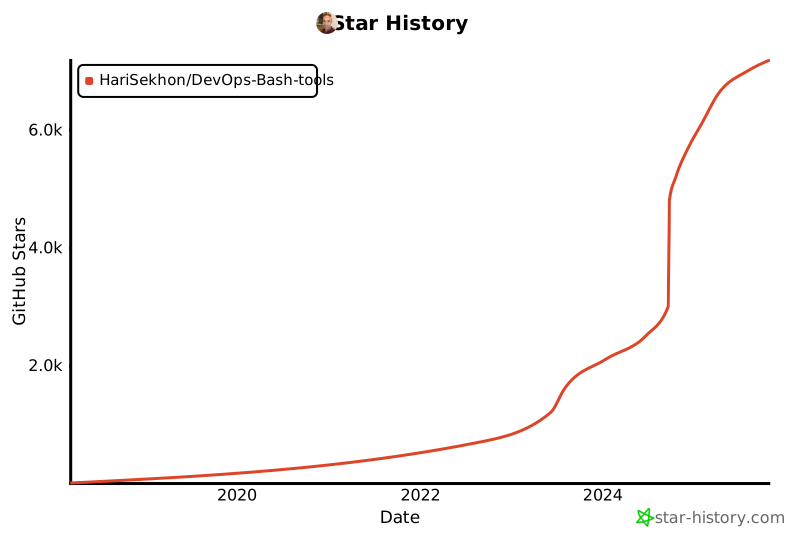](https://star-history.com/#HariSekhon/DevOps-Bash-tools&Date)\n\n[git.io/bash-tools](https://git.io/bash-tools)", "tags": ["HariSekhon"], "source": "github_gists", "category": "HariSekhon", "difficulty": "intermediate", "quality_score": 0.68, "question_score": 7966, "answer_score": 10, "has_code": false, "url": "https://github.com/HariSekhon/DevOps-Bash-tools", "collected_at": "2026-01-17T08:20:53.880185"}
{"id": "gh_d7123ff4c478", "question": "How to: DevOps Code", "question_body": "About HariSekhon/DevOps-Bash-tools", "answer": "[](https://github.com/HariSekhon/DevOps-Bash-tools)\n[](https://github.com/HariSekhon/DevOps-Python-tools)\n[](https://github.com/HariSekhon/DevOps-Perl-tools)\n[](https://github.com/HariSekhon/DevOps-Golang-tools)", "tags": ["HariSekhon"], "source": "github_gists", "category": "HariSekhon", "difficulty": "intermediate", "quality_score": 0.78, "question_score": 7966, "answer_score": 10, "has_code": false, "url": "https://github.com/HariSekhon/DevOps-Bash-tools", "collected_at": "2026-01-17T08:20:53.880192"}
{"id": "gh_04cbefd068a0", "question": "How to: Containerization", "question_body": "About HariSekhon/DevOps-Bash-tools", "answer": "[](https://github.com/HariSekhon/Kubernetes-configs)\n[](https://github.com/HariSekhon/Dockerfiles)", "tags": ["HariSekhon"], "source": "github_gists", "category": "HariSekhon", "difficulty": "intermediate", "quality_score": 0.68, "question_score": 7966, "answer_score": 10, "has_code": false, "url": "https://github.com/HariSekhon/DevOps-Bash-tools", "collected_at": "2026-01-17T08:20:53.880196"}
{"id": "gh_53f29d2b2791", "question": "How to: Databases - DBA - SQL", "question_body": "About HariSekhon/DevOps-Bash-tools", "answer": "[](https://github.com/HariSekhon/SQL-scripts)", "tags": ["HariSekhon"], "source": "github_gists", "category": "HariSekhon", "difficulty": "intermediate", "quality_score": 0.73, "question_score": 7966, "answer_score": 10, "has_code": false, "url": "https://github.com/HariSekhon/DevOps-Bash-tools", "collected_at": "2026-01-17T08:20:53.880201"}
{"id": "gh_873e9d18f0ed", "question": "How to: DevOps Reloaded", "question_body": "About HariSekhon/DevOps-Bash-tools", "answer": "[](https://github.com/HariSekhon/HAProxy-configs)\n[](https://github.com/HariSekhon/Terraform)\n[](https://github.com/HariSekhon/Packer)\n[](https://github.com/HariSekhon/Ansible)\n[](https://github.com/HariSekhon/Environments)", "tags": ["HariSekhon"], "source": "github_gists", "category": "HariSekhon", "difficulty": "intermediate", "quality_score": 0.78, "question_score": 7966, "answer_score": 10, "has_code": false, "url": "https://github.com/HariSekhon/DevOps-Bash-tools", "collected_at": "2026-01-17T08:20:53.880206"}
{"id": "gh_f03538594e66", "question": "How to: CVE-2026-0628 (2026-01-06)", "question_body": "About nomi-sec/PoC-in-GitHub", "answer": "```\nInsufficient policy enforcement in WebView tag in Google Chrome prior to 143.0.7499.192 allowed an attacker who convinced a user to install a malicious extension to inject scripts or HTML into a privileged page via a crafted Chrome Extension. (Chromium security severity: High)\n```\n- [fevar54/CVE-2026-0628-POC](https://github.com/fevar54/CVE-2026-0628-POC)", "tags": ["nomi-sec"], "source": "github_gists", "category": "nomi-sec", "difficulty": "intermediate", "quality_score": 0.83, "question_score": 7482, "answer_score": 10, "has_code": false, "url": "https://github.com/nomi-sec/PoC-in-GitHub", "collected_at": "2026-01-17T08:20:56.152478"}
{"id": "gh_a0ee29e7cae7", "question": "How to: CVE-2026-0842 (2026-01-11)", "question_body": "About nomi-sec/PoC-in-GitHub", "answer": "```\nA flaw has been found in Flycatcher Toys smART Sketcher up to 2.0. This affects an unknown part of the component Bluetooth Low Energy Interface. This manipulation causes missing authentication. The attack can only be done within the local network. The exploit has been published and may be used. The vendor was contacted early about this disclosure but did not respond in any way.\n```\n- [davidrxchester/smart-sketcher-upload](https://github.com/davidrxchester/smart-sketcher-upload)", "tags": ["nomi-sec"], "source": "github_gists", "category": "nomi-sec", "difficulty": "intermediate", "quality_score": 0.83, "question_score": 7482, "answer_score": 10, "has_code": false, "url": "https://github.com/nomi-sec/PoC-in-GitHub", "collected_at": "2026-01-17T08:20:56.152493"}
{"id": "gh_c35e7c1804c7", "question": "How to: CVE-2026-666", "question_body": "About nomi-sec/PoC-in-GitHub", "answer": "- [adriangigliotti/CVE-2026-666](https://github.com/adriangigliotti/CVE-2026-666)", "tags": ["nomi-sec"], "source": "github_gists", "category": "nomi-sec", "difficulty": "intermediate", "quality_score": 0.73, "question_score": 7482, "answer_score": 10, "has_code": false, "url": "https://github.com/nomi-sec/PoC-in-GitHub", "collected_at": "2026-01-17T08:20:56.152499"}
{"id": "gh_8bec31db0dba", "question": "How to: CVE-2026-5000", "question_body": "About nomi-sec/PoC-in-GitHub", "answer": "- [Perl-Code/CVE-2026-5000](https://github.com/Perl-Code/CVE-2026-5000)", "tags": ["nomi-sec"], "source": "github_gists", "category": "nomi-sec", "difficulty": "intermediate", "quality_score": 0.73, "question_score": 7482, "answer_score": 10, "has_code": false, "url": "https://github.com/nomi-sec/PoC-in-GitHub", "collected_at": "2026-01-17T08:20:56.152503"}
{"id": "gh_d1744401e0db", "question": "How to: CVE-2026-20805 (2026-01-13)", "question_body": "About nomi-sec/PoC-in-GitHub", "answer": "```\nExposure of sensitive information to an unauthorized actor in Desktop Windows Manager allows an authorized attacker to disclose information locally.\n```\n- [fevar54/CVE-2026-20805-POC](https://github.com/fevar54/CVE-2026-20805-POC)", "tags": ["nomi-sec"], "source": "github_gists", "category": "nomi-sec", "difficulty": "intermediate", "quality_score": 0.83, "question_score": 7482, "answer_score": 10, "has_code": false, "url": "https://github.com/nomi-sec/PoC-in-GitHub", "collected_at": "2026-01-17T08:20:56.152508"}
{"id": "gh_8eb6ea8d9f33", "question": "How to: CVE-2026-20856 (2026-01-13)", "question_body": "About nomi-sec/PoC-in-GitHub", "answer": "```\nImproper input validation in Windows Server Update Service allows an unauthorized attacker to execute code over a network.\n```\n- [b1gchoi/poc-CVE-2026-20856](https://github.com/b1gchoi/poc-CVE-2026-20856)", "tags": ["nomi-sec"], "source": "github_gists", "category": "nomi-sec", "difficulty": "intermediate", "quality_score": 0.83, "question_score": 7482, "answer_score": 10, "has_code": false, "url": "https://github.com/nomi-sec/PoC-in-GitHub", "collected_at": "2026-01-17T08:20:56.152512"}
{"id": "gh_7b72cf112f96", "question": "How to: CVE-2026-21436 (2026-01-01)", "question_body": "About nomi-sec/PoC-in-GitHub", "answer": "```\neopkg is a Solus package manager implemented in python3. In versions prior to 4.4.0, a malicious package could escape the directory set by `--destdir`. This requires the installation of a package from a malicious or compromised source. Files in such packages would not be installed in the path given by `--destdir`, but on a different location on the host. The issue has been fixed in v4.4.0. Users only installing packages from the Solus repositories are not affected.\n```\n- [osmancanvural/CVE-2026-21436](https://github.com/osmancanvural/CVE-2026-21436)", "tags": ["nomi-sec"], "source": "github_gists", "category": "nomi-sec", "difficulty": "intermediate", "quality_score": 0.93, "question_score": 7482, "answer_score": 10, "has_code": false, "url": "https://github.com/nomi-sec/PoC-in-GitHub", "collected_at": "2026-01-17T08:20:56.152518"}
{"id": "gh_404fe07a3917", "question": "How to: CVE-2026-21437 (2026-01-01)", "question_body": "About nomi-sec/PoC-in-GitHub", "answer": "```\neopkg is a Solus package manager implemented in python3. In versions prior to 4.4.0, a malicious package could include files that are not tracked by `eopkg`. This requires the installation of a package from a malicious or compromised source. Files in such packages would not be shown by `lseopkg` and related tools. The issue has been fixed in v4.4.0. Users only installing packages from the Solus repositories are not affected.\n```\n- [osmancanvural/CVE-2026-21437](https://github.com/osmancanvural/CVE-2026-21437)", "tags": ["nomi-sec"], "source": "github_gists", "category": "nomi-sec", "difficulty": "intermediate", "quality_score": 0.93, "question_score": 7482, "answer_score": 10, "has_code": false, "url": "https://github.com/nomi-sec/PoC-in-GitHub", "collected_at": "2026-01-17T08:20:56.152523"}
{"id": "gh_6cdc2e6729bc", "question": "How to: CVE-2026-21440 (2026-01-02)", "question_body": "About nomi-sec/PoC-in-GitHub", "answer": "```\nAdonisJS is a TypeScript-first web framework. A Path Traversal vulnerability in AdonisJS multipart file handling may allow a remote attacker to write arbitrary files to arbitrary locations on the server filesystem. This impacts @adonisjs/bodyparser through version 10.1.1 and 11.x prerelease versions prior to 11.0.0-next.6. This issue has been patched in @adonisjs/bodyparser versions 10.1.2 and 11.0.0-next.6.\n```\n- [Ashwesker/Ashwesker-CVE-2026-21440](https://github.com/Ashwesker/Ashwesker-CVE-2026-21440)\n- [you-ssef9/CVE-2026-21440](https://github.com/you-ssef9/CVE-2026-21440)\n- [k0nnect/cve-2026-21440-writeup-poc](https://github.com/k0nnect/cve-2026-21440-writeup-poc)", "tags": ["nomi-sec"], "source": "github_gists", "category": "nomi-sec", "difficulty": "intermediate", "quality_score": 0.93, "question_score": 7482, "answer_score": 10, "has_code": false, "url": "https://github.com/nomi-sec/PoC-in-GitHub", "collected_at": "2026-01-17T08:20:56.152528"}
{"id": "gh_a39b120d0970", "question": "How to: CVE-2026-21445 (2026-01-02)", "question_body": "About nomi-sec/PoC-in-GitHub", "answer": "```\nLangflow is a tool for building and deploying AI-powered agents and workflows. Prior to version 1.7.0.dev45, multiple critical API endpoints in Langflow are missing authentication controls. The issue allows any unauthenticated user to access sensitive user conversation data, transaction histories, and perform destructive operations including message deletion. This affects endpoints handling personal data and system operations that should require proper authorization. Version 1.7.0.dev45 contains a patch.\n```\n- [chinaxploiter/CVE-2026-21445-PoC](https://github.com/chinaxploiter/CVE-2026-21445-PoC)", "tags": ["nomi-sec"], "source": "github_gists", "category": "nomi-sec", "difficulty": "intermediate", "quality_score": 0.93, "question_score": 7482, "answer_score": 10, "has_code": false, "url": "https://github.com/nomi-sec/PoC-in-GitHub", "collected_at": "2026-01-17T08:20:56.152533"}
{"id": "gh_871896b05115", "question": "How to: CVE-2026-21450 (2026-01-02)", "question_body": "About nomi-sec/PoC-in-GitHub", "answer": "```\nBagisto is an open source laravel eCommerce platform. Versions prior to 2.3.10 are vulnerable to server-side template injection via type parameter, which can lead to remote code execution or another exploitation. Version 2.3.10 fixes the issue.\n```\n- [Ashwesker/Ashwesker-CVE-2026-21450](https://github.com/Ashwesker/Ashwesker-CVE-2026-21450)", "tags": ["nomi-sec"], "source": "github_gists", "category": "nomi-sec", "difficulty": "intermediate", "quality_score": 0.83, "question_score": 7482, "answer_score": 10, "has_code": false, "url": "https://github.com/nomi-sec/PoC-in-GitHub", "collected_at": "2026-01-17T08:20:56.152538"}
{"id": "gh_85a086baec7c", "question": "How to: CVE-2026-21451 (2026-01-02)", "question_body": "About nomi-sec/PoC-in-GitHub", "answer": "```\nBagisto is an open source laravel eCommerce platform. A stored Cross-Site Scripting (XSS) vulnerability exists in Bagisto prior to version 2.3.10 within the CMS page editor. Although the platform normally attempts to sanitize `